Piglet Runtime: AI Runtime Sandbox
— Pigsty Lightweight Runtime, AI Coding Sandbox
PIGLET is a lightweight runtime environment based on Pigsty, designed for AI Web Coding cloud sandbox. It integrates PostgreSQL database, JuiceFS distributed storage, Code Server, JupyterLab, Claude Code, Codex CLI and more into one, enabling zero-friction workflow from “prompting code” to “production deployment”.
Key Features
| Feature | Description |
|---|---|
| 🤖 AI Coding | Pre-installed Claude Code, Codex CLI, OpenCode, VS Code, Jupyter full stack, Python/Go/Node.js dev env ready |
| 🐘 Data Capable | PostgreSQL 18 + 576 extensions, vector/timeseries/geo/graph/analytics, add Supabase for complex apps |
| 💾 Shared Storage | JuiceFS stores working directory in database, multi-agent/multi-user collaboration, files never lost, rollback to any point |
| ⏱️ Time Machine | Database PITR + filesystem snapshot sync, messed up? One-click restore to any point in time, keep db and filesystem consistent! |
| 🔀 Instant Clone | CoW sub-second Fork Large Database, fork existing instances/clusters, no extra storage, rebuild anytime, tinker freely! |
| 🌐 One-Click Deploy | Built-in Nginx handles domains, certs, proxy, static/dynamic sites, from prompt to production in one step! |
| 📊 Full-Stack Monitoring | VictoriaMetrics + Grafana panoramic dashboards, Claude Code observability included, all details at your fingertips! |
| 🇨🇳 China Accessible | Global CDN + mirrors, one config for CC + GLM-5.2 domestic models, legal and compliant! |
Quick Start
Prepare a node with SSH access,
running a compatible Linux distro, execute with an admin user having passwordless ssh and sudo:
After installation, access the sandbox homepage via IP: http://<ip>. Assuming your IP is 10.10.10.10:
| Tool | Description |
|---|---|
| Homepage | http://10.10.10.10/ |
| Code Server | http://10.10.10.10/code |
| Jupyter Lab | http://10.10.10.10/jupyter |
| Grafana Dashboard | http://10.10.10.10/ui |
| Claude Monitor | http://10.10.10.10/ui/d/claude-code |
When deploying on a public cloud server, start with Security Recommendations: run
configure -g, review the credentials it does not cover, and enable the firewall.
VIBE Components
vibe.yml splits the browser IDE, notebook, AI CLIs, and Node.js runtime into independently switchable components:
| Component | Default | Description | Run Separately |
|---|---|---|---|
| Code Server | code_enabled: true | Browser-based VS Code, mounted at /code by default | ./vibe.yml -t code |
| JupyterLab | jupyter_enabled: true | Notebook and interactive terminal; the role defaults to disabled, while conf/vibe.yml explicitly enables it for the sandbox template | ./vibe.yml -t jupyter |
| Node.js | nodejs_enabled: true | Runtime required by AI CLIs; installed on demand when Claude/Codex is enabled, and uses npmmirror for npm by default when region=china | ./vibe.yml -t nodejs |
| Claude Code | claude_enabled: true | Installs @anthropic-ai/claude-code, renders ~/.claude.json and ~/.claude/settings.json, and enables monitoring by default | ./vibe.yml -t claude |
| Codex CLI | codex_enabled: true | Only runs npm install -g @openai/codex; it does not manage Codex config or integrate Codex into VIBE observability | ./vibe.yml -t codex |
| Extra npm | npm_packages: [] | Installs additional global npm packages only; Claude and Codex are installed by their own tasks | ./vibe.yml -t nodejs_pkg |
If you do not need a component, set the matching *_enabled: false in pigsty.yml, or temporarily pass switches such as ./vibe.yml -e codex_enabled=false.
Start AI Coding
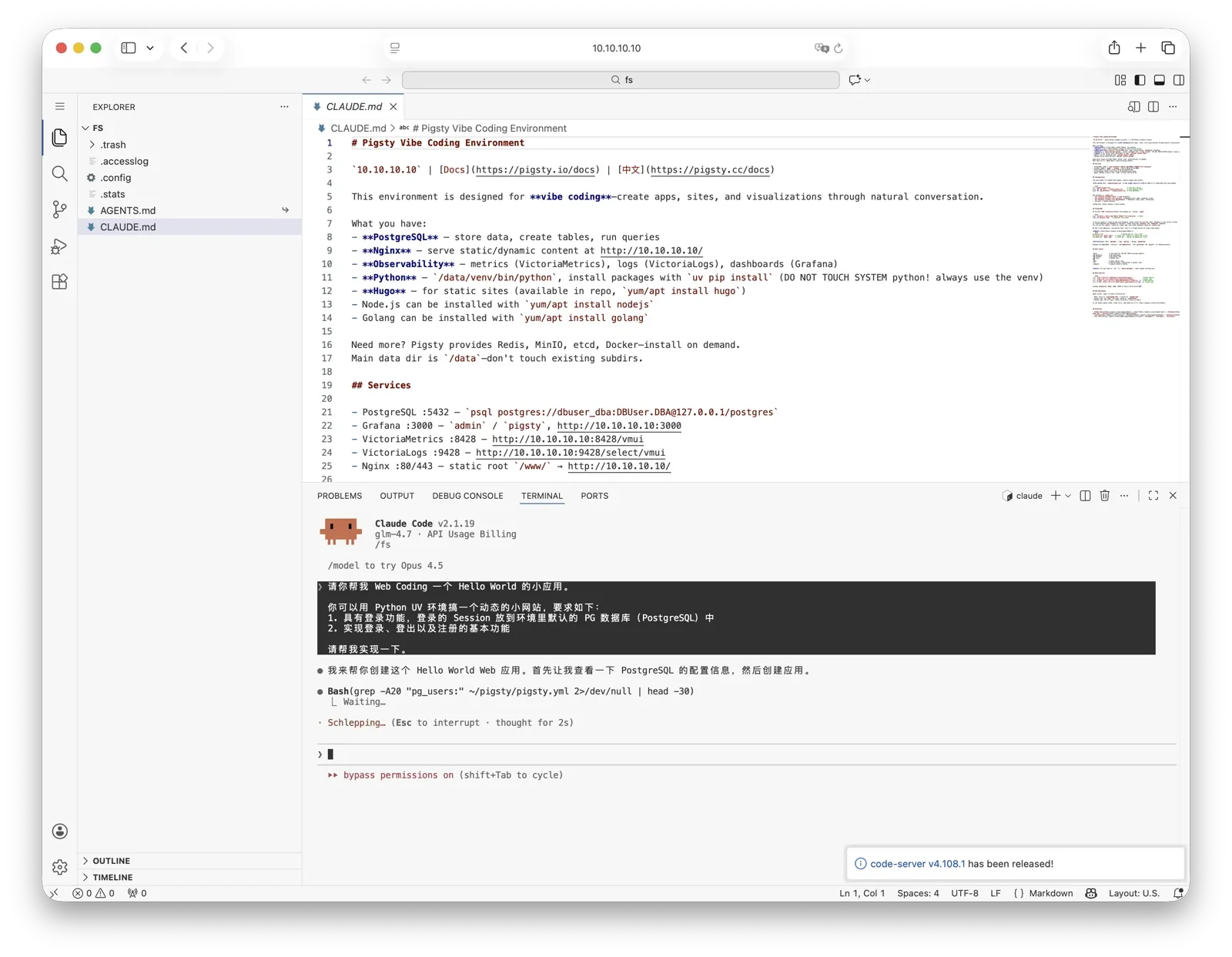
By default /fs is the shared directory stored in PostgreSQL, also the default home for VS Code and Jupyter.
vibe renders the AGENTS.md environment guide there and creates a CLAUDE.md -> AGENTS.md symlink. This directory is the recommended place for Vibe Coding.
You can ssh to the server then cd /fs, and normally start the corresponding CLI with claude or codex. The preconfigured x alias starts Codex YOLO mode, while xx starts Claude YOLO mode; use them carefully around real data.
You can also start Claude Code from the Code Server or Jupyter terminal, or through VS Code / Jupyter Claude plugins.
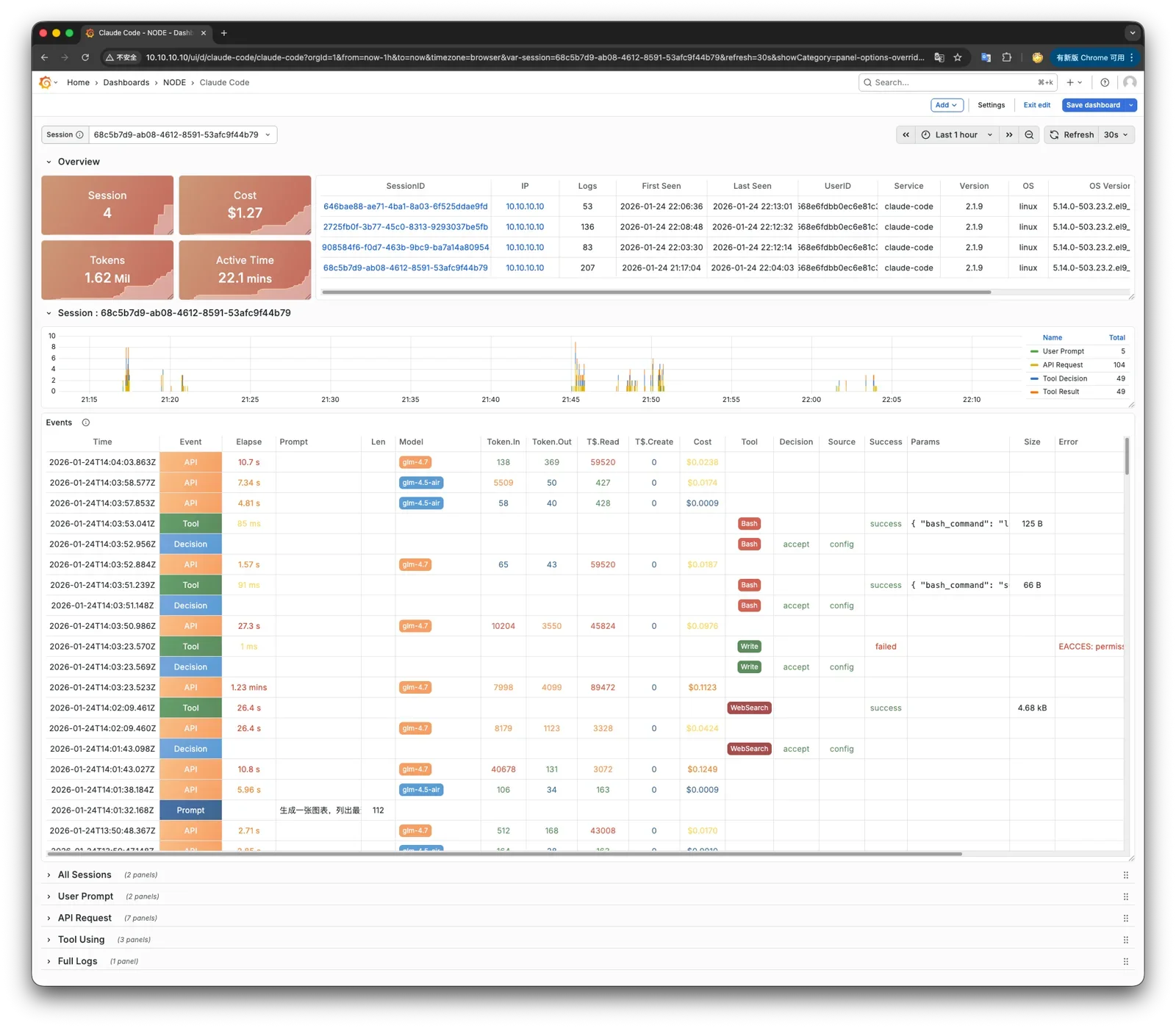
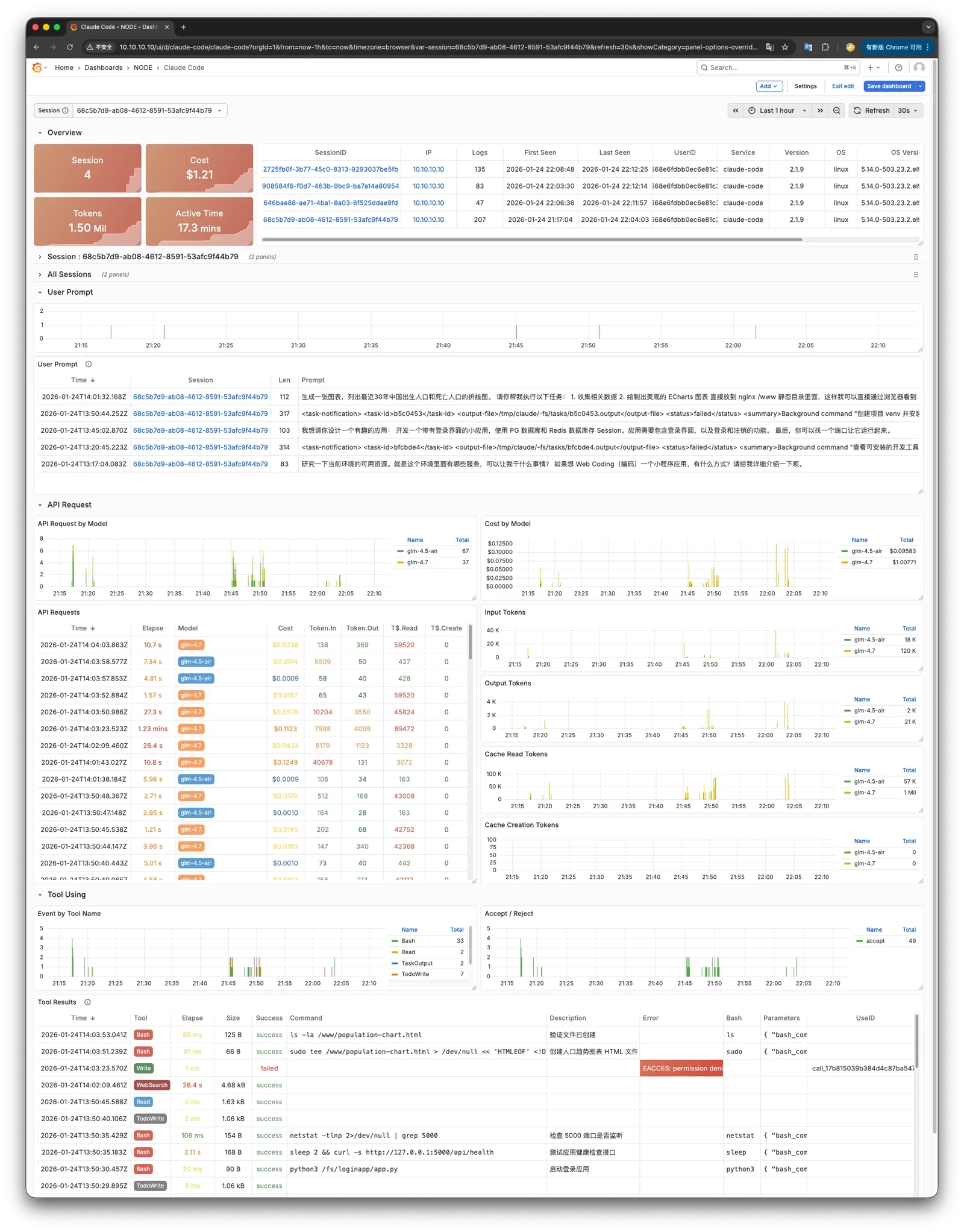
Claude here has logs and monitoring metrics integrated with Grafana dashboards, so you can monitor Claude’s running status through Grafana. Codex CLI is package-only in VIBE: the CLI package is installed by default, while login, provider setup, and config files are still managed by Codex itself.
Using Other Models
To make Claude Code use other models, such as GLM-5.2 that does not require overseas network access in China, modify pigsty.yml during installation.
Find the claude_env section at the bottom and add Anthropic-compatible endpoint variables as needed:
Then re-run ./vibe.yml -t claude. This only affects Claude Code; Codex CLI account and provider config are not managed by VIBE.
Claude Code Observability
To integrate Claude Code metrics and logs from other environments into the PIGLET monitoring system, configure environment variables to send OTEL events to the VictoriaMetrics / VictoriaLogs OTEL endpoints.
Was this page helpful?
Thanks—your feedback helps us improve this page.
What got in the way? (optional)