pgAdmin: PostgreSQL GUI
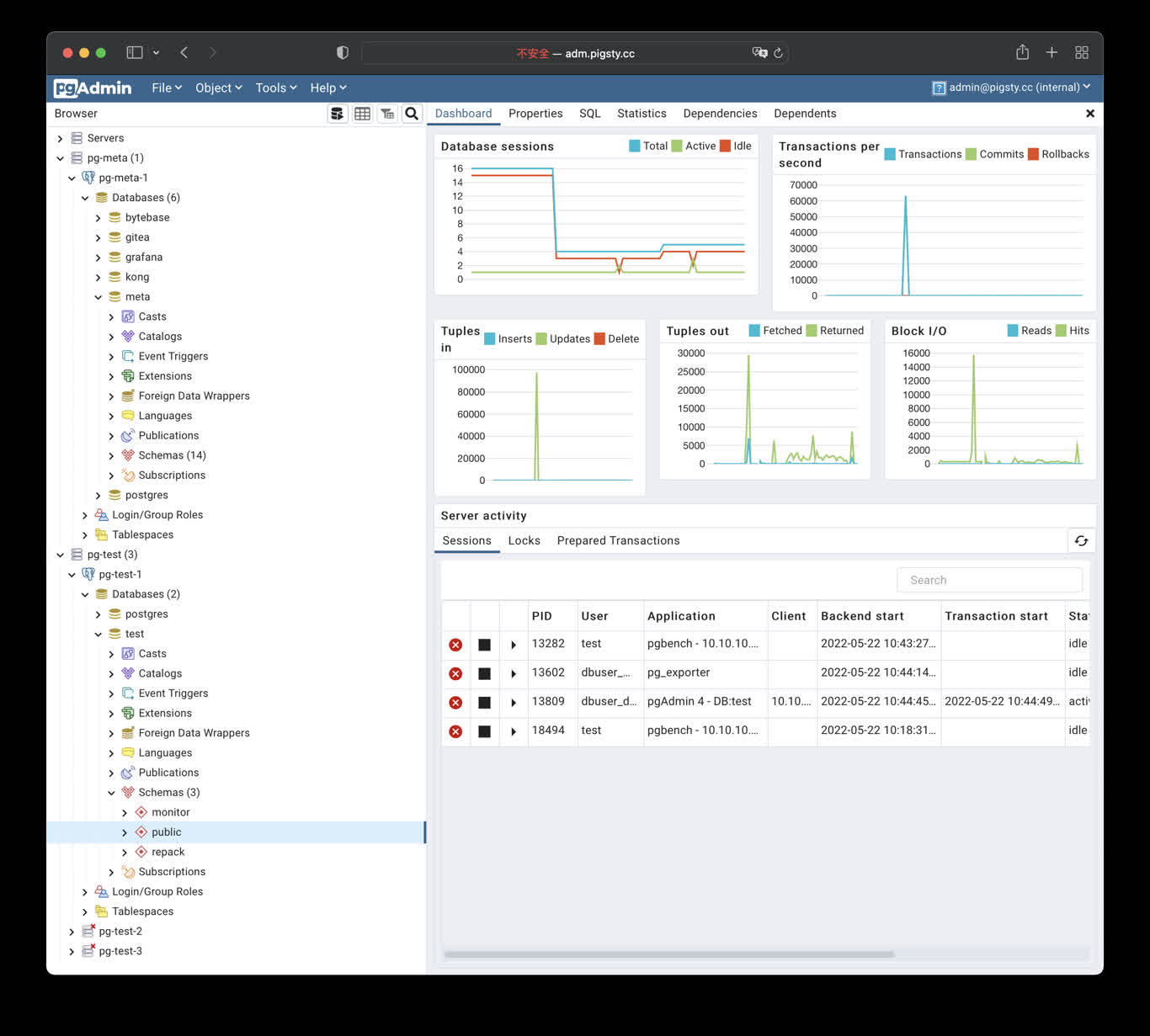
pgAdmin is an open-source PostgreSQL administration and development GUI. Pigsty provides the app/pgadmin Docker Compose template. It can generate a server list and password file from the current inventory.
The template login is admin@pigsty.cc with password pigsty. It is suitable only for a local demo. Before deployment on a shared network or the Internet, change the credentials, restrict port access, and configure HTTPS.
Quick Start
conf/meta.yml declares pgAdmin on the app group by default. Deploy it against an explicitly limited target:
The default port is 8885; use http://<app_ip>:8885. http://adm.pigsty works only after infra_portal, Nginx, and DNS are configured.
The first container start can take tens of seconds. Check it on the application node:
Application Configuration
Override .env through apps.pgadmin.conf on the app group in pigsty.yml:
app.yml copies the template to /opt/pgadmin and writes overrides to /opt/pgadmin/.env. This file contains the login password and should remain mode 0600.
PGADMIN_DEFAULT_EMAIL and PGADMIN_DEFAULT_PASSWORD are used only for initialization; they do not reset an existing account’s password. The template mounts the server list at /pgadmin4/servers.json and the password file at /pgadmin4/pgpass. Changing environment variables does not change these mounts automatically.
The current template uses the unpinned dpage/pgadmin4 image. For production, pin a tested version or digest in docker-compose.yml and validate image upgrades as separate changes.
Load the Server List
env_pgadmin generates:
/infra/pgadmin/servers.json: PostgreSQL instance list/infra/pgadmin/pgpass: database administrator password file
In the default conf/meta.yml, the infra and app groups use the same host. pgAdmin can therefore mount both files directly. With separate pgAdmin and Infra hosts, /infra/pgadmin/ is not automatically available on the application node. Securely distribute equivalent files or customize the mounts. A local path is not shared across hosts.
After rotating database credentials, first regenerate the Infra files:
The generated server definitions use PassFile: /pgpass, which is resolved relative to the user storage directory in pgAdmin Server mode. make pass copies the password file to the hardcoded /var/lib/pgadmin/storage/admin_pigsty.cc/pgpass. After changing the login email, adjust the Makefile user and storage directory. If the password filename changes, also update PassFile. Verify database connections after copying.
make up, make start, and make restart do not refresh the password file automatically. If a host file has been replaced, also inspect its mounted contents inside the container to avoid stale credentials.
The server list can be imported during initialization. The example sets PGADMIN_REPLACE_SERVERS_ON_STARTUP to the string 'False', but this option does not control manual Makefile imports.
make list, make conf, and make reload all import with --replace, targeting the hardcoded admin@pigsty.cc user. Export server definitions you need to retain and check the target email first. These commands are not non-destructive append operations.
pgpass contains only the pg_admin_username / pg_admin_password used when generating the file, with wildcards for host, port, and database. Add appropriate entries when clusters use different administrator credentials. Restrict access to the files, backups, and application host. If pgAdmin should not hold DBA credentials, generate connection definitions for a dedicated least-privilege role instead.
Domain and HTTPS
Add an entry to infra_portal:
Update Nginx on the explicitly limited Infra group:
For a real public domain, point DNS at the server and set certbot on the portal entry:
See CA and Certificates for prerequisites and renewal. The directly exposed port 8885 is not an HTTPS endpoint.
State and Management
From /opt/pgadmin:
Compose does not declare a persistent volume for /var/lib/pgadmin, so the template does not guarantee that the configuration database, user files, and UI settings survive container recreation. Back up this directory before cleanup or upgrades. For persistence, explicitly configure a volume and restore existing state; attaching an empty volume does not migrate state from the old container.
The development template adds a pgadmin-data volume, password refresh, and optional imports without replacement. Migration requires checking Compose, the Makefile, server definitions, and password files together; copying a new .env alone is insufficient.
Security Checklist
- Change the default pgAdmin login and never distribute real credentials in scripts, screenshots, or tickets.
- The default port mapping listens on the host network; restrict sources with a firewall and use Nginx with valid HTTPS for Internet access.
- Protect
/infra/pgadmin/pgpassand/opt/pgadmin/.env; prefer a least-privilege database role. - Pin and validate the container image, and back up any pgAdmin state you choose to persist.
- pgAdmin can execute privileged SQL. Dropping a database, table, or data still requires separate target confirmation and a recent backup.
Was this page helpful?
Thanks—your feedback helps us improve this page.
What got in the way? (optional)