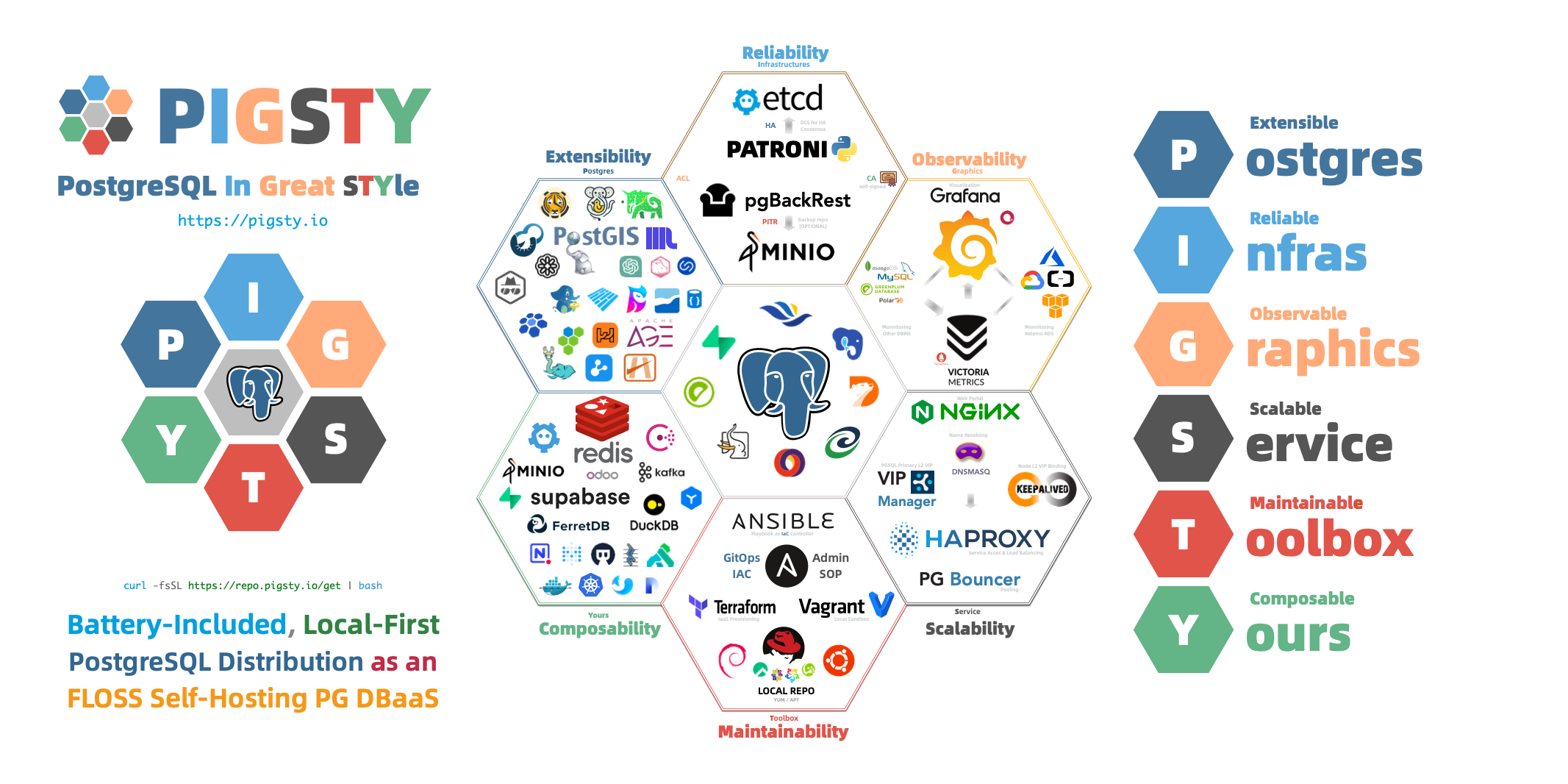
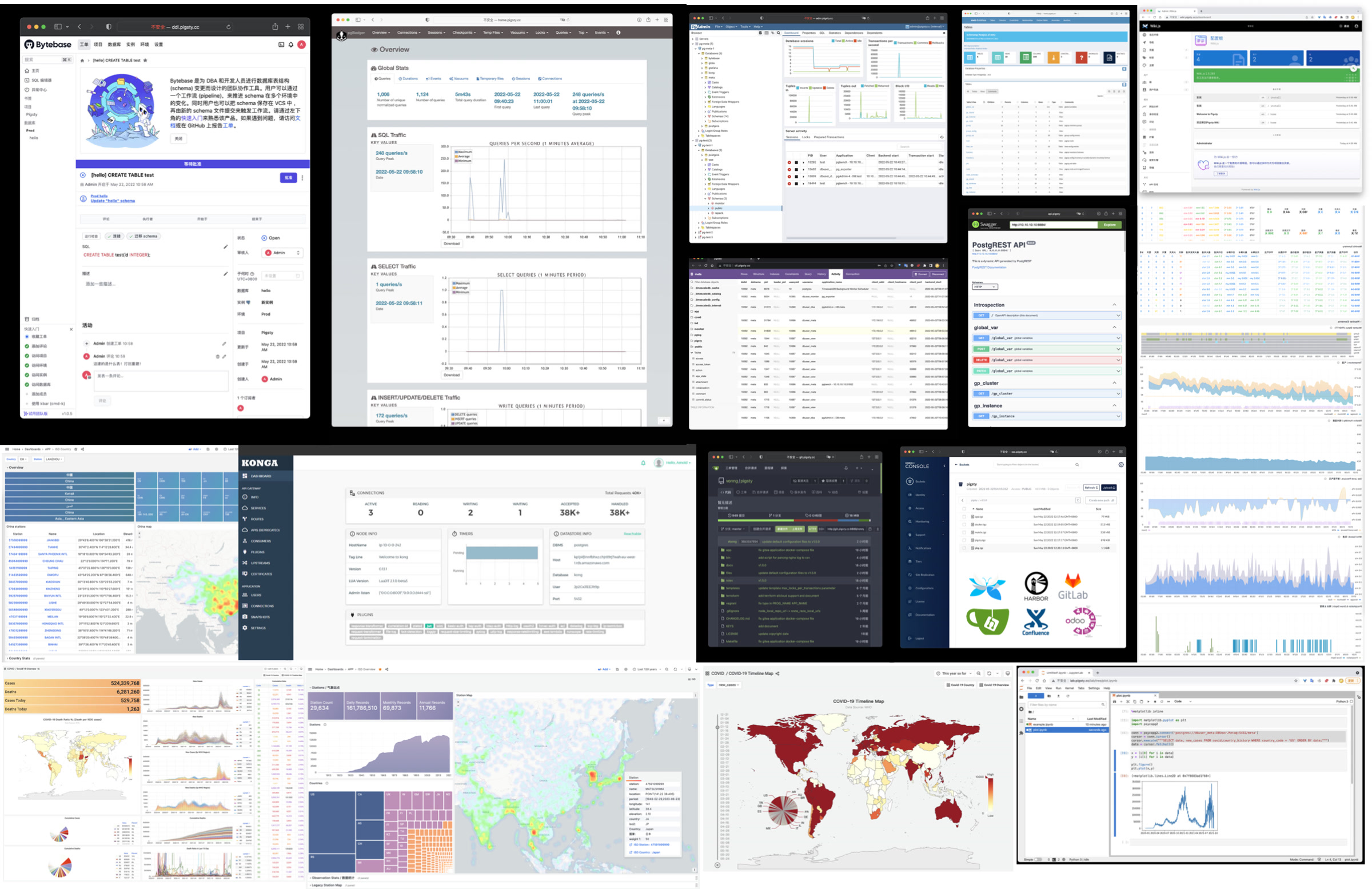
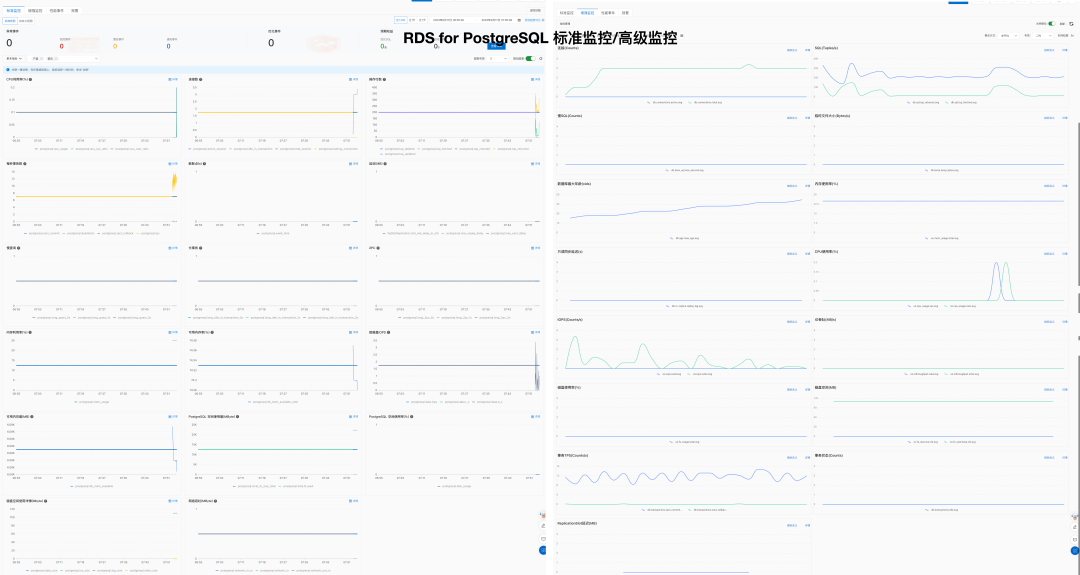
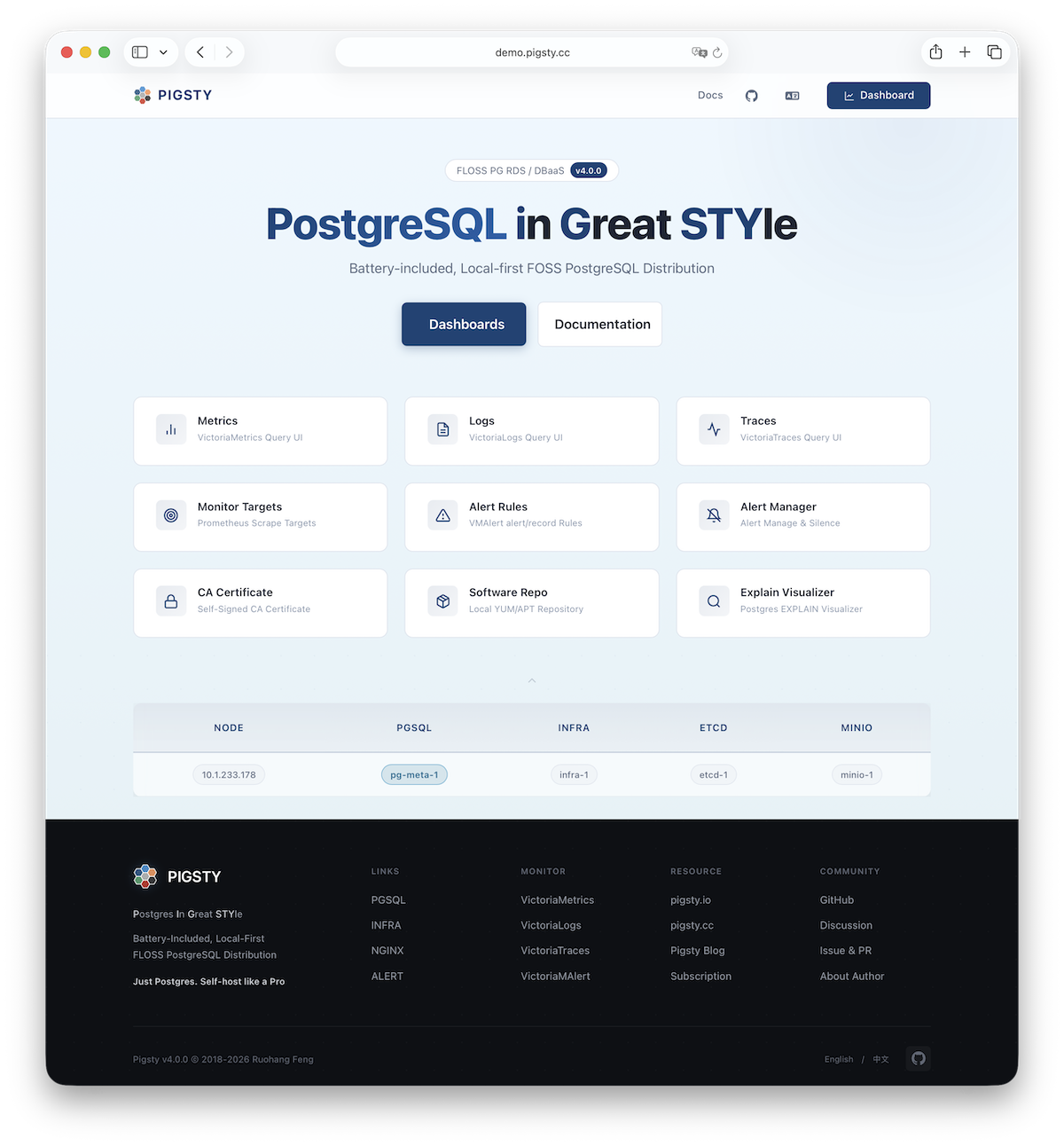
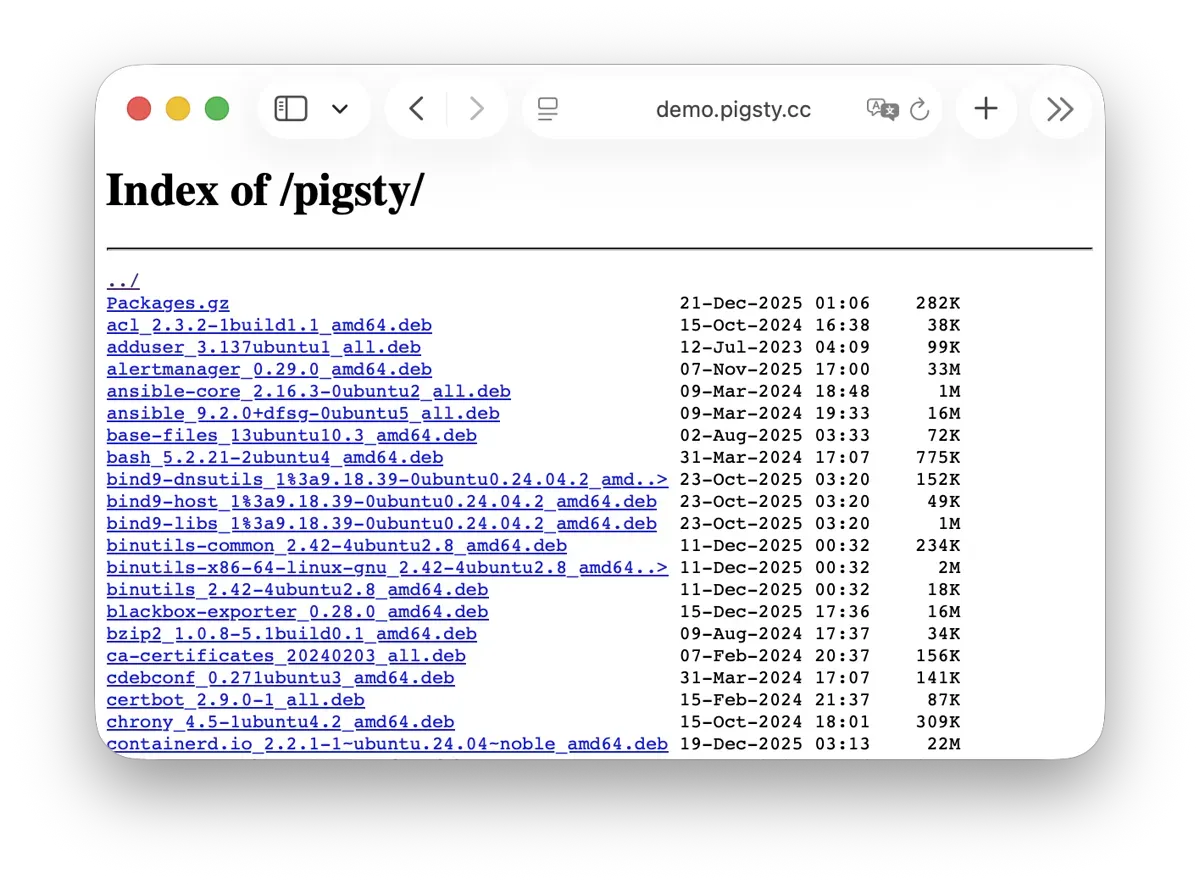
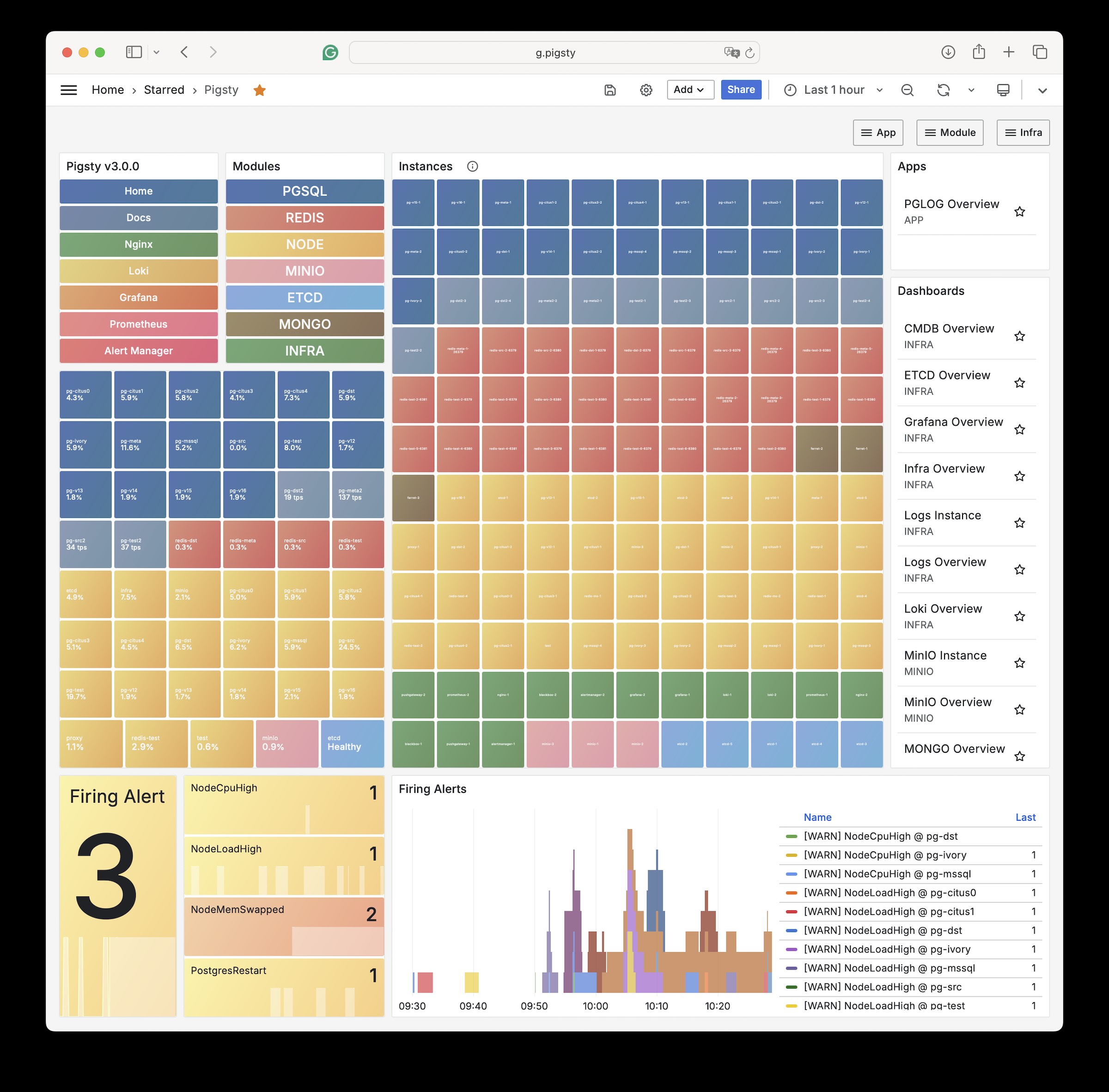
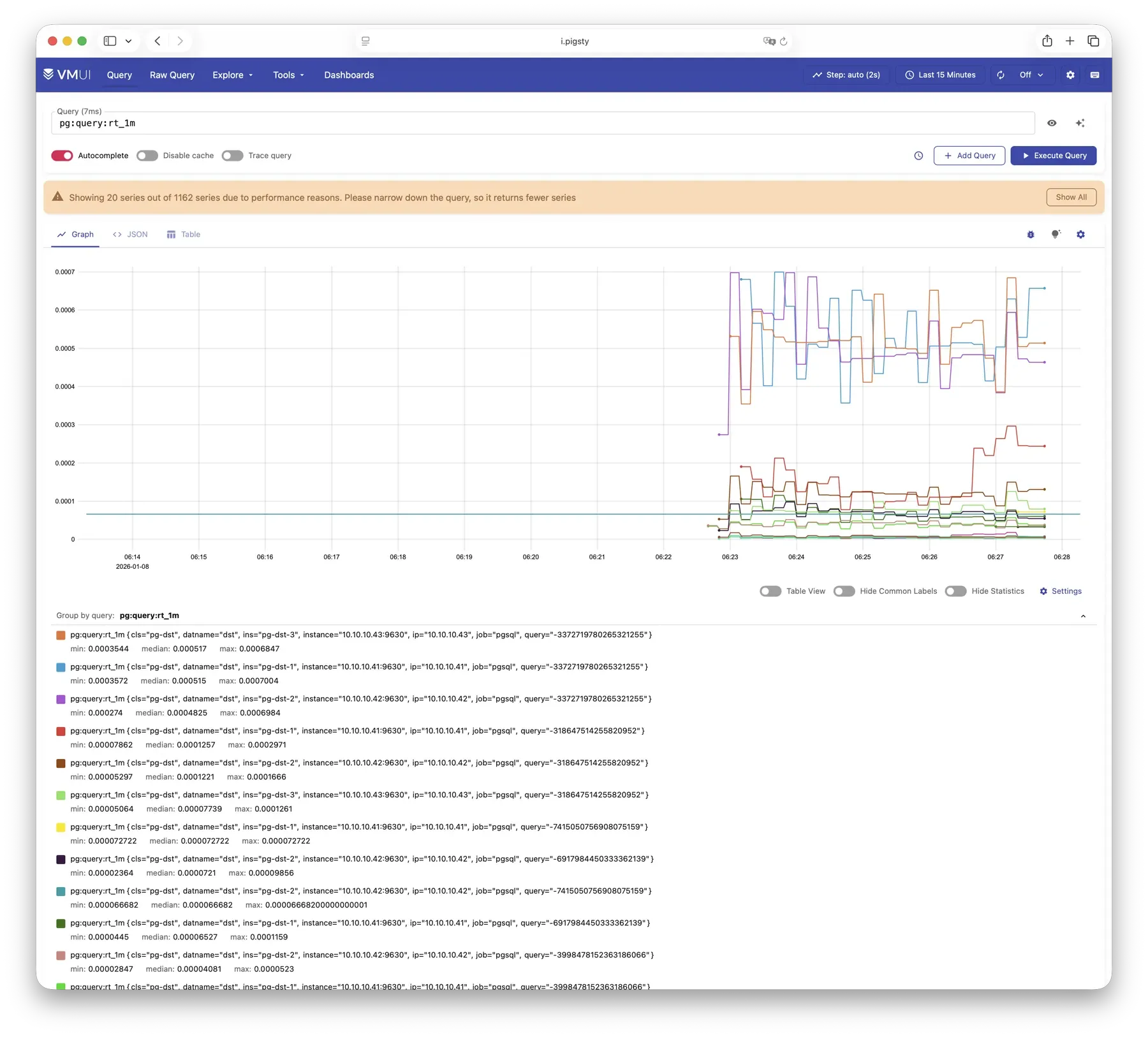
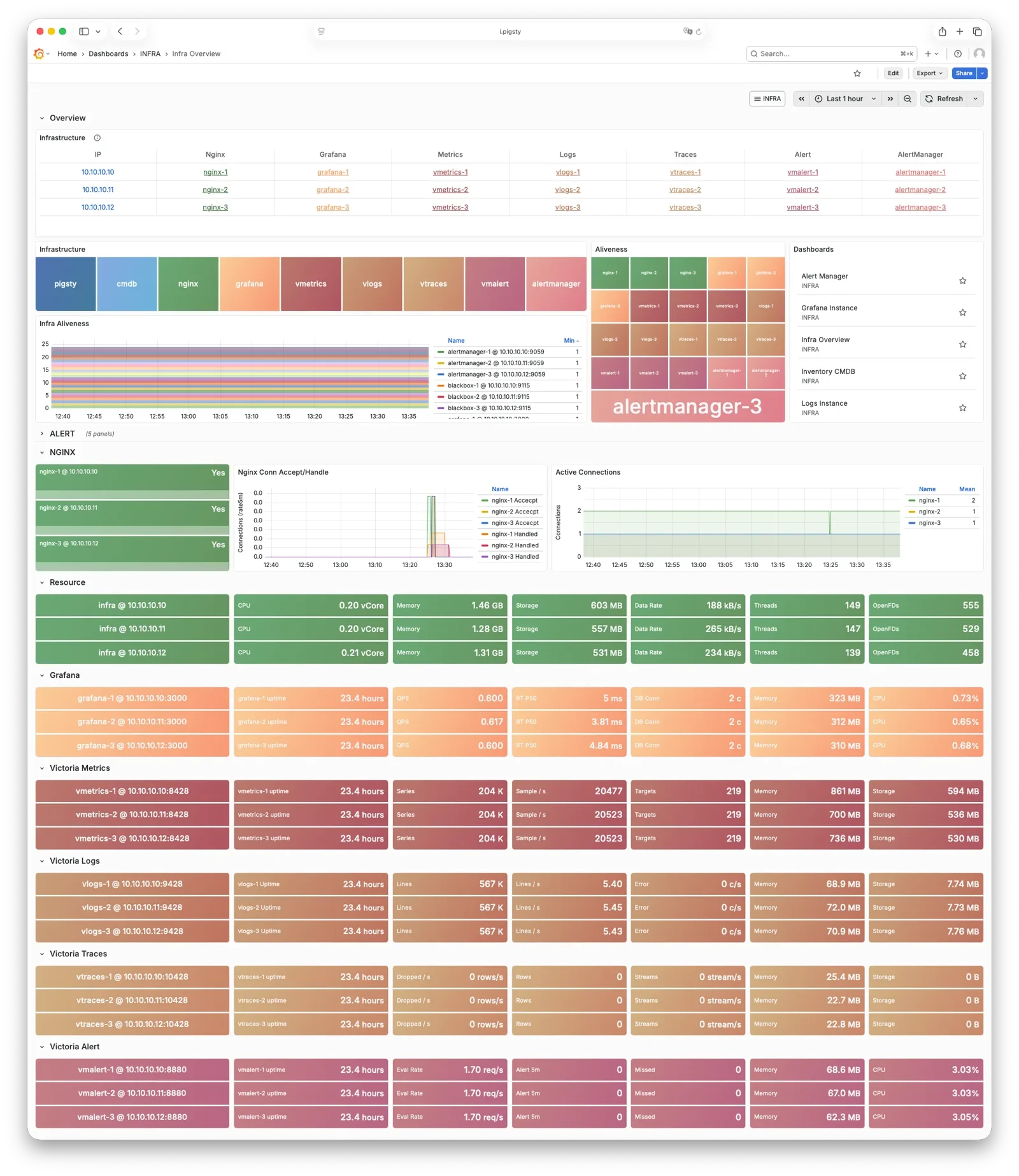
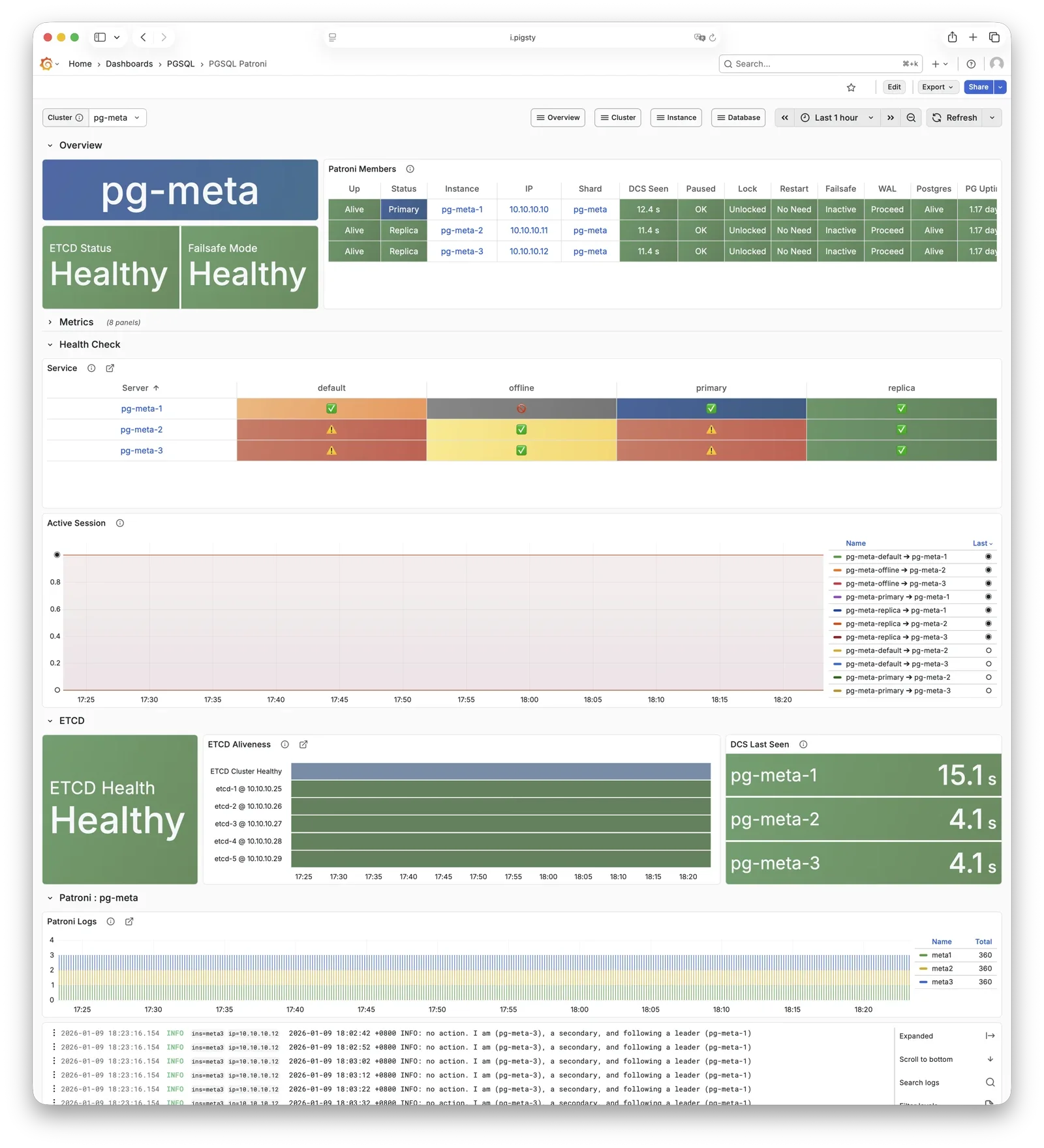
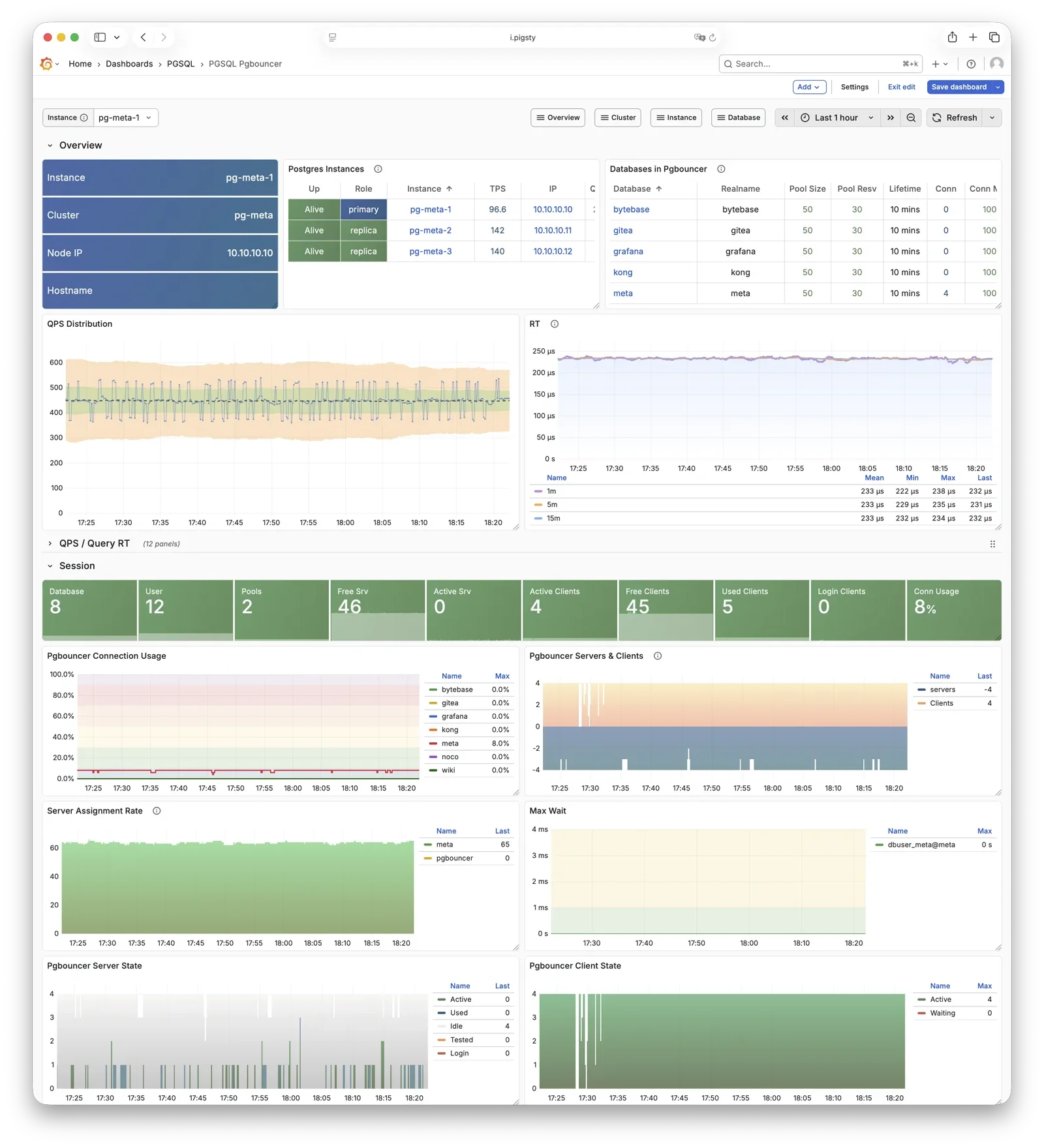
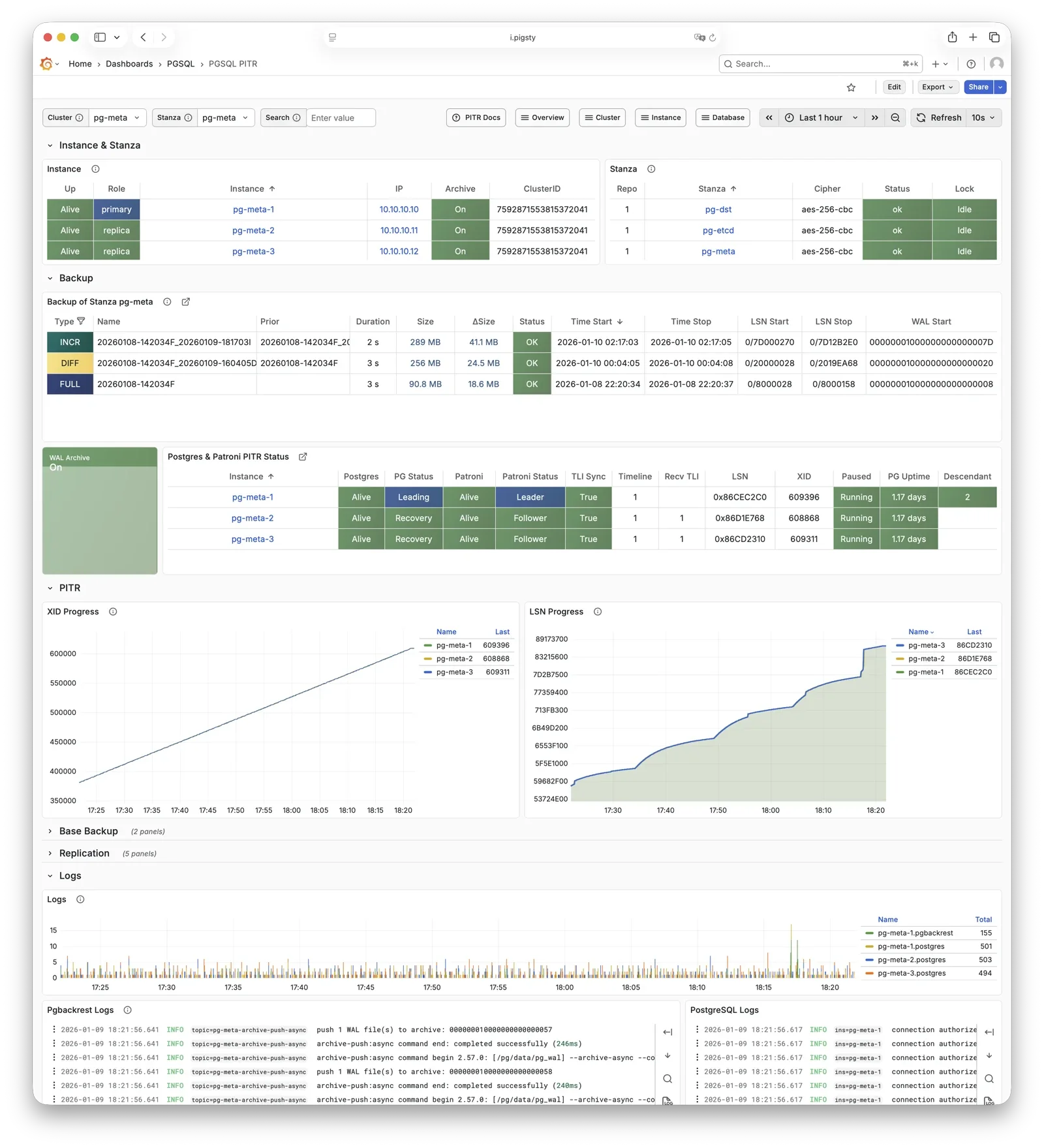
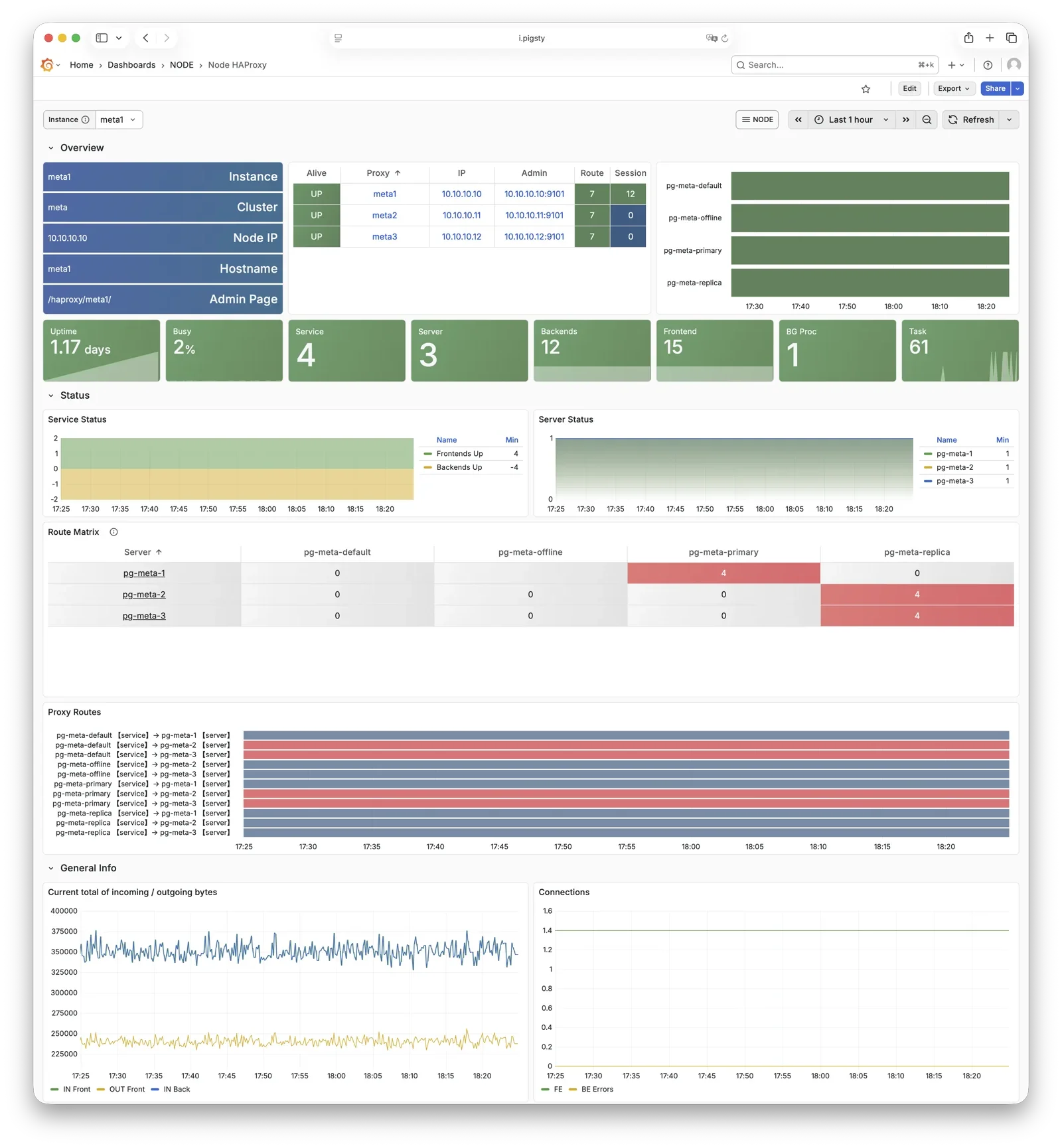
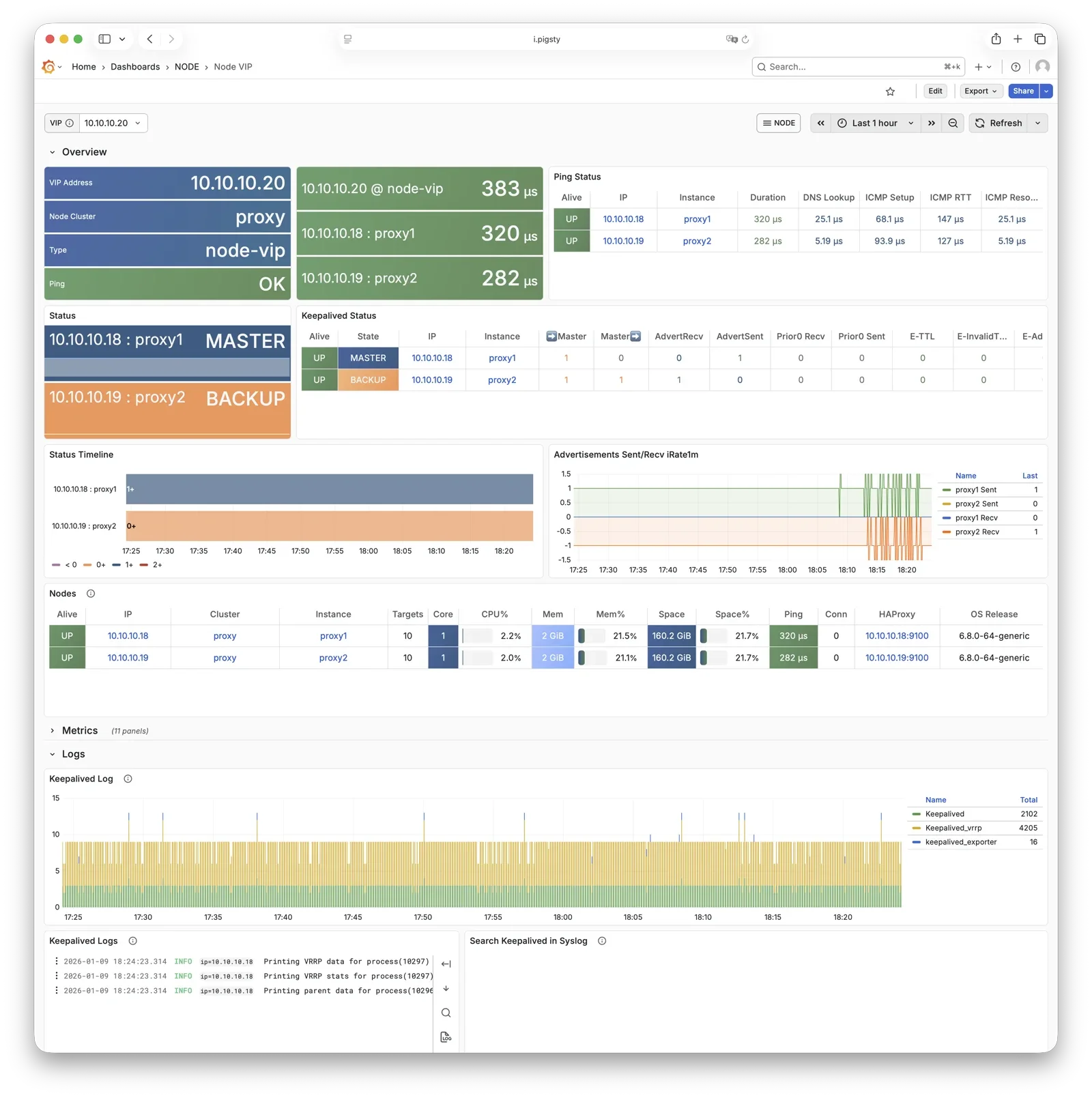
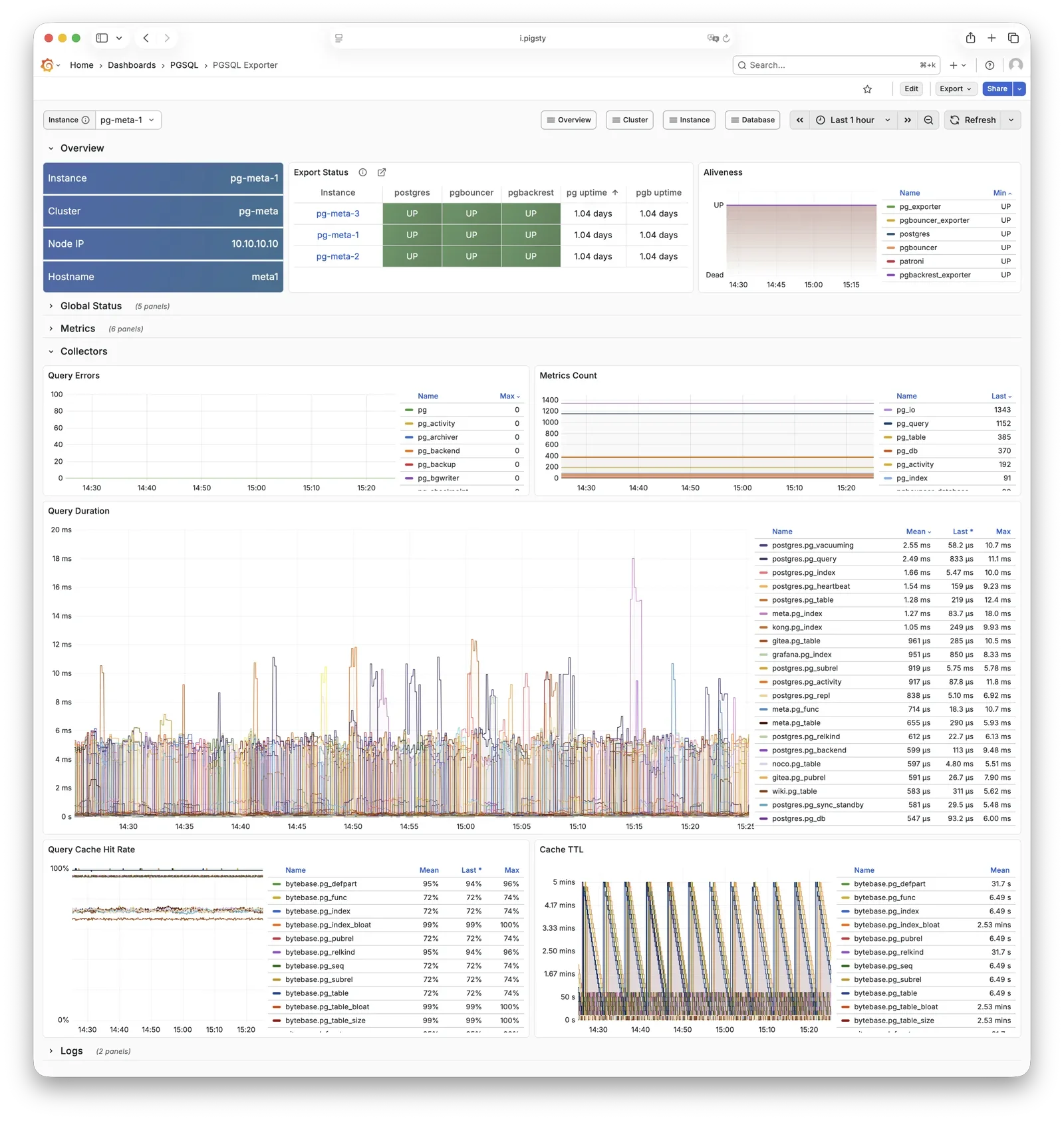
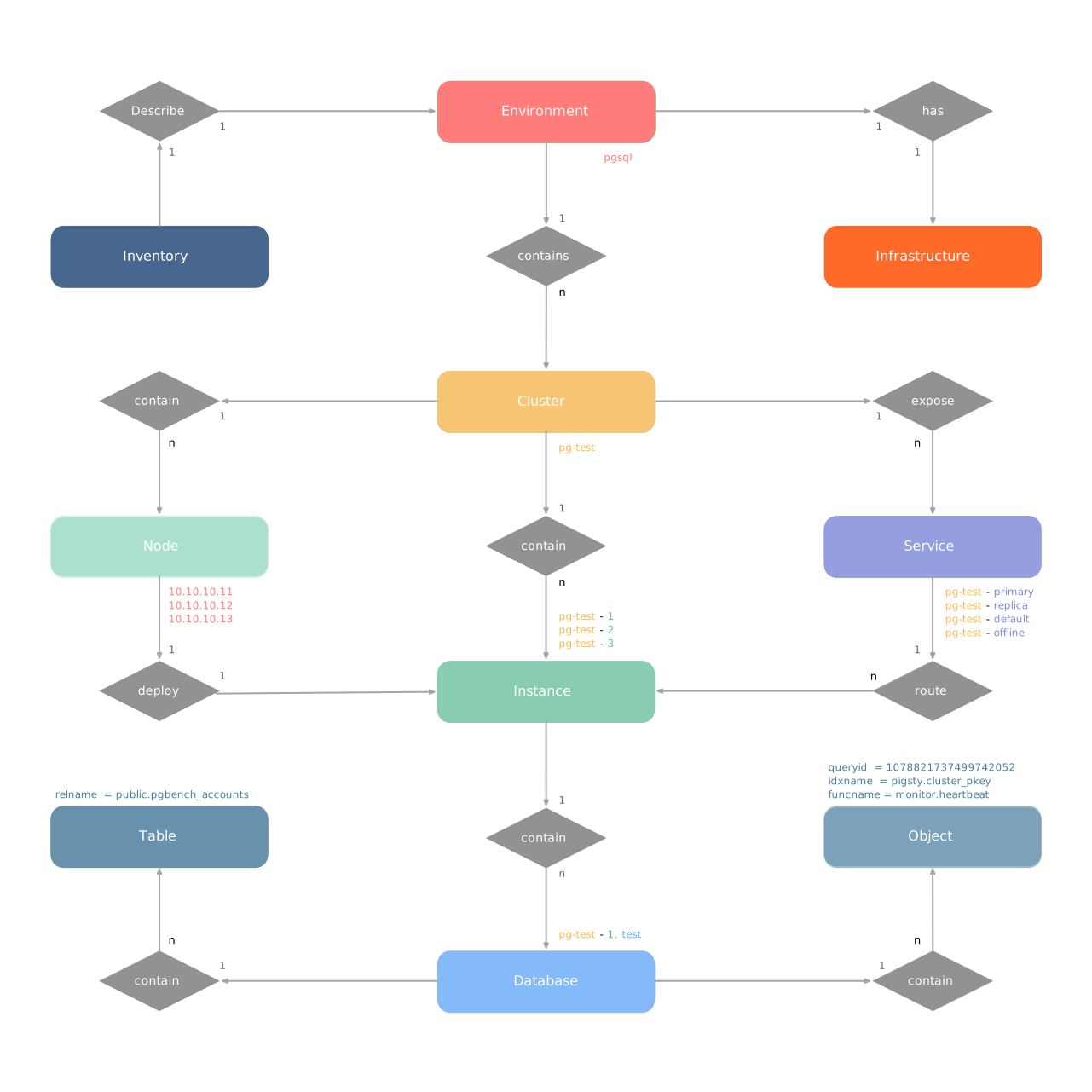
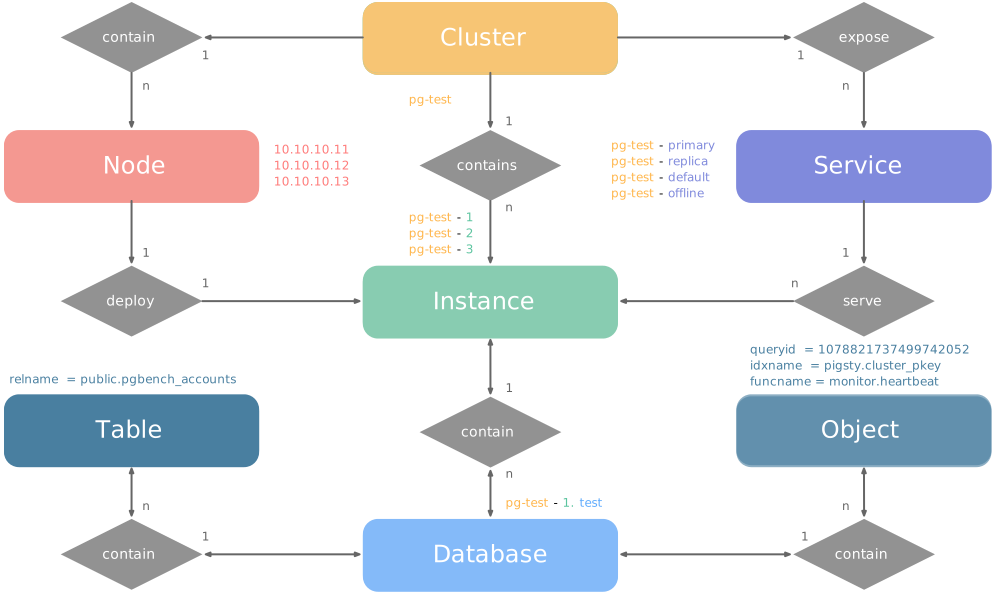
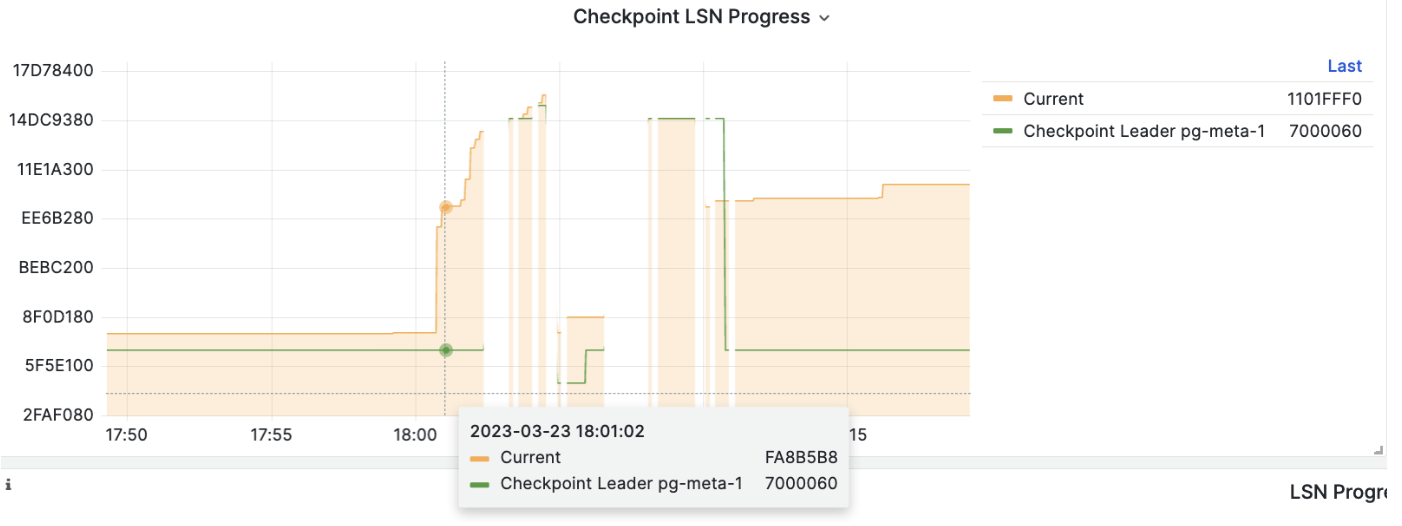
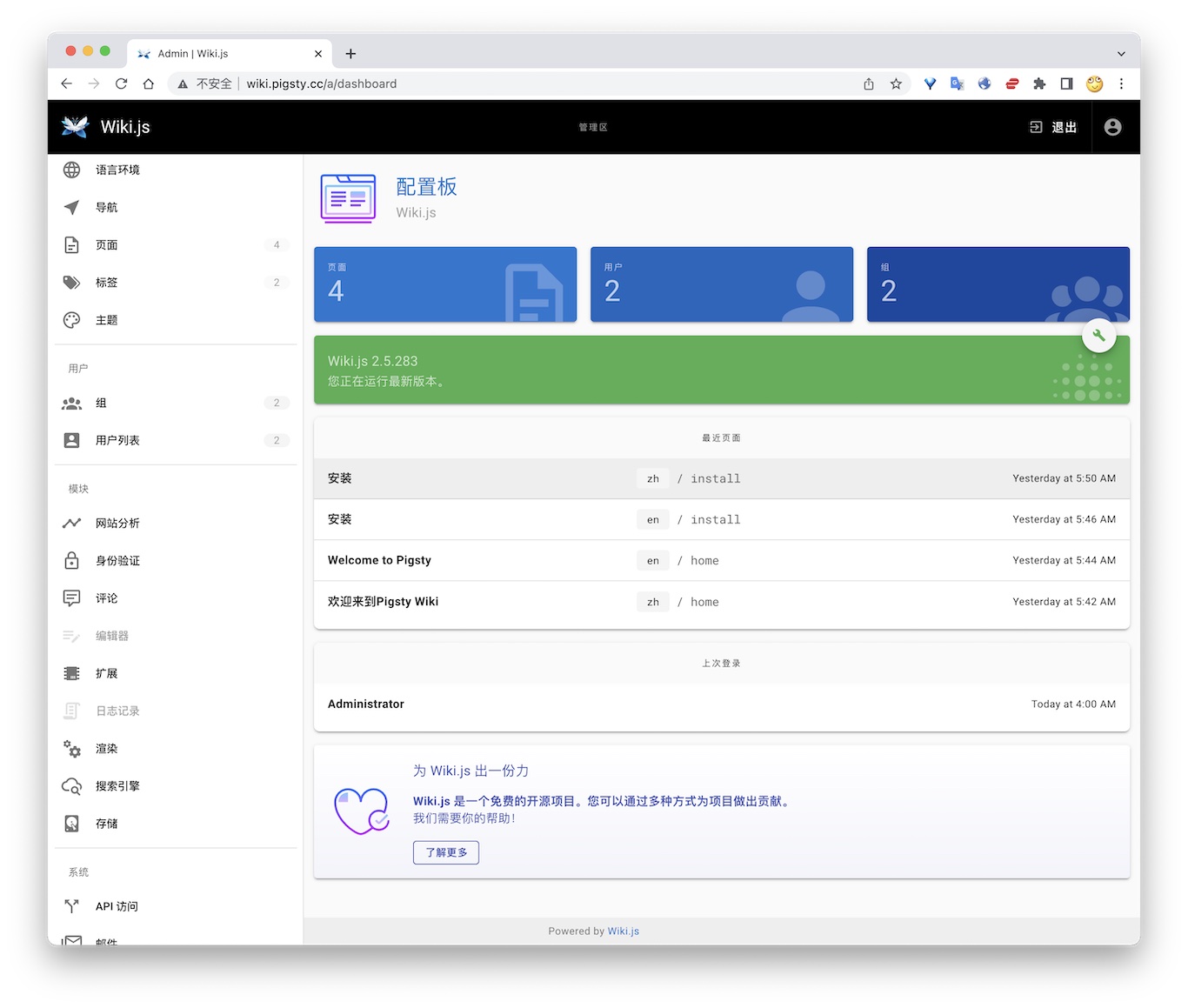
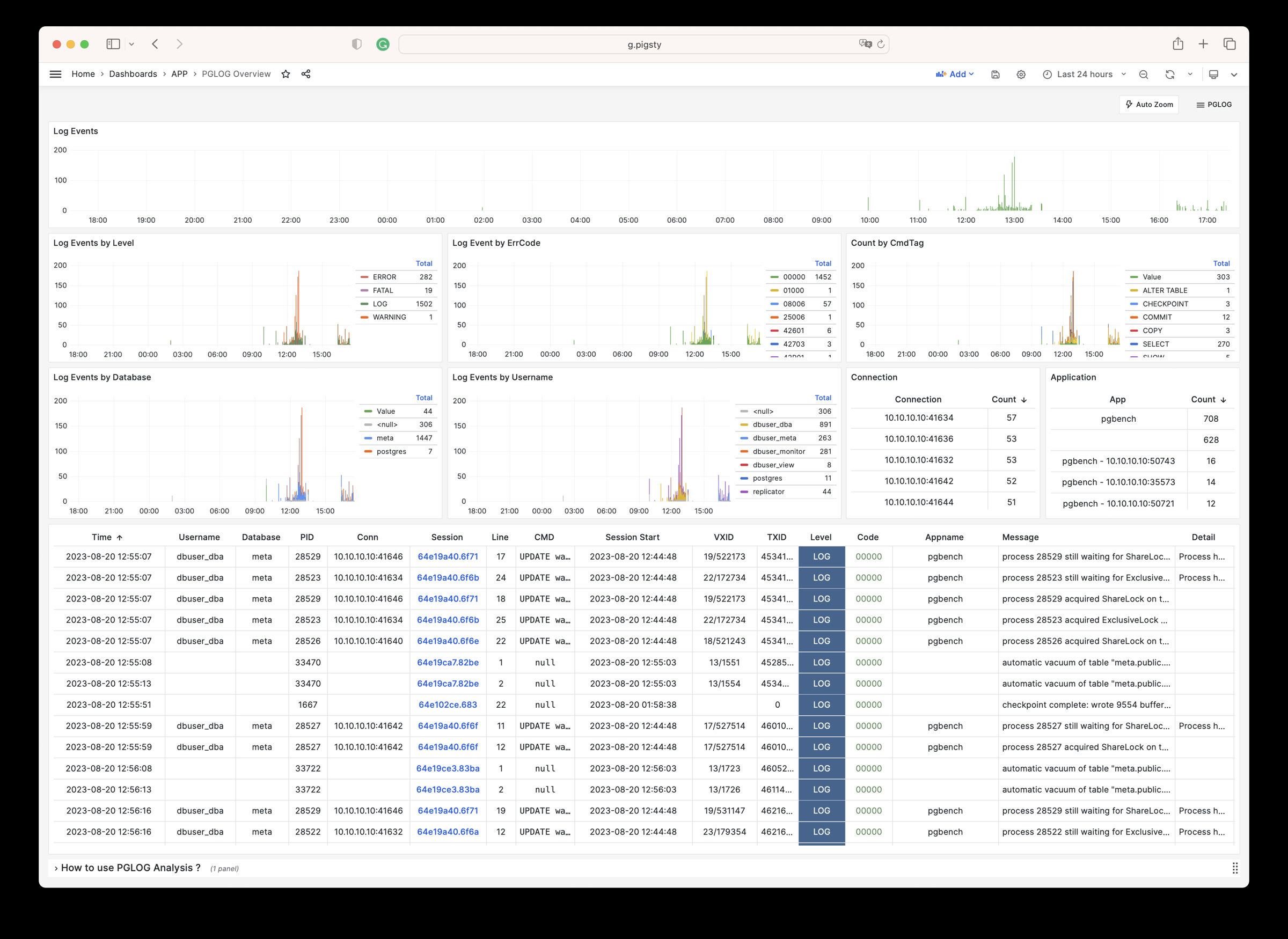
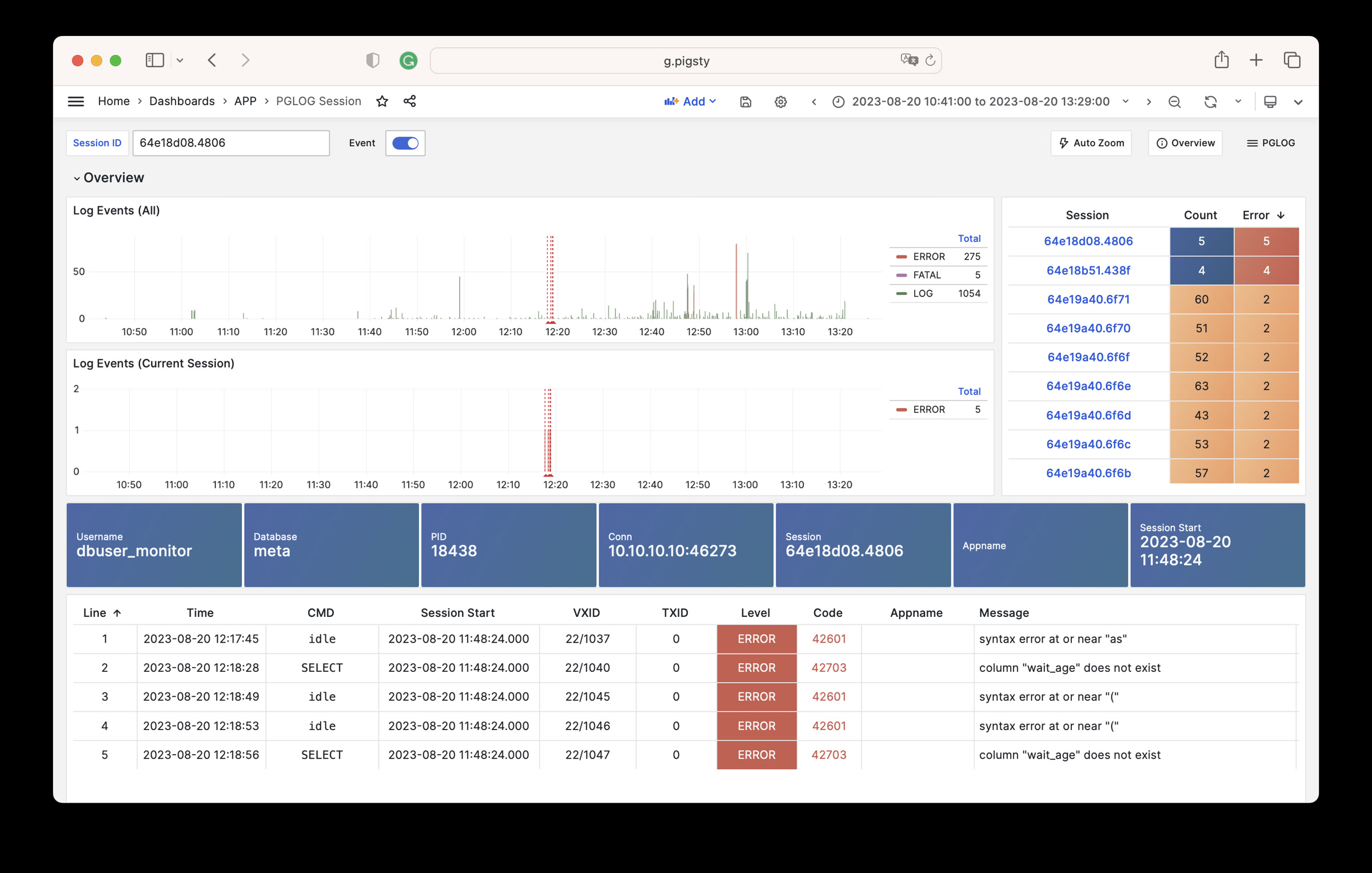
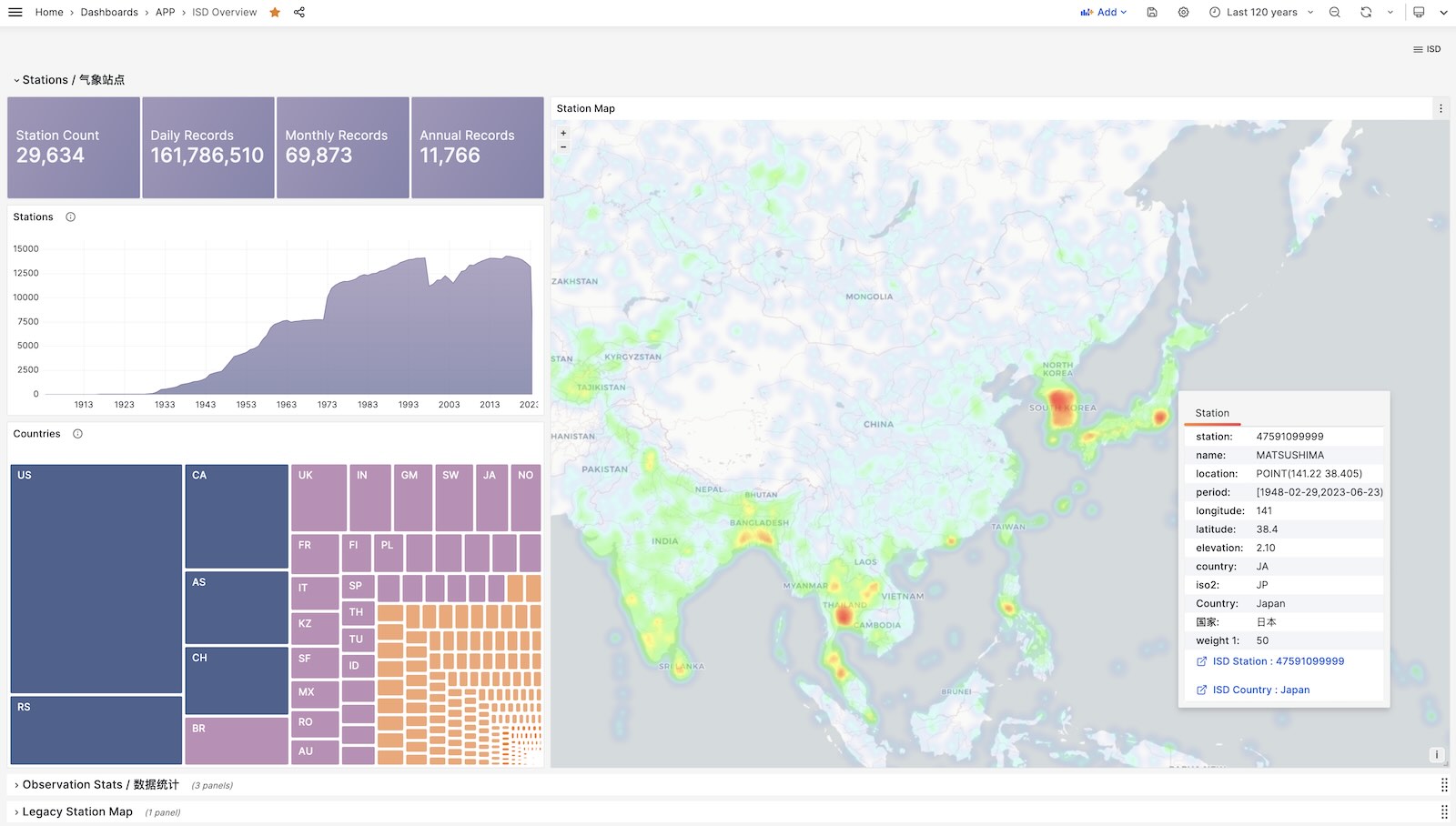
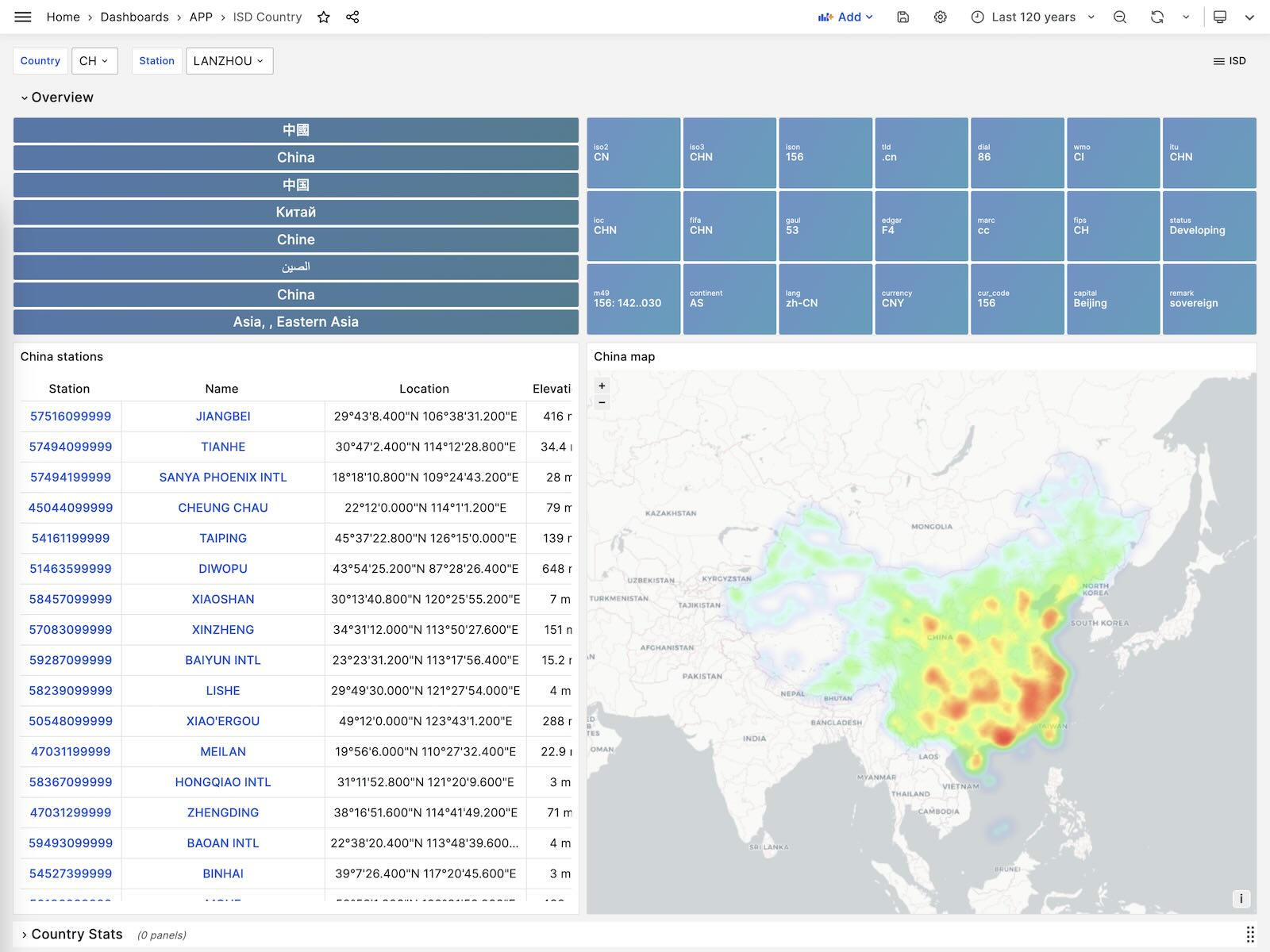
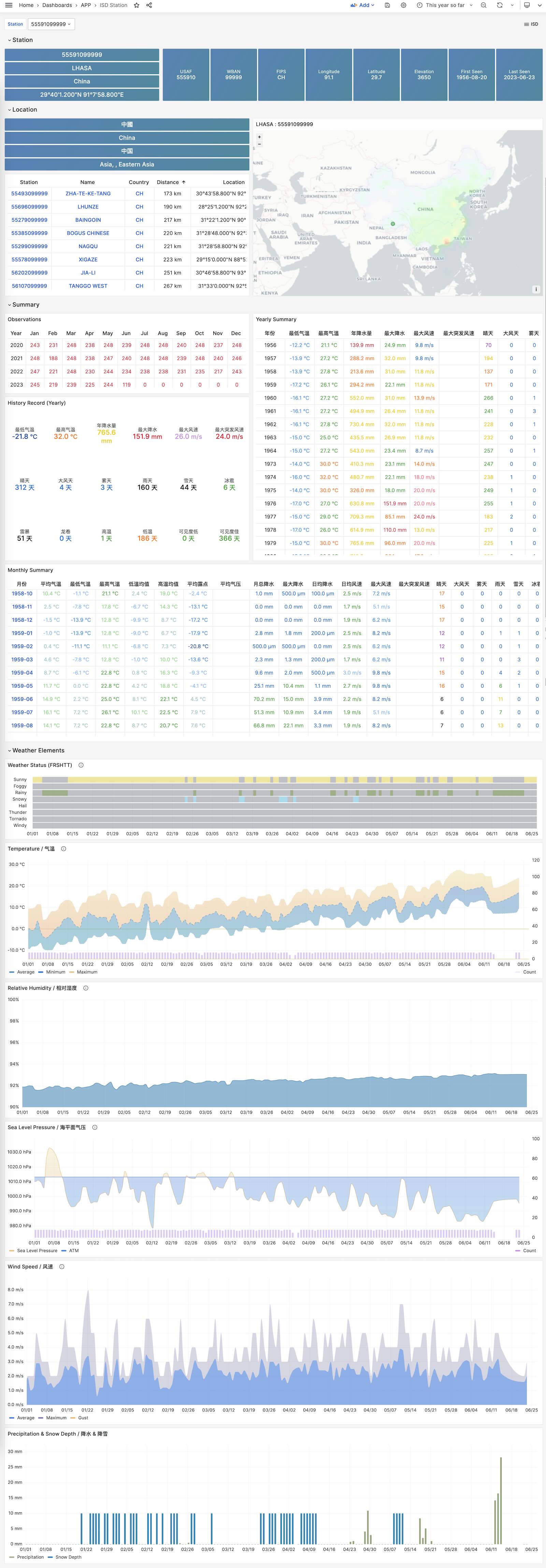
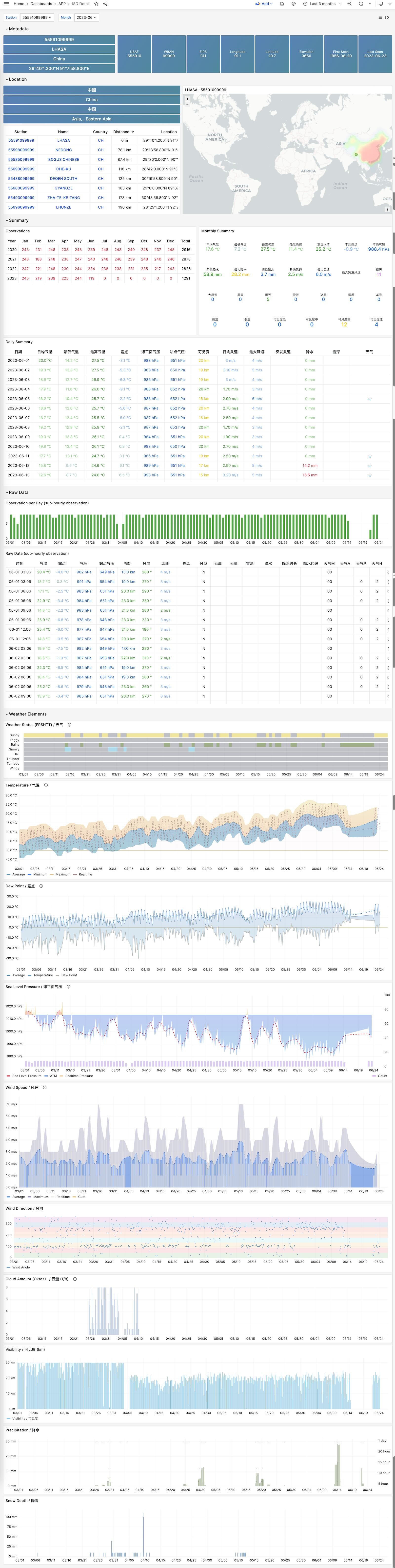
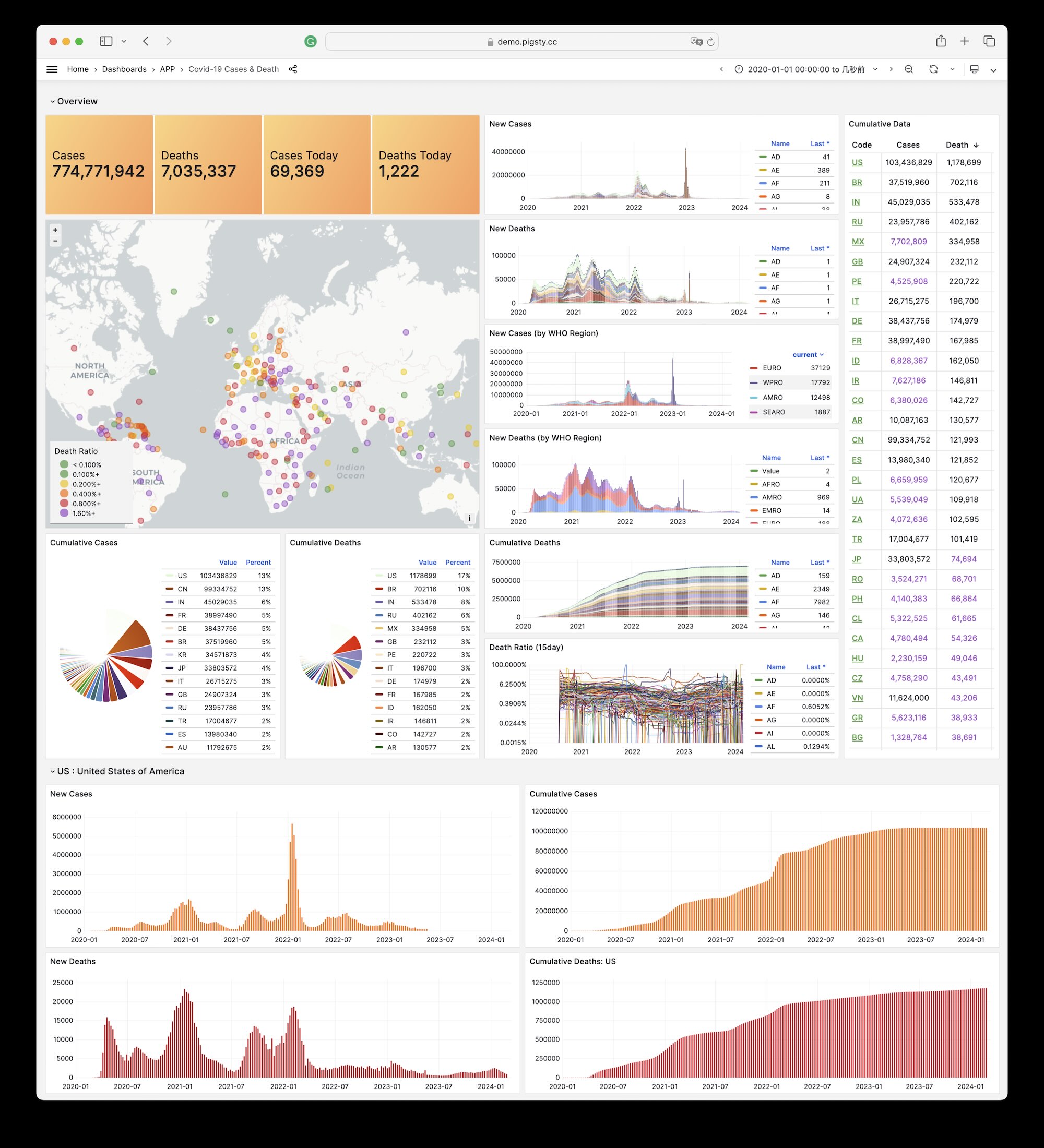
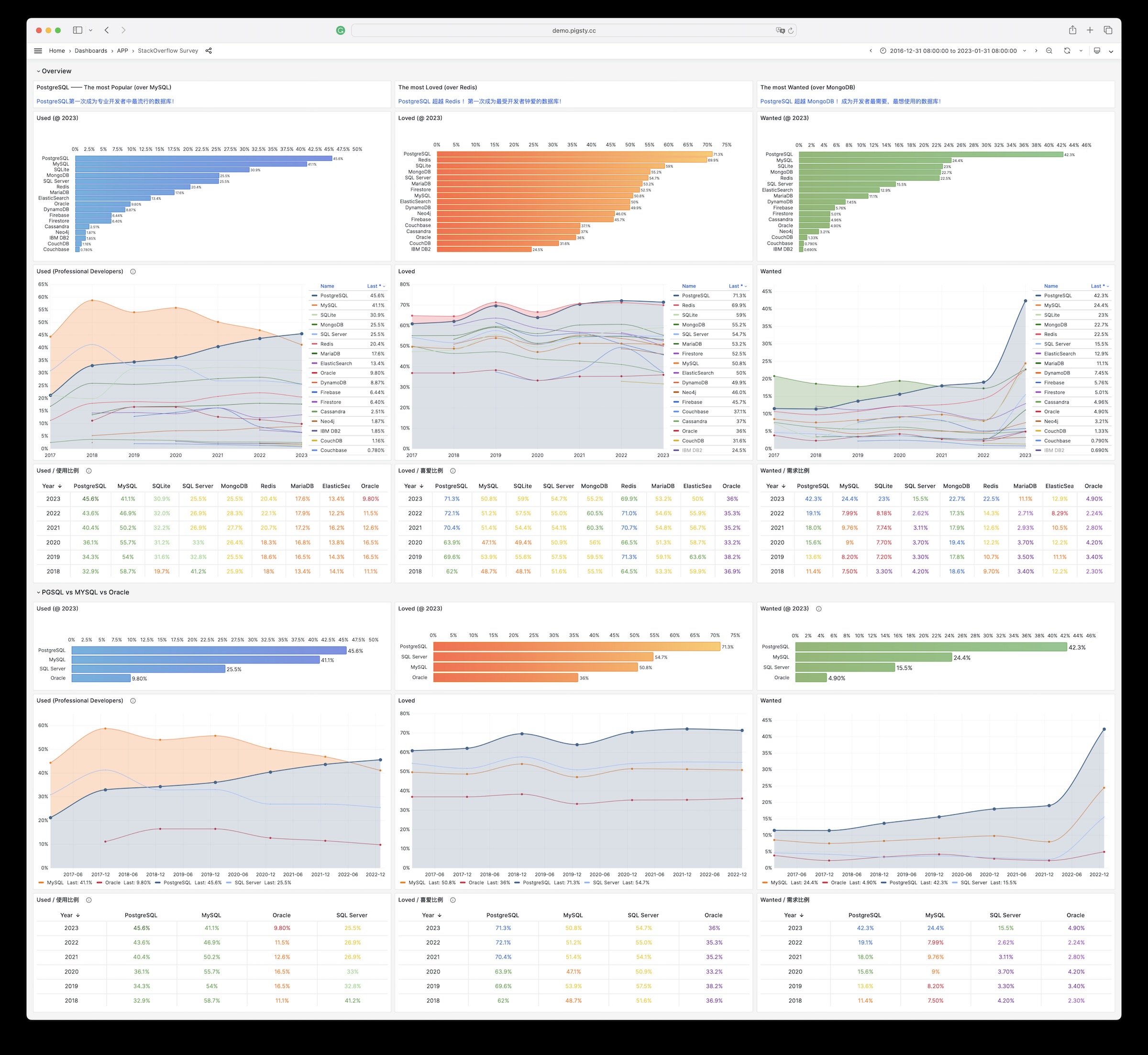
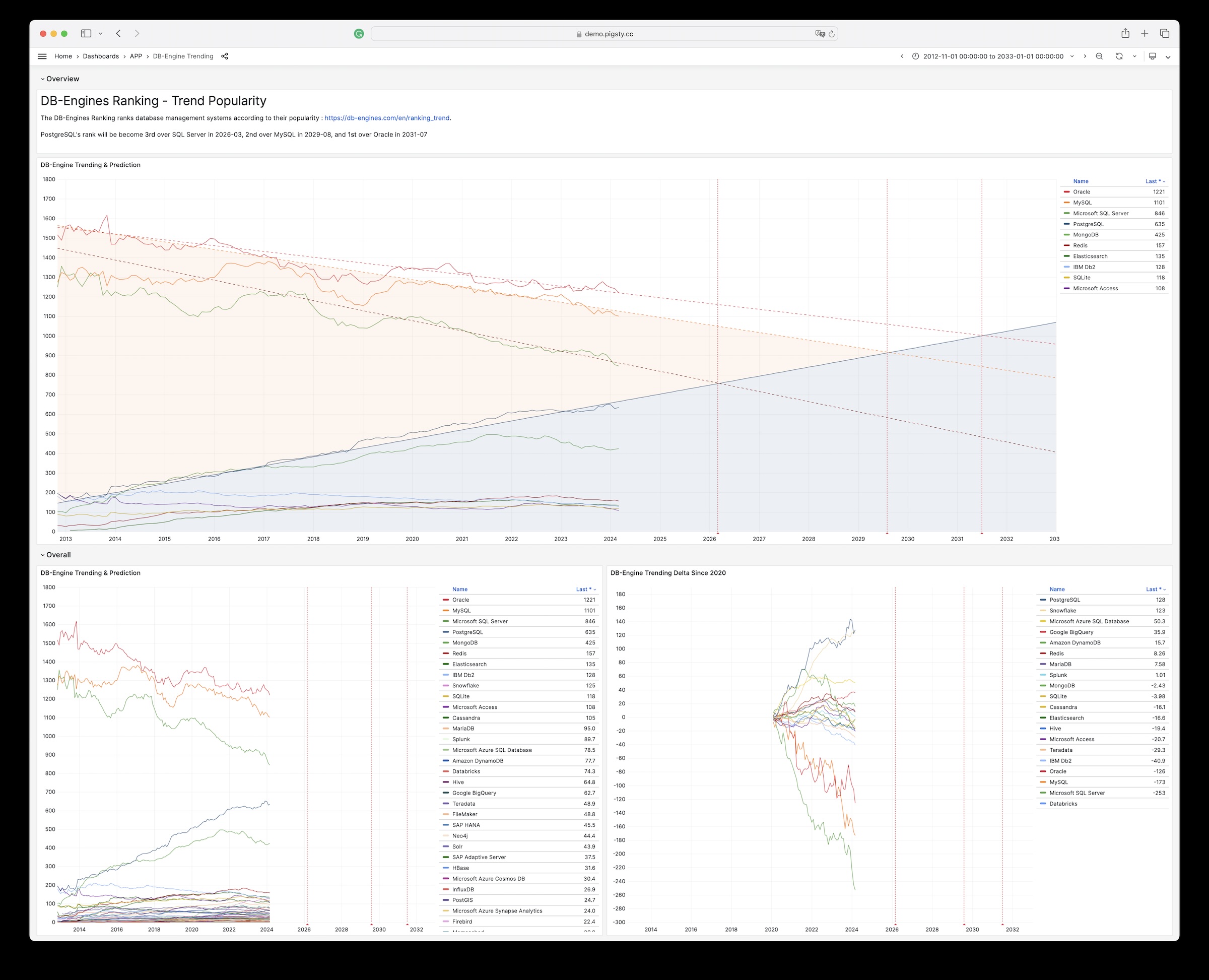
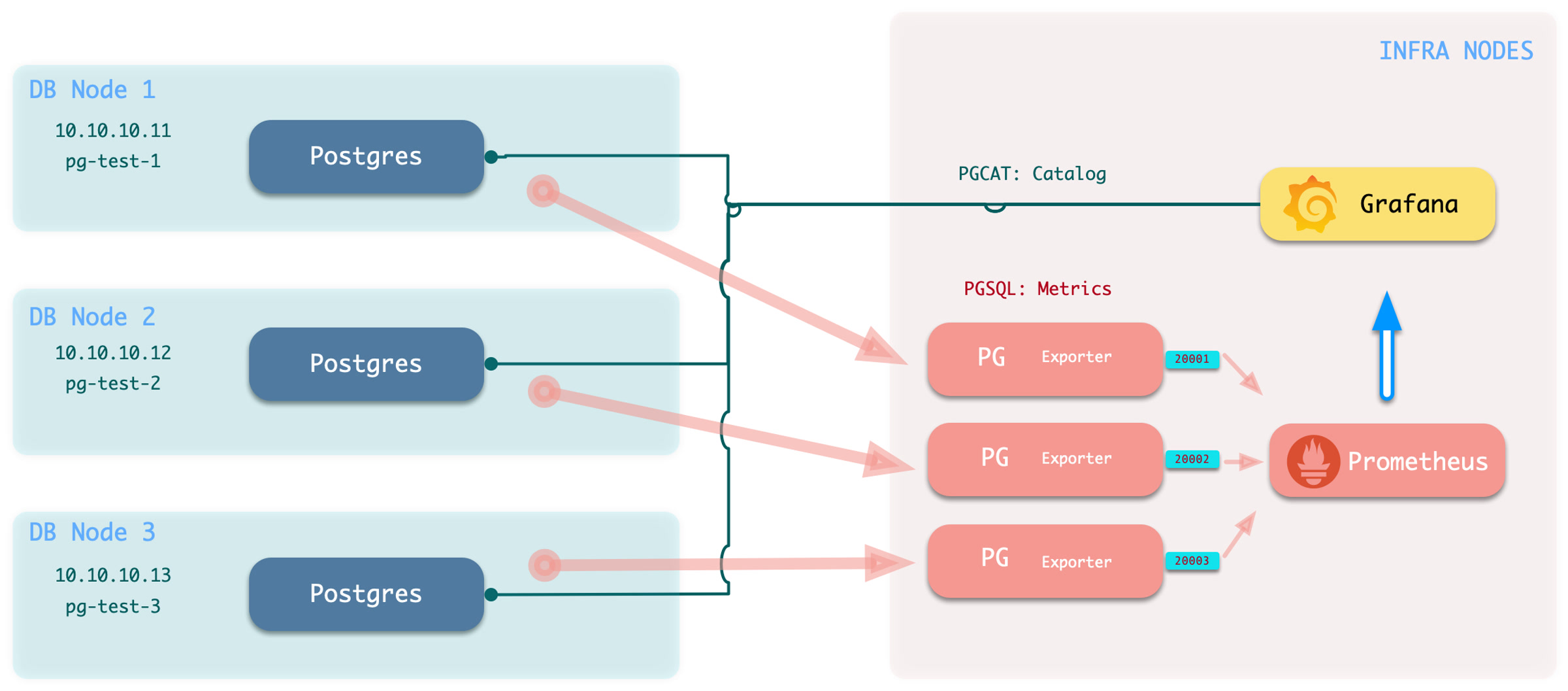
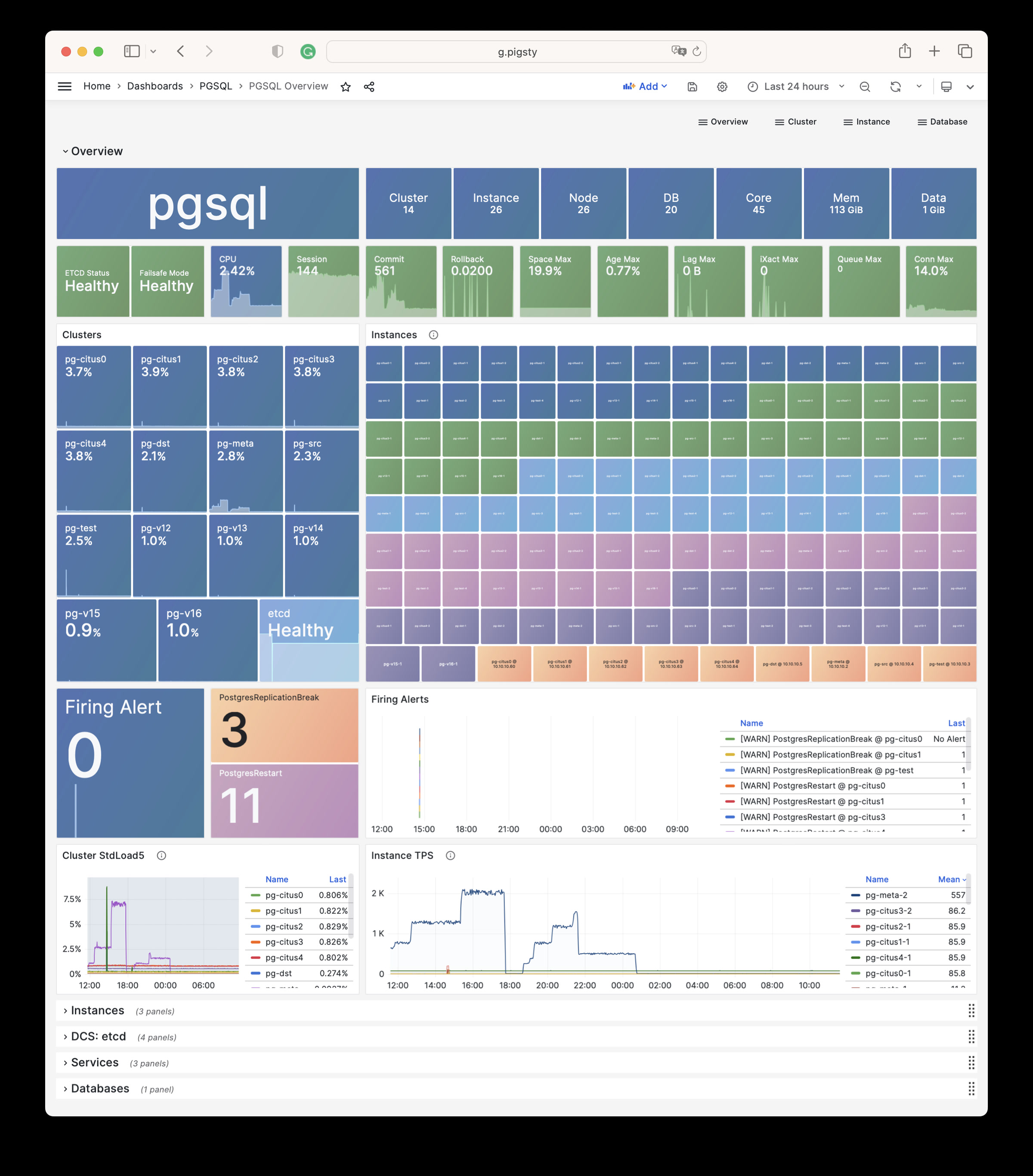
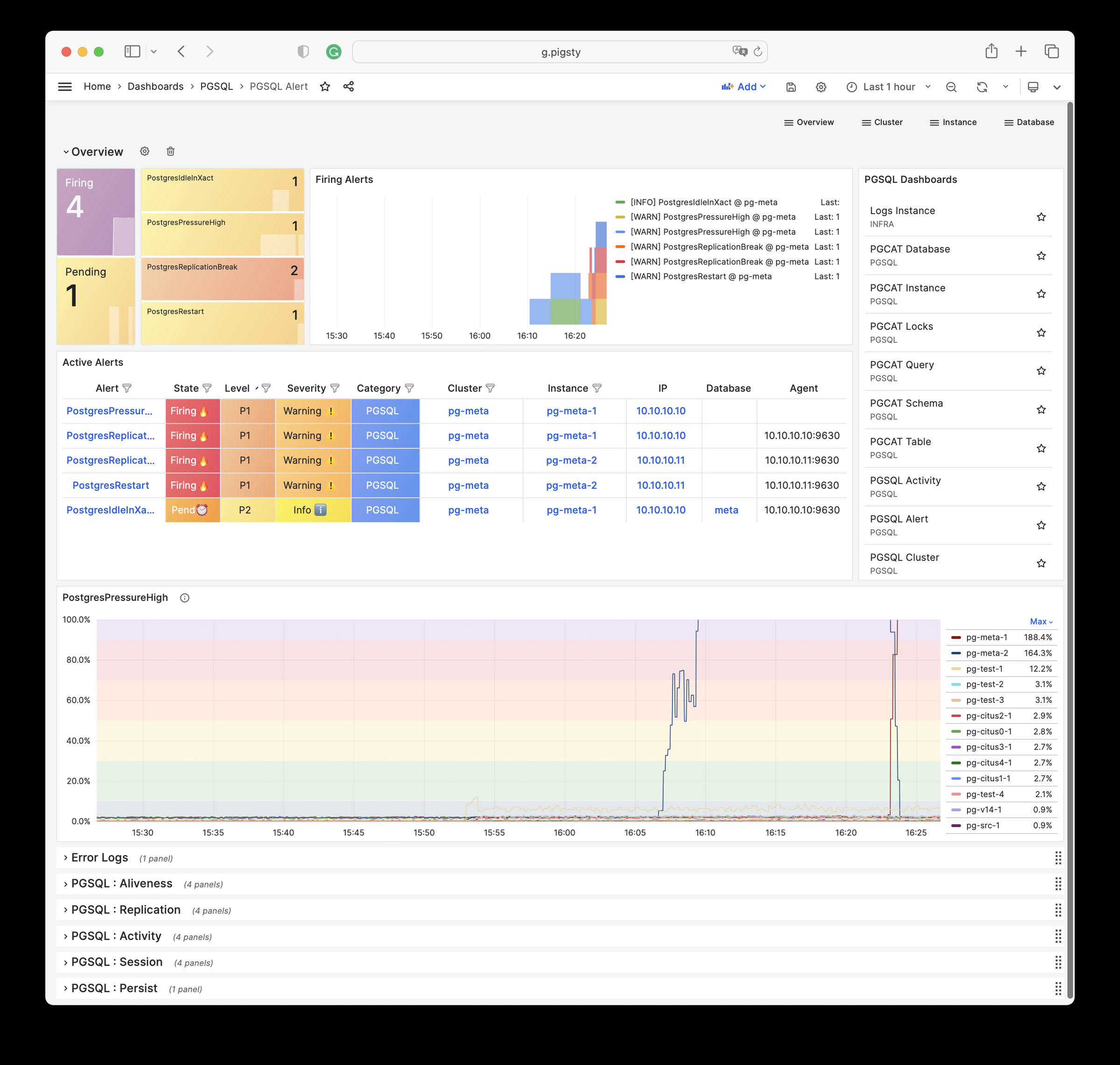
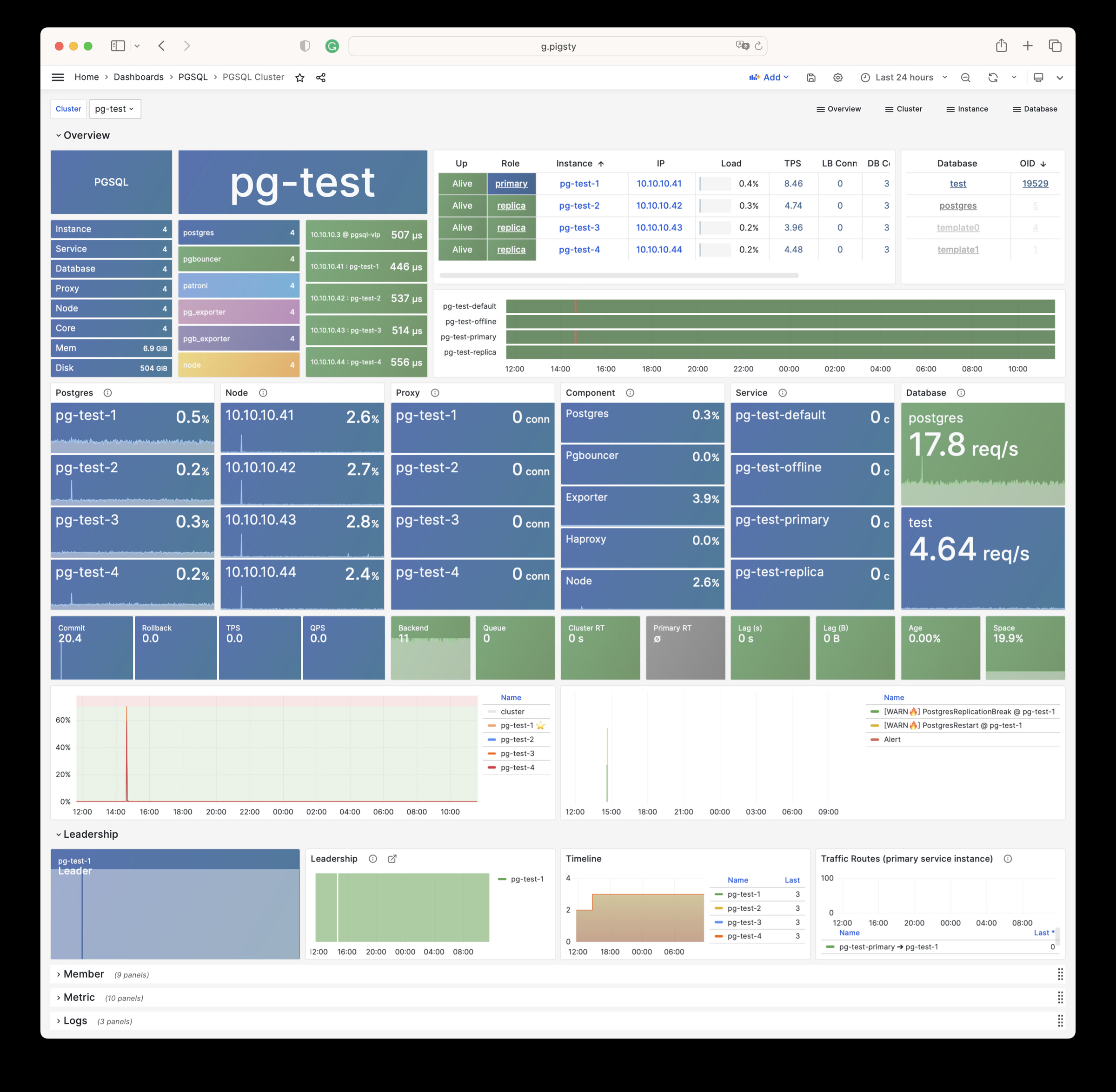
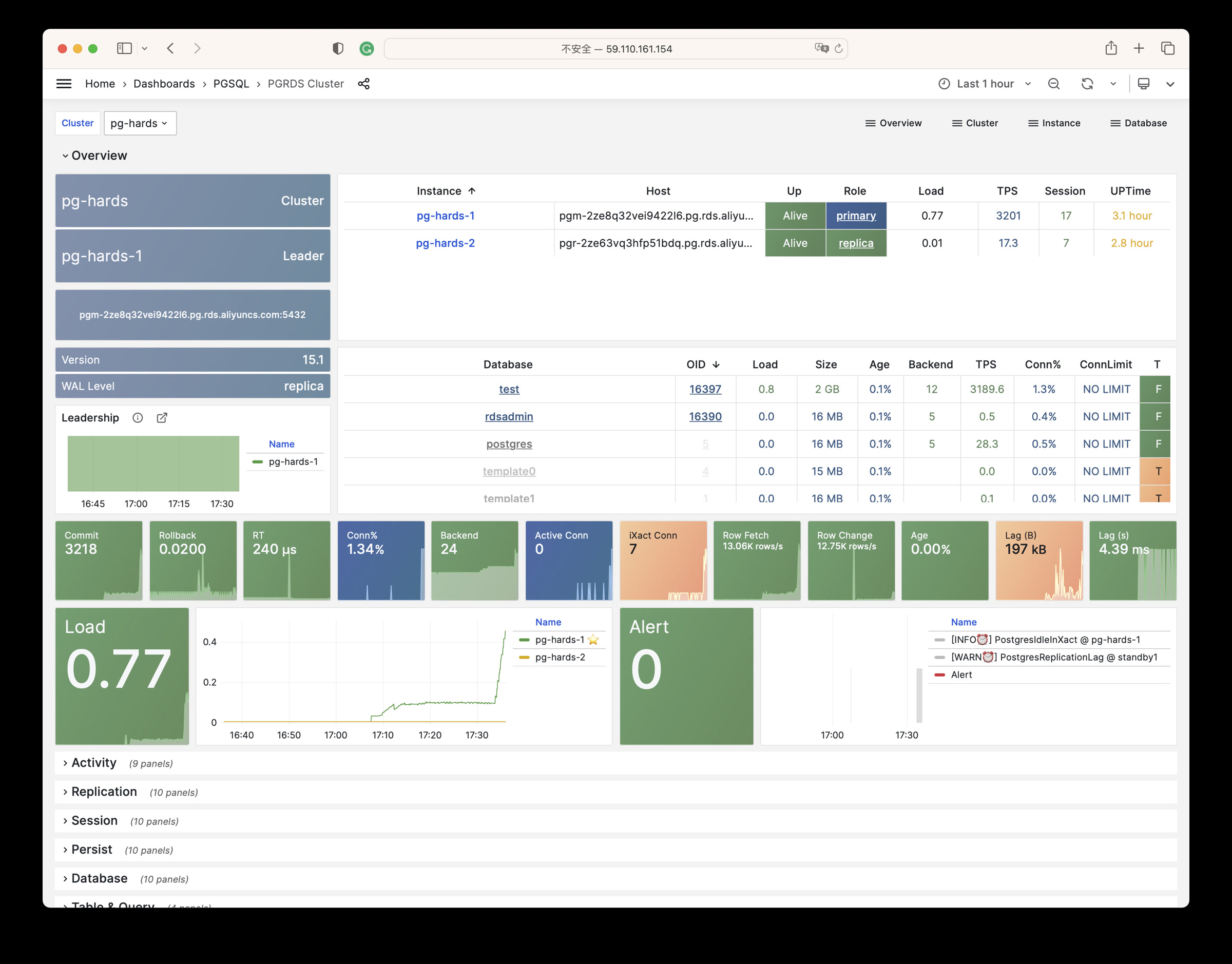
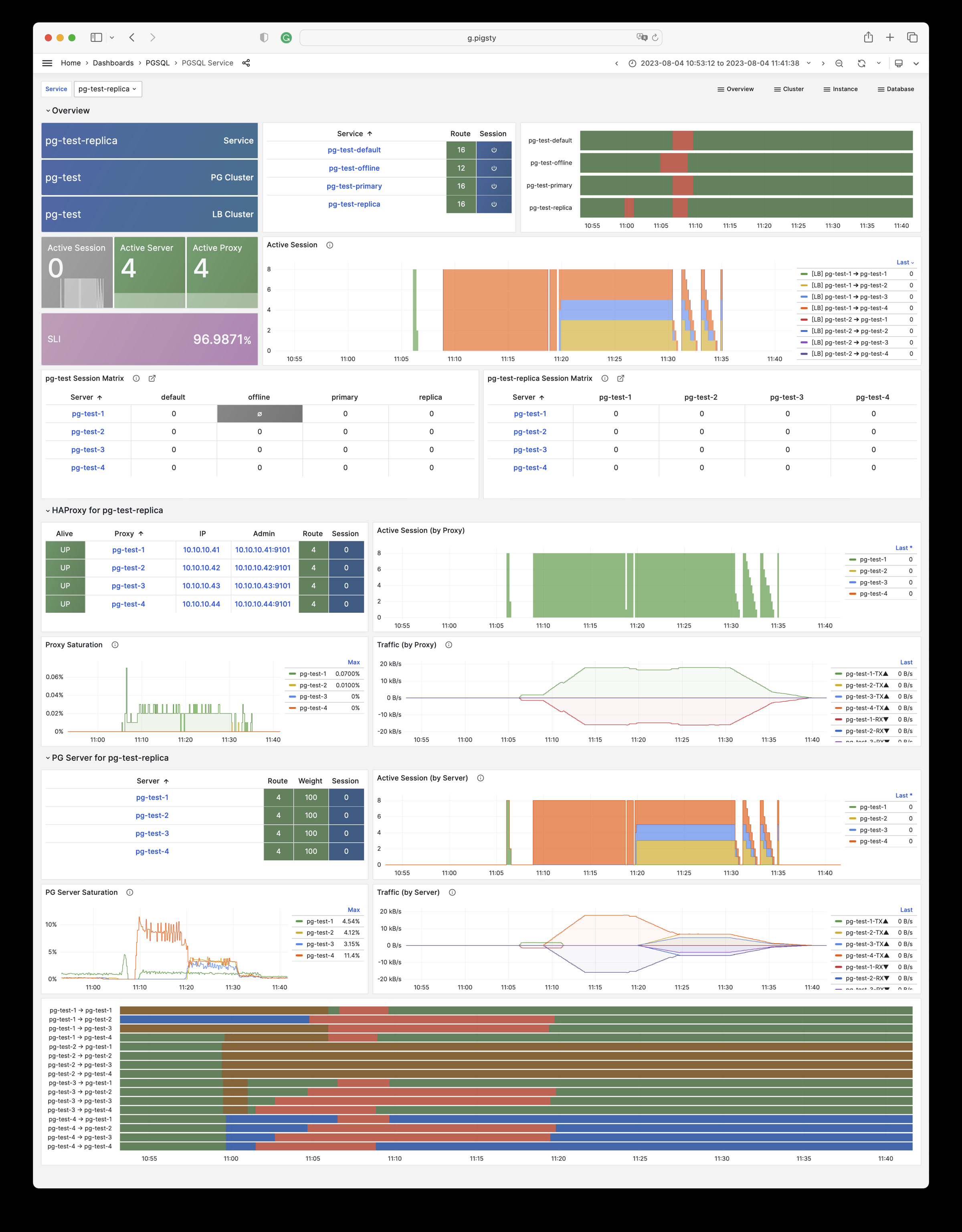
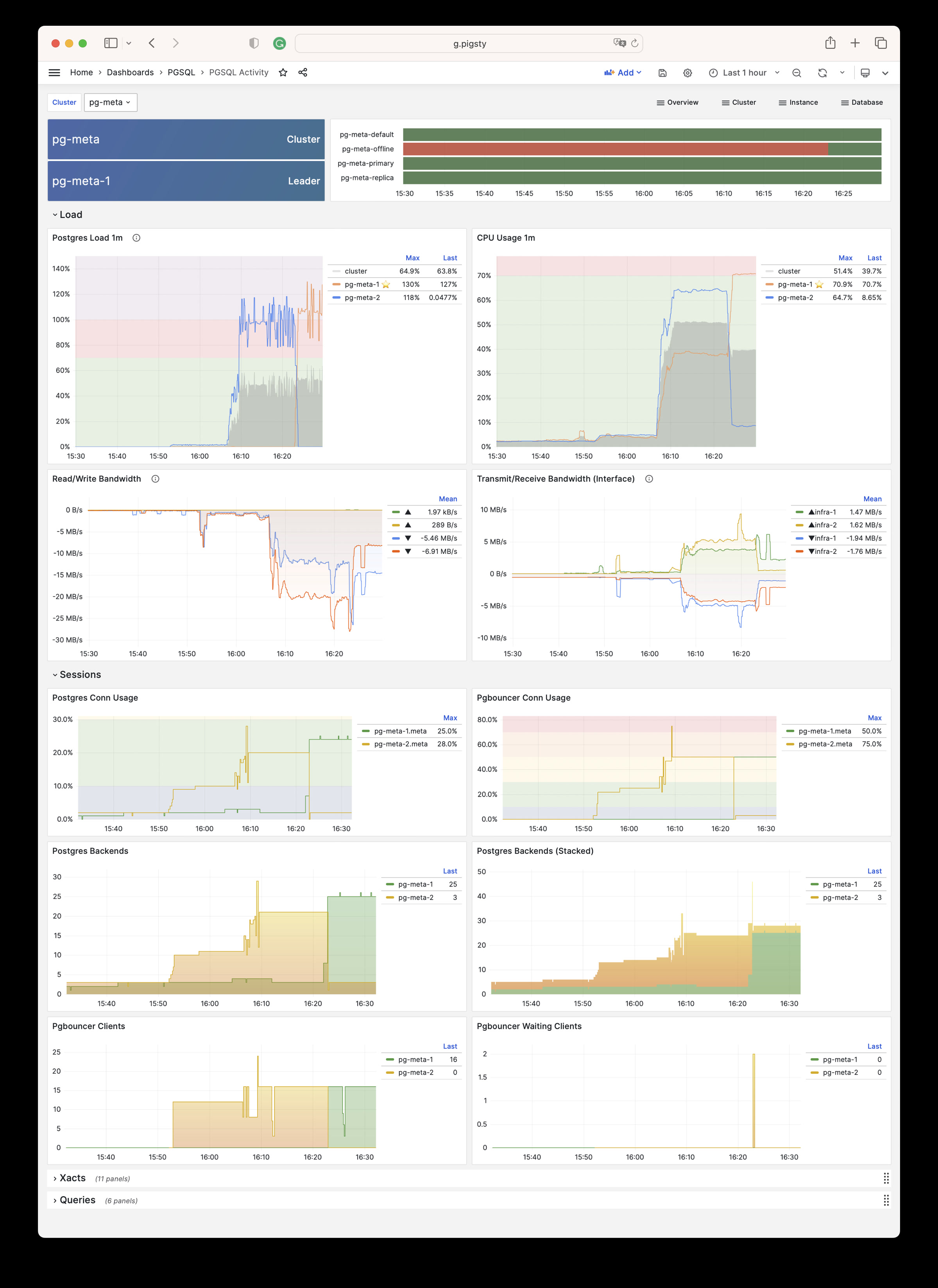
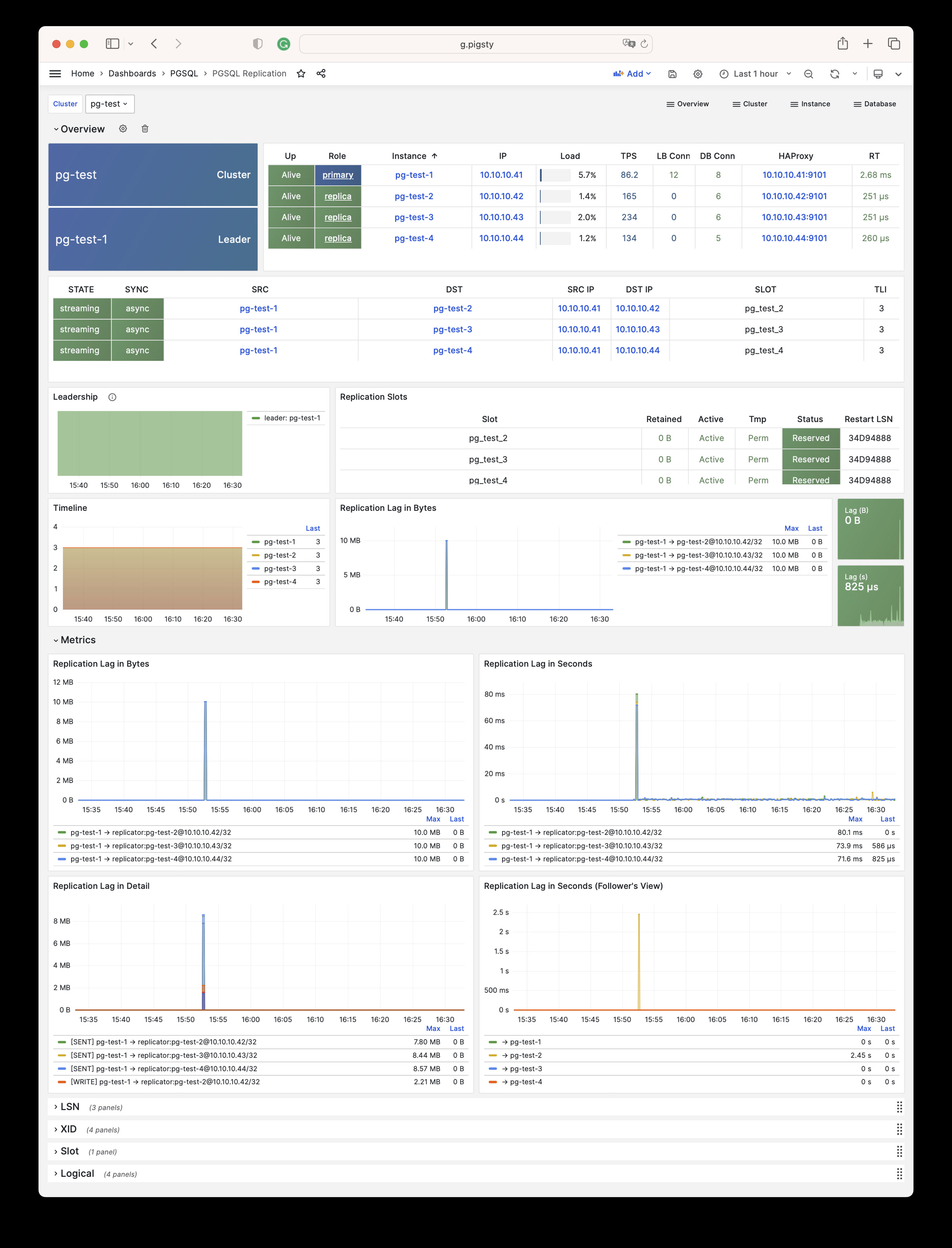
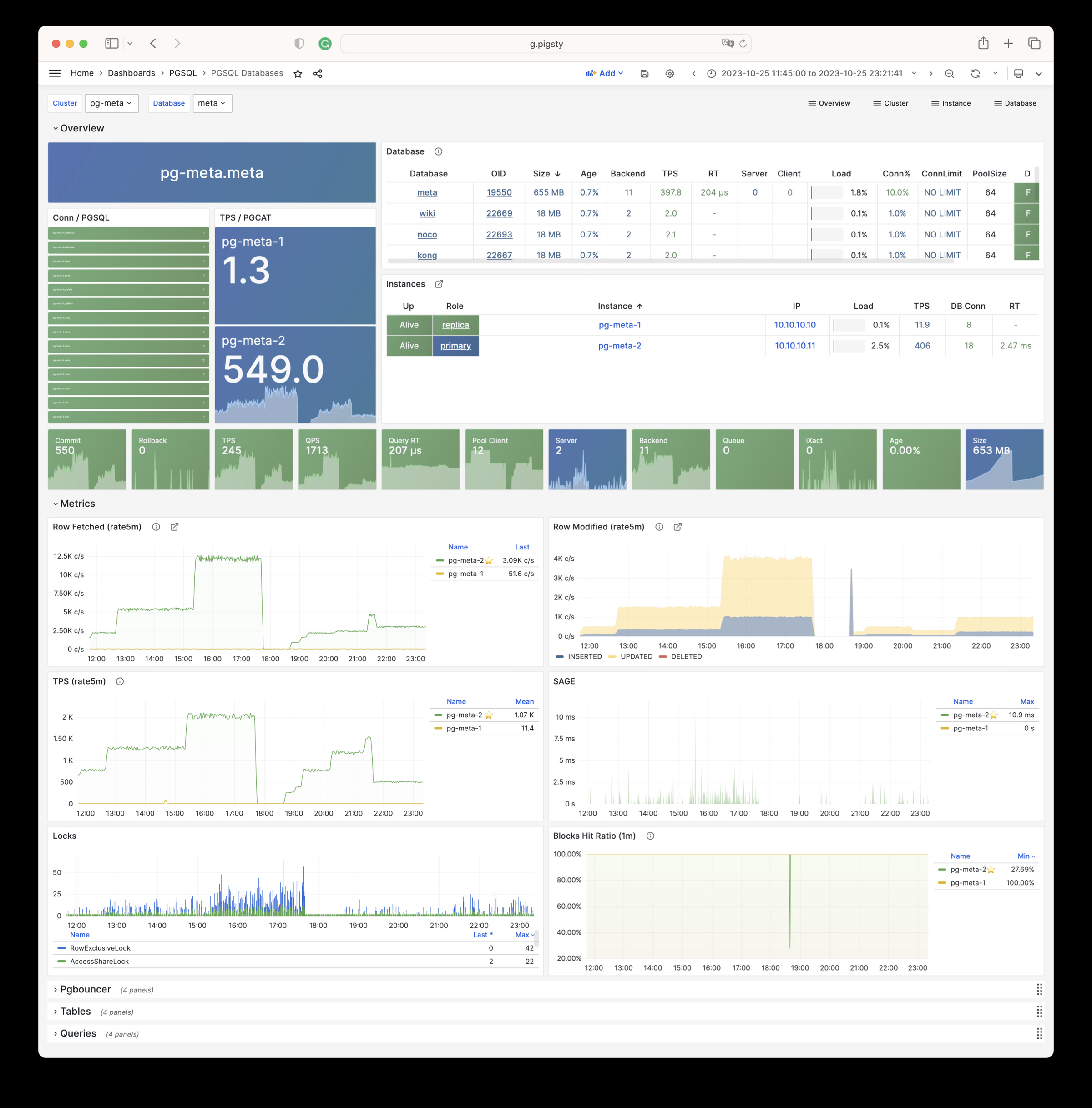
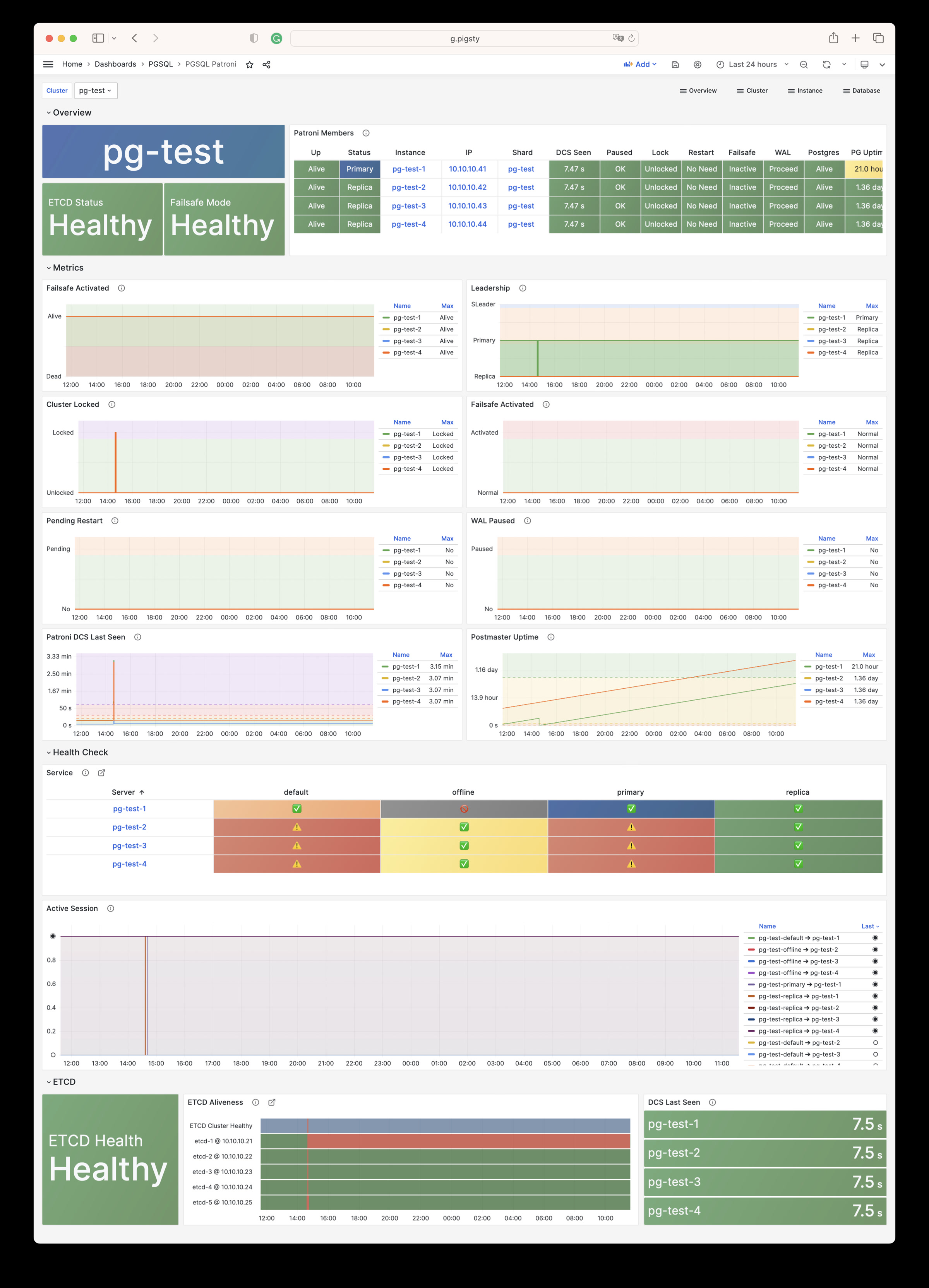
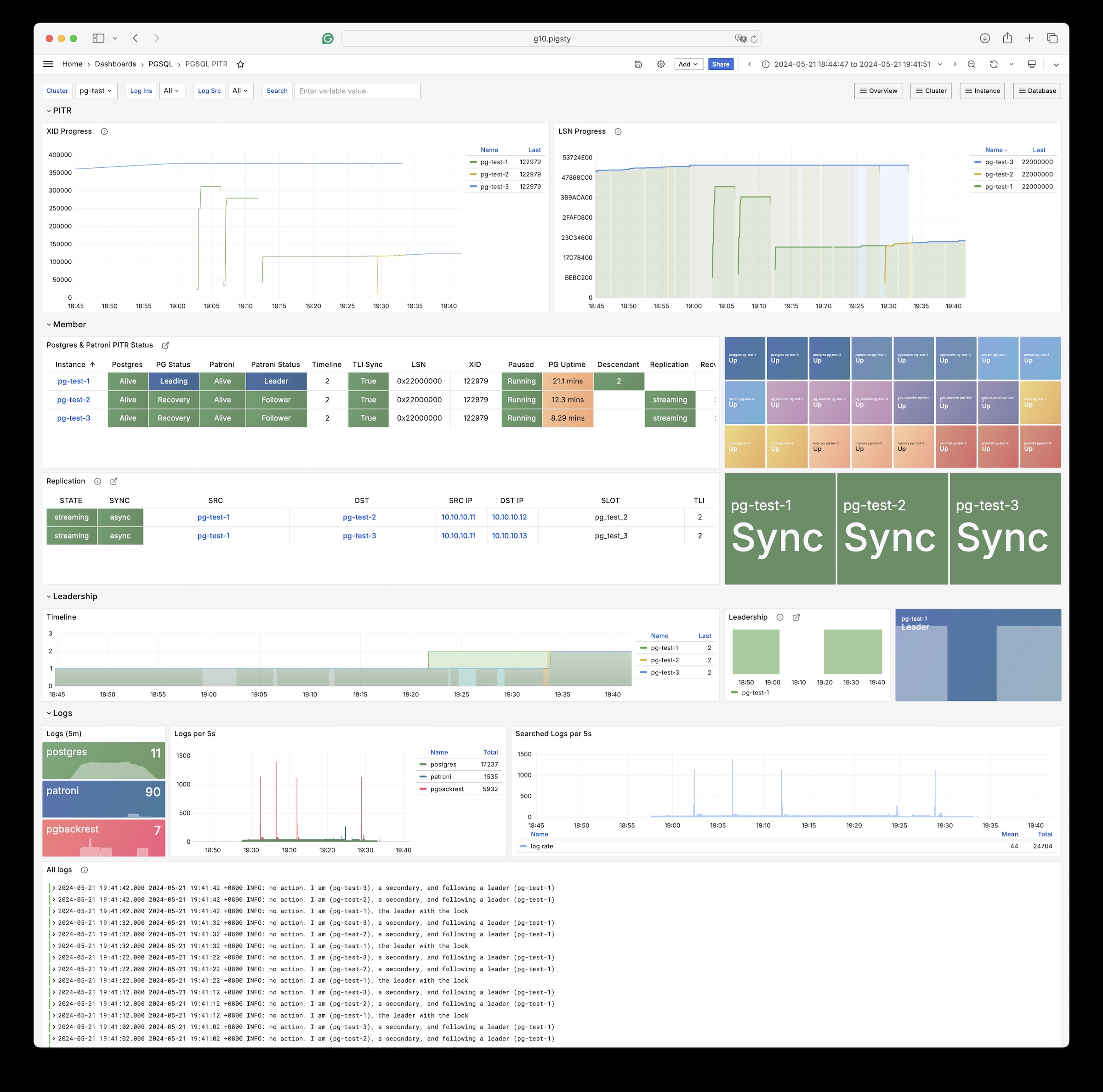
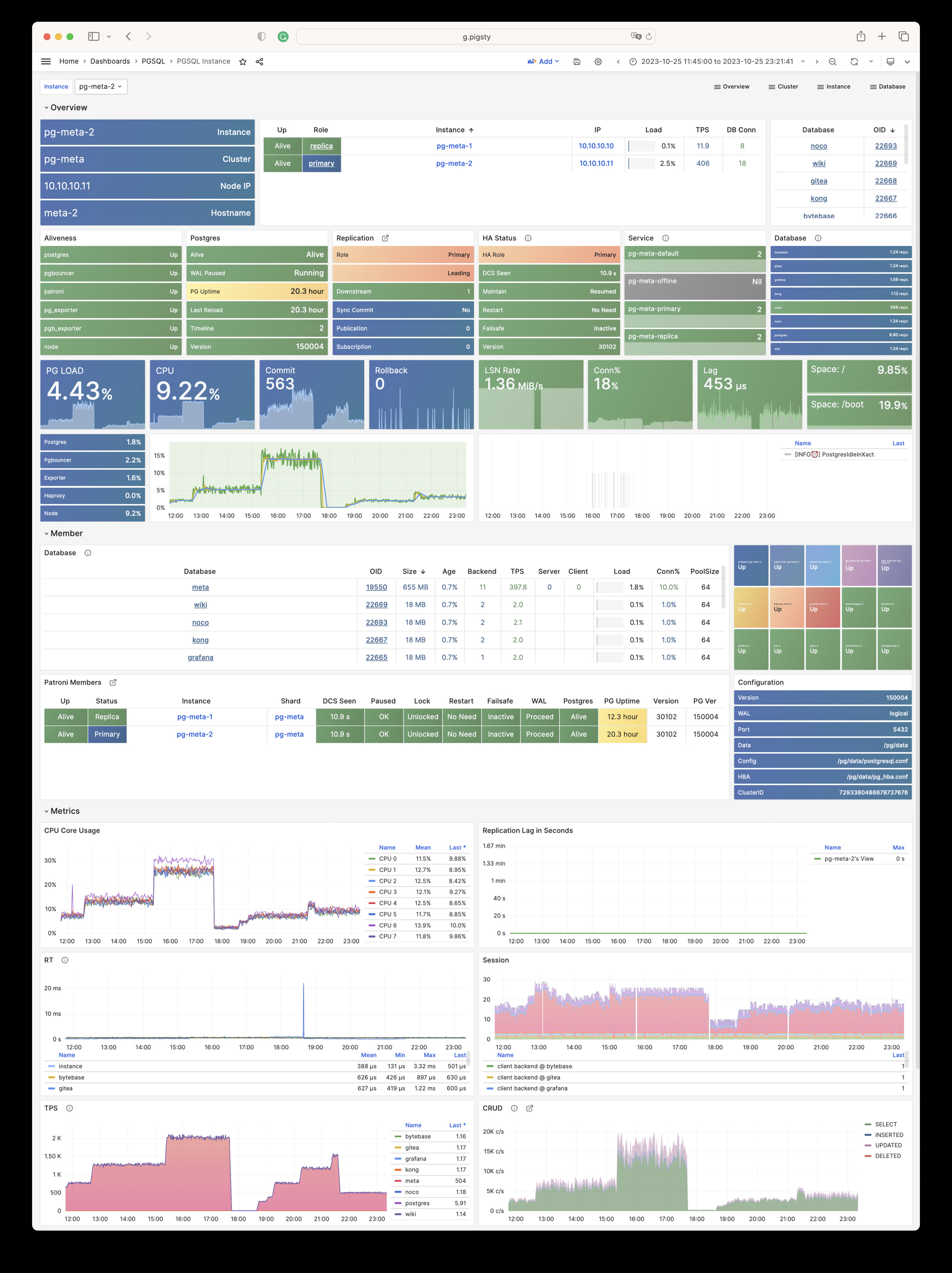
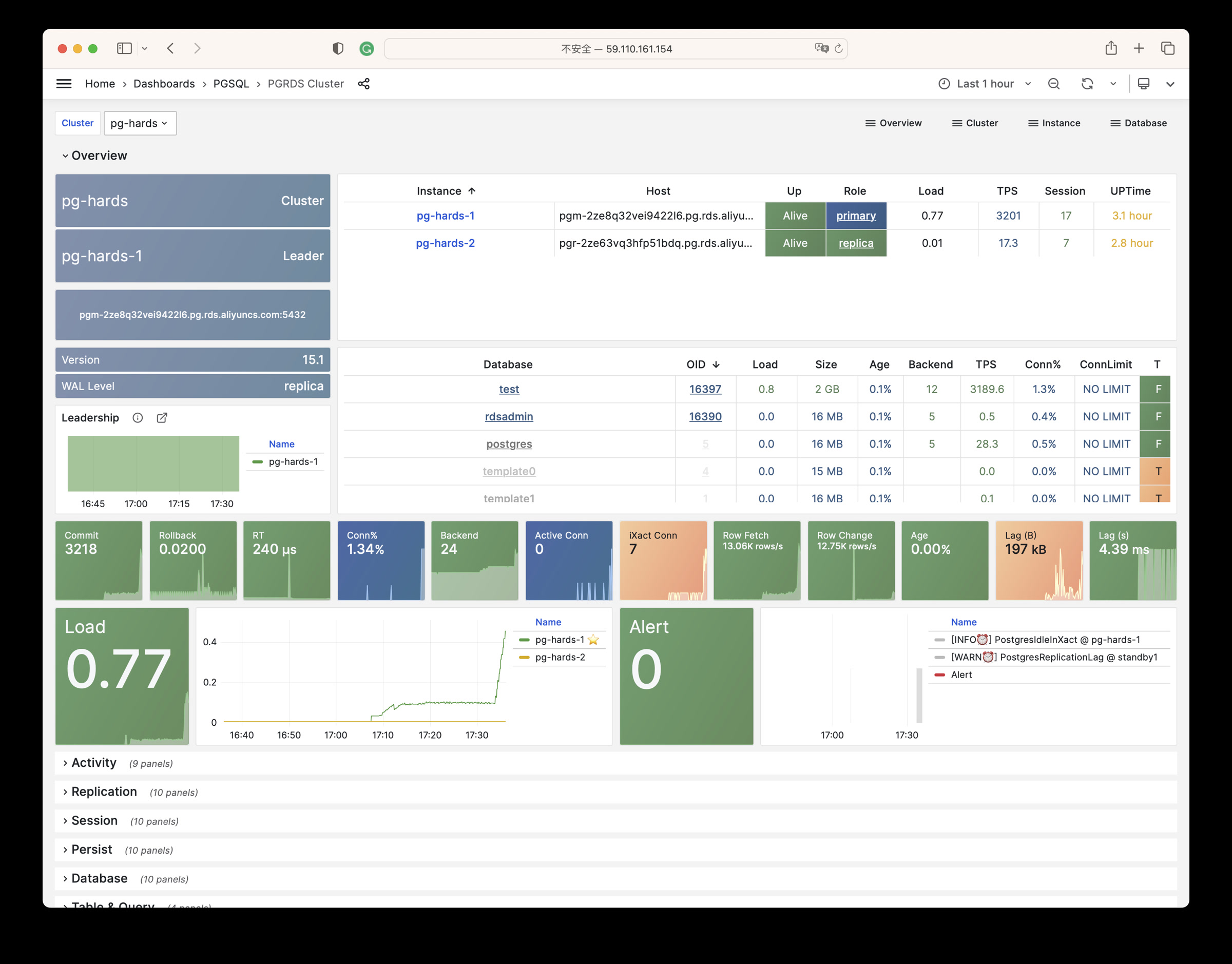
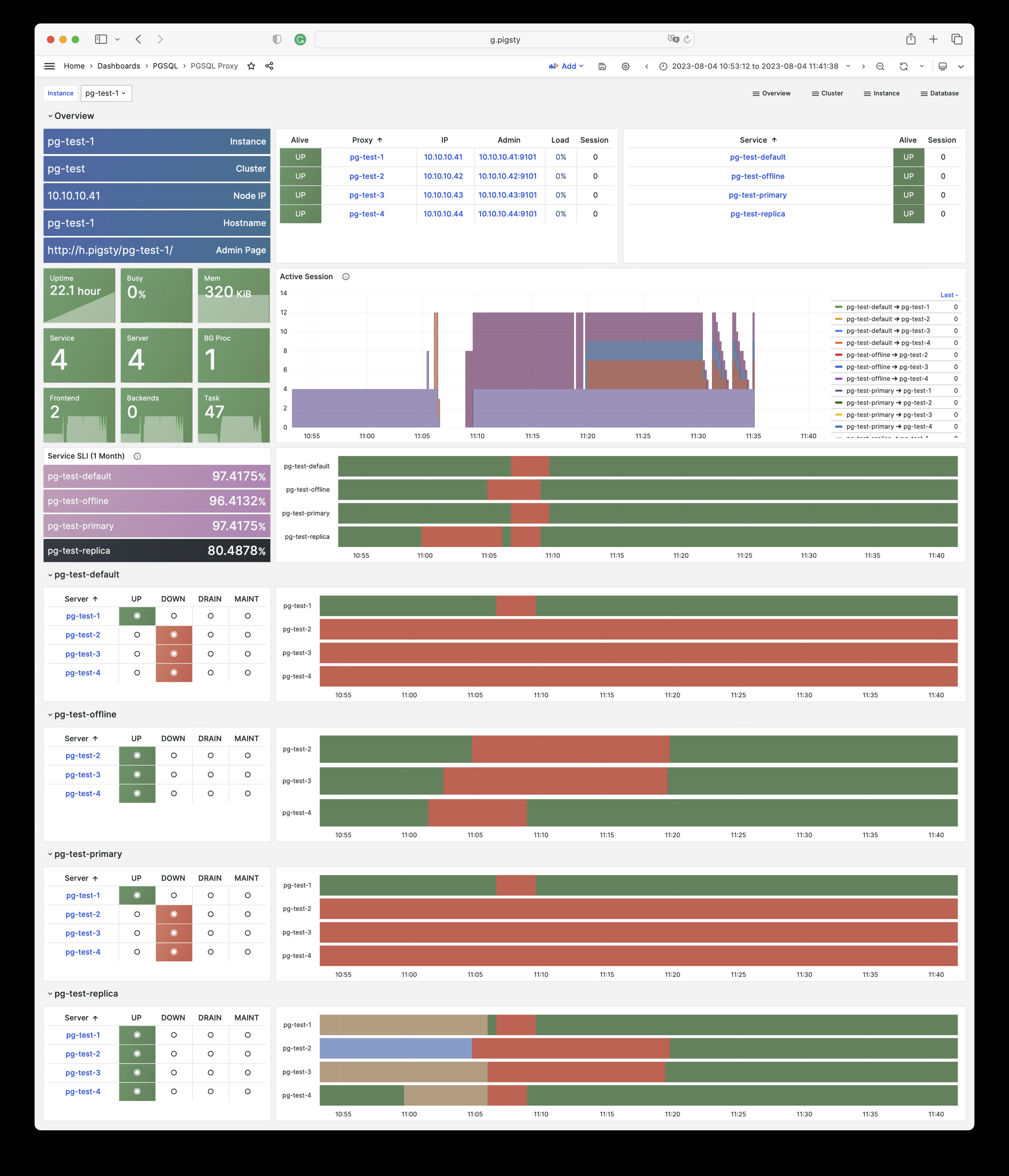
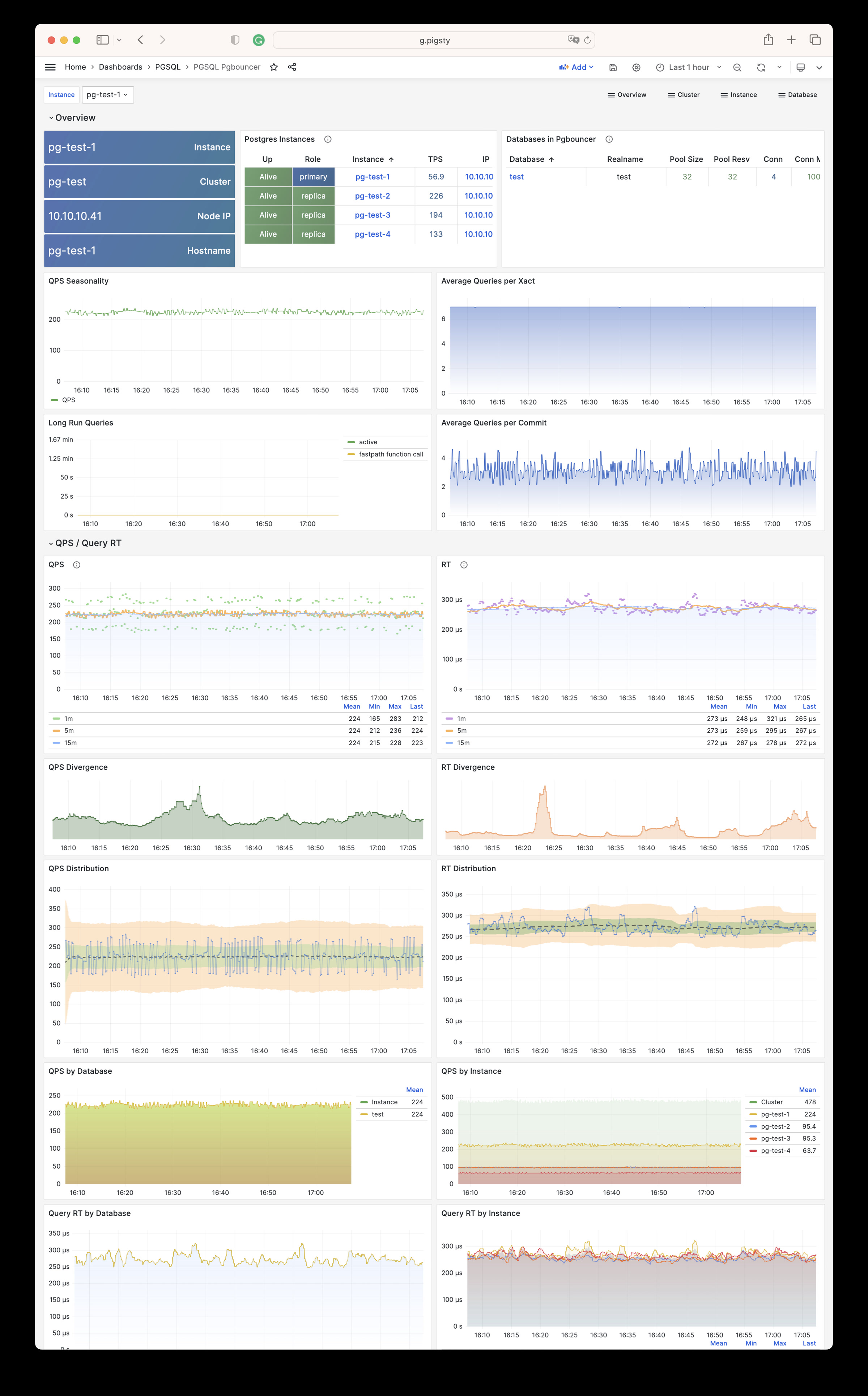
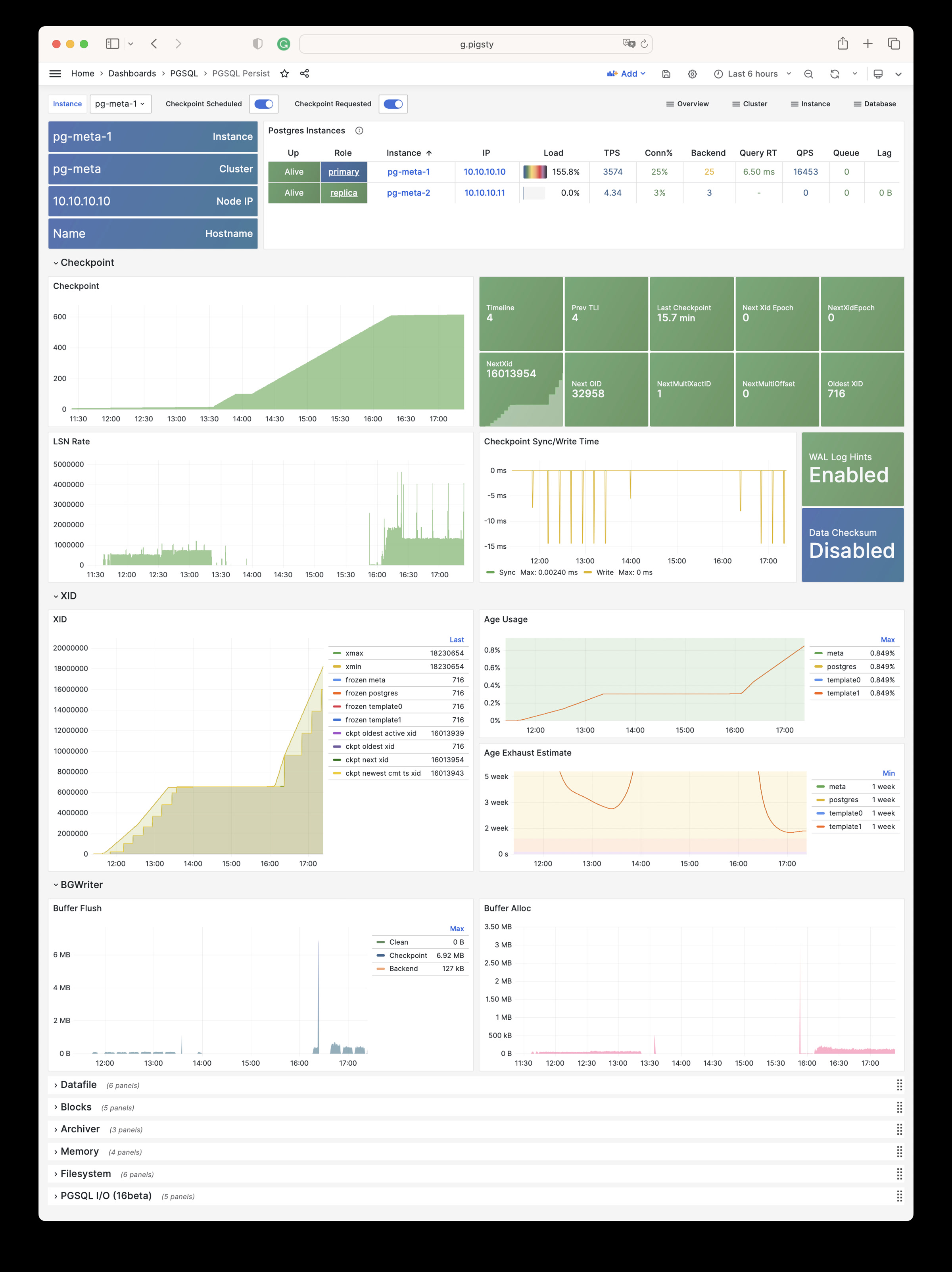
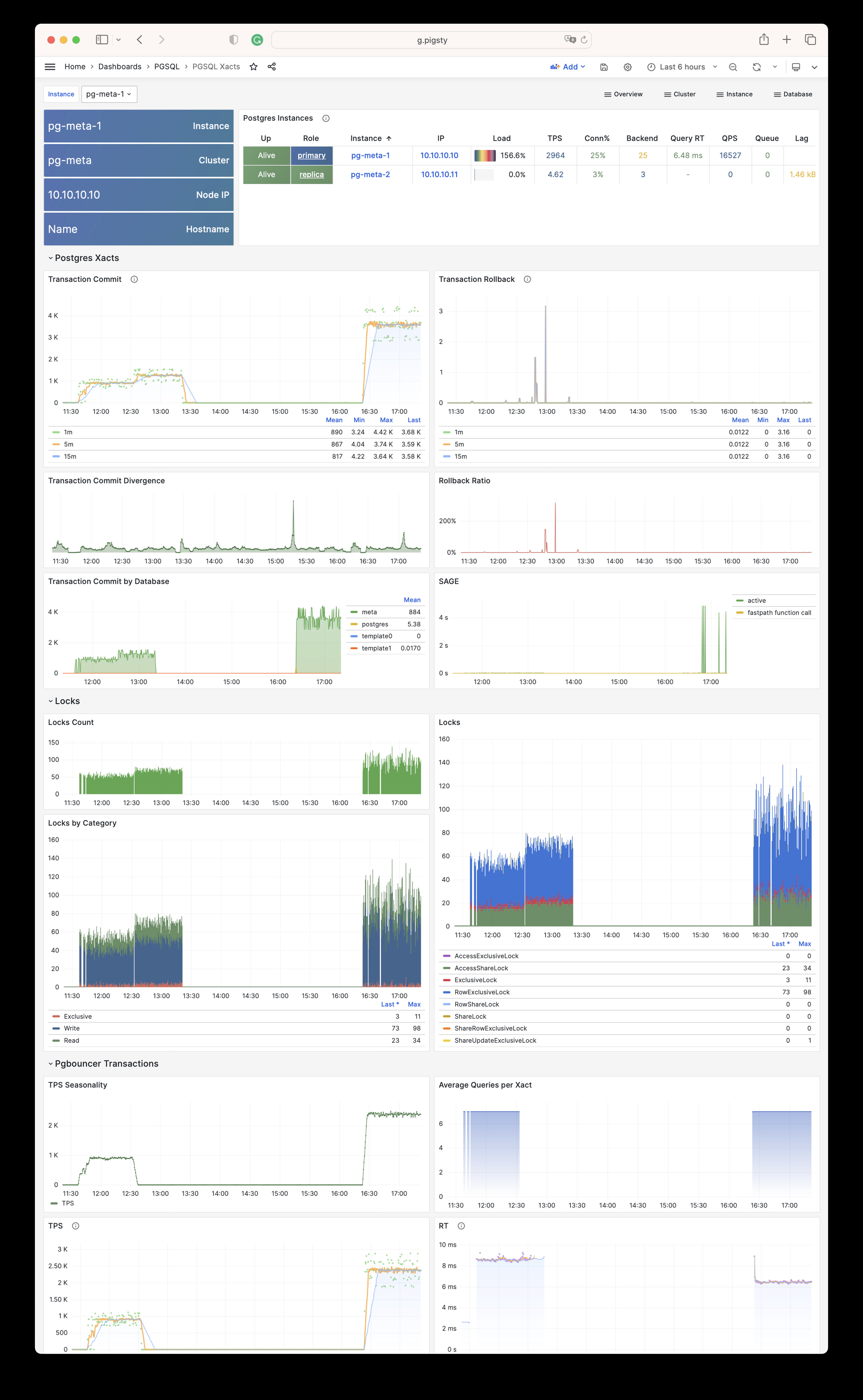
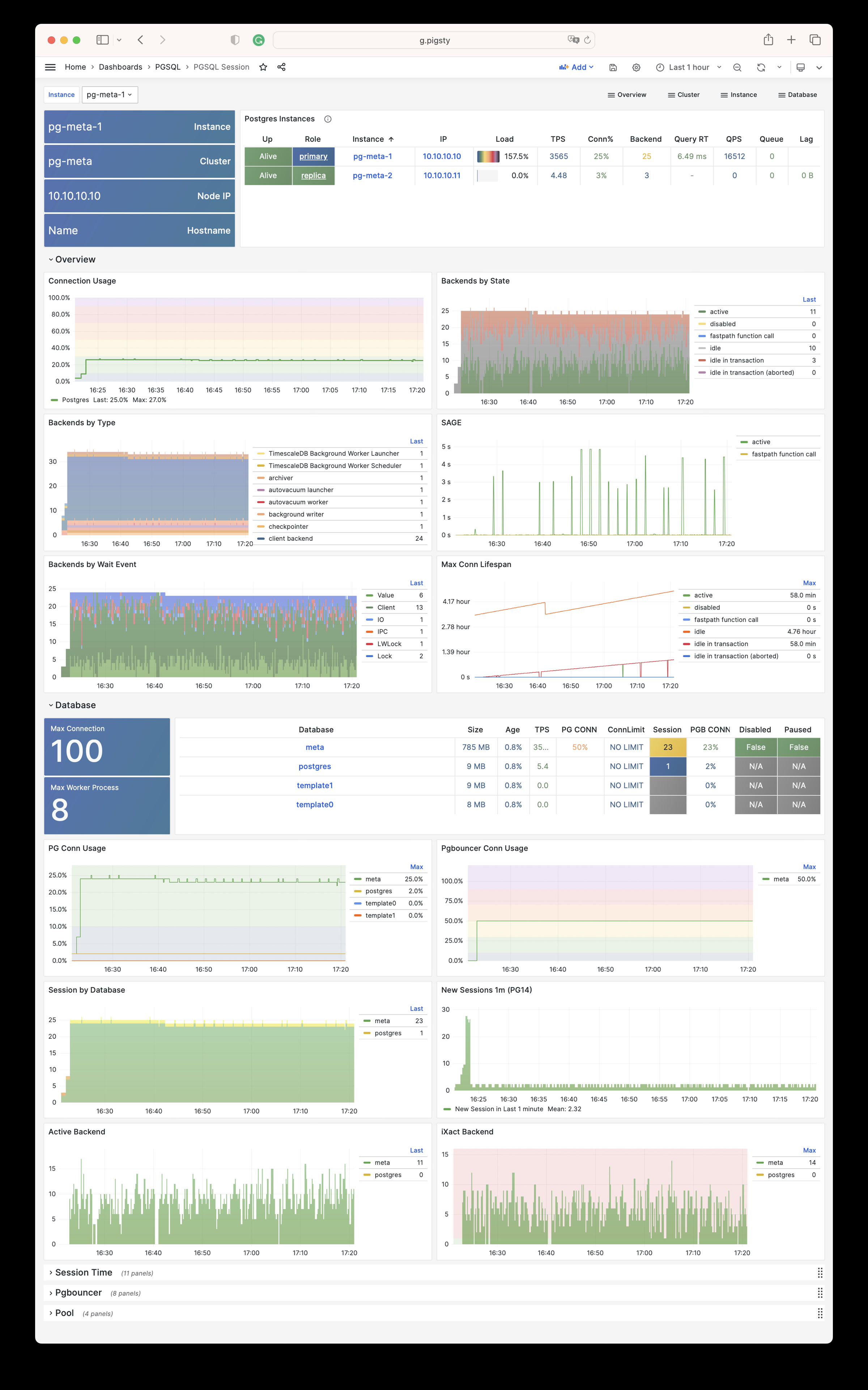
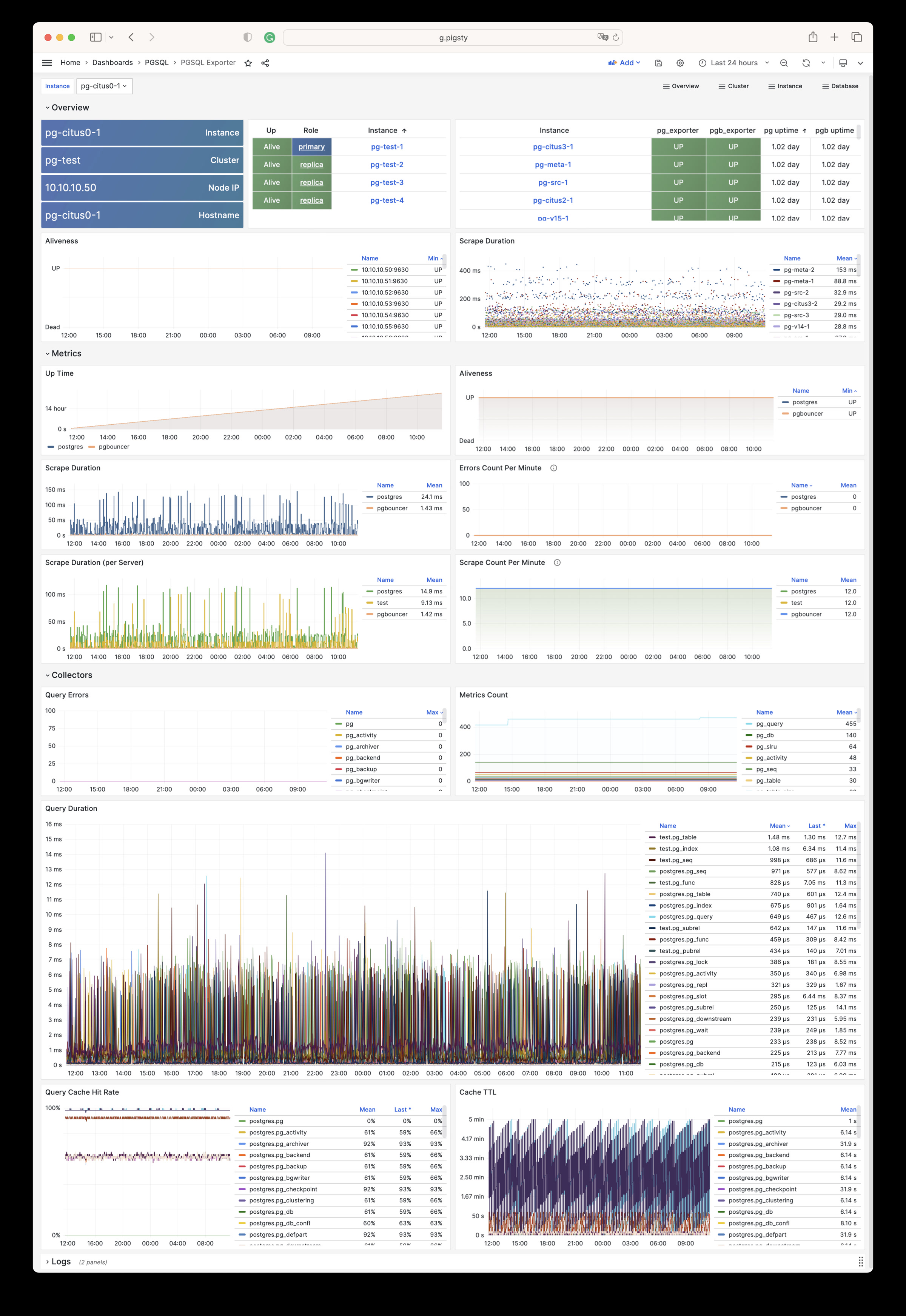
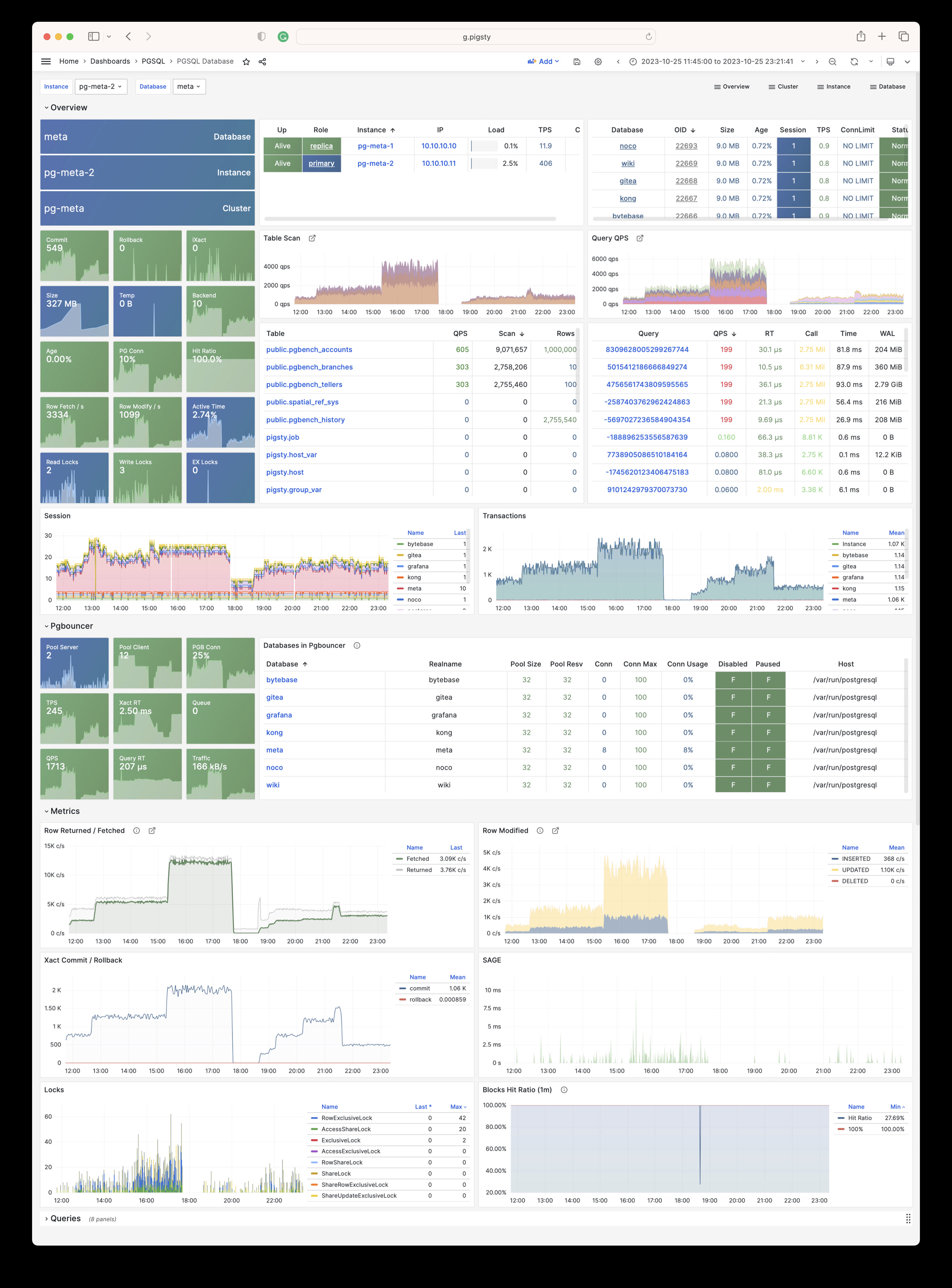
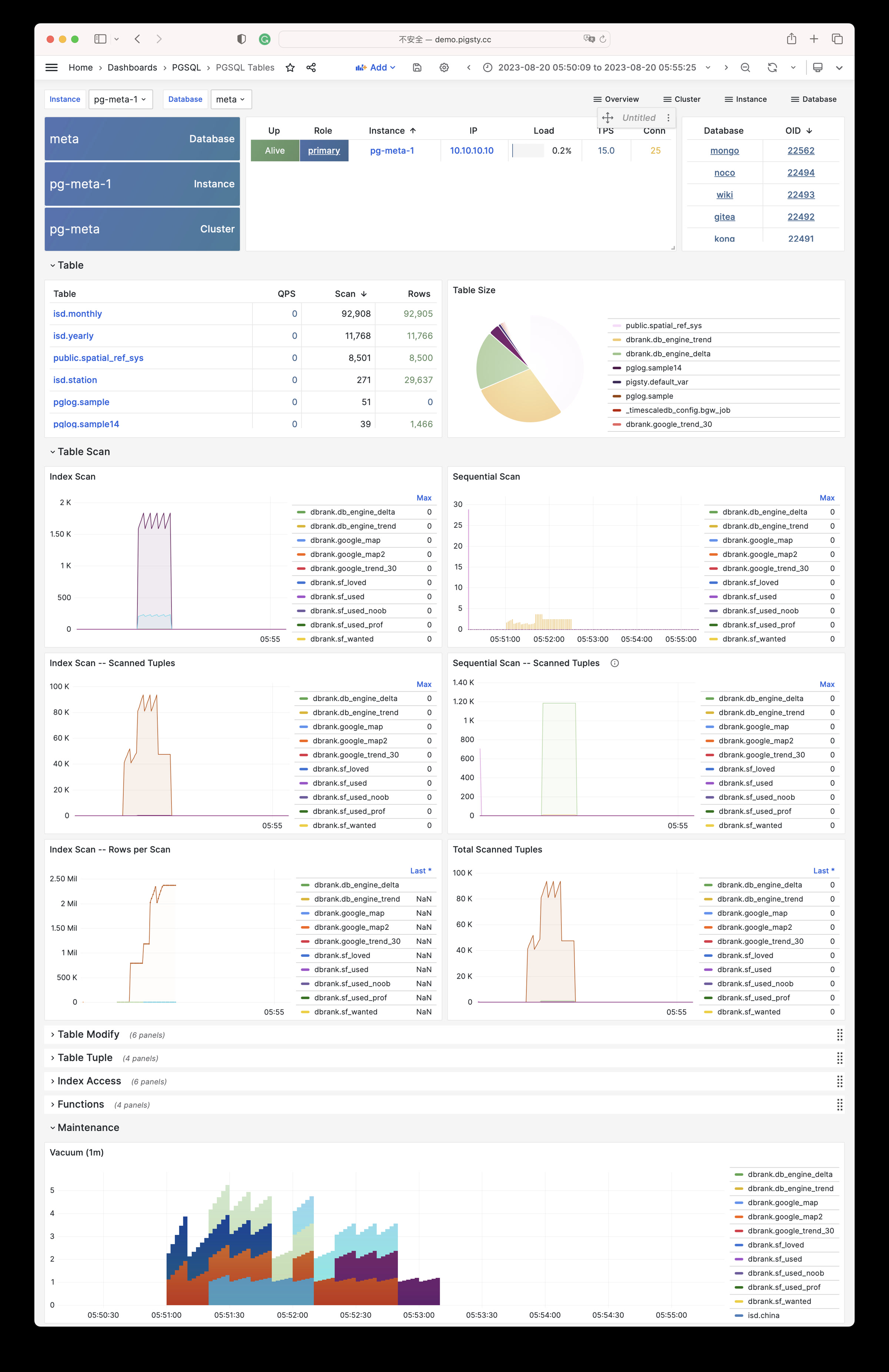
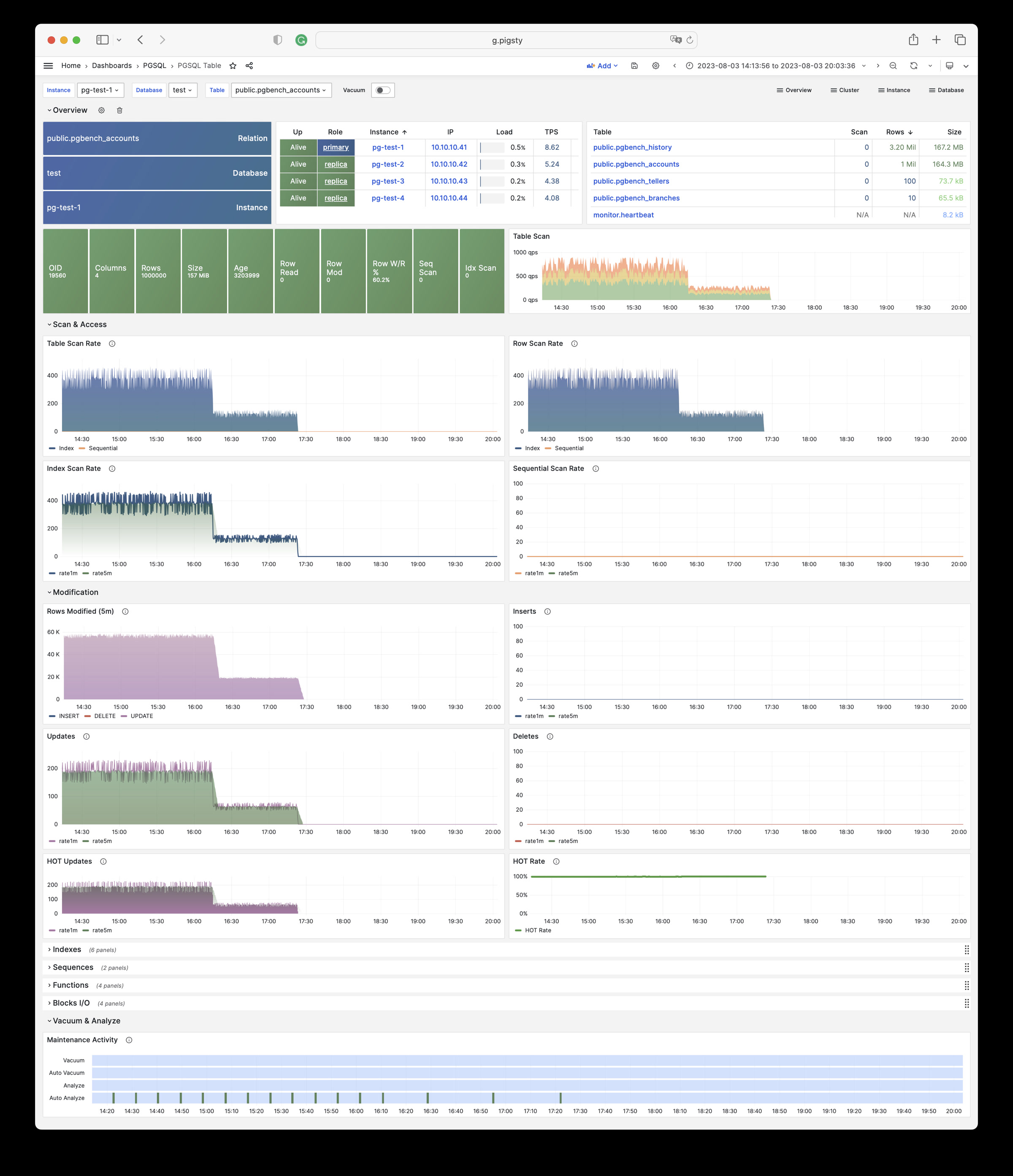
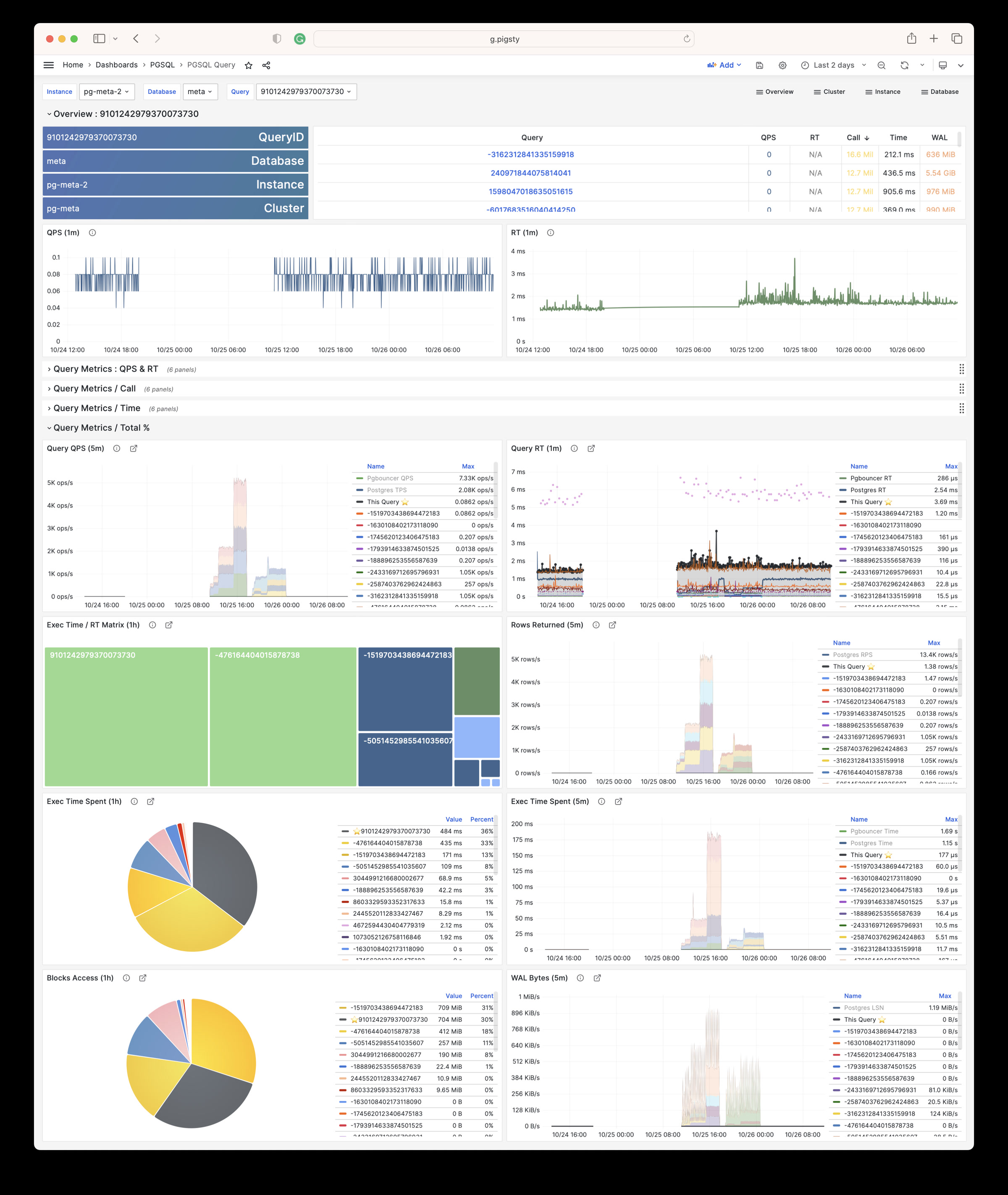
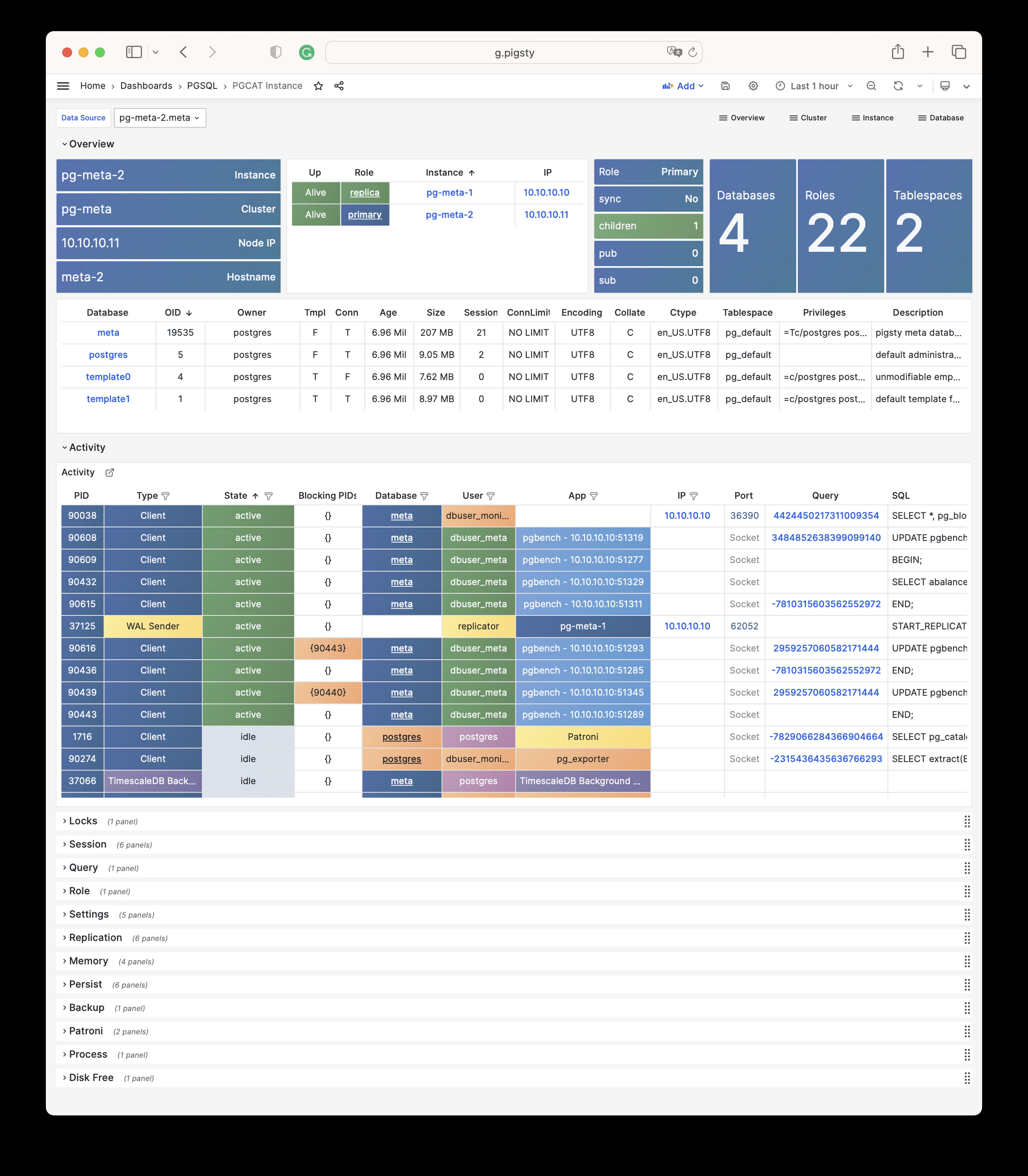
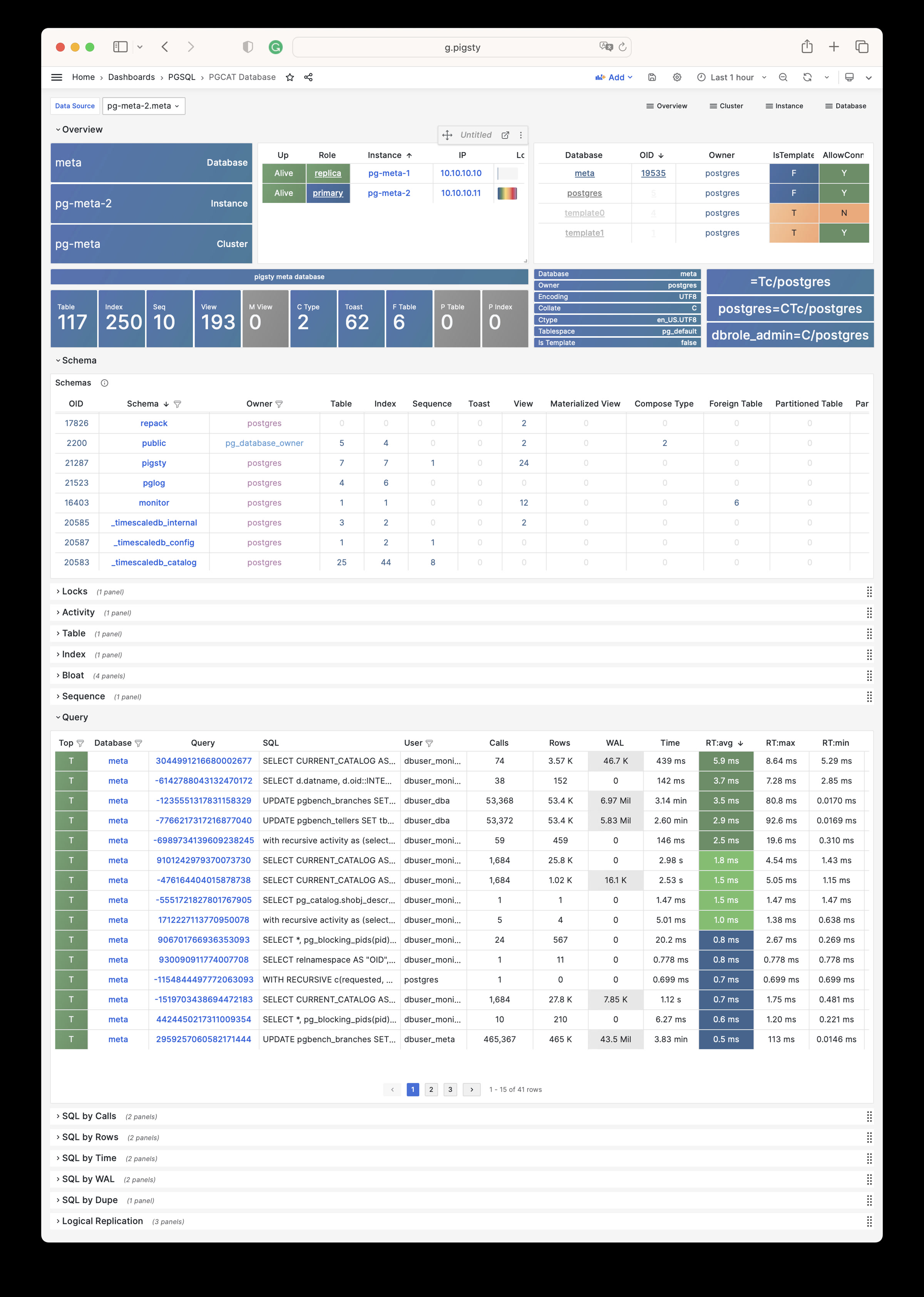
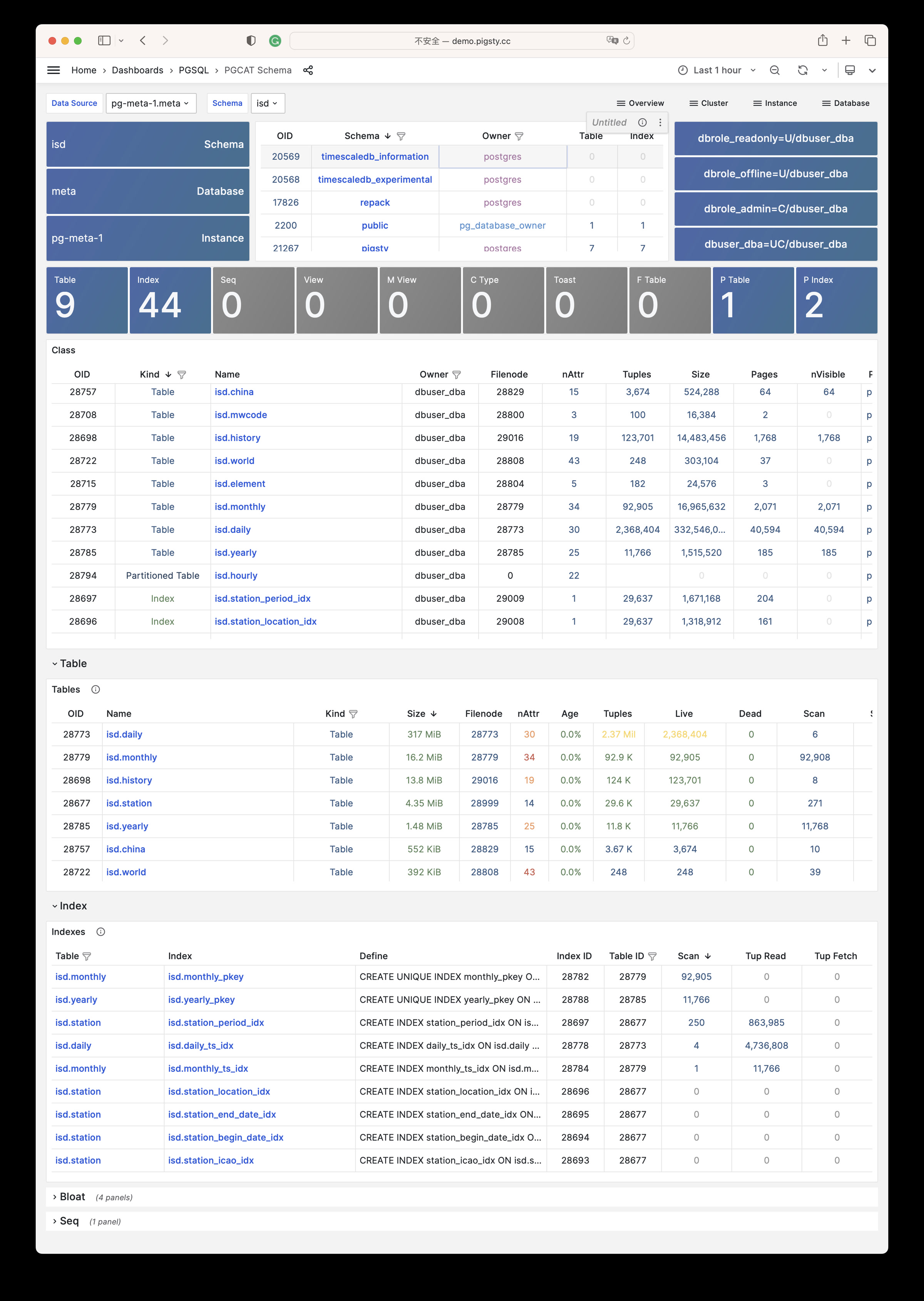
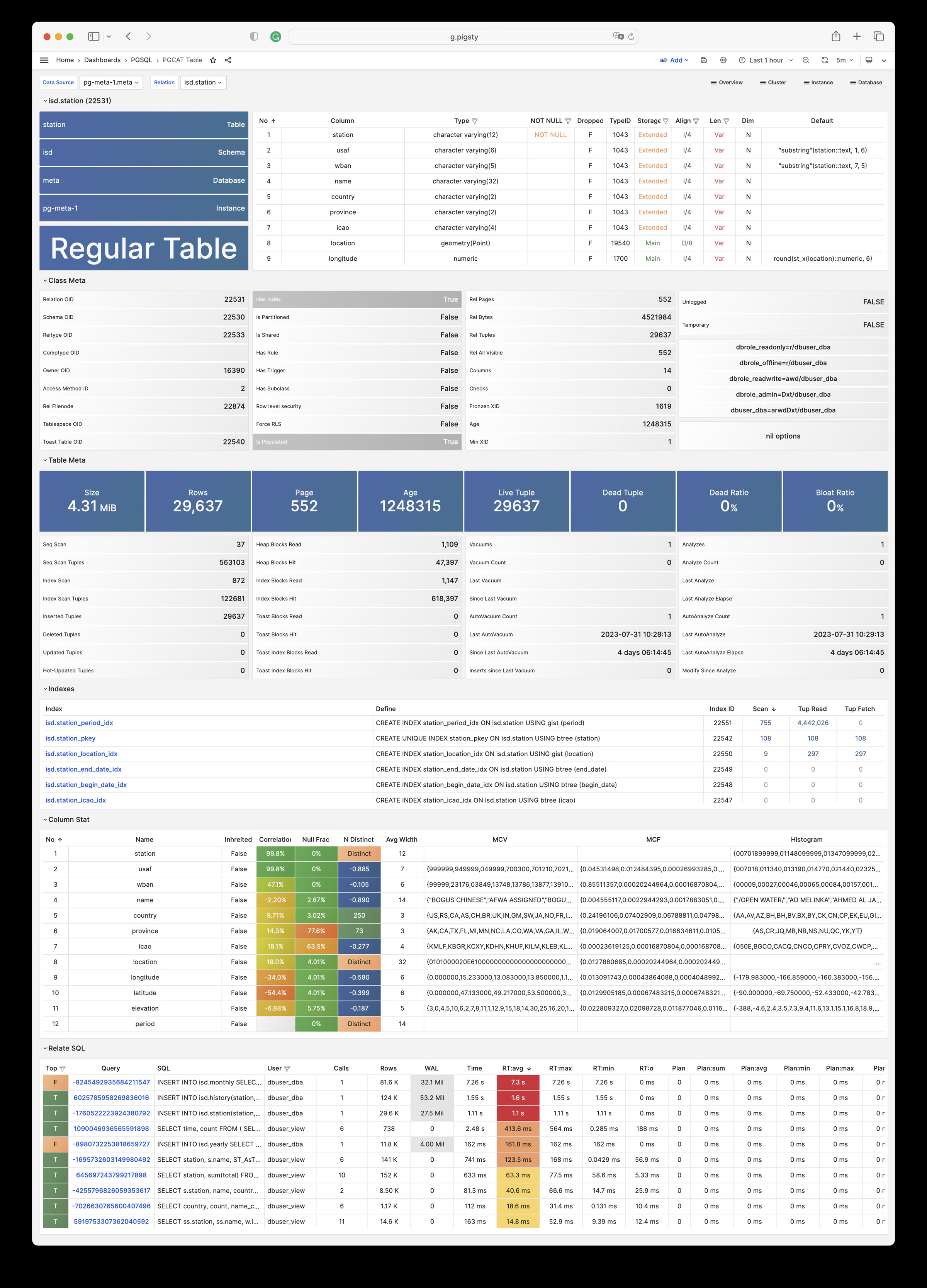
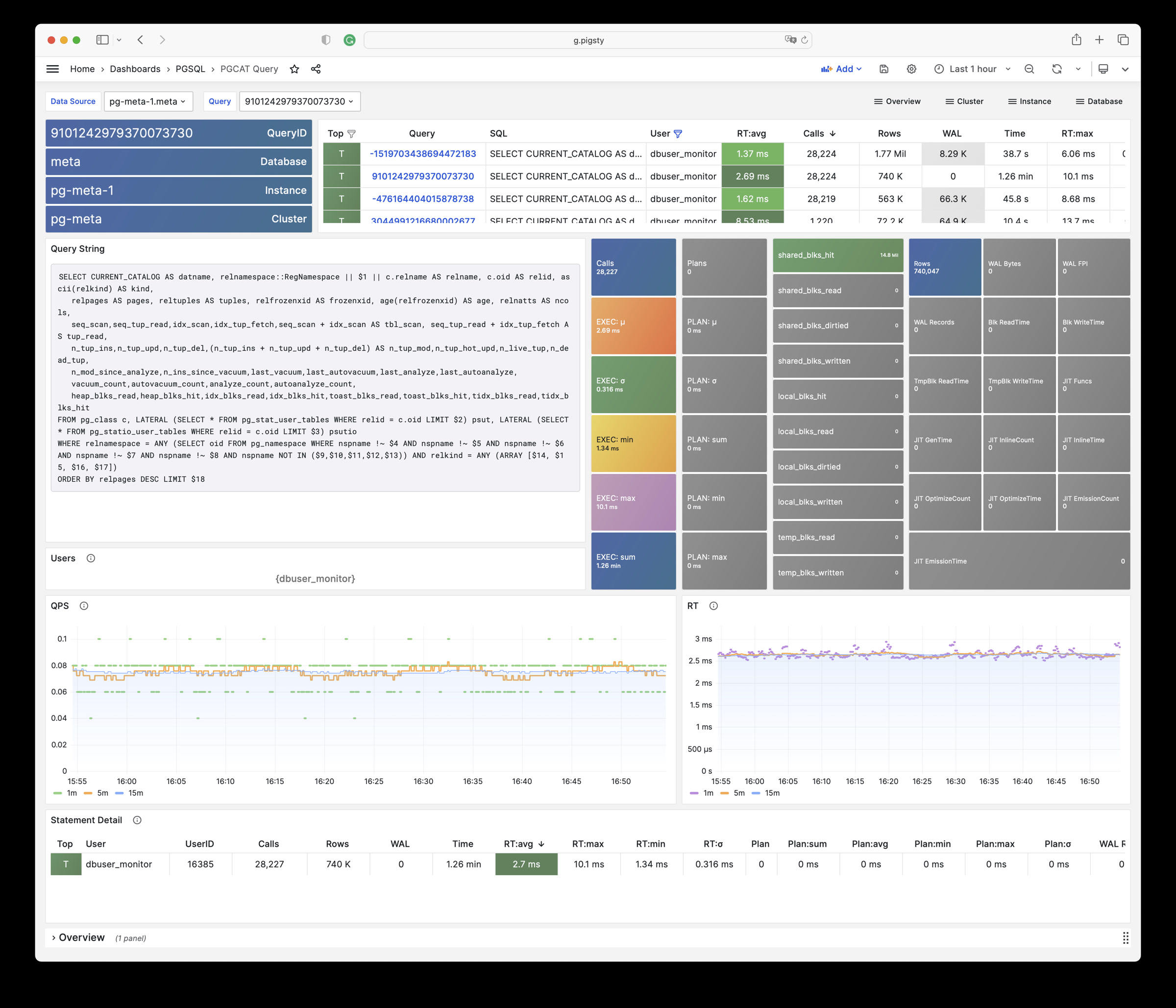
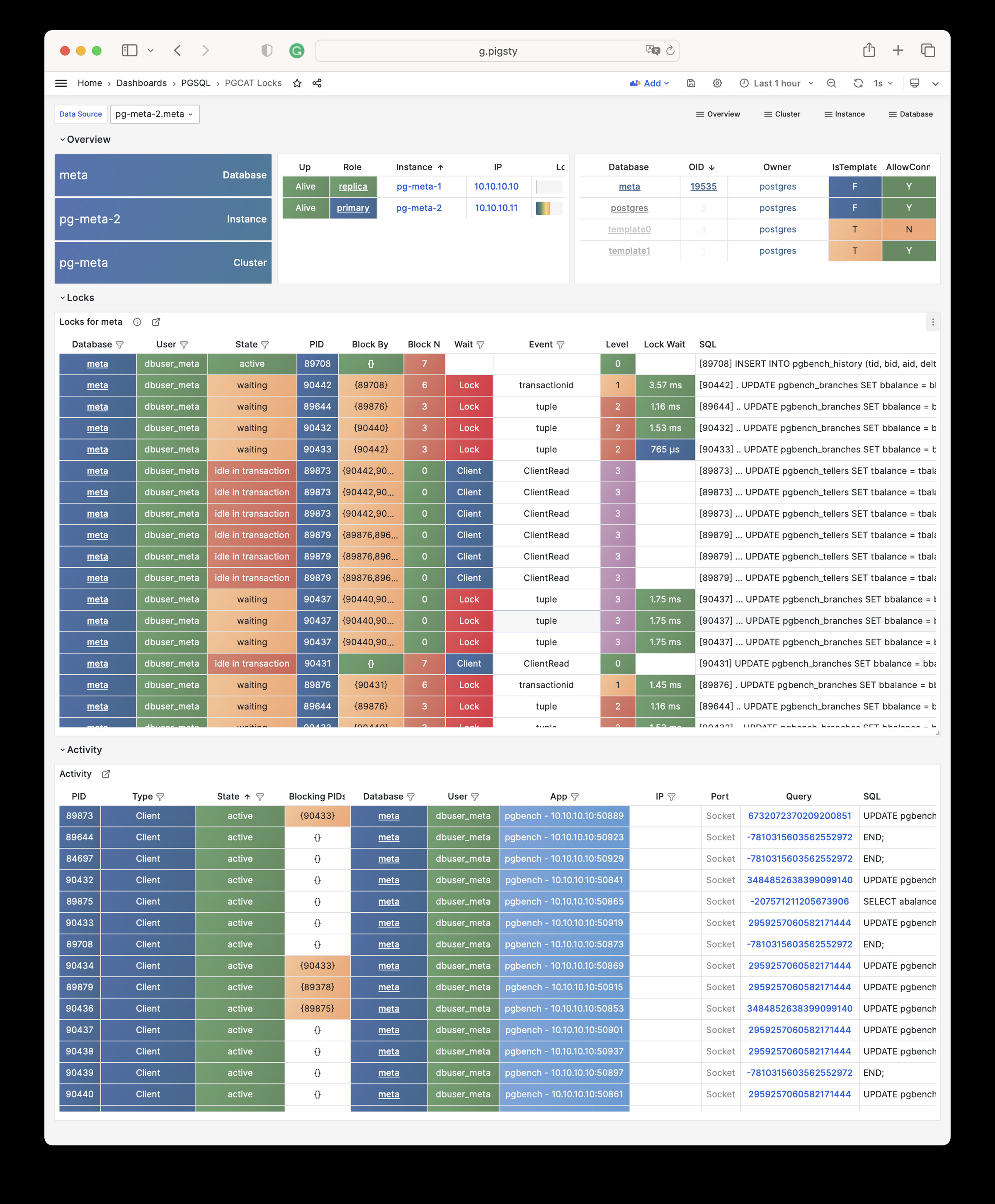
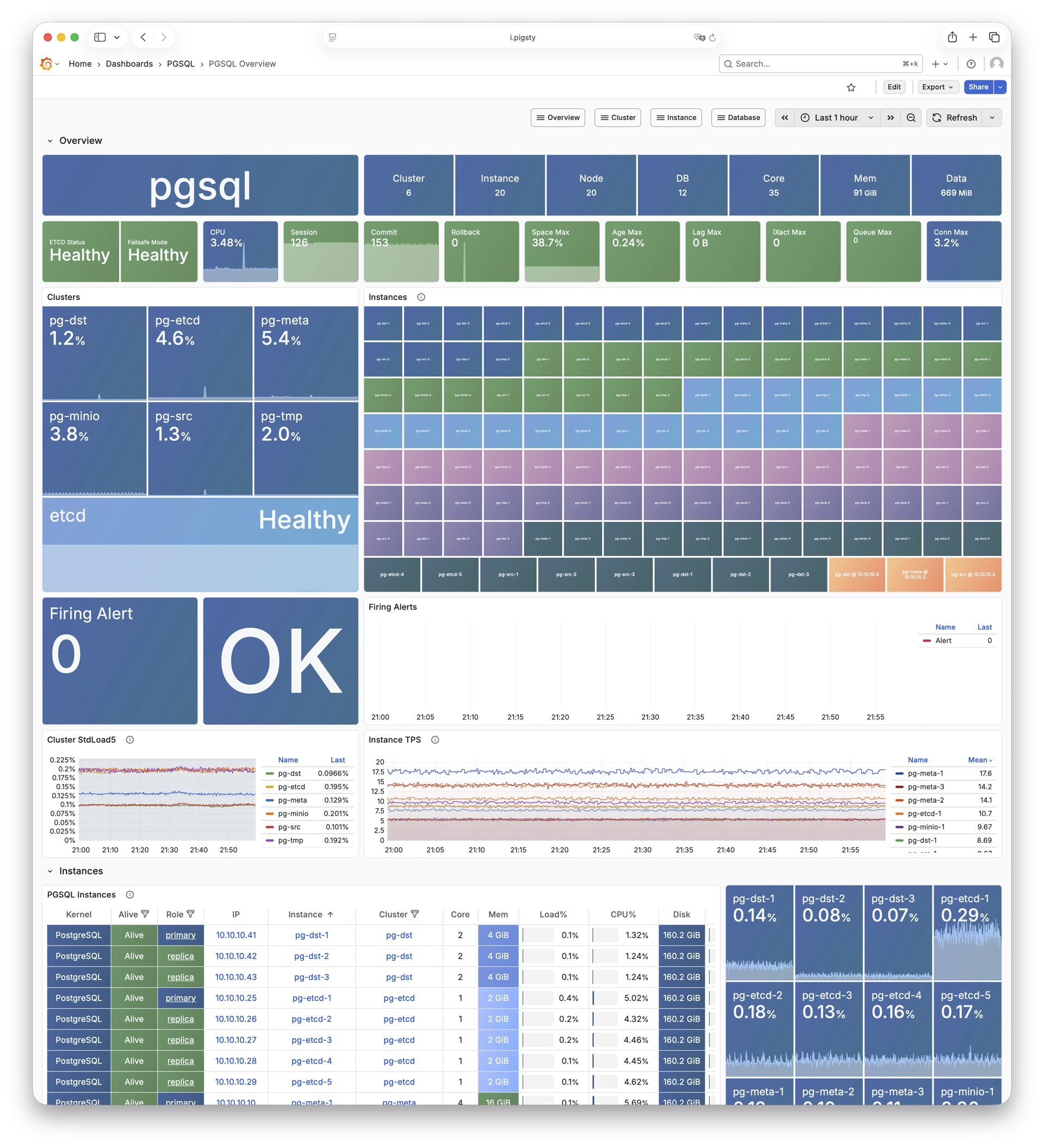
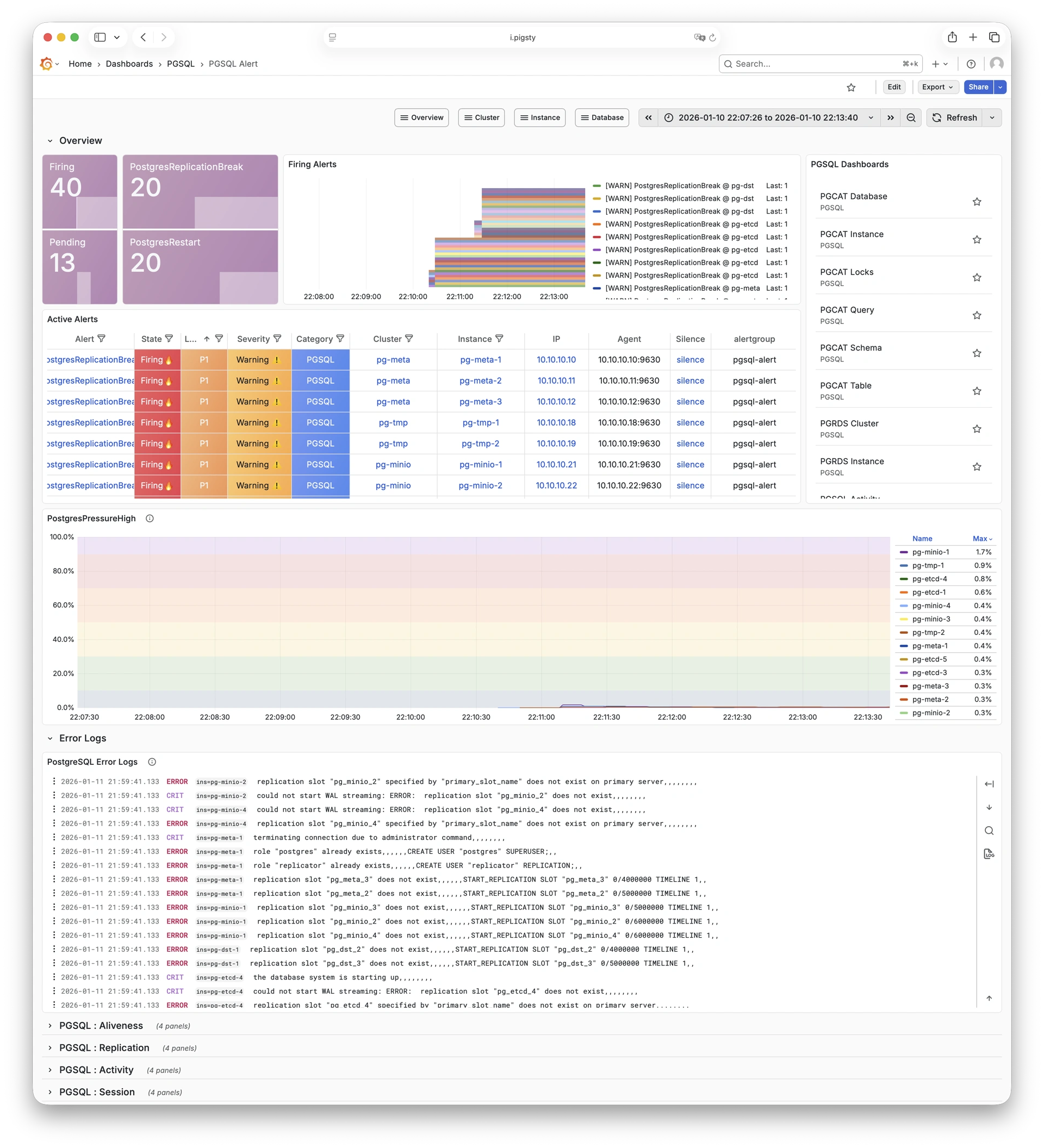
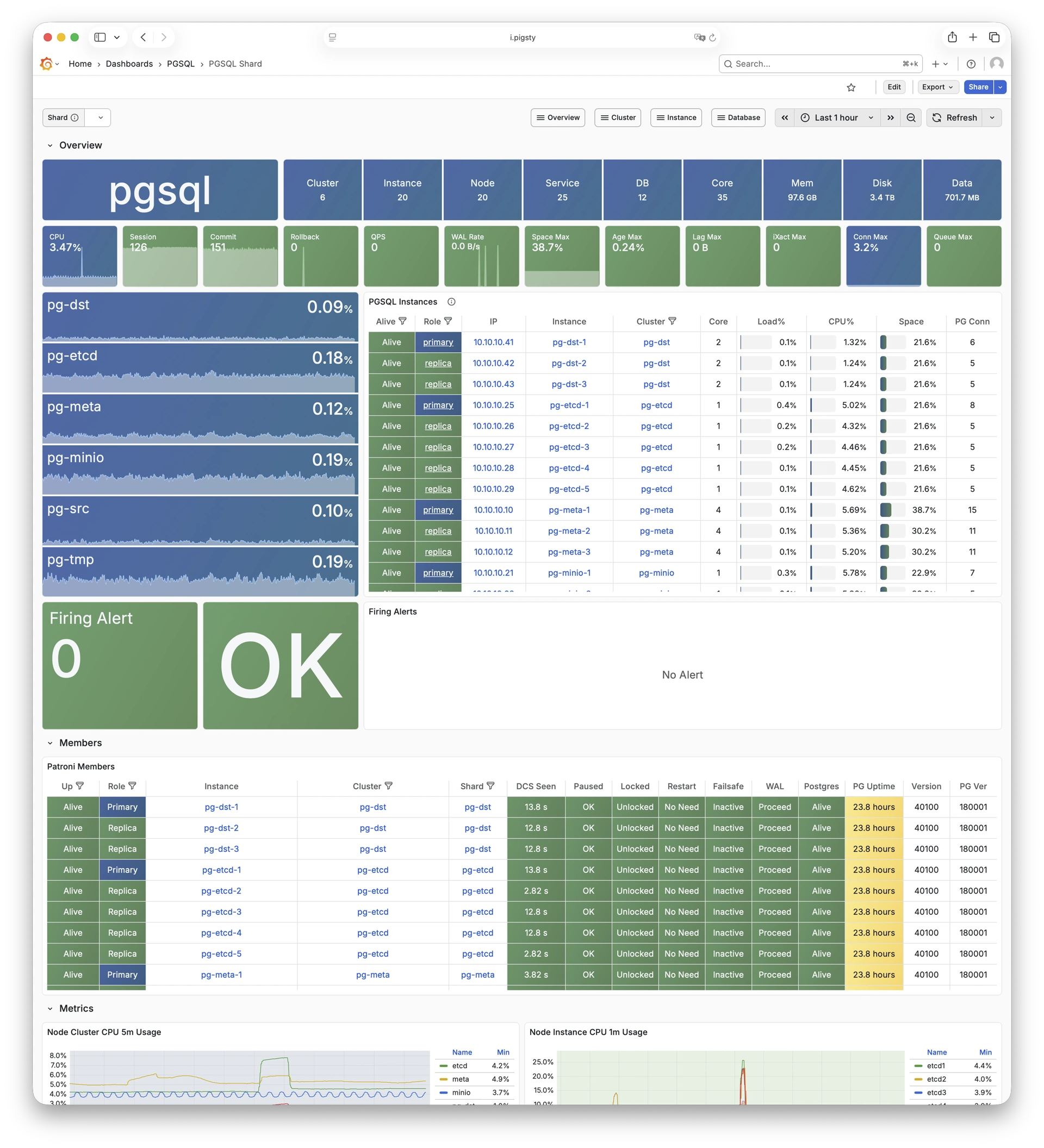
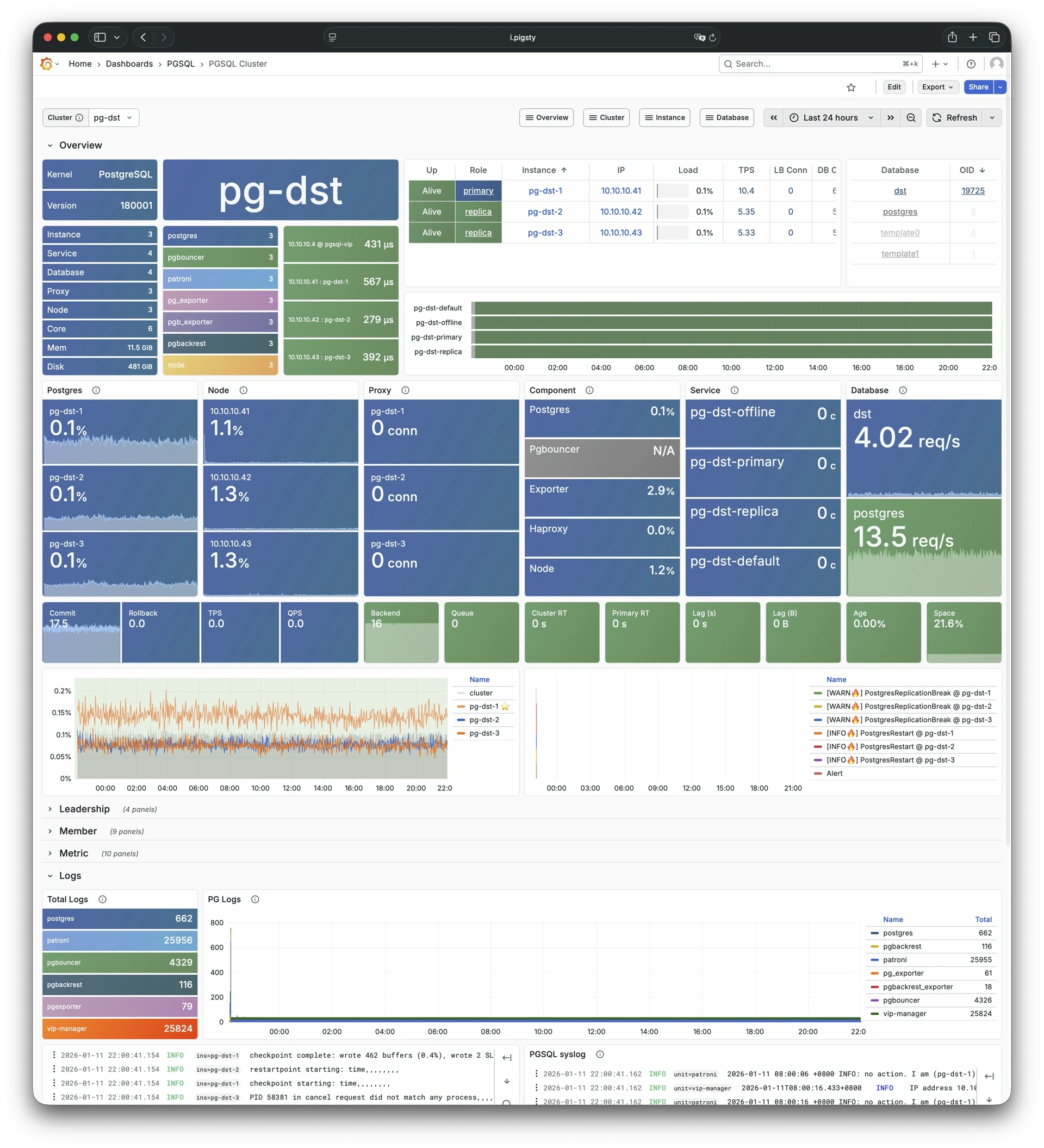
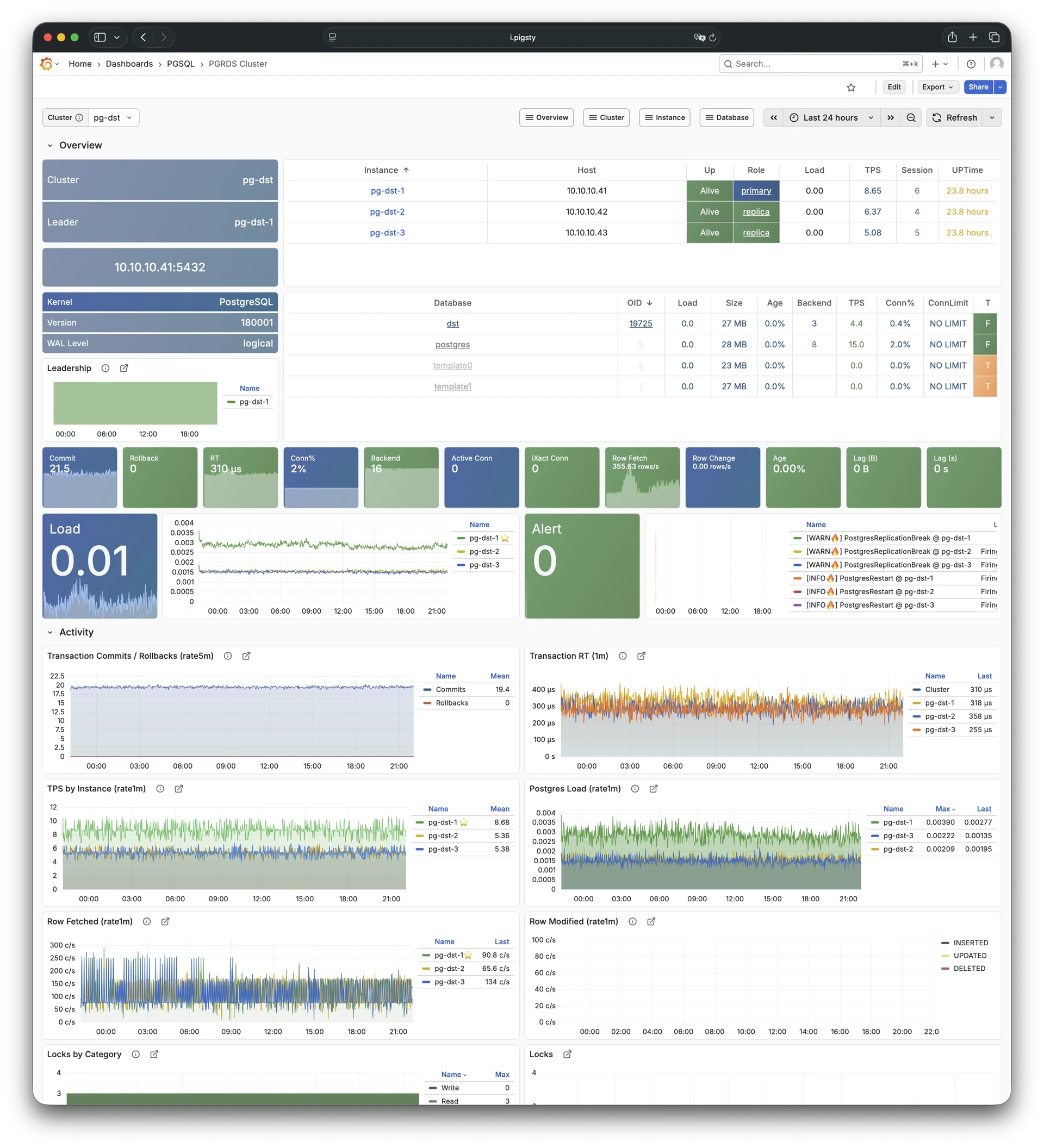
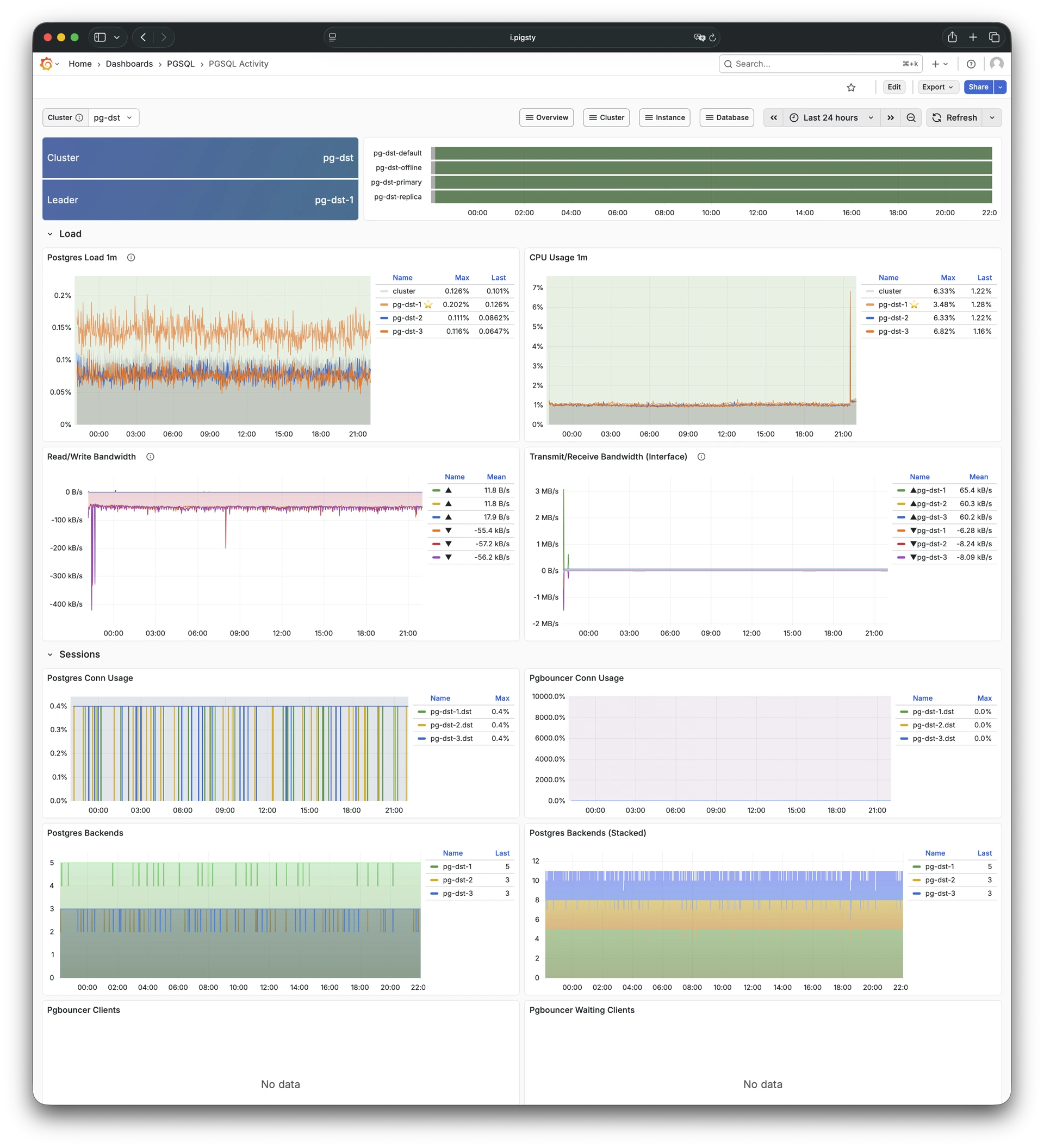
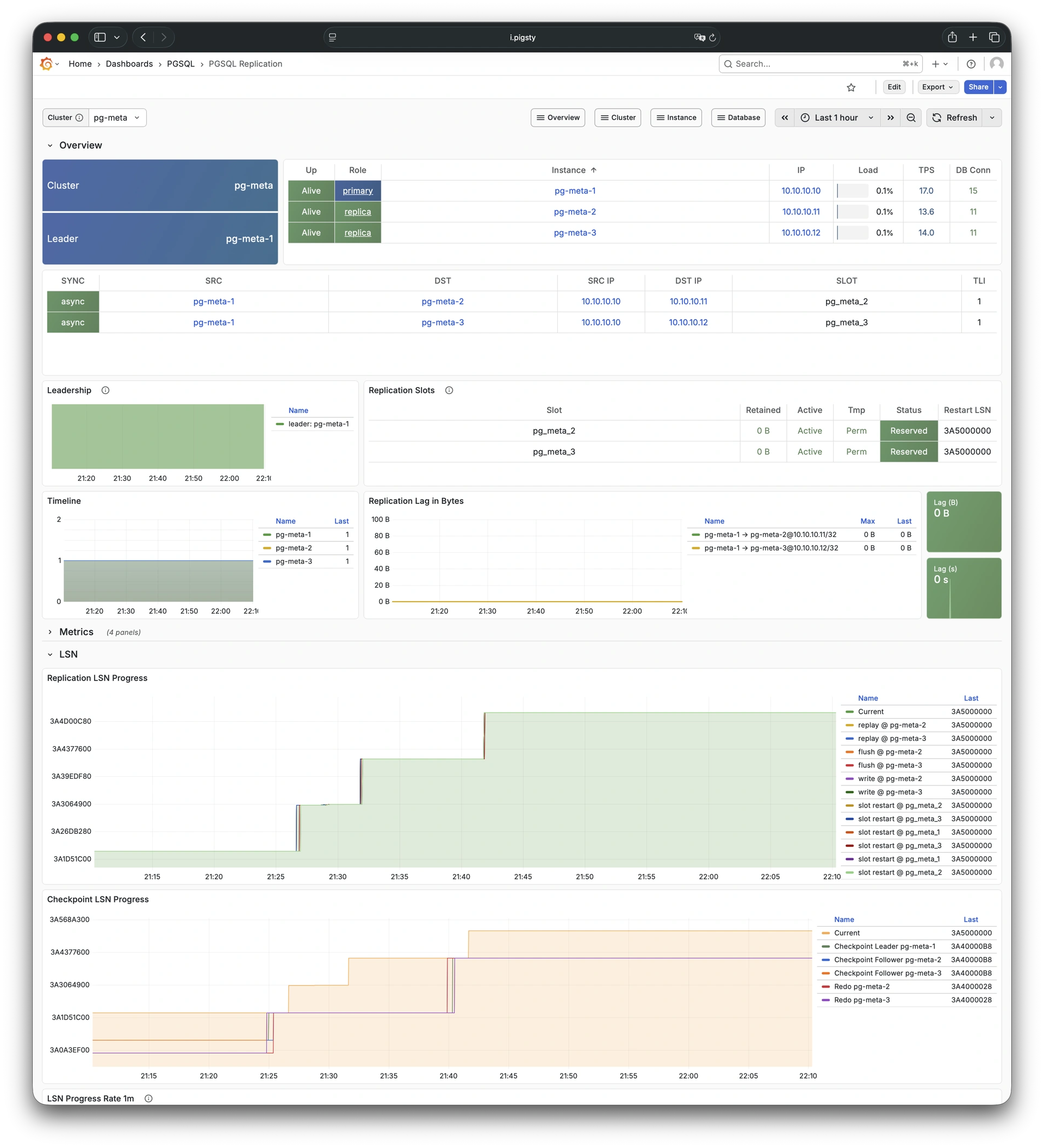
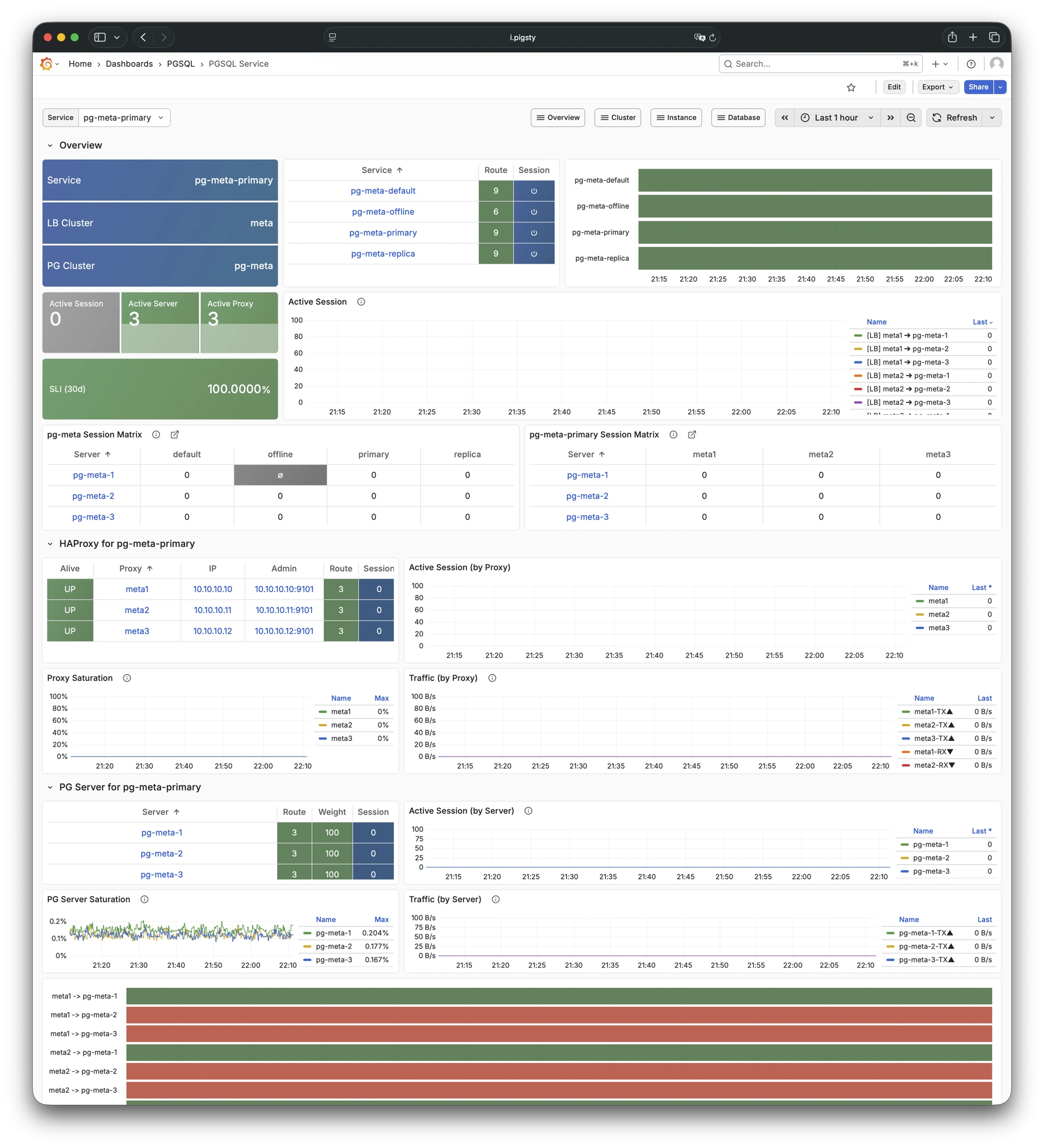
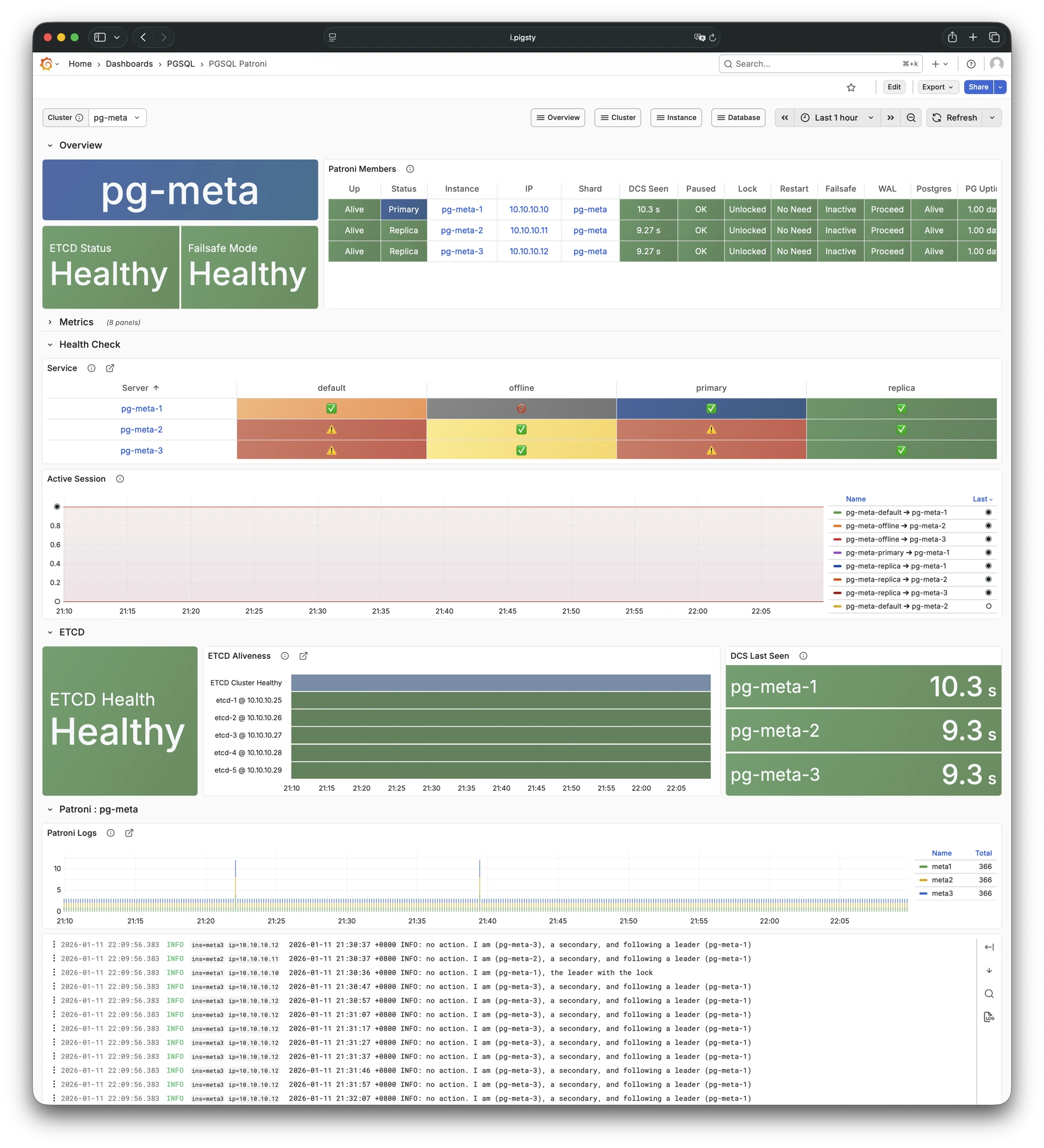
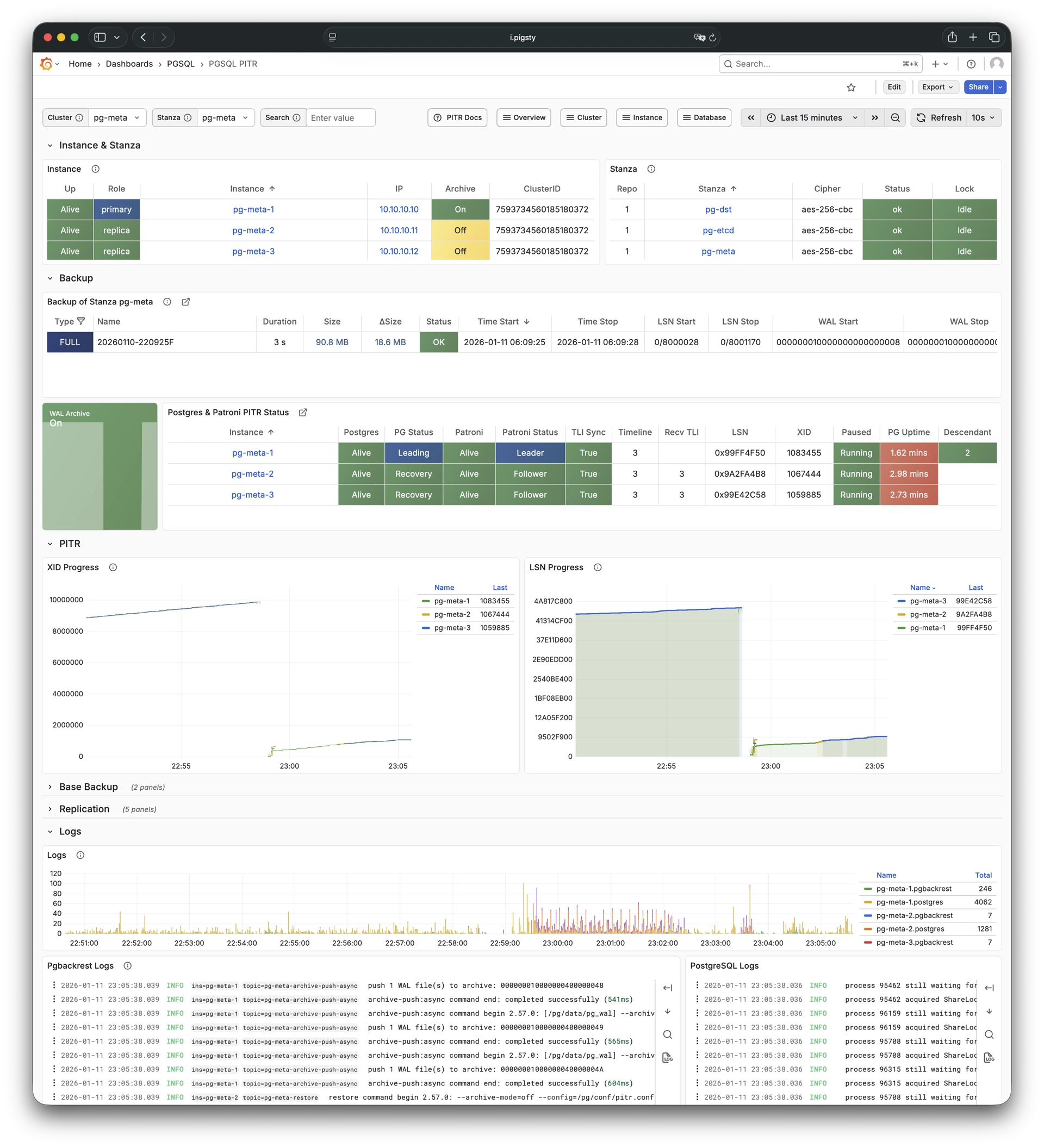
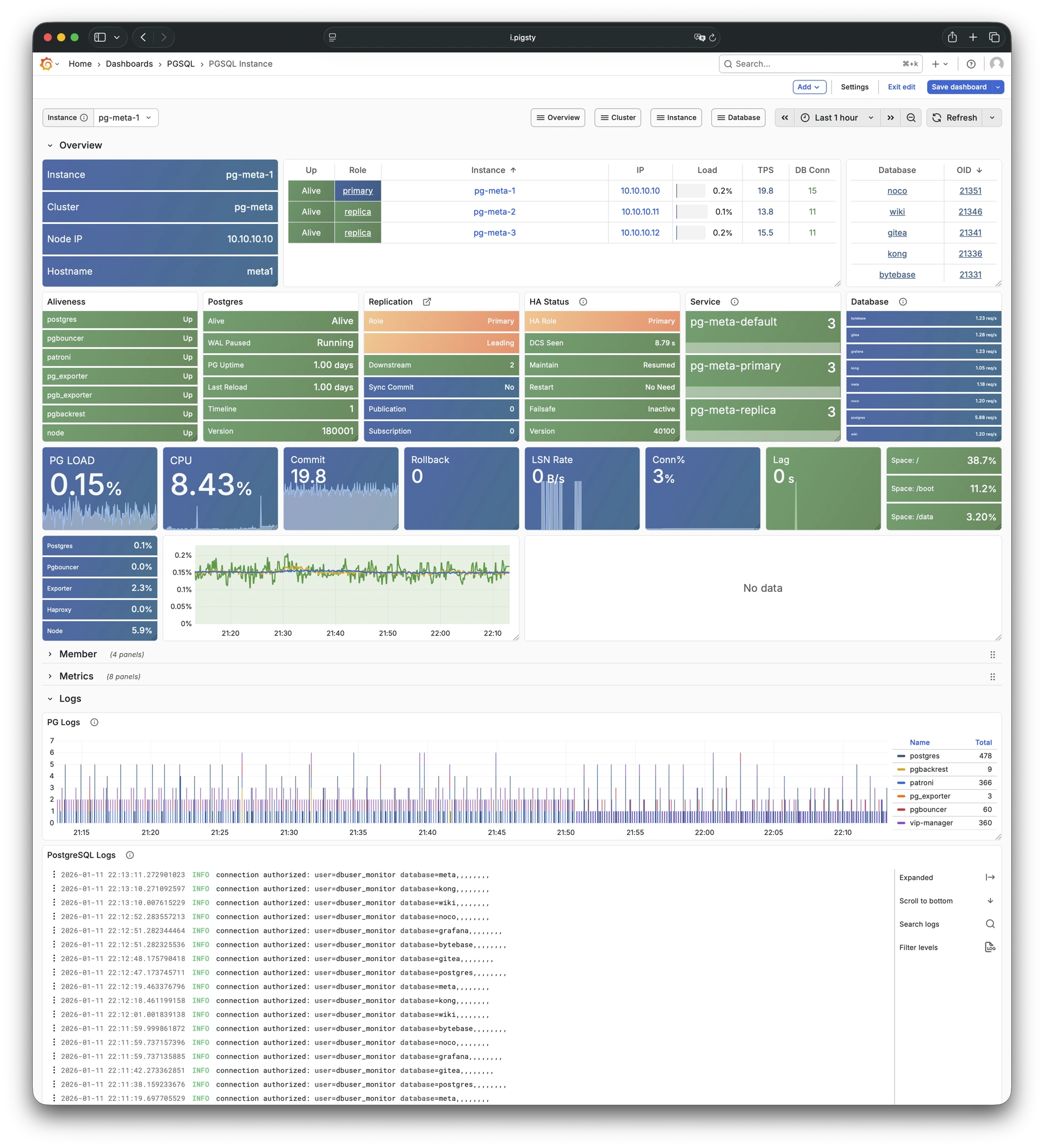
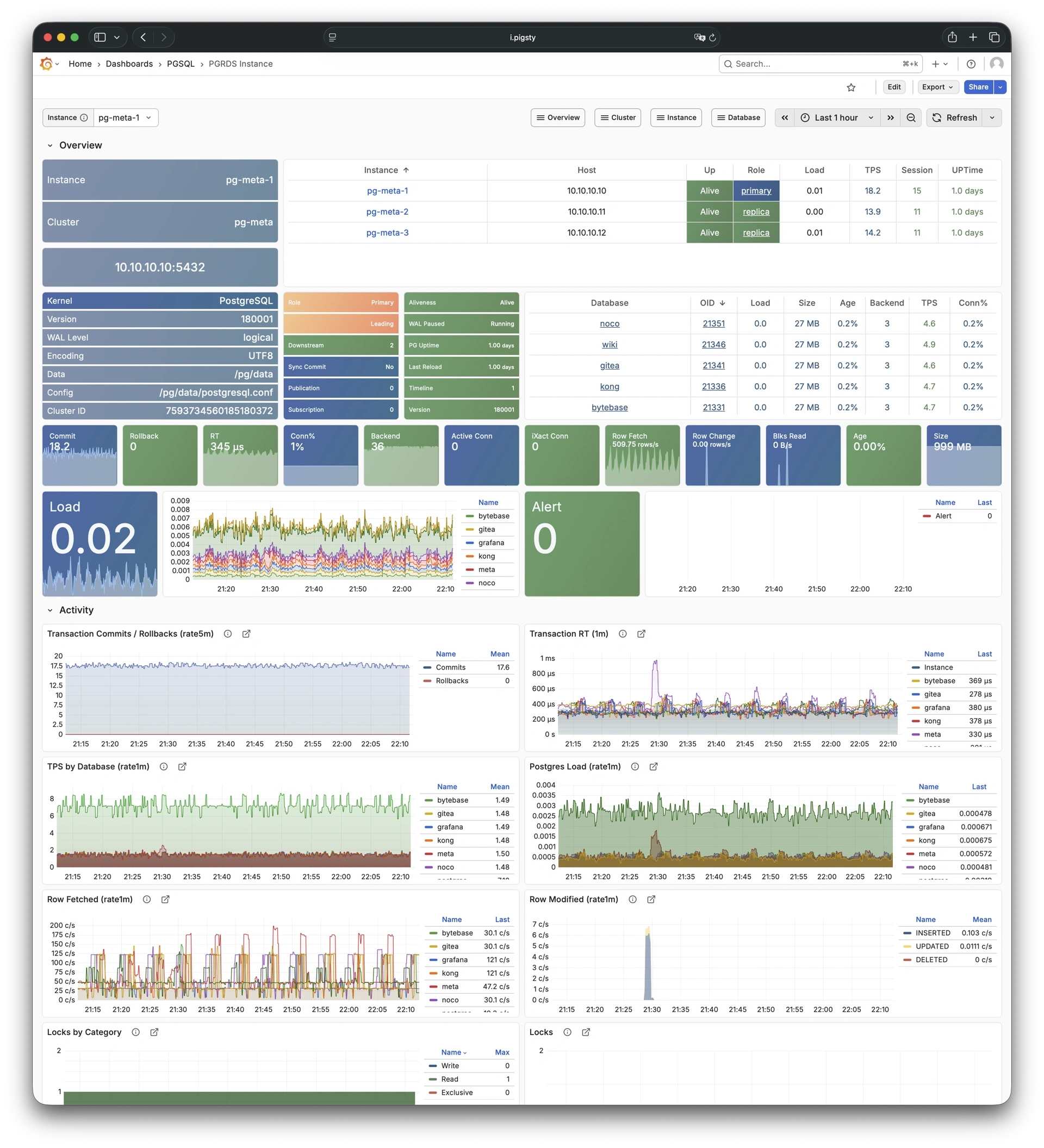
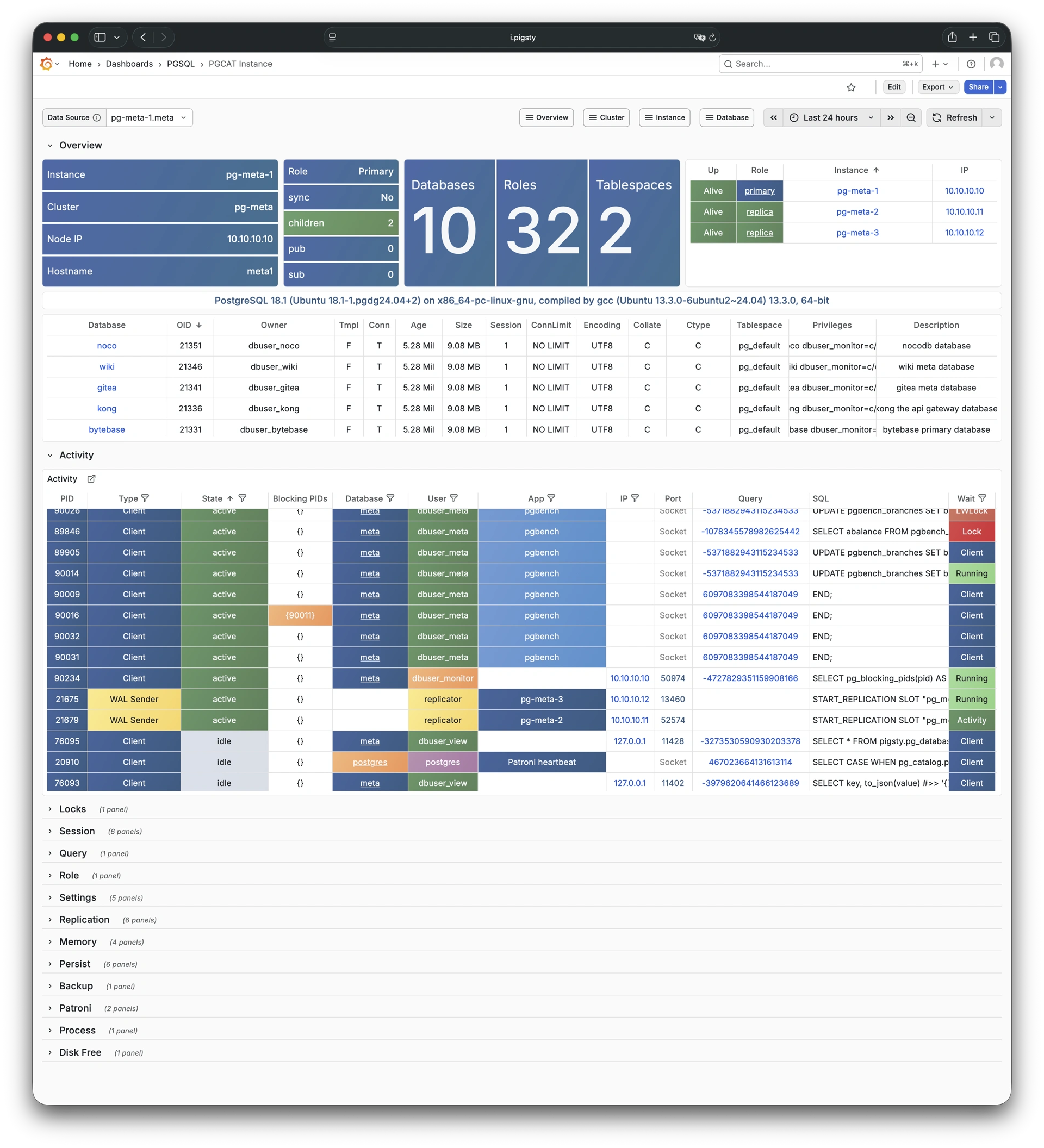
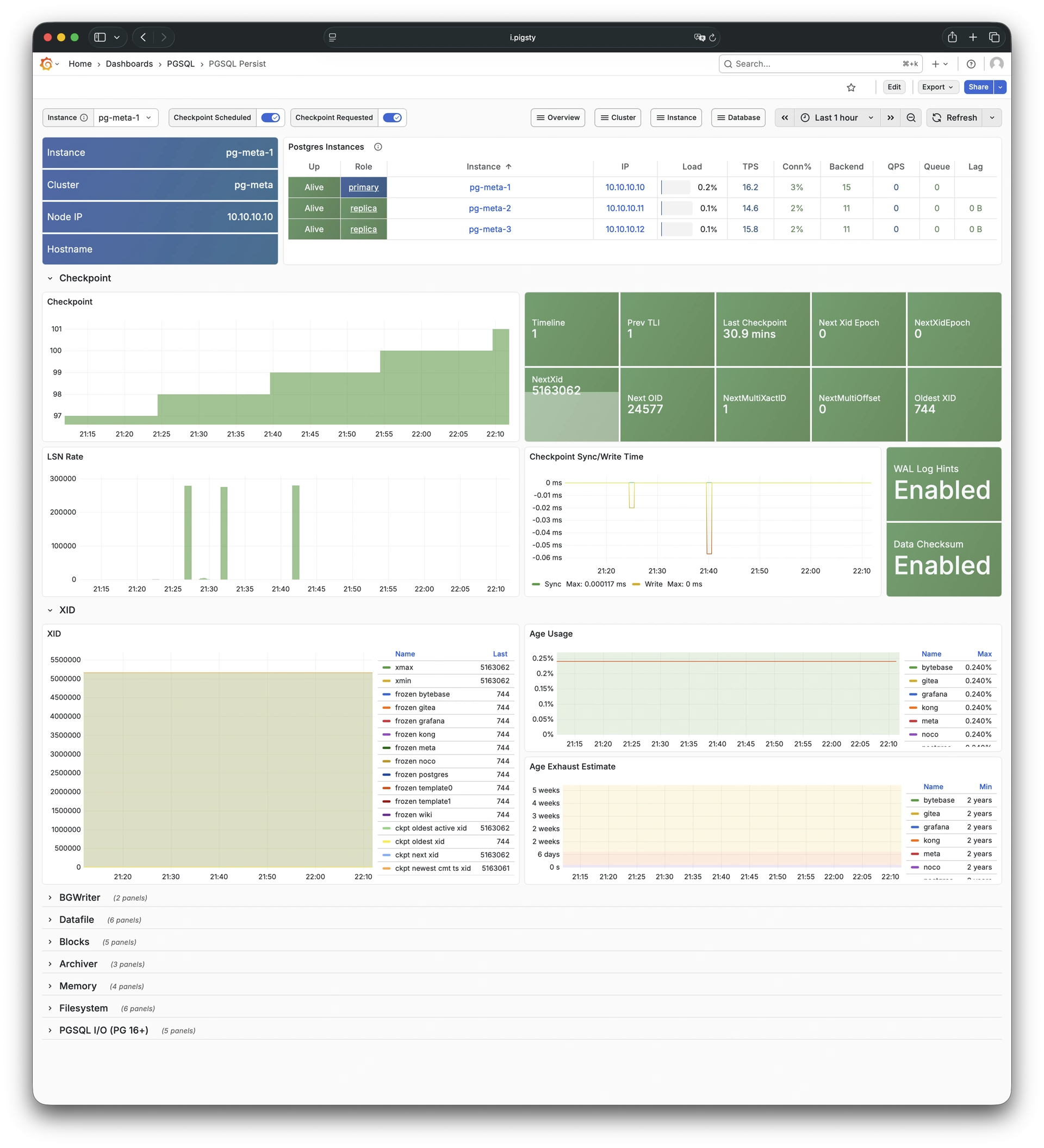
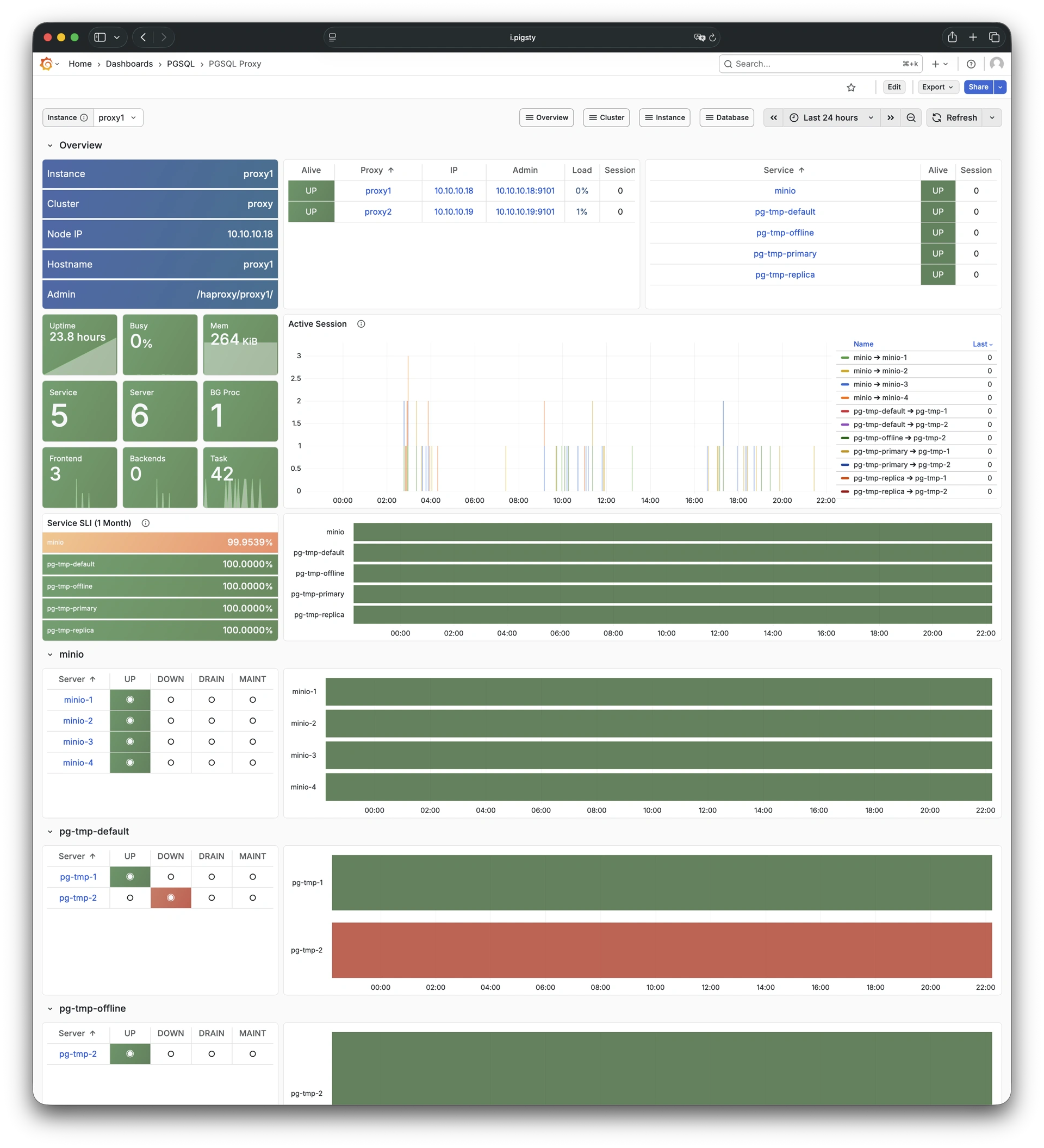
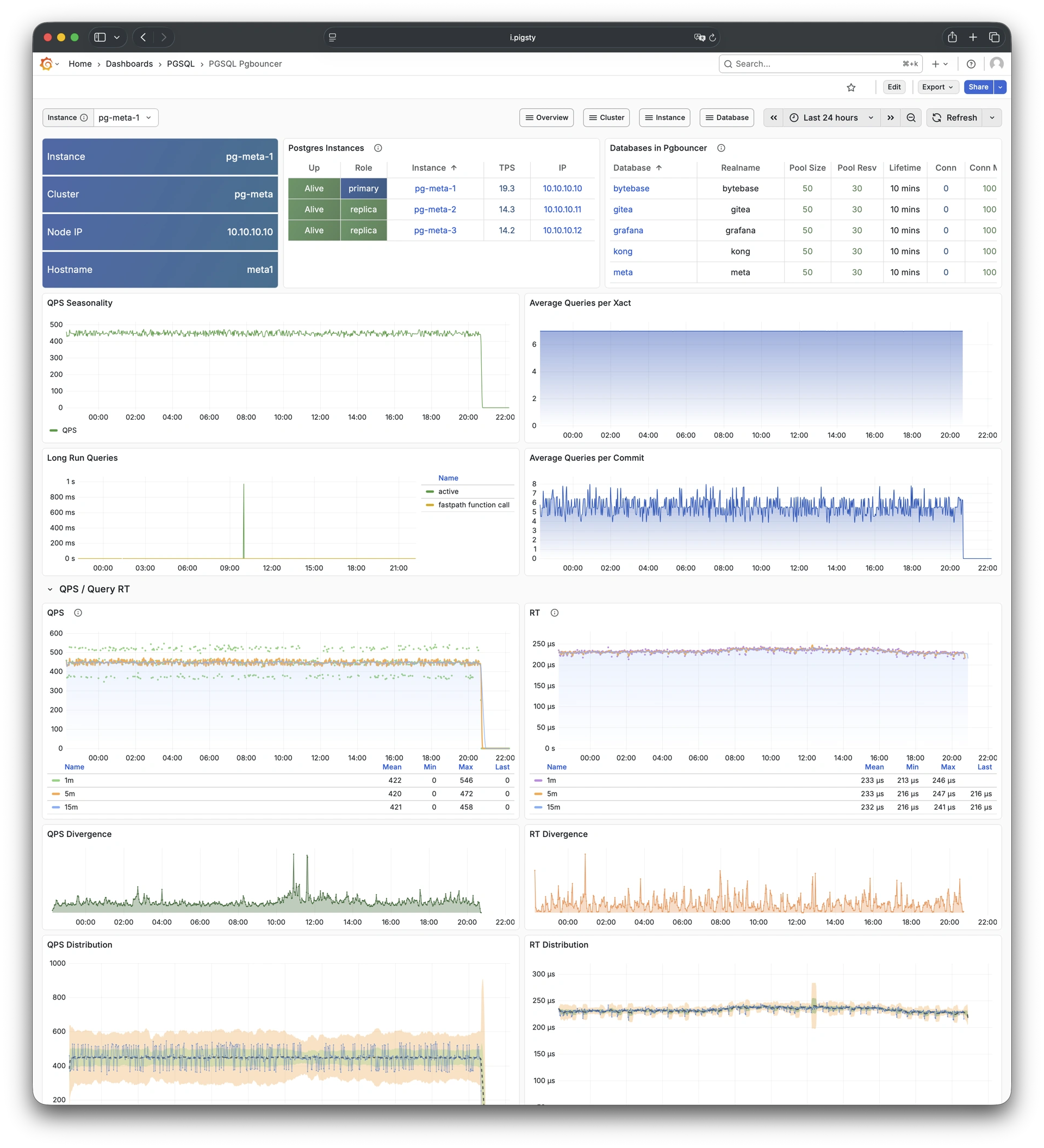
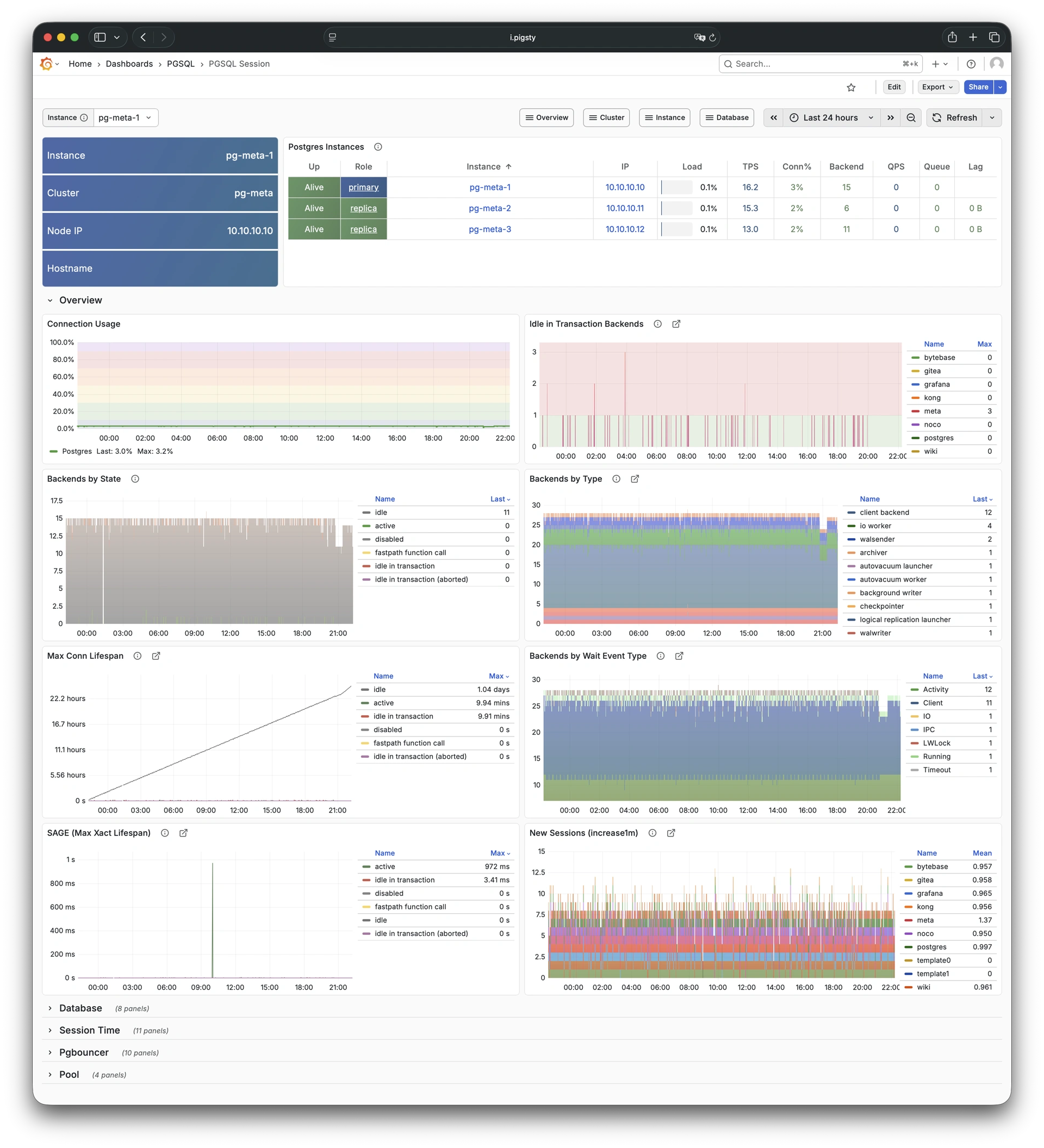
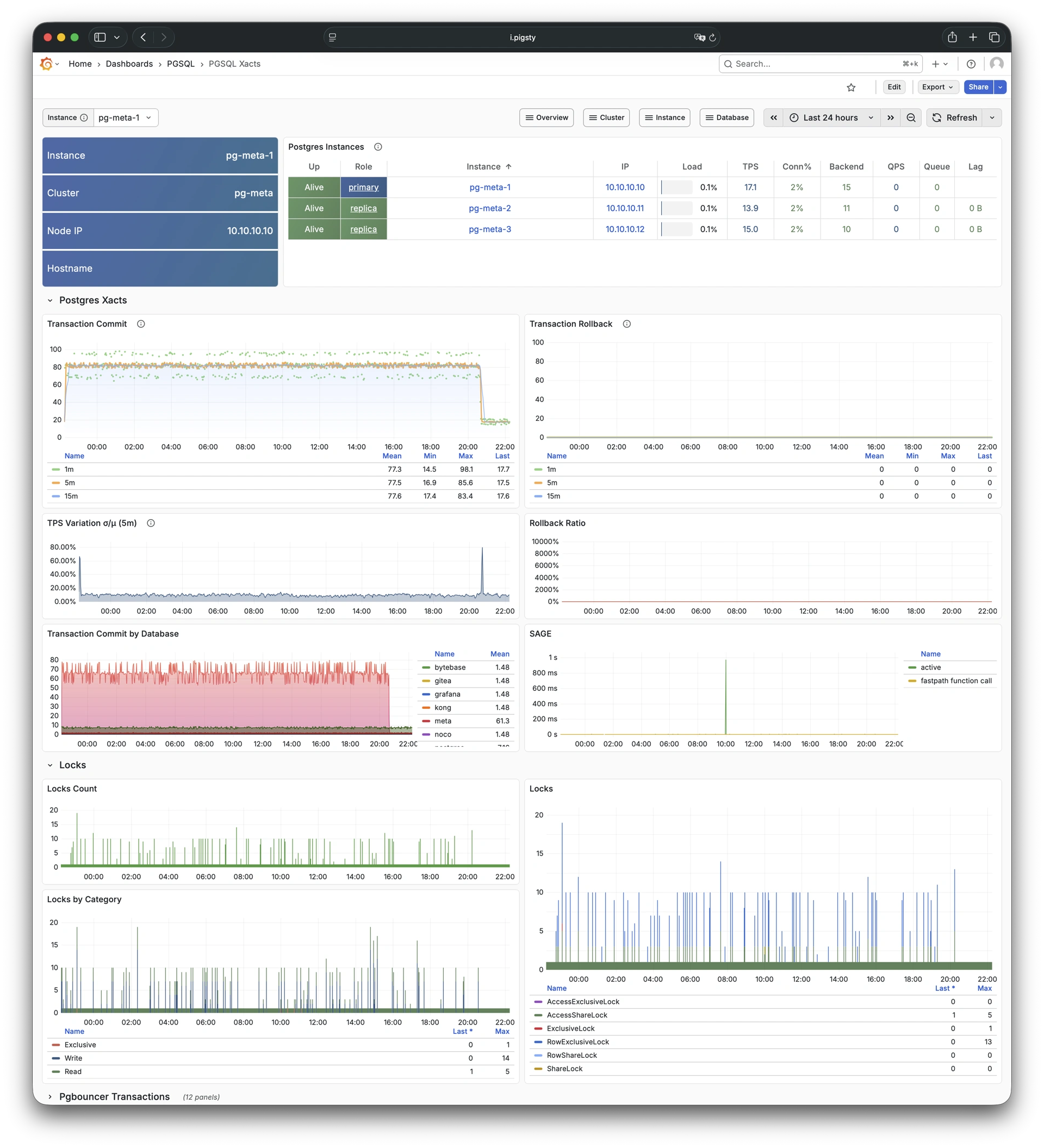
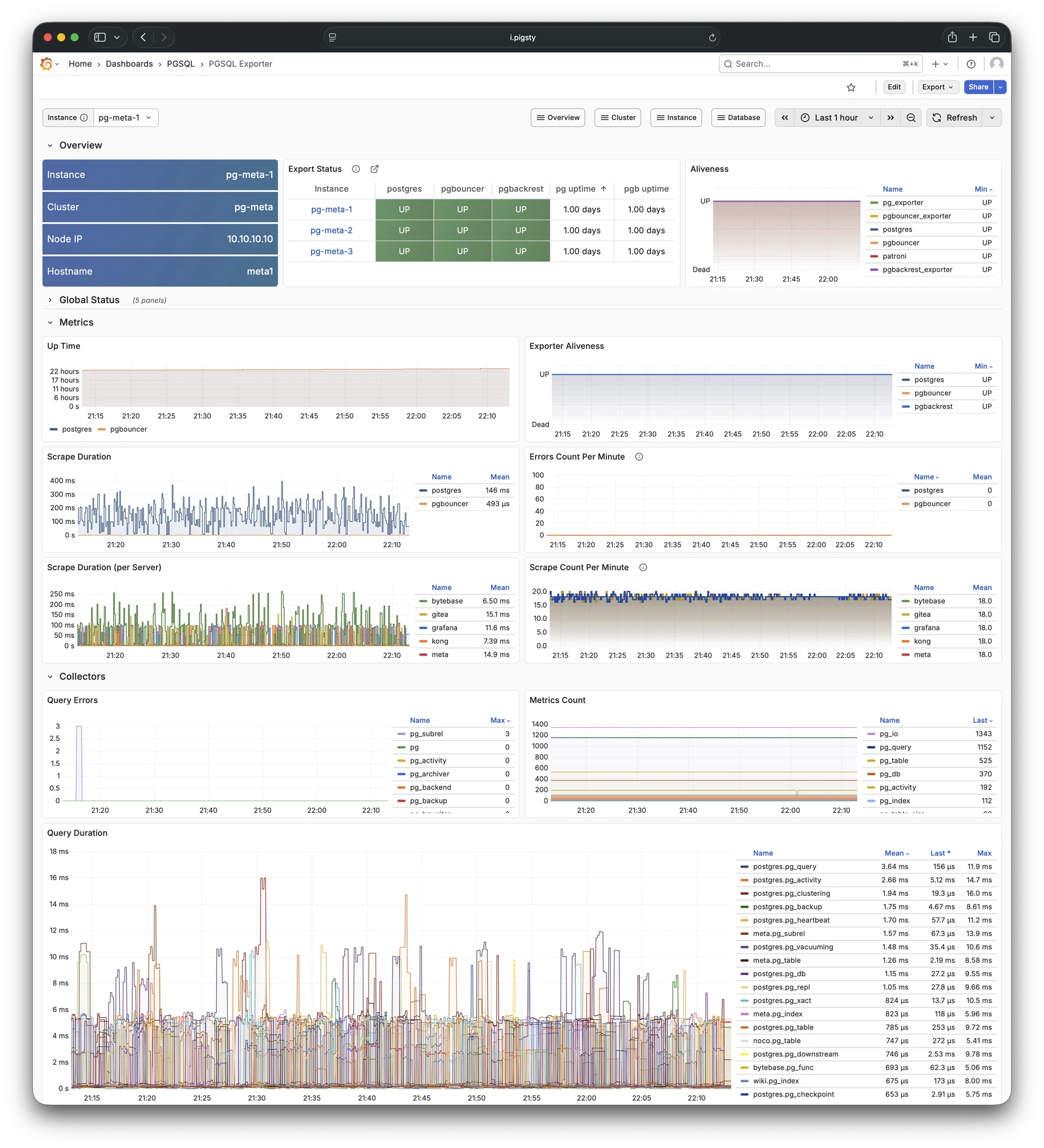
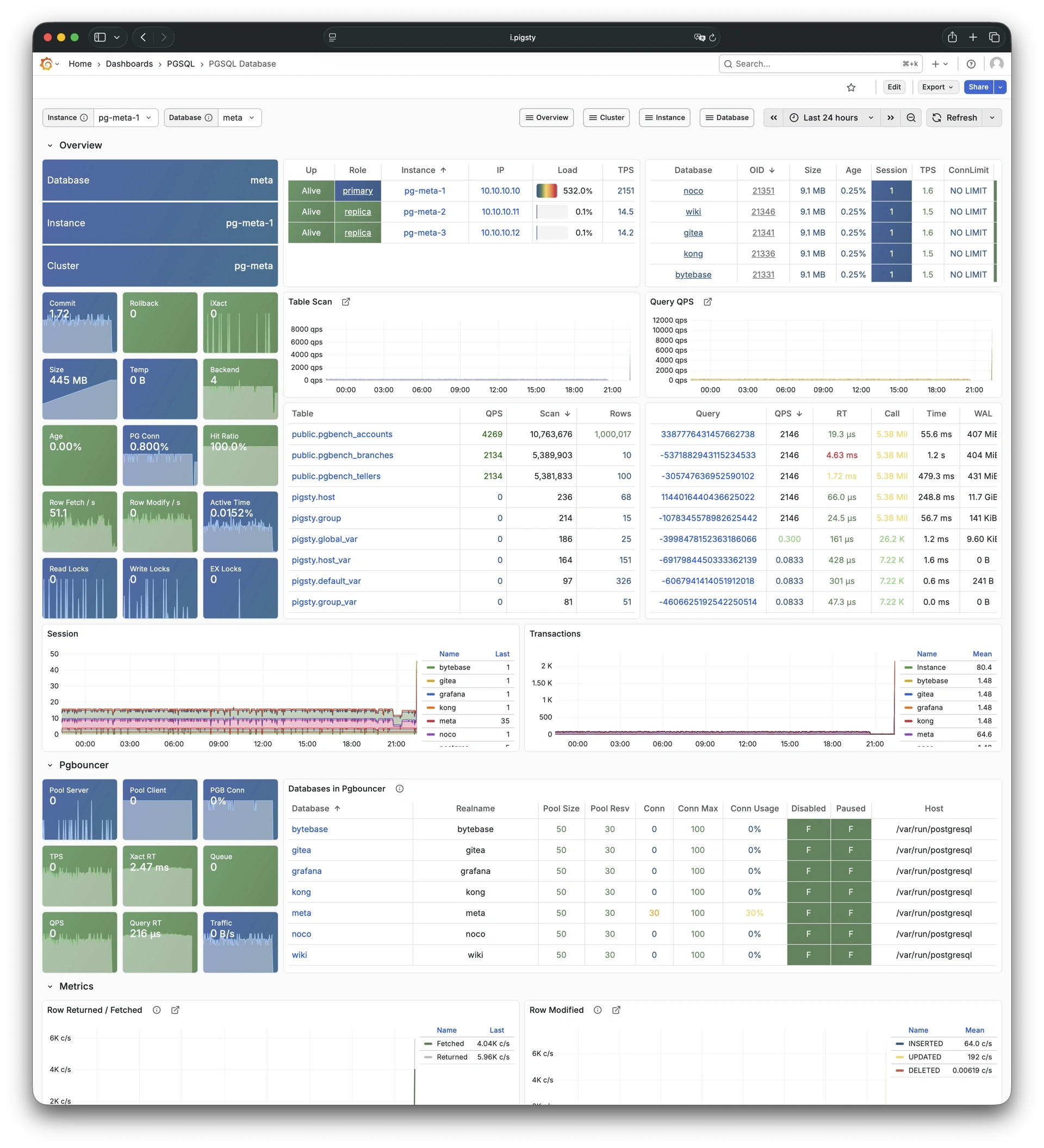
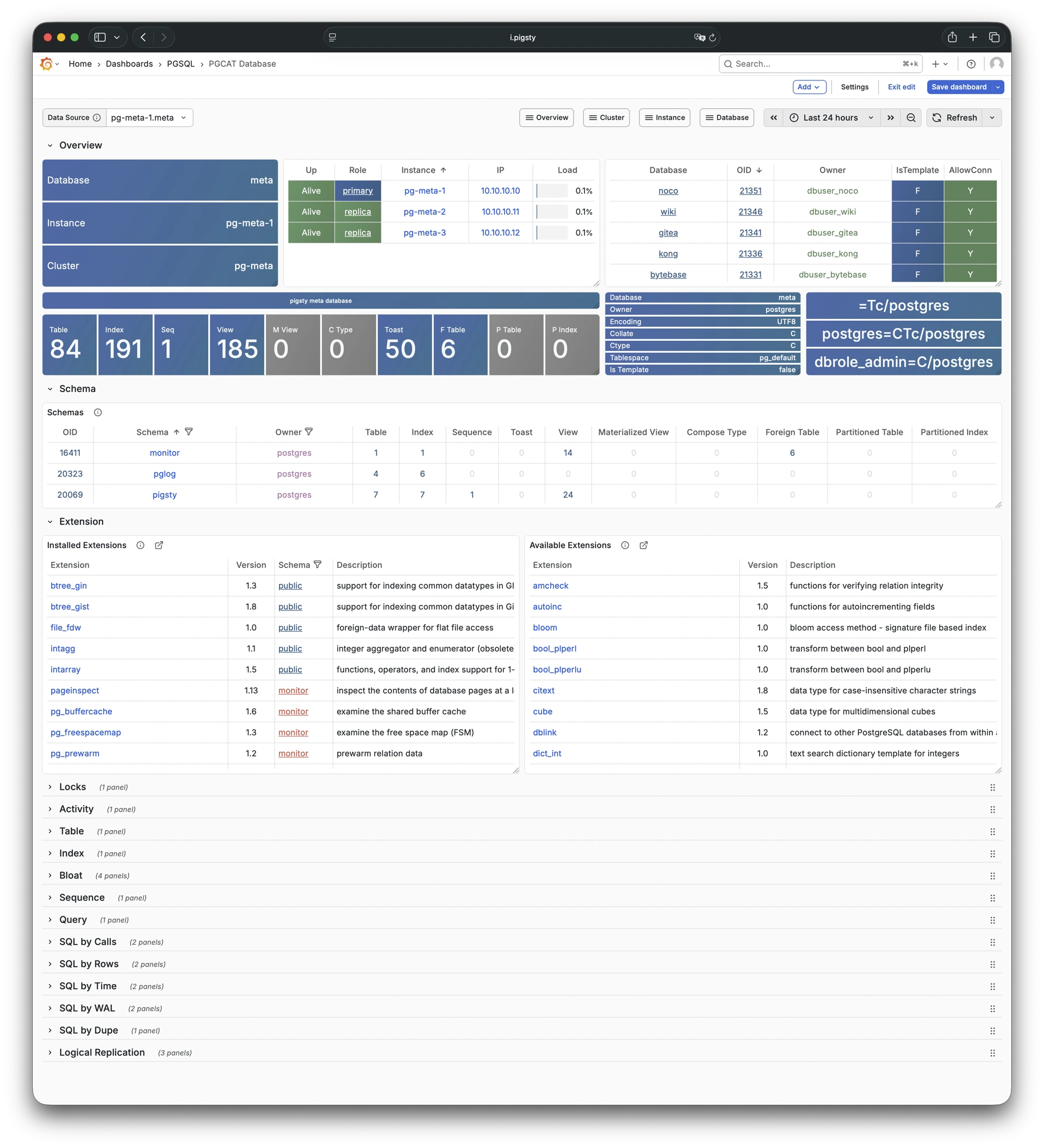
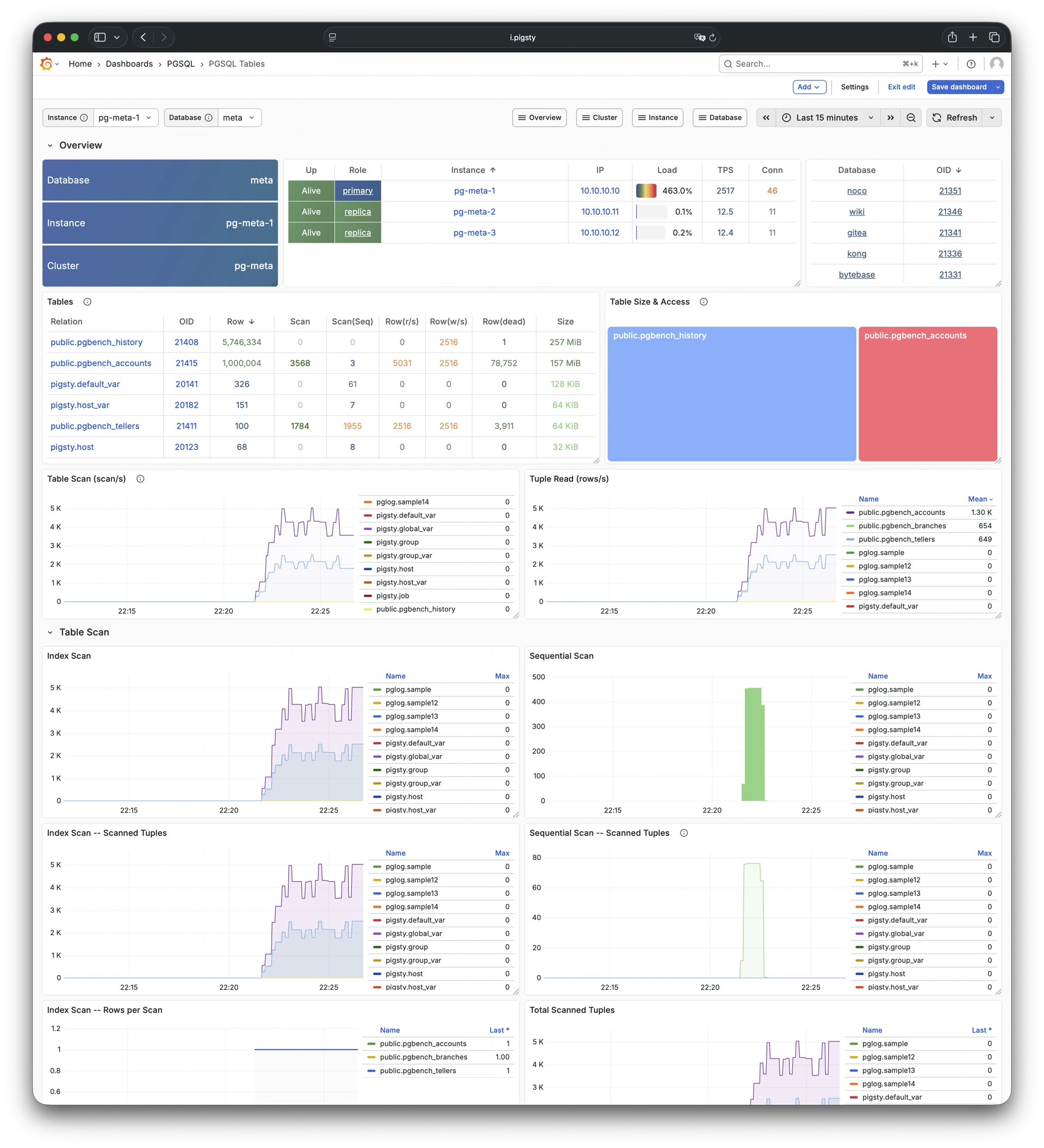
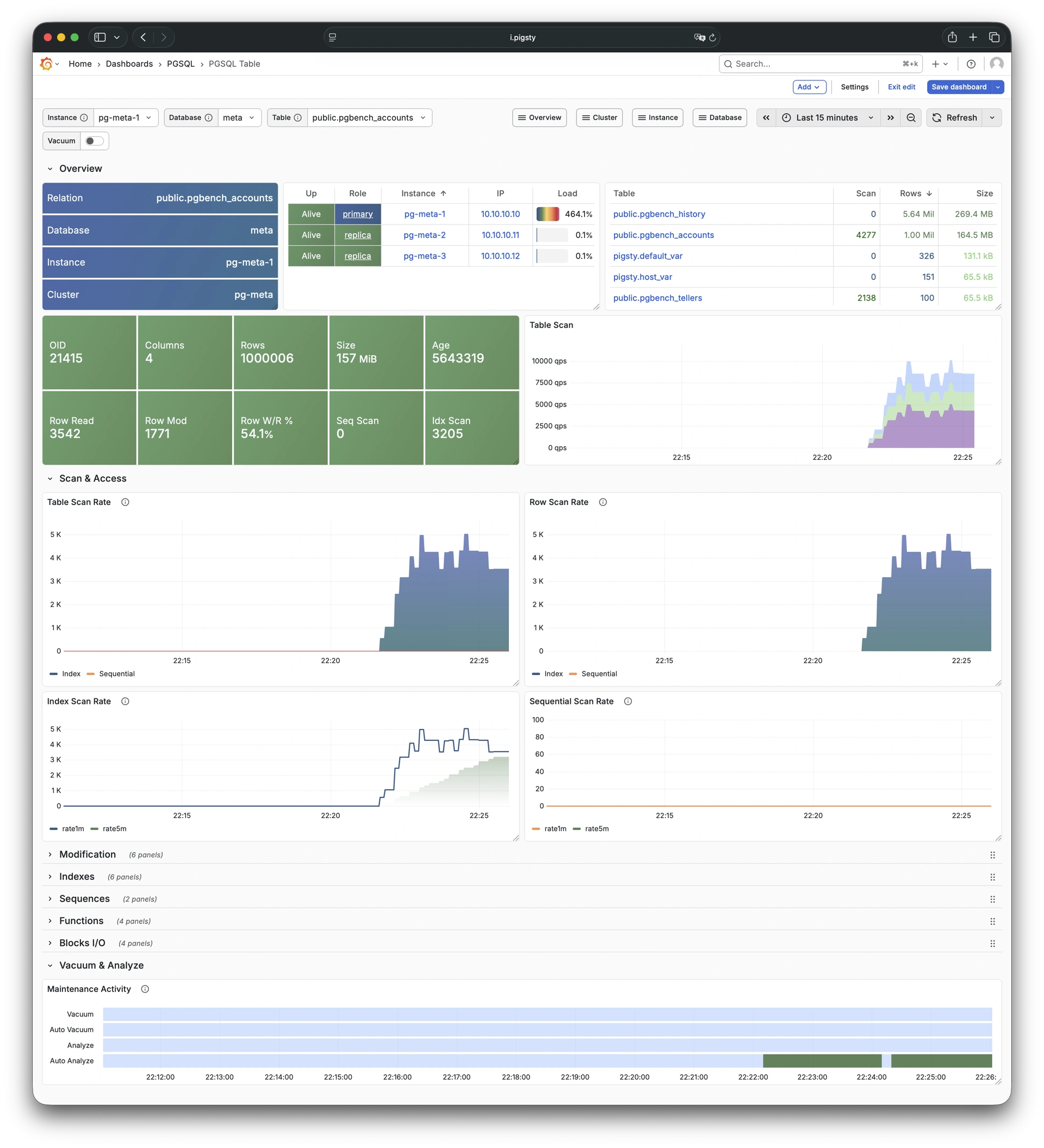
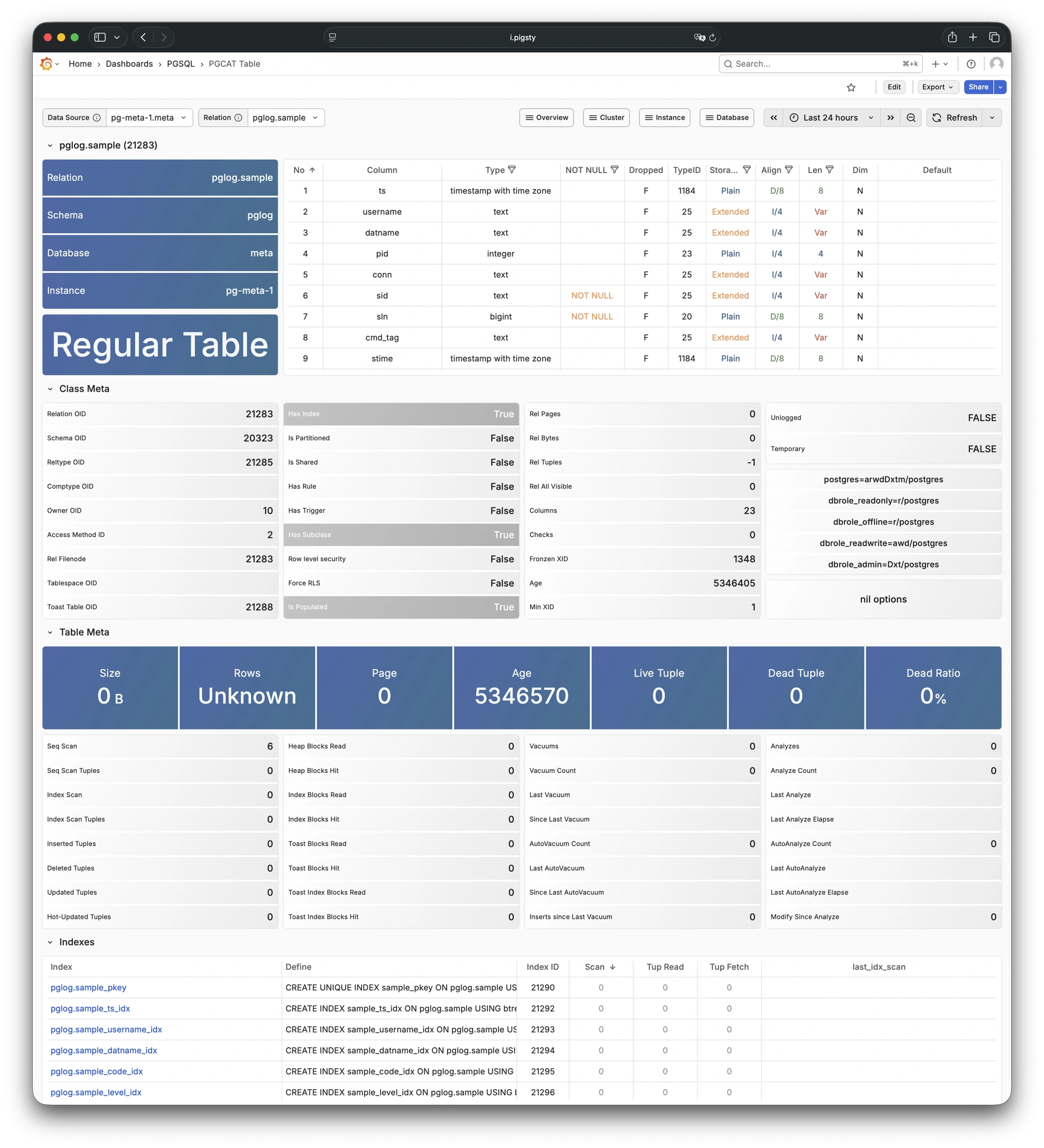
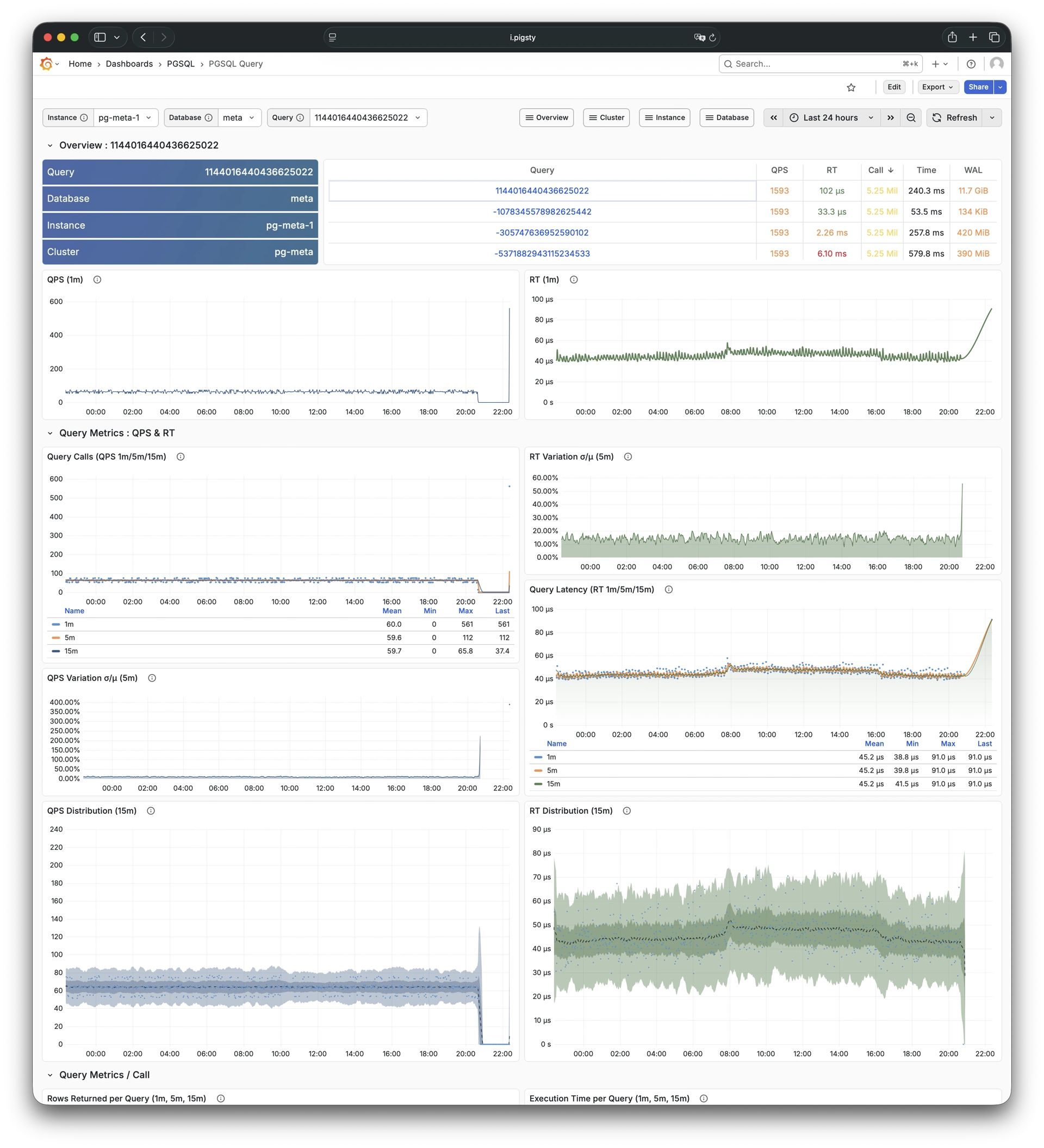
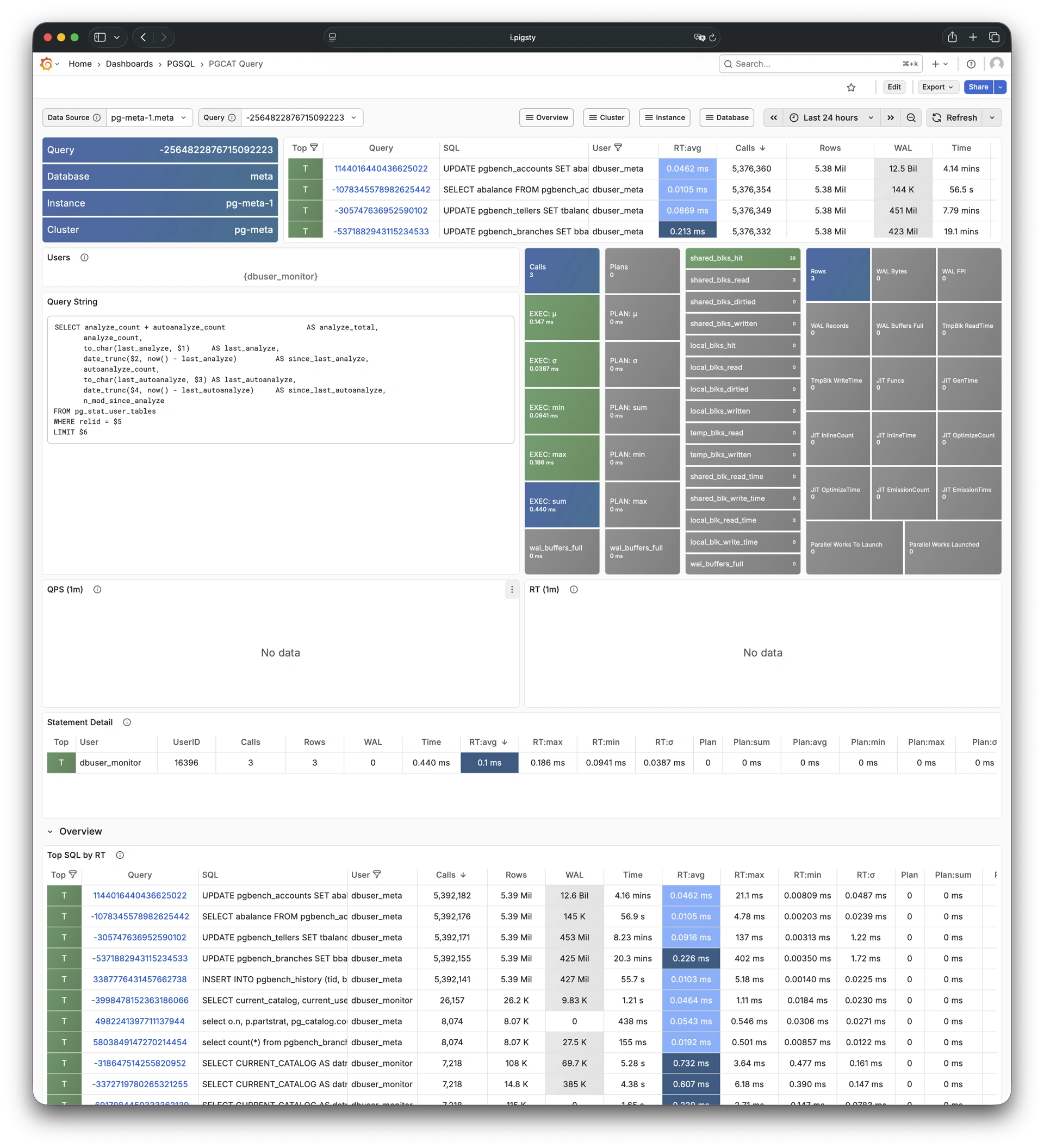
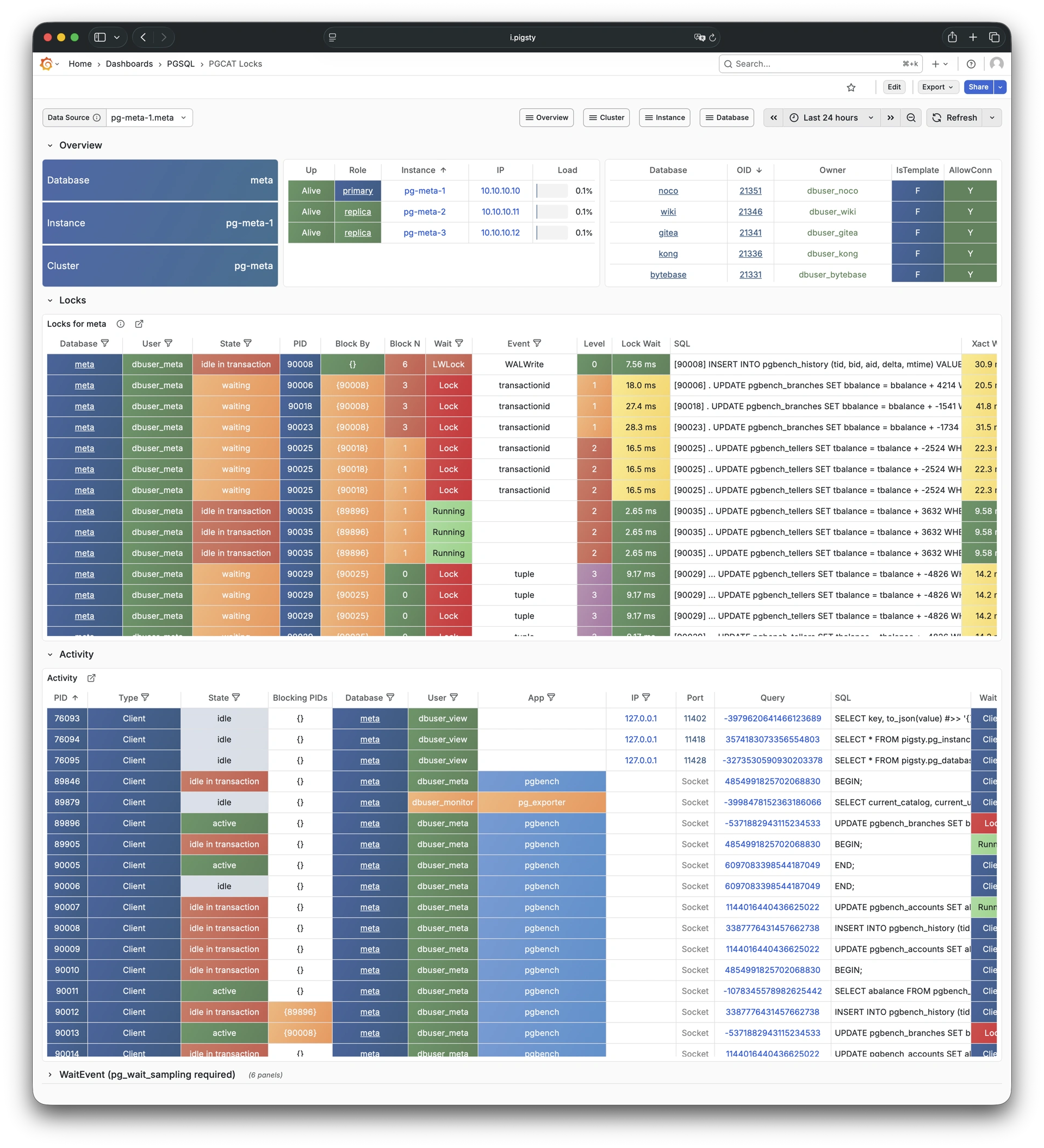
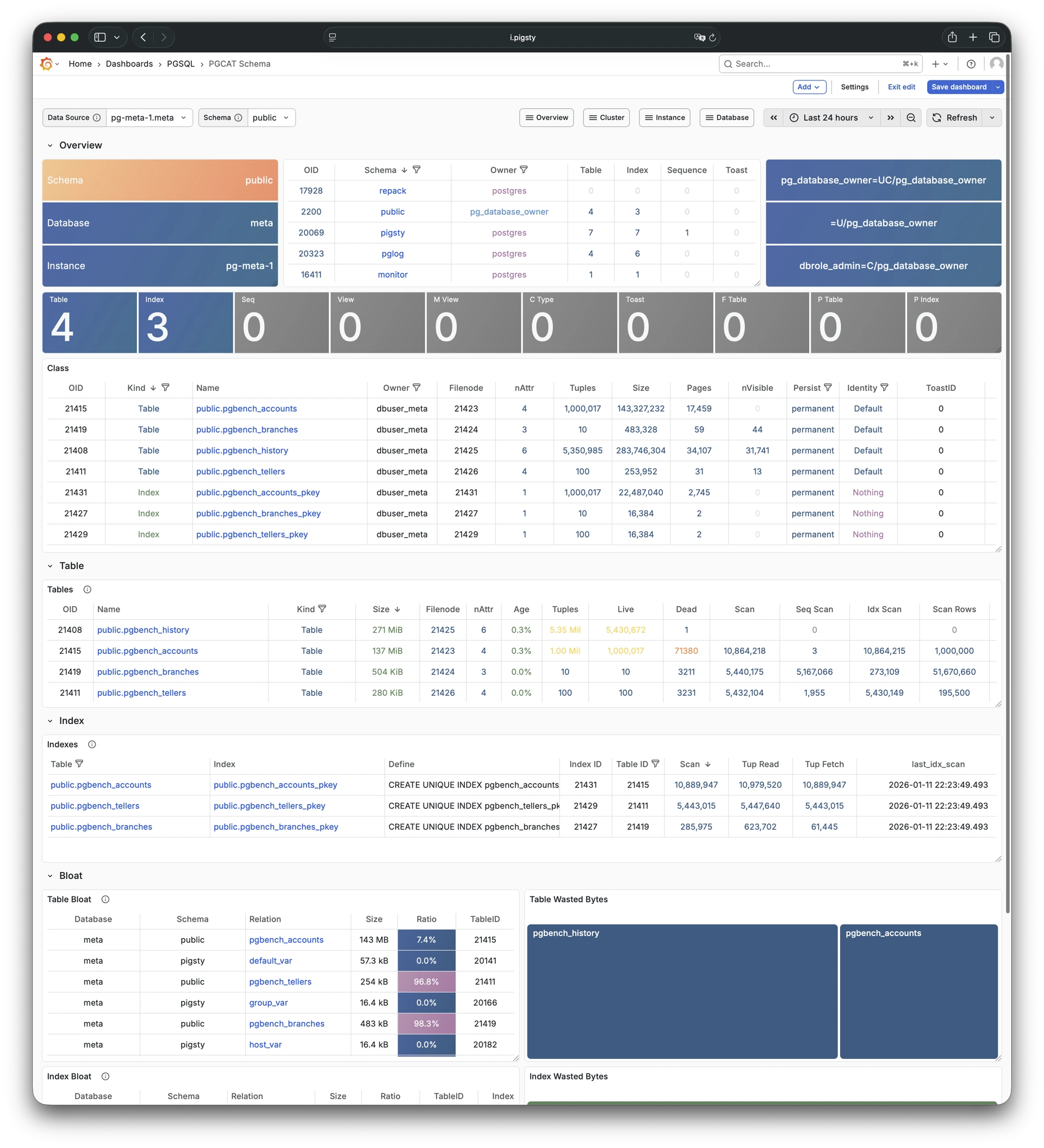
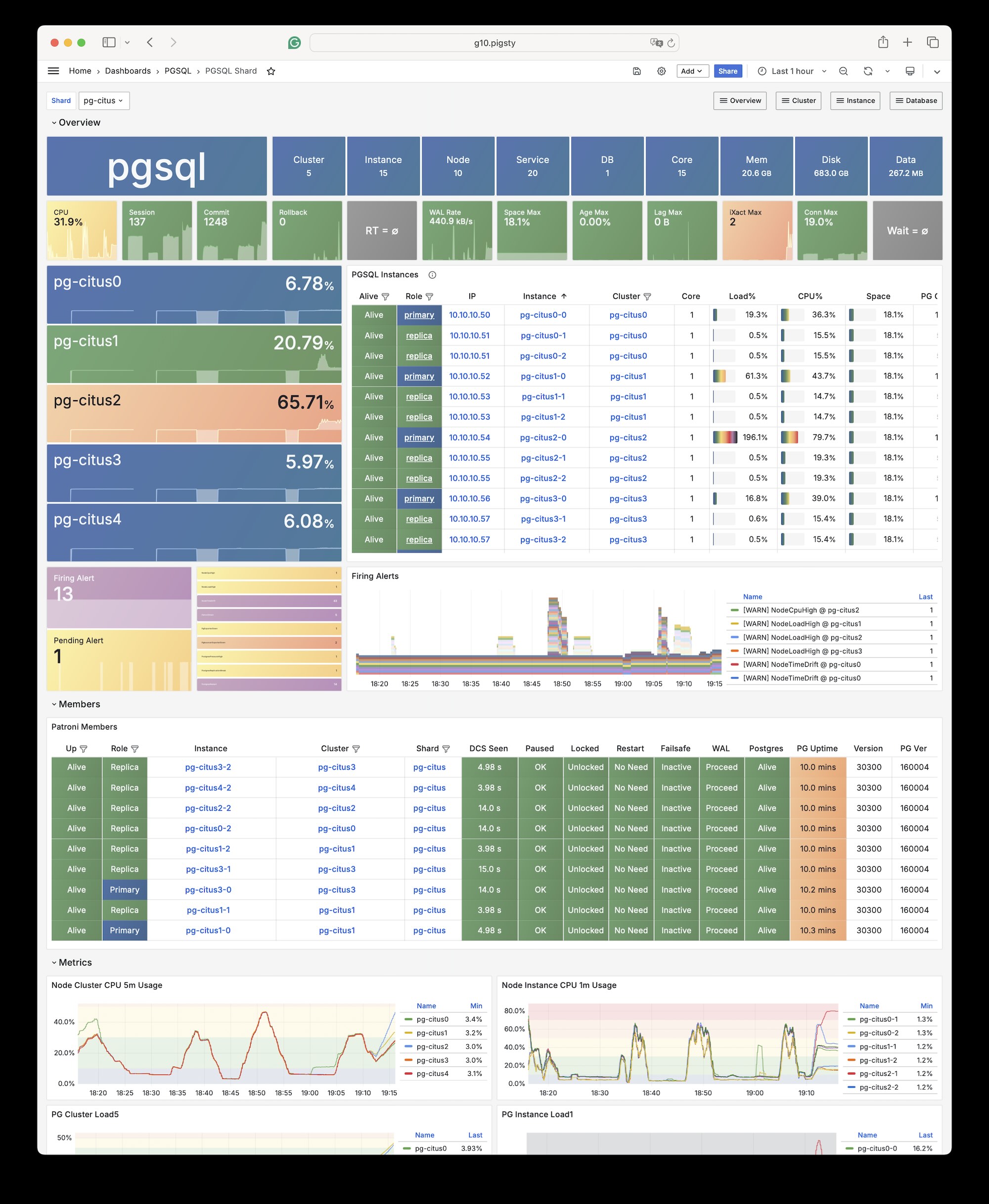
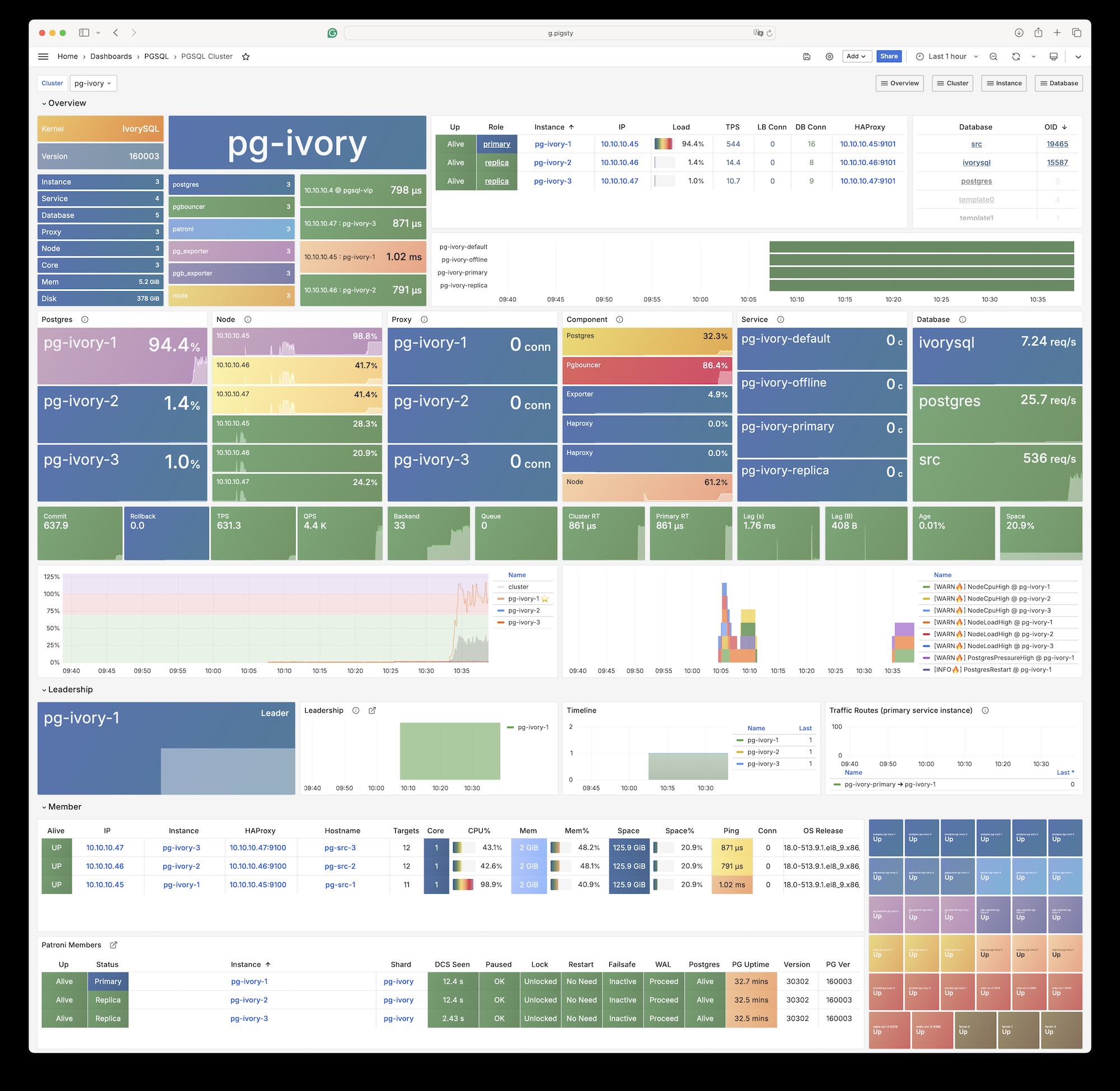
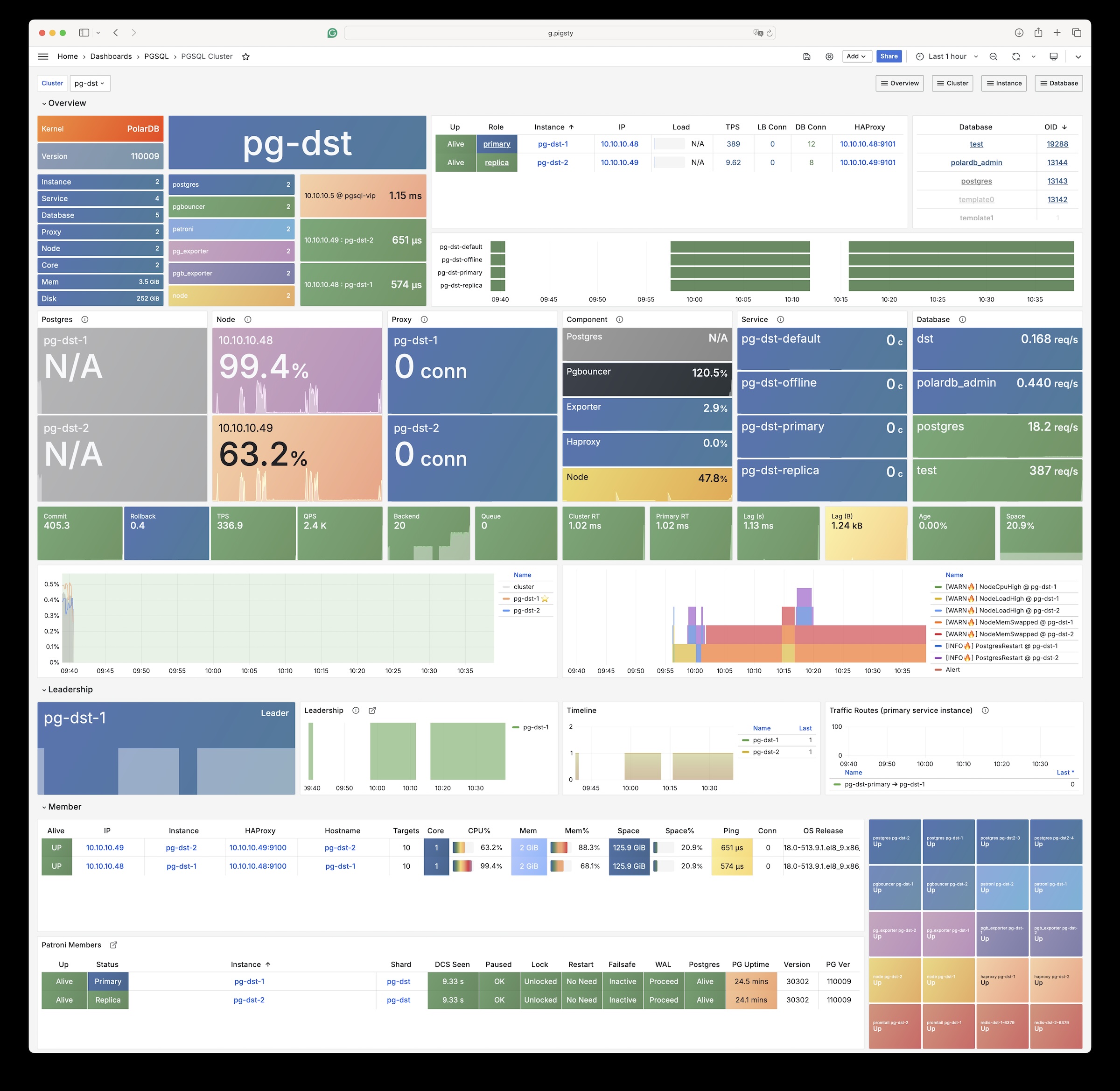
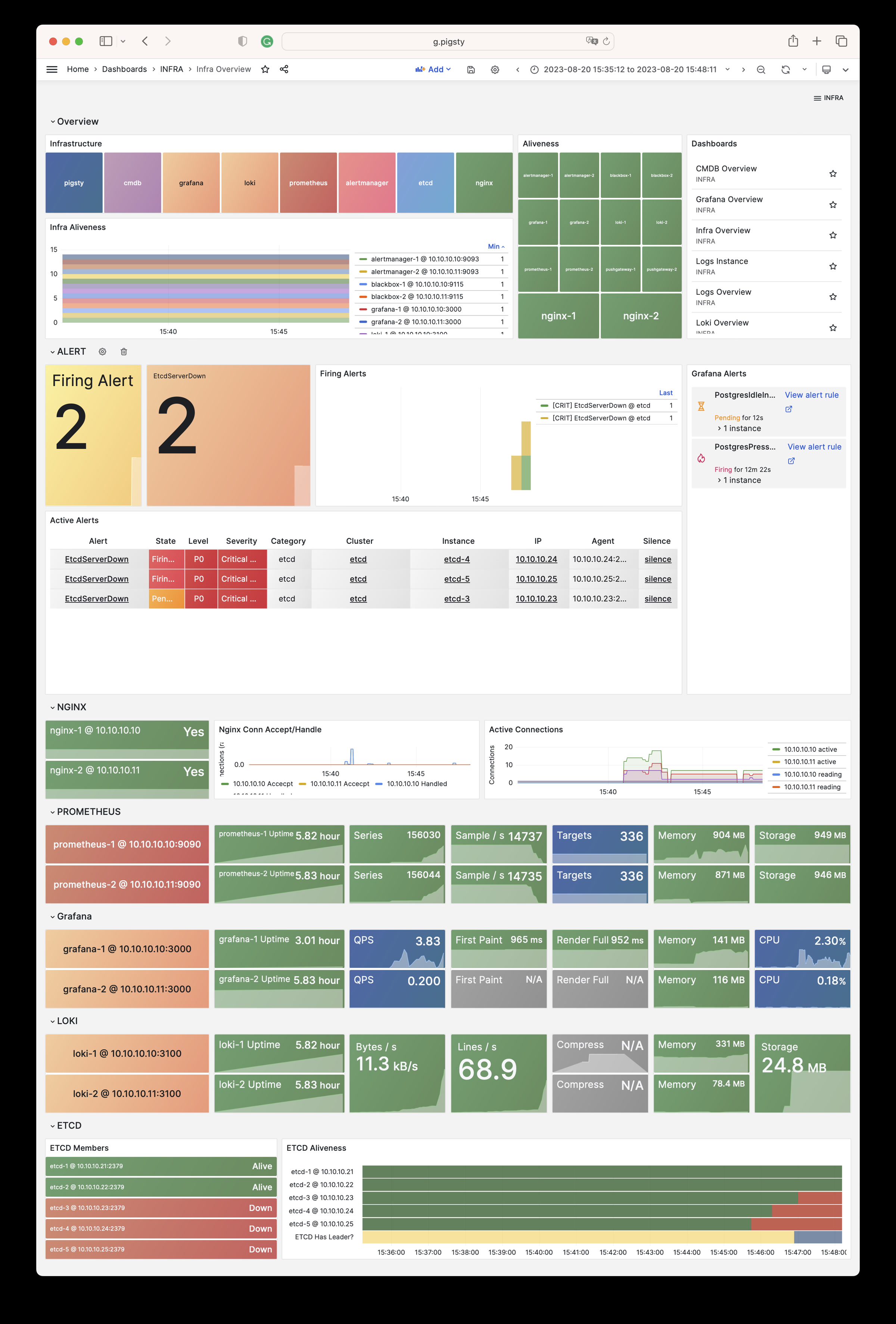
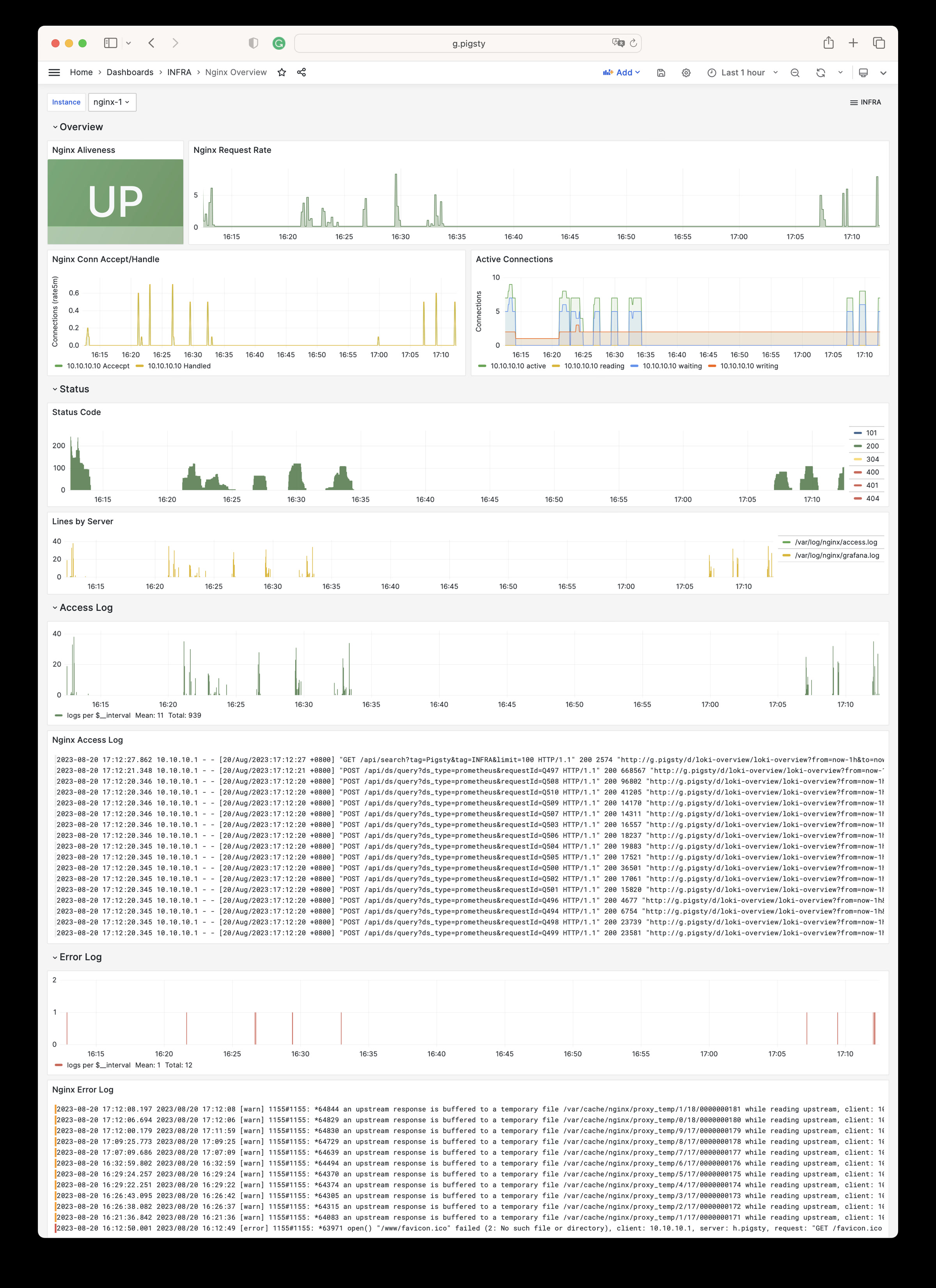
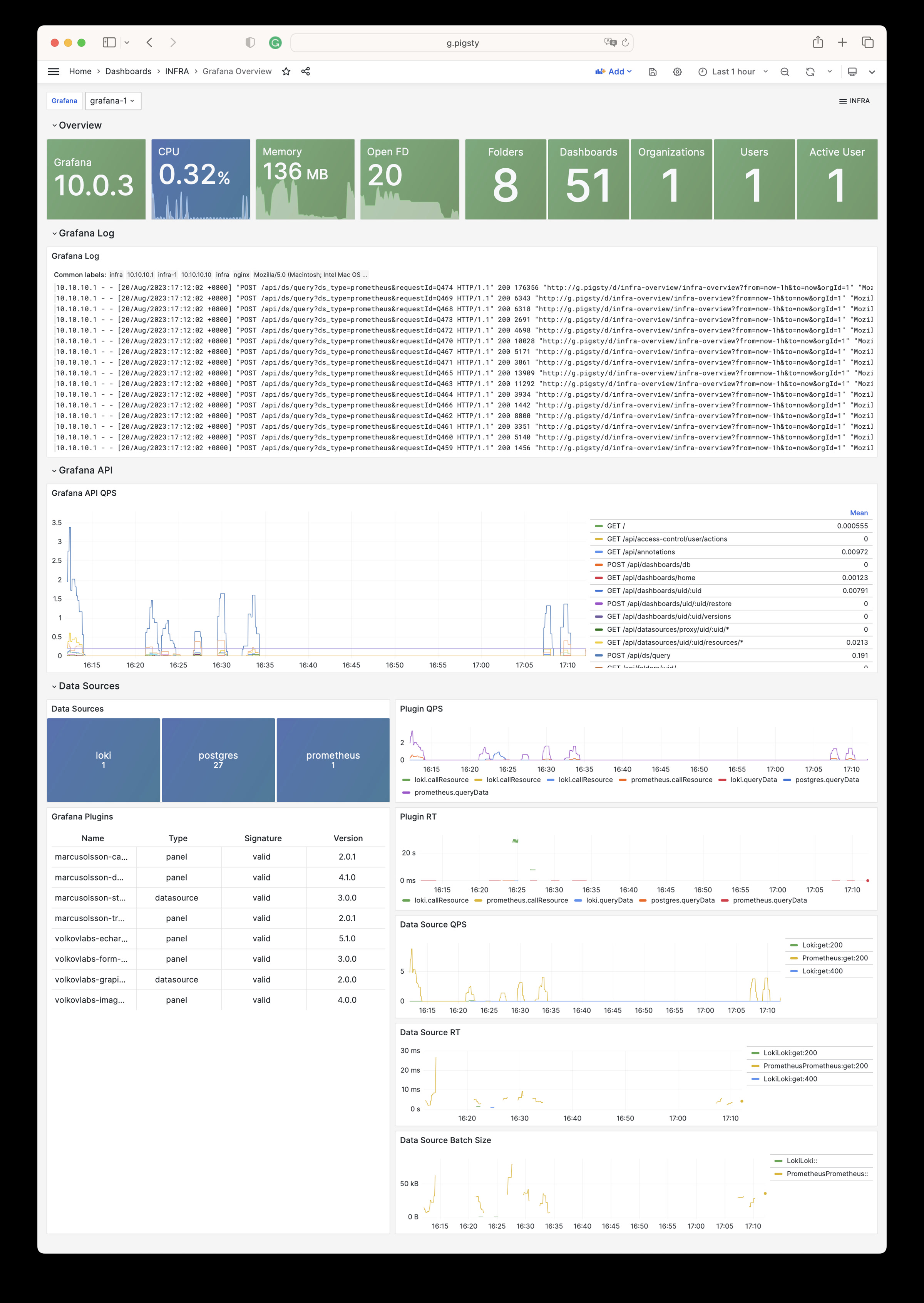
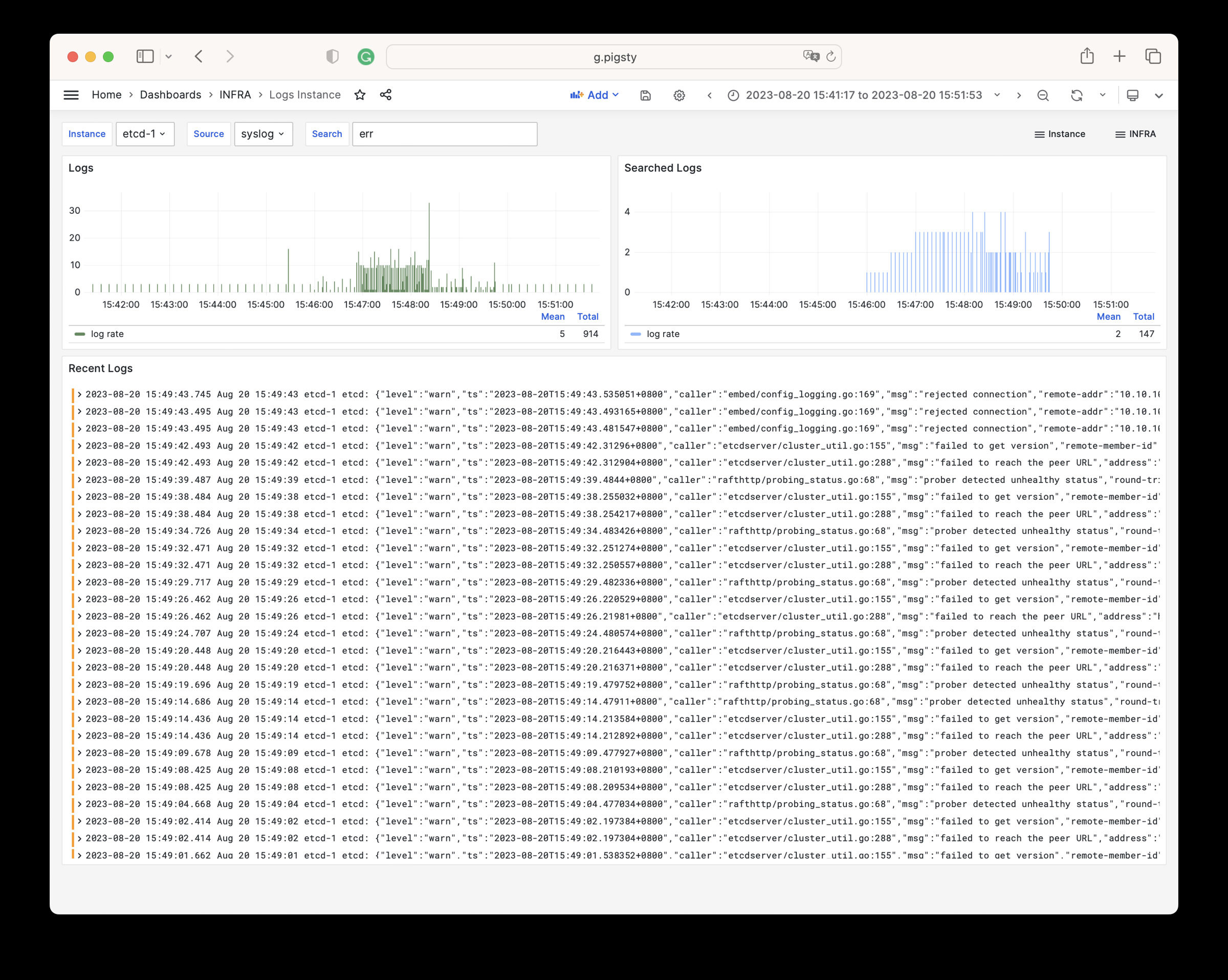
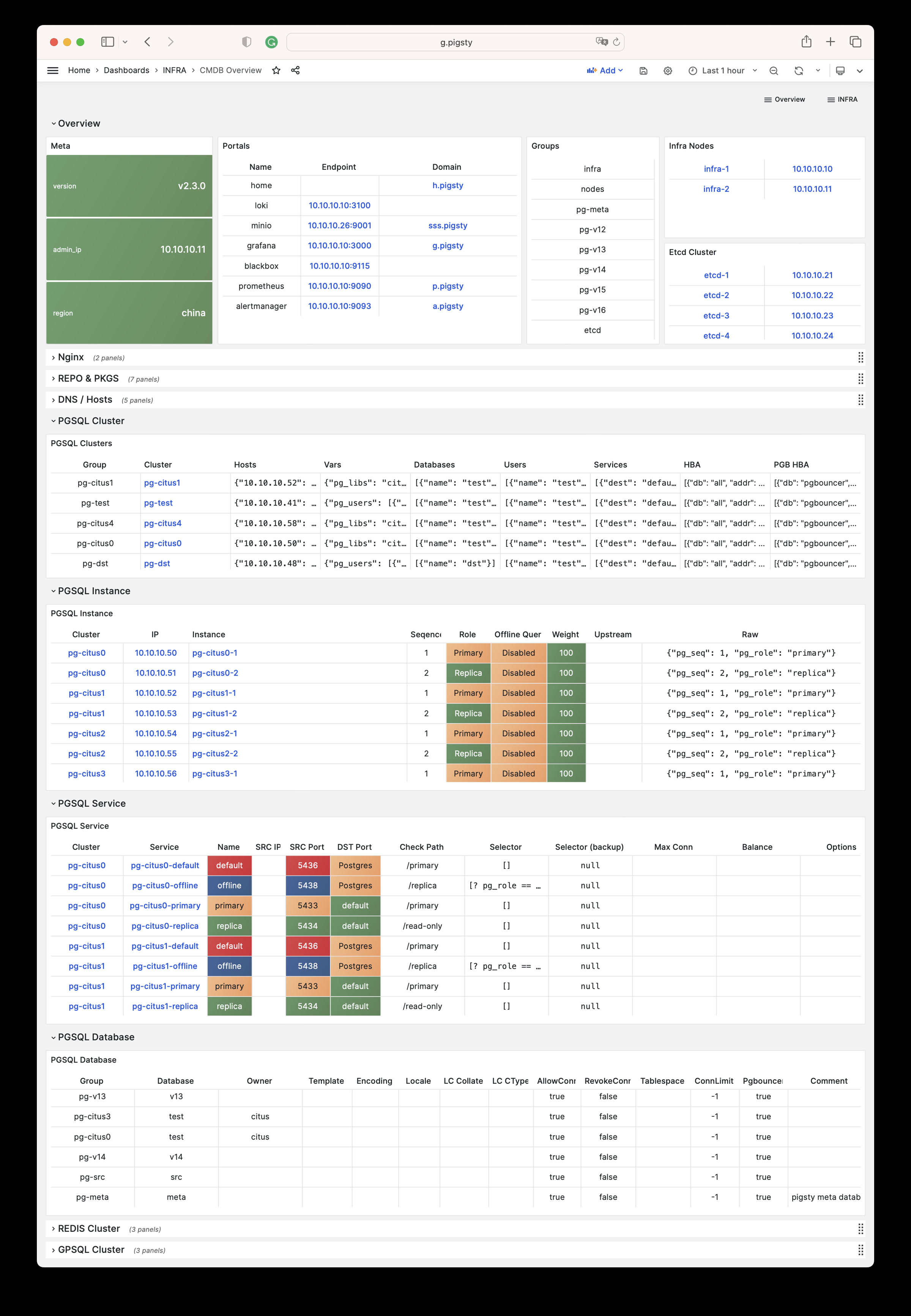
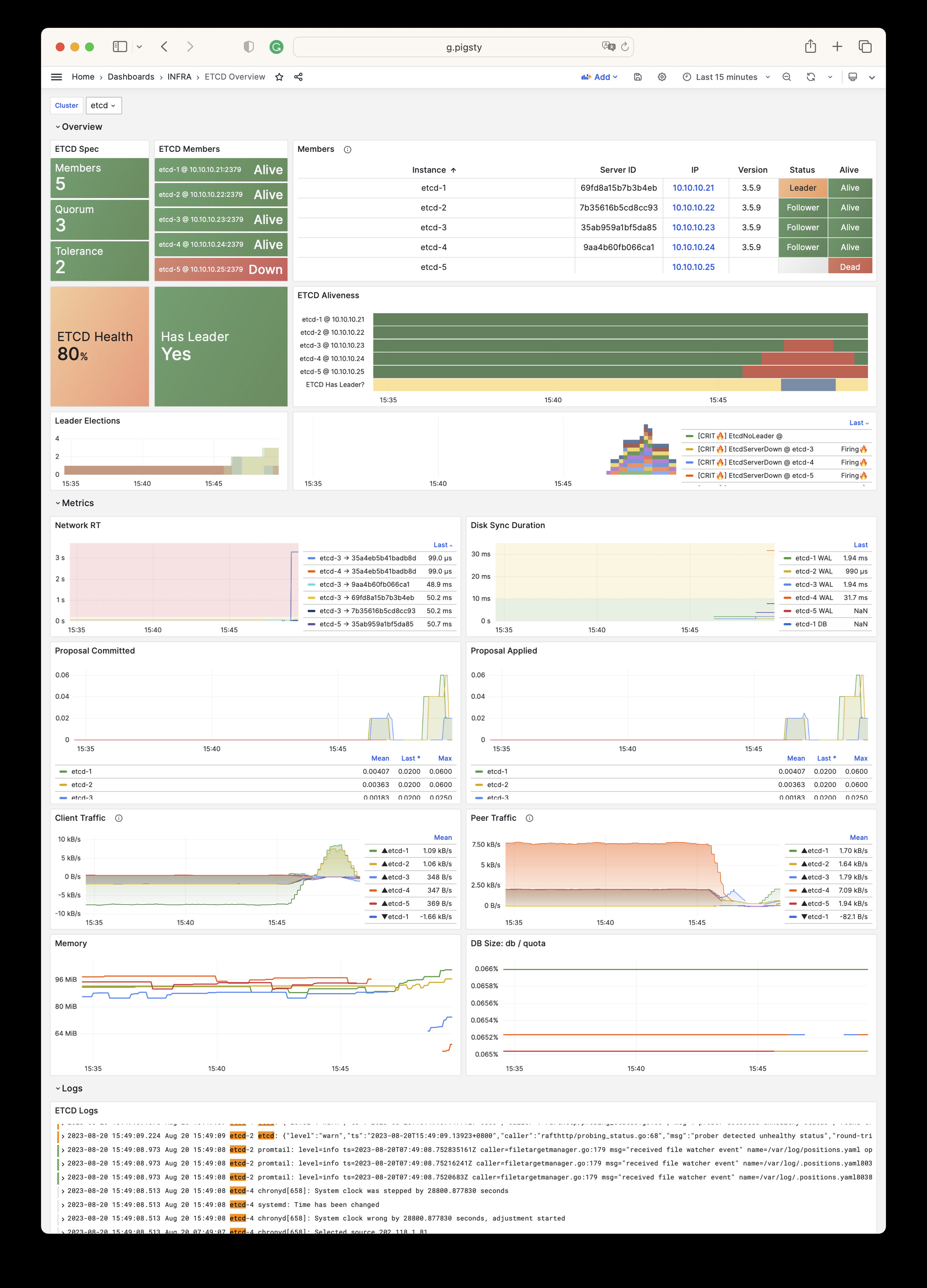
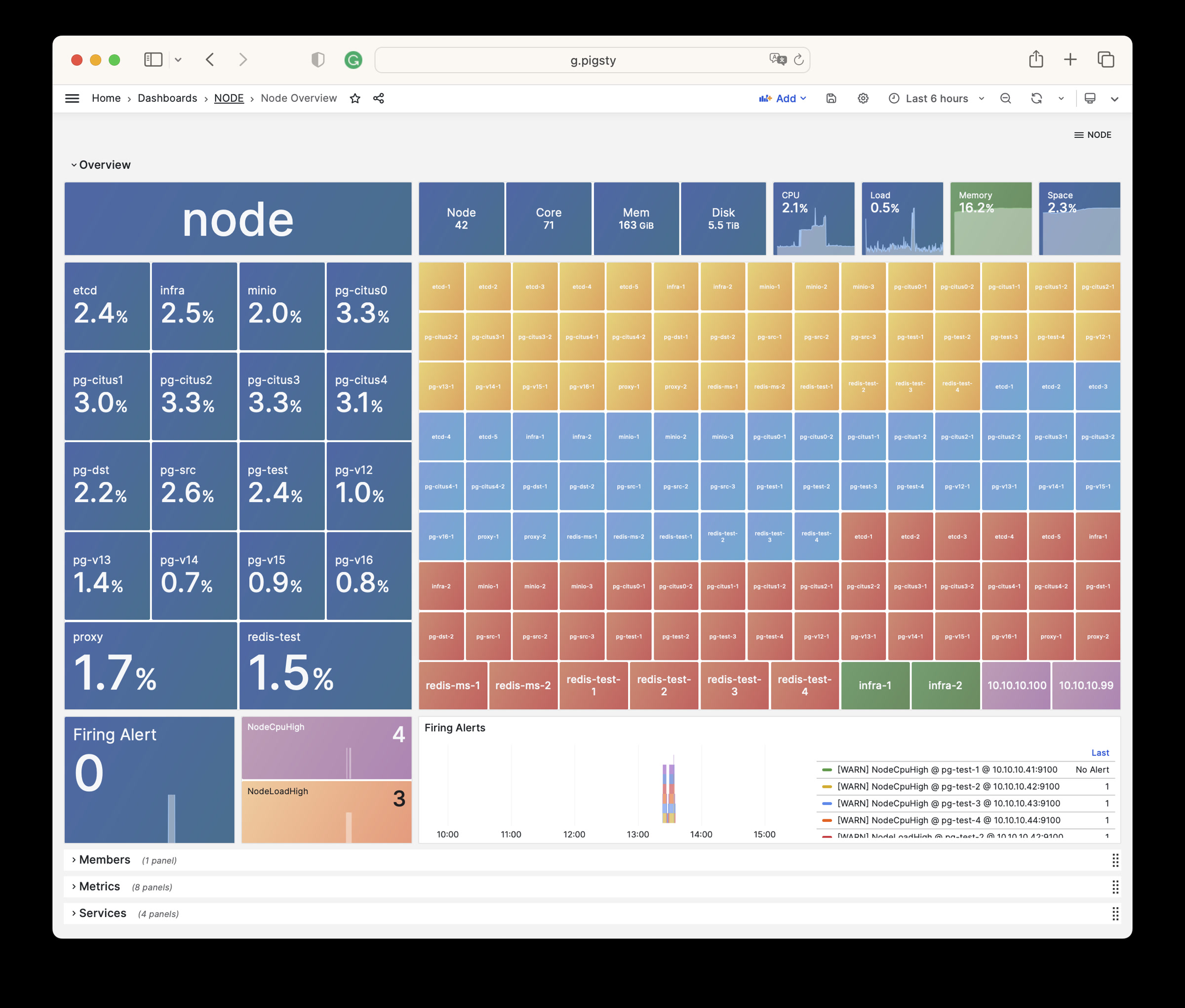
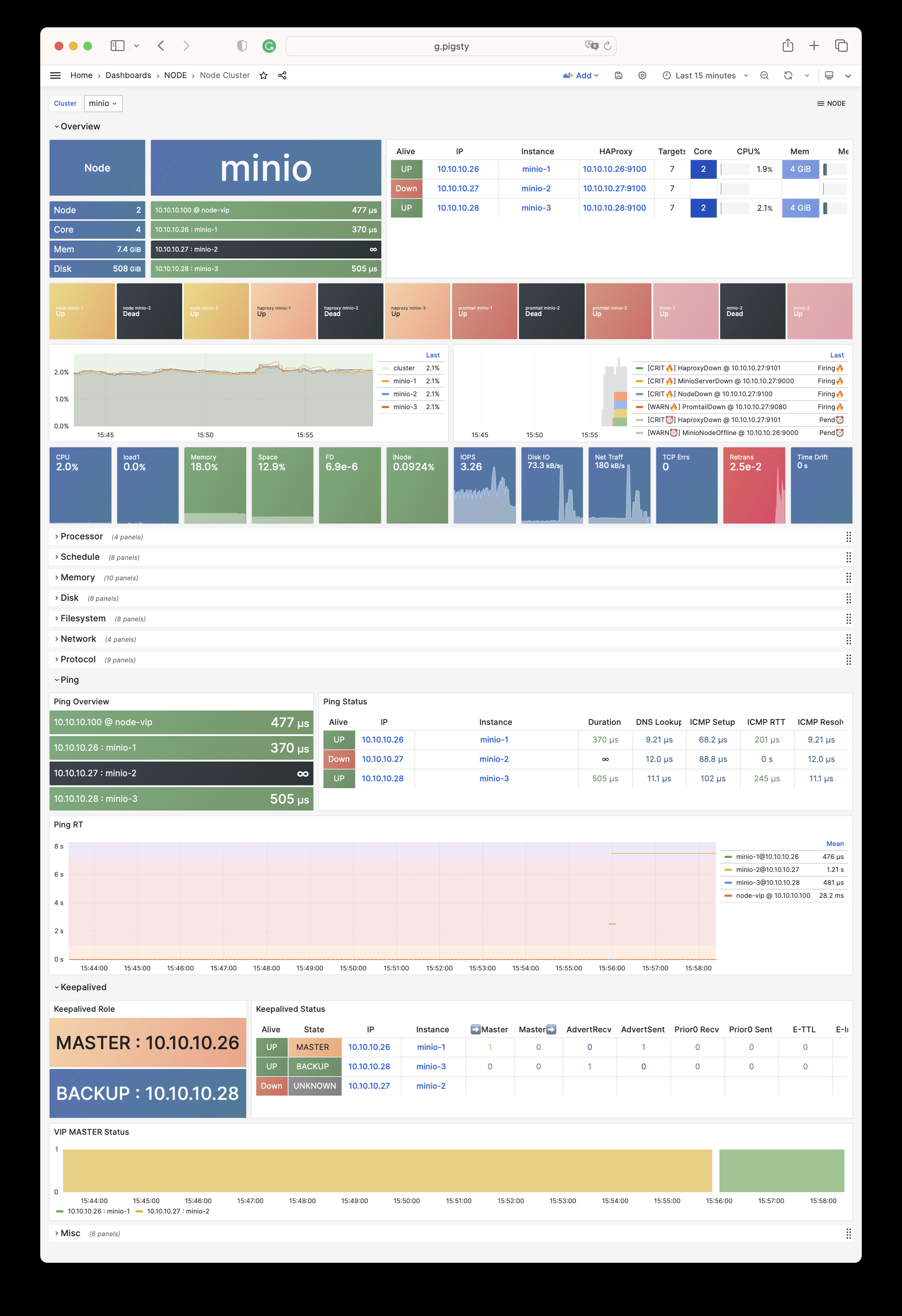
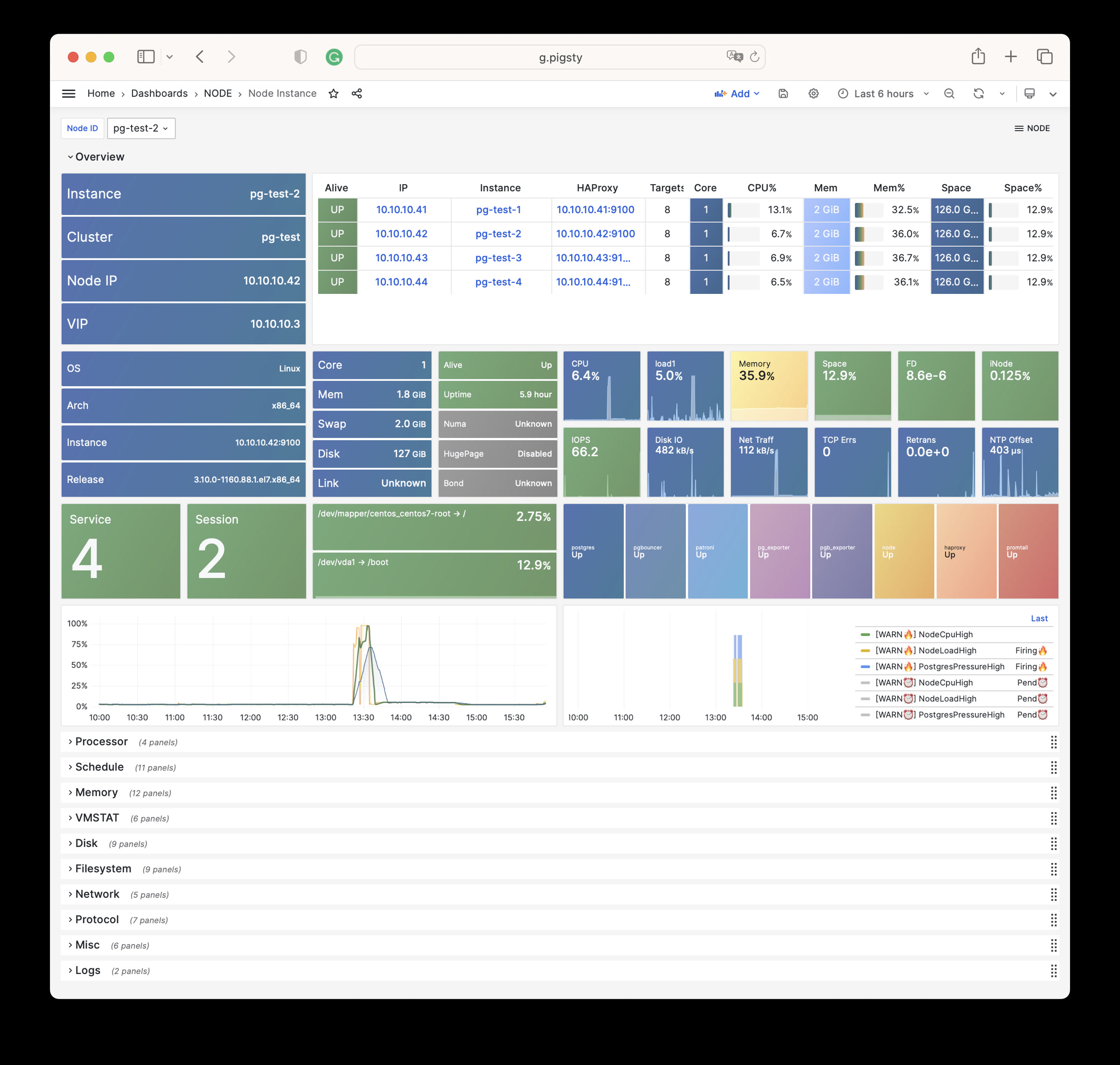
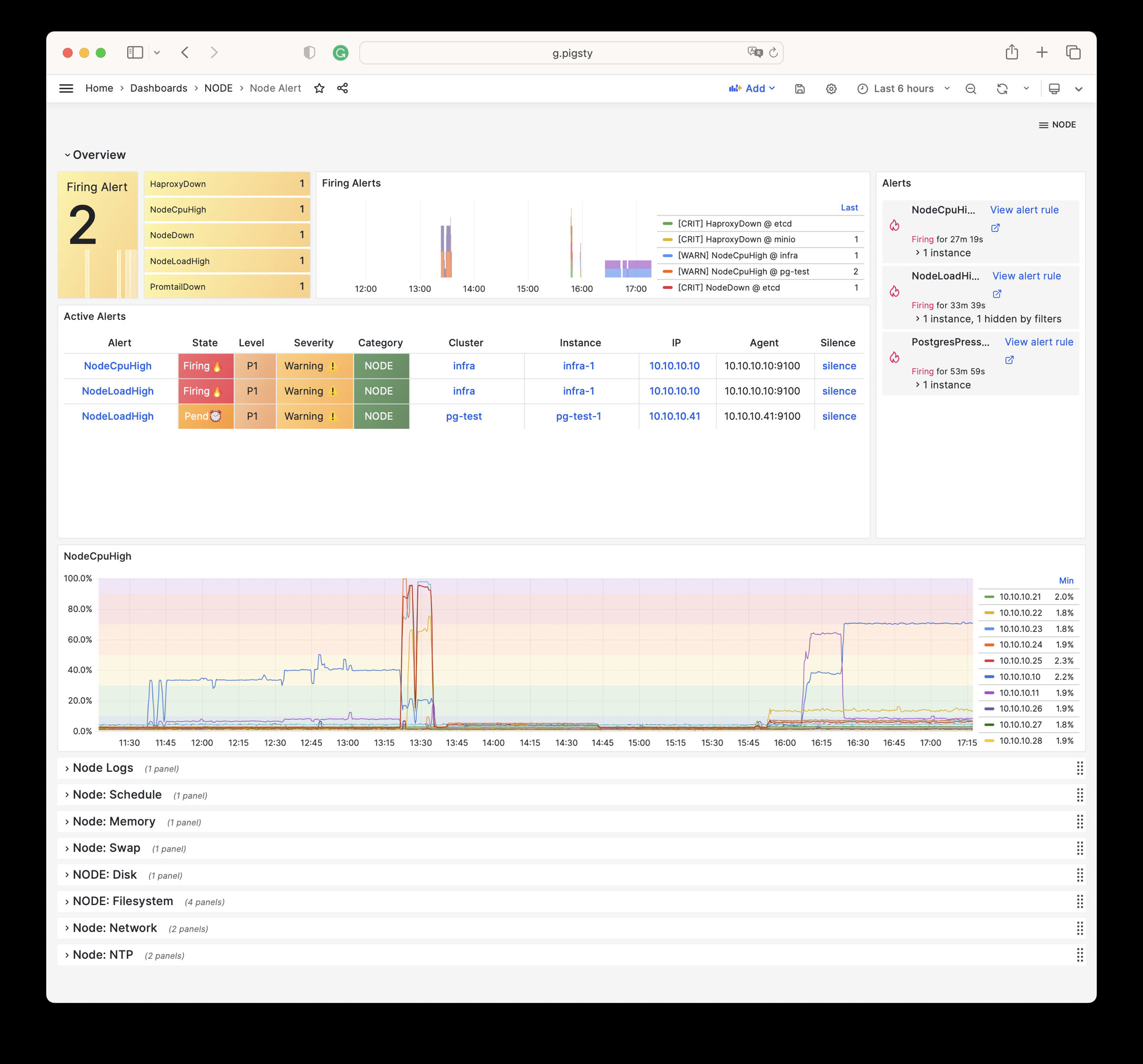
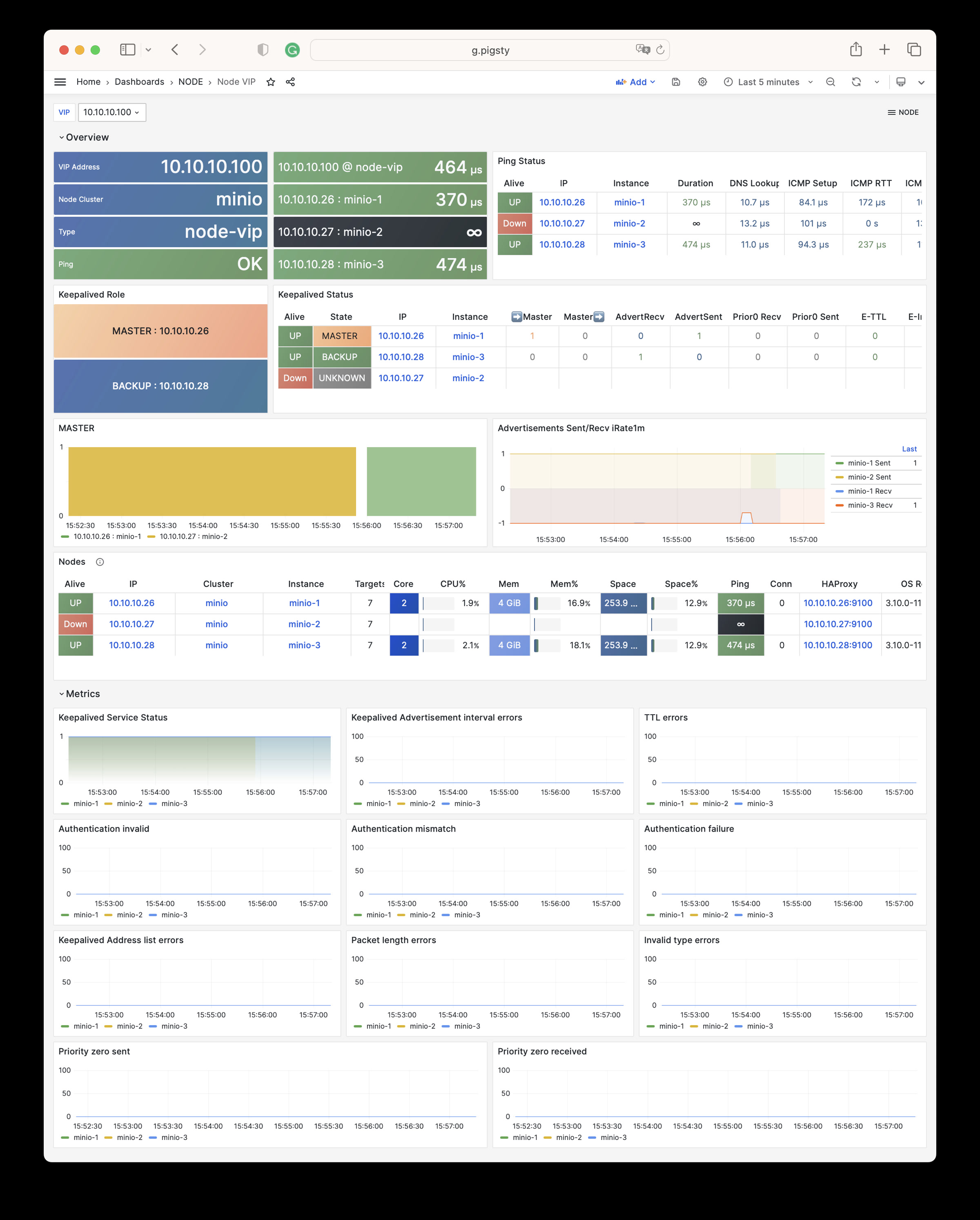
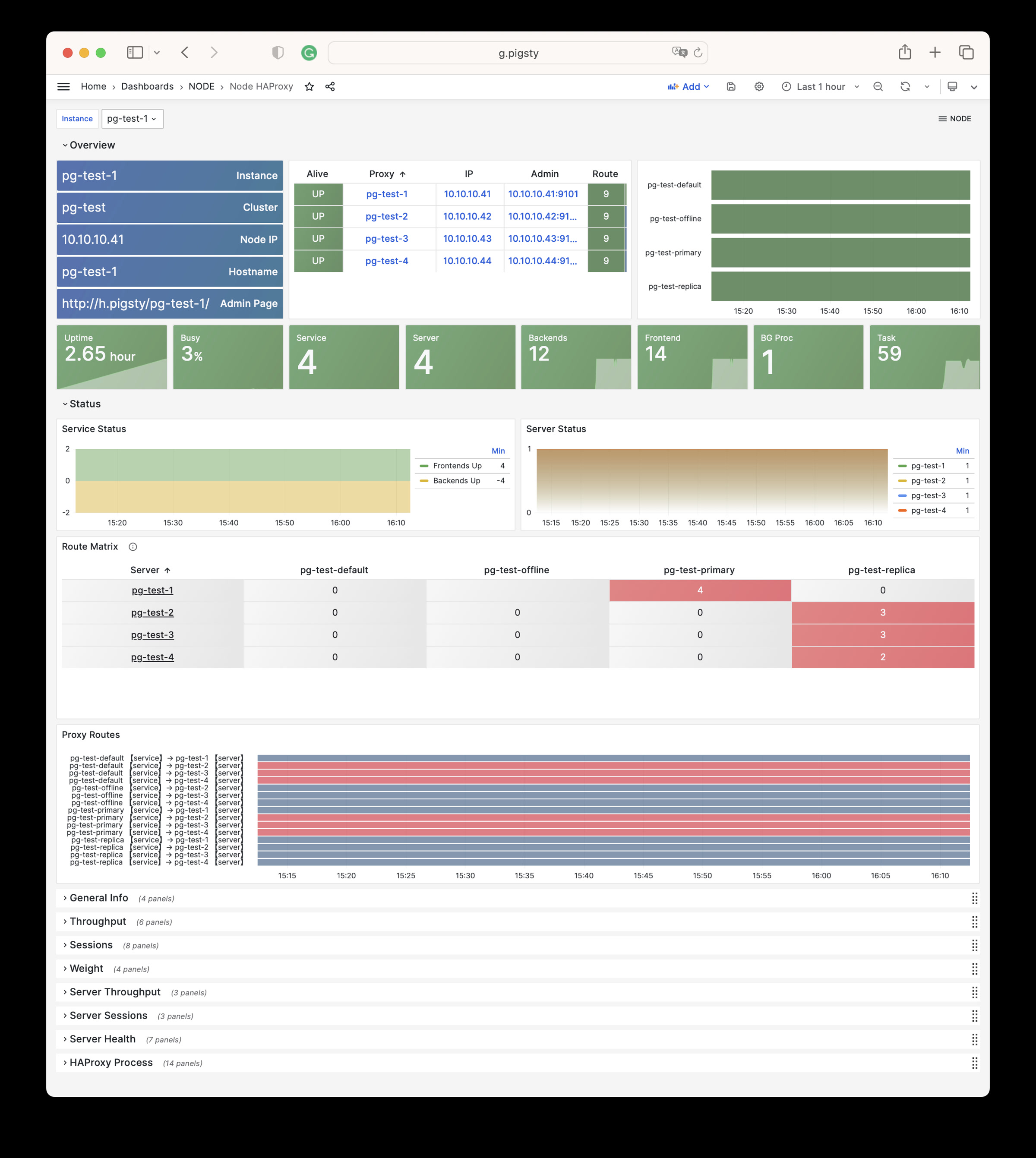
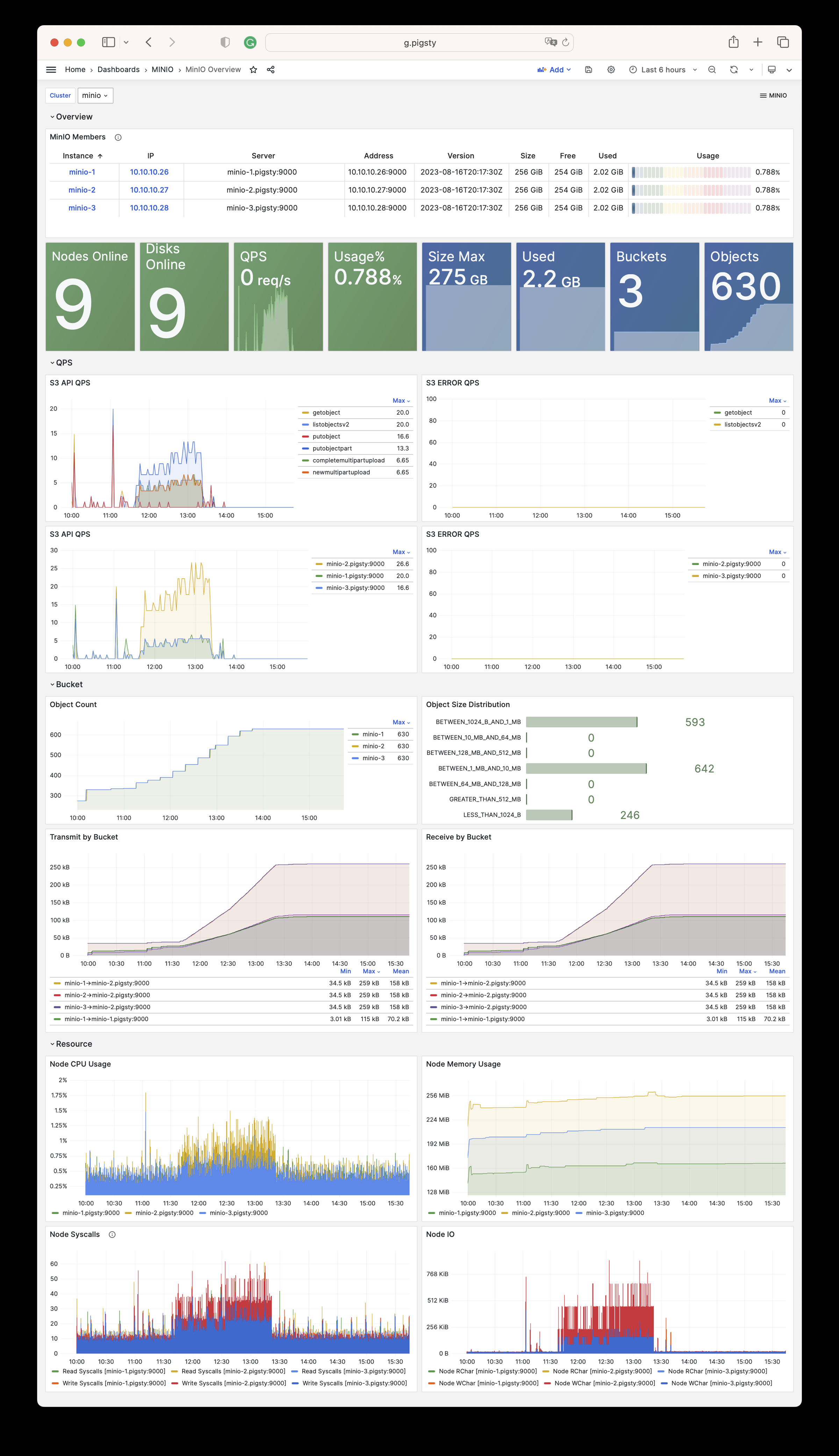
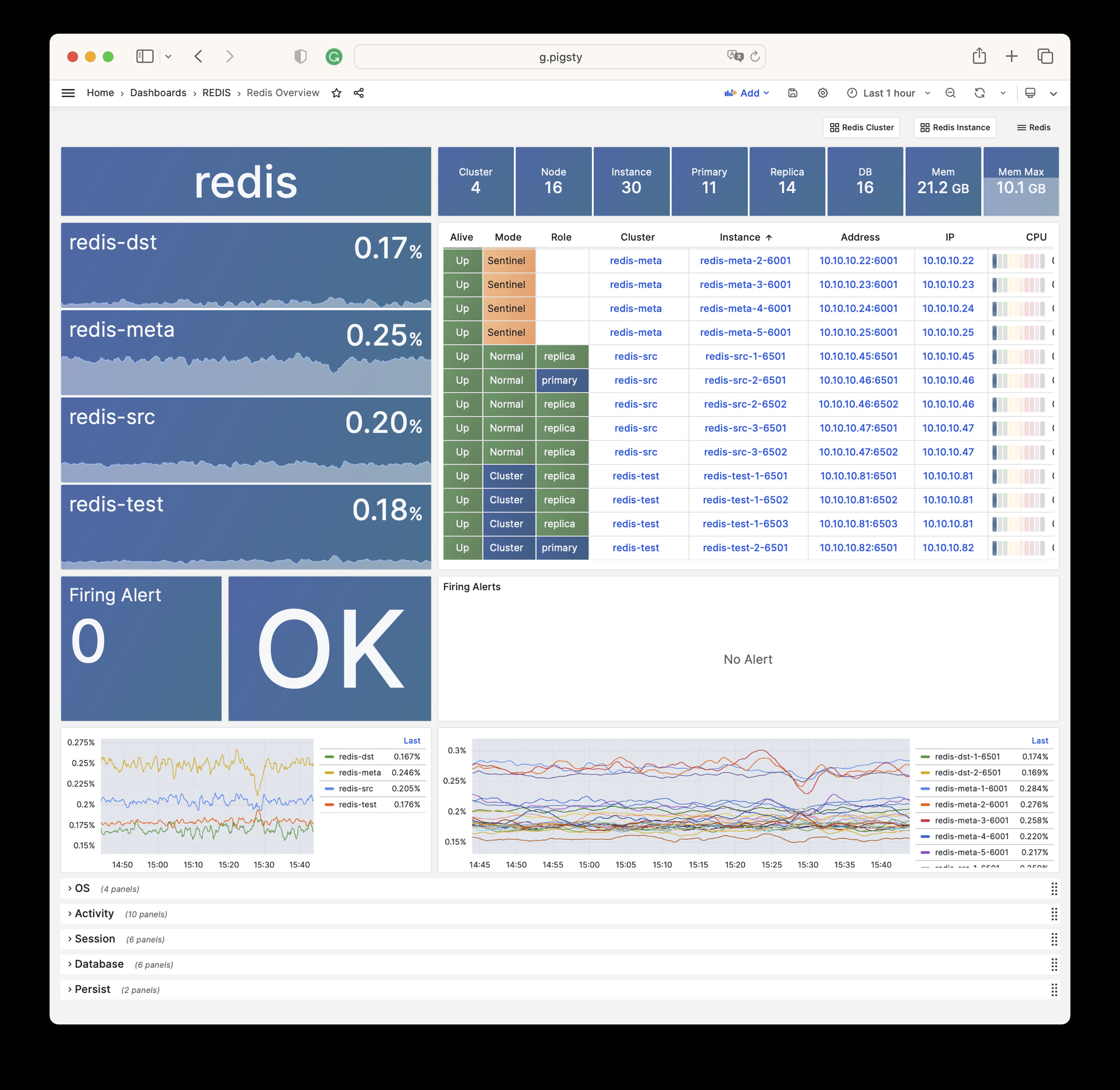
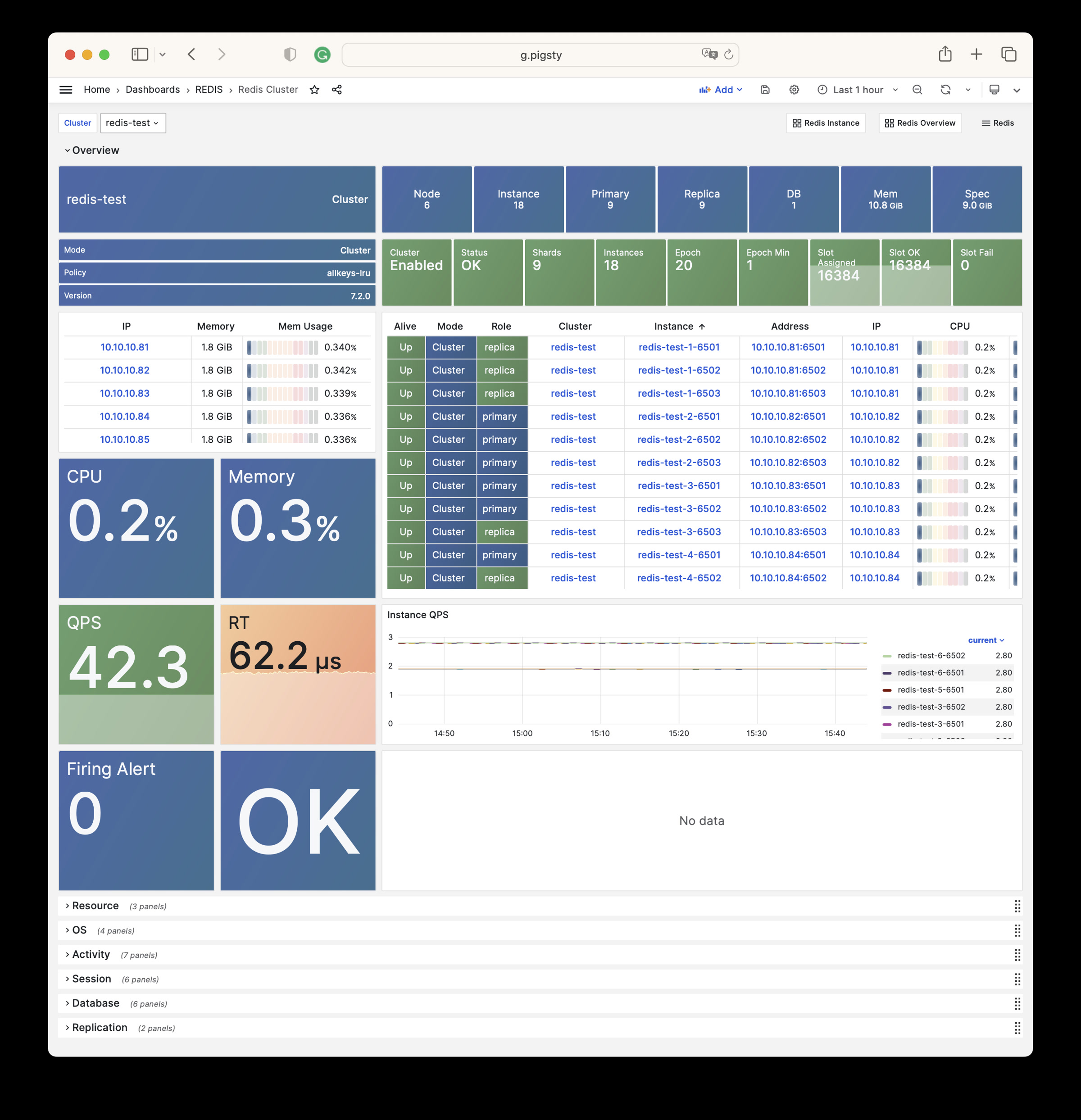
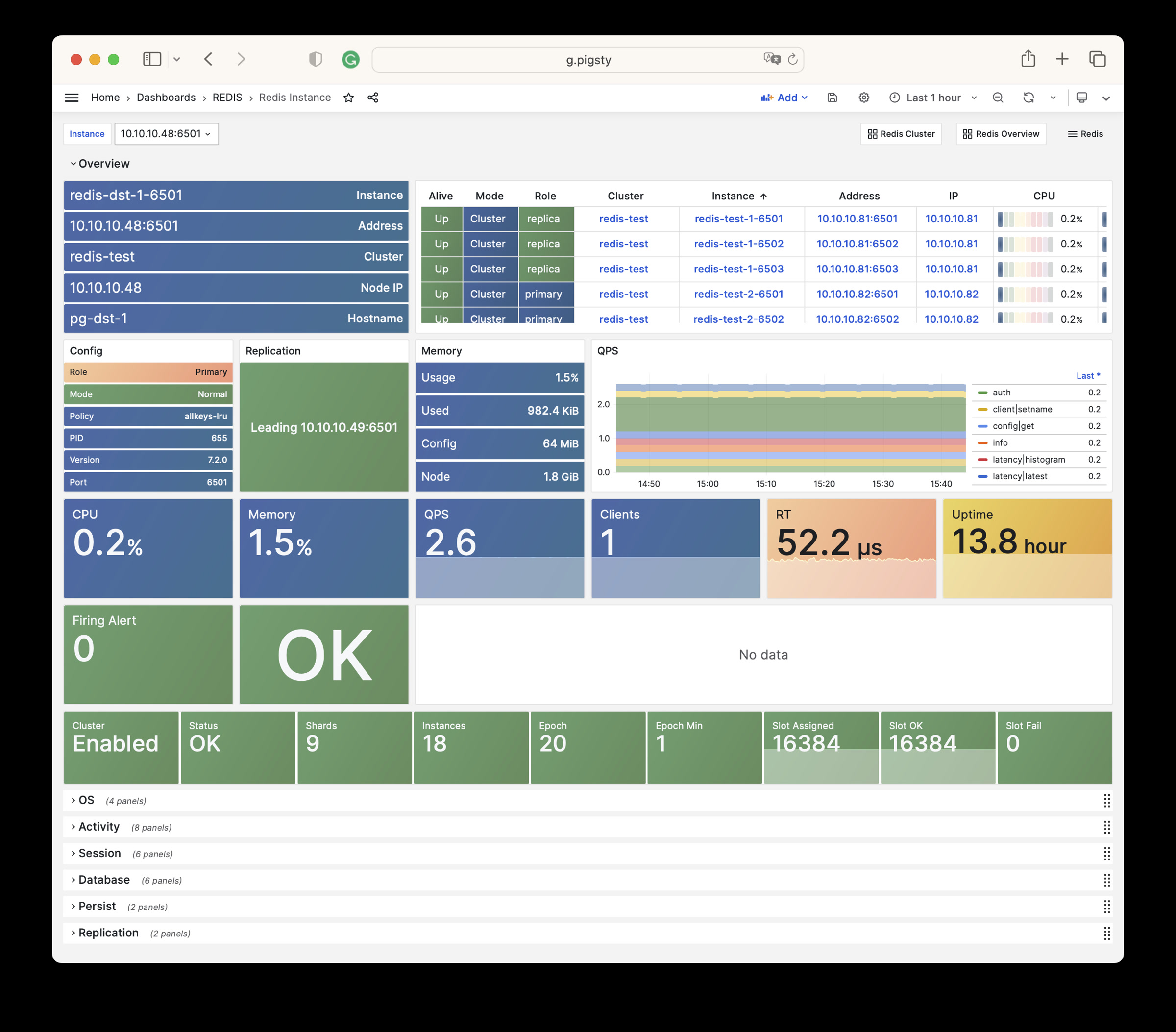
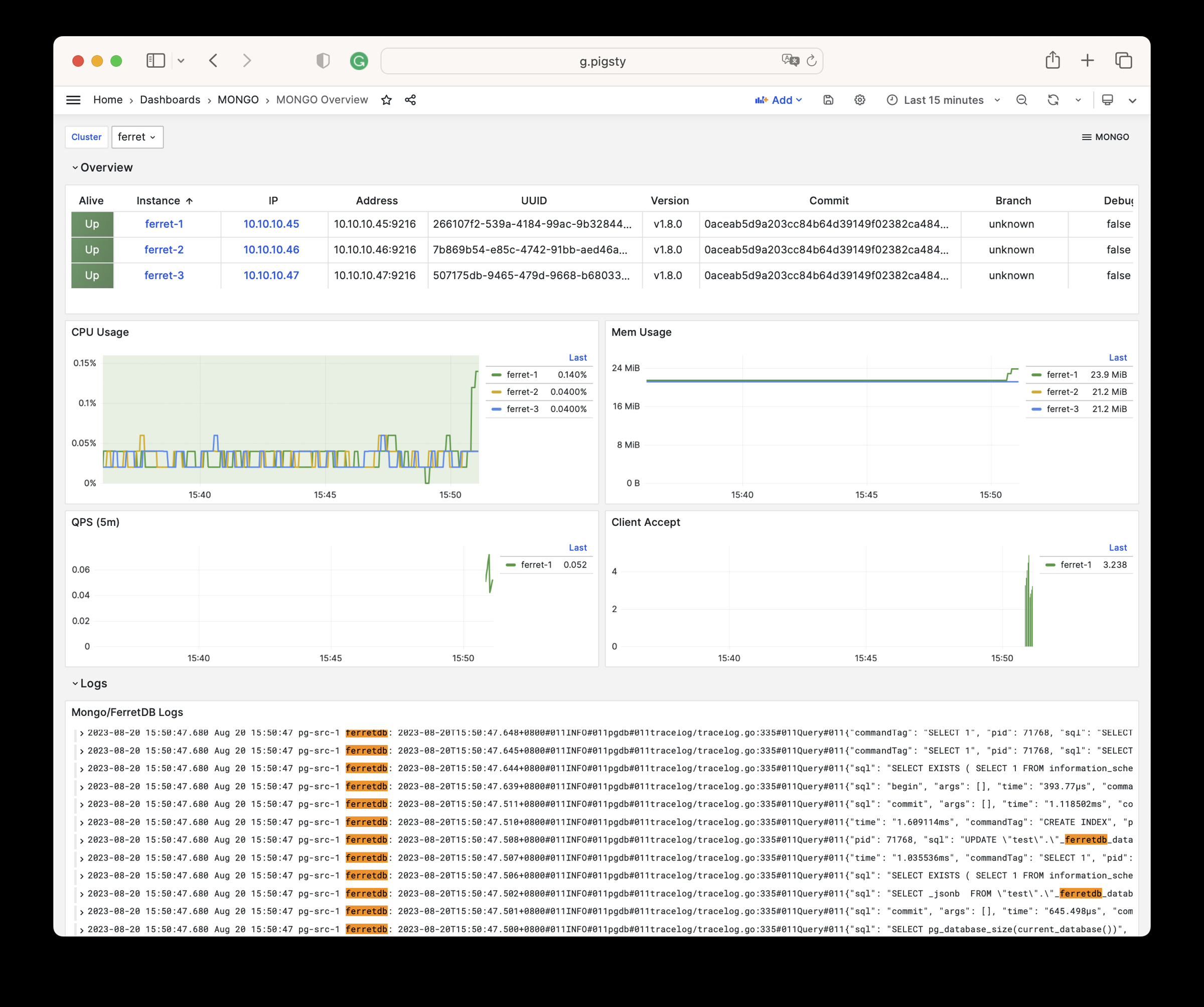
Observability: Based on Prometheus & Grafana modern observability stack, providing stunning monitoring best practices. Modular design, can be used independently: Gallery & Demo.
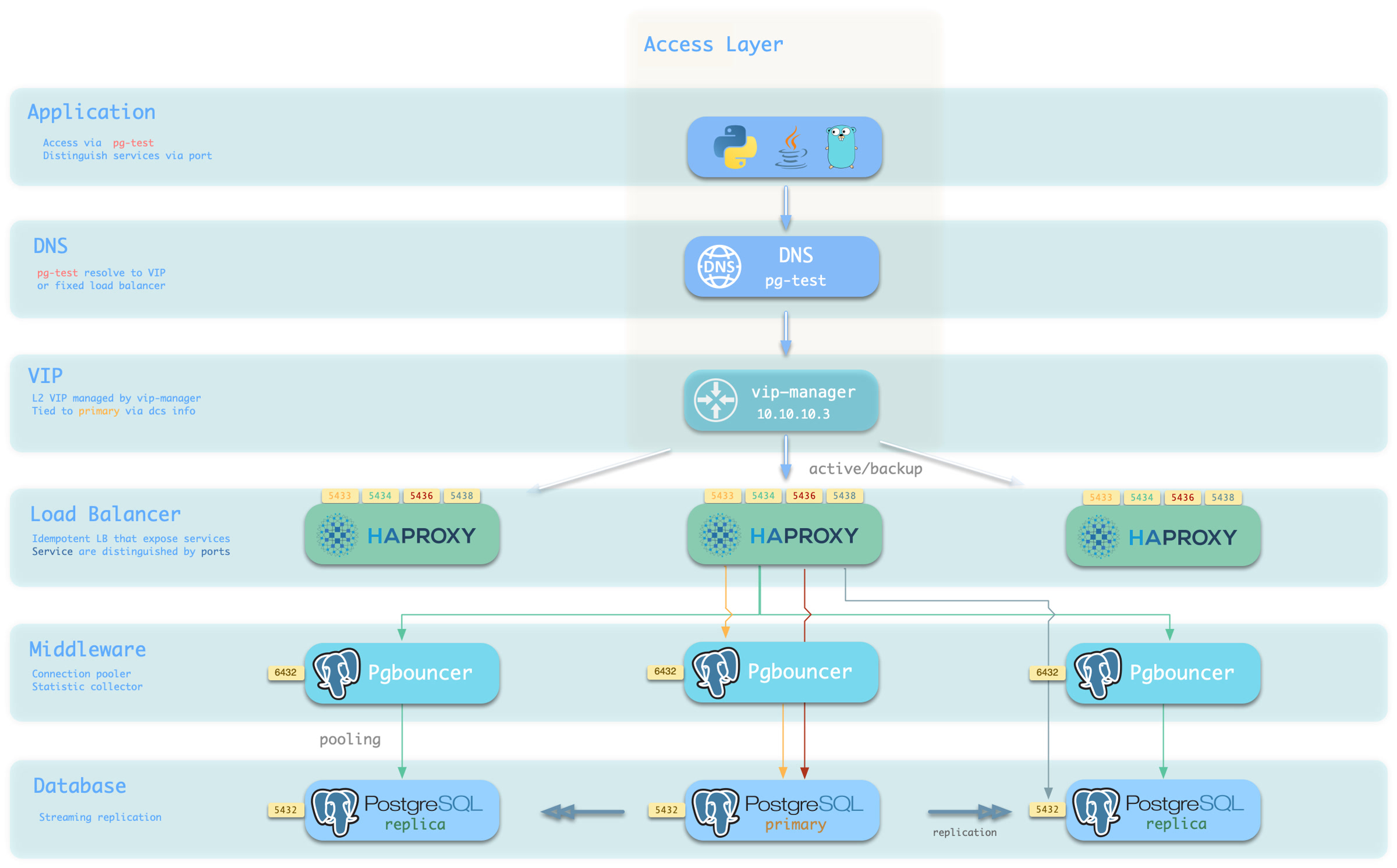
Availability: Deliver stable, reliable, auto-routed, transaction-pooled, read-write separated high-performance database services, with flexible access modes via HAProxy, Pgbouncer, and VIP.
Flexible Modular Architecture: Flexible composition, free extension: Redis/Etcd/MinIO/Mongo; can be used independently to monitor existing RDS/hosts/databases.
Stunning Observability: Based on modern observability stack Prometheus/Grafana, providing stunning, unparalleled database observability capabilities.
Battle-Tested Reliability: Self-healing high-availability architecture: automatic failover on hardware failure, seamless traffic switching. With auto-configured PITR as safety net for accidental data deletion!
Easy to Use and Maintain: Declarative API, GitOps ready, foolproof operation, Database/Infra-as-Code and management SOPs encapsulating management complexity!
Solid Security Practices: Encryption and backup all included, with built-in basic ACL best practices. As long as hardware and keys are secure, you don’t need to worry about database security!
Broad Application Scenarios: Low-code data application development, or use preset Docker Compose templates to spin up massive software using PostgreSQL with one click!
Open-Source Free Software: Own better database services at less than 1/10 the cost of cloud databases! Truly “own” your data and achieve autonomy!
PostgreSQL integrates ecosystem tools and best practices:
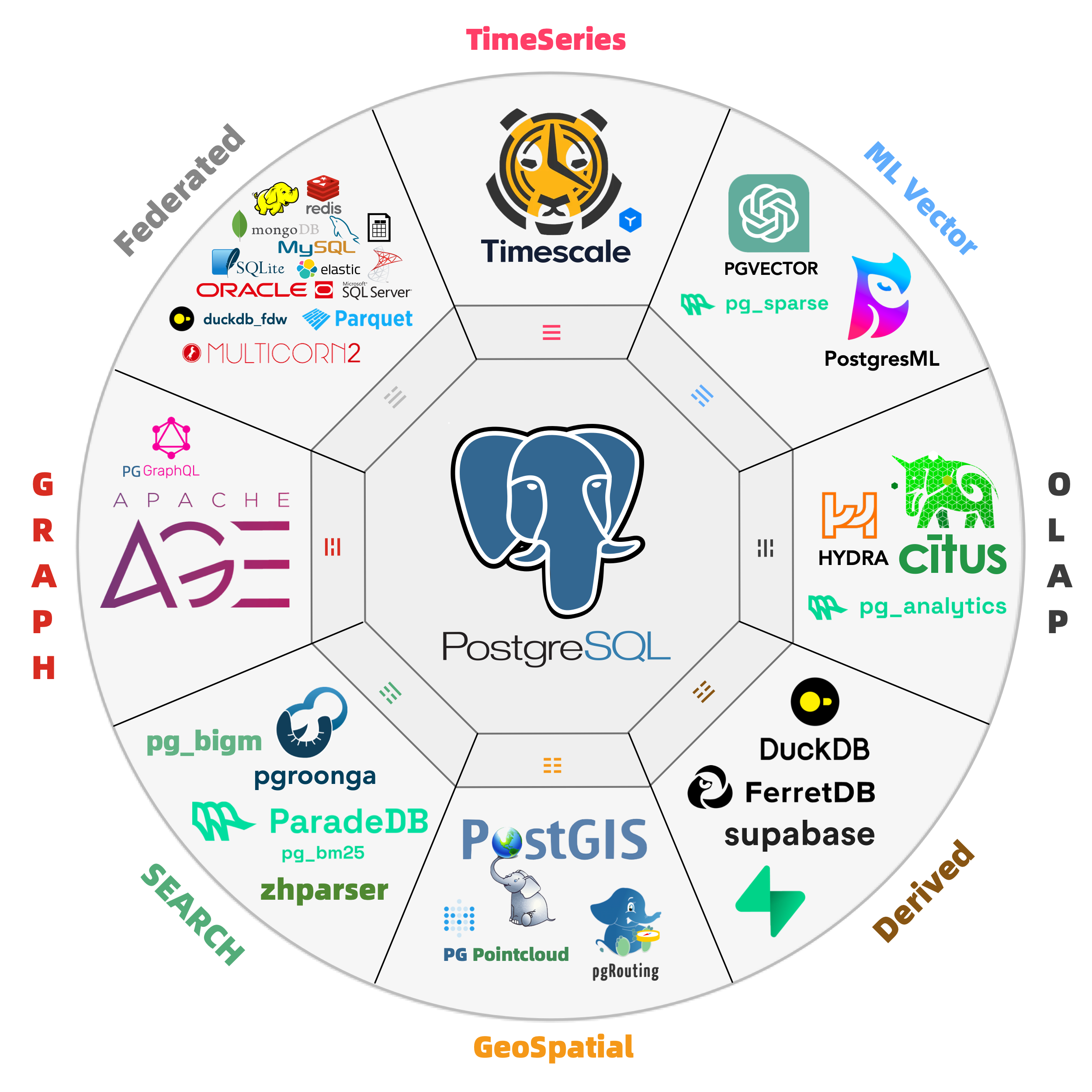
Out-of-the-box PostgreSQL distribution, deeply integrating 451 extension plugins for geospatial, time-series, distributed, graph, vector, search, and AI!
Runs on bare operating systems without container support, supporting mainstream operating systems: EL 8/9/10, Ubuntu 22.04/24.04, and Debian 12/13.
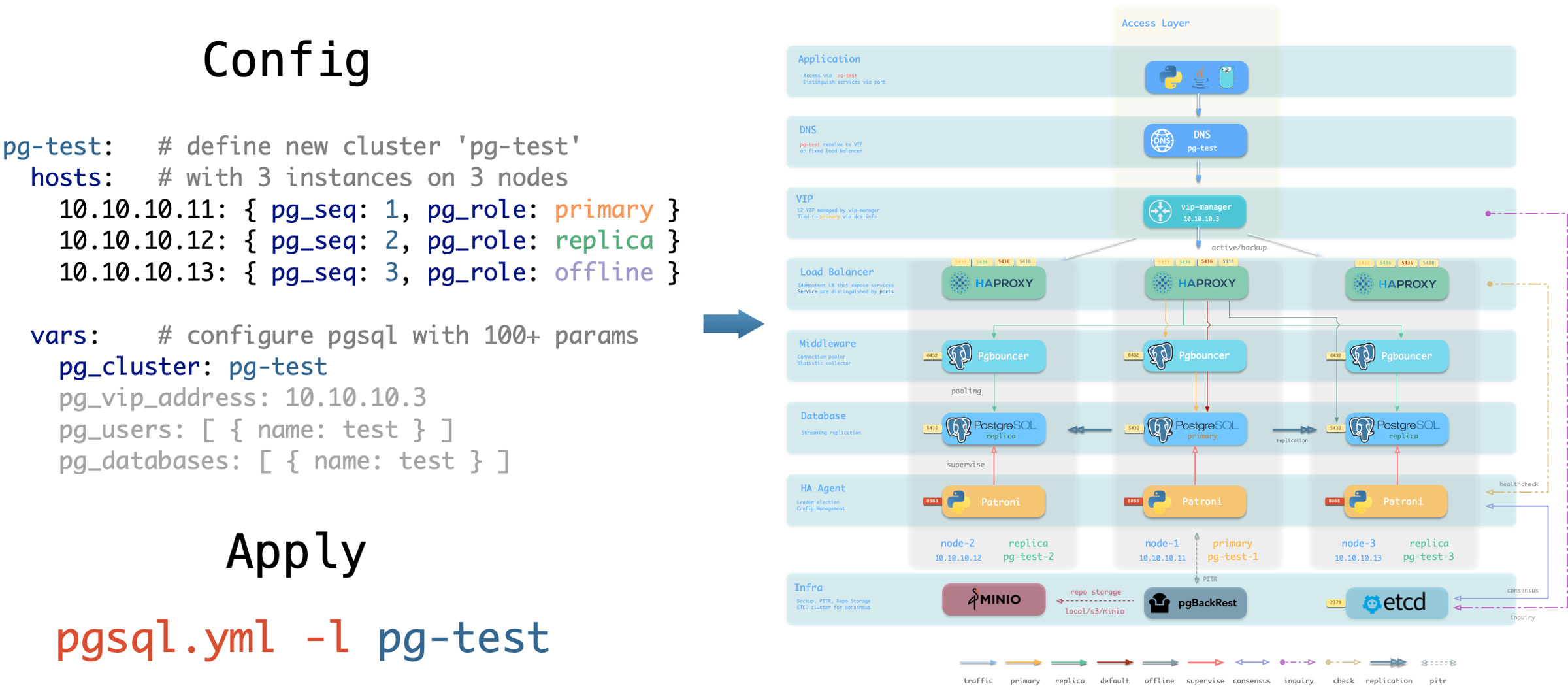
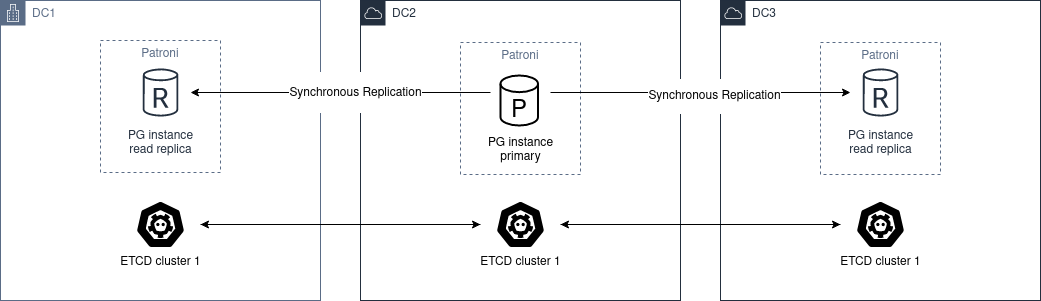
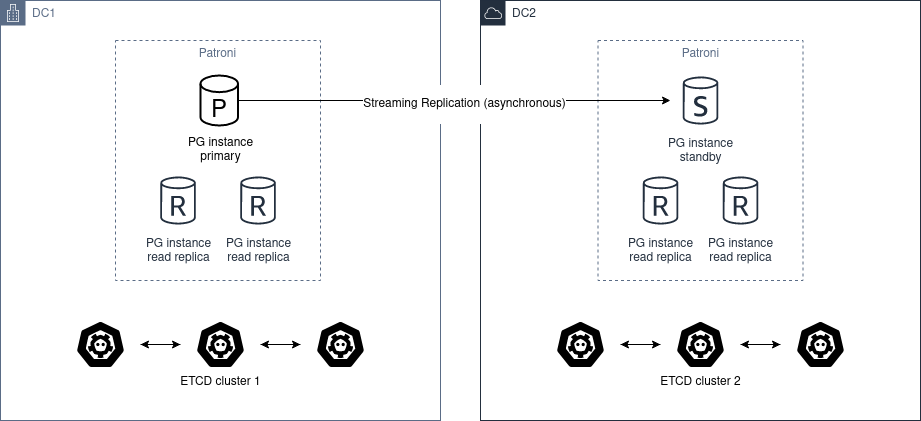
Based on patroni, haproxy, and etcd, creating a self-healing high-availability architecture: automatic failover on hardware failure, seamless traffic switching.
Based on pgBackRest and optional MinIO clusters providing out-of-the-box PITR point-in-time recovery, serving as a safety net for software defects and accidental data deletion.
Based on Ansible providing declarative APIs to abstract complexity, greatly simplifying daily operations management in a Database-as-Code manner.
Pigsty has broad applications, can be used as complete application runtime, develop demo data/visualization applications, and massive software using PG can be spun up with Docker templates.
Provides Vagrant-based local development and testing sandbox environment, and Terraform-based cloud auto-deployment solutions, keeping development, testing, and production environments consistent.
Get production-grade PostgreSQL database services locally immediately!
PostgreSQL is a near-perfect database kernel, but it needs more tools and systems to become a good enough database service (RDS). Pigsty helps PostgreSQL make this leap.
Pigsty solves various challenges you’ll encounter when using PostgreSQL: kernel extension installation, connection pooling, load balancing, service access, high availability / automatic failover, log collection, metrics monitoring, alerting, backup recovery, PITR, access control, parameter tuning, security encryption, certificate issuance, NTP, DNS, parameter tuning, configuration management, CMDB, management playbooks… You no longer need to worry about these details!
Pigsty supports PostgreSQL 13 ~ 18 mainline kernels and other compatible forks, running on EL / Debian / Ubuntu and compatible OS distributions, available on x86_64 and ARM64 chip architectures, without container support required.
Besides database kernels and many out-of-the-box extension plugins, Pigsty also provides complete infrastructure and runtime required for database services, as well as local sandbox / production environment / cloud IaaS auto-deployment solutions.
Pigsty can bootstrap an entire environment from bare metal with one click, reaching the last mile of software delivery. Ordinary developers and operations engineers can quickly get started and manage databases part-time, building enterprise-grade RDS services without database experts!
Rich Extensions
Hyper-converged multi-modal, use PostgreSQL for everything, one PG to replace all databases!
PostgreSQL’s soul lies in its rich extension ecosystem, and Pigsty uniquely deeply integrates 451 extensions from the PostgreSQL ecosystem, providing you with an out-of-the-box hyper-converged multi-modal database!
Extensions can create synergistic effects, producing 1+1 far greater than 2 results.
You can use PostGIS for geospatial data, TimescaleDB for time-series/event stream data analysis, and Citus to upgrade it in-place to a distributed geospatial-temporal database;
You can use PGVector to store and search AI embeddings, ParadeDB for ElasticSearch-level full-text search, and simultaneously use precise SQL, full-text search, and fuzzy vector for hybrid search.
You can also achieve dedicated OLAP database/data lakehouse analytical performance through pg_duckdb, pg_mooncake and other analytical extensions.
Using PostgreSQL as a single component to replace MySQL, Kafka, ElasticSearch, MongoDB, and big data analytics stacks has become a best practice — a single database choice can significantly reduce system complexity, greatly improve development efficiency and agility, achieving remarkable software/hardware and development/operations cost reduction and efficiency improvement.
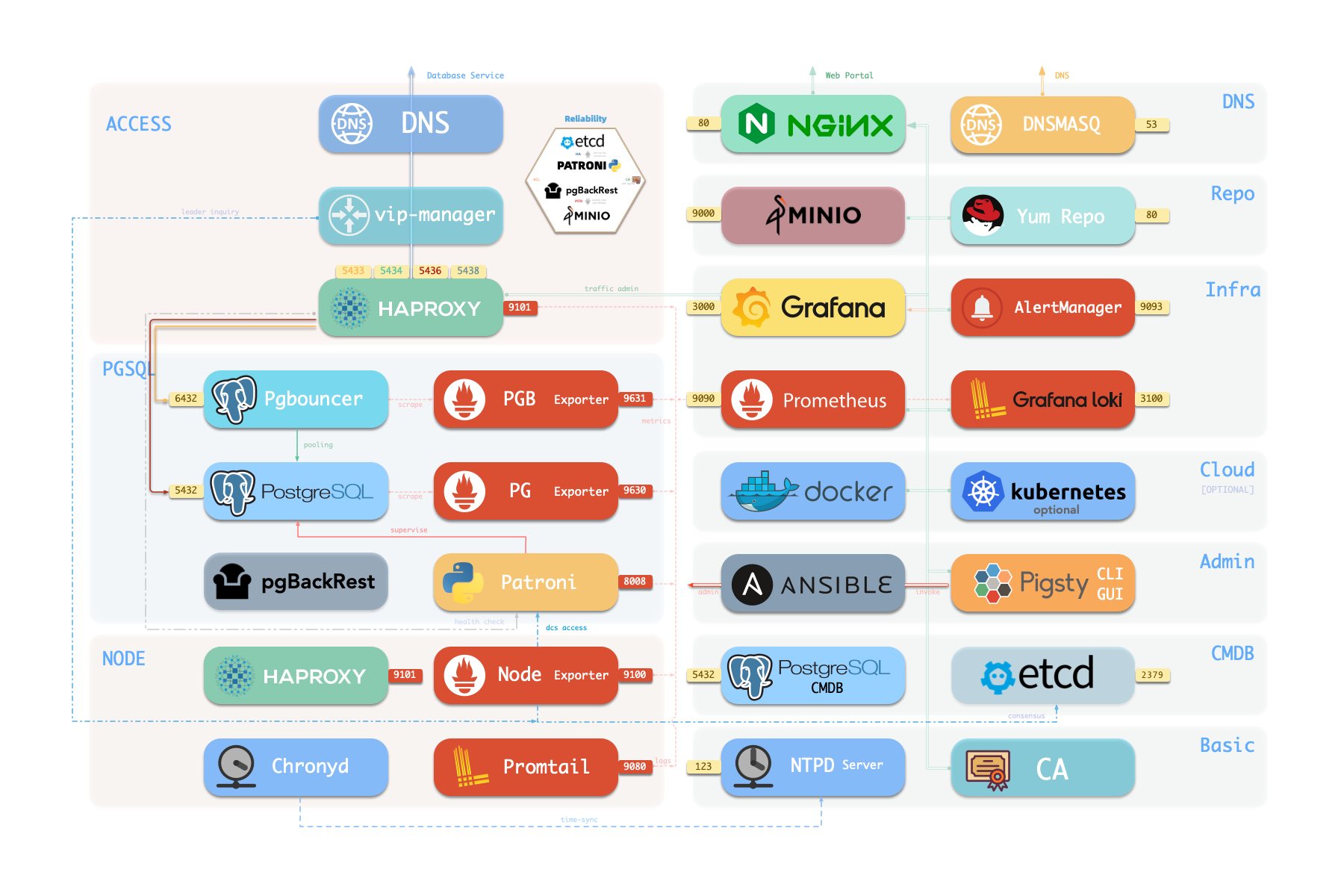
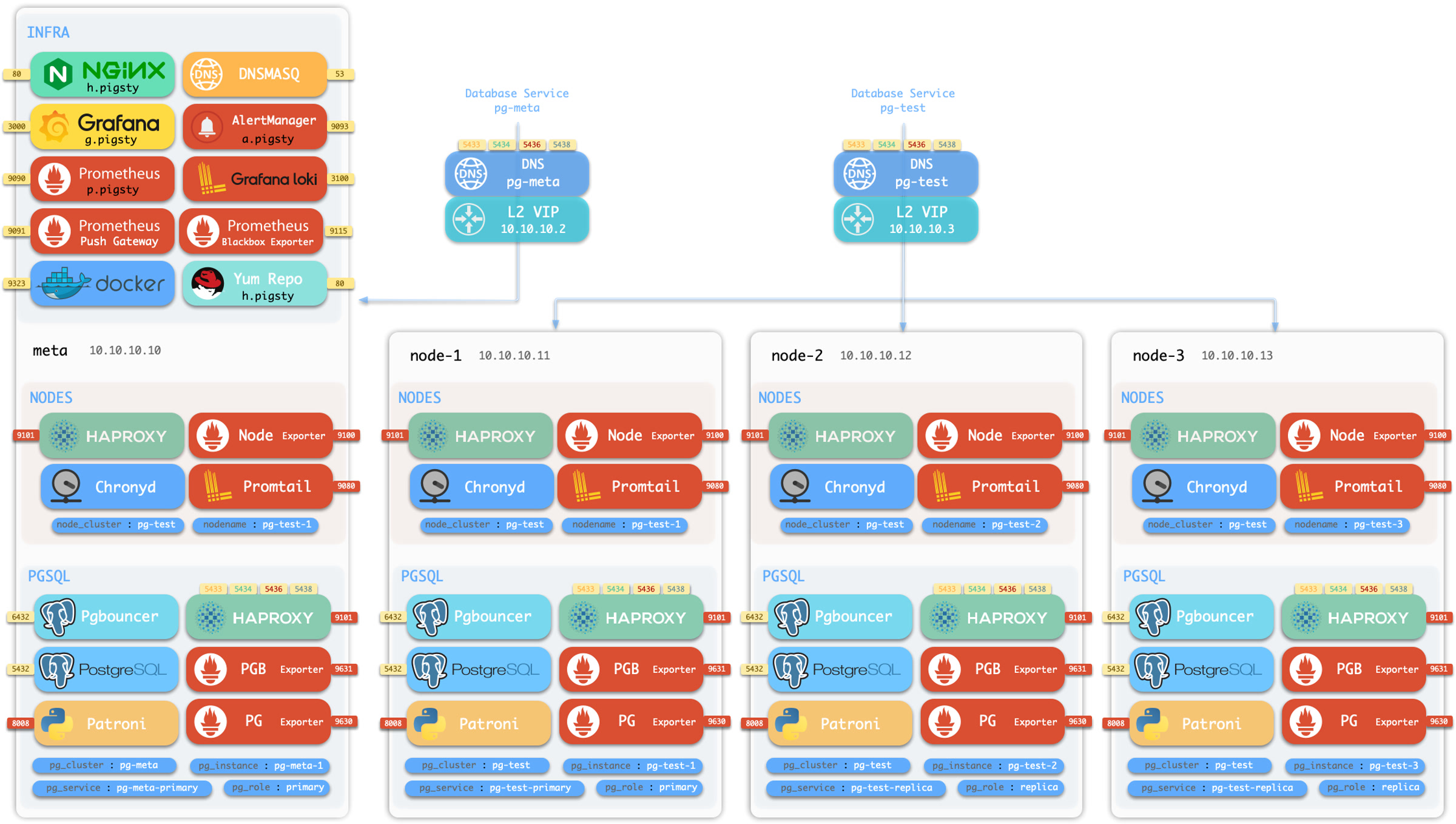
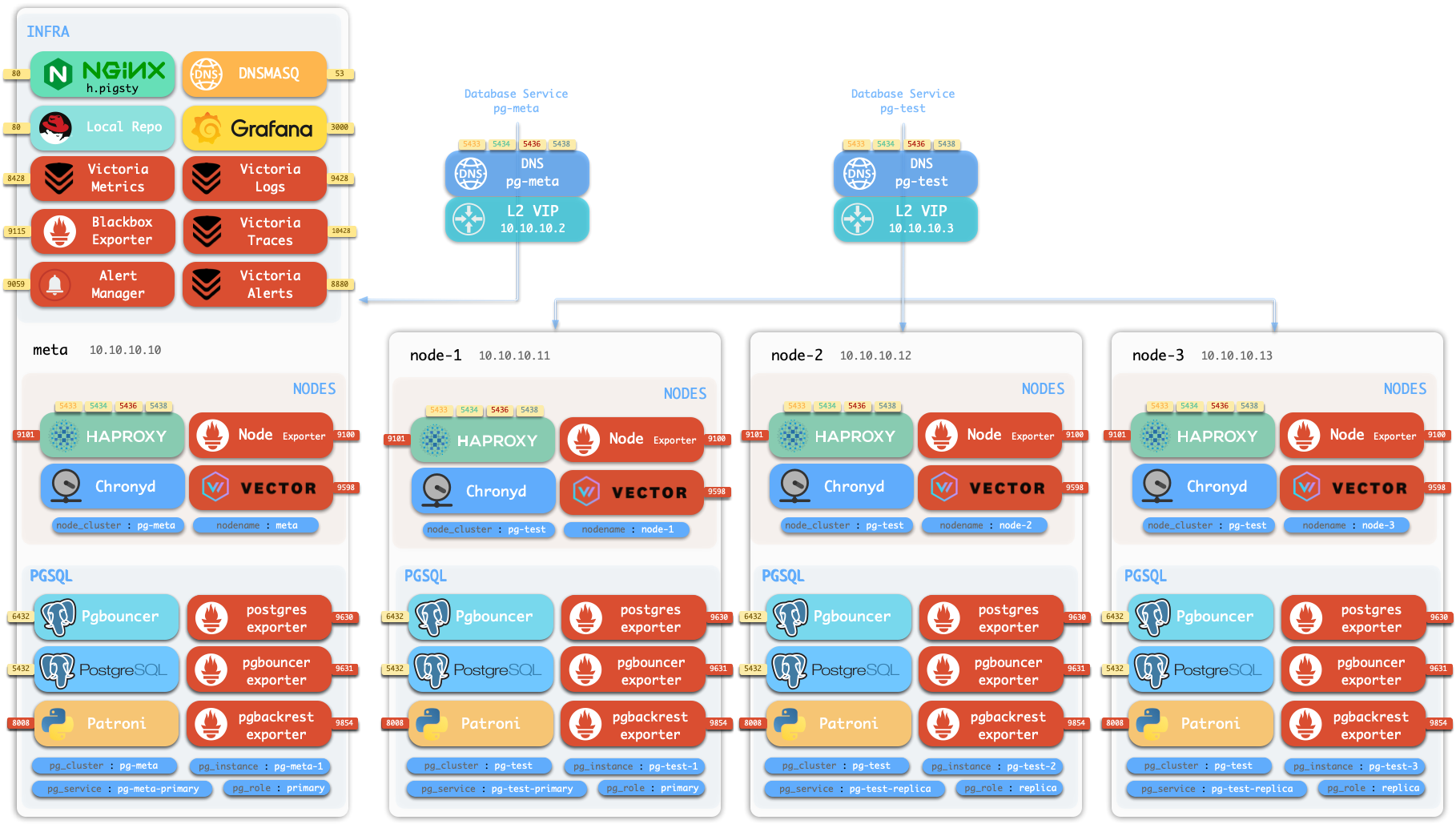
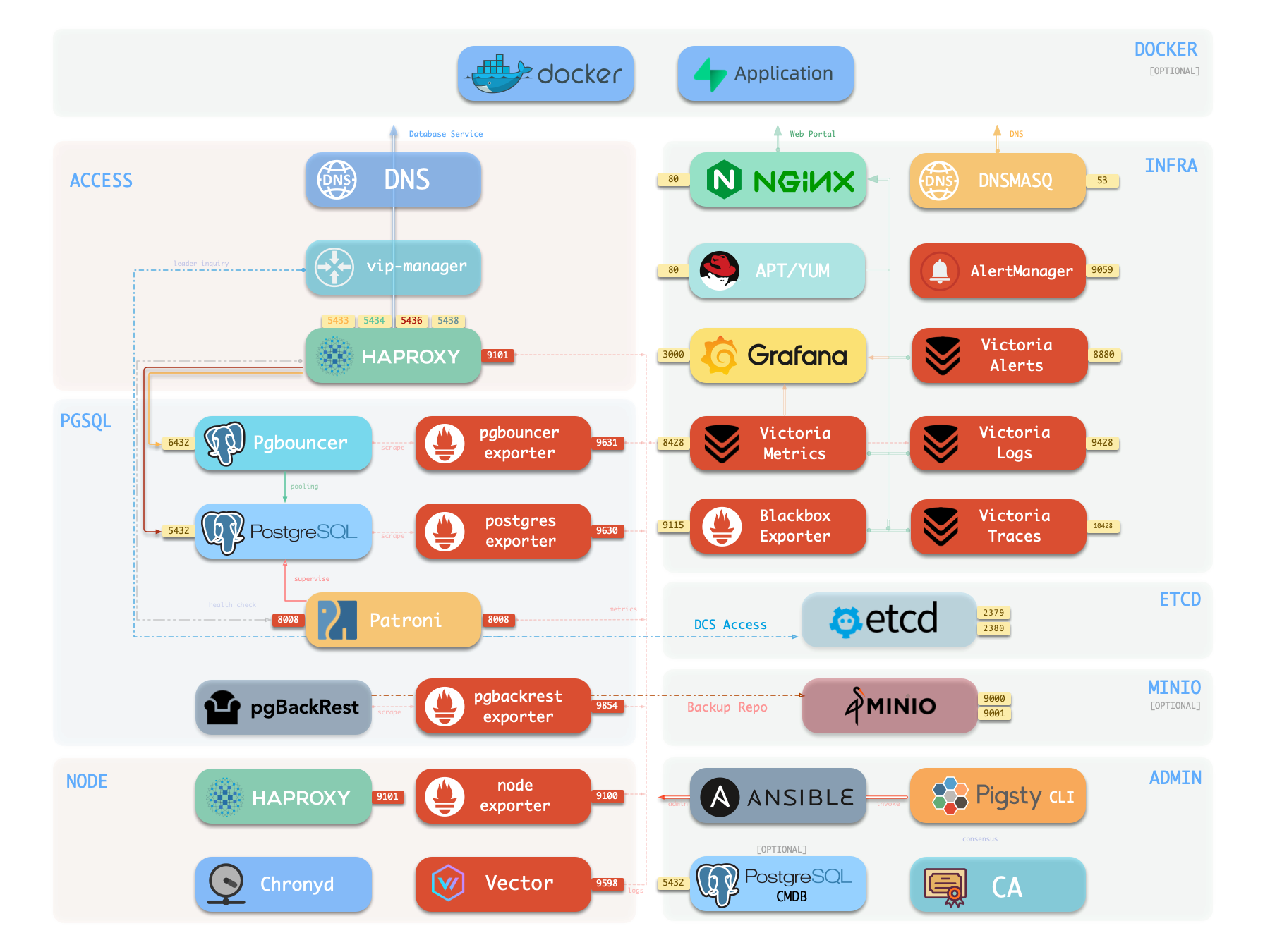
Components in Pigsty are abstracted as independently deployable modules, which can be freely combined to address varying requirements. The INFRA module comes with a complete modern monitoring stack, while the NODE module tunes nodes to desired state and brings them under management.
Installing the PGSQL module on multiple nodes automatically forms a high-availability database cluster based on primary-replica replication, while the ETCD module provides consensus and metadata storage for database high availability.
Beyond these four core modules, Pigsty also provides a series of optional feature modules: The MINIO module can provide local object storage capability and serve as a centralized database backup repository.
The REDIS module can provide auxiliary services for databases in standalone primary-replica, sentinel, or native cluster modes. The DOCKER module can be used to spin up stateless application software.
Additionally, Pigsty provides PG-compatible / derivative kernel support. You can use Babelfish for MS SQL Server compatibility, IvorySQL for Oracle compatibility,
OpenHaloDB for MySQL compatibility, and OrioleDB for ultimate OLTP performance.
Using modern open-source observability stack, providing unparalleled monitoring best practices!
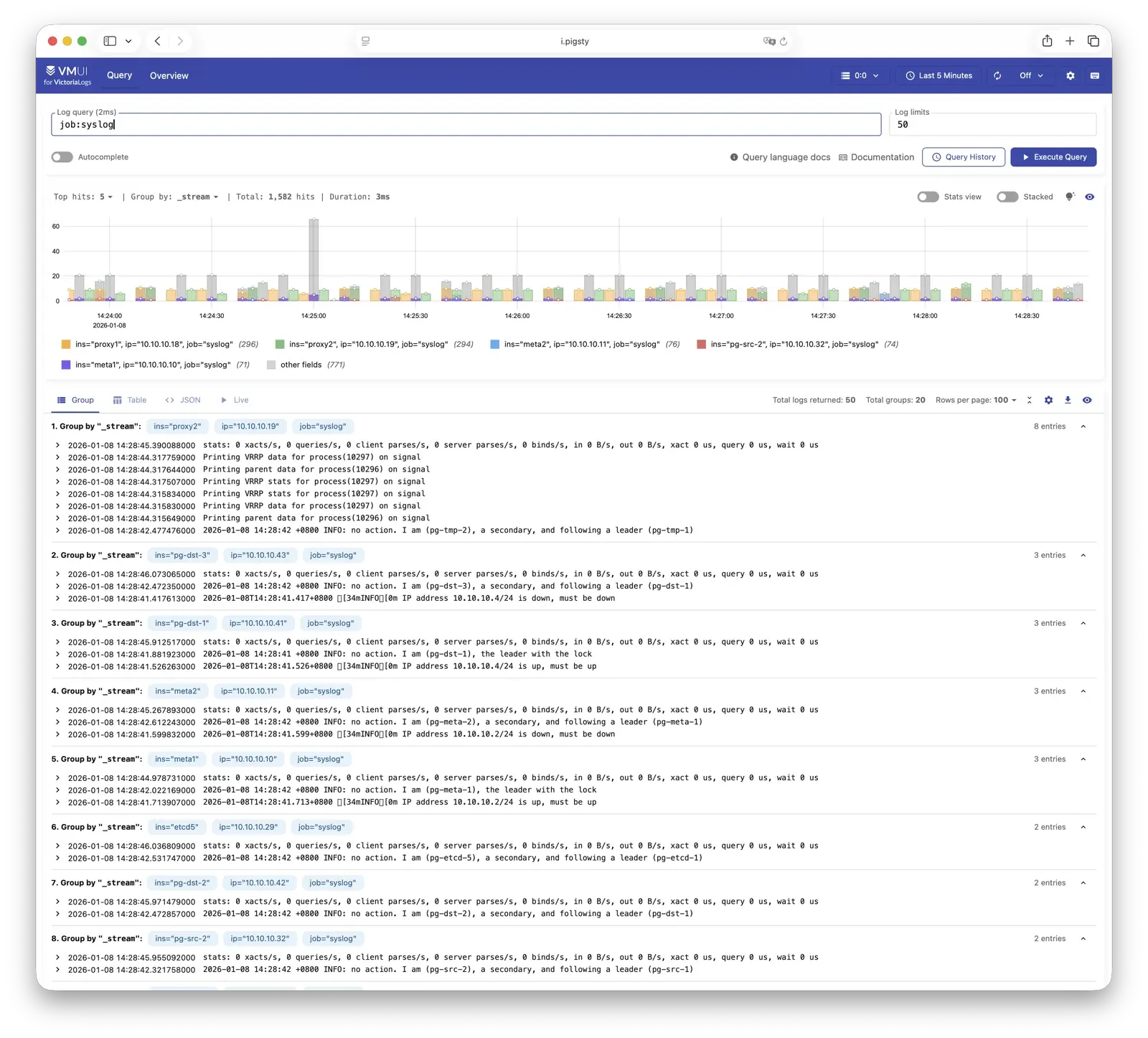
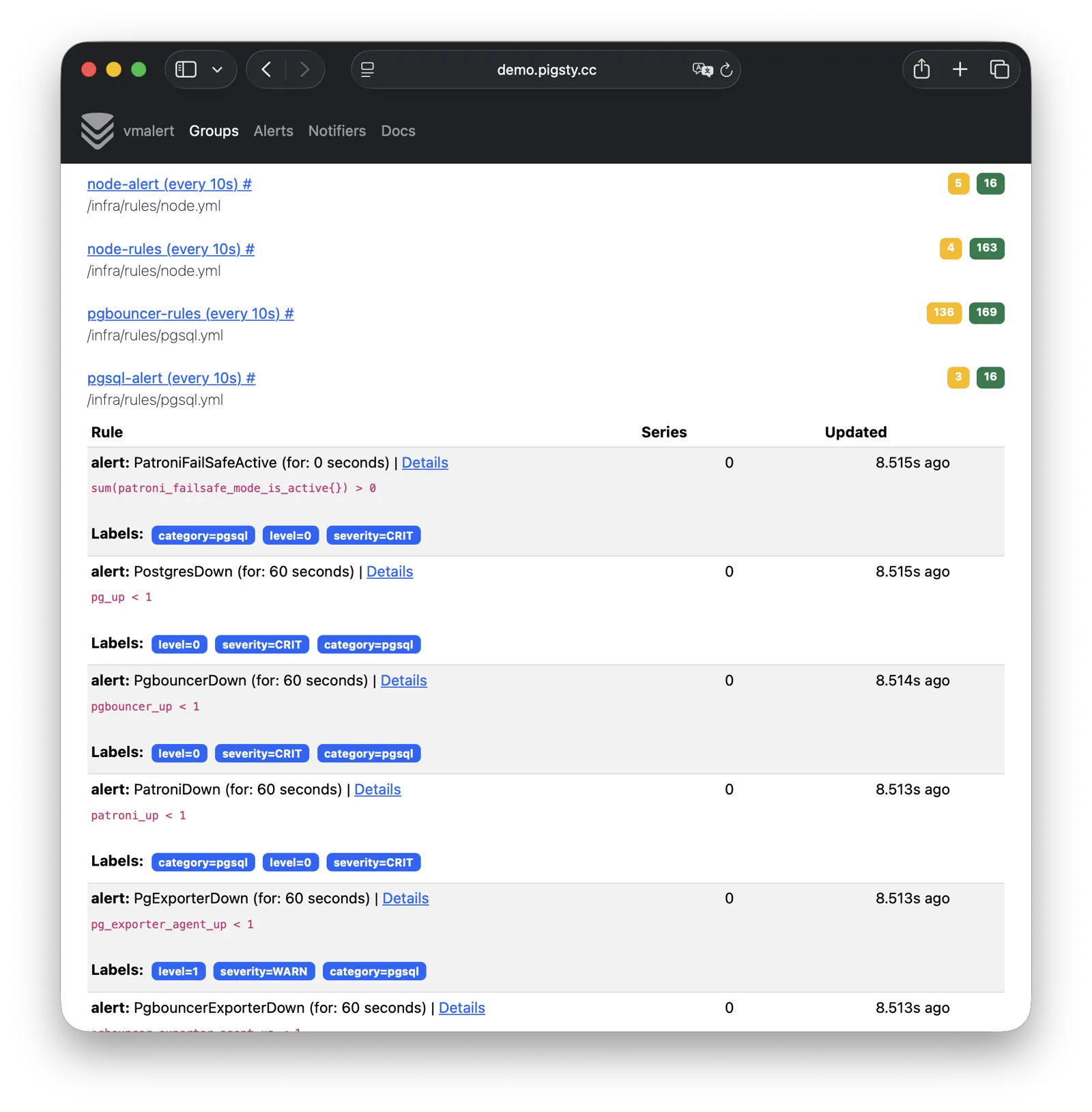
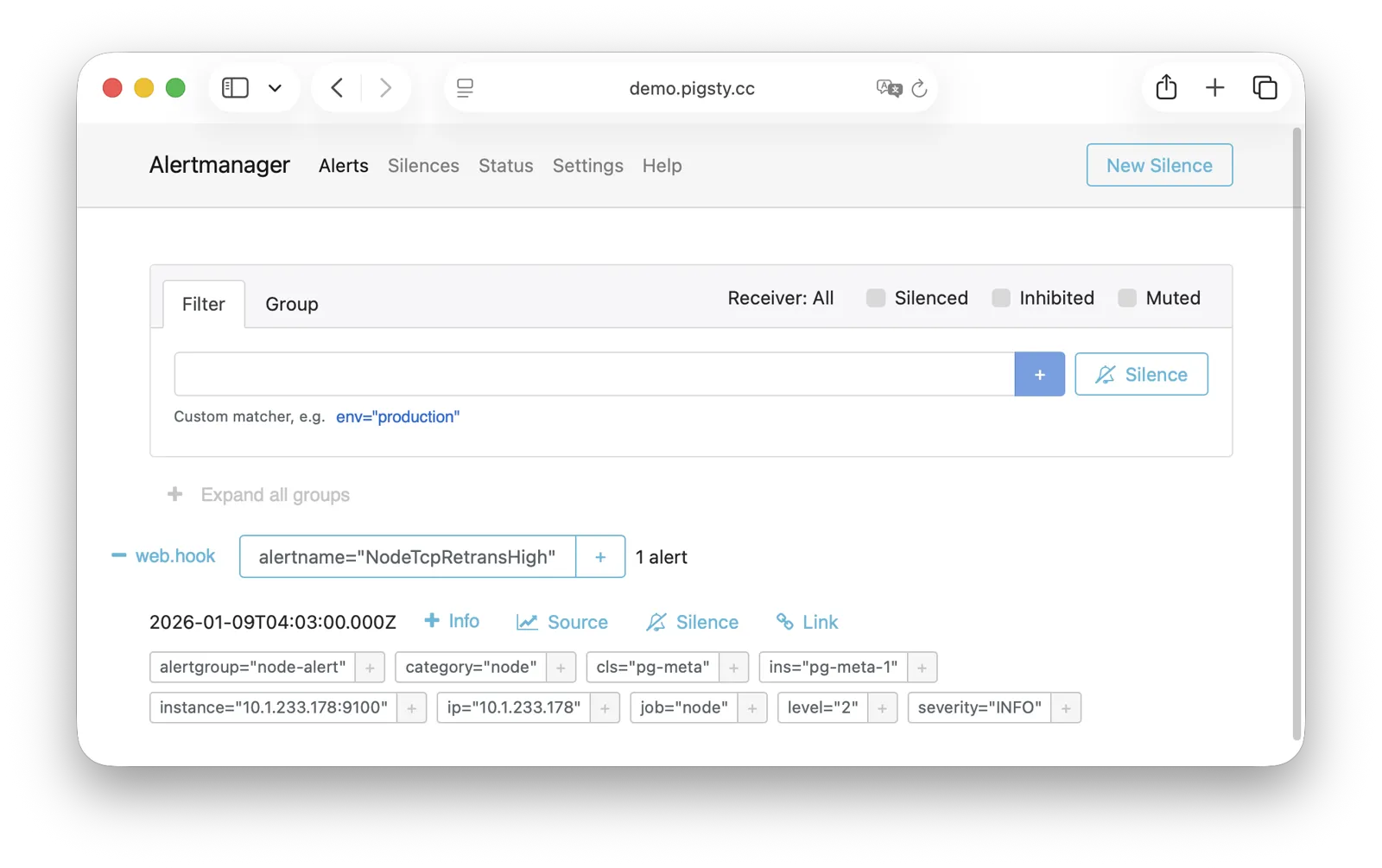
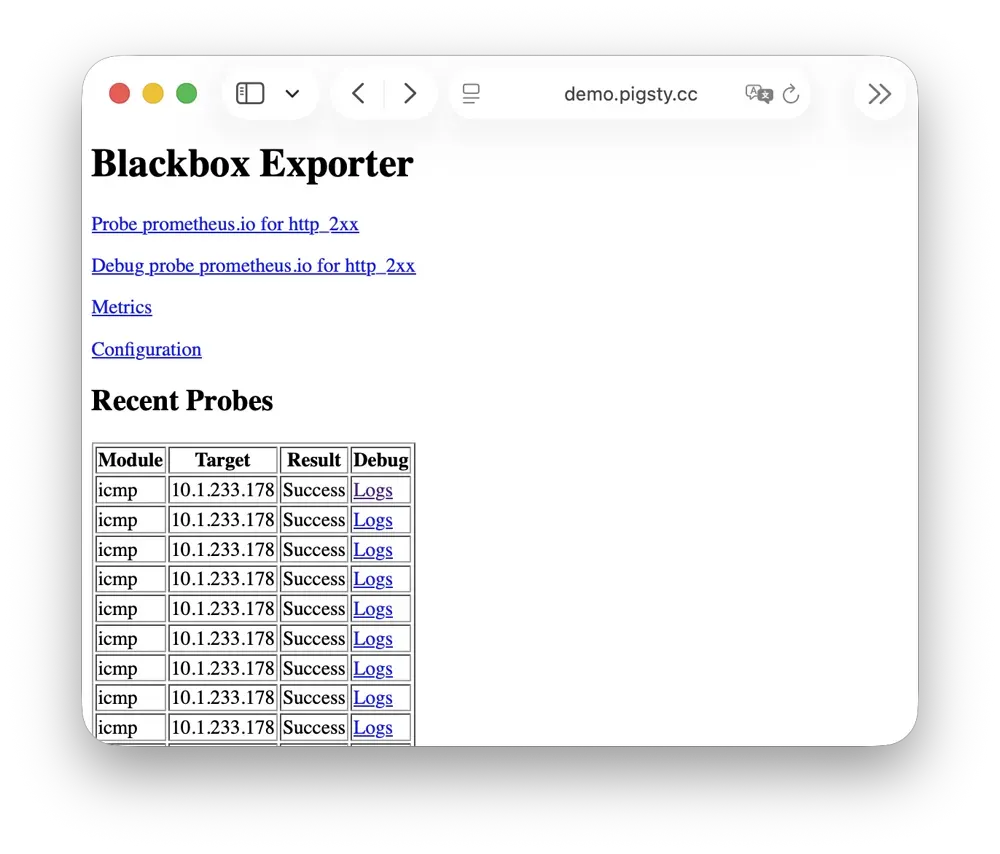
Pigsty provides best practices for monitoring based on the open-source Grafana / Prometheus modern observability stack: Grafana for visualization, VictoriaMetrics for metrics collection, VictoriaLogs for log collection and querying, Alertmanager for alert notifications. Blackbox Exporter for checking service availability. The entire system is also designed for one-click deployment as the out-of-the-box INFRA module.
Any component managed by Pigsty is automatically brought under monitoring, including host nodes, load balancer HAProxy, database Postgres, connection pool Pgbouncer, metadata store ETCD, KV cache Redis, object storage MinIO, …, and the entire monitoring infrastructure itself. Numerous Grafana monitoring dashboards and preset alert rules will qualitatively improve your system observability capabilities. Of course, this system can also be reused for your application monitoring infrastructure, or for monitoring existing database instances or RDS.
Whether for failure analysis or slow query optimization, capacity assessment or resource planning, Pigsty provides comprehensive data support, truly achieving data-driven operations. In Pigsty, over three thousand types of monitoring metrics are used to describe all aspects of the entire system, and are further processed, aggregated, analyzed, refined, and presented in intuitive visualization modes. From global overview dashboards to CRUD details of individual objects (tables, indexes, functions) in a database instance, everything is visible at a glance. You can drill down, roll up, or jump horizontally freely, browsing current system status and historical trends, and predicting future evolution.
Additionally, Pigsty’s monitoring system module can be used independently — to monitor existing host nodes and database instances, or cloud RDS services. With just one connection string and one command, you can get the ultimate PostgreSQL observability experience.
Out-of-the-box high availability and point-in-time recovery capabilities ensure your database is rock-solid!
For table/database drops caused by software defects or human error, Pigsty provides out-of-the-box PITR point-in-time recovery capability, enabled by default without additional configuration. As long as storage space allows, base backups and WAL archiving based on pgBackRest give you the ability to quickly return to any point in the past. You can use local directories/disks, or dedicated MinIO clusters or S3 object storage services to retain longer recovery windows, according to your budget.
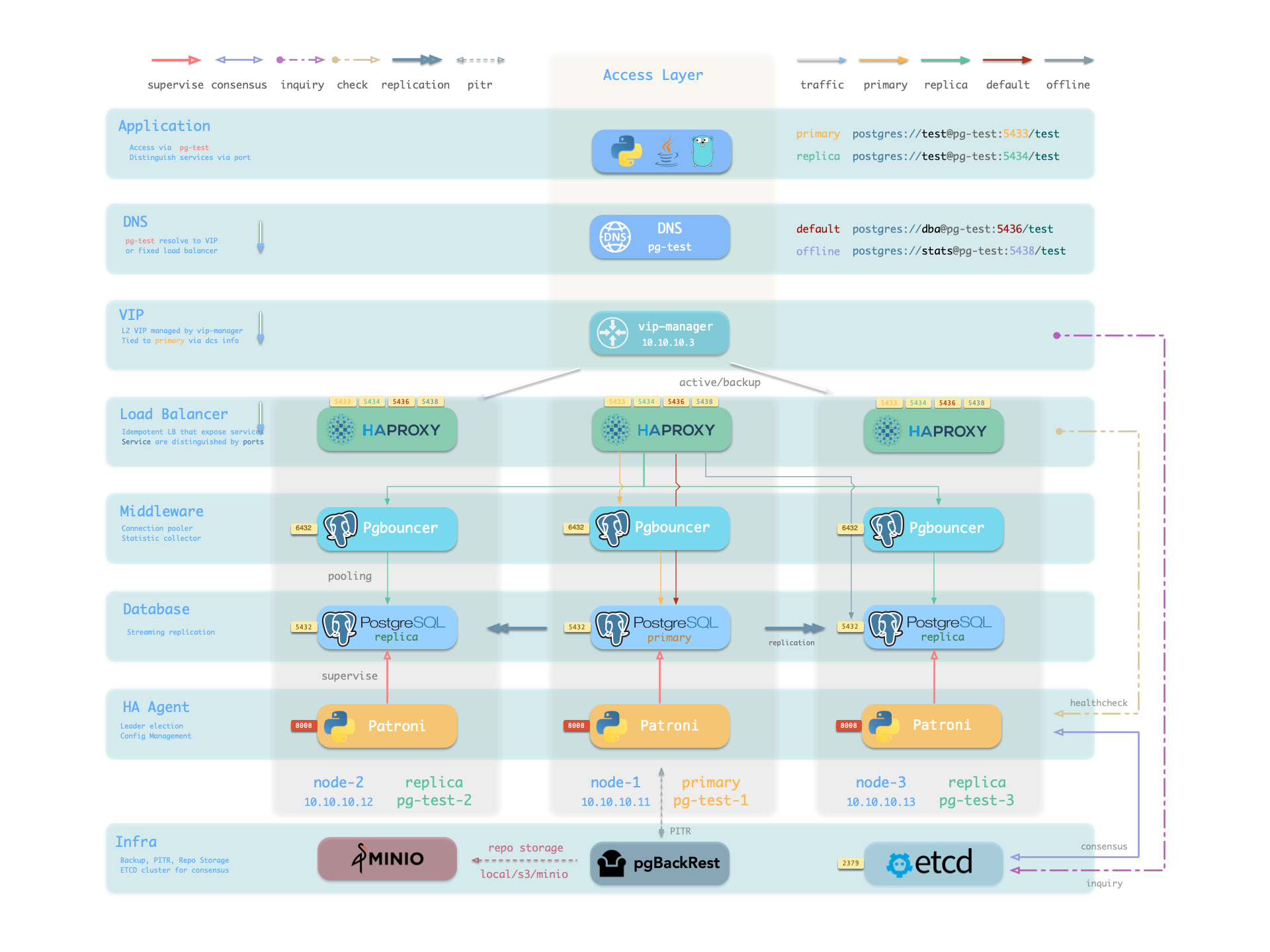
More importantly, Pigsty makes high availability and self-healing the standard for PostgreSQL clusters. The high-availability self-healing architecture based on patroni, etcd, and haproxy lets you handle hardware failures with ease: RTO < 30s for primary failure automatic failover (configurable), with zero data loss RPO = 0 in consistency-first mode. As long as any instance in the cluster survives, the cluster can provide complete service, and clients only need to connect to any node in the cluster to get full service.
Pigsty includes built-in HAProxy load balancers for automatic traffic switching, providing DNS/VIP/LVS and other access methods for clients. Failover and active switchover are almost imperceptible to the business side except for brief interruptions, and applications don’t need to modify connection strings or restart. The minimal maintenance window requirements bring great flexibility and convenience: you can perform rolling maintenance and upgrades on the entire cluster without application coordination. The feature that hardware failures can wait until the next day to handle lets developers, operations, and DBAs sleep well.
Many large organizations and core institutions have been using Pigsty in production for extended periods. The largest deployment has 25K CPU cores and 200+ PostgreSQL ultra-large instances; in this deployment case, dozens of hardware failures and various incidents occurred over six to seven years, DBAs changed several times, but still maintained availability higher than 99.999%.
Easy to Use and Maintain
Infra as Code, Database as Code, declarative APIs encapsulate database management complexity.
Pigsty provides services through declarative interfaces, elevating system controllability to a new level: users tell Pigsty “what kind of database cluster I want” through configuration inventories, without worrying about how to do it. In effect, this is similar to CRDs and Operators in K8S, but Pigsty can be used for databases and infrastructure on any node: whether containers, virtual machines, or physical machines.
Whether creating/destroying clusters, adding/removing replicas, or creating new databases/users/services/extensions/whitelist rules, you only need to modify the configuration inventory and run the idempotent playbooks provided by Pigsty, and Pigsty adjusts the system to your desired state.
Users don’t need to worry about configuration details — Pigsty automatically tunes based on machine hardware configuration. You only need to care about basics like cluster name, how many instances on which machines, what configuration template to use: transaction/analytics/critical/tiny — developers can also self-serve. But if you’re willing to dive into the rabbit hole, Pigsty also provides rich and fine-grained control parameters to meet the demanding customization needs of the most meticulous DBAs.
Beyond that, Pigsty’s own installation and deployment is also one-click foolproof, with all dependencies pre-packaged, requiring no internet access during installation. The machine resources needed for installation can also be automatically obtained through Vagrant or Terraform templates, allowing you to spin up a complete Pigsty deployment from scratch on a local laptop or cloud VM in about ten minutes. The local sandbox environment can run on a 1-core 2GB micro VM, providing the same functional simulation as production environments, usable for development, testing, demos, and learning.
Solid Security Practices
Encryption and backup all included. As long as hardware and keys are secure, you don’t need to worry about database security.
Pigsty is designed for high-standard, demanding enterprise scenarios, adopting industry-leading security best practices to protect your data security (confidentiality/integrity/availability). The default configuration’s security is sufficient to meet compliance requirements for most scenarios.
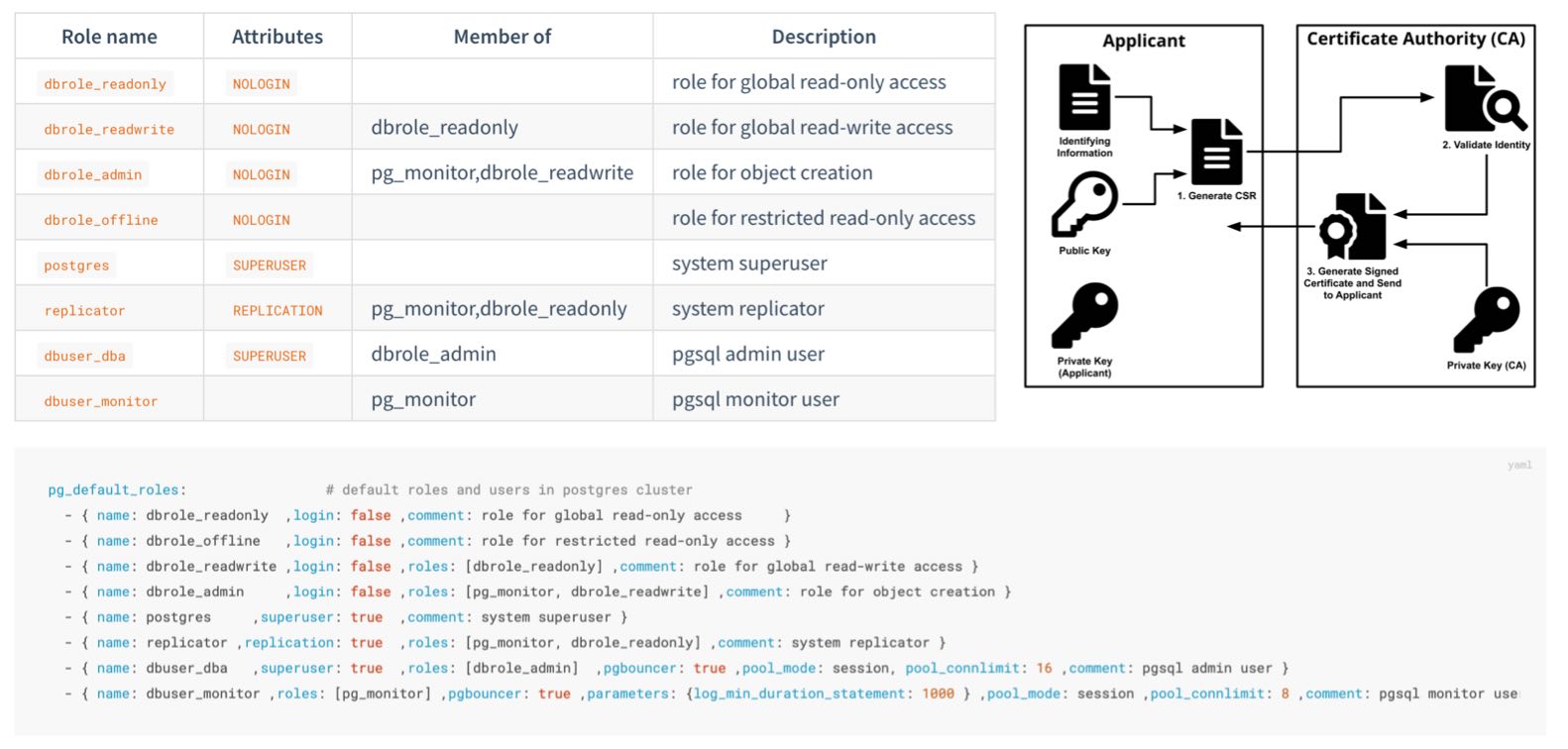
Pigsty creates self-signed CAs (or uses your provided CA) to issue certificates and encrypt network communication. Sensitive management pages and API endpoints that need protection are password-protected.
Database backups use AES encryption, database passwords use scram-sha-256 encryption, and plugins are provided to enforce password strength policies.
Pigsty provides an out-of-the-box, easy-to-use, easily extensible ACL model, providing read/write/admin/ETL permission distinctions, with HBA rule sets following the principle of least privilege, ensuring system confidentiality through multiple layers of protection.
Pigsty enables database checksums by default to avoid silent data corruption, with replicas providing bad block fallback. Provides CRIT zero-data-loss configuration templates, using watchdog to ensure HA fencing as a fallback.
You can audit database operations through the audit plugin, with all system and database logs collected for reference to meet compliance requirements.
Pigsty correctly configures SELinux and firewall settings, and follows the principle of least privilege in designing OS user groups and file permissions, ensuring system security baselines meet compliance requirements.
Security is also uncompromised for auxiliary optional components like Etcd and MinIO — both use RBAC models and TLS encrypted communication, ensuring overall system security.
A properly configured system can easily pass MLPS Level 3 / SOC 2. As long as you follow security best practices, deploy on internal networks with properly configured security groups and firewalls, database security will no longer be your pain point.
Broad Application Scenarios
Use preset Docker templates to spin up massive software using PostgreSQL with one click!
In various data-intensive applications, the database is often the trickiest part. For example, the core difference between GitLab Enterprise and Community Edition is the underlying PostgreSQL database monitoring and high availability. If you already have a good enough local PG RDS, you can refuse to pay for software’s homemade database components.
Pigsty provides the Docker module and many out-of-the-box Compose templates. You can use Pigsty-managed high-availability PostgreSQL (as well as Redis and MinIO) as backend storage, spinning up these software in stateless mode with one click:
GitLab, Gitea, Wiki.js, NocoDB, Odoo, Jira, Confluence, Harbor, Mastodon, Discourse, KeyCloak, Mattermost, etc. If your application needs a reliable PostgreSQL database, Pigsty is perhaps the simplest way to get one.
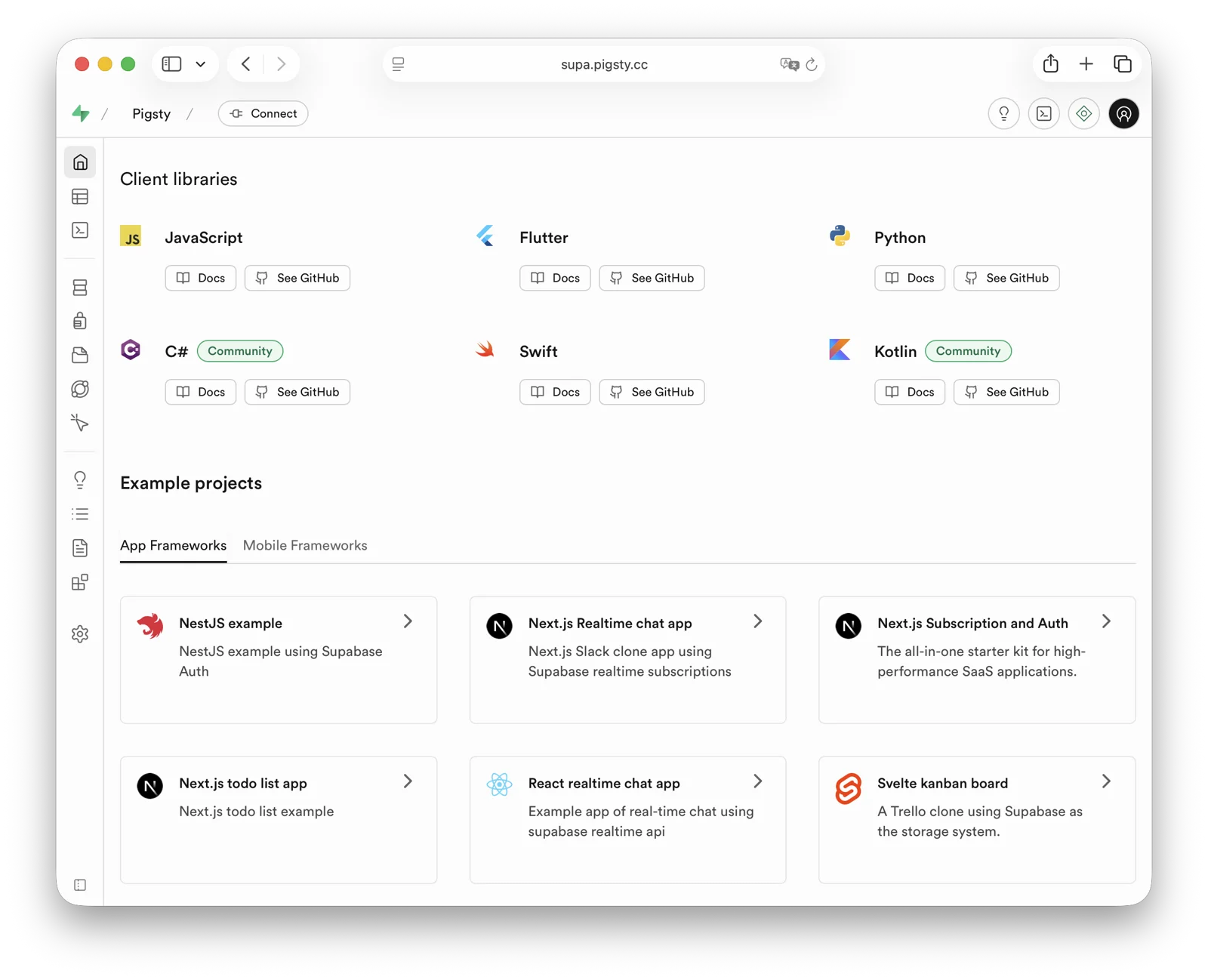
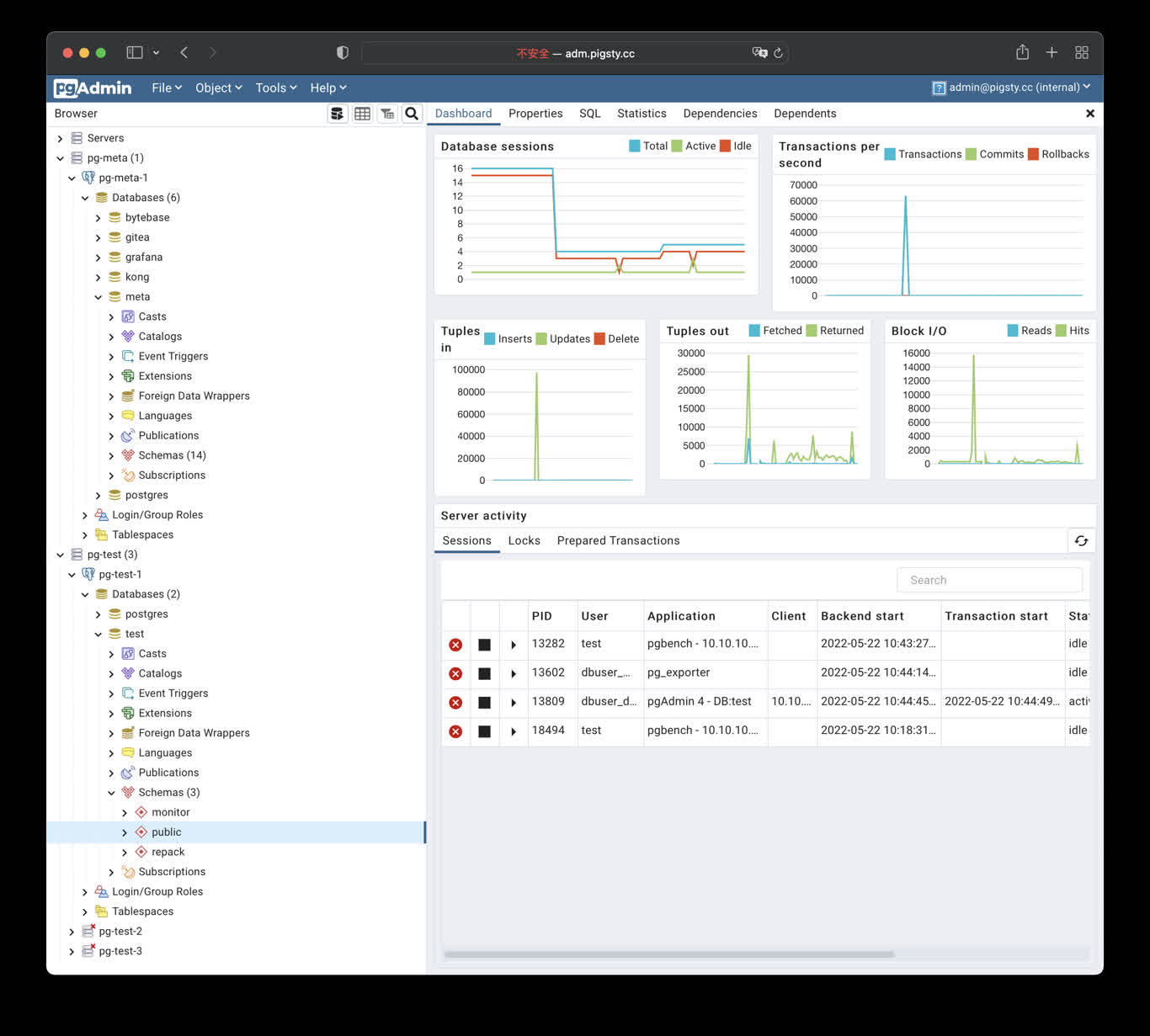
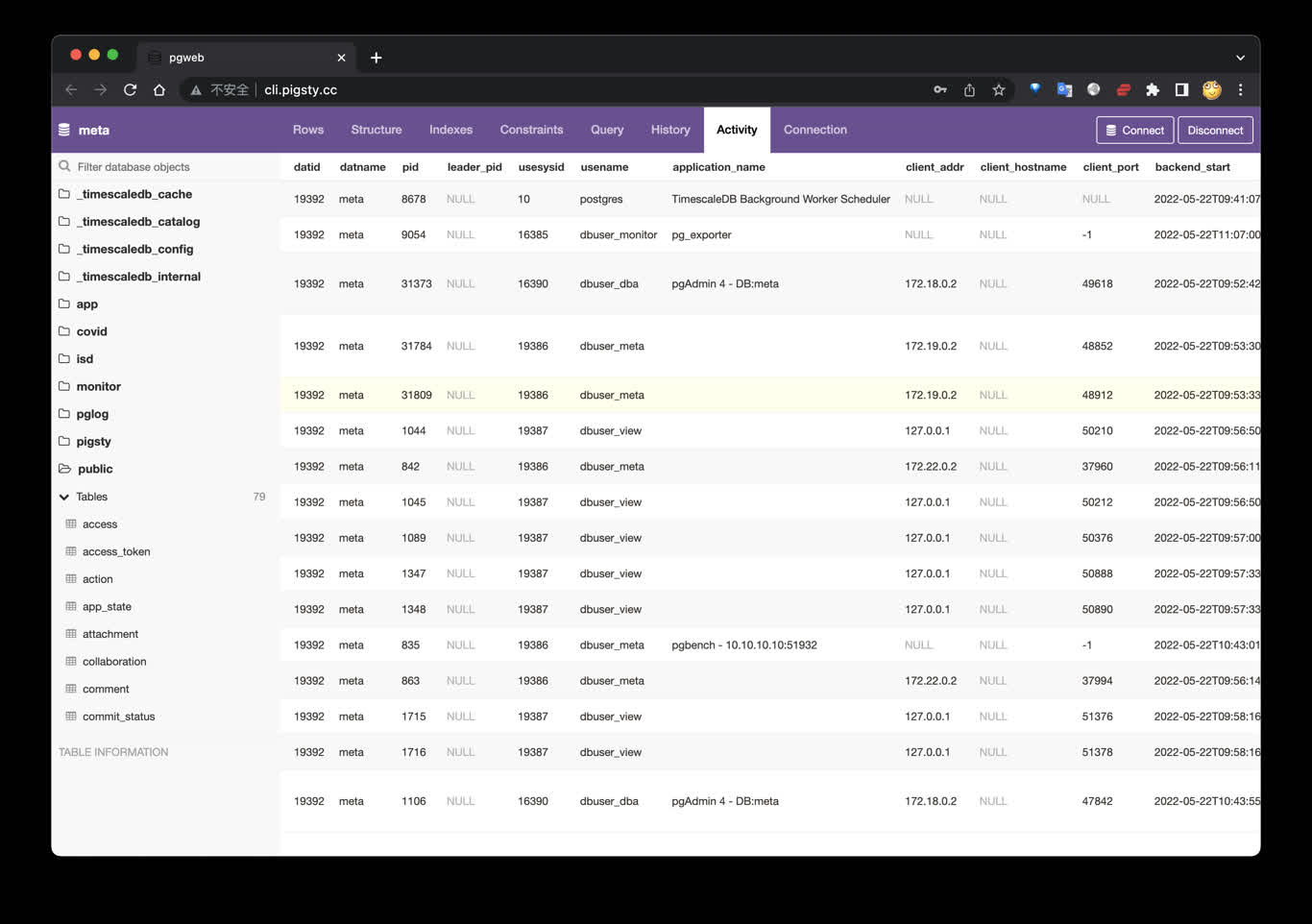
Pigsty also provides application development toolsets closely related to PostgreSQL: PGAdmin4, PGWeb, ByteBase, PostgREST, Kong, as well as EdgeDB, FerretDB, Supabase — these “upper-layer databases” using PostgreSQL as storage.
More wonderfully, you can build interactive data applications quickly in a low-code manner based on the Grafana and Postgres built into Pigsty, and even use Pigsty’s built-in ECharts panels to create more expressive interactive visualization works.
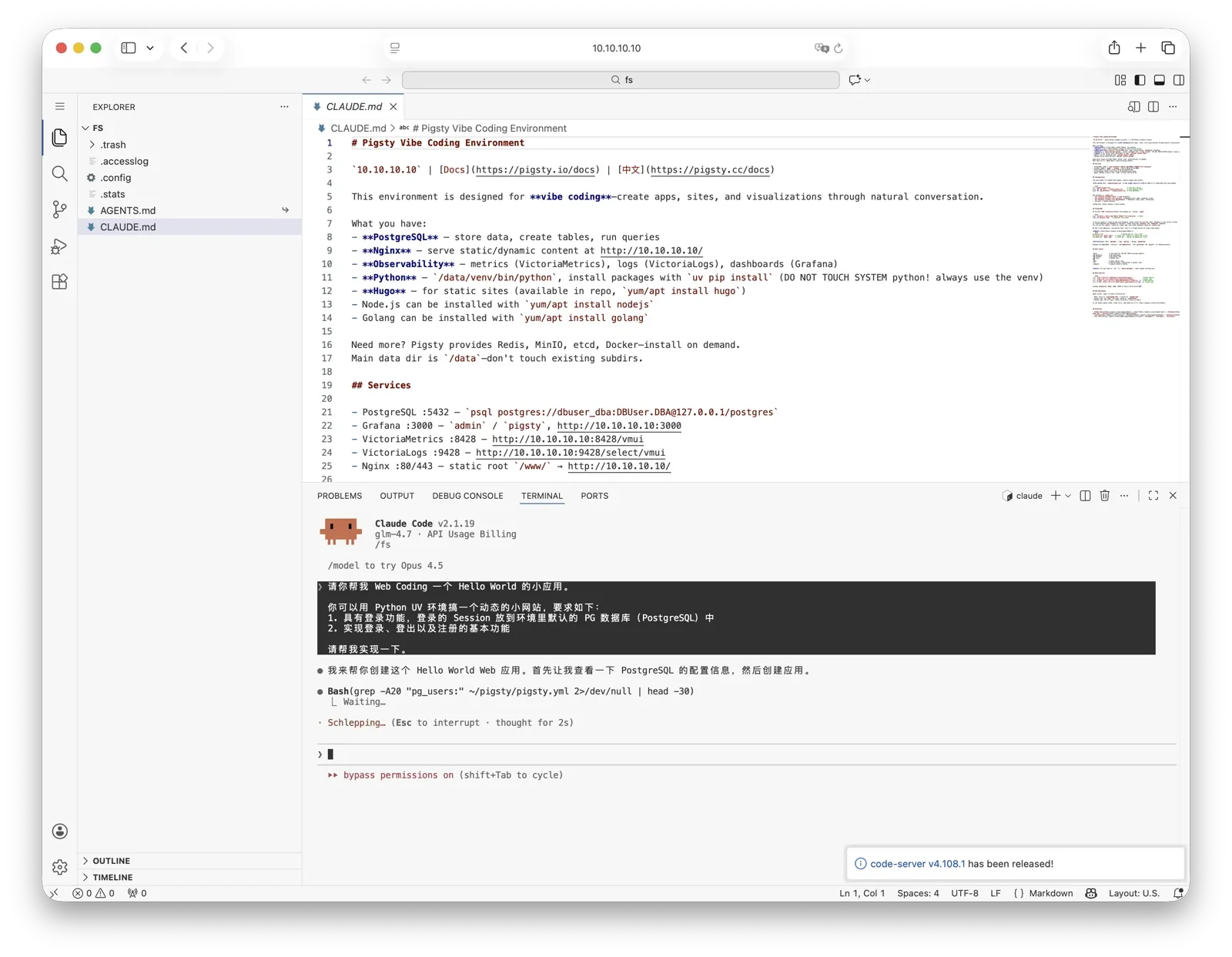
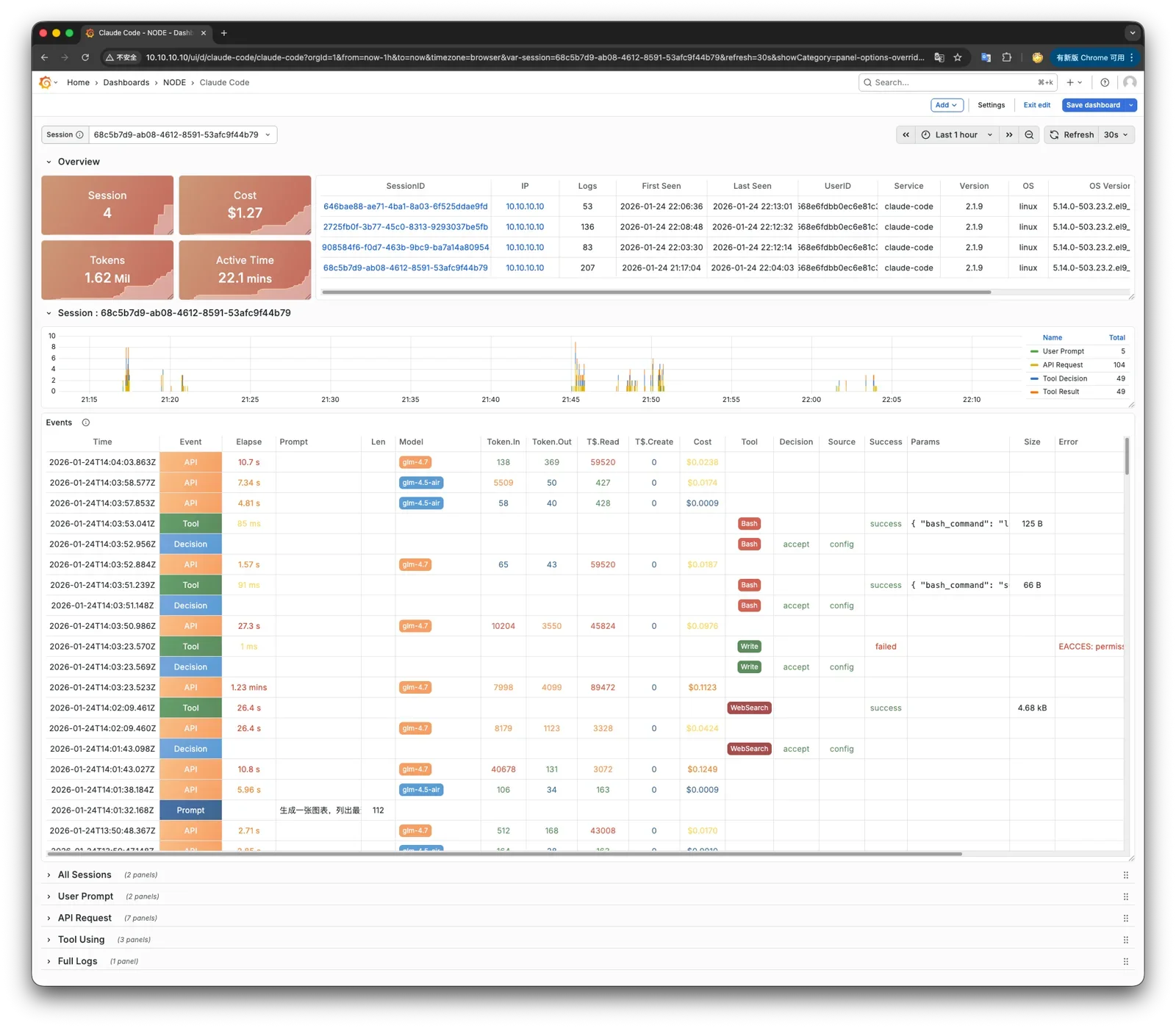
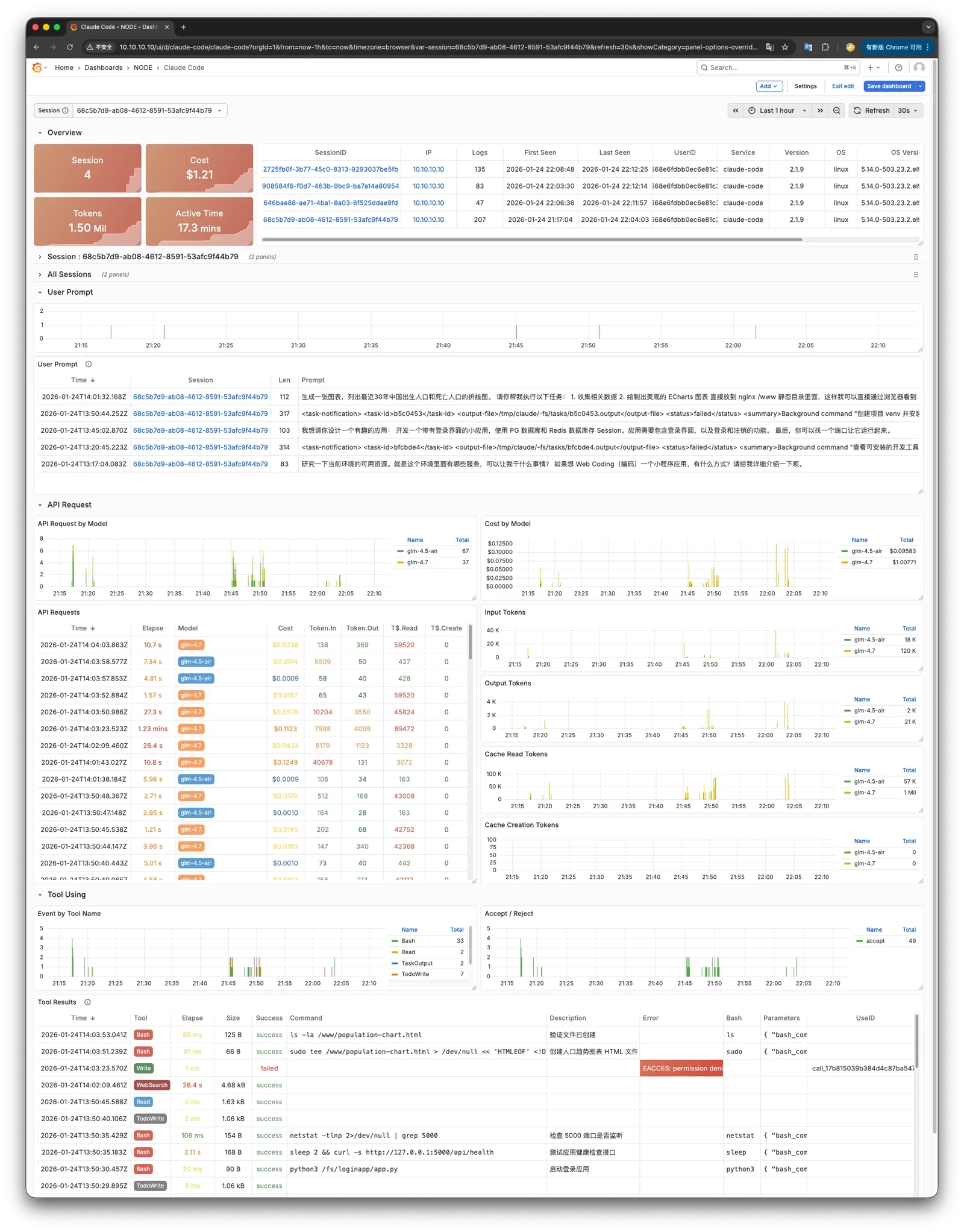
Pigsty provides a powerful runtime for your AI applications. Your agents can leverage PostgreSQL and the powerful capabilities of the observability world in this environment to quickly build data-driven intelligent agents.
Open-Source Free Software
Pigsty is free software open-sourced under Apache-2.0, watered by the passion of PostgreSQL-loving community members
Pigsty is completely open-source and free software, allowing you to run enterprise-grade PostgreSQL database services at nearly pure hardware cost without database experts.
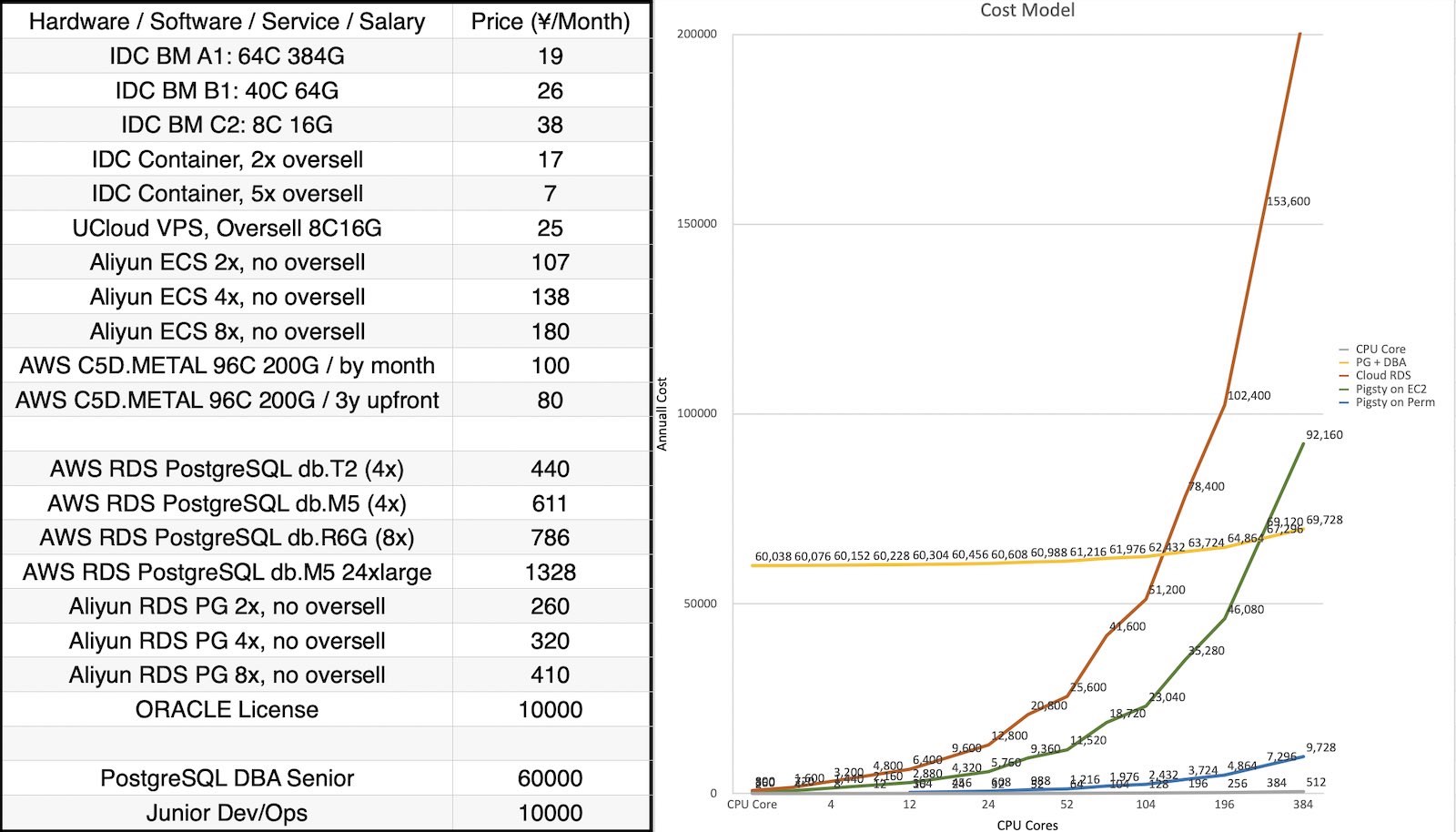
For comparison, database vendors’ “enterprise database services” and public cloud vendors’ RDS charge premiums several to over ten times the underlying hardware resources as “service fees.”
Many users choose the cloud precisely because they can’t handle databases themselves; many users use RDS because there’s no other choice.
We will break cloud vendors’ monopoly, providing users with a cloud-neutral, better open-source RDS alternative:
Pigsty follows PostgreSQL upstream closely, with no vendor lock-in, no annoying “licensing fees,” no node count limits, and no data collection. All your core assets — data — can be “autonomously controlled,” in your own hands.
Pigsty itself aims to replace tedious manual database operations with database autopilot software, but even the best software can’t solve all problems.
There will always be some rare, low-frequency edge cases requiring expert intervention. This is why we also provide professional subscription services to provide safety nets for enterprise users who need them.
Subscription consulting fees of tens of thousands are less than one-thirtieth of a top DBA’s annual salary, completely eliminating your concerns and putting costs where they really matter. For community users, we also contribute with love, providing free support and daily Q&A.
2.2 - History
The origin and motivation of the Pigsty project, its development history, and future goals and vision.
Historical Origins
The Pigsty project began in 2018-2019, originating from Tantan.
Tantan is an internet dating app — China’s Tinder, now acquired by Momo.
Tantan was a Nordic-style startup with a Swedish engineering founding team.
Tantan had excellent technical taste, using PostgreSQL and Go as its core technology stack.
The entire Tantan system architecture was modeled after Instagram, designed entirely around the PostgreSQL database.
Up to several million daily active users, millions of TPS, and hundreds of TB of data, the data component used only PostgreSQL.
Almost all business logic was implemented using PG stored procedures — even including 100ms recommendation algorithms!
It was arguably the most complex PostgreSQL-at-scale use case in China at the time.
This atypical development model of deeply using PostgreSQL features placed extremely high demands on the capabilities of engineers and DBAs.
And Pigsty is the open-source project we forged in this real-world large-scale, high-standard database cluster scenario —
embodying our experience and best practices as top PostgreSQL experts.
Development Process
In the beginning, Pigsty did not have the vision, goals, and scope it has today. It started as a PostgreSQL monitoring system for our own use.
We surveyed all available solutions — open-source, commercial, cloud-based, datadog, pgwatch, etc. — and none could meet our observability needs.
So I decided to build one myself based on Grafana and Prometheus. This became Pigsty’s predecessor and prototype.
Pigsty as a monitoring system was quite impressive, helping us solve countless management problems.
Subsequently, developers wanted such a monitoring system on their local development machines, so we used Ansible to write provisioning playbooks, transforming this system from a one-time construction task into reusable, replicable software.
New versions allowed users to use Vagrant and Terraform, using Infrastructure as Code to quickly spin up local DevBox development machines or production environment servers, automatically completing PostgreSQL and monitoring system deployment.
Next, we redesigned the production environment PostgreSQL architecture, introducing Patroni and pgBackRest to solve database high availability and point-in-time recovery issues.
We developed a zero-downtime migration solution based on logical replication, rolling upgrading two hundred production database clusters to the latest major version through blue-green deployment. And we incorporated these capabilities into Pigsty.
Pigsty is software we built for ourselves.
The biggest benefit of “eating our own dog food” is that we are both developers and users —
as client users, we know exactly what we need, do not cut corners, and never worry about automating ourselves out of jobs.
We solved problem after problem, depositing the solutions into Pigsty. Pigsty’s positioning also gradually evolved from a monitoring system into an out-of-the-box PostgreSQL database distribution.
We then decided to open-source Pigsty and began a series of technical sharing and publicity, and external users from various industries began using Pigsty and providing feedback.
Full-Time Entrepreneurship
In 2022, the Pigsty project received seed funding from Miracle Plus, initiated by Dr. Qi Lu, allowing me to work on this full-time.
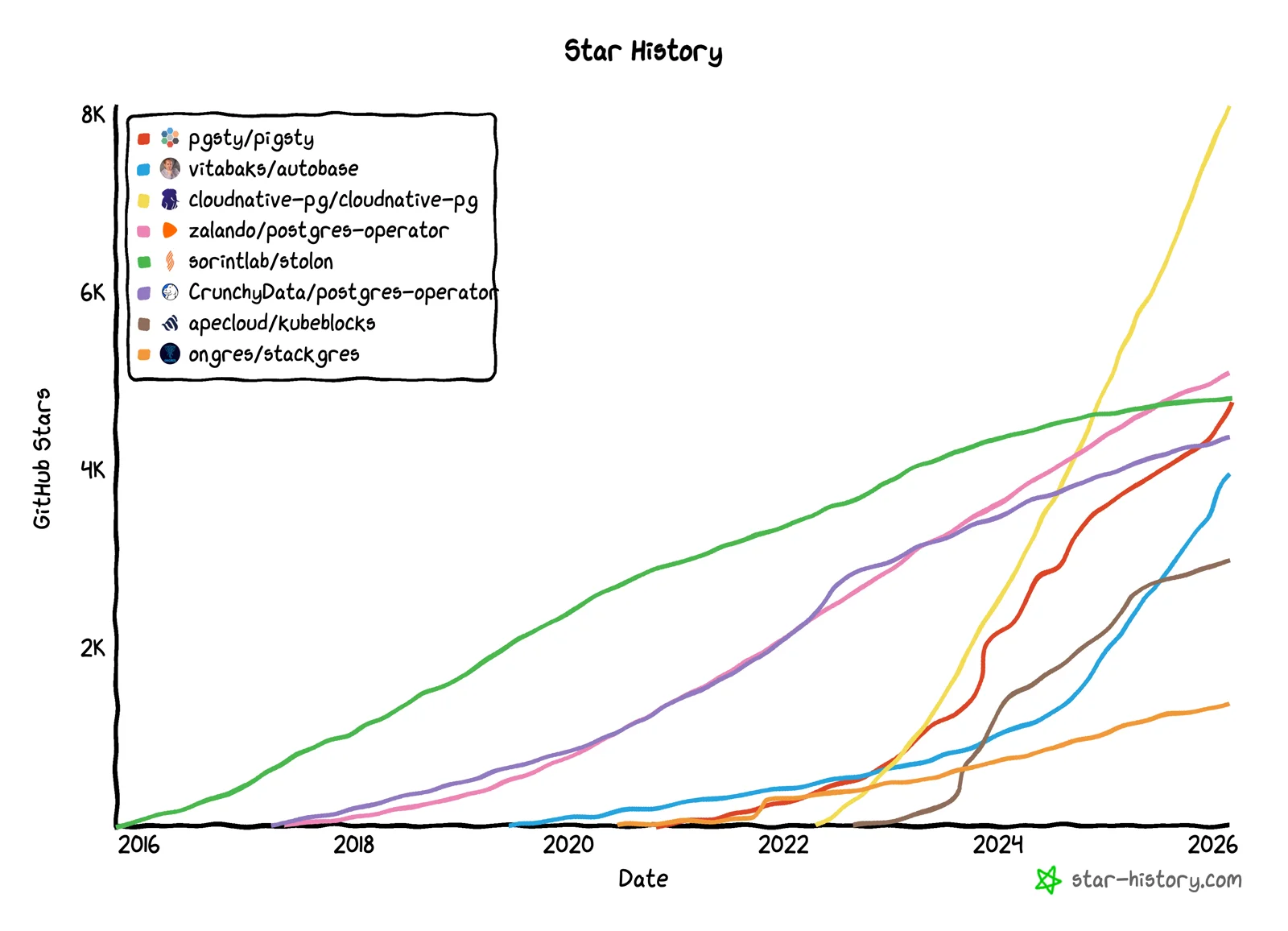
As an open-source project, Pigsty has developed quite well. In these years of full-time work, Pigsty’s GitHub stars have grown from a few hundred to 4,600+; it made the HN front page, and growth began snowballing.
In November 2025, Pigsty won the Magneto Award at the PostgreSQL Ecosystem Conference. In 2026, Pigsty’s subproject PGEXT.CLOUD was selected for a PGCon.Dev 2026 talk.
Pigsty became the first Chinese open-source project to appear on the stage of this core PostgreSQL ecosystem conference.
Previously, Pigsty could only run on CentOS 7, but now it covers all mainstream Linux distributions (EL, Debian, Ubuntu) across 14 operating system platforms. Supported PG major versions cover 13-18, and we maintain and integrate 444 extension plugins in the PG ecosystem.
Among these, I personally maintain over half (270+) of the extension plugins, providing out-of-the-box RPM/DEB packages. Including Pigsty itself, “based on open source, giving back to open source,” this is our way of contributing to the PG ecosystem.
Pigsty’s positioning has also continuously evolved from a PostgreSQL database distribution to an open-source cloud database. It truly benchmarks against cloud vendors’ entire cloud database brands.
Rebel Against Public Clouds
Public cloud vendors like AWS, Azure, GCP, and Aliyun have provided many conveniences for startups, but they are closed-source and force users to rent infrastructure at exorbitant fees.
We believe that excellent database services, like excellent database kernels, should be accessible to every user, rather than requiring expensive rental from cyber lords.
Cloud computing’s agility and elasticity value proposition is strong, but it should be free, open-source, inclusive, and local-first —
We believe the cloud computing universe needs a solution representing open-source values that returns infrastructure control to users without sacrificing the benefits of the cloud.
I hope that in the future world, everyone will have the de facto right to freely use excellent services, rather than being confined to a few cyber lord public cloud giants’ territories as cyber tenants or even cyber serfs.
This is exactly what Pigsty aims to do — a better, free and open-source RDS alternative. Allowing users to spin up database services better than cloud RDS anywhere (including cloud servers) with one click.
Pigsty is a complete complement to PostgreSQL, and a spicy mockery of cloud databases.
It literally means “pigsty,” but it’s also an acronym for Postgres In Great STYle, meaning “PostgreSQL in its full glory.”
Pigsty itself is completely open-source and free software, so you can build a PostgreSQL service that scores 90 without database experts.
We sustain operations by providing premium consulting services to take you from 90 to 100, with warranty, Q&A, and a safety net.
A well-built system may run for years without needing a “safety net,” but database problems, once they occur, are never small.
Often, expert experience can turn decay into magic, and we provide such premium consulting —
we believe this is a more just, reasonable, and sustainable model.
About the Team
I am Feng Ruohang, the author of Pigsty. Almost all of Pigsty’s code is developed by me alone.
Individual heroism still exists in the software field. Only unique individuals can create unique works — I hope Pigsty becomes such a work.
If you’re interested in me, here’s my personal homepage: https://vonng.com/
PG High Availability & Disaster Recovery Best Practices
2023-03-23
Live Stream
Bytebase x Pigsty
Best Practices for Managing PostgreSQL: Bytebase x Pigsty
2023-03-04
Tech Summit
PostgreSQL China Conference
Challenging RDS, Pigsty v2.0 Release
2023-02-01
Tech Summit
DTCC 2022
Open Source RDS Alternative: Battery-Included, Self-Driving Database Distro Pigsty
2022-07-21
Live Debate
Cloud Swallows Open Source
Can Open Source Strike Back Against Cloud?
2022-07-04
Interview
Creator’s Story
Post-90s Developer Quits to Start Up, Aiming to Challenge Cloud Databases
2022-06-28
Live Stream
Bass’s Roundtable
DBA’s Gospel: SQL Audit Best Practices
2022-06-12
Demo Day
MiraclePlus S22 Demo Day
User-Friendly Cost-Effective Database Distribution Pigsty
2022-06-05
Live Stream
PG Chinese Community Sharing
Pigsty v1.5 Quick Start, New Features & Production Cluster Setup
2.4 - Roadmap
Future feature planning, new feature release schedule, and todo list.
Release Strategy
Pigsty uses semantic versioning: <major>.<minor>.<patch>. Alpha/Beta/RC versions will have suffixes like -a1, -b1, -c1 appended to the version number.
Major version updates signify incompatible foundational changes and major new features; minor version updates typically indicate regular feature updates and small API changes; patch version updates mean bug fixes and package version updates.
Pigsty plans to release one major version update per year. Minor version updates usually follow PostgreSQL’s minor version update rhythm, catching up within a month at the latest after a new PostgreSQL version is released.
Pigsty typically plans 4-6 minor versions per year. For complete release history, please refer to Release Notes.
Deploy with Specific Version Numbers
Pigsty develops using the main trunk branch. Please always use Releases with version numbers.
Unless you know what you’re doing, do not use GitHub’s main branch. Always check out and use a specific version.
Chinese users are mainly active in WeChat groups. Currently, there are seven active groups. Groups 1-4 are full; for other groups, you need to add the assistant’s WeChat to be invited.
To join the WeChat community, search for “Pigsty小助手” (WeChat ID: pigsty-cc), note or send “加群” (join group), and the assistant will invite you to the group.
When you encounter problems using Pigsty, you can seek help from the community. The more information you provide, the more likely you are to get help from the community.
Please refer to the Community Help Guide and provide as much information as possible so that community members can help you solve the problem. Here is a reference template for asking for help:
What happened? (Required)
Pigsty version and OS version (Required)
$ grep version pigsty.yml
$ cat /etc/os-release
$ uname -a
Some cloud providers have customized standard OS distributions. You can tell us which cloud provider’s OS image you are using.
If you have customized and modified the environment after installing the OS, or if there are specific security rules and firewall configurations in your LAN, please also inform us when asking questions.
Pigsty configuration file
Please don’t forget to redact any sensitive information: passwords, internal keys, sensitive configurations, etc.
cat ~/pigsty/pigsty.yml
What did you expect to happen?
Please describe what should happen under normal circumstances, and how the actual situation differs from expectations.
How to reproduce this issue?
Please tell us in as much detail as possible how to reproduce this issue.
Monitoring screenshots
If you are using the monitoring system provided by Pigsty, you can provide relevant screenshots.
Error logs
Please provide logs related to the error as much as possible. Please do not paste content like “Failed to start xxx service” that has no informational value.
You can query logs from Grafana / VictoriaLogs, or get logs from the following locations:
Syslog: /var/log/messages (rhel) or /var/log/syslog (debian)
The more information and context you provide, the more likely we can help you solve the problem.
2.6 - Privacy Policy
What user data does Pigsty software and website collect, and how will we process your data and protect your privacy?
Pigsty Software
When you install Pigsty software, if you use offline package installation in a network-isolated environment, we will not receive any data about you.
If you choose online installation, when downloading related packages, our servers or cloud provider servers will automatically log the visiting machine’s IP address and/or hostname in the logs, along with the package names you downloaded.
We will not share this information with other organizations unless required by law. (Honestly, we’d have to be really bored to look at this stuff.)
Pigsty’s primary domain is: pigsty.io. For mainland China, please use the registered mirror site pigsty.cc.
Pigsty Website
When you visit our website, our servers will automatically log your IP address and/or hostname in Nginx logs.
We will only store information such as your email address, name, and location when you decide to send us such information by completing a survey or registering as a user on one of our websites.
We collect this information to help us improve website content, customize web page layouts, and contact people for technical and support purposes. We will not share your email address with other organizations unless required by law.
This website uses Google Analytics, a web analytics service provided by Google, Inc. (“Google”). Google Analytics uses “cookies,” which are text files placed on your computer to help the website analyze how users use the site.
The information generated by the cookie about your use of the website (including your IP address) will be transmitted to and stored by Google on servers in the United States. Google will use this information to evaluate your use of the website, compile reports on website activity for website operators, and provide other services related to website activity and internet usage.
Google may also transfer this information to third parties if required by law or where such third parties process the information on Google’s behalf. Google will not associate your IP address with any other data held by Google.
You may refuse the use of cookies by selecting the appropriate settings on your browser, however, please note that if you do this, you may not be able to use the full functionality of this website. By using this website, you consent to the processing of data about you by Google in the manner and for the purposes set out above.
If you have any questions or comments about this policy, or request deletion of personal data, you can contact us by sending an email to rh@vonng.com
2.7 - License
Pigsty’s open-source licenses — Apache-2.0 and CC BY 4.0
License Summary
Pigsty core uses Apache-2.0; documentation uses CC BY 4.0.
Apache-2.0 is a permissive open-source license. You may freely use, modify, and distribute the software for commercial purposes without opening your own source code or adopting the same license.
What This License Grants
What This License Does NOT Grant
License Conditions
Commercial use
Trademark use
Include license and copyright notice
Modification
Liability & warranty
State changes
Distribution
Patent grant
Private use
Pigsty Documentation
Pigsty documentation sites (pigsty.cc, pigsty.io, pgsty.com) use Creative Commons Attribution 4.0 International (CC BY 4.0).
Required: Essential core capabilities, no option to disable
Recommended: Enabled by default, can be disabled via configuration
Optional: Not enabled by default, can be enabled via configuration
Apache-2.0 License Text
Apache License
Version 2.0, January 2004
http://www.apache.org/licenses/
TERMS AND CONDITIONS FOR USE, REPRODUCTION, AND DISTRIBUTION
1. Definitions.
"License" shall mean the terms and conditions for use, reproduction,
and distribution as defined by Sections 1 through 9 of this document.
"Licensor" shall mean the copyright owner or entity authorized by
the copyright owner that is granting the License.
"Legal Entity" shall mean the union of the acting entity and all
other entities that control, are controlled by, or are under common
control with that entity. For the purposes of this definition,
"control" means (i) the power, direct or indirect, to cause the
direction or management of such entity, whether by contract or
otherwise, or (ii) ownership of fifty percent (50%) or more of the
outstanding shares, or (iii) beneficial ownership of such entity.
"You" (or "Your") shall mean an individual or Legal Entity
exercising permissions granted by this License.
"Source" form shall mean the preferred form for making modifications,
including but not limited to software source code, documentation
source, and configuration files.
"Object" form shall mean any form resulting from mechanical
transformation or translation of a Source form, including but
not limited to compiled object code, generated documentation,
and conversions to other media types.
"Work" shall mean the work of authorship, whether in Source or
Object form, made available under the License, as indicated by a
copyright notice that is included in or attached to the work
(an example is provided in the Appendix below).
"Derivative Works" shall mean any work, whether in Source or Object
form, that is based on (or derived from) the Work and for which the
editorial revisions, annotations, elaborations, or other modifications
represent, as a whole, an original work of authorship. For the purposes
of this License, Derivative Works shall not include works that remain
separable from, or merely link (or bind by name) to the interfaces of,
the Work and Derivative Works thereof.
"Contribution" shall mean any work of authorship, including
the original version of the Work and any modifications or additions
to that Work or Derivative Works thereof, that is intentionally
submitted to Licensor for inclusion in the Work by the copyright owner
or by an individual or Legal Entity authorized to submit on behalf of
the copyright owner. For the purposes of this definition, "submitted"
means any form of electronic, verbal, or written communication sent
to the Licensor or its representatives, including but not limited to
communication on electronic mailing lists, source code control systems,
and issue tracking systems that are managed by, or on behalf of, the
Licensor for the purpose of discussing and improving the Work, but
excluding communication that is conspicuously marked or otherwise
designated in writing by the copyright owner as "Not a Contribution."
"Contributor" shall mean Licensor and any individual or Legal Entity
on behalf of whom a Contribution has been received by Licensor and
subsequently incorporated within the Work.
2. Grant of Copyright License. Subject to the terms and conditions of
this License, each Contributor hereby grants to You a perpetual,
worldwide, non-exclusive, no-charge, royalty-free, irrevocable
copyright license to reproduce, prepare Derivative Works of,
publicly display, publicly perform, sublicense, and distribute the
Work and such Derivative Works in Source or Object form.
3. Grant of Patent License. Subject to the terms and conditions of
this License, each Contributor hereby grants to You a perpetual,
worldwide, non-exclusive, no-charge, royalty-free, irrevocable
(except as stated in this section) patent license to make, have made,
use, offer to sell, sell, import, and otherwise transfer the Work,
where such license applies only to those patent claims licensable
by such Contributor that are necessarily infringed by their
Contribution(s) alone or by combination of their Contribution(s)
with the Work to which such Contribution(s) was submitted. If You
institute patent litigation against any entity (including a
cross-claim or counterclaim in a lawsuit) alleging that the Work
or a Contribution incorporated within the Work constitutes direct
or contributory patent infringement, then any patent licenses
granted to You under this License for that Work shall terminate
as of the date such litigation is filed.
4. Redistribution. You may reproduce and distribute copies of the
Work or Derivative Works thereof in any medium, with or without
modifications, and in Source or Object form, provided that You
meet the following conditions:
(a) You must give any other recipients of the Work or
Derivative Works a copy of this License; and
(b) You must cause any modified files to carry prominent notices
stating that You changed the files; and
(c) You must retain, in the Source form of any Derivative Works
that You distribute, all copyright, patent, trademark, and
attribution notices from the Source form of the Work,
excluding those notices that do not pertain to any part of
the Derivative Works; and
(d) If the Work includes a "NOTICE" text file as part of its
distribution, then any Derivative Works that You distribute must
include a readable copy of the attribution notices contained
within such NOTICE file, excluding those notices that do not
pertain to any part of the Derivative Works, in at least one
of the following places: within a NOTICE text file distributed
as part of the Derivative Works; within the Source form or
documentation, if provided along with the Derivative Works; or,
within a display generated by the Derivative Works, if and
wherever such third-party notices normally appear. The contents
of the NOTICE file are for informational purposes only and
do not modify the License. You may add Your own attribution
notices within Derivative Works that You distribute, alongside
or as an addendum to the NOTICE text from the Work, provided
that such additional attribution notices cannot be construed
as modifying the License.
You may add Your own copyright statement to Your modifications and
may provide additional or different license terms and conditions
for use, reproduction, or distribution of Your modifications, or
for any such Derivative Works as a whole, provided Your use,
reproduction, and distribution of the Work otherwise complies with
the conditions stated in this License.
5. Submission of Contributions. Unless You explicitly state otherwise,
any Contribution intentionally submitted for inclusion in the Work
by You to the Licensor shall be under the terms and conditions of
this License, without any additional terms or conditions.
Notwithstanding the above, nothing herein shall supersede or modify
the terms of any separate license agreement you may have executed
with Licensor regarding such Contributions.
6. Trademarks. This License does not grant permission to use the trade
names, trademarks, service marks, or product names of the Licensor,
except as required for reasonable and customary use in describing the
origin of the Work and reproducing the content of the NOTICE file.
7. Disclaimer of Warranty. Unless required by applicable law or
agreed to in writing, Licensor provides the Work (and each
Contributor provides its Contributions) on an "AS IS" BASIS,
WITHOUT WARRANTIES OR CONDITIONS OF ANY KIND, either express or
implied, including, without limitation, any warranties or conditions
of TITLE, NON-INFRINGEMENT, MERCHANTABILITY, or FITNESS FOR A
PARTICULAR PURPOSE. You are solely responsible for determining the
appropriateness of using or redistributing the Work and assume any
risks associated with Your exercise of permissions under this License.
8. Limitation of Liability. In no event and under no legal theory,
whether in tort (including negligence), contract, or otherwise,
unless required by applicable law (such as deliberate and grossly
negligent acts) or agreed to in writing, shall any Contributor be
liable to You for damages, including any direct, indirect, special,
incidental, or consequential damages of any character arising as a
result of this License or out of the use or inability to use the
Work (including but not limited to damages for loss of goodwill,
work stoppage, computer failure or malfunction, or any and all
other commercial damages or losses), even if such Contributor
has been advised of the possibility of such damages.
9. Accepting Warranty or Additional Liability. While redistributing
the Work or Derivative Works thereof, You may choose to offer,
and charge a fee for, acceptance of support, warranty, indemnity,
or other liability obligations and/or rights consistent with this
License. However, in accepting such obligations, You may act only
on Your own behalf and on Your sole responsibility, not on behalf
of any other Contributor, and only if You agree to indemnify,
defend, and hold each Contributor harmless for any liability
incurred by, or claims asserted against, such Contributor by reason
of your accepting any such warranty or additional liability.
END OF TERMS AND CONDITIONS
APPENDIX: How to apply the Apache License to your work.
To apply the Apache License to your work, attach the following
boilerplate notice, with the fields enclosed by brackets "[]"
replaced with your own identifying information. (Don't include
the brackets!) The text should be enclosed in the appropriate
comment syntax for the file format. We also recommend that a
file or class name and description of purpose be included on the
same "printed page" as the copyright notice for easier
identification within third-party archives.
Copyright (C) 2018-2026 Ruohang Feng, @Vonng (rh@vonng.com)
Licensed under the Apache License, Version 2.0 (the "License");
you may not use this file except in compliance with the License.
You may obtain a copy of the License at
http://www.apache.org/licenses/LICENSE-2.0
Unless required by applicable law or agreed to in writing, software
distributed under the License is distributed on an "AS IS" BASIS,
WITHOUT WARRANTIES OR CONDITIONS OF ANY KIND, either express or implied.
See the License for the specific language governing permissions and
limitations under the License.
2.8 - Sponsor Us
Pigsty sponsors and investors list - thank you for your support of this project!
Sponsor Us
Pigsty is a free and open-source software, passionately developed by PostgreSQL community members, aiming to integrate the power of the PostgreSQL ecosystem and promote the widespread adoption of PostgreSQL.
If our work has helped you, please consider sponsoring or supporting our project:
Sponsor us directly with financial support - express your sincere support in the most direct and powerful way!
Consider purchasing our Technical Support Services. We can provide professional PostgreSQL high-availability cluster deployment and maintenance services, making your budget worthwhile!
Share your Pigsty use cases and experiences through articles, talks, and videos.
Allow us to mention your organization in “Users of Pigsty.”
Recommend/refer our project and services to friends, colleagues, and clients in need.
Follow our WeChat Official Account and share relevant technical articles to groups and your social media.
Angel Investors
Pigsty is a project invested by Miracle Plus (formerly YC China) S22. We thank Miracle Plus and Dr. Qi Lu for their support of this project!
Sponsors
Special thanks to Vercel for sponsoring pigsty and hosting the Pigsty website.
2.9 - User Cases
Pigsty customer and application cases across various domains and industries
According to Google Analytics PV and download statistics, Pigsty currently has approximately 100,000 users, with half from mainland China and half from other regions globally.
They span across multiple industries including internet, cloud computing, finance, autonomous driving, manufacturing, tech innovation, ISV, and defense.
If you are using Pigsty and are willing to share your case and Logo with us, please contact us - we offer one free consultation session as a token of appreciation.
Internet
Tantan: 200+ physical machines for PostgreSQL and Redis services
Bilibili: Supporting PostgreSQL innovative business
Cloud Vendors
Bitdeer: Providing PG DBaaS
Oracle OCI: Using Pigsty to deliver PostgreSQL clusters
Pigsty Professional/Enterprise subscription service - When you encounter difficulties related to PostgreSQL and Pigsty, our subscription service provides you with comprehensive support.
Pigsty aims to unite the power of the PostgreSQL ecosystem and help users make the most of the world’s most popular database, PostgreSQL, with self-driving database management software.
While Pigsty itself has already resolved many issues in PostgreSQL usage, achieving truly enterprise-grade service quality requires expert support and comprehensive coverage from the original provider.
We deeply understand the importance of professional commercial support for enterprise customers. Therefore, Pigsty Enterprise Edition provides a series of value-added services on top of the open-source version, helping users better utilize PostgreSQL and Pigsty for customers to choose according to their needs.
If you have any of the following needs, please consider Pigsty subscription service:
Running databases in critical scenarios requiring strict SLA guarantees and comprehensive coverage.
Need comprehensive support for complex issues related to Pigsty and PostgreSQL.
Seeking guidance on PostgreSQL/Pigsty production environment best practices.
Want experts to help interpret monitoring dashboards, analyze and identify performance bottlenecks and fault root causes, and provide recommendations.
Need to plan database architectures that meet security/disaster recovery/compliance requirements based on existing resources and business needs.
Need to migrate from other databases to PostgreSQL, or migrate and transform legacy instances.
Building an observability system, data dashboards, and visualization applications based on the Prometheus/Grafana technology stack.
Migrating off cloud and seeking open-source alternatives to RDS for PostgreSQL - cloud-neutral, vendor lock-in-free solutions.
Want professional support for Redis/ETCD/MinIO, as well as extensions like TimescaleDB/Citus.
Want to perform secondary development and OEM branding with explicit commercial authorization.
Want to sell Pigsty as SaaS/PaaS/DBaaS, or provide technical services/consulting/cloud services based on this distribution.
Note on /price: The /price page is a simplified global pricing landing page (USD pricing, includes the Standard tier and node-cap presets). This page is the detailed subscription reference (CNY pricing, delivery scope, and OS/PG compatibility matrix). For technical compatibility boundaries, this page and Supported Linux prevail.
Pigsty Open Source Edition uses the Apache-2.0 license, provides complete core functionality, requires no fees, but does not guarantee any warranty service. If you find defects in Pigsty, we welcome you to submit an Issue on Github.
For the open source edition, we provide pre-built standard offline software packages for PostgreSQL 18 on six mainstream distro releases with current minor baselines: EL 9.7 / 10.1, Debian 12.13 / 13.3, Ubuntu 22.04.5 / 24.04.3, with both x86_64 and aarch64 builds.
Using the Pigsty open source version allows junior development/operations engineers to have 70%+ of the capabilities of professional DBAs. Even without database experts, they can easily set up a highly available, high-performance, easy-to-maintain, secure and reliable PostgreSQL database cluster.
Code
OS Distribution Version
x86_64
aarch64
PG18
PG17
PG16
PG15
PG14
PG13
EL10
RHEL 10 / Rocky10 / Alma10
el10.x86_64
el10.aarch64
EL9
RHEL 9 / Rocky9 / Alma9
el9.x86_64
el9.aarch64
U24
Ubuntu 24.04 (noble)
u24.x86_64
u24.aarch64
U22
Ubuntu 22.04 (jammy)
u22.x86_64
u22.aarch64
D13
Debian 13 (trixie)
d13.x86_64
d13.aarch64
D12
Debian 12 (bookworm)
d12.x86_64
d12.aarch64
= Primary support, = Optional support
Pigsty Professional Edition (PRO)
Professional Edition Subscription: Starting Price ¥150,000 / year
Pigsty Professional Edition subscription provides complete functional modules and warranty for Pigsty itself. For defects in PostgreSQL itself and extension plugins, we will make our best efforts to provide feedback and fixes through the PostgreSQL global developer community.
Pigsty Professional Edition is built on the open source version, fully compatible with all open source features, and provides additional modules plus broader database/OS compatibility options: we provide build options for all minor versions of six mainstream Linux releases (EL8/9/10, Debian 12/13, Ubuntu 22/24).
Pigsty Professional Edition includes support for PostgreSQL 13 - 18, and tracks upstream PostgreSQL minor updates continuously (for active majors, typically day-zero or near-day availability), ensuring smooth rolling upgrades to newer majors and minors.
Pigsty Professional Edition subscription allows you to use China mainland mirror site software repositories, accessible without VPN/proxy; we will also customize offline software installation packages for your exact operating system major/minor version, ensuring normal installation and delivery in air-gapped environments, achieving autonomous and controllable deployment.
Pigsty Professional Edition subscription provides standard expert consulting services, including complex issue analysis, DBA Q&A support, backup compliance advice, etc. We commit to responding to your issues within business hours (5x8), and provide 1 person-day support per year, with optional person-day add-on options.
Pigsty Professional Edition uses a commercial license, providing additional modules, technical support, and warranty services.
Pigsty Professional Edition starting price is ¥150,000 / year, equivalent to the annual fee for 9 vCPU AWS high-availability RDS PostgreSQL, or a junior operations engineer with a monthly salary of 10,000 yuan.
Code
OS Distribution Version
x86_64
aarch64
PG18
PG17
PG16
PG15
PG14
PG13
EL10
RHEL 10 / Rocky10 / Alma10
el10.x86_64
el10.aarch64
EL9
RHEL 9 / Rocky9 / Alma9
el9.x86_64
el9.aarch64
EL8
RHEL 8 / Rocky8 / Alma8 / Anolis8
el8.x86_64
el8.aarch64
U24
Ubuntu 24.04 (noble)
u24.x86_64
u24.aarch64
U22
Ubuntu 22.04 (jammy)
u22.x86_64
u22.aarch64
D13
Debian 13 (trixie)
d13.x86_64
d13.aarch64
D12
Debian 12 (bookworm)
d12.x86_64
d12.aarch64
Pigsty Enterprise Edition
Enterprise Edition Subscription: Starting Price ¥400,000 / year
Pigsty Enterprise Edition subscription includes all service content provided by the Pigsty Professional Edition subscription, plus the following value-added service items:
Pigsty Enterprise Edition subscription provides the broadest range of database/operating system version support, including extended support for EOL operating systems (EL7, U20, D11), domestic operating systems, cloud vendor operating systems, and legacy PostgreSQL major versions (PG12+ on request), as well as full support for Arm64 architecture chips.
Pigsty Enterprise Edition subscription provides domestic innovation and localization solutions, allowing you to use PolarDB v2.0 (this kernel license needs to be purchased separately) kernel to replace the native PostgreSQL kernel and meet local compliance requirements.
Pigsty Enterprise Edition subscription provides higher-standard enterprise-level consulting services, committing to 7x24 with (< 1h) response time SLA, and can provide more types of consulting support: version upgrades, performance bottleneck identification, annual architecture review, extension plugin integration, etc.
Pigsty Enterprise Edition subscription includes 2 person-days of support per year, with optional person-day add-on options, for resolving more complex and time-consuming issues.
Pigsty Enterprise Edition allows you to use Pigsty for DBaaS purposes, building cloud database services for external sales.
Pigsty Enterprise Edition starting price is ¥400,000 / year, equivalent to the annual fee for 24 vCPU AWS high-availability RDS, or an operations expert with a monthly salary of 30,000 yuan.
Code
OS Distribution Version
x86_64
aarch64
PG18
PG17
PG16
PG15
PG14
PG13
PG12
EL10
RHEL 10 / Rocky10 / Alma10
el10.x86_64
el10.aarch64
EL9
RHEL 9 / Rocky9 / Alma9
el9.x86_64
el9.aarch64
EL8
RHEL 8 / Rocky8 / Alma8 / Anolis8
el8.x86_64
el8.aarch64
U24
Ubuntu 24.04 (noble)
u24.x86_64
u24.aarch64
U22
Ubuntu 22.04 (jammy)
u22.x86_64
u22.aarch64
D13
Debian 13 (trixie)
d13.x86_64
d13.aarch64
D12
Debian 12 (bookworm)
d12.x86_64
d12.aarch64
D11
Debian 11 (bullseye)
d11.x86_64
d11.aarch64
U20
Ubuntu 20.04 (focal)
u20.x86_64
u20.aarch64
EL7
RHEL7 / CentOS7 / UOS …
el7.x86_64
-
Pigsty Subscription Notes
Feature Differences
Pigsty Professional/Enterprise Edition includes the following additional features compared to the open source version:
Command Line Management Tool: Unlock the full functionality of the Pigsty command line tool (pig)
System Customization Capability: Provide pre-built offline installation packages for exact mainstream Linux operating system distribution major/minor versions
Offline Installation Capability: Complete Pigsty installation in environments without Internet access (air-gapped environments)
Multi-version PG Kernel: Allow users to freely specify and install PostgreSQL major versions within the lifecycle (13 - 18)
Kernel Replacement Capability: Allow users to use other PostgreSQL-compatible kernels to replace the native PG kernel, and the ability to install these kernels offline
Babelfish: Provides Microsoft SQL Server wire protocol-level compatibility
IvorySQL: Based on PG, provides Oracle syntax/type/stored procedure compatibility
PolarDB PG: Provides support for open-source PolarDB for PostgreSQL kernel
PolarDB O: Domestic innovation database with Oracle-compatible kernel for local compliance requirements (Enterprise Edition subscription only)
Extension Support Capability: Provides out-of-the-box installation for 450+ available PG extensions for PG 13-18 on mainstream operating systems.
Complete Functional Modules: Provides all functional modules:
MinIO: Enterprise PB-level object storage planning and self-hosting
DuckDB: Provides comprehensive DuckDB support, and PostgreSQL + DuckDB OLAP extension plugin support
Kafka: Provides high-availability Kafka cluster deployment and monitoring
Kubernetes, VictoriaMetrics & VictoriaLogs
Domestic Operating System Support: Provides domestic innovation OS support options (Enterprise Edition subscription only)
Domestic ARM Architecture Support: Provides domestic ARM64 architecture support options (Enterprise Edition subscription only)
China Mainland Mirror Repository: Smooth installation without VPN, providing domestic YUM/APT repository mirrors and DockerHub access proxy.
Chinese Interface Support: Monitoring system Chinese interface support (Beta)
Payment Model
Pigsty subscription uses an annual payment model. After signing the contract, the one-year validity period is calculated from the contract date. If payment is made before the subscription contract expires, it is considered automatic renewal.
Consecutive subscriptions have discounts. The first renewal (second year) enjoys a 95% discount, the second and subsequent renewals enjoy a 90% discount on subscription fees, and one-time subscriptions for three years or more enjoy an overall 85% discount.
After the annual subscription contract terminates, you can choose not to renew the subscription service. Pigsty will no longer provide software updates, technical support, and consulting services, but you can continue to use the already installed version of Pigsty Professional Edition software.
If you subscribed to Pigsty professional services and choose not to renew, when re-subscribing you do not need to make up for the subscription fees during the interruption period, but all discounts and benefits will be reset.
Pigsty’s pricing strategy ensures value for money - you can immediately get top DBA’s database architecture construction solutions and management best practices, with their consulting support and comprehensive coverage;
while the cost is highly competitive compared to hiring database experts full-time or using cloud databases. Here are market references for enterprise-level database professional service pricing:
Oracle Annual Service Fee: (Enterprise $47,500 + Rac $23,000) * 22% per year, equivalent to 28K/year (per vCPU)
The fair price for decent database professional services is 10,000 ~ 20,000 yuan / year, with the billing unit being vCPU, i.e., one CPU thread (1 Intel core = 2 vCPU threads).
Pigsty provides top-tier PostgreSQL expert services in China and adopts a per-node billing model. On commonly seen high-core-count server nodes, it brings users an unparalleled cost reduction and efficiency improvement experience.
Pigsty Expert Services
In addition to Pigsty subscription, Pigsty also provides on-demand Pigsty x PostgreSQL expert services - industry-leading database experts available for consultation.
Expert Advisor: ¥300,000 / three years
Within three years, provides 10 complex case handling sessions related to PostgreSQL and Pigsty, and unlimited Q&A.
Expert Support: ¥30,000 / person·day
Industry-leading expert on-site support, available for architecture consultation, fault analysis, problem troubleshooting, database health checks, monitoring interpretation, migration assessment, teaching and training, cloud migration/de-cloud consultation, and other continuous time-consuming scenarios.
Expert Consultation: ¥3,000 / case
Consult on any questions you want to know about Pigsty, PostgreSQL, databases, cloud computing, AI...
Database veterans, cloud computing maverick sharing industry-leading insights, cognition, and judgment.
Quick Consultation: ¥300 / question
Get a quick diagnostic opinion and response to questions related to PostgreSQL / Pigsty / databases, not exceeding 5 minutes.
Contact Information
Please send an email to rh@vonng.com. Users in mainland China are welcome to add WeChat ID RuohangFeng.
2.11 - FAQ
Answers to frequently asked questions about the Pigsty project itself.
What is Pigsty, and what is it not?
Pigsty is a PostgreSQL database distribution, a local-first open-source RDS cloud database solution.
Pigsty is not a Database Management System (DBMS), but rather a tool, distribution, solution, and best practice for managing DBMS.
Analogy: The database is the car, then the DBA is the driver, RDS is the taxi service, and Pigsty is the autonomous driving software.
What problem does Pigsty solve?
The ability to use databases well is extremely scarce: either hire database experts at high cost to self-build (hire drivers), or rent RDS from cloud vendors at sky-high prices (hail a taxi), but now you have a new option: Pigsty (autonomous driving).
Pigsty helps users use databases well: allowing users to self-build higher-quality and more efficient local cloud database services at less than 1/10 the cost of RDS, without a DBA!
Who are Pigsty’s target users?
Pigsty has two typical target user groups. The foundation is medium to large companies building ultra-large-scale enterprise/production-grade PostgreSQL RDS / DBaaS services.
Through extreme customizability, Pigsty can meet the most demanding database management needs and provide enterprise-level support and service guarantees.
At the same time, Pigsty also provides “out-of-the-box” PG RDS self-building solutions for individual developers, small and medium enterprises lacking DBA capabilities, and the open-source community.
Why can Pigsty help you use databases well?
Pigsty embodies the experience and best practices of top experts refined in the most complex and largest-scale client PostgreSQL scenarios, productized into replicable software:
Solving extension installation, high availability, connection pooling, monitoring, backup and recovery, parameter optimization, IaC batch management, one-click installation, automated operations, and many other issues at once. Avoiding many pitfalls in advance and preventing repeated mistakes.
Why is Pigsty better than RDS?
Pigsty provides a feature set and infrastructure support far beyond RDS, including 451 extension plugins and 8+ kernel support.
Pigsty provides a unique professional-grade monitoring system in the PG ecosystem, along with architectural best practices battle-tested in complex scenarios, simple and easy to use.
Moreover, forged in top-tier client scenarios like Tantan, Apple, and Alibaba, continuously nurtured with passion and love, its depth and maturity are incomparable to RDS’s one-size-fits-all approach.
Why is Pigsty cheaper than RDS?
Pigsty allows you to use 10 ¥/core·month pure hardware resources to run 400¥-1400¥/core·month RDS cloud databases, and save the DBA’s salary. Typically, the total cost of ownership (TCO) of a large-scale Pigsty deployment can be over 90% lower than RDS.
Pigsty can simultaneously reduce software licensing/services/labor costs. Self-building requires no additional staff, allowing you to spend costs where it matters most.
How does Pigsty help developers?
Pigsty integrates the most comprehensive extensions in the PG ecosystem (451), providing an All-in-PG solution: a single component replacing specialized components like Redis, Kafka, MySQL, ES, vector databases, OLAP / big data analytics.
Greatly improving R&D efficiency and agility while reducing complexity costs, and developers can achieve self-service management and autonomous DevOps with Pigsty’s support, without needing a DBA.
How does Pigsty help operations?
Pigsty’s self-healing high-availability architecture ensures hardware failures don’t need immediate handling, letting ops and DBAs sleep well; monitoring aids problem analysis and performance optimization; IaC enables automated management of ultra-large-scale clusters.
Operations can moonlight as DBAs with Pigsty’s support, while DBAs can skip the system building phase, saving significant work hours and focusing on high-value work, or relaxing, learning PG.
Who is the author of Pigsty?
Pigsty is primarily developed by Feng Ruohang alone, an open-source contributor, database expert, and evangelist who has focused on PostgreSQL for 10 years,
formerly at Alibaba, Tantan, and Apple, a full-stack expert. Now the founder of a one-person company, providing professional consulting services.
He is also a tech KOL, the founder of the top WeChat database personal account “非法加冯” (Illegally Add Feng), with 60,000+ followers across all platforms.
What is Pigsty’s ecosystem position and influence?
Pigsty is the most influential Chinese open-source project in the global PostgreSQL ecosystem, with about 100,000 users, half from overseas.
Pigsty is also one of the most active open-source projects in the PostgreSQL ecosystem, currently dominating in extension distribution and monitoring systems.
PGEXT.Cloud is a PostgreSQL extension repository maintained by Pigsty, with the world’s largest PostgreSQL extension distribution volume.
It has become an upstream software supply chain for multiple international PostgreSQL vendors.
Pigsty is currently one of the major distributions in the PostgreSQL ecosystem and a challenger to cloud vendor RDS, now widely used in defense, government, healthcare, internet, finance, manufacturing, and other industries.
What scale of customers is Pigsty suitable for?
Pigsty originated from the need for ultra-large-scale PostgreSQL automated management but has been deeply optimized for ease of use. Individual developers and small-medium enterprises lacking professional DBA capabilities can also easily get started.
The largest deployment is 25K vCPU, 4.5 million QPS, 6+ years; the smallest deployment can run completely on a 1c1g VM for Demo / Devbox use.
What capabilities does Pigsty provide?
Pigsty focuses on integrating the PostgreSQL ecosystem and providing PostgreSQL best practices, but also supports a series of open-source software that works well with PostgreSQL. For example:
Etcd, Redis, MinIO, DuckDB, Prometheus
FerretDB, Babelfish, IvorySQL, PolarDB, OrioleDB
OpenHalo, Supabase, Greenplum, Dify, Odoo, …
What scenarios is Pigsty suitable for?
Running large-scale PostgreSQL clusters for business
Self-building RDS, object storage, cache, data warehouse, Supabase, …
Self-building enterprise applications like Odoo, Dify, Wiki, GitLab
Running monitoring infrastructure, monitoring existing databases and hosts
Using multiple PG extensions in combination
Dashboard development and interactive data application demos, data visualization, web building
Is Pigsty open source and free?
Pigsty is 100% open-source software + free software. Under the premise of complying with the open-source license, you can use it freely and for various commercial purposes.
We value software freedom. Pigsty uses the Apache-2.0 license. Please see the license for details.
Does Pigsty provide commercial support?
Pigsty software itself is open-source and free, and provides commercial subscriptions for all budgets, providing quality assurance for Pigsty & PostgreSQL.
Subscriptions provide broader OS/PG/chip architecture support ranges, as well as expert consulting and support.
Pigsty commercial subscriptions deliver industry-leading management/technical experience/solutions,
helping you save valuable time, shouldering risks for you, and providing a safety net for difficult problems.
Does Pigsty support domestic innovation (信创)?
Pigsty software itself is not a database and is not subject to domestic innovation catalog restrictions, and already has multiple military use cases. However, the Pigsty open-source edition does not provide any form of domestic innovation support.
Commercial subscription provides domestic innovation solutions in cooperation with Alibaba Cloud, supporting the use of PolarDB-O with domestic innovation qualifications (requires separate purchase) as the RDS kernel, capable of running on domestic innovation OS/chip environments.
Can Pigsty run as a multi-tenant DBaaS?
Pigsty uses the Apache-2.0 license. You may use it for DBaaS purposes under the license terms.
For explicit commercial authorization, consider the Pigsty Enterprise subscription.
Can Pigsty’s Logo be rebranded as your own product?
When redistributing Pigsty, you must retain copyright notices, patent notices, trademark notices, and attribution notices from the original work,
and attach prominent change descriptions in modified files while preserving the content of the LICENSE file.
Under these premises, you can replace PIGSTY’s Logo and trademark, but you must not promote it as “your own original work.”
We provide commercial licensing support for OEM and rebranding in the enterprise edition.
Pigsty’s Business Entity
Pigsty is a project invested by Miracle Plus S22. The original entity Panji Cloud Data (Beijing) Technology Co., Ltd. has been liquidated and divested of the Pigsty business.
Pigsty is currently independently operated and maintained by author Feng Ruohang. The business entities are:
Hainan Zhuxia Cloud Data Co., Ltd. / 91460000MAE6L87B94
Haikou Longhua Piji Data Center / 92460000MAG0XJ569B
Haikou Longhua Yuehang Technology Center / 92460000MACCYGBQ1N
PIGSTY® and PGSTY® are registered trademarks of Haikou Longhua Yuehang Technology Center.
New Extensions: pg_eviltransform is added to the GIS package group, pg_pinyin to the FTS group, and pg_qos to the admin group — all for PG 14–18.
PG13 Removed: All pgdg13, pgdg13-nonfree repo entries and PG13 package aliases (pg13-*) are removed from every platform variant (EL7/8/9/10, Debian 12/13, Ubuntu 22/24, both x86_64 and aarch64).
Config templates (fat.yml, pro.yml, dev.yml, el.yml, debian.yml) no longer reference PG13 packages or repos. Extension version comments are updated to reflect PG 14–18 coverage only.
Percona Repo: Origin URL updated from ppg-18.1 to ppg-18.3 to track the latest Percona PostgreSQL distribution.
Nginx Repo: Module tag for the Nginx upstream APT repo corrected from infra to nginx on Debian/Ubuntu platforms.
UV Venv Fix: roles/node/tasks/pkg.yml now checks for an existing virtualenv before running uv venv, preventing redundant re-creation and potential errors on re-provisioning.
Docker Image: less is added to the Pigsty Docker image base packages.
Demo Config: Default firewall rules in el.yml and debian.yml demo configs now include port 5432 for direct PostgreSQL access.
Compatibility Notes
PostgreSQL 13 reached its end of life on 2025-11-13.
The PGDG YUM repository has archived and removed the pg13 / pg12 directories.
If you install Pigsty on EL systems (even without using PG 13), repo access failures may cause installation or update errors.
You can either upgrade directly to Pigsty v4.2.1, or manually edit the repo_upstream_default variable in your corresponding OS file under roles/node_id/vars/ and remove the pg13 repo line.
Additionally, EL8 remains in the Pigsty compatible OS list, but starting from this release, offline packages for EL8 will no longer be published.
No other breaking API or configuration changes in this release.
Aligned with PostgreSQL out-of-band minor updates: 18.3, 17.9, 16.13, 15.17, 14.22.
Total PostgreSQL extension coverage reaches 461 packages.
Kernel updates across Babelfish, AgensGraph, pgEdge, OriolePG, OpenHalo, and Cloudberry.
Babelfish template now uses a Pigsty-maintained PG17-compatible build, with no WiltonDB repo dependency.
Supabase images and self-hosted templates are refreshed to the latest stack, using Pigsty-maintained pgsty/minio.
Major Changes
mssql now defaults to Babelfish PG17 (pg_version: 17, pg_packages: [babelfish, pgsql-common, sqlcmd]) and no longer requires an extra mssql repo.
Kernel install paths are normalized in pg_home_map: mssql -> /usr/babelfish-$v/, gpsql -> /usr/local/cloudberry.
package_map adds a dedicated cloudberry mapping and fixes babelfish* aliases to versioned RPM/DEB package names.
Redis data root default changes from /data to /data/redis; deployment blocks legacy defaults, while redis_remove keeps backward-compatible cleanup.
configure now supports absolute -o output paths with auto-created parent directories, tri-state region detection (CN/global/offline fallback), and a fix for behind_gfw() hangs.
Debian/Ubuntu default repo URL mappings (updates/backports/security) and China mirror components are corrected to prevent bootstrap package failures.
Supabase stack is updated (including PostgREST 14.5 and Vector 0.53.0) and now includes missing S3 protocol credential variables.
PostgreSQL minor update: 18.2, 17.8, 16.12, 15.16, 14.21.
Default EL minors updated to 9.7 / 10.1, Debian minors updated to 12.13 / 13.3.
Added 7 new extensions, bringing total support to 451 extensions.
pig moved from a traditional script interface to an Agent-Native CLI (1.0.0 -> 1.1.0), with explicit context and JSON/YAML output.
pig now provides unified major/minor upgrade workflows for PostgreSQL and OS lifecycle updates.
pg_exporter upgraded to v1.2.0 (1.1.2 -> 1.2.0), with PG17/18 metric pipeline and unit fixes.
Default firewall security policy updated: node_firewall_mode now defaults to zone, and node_firewall_public_port default changed from [22,80,443,5432] to [22,80,443].
Focused PGSQL/PGCAT Grafana usability fixes: dynamic datasource $dsn, schema-level drilldown, age metrics, link mapping consistency.
Added one-click Mattermost application template, including database/storage/portal and optional PGFS/JuiceFS options.
Refactored infra-rm uninstall flow with segmented deregister cleanup for Victoria targets, Grafana datasources, and Vector logs.
Optimized default PostgreSQL autovacuum thresholds to reduce excessive vacuum/analyze on small tables.
Fixed FD limit chain: added fs.nr_open=8M and unified LimitNOFILE=8M to avoid startup failures from systemd/setrlimit.
Updated VIBE defaults: Jupyter disabled by default; Claude Code managed via npm package.
Corrected template guard for io_method / io_workers from pg_version >= 17 to pg_version >= 18.
Fixed PG18 guards for idle_replication_slot_timeout / initdb --no-data-checksums.
Broadened maintenance_io_concurrency effective range to PG13+.
Raised autovacuum_vacuum_threshold: oltp/crit/tiny from 50 to 500, olap to 1000.
Raised autovacuum_analyze_threshold: oltp/crit/tiny from 50 to 250, olap to 500.
Increased default checkpoint_completion_target from 0.90 to 0.95.
Added fs.nr_open=8388608 in node tuned templates and aligned fs.file-max / fs.nr_open / LimitNOFILE.
Changed postgres/patroni/minio systemd LimitNOFILE from 16777216 to 8388608.
Added fs.nr_open: 8388608 into default node_sysctl_params.
Changed node_firewall_mode default from none to zone: firewall enabled by default, intranet trusted, and only node_firewall_public_port exposed publicly; set none for fully self-managed firewall.
Changed node_firewall_public_port default from [22,80,443,5432] to [22,80,443]; add 5432 explicitly only when public DB access is required. Firewall rules are add-only, so existing nodes that already exposed 5432 must remove it manually. Single-node experience templates (such as meta / vibe) explicitly override and keep 5432 for remote usage.
Added bin/validate checks for pg_databases[*].parameters and pg_hba_rules[*].order; fixed HBA validation not returning failure properly.
Added segmented tags in infra-rm.yml: deregister, config, env, etc.
Updated VIBE defaults: jupyter_enabled=false, npm_packages include @anthropic-ai/claude-code and happy-coder, plus CLAUDE_CODE_EXPERIMENTAL_AGENT_TEAMS=1.
PgBouncer alias cleanup: pool_size_reserve -> pool_reserve, pool_max_db_conn -> pool_connlimit.
Compatibility Fixes (Deduplicated)
Note: repeated regressions/re-fixes of the same issue are counted once and merged by problem domain below.
Fixed Redis replicaof empty-guard logic and systemd stop behavior.
Fixed schema/table/sequence qualification, identifier quoting, and logging format safety in pg_migration.
Fixed restart targets and variable usage in pgsql role handlers.
Infra Software Versions - MinIO now uses pgsty/minio fork RPM/DEB.
Package
Version
Package
Version
victoria-metrics
1.134.0
victoria-logs
1.43.1
vector
0.52.0
grafana
12.3.1
alertmanager
0.30.1
etcd
3.6.7
duckdb
1.4.4
pg_exporter
1.1.2
pgbackrest_exporter
0.22.0
blackbox_exporter
0.28.0
node_exporter
1.10.2
minio
20251203
pig
1.0.0
claude
2.1.19
opencode
1.1.34
uv
0.9.26
asciinema
3.1.0
prometheus
3.9.1
pushgateway
1.11.2
juicefs
1.4.0
code-server
4.100.2
caddy
2.10.2
hugo
0.154.5
cloudflared
2026.1.1
headscale
0.27.1
New Modules
JUICE Module: JuiceFS distributed filesystem using PostgreSQL as metadata engine, supports PITR recovery for filesystem. Multiple storage backends (PG large objects, MinIO, S3), multi-instance deployment with Prometheus metrics, new node-juice dashboard.
VIBE Module: AI coding sandbox with Code-Server (VS Code in browser), JupyterLab (interactive computing), Node.js (JavaScript runtime), Claude Code (AI coding assistant with OpenTelemetry observability). New claude-code dashboard for usage monitoring.
PostgreSQL Extension Updates
Major extensions add PG 18 support: age, citus, documentdb, pg_search, timescaledb, pg_bulkload, rum, etc.
Added new pgBackRest backup monitoring metrics and dashboards
Enhanced Nginx server configuration options, with support for automated Certbot issuance
Now prioritizing PostgreSQL’s built-in C/C.UTF-8 locale settings
IvorySQL 4.4 is now fully supported across all platforms (RPM/DEB on x86/ARM)
Added new software packages: Juicefs, Restic, TimescaleDB EventStreamer
The Apache AGE graph database extension now fully supports PostgreSQL 13–17 on EL
Improved the app.yml playbook: launch standard Docker app without extra config
Bump Supabase, Dify, and Odoo app templates, bump to their latest versions
Add electric app template, local-first PostgreSQL Sync Engine
Infra Packages
+restic 0.17.3
+juicefs 1.2.3
+timescaledb-event-streamer 0.12.0
Prometheus 3.2.1
AlertManager 0.28.1
blackbox_exporter 0.26.0
node_exporter 1.9.0
mysqld_exporter 0.17.2
kafka_exporter 1.9.0
redis_exporter 1.69.0
pgbackrest_exporter 0.19.0-2
DuckDB 1.2.1
etcd 3.5.20
FerretDB 2.0.0
tigerbeetle 0.16.31
vector 0.45.0
VictoriaMetrics 1.113.0
VictoriaLogs 1.17.0
rclone 1.69.1
pev2 1.14.0
grafana-victorialogs-ds 0.16.0
grafana-victoriametrics-ds 0.14.0
grafana-infinity-ds 3.0.0
PostgreSQL Related
Patroni 4.0.5
PolarDB 15.12.3.0-e1e6d85b
IvorySQL 4.4
pgbackrest 2.54.2
pev2 1.14
Babelfish 13.17
PostgreSQL Extensions
pgspider_ext 1.3.0 (new extension)
apache age 13–17 el rpm (1.5.0)
timescaledb 2.18.2 → 2.19.0
citus 13.0.1 → 13.0.2
documentdb 1.101-0 → 1.102-0
pg_analytics 0.3.4 → 0.3.7
pg_search 0.15.2 → 0.15.8
pg_ivm 1.9 → 1.10
emaj 4.4.0 → 4.6.0
pgsql_tweaks 0.10.0 → 0.11.0
pgvectorscale 0.4.0 → 0.6.0 (pgrx 0.12.5)
pg_session_jwt 0.1.2 → 0.2.0 (pgrx 0.12.6)
wrappers 0.4.4 → 0.4.5 (pgrx 0.12.9)
pg_parquet 0.2.0 → 0.3.1 (pgrx 0.13.1)
vchord 0.2.1 → 0.2.2 (pgrx 0.13.1)
pg_tle 1.2.0 → 1.5.0
supautils 2.5.0 → 2.6.0
sslutils 1.3 → 1.4
pg_profile 4.7 → 4.8
pg_snakeoil 1.3 → 1.4
pg_jsonschema 0.3.2 → 0.3.3
pg_incremental 1.1.1 → 1.2.0
pg_stat_monitor 2.1.0 → 2.1.1
ddl_historization 0.7 → 0.0.7 (bug fix)
pg_sqlog 3.1.7 → 1.6 (bug fix)
pg_random removed development suffix (bug fix)
asn1oid 1.5 → 1.6
table_log 0.6.1 → 0.6.4
Interface Changes
Added new Docker parameters: docker_data and docker_storage_driver (#521 by @waitingsong)
Added new Infra parameter: alertmanager_port, which lets you specify the AlertManager port
Added new Infra parameter: certbot_sign, apply for cert during nginx init? (false by default)
Added new Infra parameter: certbot_email, specifying the email used when requesting certificates via Certbot
Added new Infra parameter: certbot_options, specifying additional parameters for Certbot
Updated IvorySQL to place its default binary under /usr/ivory-4 starting in IvorySQL 4.4
Changed the default for pg_lc_ctype and other locale-related parameters from en_US.UTF-8 to C
For PostgreSQL 17, if using UTF8 encoding with C or C.UTF-8 locales, PostgreSQL’s built-in localization rules now take priority
configure automatically detects whether C.utf8 is supported by both the PG version and the environment, and adjusts locale-related options accordingly
Set the default IvorySQL binary path to /usr/ivory-4
Updated the default value of pg_packages to pgsql-main patroni pgbouncer pgbackrest pg_exporter pgbadger vip-manager
Updated the default value of repo_packages to [node-bootstrap, infra-package, infra-addons, node-package1, node-package2, pgsql-utility, extra-modules]
Removed LANG and LC_ALL environment variable settings from /etc/profile.d/node.sh
Now using bento/rockylinux-8 and bento/rockylinux-9 as the Vagrant box images for EL
Added a new alias, extra_modules, which includes additional optional modules
This article compares Pigsty with similar products and projects, highlighting feature differences.
Comparison with RDS
Pigsty is a local-first RDS alternative released under Apache-2.0, deployable on your own physical/virtual machines or cloud servers.
We’ve chosen Amazon AWS RDS for PostgreSQL (the global market leader) and Alibaba Cloud RDS for PostgreSQL (China’s market leader) as benchmarks for comparison.
Both Aliyun RDS and AWS RDS are closed-source cloud database services, available only through rental models on public clouds. The following comparison is based on the latest PostgreSQL 16 as of February 2024.
Feature Comparison
Feature
Pigsty
Aliyun RDS
AWS RDS
Major Version Support
13 - 18
13 - 18
13 - 18
Read Replicas
Supports unlimited read replicas
Standby instances not exposed to users
Standby instances not exposed to users
Read/Write Splitting
Port-based traffic separation
Separate paid component
Separate paid component
Fast/Slow Separation
Supports offline ETL instances
Not available
Not available
Cross-Region DR
Supports standby clusters
Multi-AZ deployment supported
Multi-AZ deployment supported
Delayed Replicas
Supports delayed instances
Not available
Not available
Load Balancing
HAProxy / LVS
Separate paid component
Separate paid component
Connection Pool
Pgbouncer
Separate paid component: RDS
Separate paid component: RDS Proxy
High Availability
Patroni / etcd
Requires HA edition
Requires HA edition
Point-in-Time Recovery
pgBackRest / MinIO
Backup supported
Backup supported
Metrics Monitoring
Prometheus / Exporter
Free basic / Paid advanced
Free basic / Paid advanced
Log Collection
Loki / Promtail
Basic support
Basic support
Visualization
Grafana / Echarts
Basic monitoring
Basic monitoring
Alert Aggregation
AlertManager
Basic support
Basic support
Key Extensions
Here are some important extensions compared based on PostgreSQL 16, as of 2024-02-28
Based on experience, RDS unit cost is 5-15 times that of self-hosted for software and hardware resources, with a rent-to-own ratio typically around one month. For details, see Cost Analysis.
Factor
Metric
Pigsty
Aliyun RDS
AWS RDS
Cost
Software License/Service Fee
Free, hardware ~¥20-40/core·month
¥200-400/core·month
¥400-1300/core·month
Support Service Fee
Service ~¥100/core·month
Included in RDS cost
Other On-Premises Database Management Software
Some software and vendors providing PostgreSQL management capabilities:
There was a time when “moving to the cloud” was almost politically correct in tech circles, and an entire generation of app developers had their vision obscured by the cloud. Let’s use real data analysis and firsthand experience to explain the value and pitfalls of the public cloud rental model — for your reference in this era of cost reduction and efficiency improvement — please see “Cloud Computing Mudslide: Collection”
Understand Pigsty’s core concepts, architecture design, learn how high availability, backup recovery, iac, security works
Pigsty is a portable, extensible open-source PostgreSQL distribution for building production-grade database services in local environments with declarative configuration and automation. It has a vast ecosystem providing a complete set of tools, scripts, and best practices to bring PostgreSQL to enterprise-grade RDS service levels.
Pigsty’s name comes from PostgreSQL In Great STYle, also understood as Postgres, Infras, Graphics, Service, Toolbox, it’s all Yours—a self-hosted PostgreSQL solution with graphical monitoring that’s all yours. You can find the source code on GitHub, visit the official documentation for more information, or experience the Web UI in the online demo.
Why Pigsty? What Can It Do?
PostgreSQL is a sufficiently perfect database kernel, but it needs more tools and systems to become a truly excellent database service. In production environments, you need to manage every aspect of your database: high availability, backup recovery, monitoring alerts, access control, parameter tuning, extension installation, connection pooling, load balancing…
Wouldn’t it be easier if all this complex operational work could be automated? This is precisely why Pigsty was created.
Pigsty provides:
Out-of-the-Box PostgreSQL Distribution
Pigsty deeply integrates 451 extensions from the PostgreSQL ecosystem, providing out-of-the-box distributed, time-series, geographic, spatial, graph, vector, search, and other multi-modal database capabilities. From kernel to RDS distribution, providing production-grade database services for versions 13-18 on EL/Debian/Ubuntu.
Self-Healing High Availability Architecture
A high availability architecture built on Patroni, Etcd, and HAProxy enables automatic failover for hardware failures with seamless traffic handoff. Primary failure recovery time RTO < 45s, data recovery point RPO ≈ 0. You can perform rolling maintenance and upgrades on the entire cluster without application coordination.
Complete Point-in-Time Recovery Capability
Based on pgBackRest and optional MinIO cluster, providing out-of-the-box PITR point-in-time recovery capability. Giving you the ability to quickly return to any point in time, protecting against software defects and accidental data deletion.
Flexible Service Access and Traffic Management
Through HAProxy, Pgbouncer, and VIP, providing flexible service access patterns for read-write separation, connection pooling, and automatic routing. Delivering stable, reliable, auto-routing, transaction-pooled high-performance database services.
Stunning Observability
A modern observability stack based on Prometheus and Grafana provides unparalleled monitoring best practices. Over three thousand types of monitoring metrics describe every aspect of the system, from global dashboards to CRUD operations on individual objects.
Declarative Configuration Management
Following the Infrastructure as Code philosophy, using declarative configuration to describe the entire environment. You just tell Pigsty “what kind of database cluster you want” without worrying about how to implement it—the system automatically adjusts to the desired state.
Modular Architecture Design
A modular architecture design that can be freely combined to suit different scenarios. Beyond the core PostgreSQL module, it also provides optional modules for Redis, MinIO, Etcd, FerretDB, and support for various PG-compatible kernels.
Solid Security Best Practices
Industry-leading security best practices: self-signed CA certificate encryption, AES encrypted backups, scram-sha-256 encrypted passwords, out-of-the-box ACL model, HBA rule sets following the principle of least privilege, ensuring data security.
Simple and Easy Deployment
All dependencies are pre-packaged for one-click installation in environments without internet access. Local sandbox environments can run on micro VMs with 1 core and 2GB RAM, providing functionality identical to production environments. Provides Vagrant-based local sandboxes and Terraform-based cloud deployments.
What Pigsty Is Not
Pigsty is not a traditional, all-encompassing PaaS (Platform as a Service) system.
Pigsty doesn’t provide basic hardware resources. It runs on nodes you provide, whether bare metal, VMs, or cloud instances, but it doesn’t create or manage these resources itself (though it provides Terraform templates to simplify cloud resource preparation).
Pigsty is not a container orchestration system. It runs directly on the operating system, not requiring Kubernetes or Docker as infrastructure. Of course, it can coexist with these systems and provides a Docker module for running stateless applications.
Pigsty is not a general database management tool. It focuses on PostgreSQL and its ecosystem. While it also supports peripheral components like Redis, Etcd, and MinIO, the core is always built around PostgreSQL.
Pigsty won’t lock you in. It’s built on open-source components, doesn’t modify the PostgreSQL kernel, and introduces no proprietary protocols. You can continue using your well-managed PostgreSQL clusters anytime without Pigsty.
Pigsty doesn’t restrict how you should or shouldn’t build your database services. For example:
Pigsty provides good parameter defaults and configuration templates, but you can override any parameter.
Pigsty provides a declarative API, but you can still use underlying tools (Ansible, Patroni, pgBackRest, etc.) for manual management.
Pigsty can manage the complete lifecycle, or you can use only its monitoring system to observe existing database instances or RDS.
Pigsty provides a different level of abstraction than the hardware layer—it works at the database service layer, focusing on how to deliver PostgreSQL at its best, rather than reinventing the wheel.
Evolution of PostgreSQL Deployment
To understand Pigsty’s value, let’s review the evolution of PostgreSQL deployment approaches.
Manual Deployment Era
In traditional deployment, DBAs needed to manually install and configure PostgreSQL, manually set up replication, manually configure monitoring, and manually handle failures. The problems with this approach are obvious:
Low efficiency: Each instance requires repeating many manual operations, prone to errors.
Lack of standardization: Databases configured by different DBAs can vary greatly, making maintenance difficult.
Poor reliability: Failure handling depends on manual intervention, with long recovery times and susceptibility to human error.
Weak observability: Lack of unified monitoring, making problem discovery and diagnosis difficult.
Managed Database Era
To solve these problems, cloud providers offer managed database services (RDS). Cloud RDS does solve some operational issues, but also brings new challenges:
High cost: Managed services typically charge multiples to dozens of times hardware cost as “service fees.”
Vendor lock-in: Migration is difficult, tied to specific cloud platforms.
Limited functionality: Cannot use certain advanced features, extensions are restricted, parameter tuning is limited.
Data sovereignty: Data stored in the cloud, reducing autonomy and control.
Local RDS Era
Pigsty represents a third approach: building database services in local environments that match or exceed cloud RDS.
Pigsty combines the advantages of both approaches:
High automation: One-click deployment, automatic configuration, self-healing failures—as convenient as cloud RDS.
Complete autonomy: Runs on your own infrastructure, data completely in your own hands.
Extremely low cost: Run enterprise-grade database services at near-pure-hardware costs.
Complete functionality: Unlimited use of PostgreSQL’s full capabilities and ecosystem extensions.
Open architecture: Based on open-source components, no vendor lock-in, free to migrate anytime.
This approach is particularly suitable for:
Private and hybrid clouds: Enterprises needing to run databases in local environments.
Cost-sensitive users: Organizations looking to reduce database TCO.
High-security scenarios: Critical data requiring complete autonomy and control.
PostgreSQL power users: Scenarios requiring advanced features and rich extensions.
Development and testing: Quickly setting up databases locally that match production environments.
What’s Next
Now that you understand Pigsty’s basic concepts, you can:
ETCD: Distributed key-value store as DCS for HA Postgres clusters: consensus leader election/config management/service discovery.
REDIS: Redis servers supporting standalone primary-replica, sentinel, and cluster modes with full monitoring.
MINIO: S3-compatible simple object storage that can serve as an optional backup destination for PG databases.
You can declaratively compose them freely. If you only want host monitoring, installing the INFRA module on infrastructure nodes and the NODE module on managed nodes is sufficient.
The ETCD and PGSQL modules are used to build HA PG clusters—installing these modules on multiple nodes automatically forms a high-availability database cluster.
You can reuse Pigsty infrastructure and develop your own modules; REDIS and MINIO can serve as examples. More modules will be added—preliminary support for Mongo and MySQL is already on the roadmap.
Note that all modules depend strongly on the NODE module: in Pigsty, nodes must first have the NODE module installed to be managed before deploying other modules.
When nodes (by default) use the local software repo for installation, the NODE module has a weak dependency on the INFRA module. Therefore, the admin/infrastructure nodes with the INFRA module complete the bootstrap process in the deploy.yml playbook, resolving the circular dependency.
Standalone Installation
By default, Pigsty installs on a single node (physical/virtual machine). The deploy.yml playbook installs INFRA, ETCD, PGSQL, and optionally MINIO modules on the current node,
giving you a fully-featured observability stack (Prometheus, Grafana, Loki, AlertManager, PushGateway, BlackboxExporter, etc.), plus a built-in PostgreSQL standalone instance as a CMDB, ready to use out of the box (cluster name pg-meta, database name meta).
This node now has a complete self-monitoring system, visualization tools, and a Postgres database with PITR auto-configured (HA unavailable since you only have one node). You can use this node as a devbox, for testing, running demos, and data visualization/analysis. Or, use this node as an admin node to deploy and manage more nodes!
Monitoring
The installed standalone meta node can serve as an admin node and monitoring center to bring more nodes and database servers under its supervision and control.
Pigsty’s monitoring system can be used independently. If you want to install the Prometheus/Grafana observability stack, Pigsty provides best practices!
It offers rich dashboards for host nodes and PostgreSQL databases.
Whether or not these nodes or PostgreSQL servers are managed by Pigsty, with simple configuration, you immediately have a production-grade monitoring and alerting system, bringing existing hosts and PostgreSQL under management.
HA PostgreSQL Clusters
Pigsty helps you own your own production-grade HA PostgreSQL RDS service anywhere.
To create such an HA PostgreSQL cluster/RDS service, you simply describe it with a short config and run the playbook to create it:
In less than 10 minutes, you’ll have a PostgreSQL database cluster with service access, monitoring, backup PITR, and HA fully configured.
Hardware failures are covered by the self-healing HA architecture provided by patroni, etcd, and haproxy—in case of primary failure, automatic failover executes within 45 seconds by default.
Clients don’t need to modify config or restart applications: Haproxy uses patroni health checks for traffic distribution, and read-write requests are automatically routed to the new cluster primary, avoiding split-brain issues.
This process is seamless—for example, in case of replica failure or planned switchover, clients experience only a momentary flash of the current query.
Software failures, human errors, and datacenter-level disasters are covered by pgbackrest and the optional MinIO cluster. This provides local/cloud PITR capabilities and, in case of datacenter failure, offers cross-region replication and disaster recovery.
3.1.1 - Nodes
A node is an abstraction of hardware/OS resources—physical machines, bare metal, VMs, or containers/pods.
A node is an abstraction of hardware resources and operating systems. It can be a physical machine, bare metal, virtual machine, or container/pod.
Any machine running a Linux OS (with systemd daemon) and standard CPU/memory/disk/network resources can be treated as a node.
Nodes can have modules installed. Pigsty has several node types, distinguished by which modules are deployed:
In a singleton Pigsty deployment, multiple roles converge on one node: it serves as the regular node, admin node, infra node, ETCD node, and database node simultaneously.
Regular Node
Nodes managed by Pigsty can have modules installed. The node.yml playbook configures nodes to the desired state.
A regular node may run the following services:
Component
Port
Description
Status
node_exporter
9100
Host metrics exporter
Enabled
haproxy
9101
HAProxy load balancer (admin port)
Enabled
vector
9598
Log collection agent
Enabled
docker
9323
Container runtime support
Optional
keepalived
n/a
L2 VIP for node cluster
Optional
keepalived_exporter
9650
Keepalived status monitor
Optional
Here, node_exporter exposes host metrics, vector sends logs to the collection system, and haproxy provides load balancing. These three are enabled by default.
Docker, keepalived, and keepalived_exporter are optional and can be enabled as needed.
ADMIN Node
A Pigsty deployment has exactly one admin node—the node that runs Ansible playbooks and issues control/deployment commands.
This node has ssh/sudo access to all other nodes. Admin node security is critical; ensure access is strictly controlled.
During single-node installation and configuration, the current node becomes the admin node.
However, alternatives exist. For example, if your laptop can SSH to all managed nodes and has Ansible installed, it can serve as the admin node—though this isn’t recommended for production.
For instance, you might use your laptop to manage a Pigsty VM in the cloud. In this case, your laptop is the admin node.
In serious production environments, the admin node is typically 1-2 dedicated DBA machines. In resource-constrained setups, INFRA nodes often double as admin nodes since all INFRA nodes have Ansible installed by default.
INFRA Node
A Pigsty deployment may have 1 or more INFRA nodes; large production environments typically have 2-3.
The infra group in the inventory defines which nodes are INFRA nodes. These nodes run the INFRA module with these components:
Component
Port
Description
nginx
80/443
Web UI, local software repository
grafana
3000
Visualization platform
victoriaMetrics
8428
Time-series database (metrics)
victoriaLogs
9428
Log collection server
victoriaTraces
10428
Trace collection server
vmalert
8880
Alerting and derived metrics
alertmanager
9059
Alert aggregation and routing
blackbox_exporter
9115
Blackbox probing (ping nodes/VIPs)
dnsmasq
53
Internal DNS resolution
chronyd
123
NTP time server
ansible
-
Playbook execution
Nginx serves as the module’s entry point, providing the web UI and local software repository.
With multiple INFRA nodes, services on each are independent, but you can access all monitoring data sources from any INFRA node’s Grafana.
Pigsty is licensed under Apache-2.0, though embedded Grafana component uses AGPLv3.
ETCD Node
The ETCD module provides Distributed Consensus Service (DCS) for PostgreSQL high availability.
The etcd group in the inventory defines ETCD nodes. These nodes run etcd servers on two ports:
The minio group in the inventory defines MinIO nodes. These nodes run MinIO servers on:
Component
Port
Description
minio
9000
MinIO S3 API endpoint
minio
9001
MinIO admin console
PGSQL Node
Nodes with the PGSQL module are called PGSQL nodes. Node and PostgreSQL instance have a 1:1 deployment—one PG instance per node.
PGSQL nodes can borrow identity from their PostgreSQL instance—controlled by node_id_from_pg, defaulting to true, meaning the node name is set to the PG instance name.
PGSQL nodes run these additional components beyond regular node services:
Component
Port
Description
Status
postgres
5432
PostgreSQL database server
Enabled
pgbouncer
6432
PgBouncer connection pool
Enabled
patroni
8008
Patroni HA management
Enabled
pg_exporter
9630
PostgreSQL metrics exporter
Enabled
pgbouncer_exporter
9631
PgBouncer metrics exporter
Enabled
pgbackrest_exporter
9854
pgBackRest metrics exporter
Enabled
vip-manager
n/a
Binds L2 VIP to cluster primary
Optional
{{ pg_cluster }}-primary
5433
HAProxy service: pooled read/write
Enabled
{{ pg_cluster }}-replica
5434
HAProxy service: pooled read-only
Enabled
{{ pg_cluster }}-default
5436
HAProxy service: primary direct connection
Enabled
{{ pg_cluster }}-offline
5438
HAProxy service: offline read
Enabled
{{ pg_cluster }}-<service>
543x
HAProxy service: custom PostgreSQL services
Custom
The vip-manager is only enabled when users configure a PG VIP.
Additional custom services can be defined in pg_services, exposed via haproxy using additional service ports.
Node Relationships
Regular nodes typically reference an INFRA node via the admin_ip parameter as their infrastructure provider.
For example, with global admin_ip = 10.10.10.10, all nodes use infrastructure services at this IP.
Typically the admin node and INFRA node coincide. With multiple INFRA nodes, the admin node is usually the first one; others serve as backups.
In large-scale production deployments, you might separate the Ansible admin node from INFRA module nodes.
For example, use 1-2 small dedicated hosts under the DBA team as the control hub (ADMIN nodes), and 2-3 high-spec physical machines as monitoring infrastructure (INFRA nodes).
Typical node counts by deployment scale:
Scale
ADMIN
INFRA
ETCD
MINIO
PGSQL
Single-node
1
1
1
0
1
3-node
1
3
3
0
3
Small prod
1
2
3
0
N
Large prod
2
3
5
4+
N
3.1.2 - Infrastructure
Infrastructure module architecture, components, and functionality in Pigsty.
Running production-grade, highly available PostgreSQL clusters typically requires a comprehensive set of infrastructure services (foundation) for support, such as monitoring and alerting, log collection, time synchronization, DNS resolution, and local software repositories.
Pigsty provides the INFRA module to address this—it’s an optional module, but we strongly recommend enabling it.
Overview
The diagram below shows the architecture of a single-node deployment. The right half represents the components included in the INFRA module:
Infrastructure components with WebUIs can be exposed uniformly through Nginx, such as Grafana, VictoriaMetrics (VMUI), AlertManager,
and HAProxy console. Additionally, the local software repository and other static resources are served via Nginx.
Nginx configures local web servers or reverse proxy servers based on definitions in infra_portal.
infra_portal:home :{domain:i.pigsty }
By default, it exposes Pigsty’s admin homepage: i.pigsty. Different endpoints on this page proxy different components:
Pigsty supports offline installation, which essentially pre-copies a prepared local software repository to the target environment.
When Pigsty performs production deployment and needs to create a local software repository, if it finds the /www/pigsty/repo_complete marker file already exists locally, it skips downloading packages from upstream and uses existing packages directly, avoiding internet downloads.
Pigsty provides pre-built dashboards based on VictoriaMetrics / Logs / Traces, with one-click drill-down and roll-up via URL jumps for rapid troubleshooting.
Grafana can also serve as a low-code visualization platform, so ECharts, victoriametrics-datasource, victorialogs-datasource plugins are installed by default,
with Vector / Victoria datasources registered uniformly as vmetrics-*, vlogs-*, vtraces-* for easy custom dashboard extension.
VictoriaMetrics is fully compatible with the Prometheus API, supporting PromQL queries, remote read/write protocols, and the Alertmanager API.
The built-in VMUI provides an ad-hoc query interface for exploring metrics data directly, and also serves as a Grafana datasource.
All managed nodes run Vector Agent by default, collecting system logs, PostgreSQL logs, Patroni logs, Pgbouncer logs, etc., processing them into structured format and pushing to VictoriaLogs.
The built-in Web UI supports log search and filtering, and can be integrated with Grafana’s victorialogs-datasource plugin for visual analysis.
VictoriaTraces provides a Jaeger-compatible interface for analyzing service call chains and database slow queries.
Combined with Grafana dashboards, it enables rapid identification of performance bottlenecks and root cause tracing.
VMAlert reads metrics data from VictoriaMetrics and periodically evaluates alerting rules.
Pigsty provides pre-built alerting rules for PGSQL, NODE, REDIS, and other modules, covering common failure scenarios out of the box.
AlertManager supports multiple notification channels: email, Webhook, Slack, PagerDuty, WeChat Work, etc.
Through alert routing rules, differentiated dispatch based on severity level and module type is possible, with support for silencing, inhibition, and other advanced features.
It supports multiple probe methods including ICMP Ping, TCP ports, and HTTP/HTTPS endpoints.
Useful for monitoring VIP reachability, service port availability, external dependency health, etc.—an important tool for assessing failure impact scope.
Ansible is Pigsty’s core orchestration tool; all deployment, configuration, and management operations are performed through Ansible Playbooks.
Pigsty automatically installs Ansible on the admin node (Infra node) during installation.
It adopts a declarative configuration style and idempotent playbook design: the same playbook can be run repeatedly, and the system automatically converges to the desired state without side effects.
Ansible’s core advantages:
Agentless: Executes remotely via SSH, no additional software needed on target nodes.
Declarative: Describes the desired state rather than execution steps; configuration is documentation.
Idempotent: Multiple executions produce consistent results; supports retry after partial failures.
DNSMASQ provides DNS resolution on INFRA nodes, resolving domain names to their corresponding IP addresses.
DNSMASQ listens on port 53 (UDP/TCP) by default, providing DNS resolution for all nodes. Records are stored in the /infra/hosts directory.
Other modules automatically register their domain names with DNSMASQ during deployment, which you can use as needed.
DNS is completely optional—Pigsty works normally without it.
Client nodes can configure INFRA nodes as their DNS servers, allowing access to services via domain names without remembering IP addresses.
dns_records: Default DNS records written to INFRA nodes
Chronyd provides NTP time synchronization, ensuring consistent clocks across all nodes. It listens on port 123 (UDP) by default as the time source.
Time synchronization is critical for distributed systems: log analysis requires aligned timestamps, certificate validation depends on accurate clocks, and PostgreSQL streaming replication is sensitive to clock drift.
In isolated network environments, the INFRA node can serve as an internal NTP server with other nodes synchronizing to it.
In Pigsty, all nodes run chronyd by default for time sync. The default upstream is pool.ntp.org public NTP servers.
Chronyd is essentially managed by the Node module, but in isolated networks, you can use admin_ip to point to the INFRA node’s Chronyd service as the internal time source.
In this case, the Chronyd service on the INFRA node serves as the internal time synchronization infrastructure.
In Pigsty, the relationship between nodes and infrastructure is a weak circular dependency: node_monitor → infra → node
The NODE module itself doesn’t depend on the INFRA module, but the monitoring functionality (node_monitor) requires the monitoring platform and services provided by the infrastructure module.
Therefore, in the infra.yml and deploy playbooks, an “interleaved deployment” technique is used:
First, initialize the NODE module on all regular nodes, but skip monitoring config since infrastructure isn’t deployed yet.
For example, when a node installs software, the local repo points to the Nginx local software repository at admin_ip:80/pigsty. The DNS server also points to DNSMASQ at admin_ip:53.
However, this isn’t mandatory—nodes can ignore the local repo and install directly from upstream internet sources (most single-node config templates); DNS servers can also remain unconfigured, as Pigsty has no DNS dependency.
INFRA Node vs ADMIN Node
The management-initiating ADMIN node typically coincides with the INFRA node.
In single-node deployment, this is exactly the case. In multi-node deployment with multiple INFRA nodes, the admin node is usually the first in the infra group; others serve as backups.
However, exceptions exist. You might separate them for various reasons:
For example, in large-scale production deployments, a classic pattern uses 1-2 dedicated management hosts (tiny VMs suffice) belonging to the DBA team
as the control hub, with 2-3 high-spec physical machines (or more!) as monitoring infrastructure. Here, admin nodes are separate from infrastructure nodes.
In this case, the admin_ip in your config should point to an INFRA node’s IP, not the current ADMIN node’s IP.
This is for historical reasons: initially ADMIN and INFRA nodes were tightly coupled concepts, with separation capabilities evolving later, so the parameter name wasn’t changed.
Another common scenario is managing cloud nodes locally. For example, you can install Ansible on your laptop and specify cloud nodes as “managed targets.”
In this case, your laptop acts as the ADMIN node, while cloud servers act as INFRA nodes.
all:children:infra:{hosts:{10.10.10.10:{infra_seq: 1 , ansible_host:your_ssh_alias } } } # <--- Use ansible_host to point to cloud node (fill in ssh alias)etcd:{hosts:{10.10.10.10:{etcd_seq: 1 } }, vars:{etcd_cluster: etcd } } # SSH connection will use:ssh your_ssh_aliaspg-meta:{hosts:{10.10.10.10:{pg_seq: 1, pg_role: primary } }, vars:{pg_cluster:pg-meta } }vars:version:v4.2.1admin_ip:10.10.10.10region:default
Multiple INFRA Nodes
By default, Pigsty only needs one INFRA node for most requirements. Even if the INFRA module goes down, it won’t affect database services on other nodes.
However, in production environments with high monitoring and alerting requirements, you may want multiple INFRA nodes to improve infrastructure availability.
A common deployment uses two Infra nodes for redundancy, monitoring each other…
or more nodes to deploy a distributed Victoria cluster for unlimited horizontal scaling.
Each Infra node is independent—Nginx points to services on the local machine.
VictoriaMetrics independently scrapes metrics from all services in the environment,
and logs are pushed to all VictoriaLogs collection endpoints by default.
The only exception is Grafana: every Grafana instance registers all VictoriaMetrics / Logs / Traces / PostgreSQL instances as datasources.
Therefore, each Grafana instance can see complete monitoring data.
If you modify Grafana—such as adding new dashboards or changing datasource configs—these changes only affect the Grafana instance on that node.
To keep Grafana consistent across all nodes, use a PostgreSQL database as shared storage. See Tutorial: Configure Grafana High Availability for details.
3.1.3 - PGSQL Arch
PostgreSQL module component interactions and data flow.
The PGSQL module organizes PostgreSQL in production as clusters—logical entities composed of a group of database instances associated by primary-replica relationships.
Overview
The PGSQL module includes the following components, working together to provide production-grade PostgreSQL HA cluster services:
HAProxy routes traffic based on health check info from patroni.
Pgbouncer is connection pooling middleware, listening on port 6432 by default, buffering connections, exposing additional metrics, and providing extra flexibility.
Pgbouncer is stateless and deployed 1:1 with Postgres via local Unix socket.
The HA subsystem consists of Patroni and etcd, responsible for PostgreSQL cluster failure detection, automatic failover, and configuration management.
How it works: Patroni runs on each node, managing the local PostgreSQL process and writing cluster state (leader, members, config) to etcd.
When the primary fails, Patroni coordinates election via etcd, promoting the healthiest replica to new primary. The entire process is automatic, with RTO typically under 45 seconds.
Key Interactions:
PostgreSQL: Starts, stops, reloads PG as parent process, controls its lifecycle
etcd: External dependency, writes/watches leader key for distributed consensus and failure detection
HAProxy: Provides health checks via REST API (:8008), reporting instance role
The backup subsystem consists of pgBackRest (optionally with MinIO as remote repository), responsible for data backup and point-in-time recovery (PITR).
Backup Types:
Full backup: Complete database copy
Incremental/differential backup: Only backs up changed data blocks
WAL archiving: Continuous transaction log archiving, enables any point-in-time recovery
Storage Backends:
local (default): Local disk, backups stored at pg_fs_bkup mount point
minio: S3-compatible object storage, supports centralized backup management and off-site DR
pg_exporter / pgbouncer_exporter connect to target services via local Unix socket, decoupled from HA topology. In slim install mode, these components can be disabled.
PostgreSQL is the PGSQL module core, listening on port 5432 by default for relational database services, deployed 1:1 with nodes.
Pigsty currently supports PostgreSQL 14-18 (lifecycle major versions), installed via binary packages from the PGDG official repo.
Pigsty also allows you to use other PG kernel forks to replace the default PostgreSQL kernel,
and install up to 451 extension plugins on top of the PG kernel.
PostgreSQL processes are managed by default by the HA agent—Patroni.
When a cluster has only one node, that instance is the primary; when the cluster has multiple nodes, other instances automatically join as replicas:
through physical replication, syncing data changes from the primary in real-time. Replicas can handle read-only requests and automatically take over when the primary fails.
You can access PostgreSQL directly, or through HAProxy and Pgbouncer connection pool.
Patroni is the PostgreSQL HA control component, listening on port 8008 by default.
Patroni takes over PostgreSQL startup, shutdown, configuration, and health status, writing leader and member information to etcd.
It handles automatic failover, maintains replication factor, coordinates parameter changes, and provides a REST API for HAProxy, monitoring, and administrators.
HAProxy uses Patroni health check endpoints to determine instance roles and route traffic to the correct primary or replica.
vip-manager monitors the leader key in etcd and automatically migrates the VIP when the primary changes.
Pgbouncer is a lightweight connection pooling middleware, listening on port 6432 by default, deployed 1:1 with PostgreSQL database and node.
Pgbouncer runs statelessly on each instance, connecting to PostgreSQL via local Unix socket, using Transaction Pooling by default
for pool management, absorbing burst client connections, stabilizing database sessions, reducing lock contention, and significantly improving performance under high concurrency.
Pigsty routes production traffic (read-write service 5433 / read-only service 5434) through Pgbouncer by default,
while only the default service (5436) and offline service (5438) bypass the pool for direct PostgreSQL connections.
Pool mode is controlled by pgbouncer_poolmode, defaulting to transaction (transaction-level pooling).
Connection pooling can be disabled via pgbouncer_enabled.
pgBackRest is a professional PostgreSQL backup/recovery tool, one of the strongest in the PG ecosystem, supporting full/incremental/differential backup and WAL archiving.
Pigsty uses pgBackRest for PostgreSQL PITR capability,
allowing you to roll back clusters to any point within the backup retention window.
pgBackRest works with PostgreSQL to create backup repositories on the primary, executing backup and archive tasks.
By default, it uses local backup repository (pgbackrest_method = local),
but can be configured for MinIO or other object storage for centralized backup management.
After initialization, pgbackrest_init_backup can automatically trigger the first full backup.
Recovery integrates with Patroni, supporting bootstrapping replicas as new primaries or standbys.
Offline service, direct to offline replica (ETL/analytics)
HAProxy uses Patroni REST API health checks to determine instance roles and route traffic to the appropriate primary or replica.
Service definitions are composed from pg_default_services and pg_services.
A dedicated HAProxy node group can be specified via pg_service_provider to handle higher traffic;
by default, HAProxy on local nodes publishes services.
vip-manager binds L2 VIP to the current primary node. This is an optional component; enable it if your network supports L2 VIP.
vip-manager runs on each PG node, monitoring the leader key written by Patroni in etcd,
and binds pg_vip_address to the current primary node’s network interface.
When cluster failover occurs, vip-manager immediately releases the VIP from the old primary and rebinds it on the new primary, switching traffic to the new primary.
This component is optional, enabled via pg_vip_enabled.
When enabled, ensure all nodes are in the same VLAN; otherwise, VIP migration will fail.
Public cloud networks typically don’t support L2 VIP; it’s recommended only for on-premises and private cloud environments.
pg_exporter exports PostgreSQL monitoring metrics, listening on port 9630 by default.
pg_exporter runs on each PG node, connecting to PostgreSQL via local Unix socket,
exporting rich metrics covering sessions, buffer hits, replication lag, transaction rates, etc., scraped by VictoriaMetrics on INFRA nodes.
pgbouncer_exporter exports Pgbouncer connection pool metrics, listening on port 9631 by default.
pgbouncer_exporter uses the same pg_exporter binary but with a dedicated metrics config file, supporting pgbouncer 1.8-1.25+.
pgbouncer_exporter reads Pgbouncer statistics views, providing pool utilization, wait queue, and hit rate metrics.
If Pgbouncer is disabled, this component is also disabled. In slim install, this component is not enabled.
pgbackrest_exporter exports backup status metrics, listening on port 9854 by default.
pgbackrest_exporter parses pgBackRest status, generating metrics for most recent backup time, size, type, etc. Combined with alerting policies, it quickly detects expired or failed backups, ensuring data safety.
Note that when there are many backups or using large network repositories, collection overhead can be significant, so pgbackrest_exporter has a default 2-minute collection interval.
In the worst case, you may see the latest backup status in the monitoring system 2 minutes after a backup completes.
etcd is a distributed consistent store (DCS), providing cluster metadata storage and leader election capability for Patroni.
etcd is deployed and managed by the independent ETCD module, not part of the PGSQL module itself, but critical for PostgreSQL HA.
Patroni writes cluster state, leader info, and config parameters to etcd; all nodes reach consensus through etcd.
vip-manager also reads the leader key from etcd to enable automatic VIP migration.
Vector is a high-performance log collection component, deployed by the NODE module, responsible for collecting PostgreSQL-related logs.
Vector runs on nodes, tracking PostgreSQL, Pgbouncer, Patroni, and pgBackRest log directories,
sending structured logs to VictoriaLogs on INFRA nodes for centralized storage and querying.
How Pigsty abstracts different functionality into modules, and the E-R diagrams for these modules.
The largest entity concept in Pigsty is a Deployment. The main entities and relationships (E-R diagram) in a deployment are shown below:
A deployment can also be understood as an Environment. For example, Production (Prod), User Acceptance Testing (UAT), Staging, Testing, Development (Devbox), etc.
Each environment corresponds to a Pigsty inventory that describes all entities and attributes in that environment.
Typically, an environment includes shared infrastructure (INFRA), which broadly includes ETCD (HA DCS) and MINIO (centralized backup repository),
serving multiple PostgreSQL database clusters (and other database module components). (Exception: there are also deployments without infrastructure)
In Pigsty, almost all database modules are organized as “Clusters”. Each cluster is an Ansible group containing several node resources.
For example, PostgreSQL HA database clusters, Redis, Etcd/MinIO all exist as clusters. An environment can contain multiple clusters.
Entity-Relationship model for INFRA infrastructure nodes in Pigsty, component composition, and naming conventions.
The INFRA module plays a special role in Pigsty: it’s not a traditional “cluster” but rather a management hub composed of a group of infrastructure nodes, providing core services for the entire Pigsty deployment.
Each INFRA node is an autonomous infrastructure service unit running core components like Nginx, Grafana, and VictoriaMetrics, collectively providing observability and management capabilities for managed database clusters.
There are two core entities in Pigsty’s INFRA module:
Node: A server running infrastructure components—can be bare metal, VM, container, or Pod.
Component: Various infrastructure services running on nodes, such as Nginx, Grafana, VictoriaMetrics, etc.
INFRA nodes typically serve as Admin Nodes, the control plane of Pigsty.
Component Composition
Each INFRA node runs the following core components:
Natural number, starting from 1, unique within group
With node sequence assigned at node level, Pigsty automatically generates unique identifiers for each entity based on rules:
Entity
Generation Rule
Example
Node
infra-{{ infra_seq }}
infra-1, infra-2
The INFRA module assigns infra-N format identifiers to nodes for distinguishing multiple infrastructure nodes in the monitoring system.
However, this doesn’t change the node’s hostname or system identity; nodes still use their existing hostname or IP address for identification.
Service Portal
INFRA nodes provide unified web service entry through Nginx. The infra_portal parameter defines services exposed through Nginx.
The default configuration only defines the home server:
infra_portal:home :{domain:i.pigsty }
Pigsty automatically configures reverse proxy endpoints for enabled components (Grafana, VictoriaMetrics, AlertManager, etc.). If you need to access these services via separate domains, you can explicitly add configurations:
Accessing Pigsty services via domain names is recommended over direct IP + port.
Deployment Scale
The number of INFRA nodes depends on deployment scale and HA requirements:
Scale
INFRA Nodes
Description
Dev/Test
1
Single-node deployment, all on one node
Small Prod
1-2
Single or dual node, can share with other services
Medium Prod
2-3
Dedicated INFRA nodes, redundant components
Large Prod
3+
Multiple INFRA nodes, component separation
In singleton deployment, INFRA components share the same node with PGSQL, ETCD, etc.
In small-scale deployments, INFRA nodes typically also serve as “Admin Node” / backup admin node and local software repository (/www/pigsty).
In larger deployments, these responsibilities can be separated to dedicated nodes.
Monitoring Label System
Pigsty’s monitoring system collects metrics from INFRA components themselves. Unlike database modules, each component in the INFRA module is treated as an independent monitoring object, distinguished by the cls (class) label.
Label
Description
Example
cls
Component type, each forming a “class”
nginx
ins
Instance name, format {component}-{infra_seq}
nginx-1
ip
INFRA node IP running the component
10.10.10.10
job
VictoriaMetrics scrape job, fixed as infra
infra
Using a two-node INFRA deployment (infra_seq: 1 and infra_seq: 2) as example, component monitoring labels are:
Component
cls
ins Example
Port
Nginx
nginx
nginx-1, nginx-2
9113
Grafana
grafana
grafana-1, grafana-2
3000
VictoriaMetrics
vmetrics
vmetrics-1, vmetrics-2
8428
VictoriaLogs
vlogs
vlogs-1, vlogs-2
9428
VictoriaTraces
vtraces
vtraces-1, vtraces-2
10428
VMAlert
vmalert
vmalert-1, vmalert-2
8880
Alertmanager
alertmanager
alertmanager-1, alertmanager-2
9059
Blackbox
blackbox
blackbox-1, blackbox-2
9115
All INFRA component metrics use a unified job="infra" label, distinguished by the cls label:
Entity-Relationship model for PostgreSQL clusters in Pigsty, including E-R diagram, entity definitions, and naming conventions.
The PGSQL module organizes PostgreSQL in production as clusters—logical entities composed of a group of database instances associated by primary-replica relationships.
Each cluster is an autonomous business unit consisting of at least one primary instance, exposing capabilities through services.
There are four core entities in Pigsty’s PGSQL module:
Cluster: An autonomous PostgreSQL business unit serving as the top-level namespace for other entities.
Service: A named abstraction that exposes capabilities, routes traffic, and exposes services using node ports.
Instance: A single PostgreSQL server consisting of running processes and database files on a single node.
Node: A hardware resource abstraction running Linux + Systemd environment—can be bare metal, VM, container, or Pod.
Along with two business entities—“Database” and “Role”—these form the complete logical view as shown below:
Examples
Let’s look at two concrete examples. Using the four-node Pigsty sandbox, there’s a three-node pg-test cluster:
With cluster name defined at cluster level and instance number/role assigned at instance level, Pigsty automatically generates unique identifiers for each entity based on rules:
Entity
Generation Rule
Example
Instance
{{ pg_cluster }}-{{ pg_seq }}
pg-test-1, pg-test-2, pg-test-3
Service
{{ pg_cluster }}-{{ pg_role }}
pg-test-primary, pg-test-replica, pg-test-offline
Node
Explicitly specified or borrowed from PG
pg-test-1, pg-test-2, pg-test-3
Because Pigsty adopts a 1:1 exclusive deployment model for nodes and PG instances, by default the host node identifier borrows from the PG instance identifier (node_id_from_pg).
You can also explicitly specify nodename to override, or disable nodename_overwrite to use the current default.
Sharding Identity Parameters
When using multiple PostgreSQL clusters (sharding) to serve the same business, two additional identity parameters are used: pg_shard and pg_group.
In this case, this group of PostgreSQL clusters shares the same pg_shard name with their own pg_group numbers, like this Citus cluster:
In this case, pg_cluster cluster names are typically composed of: {{ pg_shard }}{{ pg_group }}, e.g., pg-citus0, pg-citus1, etc.
Pigsty provides dedicated monitoring dashboards for horizontal sharding clusters, making it easy to compare performance and load across shards, but this requires using the above entity naming convention.
There are also other identity parameters for special scenarios, such as pg_upstream for specifying backup clusters/cascading replication upstream, gp_role for Greenplum cluster identity,
pg_exporters for external monitoring instances, pg_offline_query for offline query instances, etc. See PG_ID parameter docs.
Monitoring Label System
Pigsty provides an out-of-box monitoring system that uses the above identity parameters to identify various PostgreSQL entities.
For example, the cls, ins, ip labels correspond to cluster name, instance name, and node IP—the identifiers for these three core entities.
They appear along with the job label in all native monitoring metrics collected by VictoriaMetrics and VictoriaLogs log streams.
The job name for collecting PostgreSQL metrics is fixed as pgsql;
The job name for monitoring remote PG instances is fixed as pgrds.
The job name for collecting PostgreSQL CSV logs is fixed as postgres;
The job name for collecting pgbackrest logs is fixed as pgbackrest, other PG components collect logs via job: syslog.
Additionally, some entity identity labels appear in specific entity-related monitoring metrics, such as:
datname: Database name, if a metric belongs to a specific database.
relname: Table name, if a metric belongs to a specific table.
idxname: Index name, if a metric belongs to a specific index.
funcname: Function name, if a metric belongs to a specific function.
seqname: Sequence name, if a metric belongs to a specific sequence.
query: Query fingerprint, if a metric belongs to a specific query.
3.2.3 - E-R Model of Etcd Cluster
Entity-Relationship model for ETCD clusters in Pigsty, including E-R diagram, entity definitions, and naming conventions.
The ETCD module organizes ETCD in production as clusters—logical entities composed of a group of ETCD instances associated through the Raft consensus protocol.
Each cluster is an autonomous distributed key-value storage unit consisting of at least one ETCD instance, exposing service capabilities through client ports.
There are three core entities in Pigsty’s ETCD module:
Cluster: An autonomous ETCD service unit serving as the top-level namespace for other entities.
Instance: A single ETCD server process running on a node, participating in Raft consensus.
Node: A hardware resource abstraction running Linux + Systemd environment, implicitly declared.
Compared to PostgreSQL clusters, the ETCD cluster model is simpler, without Services or complex Role distinctions.
All ETCD instances are functionally equivalent, electing a Leader through the Raft protocol while others become Followers.
During scale-out intermediate states, non-voting Learner instance members are also allowed.
Examples
Let’s look at a concrete example with a three-node ETCD cluster:
Natural number, starting from 1, unique within cluster
With cluster name defined at cluster level and instance number assigned at instance level, Pigsty automatically generates unique identifiers for each entity based on rules:
Entity
Generation Rule
Example
Instance
{{ etcd_cluster }}-{{ etcd_seq }}
etcd-1, etcd-2, etcd-3
The ETCD module does not assign additional identity to host nodes; nodes are identified by their existing hostname or IP address.
Ports & Protocols
Each ETCD instance listens on the following two ports:
ETCD clusters enable TLS encrypted communication by default and use RBAC authentication mechanism. Clients need correct certificates and passwords to access ETCD services.
Cluster Size
As a distributed coordination service, ETCD cluster size directly affects availability, requiring more than half (quorum) of nodes to be alive to maintain service.
Cluster Size
Quorum
Fault Tolerance
Use Case
1 node
1
0
Dev, test, demo
3 nodes
2
1
Small-medium production
5 nodes
3
2
Large-scale production
Therefore, even-numbered ETCD clusters are meaningless, and clusters over five nodes are uncommon. Typical sizes are single-node, three-node, and five-node.
Monitoring Label System
Pigsty provides an out-of-box monitoring system that uses the above identity parameters to identify various ETCD entities.
For example, the cls, ins, ip labels correspond to cluster name, instance name, and node IP—the identifiers for these three core entities.
They appear along with the job label in all ETCD monitoring metrics collected by VictoriaMetrics.
The job name for collecting ETCD metrics is fixed as etcd.
3.2.4 - E-R Model of MinIO Cluster
Entity-Relationship model for MinIO clusters in Pigsty, including E-R diagram, entity definitions, and naming conventions.
The MinIO module organizes MinIO in production as clusters—logical entities composed of a group of distributed MinIO instances, collectively providing highly available object storage services.
Each cluster is an autonomous S3-compatible object storage unit consisting of at least one MinIO instance, exposing service capabilities through the S3 API port.
There are three core entities in Pigsty’s MinIO module:
Cluster: An autonomous MinIO service unit serving as the top-level namespace for other entities.
Instance: A single MinIO server process running on a node, managing local disk storage.
Node: A hardware resource abstraction running Linux + Systemd environment, implicitly declared.
Additionally, MinIO has the concept of Storage Pool, used for smooth cluster scaling.
A cluster can contain multiple storage pools, each composed of a group of nodes and disks.
Deployment Modes
MinIO supports three main deployment modes for different scenarios:
SNSD mode can use any directory as storage for quick experimentation; SNMD and MNMD modes require real disk mount points, otherwise startup is refused.
Examples
Let’s look at a concrete multi-node multi-drive example with a four-node MinIO cluster:
Natural number, starting from 1, unique within cluster
With cluster name defined at cluster level and instance number assigned at instance level, Pigsty automatically generates unique identifiers for each entity based on rules:
Entity
Generation Rule
Example
Instance
{{ minio_cluster }}-{{ minio_seq }}
minio-1, minio-2, minio-3, minio-4
The MinIO module does not assign additional identity to host nodes; nodes are identified by their existing hostname or IP address.
The minio_node parameter generates node names for MinIO cluster internal use (written to /etc/hosts for cluster discovery), not host node identity.
Core Configuration Parameters
Beyond identity parameters, the following parameters are critical for MinIO cluster configuration:
For example, the cls, ins, ip labels correspond to cluster name, instance name, and node IP—the identifiers for these three core entities.
They appear along with the job label in all MinIO monitoring metrics collected by VictoriaMetrics.
The job name for collecting MinIO metrics is fixed as minio.
3.2.5 - E-R Model of Redis Cluster
Entity-Relationship model for Redis clusters in Pigsty, including E-R diagram, entity definitions, and naming conventions.
The Redis module organizes Redis in production as clusters—logical entities composed of a group of Redis instances deployed on one or more nodes.
Each cluster is an autonomous high-performance cache/storage unit consisting of at least one Redis instance, exposing service capabilities through ports.
There are three core entities in Pigsty’s Redis module:
Cluster: An autonomous Redis service unit serving as the top-level namespace for other entities.
Instance: A single Redis server process running on a specific port on a node.
Node: A hardware resource abstraction running Linux + Systemd environment, can host multiple Redis instances, implicitly declared.
Unlike PostgreSQL, Redis uses a single-node multi-instance deployment model: one physical/virtual machine node typically deploys multiple Redis instances
to fully utilize multi-core CPUs. Therefore, nodes and instances have a 1:N relationship. Additionally, production typically advises against Redis instances with memory > 12GB.
Operating Modes
Redis has three different operating modes, specified by the redis_mode parameter:
Three sentinel instances on a single node for monitoring standalone clusters. Sentinel clusters specify monitored standalone clusters via redis_sentinel_monitor:
JSON object, key is port, value is instance config
With cluster name defined at cluster level and node number/instance definition assigned at node level, Pigsty automatically generates unique identifiers for each entity:
Entity
Generation Rule
Example
Instance
{{ redis_cluster }}-{{ redis_node }}-{{ port }}
redis-ms-1-6379, redis-ms-1-6380
The Redis module does not assign additional identity to host nodes; nodes are identified by their existing hostname or IP address.
redis_node is used for instance naming, not host node identity.
Instance Definition
redis_instances is a JSON object with port number as key and instance config as value:
redis_instances:6379:{}# Primary instance, no extra config6380:{replica_of:'10.10.10.10 6379'}# Replica, specify upstream primary6381:{replica_of:'10.10.10.10 6379'}# Replica, specify upstream primary
Each Redis instance listens on a unique port within the node. You can choose any port number,
but avoid system reserved ports (< 1024) or conflicts with Pigsty used ports.
The replica_of parameter sets replication relationship in standalone mode, format '<ip> <port>', specifying upstream primary address and port.
Additionally, each Redis node runs a Redis Exporter collecting metrics from all local instances:
For example, the cls, ins, ip labels correspond to cluster name, instance name, and node IP—the identifiers for these three core entities.
They appear along with the job label in all Redis monitoring metrics collected by VictoriaMetrics.
The job name for collecting Redis metrics is fixed as redis.
3.3 - Infra as Code
Pigsty uses Infrastructure as Code (IaC) philosophy to manage all components, providing declarative management for large-scale clusters.
Pigsty follows the IaC and GitOPS philosophy: use a declarative config inventory to describe the entire environment, and materialize it through idempotent playbooks.
Users describe their desired state declaratively through parameters, and playbooks idempotently adjust target nodes to reach that state.
This is similar to Kubernetes CRDs & Operators, but Pigsty implements this functionality on bare metal and virtual machines through Ansible.
Pigsty was born to solve the operational management problem of ultra-large-scale PostgreSQL clusters. The idea behind it is simple — we need the ability to replicate the entire infrastructure (100+ database clusters + PG/Redis + observability) on ready servers within ten minutes.
No GUI + ClickOps can complete such a complex task in such a short time, making CLI + IaC the only choice — it provides precise, efficient control.
The config inventory pigsty.yml file describes the state of the entire deployment. Whether it’s production (prod), staging, test, or development (devbox) environments,
the difference between infrastructures lies only in the config inventory, while the deployment delivery logic is exactly the same.
You can use git for version control and auditing of this deployment “seed/gene”, and Pigsty even supports storing the config inventory as database tables in PostgreSQL CMDB, further achieving Infra as Data capability.
Seamlessly integrate with your existing workflows.
IaC is designed for professional users and enterprise scenarios but is also deeply optimized for individual developers and SMBs.
Even if you’re not a professional DBA, you don’t need to understand these hundreds of adjustment knobs and switches. All parameters come with well-performing default values.
You can get an out-of-the-box single-node database with zero configuration;
Simply add two more IP addresses to get an enterprise-grade high-availability PostgreSQL cluster.
Declare Modules
Take the following default config snippet as an example. This config describes a node 10.10.10.10 with INFRA, NODE, ETCD, and PGSQL modules installed.
# monitoring, alerting, DNS, NTP and other infrastructure cluster...infra:{hosts:{10.10.10.10:{infra_seq:1}}}# minio cluster, s3 compatible object storageminio:{hosts:{10.10.10.10:{minio_seq: 1 } }, vars:{minio_cluster:minio } }# etcd cluster, used as DCS for PostgreSQL high availabilityetcd:{hosts:{10.10.10.10:{etcd_seq: 1 } }, vars:{etcd_cluster:etcd } }# PGSQL example cluster: pg-metapg-meta:{hosts:{10.10.10.10:{pg_seq: 1, pg_role: primary }, vars:{pg_cluster:pg-meta } }
To actually install these modules, execute the following playbooks:
./infra.yml -l 10.10.10.10 # Initialize infra module on node 10.10.10.10./etcd.yml -l 10.10.10.10 # Initialize etcd module on node 10.10.10.10./minio.yml -l 10.10.10.10 # Initialize minio module on node 10.10.10.10./pgsql.yml -l 10.10.10.10 # Initialize pgsql module on node 10.10.10.10
Declare Clusters
You can declare PostgreSQL database clusters by installing the PGSQL module on multiple nodes, making them a service unit:
For example, to deploy a three-node high-availability PostgreSQL cluster using streaming replication on the following three Pigsty-managed nodes,
you can add the following definition to the all.children section of the config file pigsty.yml:
Not only can you define clusters declaratively, but you can also define databases, users, services, and HBA rules within the cluster. For example, the following config file deeply customizes the content of the default pg-meta single-node database cluster:
Including: declaring six business databases and seven business users, adding an extra standby service (synchronous standby, providing read capability with no replication delay), defining some additional pg_hba rules, an L2 VIP address pointing to the cluster primary, and a customized backup strategy.
pg-meta:hosts:{10.10.10.10:{pg_seq: 1, pg_role: primary , pg_offline_query:true}}vars:pg_cluster:pg-metapg_databases:# define business databases on this cluster, array of database definition- name:meta # REQUIRED, `name` is the only mandatory field of a database definitionbaseline:cmdb.sql # optional, database sql baseline path, (relative path among ansible search path, e.g files/)pgbouncer:true# optional, add this database to pgbouncer database list? true by defaultschemas:[pigsty] # optional, additional schemas to be created, array of schema namesextensions: # optional, additional extensions to be installed:array of `{name[,schema]}`- {name: postgis , schema:public }- {name:timescaledb }comment:pigsty meta database # optional, comment string for this databaseowner:postgres # optional, database owner, postgres by defaulttemplate:template1 # optional, which template to use, template1 by defaultencoding:UTF8 # optional, database encoding, UTF8 by default. (MUST same as template database)locale:C # optional, database locale, C by default. (MUST same as template database)lc_collate:C # optional, database collate, C by default. (MUST same as template database)lc_ctype:C # optional, database ctype, C by default. (MUST same as template database)tablespace:pg_default # optional, default tablespace, 'pg_default' by default.allowconn:true# optional, allow connection, true by default. false will disable connect at allrevokeconn:false# optional, revoke public connection privilege. false by default. (leave connect with grant option to owner)register_datasource:true# optional, register this database to grafana datasources? true by defaultconnlimit:-1# optional, database connection limit, default -1 disable limitpool_auth_user:dbuser_meta # optional, all connection to this pgbouncer database will be authenticated by this userpool_mode:transaction # optional, pgbouncer pool mode at database level, default transactionpool_size:64# optional, pgbouncer pool size at database level, default 64pool_reserve:32# optional, pgbouncer pool size reserve at database level, default 32pool_size_min:0# optional, pgbouncer pool size min at database level, default 0pool_connlimit:100# optional, max database connections at database level, default 100- {name: grafana ,owner: dbuser_grafana ,revokeconn: true ,comment:grafana primary database }- {name: bytebase ,owner: dbuser_bytebase ,revokeconn: true ,comment:bytebase primary database }- {name: kong ,owner: dbuser_kong ,revokeconn: true ,comment:kong the api gateway database }- {name: gitea ,owner: dbuser_gitea ,revokeconn: true ,comment:gitea meta database }- {name: wiki ,owner: dbuser_wiki ,revokeconn: true ,comment:wiki meta database }pg_users:# define business users/roles on this cluster, array of user definition- name:dbuser_meta # REQUIRED, `name` is the only mandatory field of a user definitionpassword:DBUser.Meta # optional, password, can be a scram-sha-256 hash string or plain textlogin:true# optional, can log in, true by default (new biz ROLE should be false)superuser:false# optional, is superuser? false by defaultcreatedb:false# optional, can create database? false by defaultcreaterole:false# optional, can create role? false by defaultinherit:true# optional, can this role use inherited privileges? true by defaultreplication:false# optional, can this role do replication? false by defaultbypassrls:false# optional, can this role bypass row level security? false by defaultpgbouncer:true# optional, add this user to pgbouncer user-list? false by default (production user should be true explicitly)connlimit:-1# optional, user connection limit, default -1 disable limitexpire_in:3650# optional, now + n days when this role is expired (OVERWRITE expire_at)expire_at:'2030-12-31'# optional, YYYY-MM-DD 'timestamp' when this role is expired (OVERWRITTEN by expire_in)comment:pigsty admin user # optional, comment string for this user/roleroles: [dbrole_admin] # optional, belonged roles. default roles are:dbrole_{admin,readonly,readwrite,offline}parameters:{}# optional, role level parameters with `ALTER ROLE SET`pool_mode:transaction # optional, pgbouncer pool mode at user level, transaction by defaultpool_connlimit:-1# optional, max database connections at user level, default -1 disable limit- {name: dbuser_view ,password: DBUser.Viewer ,pgbouncer: true ,roles: [dbrole_readonly], comment:read-only viewer for meta database}- {name: dbuser_grafana ,password: DBUser.Grafana ,pgbouncer: true ,roles: [dbrole_admin] ,comment:admin user for grafana database }- {name: dbuser_bytebase ,password: DBUser.Bytebase ,pgbouncer: true ,roles: [dbrole_admin] ,comment:admin user for bytebase database }- {name: dbuser_kong ,password: DBUser.Kong ,pgbouncer: true ,roles: [dbrole_admin] ,comment:admin user for kong api gateway }- {name: dbuser_gitea ,password: DBUser.Gitea ,pgbouncer: true ,roles: [dbrole_admin] ,comment:admin user for gitea service }- {name: dbuser_wiki ,password: DBUser.Wiki ,pgbouncer: true ,roles: [dbrole_admin] ,comment:admin user for wiki.js service }pg_services:# extra services in addition to pg_default_services, array of service definition# standby service will route {ip|name}:5435 to sync replica's pgbouncer (5435->6432 standby)- name: standby # required, service name, the actual svc name will be prefixed with `pg_cluster`, e.g:pg-meta-standbyport:5435# required, service exposed port (work as kubernetes service node port mode)ip:"*"# optional, service bind ip address, `*` for all ip by defaultselector:"[]"# required, service member selector, use JMESPath to filter inventorydest:default # optional, destination port, default|postgres|pgbouncer|<port_number>, 'default' by defaultcheck:/sync # optional, health check url path, / by defaultbackup:"[? pg_role == `primary`]"# backup server selectormaxconn:3000# optional, max allowed front-end connectionbalance: roundrobin # optional, haproxy load balance algorithm (roundrobin by default, other:leastconn)options:'inter 3s fastinter 1s downinter 5s rise 3 fall 3 on-marked-down shutdown-sessions slowstart 30s maxconn 3000 maxqueue 128 weight 100'pg_hba_rules:- {user: dbuser_view , db: all ,addr: infra ,auth: pwd ,title:'allow grafana dashboard access cmdb from infra nodes'}pg_vip_enabled:truepg_vip_address:10.10.10.2/24pg_vip_interface:eth1node_crontab:# make a full backup 1 am everyday- '00 01 * * * postgres /pg/bin/pg-backup full'
Declare Access Control
You can also deeply customize Pigsty’s access control capabilities through declarative configuration. For example, the following config file provides deep security customization for the pg-meta cluster:
Uses the three-node core cluster template: crit.yml, to ensure data consistency is prioritized with zero data loss during failover.
Enables L2 VIP and restricts database and connection pool listening addresses to local loopback IP + internal network IP + VIP three specific addresses.
The template enforces Patroni’s SSL API and Pgbouncer’s SSL, and in HBA rules, enforces SSL usage for accessing the database cluster.
Also enables the $libdir/passwordcheck extension in pg_libs to enforce password strength security policy.
Finally, a separate pg-meta-delay cluster is declared as pg-meta’s delayed replica from one hour ago, for emergency data deletion recovery.
pg-meta:# 3 instance postgres cluster `pg-meta`hosts:10.10.10.10:{pg_seq: 1, pg_role:primary }10.10.10.11:{pg_seq: 2, pg_role:replica }10.10.10.12:{pg_seq: 3, pg_role: replica , pg_offline_query:true}vars:pg_cluster:pg-metapg_conf:crit.ymlpg_users:- {name: dbuser_meta , password: DBUser.Meta , pgbouncer: true , roles: [ dbrole_admin ] , comment:pigsty admin user }- {name: dbuser_view , password: DBUser.Viewer , pgbouncer: true , roles: [ dbrole_readonly ] , comment:read-only viewer for meta database }pg_databases:- {name: meta ,baseline: cmdb.sql ,comment: pigsty meta database ,schemas: [pigsty] ,extensions:[{name: postgis, schema:public}, {name: timescaledb}]}pg_default_service_dest:postgrespg_services:- {name: standby ,src_ip:"*",port: 5435 , dest: default ,selector:"[]", backup:"[? pg_role == `primary`]"}pg_vip_enabled:truepg_vip_address:10.10.10.2/24pg_vip_interface:eth1pg_listen:'${ip},${vip},${lo}'patroni_ssl_enabled:truepgbouncer_sslmode:requirepgbackrest_method:miniopg_libs:'timescaledb, $libdir/passwordcheck, pg_stat_statements, auto_explain'# add passwordcheck extension to enforce strong passwordpg_default_roles:# default roles and users in postgres cluster- {name: dbrole_readonly ,login: false ,comment:role for global read-only access }- {name: dbrole_offline ,login: false ,comment:role for restricted read-only access }- {name: dbrole_readwrite ,login: false ,roles: [dbrole_readonly] ,comment:role for global read-write access }- {name: dbrole_admin ,login: false ,roles: [pg_monitor, dbrole_readwrite] ,comment:role for object creation }- {name: postgres ,superuser: true ,expire_in: 7300 ,comment:system superuser }- {name: replicator ,replication: true ,expire_in: 7300 ,roles: [pg_monitor, dbrole_readonly] ,comment:system replicator }- {name: dbuser_dba ,superuser: true ,expire_in: 7300 ,roles: [dbrole_admin] ,pgbouncer: true ,pool_mode: session, pool_connlimit: 16 , comment:pgsql admin user }- {name: dbuser_monitor ,roles: [pg_monitor] ,expire_in: 7300 ,pgbouncer: true ,parameters:{log_min_duration_statement: 1000 } ,pool_mode: session ,pool_connlimit: 8 ,comment:pgsql monitor user }pg_default_hba_rules:# postgres host-based auth rules by default- {user:'${dbsu}',db: all ,addr: local ,auth: ident ,title:'dbsu access via local os user ident'}- {user:'${dbsu}',db: replication ,addr: local ,auth: ident ,title:'dbsu replication from local os ident'}- {user:'${repl}',db: replication ,addr: localhost ,auth: ssl ,title:'replicator replication from localhost'}- {user:'${repl}',db: replication ,addr: intra ,auth: ssl ,title:'replicator replication from intranet'}- {user:'${repl}',db: postgres ,addr: intra ,auth: ssl ,title:'replicator postgres db from intranet'}- {user:'${monitor}',db: all ,addr: localhost ,auth: pwd ,title:'monitor from localhost with password'}- {user:'${monitor}',db: all ,addr: infra ,auth: ssl ,title:'monitor from infra host with password'}- {user:'${admin}',db: all ,addr: infra ,auth: ssl ,title:'admin @ infra nodes with pwd & ssl'}- {user:'${admin}',db: all ,addr: world ,auth: cert ,title:'admin @ everywhere with ssl & cert'}- {user: '+dbrole_readonly',db: all ,addr: localhost ,auth: ssl ,title:'pgbouncer read/write via local socket'}- {user: '+dbrole_readonly',db: all ,addr: intra ,auth: ssl ,title:'read/write biz user via password'}- {user: '+dbrole_offline' ,db: all ,addr: intra ,auth: ssl ,title:'allow etl offline tasks from intranet'}pgb_default_hba_rules:# pgbouncer host-based authentication rules- {user:'${dbsu}',db: pgbouncer ,addr: local ,auth: peer ,title:'dbsu local admin access with os ident'}- {user: 'all' ,db: all ,addr: localhost ,auth: pwd ,title:'allow all user local access with pwd'}- {user:'${monitor}',db: pgbouncer ,addr: intra ,auth: ssl ,title:'monitor access via intranet with pwd'}- {user:'${monitor}',db: all ,addr: world ,auth: deny ,title:'reject all other monitor access addr'}- {user:'${admin}',db: all ,addr: intra ,auth: ssl ,title:'admin access via intranet with pwd'}- {user:'${admin}',db: all ,addr: world ,auth: deny ,title:'reject all other admin access addr'}- {user: 'all' ,db: all ,addr: intra ,auth: ssl ,title:'allow all user intra access with pwd'}# OPTIONAL delayed cluster for pg-metapg-meta-delay:# delayed instance for pg-meta (1 hour ago)hosts:{10.10.10.13:{pg_seq: 1, pg_role: primary, pg_upstream: 10.10.10.10, pg_delay:1h } }vars:{pg_cluster:pg-meta-delay }
Citus Distributed Cluster
Below is a declarative configuration for a four-node Citus distributed cluster:
all:children:pg-citus0:# citus coordinator, pg_group = 0hosts:{10.10.10.10:{pg_seq: 1, pg_role:primary } }vars:{pg_cluster: pg-citus0 , pg_group:0}pg-citus1:# citus data node 1hosts:{10.10.10.11:{pg_seq: 1, pg_role:primary } }vars:{pg_cluster: pg-citus1 , pg_group:1}pg-citus2:# citus data node 2hosts:{10.10.10.12:{pg_seq: 1, pg_role:primary } }vars:{pg_cluster: pg-citus2 , pg_group:2}pg-citus3:# citus data node 3, with an extra replicahosts:10.10.10.13:{pg_seq: 1, pg_role:primary }10.10.10.14:{pg_seq: 2, pg_role:replica }vars:{pg_cluster: pg-citus3 , pg_group:3}vars:# global parameters for all citus clusterspg_mode: citus # pgsql cluster mode:cituspg_shard: pg-citus # citus shard name:pg-cituspatroni_citus_db:meta # citus distributed database namepg_dbsu_password:DBUser.Postgres# all dbsu password access for citus clusterpg_users:[{name: dbuser_meta ,password: DBUser.Meta ,pgbouncer: true ,roles:[dbrole_admin ] } ]pg_databases:[{name: meta ,extensions:[{name:citus }, { name: postgis }, { name: timescaledb } ] } ]pg_hba_rules:- {user: 'all' ,db: all ,addr: 127.0.0.1/32 ,auth: ssl ,title:'all user ssl access from localhost'}- {user: 'all' ,db: all ,addr: intra ,auth: ssl ,title:'all user ssl access from intranet'}
Redis Clusters
Below are declarative configuration examples for Redis primary-replica cluster, sentinel cluster, and Redis Cluster:
Below is a declarative configuration example for a three-node Etcd cluster:
etcd:# dcs service for postgres/patroni ha consensushosts:# 1 node for testing, 3 or 5 for production10.10.10.10:{etcd_seq:1}# etcd_seq required10.10.10.11:{etcd_seq:2}# assign from 1 ~ n10.10.10.12:{etcd_seq:3}# odd number pleasevars:# cluster level parameter override roles/etcdetcd_cluster:etcd # mark etcd cluster name etcdetcd_safeguard:false# safeguard against purgingetcd_clean:true# purge etcd during init process
MinIO Cluster
Below is a declarative configuration example for a three-node MinIO cluster:
minio:hosts:10.10.10.10:{minio_seq:1}10.10.10.11:{minio_seq:2}10.10.10.12:{minio_seq:3}vars:minio_cluster:miniominio_data:'/data{1...2}'# use two disks per nodeminio_node:'${minio_cluster}-${minio_seq}.pigsty'# node name patternhaproxy_services:- name:minio # [required] service name, must be uniqueport:9002# [required] service port, must be uniqueoptions:- option httpchk- option http-keep-alive- http-check send meth OPTIONS uri /minio/health/live- http-check expect status 200servers:- {name: minio-1 ,ip: 10.10.10.10 , port: 9000 , options:'check-ssl ca-file /etc/pki/ca.crt check port 9000'}- {name: minio-2 ,ip: 10.10.10.11 , port: 9000 , options:'check-ssl ca-file /etc/pki/ca.crt check port 9000'}- {name: minio-3 ,ip: 10.10.10.12 , port: 9000 , options:'check-ssl ca-file /etc/pki/ca.crt check port 9000'}
3.3.1 - Inventory
Describe your infrastructure and clusters using declarative configuration files
Every Pigsty deployment corresponds to an Inventory that describes key properties of the infrastructure and database clusters.
You can directly edit this configuration file to customize your deployment, or use the configure wizard script provided by Pigsty to automatically generate an appropriate configuration file.
Configuration Structure
The inventory uses standard Ansible YAML configuration format, consisting of two parts: global parameters (all.vars) and multiple groups (all.children).
You can define new clusters in all.children and describe the infrastructure using global variables: all.vars, which looks like this:
all: # Top-level object:allvars:{...} # Global parameterschildren:# Group definitionsinfra: # Group definition:'infra'hosts:{...} # Group members:'infra'vars:{...} # Group parameters:'infra'etcd:{...} # Group definition:'etcd'pg-meta:{...} # Group definition:'pg-meta'pg-test:{...} # Group definition:'pg-test'redis-test:{...} # Group definition:'redis-test'# ...
Cluster Definition
Each Ansible group may represent a cluster, which can be a node cluster, PostgreSQL cluster, Redis cluster, Etcd cluster, MinIO cluster, etc.
A cluster definition consists of two parts: cluster members (hosts) and cluster parameters (vars).
You can define cluster members in <cls>.hosts and describe the cluster using configuration parameters in <cls>.vars.
Here’s an example of a 3-node high-availability PostgreSQL cluster definition:
all:children:# Ansible group listpg-test:# Ansible group namehosts:# Ansible group instances (cluster members)10.10.10.11:{pg_seq: 1, pg_role:primary }# Host 110.10.10.12:{pg_seq: 2, pg_role:replica }# Host 210.10.10.13:{pg_seq: 3, pg_role:offline }# Host 3vars:# Ansible group variables (cluster parameters)pg_cluster:pg-test
Cluster-level vars (cluster parameters) override global parameters, and instance-level vars override both cluster parameters and global parameters.
Splitting Configuration
If your deployment is large or you want to better organize configuration files,
you can split the inventory into multiple files for easier management and maintenance.
inventory/├── hosts.yml # Host and cluster definitions├── group_vars/│ ├── all.yml # Global default variables (corresponds to all.vars)│ ├── infra.yml # infra group variables│ ├── etcd.yml # etcd group variables│ └── pg-meta.yml # pg-meta cluster variables└── host_vars/├── 10.10.10.10.yml # Specific host variables└── 10.10.10.11.yml
You can place cluster member definitions in the hosts.yml file and put cluster-level configuration parameters in corresponding files under the group_vars directory.
Switching Configuration
You can temporarily specify a different inventory file when running playbooks using the -i parameter.
Additionally, Ansible supports multiple configuration methods. You can use local yaml|ini configuration files, or use CMDB and any dynamic configuration scripts as configuration sources.
In Pigsty, we specify pigsty.yml in the same directory as the default inventory through ansible.cfg in the Pigsty home directory. You can modify it as needed.
[defaults]inventory=pigsty.yml
Additionally, Pigsty supports using a CMDB metabase to store the inventory, facilitating integration with existing systems.
3.3.2 - Configure
Use the configure script to automatically generate recommended configuration files based on your environment.
Pigsty provides a configure script as a configuration wizard that automatically generates an appropriate pigsty.yml configuration file based on your current environment.
This is an optional script: if you already understand how to configure Pigsty, you can directly edit the pigsty.yml configuration file and skip the wizard.
Quick Start
Enter the pigsty source home directory and run ./configure to automatically start the configuration wizard. Without any arguments, it defaults to the meta single-node configuration template:
cd ~/pigsty
./configure # Interactive configuration wizard, auto-detect environment and generate config
This command will use the selected template as a base, detect the current node’s IP address and region, and generate a pigsty.yml configuration file suitable for the current environment.
Features
The configure script performs the following adjustments based on environment and input, generating a pigsty.yml configuration file in the current directory.
Detects the current node IP address; if multiple IPs exist, prompts the user to input a primary IP address as the node’s identity
Uses the IP address to replace the placeholder 10.10.10.10 in the configuration template and sets it as the admin_ip parameter value
Detects the current region, setting region to default (global default repos) or china (using Chinese mirror repos)
For micro instances (vCPU < 4), uses the tiny parameter template for node_tune and pg_conf to optimize resource usage
If -v PG major version is specified, sets pg_version and all PG alias parameters to the corresponding major version
If -g is specified, replaces all default passwords with randomly generated strong passwords for enhanced security (strongly recommended)
When PG major version ≥ 17, prioritizes the built-in C.UTF-8 locale, or the OS-supported C.UTF-8
Checks if the core dependency ansible for deployment is available in the current environment
Also checks if the deployment target node is SSH-reachable and can execute commands with sudo (-s to skip)
Usage Examples
# Basic usage./configure # Interactive configuration wizard./configure -i 10.10.10.10 # Specify primary IP address# Specify configuration template./configure -c meta # Use default single-node template (default)./configure -c rich # Use feature-rich single-node template./configure -c slim # Use minimal template (PGSQL + ETCD only)./configure -c ha/full # Use 4-node HA sandbox template./configure -c ha/trio # Use 3-node HA template./configure -c app/supa # Use Supabase self-hosted template# Specify PostgreSQL version./configure -v 18# Use PostgreSQL 18./configure -v 16# Use PostgreSQL 16./configure -c rich -v 15# rich template + PG 15# Region and proxy./configure -r china # Use Chinese mirrors./configure -r europe # Use European mirrors./configure -x # Import current proxy environment variables# Skip and automation./configure -s # Skip IP detection, keep placeholder./configure -n -i 10.10.10.10 # Non-interactive mode with specified IP./configure -c ha/full -s # 4-node template, skip IP replacement# Security enhancement./configure -g # Generate random passwords./configure -c meta -g -i 10.10.10.10 # Complete production configuration# Specify output and SSH port./configure -o prod.yml # Output to prod.yml./configure -p 2222# Use SSH port 2222
Command Arguments
./configure
[-c|--conf <template>]# Configuration template name (meta|rich|slim|ha/full|...)[-i|--ip <ipaddr>]# Specify primary IP address[-v|--version <pgver>]# PostgreSQL major version (13|14|15|16|17|18)[-r|--region <region>]# Upstream software repo region (default|china|europe)[-o|--output <file>]# Output configuration file path (default: pigsty.yml)[-s|--skip]# Skip IP address detection and replacement[-x|--proxy]# Import proxy settings from environment variables[-n|--non-interactive]# Non-interactive mode (don't ask any questions)[-p|--port <port>]# Specify SSH port[-g|--generate]# Generate random passwords[-h|--help]# Display help information
Argument Details
Argument
Description
-c, --conf
Generate config from conf/<template>.yml, supports subdirectories like ha/full
-i, --ip
Replace placeholder 10.10.10.10 in config template with specified IP
-v, --version
Specify PostgreSQL major version (13-18), keeps template default if not specified
-r, --region
Set software repo mirror region: default, china (Chinese mirrors), europe (European)
-o, --output
Specify output file path, defaults to pigsty.yml
-s, --skip
Skip IP address detection and replacement, keep 10.10.10.10 placeholder in template
-x, --proxy
Write current environment proxy variables (HTTP_PROXY, HTTPS_PROXY, ALL_PROXY, NO_PROXY) to config
-n, --non-interactive
Non-interactive mode, don’t ask any questions (requires -i to specify IP)
-p, --port
Specify SSH port (when using non-default port 22)
-g, --generate
Generate random values for passwords in config file, improving security (strongly recommended)
Execution Flow
The configure script executes detection and configuration in the following order:
When using the -g argument, the script generates 24-character random strings for the following passwords:
Password Parameter
Description
grafana_admin_password
Grafana admin password
pg_admin_password
PostgreSQL admin password
pg_monitor_password
PostgreSQL monitor user password
pg_replication_password
PostgreSQL replication user password
patroni_password
Patroni API password
haproxy_admin_password
HAProxy admin password
minio_secret_key
MinIO Secret Key
etcd_root_password
ETCD Root password
It also replaces the following placeholder passwords:
DBUser.Meta → random password
DBUser.Viewer → random password
S3User.Backup → random password
S3User.Meta → random password
S3User.Data → random password
$ ./configure -g
[INFO] generating random passwords...
grafana_admin_password : xK9mL2nP4qR7sT1vW3yZ5bD8
pg_admin_password : aB3cD5eF7gH9iJ1kL2mN4oP6
...
[INFO] random passwords generated, check and save them
Configuration Templates
The script reads configuration templates from the conf/ directory, supporting the following templates:
Core Templates
Template
Description
meta
Default template: Single-node installation with INFRA + NODE + ETCD + PGSQL
rich
Feature-rich version: Includes almost all extensions, MinIO, local repo
slim
Minimal version: PostgreSQL + ETCD only, no monitoring infrastructure
fat
Complete version: rich base with more extensions installed
$ ./configure
configure pigsty v4.2.0 begin
[ OK ]region= china
[ OK ]kernel= Linux
[ OK ]machine= x86_64
[ OK ]package= rpm,dnf
[ OK ]vendor= rocky (Rocky Linux)[ OK ]version=9(9.5)[ OK ]sudo= vagrant ok
[ OK ]ssh= vagrant@127.0.0.1 ok
[WARN] Multiple IP address candidates found:
(1) 192.168.121.193 inet 192.168.121.193/24 brd 192.168.121.255 scope global dynamic noprefixroute eth0
(2) 10.10.10.10 inet 10.10.10.10/24 brd 10.10.10.255 scope global noprefixroute eth1
[ OK ]primary_ip= 10.10.10.10 (from demo)[ OK ]admin= vagrant@10.10.10.10 ok
[ OK ]mode= meta (el9)[ OK ]locale= C.UTF-8
[ OK ]ansible= ready
[ OK ] pigsty configured
[WARN] don't forget to check it and change passwords!
proceed with ./deploy.yml
Environment Variables
The script supports the following environment variables:
Environment Variable
Description
Default
PIGSTY_HOME
Pigsty installation directory
~/pigsty
METADB_URL
Metabase connection URL
service=meta
HTTP_PROXY
HTTP proxy
-
HTTPS_PROXY
HTTPS proxy
-
ALL_PROXY
Universal proxy
-
NO_PROXY
Proxy whitelist
Built-in default
Notes
Passwordless access: Before running configure, ensure the current user has passwordless sudo privileges and passwordless SSH to localhost. This can be automatically configured via the bootstrap script.
IP address selection: Choose an internal IP as the primary IP address, not a public IP or 127.0.0.1.
Password security: In production environments, always modify default passwords in the configuration file, or use the -g argument to generate random passwords.
Configuration review: After the script completes, it’s recommended to review the generated pigsty.yml file to confirm the configuration meets expectations.
Multiple executions: You can run configure multiple times to regenerate configuration; each run will overwrite the existing pigsty.yml.
macOS limitations: When running on macOS, the script skips some Linux-specific checks and uses placeholder IP 10.10.10.10. macOS can only serve as an admin node.
FAQ
How to use a custom configuration template?
Place your configuration file in the conf/ directory, then specify it with the -c argument:
Inventory: Understand the Ansible inventory structure
Parameters: Understand Pigsty parameter hierarchy and priority
Templates: View all available configuration templates
Installation: Understand the complete installation process
Metabase: Use PostgreSQL as a dynamic configuration source
3.3.3 - Parameters
Fine-tune Pigsty customization using configuration parameters
In the inventory, you can use various parameters to fine-tune Pigsty customization. These parameters cover everything from infrastructure settings to database configuration.
Parameter List
Pigsty provides approximately 380+ configuration parameters distributed across 8 default modules for fine-grained control of various system aspects. See Reference - Parameter List for the complete list.
Parameters are key-value pairs that describe entities. The Key is a string, and the Value can be one of five types: boolean, string, number, array, or object.
Exceptions are etcd_cluster and minio_cluster which have default values.
This assumes each deployment has only one etcd cluster for DCS and one optional MinIO cluster for centralized backup storage, so they are assigned default cluster names etcd and minio.
However, you can still deploy multiple etcd or MinIO clusters using different names.
3.3.4 - Conf Templates
Use pre-made configuration templates to quickly generate configuration files adapted to your environment
In Pigsty, deployment blueprint details are defined by the inventory, which is the pigsty.yml configuration file. You can customize it through declarative configuration.
However, writing configuration files directly can be daunting for new users. To address this, we provide some ready-to-use configuration templates covering common usage scenarios.
Each template is a predefined pigsty.yml configuration file containing reasonable defaults suitable for specific scenarios.
You can choose a template as your customization starting point, then modify it as needed to meet your specific requirements.
Using Templates
Pigsty provides the configure script as an optional configuration wizard that generates an inventory with good defaults based on your environment and input.
Use ./configure -c <conf> to specify a configuration template, where <conf> is the path relative to the conf directory (the .yml suffix can be omitted).
./configure # Default to meta.yml configuration template./configure -c meta # Explicitly specify meta.yml single-node template./configure -c rich # Use feature-rich template with all extensions and MinIO./configure -c slim # Use minimal single-node template# Use different database kernels./configure -c pgsql # Native PostgreSQL kernel, basic features (13~18)./configure -c citus # Citus distributed HA PostgreSQL (14~17)./configure -c mssql # Babelfish kernel, SQL Server protocol compatible (17)./configure -c polar # PolarDB PG kernel, Aurora/RAC style (15)./configure -c ivory # IvorySQL kernel, Oracle syntax compatible (18)./configure -c mysql # OpenHalo kernel, MySQL compatible (14)./configure -c pgtde # Percona PostgreSQL Server transparent encryption (18)./configure -c oriole # OrioleDB kernel, OLTP enhanced (17)./configure -c supabase # Supabase self-hosted configuration (15~18)# Use multi-node HA templates./configure -c ha/dual # Use 2-node HA template./configure -c ha/trio # Use 3-node HA template./configure -c ha/full # Use 4-node HA template
If no template is specified, Pigsty defaults to the meta.yml single-node configuration template.
Template List
Main Templates
The following are single-node configuration templates for installing Pigsty on a single server:
The following configuration templates are for development and testing purposes:
Template
Description
build.yml
Open source build config for EL 9/10, Debian 12/13, Ubuntu 22.04/24.04
3.3.5 - Use CMDB as Config Inventory
Use PostgreSQL as a CMDB metabase to store Ansible inventory.
Pigsty allows you to use a PostgreSQL metabase as a dynamic configuration source, replacing static YAML configuration files for more powerful configuration management capabilities.
Overview
CMDB (Configuration Management Database) is a method of storing configuration information in a database for management.
In Pigsty, the default configuration source is a static YAML file pigsty.yml,
which serves as Ansible’s inventory.
This approach is simple and direct, but when infrastructure scales and requires complex, fine-grained management and external integration, a single static file becomes insufficient.
Feature
Static YAML File
CMDB Metabase
Querying
Manual search/grep
SQL queries with any conditions, aggregation analysis
Database transactions naturally support concurrency
External Integration
Requires YAML parsing
Standard SQL interface, easy integration with any language
Scalability
Difficult to maintain when file becomes too large
Scales to physical limits
Dynamic Generation
Static file, changes require manual application
Immediate effect, real-time configuration changes
Pigsty provides the CMDB database schema in the sample database pg-meta.meta schema baseline definition.
How It Works
The core idea of CMDB is to replace the static configuration file with a dynamic script.
Ansible supports using executable scripts as inventory, as long as the script outputs inventory data in JSON format.
When you enable CMDB, Pigsty creates a dynamic inventory script named inventory.sh:
#!/bin/bash
psql ${METADB_URL} -AXtwc 'SELECT text FROM pigsty.inventory;'
This script’s function is simple: every time Ansible needs to read the inventory, it queries configuration data from the PostgreSQL database’s pigsty.inventory view and returns it in JSON format.
The overall architecture is as follows:
flowchart LR
conf["bin/inventory_conf"]
tocmdb["bin/inventory_cmdb"]
load["bin/inventory_load"]
ansible["🚀 Ansible"]
subgraph static["📄 Static Config Mode"]
yml[("pigsty.yml")]
end
subgraph dynamic["🗄️ CMDB Dynamic Mode"]
sh["inventory.sh"]
cmdb[("PostgreSQL CMDB")]
end
conf -->|"switch"| yml
yml -->|"load config"| load
load -->|"write"| cmdb
tocmdb -->|"switch"| sh
sh --> cmdb
yml --> ansible
cmdb --> ansible
Data Model
The CMDB database schema is defined in files/cmdb.sql, with all objects in the pigsty schema.
Core Tables
Table
Description
Primary Key
pigsty.group
Cluster/group definitions, corresponds to Ansible groups
cls
pigsty.host
Host definitions, belongs to a group
(cls, ip)
pigsty.global_var
Global variables, corresponds to all.vars
key
pigsty.group_var
Group variables, corresponds to all.children.<cls>.vars
CREATETABLEpigsty.group(clsTEXTPRIMARYKEY,-- Cluster name, primary key
ctimeTIMESTAMPTZDEFAULTnow(),-- Creation time
mtimeTIMESTAMPTZDEFAULTnow()-- Modification time
);
Host Table pigsty.host
CREATETABLEpigsty.host(clsTEXTNOTNULLREFERENCESpigsty.group(cls),-- Parent cluster
ipINETNOTNULL,-- Host IP address
ctimeTIMESTAMPTZDEFAULTnow(),mtimeTIMESTAMPTZDEFAULTnow(),PRIMARYKEY(cls,ip));
Global Variables Table pigsty.global_var
CREATETABLEpigsty.global_var(keyTEXTPRIMARYKEY,-- Variable name
valueJSONBNULL,-- Variable value (JSON format)
mtimeTIMESTAMPTZDEFAULTnow()-- Modification time
);
Modifies ansible.cfg to set inventory to inventory.sh
The generated inventory.sh contents:
#!/bin/bash
psql ${METADB_URL} -AXtwc 'SELECT text FROM pigsty.inventory;'
inventory_conf
Switch back to using static YAML configuration file:
bin/inventory_conf
The script modifies ansible.cfg to set inventory back to pigsty.yml.
Usage Workflow
First-time CMDB Setup
Initialize CMDB schema (usually done automatically during Pigsty installation):
psql -f ~/pigsty/files/cmdb.sql
Load configuration to database:
bin/inventory_load
Switch to CMDB mode:
bin/inventory_cmdb
Verify configuration:
ansible all --list-hosts # List all hostsansible-inventory --list # View complete inventory
Query Configuration
After enabling CMDB, you can flexibly query configuration using SQL:
-- View all clusters
SELECTclsFROMpigsty.group;-- View all hosts in a cluster
SELECTipFROMpigsty.hostWHEREcls='pg-meta';-- View global variables
SELECTkey,valueFROMpigsty.global_var;-- View cluster variables
SELECTkey,valueFROMpigsty.group_varWHEREcls='pg-meta';-- View all PostgreSQL clusters
SELECTcls,name,pg_databases,pg_usersFROMpigsty.pg_cluster;-- View all PostgreSQL instances
SELECTcls,ins,ip,seq,roleFROMpigsty.pg_instance;-- View all database definitions
SELECTcls,datname,owner,encodingFROMpigsty.pg_database;-- View all user definitions
SELECTcls,name,login,superuserFROMpigsty.pg_users;
Modify Configuration
You can modify configuration directly via SQL:
-- Add new cluster
INSERTINTOpigsty.group(cls)VALUES('pg-new');-- Add cluster variable
INSERTINTOpigsty.group_var(cls,key,value)VALUES('pg-new','pg_cluster','"pg-new"');-- Add host
INSERTINTOpigsty.host(cls,ip)VALUES('pg-new','10.10.10.20');-- Add host variables
INSERTINTOpigsty.host_var(cls,ip,key,value)VALUES('pg-new','10.10.10.20','pg_seq','1'),('pg-new','10.10.10.20','pg_role','"primary"');-- Modify global variable
UPDATEpigsty.global_varSETvalue='"new-value"'WHEREkey='some_param';-- Delete cluster (cascades to hosts and variables)
DELETEFROMpigsty.groupWHEREcls='pg-old';
Changes take effect immediately without reloading or restarting any service.
Track configuration changes using the mtime field:
-- View recently modified global variables
SELECTkey,value,mtimeFROMpigsty.global_varORDERBYmtimeDESCLIMIT10;-- View changes after a specific time
SELECT*FROMpigsty.group_varWHEREmtime>'2024-01-01'::timestamptz;
Integration with External Systems
CMDB uses standard PostgreSQL, making it easy to integrate with other systems:
Web Management Interface: Expose configuration data through REST API (e.g., PostgREST)
CI/CD Pipelines: Read/write database directly in deployment scripts
Monitoring & Alerting: Generate monitoring rules based on configuration data
ITSM Systems: Sync with enterprise CMDB systems
Considerations
Data Consistency: After modifying configuration, you need to re-run the corresponding Ansible playbooks to apply changes to the actual environment
Backup: Configuration data in CMDB is critical, ensure regular backups
Permissions: Configure appropriate database access permissions for CMDB to avoid accidental modifications
Transactions: When making batch configuration changes, perform them within a transaction for rollback on errors
Connection Pooling: The inventory.sh script creates a new connection on each execution; if Ansible runs frequently, consider using connection pooling
Summary
CMDB is Pigsty’s advanced configuration management solution, suitable for scenarios requiring large-scale cluster management, complex queries, external integration, or fine-grained access control. By storing configuration data in PostgreSQL, you can fully leverage the database’s powerful capabilities to manage infrastructure configuration.
Feature
Description
Storage
PostgreSQL pigsty schema
Dynamic Inventory
inventory.sh script
Config Load
bin/inventory_load
Switch to CMDB
bin/inventory_cmdb
Switch to YAML
bin/inventory_conf
Core View
pigsty.inventory
3.4 - High Availability
Pigsty uses Patroni to implement PostgreSQL high availability, ensuring automatic failover when the primary becomes unavailable.
Overview
Pigsty’s PostgreSQL clusters come with out-of-the-box high availability, powered by Patroni, Etcd, and HAProxy.
When your PostgreSQL cluster has two or more instances, you automatically have self-healing database high availability without any additional configuration — as long as any instance in the cluster survives, the cluster can provide complete service. Clients only need to connect to any node in the cluster to get full service without worrying about primary-replica topology changes.
With default configuration, the primary failure Recovery Time Objective (RTO) ≈ 45s, and Recovery Point Objective (RPO) < 1MB; for replica failures, RPO = 0 and RTO ≈ 0 (brief interruption). In consistency-first mode, failover can guarantee zero data loss: RPO = 0. All these metrics can be configured as needed based on your actual hardware conditions and reliability requirements.
Pigsty includes built-in HAProxy load balancers for automatic traffic switching, providing DNS/VIP/LVS and other access methods for clients. Failover and switchover are almost transparent to the business side except for brief interruptions - applications don’t need to modify connection strings or restart.
The minimal maintenance window requirements bring great flexibility and convenience: you can perform rolling maintenance and upgrades on the entire cluster without application coordination. The feature that hardware failures can wait until the next day to handle lets developers, operations, and DBAs sleep well during incidents.
Many large organizations and core institutions have been using Pigsty in production for extended periods. The largest deployment has 25K CPU cores and 220+ PostgreSQL ultra-large instances (64c / 512g / 3TB NVMe SSD). In this deployment case, dozens of hardware failures and various incidents occurred over five years, yet overall availability of over 99.999% was maintained.
What problems does High Availability solve?
Elevates data security C/IA availability to a new level: RPO ≈ 0, RTO < 45s.
Gains seamless rolling maintenance capability, minimizing maintenance window requirements and bringing great convenience.
Hardware failures can self-heal immediately without human intervention, allowing operations and DBAs to sleep well.
Replicas can handle read-only requests, offloading primary load and fully utilizing resources.
What are the costs of High Availability?
Infrastructure dependency: HA requires DCS (etcd/zk/consul) for consensus.
Higher starting threshold: A meaningful HA deployment requires at least three nodes.
Extra resource consumption: Each new replica consumes additional resources, though this is usually not a major concern.
Since replication happens in real-time, all changes are immediately applied to replicas. Therefore, streaming replication-based HA solutions cannot handle data deletion or modification caused by human errors and software defects. (e.g., DROP TABLE or DELETE data)
Such failures require using delayed clusters or performing point-in-time recovery using previous base backups and WAL archives.
Configuration Strategy
RTO
RPO
Standalone + Nothing
Data permanently lost, unrecoverable
All data lost
Standalone + Base Backup
Depends on backup size and bandwidth (hours)
Lose data since last backup (hours to days)
Standalone + Base Backup + WAL Archive
Depends on backup size and bandwidth (hours)
Lose unarchived data (tens of MB)
Primary-Replica + Manual Failover
~10 minutes
Lose data in replication lag (~100KB)
Primary-Replica + Auto Failover
Within 1 minute
Lose data in replication lag (~100KB)
Primary-Replica + Auto Failover + Sync Commit
Within 1 minute
No data loss
How It Works
In Pigsty, the high availability architecture works as follows:
PostgreSQL uses standard streaming replication to build physical replicas; replicas take over when the primary fails.
Patroni manages PostgreSQL server processes and handles high availability matters.
Etcd provides distributed configuration storage (DCS) capability and is used for leader election after failures.
Patroni relies on Etcd to reach cluster leader consensus and provides health check interfaces externally.
HAProxy exposes cluster services externally and uses Patroni health check interfaces to automatically distribute traffic to healthy nodes.
vip-manager provides an optional Layer 2 VIP, retrieves leader information from Etcd, and binds the VIP to the node where the cluster primary resides.
When the primary fails, a new round of leader election is triggered. The healthiest replica in the cluster (highest LSN position, minimum data loss) wins and is promoted to the new primary. After the winning replica is promoted, read-write traffic is immediately routed to the new primary.
The impact of primary failure is brief write service unavailability: write requests will be blocked or fail directly from primary failure until new primary promotion, with unavailability typically lasting 15 to 30 seconds, usually not exceeding 1 minute.
When a replica fails, read-only traffic is routed to other replicas. Only when all replicas fail will read-only traffic ultimately be handled by the primary.
The impact of replica failure is partial read-only query interruption: queries currently running on that replica will abort due to connection reset and be immediately taken over by other available replicas.
Failure detection is performed jointly by Patroni and Etcd. The cluster leader holds a lease; if the cluster leader fails to renew the lease in time (10s) due to failure, the lease is released, triggering a Failover and new cluster election.
Even without any failures, you can proactively change the cluster primary through Switchover.
In this case, write queries on the primary will experience a brief interruption and be immediately routed to the new primary. This operation is typically used for rolling maintenance/upgrades of database servers.
3.4.1 - RPO Trade-offs
Trade-off analysis for RPO (Recovery Point Objective), finding the optimal balance between availability and data loss.
RPO (Recovery Point Objective) defines the maximum amount of data loss allowed when the primary fails.
For scenarios where data integrity is critical, such as financial transactions, RPO = 0 is typically required, meaning no data loss is allowed.
However, stricter RPO targets come at a cost: higher write latency, reduced system throughput, and the risk that replica failures may cause primary unavailability.
For typical scenarios, some data loss is acceptable (e.g., up to 1MB) in exchange for higher availability and performance.
Trade-offs
In asynchronous replication scenarios, there is typically some replication lag between replicas and the primary (depending on network and throughput, normally in the range of 10KB-100KB / 100µs-10ms).
This means when the primary fails, replicas may not have fully synchronized with the latest data. If a failover occurs, the new primary may lose some unreplicated data.
The upper limit of potential data loss is controlled by the pg_rpo parameter, which defaults to 1048576 (1MB), meaning up to 1MiB of data loss can be tolerated during failover.
When the cluster primary fails, if any replica has replication lag within this threshold, Pigsty will automatically promote that replica to be the new primary.
However, when all replicas exceed this threshold, Pigsty will refuse [automatic failover] to prevent data loss.
Manual intervention is then required to decide whether to wait for the primary to recover (which may never happen) or accept the data loss and force-promote a replica.
You need to configure this value based on your business requirements, making a trade-off between availability and consistency.
Increasing this value improves the success rate of automatic failover but also increases the upper limit of potential data loss.
When you set pg_rpo = 0, Pigsty enables synchronous replication, ensuring the primary only returns write success after at least one replica has persisted the data.
This configuration ensures zero replication lag but introduces significant write latency and reduces overall throughput.
flowchart LR
A([Primary Failure]) --> B{Synchronous<br/>Replication?}
B -->|No| C{Lag < RPO?}
B -->|Yes| D{Sync Replica<br/>Available?}
C -->|Yes| E[Lossy Auto Failover<br/>RPO < 1MB]
C -->|No| F[Refuse Auto Failover<br/>Wait for Primary Recovery<br/>or Manual Intervention]
D -->|Yes| G[Lossless Auto Failover<br/>RPO = 0]
D -->|No| H{Strict Mode?}
H -->|No| C
H -->|Yes| F
style A fill:#dc3545,stroke:#b02a37,color:#fff
style E fill:#F0AD4E,stroke:#146c43,color:#fff
style G fill:#198754,stroke:#146c43,color:#fff
style F fill:#BE002F,stroke:#565e64,color:#fff
Protection Modes
Pigsty provides three protection modes to help users make trade-offs under different RPO requirements, similar to Oracle Data Guard protection modes.
Maximum Performance
Default mode, asynchronous replication, transactions commit with only local WAL persistence, no waiting for replicas, replica failures are completely transparent to the primary
Primary failure may lose unsent/unreceived WAL (typically < 1MB, normally 10ms/100ms, 10KB/100KB range under normal network conditions)
Optimized for performance, suitable for typical business scenarios that tolerate minor data loss during failures
Under normal conditions, waits for at least one replica confirmation, achieving zero data loss. When all sync replicas fail, automatically degrades to async mode to continue service
Balances data safety and service availability, recommended configuration for production critical business
When all sync replicas fail, primary refuses writes to prevent data loss, transactions must be persisted on at least one replica before returning success
Suitable for financial transactions, medical records, and other scenarios with extremely high data integrity requirements
Typically, you only need to set the pg_rpo parameter to 0 to enable the synchronous_mode switch, activating Maximum Availability mode.
If you use pg_conf = crit.yml template, it additionally enables the synchronous_mode_strict strict mode switch, activating Maximum Protection mode.
Additionally, you can enable watchdog to fence the primary directly during node/Patroni freeze scenarios instead of degrading, achieving behavior equivalent to Oracle Maximum Protection mode.
You can also directly configure these Patroni parameters as needed. Refer to Patroni and PostgreSQL documentation to achieve stronger data protection, such as:
Specify the synchronous replica list, configure more sync replicas to improve disaster tolerance, use quorum synchronous commit, or even require all replicas to perform synchronous commit.
Configuresynchronous_commit: 'remote_apply' to strictly ensure primary-replica read-write consistency. (Oracle Maximum Protection mode is equivalent to remote_write)
Recommendations
Maximum Performance mode (asynchronous replication) is the default mode used by Pigsty and is sufficient for the vast majority of workloads.
Tolerating minor data loss during failures (typically in the range of a few KB to hundreds of KB) in exchange for higher throughput and availability is the recommended configuration for typical business scenarios.
In this case, you can adjust the maximum allowed data loss through the pg_rpo parameter to suit different business needs.
Maximum Availability mode (synchronous replication) is suitable for scenarios with high data integrity requirements that cannot tolerate data loss.
In this mode, a minimum of two-node PostgreSQL cluster (one primary, one replica) is required.
Set pg_rpo to 0 to enable this mode.
Maximum Protection mode (strict synchronous replication) is suitable for financial transactions, medical records, and other scenarios with extremely high data integrity requirements. We recommend using at least a three-node cluster (one primary, two replicas),
because with only two nodes, if the replica fails, the primary will stop writes, causing service unavailability, which reduces overall system reliability. With three nodes, if only one replica fails, the primary can continue to serve.
3.4.2 - Failure Model
Detailed analysis of worst-case, best-case, and average RTO calculation logic and results across three classic failure detection/recovery paths
Patroni failures can be classified into 10 categories by failure target, and further consolidated into five categories based on detection path, which are detailed in this section.
#
Failure Scenario
Description
Final Path
1
PG process crash
crash, OOM killed
Active Detection
2
PG connection refused
max_connections
Active Detection
3
PG zombie
Process alive but unresponsive
Active Detection (timeout)
4
Patroni process crash
kill -9, OOM
Passive Detection
5
Patroni zombie
Process alive but stuck
Watchdog
6
Node down
Power outage, hardware failure
Passive Detection
7
Node zombie
IO hang, CPU starvation
Watchdog
8
Primary ↔ DCS network failure
Firewall, switch failure
Network Partition
9
Storage failure
Disk failure, disk full, mount failure
Active Detection or Watchdog
10
Manual switchover
Switchover/Failover
Manual Trigger
However, for RTO calculation purposes, all failures ultimately converge to two paths. This section explores the upper bound, lower bound, and average RTO for these two scenarios.
flowchart LR
A([Primary Failure]) --> B{Patroni<br/>Detected?}
B -->|PG Crash| C[Attempt Local Restart]
B -->|Node Down| D[Wait TTL Expiration]
C -->|Success| E([Local Recovery])
C -->|Fail/Timeout| F[Release Leader Lock]
D --> F
F --> G[Replica Election]
G --> H[Execute Promote]
H --> I[HAProxy Detects]
I --> J([Service Restored])
style A fill:#dc3545,stroke:#b02a37,color:#fff
style E fill:#198754,stroke:#146c43,color:#fff
style J fill:#198754,stroke:#146c43,color:#fff
3.4.2.1 - Model of Patroni Passive Failure
Failover path triggered by node crash causing leader lease expiration and cluster election
RTO Timeline
Failure Model
Phase
Best
Worst
Average
Description
Lease Expiration
ttl - loop
ttl
ttl - loop/2
Best: crash just before refresh Worst: crash right after refresh
Replica Detect
0
loop
loop / 2
Best: exactly at check point Worst: just missed check point
Election Promote
0
2
1
Best: direct lock and promote Worst: API timeout + Promote
HAProxy Check
(rise-1) × fastinter
(rise-1) × fastinter + inter
(rise-1) × fastinter + inter/2
Best: state change before check Worst: state change right after check
Key Difference Between Passive and Active Failover:
Scenario
Patroni Status
Lease Handling
Primary Wait Time
Active Failover (PG crash)
Alive, healthy
Actively tries to restart PG, releases lease on timeout
primary_start_timeout
Passive Failover (Node crash)
Dies with node
Cannot actively release, must wait for TTL expiration
ttl
In passive failover scenarios, Patroni dies along with the node and cannot actively release the Leader Key.
The lease in DCS can only trigger cluster election after TTL naturally expires.
Timeline Analysis
Phase 1: Lease Expiration
The Patroni primary refreshes the Leader Key every loop_wait cycle, resetting TTL to the configured value.
Timeline:
t-loop t t+ttl-loop t+ttl
| | | |
Last Refresh Failure Best Case Worst Case
|←── loop ──→| | |
|←──────────── ttl ─────────────────────→|
Best case: Failure occurs just before lease refresh (elapsed loop since last refresh), remaining TTL = ttl - loop
Worst case: Failure occurs right after lease refresh, must wait full ttl
Best case: Replica happens to wake when lease expires, wait 0
Worst case: Replica just entered sleep when lease expires, wait loop
Average case: loop/2
Tdetect=⎩⎨⎧0loop/2loopBestAverageWorst
Phase 3: Lock Contest & Promote
When replicas detect Leader Key expiration, they start the election process. The replica that acquires the Leader Key executes pg_ctl promote to become the new primary.
Via REST API, parallel queries to check each replica’s replication position, typically 10ms, hardcoded 2s timeout.
Compare WAL positions to determine the best candidate, replicas attempt to create Leader Key (CAS atomic operation)
Execute pg_ctl promote to become primary (very fast, typically negligible)
Four Mode Calculation Results (unit: seconds, format: min / avg / max)
Phase
fast
norm
safe
wide
Lease Expiration
15 / 17 / 20
25 / 27 / 30
50 / 55 / 60
100 / 110 / 120
Replica Detection
0 / 3 / 5
0 / 3 / 5
0 / 5 / 10
0 / 10 / 20
Lock Contest & Promote
0 / 1 / 2
0 / 1 / 2
0 / 1 / 2
0 / 1 / 2
Health Check
1 / 2 / 2
2 / 3 / 4
3 / 5 / 6
4 / 6 / 8
Total
16 / 23 / 29
27 / 34 / 41
53 / 66 / 78
104 / 127 / 150
3.4.2.2 - Model of Patroni Active Failure
PostgreSQL primary process crashes while Patroni stays alive and attempts restart, triggering failover after timeout
RTO Timeline
Failure Model
Item
Best
Worst
Average
Description
Crash Found
0
loop
loop/2
Best: PG crashes right before check Worst: PG crashes right after check
Restart Timeout
0
start
start
Best: PG recovers instantly Worst: Wait full start timeout before releasing lease
Replica Detect
0
loop
loop/2
Best: Right at check point Worst: Just missed check point
Elect Promote
0
2
1
Best: Acquire lock and promote directly Worst: API timeout + Promote
HAProxy Check
(rise-1) × fastinter
(rise-1) × fastinter + inter
(rise-1) × fastinter + inter/2
Best: State changes before check Worst: State changes right after check
Key Difference Between Active and Passive Failure:
Scenario
Patroni Status
Lease Handling
Main Wait Time
Active Failure (PG crash)
Alive, healthy
Actively tries to restart PG, releases lease after timeout
primary_start_timeout
Passive Failure (node down)
Dies with node
Cannot actively release, must wait for TTL expiry
ttl
In active failure scenarios, Patroni remains alive and can actively detect PG crash and attempt restart.
If restart succeeds, service self-heals; if timeout expires without recovery, Patroni actively releases the Leader Key, triggering cluster election.
Timing Analysis
Phase 1: Failure Detection
Patroni checks PostgreSQL status every loop_wait cycle (via pg_isready or process check).
Timeline:
Last check PG crash Next check
| | |
|←── 0~loop ──→| |
Best case: PG crashes right before Patroni check, detected immediately, wait 0
Worst case: PG crashes right after check, wait for next cycle, wait loop
Average case: loop/2
Tdetect=⎩⎨⎧0loop/2loopBestAverageWorst
Phase 2: Restart Timeout
After Patroni detects PG crash, it attempts to restart PostgreSQL. This phase has two possible outcomes:
Note: Average case assumes failover is required. If PG can quickly self-heal, overall RTO will be significantly lower.
Phase 3: Standby Detection
Standbys wake up on loop_wait cycle and check Leader Key status in DCS. When primary Patroni releases the Leader Key, standbys discover this and begin election.
Timeline:
Lease released Standby wakes
| |
|←── 0~loop ──────→|
Best case: Standby wakes right when lease is released, wait 0
Worst case: Standby just went to sleep when lease released, wait loop
Average case: loop/2
Tstandby=⎩⎨⎧0loop/2loopBestAverageWorst
Phase 4: Lock & Promote
After standbys discover Leader Key vacancy, election begins. The standby that acquires the Leader Key executes pg_ctl promote to become the new primary.
Via REST API, parallel queries to check each standby’s replication position, typically 10ms, hardcoded 2s timeout.
Compare WAL positions to determine best candidate, standbys attempt to create Leader Key (CAS atomic operation)
Execute pg_ctl promote to become primary (very fast, typically negligible)
Calculation Results for Four Modes (unit: seconds, format: min / avg / max)
Phase
fast
norm
safe
wide
Failure Detection
0 / 3 / 5
0 / 3 / 5
0 / 5 / 10
0 / 10 / 20
Restart Timeout
0 / 15 / 15
0 / 25 / 25
0 / 45 / 45
0 / 95 / 95
Standby Detection
0 / 3 / 5
0 / 3 / 5
0 / 5 / 10
0 / 10 / 20
Lock & Promote
0 / 1 / 2
0 / 1 / 2
0 / 1 / 2
0 / 1 / 2
Health Check
1 / 2 / 2
2 / 3 / 4
3 / 5 / 6
4 / 6 / 8
Total
1 / 24 / 29
2 / 35 / 41
3 / 61 / 73
4 / 122 / 145
Comparison with Passive Failure
Phase
Active Failure (PG crash)
Passive Failure (node down)
Description
Detection Mechanism
Patroni active detection
TTL passive expiry
Active detection discovers failure faster
Core Wait
start
ttl
start is usually less than ttl, but requires additional failure detection time
Lease Handling
Active release
Passive expiry
Active release is more timely
Self-healing Possible
Yes
No
Active detection can attempt local recovery
RTO Comparison (Average case):
Mode
Active Failure (PG crash)
Passive Failure (node down)
Difference
fast
24s
23s
+1s
norm
35s
34s
+1s
safe
61s
66s
-5s
wide
122s
127s
-5s
Analysis: In fast and norm modes, active failure RTO is slightly higher than passive failure because it waits for primary_start_timeout (start);
but in safe and wide modes, since start < ttl - loop, active failure is actually faster.
However, active failure has the possibility of self-healing, with potentially extremely short RTO in best case scenarios.
3.4.3 - RTO Trade-offs
Trade-off analysis for RTO (Recovery Time Objective), finding the optimal balance between recovery speed and false failover risk.
RTO (Recovery Time Objective) defines the maximum time required for the system to restore write capability when the primary fails.
For critical transaction systems where availability is paramount, the shortest possible RTO is typically required, such as under one minute.
However, shorter RTO comes at a cost: increased false failover risk. Network jitter may be misinterpreted as a failure, leading to unnecessary failovers.
For cross-datacenter/cross-region deployments, RTO requirements are typically relaxed (e.g., 1-2 minutes) to reduce false failover risk.
Trade-offs
The upper limit of unavailability during failover is controlled by the pg_rto parameter. Pigsty provides four preset RTO modes:
fast, norm, safe, wide, each optimized for different network conditions and deployment scenarios. The default is norm mode (~45 seconds).
You can also specify the RTO upper limit directly in seconds, and the system will automatically map to the closest mode.
When the primary fails, the entire recovery process involves multiple phases: Patroni detects the failure, DCS lock expires, new primary election, promote execution, HAProxy detects the new primary.
Reducing RTO means shortening the timeout for each phase, which makes the cluster more sensitive to network jitter, thereby increasing false failover risk.
You need to choose the appropriate mode based on actual network conditions, balancing recovery speed and false failover risk.
The worse the network quality, the more conservative mode you should choose; the better the network quality, the more aggressive mode you can choose.
flowchart LR
A([Primary Failure]) --> B{Patroni<br/>Detected?}
B -->|PG Crash| C[Attempt Local Restart]
B -->|Node Down| D[Wait TTL Expiration]
C -->|Success| E([Local Recovery])
C -->|Fail/Timeout| F[Release Leader Lock]
D --> F
F --> G[Replica Election]
G --> H[Execute Promote]
H --> I[HAProxy Detects]
I --> J([Service Restored])
style A fill:#dc3545,stroke:#b02a37,color:#fff
style E fill:#198754,stroke:#146c43,color:#fff
style J fill:#198754,stroke:#146c43,color:#fff
Four Modes
Pigsty provides four RTO modes to help users make trade-offs under different network conditions.
Name
fast
norm
safe
wide
Use Case
Same rack
Same datacenter (default)
Same region, cross-DC
Cross-region/continent
Network
< 1ms, very stable
1-5ms, normal
10-50ms, cross-DC
100-200ms, public network
Target RTO
30s
45s
90s
150s
False Failover Risk
Higher
Medium
Lower
Very Low
Configuration
pg_rto: fast
pg_rto: norm
pg_rto: safe
pg_rto: wide
fast: Same Rack/Switch
Suitable for scenarios with extremely low network latency (< 1ms) and very stable networks, such as same-rack or same-switch deployments
Average RTO: 14s, worst case: 29s, TTL only 20s, check interval 5s
Highest network quality requirements, any jitter may trigger failover, higher false failover risk
norm: Same Datacenter (Default)
Default mode, suitable for same-datacenter deployment, network latency 1-5ms, normal quality, reasonable packet loss rate
Average RTO: 21s, worst case: 43s, TTL is 30s, provides reasonable tolerance window
Balances recovery speed and stability, suitable for most production environments
safe: Same Region, Cross-Datacenter
Suitable for same-region/same-area cross-datacenter deployment, network latency 10-50ms, occasional jitter possible
Average RTO: 43s, worst case: 91s, TTL is 60s, longer tolerance window
Primary restart wait time is longer (60s), gives more local recovery opportunities, lower false failover risk
wide: Cross-Region/Continent
Suitable for cross-region or even cross-continent deployment, network latency 100-200ms, possible public-network-level packet loss
Average RTO: 92s, worst case: 207s, TTL is 120s, very wide tolerance window
Sacrifices recovery speed for extremely low false failover rate, suitable for geo-disaster recovery scenarios
RTO Timeline
Patroni / PG HA has two key failure paths: active failure detection (Patroni detects a PG crash and attempts restart) and passive lease expiration (node down waits for TTL expiration to trigger election).
Implementation
The four RTO modes differ in how the following 10 Patroni and HAProxy HA-related parameters are configured.
Component
Parameter
fast
norm
safe
wide
Description
patroni
ttl
20
30
60
120
Leader lock TTL (seconds)
loop_wait
5
5
10
20
HA loop check interval (seconds)
retry_timeout
5
10
20
30
DCS operation retry timeout (seconds)
primary_start_timeout
15
25
45
95
Primary restart wait time (seconds)
safety_margin
5
5
10
15
Watchdog safety margin (seconds)
haproxy
inter
1s
2s
3s
4s
Normal state check interval
fastinter
0.5s
1s
1.5s
2s
State transition check interval
downinter
1s
2s
3s
4s
DOWN state check interval
rise
3
3
3
3
Consecutive successes to mark UP
fall
3
3
3
3
Consecutive failures to mark DOWN
Patroni Parameters
ttl: Leader lock TTL. Primary must renew within this time, otherwise lock expires and triggers election. Directly determines passive failure detection delay.
loop_wait: Patroni main loop interval. Each loop performs one health check and state sync, affects failure discovery timeliness.
retry_timeout: DCS operation retry timeout. During network partition, Patroni retries continuously within this period; after timeout, primary actively demotes to prevent split-brain.
primary_start_timeout: Wait time for Patroni to attempt local restart after PG crash. After timeout, releases Leader lock and triggers failover.
safety_margin: Watchdog safety margin. Ensures sufficient time to trigger system restart during failures, avoiding split-brain.
HAProxy Parameters
inter: Health check interval in normal state, used when service status is stable.
fastinter: Check interval during state transition, uses shorter interval to accelerate confirmation when state change detected.
downinter: Check interval in DOWN state, uses this interval to probe recovery after service marked DOWN.
rise: Consecutive successes required to mark UP. After new primary comes online, must pass rise consecutive checks before receiving traffic.
fall: Consecutive failures required to mark DOWN. Service must fail fall consecutive times before being marked DOWN.
Key Constraint
Patroni core constraint: Ensures primary can complete demotion before TTL expires, preventing split-brain.
loop_wait+2×retry_timeout≤ttl
Data Summary
Recommendations
fast mode is suitable for scenarios with extremely high RTO requirements, but requires sufficiently good network quality (latency < 1ms, very low packet loss).
Recommended only for same-rack or same-switch deployments, and should be thoroughly tested in production before enabling.
norm mode (default) is Pigsty’s default configuration, sufficient for the vast majority of same-datacenter deployments.
An average recovery time of 21 seconds is within acceptable range while providing a reasonable tolerance window to avoid false failovers from network jitter.
safe mode is suitable for same-city cross-datacenter deployments with higher network latency or occasional jitter.
The longer tolerance window effectively prevents false failovers from network jitter, making it the recommended configuration for cross-datacenter disaster recovery.
wide mode is suitable for cross-region or even cross-continent deployments with high network latency and possible public-network-level packet loss.
In such scenarios, stability is more important than recovery speed, so an extremely wide tolerance window ensures very low false failover rate.
Mode
Target RTO
Passive RTO
Active RTO
Scenario
fast
30
16 / 23 / 29
1 / 24 / 29
Same switch, high-quality network
norm
45
27 / 34 / 41
2 / 35 / 41
Default, same DC, standard network
safe
90
53 / 66 / 78
3 / 61 / 73
Same-city active-active / cross-DC DR
wide
150
104 / 127 / 150
4 / 122 / 145
Geo-DR / cross-country
default
326
22 / 34 / 46
2 / 314 / 326
Patroni default params
Typically you only need to set pg_rto to the mode name, and Pigsty will automatically configure Patroni and HAProxy parameters.
For backward compatibility, Pigsty still supports configuring RTO directly in seconds, but the effect is equivalent to specifying norm mode.
The mode configuration actually loads the corresponding parameter set from pg_rto_plan. You can modify or override this configuration to implement custom RTO strategies.
Pigsty uses HAProxy to provide service access, with optional pgBouncer for connection pooling, and optional L2 VIP and DNS access.
Split read and write operations, route traffic correctly, and deliver PostgreSQL cluster capabilities reliably.
Service is an abstraction: it represents the form in which database clusters expose their capabilities externally, encapsulating underlying cluster details.
Services are crucial for stable access in production environments, showing their value during automatic failover in high availability clusters. Personal users typically don’t need to worry about this concept.
Personal Users
The concept of “service” is for production environments. Personal users with single-node clusters can skip the complexity and directly use instance names or IP addresses to access the database.
For example, Pigsty’s default single-node pg-meta.meta database can be connected directly using three different users:
psql postgres://dbuser_dba:DBUser.DBA@10.10.10.10/meta # Connect directly with DBA superuserpsql postgres://dbuser_meta:DBUser.Meta@10.10.10.10/meta # Connect with default business admin userpsql postgres://dbuser_view:DBUser.View@pg-meta/meta # Connect with default read-only user via instance domain name
Service Overview
In real-world production environments, we use primary-replica database clusters based on replication. Within a cluster, one and only one instance serves as the leader (primary) that can accept writes.
Other instances (replicas) continuously fetch change logs from the cluster leader to stay synchronized. Replicas can also handle read-only requests, significantly offloading the primary in read-heavy, write-light scenarios.
Therefore, distinguishing write requests from read-only requests is a common practice.
Additionally, for production environments with high-frequency, short-lived connections, we pool requests through connection pool middleware (Pgbouncer) to reduce connection and backend process creation overhead. However, for scenarios like ETL and change execution, we need to bypass the connection pool and directly access the database.
Meanwhile, high-availability clusters may undergo failover during failures, causing cluster leadership changes. Therefore, high-availability database solutions require write traffic to automatically adapt to cluster leadership changes.
These varying access needs (read-write separation, pooled vs. direct connections, failover auto-adaptation) ultimately lead to the abstraction of the Service concept.
Typically, database clusters must provide this most basic service:
Read-write service (primary): Can read from and write to the database
For production database clusters, at least these two services should be provided:
Read-write service (primary): Write data: Can only be served by the primary.
Read-only service (replica): Read data: Can be served by replicas; falls back to primary when no replicas are available
Additionally, depending on specific business scenarios, there may be other services, such as:
Default direct service (default): Allows (admin) users to bypass the connection pool and directly access the database
Offline replica service (offline): Dedicated replica not serving online read traffic, used for ETL and analytical queries
Sync replica service (standby): Read-only service with no replication delay, handled by synchronous standby/primary for read queries
Delayed replica service (delayed): Access data from the same cluster as it was some time ago, handled by delayed replicas
Access Services
Pigsty’s service delivery boundary stops at the cluster’s HAProxy. Users can access these load balancers through various means.
The typical approach is to use DNS or VIP access, binding them to all or any number of load balancers in the cluster.
You can use different host & port combinations, which provide PostgreSQL service in different ways.
Host
Type
Sample
Description
Cluster Domain Name
pg-test
Access via cluster domain name (resolved by dnsmasq @ infra nodes)
Cluster VIP Address
10.10.10.3
Access via L2 VIP address managed by vip-manager, bound to primary node
Instance Hostname
pg-test-1
Access via any instance hostname (resolved by dnsmasq @ infra nodes)
Instance IP Address
10.10.10.11
Access any instance’s IP address
Port
Pigsty uses different ports to distinguish pg services
Port
Service
Type
Description
5432
postgres
Database
Direct access to postgres server
6432
pgbouncer
Middleware
Access postgres through connection pool middleware
5433
primary
Service
Access primary pgbouncer (or postgres)
5434
replica
Service
Access replica pgbouncer (or postgres)
5436
default
Service
Access primary postgres
5438
offline
Service
Access offline postgres
Combinations
# Access via cluster domainpostgres://test@pg-test:5432/test # DNS -> L2 VIP -> primary direct connectionpostgres://test@pg-test:6432/test # DNS -> L2 VIP -> primary connection pool -> primarypostgres://test@pg-test:5433/test # DNS -> L2 VIP -> HAProxy -> primary connection pool -> primarypostgres://test@pg-test:5434/test # DNS -> L2 VIP -> HAProxy -> replica connection pool -> replicapostgres://dbuser_dba@pg-test:5436/test # DNS -> L2 VIP -> HAProxy -> primary direct connection (for admin)postgres://dbuser_stats@pg-test:5438/test # DNS -> L2 VIP -> HAProxy -> offline direct connection (for ETL/personal queries)# Access via cluster VIP directlypostgres://test@10.10.10.3:5432/test # L2 VIP -> primary direct accesspostgres://test@10.10.10.3:6432/test # L2 VIP -> primary connection pool -> primarypostgres://test@10.10.10.3:5433/test # L2 VIP -> HAProxy -> primary connection pool -> primarypostgres://test@10.10.10.3:5434/test # L2 VIP -> HAProxy -> replica connection pool -> replicapostgres://dbuser_dba@10.10.10.3:5436/test # L2 VIP -> HAProxy -> primary direct connection (for admin)postgres://dbuser_stats@10.10.10.3::5438/test # L2 VIP -> HAProxy -> offline direct connection (for ETL/personal queries)# Directly specify any cluster instance namepostgres://test@pg-test-1:5432/test # DNS -> database instance direct connection (singleton access)postgres://test@pg-test-1:6432/test # DNS -> connection pool -> databasepostgres://test@pg-test-1:5433/test # DNS -> HAProxy -> connection pool -> database read/writepostgres://test@pg-test-1:5434/test # DNS -> HAProxy -> connection pool -> database read-onlypostgres://dbuser_dba@pg-test-1:5436/test # DNS -> HAProxy -> database direct connectionpostgres://dbuser_stats@pg-test-1:5438/test # DNS -> HAProxy -> database offline read/write# Directly specify any cluster instance IP accesspostgres://test@10.10.10.11:5432/test # Database instance direct connection (directly specify instance, no automatic traffic distribution)postgres://test@10.10.10.11:6432/test # Connection pool -> databasepostgres://test@10.10.10.11:5433/test # HAProxy -> connection pool -> database read/writepostgres://test@10.10.10.11:5434/test # HAProxy -> connection pool -> database read-onlypostgres://dbuser_dba@10.10.10.11:5436/test # HAProxy -> database direct connectionpostgres://dbuser_stats@10.10.10.11:5438/test # HAProxy -> database offline read-write# Smart client: read/write separation via URLpostgres://test@10.10.10.11:6432,10.10.10.12:6432,10.10.10.13:6432/test?target_session_attrs=primary
postgres://test@10.10.10.11:6432,10.10.10.12:6432,10.10.10.13:6432/test?target_session_attrs=prefer-standby
3.5 - Point-in-Time Recovery
Pigsty uses pgBackRest to implement PostgreSQL point-in-time recovery, allowing users to roll back to any point in time within the backup policy window.
When you accidentally delete data, tables, or even the entire database, PITR lets you return to any point in time and avoid data loss from software defects and human error.
— This “magic” once reserved for senior DBAs is now available out of the box to everyone.
Overview
Pigsty’s PostgreSQL clusters come with auto-configured Point-in-Time Recovery (PITR) capability, powered by the backup component pgBackRest and optional object storage repository MinIO.
High availability solutions can address hardware failures but are powerless against data deletion/overwriting/database drops caused by software defects and human errors.
For such situations, Pigsty provides out-of-the-box Point-in-Time Recovery (PITR) capability, enabled by default without additional configuration.
Pigsty provides default configurations for base backups and WAL archiving. You can use local directories and disks, or dedicated MinIO clusters or S3 object storage services to store backups and achieve geo-redundant disaster recovery.
When using local disks, the default capability to recover to any point within the past day is retained. When using MinIO or S3, the default capability to recover to any point within the past week is retained.
As long as storage space permits, you can retain any arbitrarily long recoverable time window, as your budget allows.
What Problems Does PITR Solve?
Enhanced disaster recovery: RPO drops from ∞ to tens of MB, RTO drops from ∞ to hours/minutes.
Ensures data security: Data integrity in C/I/A: avoids data consistency issues caused by accidental deletion.
Ensures data security: Data availability in C/I/A: provides fallback for “permanently unavailable” disaster scenarios
Standalone Configuration Strategy
Event
RTO
RPO
Nothing
Crash
Permanently lost
All lost
Base Backup
Crash
Depends on backup size and bandwidth (hours)
Lose data since last backup (hours to days)
Base Backup + WAL Archive
Crash
Depends on backup size and bandwidth (hours)
Lose unarchived data (tens of MB)
What Are the Costs of PITR?
Reduces C in data security: Confidentiality, creates additional leak points, requires additional backup protection.
Extra resource consumption: Local storage or network traffic/bandwidth overhead, usually not a concern.
Increased complexity: Users need to pay backup management costs.
Limitations of PITR
If only PITR is used for failure recovery, RTO and RPO metrics are inferior compared to high availability solutions, and typically both should be used together.
RTO: With only standalone + PITR, recovery time depends on backup size and network/disk bandwidth, ranging from tens of minutes to hours or days.
RPO: With only standalone + PITR, some data may be lost during crashes - one or several WAL segment files may not yet be archived, losing 16 MB to tens of MB of data.
Besides PITR, you can also use delayed clusters in Pigsty to address data deletion/modification caused by human errors or software defects.
How It Works
Point-in-time recovery allows you to restore and roll back your cluster to “any point” in the past, avoiding data loss caused by software defects and human errors. To achieve this, two preparations are needed: Base Backup and WAL Archiving.
Having a base backup allows users to restore the database to its state at backup time, while having WAL archives starting from a base backup allows users to restore the database to any point after the base backup time.
Pigsty uses pgBackRest to manage PostgreSQL backups. pgBackRest initializes empty repositories on all cluster instances but only actually uses the repository on the cluster primary.
pgBackRest supports three backup modes: full backup, incremental backup, and differential backup, with the first two being most commonly used.
Full backup takes a complete physical snapshot of the database cluster at the current moment; incremental backup records the differences between the current database cluster and the previous full backup.
Pigsty provides a wrapper command for backups: /pg/bin/pg-backup [full|incr]. You can schedule regular base backups as needed through Crontab or any other task scheduling system.
WAL Archiving
Pigsty enables WAL archiving on the cluster primary by default and uses the pgbackrest command-line tool to continuously push WAL segment files to the backup repository.
pgBackRest automatically manages required WAL files and timely cleans up expired backups and their corresponding WAL archive files based on the backup retention policy.
If you don’t need PITR functionality, you can disable WAL archiving by configuring the cluster: archive_mode: off and remove node_crontab to stop scheduled backup tasks.
Implementation
By default, Pigsty provides two preset backup strategies: The default uses local filesystem backup repository, performing one full backup daily to ensure users can roll back to any point within the past day. The alternative strategy uses dedicated MinIO clusters or S3 storage for backups, with weekly full backups, daily incremental backups, and two weeks of backup and WAL archive retention by default.
Pigsty uses pgBackRest to manage backups, receive WAL archives, and perform PITR. Backup repositories can be flexibly configured (pgbackrest_repo): defaults to primary’s local filesystem (local), but can also use other disk paths, or the included optional MinIO service (minio) and cloud S3 services.
pgbackrest_enabled:true# enable pgBackRest on pgsql host?pgbackrest_clean:true# remove pg backup data during init?pgbackrest_log_dir:/pg/log/pgbackrest# pgbackrest log dir, `/pg/log/pgbackrest` by defaultpgbackrest_method: local # pgbackrest repo method:local, minio, [user-defined...]pgbackrest_repo: # pgbackrest repo:https://pgbackrest.org/configuration.html#section-repositorylocal:# default pgbackrest repo with local posix fspath:/pg/backup # local backup directory, `/pg/backup` by defaultretention_full_type:count # retention full backup by countretention_full:2# keep at most 3 full backup, at least 2, when using local fs repominio:# optional minio repo for pgbackresttype:s3 # minio is s3-compatible, so use s3s3_endpoint:sss.pigsty # minio endpoint domain name, `sss.pigsty` by defaults3_region:us-east-1 # minio region, us-east-1 by default, not used for minios3_bucket:pgsql # minio bucket name, `pgsql` by defaults3_key:pgbackrest # minio user access key for pgbackrests3_key_secret:S3User.Backup # minio user secret key for pgbackrests3_uri_style:path # use path style uri for minio rather than host stylepath:/pgbackrest # minio backup path, `/pgbackrest` by defaultstorage_port:9000# minio port, 9000 by defaultstorage_ca_file:/etc/pki/ca.crt # minio ca file path, `/etc/pki/ca.crt` by defaultbundle:y# bundle small files into a single filecipher_type:aes-256-cbc # enable AES encryption for remote backup repocipher_pass:pgBackRest # AES encryption password, default is 'pgBackRest'retention_full_type:time # retention full backup by time on minio reporetention_full:14# keep full backup for last 14 days# You can also add other optional backup repos, such as S3, for geo-redundant disaster recovery
Pigsty parameter pgbackrest_repo target repositories are converted to repository definitions in the /etc/pgbackrest/pgbackrest.conf configuration file.
For example, if you define a US West S3 repository for storing cold backups, you can use the following reference configuration.
You can directly use the following wrapper commands for PostgreSQL database cluster point-in-time recovery.
Pigsty uses incremental differential parallel recovery by default, allowing you to recover to a specified point in time at maximum speed.
pg-pitr # Restore to the end of WAL archive stream (e.g., for entire datacenter failure)pg-pitr -i # Restore to the most recent backup completion time (rarely used)pg-pitr --time="2022-12-30 14:44:44+08"# Restore to a specified point in time (for database or table drops)pg-pitr --name="my-restore-point"# Restore to a named restore point created with pg_create_restore_pointpg-pitr --lsn="0/7C82CB8" -X # Restore to immediately before the LSNpg-pitr --xid="1234567" -X -P # Restore to immediately before the specified transaction ID, then promote cluster to primarypg-pitr --backup=latest # Restore to the latest backup setpg-pitr --backup=20221108-105325 # Restore to a specific backup set, backup sets can be listed with pgbackrest infopg-pitr # pgbackrest --stanza=pg-meta restorepg-pitr -i # pgbackrest --stanza=pg-meta --type=immediate restorepg-pitr -t "2022-12-30 14:44:44+08"# pgbackrest --stanza=pg-meta --type=time --target="2022-12-30 14:44:44+08" restorepg-pitr -n "my-restore-point"# pgbackrest --stanza=pg-meta --type=name --target=my-restore-point restorepg-pitr -b 20221108-105325F # pgbackrest --stanza=pg-meta --type=name --set=20221230-120101F restorepg-pitr -l "0/7C82CB8" -X # pgbackrest --stanza=pg-meta --type=lsn --target="0/7C82CB8" --target-exclusive restorepg-pitr -x 1234567 -X -P # pgbackrest --stanza=pg-meta --type=xid --target="0/7C82CB8" --target-exclusive --target-action=promote restore
When performing PITR, you can use Pigsty’s monitoring system to observe the cluster LSN position status and determine whether recovery to the specified point in time, transaction point, LSN position, or other point was successful.
3.5.1 - How PITR Works
PITR mechanism: base backup, WAL archive, recovery window, and transaction boundaries
The core principle of PITR is: base backup + WAL archiving = recover to any point in time.
In Pigsty, this is implemented by pgBackRest, running scheduled backups + WAL archiving automatically.
Three Elements
Element
Purpose
Pigsty Implementation
Base Backup
Provides a consistent physical snapshot, recovery starting point
Base backup is a physical snapshot at a point in time, the starting point of PITR. Pigsty uses pgBackRest and provides pg-backup wrapper for common ops.
Backup Types
Type
Description
Restore Cost
Full
Copies all data files
Fastest restore, largest space
Differential
Changes since latest full
Restore needs full + diff
Incremental
Changes since latest any backup
Smallest space, restore needs full chain
Pigsty Defaults
pg-backupdefaults to incremental, and auto-runs a full if none exists.
Backup jobs are configured via pg_crontab and written to postgres crontab.
Script detects role; only primary runs, replicas exit.
PITR targets are defined by PostgreSQL recovery_target_* parameters, wrapped by pg_pitr / pg-pitr in Pigsty.
Target Types
Target
Param
Description
Typical Scenario
latest
N/A
Recover to end of WAL stream
Disaster, latest restore
time
time
Recover to specific timestamp
Accidental deletion
xid
xid
Recover to specific transaction ID
Bad transaction rollback
lsn
lsn
Recover to specific LSN
Precise rollback
name
name
Recover to named restore point
Planned checkpoint
immediate
type: immediate
Stop at first consistent point
Fastest restore
Inclusive vs Exclusive
Recovery targets are inclusive by default.
To roll back before the target, set exclusive: true in pg_pitr, mapping to recovery_target_inclusive = false.
Transaction Boundaries
PITR keeps committed transactions before the target, and rolls back uncommitted ones.
gantt
title Transaction Boundaries and Recovery Target
dateFormat X
axisFormat %s
section Transaction A
BEGIN → COMMIT (committed) :done, a1, 0, 2
section Transaction B
BEGIN → uncommitted :active, b1, 1, 4
section Recovery
Recovery target :milestone, m1, 2, 0
Production should use remote repo (MinIO/S3) to avoid data and backups lost together on host failure.
See Backup Repository.
Config Mapping
Pigsty renders pgbackrest_repo into /etc/pgbackrest/pgbackrest.conf.
Backup logs are under /pg/log/pgbackrest/, restore generates temporary config and logs.
pgbackrest_exporter exports backup status metrics (last backup time, type, size, etc), enabled by default on port 9854.
You can control it with pgbackrest_exporter_enabled.
Longer recovery window means more storage. Window length is defined by backup retention + WAL retention.
Factors
Factor
Impact
Database size
Baseline for full backup size
Change rate
Affects incremental backups and WAL size
Backup frequency
Higher frequency = faster restore but more storage
Retention
Longer retention = longer window, more storage
Intuitive Examples
Assume DB is 100GB, daily change 10GB:
Daily full backups (keep 2)
Full backups: 100GB × 2 ≈ 200GB
WAL archive: 10GB × 2 ≈ 20GB
Total: ~2–3x DB size
Weekly full + daily incremental (keep 14 days)
Full backups: 100GB × 2 ≈ 200GB
Incremental: ~10GB × 12 ≈ 120GB
WAL archive: 10GB × 14 ≈ 140GB
Total: ~4–5x DB size
Space vs window is a hard constraint: you cannot get a longer window with less storage.
Strategy Choices
Daily Full Backup
Simplest and most reliable, also the default for local repo:
Full backup once per day
Keep 2 full backups
Recovery window about 24–48 hours
Suitable when:
DB size is small to medium (< 500GB)
Backup window is sufficient
Storage cost is not a concern
Full + Incremental
Space-optimized strategy, for large DBs or longer windows:
Weekly full backup
Incremental on other days
Keep 14 days
Suitable when:
Large DB size
Using object storage
Need 1–2 week recovery window
flowchart TD
A{"DB size<br/>< 100GB?"} -->|Yes| B["Daily full backup"]
A -->|No| C{"DB size<br/>< 500GB?"}
C -->|No| D["Full + incremental"]
C -->|Yes| E{"Backup window<br/>sufficient?"}
E -->|Yes| F["Daily full backup"]
E -->|No| G["Full + incremental"]
Typical PITR scenarios: data deletion, DDL drops, batch errors, branch restore, and site disasters
The value of PITR is not just “rolling back a database”, but turning irreversible human/software mistakes into recoverable problems.
It covers cases from “drop one table” to “entire site down”, addressing logical errors and disaster recovery.
Overview
PITR addresses these scenarios:
Scenario Type
Typical Problem
Recommended Strategy
Recovery Target
Accidental DML
DELETE/UPDATE without WHERE, script mistake
Branch restore first
time / xid
DDL drops
DROP TABLE/DATABASE, bad migration
Branch restore
time / name
Batch errors / bad release
Buggy release pollutes data
Branch restore + verify
time / xid
Audit / investigation
Need to inspect historical state
Branch restore (read-only)
time / lsn
Site disaster / total loss
Hardware failure, ransomware, power outage
In-place or rebuild
latest / time
A Simple Rule of Thumb
If writes already caused business errors, consider PITR.
Need online verification or partial recovery → branch restore.
Need service restored ASAP → in-place restore (accept downtime).
flowchart TD
A["Issue discovered"] --> B{"Downtime allowed?"}
B -->|Yes| C["In-place restore<br/>shortest path"]
B -->|No| D["Branch restore<br/>verify then switch"]
C --> E["Rebuild backups after restore"]
D --> F["Verify / export / cut traffic"]
Scenario Details
Accidental DML (Delete/Update)
Typical issues:
DELETE without WHERE
Bad UPDATE overwrites key fields
Batch script bugs spread bad data
Approach:
Stop the bleeding: pause related apps or writes.
Locate time point: use logs/metrics/business feedback.
Choose strategy:
Downtime allowed: in-place restore before error
No downtime: branch restore, export correct data back
DDL is irreversible; in-place restore rolls back the whole cluster.
Branch restore lets you export only the dropped objects back, minimizing impact.
Recommended flow:
Create branch cluster and PITR to before drop
Validate schema/data
pg_dump target objects
Import back to production
sequenceDiagram
participant O as Original Cluster
participant B as Branch Cluster
O->>B: Create branch cluster
Note over B: PITR to before drop
B->>O: Dump and import objects
Note over B: Destroy branch after verification
Batch Errors / Bad Releases
Typical issues:
Release writes incorrect data
ETL/batch jobs pollute large datasets
Fix scripts fail or scope unclear
Principles:
Prefer branch restore: verify before cutover
Compare data diff between original and branch
Suggested flow:
Determine error window
Branch restore to before error
Validate key tables
Export partial data or cut traffic
This scenario often needs business review, so branch restore is safer and controllable.
How Pigsty’s monitoring system is architected and how monitored targets are automatically managed.
Pigsty’s monitoring system has three pillars: metrics, logs, and alerting, and is available out-of-the-box.
It can monitor clusters managed by Pigsty, existing PostgreSQL clusters, and external RDS services.
Pigsty defense-in-depth model with layered security baselines from physical to user.
Security is not a wall, but a city. Pigsty adopts a defense-in-depth strategy and builds multiple protections across seven layers. Even if one layer is breached, other layers still protect the system.
This layered approach addresses three core risks:
Perimeter breach: reduce the chance that one breach compromises everything.
Internal abuse: even if an internal account is compromised, least privilege limits damage.
Unpredictable failures: hardware, software, and human errors all get multi-layer fallbacks.
Overview
L1 Physical and Media Security
When the physical layer falls, the only defense is the data itself.
Problems solved
Silent data corruption from hardware faults
Data leakage from stolen media
Pigsty support
Data checksums: default pg_checksum: true, detects corruption from bad blocks/memory errors.
Optional transparent encryption: pg_tde and similar extensions encrypt data at rest.
L2 Network Security
Control who can reach services to reduce attack surface.
Problems solved
Unauthorized network access
Plaintext traffic sniffing/tampering
Pigsty support
Firewall zones: node_firewall_mode can enable zone, trust intranet, restrict public.
Listen hardening: pg_listen limits bind addresses to avoid full exposure.
TLS: HBA supports ssl/cert for encryption and identity checks.
L3 Perimeter Security
A unified ingress is the basis for audit, control, and blocking.
Problems solved
Multiple entry points are hard to manage
External systems lack a unified hardening point
Pigsty support
HAProxy ingress: unified DB traffic entry for blocking/limiting/failover.
Nginx gateway: unified HTTPS ingress for infrastructure services (nginx_sslmode).
Centralized credentials: HAProxy and Grafana admin passwords are declared in config.
L4 Host Security
The foundation of DB security: least privilege, isolation, and hardening.
Problems solved
Host compromise leads to total loss
Admin privileges spread too widely
Pigsty support
SELinux mode: node_selinux_mode can switch to enforcing.
Least-privilege admin: node_admin_sudo supports limit to restrict sudo commands.
Data integrity, backup and recovery, encryption and audit.
Data security focuses on three things: integrity, recoverability, confidentiality. Pigsty enables key capabilities by default and supports further hardening.
Data Integrity
Problems solved
Silent corruption from bad disks or memory errors
Accidental writes causing data pollution
Pigsty support
Data checksums: default pg_checksum: true, enables data-checksums at init.
Replica fallback: recover bad blocks from replicas (with HA).
Recoverability (Backup and PITR)
Problems solved
Accidental deletion or modification
Disaster-level data loss
Pigsty support
pgBackRest enabled by default: pgbackrest_enabled: true.
Local repository: keeps 2 full backups by default.
Remote repository: MinIO support, object storage and multi-replica.
PITR: recover to any point in time with WAL archive.
This page uses SOC2 and MLPS Level 3 as entry points to map Pigsty’s security capabilities and compliance evidence.
Default Credentials Checklist (Must Change)
From source defaults:
Component
Default Username
Default Password
PostgreSQL Admin
dbuser_dba
DBUser.DBA
PostgreSQL Monitor
dbuser_monitor
DBUser.Monitor
PostgreSQL Replication
replicator
DBUser.Replicator
Patroni API
postgres
Patroni.API
HAProxy Admin
admin
pigsty
Grafana Admin
admin
pigsty
MinIO Root
minioadmin
S3User.MinIO
etcd Root
root
Etcd.Root
Must change all defaults in production.
Evidence Preparation (Recommended)
Evidence Type
Description
Pigsty Support
Config snapshots
HBA, roles, TLS, backup policy
pigsty.yml / inventory config
Access control
roles and privileges
pg_default_roles / pg_default_privileges
Connection audit
connect/disconnect/DDL
log_connections / log_statement
Backup reports
full backup and restore records
pgBackRest logs and jobs
Monitoring alerts
abnormal events
Prometheus + Grafana
Certificate management
CA/cert distribution records
files/pki/ / /etc/pki/ca.crt
SOC2 Perspective (Example Mapping)
SOC2 focuses on security, availability, confidentiality. Below is a conceptual mapping of common controls:
Control (SOC2)
Problem
Pigsty Capability
Process Needed
CC6 Logical access control
Unauthorized access
HBA + RBAC + default privileges
Access approval and periodic audit
CC6 Auth strength
Weak/reused passwords
SCRAM + passwordcheck
Password rotation policy
CC6 Transport encryption
Plaintext transport
TLS/CA, ssl/cert
Enforced TLS policy
CC7 Monitoring
Incidents unnoticed
Prometheus/Grafana
Alert handling process
CC7 Audit trail
No accountability
connection/DDL/slow query logs, pgaudit
Log retention and review
CC9 Business continuity
Data not recoverable
pgBackRest + PITR
Regular recovery drills
This is a conceptual mapping. SOC2 requires organizational policies and audit evidence.
MLPS Level 3 (GB/T 22239-2019) Mapping
MLPS Level 3 focuses on identity, access control, audit, data security, communication security, host security, and network boundary. Below is a mapping of key controls:
Control
Problem
Pigsty Capability
Config/Process Needed
Identity uniqueness
Shared accounts
Unique users + SCRAM
Account management process
Password complexity
Weak passwords
passwordcheck/credcheck
Enable extensions
Password rotation
Long-term risk
expire_in
Rotation policy
Access control
Privilege abuse
RBAC + default privileges
Access approvals
Least privilege
Privilege sprawl
Four-tier role model
Account tiering
Transport confidentiality
Plaintext leakage
TLS/CA, HBA ssl/cert
Enforce TLS
Security audit
No accountability
connection/DDL/slow query logs + pgaudit
Log retention
Data integrity
Silent corruption
pg_checksum: true
-
Backup and recovery
Data loss
pgBackRest + PITR
Drills and acceptance
Host security
Host compromise
SELinux/firewall
Hardening policy
Boundary security
Exposed entry
HAProxy/Nginx unified ingress
Network segmentation
Security management system
Lack of process
-
Policies and approvals
Tip: MLPS Level 3 is not only technical; it requires strong operations processes.
If you intend to learn about Pigsty, you can start with the Quick Start single-node deployment. A Linux virtual machine with 1C/2G is sufficient to run Pigsty.
You can use a Linux MiniPC, free/discounted virtual machines provided by cloud providers, Windows WSL, or create a virtual machine on your own laptop for Pigsty deployment.
Pigsty provides out-of-the-box Vagrant templates and Terraform templates to help you provision Linux VMs with one click locally or in the cloud.
The single-node version of Pigsty includes all core features: 451PG extensions, self-contained Grafana/Victoria monitoring, IaC provisioning capabilities,
and local PITR point-in-time recovery. If you have external object storage (for PostgreSQL PITR backup), then for scenarios like demos, personal websites, and small services,
even a single-node environment can provide a certain degree of data persistence guarantee.
However, single-node cannot achieve High Availability—automatic failover requires at least 3 nodes.
If you want to install Pigsty in an environment without internet connection, please refer to the Offline Install mode.
If you only need the PostgreSQL database itself, please refer to the Slim Install mode.
If you are ready to start serious multi-node production deployment, please refer to the Deployment Guide.
This command runs the install script, downloads and extracts Pigsty source to your home directory and installs dependencies. Then complete Configure and Deploy:
cd ~/pigsty # Enter Pigsty directory./configure -g # Generate config file (optional, skip if you know how to configure)./deploy.yml # Execute deployment playbook based on generated config
After installation, access the Web UI via IP/domain + port 80/443 through Nginx,
and access the default PostgreSQL service via port 5432.
The complete process takes 3–10 minutes depending on server specs/network. Offline installation speeds this up significantly; for monitoring-free setups, use Slim Install for even faster deployment.
Video Example: Online Single-Node Installation (Debian 13, x86_64)
Prepare
Installing Pigsty involves some preparation work. Here’s a checklist.
For single-node installations, many constraints can be relaxed—typically you only need to know your IP address. If you don’t have a static IP, use 127.0.0.1.
Typically, you only need to focus on your local IP address—as an exception, for single-node deployment, use 127.0.0.1 if no static IP available.
Install
Use the following commands to auto-install Pigsty source to ~/pigsty (recommended). Deployment dependencies (Ansible) are installed automatically.
curl -fsSL https://repo.pigsty.io/get | bash # Install latest stable versioncurl -fsSL https://repo.pigsty.io/get | bash -s v4.2.1 # Install specific version
curl -fsSL https://repo.pigsty.cc/get | bash # Install latest stable versioncurl -fsSL https://repo.pigsty.cc/get | bash -s v4.2.1 # Install specific version
If you prefer not to run a remote script, you can manually download or clone the source. When using git, always checkout a specific version before use.
git clone https://github.com/pgsty/pigsty;cd pigsty;git checkout v4.2.1;# Always checkout a specific version when using git
For manual download/clone installations, run the bootstrap script to install Ansible and other dependencies. You can also install them yourself.
./bootstrap # Install ansible for subsequent deployment
Configure
In Pigsty, deployment blueprints are defined by the inventory, the pigsty.yml configuration file. You can customize through declarative configuration.
Pigsty provides the configure script as an optional configuration wizard,
which generates an inventory with good defaults based on your environment and input:
./configure -g # Use config wizard to generate config with random passwords
The generated config file is at ~/pigsty/pigsty.yml by default. Review and customize as needed before installation.
Many configuration templates are available for reference. You can skip the wizard and directly edit pigsty.yml:
./configure # Default template, install PG 18 with essential extensions./configure -v 16# Use PG 16 instead of default PG 18./configure -c rich # Create local repo, download all extensions, install major ones./configure -c slim # Minimal install template, use with ./slim.yml playbook./configure -c app/supa # Use app/supa self-hosted Supabase template./configure -c ivory # Use IvorySQL kernel instead of native PG./configure -i 10.11.12.13 # Explicitly specify primary IP address./configure -r china # Use China mirrors instead of default repos./configure -c ha/full -s # Use 4-node sandbox template, skip IP replacement/detection
Example configure output
$ ./configure
configure pigsty v4.2.1 begin
[ OK ]region= default
[ OK ]kernel= Linux
[ OK ]machine= x86_64
[ OK ]package= rpm,dnf
[ OK ]vendor= rocky (Rocky Linux)[ OK ]version=9(9.6)[ OK ]sudo= vagrant ok
[ OK ]ssh= vagrant@127.0.0.1 ok
[WARN] Multiple IP address candidates found:
(1) 192.168.121.24 inet 192.168.121.24/24 brd 192.168.121.255 scope global dynamic noprefixroute eth0
(2) 10.10.10.12 inet 10.10.10.12/24 brd 10.10.10.255 scope global noprefixroute eth1
[ IN ] INPUT primary_ip address (of current meta node, e.g 10.10.10.10):
=> 10.10.10.12 # <------- INPUT YOUR PRIMARY IPV4 ADDRESS HERE![ OK ]primary_ip= 10.10.10.12 (from input)[ OK ]admin= vagrant@10.10.10.12 ok
[ OK ]mode= meta (el9)[ OK ]locale= C.UTF-8
[ OK ] configure pigsty doneproceed with ./deploy.yml
Common configure arguments:
Argument
Description
-i|--ip
Primary internal IP of current host, replaces placeholder 10.10.10.10
If your machine has multiple IPs bound, use -i|--ip <ipaddr> to explicitly specify the primary IP, or provide it in the interactive prompt.
The script replaces the placeholder 10.10.10.10 with your node’s primary IPv4 address. Choose a static IP; do not use public IPs.
Change default passwords!
We strongly recommend modifying default passwords and credentials in the config file before installation. See Security Recommendations for details.
When you see pgsql init done, PLAY RECAP and similar output at the end, installation is complete!
Upstream repo changes may cause online installation failures!
Upstream repos used by Pigsty (like Linux/PGDG repos) can sometimes enter a broken state due to improper updates, causing deployment failures (this has happened multiple times)!
You can wait for upstream fixes or use pre-made offline packages to solve this.
Avoid re-running the deployment playbook!
Warning: Running deploy.yml again on an existing deployment may restart services and overwrite configurations!
Interface
After single-node installation, you typically have four modules installed on the current node:
PGSQL, INFRA, NODE, and ETCD.
Spin up Pigsty in Docker containers for quick testing on macOS/Windows
Pigsty is designed for native Linux, but can also run in Linux containers with systemd.
If you don’t have native Linux (e.g., macOS or Windows), use Docker to spin up a local single-node Pigsty for testing.
Quick Start
Enter the docker/ dir in Pigsty source and launch with one command:
cd ~/pigsty/docker
make launch # Start container + generate config + deploy
make run # Start with docker runmake exec# Enter containermake clean # Stop and remove containermake purge # Remove container and wipe data
How It Works
Pigsty Docker image is based on Debian 13 (Trixie) with systemd as init.
Service management inside container stays consistent with native Linux via systemctl.
Key features:
systemd support: Full systemd for proper service management
SSH access: Pre-configured SSH, root password is pigsty
Privileged mode: Requires --privileged for systemd
Running ./configure with -c docker applies the Docker-optimized config template:
Uses 127.0.0.1 as default IP
Tuned for container environment
FAQ
Container won’t start
Ensure Docker is properly installed with sufficient resources. On Docker Desktop, allocate at least 2GB RAM.
Check for port conflicts on 2222, 8080, 8443, 5432.
Can’t access services
Web Portal and PostgreSQL only available after deployment. Ensure ./deploy.yml finished successfully.
Use make status to check service status.
Port conflicts
Override via .env or env vars:
PIGSTY_HTTP_PORT=8888PIGSTY_PG_PORT=5433 docker compose up -d
Data persistence
Container data mounted to ./data. To wipe and start fresh:
make purge # Remove container and wipe data (prompts)
macOS performance
On macOS with Docker Desktop, performance is worse than native Linux due to virtualization overhead.
Expected—Docker deployment is for dev/testing. For production, use native Linux installation.
Explore Pigsty’s Web graphical management interface, Grafana dashboards, and how to access them via domain names and HTTPS.
After single-node installation, you’ll have the INFRA module installed on the current node, which includes an out-of-the-box Nginx web server.
The default server configuration provides a WebUI graphical interface for displaying monitoring dashboards and unified proxy access to other component web interfaces.
Access
You can access this graphical interface by entering the deployment node’s IP address in your browser. By default, Nginx serves on standard ports 80/443.
If your service is exposed to Internet or office network, we recommend accessing via domain names and enabling HTTPS encryption—only minimal configuration is needed.
Endpoints
By default, Nginx exposes the following endpoints via different paths on the default server at ports 80/443:
If you have your own domain name, you can point it to Pigsty server’s IP address to access various services via domain.
If you want to enable HTTPS, you should modify the home server configuration in the infra_portal parameter:
all:vars:infra_portal:home :{domain:i.pigsty }# Replace i.pigsty with your domain
all:vars:infra_portal:# domain specifies the domain name # certbot parameter specifies certificate namehome :{domain: demo.pigsty.io ,certbot:mycert }
You can run make cert command after deployment to apply for a free Let’s Encrypt certificate for the domain.
If you don’t define the certbot field, Pigsty will use the local CA to issue a self-signed HTTPS certificate by default.
In this case, you must first trust Pigsty’s self-signed CA to access normally in your browser.
You can also mount local directories and other upstream services to Nginx. For more management details, refer to INFRA Management - Nginx.
4.4 - Getting Started with PostgreSQL
Get started with PostgreSQL—connect using CLI and graphical clients
PostgreSQL (abbreviated as PG) is the world’s most advanced and popular open-source relational database. Use it to store and retrieve multi-modal data.
This guide is for developers with basic Linux CLI experience but not very familiar with PostgreSQL, helping you quickly get started with PG in Pigsty.
We assume you’re a personal user deploying in the default single-node mode. For prod multi-node HA cluster access, refer to Prod Service Access.
Basics
In the default single-node installation template, you’ll create a PostgreSQL database cluster named pg-meta on the current node, with only one primary instance.
PostgreSQL listens on port 5432, and the cluster has a preset database meta available for use.
After installation, exit the current admin user ssh session and re-login to refresh environment variables.
Then simply type p and press Enter to access the database cluster via the psql CLI tool:
vagrant@pg-meta-1:~$ p
psql (18.2 (Ubuntu 18.2-1.pgdg24.04+2))Type "help"for help.
postgres=#
You can also switch to the postgres OS user and execute psql directly to connect to the default postgres admin database.
Connecting to Database
To access a PostgreSQL database, use a CLI tool or graphical client and fill in the PostgreSQL connection string:
postgres://username:password@host:port/dbname
Some drivers and tools may require you to fill in these parameters separately. The following five are typically required:
Parameter
Description
Example Value
Notes
host
Database server address
10.10.10.10
Replace with your node IP or domain; can omit for localhost
port
Port number
5432
PG default port, can be omitted
username
Username
dbuser_dba
Pigsty default database admin
password
Password
DBUser.DBA
Pigsty default admin password (change this!)
dbname
Database name
meta
Default template database name
For personal use, you can directly use the Pigsty default database superuser dbuser_dba for connection and management. The dbuser_dba has full database privileges.
By default, if you specified the configure -g parameter when configuring Pigsty, the password will be randomly generated and saved in ~/pigsty/pigsty.yml:
cat ~/pigsty/pigsty.yml | grep pg_admin_password
Default Accounts
Pigsty’s default single-node template presets the following database users, ready to use out of the box:
Username
Password
Role
Purpose
dbuser_dba
DBUser.DBA
Superuser
Database admin (change this!)
dbuser_meta
DBUser.Meta
Business admin
App R/W (change this!)
dbuser_view
DBUser.Viewer
Read-only user
Data viewing (change this!)
For example, you can connect to the meta database in the pg-meta cluster using three different connection strings with three different users:
Note: These default passwords are automatically replaced with random strong passwords when using configure -g. Remember to replace the IP address and password with actual values.
Using CLI Tools
psql is the official PostgreSQL CLI client tool, powerful and the first choice for DBAs and developers.
On a server with Pigsty deployed, you can directly use psql to connect to the local database:
# Simplest way: use postgres system user for local connection (no password needed)sudo -u postgres psql
# Use connection string (recommended, most universal)psql 'postgres://dbuser_dba:DBUser.DBA@10.10.10.10:5432/meta'# Use parameter formpsql -h 10.10.10.10 -p 5432 -U dbuser_dba -d meta
# Use env vars to avoid password appearing in command lineexportPGPASSWORD='DBUser.DBA'psql -h 10.10.10.10 -p 5432 -U dbuser_dba -d meta
After successful connection, you’ll see a prompt like this:
psql (18.2)Type "help"for help.
meta=#
Common psql Commands
After entering psql, you can execute SQL statements or use meta-commands starting with \:
Command
Description
Command
Description
Ctrl+C
Interrupt query
Ctrl+D
Exit psql
\?
Show all meta commands
\h
Show SQL command help
\l
List all databases
\c dbname
Switch to database
\d table
View table structure
\d+ table
View table details
\du
List all users/roles
\dx
List installed extensions
\dn
List all schemas
\dt
List all tables
Executing SQL
In psql, directly enter SQL statements ending with semicolon ;:
-- Check PostgreSQL version
SELECTversion();-- Check current time
SELECTnow();-- Create a test table
CREATETABLEtest(idSERIALPRIMARYKEY,nameTEXT,created_atTIMESTAMPTZDEFAULTnow());-- Insert data
INSERTINTOtest(name)VALUES('hello'),('world');-- Query data
SELECT*FROMtest;-- Drop test table
DROPTABLEtest;
Using Graphical Clients
If you prefer graphical interfaces, here are some popular PostgreSQL clients:
Grafana
Pigsty’s INFRA module includes Grafana with a pre-configured PostgreSQL data source (Meta).
You can directly query the database using SQL from the Grafana Explore panel through the browser graphical interface, no additional client tools needed.
Grafana’s default username is admin, and the password can be found in the grafana_admin_password field in the inventory (default pigsty).
DataGrip
DataGrip is a professional database IDE from JetBrains, with powerful features.
IntelliJ IDEA’s built-in Database Console can also connect to PostgreSQL in a similar way.
DBeaver
DBeaver is a free open-source universal database tool supporting almost all major databases. It’s a cross-platform desktop client.
pgAdmin
pgAdmin is the official PostgreSQL-specific GUI tool from PGDG, available through browser or as a desktop client.
Pigsty provides a configuration template for one-click pgAdmin service deployment using Docker in Software Template: pgAdmin.
Viewing Monitoring Dashboards
Pigsty provides many PostgreSQL monitoring dashboards, covering everything from cluster overview to single-table analysis.
We recommend starting with PGSQL Overview. Many elements in the dashboards are clickable, allowing you to drill down layer by layer to view details of each cluster, instance, database, and even internal database objects like tables, indexes, and functions.
Trying Extensions
One of PostgreSQL’s most powerful features is its extension ecosystem. Extensions can add new data types, functions, index methods, and more to the database.
Pigsty provides an unparalleled 451 extensions in the PG ecosystem, covering 16 major categories including time-series, geographic, vector, and full-text search—install with one click.
Start with three powerful and commonly used extensions, then install more extensions such as timescaledb as needed.
postgis: Geographic information system for processing maps and location data (installed by default)
pgvector: Vector database supporting AI embedding vector similarity search (installed by default)
timescaledb: Time-series database for efficient storage and querying of time-series data (optional install)
\dx-- psql meta command, list installed extensions
TABLEpg_available_extensions;-- Query installed, available extensions
CREATEEXTENSIONpostgis;-- Enable postgis extension
Next Steps
Congratulations on completing the PostgreSQL basics! Next, you can start configuring and customizing your database.
4.5 - Customize Pigsty with Configuration
Express your infra and clusters with declarative config files
Besides using the configuration wizard to auto-generate configs, you can write Pigsty config files from scratch.
This tutorial guides you through building a complex inventory step by step.
If you define everything in the inventory upfront, a single deploy.yml playbook run completes all deployment—but it hides the details.
This doc breaks down all modules and playbooks, showing how to incrementally build from a simple config to a complete deployment.
Minimal Configuration
The simplest valid config only defines the admin_ip variable—the IP address of the node where Pigsty is installed (admin node):
all:{vars:{admin_ip:10.10.10.10}}
# Set region: china to use mirrorsall:{vars:{admin_ip: 10.10.10.10, region:china } }
This config deploys nothing, but running ./deploy.yml generates a self-signed CA in files/pki/ca for issuing certificates.
For convenience, you can also set region to specify which region’s software mirrors to use (default, china, europe).
Add Nodes
Pigsty’s NODE module manages cluster nodes. Any IP address in the inventory will be managed by Pigsty with the NODE module installed.
all:# Remember to replace 10.10.10.10 with your actual IPchildren:{nodes:{hosts:{10.10.10.10:{}}}}vars:admin_ip:10.10.10.10# Current node IPregion:default # Default reposnode_repo_modules:node,pgsql,infra # Add node, pgsql, infra repos
all:# Remember to replace 10.10.10.10 with your actual IPchildren:{nodes:{hosts:{10.10.10.10:{}}}}vars:admin_ip:10.10.10.10# Current node IPregion:china # Use mirrorsnode_repo_modules:node,pgsql,infra # Add node, pgsql, infra repos
These parameters enable the node to use correct repositories and install required packages.
The NODE module offers many customization options: node names, DNS, repos, packages, NTP, kernel params, tuning templates, monitoring, log collection, etc.
Even without changes, the defaults are sufficient.
Run deploy.yml or more precisely node.yml to bring the defined node under Pigsty management.
A full-featured RDS cloud database service needs infrastructure support: monitoring (metrics/log collection, alerting, visualization), NTP, DNS, and other foundational services.
Define a special group infra to deploy the INFRA module:
all:# Simply changed group name from nodes -> infra and added infra_seqchildren:{infra:{hosts:{10.10.10.10:{infra_seq:1}}}}vars:admin_ip:10.10.10.10region:defaultnode_repo_modules:node,pgsql,infra
all:# Simply changed group name from nodes -> infra and added infra_seqchildren:{infra:{hosts:{10.10.10.10:{infra_seq:1}}}}vars:admin_ip:10.10.10.10region:chinanode_repo_modules:node,pgsql,infra
./infra.yml # Install INFRA module on infra group (includes NODE module)
NODE module is implicitly defined as long as an IP exists. NODE is idempotent—re-running has no side effects.
After completion, you’ll have complete observability infrastructure and node monitoring, but PostgreSQL database service is not yet deployed.
If your goal is just to set up this monitoring system (Grafana + Victoria), you’re done! The infra template is designed for this.
Everything in Pigsty is modular: you can deploy only monitoring infra without databases;
or vice versa—run HA PostgreSQL clusters without infra—Slim Install.
In Pigsty, you can customize PostgreSQL cluster internals like databases and users through the inventory:
all:children:# Other groups and variables hidden for brevitypg-meta:hosts:{10.10.10.10:{pg_seq: 1, pg_role:primary } }vars:pg_cluster:pg-metapg_users:# Define database users- {name: dbuser_meta ,password: DBUser.Meta ,pgbouncer: true ,roles: [dbrole_admin] ,comment:admin user }pg_databases:# Define business databases- {name: meta ,baseline: cmdb.sql ,comment: pigsty meta database ,schemas: [pigsty] ,extensions:[vector] }
pg_users: Defines a new user dbuser_meta with password DBUser.Meta
pg_databases: Defines a new database meta with Pigsty CMDB schema (optional) and vector extension
Pigsty offers rich customization parameters covering all aspects of databases and users.
If you define these parameters upfront, they’re automatically created during ./pgsql.yml execution.
For existing clusters, you can incrementally create or modify users and databases:
bin/pgsql-user pg-meta dbuser_meta # Ensure user dbuser_meta exists in pg-metabin/pgsql-db pg-meta meta # Ensure database meta exists in pg-meta
Use pre-made application templates to launch common software tools with one click, such as the GUI tool for PG management: Pgadmin:
./app.yml -l infra -e app=pgadmin
You can even self-host enterprise-gradeSupabase with Pigsty, using external HA PostgreSQL clusters as the foundation and running stateless components in containers.
4.6 - Run Playbooks with Ansible
Use Ansible playbooks to deploy and manage Pigsty clusters
Pigsty uses Ansible to manage clusters, a very popular large-scale/batch/automation ops tool in the SRE community.
Ansible can use declarative approach for server configuration management. All module deployments are implemented through a series of idempotent Ansible playbooks.
For example, in single-node deployment, you’ll use the deploy.yml playbook. Pigsty has more built-in playbooks, you can choose to use as needed.
Understanding Ansible basics helps with better use of Pigsty, but this is not required, especially for single-node deployment.
Deploy Playbook
Pigsty provides a “one-stop” deploy playbook deploy.yml, installing all modules on the current env in one go (if defined in config):
Playbook
Command
Group
infra
[nodes]
etcd
minio
[pgsql]
infra.yml
./infra.yml
-l infra
✓
✓
node.yml
./node.yml
✓
✓
✓
✓
etcd.yml
./etcd.yml
-l etcd
✓
minio.yml
./minio.yml
-l minio
✓
pgsql.yml
./pgsql.yml
✓
This is the simplest deployment method. You can also follow instructions in Customization Guide to incrementally complete deployment of all modules and nodes step by step.
Install Ansible
When using the Pigsty installation script, or the bootstrap phase of offline installation, Pigsty will automatically install ansible and its dependencies for you.
If you want to manually install Ansible, refer to the following instructions. The minimum supported Ansible version is 2.9.
sudo apt install -y ansible python3-jmespath
sudo dnf install -y ansible python3.12-jmespath python3-cryptography # EL 8sudo dnf install -y ansible python3-jmespath # EL 9sudo dnf install -y ansible # EL 10
brew install ansible
pip3 install jmespath
Change default passwords!
Please note that EL10 EPEL repo doesn’t yet provide a complete Ansible package. Pigsty PGSQL EL10 repo supplements this.
Ansible is also available on macOS. You can use Homebrew to install Ansible on Mac,
and use it as an admin node to manage remote cloud servers. This is convenient for single-node Pigsty deployment on cloud VPS, but not recommended in prod envs.
Execute Playbook
Ansible playbooks are executable YAML files containing a series of task definitions to execute.
Running playbooks requires the ansible-playbook executable in your environment variable PATH.
Running ./node.yml playbook is essentially executing the ansible-playbook node.yml command.
You can use some parameters to fine-tune playbook execution. The following 4 parameters are essential for effective Ansible use:
./node.yml # Run node playbook on all hosts./pgsql.yml -l pg-test # Run pgsql playbook on pg-test cluster./infra.yml -t repo_build # Run infra.yml subtask repo_build./pgsql-rm.yml -e pg_rm_pkg=false# Remove pgsql, but keep packages (don't uninstall software)./infra.yml -i conf/mynginx.yml # Use another location's config file
Limit Hosts
Playbook execution targets can be limited with -l|--limit <selector>.
This is convenient when running playbooks on specific hosts/nodes or groups/clusters.
Here are some host limit examples:
./pgsql.yml # Run on all hosts (dangerous!)./pgsql.yml -l pg-test # Run on pg-test cluster./pgsql.yml -l 10.10.10.10 # Run on single host 10.10.10.10./pgsql.yml -l pg-* # Run on hosts/groups matching glob `pg-*`./pgsql.yml -l '10.10.10.11,&pg-test'# Run on 10.10.10.11 in pg-test group./pgsql-rm.yml -l 'pg-test,!10.10.10.11'# Run on pg-test, except 10.10.10.11
To run multiple tasks, specify multiple tags separated by commas -t tag1,tag2:
./node.yml -t node_repo,node_pkg # Add repos, then install packages./pgsql.yml -t pg_hba,pg_reload # Configure, then reload pg hba rules
Extra Vars
You can override config parameters at runtime using CLI arguments, which have highest priority.
Extra command-line parameters are passed via -e|--extra-vars KEY=VALUE, usable multiple times:
# Create admin using another admin user./node.yml -e ansible_user=admin -k -K -t node_admin
# Initialize a specific Redis instance: 10.10.10.11:6379./redis.yml -l 10.10.10.10 -e redis_port=6379 -t redis
# Remove PostgreSQL but keep packages and data./pgsql-rm.yml -e pg_rm_pkg=false -e pg_rm_data=false
For complex parameters, use JSON strings to pass multiple complex parameters at once:
# Add repo and install packages./node.yml -t node_install -e '{"node_repo_modules":"infra","node_packages":["duckdb"]}'
Specify Inventory
The default config file is pigsty.yml in the Pigsty home directory.
You can use -i <path> to specify a different inventory file path.
./pgsql.yml -i conf/rich.yml # Initialize single node with all extensions per rich config./pgsql.yml -i conf/ha/full.yml # Initialize 4-node cluster per full config./pgsql.yml -i conf/app/supa.yml # Initialize 1-node Supabase deployment per supa.yml
Changing the default inventory file
To permanently change the default config file, modify the inventory parameter in ansible.cfg.
Convenience Scripts
Pigsty provides a series of convenience scripts to simplify common operations. These scripts are in the bin/ directory:
These scripts are simple wrappers around Ansible playbooks, making common operations more convenient.
Playbook List
Below are the built-in playbooks in Pigsty. You can also easily add your own playbooks, or customize and modify playbook implementation logic as needed.
Install Pigsty in air-gapped env using offline packages
Pigsty installs from Internet upstream by default, but some envs are isolated from the Internet.
To address this, Pigsty supports offline installation using offline packages.
Think of them as Linux-native Docker images.
Overview
Offline packages bundle all required RPM/DEB packages and dependencies; they are snapshots of the local APT/YUM repo after a normal installation.
In serious prod deployments, we strongly recommend using offline packages.
They ensure all future nodes have consistent software versions with the existing env,
and avoid online installation failures caused by upstream changes (quite common!),
guaranteeing you can run it independently forever.
Advantages of offline packages
Easy delivery in Internet-isolated envs.
Pre-download all packages in one pass to speed up installation.
No need to worry about upstream dependency breakage causing install failures.
If you have multiple nodes, all packages only need to be downloaded once, saving bandwidth.
Use local repo to ensure all nodes have consistent software versions for unified version management.
Disadvantages of offline packages
Offline packages are made for specific OS minor versions, typically cannot be used across versions.
It’s a snapshot at the time of creation, may not include the latest updates and OS security patches.
Offline packages are typically about 1GB, while online installation downloads on-demand, saving space.
Offline Packages
We typically release offline packages for the following Linux distros, using the latest OS minor version.
If you use an OS from the list above (exact minor version match), we recommend using offline packages.
Pigsty provides ready-to-use pre-made offline packages for these systems, freely downloadable from GitHub.
You can download matching assets from the GitHub release page; URLs follow this pattern:
Offline packages are made for specific Linux OS minor versions
When OS minor versions don’t match, it may work or may fail—we don’t recommend taking the risk.
Please note that Pigsty’s EL9/EL10 packages are built on 9.7/10.1, Debian packages are built on 12.13/13.3, and Ubuntu packages are built on 22.04.5/24.04.4.
Cross-minor installation may fail due to OpenSSL/system library differences.
Use online installation on matching OS versions to build your own offline package, or contact us for custom packages.
Using Offline Packages
Offline installation steps:
Download Pigsty offline package, place it at /tmp/pkg.tgz
Download Pigsty source package, extract and enter directory (assume extracted to home: cd ~/pigsty)
./bootstrap, it will extract the package and configure using local repo (and install ansible from it offline)
./configure -g -c rich, you can directly use the rich template configured for offline installation, or configure yourself
Run ./deploy.yml as usual—it will install everything from the local repo
Warning
If you encounter “No package nginx available” errors during offline installation, it usually means a previous installation attempt failed. Delete the /www/pigsty directory and re-run the deployment.
If you want to use the already extracted and configured offline package in your own config, modify and ensure these settings:
repo_enabled: Set to true, will build local software repo (explicitly disabled in most templates)
node_repo_modules: Set to local, then all nodes in the env will install from the local software repo
In most templates, this is explicitly set to: node,infra,pgsql, i.e., install directly from these upstream repos.
Setting it to local will use the local software repo to install all packages, fastest, no interference from other repos.
If you want to use both local and upstream repos, you can add other repo module names too, e.g., local,node,infra,pgsql
The first parameter, if enabled, Pigsty will create a local software repo. The second parameter, if contains local, then all nodes in the env will use this local software repo.
If it only contains local, then it becomes the sole repo for all nodes. If you still want to install other packages from other upstream repos, you can add other repo module names too, e.g., local,node,infra,pgsql.
Hybrid Installation Mode
If your env has Internet access, there’s a hybrid approach combining advantages of offline and online installation.
You can use the offline package as a base, and supplement missing packages online.
For example, if you’re using RockyLinux 9.6 but the official offline package is for RockyLinux 9.7.
You can use the el9 offline package (though made for 9.7), then execute make repo-build before formal installation to re-download missing packages for 9.6.
Pigsty will download the required increments from upstream repos.
Making Offline Packages
If your OS isn’t in the default list, you can make your own offline package with the built-in cache.yml playbook:
Find a node running the exact same OS version with Internet access
cd ~/pigsty; ./cache.yml: make and fetch the offline package to ~/pigsty/dist/${version}/
Copy the offline package to the env without Internet access (ftp, scp, usb, etc.), extract and use via bootstrap
We offer paid services providing tested, pre-made offline packages for specific Linux major.minor versions (¥200).
Bootstrap
Pigsty relies on ansible to execute playbooks; this script is responsible for ensuring ansible is correctly installed in various ways.
./bootstrap # Ensure ansible is correctly installed (if offline package exists, use offline installation and extract first)
Usually, you need to run this script in two cases:
You didn’t install Pigsty via the installation script, but by downloading or git clone of the source package, so ansible isn’t installed.
You’re preparing to install Pigsty via offline packages and need to use this script to install ansible from the offline package.
The bootstrap script will automatically detect if the offline package exists (-p to specify, default is /tmp/pkg.tgz).
If it exists, it will extract and use it, then install ansible from it.
If the offline package doesn’t exist, it will try to install ansible from the Internet. If that still fails, you’re on your own!
Where are my yum/apt repo files?
The bootloader will by default move away existing repo configurations to ensure only required repos are enabled.
You can find them in /etc/yum.repos.d/backup (EL) or /etc/apt/backup (Debian / Ubuntu).
If you want to keep existing repo configurations during bootstrap, use the -k|--keep parameter.
./bootstrap -k # or --keep
4.8 - Slim Installation
Install only HA PostgreSQL clusters with minimal dependencies
If you only want HA PostgreSQL database cluster itself without monitoring, infra, etc., consider Slim Installation.
Slim installation has no INFRA module, no monitoring, no local repo—just ETCD and PGSQL and partial NODE functionality.
Slim installation is suitable for:
Only needing PostgreSQL database itself, no observability infra required.
Extremely resource-constrained envs unwilling to bear infra overhead (~0.2 vCPU / 500MB on single node).
Already having external monitoring system, wanting to use your own unified monitoring framework.
Not needing the Grafana visualization dashboard component.
Limitations of slim installation:
No INFRA module, cannot use WebUI and local software repo features.
Offline Install is limited to single-node mode; multi-node slim install can only be done online.
Overview
To use slim installation, you need to:
Use the slim.yml slim install config template (configure -c slim)
Run the slim.yml playbook instead of the default deploy.yml
Three security hardening tips for single-node quick-start deployment
For Demo/Dev single-node deployments, Pigsty’s default config is secure enough as long as you change default passwords.
If your deployment is exposed to Internet or office network, consider adding firewall rules to restrict port access and source IPs for enhanced security.
Additionally, we recommend protecting Pigsty’s critical files (config files and CA private key) from unauthorized access and backing them up regularly.
For enterprise prod envs with strict security requirements, refer to the Deployment - Security Hardening documentation for advanced configuration.
Passwords
Pigsty is an open-source project with well-known default passwords. If your deployment is exposed to Internet or office network, you must change all default passwords!
To avoid manually modifying passwords, Pigsty’s configuration wizard provides automatic random strong password generation using the -g argument with configure.
$ ./configure -g
configure pigsty v4.2.1 begin
[ OK ]region= china
[WARN]kernel= Darwin, can be used as admin node only
[ OK ]machine= arm64
[ OK ]package= brew (macOS)[WARN]primary_ip= default placeholder 10.10.10.10 (macOS)[ OK ]mode= meta (unknown distro)[ OK ]locale= C.UTF-8
[ OK ] generating random passwords...
grafana_admin_password : CdG0bDcfm3HFT9H2cvFuv9w7
pg_admin_password : 86WqSGdokjol7WAU9fUxY8IG
pg_monitor_password : 0X7PtgMmLxuCd2FveaaqBuX9
pg_replication_password : 4iAjjXgEY32hbRGVUMeFH460
patroni_password : DsD38QLTSq36xejzEbKwEqBK
haproxy_admin_password : uhdWhepXrQBrFeAhK9sCSUDo
minio_secret_key : z6zrYUN1SbdApQTmfRZlyWMT
etcd_root_password : Bmny8op1li1wKlzcaAmvPiWc
DBUser.Meta : U5v3CmeXICcMdhMNzP9JN3KY
DBUser.Viewer : 9cGQF1QMNCtV3KlDn44AEzpw
S3User.Backup : 2gjgSCFYNmDs5tOAiviCqM2X
S3User.Meta : XfqkAKY6lBtuDMJ2GZezA15T
S3User.Data : OygorcpCbV7DpDmqKe3G6UOj
[ OK ] random passwords generated, check and save them
[ OK ]ansible= ready
[ OK ] pigsty configured
[WARN] don't forget to check it and change passwords!
proceed with ./deploy.yml
Firewall
For deployments exposed to Internet or office networks, we strongly recommend configuring firewall rules to limit access IP ranges and ports.
You can use your cloud provider’s security group features, or Linux distribution firewall services (like firewalld, ufw, iptables, etc.) to implement this.
Direction
Protocol
Port
Service
Description
Inbound
TCP
22
SSH
Allow SSH login access
Inbound
TCP
80
Nginx
Allow Nginx HTTP access
Inbound
TCP
443
Nginx
Allow Nginx HTTPS access
Inbound
TCP
5432
PostgreSQL
Remote database access, enable as needed
Pigsty supports configuring firewall rules to allow 22/80/443/5432 from external networks, but this is not enabled by default.
Files
In Pigsty, you need to protect the following files:
pigsty.yml: Pigsty main config file, contains access information and passwords for all nodes
files/pki/ca/ca.key: Pigsty self-signed CA private key, used to issue all SSL certificates in the deployment (auto-generated during deployment)
We recommend strictly controlling access permissions for these two files, regularly backing them up, and storing them in a secure location.
5 - Deployment
Multi-node, high-availability Pigsty deployment for serious production environments.
This chapter helps you understand the complete deployment process and provides best practices for production environments.
Before deploying to production, we recommend testing in Pigsty’s Sandbox to fully understand the workflow.
Use Vagrant to create a local 4-node sandbox, or leverage Terraform to provision larger simulation environments in the cloud.
For production, you typically need at least three nodes for high availability. You should understand Pigsty’s core Concepts and common administration procedures,
including Configuration, Ansible Playbooks, and Security Hardening for enterprise compliance.
5.1 - Install Pigsty for Production
How to install Pigsty on Linux hosts for production?
This is the Pigsty production multi-node deployment guide. For single-node Demo/Dev setups, see Getting Started.
This runs the install script, downloading and extracting Pigsty source to your home directory with dependencies installed. Complete configuration and deployment to finish.
cd ~/pigsty # Enter Pigsty directory./configure -g # Generate config file (optional, skip if you know how to configure)./deploy.yml # Execute deployment playbook based on generated config
After installation, access the WebUI via IP/domain + ports 80/443,
and PostgreSQL service via port 5432.
Full installation takes 3-10 minutes depending on specs/network. Offline installation significantly speeds this up; slim installation further accelerates when monitoring isn’t needed.
Video Example: 20-node Production Simulation (Ubuntu 24.04 x86_64)
Prepare
Production Pigsty deployment involves preparation work. Here’s the complete checklist:
./configure -g # Use wizard to generate config with random passwords
The generated config defaults to ~/pigsty/pigsty.yml. Review and customize before installation.
Many configuration templates are available for reference. You can skip the wizard and directly edit pigsty.yml:
./configure -c ha/full -g # Use 4-node sandbox template./configure -c ha/trio -g # Use 3-node minimal HA template./configure -c ha/dual -g -v 18# Use 2-node semi-HA template with PG 18./configure -c ha/simu -s # Use 20-node production simulation, skip IP check, no random passwords
Example configure output
vagrant@meta:~/pigsty$ ./configure
configure pigsty v4.2.1 begin
[ OK ]region= china
[ OK ]kernel= Linux
[ OK ]machine= x86_64
[ OK ]package= deb,apt
[ OK ]vendor= ubuntu (Ubuntu)[ OK ]version=22(22.04)[ OK ]sudo= vagrant ok
[ OK ]ssh= vagrant@127.0.0.1 ok
[WARN] Multiple IP address candidates found:
(1) 192.168.121.38 inet 192.168.121.38/24 metric 100 brd 192.168.121.255 scope global dynamic eth0
(2) 10.10.10.10 inet 10.10.10.10/24 brd 10.10.10.255 scope global eth1
[ OK ]primary_ip= 10.10.10.10 (from demo)[ OK ]admin= vagrant@10.10.10.10 ok
[ OK ]mode= meta (ubuntu22.04)[ OK ]locale= C.UTF-8
[ OK ]ansible= ready
[ OK ] pigsty configured
[WARN] don't forget to check it and change passwords!
proceed with ./deploy.yml
The wizard only replaces the current node’s IP (use -s to skip replacement). For multi-node deployments, replace other node IPs manually.
Also customize the config as needed—modify default passwords, add nodes, etc.
Common configure parameters:
Parameter
Description
-c|--conf
Specify config template relative to conf/, without .yml suffix
-v|--version
PostgreSQL major version: 13, 14, 15, 16, 17, 18
-r|--region
Upstream repo region for faster downloads: default|china|europe
-n|--non-interactive
Use CLI params for primary IP, skip interactive wizard
-x|--proxy
Configure proxy_env from current environment variables
If your machine has multiple IPs, explicitly specify one with -i|--ip <ipaddr> or provide it interactively.
The script replaces IP placeholder 10.10.10.10 with the current node’s primary IPv4. Use a static IP; never use public IPs.
Generated config is at ~/pigsty/pigsty.yml. Review and modify before installation.
Change default passwords!
We strongly recommend modifying default passwords and credentials before installation. See Security Hardening.
When output ends with pgsql init done, PLAY RECAP, etc., installation is complete!
Upstream repo changes may cause online installation failures!
Upstream repos (Linux/PGDG) may break due to improper updates, causing deployment failures (quite common)!
For serious production deployments, we strongly recommend using verified offline packages for offline installation.
Avoid running deploy playbook repeatedly!
Warning: Running deploy.yml again on an initialized environment may restart services and overwrite configs. Be careful!
Interface
Assuming the 4-node deployment template, your Pigsty environment should have a structure like:
Production deployment preparation including hardware, nodes, disks, network, VIP, domain, software, and filesystem requirements.
Pigsty runs on nodes (physical machines or VMs). This document covers the planning and preparation required for deployment.
Node
Pigsty currently runs on Linux kernel with x86_64 / aarch64 architecture.
A “node” refers to an SSH accessible resource that provides a bare Linux OS environment.
It can be a physical machine, virtual machine, or a systemd-enabled container equipped with systemd, sudo, and sshd.
Deploying Pigsty requires at least 1 node. You can prepare more and deploy everything in one pass via playbooks, or add nodes later.
The minimum spec requirement is 1C1G, but at least 1C2G is recommended. Higher is better—no upper limit. Parameters are auto-tuned based on available resources.
The number of nodes you need depends on your requirements. See Architecture Planning for details.
Although a single-node deployment with external backup provides reasonable recovery guarantees,
we recommend multiple nodes for production. A functioning HA setup requires at least 3 nodes; 2 nodes provide Semi-HA.
Disk
Pigsty uses /data as the default data directory. If you have a dedicated data disk, mount it there.
Use /data1, /data2, /dataN for additional disk drives.
To use a different data directory, configure these parameters:
You can use any supported Linux filesystem for data disks. For production, we recommend xfs.
xfs is a Linux standard with excellent performance and CoW capabilities for instant large database cluster cloning. MinIO requires xfs.
ext4 is another viable option with a richer data recovery tool ecosystem, but lacks CoW.
zfs provides RAID and snapshot features but with significant performance overhead and requires separate installation.
Choose among these three based on your needs. Avoid NFS for database services.
Pigsty assumes /data is owned by root:root with 755 permissions.
Admins can assign ownership for first-level directories; each application runs with a dedicated user in its subdirectory.
See FHS for the directory structure reference.
Network
Pigsty defaults to online installation mode, requiring outbound Internet access.
Offline installation eliminates the Internet requirement.
Internally, Pigsty requires a static network. Assign a fixed IPv4 address to each node.
The IP address serves as the node’s unique identifier—the primary IP bound to the main network interface for internal communications.
For single-node deployment without a fixed IP, use the loopback address 127.0.0.1 as a workaround.
Never use Public IP as identifier
Using public IP addresses as node identifiers can cause security and connectivity issues. Always use internal IP addresses.
VIP
Pigsty supports optional L2 VIP for NODE clusters (keepalived) and PGSQL clusters (vip-manager).
To use L2 VIP, you must explicitly assign an L2 VIP address for each node/database cluster.
This is straightforward on your own hardware but may be challenging in public cloud environments.
L2 VIP requires L2 Networking
To use optional Node VIP and PG VIP features, ensure all nodes are on the same L2 network.
CA
Pigsty generates a self-signed CA infrastructure for each deployment, issuing all encryption certificates.
If you have an existing enterprise CA or self-signed CA, you can use it to issue the certificates Pigsty requires.
Domain
Pigsty uses a local static domain i.pigsty by default for WebUI access. This is optional—IP addresses work too.
For production, domain names are recommended to enable HTTPS and encrypted data transmission.
Domains also allow multiple services on the same port, differentiated by domain name.
For Internet-facing deployments, use public DNS providers (Cloudflare, AWS Route53, etc.) to manage resolution.
Point your domain to the Pigsty node’s public IP address.
For LAN/office network deployments, use internal DNS servers with the node’s internal IP address.
For local-only access, add the following to /etc/hosts on machines accessing the Pigsty WebUI:
10.10.10.10 i.pigsty # Replace with your domain and Pigsty node IP
Linux
Pigsty runs on Linux. It supports 14 mainstream distributions: Compatible OS List
We recommend RockyLinux 10.1, Debian 13.3, or Ubuntu 24.04.4 as default options.
On macOS and Windows, use VM software or Docker systemd images to run Pigsty.
We strongly recommend a fresh OS installation. If your server already runs Nginx, PostgreSQL, or similar services, consider deploying on new nodes.
Use the same OS version on all nodes
For multi-node deployments, ensure all nodes use the same Linux distribution, architecture, and version. Heterogeneous deployments may work but are unsupported and may cause unpredictable issues.
Locale
We recommend setting en_US as the primary OS language, or at minimum ensuring this locale is available, so PostgreSQL logs are in English.
Some distributions (e.g., Debian) may not provide the en_US locale by default. Enable it with:
For PostgreSQL, we strongly recommend using the built-in C.UTF-8 collation (PG 17+) as the default.
The configuration wizard automatically sets C.UTF-8 as the collation when PG version and OS support are detected.
Ansible
Pigsty uses Ansible to control all managed nodes from the admin node.
See Installing Ansible for details.
Pigsty installs Ansible on Infra nodes by default, making them usable as admin nodes (or backup admin nodes).
For single-node deployment, the installation node serves as both the admin node running Ansible and the INFRA node hosting infrastructure.
Pigsty
You can install the latest stable Pigsty source with:
Your architecture choice depends on reliability requirements and available resources.
Serious production deployments require at least 3 nodes for HA configuration.
With only 2 nodes, use Semi-HA configuration.
Pigsty monitoring requires at least 1 INFRA node. Production typically uses 2; large-scale deployments use 3.
PostgreSQL HA requires at least 1 ETCD node. Production typically uses 3; large-scale uses 5. Must be odd numbers.
Object storage (MinIO) requires at least 1MINIO node. Production typically uses 4+ nodes in MNMD clusters.
Production PG clusters typically use at least two-node primary-replica configuration; serious deployments use 3 nodes; high read loads can have dozens of replicas.
For PostgreSQL, you can also use advanced configurations: offline instances, sync instances, standby clusters, delayed clusters, etc.
Single-Node Setup
The simplest configuration with everything on a single node. Installs four essential modules by default. Typically used for demos, devbox, or testing.
With proper virtualization infrastructure or abundant resources, you can use more nodes for dedicated deployment of each module, achieving optimal reliability, observability, and performance.
Admin user, sudo, SSH, accessibility verification, and firewall configuration
Pigsty requires an OS admin user with passwordless SSH and Sudo privileges on all managed nodes.
This user must be able to SSH to all managed nodes and execute sudo commands on them.
User
Typically use names like dba or admin, avoiding root and postgres:
Using root for deployment is possible but not a production best practice.
Using postgres (pg_dbsu) as admin user is strictly prohibited.
Passwordless
The passwordless requirement is optional if you can accept entering a password for every ssh and sudo command.
Use -k|--ask-pass when running playbooks to prompt for SSH password,
and -K|--ask-become-pass to prompt for sudo password.
./deploy.yml -k -K
Some enterprise security policies may prohibit passwordless ssh or sudo. In such cases, use the options above,
or consider configuring a sudoers rule with a longer password cache time to reduce password prompts.
Create Admin User
Typically, your server/VM provider creates an initial admin user.
If unsatisfied with that user, Pigsty’s deployment playbook can create a new admin user for you.
Assuming you have root access or an existing admin user on the node, create an admin user with Pigsty itself:
All admin users should have sudo privileges on all managed nodes, preferably with passwordless execution.
To configure an admin user with passwordless sudo from scratch, edit/create a sudoers file (assuming username vagrant):
echo'%vagrant ALL=(ALL) NOPASSWD: ALL'| sudo tee /etc/sudoers.d/vagrant
For admin user dba, the /etc/sudoers.d/dba content should be:
%dba ALL=(ALL) NOPASSWD: ALL
If your security policy prohibits passwordless sudo, remove the NOPASSWD: part:
%dba ALL=(ALL) ALL
Ansible relies on sudo to execute commands with root privileges on managed nodes.
In environments where sudo is unavailable (e.g., inside Docker containers), install sudo first.
SSH
Your current user should have passwordless SSH access to all managed nodes as the corresponding admin user.
Your current user can be the admin user itself, but this isn’t required—as long as you can SSH as the admin user.
SSH configuration is Linux 101, but here are the basics:
Pigsty will do this for you during the bootstrap stage if you lack a key pair.
Copy SSH Key
Distribute your generated public key to remote (and local) servers, placing it in the admin user’s ~/.ssh/authorized_keys file on all nodes.
Use the ssh-copy-id utility:
When direct SSH access is unavailable (jumpserver, non-standard port, different credentials), configure SSH aliases in ~/.ssh/config:
Host meta
HostName 10.10.10.10
User dba # Different user on remote IdentityFile /etc/dba/id_rsa # Non-standard key Port 24# Non-standard port
Reference the alias in the inventory using ansible_host for the real SSH alias:
nodes:hosts:# If node `10.10.10.10` requires SSH alias `meta`10.10.10.10:{ansible_host:meta } # Access via `ssh meta`
SSH parameters work directly in Ansible. See Ansible Inventory Guide for details.
This technique enables accessing nodes in private networks via jumpservers, or using different ports and credentials,
or using your local laptop as an admin node.
Check Accessibility
You should be able to passwordlessly ssh from the admin node to all managed nodes as your current user.
The remote user (admin user) should have privileges to run passwordless sudo commands.
To verify passwordless ssh/sudo works, run this command on the admin node for all managed nodes:
ssh <ip|alias> 'sudo ls'
If there’s no password prompt or error, passwordless ssh/sudo is working as expected.
Firewall
Production deployments typically require firewall configuration to block unauthorized port access.
By default, block inbound access from office/Internet networks except:
SSH port 22 for node access
HTTP (80) / HTTPS (443) for WebUI services
PostgreSQL port 5432 for database access
If accessing PostgreSQL via other ports, allow them accordingly.
See used ports for the complete port list.
5432: PostgreSQL database
6432: Pgbouncer connection pooler
5433: PG primary service
5434: PG replica service
5436: PG default service
5438: PG offline service
5.5 - Sandbox
4-node sandbox environment for learning, testing, and demonstration
Pigsty provides a standard 4-node sandbox environment for learning, testing, and feature demonstration.
The sandbox uses fixed IP addresses and predefined identity identifiers, making it easy to reproduce various demo use cases.
Description
The default sandbox environment consists of 4 nodes, using the ha/full.yml configuration template.
ID
IP Address
Node
PostgreSQL
INFRA
ETCD
MINIO
1
10.10.10.10
meta
pg-meta-1
infra-1
etcd-1
minio-1
2
10.10.10.11
node-1
pg-test-1
3
10.10.10.12
node-2
pg-test-2
4
10.10.10.13
node-3
pg-test-3
The sandbox configuration can be summarized as the following config:
After installing VirtualBox, you need to restart your system and allow its kernel extensions in System Preferences.
On Linux, you can use VirtualBox or vagrant-libvirt as the VM provider.
Create Virtual Machines
Use the Pigsty-provided make shortcuts to create virtual machines:
cd ~/pigsty
make meta # 1 node devbox for quick start, development, and testingmake full # 4 node sandbox for HA testing and feature demonstrationmake simu # 20 node simubox for production environment simulation# Other less common specsmake dual # 2 node environmentmake trio # 3 node environmentmake deci # 10 node environment
You can use variant aliases to specify different operating system images:
make meta9 # Create single node with RockyLinux 9.7make full12 # Create 4-node sandbox with Debian 12.13make simu24 # Create 20-node simubox with Ubuntu 24.04
simu.rb provides a 20-node production environment simulation configuration:
3 x infra nodes (meta1-3): 4c16g
2 x haproxy nodes (proxy1-2): 1c2g
4 x minio nodes (minio1-4): 1c2g
5 x etcd nodes (etcd1-5): 1c2g
6 x pgsql nodes (pg-src-1-3, pg-dst-1-3): 2c4g
Config Script
Use the vagrant/config script to generate the final Vagrantfile based on spec and options:
cd ~/pigsty
vagrant/config [spec][image][scale][provider]# Examplesvagrant/config meta # Use 1-node spec with default RockyLinux 9.7 (EL9) imagevagrant/config dual el9 # Use 2-node spec with EL9 imagevagrant/config trio d12 2# Use 3-node spec with Debian 12.13, double resourcesvagrant/config full u22 4# Use 4-node spec with Ubuntu 22, 4x resourcesvagrant/config simu u24 1 libvirt # Use 20-node spec with Ubuntu 24, libvirt provider
Image Aliases
The config script supports various image aliases:
Distro
Alias
Vagrant Box
AlmaLinux 8
el8, rocky8
cloud-image/almalinux-8
Rocky 9
el9, rocky9, el
bento/rockylinux-9
AlmaLinux 10
el10, rocky10
cloud-image/almalinux-10
Debian 12
d12, debian12
cloud-image/debian-12
Debian 13
d13, debian13
cloud-image/debian-13
Ubuntu 22.04
u22, ubuntu22, ubuntu
cloud-image/ubuntu-22.04
Ubuntu 24.04
u24, ubuntu24
bento/ubuntu-24.04
Resource Scaling
You can use the VM_SCALE environment variable to adjust the resource multiplier (default is 1):
VM_SCALE=2 vagrant/config meta # Double the CPU/memory resources for meta spec
For example, using VM_SCALE=4 with the meta spec will adjust the default 2c4g to 8c16g:
The simu spec doesn’t support resource scaling. The scale parameter will be automatically ignored because its resource configuration is already optimized for simulation scenarios.
VM Management
Pigsty provides a set of Makefile shortcuts for managing virtual machines:
make # Equivalent to make startmake new # Destroy existing VMs and create new onesmake ssh # Write VM SSH config to ~/.ssh/ (must run after creation)make dns # Write VM DNS records to /etc/hosts (optional)make start # Start VMs and configure SSH (up + ssh)make up # Start VMs with vagrant upmake halt # Shutdown VMs (alias: down, dw)make clean # Destroy VMs (alias: del, destroy)make status # Show VM status (alias: st)make pause # Pause VMs (alias: suspend)make resume # Resume VMsmake nuke # Destroy all VMs and volumes with virsh (libvirt only)make info # Show libvirt info (VMs, networks, storage volumes)
SSH Keys
Pigsty Vagrant templates use your ~/.ssh/id_rsa[.pub] as the SSH key for VMs by default.
Before starting, ensure you have a valid SSH key pair. If not, generate one with:
You can find available Box images by provider/architecture on Vagrant Cloud.
Environment Variables
You can use the following environment variables to control Vagrant behavior:
exportVM_SPEC='meta'# Spec nameexportVM_IMAGE='bento/rockylinux-9'# Image nameexportVM_SCALE='1'# Resource scaling multiplierexportVM_PROVIDER='virtualbox'# Virtualization providerexportVAGRANT_EXPERIMENTAL=disks # Enable experimental disk features
Notes
VirtualBox Network Configuration
When using older versions of VirtualBox as Vagrant provider, additional configuration is required to use 10.x.x.x CIDR as Host-Only network:
echo"* 10.0.0.0/8"| sudo tee -a /etc/vbox/networks.conf
First-time image download is slow
The first time you use Vagrant to start a specific operating system, it will download the corresponding Box image file (typically 1-2 GB). After download, the image is cached and reused for subsequent VM creation.
libvirt Provider
If you’re using libvirt as the provider, you can use make info to view VMs, networks, and storage volume information, and make nuke to forcefully destroy all related resources.
5.7 - Terraform
Create virtual machine environment on public cloud with Terraform
Terraform is a popular “Infrastructure as Code” tool that you can use to create virtual machines on public clouds with one click.
Pigsty provides Terraform templates for Alibaba Cloud, AWS, and Tencent Cloud as examples.
Quick Start
Install Terraform
On macOS, you can use Homebrew to install Terraform:
Use the ssh script to automatically configure SSH aliases and distribute keys:
./ssh # Write SSH config to ~/.ssh/pigsty_config and copy keys
This script writes the IP addresses from Terraform output to ~/.ssh/pigsty_config and automatically distributes SSH keys using the default password PigstyDemo4.
After configuration, you can login directly using hostnames:
ssh meta # Login using hostname instead of IP
Using SSH Config File
If you want to use the configuration in ~/.ssh/pigsty_config, ensure your ~/.ssh/config includes:
Include ~/.ssh/pigsty_config
Destroy Resources
After testing, you can destroy all created cloud resources with one click:
terraform destroy
Template Specs
Pigsty provides multiple predefined cloud resource templates in the terraform/spec/ directory:
When using a template, copy the template file to terraform.tf:
cd ~/pigsty/terraform
cp spec/aliyun-full.tf terraform.tf # Use Alibaba Cloud 4-node sandbox templateterraform init && terraform apply
Variable Configuration
Pigsty’s Terraform templates use variables to control architecture, OS distribution, and resource configuration:
Architecture and Distribution
variable"architecture" {
description="Architecture type (amd64 or arm64)" type=string default="amd64" # Comment this line to use arm64
#default = "arm64" # Uncomment to use arm64
}
variable"distro" {
description="Distribution code (el8,el9,el10,u22,u24,d12,d13)" type=string default="el9" # Default uses Rocky Linux 9
}
Resource Configuration
The following resource parameters can be configured in the locals block:
locals {
bandwidth=100 # Public bandwidth (Mbps)
disk_size=40 # System disk size (GB)
spot_policy="SpotWithPriceLimit" # Spot policy: NoSpot, SpotWithPriceLimit, SpotAsPriceGo
spot_price_limit=5 # Max spot price (only effective with SpotWithPriceLimit)
}
Alibaba Cloud Configuration
Credential Setup
Add your Alibaba Cloud credentials to environment variables, for example in ~/.bash_profile or ~/.zshrc:
Tencent Cloud templates are community-contributed examples and may need adjustments based on your specific requirements.
Shortcut Commands
Pigsty provides some Makefile shortcuts for Terraform operations:
cd ~/pigsty/terraform
make u # terraform apply -auto-approve + configure SSHmake d # terraform destroy -auto-approvemake apply # terraform apply (interactive confirmation)make destroy # terraform destroy (interactive confirmation)make out # terraform outputmake ssh # Run ssh script to configure SSH accessmake r # Reset terraform.tf to repository state
Notes
Cloud Resource Costs
Cloud resources created with Terraform incur costs. After testing, promptly use terraform destroy to destroy resources to avoid unnecessary expenses.
It’s recommended to use pay-as-you-go instance types for testing. Templates default to using Spot Instances to reduce costs.
Default Password
The default root password for VMs in all templates is PigstyDemo4. In production environments, be sure to change this password or use SSH key authentication.
Security Group Configuration
Terraform templates automatically create security groups and open necessary ports (all TCP ports open by default). In production environments, adjust security group rules according to actual needs, following the principle of least privilege.
SSH Access
After creation, SSH login to the admin node using:
ssh root@<public_ip>
You can also use ./ssh or make ssh to write SSH aliases to the config file, then login using ssh meta.
5.8 - Security
Security considerations for production Pigsty deployment
Pigsty’s default configuration is sufficient to cover the security needs of most scenarios.
Pigsty already provides out-of-the-box authentication and access control models that are secure enough for most scenarios.
If you want to further harden system security, here are some recommendations:
Confidentiality
Important Files
Protect your pigsty.yml configuration file or CMDB
The pigsty.yml configuration file usually contains highly sensitive confidential information. You should ensure its security.
Strictly control access permissions to admin nodes, limiting access to DBAs or Infra administrators only.
Strictly control access permissions to the pigsty.yml configuration file repository (if you manage it with git)
Protect your CA private key and other certificates, these files are very important.
Related files are generated by default in the files/pki directory under the Pigsty source directory on the admin node.
You should regularly back them up to a secure location.
Passwords
You MUST change these passwords when deploying to production, don’t use defaults!
Don’t log password change statements to postgres logs or other logs
SET log_statement TO 'none';ALTER USER "{{ user.name }}" PASSWORD '{{ user.password }}';SET log_statement TO DEFAULT;
IP Addresses
Bind specified IP addresses for postgres/pgbouncer/patroni, not all addresses.
The default pg_listen address is 0.0.0.0, meaning all IPv4 addresses.
Consider using pg_listen: '${ip},${vip},${lo}' to bind to specific IP address(es) for enhanced security.
Don’t expose any ports directly to public IP, except infrastructure egress Nginx ports (default 80/443)
For convenience, components like Prometheus/Grafana listen on all IP addresses by default and can be accessed directly via public IP ports
You can modify their configurations to listen only on internal IP addresses, restricting access through the Nginx portal via domain names only. You can also use security groups or firewall rules to implement these security restrictions.
For convenience, Redis servers listen on all IP addresses by default. You can modify redis_bind_address to listen only on internal IP addresses.
DOCKER: Docker daemon service for one-click deployment of stateless software templates on Pigsty.
JUICE: JuiceFS distributed filesystem module using PostgreSQL as metadata engine, providing shared POSIX storage.
VIBE: Browser-based development environment with Code-Server, JupyterLab, Node.js, and Claude Code.
Ecosystem Modules
The modules below are closely related to the PostgreSQL ecosystem. They are optional ecosystem capabilities and are not counted in the 10 official modules above:
The pg_stat_monitor is a PostgreSQL Query Performance Monitoring tool, based on PostgreSQL contrib module pg_stat_statements. pg_stat_monitor provides aggregated statistics, client information, plan details including plan, and histogram information.
Nodes managed by Pigsty will have the following certificate files installed:
/etc/pki/ca.crt # root:root 0644, root cert on all nodes
/etc/pki/ca-trust/source/anchors/ca.crt # Symlink to system trust anchors
All infra nodes will have the following certificates:
/etc/pki/infra.crt # root:infra 0644, infra node cert
/etc/pki/infra.key # root:infra 0640, infra node key
When your admin node fails, the files/pki directory and pigsty.yml file should be available on the backup admin node. You can use rsync to achieve this:
# run on meta-1, rsync to meta2cd ~/pigsty;rsync -avz ./ meta-2:~/pigsty
INFRA FHS
The infra role creates infra_data (default: /data/infra) and creates a symlink /infra -> /data/infra.
/data/infra permissions are root:infra 0771; subdirectories default to *:infra 0750 unless overridden:
This structure is created by: roles/infra/tasks/dir.yml, roles/infra/tasks/victoria.yml, roles/infra/tasks/register.yml, roles/infra/tasks/dns.yml, and roles/infra/tasks/env.yml.
NODE FHS
The node data directory is specified by node_data, defaulting to /data, owned by root:root with mode 0755.
Each component’s default data directory is located under this data directory:
Monitoring config has moved from the legacy /etc/prometheus layout to the /infra runtime layout.
The main template is roles/infra/templates/victoria/prometheus.yml, rendered to /infra/prometheus.yml.
files/victoria/bin/* and files/victoria/rules/* are synced to /infra/bin/ and /infra/rules/, while each module registers FileSD targets under /infra/targets/*.
On EL-compatible distributions (using yum), PostgreSQL default installation location is:
/usr/pgsql-${pg_version}/
Pigsty creates a symlink named /usr/pgsql pointing to the actual version specified by the pg_version parameter, for example:
/usr/pgsql -> /usr/pgsql-18
Therefore, the default pg_bin_dir is /usr/pgsql/bin/, and this path is added to the system PATH environment variable, defined in: /etc/profile.d/pgsql.sh.
For Ubuntu/Debian, the default systemd service directory is /lib/systemd/system/ instead of /usr/lib/systemd/system/.
6.5 - Parameters
Pigsty v4.x configuration overview and module parameter navigation
This is the parameter navigation page for Pigsty v4.x, without repeating full explanations for each parameter.
For parameter details, please read each module’s param page.
According to current documentation scope, official modules contain about 360 parameters across 10 modules.
./pgsql.yml -l pg-meta # run only on pg-meta cluster./node.yml -l 10.10.10.10 # run only on one node./redis.yml -l redis-test # run only on redis-test cluster
For large-scale rollout, validate on one cluster first, then deploy in batches.
Idempotency
Most playbooks are idempotent and safe to rerun, with caveats:
infra.yml does not clean data by default; all clean parameters (vmetrics_clean, vlogs_clean, vtraces_clean, grafana_clean, nginx_clean) default to false
To rebuild from a clean state, explicitly set relevant clean parameters to true
Re-running *-rm.yml deletion playbooks requires extra caution
Task Tags
Use -t to run only selected task subsets:
./pgsql.yml -l pg-test -t pg_service # refresh services only on pg-test./node.yml -t haproxy # configure haproxy only./etcd.yml -t etcd_launch # restart etcd only
app.yml copies app/<name> templates to /opt/<name>, overwrites .env with apps.<name>.conf, then runs docker compose up -d.
Maintained Configuration Templates
The following app templates are actively provided in v4.2 (conf/app/*.yml and conf/supabase.yml):
app/dify
app/odoo
app/teable
app/mattermost
app/electric
app/maybe
app/registry
supabase
These templates work out of the box and align with the ./configure -c ... + ./app.yml workflow.
Lightweight Compose Apps
For apps like gitea, postgrest, pgweb, wiki, kong, and bytebase, you can also use the per-app Compose templates directly:
cd ~/pigsty/app/<name>
make up
If you want to manage them uniformly via Pigsty IaC:
./app.yml -e app=<name>
Legacy Applets
Data applets like pglog, covid, db-engine, sf-survey, cloud, and isd are kept as reference examples for data modeling and visualization ideas.
They are no longer the primary application delivery path in v4.2. Prefer the software template workflow above.
7.1 - Enterprise Self-Hosted Supabase
Self-host enterprise-grade Supabase with Pigsty, featuring monitoring, high availability, PITR, IaC, and 451 PostgreSQL extensions.
Supabase is great, but having your own Supabase is even better.
Pigsty can help you deploy enterprise-grade Supabase on your own servers (physical, virtual, or cloud) with a single command — more extensions, better performance, deeper control, and more cost-effective.
Supabase is a BaaS (Backend as a Service), an open-source Firebase alternative, and the most popular database + backend solution in the AI Agent era.
Supabase wraps PostgreSQL and provides authentication, messaging, edge functions, object storage, and automatically generates REST and GraphQL APIs based on your database schema.
Supabase aims to provide developers with a one-stop backend solution, reducing the complexity of developing and maintaining backend infrastructure.
It allows developers to skip most backend development work — you only need to understand database design and frontend to ship quickly!
Developers can use vibe coding to create a frontend and database schema to rapidly build complete applications.
Currently, Supabase is the most popular open-source project in the PostgreSQL ecosystem, with over 90,000 GitHub stars.
Supabase also offers a “generous” free tier for small startups — free 500 MB storage, more than enough for storing user tables and analytics data.
Why Self-Host?
If Supabase cloud is so attractive, why self-host?
The most obvious reason is what we discussed in “Is Cloud Database an IQ Tax?”: when your data/compute scale exceeds the cloud computing sweet spot (Supabase: 4C/8G/500MB free storage), costs can explode.
And nowadays, reliable local enterprise NVMe SSDs have three to four orders of magnitude cost advantage over cloud storage, and self-hosting can better leverage this.
Another important reason is functionality — Supabase cloud features are limited. Many powerful PostgreSQL extensions aren’t available in cloud services due to multi-tenant security challenges and licensing.
Despite extensions being PostgreSQL’s core feature, only 64 extensions are available on Supabase cloud.
Self-hosted Supabase with Pigsty provides up to 451 ready-to-use PostgreSQL extensions.
Additionally, self-control and vendor lock-in avoidance are important reasons for self-hosting. Although Supabase aims to provide a vendor-lock-free open-source Google Firebase alternative, self-hosting enterprise-grade Supabase is not trivial.
Supabase includes a series of PostgreSQL extensions they develop and maintain, and plans to replace the native PostgreSQL kernel with OrioleDB (which they acquired). These kernels and extensions are not available in the official PGDG repository.
This is implicit vendor lock-in, preventing users from self-hosting in ways other than the supabase/postgres Docker image. Pigsty provides an open, transparent, and universal solution.
We package all 10 missing Supabase extensions into ready-to-use RPM/DEB packages, ensuring they work on all major Linux distributions:
Filter queries by execution plan cost (C), provided by PIGSTY
We also install most extensions by default in Supabase deployments. You can enable them as needed.
Pigsty also handles the underlying highly availablePostgreSQL cluster, highly available MinIO object storage cluster, and even Docker deployment, Nginx reverse proxy, domain configuration, and HTTPS certificate issuance. You can spin up any number of stateless Supabase container clusters using Docker Compose and store state in external Pigsty-managed database services.
With this self-hosted architecture, you gain the freedom to use different kernels (PG 15-18, OrioleDB), install 437 extensions, scale Supabase/Postgres/MinIO, freedom from database operations, and freedom from vendor lock-in — running locally forever. Compared to cloud service costs, you only need to prepare servers and run a few commands.
Single-Node Quick Start
Let’s start with single-node Supabase deployment. We’ll cover multi-node high availability later.
Before deploying Supabase, modify the auto-generated pigsty.yml configuration file (domain and passwords) according to your needs.
For local development/testing, you can skip this and customize later.
If configured correctly, after about ten minutes, you can access the Supabase Studio GUI at http://<your_ip_address>:8000 on your local network.
Default username and password are supabase and pigsty.
Notes:
In mainland China, Pigsty uses 1Panel and 1ms DockerHub mirrors by default, which may be slow.
You can configure your own proxy and registry mirror, then manually pull images with cd /opt/supabase; docker compose pull. We also offer expert consulting services including complete offline installation packages.
If you need object storage functionality, you must access Supabase via domain and HTTPS, otherwise errors will occur.
For serious production deployments, always change all default passwords!
Key Technical Decisions
Here are some key technical decisions for self-hosting Supabase:
Single-node deployment doesn’t provide PostgreSQL/MinIO high availability.
However, single-node deployment still has significant advantages over the official pure Docker Compose approach: out-of-the-box monitoring, freedom to install extensions, component scaling capabilities, and point-in-time recovery as a safety net.
If you only have one server or choose to self-host on cloud servers, Pigsty recommends using external S3 instead of local MinIO for object storage to hold PostgreSQL backups and Supabase Storage.
This deployment provides a minimum safety net RTO (hour-level recovery time) / RPO (MB-level data loss) disaster recovery in single-node conditions.
For serious production deployments, Pigsty recommends at least 3-4 nodes, ensuring both MinIO and PostgreSQL use enterprise-grade multi-node high availability deployments.
You’ll need more nodes and disks, adjusting cluster configuration in pigsty.yml and Supabase cluster configuration to use high availability endpoints.
Some Supabase features require sending emails, so SMTP service is needed. Unless purely for internal use, production deployments should use SMTP cloud services. Self-hosted mail servers’ emails are often marked as spam.
If your service is directly exposed to the public internet, we strongly recommend using real domain names and HTTPS certificates via Nginx Portal.
Next, we’ll discuss advanced topics for improving Supabase security, availability, and performance beyond single-node deployment.
Advanced: Security Hardening
Pigsty Components
For serious production deployments, we strongly recommend changing Pigsty component passwords. These defaults are public and well-known — going to production without changing passwords is like running naked:
After modifying Supabase credentials, restart Docker Compose to apply:
./app.yml -t app_config,app_launch # Using playbookcd /opt/supabase; make up # Manual execution
Advanced: Domain Configuration
If using Supabase locally or on LAN, you can directly connect to Kong’s HTTP port 8000 via IP:Port.
You can use an internal static-resolved domain, but for serious production deployments, we recommend using a real domain + HTTPS to access Supabase.
In this case, your server should have a public IP, you should own a domain, use cloud/DNS/CDN provider’s DNS resolution to point to the node’s public IP (optional fallback: local /etc/hosts static resolution).
The simple approach is to batch-replace the placeholder domain (supa.pigsty) with your actual domain, e.g., supa.pigsty.cc:
sed -ie 's/supa.pigsty/supa.pigsty.cc/g' ~/pigsty/pigsty.yml
If not configured beforehand, reload Nginx and Supabase configuration:
all:vars:certbot_sign:true# Use certbot to sign real certificatesinfra_portal:home:i.pigsty.cc # Replace with your domain!supa:domain:supa.pigsty.cc # Replace with your domain!endpoint:"10.10.10.10:8000"websocket:truecertbot:supa.pigsty.cc # Certificate name, usually same as domainchildren:supabase:vars:apps:supabase:# Supabase app definitionconf:# Override /opt/supabase/.envSITE_URL:https://supa.pigsty.cc # <------- Change to your external domain nameAPI_EXTERNAL_URL:https://supa.pigsty.cc # <------- Otherwise the storage API may not work!SUPABASE_PUBLIC_URL:https://supa.pigsty.cc # <------- Don't forget to set this in infra_portal!
For complete domain/HTTPS configuration, see Certificate Management. You can also use Pigsty’s built-in local static resolution and self-signed HTTPS certificates as fallback.
Advanced: External Object Storage
You can use S3 or S3-compatible services for PostgreSQL backups and Supabase object storage. Here we use Alibaba Cloud OSS as an example.
Pigsty provides a terraform/spec/aliyun-s3.tf template for provisioning a server and OSS bucket on Alibaba Cloud.
First, modify the S3 configuration in all.children.supa.vars.apps.[supabase].conf to point to Alibaba Cloud OSS:
# if using s3/minio as file storageS3_BUCKET:data # Replace with S3-compatible service infoS3_ENDPOINT:https://sss.pigsty:9000 # Replace with S3-compatible service infoS3_ACCESS_KEY:s3user_data # Replace with S3-compatible service infoS3_SECRET_KEY:S3User.Data # Replace with S3-compatible service infoS3_FORCE_PATH_STYLE:true# Replace with S3-compatible service infoS3_REGION:stub # Replace with S3-compatible service infoS3_PROTOCOL:https # Replace with S3-compatible service info
Reload Supabase configuration:
./app.yml -t app_config,app_launch
You can also use S3 as PostgreSQL backup repository. Add an aliyun backup repository definition in all.vars.pgbackrest_repo:
all:vars:pgbackrest_method: aliyun # pgbackrest backup method:local,minio,[user-defined repos...]pgbackrest_repo: # pgbackrest backup repo:https://pgbackrest.org/configuration.html#section-repositoryaliyun:# Define new backup repo 'aliyun'type:s3 # Alibaba Cloud OSS is S3-compatibles3_endpoint:oss-cn-beijing-internal.aliyuncs.coms3_region:oss-cn-beijings3_bucket:pigsty-osss3_key:xxxxxxxxxxxxxxs3_key_secret:xxxxxxxxs3_uri_style:hostpath:/pgbackrestbundle:y# bundle small files into a single filebundle_limit:20MiB # Limit for file bundles, 20MiB for object storagebundle_size:128MiB # Target size for file bundles, 128MiB for object storagecipher_type:aes-256-cbc # enable AES encryption for remote backup repocipher_pass:pgBackRest.MyPass # Set encryption password for pgBackRest backup reporetention_full_type:time # retention full backup by time on minio reporetention_full:14# keep full backup for the last 14 days
Then specify aliyun backup repository in all.vars.pgbackrest_method and reset pgBackrest:
./pgsql.yml -t pgbackrest
Pigsty will switch the backup repository to external object storage. For more backup configuration, see PostgreSQL Backup.
Advanced: Using SMTP
You can use SMTP for sending emails. Modify the supabase app configuration with SMTP information:
all:children:supabase:# supa groupvars:# supa group varsapps:# supa group app listsupabase:# the supabase appconf:# the supabase app conf entriesSMTP_HOST:smtpdm.aliyun.com:80SMTP_PORT:80SMTP_USER:no_reply@mail.your.domain.comSMTP_PASS:your_email_user_passwordSMTP_SENDER_NAME:MySupabaseSMTP_ADMIN_EMAIL:adminxxx@mail.your.domain.comENABLE_ANONYMOUS_USERS:false
Don’t forget to reload configuration with app.yml.
Advanced: True High Availability
After these configurations, you have enterprise-grade Supabase with public domain, HTTPS certificate, SMTP, PITR backup, monitoring, IaC, and 400+ extensions (basic single-node version).
For high availability configuration, see other Pigsty documentation. We offer expert consulting services for hands-on Supabase self-hosting — $400 USD to save you the hassle.
Single-node RTO/RPO relies on external object storage as a safety net. If your node fails, backups in external S3 storage let you redeploy Supabase on a new node and restore from backup.
This provides minimum safety net RTO (hour-level recovery) / RPO (MB-level data loss) disaster recovery.
For RTO < 30s with zero data loss on failover, use multi-node high availability deployment:
ETCD: DCS needs three or more nodes to tolerate one node failure.
PGSQL: PostgreSQL synchronous commit (no data loss) mode recommends at least three nodes.
INFRA: Monitoring infrastructure failure has less impact; production recommends dual replicas.
Supabase stateless containers can also be multi-node replicas for high availability.
In this case, you also need to modify PostgreSQL and MinIO endpoints to use DNS / L2 VIP / HAProxy high availability endpoints.
For these parts, follow the documentation for each Pigsty module.
Reference conf/ha/trio.yml and conf/ha/safe.yml for upgrading to three or more nodes.
7.2 - Odoo: Self-Hosted Open Source ERP
How to spin up an out-of-the-box enterprise application suite Odoo and use Pigsty to manage its backend PostgreSQL database.
Odoo is an open-source enterprise resource planning (ERP) software that provides a full suite of business applications, including CRM, sales, purchasing, inventory, production, accounting, and other management functions. Odoo is a typical web application that uses PostgreSQL as its underlying database.
All your business on one platform — Simple, efficient, yet affordable
Public Demo (may not always be available): http://odoo.pigsty.io, username: test@pigsty.io, password: pigsty
Quick Start
On a fresh Linux x86/ARM server running a compatible operating system:
Odoo listens on port 8069 by default. Access http://<ip>:8069 in your browser. The default username and password are both admin.
You can add a DNS resolution record odoo.pigsty pointing to your server in the browser host’s /etc/hosts file, allowing you to access the Odoo web interface via http://odoo.pigsty.
If you want to access Odoo via SSL/HTTPS, you need to use a real SSL certificate or trust the self-signed CA certificate automatically generated by Pigsty. (In Chrome, you can also type thisisunsafe to bypass certificate verification)
Configuration Template
conf/app/odoo.yml defines a template configuration file containing the resources required for a single Odoo instance.
all:children:# Odoo application (default username and password: admin/admin)odoo:hosts:{10.10.10.10:{}}vars:app:odoo # Specify app name to install (in apps)apps:# Define all applicationsodoo:# App name, should have corresponding ~/pigsty/app/odoo folderfile:# Optional directories to create- {path: /data/odoo ,state: directory, owner: 100, group:101}- {path: /data/odoo/webdata ,state: directory, owner: 100, group:101}- {path: /data/odoo/addons ,state: directory, owner: 100, group:101}conf:# Override /opt/<app>/.env config filePG_HOST:10.10.10.10# PostgreSQL hostPG_PORT:5432# PostgreSQL portPG_USERNAME:odoo # PostgreSQL userPG_PASSWORD:DBUser.Odoo # PostgreSQL passwordODOO_PORT:8069# Odoo app portODOO_DATA:/data/odoo/webdata # Odoo webdataODOO_ADDONS:/data/odoo/addons # Odoo pluginsODOO_DBNAME:odoo # Odoo database nameODOO_VERSION:19.0# Odoo image version# Odoo databasepg-odoo:hosts:{10.10.10.10:{pg_seq: 1, pg_role:primary } }vars:pg_cluster:pg-odoopg_users:- {name: odoo ,password: DBUser.Odoo ,pgbouncer: true ,roles: [ dbrole_admin ] ,createdb: true ,comment:admin user for odoo service }- {name: odoo_ro ,password: DBUser.Odoo ,pgbouncer: true ,roles: [ dbrole_readonly ] ,comment:read only user for odoo service }- {name: odoo_rw ,password: DBUser.Odoo ,pgbouncer: true ,roles: [ dbrole_readwrite ] ,comment:read write user for odoo service }pg_databases:- {name: odoo ,owner: odoo ,revokeconn: true ,comment:odoo main database }pg_hba_rules:- {user: all ,db: all ,addr: 172.17.0.0/16 ,auth: pwd ,title:'allow access from local docker network'}- {user: dbuser_view , db: all ,addr: infra ,auth: pwd ,title:'allow grafana dashboard access cmdb from infra nodes'}node_crontab:['00 01 * * * postgres /pg/bin/pg-backup full']# Full backup daily at 1aminfra:{hosts:{10.10.10.10:{infra_seq:1}}}etcd:{hosts:{10.10.10.10:{etcd_seq: 1 } }, vars:{etcd_cluster:etcd } }#minio: { hosts: { 10.10.10.10: { minio_seq: 1 } }, vars: { minio_cluster: minio } }vars:# Global variablesversion:v4.2.1 # Pigsty version stringadmin_ip:10.10.10.10# Admin node IP addressregion: default # Upstream mirror region:default|china|europenode_tune: oltp # Node tuning specs:oltp,olap,tiny,critpg_conf: oltp.yml # PGSQL tuning specs:{oltp,olap,tiny,crit}.ymldocker_enabled:true# Enable docker on app group#docker_registry_mirrors: ["https://docker.1panel.live","https://docker.1ms.run","https://docker.xuanyuan.me","https://registry-1.docker.io"]proxy_env:# Global proxy env for downloading packages & pulling docker imagesno_proxy:"localhost,127.0.0.1,10.0.0.0/8,192.168.0.0/16,*.pigsty,*.aliyun.com,mirrors.*,*.tsinghua.edu.cn"#http_proxy: 127.0.0.1:12345 # Add proxy env here for downloading packages or pulling images#https_proxy: 127.0.0.1:12345 # Usually format is http://user:pass@proxy.xxx.com#all_proxy: 127.0.0.1:12345infra_portal:# Domain names and upstream servershome :{domain:i.pigsty }minio :{domain: m.pigsty ,endpoint:"${admin_ip}:9001",scheme: https ,websocket:true}odoo:# Nginx server config for odoodomain:odoo.pigsty # REPLACE WITH YOUR OWN DOMAIN!endpoint:"10.10.10.10:8069"# Odoo service endpoint: IP:PORTwebsocket:true# Add websocket supportcertbot:odoo.pigsty # Certbot cert name, apply with `make cert`repo_enabled:falsenode_repo_modules:node,infra,pgsqlpg_version:18#----------------------------------## Credentials: MUST CHANGE THESE!#----------------------------------#grafana_admin_password:pigstygrafana_view_password:DBUser.Viewerpg_admin_password:DBUser.DBApg_monitor_password:DBUser.Monitorpg_replication_password:DBUser.Replicatorpatroni_password:Patroni.APIhaproxy_admin_password:pigstyminio_secret_key:S3User.MinIOetcd_root_password:Etcd.Root
Basics
Check the configurable environment variables in the .env file:
Check the public demo: http://odoo.pigsty.io, username: test@pigsty.io, password: pigsty
If you want to access Odoo via SSL, you must trust files/pki/ca/ca.crt in your browser (or use the dirty hack thisisunsafe in Chrome).
7.3 - Dify: AI Workflow Platform
How to self-host the AI Workflow LLMOps platform — Dify, using external PostgreSQL, PGVector, and Redis for storage with Pigsty?
Dify is a Generative AI Application Innovation Engine and open-source LLM application development platform. It provides capabilities from Agent building to AI workflow orchestration, RAG retrieval, and model management, helping users easily build and operate generative AI native applications.
Pigsty provides support for self-hosted Dify, allowing you to deploy Dify with a single command while storing critical state in externally managed PostgreSQL. You can use pgvector as a vector database in the same PostgreSQL instance, further simplifying deployment.
Dify listens on port 5001 by default. Access http://<ip>:5001 in your browser and set up your initial user credentials to log in.
Once Dify starts, you can install various extensions, configure system models, and start using it!
Why Self-Host
There are many reasons to self-host Dify, but the primary motivation is data security. The Docker Compose template provided by Dify uses basic default database images, lacking enterprise features like high availability, disaster recovery, monitoring, IaC, and PITR capabilities.
Pigsty elegantly solves these issues for Dify, deploying all components with a single command based on configuration files and using mirrors to address China region access challenges. This makes Dify deployment and delivery very smooth. It handles PostgreSQL primary database, PGVector vector database, MinIO object storage, Redis, Prometheus monitoring, Grafana visualization, Nginx reverse proxy, and free HTTPS certificates all at once.
Pigsty ensures all Dify state is stored in externally managed services, including metadata in PostgreSQL and other data in the file system. Dify instances launched via Docker Compose become stateless applications that can be destroyed and rebuilt at any time, greatly simplifying operations.
Installation
Let’s start with single-node Dify deployment. We’ll cover production high-availability deployment methods later.
curl -fsSL https://repo.pigsty.io/get | bash;cd ~/pigsty
./bootstrap # Prepare Pigsty dependencies./configure -c app/dify # Use Dify application templatevi pigsty.yml # Edit configuration file, modify domains and passwords./deploy.yml # Install Pigsty and various databases
When you use the ./configure -c app/dify command, Pigsty automatically generates a configuration file based on the conf/app/dify.yml template and your current environment.
You should modify passwords, domains, and other relevant parameters in the generated pigsty.yml configuration file according to your needs, then run ./deploy.yml to execute the standard installation process.
Next, run docker.yml to install Docker and Docker Compose, then use app.yml to complete Dify deployment:
./docker.yml # Install Docker and Docker Compose./app.yml # Deploy Dify stateless components with Docker
You can access the Dify Web admin interface at http://<your_ip_address>:5001 on your local network.
The first login will prompt you to set up default username, email, and password.
You can also use the locally resolved placeholder domain dify.pigsty, or follow the configuration below to use a real domain with an HTTPS certificate.
Configuration
When you use the ./configure -c app/dify command for configuration, Pigsty automatically generates a configuration file based on the conf/app/dify.yml template and your current environment. Here’s a detailed explanation of the default configuration:
---#==============================================================## File : dify.yml# Desc : pigsty config for running 1-node dify app# Ctime : 2025-02-24# Mtime : 2026-01-18# Docs : https://pigsty.io/docs/app/dify# License : Apache-2.0 @ https://pigsty.io/docs/about/license/# Copyright : 2018-2026 Ruohang Feng / Vonng (rh@vonng.com)#==============================================================## Last Verified Dify Version: v1.8.1 on 2025-09-08# tutorial: https://pigsty.io/docs/app/dify# how to use this template:## curl -fsSL https://repo.pigsty.io/get | bash; cd ~/pigsty# ./bootstrap # prepare local repo & ansible# ./configure -c app/dify # use this dify config template# vi pigsty.yml # IMPORTANT: CHANGE CREDENTIALS!!# ./deploy.yml # install pigsty & pgsql & minio# ./docker.yml # install docker & docker-compose# ./app.yml # install dify with docker-compose## To replace domain name:# sed -ie 's/dify.pigsty/dify.pigsty.cc/g' pigsty.ymlall:children:# the dify applicationdify:hosts:{10.10.10.10:{}}vars:app:dify # specify app name to be installed (in the apps)apps:# define all applicationsdify:# app name, should have corresponding ~/pigsty/app/dify folderfile:# data directory to be created- {path: /data/dify ,state: directory ,mode:0755}conf:# override /opt/dify/.env config file# change domain, mirror, proxy, secret keyNGINX_SERVER_NAME:dify.pigsty# A secret key for signing and encryption, gen with `openssl rand -base64 42` (CHANGE PASSWORD!)SECRET_KEY:sk-somerandomkey# expose DIFY nginx service with port 5001 by defaultDIFY_PORT:5001# where to store dify files? the default is ./volume, we'll use another volume created aboveDIFY_DATA:/data/dify# proxy and mirror settings#PIP_MIRROR_URL: https://pypi.tuna.tsinghua.edu.cn/simple#SANDBOX_HTTP_PROXY: http://10.10.10.10:12345#SANDBOX_HTTPS_PROXY: http://10.10.10.10:12345# database credentialsDB_USERNAME:difyDB_PASSWORD:difyai123456DB_HOST:10.10.10.10DB_PORT:5432DB_DATABASE:difyVECTOR_STORE:pgvectorPGVECTOR_HOST:10.10.10.10PGVECTOR_PORT:5432PGVECTOR_USER:difyPGVECTOR_PASSWORD:difyai123456PGVECTOR_DATABASE:difyPGVECTOR_MIN_CONNECTION:2PGVECTOR_MAX_CONNECTION:10pg-meta:hosts:{10.10.10.10:{pg_seq: 1, pg_role:primary } }vars:pg_cluster:pg-metapg_users:- {name: dify ,password: difyai123456 ,pgbouncer: true ,roles: [ dbrole_admin ] ,superuser: true ,comment:dify superuser }pg_databases:- {name: dify ,owner: dify ,comment:dify main database }- {name: dify_plugin ,owner: dify ,comment:dify plugin daemon database }pg_hba_rules:- {user: dify ,db: all ,addr: 172.17.0.0/16 ,auth: pwd ,title:'allow dify access from local docker network'}pg_crontab:['00 01 * * * /pg/bin/pg-backup full']# make a full backup every 1aminfra:{hosts:{10.10.10.10:{infra_seq:1}}}etcd:{hosts:{10.10.10.10:{etcd_seq: 1 } }, vars:{etcd_cluster:etcd } }#minio: { hosts: { 10.10.10.10: { minio_seq: 1 } }, vars: { minio_cluster: minio } }vars:# global variablesversion:v4.2.1 # pigsty version stringadmin_ip:10.10.10.10# admin node ip addressregion: default # upstream mirror region:default|china|europenode_tune: oltp # node tuning specs:oltp,olap,tiny,critpg_conf: oltp.yml # pgsql tuning specs:{oltp,olap,tiny,crit}.ymldocker_enabled:true# enable docker on app group#docker_registry_mirrors: ["https://docker.1panel.live","https://docker.1ms.run","https://docker.xuanyuan.me","https://registry-1.docker.io"]proxy_env:# global proxy env when downloading packages & pull docker imagesno_proxy:"localhost,127.0.0.1,10.0.0.0/8,192.168.0.0/16,*.pigsty,*.aliyun.com,mirrors.*,*.tsinghua.edu.cn"#http_proxy: 127.0.0.1:12345 # add your proxy env here for downloading packages or pull images#https_proxy: 127.0.0.1:12345 # usually the proxy is format as http://user:pass@proxy.xxx.com#all_proxy: 127.0.0.1:12345infra_portal:# domain names and upstream servershome :{domain:i.pigsty }#minio : { domain: m.pigsty ,endpoint: "${admin_ip}:9001" ,scheme: https ,websocket: true }dify:# nginx server config for difydomain:dify.pigsty # REPLACE WITH YOUR OWN DOMAIN!endpoint:"10.10.10.10:5001"# dify service endpoint: IP:PORTwebsocket:true# add websocket supportcertbot:dify.pigsty # certbot cert name, apply with `make cert`repo_enabled:falsenode_repo_modules:node,infra,pgsqlpg_version:18#----------------------------------------------## PASSWORD : https://pigsty.io/docs/setup/security/#----------------------------------------------#grafana_admin_password:pigstygrafana_view_password:DBUser.Viewerpg_admin_password:DBUser.DBApg_monitor_password:DBUser.Monitorpg_replication_password:DBUser.Replicatorpatroni_password:Patroni.APIhaproxy_admin_password:pigstyminio_secret_key:S3User.MinIOetcd_root_password:Etcd.Root...
Checklist
Here’s a checklist of configuration items you need to pay attention to:
It’s best to specify an email address certbot_email for certificate expiration notifications
Configure Dify’s NGINX_SERVER_NAME parameter to specify your actual domain
all:children:# Cluster definitionsdify:# Dify groupvars:# Dify group variablesapps:# Application configurationdify:# Dify application definitionconf:# Dify application configurationNGINX_SERVER_NAME:dify.pigstyvars:# Global parameters#certbot_sign: true # Use Certbot for free HTTPS certificatecertbot_email:your@email.com # Email for certificate requests, for expiration notifications, optionalinfra_portal:# Configure Nginx serversdify:# Dify server definitiondomain:dify.pigsty # Replace with your own domain here!endpoint:"10.10.10.10:5001"# Specify Dify's IP and port here (auto-configured by default)websocket:true# Dify requires websocket enabledcertbot:dify.pigsty # Specify Certbot certificate name
Use the following commands to request Nginx certificates:
# Request certificate, can also manually run /etc/nginx/sign-cert scriptmake cert
# The above Makefile shortcut actually runs the following playbook task:./infra.yml -t nginx_certbot,nginx_reload -e certbot_sign=true
Run the app.yml playbook to redeploy Dify service for the NGINX_SERVER_NAME configuration to take effect:
./app.yml
File Backup
You can use restic to backup Dify’s file storage (default location /data/dify):
Another more reliable method is using JuiceFS to mount MinIO object storage to the /data/dify directory, allowing you to use MinIO/S3 for file state storage.
If you want to store all data in PostgreSQL, consider “storing file system data in PostgreSQL using JuiceFS”.
For example, you can create another dify_fs database and use it as JuiceFS metadata storage:
METAURL=postgres://dify:difyai123456@:5432/dify_fs
OPTIONS=( --storage postgres
--bucket :5432/dify_fs
--access-key dify
--secret-key difyai123456
${METAURL} jfs
)juicefs format "${OPTIONS[@]}"# Create PG file systemjuicefs mount ${METAURL} /data/dify -d # Mount to /data/dify directory in backgroundjuicefs bench /data/dify # Test performancejuicefs umount /data/dify # Unmount
Use NocoDB to transform PostgreSQL databases into smart spreadsheets, a no-code database application platform.
NocoDB is an open-source Airtable alternative that turns any database into a smart spreadsheet.
It provides a rich user interface that allows you to create powerful database applications without writing code. NocoDB supports PostgreSQL, MySQL, SQL Server, and more, making it ideal for building internal tools and data management systems.
Quick Start
Pigsty provides a Docker Compose configuration file for NocoDB in the software template directory:
cd ~/pigsty/app/nocodb
Review and modify the .env configuration file (adjust database connections as needed).
First-time access requires creating an administrator account
Management Commands
Pigsty provides convenient Makefile commands to manage NocoDB:
make up # Start NocoDB servicemake run # Start with Docker (connect to external PostgreSQL)make view # Display NocoDB access URLmake log # View container logsmake info # View service detailsmake stop # Stop the servicemake clean # Stop and remove containersmake pull # Pull the latest imagemake rmi # Remove NocoDB imagemake save # Save image to /tmp/nocodb.tgzmake load # Load image from /tmp/nocodb.tgz
Connect to PostgreSQL
NocoDB can connect to PostgreSQL databases managed by Pigsty.
When adding a new project in the NocoDB interface, select “External Database” and enter the PostgreSQL connection information:
Deploy Mattermost on Pigsty v4.2 and store state in external PostgreSQL.
Mattermost is an open-source team collaboration platform and a private alternative to Slack.
Pigsty v4.2 provides app/mattermost (conf/app/mattermost.yml), which stores app state in external PostgreSQL and persists file directories on host paths.
Quick Start
curl -fsSL https://repo.pigsty.io/get | bash;cd ~/pigsty
./bootstrap
./configure -c app/mattermost
vi pigsty.yml # update passwords and domain./deploy.yml
./docker.yml
./app.yml
Default endpoints:
http://<IP>:8065
http://mm.pigsty
On first access, initialize the admin account in the web UI.
Pigsty v4.2 provides the app/maybe template (conf/app/maybe.yml) to run Maybe as stateless containers while storing business data in external PostgreSQL.
Quick Start
curl -fsSL https://repo.pigsty.io/get | bash;cd ~/pigsty
./bootstrap
./configure -c app/maybe
vi pigsty.yml # must update SECRET_KEY_BASE, DB password, domain./deploy.yml
./docker.yml
./app.yml
Default endpoints:
http://<IP>:5002
http://maybe.pigsty
Key Settings
In apps.maybe.conf, pay attention to:
SECRET_KEY_BASE: must be replaced with a random secret (e.g. openssl rand -hex 64)
Use Metabase for rapid business intelligence analysis with a user-friendly interface for team self-service data exploration.
Metabase is a fast, easy-to-use open-source business intelligence tool that lets your team explore and visualize data without SQL knowledge.
Metabase provides a friendly user interface with rich chart types and supports connecting to various databases, making it an ideal choice for enterprise data analysis.
Quick Start
Pigsty provides a Docker Compose configuration file for Metabase in the software template directory:
cd ~/pigsty/app/metabase
Review and modify the .env configuration file:
vim .env # Check configuration, recommend changing default credentials
Pigsty provides convenient Makefile commands to manage Metabase:
make up # Start Metabase servicemake run # Start with Docker (connect to external PostgreSQL)make view # Display Metabase access URLmake log # View container logsmake info # View service detailsmake stop # Stop the servicemake clean # Stop and remove containersmake pull # Pull the latest imagemake rmi # Remove Metabase imagemake save # Save image to filemake load # Load image from file
Connect to PostgreSQL
Metabase can connect to PostgreSQL databases managed by Pigsty.
During Metabase initialization or when adding a database, select “PostgreSQL” and enter the connection information:
Recommended: Use a dedicated PostgreSQL database for storing Metabase metadata.
Data Persistence
Metabase metadata (users, questions, dashboards, etc.) is stored in the configured database.
If using H2 database (default), data is saved in the /data/metabase directory. Using PostgreSQL as the metadata database is strongly recommended for production environments.
Performance Optimization
Use PostgreSQL: Replace the default H2 database
Increase Memory: Add JVM memory with JAVA_OPTS=-Xmx4g
Database Indexes: Create indexes for frequently queried fields
Result Caching: Enable Metabase query result caching
Scheduled Updates: Set reasonable dashboard auto-refresh frequency
Security Recommendations
Change Default Credentials: Modify metadata database username and password
Enable HTTPS: Configure SSL certificates for production
Configure Authentication: Enable SSO or LDAP authentication
Restrict Access: Limit access through firewall
Regular Backups: Back up the Metabase metadata database
importpsycopg2conn=psycopg2.connect('postgres://dbuser_dba:DBUser.DBA@10.10.10.10:5432/meta')cursor=conn.cursor()cursor.execute('SELECT * FROM pg_stat_activity')foriincursor.fetchall():print(i)
Alias
make up # pull up jupyter with docker composemake dir # create required /data/jupyter and set ownermake run # launch jupyter with dockermake view # print jupyter access pointmake log # tail -f jupyter logsmake info # introspect jupyter with jqmake stop # stop jupyter containermake clean # remove jupyter containermake pull # pull latest jupyter imagemake rmi # remove jupyter imagemake save # save jupyter image to /tmp/docker/jupyter.tgzmake load # load jupyter image from /tmp/docker/jupyter.tgz
7.21 - Data Applications
PostgreSQL-based data visualization applications
7.22 - PGLOG: PostgreSQL Log Analysis Application
A sample Applet included with Pigsty for analyzing PostgreSQL CSV log samples
PGLOG is a sample application included with Pigsty that uses the pglog.sample table in MetaDB as its data source. You simply need to load logs into this table, then access the related dashboard.
Pigsty provides convenient commands for pulling CSV logs and loading them into the sample table. On the meta node, the following shortcut commands are available by default:
catlog [node=localhost][date=today]# Print CSV log to stdoutpglog # Load CSVLOG from stdinpglog12 # Load PG12 format CSVLOGpglog13 # Load PG13 format CSVLOGpglog14 # Load PG14 format CSVLOG (=pglog)catlog | pglog # Analyze current node's log for todaycatlog node-1 '2021-07-15'| pglog # Analyze node-1's csvlog for 2021-07-15
Next, you can access the following links to view the sample log analysis interface.
PGLOG Overview: Present the entire CSV log sample details, aggregated by multiple dimensions.
PGLOG Session: Present detailed information about a specific connection in the log sample.
The catlog command pulls CSV database logs from a specific node for a specific date and writes to stdout
By default, catlog pulls logs from the current node for today. You can specify the node and date through parameters.
Using pglog and catlog together, you can quickly pull database CSV logs for analysis.
catlog | pglog # Analyze current node's log for todaycatlog node-1 '2021-07-15'| pglog # Analyze node-1's csvlog for 2021-07-15
7.23 - NOAA ISD Global Weather Station Historical Data Query
Demonstrate how to import data into a database using the ISD dataset as an example
If you have a database and don’t know what to do with it, why not try this open-source project: Vonng/isd
You can directly reuse the monitoring system Grafana to interactively browse sub-hourly meteorological data from nearly 30,000 surface weather stations over the past 120 years.
This is a fully functional data application that can query meteorological observation records from 30,000 global surface weather stations since 1901.
The PostgreSQL instance should have the PostGIS extension enabled. Use the PGURL environment variable to pass database connection information:
# Pigsty uses dbuser_dba as the default admin account with password DBUser.DBAexportPGURL=postgres://dbuser_dba:DBUser.DBA@127.0.0.1:5432/meta?sslmode=disable
psql "${PGURL}" -c 'SELECT 1'# Check if connection is available
Fetch and import ISD weather station metadata
This is a daily-updated weather station metadata file containing station longitude/latitude, elevation, name, country, province, and other information. Use the following command to download and import:
make reload-station # Equivalent to downloading the latest station data then loading: get-station + load-station
Fetch and import the latest isd.daily data
isd.daily is a daily-updated dataset containing daily observation data summaries from global weather stations. Use the following command to download and import.
Note that raw data downloaded directly from the NOAA website needs to be parsed before it can be loaded into the database, so you need to download or build an ISD data parser.
make get-parser # Download the parser binary from Github, or you can build directly with go using make buildmake reload-daily # Download and import the latest isd.daily data for this year into the database
Load pre-parsed CSV dataset
The ISD Daily dataset has some dirty data and duplicate data. If you don’t want to manually parse and clean it, a stable pre-parsed CSV dataset is also provided here.
This dataset contains isd.daily data up to 2023-06-24. You can download and import it directly into PostgreSQL without needing a parser.
make get-stable # Get the stable isd.daily historical dataset from Githubmake load-stable # Load the downloaded stable historical dataset into the PostgreSQL database
More Data
Two parts of the ISD dataset are updated daily: weather station metadata and the latest year’s isd.daily (e.g., the 2023 tarball).
You can use the following command to download and refresh these two parts. If the dataset hasn’t been updated, these commands won’t re-download the same data package:
make reload # Actually: reload-station + reload-daily
You can also use the following commands to download and load isd.daily data for a specific year:
bin/get-daily 2022# Get daily weather observation summary for 2022 (1900-2023)bin/load-daily "${PGURL}"2022# Load daily weather observation summary for 2022 (1900-2023)
In addition to the daily summary isd.daily, ISD also provides more detailed sub-hourly raw observation records isd.hourly. The download and load methods are similar:
bin/get-hourly 2022# Download hourly observation records for a specific year (e.g., 2022, options 1900-2023)bin/load-hourly "${PGURL}"2022# Load hourly observation records for a specific year
Data
Dataset Overview
ISD provides four datasets: sub-hourly raw observation data, daily statistical summary data, monthly statistical summary, and yearly statistical summary
Dataset
Notes
ISD Hourly
Sub-hourly observation records
ISD Daily
Daily statistical summary
ISD Monthly
Not used, can be calculated from isd.daily
ISD Yearly
Not used, can be calculated from isd.daily
Daily Summary Dataset
Compressed package size 2.8GB (as of 2023-06-24)
Table size 24GB, index size 6GB, total size approximately 30GB in PostgreSQL
If timescaledb compression is enabled, total size can be compressed to 4.5 GB
Sub-hourly Observation Data
Total compressed package size 117GB
After loading into database: table size 1TB+, index size 600GB+, total size 1.6TB
CREATETABLEIFNOTEXISTSisd.daily(stationVARCHAR(12)NOTNULL,-- station number 6USAF+5WBAN
tsDATENOTNULL,-- observation date
-- Temperature & Dew Point
temp_meanNUMERIC(3,1),-- mean temperature ℃
temp_minNUMERIC(3,1),-- min temperature ℃
temp_maxNUMERIC(3,1),-- max temperature ℃
dewp_meanNUMERIC(3,1),-- mean dew point ℃
-- Air Pressure
slp_meanNUMERIC(5,1),-- sea level pressure (hPa)
stp_meanNUMERIC(5,1),-- station pressure (hPa)
-- Visibility
vis_meanNUMERIC(6),-- visible distance (m)
-- Wind Speed
wdsp_meanNUMERIC(4,1),-- average wind speed (m/s)
wdsp_maxNUMERIC(4,1),-- max wind speed (m/s)
gustNUMERIC(4,1),-- max wind gust (m/s)
-- Precipitation / Snow Depth
prcp_meanNUMERIC(5,1),-- precipitation (mm)
prcpNUMERIC(5,1),-- rectified precipitation (mm)
sndpNuMERIC(5,1),-- snow depth (mm)
-- FRSHTT (Fog/Rain/Snow/Hail/Thunder/Tornado)
is_foggyBOOLEAN,-- (F)og
is_rainyBOOLEAN,-- (R)ain or Drizzle
is_snowyBOOLEAN,-- (S)now or pellets
is_hailBOOLEAN,-- (H)ail
is_thunderBOOLEAN,-- (T)hunder
is_tornadoBOOLEAN,-- (T)ornado or Funnel Cloud
-- Record counts used for statistical aggregation
temp_countSMALLINT,-- record count for temp
dewp_countSMALLINT,-- record count for dew point
slp_countSMALLINT,-- record count for sea level pressure
stp_countSMALLINT,-- record count for station pressure
wdsp_countSMALLINT,-- record count for wind speed
visib_countSMALLINT,-- record count for visible distance
-- Temperature flags
temp_min_fBOOLEAN,-- aggregate min temperature
temp_max_fBOOLEAN,-- aggregate max temperature
prcp_flagCHAR,-- precipitation flag: ABCDEFGHI
PRIMARYKEY(station,ts));-- PARTITION BY RANGE (ts);
Sub-hourly Raw Observation Data Table
ISD Hourly
CREATETABLEIFNOTEXISTSisd.hourly(stationVARCHAR(12)NOTNULL,-- station id
tsTIMESTAMPNOTNULL,-- timestamp
-- air
tempNUMERIC(3,1),-- [-93.2,+61.8]
dewpNUMERIC(3,1),-- [-98.2,+36.8]
slpNUMERIC(5,1),-- [8600,10900]
stpNUMERIC(5,1),-- [4500,10900]
visNUMERIC(6),-- [0,160000]
-- wind
wd_angleNUMERIC(3),-- [1,360]
wd_speedNUMERIC(4,1),-- [0,90]
wd_gustNUMERIC(4,1),-- [0,110]
wd_codeVARCHAR(1),-- code that denotes the character of the WIND-OBSERVATION.
-- cloud
cld_heightNUMERIC(5),-- [0,22000]
cld_codeVARCHAR(2),-- cloud code
-- water
sndpNUMERIC(5,1),-- mm snow
prcpNUMERIC(5,1),-- mm precipitation
prcp_hourNUMERIC(2),-- precipitation duration in hour
prcp_codeVARCHAR(1),-- precipitation type code
-- sky
mw_codeVARCHAR(2),-- manual weather observation code
aw_codeVARCHAR(2),-- auto weather observation code
pw_codeVARCHAR(1),-- weather code of past period of time
pw_hourNUMERIC(2),-- duration of pw_code period
-- misc
-- remark TEXT,
-- eqd TEXT,
dataJSONB-- extra data
)PARTITIONBYRANGE(ts);
Parser
The raw data provided by NOAA ISD is in a highly compressed proprietary format that needs to be processed through a parser before it can be converted into database table format.
For the Daily and Hourly datasets, two parsers are provided here: isdd and isdh.
Both parsers take annual data compressed packages as input, produce CSV results as output, and work in pipeline mode as shown below:
NAME
isd -- Intergrated Surface Dataset Parser
SYNOPSIS
isd daily [-i <input|stdin>][-o <output|stout>][-v] isd hourly [-i <input|stdin>][-o <output|stout>][-v][-d raw|ts-first|hour-first]DESCRIPTION
The isd program takes noaa isd daily/hourly raw tarball data as input.
and generate parsed data in csv format as output. Works in pipe mode
cat data/daily/2023.tar.gz | bin/isd daily -v | psql ${PGURL} -AXtwqc "COPY isd.daily FROM STDIN CSV;" isd daily -v -i data/daily/2023.tar.gz | psql ${PGURL} -AXtwqc "COPY isd.daily FROM STDIN CSV;" isd hourly -v -i data/hourly/2023.tar.gz | psql ${PGURL} -AXtwqc "COPY isd.hourly FROM STDIN CSV;"OPTIONS
-i <input> input file, stdin by default
-o <output> output file, stdout by default
-p <profpath> pprof file path, enableif specified
-d de-duplicate rows for hourly dataset (raw, ts-first, hour-first) -v verbose mode
-h print help
User Interface
Several dashboards made with Grafana are provided here for exploring the ISD dataset and querying weather stations and historical meteorological data.
ISD Overview
Global overview with overall metrics and weather station navigation.
ISD Country
Display all weather stations within a single country/region.
ISD Station
Display detailed information for a single weather station, including metadata and daily/monthly/yearly summary metrics.
ISD Station Dashboard
ISD Detail
Display raw sub-hourly observation metric data for a weather station, requires the isd.hourly dataset.
ISD Station Dashboard
7.24 - WHO COVID-19 Pandemic Dashboard
A sample Applet included with Pigsty for visualizing World Health Organization official pandemic data
Covid is a sample Applet included with Pigsty for visualizing the World Health Organization’s official pandemic data dashboard.
You can browse COVID-19 infection and death cases for each country and region, as well as global pandemic trends.
Enter the application directory on the admin node and execute make to complete the installation.
make # Complete all configuration
Other sub-tasks:
make reload # download latest data and pour it againmake ui # install grafana dashboardsmake sql # install database schemasmake download # download latest datamake load # load downloaded data into databasemake reload # download latest data and pour it into database
7.25 - StackOverflow Global Developer Survey
Analyze database-related data from StackOverflow’s global developer survey over the past seven years
Default single-node installation template with extensive configuration parameter descriptions
The meta configuration template is Pigsty’s default template, designed to fulfill Pigsty’s core functionality—deploying PostgreSQL—on a single node.
To maximize compatibility, meta installs only the minimum required software set to ensure it runs across all operating system distributions and architectures.
Overview
Config Name: meta
Node Count: Single node
Description: Default single-node installation template with extensive configuration parameter descriptions and minimum required feature set.
---#==============================================================## File : meta.yml# Desc : Pigsty default 1-node online install config# Ctime : 2020-05-22# Mtime : 2026-02-04# Docs : https://pigsty.io/docs/conf/meta# License : Apache-2.0 @ https://pigsty.io/docs/about/license/# Copyright : 2018-2026 Ruohang Feng / Vonng (rh@vonng.com)#==============================================================## This is the default 1-node configuration template, with:# INFRA, NODE, PGSQL, ETCD, MINIO, DOCKER, APP (pgadmin)# with basic pg extensions: postgis, pgvector## Work with PostgreSQL 14-18 on all supported platform# Usage:# curl https://repo.pigsty.io/get | bash# ./configure# ./deploy.ymlall:#==============================================================## Clusters, Nodes, and Modules#==============================================================#children:#----------------------------------------------## PGSQL : https://pigsty.io/docs/pgsql#----------------------------------------------## this is an example single-node postgres cluster with pgvector installed, with one biz database & two biz userspg-meta:hosts:10.10.10.10:{pg_seq: 1, pg_role:primary }# <---- primary instance with read-write capability#x.xx.xx.xx: { pg_seq: 2, pg_role: replica } # <---- read only replica for read-only online traffic#x.xx.xx.xy: { pg_seq: 3, pg_role: offline } # <---- offline instance of ETL & interactive queriesvars:pg_cluster:pg-meta# install, load, create pg extensions: https://pigsty.io/docs/pgsql/ext/pg_extensions:[postgis, pgvector ]# define business users/roles : https://pigsty.io/docs/pgsql/config/userpg_users:- {name: dbuser_meta ,password: DBUser.Meta ,pgbouncer: true ,roles: [dbrole_admin ] ,comment:pigsty admin user }- {name: dbuser_view ,password: DBUser.Viewer ,pgbouncer: true ,roles: [dbrole_readonly] ,comment:read-only viewer }# define business databases : https://pigsty.io/docs/pgsql/config/dbpg_databases:- name:metabaseline:cmdb.sqlcomment:"pigsty meta database"schemas:[pigsty]# define extensions in database : https://pigsty.io/docs/pgsql/ext/createextensions:[postgis, vector ]pg_hba_rules:# https://pigsty.io/docs/pgsql/config/hba- {user: all ,db: all ,addr: intra ,auth: pwd ,title: 'everyone intranet access with password' ,order:800}pg_crontab:# https://pigsty.io/docs/pgsql/admin/crontab- '00 01 * * * /pg/bin/pg-backup full'# define (OPTIONAL) L2 VIP that bind to primary#pg_vip_enabled: true#pg_vip_address: 10.10.10.2/24#pg_vip_interface: eth1#----------------------------------------------## INFRA : https://pigsty.io/docs/infra#----------------------------------------------#infra:hosts:10.10.10.10:{infra_seq:1}vars:repo_enabled: false # disable in 1-node mode :https://pigsty.io/docs/infra/admin/repo#repo_extra_packages: [ pg18-main ,pg18-time ,pg18-gis ,pg18-rag ,pg18-fts ,pg18-olap ,pg18-feat ,pg18-lang ,pg18-type ,pg18-util ,pg18-func ,pg18-admin ,pg18-stat ,pg18-sec ,pg18-fdw ,pg18-sim ,pg18-etl]#----------------------------------------------## ETCD : https://pigsty.io/docs/etcd#----------------------------------------------#etcd:hosts:10.10.10.10:{etcd_seq:1}vars:etcd_cluster:etcdetcd_safeguard:false# prevent purging running etcd instance?#----------------------------------------------## MINIO : https://pigsty.io/docs/minio#----------------------------------------------##minio:# hosts:# 10.10.10.10: { minio_seq: 1 }# vars:# minio_cluster: minio# minio_users: # list of minio user to be created# - { access_key: pgbackrest ,secret_key: S3User.Backup ,policy: pgsql }# - { access_key: s3user_meta ,secret_key: S3User.Meta ,policy: meta }# - { access_key: s3user_data ,secret_key: S3User.Data ,policy: data }#----------------------------------------------## DOCKER : https://pigsty.io/docs/docker# APP : https://pigsty.io/docs/app#----------------------------------------------## launch example pgadmin app with: ./app.yml (http://10.10.10.10:8885 admin@pigsty.cc / pigsty)app:hosts:{10.10.10.10:{}}vars:docker_enabled:true# enabled docker with ./docker.yml#docker_registry_mirrors: ["https://docker.1panel.live","https://docker.1ms.run","https://docker.xuanyuan.me","https://registry-1.docker.io"]app:pgadmin # specify the default app name to be installed (in the apps)apps: # define all applications, appname:definitionpgadmin:# pgadmin app definition (app/pgadmin -> /opt/pgadmin)conf:# override /opt/pgadmin/.envPGADMIN_DEFAULT_EMAIL:admin@pigsty.ccPGADMIN_DEFAULT_PASSWORD:pigsty#==============================================================## Global Parameters#==============================================================#vars:#----------------------------------------------## INFRA : https://pigsty.io/docs/infra#----------------------------------------------#version:v4.2.1 # pigsty version stringadmin_ip:10.10.10.10# admin node ip addressregion: default # upstream mirror region:default|china|europeproxy_env:# global proxy env when downloading packagesno_proxy:"localhost,127.0.0.1,10.0.0.0/8,192.168.0.0/16,*.pigsty,*.aliyun.com,mirrors.*,*.myqcloud.com,*.tsinghua.edu.cn"# http_proxy: # set your proxy here: e.g http://user:pass@proxy.xxx.com# https_proxy: # set your proxy here: e.g http://user:pass@proxy.xxx.com# all_proxy: # set your proxy here: e.g http://user:pass@proxy.xxx.cominfra_portal:# infra services exposed via portalhome :{domain:i.pigsty } # default domain namepgadmin :{domain: adm.pigsty ,endpoint:"${admin_ip}:8885"}#minio : { domain: m.pigsty ,endpoint: "${admin_ip}:9001" ,scheme: https ,websocket: true }#----------------------------------------------## NODE : https://pigsty.io/docs/node/param#----------------------------------------------#nodename_overwrite:false# do not overwrite node hostname on single node modenode_tune: oltp # node tuning specs:oltp,olap,tiny,critnode_etc_hosts:['${admin_ip} i.pigsty sss.pigsty']node_repo_modules:'node,infra,pgsql'# add these repos directly to the singleton node#node_repo_modules: local # use this if you want to build & user local reponode_repo_remove:true# remove existing node repo for node managed by pigsty#node_packages: [openssh-server] # packages to be installed current nodes with the latest versionnode_firewall_public_port:[22,80,443,5432]# expose 5432 for demo convenience, remove in production!#----------------------------------------------## PGSQL : https://pigsty.io/docs/pgsql/param#----------------------------------------------#pg_version:18# default postgres versionpg_conf: oltp.yml # pgsql tuning specs:{oltp,olap,tiny,crit}.ymlpg_safeguard:false# prevent purging running postgres instance?pg_packages:[pgsql-main, pgsql-common ] # pg kernel and common utils#pg_extensions: [ pg18-time ,pg18-gis ,pg18-rag ,pg18-fts ,pg18-olap ,pg18-feat ,pg18-lang ,pg18-type ,pg18-util ,pg18-func ,pg18-admin ,pg18-stat ,pg18-sec ,pg18-fdw ,pg18-sim ,pg18-etl]#----------------------------------------------## BACKUP : https://pigsty.io/docs/pgsql/backup#----------------------------------------------## if you want to use minio as backup repo instead of 'local' fs, uncomment this, and configure `pgbackrest_repo`# you can also use external object storage as backup repo#pgbackrest_method: minio # if you want to use minio as backup repo instead of 'local' fs, uncomment this#pgbackrest_repo: # pgbackrest repo: https://pgbackrest.org/configuration.html#section-repository# local: # default pgbackrest repo with local posix fs# path: /pg/backup # local backup directory, `/pg/backup` by default# retention_full_type: count # retention full backups by count# retention_full: 2 # keep 2, at most 3 full backup when using local fs repo# minio: # optional minio repo for pgbackrest# type: s3 # minio is s3-compatible, so s3 is used# s3_endpoint: sss.pigsty # minio endpoint domain name, `sss.pigsty` by default# s3_region: us-east-1 # minio region, us-east-1 by default, useless for minio# s3_bucket: pgsql # minio bucket name, `pgsql` by default# s3_key: pgbackrest # minio user access key for pgbackrest# s3_key_secret: S3User.Backup # minio user secret key for pgbackrest# s3_uri_style: path # use path style uri for minio rather than host style# path: /pgbackrest # minio backup path, default is `/pgbackrest`# storage_port: 9000 # minio port, 9000 by default# storage_ca_file: /etc/pki/ca.crt # minio ca file path, `/etc/pki/ca.crt` by default# block: y # Enable block incremental backup# bundle: y # bundle small files into a single file# bundle_limit: 20MiB # Limit for file bundles, 20MiB for object storage# bundle_size: 128MiB # Target size for file bundles, 128MiB for object storage# cipher_type: aes-256-cbc # enable AES encryption for remote backup repo# cipher_pass: pgBackRest # AES encryption password, default is 'pgBackRest'# retention_full_type: time # retention full backup by time on minio repo# retention_full: 14 # keep full backup for last 14 days# s3: # any s3 compatible service is fine# type: s3# s3_endpoint: oss-cn-beijing-internal.aliyuncs.com# s3_region: oss-cn-beijing# s3_bucket: <your_bucket_name># s3_key: <your_access_key># s3_key_secret: <your_secret_key># s3_uri_style: host# path: /pgbackrest# bundle: y # bundle small files into a single file# bundle_limit: 20MiB # Limit for file bundles, 20MiB for object storage# bundle_size: 128MiB # Target size for file bundles, 128MiB for object storage# cipher_type: aes-256-cbc # enable AES encryption for remote backup repo# cipher_pass: pgBackRest # AES encryption password, default is 'pgBackRest'# retention_full_type: time # retention full backup by time on minio repo# retention_full: 14 # keep full backup for last 14 days#----------------------------------------------## PASSWORD : https://pigsty.io/docs/setup/security/#----------------------------------------------#grafana_admin_password:pigstygrafana_view_password:DBUser.Viewerpg_admin_password:DBUser.DBApg_monitor_password:DBUser.Monitorpg_replication_password:DBUser.Replicatorpatroni_password:Patroni.APIhaproxy_admin_password:pigstyminio_secret_key:S3User.MinIOetcd_root_password:Etcd.Root...
Explanation
The meta template is Pigsty’s default getting-started configuration, designed for quick onboarding.
Use Cases:
First-time Pigsty users
Quick deployment in development and testing environments
Small production environments running on a single machine
As a base template for more complex deployments
Key Features:
Online installation mode without building local software repository (repo_enabled: false)
Default installs PostgreSQL 18 with postgis and pgvector extensions
Includes complete monitoring infrastructure (Grafana, Prometheus, Loki, etc.)
Preconfigured Docker and pgAdmin application examples
MinIO backup storage disabled by default, can be enabled as needed
Notes:
Default passwords are sample passwords; must be changed for production environments
Single-node etcd has no high availability guarantee, suitable for development and testing
If you need to build a local software repository, use the rich template
8.3 - rich
Feature-rich single-node configuration with local software repository, all extensions, MinIO backup, and complete examples
The rich configuration template is an enhanced version of meta, designed for users who need to experience complete functionality.
If you want to build a local software repository, use MinIO for backup storage, run Docker applications, or need preconfigured business databases, use this template.
Overview
Config Name: rich
Node Count: Single node
Description: Feature-rich single-node configuration, adding local software repository, MinIO backup, complete extensions, Docker application examples on top of meta
---#==============================================================## File : rich.yml# Desc : Pigsty feature-rich 1-node online install config# Ctime : 2020-05-22# Mtime : 2025-12-12# Docs : https://pigsty.io/docs/conf/rich# License : Apache-2.0 @ https://pigsty.io/docs/about/license/# Copyright : 2018-2026 Ruohang Feng / Vonng (rh@vonng.com)#==============================================================## This is the enhanced version of default meta.yml, which has:# - almost all available postgres extensions# - build local software repo for entire env# - 1 node minio used as central backup repo# - cluster stub for 3-node pg-test / ferret / redis# - stub for nginx, certs, and website self-hosting config# - detailed comments for database / user / service## Usage:# curl https://repo.pigsty.io/get | bash# ./configure -c rich# ./deploy.ymlall:#==============================================================## Clusters, Nodes, and Modules#==============================================================#children:#----------------------------------------------## PGSQL : https://pigsty.io/docs/pgsql#----------------------------------------------## this is an example single-node postgres cluster with pgvector installed, with one biz database & two biz userspg-meta:hosts:10.10.10.10:{pg_seq: 1, pg_role:primary }# <---- primary instance with read-write capability#x.xx.xx.xx: { pg_seq: 2, pg_role: replica } # <---- read only replica for read-only online traffic#x.xx.xx.xy: { pg_seq: 3, pg_role: offline } # <---- offline instance of ETL & interactive queriesvars:pg_cluster:pg-meta# install, load, create pg extensions: https://pigsty.io/docs/pgsql/ext/pg_extensions:[postgis, timescaledb, pgvector, pg_wait_sampling ]pg_libs:'timescaledb, pg_stat_statements, auto_explain, pg_wait_sampling'# define business users/roles : https://pigsty.io/docs/pgsql/config/userpg_users:- name:dbuser_meta # REQUIRED, `name` is the only mandatory field of a user definitionpassword:DBUser.Meta # optional, the password. can be a scram-sha-256 hash string or plain textpgbouncer:true# optional, add this user to the pgbouncer user-list? false by default (production user should be true explicitly)comment:pigsty admin user # optional, comment string for this user/roleroles: [ dbrole_admin ] # optional, belonged roles. default roles are:dbrole_{admin|readonly|readwrite|offline}#state: create # optional, create|absent, 'create' by default, use 'absent' to drop user#login: true # optional, can log in, true by default (new biz ROLE should be false)#superuser: false # optional, is superuser? false by default#createdb: false # optional, can create databases? false by default#createrole: false # optional, can create role? false by default#inherit: true # optional, can this role use inherited privileges? true by default#replication: false # optional, can this role do replication? false by default#bypassrls: false # optional, can this role bypass row level security? false by default#connlimit: -1 # optional, user connection limit, default -1 disable limit#expire_in: 3650 # optional, now + n days when this role is expired (OVERWRITE expire_at)#expire_at: '2030-12-31' # optional, YYYY-MM-DD 'timestamp' when this role is expired (OVERWRITTEN by expire_in)#parameters: {} # optional, role level parameters with `ALTER ROLE SET`#pool_mode: transaction # optional, pgbouncer pool mode at user level, transaction by default#pool_connlimit: -1 # optional, max database connections at user level, default -1 disable limit# Enhanced roles syntax (PG16+): roles can be string or object with options:# - dbrole_readwrite # simple string: GRANT role# - { name: role, admin: true } # GRANT WITH ADMIN OPTION# - { name: role, set: false } # PG16: REVOKE SET OPTION# - { name: role, inherit: false } # PG16: REVOKE INHERIT OPTION# - { name: role, state: absent } # REVOKE membership- {name: dbuser_view ,password: DBUser.Viewer ,pgbouncer: true ,roles: [dbrole_readonly], comment:read-only viewer for meta database }#- {name: dbuser_bytebase ,password: DBUser.Bytebase ,pgbouncer: true ,roles: [dbrole_admin] ,comment: admin user for bytebase database }#- {name: dbuser_remove ,state: absent } # use state: absent to remove a user# define business databases : https://pigsty.io/docs/pgsql/config/dbpg_databases:# define business databases on this cluster, array of database definition- name:meta # REQUIRED, `name` is the only mandatory field of a database definition#state: create # optional, create|absent|recreate, create by defaultbaseline: cmdb.sql # optional, database sql baseline path, (relative path among the ansible search path, e.g.:files/)schemas:[pigsty ] # optional, additional schemas to be created, array of schema namesextensions: # optional, additional extensions to be installed:array of `{name[,schema]}`- vector # install pgvector for vector similarity search- postgis # install postgis for geospatial type & index- timescaledb # install timescaledb for time-series data- {name: pg_wait_sampling, schema:monitor }# install pg_wait_sampling on monitor schemacomment:pigsty meta database # optional, comment string for this database#pgbouncer: true # optional, add this database to the pgbouncer database list? true by default#owner: postgres # optional, database owner, current user if not specified#template: template1 # optional, which template to use, template1 by default#strategy: FILE_COPY # optional, clone strategy: FILE_COPY or WAL_LOG (PG15+), default to PG's default#encoding: UTF8 # optional, inherited from template / cluster if not defined (UTF8)#locale: C # optional, inherited from template / cluster if not defined (C)#lc_collate: C # optional, inherited from template / cluster if not defined (C)#lc_ctype: C # optional, inherited from template / cluster if not defined (C)#locale_provider: libc # optional, locale provider: libc, icu, builtin (PG15+)#icu_locale: en-US # optional, icu locale for icu locale provider (PG15+)#icu_rules: '' # optional, icu rules for icu locale provider (PG16+)#builtin_locale: C.UTF-8 # optional, builtin locale for builtin locale provider (PG17+)#tablespace: pg_default # optional, default tablespace, pg_default by default#is_template: false # optional, mark database as template, allowing clone by any user with CREATEDB privilege#allowconn: true # optional, allow connection, true by default. false will disable connect at all#revokeconn: false # optional, revoke public connection privilege. false by default. (leave connect with grant option to owner)#register_datasource: true # optional, register this database to grafana datasources? true by default#connlimit: -1 # optional, database connection limit, default -1 disable limit#pool_auth_user: dbuser_meta # optional, all connection to this pgbouncer database will be authenticated by this user#pool_mode: transaction # optional, pgbouncer pool mode at database level, default transaction#pool_size: 64 # optional, pgbouncer pool size at database level, default 64#pool_reserve: 32 # optional, pgbouncer pool size reserve at database level, default 32#pool_size_min: 0 # optional, pgbouncer pool size min at database level, default 0#pool_connlimit: 100 # optional, max database connections at database level, default 100#- {name: bytebase ,owner: dbuser_bytebase ,revokeconn: true ,comment: bytebase primary database }pg_hba_rules:# https://pigsty.io/docs/pgsql/config/hba- {user: all ,db: all ,addr: intra ,auth: pwd ,title: 'everyone intranet access with password' ,order:800}pg_crontab:# https://pigsty.io/docs/pgsql/admin/crontab- '00 01 * * * /pg/bin/pg-backup full'# define (OPTIONAL) L2 VIP that bind to primary#pg_vip_enabled: true#pg_vip_address: 10.10.10.2/24#pg_vip_interface: eth1#----------------------------------------------## PGSQL HA Cluster Example: 3-node pg-test#----------------------------------------------##pg-test:# hosts:# 10.10.10.11: { pg_seq: 1, pg_role: primary } # primary instance, leader of cluster# 10.10.10.12: { pg_seq: 2, pg_role: replica } # replica instance, follower of leader# 10.10.10.13: { pg_seq: 3, pg_role: replica, pg_offline_query: true } # replica with offline access# vars:# pg_cluster: pg-test # define pgsql cluster name# pg_users: [{ name: test , password: test , pgbouncer: true , roles: [ dbrole_admin ] }]# pg_databases: [{ name: test }]# # define business service here: https://pigsty.io/docs/pgsql/service# pg_services: # extra services in addition to pg_default_services, array of service definition# # standby service will route {ip|name}:5435 to sync replica's pgbouncer (5435->6432 standby)# - name: standby # required, service name, the actual svc name will be prefixed with `pg_cluster`, e.g: pg-meta-standby# port: 5435 # required, service exposed port (work as kubernetes service node port mode)# ip: "*" # optional, service bind ip address, `*` for all ip by default# selector: "[]" # required, service member selector, use JMESPath to filter inventory# dest: default # optional, destination port, default|postgres|pgbouncer|<port_number>, 'default' by default# check: /sync # optional, health check url path, / by default# backup: "[? pg_role == `primary`]" # backup server selector# maxconn: 3000 # optional, max allowed front-end connection# balance: roundrobin # optional, haproxy load balance algorithm (roundrobin by default, other: leastconn)# options: 'inter 3s fastinter 1s downinter 5s rise 3 fall 3 on-marked-down shutdown-sessions slowstart 30s maxconn 3000 maxqueue 128 weight 100'# pg_vip_enabled: true# pg_vip_address: 10.10.10.3/24# pg_vip_interface: eth1# pg_crontab: # make a full backup on monday 1am, and an incremental backup during weekdays# - '00 01 * * 1 /pg/bin/pg-backup full'# - '00 01 * * 2,3,4,5,6,7 /pg/bin/pg-backup'#----------------------------------------------## INFRA : https://pigsty.io/docs/infra#----------------------------------------------#infra:hosts:10.10.10.10:{infra_seq:1}vars:repo_enabled: true # build local repo, and install everything from it:https://pigsty.io/docs/infra/admin/repo# and download all extensions into local reporepo_extra_packages:[pg18-main ,pg18-time ,pg18-gis ,pg18-rag ,pg18-fts ,pg18-olap ,pg18-feat ,pg18-lang ,pg18-type ,pg18-util ,pg18-func ,pg18-admin ,pg18-stat ,pg18-sec ,pg18-fdw ,pg18-sim ,pg18-etl]#----------------------------------------------## ETCD : https://pigsty.io/docs/etcd#----------------------------------------------#etcd:hosts:10.10.10.10:{etcd_seq:1}vars:etcd_cluster:etcdetcd_safeguard:false# prevent purging running etcd instance?#----------------------------------------------## MINIO : https://pigsty.io/docs/minio#----------------------------------------------#minio:hosts:10.10.10.10:{minio_seq:1}vars:minio_cluster:miniominio_users:# list of minio user to be created- {access_key: pgbackrest ,secret_key: S3User.Backup ,policy:pgsql }- {access_key: s3user_meta ,secret_key: S3User.Meta ,policy:meta }- {access_key: s3user_data ,secret_key: S3User.Data ,policy:data }#----------------------------------------------## DOCKER : https://pigsty.io/docs/docker# APP : https://pigsty.io/docs/app#----------------------------------------------## OPTIONAL, launch example pgadmin app with: ./app.yml & ./app.yml -e app=bytebaseapp:hosts:{10.10.10.10:{}}vars:docker_enabled:true# enabled docker with ./docker.yml#docker_registry_mirrors: ["https://docker.1panel.live","https://docker.1ms.run","https://docker.xuanyuan.me","https://registry-1.docker.io"]app:pgadmin # specify the default app name to be installed (in the apps)apps: # define all applications, appname:definition# Admin GUI for PostgreSQL, launch with: ./app.ymlpgadmin:# pgadmin app definition (app/pgadmin -> /opt/pgadmin)conf:# override /opt/pgadmin/.envPGADMIN_DEFAULT_EMAIL:admin@pigsty.cc # default user namePGADMIN_DEFAULT_PASSWORD:pigsty # default password# Schema Migration GUI for PostgreSQL, launch with: ./app.yml -e app=bytebasebytebase:conf:BB_DOMAIN:http://ddl.pigsty # replace it with your public domain name and postgres database urlBB_PGURL:"postgresql://dbuser_bytebase:DBUser.Bytebase@10.10.10.10:5432/bytebase?sslmode=prefer"#----------------------------------------------## REDIS : https://pigsty.io/docs/redis#----------------------------------------------## OPTIONAL, launch redis clusters with: ./redis.ymlredis-ms:hosts:{10.10.10.10:{redis_node: 1 , redis_instances:{6379:{}, 6380:{replica_of:'10.10.10.10 6379'}}}}vars:{redis_cluster: redis-ms ,redis_password: 'redis.ms' ,redis_max_memory:64MB }#==============================================================## Global Parameters#==============================================================#vars:#----------------------------------------------## INFRA : https://pigsty.io/docs/infra#----------------------------------------------#version:v4.2.1 # pigsty version stringadmin_ip:10.10.10.10# admin node ip addressregion: default # upstream mirror region:default|china|europeproxy_env:# global proxy env when downloading packagesno_proxy:"localhost,127.0.0.1,10.0.0.0/8,192.168.0.0/16,*.pigsty,*.aliyun.com,mirrors.*,*.myqcloud.com,*.tsinghua.edu.cn"# http_proxy: # set your proxy here: e.g http://user:pass@proxy.xxx.com# https_proxy: # set your proxy here: e.g http://user:pass@proxy.xxx.com# all_proxy: # set your proxy here: e.g http://user:pass@proxy.xxx.comcertbot_sign:false# enable certbot to sign https certificate for infra portalcertbot_email:your@email.com # replace your email address to receive expiration noticeinfra_portal:# infra services exposed via portalhome :{domain:i.pigsty } # default domain namepgadmin :{domain: adm.pigsty ,endpoint:"${admin_ip}:8885"}bytebase :{domain: ddl.pigsty ,endpoint:"${admin_ip}:8887"}minio :{domain: m.pigsty ,endpoint:"${admin_ip}:9001",scheme: https ,websocket:true}#website: # static local website example stub# domain: repo.pigsty # external domain name for static site# certbot: repo.pigsty # use certbot to sign https certificate for this static site# path: /www/pigsty # path to the static site directory#supabase: # dynamic upstream service example stub# domain: supa.pigsty # external domain name for upstream service# certbot: supa.pigsty # use certbot to sign https certificate for this upstream server# endpoint: "10.10.10.10:8000" # path to the static site directory# websocket: true # add websocket support# certbot: supa.pigsty # certbot cert name, apply with `make cert`#----------------------------------------------## PASSWORD : https://pigsty.io/docs/setup/security/#----------------------------------------------#grafana_admin_password:pigstygrafana_view_password:DBUser.Viewerpg_admin_password:DBUser.DBApg_monitor_password:DBUser.Monitorpg_replication_password:DBUser.Replicatorpatroni_password:Patroni.APIhaproxy_admin_password:pigstyminio_secret_key:S3User.MinIOetcd_root_password:Etcd.Root#----------------------------------------------## NODE : https://pigsty.io/docs/node/param#----------------------------------------------#nodename_overwrite:false# do not overwrite node hostname on single node modenode_tune: oltp # node tuning specs:oltp,olap,tiny,critnode_etc_hosts:# add static domains to all nodes /etc/hosts- '${admin_ip} i.pigsty sss.pigsty'- '${admin_ip} adm.pigsty ddl.pigsty repo.pigsty supa.pigsty'node_repo_modules:local # use pre-made local repo rather than install from upstreamnode_repo_remove:true# remove existing node repo for node managed by pigsty#node_packages: [openssh-server] # packages to be installed current nodes with latest version#node_timezone: Asia/Hong_Kong # overwrite node timezone#----------------------------------------------## PGSQL : https://pigsty.io/docs/pgsql/param#----------------------------------------------#pg_version:18# default postgres versionpg_conf: oltp.yml # pgsql tuning specs:{oltp,olap,tiny,crit}.ymlpg_safeguard:false# prevent purging running postgres instance?pg_packages:[pgsql-main, pgsql-common ] # pg kernel and common utils#pg_extensions: [ pg18-time ,pg18-gis ,pg18-rag ,pg18-fts ,pg18-olap ,pg18-feat ,pg18-lang ,pg18-type ,pg18-util ,pg18-func ,pg18-admin ,pg18-stat ,pg18-sec ,pg18-fdw ,pg18-sim ,pg18-etl]#----------------------------------------------## BACKUP : https://pigsty.io/docs/pgsql/backup#----------------------------------------------## if you want to use minio as backup repo instead of 'local' fs, uncomment this, and configure `pgbackrest_repo`# you can also use external object storage as backup repopgbackrest_method:minio # if you want to use minio as backup repo instead of 'local' fs, uncomment thispgbackrest_repo: # pgbackrest repo:https://pgbackrest.org/configuration.html#section-repositorylocal:# default pgbackrest repo with local posix fspath:/pg/backup # local backup directory, `/pg/backup` by defaultretention_full_type:count # retention full backups by countretention_full:2# keep 2, at most 3 full backups when using local fs repominio:# optional minio repo for pgbackresttype:s3 # minio is s3-compatible, so s3 is useds3_endpoint:sss.pigsty # minio endpoint domain name, `sss.pigsty` by defaults3_region:us-east-1 # minio region, us-east-1 by default, useless for minios3_bucket:pgsql # minio bucket name, `pgsql` by defaults3_key:pgbackrest # minio user access key for pgbackrest [CHANGE ACCORDING to minio_users.pgbackrest]s3_key_secret:S3User.Backup # minio user secret key for pgbackrest [CHANGE ACCORDING to minio_users.pgbackrest]s3_uri_style:path # use path style uri for minio rather than host stylepath:/pgbackrest # minio backup path, default is `/pgbackrest`storage_port:9000# minio port, 9000 by defaultstorage_ca_file:/etc/pki/ca.crt # minio ca file path, `/etc/pki/ca.crt` by defaultblock:y# Enable block incremental backupbundle:y# bundle small files into a single filebundle_limit:20MiB # Limit for file bundles, 20MiB for object storagebundle_size:128MiB # Target size for file bundles, 128MiB for object storagecipher_type:aes-256-cbc # enable AES encryption for remote backup repocipher_pass:pgBackRest # AES encryption password, default is 'pgBackRest'retention_full_type:time # retention full backup by time on minio reporetention_full:14# keep full backup for the last 14 dayss3:# you can use cloud object storage as backup repotype:s3 # Add your object storage credentials here!s3_endpoint:oss-cn-beijing-internal.aliyuncs.coms3_region:oss-cn-beijings3_bucket:<your_bucket_name>s3_key:<your_access_key>s3_key_secret:<your_secret_key>s3_uri_style:hostpath:/pgbackrestbundle:y# bundle small files into a single filebundle_limit:20MiB # Limit for file bundles, 20MiB for object storagebundle_size:128MiB # Target size for file bundles, 128MiB for object storagecipher_type:aes-256-cbc # enable AES encryption for remote backup repocipher_pass:pgBackRest # AES encryption password, default is 'pgBackRest'retention_full_type:time # retention full backup by time on minio reporetention_full:14# keep full backup for the last 14 days...
Explanation
The rich template is Pigsty’s complete functionality showcase configuration, suitable for users who want to deeply experience all features.
Use Cases:
Offline environments requiring local software repository
Environments needing MinIO as PostgreSQL backup storage
Pre-planning multiple business databases and users
Preinstalls TimescaleDB, pg_wait_sampling and other additional extensions
Includes detailed parameter comments for understanding configuration meanings
Preconfigures HA cluster stub configuration (pg-test)
Notes:
Some extensions unavailable on ARM64 architecture, adjust as needed
Building local software repository requires longer time and larger disk space
Default passwords are sample passwords, must be changed for production
8.4 - slim
Minimal installation template without monitoring infrastructure, installs PostgreSQL directly from internet
The slim configuration template provides minimal installation capability, installing a PostgreSQL high-availability cluster directly from the internet without deploying Infra monitoring infrastructure.
When you only need an available database instance without the monitoring system, consider using the Slim Installation mode.
Overview
Config Name: slim
Node Count: Single node
Description: Minimal installation template without monitoring infrastructure, installs PostgreSQL directly
---#==============================================================## File : slim.yml# Desc : Pigsty slim installation config template# Ctime : 2020-05-22# Mtime : 2025-12-28# Docs : https://pigsty.io/docs/conf/slim# License : Apache-2.0 @ https://pigsty.io/docs/about/license/# Copyright : 2018-2026 Ruohang Feng / Vonng (rh@vonng.com)#==============================================================## This is the config template for slim / minimal installation# No monitoring & infra will be installed, just raw postgresql## Usage:# curl https://repo.pigsty.io/get | bash# ./configure -c slim# ./slim.ymlall:children:etcd:# dcs service for postgres/patroni ha consensushosts:# 1 node for testing, 3 or 5 for production10.10.10.10:{etcd_seq:1}# etcd_seq required#10.10.10.11: { etcd_seq: 2 } # assign from 1 ~ n#10.10.10.12: { etcd_seq: 3 } # odd number pleasevars:# cluster level parameter override roles/etcdetcd_cluster:etcd # mark etcd cluster name etcd#----------------------------------------------## PostgreSQL Cluster#----------------------------------------------#pg-meta:hosts:10.10.10.10:{pg_seq: 1, pg_role:primary }#10.10.10.11: { pg_seq: 2, pg_role: replica } # you can add more!#10.10.10.12: { pg_seq: 3, pg_role: replica, pg_offline_query: true }vars:pg_cluster:pg-metapg_users:- {name: dbuser_meta ,password: DBUser.Meta ,pgbouncer: true ,roles: [dbrole_admin ] ,comment:pigsty admin user }- {name: dbuser_view ,password: DBUser.Viewer ,pgbouncer: true ,roles: [dbrole_readonly] ,comment:read-only viewer }pg_databases:- {name: meta, baseline: cmdb.sql ,comment: pigsty meta database ,schemas: [pigsty] ,extensions:[vector ]}pg_hba_rules:# https://pigsty.io/docs/pgsql/config/hba- {user: all ,db: all ,addr: intra ,auth: pwd ,title: 'everyone intranet access with password' ,order:800}pg_crontab:# https://pigsty.io/docs/pgsql/admin/crontab- '00 01 * * * /pg/bin/pg-backup full'vars:version:v4.2.1 # pigsty version stringadmin_ip:10.10.10.10# admin node ip addressregion: default # upstream mirror region:default,china,europenodename_overwrite:false# do not overwrite node hostname on single node modenode_repo_modules:node,infra,pgsql# add these repos directly to the singleton nodenode_tune: oltp # node tuning specs:oltp,olap,tiny,critpg_conf: oltp.yml # pgsql tuning specs:{oltp,olap,tiny,crit}.ymlpg_version:18# Default PostgreSQL Major Version is 18pg_packages:[pgsql-main, pgsql-common ] # pg kernel and common utils#pg_extensions: [ pg18-time ,pg18-gis ,pg18-rag ,pg18-fts ,pg18-olap ,pg18-feat ,pg18-lang ,pg18-type ,pg18-util ,pg18-func ,pg18-admin ,pg18-stat ,pg18-sec ,pg18-fdw ,pg18-sim ,pg18-etl]#----------------------------------------------## PASSWORD : https://pigsty.io/docs/setup/security/#----------------------------------------------#grafana_admin_password:pigstygrafana_view_password:DBUser.Viewerpg_admin_password:DBUser.DBApg_monitor_password:DBUser.Monitorpg_replication_password:DBUser.Replicatorpatroni_password:Patroni.APIhaproxy_admin_password:pigstyminio_secret_key:S3User.MinIOetcd_root_password:Etcd.Root...
Explanation
The slim template is Pigsty’s minimal installation configuration, designed for quick deployment of bare PostgreSQL clusters.
Use Cases:
Only need PostgreSQL database, no monitoring system required
Resource-limited small servers or edge devices
Quick deployment of temporary test databases
Already have monitoring system, only need PostgreSQL HA cluster
Key Features:
Uses slim.yml playbook instead of deploy.yml for installation
Installs software directly from internet, no local software repository
Retains core PostgreSQL HA capability (Patroni + etcd + HAProxy)
Minimized package downloads, faster installation
Default uses PostgreSQL 18
Differences from meta:
slim uses dedicated slim.yml playbook, skips Infra module installation
Faster installation, less resource usage
Suitable for “just need a database” scenarios
Notes:
After slim installation, cannot view database status through Grafana
If monitoring is needed, use meta or rich template
Can add replicas as needed for high availability
8.5 - fat
Feature-All-Test template, single-node installation of all extensions, builds local repo with PG 13-18 all versions
The fat configuration template is Pigsty’s Feature-All-Test template, installing all extension plugins on a single node and building a local software repository containing all extensions for PostgreSQL 13-18 (six major versions).
This is a full-featured configuration for testing and development, suitable for scenarios requiring complete software package cache or testing all extensions.
Overview
Config Name: fat
Node Count: Single node
Description: Feature-All-Test template, installs all extensions, builds local repo with PG 13-18 all versions
---#==============================================================## File : fat.yml# Desc : Pigsty Feature-All-Test config template# Ctime : 2020-05-22# Mtime : 2025-12-28# Docs : https://pigsty.io/docs/conf/fat# License : Apache-2.0 @ https://pigsty.io/docs/about/license/# Copyright : 2018-2026 Ruohang Feng / Vonng (rh@vonng.com)#==============================================================## This is the 4-node sandbox for pigsty## Usage:# curl https://repo.pigsty.io/get | bash# ./configure -c fat [-v 18|17|16|15]# ./deploy.ymlall:#==============================================================## Clusters, Nodes, and Modules#==============================================================#children:#----------------------------------------------## PGSQL : https://pigsty.io/docs/pgsql#----------------------------------------------## this is an example single-node postgres cluster with pgvector installed, with one biz database & two biz userspg-meta:hosts:10.10.10.10:{pg_seq: 1, pg_role:primary }# <---- primary instance with read-write capability#x.xx.xx.xx: { pg_seq: 2, pg_role: replica } # <---- read only replica for read-only online traffic#x.xx.xx.xy: { pg_seq: 3, pg_role: offline } # <---- offline instance of ETL & interactive queriesvars:pg_cluster:pg-meta# install, load, create pg extensions: https://pigsty.io/docs/pgsql/ext/pg_extensions:[pg18-main ,pg18-time ,pg18-gis ,pg18-rag ,pg18-fts ,pg18-olap ,pg18-feat ,pg18-lang ,pg18-type ,pg18-util ,pg18-func ,pg18-admin ,pg18-stat ,pg18-sec ,pg18-fdw ,pg18-sim ,pg18-etl]pg_libs:'timescaledb, pg_stat_statements, auto_explain, pg_wait_sampling'# define business users/roles : https://pigsty.io/docs/pgsql/config/userpg_users:- name:dbuser_meta # REQUIRED, `name` is the only mandatory field of a user definitionpassword:DBUser.Meta # optional, the password. can be a scram-sha-256 hash string or plain textpgbouncer:true# optional, add this user to the pgbouncer user-list? false by default (production user should be true explicitly)comment:pigsty admin user # optional, comment string for this user/roleroles: [ dbrole_admin ] # optional, belonged roles. default roles are:dbrole_{admin|readonly|readwrite|offline}#state: create # optional, create|absent, 'create' by default, use 'absent' to drop user#login: true # optional, can log in, true by default (new biz ROLE should be false)#superuser: false # optional, is superuser? false by default#createdb: false # optional, can create databases? false by default#createrole: false # optional, can create role? false by default#inherit: true # optional, can this role use inherited privileges? true by default#replication: false # optional, can this role do replication? false by default#bypassrls: false # optional, can this role bypass row level security? false by default#connlimit: -1 # optional, user connection limit, default -1 disable limit#expire_in: 3650 # optional, now + n days when this role is expired (OVERWRITE expire_at)#expire_at: '2030-12-31' # optional, YYYY-MM-DD 'timestamp' when this role is expired (OVERWRITTEN by expire_in)#parameters: {} # optional, role level parameters with `ALTER ROLE SET`#pool_mode: transaction # optional, pgbouncer pool mode at user level, transaction by default#pool_connlimit: -1 # optional, max database connections at user level, default -1 disable limit# Enhanced roles syntax (PG16+): roles can be string or object with options:# - dbrole_readwrite # simple string: GRANT role# - { name: role, admin: true } # GRANT WITH ADMIN OPTION# - { name: role, set: false } # PG16: REVOKE SET OPTION# - { name: role, inherit: false } # PG16: REVOKE INHERIT OPTION# - { name: role, state: absent } # REVOKE membership- {name: dbuser_view ,password: DBUser.Viewer ,pgbouncer: true ,roles: [dbrole_readonly], comment:read-only viewer for meta database }#- {name: dbuser_bytebase ,password: DBUser.Bytebase ,pgbouncer: true ,roles: [dbrole_admin] ,comment: admin user for bytebase database }#- {name: dbuser_remove ,state: absent } # use state: absent to remove a user# define business databases : https://pigsty.io/docs/pgsql/config/dbpg_databases:# define business databases on this cluster, array of database definition- name:meta # REQUIRED, `name` is the only mandatory field of a database definition#state: create # optional, create|absent|recreate, create by defaultbaseline: cmdb.sql # optional, database sql baseline path, (relative path among the ansible search path, e.g.:files/)schemas:[pigsty ] # optional, additional schemas to be created, array of schema namesextensions: # optional, additional extensions to be installed:array of `{name[,schema]}`- vector # install pgvector for vector similarity search- postgis # install postgis for geospatial type & index- timescaledb # install timescaledb for time-series data- {name: pg_wait_sampling, schema:monitor }# install pg_wait_sampling on monitor schemacomment:pigsty meta database # optional, comment string for this database#pgbouncer: true # optional, add this database to the pgbouncer database list? true by default#owner: postgres # optional, database owner, current user if not specified#template: template1 # optional, which template to use, template1 by default#strategy: FILE_COPY # optional, clone strategy: FILE_COPY or WAL_LOG (PG15+), default to PG's default#encoding: UTF8 # optional, inherited from template / cluster if not defined (UTF8)#locale: C # optional, inherited from template / cluster if not defined (C)#lc_collate: C # optional, inherited from template / cluster if not defined (C)#lc_ctype: C # optional, inherited from template / cluster if not defined (C)#locale_provider: libc # optional, locale provider: libc, icu, builtin (PG15+)#icu_locale: en-US # optional, icu locale for icu locale provider (PG15+)#icu_rules: '' # optional, icu rules for icu locale provider (PG16+)#builtin_locale: C.UTF-8 # optional, builtin locale for builtin locale provider (PG17+)#tablespace: pg_default # optional, default tablespace, pg_default by default#is_template: false # optional, mark database as template, allowing clone by any user with CREATEDB privilege#allowconn: true # optional, allow connection, true by default. false will disable connect at all#revokeconn: false # optional, revoke public connection privilege. false by default. (leave connect with grant option to owner)#register_datasource: true # optional, register this database to grafana datasources? true by default#connlimit: -1 # optional, database connection limit, default -1 disable limit#pool_auth_user: dbuser_meta # optional, all connection to this pgbouncer database will be authenticated by this user#pool_mode: transaction # optional, pgbouncer pool mode at database level, default transaction#pool_size: 64 # optional, pgbouncer pool size at database level, default 64#pool_reserve: 32 # optional, pgbouncer pool size reserve at database level, default 32#pool_size_min: 0 # optional, pgbouncer pool size min at database level, default 0#pool_connlimit: 100 # optional, max database connections at database level, default 100#- {name: bytebase ,owner: dbuser_bytebase ,revokeconn: true ,comment: bytebase primary database }pg_hba_rules:# https://pigsty.io/docs/pgsql/config/hba- {user: all ,db: all ,addr: intra ,auth: pwd ,title: 'everyone intranet access with password' ,order:800}pg_crontab:# https://pigsty.io/docs/pgsql/admin/crontab- '00 01 * * * /pg/bin/pg-backup full'# define (OPTIONAL) L2 VIP that bind to primarypg_vip_enabled:truepg_vip_address:10.10.10.2/24pg_vip_interface:eth1#----------------------------------------------## INFRA : https://pigsty.io/docs/infra#----------------------------------------------#infra:hosts:10.10.10.10:{infra_seq:1}vars:repo_enabled: true # build local repo:https://pigsty.io/docs/infra/admin/repo#repo_extra_packages: [ pg18-main ,pg18-time ,pg18-gis ,pg18-rag ,pg18-fts ,pg18-olap ,pg18-feat ,pg18-lang,pg18-type ,pg18-util ,pg18-func ,pg18-admin ,pg18-stat ,pg18-sec ,pg18-fdw ,pg18-sim ,pg18-etl]repo_packages:[node-bootstrap, infra-package, infra-addons, node-package1, node-package2, pgsql-utility, extra-modules,pg18-full,pg18-time,pg18-gis,pg18-rag,pg18-fts,pg18-olap,pg18-feat,pg18-lang,pg18-type,pg18-util,pg18-func,pg18-admin,pg18-stat,pg18-sec,pg18-fdw,pg18-sim,pg18-etl,pg17-full,pg17-time,pg17-gis,pg17-rag,pg17-fts,pg17-olap,pg17-feat,pg17-lang,pg17-type,pg17-util,pg17-func,pg17-admin,pg17-stat,pg17-sec,pg17-fdw,pg17-sim,pg17-etl,pg16-full,pg16-time,pg16-gis,pg16-rag,pg16-fts,pg16-olap,pg16-feat,pg16-lang,pg16-type,pg16-util,pg16-func,pg16-admin,pg16-stat,pg16-sec,pg16-fdw,pg16-sim,pg16-etl,pg15-full,pg15-time,pg15-gis,pg15-rag,pg15-fts,pg15-olap,pg15-feat,pg15-lang,pg15-type,pg15-util,pg15-func,pg15-admin,pg15-stat,pg15-sec,pg15-fdw,pg15-sim,pg15-etl,pg14-full,pg14-time,pg14-gis,pg14-rag,pg14-fts,pg14-olap,pg14-feat,pg14-lang,pg14-type,pg14-util,pg14-func,pg14-admin,pg14-stat,pg14-sec,pg14-fdw,pg14-sim,pg14-etl,infra-extra, kafka, java-runtime, sealos, tigerbeetle, polardb, ivorysql]#----------------------------------------------## ETCD : https://pigsty.io/docs/etcd#----------------------------------------------#etcd:hosts:10.10.10.10:{etcd_seq:1}vars:etcd_cluster:etcdetcd_safeguard:false# prevent purging running etcd instance?#----------------------------------------------## MINIO : https://pigsty.io/docs/minio#----------------------------------------------#minio:hosts:10.10.10.10:{minio_seq:1}vars:minio_cluster:miniominio_users:# list of minio user to be created- {access_key: pgbackrest ,secret_key: S3User.Backup ,policy:pgsql }- {access_key: s3user_meta ,secret_key: S3User.Meta ,policy:meta }- {access_key: s3user_data ,secret_key: S3User.Data ,policy:data }#----------------------------------------------## DOCKER : https://pigsty.io/docs/docker# APP : https://pigsty.io/docs/app#----------------------------------------------## OPTIONAL, launch example pgadmin app with: ./app.yml & ./app.yml -e app=bytebaseapp:hosts:{10.10.10.10:{}}vars:docker_enabled:true# enabled docker with ./docker.yml#docker_registry_mirrors: ["https://docker.1panel.live","https://docker.1ms.run","https://docker.xuanyuan.me","https://registry-1.docker.io"]app:pgadmin # specify the default app name to be installed (in the apps)apps: # define all applications, appname:definition# Admin GUI for PostgreSQL, launch with: ./app.ymlpgadmin:# pgadmin app definition (app/pgadmin -> /opt/pgadmin)conf:# override /opt/pgadmin/.envPGADMIN_DEFAULT_EMAIL:admin@pigsty.cc # default user namePGADMIN_DEFAULT_PASSWORD:pigsty # default password# Schema Migration GUI for PostgreSQL, launch with: ./app.yml -e app=bytebasebytebase:conf:BB_DOMAIN:http://ddl.pigsty # replace it with your public domain name and postgres database urlBB_PGURL:"postgresql://dbuser_bytebase:DBUser.Bytebase@10.10.10.10:5432/bytebase?sslmode=prefer"#==============================================================## Global Parameters#==============================================================#vars:#----------------------------------------------## INFRA : https://pigsty.io/docs/infra#----------------------------------------------#version:v4.2.1 # pigsty version stringadmin_ip:10.10.10.10# admin node ip addressregion: default # upstream mirror region:default|china|europeproxy_env:# global proxy env when downloading packagesno_proxy:"localhost,127.0.0.1,10.0.0.0/8,192.168.0.0/16,*.pigsty,*.aliyun.com,mirrors.*,*.myqcloud.com,*.tsinghua.edu.cn"# http_proxy: # set your proxy here: e.g http://user:pass@proxy.xxx.com# https_proxy: # set your proxy here: e.g http://user:pass@proxy.xxx.com# all_proxy: # set your proxy here: e.g http://user:pass@proxy.xxx.comcertbot_sign:false# enable certbot to sign https certificate for infra portalcertbot_email:your@email.com # replace your email address to receive expiration noticeinfra_portal:# domain names and upstream servershome :{domain:i.pigsty }pgadmin :{domain: adm.pigsty ,endpoint:"${admin_ip}:8885"}bytebase :{domain: ddl.pigsty ,endpoint:"${admin_ip}:8887",websocket:true}minio :{domain: m.pigsty ,endpoint:"${admin_ip}:9001",scheme: https ,websocket:true}#website: # static local website example stub# domain: repo.pigsty # external domain name for static site# certbot: repo.pigsty # use certbot to sign https certificate for this static site# path: /www/pigsty # path to the static site directory#supabase: # dynamic upstream service example stub# domain: supa.pigsty # external domain name for upstream service# certbot: supa.pigsty # use certbot to sign https certificate for this upstream server# endpoint: "10.10.10.10:8000" # path to the static site directory# websocket: true # add websocket support# certbot: supa.pigsty # certbot cert name, apply with `make cert`#----------------------------------------------## NODE : https://pigsty.io/docs/node/param#----------------------------------------------#nodename_overwrite:true# overwrite node hostname on multi-node templatenode_tune: oltp # node tuning specs:oltp,olap,tiny,critnode_etc_hosts:# add static domains to all nodes /etc/hosts- 10.10.10.10i.pigsty sss.pigsty- 10.10.10.10adm.pigsty ddl.pigsty repo.pigsty supa.pigstynode_repo_modules:local,node,infra,pgsql# use pre-made local repo rather than install from upstreamnode_repo_remove:true# remove existing node repo for node managed by pigsty#node_packages: [openssh-server] # packages to be installed current nodes with latest version#node_timezone: Asia/Hong_Kong # overwrite node timezone#----------------------------------------------## PGSQL : https://pigsty.io/docs/pgsql/param#----------------------------------------------#pg_version:18# default postgres versionpg_conf: oltp.yml # pgsql tuning specs:{oltp,olap,tiny,crit}.ymlpg_safeguard:false# prevent purging running postgres instance?pg_packages:[pgsql-main, pgsql-common ]# pg kernel and common utils#pg_extensions: [ pg18-time ,pg18-gis ,pg18-rag ,pg18-fts ,pg18-olap ,pg18-feat ,pg18-lang ,pg18-type ,pg18-util ,pg18-func ,pg18-admin ,pg18-stat ,pg18-sec ,pg18-fdw ,pg18-sim ,pg18-etl]#----------------------------------------------## BACKUP : https://pigsty.io/docs/pgsql/backup#----------------------------------------------## if you want to use minio as backup repo instead of 'local' fs, uncomment this, and configure `pgbackrest_repo`# you can also use external object storage as backup repopgbackrest_method:minio # if you want to use minio as backup repo instead of 'local' fs, uncomment thispgbackrest_repo: # pgbackrest repo:https://pgbackrest.org/configuration.html#section-repositorylocal:# default pgbackrest repo with local posix fspath:/pg/backup # local backup directory, `/pg/backup` by defaultretention_full_type:count # retention full backups by countretention_full:2# keep 2, at most 3 full backups when using local fs repominio:# optional minio repo for pgbackresttype:s3 # minio is s3-compatible, so s3 is useds3_endpoint:sss.pigsty # minio endpoint domain name, `sss.pigsty` by defaults3_region:us-east-1 # minio region, us-east-1 by default, useless for minios3_bucket:pgsql # minio bucket name, `pgsql` by defaults3_key:pgbackrest # minio user access key for pgbackrest [CHANGE ACCORDING to minio_users.pgbackrest]s3_key_secret:S3User.Backup # minio user secret key for pgbackrest [CHANGE ACCORDING to minio_users.pgbackrest]s3_uri_style:path # use path style uri for minio rather than host stylepath:/pgbackrest # minio backup path, default is `/pgbackrest`storage_port:9000# minio port, 9000 by defaultstorage_ca_file:/etc/pki/ca.crt # minio ca file path, `/etc/pki/ca.crt` by defaultblock:y# Enable block incremental backupbundle:y# bundle small files into a single filebundle_limit:20MiB # Limit for file bundles, 20MiB for object storagebundle_size:128MiB # Target size for file bundles, 128MiB for object storagecipher_type:aes-256-cbc # enable AES encryption for remote backup repocipher_pass:pgBackRest # AES encryption password, default is 'pgBackRest'retention_full_type:time # retention full backup by time on minio reporetention_full:14# keep full backup for the last 14 dayss3:# you can use cloud object storage as backup repotype:s3 # Add your object storage credentials here!s3_endpoint:oss-cn-beijing-internal.aliyuncs.coms3_region:oss-cn-beijings3_bucket:<your_bucket_name>s3_key:<your_access_key>s3_key_secret:<your_secret_key>s3_uri_style:hostpath:/pgbackrestbundle:y# bundle small files into a single filebundle_limit:20MiB # Limit for file bundles, 20MiB for object storagebundle_size:128MiB # Target size for file bundles, 128MiB for object storagecipher_type:aes-256-cbc # enable AES encryption for remote backup repocipher_pass:pgBackRest # AES encryption password, default is 'pgBackRest'retention_full_type:time # retention full backup by time on minio reporetention_full:14# keep full backup for the last 14 days#----------------------------------------------## PASSWORD : https://pigsty.io/docs/setup/security/#----------------------------------------------#grafana_admin_password:pigstygrafana_view_password:DBUser.Viewerpg_admin_password:DBUser.DBApg_monitor_password:DBUser.Monitorpg_replication_password:DBUser.Replicatorpatroni_password:Patroni.APIhaproxy_admin_password:pigstyminio_secret_key:S3User.MinIOetcd_root_password:Etcd.Root...
Explanation
The fat template is Pigsty’s full-featured test configuration, designed for completeness testing and offline package building.
Key Features:
All Extensions: Installs all categorized extension packages for PostgreSQL 18
Multi-version Repository: Local repo contains all six major versions of PostgreSQL 13-18
Complete Component Stack: Includes MinIO backup, Docker applications, VIP, etc.
Enterprise Components: Includes Kafka, PolarDB, IvorySQL, TigerBeetle, etc.
fat requires larger disk space and longer build time
Use Cases:
Pigsty development testing and feature validation
Building complete multi-version offline software packages
Testing all extension compatibility scenarios
Enterprise environments pre-caching all software packages
Notes:
Requires large disk space (100GB+ recommended) for storing all packages
Building local software repository requires longer time
Some extensions unavailable on ARM64 architecture
Default passwords are sample passwords, must be changed for production
8.6 - infra
Only installs observability infrastructure, dedicated template without PostgreSQL and etcd
The infra configuration template only deploys Pigsty’s observability infrastructure components (VictoriaMetrics/Grafana/Loki/Nginx, etc.), without PostgreSQL and etcd.
Suitable for scenarios requiring a standalone monitoring stack, such as monitoring external PostgreSQL/RDS instances or other data sources.
Overview
Config Name: infra
Node Count: Single or multiple nodes
Description: Only installs observability infrastructure, without PostgreSQL and etcd
Can add multiple infra nodes for high availability as needed
8.7 - vibe
VIBE AI coding sandbox config template, integrating Code-Server, JupyterLab, Claude Code and JuiceFS web development environment
The vibe config template provides a ready-to-use AI coding sandbox, integrating Code-Server (Web VS Code), JupyterLab, Claude Code observability, JuiceFS distributed filesystem, and a feature-rich PostgreSQL database.
Overview
Config Name: vibe
Node Count: Single node
Description: VIBE AI coding sandbox with Code-Server + JupyterLab + Claude Code + JuiceFS + PostgreSQL
By default, the meta database enables postgis, timescaledb, and vector; other extensions can be enabled as needed.
VIBE Module Components
In v4.2, the VIBE module provides AI coding sandbox capability; vibe.yml explicitly enables Code-Server and Jupyter, and reserves Claude customization via claude_env.
Code-Server: VS Code in browser
Full VS Code functionality, extension support
HTTPS access via Nginx reverse proxy
Supports Open VSX and Microsoft extension marketplaces
---#==============================================================## File : docker.yml# Desc : Pigsty docker coding environment# Ctime : 2026-01-19# Mtime : 2026-01-27# Docs : https://pigsty.io/docs/conf/docker# License : Apache-2.0 @ https://pigsty.io/docs/about/license/# Copyright : 2018-2026 Ruohang Feng / Vonng (rh@vonng.com)#==============================================================## DOCKER CONFIG, use 127.0.0.1 inside docker# mount the /data volume when running docker container## Usage:# curl https://repo.pigsty.io/get | bash# ./configure -c docker -i 127.0.0.1 -g# ./deploy.ymlall:children:infra:{hosts:{10.10.10.10:{infra_seq: 1 }} ,vars:{repo_enabled:false}}etcd:{hosts:{10.10.10.10:{etcd_seq: 1 }} ,vars:{etcd_cluster:etcd }}pgsql:{hosts:{10.10.10.10:{pg_seq: 1, pg_role: primary }} ,vars:{pg_cluster:pgsql }}#minio: { hosts: { 10.10.10.10: { minio_seq: 1 }} ,vars: { minio_cluster: minio }}vars:#----------------------------------------------## Infra#----------------------------------------------#version:v4.2.1 # pigsty version stringadmin_ip:10.10.10.10# admin node ip addressregion: china # upstream mirror region:default|china|europedns_enabled:false# disable dnsmasq service on single nodeinfra_portal:home :{domain:i.pigsty }proxy_env:# global proxy env when downloading packagesno_proxy:"localhost,10.10.10.10,10.0.0.0/8,192.168.0.0/16,*.pigsty,*.aliyun.com,mirrors.*,*.myqcloud.com,*.tsinghua.edu.cn"# http_proxy: # set your proxy here: e.g http://user:pass@proxy.xxx.com# https_proxy: # set your proxy here: e.g http://user:pass@proxy.xxx.com# all_proxy: # set your proxy here: e.g http://user:pass@proxy.xxx.com#----------------------------------------------## Node#----------------------------------------------#nodename:pigstynode_id_from_pg:falsenode_tune:oltpnode_write_etc_hosts:falsenode_dns_method:nonenode_ntp_enabled:falsenode_kernel_modules:[]node_repo_remove:truenode_repo_modules:'node,infra,pgsql'#----------------------------------------------## PGSQL: https://pigsty.io/docs/pgsql#----------------------------------------------#pg_version:18# Default PostgreSQL Major Version is 18pg_conf: oltp.yml # pgsql tuning specs:{oltp,olap,tiny,crit}.ymlpg_extensions:[pg18-main ,pg18-time ,pg18-gis ,pg18-rag ,pg18-fts ,pg18-olap ,pg18-feat ,pg18-lang ,pg18-type ,pg18-util ,pg18-func ,pg18-admin ,pg18-stat ,pg18-sec ,pg18-fdw ,pg18-sim ,pg18-etl]pg_users:- {name: dbuser_meta ,password: DBUser.Meta ,pgbouncer: true ,roles: [dbrole_admin ] ,comment:pigsty admin user }- {name: dbuser_view ,password: DBUser.Viewer ,pgbouncer: true ,roles: [dbrole_readonly] ,comment:read-only viewer }pg_databases:- {name: meta, baseline: cmdb.sql ,comment: pigsty meta database ,schemas: [pigsty] ,extensions:[postgis, timescaledb, vector ]}pg_libs:'timescaledb, pg_stat_statements, auto_explain, pg_wait_sampling'pg_hba_rules:- {user: all ,db: all ,addr: intra ,auth: pwd ,title: 'everyone intranet access with password' ,order:800}- {user: all ,db: all ,addr: world ,auth: pwd ,title: 'everyone world access with password' ,order:900}pg_crontab:['00 01 * * * /pg/bin/pg-backup full']# make a full backup every 1am#pg_reload: false # do not reload patroni/service#----------------------------------------------## PASSWORD : https://pigsty.io/docs/setup/security/#----------------------------------------------#grafana_admin_password:pigstygrafana_view_password:DBUser.Viewerpg_admin_password:DBUser.DBApg_monitor_password:DBUser.Monitorpg_replication_password:DBUser.Replicatorpatroni_password:Patroni.APIhaproxy_admin_password:pigstyminio_secret_key:S3User.MinIOetcd_root_password:Etcd.Root#----------------------------------------------## OPTIONAL#----------------------------------------------##code_password: DBUser.Meta#jupyter_password: DBUser.Meta#juice_instances: # dict of juicefs filesystems to deploy# jfs:# path : /fs# meta : postgres://dbuser_meta:DBUser.Meta@10.10.10.10:5432/meta# data : --storage postgres --bucket 10.10.10.10:5432/meta --access-key dbuser_meta --secret-key DBUser.Meta# port : 9567#node_packages: [ openssh-server, tmux, juicefs, restic, rclone, uv, code-server ]#npm_packages: [ '@anthropic-ai/claude-code' , 'happy-coder' ]#claude_env:# ANTHROPIC_BASE_URL: https://open.bigmodel.cn/api/anthropic# ANTHROPIC_API_URL: https://open.bigmodel.cn/api/anthropic# ANTHROPIC_AUTH_TOKEN: your_api_service_token# ANTHROPIC_MODEL: glm-4.7# ANTHROPIC_SMALL_FAST_MODEL: glm-4.5-air...
Explanation
The docker template is optimized for development and validation inside containers.
Key Features:
Disables local repo build (repo_enabled: false) to avoid extra build overhead in containers
Simplifies node behavior by disabling NTP, kernel module loading, and /etc/hosts rewrite
Uses PostgreSQL 18 by default with a broad preset extension package bundle (pg18-*)
Allows password access from both intra and world ranges in pg_hba_rules for fast testing
Keeps optional capabilities (Code-Server, Jupyter, JuiceFS, Claude CLI) as commented settings
Notes:
This template is designed for development and demos; tighten pg_hba_rules and password policy for production
Mount /data in the container runtime to persist PostgreSQL and component data
8.9 - Kernel Templates
8.10 - pgsql
Native PostgreSQL kernel, supports deployment of PostgreSQL versions 13 to 18
The pgsql configuration template uses the native PostgreSQL kernel, which is Pigsty’s default database kernel, supporting PostgreSQL versions 13 to 18.
---#==============================================================## File : pgsql.yml# Desc : 1-node PostgreSQL Config template# Ctime : 2025-02-23# Mtime : 2025-12-28# Docs : https://pigsty.io/docs/conf/pgsql# License : Apache-2.0 @ https://pigsty.io/docs/about/license/# Copyright : 2018-2026 Ruohang Feng / Vonng (rh@vonng.com)#==============================================================## This is the config template for basical PostgreSQL Kernel.# Nothing special, just a basic setup with one node.# tutorial: https://pigsty.io/docs/pgsql/kernel/postgres## Usage:# curl https://repo.pigsty.io/get | bash# ./configure -c pgsql# ./deploy.ymlall:children:infra:{hosts:{10.10.10.10:{infra_seq: 1 }} ,vars:{repo_enabled:false}}etcd:{hosts:{10.10.10.10:{etcd_seq: 1 }} ,vars:{etcd_cluster:etcd }}#minio: { hosts: { 10.10.10.10: { minio_seq: 1 }} ,vars: { minio_cluster: minio }}#----------------------------------------------## PostgreSQL Cluster#----------------------------------------------#pg-meta:hosts:10.10.10.10:{pg_seq: 1, pg_role:primary }vars:pg_cluster:pg-metapg_users:- {name: dbuser_meta ,password: DBUser.Meta ,pgbouncer: true ,roles: [dbrole_admin ] ,comment:pigsty admin user }- {name: dbuser_view ,password: DBUser.Viewer ,pgbouncer: true ,roles: [dbrole_readonly] ,comment:read-only viewer }pg_databases:- {name: meta, baseline: cmdb.sql ,comment: pigsty meta database ,schemas: [pigsty] ,extensions:[postgis, timescaledb, vector ]}pg_extensions:[postgis, timescaledb, pgvector, pg_wait_sampling ]pg_libs:'timescaledb, pg_stat_statements, auto_explain, pg_wait_sampling'pg_hba_rules:# https://pigsty.io/docs/pgsql/config/hba- {user: all ,db: all ,addr: intra ,auth: pwd ,title: 'everyone intranet access with password' ,order:800}pg_crontab:# https://pigsty.io/docs/pgsql/admin/crontab- '00 01 * * * /pg/bin/pg-backup full'vars:#----------------------------------------------## INFRA : https://pigsty.io/docs/infra/param#----------------------------------------------#version:v4.2.1 # pigsty version stringadmin_ip:10.10.10.10# admin node ip addressregion: default # upstream mirror region:default,china,europeinfra_portal:# infra services exposed via portalhome :{domain:i.pigsty } # default domain name#----------------------------------------------## NODE : https://pigsty.io/docs/node/param#----------------------------------------------#nodename_overwrite:false# do not overwrite node hostname on single node modenode_repo_modules:node,infra,pgsql# add these repos directly to the singleton nodenode_tune: oltp # node tuning specs:oltp,olap,tiny,crit#----------------------------------------------## PGSQL : https://pigsty.io/docs/pgsql/param#----------------------------------------------#pg_version:18# Default PostgreSQL Major Version is 18pg_conf: oltp.yml # pgsql tuning specs:{oltp,olap,tiny,crit}.ymlpg_packages:[pgsql-main, pgsql-common ] # pg kernel and common utils#pg_extensions: [ pg18-time ,pg18-gis ,pg18-rag ,pg18-fts ,pg18-olap ,pg18-feat ,pg18-lang ,pg18-type ,pg18-util ,pg18-func ,pg18-admin ,pg18-stat ,pg18-sec ,pg18-fdw ,pg18-sim ,pg18-etl]#repo_extra_packages: [ pg18-main ,pg18-time ,pg18-gis ,pg18-rag ,pg18-fts ,pg18-olap ,pg18-feat ,pg18-lang ,pg18-type ,pg18-util ,pg18-func ,pg18-admin ,pg18-stat ,pg18-sec ,pg18-fdw ,pg18-sim ,pg18-etl]#----------------------------------------------## PASSWORD : https://pigsty.io/docs/setup/security/#----------------------------------------------#grafana_admin_password:pigstygrafana_view_password:DBUser.Viewerpg_admin_password:DBUser.DBApg_monitor_password:DBUser.Monitorpg_replication_password:DBUser.Replicatorpatroni_password:Patroni.APIhaproxy_admin_password:pigstyminio_secret_key:S3User.MinIOetcd_root_password:Etcd.Root...
Explanation
The pgsql template is Pigsty’s standard kernel configuration, using community-native PostgreSQL.
Version Support:
PostgreSQL 18 (default)
PostgreSQL 17, 16, 15, 14, 13
Use Cases:
Need to use the latest PostgreSQL features
Need the widest extension support
Standard production environment deployment
Same functionality as meta template, explicitly declaring native kernel usage
Differences from meta:
pgsql template explicitly declares using native PostgreSQL kernel
Suitable for scenarios needing clear distinction between different kernel types
8.11 - mssql
Babelfish (PG17) kernel template, providing Microsoft SQL Server protocol and T-SQL compatibility
The mssql configuration template uses the Babelfish (PG17) kernel instead of native PostgreSQL, providing Microsoft SQL Server wire protocol (TDS) and T-SQL syntax compatibility.
Since Pigsty v4.2, Babelfish is built directly by Pigsty, no longer using the WiltonDB repository, and is available on all supported Linux platforms.
---#==============================================================## File : mssql.yml# Desc : Babelfish (MSSQL Wire-Compatible) template# Ctime : 2020-08-01# Mtime : 2026-02-21# Docs : https://pigsty.io/docs/conf/mssql# License : Apache-2.0 @ https://pigsty.io/docs/about/license/# Copyright : 2018-2026 Ruohang Feng / Vonng (rh@vonng.com)#==============================================================## This is the config template for Babelfish Kernel made by Pigsty# Which is a PostgreSQL 17 fork with SQL Server Compatibility# tutorial: https://pigsty.io/docs/pgsql/kernel/babelfish## Usage:# curl https://repo.pigsty.io/get | bash# ./configure -c mssql# ./deploy.ymlall:children:infra:{hosts:{10.10.10.10:{infra_seq: 1 }} ,vars:{repo_enabled:false}}etcd:{hosts:{10.10.10.10:{etcd_seq: 1 }} ,vars:{etcd_cluster:etcd }}#minio: { hosts: { 10.10.10.10: { minio_seq: 1 }} ,vars: { minio_cluster: minio }}#----------------------------------------------## Babelfish Database Cluster#----------------------------------------------#pg-meta:hosts:10.10.10.10:{pg_seq: 1, pg_role:primary }vars:pg_cluster:pg-metapg_users:- {name: dbuser_mssql ,password: DBUser.MSSQL ,superuser: true, pgbouncer: true ,roles: [dbrole_admin], comment:superuser & owner for babelfish }pg_databases:- name:mssqlbaseline:mssql.sqlextensions:[uuid-ossp, babelfishpg_common, babelfishpg_tsql, babelfishpg_tds, babelfishpg_money ]owner:dbuser_mssqlparameters:{'babelfishpg_tsql.migration_mode' :'multi-db'}comment:babelfish cluster, a MSSQL compatible pg clusterpg_crontab:# https://pigsty.io/docs/pgsql/admin/crontab- '00 01 * * * /pg/bin/pg-backup full'# Babelfish Ad Hoc Settingspg_mode:mssql # Microsoft SQL Server Compatible Modepg_version:17pg_packages:[babelfish, pgsql-common, sqlcmd ]pg_libs:'babelfishpg_tds, pg_stat_statements, auto_explain'# add timescaledb to shared_preload_librariespg_hba_rules:# https://pigsty.io/docs/pgsql/config/hba- {user: dbuser_mssql ,db: mssql ,addr: intra ,auth: md5 ,title: 'allow mssql dbsu intranet access' ,order:525}# <--- use md5 auth method for mssql user- {user: all ,db: all ,addr: intra ,auth: md5 ,title: 'everyone intranet access with md5 pwd' ,order:800}pg_default_services:# route primary & replica service to mssql port 1433- {name: primary ,port: 5433 ,dest: 1433 ,check: /primary ,selector:"[]"}- {name: replica ,port: 5434 ,dest: 1433 ,check: /read-only ,selector:"[]", backup:"[? pg_role == `primary` || pg_role == `offline` ]"}- {name: default ,port: 5436 ,dest: postgres ,check: /primary ,selector:"[]"}- {name: offline ,port: 5438 ,dest: postgres ,check: /replica ,selector:"[? pg_role == `offline` || pg_offline_query ]", backup:"[? pg_role == `replica` && !pg_offline_query]"}vars:#----------------------------------------------## INFRA : https://pigsty.io/docs/infra/param#----------------------------------------------#version:v4.2.1 # pigsty version stringadmin_ip:10.10.10.10# admin node ip addressregion: default # upstream mirror region:default,china,europeinfra_portal:# infra services exposed via portalhome :{domain:i.pigsty } # default domain name#----------------------------------------------## NODE : https://pigsty.io/docs/node/param#----------------------------------------------#nodename_overwrite:false# do not overwrite node hostname on single node modenode_repo_modules:node,infra,pgsql # extra mssql repo is requirednode_tune: oltp # node tuning specs:oltp,olap,tiny,crit#----------------------------------------------## PGSQL : https://pigsty.io/docs/pgsql/param#----------------------------------------------#pg_version:17# Babelfish kernel is compatible with postgres 17pg_conf: oltp.yml # pgsql tuning specs:{oltp,olap,tiny,crit}.yml#----------------------------------------------## PASSWORD : https://pigsty.io/docs/setup/security/#----------------------------------------------#grafana_admin_password:pigstygrafana_view_password:DBUser.Viewerpg_admin_password:DBUser.DBApg_monitor_password:DBUser.Monitorpg_replication_password:DBUser.Replicatorpatroni_password:Patroni.APIhaproxy_admin_password:pigstyminio_secret_key:S3User.MinIOetcd_root_password:Etcd.Root...
Explanation
The mssql template allows you to use SQL Server Management Studio (SSMS) or other SQL Server client tools to connect to PostgreSQL (through Babelfish protocol compatibility).
Key Features:
Uses TDS protocol (port 1433), compatible with SQL Server clients
Supports T-SQL syntax, low migration cost
Retains PostgreSQL’s ACID properties and extension ecosystem (PG17 under the hood)
---#==============================================================## File : agens.yml# Desc : 1-node AgensGraph (Graph DB) template# Ctime : 2026-02-26# Mtime : 2026-02-26# Docs : https://pigsty.io/docs/conf/agens# License : Apache-2.0 @ https://pigsty.io/docs/about/license/# Copyright : 2018-2026 Ruohang Feng / Vonng (rh@vonng.com)#==============================================================## This is the config template for AgensGraph Kernel,# Which is a PostgreSQL 16 fork with graph capabilities.# tutorial: https://pigsty.io/docs/pgsql/kernel/agensgraph## Usage:# curl https://repo.pigsty.io/get | bash# ./configure -c agens# ./deploy.ymlall:children:infra:{hosts:{10.10.10.10:{infra_seq: 1 }} ,vars:{repo_enabled:false}}etcd:{hosts:{10.10.10.10:{etcd_seq: 1 }} ,vars:{etcd_cluster:etcd }}#minio: { hosts: { 10.10.10.10: { minio_seq: 1 }} ,vars: { minio_cluster: minio }}#----------------------------------------------## AgensGraph Database Cluster#----------------------------------------------#pg-meta:hosts:10.10.10.10:{pg_seq: 1, pg_role:primary }vars:pg_cluster:pg-metapg_users:- {name: dbuser_meta ,password: DBUser.Meta ,pgbouncer: true ,roles: [dbrole_admin] ,comment:pigsty admin user }- {name: dbuser_view ,password: DBUser.Viewer ,pgbouncer: true ,roles: [dbrole_readonly] ,comment:read-only viewer for meta database }pg_databases:- {name: meta ,baseline: cmdb.sql ,comment: pigsty meta database ,schemas:[pigsty]}pg_hba_rules:# https://pigsty.io/docs/pgsql/config/hba- {user: all ,db: all ,addr: intra ,auth: pwd ,title: 'everyone intranet access with password' ,order:800}pg_crontab:# https://pigsty.io/docs/pgsql/admin/crontab- '00 01 * * * /pg/bin/pg-backup full'# AgensGraph Ad Hoc Settingspg_mode:agens # AgensGraph compatible modepg_packages:[agensgraph, pgsql-common ] # install AgensGraph kernel package + common utilsvars:#----------------------------------------------## INFRA : https://pigsty.io/docs/infra/param#----------------------------------------------#version:v4.2.1 # pigsty version stringadmin_ip:10.10.10.10# admin node ip addressregion: default # upstream mirror region:default,china,europeinfra_portal:# infra services exposed via portalhome :{domain:i.pigsty } # default domain name#----------------------------------------------## NODE : https://pigsty.io/docs/node/param#----------------------------------------------#nodename_overwrite:false# do not overwrite node hostname on single node modenode_repo_modules:node,infra,pgsql# add these repos directly to the singleton nodenode_tune: oltp # node tuning specs:oltp,olap,tiny,crit#----------------------------------------------## PGSQL : https://pigsty.io/docs/pgsql/param#----------------------------------------------#pg_version:16# AgensGraph kernel is compatible with postgres 16pg_conf: oltp.yml # pgsql tuning specs:{oltp,olap,tiny,crit}.yml#----------------------------------------------## PASSWORD : https://pigsty.io/docs/setup/security/#----------------------------------------------#grafana_admin_password:pigstygrafana_view_password:DBUser.Viewerpg_admin_password:DBUser.DBApg_monitor_password:DBUser.Monitorpg_replication_password:DBUser.Replicatorpatroni_password:Patroni.APIhaproxy_admin_password:pigstyminio_secret_key:S3User.MinIOetcd_root_password:Etcd.Root...
Notes
The agens template enables pg_mode: agens in the pg-meta cluster and installs the agensgraph kernel package instead of standard PostgreSQL.
Key features:
Property graph model support (Vertex / Edge)
Cypher query syntax, can be combined with SQL
Compatible with PostgreSQL ecosystem and standard operations
Based on PostgreSQL 16-compatible kernel by default
Typical use cases:
Graph relationship analysis and path queries
Social graph, risk linkage, knowledge graph scenarios
Workloads requiring graph queries within PostgreSQL operations
Caveats:
Current AgensGraph template is pinned to pg_version: 16
Default topology is single-node for quick validation; production should extend with HA topology planning
Graph schema and Cypher semantics should follow official AgensGraph docs
8.15 - pgedge
pgEdge kernel template for distributed multi-master PostgreSQL in edge scenarios
The pgedge configuration template replaces native PostgreSQL with the pgEdge kernel and provides distributed, multi-master capabilities for edge deployments.
---#==============================================================## File : pgedge.yml# Desc : 1-node pgEdge (Distributed PG) template# Ctime : 2026-02-26# Mtime : 2026-02-26# Docs : https://pigsty.io/docs/conf/pgedge# License : Apache-2.0 @ https://pigsty.io/docs/about/license/# Copyright : 2018-2026 Ruohang Feng / Vonng (rh@vonng.com)#==============================================================## This is the config template for pgEdge Kernel,# Which is a PostgreSQL 17 compatible fork.# tutorial: https://pigsty.io/docs/pgsql/kernel/pgedge## Usage:# curl https://repo.pigsty.io/get | bash# ./configure -c pgedge# ./deploy.ymlall:children:infra:{hosts:{10.10.10.10:{infra_seq: 1 }} ,vars:{repo_enabled:false}}etcd:{hosts:{10.10.10.10:{etcd_seq: 1 }} ,vars:{etcd_cluster:etcd }}#minio: { hosts: { 10.10.10.10: { minio_seq: 1 }} ,vars: { minio_cluster: minio }}#----------------------------------------------## pgEdge Database Cluster#----------------------------------------------#pg-meta:hosts:10.10.10.10:{pg_seq: 1, pg_role:primary }vars:pg_cluster:pg-metapg_users:- {name: dbuser_meta ,password: DBUser.Meta ,pgbouncer: true ,roles: [dbrole_admin] ,comment:pigsty admin user }- {name: dbuser_view ,password: DBUser.Viewer ,pgbouncer: true ,roles: [dbrole_readonly] ,comment:read-only viewer for meta database }pg_databases:- {name: meta ,baseline: cmdb.sql ,comment: pigsty meta database ,schemas: [pigsty] ,extensions:[spock, snowflake, lolor]}pg_hba_rules:# https://pigsty.io/docs/pgsql/config/hba- {user: all ,db: all ,addr: intra ,auth: pwd ,title: 'everyone intranet access with password' ,order:800}pg_crontab:# https://pigsty.io/docs/pgsql/admin/crontab- '00 01 * * * /pg/bin/pg-backup full'# pgEdge Ad Hoc Settingspg_mode:pgedge # pgEdge compatible modepg_packages:[pgedge, pgsql-common ] # install pgEdge kernel package + common utilspg_extensions:[spock, snowflake, lolor ] # ensure pgEdge extension packages are installedpg_libs:'spock, lolor, pg_stat_statements, auto_explain'# preload required libs for pgEdge logical replicationvars:#----------------------------------------------## INFRA : https://pigsty.io/docs/infra/param#----------------------------------------------#version:v4.2.1 # pigsty version stringadmin_ip:10.10.10.10# admin node ip addressregion: default # upstream mirror region:default,china,europeinfra_portal:# infra services exposed via portalhome :{domain:i.pigsty } # default domain name#----------------------------------------------## NODE : https://pigsty.io/docs/node/param#----------------------------------------------#nodename_overwrite:false# do not overwrite node hostname on single node modenode_repo_modules:node,infra,pgsql# add these repos directly to the singleton nodenode_tune: oltp # node tuning specs:oltp,olap,tiny,crit#----------------------------------------------## PGSQL : https://pigsty.io/docs/pgsql/param#----------------------------------------------#pg_version:17# pgEdge kernel is compatible with postgres 17pg_conf: oltp.yml # pgsql tuning specs:{oltp,olap,tiny,crit}.yml#----------------------------------------------## PASSWORD : https://pigsty.io/docs/setup/security/#----------------------------------------------#grafana_admin_password:pigstygrafana_view_password:DBUser.Viewerpg_admin_password:DBUser.DBApg_monitor_password:DBUser.Monitorpg_replication_password:DBUser.Replicatorpatroni_password:Patroni.APIhaproxy_admin_password:pigstyminio_secret_key:S3User.MinIOetcd_root_password:Etcd.Root...
Notes
The pgedge template enables pg_mode: pgedge in pg-meta and pre-installs pgEdge core extensions for logical replication and edge distribution.
Key features:
Uses pgedge kernel package (PG17-compatible)
Installs spock, snowflake, lolor extensions by default
Preloads spock and lolor for multi-master setup readiness
Keeps Pigsty standard backup, monitoring, and operations workflow
Typical use cases:
Multi-region edge deployment with nearby writes
Multi-master logical replication with conflict handling
Single-node validation before distributed rollout
Caveats:
Current template is for single-node kernel validation; production multi-master needs explicit topology and replication strategy planning
Default is pg_version: 17; keep consistent with target cluster versions
Evaluate latency and conflict policy before cross-region replication
8.16 - mysql
OpenHalo kernel, provides MySQL protocol and syntax compatibility
The mysql configuration template uses OpenHalo database kernel instead of native PostgreSQL, providing MySQL wire protocol and SQL syntax compatibility.
---#==============================================================## File : mysql.yml# Desc : 1-node OpenHaloDB (MySQL Compatible) template# Ctime : 2025-04-03# Mtime : 2026-02-26# Docs : https://pigsty.io/docs/conf/mysql# License : Apache-2.0 @ https://pigsty.io/docs/about/license/# Copyright : 2018-2026 Ruohang Feng / Vonng (rh@vonng.com)#==============================================================## This is the config template for OpenHalo PG Kernel,# Which is a PostgreSQL 14 fork with MySQL Wire Compatibility# tutorial: https://pigsty.io/docs/pgsql/kernel/openhalo## Usage:# curl https://repo.pigsty.io/get | bash# ./configure -c mysql# ./deploy.ymlall:children:infra:{hosts:{10.10.10.10:{infra_seq: 1 }} ,vars:{repo_enabled:false}}etcd:{hosts:{10.10.10.10:{etcd_seq: 1 }} ,vars:{etcd_cluster:etcd }}#minio: { hosts: { 10.10.10.10: { minio_seq: 1 }} ,vars: { minio_cluster: minio }}#----------------------------------------------## OpenHalo Database Cluster#----------------------------------------------## connect with mysql client: mysql -h 10.10.10.10 -u dbuser_meta -D mysql (the actual database is 'postgres', and 'mysql' is a schema)pg-meta:hosts:10.10.10.10:{pg_seq: 1, pg_role:primary }vars:pg_cluster:pg-metapg_users:- {name: dbuser_meta ,password: DBUser.Meta ,pgbouncer: true ,roles: [dbrole_admin] ,comment:pigsty admin user }- {name: dbuser_view ,password: DBUser.Viewer ,pgbouncer: true ,roles: [dbrole_readonly] ,comment:read-only viewer for meta database }pg_databases:- {name: postgres, extensions:[aux_mysql]}# the mysql compatible database- {name: meta ,baseline: cmdb.sql ,comment: pigsty meta database ,schemas:[pigsty]}pg_hba_rules:# https://pigsty.io/docs/pgsql/config/hba- {user: all ,db: all ,addr: intra ,auth: pwd ,title: 'everyone intranet access with password' ,order:800}pg_crontab:# https://pigsty.io/docs/pgsql/admin/crontab- '00 01 * * * /pg/bin/pg-backup full'# OpenHalo Ad Hoc Settingpg_mode:mysql # MySQL Compatible Mode by HaloDBpg_version:14# The current HaloDB is compatible with PG Major Version 14pg_packages:[openhalo, pgsql-common ] # install openhalodb instead of postgresql kernelvars:#----------------------------------------------## INFRA : https://pigsty.io/docs/infra/param#----------------------------------------------#version:v4.2.1 # pigsty version stringadmin_ip:10.10.10.10# admin node ip addressregion: default # upstream mirror region:default,china,europeinfra_portal:# infra services exposed via portalhome :{domain:i.pigsty } # default domain name#----------------------------------------------## NODE : https://pigsty.io/docs/node/param#----------------------------------------------#nodename_overwrite:false# do not overwrite node hostname on single node modenode_repo_modules:node,infra,pgsql# add these repos directly to the singleton nodenode_tune: oltp # node tuning specs:oltp,olap,tiny,crit#----------------------------------------------## PGSQL : https://pigsty.io/docs/pgsql/param#----------------------------------------------#pg_version:14# OpenHalo is compatible with PG 14pg_conf: oltp.yml # pgsql tuning specs:{oltp,olap,tiny,crit}.yml#----------------------------------------------## PASSWORD : https://pigsty.io/docs/setup/security/#----------------------------------------------#grafana_admin_password:pigstygrafana_view_password:DBUser.Viewerpg_admin_password:DBUser.DBApg_monitor_password:DBUser.Monitorpg_replication_password:DBUser.Replicatorpatroni_password:Patroni.APIhaproxy_admin_password:pigstyminio_secret_key:S3User.MinIOetcd_root_password:Etcd.Root...
Explanation
The mysql template uses the OpenHalo kernel, allowing you to connect to PostgreSQL using MySQL client tools.
Key Features:
Uses MySQL protocol (port 3306), compatible with MySQL clients
Supports a subset of MySQL SQL syntax
Retains PostgreSQL’s ACID properties and storage engine
Supports both PostgreSQL and MySQL protocol connections simultaneously
Connection Methods:
# Using MySQL clientmysql -h 10.10.10.10 -P 3306 -u dbuser_meta -pDBUser.Meta
# Also retains PostgreSQL connection capabilitypsql postgres://dbuser_meta:DBUser.Meta@10.10.10.10:5432/meta
Use Cases:
Migrating from MySQL to PostgreSQL
Applications needing to support both MySQL and PostgreSQL clients
Leveraging PostgreSQL ecosystem while maintaining MySQL compatibility
Notes:
OpenHalo is based on PostgreSQL 14, does not support higher version features
Some MySQL syntax may have compatibility differences
Only supports EL8/EL9 systems
ARM64 architecture not supported
8.17 - pgtde
Percona PostgreSQL kernel, provides Transparent Data Encryption (pg_tde) capability
The pgtde configuration template uses Percona PostgreSQL database kernel, providing Transparent Data Encryption (TDE) capability.
Overview
Config Name: pgtde
Node Count: Single node
Description: Percona PostgreSQL transparent data encryption configuration
Bloat-free Design: Uses UNDO logs instead of Multi-Version Concurrency Control (MVCC)
No VACUUM Required: Eliminates performance jitter from autovacuum
Row-level WAL: More efficient logging and replication
Compressed Storage: Built-in data compression, reduces storage space
Use Cases:
High-frequency update OLTP workloads
Applications sensitive to write latency
Need for stable response times (eliminates VACUUM impact)
Large tables with frequent updates causing bloat
Usage:
-- Create table using OrioleDB storage
CREATETABLEorders(idSERIALPRIMARYKEY,customer_idINT,amountDECIMAL(10,2))USINGorioledb;-- Existing tables cannot be directly converted, need to be rebuilt
Notes:
OrioleDB is based on PostgreSQL 17
Need to add orioledb to shared_preload_libraries
Some PostgreSQL features may not be fully supported
ARM64 architecture not supported
8.19 - mongo
DocumentDB + FerretDB template providing Mongo wire compatibility on PostgreSQL.
The mongo configuration template deploys a FerretDB + DocumentDB compatibility stack, providing Mongo wire protocol access on top of PostgreSQL.
---#==============================================================## File : mongo.yml# Desc : DocumentDB & FerretDB (MongoDB Compatible) template# Ctime : 2025-02-23# Mtime : 2026-01-17# Docs : https://pigsty.io/docs/ferret# License : Apache-2.0 @ https://pigsty.io/docs/about/license/# Copyright : 2018-2026 Ruohang Feng / Vonng (rh@vonng.com)#==============================================================## This is the config template for FerretDB & DocumentDB# That is a Mongo Wire-Compatible Layer upon PostgreSQL# This config template works with PostgreSQL 16, 17, 18# tutorial: https://pigsty.io/docs/ferret## Usage:# curl https://repo.pigsty.io/get | bash# ./configure -c mongo# ./deploy.yml# ./mongo.yml -l ferretall:children:infra:{hosts:{10.10.10.10:{infra_seq: 1 }} ,vars:{repo_enabled:false}}etcd:{hosts:{10.10.10.10:{etcd_seq: 1 }} ,vars:{etcd_cluster:etcd }}#minio: { hosts: { 10.10.10.10: { minio_seq: 1 }} ,vars: { minio_cluster: minio }}#----------------------------------## FerretDB Database Cluster#----------------------------------## ./mongo.yml -l ferretferret:hosts:10.10.10.10:{mongo_seq:1}vars:mongo_cluster:ferretmongo_pgurl:'postgres://dbuser_dba:DBUser.DBA@10.10.10.10:5432/postgres'# mongosh 'mongodb://dbuser_dba:DBUser.DBA@10.10.10.10:27017'#----------------------------------## PGSQL Database Cluster#----------------------------------#pg-meta:hosts:10.10.10.10:{pg_seq: 1, pg_role:primary }vars:pg_cluster:pg-metapg_users:- {name: dbuser_meta ,password: DBUser.Meta ,pgbouncer: true ,roles: [dbrole_admin ] ,comment:pigsty admin user }- {name: dbuser_view ,password: DBUser.Viewer ,pgbouncer: true ,roles: [dbrole_readonly] ,comment:read-only viewer }pg_databases:- {name: postgres, extensions:[documentdb, postgis, vector, pg_cron, rum ]} # run on the postgres databasepg_hba_rules:- {user: dbuser_view , db: all ,addr: infra ,auth: pwd ,title:'allow grafana dashboard access cmdb from infra nodes'}# WARNING: demo/dev only. Avoid world access for dbsu in production.- {user: postgres , db: all ,addr: world ,auth: pwd ,title:'dbsu password access everywhere'}- {user: all ,db: all ,addr: localhost ,order: 1 ,auth: trust ,title:'documentdb localhost trust access'}- {user: all ,db: all ,addr: local ,order: 1 ,auth: trust ,title:'documentdb local trust access'}- {user: all ,db: all ,addr: intra ,auth: pwd ,title: 'everyone intranet access with password' ,order:800}pg_parameters:{cron.database_name:postgres }pg_extensions:[documentdb, postgis, pgvector, pg_cron, rum ]pg_libs:'pg_documentdb, pg_documentdb_core, pg_documentdb_extended_rum, pg_cron, pg_stat_statements, auto_explain'pg_crontab:# https://pigsty.io/docs/pgsql/admin/crontab- '00 01 * * * /pg/bin/pg-backup full'vars:# global variables#----------------------------------------------## INFRA : https://pigsty.io/docs/infra/param#----------------------------------------------#version:v4.2.1 # pigsty version stringadmin_ip:10.10.10.10# admin node ip addressregion: default # upstream mirror region:default,china,europeinfra_portal:# infra services exposed via portalhome :{domain:i.pigsty } # default domain name#----------------------------------------------## NODE : https://pigsty.io/docs/node/param#----------------------------------------------#nodename_overwrite:false# do not overwrite node hostnamenode_repo_modules:node,infra,pgsql# add these repos directly to the nodes (consider add 'mongo' too)node_tune: oltp # node tuning specs:oltp,olap,tiny,crit#----------------------------------------------## PGSQL : https://pigsty.io/docs/pgsql/param#----------------------------------------------#pg_version:18# default postgres version (16,17,18)pg_conf: oltp.yml # pgsql tuning specs:{oltp,olap,tiny,crit}.yml#----------------------------------------------## PASSWORD : https://pigsty.io/docs/setup/security/#----------------------------------------------#grafana_admin_password:pigstygrafana_view_password:DBUser.Viewerpg_admin_password:DBUser.DBApg_monitor_password:DBUser.Monitorpg_replication_password:DBUser.Replicatorpatroni_password:Patroni.APIhaproxy_admin_password:pigstyminio_secret_key:S3User.MinIOetcd_root_password:Etcd.Root...
Explanation
The mongo template includes two core groups:
pg-meta: PostgreSQL primary hosting extensions such as documentdb, pg_cron, and rum
ferret: Mongo-compatible service layer connecting to PostgreSQL through mongo_pgurl
Key Features:
Uses PostgreSQL 18 by default (can switch to 16/17/18)
Enables DocumentDB capabilities in the postgres database for quick validation
Preloads pg_documentdb, pg_documentdb_core, pg_documentdb_extended_rum, and pg_cron
Includes permissive HBA defaults (local trust + intranet password auth) for development and testing
Notes:
The template includes relaxed access examples (such as world access); tighten security for production
For multi-node HA, extend topology and security policy based on this template
8.20 - supabase
Self-host Supabase using Pigsty-managed PostgreSQL, an open-source Firebase alternative
The supabase configuration template provides a reference configuration for self-hosting Supabase, using Pigsty-managed PostgreSQL as the underlying storage.
---#==============================================================## File : supabase.yml# Desc : Pigsty configuration for self-hosting supabase# Ctime : 2023-09-19# Mtime : 2026-02-21# Docs : https://pigsty.io/docs/conf/supabase# License : Apache-2.0 @ https://pigsty.io/docs/about/license/# Copyright : 2018-2026 Ruohang Feng / Vonng (rh@vonng.com)#==============================================================## supabase is available on el8/el9/u22/u24/d12 with pg15,16,17,18# tutorial: https://pigsty.io/docs/app/supabase# Usage:# curl https://repo.pigsty.io/get | bash # install pigsty# ./configure -c supabase # use this supabase conf template# ./deploy.yml # install pigsty & pgsql & minio# ./docker.yml # install docker & docker compose# ./app.yml # launch supabase with docker composeall:children:#----------------------------------------------## INFRA : https://pigsty.io/docs/infra#----------------------------------------------#infra:hosts:10.10.10.10:{infra_seq:1}vars:repo_enabled:false# disable local repo#----------------------------------------------## ETCD : https://pigsty.io/docs/etcd#----------------------------------------------#etcd:hosts:10.10.10.10:{etcd_seq:1}vars:etcd_cluster:etcdetcd_safeguard:false# enable to prevent purging running etcd instance#----------------------------------------------## MINIO : https://pigsty.io/docs/minio#----------------------------------------------#minio:hosts:10.10.10.10:{minio_seq:1}vars:minio_cluster:miniominio_users:# list of minio user to be created- {access_key: pgbackrest ,secret_key: S3User.Backup ,policy:pgsql }- {access_key: s3user_meta ,secret_key: S3User.Meta ,policy:meta }- {access_key: s3user_data ,secret_key: S3User.Data ,policy:data }#----------------------------------------------## PostgreSQL cluster for Supabase self-hosting#----------------------------------------------#pg-meta:hosts:10.10.10.10:{pg_seq: 1, pg_role:primary }vars:pg_cluster:pg-metapg_users:# supabase roles: anon, authenticated, dashboard_user- {name: anon ,login:false}- {name: authenticated ,login:false}- {name: dashboard_user ,login: false ,replication: true ,createdb: true ,createrole:true}- {name: service_role ,login: false ,bypassrls:true}# supabase users: please use the same password- {name: supabase_admin ,password: 'DBUser.Supa' ,pgbouncer: true ,inherit: true ,roles: [ dbrole_admin ] ,superuser: true ,replication: true ,createdb: true ,createrole: true ,bypassrls:true}- {name: authenticator ,password: 'DBUser.Supa' ,pgbouncer: true ,inherit: false ,roles:[dbrole_admin, authenticated ,anon ,service_role ] }- {name: supabase_auth_admin ,password: 'DBUser.Supa' ,pgbouncer: true ,inherit: false ,roles: [ dbrole_admin ] ,createrole:true}- {name: supabase_storage_admin ,password: 'DBUser.Supa' ,pgbouncer: true ,inherit: false ,roles: [ dbrole_admin, authenticated ,anon ,service_role ] ,createrole:true}- {name: supabase_functions_admin ,password: 'DBUser.Supa' ,pgbouncer: true ,inherit: false ,roles: [ dbrole_admin ] ,createrole:true}- {name: supabase_replication_admin ,password: 'DBUser.Supa' ,replication: true ,roles:[dbrole_admin ]}- {name: supabase_etl_admin ,password: 'DBUser.Supa' ,replication: true ,roles:[pg_read_all_data, dbrole_readonly ]}- {name: supabase_read_only_user ,password: 'DBUser.Supa' ,bypassrls: true ,roles:[pg_read_all_data, dbrole_readonly ]}pg_databases:- name:postgresbaseline:supabase.sqlowner:supabase_admincomment:supabase postgres databaseschemas:[extensions ,auth ,realtime ,storage ,graphql_public ,supabase_functions ,_analytics ,_realtime ]extensions:- {name: pgcrypto ,schema:extensions }# cryptographic functions- {name: pg_net ,schema:extensions }# async HTTP- {name: pgjwt ,schema:extensions }# json web token API for postgres- {name: uuid-ossp ,schema:extensions }# generate universally unique identifiers (UUIDs)- {name: pgsodium ,schema:extensions }# pgsodium is a modern cryptography library for Postgres.- {name: supabase_vault ,schema:extensions }# Supabase Vault Extension- {name: pg_graphql ,schema: extensions } # pg_graphql:GraphQL support- {name: pg_jsonschema ,schema: extensions } # pg_jsonschema:Validate json schema- {name: wrappers ,schema: extensions } # wrappers:FDW collections- {name: http ,schema: extensions } # http:allows web page retrieval inside the database.- {name: pg_cron ,schema: extensions } # pg_cron:Job scheduler for PostgreSQL- {name: timescaledb ,schema: extensions } # timescaledb:Enables scalable inserts and complex queries for time-series data- {name: pg_tle ,schema: extensions } # pg_tle:Trusted Language Extensions for PostgreSQL- {name: vector ,schema: extensions } # pgvector:the vector similarity search- {name: pgmq ,schema: extensions } # pgmq:A lightweight message queue like AWS SQS and RSMQ- {name: supabase ,owner: supabase_admin ,comment: supabase analytics database ,schemas:[extensions, _analytics ] }# supabase required extensionspg_libs:'timescaledb, pgsodium, plpgsql, plpgsql_check, pg_cron, pg_net, pg_stat_statements, auto_explain, pg_wait_sampling, pg_tle, plan_filter'pg_extensions:[pg18-main ,pg18-time ,pg18-gis ,pg18-rag ,pg18-fts ,pg18-olap ,pg18-feat ,pg18-lang ,pg18-type ,pg18-util ,pg18-func ,pg18-admin ,pg18-stat ,pg18-sec ,pg18-fdw ,pg18-sim ,pg18-etl]pg_parameters:{cron.database_name:postgres }pg_hba_rules:# supabase hba rules, require access from docker network- {user: all ,db: postgres ,addr: intra ,auth: pwd ,title: 'allow supabase access from intranet' ,order:50}- {user: all ,db: postgres ,addr: 172.17.0.0/16 ,auth: pwd ,title: 'allow access from local docker network' ,order:50}pg_crontab:- '00 01 * * * /pg/bin/pg-backup full'# make a full backup every 1am- '* * * * * /pg/bin/supa-kick' # kick supabase _analytics lag per minute:https://github.com/pgsty/pigsty/issues/581#----------------------------------------------## Supabase#----------------------------------------------## ./docker.yml# ./app.yml# the supabase stateless containers (default username & password: supabase/pigsty)supabase:hosts:10.10.10.10:{}vars:docker_enabled:true# enable docker on this group#docker_registry_mirrors: ["https://docker.1panel.live","https://docker.1ms.run","https://docker.xuanyuan.me","https://registry-1.docker.io"]app:supabase # specify app name (supa) to be installed (in the apps)apps:# define all applicationssupabase:# the definition of supabase appconf:# override /opt/supabase/.env# IMPORTANT: CHANGE JWT_SECRET AND REGENERATE CREDENTIAL ACCORDING!!!!!!!!!!!# https://supabase.com/docs/guides/self-hosting/docker#securing-your-servicesJWT_SECRET:your-super-secret-jwt-token-with-at-least-32-characters-longANON_KEY:eyJhbGciOiJIUzI1NiIsInR5cCI6IkpXVCJ9.eyAgCiAgICAicm9sZSI6ICJhbm9uIiwKICAgICJpc3MiOiAic3VwYWJhc2UtZGVtbyIsCiAgICAiaWF0IjogMTY0MTc2OTIwMCwKICAgICJleHAiOiAxNzk5NTM1NjAwCn0.dc_X5iR_VP_qT0zsiyj_I_OZ2T9FtRU2BBNWN8Bu4GESERVICE_ROLE_KEY:eyJhbGciOiJIUzI1NiIsInR5cCI6IkpXVCJ9.eyAgCiAgICAicm9sZSI6ICJzZXJ2aWNlX3JvbGUiLAogICAgImlzcyI6ICJzdXBhYmFzZS1kZW1vIiwKICAgICJpYXQiOiAxNjQxNzY5MjAwLAogICAgImV4cCI6IDE3OTk1MzU2MDAKfQ.DaYlNEoUrrEn2Ig7tqibS-PHK5vgusbcbo7X36XVt4QPG_META_CRYPTO_KEY:your-encryption-key-32-chars-minDASHBOARD_USERNAME:supabaseDASHBOARD_PASSWORD:pigsty# 32~64 random characters string for logflareLOGFLARE_PUBLIC_ACCESS_TOKEN:1234567890abcdef1234567890abcdefLOGFLARE_PRIVATE_ACCESS_TOKEN:fedcba0987654321fedcba0987654321# postgres connection string (use the correct ip and port)POSTGRES_HOST:10.10.10.10# point to the local postgres nodePOSTGRES_PORT:5436# access via the 'default' service, which always route to the primary postgresPOSTGRES_DB:postgres # the supabase underlying databasePOSTGRES_PASSWORD:DBUser.Supa # password for supabase_admin and multiple supabase users# expose supabase via domain nameSITE_URL:https://supa.pigsty # <------- Change This to your external domain nameAPI_EXTERNAL_URL:https://supa.pigsty # <------- Otherwise the storage api may not work!SUPABASE_PUBLIC_URL:https://supa.pigsty # <------- DO NOT FORGET TO PUT IT IN infra_portal!# if using s3/minio as file storageS3_BUCKET:dataS3_ENDPOINT:https://sss.pigsty:9000S3_ACCESS_KEY:s3user_dataS3_SECRET_KEY:S3User.DataS3_FORCE_PATH_STYLE:trueS3_PROTOCOL:httpsS3_REGION:stubS3_PROTOCOL_ACCESS_KEY_ID:s3user_dataS3_PROTOCOL_ACCESS_KEY_SECRET:S3User.DataMINIO_DOMAIN_IP:10.10.10.10# sss.pigsty domain name will resolve to this ip statically# if using SMTP (optional)#SMTP_ADMIN_EMAIL: admin@example.com#SMTP_HOST: supabase-mail#SMTP_PORT: 2500#SMTP_USER: fake_mail_user#SMTP_PASS: fake_mail_password#SMTP_SENDER_NAME: fake_sender#ENABLE_ANONYMOUS_USERS: false#==============================================================## Global Parameters#==============================================================#vars:#----------------------------------------------## INFRA : https://pigsty.io/docs/infra#----------------------------------------------#version:v4.2.1 # pigsty version stringadmin_ip:10.10.10.10# admin node ip addressregion: default # upstream mirror region:default|china|europeproxy_env:# global proxy env when downloading packagesno_proxy:"localhost,127.0.0.1,10.0.0.0/8,192.168.0.0/16,*.pigsty,*.aliyun.com,mirrors.*,*.myqcloud.com,*.tsinghua.edu.cn"# http_proxy: # set your proxy here: e.g http://user:pass@proxy.xxx.com# https_proxy: # set your proxy here: e.g http://user:pass@proxy.xxx.com# all_proxy: # set your proxy here: e.g http://user:pass@proxy.xxx.comcertbot_sign:false# enable certbot to sign https certificate for infra portalcertbot_email:your@email.com # replace your email address to receive expiration noticeinfra_portal:# infra services exposed via portalhome :{domain:i.pigsty } # default domain namepgadmin :{domain: adm.pigsty ,endpoint:"${admin_ip}:8885"}bytebase :{domain: ddl.pigsty ,endpoint:"${admin_ip}:8887"}#minio : { domain: m.pigsty ,endpoint: "${admin_ip}:9001" ,scheme: https ,websocket: true }# Nginx / Domain / HTTPS : https://pigsty.io/docs/infra/admin/portalsupa :# nginx server config for supabasedomain:supa.pigsty # REPLACE IT WITH YOUR OWN DOMAIN!endpoint:"10.10.10.10:8000"# supabase service endpoint: IP:PORTwebsocket:true# add websocket supportcertbot:supa.pigsty # certbot cert name, apply with `make cert`#----------------------------------------------## NODE : https://pigsty.io/docs/node/param#----------------------------------------------#nodename_overwrite:false# do not overwrite node hostname on single node modenode_tune: oltp # node tuning specs:oltp,olap,tiny,critnode_etc_hosts:# add static domains to all nodes /etc/hosts- 10.10.10.10i.pigsty sss.pigsty supa.pigstynode_repo_modules:node,pgsql,infra # use pre-made local repo rather than install from upstreamnode_repo_remove:true# remove existing node repo for node managed by pigsty#node_packages: [openssh-server] # packages to be installed current nodes with latest version#node_timezone: Asia/Hong_Kong # overwrite node timezone#----------------------------------------------## PGSQL : https://pigsty.io/docs/pgsql/param#----------------------------------------------#pg_version:18# default postgres versionpg_conf: oltp.yml # pgsql tuning specs:{oltp,olap,tiny,crit}.ymlpg_safeguard:false# prevent purging running postgres instance?pg_default_schemas: [ monitor, extensions ] # add new schema:extensionspg_default_extensions:# default extensions to be created- {name: pg_stat_statements ,schema:monitor }- {name: pgstattuple ,schema:monitor }- {name: pg_buffercache ,schema:monitor }- {name: pageinspect ,schema:monitor }- {name: pg_prewarm ,schema:monitor }- {name: pg_visibility ,schema:monitor }- {name: pg_freespacemap ,schema:monitor }- {name: pg_wait_sampling ,schema:monitor }# move default extensions to `extensions` schema for supabase- {name: postgres_fdw ,schema:extensions }- {name: file_fdw ,schema:extensions }- {name: btree_gist ,schema:extensions }- {name: btree_gin ,schema:extensions }- {name: pg_trgm ,schema:extensions }- {name: intagg ,schema:extensions }- {name: intarray ,schema:extensions }- {name: pg_repack ,schema:extensions }#----------------------------------------------## BACKUP : https://pigsty.io/docs/pgsql/backup#----------------------------------------------#minio_endpoint:https://sss.pigsty:9000# explicit overwrite minio endpoint with haproxy portpgbackrest_method: minio # pgbackrest repo method:local,minio,[user-defined...]pgbackrest_repo: # pgbackrest repo:https://pgbackrest.org/configuration.html#section-repositorylocal:# default pgbackrest repo with local posix fspath:/pg/backup # local backup directory, `/pg/backup` by defaultretention_full_type:count # retention full backups by countretention_full:2# keep 2, at most 3 full backups when using local fs repominio:# optional minio repo for pgbackresttype:s3 # minio is s3-compatible, so s3 is useds3_endpoint:sss.pigsty # minio endpoint domain name, `sss.pigsty` by defaults3_region:us-east-1 # minio region, us-east-1 by default, useless for minios3_bucket:pgsql # minio bucket name, `pgsql` by defaults3_key:pgbackrest # minio user access key for pgbackrests3_key_secret:S3User.Backup # minio user secret key for pgbackrest <------------------ HEY, DID YOU CHANGE THIS?s3_uri_style:path # use path style uri for minio rather than host stylepath:/pgbackrest # minio backup path, default is `/pgbackrest`storage_port:9000# minio port, 9000 by defaultstorage_ca_file:/etc/pki/ca.crt # minio ca file path, `/etc/pki/ca.crt` by defaultblock:y# Enable block incremental backupbundle:y# bundle small files into a single filebundle_limit:20MiB # Limit for file bundles, 20MiB for object storagebundle_size:128MiB # Target size for file bundles, 128MiB for object storagecipher_type:aes-256-cbc # enable AES encryption for remote backup repocipher_pass:pgBackRest # AES encryption password, default is 'pgBackRest' <----- HEY, DID YOU CHANGE THIS?retention_full_type:time # retention full backup by time on minio reporetention_full:14# keep full backup for the last 14 dayss3:# you can use cloud object storage as backup repotype:s3 # Add your object storage credentials here!s3_endpoint:oss-cn-beijing-internal.aliyuncs.coms3_region:oss-cn-beijings3_bucket:<your_bucket_name>s3_key:<your_access_key>s3_key_secret:<your_secret_key>s3_uri_style:hostpath:/pgbackrestbundle:y# bundle small files into a single filebundle_limit:20MiB # Limit for file bundles, 20MiB for object storagebundle_size:128MiB # Target size for file bundles, 128MiB for object storagecipher_type:aes-256-cbc # enable AES encryption for remote backup repocipher_pass:pgBackRest # AES encryption password, default is 'pgBackRest'retention_full_type:time # retention full backup by time on minio reporetention_full:14# keep full backup for the last 14 days#----------------------------------------------## PASSWORD : https://pigsty.io/docs/setup/security/#----------------------------------------------#grafana_admin_password:pigstygrafana_view_password:DBUser.Viewerpg_admin_password:DBUser.DBApg_monitor_password:DBUser.Monitorpg_replication_password:DBUser.Replicatorpatroni_password:Patroni.APIhaproxy_admin_password:pigstyminio_secret_key:S3User.MinIOetcd_root_password:Etcd.Root...
Installation Demo
Explanation
The supabase template provides a complete self-hosted Supabase solution, allowing you to run this open-source Firebase alternative on your own infrastructure.
Architecture:
PostgreSQL: Production-grade Pigsty-managed PostgreSQL (with HA support)
Production environments should enable HTTPS (can use certbot for auto certificates)
Docker network needs access to PostgreSQL (172.17.0.0/16 HBA rule configured)
8.21 - ha/citus
13-node Citus distributed PostgreSQL cluster, 1 coordinator + 5 worker groups with HA
The ha/citus template deploys a complete Citus distributed PostgreSQL cluster with 1 infra node, 1 coordinator group, and 5 worker groups (12 Citus nodes total), providing transparent horizontal scaling and data sharding.
Four-node complete feature demonstration environment with two PostgreSQL clusters, MinIO, Redis, etc.
The ha/full configuration template is Pigsty’s recommended sandbox demonstration environment, deploying two PostgreSQL clusters across four nodes for testing and demonstrating various Pigsty capabilities.
Most Pigsty tutorials and examples are based on this template’s sandbox environment.
Overview
Config Name: ha/full
Node Count: Four nodes
Description: Four-node complete feature demonstration environment with two PostgreSQL clusters, MinIO, Redis, etc.
---#==============================================================## File : full.yml# Desc : Pigsty Local Sandbox 4-node Demo Config# Ctime : 2020-05-22# Mtime : 2026-01-16# Docs : https://pigsty.io/docs/conf/full# License : Apache-2.0 @ https://pigsty.io/docs/about/license/# Copyright : 2018-2026 Ruohang Feng / Vonng (rh@vonng.com)#==============================================================#all:#==============================================================## Clusters, Nodes, and Modules#==============================================================#children:# infra: monitor, alert, repo, etc..infra:hosts:10.10.10.10:{infra_seq:1}vars:docker_enabled:true# enabled docker with ./docker.yml#docker_registry_mirrors: ["https://docker.1panel.live","https://docker.1ms.run","https://docker.xuanyuan.me","https://registry-1.docker.io"]#repo_extra_packages: [ pg18-main ,pg18-time ,pg18-gis ,pg18-rag ,pg18-fts ,pg18-olap ,pg18-feat ,pg18-lang ,pg18-type ,pg18-util ,pg18-func ,pg18-admin ,pg18-stat ,pg18-sec ,pg18-fdw ,pg18-sim ,pg18-etl]# etcd cluster for HA postgres DCSetcd:hosts:10.10.10.10:{etcd_seq:1}vars:etcd_cluster:etcd# minio (single node, used as backup repo)minio:hosts:10.10.10.10:{minio_seq:1}vars:minio_cluster:miniominio_users:# list of minio user to be created- {access_key: pgbackrest ,secret_key: S3User.Backup ,policy:pgsql }- {access_key: s3user_meta ,secret_key: S3User.Meta ,policy:meta }- {access_key: s3user_data ,secret_key: S3User.Data ,policy:data }# postgres cluster: pg-metapg-meta:hosts:10.10.10.10:{pg_seq: 1, pg_role:primary }vars:pg_cluster:pg-metapg_users:- {name: dbuser_meta ,password: DBUser.Meta ,pgbouncer: true ,roles: [ dbrole_admin ] ,comment:pigsty admin user }- {name: dbuser_view ,password: DBUser.Viewer ,pgbouncer: true ,roles: [ dbrole_readonly ] ,comment:read-only viewer for meta database }pg_databases:- {name: meta ,baseline: cmdb.sql ,comment: pigsty meta database ,schemas:[pigsty ] }pg_hba_rules:# https://pigsty.io/docs/pgsql/config/hba- {user: all ,db: all ,addr: intra ,auth: pwd ,title: 'everyone intranet access with password' ,order:800}pg_crontab:# https://pigsty.io/docs/pgsql/admin/crontab- '00 01 * * * /pg/bin/pg-backup full'pg_vip_enabled:truepg_vip_address:10.10.10.2/24pg_vip_interface:eth1# pgsql 3 node ha cluster: pg-testpg-test:hosts:10.10.10.11:{pg_seq: 1, pg_role:primary } # primary instance, leader of cluster10.10.10.12:{pg_seq: 2, pg_role:replica } # replica instance, follower of leader10.10.10.13:{pg_seq: 3, pg_role: replica, pg_offline_query:true}# replica with offline accessvars:pg_cluster:pg-test # define pgsql cluster namepg_users:[{name: test , password: test , pgbouncer: true , roles:[dbrole_admin ] }]pg_databases:[{name:test }]pg_vip_enabled:truepg_vip_address:10.10.10.3/24pg_vip_interface:eth1pg_crontab:# make a full backup on monday 1am, and an incremental backup during weekdays- '00 01 * * 1 /pg/bin/pg-backup full'- '00 01 * * 2,3,4,5,6,7 /pg/bin/pg-backup'#----------------------------------## redis ms, sentinel, native cluster#----------------------------------#redis-ms:# redis classic primary & replicahosts:{10.10.10.10:{redis_node: 1 , redis_instances:{6379:{}, 6380:{replica_of:'10.10.10.10 6379'}}}}vars:{redis_cluster: redis-ms ,redis_password: 'redis.ms' ,redis_max_memory:64MB }redis-meta:# redis sentinel x 3hosts:{10.10.10.11:{redis_node: 1 , redis_instances:{26379:{} ,26380:{} ,26381:{}}}}vars:redis_cluster:redis-metaredis_password:'redis.meta'redis_mode:sentinelredis_max_memory:16MBredis_sentinel_monitor:# primary list for redis sentinel, use cls as name, primary ip:port- {name: redis-ms, host: 10.10.10.10, port: 6379 ,password: redis.ms, quorum:2}redis-test: # redis native cluster:3m x 3shosts:10.10.10.12:{redis_node: 1 ,redis_instances:{6379:{} ,6380:{} ,6381:{}}}10.10.10.13:{redis_node: 2 ,redis_instances:{6379:{} ,6380:{} ,6381:{}}}vars:{redis_cluster: redis-test ,redis_password: 'redis.test' ,redis_mode: cluster, redis_max_memory:32MB }#==============================================================## Global Parameters#==============================================================#vars:version:v4.2.1 # pigsty version stringadmin_ip:10.10.10.10# admin node ip addressregion: default # upstream mirror region:default|china|europenode_tune: oltp # node tuning specs:oltp,olap,tiny,critpg_conf: oltp.yml # pgsql tuning specs:{oltp,olap,tiny,crit}.ymlproxy_env:# global proxy env when downloading packagesno_proxy:"localhost,127.0.0.1,10.0.0.0/8,192.168.0.0/16,*.pigsty,*.aliyun.com,mirrors.*,*.myqcloud.com,*.tsinghua.edu.cn"# http_proxy: # set your proxy here: e.g http://user:pass@proxy.xxx.com# https_proxy: # set your proxy here: e.g http://user:pass@proxy.xxx.com# all_proxy: # set your proxy here: e.g http://user:pass@proxy.xxx.cominfra_portal:# infra services exposed via portalhome :{domain:i.pigsty } # default domain name#minio : { domain: m.pigsty ,endpoint: "${admin_ip}:9001" ,scheme: https ,websocket: true }#----------------------------------## MinIO Related Options#----------------------------------#node_etc_hosts:['${admin_ip} i.pigsty sss.pigsty']pgbackrest_method:minio # if you want to use minio as backup repo instead of 'local' fs, uncomment thispgbackrest_repo: # pgbackrest repo:https://pgbackrest.org/configuration.html#section-repositorylocal:# default pgbackrest repo with local posix fspath:/pg/backup # local backup directory, `/pg/backup` by defaultretention_full_type:count # retention full backups by countretention_full:2# keep 2, at most 3 full backup when using local fs repominio:# optional minio repo for pgbackresttype:s3 # minio is s3-compatible, so s3 is useds3_endpoint:sss.pigsty # minio endpoint domain name, `sss.pigsty` by defaults3_region:us-east-1 # minio region, us-east-1 by default, useless for minios3_bucket:pgsql # minio bucket name, `pgsql` by defaults3_key:pgbackrest # minio user access key for pgbackrests3_key_secret:S3User.Backup # minio user secret key for pgbackrests3_uri_style:path # use path style uri for minio rather than host stylepath:/pgbackrest # minio backup path, default is `/pgbackrest`storage_port:9000# minio port, 9000 by defaultstorage_ca_file:/etc/pki/ca.crt # minio ca file path, `/etc/pki/ca.crt` by defaultblock:y# Enable block incremental backupbundle:y# bundle small files into a single filebundle_limit:20MiB # Limit for file bundles, 20MiB for object storagebundle_size:128MiB # Target size for file bundles, 128MiB for object storagecipher_type:aes-256-cbc # enable AES encryption for remote backup repocipher_pass:pgBackRest # AES encryption password, default is 'pgBackRest'retention_full_type:time # retention full backup by time on minio reporetention_full:14# keep full backup for last 14 days#----------------------------------## Repo, Node, Packages#----------------------------------#repo_remove:true# remove existing repo on admin node during repo bootstrapnode_repo_remove:true# remove existing node repo for node managed by pigstyrepo_extra_packages:[pg18-main ]#,pg18-core ,pg18-time ,pg18-gis ,pg18-rag ,pg18-fts ,pg18-olap ,pg18-feat ,pg18-lang ,pg18-type ,pg18-util ,pg18-func ,pg18-admin ,pg18-stat ,pg18-sec ,pg18-fdw ,pg18-sim ,pg18-etl]pg_version:18# default postgres version#pg_extensions: [pg18-time ,pg18-gis ,pg18-rag ,pg18-fts ,pg18-feat ,pg18-lang ,pg18-type ,pg18-util ,pg18-func ,pg18-admin ,pg18-stat ,pg18-sec ,pg18-fdw ,pg18-sim ,pg18-etl ,pg18-olap]#----------------------------------------------## PASSWORD : https://pigsty.io/docs/setup/security/#----------------------------------------------#grafana_admin_password:pigstygrafana_view_password:DBUser.Viewerpg_admin_password:DBUser.DBApg_monitor_password:DBUser.Monitorpg_replication_password:DBUser.Replicatorpatroni_password:Patroni.APIhaproxy_admin_password:pigstyminio_secret_key:S3User.MinIOetcd_root_password:Etcd.Root...
Explanation
The ha/full template is Pigsty’s complete feature demonstration configuration, showcasing the collaboration of various components.
Components Overview:
Component
Node Distribution
Description
INFRA
Node 1
Monitoring/Alerting/Nginx/DNS
ETCD
Node 1
DCS Service
MinIO
Node 1
S3-compatible Storage
pg-meta
Node 1
Single-node PostgreSQL
pg-test
Nodes 2-4
Three-node HA PostgreSQL
redis-ms
Node 1
Redis Primary-Replica Mode
redis-meta
Node 2
Redis Sentinel Mode
redis-test
Nodes 3-4
Redis Native Cluster Mode
Use Cases:
Pigsty feature demonstration and learning
Development testing environments
Evaluating HA architecture
Comparing different Redis modes
Differences from ha/trio:
Added second PostgreSQL cluster (pg-test)
Added three Redis cluster mode examples
Infrastructure uses single node (instead of three nodes)
Notes:
This template is mainly for demonstration and testing; for production, refer to ha/trio or ha/safe
MinIO backup enabled by default; comment out related config if not needed
8.25 - ha/safe
Security-hardened HA configuration template with high-standard security best practices
The ha/safe configuration template is based on the ha/trio template, providing a security-hardened configuration with high-standard security best practices.
Overview
Config Name: ha/safe
Node Count: Three nodes (optional delayed replica)
Description: Security-hardened HA configuration with high-standard security best practices
OS Distro: el8, el9, el10, d12, d13, u22, u24
OS Arch: x86_64 (some security extensions unavailable on ARM64)
Critical business with extremely high data security demands
Notes:
Some security extensions unavailable on ARM64 architecture, enable appropriately
All default passwords must be changed to strong passwords
Recommend using with regular security audits
8.26 - ha/trio
Three-node standard HA configuration, tolerates any single server failure
Three nodes is the minimum scale for achieving true high availability. The ha/trio template uses a three-node standard HA architecture, with INFRA, ETCD, and PGSQL all deployed across three nodes, tolerating any single server failure.
Overview
Config Name: ha/trio
Node Count: Three nodes
Description: Three-node standard HA architecture, tolerates any single server failure
---#==============================================================## File : trio.yml# Desc : Pigsty 3-node security enhance template# Ctime : 2020-05-23# Mtime : 2026-01-20# Docs : https://pigsty.io/docs/conf/trio# License : Apache-2.0 @ https://pigsty.io/docs/about/license/# Copyright : 2018-2026 Ruohang Feng / Vonng (rh@vonng.com)#==============================================================## 3 infra node, 3 etcd node, 3 pgsql node, and 1 minio nodeall:# top level object#==============================================================## Clusters, Nodes, and Modules#==============================================================#children:#----------------------------------## infra: monitor, alert, repo, etc..#----------------------------------#infra:# infra cluster for proxy, monitor, alert, etchosts:# 1 for common usage, 3 nodes for production10.10.10.10:{infra_seq:1}# identity required10.10.10.11:{infra_seq: 2, repo_enabled:false}10.10.10.12:{infra_seq: 3, repo_enabled:false}vars:patroni_watchdog_mode:off# do not fencing infraetcd:# dcs service for postgres/patroni ha consensushosts:# 1 node for testing, 3 or 5 for production10.10.10.10:{etcd_seq:1}# etcd_seq required10.10.10.11:{etcd_seq:2}# assign from 1 ~ n10.10.10.12:{etcd_seq:3}# odd number pleasevars:# cluster level parameter override roles/etcdetcd_cluster:etcd # mark etcd cluster name etcdetcd_safeguard:false# safeguard against purgingminio:# minio cluster, s3 compatible object storagehosts:{10.10.10.10:{minio_seq:1}}vars:{minio_cluster:minio }pg-meta:# 3 instance postgres cluster `pg-meta`hosts:# pg-meta-3 is marked as offline readable replica10.10.10.10:{pg_seq: 1, pg_role:primary }10.10.10.11:{pg_seq: 2, pg_role:replica }10.10.10.12:{pg_seq: 3, pg_role: replica , pg_offline_query:true}vars:# cluster level parameterspg_cluster:pg-metapg_users:# https://pigsty.io/docs/pgsql/config/user- {name: dbuser_meta , password: DBUser.Meta ,pgbouncer: true ,roles: [ dbrole_admin ] ,comment:pigsty admin user }- {name: dbuser_view , password: DBUser.Viewer ,pgbouncer: true ,roles: [ dbrole_readonly ] ,comment:read-only viewer for meta database }pg_databases:- {name: meta ,baseline: cmdb.sql ,comment: pigsty meta database ,schemas: [ pigsty ] ,extensions:[{name:vector } ] }pg_hba_rules:# https://pigsty.io/docs/pgsql/config/hba- {user: all ,db: all ,addr: intra ,auth: pwd ,title: 'everyone intranet access with password' ,order:800}pg_crontab:# https://pigsty.io/docs/pgsql/admin/crontab- '00 01 * * * /pg/bin/pg-backup full'pg_vip_enabled:truepg_vip_address:10.10.10.2/24pg_vip_interface:eth1#==============================================================## Global Parameters#==============================================================#vars:#----------------------------------## Meta Data#----------------------------------#version:v4.2.1 # pigsty version stringadmin_ip:10.10.10.10# admin node ip addressregion: default # upstream mirror region:default|china|europenode_tune: oltp # node tuning specs:oltp,olap,tiny,critpg_conf: oltp.yml # pgsql tuning specs:{oltp,olap,tiny,crit}.yml#docker_registry_mirrors: ["https://docker.1panel.live","https://docker.1ms.run","https://docker.xuanyuan.me","https://registry-1.docker.io"]proxy_env:# global proxy env when downloading packagesno_proxy:"localhost,127.0.0.1,10.0.0.0/8,192.168.0.0/16,*.pigsty,*.aliyun.com,mirrors.*,*.myqcloud.com,*.tsinghua.edu.cn"# http_proxy: # set your proxy here: e.g http://user:pass@proxy.xxx.com# https_proxy: # set your proxy here: e.g http://user:pass@proxy.xxx.com# all_proxy: # set your proxy here: e.g http://user:pass@proxy.xxx.cominfra_portal:# infra services exposed via portalhome :{domain:i.pigsty } # default domain nameminio :{domain: m.pigsty ,endpoint:"${admin_ip}:9001",scheme: https ,websocket:true}#----------------------------------## Repo, Node, Packages#----------------------------------#repo_remove:true# remove existing repo on admin node during repo bootstrapnode_repo_remove:true# remove existing node repo for node managed by pigstyrepo_extra_packages:[pg18-main ]#,pg18-core ,pg18-time ,pg18-gis ,pg18-rag ,pg18-fts ,pg18-olap ,pg18-feat ,pg18-lang ,pg18-type ,pg18-util ,pg18-func ,pg18-admin ,pg18-stat ,pg18-sec ,pg18-fdw ,pg18-sim ,pg18-etl]pg_version:18# default postgres version#pg_extensions: [ pg18-time ,pg18-gis ,pg18-rag ,pg18-fts ,pg18-olap ,pg18-feat ,pg18-lang ,pg18-type ,pg18-util ,pg18-func ,pg18-admin ,pg18-stat ,pg18-sec ,pg18-fdw ,pg18-sim ,pg18-etl]#----------------------------------## MinIO Related Options#----------------------------------#node_etc_hosts:- '${admin_ip} i.pigsty'# static dns record that point to repo node- '${admin_ip} sss.pigsty'# static dns record that point to miniopgbackrest_method:minio # if you want to use minio as backup repo instead of 'local' fs, uncomment thispgbackrest_repo: # pgbackrest repo:https://pgbackrest.org/configuration.html#section-repositorylocal:# default pgbackrest repo with local posix fspath:/pg/backup # local backup directory, `/pg/backup` by defaultretention_full_type:count # retention full backups by countretention_full:2# keep 2, at most 3 full backup when using local fs repominio:# optional minio repo for pgbackresttype:s3 # minio is s3-compatible, so s3 is useds3_endpoint:sss.pigsty # minio endpoint domain name, `sss.pigsty` by defaults3_region:us-east-1 # minio region, us-east-1 by default, useless for minios3_bucket:pgsql # minio bucket name, `pgsql` by defaults3_key:pgbackrest # minio user access key for pgbackrests3_key_secret:S3User.Backup # minio user secret key for pgbackrests3_uri_style:path # use path style uri for minio rather than host stylepath:/pgbackrest # minio backup path, default is `/pgbackrest`storage_port:9000# minio port, 9000 by defaultstorage_ca_file:/etc/pki/ca.crt # minio ca file path, `/etc/pki/ca.crt` by defaultblock:y# Enable block incremental backupbundle:y# bundle small files into a single filebundle_limit:20MiB # Limit for file bundles, 20MiB for object storagebundle_size:128MiB # Target size for file bundles, 128MiB for object storagecipher_type:aes-256-cbc # enable AES encryption for remote backup repocipher_pass:pgBackRest # AES encryption password, default is 'pgBackRest'retention_full_type:time # retention full backup by time on minio reporetention_full:14# keep full backup for last 14 days#----------------------------------------------## PASSWORD : https://pigsty.io/docs/setup/security/#----------------------------------------------#grafana_admin_password:pigstygrafana_view_password:DBUser.Viewerpg_admin_password:DBUser.DBApg_monitor_password:DBUser.Monitorpg_replication_password:DBUser.Replicatorpatroni_password:Patroni.APIhaproxy_admin_password:pigstyminio_secret_key:S3User.MinIOetcd_root_password:Etcd.Root...
Explanation
The ha/trio template is Pigsty’s standard HA configuration, providing true automatic failover capability.
Architecture:
Three-node INFRA: Distributed deployment of Prometheus/Grafana/Nginx
Production environments should enable pgbackrest_method: minio for remote backup
8.27 - ha/dual
Two-node configuration, limited HA deployment tolerating specific server failure
The ha/dual template uses two-node deployment, implementing a “semi-HA” architecture with one primary and one standby. If you only have two servers, this is a pragmatic choice.
Overview
Config Name: ha/dual
Node Count: Two nodes
Description: Two-node limited HA deployment, tolerates specific server failure
---#==============================================================## File : dual.yml# Desc : Pigsty deployment example for two nodes# Ctime : 2020-05-22# Mtime : 2025-12-12# Docs : https://pigsty.io/docs/conf/dual# License : Apache-2.0 @ https://pigsty.io/docs/about/license/# Copyright : 2018-2026 Ruohang Feng / Vonng (rh@vonng.com)#==============================================================## It is recommended to use at least three nodes in production deployment.# But sometimes, there are only two nodes available, that's dual.yml for## In this setup, we have two nodes, .10 (admin_node) and .11 (pgsql_primary):## If .11 is down, .10 will take over since the dcs:etcd is still alive# If .10 is down, .11 (pgsql primary) will still be functioning as a primary if:# - Only dcs:etcd is down# - Only pgsql is down# if both etcd & pgsql are down (e.g. node down), the primary will still demote itself.all:children:# infra cluster for proxy, monitor, alert, etc..infra:{hosts:{10.10.10.10:{infra_seq:1}}}# etcd cluster for ha postgresetcd:{hosts:{10.10.10.10:{etcd_seq: 1 } }, vars:{etcd_cluster:etcd } }# minio cluster, optional backup repo for pgbackrest#minio: { hosts: { 10.10.10.10: { minio_seq: 1 } }, vars: { minio_cluster: minio } }# postgres cluster 'pg-meta' with single primary instancepg-meta:hosts:10.10.10.10:{pg_seq: 1, pg_role:replica }10.10.10.11:{pg_seq: 2, pg_role:primary } # <----- use this as primary by defaultvars:pg_cluster:pg-metapg_databases:[{name: meta ,baseline: cmdb.sql ,comment: pigsty meta database ,schemas: [ pigsty ] ,extensions:[{name:vector }] } ]pg_users:- {name: dbuser_meta ,password: DBUser.Meta ,pgbouncer: true ,roles: [ dbrole_admin ] ,comment:pigsty admin user }- {name: dbuser_view ,password: DBUser.Viewer ,pgbouncer: true ,roles: [ dbrole_readonly ] ,comment:read-only viewer for meta database }pg_hba_rules:# https://pigsty.io/docs/pgsql/config/hba- {user: all ,db: all ,addr: intra ,auth: pwd ,title: 'everyone intranet access with password' ,order:800}pg_crontab:# https://pigsty.io/docs/pgsql/admin/crontab- '00 01 * * * /pg/bin/pg-backup full'pg_vip_enabled:truepg_vip_address:10.10.10.2/24pg_vip_interface:eth1vars:# global parametersversion:v4.2.1 # pigsty version stringadmin_ip:10.10.10.10# admin node ip addressregion: default # upstream mirror region:default,china,europenode_tune: oltp # node tuning specs:oltp,olap,tiny,critpg_conf: oltp.yml # pgsql tuning specs:{oltp,olap,tiny,crit}.yml#docker_registry_mirrors: ["https://docker.1panel.live","https://docker.1ms.run","https://docker.xuanyuan.me","https://registry-1.docker.io"]infra_portal:# domain names and upstream servershome :{domain:i.pigsty }#minio : { domain: m.pigsty ,endpoint: "${admin_ip}:9001" ,scheme: https ,websocket: true }#----------------------------------## Repo, Node, Packages#----------------------------------#repo_remove:true# remove existing repo on admin node during repo bootstrapnode_repo_remove:true# remove existing node repo for node managed by pigstyrepo_extra_packages:[pg18-main ]#,pg18-core ,pg18-time ,pg18-gis ,pg18-rag ,pg18-fts ,pg18-olap ,pg18-feat ,pg18-lang ,pg18-type ,pg18-util ,pg18-func ,pg18-admin ,pg18-stat ,pg18-sec ,pg18-fdw ,pg18-sim ,pg18-etl]pg_version:18# default postgres version#pg_extensions: [ pg18-time ,pg18-gis ,pg18-rag ,pg18-fts ,pg18-olap ,pg18-feat ,pg18-lang ,pg18-type ,pg18-util ,pg18-func ,pg18-admin ,pg18-stat ,pg18-sec ,pg18-fdw ,pg18-sim ,pg18-etl]#----------------------------------------------## PASSWORD : https://pigsty.io/docs/setup/security/#----------------------------------------------#grafana_admin_password:pigstygrafana_view_password:DBUser.Viewerpg_admin_password:DBUser.DBApg_monitor_password:DBUser.Monitorpg_replication_password:DBUser.Replicatorpatroni_password:Patroni.APIhaproxy_admin_password:pigstyminio_secret_key:S3User.MinIOetcd_root_password:Etcd.Root...
Explanation
The ha/dual template is Pigsty’s two-node limited HA configuration, designed for scenarios with only two servers.
Architecture:
Node A (10.10.10.10): Admin node, runs Infra + etcd + PostgreSQL replica
Node B (10.10.10.11): Data node, runs PostgreSQL primary only
Failure Scenario Analysis:
Failed Node
Impact
Auto Recovery
Node B down
Primary switches to Node A
Auto
Node A etcd down
Primary continues running (no DCS)
Manual
Node A pgsql down
Primary continues running
Manual
Node A complete failure
Primary degrades to standalone
Manual
Use Cases:
Budget-limited environments with only two servers
Acceptable that some failure scenarios need manual intervention
Transitional solution before upgrading to three-node HA
Notes:
True HA requires at least three nodes (DCS needs majority)
Recommend upgrading to three-node architecture as soon as possible
L2 VIP requires network environment support (same broadcast domain)
8.28 - App Templates
8.29 - app/odoo
Deploy Odoo open-source ERP system using Pigsty-managed PostgreSQL
The app/odoo configuration template provides a reference configuration for self-hosting Odoo open-source ERP system, using Pigsty-managed PostgreSQL as the database.
# Odoo Web interfacehttp://odoo.pigsty:8069
# Default admin accountUsername: admin
Password: admin (set on first login)
Use Cases:
SMB ERP systems
Alternative to SAP, Oracle ERP and other commercial solutions
Enterprise applications requiring customized business processes
Notes:
Odoo container runs as uid=100, gid=101, data directory needs correct permissions
First access requires creating database and setting admin password
Production environments should enable HTTPS
Custom modules can be installed via /data/odoo/addons
8.30 - app/dify
Deploy Dify AI application development platform using Pigsty-managed PostgreSQL
The app/dify configuration template provides a reference configuration for self-hosting Dify AI application development platform, using Pigsty-managed PostgreSQL and pgvector as vector storage.
---#==============================================================## File : dify.yml# Desc : pigsty config for running 1-node dify app# Ctime : 2025-02-24# Mtime : 2026-01-18# Docs : https://pigsty.io/docs/app/dify# License : Apache-2.0 @ https://pigsty.io/docs/about/license/# Copyright : 2018-2026 Ruohang Feng / Vonng (rh@vonng.com)#==============================================================## Last Verified Dify Version: v1.8.1 on 2025-09-08# tutorial: https://pigsty.io/docs/app/dify# how to use this template:## curl -fsSL https://repo.pigsty.io/get | bash; cd ~/pigsty# ./bootstrap # prepare local repo & ansible# ./configure -c app/dify # use this dify config template# vi pigsty.yml # IMPORTANT: CHANGE CREDENTIALS!!# ./deploy.yml # install pigsty & pgsql & minio# ./docker.yml # install docker & docker-compose# ./app.yml # install dify with docker-compose## To replace domain name:# sed -ie 's/dify.pigsty/dify.pigsty.cc/g' pigsty.ymlall:children:# the dify applicationdify:hosts:{10.10.10.10:{}}vars:app:dify # specify app name to be installed (in the apps)apps:# define all applicationsdify:# app name, should have corresponding ~/pigsty/app/dify folderfile:# data directory to be created- {path: /data/dify ,state: directory ,mode:0755}conf:# override /opt/dify/.env config file# change domain, mirror, proxy, secret keyNGINX_SERVER_NAME:dify.pigsty# A secret key for signing and encryption, gen with `openssl rand -base64 42` (CHANGE PASSWORD!)SECRET_KEY:sk-somerandomkey# expose DIFY nginx service with port 5001 by defaultDIFY_PORT:5001# where to store dify files? the default is ./volume, we'll use another volume created aboveDIFY_DATA:/data/dify# proxy and mirror settings#PIP_MIRROR_URL: https://pypi.tuna.tsinghua.edu.cn/simple#SANDBOX_HTTP_PROXY: http://10.10.10.10:12345#SANDBOX_HTTPS_PROXY: http://10.10.10.10:12345# database credentialsDB_USERNAME:difyDB_PASSWORD:difyai123456DB_HOST:10.10.10.10DB_PORT:5432DB_DATABASE:difyVECTOR_STORE:pgvectorPGVECTOR_HOST:10.10.10.10PGVECTOR_PORT:5432PGVECTOR_USER:difyPGVECTOR_PASSWORD:difyai123456PGVECTOR_DATABASE:difyPGVECTOR_MIN_CONNECTION:2PGVECTOR_MAX_CONNECTION:10pg-meta:hosts:{10.10.10.10:{pg_seq: 1, pg_role:primary } }vars:pg_cluster:pg-metapg_users:- {name: dify ,password: difyai123456 ,pgbouncer: true ,roles: [ dbrole_admin ] ,superuser: true ,comment:dify superuser }pg_databases:- {name: dify ,owner: dify ,comment:dify main database }- {name: dify_plugin ,owner: dify ,comment:dify plugin daemon database }pg_hba_rules:- {user: dify ,db: all ,addr: 172.17.0.0/16 ,auth: pwd ,title:'allow dify access from local docker network'}pg_crontab:['00 01 * * * /pg/bin/pg-backup full']# make a full backup every 1aminfra:{hosts:{10.10.10.10:{infra_seq:1}}}etcd:{hosts:{10.10.10.10:{etcd_seq: 1 } }, vars:{etcd_cluster:etcd } }#minio: { hosts: { 10.10.10.10: { minio_seq: 1 } }, vars: { minio_cluster: minio } }vars:# global variablesversion:v4.2.1 # pigsty version stringadmin_ip:10.10.10.10# admin node ip addressregion: default # upstream mirror region:default|china|europenode_tune: oltp # node tuning specs:oltp,olap,tiny,critpg_conf: oltp.yml # pgsql tuning specs:{oltp,olap,tiny,crit}.ymldocker_enabled:true# enable docker on app group#docker_registry_mirrors: ["https://docker.1panel.live","https://docker.1ms.run","https://docker.xuanyuan.me","https://registry-1.docker.io"]proxy_env:# global proxy env when downloading packages & pull docker imagesno_proxy:"localhost,127.0.0.1,10.0.0.0/8,192.168.0.0/16,*.pigsty,*.aliyun.com,mirrors.*,*.tsinghua.edu.cn"#http_proxy: 127.0.0.1:12345 # add your proxy env here for downloading packages or pull images#https_proxy: 127.0.0.1:12345 # usually the proxy is format as http://user:pass@proxy.xxx.com#all_proxy: 127.0.0.1:12345infra_portal:# domain names and upstream servershome :{domain:i.pigsty }#minio : { domain: m.pigsty ,endpoint: "${admin_ip}:9001" ,scheme: https ,websocket: true }dify:# nginx server config for difydomain:dify.pigsty # REPLACE WITH YOUR OWN DOMAIN!endpoint:"10.10.10.10:5001"# dify service endpoint: IP:PORTwebsocket:true# add websocket supportcertbot:dify.pigsty # certbot cert name, apply with `make cert`repo_enabled:falsenode_repo_modules:node,infra,pgsqlpg_version:18#----------------------------------------------## PASSWORD : https://pigsty.io/docs/setup/security/#----------------------------------------------#grafana_admin_password:pigstygrafana_view_password:DBUser.Viewerpg_admin_password:DBUser.DBApg_monitor_password:DBUser.Monitorpg_replication_password:DBUser.Replicatorpatroni_password:Patroni.APIhaproxy_admin_password:pigstyminio_secret_key:S3User.MinIOetcd_root_password:Etcd.Root...
Explanation
The app/dify template provides a one-click deployment solution for Dify AI application development platform.
What is Dify:
Open-source LLM application development platform
Supports RAG, Agent, Workflow and other AI application modes
Provides visual Prompt orchestration and application building interface
Supports multiple LLM backends (OpenAI, Claude, local models, etc.)
Key Features:
Uses Pigsty-managed PostgreSQL instead of Dify’s built-in database
Uses pgvector as vector storage (replaces Weaviate/Qdrant)
Supports HTTPS and custom domain names
Data persisted to independent directory /data/dify
Access:
# Dify Web interfacehttp://dify.pigsty:5001
# Or via Nginx proxyhttps://dify.pigsty
Use Cases:
Enterprise internal AI application development platform
RAG knowledge base Q&A systems
LLM-driven automated workflows
AI Agent development and deployment
Notes:
Must change SECRET_KEY, generate with openssl rand -base64 42
Configure LLM API keys (e.g., OpenAI API Key)
Docker network needs access to PostgreSQL (172.17.0.0/16 HBA rule configured)
Recommend configuring proxy to accelerate Python package downloads
8.31 - app/electric
Deploy Electric real-time sync service using Pigsty-managed PostgreSQL
The app/electric configuration template provides a reference configuration for deploying Electric SQL real-time sync service, enabling real-time data synchronization from PostgreSQL to clients.
Overview
Config Name: app/electric
Node Count: Single node
Description: Deploy Electric real-time sync using Pigsty-managed PostgreSQL
---#==============================================================## File : electric.yml# Desc : pigsty config for running 1-node electric app# Ctime : 2025-03-29# Mtime : 2025-12-12# Docs : https://pigsty.io/docs/app/electric# License : Apache-2.0 @ https://pigsty.io/docs/about/license/# Copyright : 2018-2026 Ruohang Feng / Vonng (rh@vonng.com)#==============================================================## tutorial: https://pigsty.io/docs/app/electric# quick start: https://electric-sql.com/docs/quickstart# how to use this template:## curl -fsSL https://repo.pigsty.io/get | bash; cd ~/pigsty# ./bootstrap # prepare local repo & ansible# ./configure -c app/electric # use this electric config template# vi pigsty.yml # IMPORTANT: CHANGE CREDENTIALS!!# ./deploy.yml # install pigsty & pgsql & minio# ./docker.yml # install docker & docker-compose# ./app.yml # install electric with docker-composeall:children:# infra cluster for proxy, monitor, alert, etc..infra:hosts:{10.10.10.10:{infra_seq:1}}vars:app:electricapps:# define all applicationselectric:# app name, should have corresponding ~/pigsty/app/electric folderconf: # override /opt/electric/.env config file :https://electric-sql.com/docs/api/configDATABASE_URL:'postgresql://electric:DBUser.Electric@10.10.10.10:5432/electric?sslmode=require'ELECTRIC_PORT:8002ELECTRIC_PROMETHEUS_PORT:8003ELECTRIC_INSECURE:true#ELECTRIC_SECRET: 1U6ItbhoQb4kGUU5wXBLbxvNf# etcd cluster for ha postgresetcd:{hosts:{10.10.10.10:{etcd_seq: 1 } }, vars:{etcd_cluster:etcd } }# minio cluster, s3 compatible object storage#minio: { hosts: { 10.10.10.10: { minio_seq: 1 } }, vars: { minio_cluster: minio } }# postgres example cluster: pg-metapg-meta:hosts:{10.10.10.10:{pg_seq: 1, pg_role:primary } }vars:pg_cluster:pg-metapg_users:- {name: electric ,password: DBUser.Electric ,pgbouncer: true , replication: true ,roles: [dbrole_admin] ,comment:electric main user }pg_databases:[{name: electric , owner:electric }]pg_hba_rules:- {user: electric , db: replication ,addr: infra ,auth: ssl ,title:'allow electric intranet/docker ssl access'}#==============================================================## Global Parameters#==============================================================#vars:#----------------------------------## Meta Data#----------------------------------#version:v4.2.1 # pigsty version stringadmin_ip:10.10.10.10# admin node ip addressregion: default # upstream mirror region:default|china|europenode_tune: oltp # node tuning specs:oltp,olap,tiny,critpg_conf: oltp.yml # pgsql tuning specs:{oltp,olap,tiny,crit}.ymldocker_enabled:true# enable docker on app group#docker_registry_mirrors: ["https://docker.1panel.live","https://docker.1ms.run","https://docker.xuanyuan.me","https://registry-1.docker.io"]proxy_env:# global proxy env when downloading packagesno_proxy:"localhost,127.0.0.1,10.0.0.0/8,192.168.0.0/16,*.pigsty,*.aliyun.com,mirrors.*,*.myqcloud.com,*.tsinghua.edu.cn"# http_proxy: # set your proxy here: e.g http://user:pass@proxy.xxx.com# https_proxy: # set your proxy here: e.g http://user:pass@proxy.xxx.com# all_proxy: # set your proxy here: e.g http://user:pass@proxy.xxx.cominfra_portal:# domain names and upstream servershome :{domain:i.pigsty }electric:domain:elec.pigstyendpoint:"${admin_ip}:8002"websocket: true # apply free ssl cert with certbot:make certcertbot:odoo.pigsty # <----- replace with your own domain name!#----------------------------------## Safe Guard#----------------------------------## you can enable these flags after bootstrap, to prevent purging running etcd / pgsql instancesetcd_safeguard:false# prevent purging running etcd instance?pg_safeguard:false# prevent purging running postgres instance? false by default#----------------------------------## Repo, Node, Packages#----------------------------------#repo_enabled:falsenode_repo_modules:node,infra,pgsqlpg_version:18# default postgres version#pg_extensions: [ pg18-time ,pg18-gis ,pg18-rag ,pg18-fts ,pg18-olap ,pg18-feat ,pg18-lang ,pg18-type ,pg18-util ,pg18-func ,pg18-admin ,pg18-stat ,pg18-sec ,pg18-fdw ,pg18-sim ,pg18-etl]#----------------------------------------------## PASSWORD : https://pigsty.io/docs/setup/security/#----------------------------------------------#grafana_admin_password:pigstygrafana_view_password:DBUser.Viewerpg_admin_password:DBUser.DBApg_monitor_password:DBUser.Monitorpg_replication_password:DBUser.Replicatorpatroni_password:Patroni.APIhaproxy_admin_password:pigstyminio_secret_key:S3User.MinIOetcd_root_password:Etcd.Root...
Explanation
The app/electric template provides a one-click deployment solution for Electric SQL real-time sync service.
What is Electric:
PostgreSQL to client real-time data sync service
Supports Local-first application architecture
Real-time syncs data changes via logical replication
Provides HTTP API for frontend application consumption
Key Features:
Uses Pigsty-managed PostgreSQL as data source
Captures data changes via Logical Replication
Supports SSL encrypted connections
Built-in Prometheus metrics endpoint
Access:
# Electric API endpointhttp://elec.pigsty:8002
# Prometheus metricshttp://elec.pigsty:8003/metrics
Use Cases:
Building Local-first applications
Real-time data sync to clients
Mobile and PWA data synchronization
Real-time updates for collaborative applications
Notes:
Electric user needs replication permission
PostgreSQL logical replication must be enabled
Production environments should use SSL connection (configured with sslmode=require)
8.32 - app/maybe
Deploy Maybe personal finance management system using Pigsty-managed PostgreSQL
The app/maybe configuration template provides a reference configuration for deploying Maybe open-source personal finance management system, using Pigsty-managed PostgreSQL as the database.
Overview
Config Name: app/maybe
Node Count: Single node
Description: Deploy Maybe finance management using Pigsty-managed PostgreSQL
Provides investment portfolio analysis and net worth calculation
Beautiful modern web interface
Key Features:
Uses Pigsty-managed PostgreSQL instead of Maybe’s built-in database
Data persisted to independent directory /data/maybe
Supports HTTPS and custom domain names
Multi-user permission management
Access:
# Maybe Web interfacehttp://maybe.pigsty:5002
# Or via Nginx proxyhttps://maybe.pigsty
Use Cases:
Personal or family finance management
Investment portfolio tracking and analysis
Multi-account asset aggregation
Alternative to commercial services like Mint, YNAB
Notes:
Must change SECRET_KEY_BASE, generate with openssl rand -hex 64
First access requires registering an admin account
Optionally configure Synth API for stock price data
8.33 - app/teable
Deploy Teable open-source Airtable alternative using Pigsty-managed PostgreSQL
The app/teable configuration template provides a reference configuration for deploying Teable open-source no-code database, using Pigsty-managed PostgreSQL as the database.
Overview
Config Name: app/teable
Node Count: Single node
Description: Deploy Teable using Pigsty-managed PostgreSQL
---#==============================================================## File : teable.yml# Desc : pigsty config for running 1-node teable app# Ctime : 2025-02-24# Mtime : 2025-12-12# Docs : https://pigsty.io/docs/app/teable# License : Apache-2.0 @ https://pigsty.io/docs/about/license/# Copyright : 2018-2026 Ruohang Feng / Vonng (rh@vonng.com)#==============================================================## tutorial: https://pigsty.io/docs/app/teable# how to use this template:## curl -fsSL https://repo.pigsty.io/get | bash; cd ~/pigsty# ./bootstrap # prepare local repo & ansible# ./configure -c app/teable # use this teable config template# vi pigsty.yml # IMPORTANT: CHANGE CREDENTIALS!!# ./deploy.yml # install pigsty & pgsql & minio# ./docker.yml # install docker & docker-compose# ./app.yml # install teable with docker-compose## To replace domain name:# sed -ie 's/teable.pigsty/teable.pigsty.cc/g' pigsty.ymlall:children:# the teable applicationteable:hosts:{10.10.10.10:{}}vars:app:teable # specify app name to be installed (in the apps)apps:# define all applicationsteable:# app name, ~/pigsty/app/teable folderconf:# override /opt/teable/.env config file# https://github.com/teableio/teable/blob/develop/dockers/examples/standalone/.env# https://help.teable.io/en/deploy/envPOSTGRES_HOST:"10.10.10.10"POSTGRES_PORT:"5432"POSTGRES_DB:"teable"POSTGRES_USER:"dbuser_teable"POSTGRES_PASSWORD:"DBUser.Teable"PRISMA_DATABASE_URL:"postgresql://dbuser_teable:DBUser.Teable@10.10.10.10:5432/teable"PUBLIC_ORIGIN:"http://tea.pigsty"PUBLIC_DATABASE_PROXY:"10.10.10.10:5432"TIMEZONE:"UTC"# Need to support sending emails to enable the following configurations#BACKEND_MAIL_HOST: smtp.teable.io#BACKEND_MAIL_PORT: 465#BACKEND_MAIL_SECURE: true#BACKEND_MAIL_SENDER: noreply.teable.io#BACKEND_MAIL_SENDER_NAME: Teable#BACKEND_MAIL_AUTH_USER: username#BACKEND_MAIL_AUTH_PASS: passwordpg-meta:hosts:{10.10.10.10:{pg_seq: 1, pg_role:primary } }vars:pg_cluster:pg-metapg_users:- {name: dbuser_teable ,password: DBUser.Teable ,pgbouncer: true ,roles: [ dbrole_admin ] ,superuser: true ,comment:teable superuser }pg_databases:- {name: teable ,owner: dbuser_teable ,comment:teable database }pg_hba_rules:- {user: teable ,db: all ,addr: 172.17.0.0/16 ,auth: pwd ,title:'allow teable access from local docker network'}pg_crontab:['00 01 * * * /pg/bin/pg-backup full']# make a full backup every 1aminfra:{hosts:{10.10.10.10:{infra_seq:1}}}etcd:{hosts:{10.10.10.10:{etcd_seq: 1 } }, vars:{etcd_cluster:etcd } }minio:{hosts:{10.10.10.10:{minio_seq: 1 } }, vars:{minio_cluster:minio } }vars:# global variablesversion:v4.2.1 # pigsty version stringadmin_ip:10.10.10.10# admin node ip addressregion: default # upstream mirror region:default|china|europenode_tune: oltp # node tuning specs:oltp,olap,tiny,critpg_conf: oltp.yml # pgsql tuning specs:{oltp,olap,tiny,crit}.ymldocker_enabled:true# enable docker on app group#docker_registry_mirrors: ["https://docker.1panel.live","https://docker.1ms.run","https://docker.xuanyuan.me","https://registry-1.docker.io"]proxy_env:# global proxy env when downloading packages & pull docker imagesno_proxy:"localhost,127.0.0.1,10.0.0.0/8,192.168.0.0/16,*.pigsty,*.aliyun.com,mirrors.*,*.tsinghua.edu.cn"#http_proxy: 127.0.0.1:12345 # add your proxy env here for downloading packages or pull images#https_proxy: 127.0.0.1:12345 # usually the proxy is format as http://user:pass@proxy.xxx.com#all_proxy: 127.0.0.1:12345infra_portal:# domain names and upstream servershome :{domain:i.pigsty }#minio : { domain: m.pigsty ,endpoint: "${admin_ip}:9001" ,scheme: https ,websocket: true }teable:# nginx server config for teabledomain:tea.pigsty # REPLACE IT WITH YOUR OWN DOMAIN!endpoint:"10.10.10.10:8890"# teable service endpoint: IP:PORTwebsocket:true# add websocket supportcertbot:tea.pigsty # certbot cert name, apply with `make cert`repo_enabled:falsenode_repo_modules:node,infra,pgsqlnode_etc_hosts:['${admin_ip} i.pigsty sss.pigsty']pg_version:18#----------------------------------------------## PASSWORD : https://pigsty.io/docs/setup/security/#----------------------------------------------#grafana_admin_password:pigstygrafana_view_password:DBUser.Viewerpg_admin_password:DBUser.DBApg_monitor_password:DBUser.Monitorpg_replication_password:DBUser.Replicatorpatroni_password:Patroni.APIhaproxy_admin_password:pigstyminio_secret_key:S3User.MinIOetcd_root_password:Etcd.Root...
Explanation
The app/teable template provides a one-click deployment solution for Teable open-source no-code database.
What is Teable:
Open-source Airtable alternative
No-code database built on PostgreSQL
Supports table, kanban, calendar, form, and other views
Provides API and automation workflows
Key Features:
Uses Pigsty-managed PostgreSQL as underlying storage
Data is stored in real PostgreSQL tables
Supports direct SQL queries
Can integrate with other PostgreSQL tools and extensions
Access:
# Teable Web interfacehttp://tea.pigsty:8890
# Or via Nginx proxyhttps://tea.pigsty
# Direct SQL access to underlying datapsql postgresql://dbuser_teable:DBUser.Teable@10.10.10.10:5432/teable
Use Cases:
Need Airtable-like functionality but want to self-host
Team collaboration data management
Need both API and SQL access
Want data stored in real PostgreSQL
Notes:
Teable user needs superuser privileges
Must configure PUBLIC_ORIGIN to external access address
Mattermost template for one-click team collaboration deployment with Pigsty PostgreSQL and Docker.
The app/mattermost configuration template deploys Mattermost with Pigsty-managed PostgreSQL, Nginx, and monitoring. By default, the app and database run on the same node.
---#==============================================================## File : mattermost.yml# Desc : pigsty config for running 1-node mattermost app# Ctime : 2026-02-04# Mtime : 2026-02-04# Docs : https://pigsty.io/docs/app/mattermost# License : Apache-2.0 @ https://pigsty.io/docs/about/license/# Copyright : 2018-2026 Ruohang Feng / Vonng (rh@vonng.com)#==============================================================## tutorial: https://pigsty.io/docs/app/mattermost# how to use this template:## curl -fsSL https://repo.pigsty.io/get | bash; cd ~/pigsty# ./bootstrap # prepare local repo & ansible# ./configure -c app/mattermost # use this mattermost config template# vi pigsty.yml # IMPORTANT: CHANGE CREDENTIALS!!# ./deploy.yml # install pigsty & pgsql# ./docker.yml # install docker & docker-compose# ./app.yml # install mattermost## Design Notes:# - Mattermost data/config/logs/plugins/bleve-indexes are persisted under /data/mattermost (host paths).# - If you enable JuiceFS (PGFS), /data/mattermost becomes a mountpoint backed by PostgreSQL.# This is optional and must be prepared with ./juice.yml before ./app.yml.# - Storing file data in PostgreSQL increases DB size, WAL, and IO load; monitor bloat and backup cost.all:children:# the mattermost applicationmattermost:hosts:{10.10.10.10:{}}vars:app:mattermost # specify app name to be installed (in the apps)apps:# define all applicationsmattermost:# app name, should have corresponding ~/pigsty/app/mattermost folderfile:# data directory to be created- {path: /data/mattermost ,state: directory ,owner: 2000 ,group: 2000 ,mode:0755}- {path: /data/mattermost/config ,state: directory ,owner: 2000 ,group: 2000 ,mode:0755}- {path: /data/mattermost/data ,state: directory ,owner: 2000 ,group: 2000 ,mode:0755}- {path: /data/mattermost/logs ,state: directory ,owner: 2000 ,group: 2000 ,mode:0755}- {path: /data/mattermost/plugins ,state: directory ,owner: 2000 ,group: 2000 ,mode:0755}- {path: /data/mattermost/client/plugins ,state: directory ,owner: 2000 ,group: 2000 ,mode:0755}- {path: /data/mattermost/bleve-indexes ,state: directory ,owner: 2000 ,group: 2000 ,mode:0755}conf:# override /opt/mattermost/.env config fileDOMAIN:mm.pigstyAPP_PORT:8065TZ:UTC# postgres connection stringPOSTGRES_URL:'postgres://dbuser_mattermost:DBUser.Mattermost@10.10.10.10:5432/mattermost?sslmode=disable&connect_timeout=10'# image versionMATTERMOST_IMAGE:mattermost-team-editionMATTERMOST_IMAGE_TAG:latest# data directoriesMATTERMOST_CONFIG_PATH:/data/mattermost/configMATTERMOST_DATA_PATH:/data/mattermost/dataMATTERMOST_LOGS_PATH:/data/mattermost/logsMATTERMOST_PLUGINS_PATH:/data/mattermost/pluginsMATTERMOST_CLIENT_PLUGINS_PATH:/data/mattermost/client/pluginsMATTERMOST_BLEVE_INDEXES_PATH:/data/mattermost/bleve-indexesMM_BLEVESETTINGS_INDEXDIR:/data/mattermost/bleve-indexes# the mattermost databasepg-mattermost:hosts:{10.10.10.10:{pg_seq: 1, pg_role:primary } }vars:pg_cluster:pg-mattermostpg_users:- {name: dbuser_mattermost ,password: DBUser.Mattermost ,pgbouncer: true ,roles: [ dbrole_admin ] ,createdb: true ,comment:admin user for mattermost }pg_databases:- {name: mattermost ,owner: dbuser_mattermost ,revokeconn: true ,comment:mattermost main database }pg_hba_rules:- {user: dbuser_mattermost ,db: all ,addr: 172.17.0.0/16 ,auth: pwd ,title:'allow mattermost access from local docker network'}- {user: dbuser_view , db: all ,addr: infra ,auth: pwd ,title:'allow grafana dashboard access cmdb from infra nodes'}pg_crontab:['00 01 * * * /pg/bin/pg-backup full']# make a full backup every 1aminfra:{hosts:{10.10.10.10:{infra_seq:1}}}etcd:{hosts:{10.10.10.10:{etcd_seq: 1 } }, vars:{etcd_cluster:etcd } }#minio: { hosts: { 10.10.10.10: { minio_seq: 1 } }, vars: { minio_cluster: minio } }vars:# global variablesversion:v4.2.1 # pigsty version stringadmin_ip:10.10.10.10# admin node ip addressregion: default # upstream mirror region:default|china|europenode_tune: oltp # node tuning specs:oltp,olap,tiny,critpg_conf: oltp.yml # pgsql tuning specs:{oltp,olap,tiny,crit}.ymldocker_enabled:true# enable docker on app group#docker_registry_mirrors: ["https://docker.1panel.live","https://docker.1ms.run","https://docker.xuanyuan.me","https://registry-1.docker.io"]proxy_env:# global proxy env when downloading packages & pull docker imagesno_proxy:"localhost,127.0.0.1,10.0.0.0/8,192.168.0.0/16,*.pigsty,*.aliyun.com,mirrors.*,*.tsinghua.edu.cn"#http_proxy: 127.0.0.1:12345 # add your proxy env here for downloading packages or pull images#https_proxy: 127.0.0.1:12345 # usually the proxy is format as http://user:pass@proxy.xxx.com#all_proxy: 127.0.0.1:12345# Optional: PGFS with JuiceFS (store Mattermost file data in PostgreSQL)# 1) Uncomment and adjust the block below# 2) Run: ./juice.yml -l <host># 3) Ensure /data/mattermost is mounted before ./app.yml##juice_cache: /data/juice#juice_instances:# pgfs:# path : /data/mattermost# meta : postgres://dbuser_mattermost:DBUser.Mattermost@10.10.10.10:5432/mattermost# data : --storage postgres --bucket 10.10.10.10:5432/mattermost --access-key dbuser_mattermost --secret-key DBUser.Mattermost# port : 9567# owner : 2000# group : 2000# mode : '0755'infra_portal:# infra services exposed via portalhome :{domain:i.pigsty }mattermost:# nginx server config for mattermostdomain:mm.pigsty # REPLACE WITH YOUR OWN DOMAIN!endpoint:"${admin_ip}:8065"# mattermost service endpoint: IP:PORTwebsocket:true# add websocket supportcertbot:mm.pigsty # certbot cert name, apply with `make cert`repo_enabled:falsenode_repo_modules:node,infra,pgsqlpg_version:18#----------------------------------------------## PASSWORD : https://pigsty.io/docs/setup/security/#----------------------------------------------#grafana_admin_password:pigstygrafana_view_password:DBUser.Viewerpg_admin_password:DBUser.DBApg_monitor_password:DBUser.Monitorpg_replication_password:DBUser.Replicatorpatroni_password:Patroni.APIhaproxy_admin_password:pigstyminio_secret_key:S3User.MinIOetcd_root_password:Etcd.Root...
Explanation
The app/mattermost template defines three key groups:
mattermost: app host and apps.mattermost settings, including .env overrides and data directory definition
pg-mattermost: dedicated PostgreSQL cluster, database, and application account
infra / etcd: shared Pigsty infrastructure dependencies
Key Features:
Enables Docker runtime by default (docker_enabled: true) and prepares it through ./docker.yml
Exposes mm.pigsty in the Nginx portal (infra_portal.mattermost) with WebSocket support
Includes local Docker subnet HBA rule (172.17.0.0/16) for app-to-database access
Provides optional JuiceFS settings (commented) to mount /data/mattermost on PostgreSQL-backed storage
Notes:
Change database credentials, domain names, and application secrets before deployment
If exposed to public networks, enable HTTPS and enforce ACL and firewall policies
8.35 - app/registry
Deploy Docker Registry image proxy and private registry using Pigsty
The app/registry configuration template provides a reference configuration for deploying Docker Registry as an image proxy, usable as Docker Hub mirror acceleration or private image registry.
Overview
Config Name: app/registry
Node Count: Single node
Description: Deploy Docker Registry image proxy and private registry
---#==============================================================## File : el.yml# Desc : Default parameters for EL System in Pigsty# Ctime : 2020-05-22# Mtime : 2026-03-04# Docs : https://pigsty.io/docs/conf/el# License : Apache-2.0 @ https://pigsty.io/docs/about/license/# Copyright : 2018-2026 Ruohang Feng / Vonng (rh@vonng.com)#==============================================================##==============================================================## Sandbox (4-node) ##==============================================================## admin user : vagrant (nopass ssh & sudo already set) ## 1. meta : 10.10.10.10 (2 Core | 4GB) pg-meta ## 2. node-1 : 10.10.10.11 (1 Core | 1GB) pg-test-1 ## 3. node-2 : 10.10.10.12 (1 Core | 1GB) pg-test-2 ## 4. node-3 : 10.10.10.13 (1 Core | 1GB) pg-test-3 ## (replace these ip if your 4-node env have different ip addr) ## VIP 2: (l2 vip is available inside same LAN ) ## pg-meta ---> 10.10.10.2 ---> 10.10.10.10 ## pg-test ---> 10.10.10.3 ---> 10.10.10.1{1,2,3} ##==============================================================#all:################################################################### CLUSTERS #################################################################### meta nodes, nodes, pgsql, redis, pgsql clusters are defined as# k:v pair inside `all.children`. Where the key is cluster name# and value is cluster definition consist of two parts:# `hosts`: cluster members ip and instance level variables# `vars` : cluster level variables##################################################################children:# groups definition# infra cluster for proxy, monitor, alert, etc..infra:{hosts:{10.10.10.10:{infra_seq:1}}}# etcd cluster for ha postgresetcd:{hosts:{10.10.10.10:{etcd_seq: 1 } }, vars:{etcd_cluster:etcd } }# minio cluster, s3 compatible object storageminio:{hosts:{10.10.10.10:{minio_seq: 1 } }, vars:{minio_cluster:minio } }#----------------------------------## pgsql cluster: pg-meta (CMDB) ##----------------------------------#pg-meta:hosts:{10.10.10.10:{pg_seq: 1, pg_role: primary , pg_offline_query:true}}vars:pg_cluster:pg-meta# define business databases here: https://pigsty.io/docs/pgsql/config/dbpg_databases:# define business databases on this cluster, array of database definition- name:meta # REQUIRED, `name` is the only mandatory field of a database definition#state: create # optional, create|absent|recreate, create by defaultbaseline: cmdb.sql # optional, database sql baseline path, (relative path among ansible search path, e.g:files/)schemas:[pigsty] # optional, additional schemas to be created, array of schema namesextensions: # optional, additional extensions to be installed:array of `{name[,schema]}`- {name:vector } # install pgvector extension on this database by defaultcomment:pigsty meta database # optional, comment string for this database#pgbouncer: true # optional, add this database to pgbouncer database list? true by default#owner: postgres # optional, database owner, current user if not specified#template: template1 # optional, which template to use, template1 by default#strategy: FILE_COPY # optional, clone strategy: FILE_COPY or WAL_LOG (PG15+), default to PG's default#encoding: UTF8 # optional, inherited from template / cluster if not defined (UTF8)#locale: C # optional, inherited from template / cluster if not defined (C)#lc_collate: C # optional, inherited from template / cluster if not defined (C)#lc_ctype: C # optional, inherited from template / cluster if not defined (C)#locale_provider: libc # optional, locale provider: libc, icu, builtin (PG15+)#icu_locale: en-US # optional, icu locale for icu locale provider (PG15+)#icu_rules: '' # optional, icu rules for icu locale provider (PG16+)#builtin_locale: C.UTF-8 # optional, builtin locale for builtin locale provider (PG17+)#tablespace: pg_default # optional, default tablespace, pg_default by default#is_template: false # optional, mark database as template, allowing clone by any user with CREATEDB privilege#allowconn: true # optional, allow connection, true by default. false will disable connect at all#revokeconn: false # optional, revoke public connection privilege. false by default. (leave connect with grant option to owner)#register_datasource: true # optional, register this database to grafana datasources? true by default#connlimit: -1 # optional, database connection limit, default -1 disable limit#pool_auth_user: dbuser_meta # optional, all connection to this pgbouncer database will be authenticated by this user#pool_mode: transaction # optional, pgbouncer pool mode at database level, default transaction#pool_size: 64 # optional, pgbouncer pool size at database level, default 64#pool_reserve: 32 # optional, pgbouncer pool size reserve at database level, default 32#pool_size_min: 0 # optional, pgbouncer pool size min at database level, default 0#pool_connlimit: 100 # optional, max database connections at database level, default 100#- { name: grafana ,owner: dbuser_grafana ,revokeconn: true ,comment: grafana primary database }#- { name: bytebase ,owner: dbuser_bytebase ,revokeconn: true ,comment: bytebase primary database }#- { name: kong ,owner: dbuser_kong ,revokeconn: true ,comment: kong the api gateway database }#- { name: gitea ,owner: dbuser_gitea ,revokeconn: true ,comment: gitea meta database }#- { name: wiki ,owner: dbuser_wiki ,revokeconn: true ,comment: wiki meta database }# define business users here: https://pigsty.io/docs/pgsql/config/userpg_users:# define business users/roles on this cluster, array of user definition- name:dbuser_meta # REQUIRED, `name` is the only mandatory field of a user definitionpassword:DBUser.Meta # optional, password, can be a scram-sha-256 hash string or plain textpgbouncer:true# optional, add this user to pgbouncer user-list? false by default (production user should be true explicitly)comment:pigsty admin user # optional, comment string for this user/roleroles: [ dbrole_admin ] # optional, belonged roles. default roles are:dbrole_{admin,readonly,readwrite,offline}#login: true # optional, can log in, true by default (new biz ROLE should be false)#superuser: false # optional, is superuser? false by default#createdb: false # optional, can create database? false by default#createrole: false # optional, can create role? false by default#inherit: true # optional, can this role use inherited privileges? true by default#replication: false # optional, can this role do replication? false by default#bypassrls: false # optional, can this role bypass row level security? false by default#connlimit: -1 # optional, user connection limit, default -1 disable limit#expire_in: 3650 # optional, now + n days when this role is expired (OVERWRITE expire_at)#expire_at: '2030-12-31' # optional, YYYY-MM-DD 'timestamp' when this role is expired (OVERWRITTEN by expire_in)#parameters: {} # optional, role level parameters with `ALTER ROLE SET`#pool_mode: transaction # optional, pgbouncer pool mode at user level, transaction by default#pool_connlimit: -1 # optional, max database connections at user level, default -1 disable limit- {name: dbuser_view ,password: DBUser.Viewer ,pgbouncer: true ,roles: [dbrole_readonly], comment:read-only viewer for meta database}#- {name: dbuser_grafana ,password: DBUser.Grafana ,pgbouncer: true ,roles: [dbrole_admin] ,comment: admin user for grafana database }#- {name: dbuser_bytebase ,password: DBUser.Bytebase ,pgbouncer: true ,roles: [dbrole_admin] ,comment: admin user for bytebase database }#- {name: dbuser_gitea ,password: DBUser.Gitea ,pgbouncer: true ,roles: [dbrole_admin] ,comment: admin user for gitea service }#- {name: dbuser_wiki ,password: DBUser.Wiki ,pgbouncer: true ,roles: [dbrole_admin] ,comment: admin user for wiki.js service }# define business service here: https://pigsty.io/docs/pgsql/servicepg_services:# extra services in addition to pg_default_services, array of service definition# standby service will route {ip|name}:5435 to sync replica's pgbouncer (5435->6432 standby)- name: standby # required, service name, the actual svc name will be prefixed with `pg_cluster`, e.g:pg-meta-standbyport:5435# required, service exposed port (work as kubernetes service node port mode)ip:"*"# optional, service bind ip address, `*` for all ip by defaultselector:"[]"# required, service member selector, use JMESPath to filter inventorydest:default # optional, destination port, default|postgres|pgbouncer|<port_number>, 'default' by defaultcheck:/sync # optional, health check url path, / by defaultbackup:"[? pg_role == `primary`]"# backup server selectormaxconn:3000# optional, max allowed front-end connectionbalance: roundrobin # optional, haproxy load balance algorithm (roundrobin by default, other:leastconn)#options: 'inter 3s fastinter 1s downinter 5s rise 3 fall 3 on-marked-down shutdown-sessions slowstart 30s maxconn 3000 maxqueue 128 weight 100'# define pg extensions: https://pigsty.io/docs/pgsql/ext/pg_libs:'pg_stat_statements, auto_explain'# add timescaledb to shared_preload_libraries#pg_extensions: [] # extensions to be installed on this cluster# define HBA rules here: https://pigsty.io/docs/pgsql/config/hbapg_hba_rules:- {user: dbuser_view , db: all ,addr: infra ,auth: pwd ,title:'allow grafana dashboard access cmdb from infra nodes'}pg_vip_enabled:truepg_vip_address:10.10.10.2/24pg_vip_interface:eth1pg_crontab:# make a full backup 1 am everyday- '00 01 * * * /pg/bin/pg-backup full'#----------------------------------## pgsql cluster: pg-test (3 nodes) ##----------------------------------## pg-test ---> 10.10.10.3 ---> 10.10.10.1{1,2,3}pg-test:# define the new 3-node cluster pg-testhosts:10.10.10.11:{pg_seq: 1, pg_role:primary } # primary instance, leader of cluster10.10.10.12:{pg_seq: 2, pg_role:replica } # replica instance, follower of leader10.10.10.13:{pg_seq: 3, pg_role: replica, pg_offline_query:true}# replica with offline accessvars:pg_cluster:pg-test # define pgsql cluster namepg_users:[{name: test , password: test , pgbouncer: true , roles:[dbrole_admin ] }]pg_databases:[{name:test }]# create a database and user named 'test'node_tune:tinypg_conf:tiny.ymlpg_vip_enabled:truepg_vip_address:10.10.10.3/24pg_vip_interface:eth1pg_crontab:# make a full backup on monday 1am, and an incremental backup during weekdays- '00 01 * * 1 /pg/bin/pg-backup full'- '00 01 * * 2,3,4,5,6,7 /pg/bin/pg-backup'#----------------------------------## redis ms, sentinel, native cluster#----------------------------------#redis-ms:# redis classic primary & replicahosts:{10.10.10.10:{redis_node: 1 , redis_instances:{6379:{}, 6380:{replica_of:'10.10.10.10 6379'}}}}vars:{redis_cluster: redis-ms ,redis_password: 'redis.ms' ,redis_max_memory:64MB }redis-meta:# redis sentinel x 3hosts:{10.10.10.11:{redis_node: 1 , redis_instances:{26379:{} ,26380:{} ,26381:{}}}}vars:redis_cluster:redis-metaredis_password:'redis.meta'redis_mode:sentinelredis_max_memory:16MBredis_sentinel_monitor:# primary list for redis sentinel, use cls as name, primary ip:port- {name: redis-ms, host: 10.10.10.10, port: 6379 ,password: redis.ms, quorum:2}redis-test: # redis native cluster:3m x 3shosts:10.10.10.12:{redis_node: 1 ,redis_instances:{6379:{} ,6380:{} ,6381:{}}}10.10.10.13:{redis_node: 2 ,redis_instances:{6379:{} ,6380:{} ,6381:{}}}vars:{redis_cluster: redis-test ,redis_password: 'redis.test' ,redis_mode: cluster, redis_max_memory:32MB }##################################################################### VARS #####################################################################vars:# global variables#================================================================## VARS: INFRA ##================================================================##-----------------------------------------------------------------# META#-----------------------------------------------------------------version:v4.2.1 # pigsty version stringadmin_ip:10.10.10.10# admin node ip addressregion: default # upstream mirror region:default,china,europelanguage: en # default language:en, zhproxy_env:# global proxy env when downloading packagesno_proxy:"localhost,127.0.0.1,10.0.0.0/8,192.168.0.0/16,*.pigsty,*.aliyun.com,mirrors.*,*.myqcloud.com,*.tsinghua.edu.cn"# http_proxy: # set your proxy here: e.g http://user:pass@proxy.xxx.com# https_proxy: # set your proxy here: e.g http://user:pass@proxy.xxx.com# all_proxy: # set your proxy here: e.g http://user:pass@proxy.xxx.com#-----------------------------------------------------------------# CA#-----------------------------------------------------------------ca_create:true# create ca if not exists? or just abortca_cn:pigsty-ca # ca common name, fixed as pigsty-cacert_validity:7300d # cert validity, 20 years by default#-----------------------------------------------------------------# INFRA_IDENTITY#-----------------------------------------------------------------#infra_seq: 1 # infra node identity, explicitly requiredinfra_portal:# infra services exposed via portalhome :{domain:i.pigsty } # default domain nameinfra_data:/data/infra # default data path for infrastructure data#-----------------------------------------------------------------# REPO#-----------------------------------------------------------------repo_enabled:true# create a yum repo on this infra node?repo_home:/www # repo home dir, `/www` by defaultrepo_name:pigsty # repo name, pigsty by defaultrepo_endpoint:http://${admin_ip}:80# access point to this repo by domain or ip:portrepo_remove:true# remove existing upstream reporepo_modules:infra,node,pgsql # which repo modules are installed in repo_upstreamrepo_upstream:# where to download- {name: pigsty-local ,description: 'Pigsty Local' ,module: local ,releases: [8,9,10] ,arch: [x86_64, aarch64] ,baseurl:{default:'http://${admin_ip}/pigsty'}}# used by intranet nodes- {name: pigsty-infra ,description: 'Pigsty INFRA' ,module: infra ,releases: [8,9,10] ,arch: [x86_64, aarch64] ,baseurl:{default: 'https://repo.pigsty.io/yum/infra/$basearch' ,china:'https://repo.pigsty.cc/yum/infra/$basearch'}}- {name: pigsty-pgsql ,description: 'Pigsty PGSQL' ,module: pgsql ,releases: [8,9,10] ,arch: [x86_64, aarch64] ,baseurl:{default: 'https://repo.pigsty.io/yum/pgsql/el$releasever.$basearch' ,china:'https://repo.pigsty.cc/yum/pgsql/el$releasever.$basearch'}}- {name: nginx ,description: 'Nginx Repo' ,module: infra ,releases: [8,9,10] ,arch: [x86_64, aarch64] ,baseurl:{default:'https://nginx.org/packages/rhel/$releasever/$basearch/'}}- {name: docker-ce ,description: 'Docker CE' ,module: infra ,releases: [8,9,10] ,arch: [x86_64, aarch64] ,baseurl:{default: 'https://download.docker.com/linux/centos/$releasever/$basearch/stable' ,china: 'https://mirrors.aliyun.com/docker-ce/linux/centos/$releasever/$basearch/stable' ,europe:'https://mirrors.xtom.de/docker-ce/linux/centos/$releasever/$basearch/stable'}}- {name: baseos ,description: 'EL 8+ BaseOS' ,module: node ,releases: [8,9,10] ,arch: [x86_64, aarch64] ,baseurl:{default: 'https://dl.rockylinux.org/pub/rocky/$releasever/BaseOS/$basearch/os/' ,china: 'https://mirrors.aliyun.com/rockylinux/$releasever/BaseOS/$basearch/os/' ,europe:'https://mirrors.xtom.de/rocky/$releasever/BaseOS/$basearch/os/'}}- {name: appstream ,description: 'EL 8+ AppStream' ,module: node ,releases: [8,9,10] ,arch: [x86_64, aarch64] ,baseurl:{default: 'https://dl.rockylinux.org/pub/rocky/$releasever/AppStream/$basearch/os/' ,china: 'https://mirrors.aliyun.com/rockylinux/$releasever/AppStream/$basearch/os/' ,europe:'https://mirrors.xtom.de/rocky/$releasever/AppStream/$basearch/os/'}}- {name: extras ,description: 'EL 8+ Extras' ,module: node ,releases: [8,9,10] ,arch: [x86_64, aarch64] ,baseurl:{default: 'https://dl.rockylinux.org/pub/rocky/$releasever/extras/$basearch/os/' ,china: 'https://mirrors.aliyun.com/rockylinux/$releasever/extras/$basearch/os/' ,europe:'https://mirrors.xtom.de/rocky/$releasever/extras/$basearch/os/'}}- {name: powertools ,description: 'EL 8 PowerTools' ,module: node ,releases: [8 ] ,arch: [x86_64, aarch64] ,baseurl:{default: 'https://dl.rockylinux.org/pub/rocky/$releasever/PowerTools/$basearch/os/' ,china: 'https://mirrors.aliyun.com/rockylinux/$releasever/PowerTools/$basearch/os/' ,europe:'https://mirrors.xtom.de/rocky/$releasever/PowerTools/$basearch/os/'}}- {name: crb ,description: 'EL 9 CRB' ,module: node ,releases: [ 9,10] ,arch: [x86_64, aarch64] ,baseurl:{default: 'https://dl.rockylinux.org/pub/rocky/$releasever/CRB/$basearch/os/' ,china: 'https://mirrors.aliyun.com/rockylinux/$releasever/CRB/$basearch/os/' ,europe:'https://mirrors.xtom.de/rocky/$releasever/CRB/$basearch/os/'}}- {name: epel ,description: 'EL 8+ EPEL' ,module: node ,releases: [8,9 ] ,arch: [x86_64, aarch64] ,baseurl:{default: 'https://mirrors.edge.kernel.org/fedora-epel/$releasever/Everything/$basearch/' ,china: 'https://mirrors.aliyun.com/epel/$releasever/Everything/$basearch/' ,europe:'https://mirrors.xtom.de/epel/$releasever/Everything/$basearch/'}}- {name: epel ,description: 'EL 10 EPEL' ,module: node ,releases: [ 10] ,arch: [x86_64, aarch64] ,baseurl:{default: 'https://mirrors.edge.kernel.org/fedora-epel/$releasever.0/Everything/$basearch/' ,china: 'https://mirrors.aliyun.com/epel/$releasever.0/Everything/$basearch/' ,europe:'https://mirrors.xtom.de/epel/$releasever.0/Everything/$basearch/'}}- {name: pgdg-common ,description: 'PostgreSQL Common' ,module: pgsql ,releases: [8,9,10] ,arch: [x86_64, aarch64] ,baseurl:{default: 'https://download.postgresql.org/pub/repos/yum/common/redhat/rhel-$releasever-$basearch' ,china: 'https://mirrors.aliyun.com/postgresql/repos/yum/common/redhat/rhel-$releasever-$basearch' ,europe:'https://mirrors.xtom.de/postgresql/repos/yum/common/redhat/rhel-$releasever-$basearch'}}- {name: pgdg-el8fix ,description: 'PostgreSQL EL8FIX' ,module: pgsql ,releases: [8 ] ,arch: [x86_64, aarch64] ,baseurl:{default: 'https://download.postgresql.org/pub/repos/yum/common/pgdg-centos8-sysupdates/redhat/rhel-8-$basearch/' ,china: 'https://mirrors.aliyun.com/postgresql/repos/yum/common/pgdg-centos8-sysupdates/redhat/rhel-8-$basearch/' ,europe:'https://mirrors.xtom.de/postgresql/repos/yum/common/pgdg-centos8-sysupdates/redhat/rhel-8-$basearch/'}}- {name: pgdg-el9fix ,description: 'PostgreSQL EL9FIX' ,module: pgsql ,releases: [ 9 ] ,arch: [x86_64, aarch64] ,baseurl:{default: 'https://download.postgresql.org/pub/repos/yum/common/pgdg-rocky9-sysupdates/redhat/rhel-9-$basearch/' ,china: 'https://mirrors.aliyun.com/postgresql/repos/yum/common/pgdg-rocky9-sysupdates/redhat/rhel-9-$basearch/' ,europe:'https://mirrors.xtom.de/postgresql/repos/yum/common/pgdg-rocky9-sysupdates/redhat/rhel-9-$basearch/'}}- {name: pgdg-el10fix ,description: 'PostgreSQL EL10FIX' ,module: pgsql ,releases: [ 10] ,arch: [x86_64, aarch64] ,baseurl:{default: 'https://download.postgresql.org/pub/repos/yum/common/pgdg-rocky10-sysupdates/redhat/rhel-10-$basearch/' ,china: 'https://mirrors.aliyun.com/postgresql/repos/yum/common/pgdg-rocky10-sysupdates/redhat/rhel-10-$basearch/' ,europe:'https://mirrors.xtom.de/postgresql/repos/yum/common/pgdg-rocky10-sysupdates/redhat/rhel-10-$basearch/'}}- {name: pgdg14 ,description: 'PostgreSQL 14' ,module: pgsql ,releases: [8,9,10] ,arch: [x86_64, aarch64] ,baseurl:{default: 'https://download.postgresql.org/pub/repos/yum/14/redhat/rhel-$releasever-$basearch' ,china: 'https://mirrors.aliyun.com/postgresql/repos/yum/14/redhat/rhel-$releasever-$basearch' ,europe:'https://mirrors.xtom.de/postgresql/repos/yum/14/redhat/rhel-$releasever-$basearch'}}- {name: pgdg15 ,description: 'PostgreSQL 15' ,module: pgsql ,releases: [8,9,10] ,arch: [x86_64, aarch64] ,baseurl:{default: 'https://download.postgresql.org/pub/repos/yum/15/redhat/rhel-$releasever-$basearch' ,china: 'https://mirrors.aliyun.com/postgresql/repos/yum/15/redhat/rhel-$releasever-$basearch' ,europe:'https://mirrors.xtom.de/postgresql/repos/yum/15/redhat/rhel-$releasever-$basearch'}}- {name: pgdg16 ,description: 'PostgreSQL 16' ,module: pgsql ,releases: [8,9,10] ,arch: [x86_64, aarch64] ,baseurl:{default: 'https://download.postgresql.org/pub/repos/yum/16/redhat/rhel-$releasever-$basearch' ,china: 'https://mirrors.aliyun.com/postgresql/repos/yum/16/redhat/rhel-$releasever-$basearch' ,europe:'https://mirrors.xtom.de/postgresql/repos/yum/16/redhat/rhel-$releasever-$basearch'}}- {name: pgdg17 ,description: 'PostgreSQL 17' ,module: pgsql ,releases: [8,9,10] ,arch: [x86_64, aarch64] ,baseurl:{default: 'https://download.postgresql.org/pub/repos/yum/17/redhat/rhel-$releasever-$basearch' ,china: 'https://mirrors.aliyun.com/postgresql/repos/yum/17/redhat/rhel-$releasever-$basearch' ,europe:'https://mirrors.xtom.de/postgresql/repos/yum/17/redhat/rhel-$releasever-$basearch'}}- {name: pgdg18 ,description: 'PostgreSQL 18' ,module: pgsql ,releases: [8,9,10] ,arch: [x86_64, aarch64] ,baseurl:{default: 'https://download.postgresql.org/pub/repos/yum/18/redhat/rhel-$releasever-$basearch' ,china: 'https://mirrors.aliyun.com/postgresql/repos/yum/18/redhat/rhel-$releasever-$basearch' ,europe:'https://mirrors.xtom.de/postgresql/repos/yum/18/redhat/rhel-$releasever-$basearch'}}- {name: pgdg-beta ,description: 'PostgreSQL Testing' ,module: beta ,releases: [8,9,10] ,arch: [x86_64, aarch64] ,baseurl:{default: 'https://download.postgresql.org/pub/repos/yum/testing/19/redhat/rhel-$releasever-$basearch' ,china: 'https://mirrors.aliyun.com/postgresql/repos/yum/testing/19/redhat/rhel-$releasever-$basearch' ,europe:'https://mirrors.xtom.de/postgresql/repos/yum/testing/19/redhat/rhel-$releasever-$basearch'}}- {name: pgdg-extras ,description: 'PostgreSQL Extra' ,module: extra ,releases: [8,9,10] ,arch: [x86_64, aarch64] ,baseurl:{default: 'https://download.postgresql.org/pub/repos/yum/extras/redhat/rhel-$releasever-$basearch' ,china: 'https://mirrors.aliyun.com/postgresql/repos/yum/extras/redhat/rhel-$releasever-$basearch' ,europe:'https://mirrors.xtom.de/postgresql/repos/yum/extras/redhat/rhel-$releasever-$basearch'}}- {name: pgdg14-nonfree ,description: 'PostgreSQL 14+' ,module: extra ,releases: [8,9,10] ,arch: [x86_64 ] ,baseurl:{default: 'https://download.postgresql.org/pub/repos/yum/non-free/14/redhat/rhel-$releasever-$basearch' ,china: 'https://mirrors.aliyun.com/postgresql/repos/yum/non-free/14/redhat/rhel-$releasever-$basearch' ,europe:'https://mirrors.xtom.de/postgresql/repos/yum/non-free/14/redhat/rhel-$releasever-$basearch'}}- {name: pgdg15-nonfree ,description: 'PostgreSQL 15+' ,module: extra ,releases: [8,9,10] ,arch: [x86_64 ] ,baseurl:{default: 'https://download.postgresql.org/pub/repos/yum/non-free/15/redhat/rhel-$releasever-$basearch' ,china: 'https://mirrors.aliyun.com/postgresql/repos/yum/non-free/15/redhat/rhel-$releasever-$basearch' ,europe:'https://mirrors.xtom.de/postgresql/repos/yum/non-free/15/redhat/rhel-$releasever-$basearch'}}- {name: pgdg16-nonfree ,description: 'PostgreSQL 16+' ,module: extra ,releases: [8,9,10] ,arch: [x86_64 ] ,baseurl:{default: 'https://download.postgresql.org/pub/repos/yum/non-free/16/redhat/rhel-$releasever-$basearch' ,china: 'https://mirrors.aliyun.com/postgresql/repos/yum/non-free/16/redhat/rhel-$releasever-$basearch' ,europe:'https://mirrors.xtom.de/postgresql/repos/yum/non-free/16/redhat/rhel-$releasever-$basearch'}}- {name: pgdg17-nonfree ,description: 'PostgreSQL 17+' ,module: extra ,releases: [8,9,10] ,arch: [x86_64 ] ,baseurl:{default: 'https://download.postgresql.org/pub/repos/yum/non-free/17/redhat/rhel-$releasever-$basearch' ,china: 'https://mirrors.aliyun.com/postgresql/repos/yum/non-free/17/redhat/rhel-$releasever-$basearch' ,europe:'https://mirrors.xtom.de/postgresql/repos/yum/non-free/17/redhat/rhel-$releasever-$basearch'}}- {name: pgdg18-nonfree ,description: 'PostgreSQL 18+' ,module: extra ,releases: [8,9,10] ,arch: [x86_64 ] ,baseurl:{default: 'https://download.postgresql.org/pub/repos/yum/non-free/18/redhat/rhel-$releasever-$basearch' ,china: 'https://mirrors.aliyun.com/postgresql/repos/yum/non-free/18/redhat/rhel-$releasever-$basearch' ,europe:'https://mirrors.xtom.de/postgresql/repos/yum/non-free/18/redhat/rhel-$releasever-$basearch'}}- {name: timescaledb ,description: 'TimescaleDB' ,module: extra ,releases: [8,9 ] ,arch: [x86_64, aarch64] ,baseurl:{default:'https://packagecloud.io/timescale/timescaledb/el/$releasever/$basearch'}}- {name: percona ,description: 'Percona TDE' ,module: percona ,releases: [8,9,10] ,arch: [x86_64, aarch64] ,baseurl:{default: 'https://repo.pigsty.io/yum/percona/el$releasever.$basearch' ,china: 'https://repo.pigsty.cc/yum/percona/el$releasever.$basearch' ,origin:'http://repo.percona.com/ppg-18.1/yum/release/$releasever/RPMS/$basearch'}}- {name: wiltondb ,description: 'WiltonDB' ,module: mssql ,releases: [8,9 ] ,arch: [x86_64, aarch64] ,baseurl:{default: 'https://repo.pigsty.io/yum/mssql/el$releasever.$basearch', china: 'https://repo.pigsty.cc/yum/mssql/el$releasever.$basearch' , origin:'https://download.copr.fedorainfracloud.org/results/wiltondb/wiltondb/epel-$releasever-$basearch/'}}- {name: groonga ,description: 'Groonga' ,module: groonga ,releases: [8,9,10] ,arch: [x86_64, aarch64] ,baseurl:{default:'https://packages.groonga.org/almalinux/$releasever/$basearch/'}}- {name: mysql ,description: 'MySQL' ,module: mysql ,releases: [8,9 ] ,arch: [x86_64, aarch64] ,baseurl:{default:'https://repo.mysql.com/yum/mysql-8.4-community/el/$releasever/$basearch/'}}- {name: mongo ,description: 'MongoDB' ,module: mongo ,releases: [8,9 ] ,arch: [x86_64, aarch64] ,baseurl:{default: 'https://repo.mongodb.org/yum/redhat/$releasever/mongodb-org/8.0/$basearch/' ,china:'https://mirrors.aliyun.com/mongodb/yum/redhat/$releasever/mongodb-org/8.0/$basearch/'}}- {name: redis ,description: 'Redis' ,module: redis ,releases: [8,9,10] ,arch: [x86_64, aarch64] ,baseurl:{default:'https://rpmfind.net/linux/remi/enterprise/$releasever/redis72/$basearch/'}}- {name: grafana ,description: 'Grafana' ,module: grafana ,releases: [8,9,10] ,arch: [x86_64, aarch64] ,baseurl:{default: 'https://rpm.grafana.com', china:'https://mirrors.aliyun.com/grafana/yum/'}}- {name: kubernetes ,description: 'Kubernetes' ,module: kube ,releases: [8,9,10] ,arch: [x86_64, aarch64] ,baseurl:{default: 'https://pkgs.k8s.io/core:/stable:/v1.33/rpm/', china:'https://mirrors.aliyun.com/kubernetes-new/core/stable/v1.33/rpm/'}}- {name: gitlab-ee ,description: 'Gitlab EE' ,module: gitlab ,releases: [8,9 ] ,arch: [x86_64, aarch64] ,baseurl:{default:'https://packages.gitlab.com/gitlab/gitlab-ee/el/$releasever/$basearch'}}- {name: gitlab-ce ,description: 'Gitlab CE' ,module: gitlab ,releases: [8,9 ] ,arch: [x86_64, aarch64] ,baseurl:{default:'https://packages.gitlab.com/gitlab/gitlab-ce/el/$releasever/$basearch'}}- {name: clickhouse ,description: 'ClickHouse' ,module: click ,releases: [8,9,10] ,arch: [x86_64, aarch64] ,baseurl:{default: 'https://packages.clickhouse.com/rpm/stable/', china:'https://mirrors.aliyun.com/clickhouse/rpm/stable/'}}repo_packages:[node-bootstrap, infra-package, infra-addons, node-package1, node-package2, pgsql-utility, extra-modules ]repo_extra_packages:[pgsql-main ]repo_url_packages:[]#-----------------------------------------------------------------# INFRA_PACKAGE#-----------------------------------------------------------------infra_packages:# packages to be installed on infra nodes- grafana,grafana-plugins,grafana-victorialogs-ds,grafana-victoriametrics-ds,victoria-metrics,victoria-logs,victoria-traces,vmutils,vlogscli,alertmanager- node_exporter,blackbox_exporter,nginx_exporter,pg_exporter,pev2,nginx,dnsmasq,ansible,etcd,python3-requests,redis,mcli,restic,certbot,python3-certbot-nginx#-----------------------------------------------------------------# NGINX#-----------------------------------------------------------------nginx_enabled:true# enable nginx on this infra node?nginx_clean:false# clean existing nginx config during init?nginx_exporter_enabled:true# enable nginx_exporter on this infra node?nginx_exporter_port:9113# nginx_exporter listen port, 9113 by defaultnginx_sslmode:enable # nginx ssl mode? disable,enable,enforcenginx_cert_validity:397d # nginx self-signed cert validity, 397d by defaultnginx_home:/www # nginx content dir, `/www` by default (soft link to nginx_data)nginx_data:/data/nginx # nginx actual data dir, /data/nginx by defaultnginx_users:{admin : pigsty } # nginx basic auth users:name and pass dictnginx_port:80# nginx listen port, 80 by defaultnginx_ssl_port:443# nginx ssl listen port, 443 by defaultcertbot_sign:false# sign nginx cert with certbot during setup?certbot_email:your@email.com # certbot email address, used for free sslcertbot_options:''# certbot extra options#-----------------------------------------------------------------# DNS#-----------------------------------------------------------------dns_enabled:true# setup dnsmasq on this infra node?dns_port:53# dns server listen port, 53 by defaultdns_records:# dynamic dns records resolved by dnsmasq- "${admin_ip} i.pigsty"- "${admin_ip} m.pigsty supa.pigsty api.pigsty adm.pigsty cli.pigsty ddl.pigsty"#-----------------------------------------------------------------# VICTORIA#-----------------------------------------------------------------vmetrics_enabled:true# enable victoria-metrics on this infra node?vmetrics_clean:false# whether clean existing victoria metrics data during init?vmetrics_port:8428# victoria-metrics listen port, 8428 by defaultvmetrics_scrape_interval:10s # victoria global scrape interval, 10s by defaultvmetrics_scrape_timeout:8s # victoria global scrape timeout, 8s by defaultvmetrics_options:>- -retentionPeriod=15d
-promscrape.fileSDCheckInterval=5svlogs_enabled:true# enable victoria-logs on this infra node?vlogs_clean:false# clean victoria-logs data during init?vlogs_port:9428# victoria-logs listen port, 9428 by defaultvlogs_options:>- -retentionPeriod=15d
-retention.maxDiskSpaceUsageBytes=50GiB
-insert.maxLineSizeBytes=1MB
-search.maxQueryDuration=120svtraces_enabled:true# enable victoria-traces on this infra node?vtraces_clean:false# clean victoria-trace data during inti?vtraces_port:10428# victoria-traces listen port, 10428 by defaultvtraces_options:>- -retentionPeriod=15d
-retention.maxDiskSpaceUsageBytes=50GiBvmalert_enabled:true# enable vmalert on this infra node?vmalert_port:8880# vmalert listen port, 8880 by defaultvmalert_options:''# vmalert extra server options#-----------------------------------------------------------------# PROMETHEUS#-----------------------------------------------------------------blackbox_enabled:true# setup blackbox_exporter on this infra node?blackbox_port:9115# blackbox_exporter listen port, 9115 by defaultblackbox_options:''# blackbox_exporter extra server optionsalertmanager_enabled:true# setup alertmanager on this infra node?alertmanager_port:9059# alertmanager listen port, 9059 by defaultalertmanager_options:''# alertmanager extra server optionsexporter_metrics_path:/metrics # exporter metric path, `/metrics` by default#-----------------------------------------------------------------# GRAFANA#-----------------------------------------------------------------grafana_enabled:true# enable grafana on this infra node?grafana_port:3000# default listen port for grafanagrafana_clean:false# clean grafana data during init?grafana_admin_username:admin # grafana admin username, `admin` by defaultgrafana_admin_password:pigsty # grafana admin password, `pigsty` by defaultgrafana_auth_proxy:false# enable grafana auth proxy?grafana_pgurl:''# external postgres database url for grafana if givengrafana_view_password:DBUser.Viewer# password for grafana meta pg datasource#================================================================## VARS: NODE ##================================================================##-----------------------------------------------------------------# NODE_IDENTITY#-----------------------------------------------------------------#nodename: # [INSTANCE] # node instance identity, use hostname if missing, optionalnode_cluster:nodes # [CLUSTER]# node cluster identity, use 'nodes' if missing, optionalnodename_overwrite:true# overwrite node's hostname with nodename?nodename_exchange:false# exchange nodename among play hosts?node_id_from_pg:true# use postgres identity as node identity if applicable?#-----------------------------------------------------------------# NODE_DNS#-----------------------------------------------------------------node_write_etc_hosts:true# modify `/etc/hosts` on target node?node_default_etc_hosts:# static dns records in `/etc/hosts`- "${admin_ip} i.pigsty"node_etc_hosts:[]# extra static dns records in `/etc/hosts`node_dns_method: add # how to handle dns servers:add,none,overwritenode_dns_servers:['${admin_ip}']# dynamic nameserver in `/etc/resolv.conf`node_dns_options:# dns resolv options in `/etc/resolv.conf`- options single-request-reopen timeout:1#-----------------------------------------------------------------# NODE_PACKAGE#-----------------------------------------------------------------node_repo_modules:local # upstream repo to be added on node, local by defaultnode_repo_remove:true# remove existing repo on node?node_packages:[openssh-server] # packages to be installed current nodes with latest versionnode_default_packages:# default packages to be installed on all nodes- lz4,unzip,bzip2,pv,jq,git,ncdu,make,patch,bash,lsof,wget,uuid,tuned,nvme-cli,numactl,sysstat,iotop,htop,rsync,tcpdump- python3,python3-pip,socat,lrzsz,net-tools,ipvsadm,telnet,ca-certificates,openssl,keepalived,etcd,haproxy,chrony,pig- zlib,yum,audit,bind-utils,readline,vim-minimal,node_exporter,grubby,openssh-server,openssh-clients,chkconfig,vectornode_uv_env:/data/venv # uv venv path, empty string to skipnode_pip_packages:''# pip packages to install in uv venv#-----------------------------------------------------------------# NODE_SEC#-----------------------------------------------------------------node_selinux_mode: permissive # set selinux mode:enforcing,permissive,disablednode_firewall_mode: zone # firewall mode:zone (default), off (disable), none (skip & self-managed)node_firewall_intranet:# which intranet cidr considered as internal network- 10.0.0.0/8- 192.168.0.0/16- 172.16.0.0/12node_firewall_public_port:# expose these ports to public network in (zone, strict) mode- 22# enable ssh access- 80# enable http access- 443# enable https access- 5432# enable postgres access#-----------------------------------------------------------------# NODE_TUNE#-----------------------------------------------------------------node_disable_numa:false# disable node numa, reboot requirednode_disable_swap:false# disable node swap, use with cautionnode_static_network:true# preserve dns resolver settings after rebootnode_disk_prefetch:false# setup disk prefetch on HDD to increase performancenode_kernel_modules:[softdog, ip_vs, ip_vs_rr, ip_vs_wrr, ip_vs_sh ]node_hugepage_count:0# number of 2MB hugepage, take precedence over rationode_hugepage_ratio:0# node mem hugepage ratio, 0 disable it by defaultnode_overcommit_ratio:0# node mem overcommit ratio, 0 disable it by defaultnode_tune: oltp # node tuned profile:none,oltp,olap,crit,tinynode_sysctl_params:# sysctl parameters in k:v format in addition to tunedfs.nr_open:8388608#-----------------------------------------------------------------# NODE_ADMIN#-----------------------------------------------------------------node_data:/data # node main data directory, `/data` by defaultnode_admin_enabled:true# create a admin user on target node?node_admin_uid:88# uid and gid for node admin usernode_admin_username:dba # name of node admin user, `dba` by defaultnode_admin_sudo:nopass # admin sudo privilege, all,nopass. nopass by defaultnode_admin_ssh_exchange:true# exchange admin ssh key among node clusternode_admin_pk_current:true# add current user's ssh pk to admin authorized_keysnode_admin_pk_list:[]# ssh public keys to be added to admin usernode_aliases:{}# extra shell aliases to be added, k:v dict#-----------------------------------------------------------------# NODE_TIME#-----------------------------------------------------------------node_timezone:''# setup node timezone, empty string to skipnode_ntp_enabled:true# enable chronyd time sync service?node_ntp_servers:# ntp servers in `/etc/chrony.conf`- pool pool.ntp.org iburstnode_crontab_overwrite:true# overwrite or append to `/etc/crontab`?node_crontab:[]# crontab entries in `/etc/crontab`#-----------------------------------------------------------------# NODE_VIP#-----------------------------------------------------------------vip_enabled:false# enable vip on this node cluster?# vip_address: [IDENTITY] # node vip address in ipv4 format, required if vip is enabled# vip_vrid: [IDENTITY] # required, integer, 1-254, should be unique among same VLANvip_role:backup # optional, `master|backup`, backup by default, use as init rolevip_preempt:false# optional, `true/false`, false by default, enable vip preemptionvip_interface:eth0 # node vip network interface to listen, `eth0` by defaultvip_dns_suffix:''# node vip dns name suffix, empty string by defaultvip_exporter_port:9650# keepalived exporter listen port, 9650 by default#-----------------------------------------------------------------# HAPROXY#-----------------------------------------------------------------haproxy_enabled:true# enable haproxy on this node?haproxy_clean:false# cleanup all existing haproxy config?haproxy_reload:true# reload haproxy after config?haproxy_auth_enabled:true# enable authentication for haproxy admin pagehaproxy_admin_username:admin # haproxy admin username, `admin` by defaulthaproxy_admin_password:pigsty # haproxy admin password, `pigsty` by defaulthaproxy_exporter_port:9101# haproxy admin/exporter port, 9101 by defaulthaproxy_client_timeout:24h # client side connection timeout, 24h by defaulthaproxy_server_timeout:24h # server side connection timeout, 24h by defaulthaproxy_services:[]# list of haproxy service to be exposed on node#-----------------------------------------------------------------# NODE_EXPORTER#-----------------------------------------------------------------node_exporter_enabled:true# setup node_exporter on this node?node_exporter_port:9100# node exporter listen port, 9100 by defaultnode_exporter_options:'--no-collector.softnet --no-collector.nvme --collector.tcpstat --collector.processes'#-----------------------------------------------------------------# VECTOR#-----------------------------------------------------------------vector_enabled:true# enable vector log collector?vector_clean:false# purge vector data dir during init?vector_data:/data/vector # vector data dir, /data/vector by defaultvector_port:9598# vector metrics port, 9598 by defaultvector_read_from:beginning # vector read from beginning or endvector_log_endpoint:[infra ] # if defined, sending vector log to this endpoint.#================================================================## VARS: DOCKER ##================================================================#docker_enabled:false# enable docker on this node?docker_data:/data/docker # docker data directory, /data/docker by defaultdocker_storage_driver:overlay2 # docker storage driver, can be zfs, btrfsdocker_cgroups_driver: systemd # docker cgroup fs driver:cgroupfs,systemddocker_registry_mirrors:[]# docker registry mirror listdocker_exporter_port:9323# docker metrics exporter port, 9323 by defaultdocker_image:[]# docker image to be pulled after bootstrapdocker_image_cache:/tmp/docker/*.tgz# docker image cache glob pattern#================================================================## VARS: ETCD ##================================================================##etcd_seq: 1 # etcd instance identifier, explicitly requiredetcd_cluster:etcd # etcd cluster & group name, etcd by defaultetcd_safeguard:false# prevent purging running etcd instance?etcd_data:/data/etcd # etcd data directory, /data/etcd by defaultetcd_port:2379# etcd client port, 2379 by defaultetcd_peer_port:2380# etcd peer port, 2380 by defaultetcd_init:new # etcd initial cluster state, new or existingetcd_election_timeout:1000# etcd election timeout, 1000ms by defaultetcd_heartbeat_interval:100# etcd heartbeat interval, 100ms by defaultetcd_root_password:Etcd.Root # etcd root password for RBAC, change it!#================================================================## VARS: MINIO ##================================================================##minio_seq: 1 # minio instance identifier, REQUIREDminio_cluster:minio # minio cluster identifier, REQUIREDminio_user:minio # minio os user, `minio` by defaultminio_https:true# use https for minio, true by defaultminio_node:'${minio_cluster}-${minio_seq}.pigsty'# minio node name patternminio_data:'/data/minio'# minio data dir(s), use {x...y} to specify multi drivers#minio_volumes: # minio data volumes, override defaults if specifiedminio_domain:sss.pigsty # minio external domain name, `sss.pigsty` by defaultminio_port:9000# minio service port, 9000 by defaultminio_admin_port:9001# minio console port, 9001 by defaultminio_access_key:minioadmin # root access key, `minioadmin` by defaultminio_secret_key:S3User.MinIO # root secret key, `S3User.MinIO` by defaultminio_extra_vars:''# extra environment variablesminio_provision:true# run minio provisioning tasks?minio_alias:sss # alias name for local minio deployment#minio_endpoint: https://sss.pigsty:9000 # if not specified, overwritten by defaultsminio_buckets:# list of minio bucket to be created- {name:pgsql }- {name: meta ,versioning:true}- {name:data }minio_users:# list of minio user to be created- {access_key: pgbackrest ,secret_key: S3User.Backup ,policy:pgsql }- {access_key: s3user_meta ,secret_key: S3User.Meta ,policy:meta }- {access_key: s3user_data ,secret_key: S3User.Data ,policy:data }#================================================================## VARS: REDIS ##================================================================##redis_cluster: <CLUSTER> # redis cluster name, required identity parameter#redis_node: 1 <NODE> # redis node sequence number, node int id required#redis_instances: {} <NODE> # redis instances definition on this redis noderedis_fs_main:/data/redis # redis main data directory, `/data/redis` by defaultredis_exporter_enabled:true# install redis exporter on redis nodes?redis_exporter_port:9121# redis exporter listen port, 9121 by defaultredis_exporter_options:''# cli args and extra options for redis exporterredis_mode: standalone # redis mode:standalone,cluster,sentinelredis_conf:redis.conf # redis config template path, except sentinelredis_bind_address:'0.0.0.0'# redis bind address, empty string will use host ipredis_max_memory:1GB # max memory used by each redis instanceredis_mem_policy:allkeys-lru # redis memory eviction policyredis_password:''# redis password, empty string will disable passwordredis_rdb_save:['1200 1']# redis rdb save directives, disable with empty listredis_aof_enabled:false# enable redis append only file?redis_rename_commands:{}# rename redis dangerous commandsredis_cluster_replicas:1# replica number for one master in redis clusterredis_sentinel_monitor:[]# sentinel master list, works on sentinel cluster only#================================================================## VARS: PGSQL ##================================================================##-----------------------------------------------------------------# PG_IDENTITY#-----------------------------------------------------------------pg_mode: pgsql #CLUSTER # pgsql cluster mode:pgsql,citus,gpsql,mssql,mysql,ivory,polar# pg_cluster: #CLUSTER # pgsql cluster name, required identity parameter# pg_seq: 0 #INSTANCE # pgsql instance seq number, required identity parameter# pg_role: replica #INSTANCE # pgsql role, required, could be primary,replica,offline# pg_instances: {} #INSTANCE # define multiple pg instances on node in `{port:ins_vars}` format# pg_upstream: #INSTANCE # repl upstream ip addr for standby cluster or cascade replica# pg_shard: #CLUSTER # pgsql shard name, optional identity for sharding clusters# pg_group: 0 #CLUSTER # pgsql shard index number, optional identity for sharding clusters# gp_role: master #CLUSTER # greenplum role of this cluster, could be master or segmentpg_offline_query:false#INSTANCE # set to true to enable offline queries on this instance#-----------------------------------------------------------------# PG_BUSINESS#-----------------------------------------------------------------# postgres business object definition, overwrite in group varspg_users:[]# postgres business userspg_databases:[]# postgres business databasespg_services:[]# postgres business servicespg_hba_rules:[]# business hba rules for postgrespgb_hba_rules:[]# business hba rules for pgbouncer# global credentials, overwrite in global varspg_dbsu_password:''# dbsu password, empty string means no dbsu password by defaultpg_replication_username:replicatorpg_replication_password:DBUser.Replicatorpg_admin_username:dbuser_dbapg_admin_password:DBUser.DBApg_monitor_username:dbuser_monitorpg_monitor_password:DBUser.Monitor#-----------------------------------------------------------------# PG_INSTALL#-----------------------------------------------------------------pg_dbsu:postgres # os dbsu name, postgres by default, better not change itpg_dbsu_uid:26# os dbsu uid and gid, 26 for default postgres users and groupspg_dbsu_sudo:limit # dbsu sudo privilege, none,limit,all,nopass. limit by defaultpg_dbsu_home:/var/lib/pgsql # postgresql home directory, `/var/lib/pgsql` by defaultpg_dbsu_ssh_exchange:true# exchange postgres dbsu ssh key among same pgsql clusterpg_version:18# postgres major version to be installed, 18 by defaultpg_bin_dir:/usr/pgsql/bin # postgres binary dir, `/usr/pgsql/bin` by defaultpg_log_dir:/pg/log/postgres # postgres log dir, `/pg/log/postgres` by defaultpg_packages:# pg packages to be installed, alias can be used- pgsql-main pgsql-commonpg_extensions:[]# pg extensions to be installed, alias can be used#-----------------------------------------------------------------# PG_BOOTSTRAP#-----------------------------------------------------------------pg_data:/pg/data # postgres data directory, `/pg/data` by defaultpg_fs_main:/data/postgres # postgres main data directory, `/data/postgres` by defaultpg_fs_backup:/data/backups # postgres backup data directory, `/data/backups` by defaultpg_storage_type:SSD # storage type for pg main data, SSD,HDD, SSD by defaultpg_dummy_filesize:64MiB # size of `/pg/dummy`, hold 64MB disk space for emergency usepg_listen:'0.0.0.0'# postgres/pgbouncer listen addresses, comma separated listpg_port:5432# postgres listen port, 5432 by defaultpg_localhost:/var/run/postgresql# postgres unix socket dir for localhost connectionpatroni_enabled:true# if disabled, no postgres cluster will be created during initpatroni_mode: default # patroni working mode:default,pause,removepg_namespace:/pg # top level key namespace in etcd, used by patroni & vippatroni_port:8008# patroni listen port, 8008 by defaultpatroni_log_dir:/pg/log/patroni # patroni log dir, `/pg/log/patroni` by defaultpatroni_ssl_enabled:false# secure patroni RestAPI communications with SSL?patroni_watchdog_mode: off # patroni watchdog mode:automatic,required,off. off by defaultpatroni_username:postgres # patroni restapi username, `postgres` by defaultpatroni_password:Patroni.API # patroni restapi password, `Patroni.API` by defaultpg_etcd_password:''# etcd password for this pg cluster, '' to use pg_clusterpg_primary_db:postgres # primary database name, used by citus,etc... ,postgres by defaultpg_parameters:{}# extra parameters in postgresql.auto.confpg_files:[]# extra files to be copied to postgres data directory (e.g. license)pg_conf: oltp.yml # config template:oltp,olap,crit,tiny. `oltp.yml` by defaultpg_max_conn:auto # postgres max connections, `auto` will use recommended valuepg_shared_buffer_ratio:0.25# postgres shared buffers ratio, 0.25 by default, 0.1~0.4pg_io_method:worker # io method for postgres, auto,fsync,worker,io_uring, worker by defaultpg_rto: norm # shared rto mode for patroni & haproxy:fast,norm,safe,widepg_rpo:1048576# recovery point objective in bytes, `1MiB` at most by defaultpg_libs:'pg_stat_statements, auto_explain'# preloaded libraries, `pg_stat_statements,auto_explain` by defaultpg_delay:0# replication apply delay for standby cluster leaderpg_checksum:true# enable data checksum for postgres cluster?pg_encoding:UTF8 # database cluster encoding, `UTF8` by defaultpg_locale:C # database cluster local, `C` by defaultpg_lc_collate:C # database cluster collate, `C` by defaultpg_lc_ctype:C # database character type, `C` by default#pgsodium_key: "" # pgsodium key, 64 hex digit, default to sha256(pg_cluster)#pgsodium_getkey_script: "" # pgsodium getkey script path, pgsodium_getkey by default#-----------------------------------------------------------------# PG_PROVISION#-----------------------------------------------------------------pg_provision:true# provision postgres cluster after bootstrappg_init:pg-init # provision init script for cluster template, `pg-init` by defaultpg_default_roles:# default roles and users in postgres cluster- {name: dbrole_readonly ,login: false ,comment:role for global read-only access }- {name: dbrole_offline ,login: false ,comment:role for restricted read-only access }- {name: dbrole_readwrite ,login: false ,roles: [dbrole_readonly] ,comment:role for global read-write access }- {name: dbrole_admin ,login: false ,roles: [pg_monitor, dbrole_readwrite] ,comment:role for object creation }- {name: postgres ,superuser: true ,comment:system superuser }- {name: replicator ,replication: true ,roles: [pg_monitor, dbrole_readonly] ,comment:system replicator }- {name: dbuser_dba ,superuser: true ,roles: [dbrole_admin] ,pgbouncer: true ,pool_mode: session, pool_connlimit: 16 ,comment:pgsql admin user }- {name: dbuser_monitor ,roles: [pg_monitor] ,pgbouncer: true ,parameters:{log_min_duration_statement: 1000 } ,pool_mode: session ,pool_connlimit: 8 ,comment:pgsql monitor user }pg_default_privileges:# default privileges when created by admin user- GRANT USAGE ON SCHEMAS TO dbrole_readonly- GRANT SELECT ON TABLES TO dbrole_readonly- GRANT SELECT ON SEQUENCES TO dbrole_readonly- GRANT EXECUTE ON FUNCTIONS TO dbrole_readonly- GRANT USAGE ON SCHEMAS TO dbrole_offline- GRANT SELECT ON TABLES TO dbrole_offline- GRANT SELECT ON SEQUENCES TO dbrole_offline- GRANT EXECUTE ON FUNCTIONS TO dbrole_offline- GRANT INSERT ON TABLES TO dbrole_readwrite- GRANT UPDATE ON TABLES TO dbrole_readwrite- GRANT DELETE ON TABLES TO dbrole_readwrite- GRANT USAGE ON SEQUENCES TO dbrole_readwrite- GRANT UPDATE ON SEQUENCES TO dbrole_readwrite- GRANT TRUNCATE ON TABLES TO dbrole_admin- GRANT REFERENCES ON TABLES TO dbrole_admin- GRANT TRIGGER ON TABLES TO dbrole_admin- GRANT CREATE ON SCHEMAS TO dbrole_adminpg_default_schemas:[monitor ] # default schemas to be createdpg_default_extensions:# default extensions to be created- {name: pg_stat_statements ,schema:monitor }- {name: pgstattuple ,schema:monitor }- {name: pg_buffercache ,schema:monitor }- {name: pageinspect ,schema:monitor }- {name: pg_prewarm ,schema:monitor }- {name: pg_visibility ,schema:monitor }- {name: pg_freespacemap ,schema:monitor }- {name: postgres_fdw ,schema:public }- {name: file_fdw ,schema:public }- {name: btree_gist ,schema:public }- {name: btree_gin ,schema:public }- {name: pg_trgm ,schema:public }- {name: intagg ,schema:public }- {name: intarray ,schema:public }- {name:pg_repack }pg_reload:true# reload postgres after hba changespg_default_hba_rules:# postgres default host-based authentication rules, order by `order`- {user:'${dbsu}',db: all ,addr: local ,auth: ident ,title: 'dbsu access via local os user ident' ,order:100}- {user:'${dbsu}',db: replication ,addr: local ,auth: ident ,title: 'dbsu replication from local os ident' ,order:150}- {user:'${repl}',db: replication ,addr: localhost ,auth: pwd ,title: 'replicator replication from localhost',order:200}- {user:'${repl}',db: replication ,addr: intra ,auth: pwd ,title: 'replicator replication from intranet' ,order:250}- {user:'${repl}',db: postgres ,addr: intra ,auth: pwd ,title: 'replicator postgres db from intranet' ,order:300}- {user:'${monitor}',db: all ,addr: localhost ,auth: pwd ,title: 'monitor from localhost with password' ,order:350}- {user:'${monitor}',db: all ,addr: infra ,auth: pwd ,title: 'monitor from infra host with password',order:400}- {user:'${admin}',db: all ,addr: infra ,auth: ssl ,title: 'admin @ infra nodes with pwd & ssl' ,order:450}- {user:'${admin}',db: all ,addr: world ,auth: ssl ,title: 'admin @ everywhere with ssl & pwd' ,order:500}- {user: '+dbrole_readonly',db: all ,addr: localhost ,auth: pwd ,title: 'pgbouncer read/write via local socket',order:550}- {user: '+dbrole_readonly',db: all ,addr: intra ,auth: pwd ,title: 'read/write biz user via password' ,order:600}- {user: '+dbrole_offline' ,db: all ,addr: intra ,auth: pwd ,title: 'allow etl offline tasks from intranet',order:650}pgb_default_hba_rules:# pgbouncer default host-based authentication rules, order by `order`- {user:'${dbsu}',db: pgbouncer ,addr: local ,auth: peer ,title: 'dbsu local admin access with os ident',order:100}- {user: 'all' ,db: all ,addr: localhost ,auth: pwd ,title: 'allow all user local access with pwd' ,order:150}- {user:'${monitor}',db: pgbouncer ,addr: intra ,auth: pwd ,title: 'monitor access via intranet with pwd' ,order:200}- {user:'${monitor}',db: all ,addr: world ,auth: deny ,title: 'reject all other monitor access addr' ,order:250}- {user:'${admin}',db: all ,addr: intra ,auth: pwd ,title: 'admin access via intranet with pwd' ,order:300}- {user:'${admin}',db: all ,addr: world ,auth: deny ,title: 'reject all other admin access addr' ,order:350}- {user: 'all' ,db: all ,addr: intra ,auth: pwd ,title: 'allow all user intra access with pwd' ,order:400}#-----------------------------------------------------------------# PG_BACKUP#-----------------------------------------------------------------pgbackrest_enabled:true# enable pgbackrest on pgsql host?pgbackrest_log_dir:/pg/log/pgbackrest# pgbackrest log dir, `/pg/log/pgbackrest` by defaultpgbackrest_method: local # pgbackrest repo method:local,minio,[user-defined...]pgbackrest_init_backup:true# take a full backup after pgbackrest is initialized?pgbackrest_repo: # pgbackrest repo:https://pgbackrest.org/configuration.html#section-repositorylocal:# default pgbackrest repo with local posix fspath:/pg/backup # local backup directory, `/pg/backup` by defaultretention_full_type:count # retention full backups by countretention_full:2# keep 2, at most 3 full backups when using local fs repominio:# optional minio repo for pgbackresttype:s3 # minio is s3-compatible, so s3 is useds3_endpoint:sss.pigsty # minio endpoint domain name, `sss.pigsty` by defaults3_region:us-east-1 # minio region, us-east-1 by default, useless for minios3_bucket:pgsql # minio bucket name, `pgsql` by defaults3_key:pgbackrest # minio user access key for pgbackrests3_key_secret:S3User.Backup # minio user secret key for pgbackrests3_uri_style:path # use path style uri for minio rather than host stylepath:/pgbackrest # minio backup path, default is `/pgbackrest`storage_port:9000# minio port, 9000 by defaultstorage_ca_file:/etc/pki/ca.crt # minio ca file path, `/etc/pki/ca.crt` by defaultblock:y# Enable block incremental backupbundle:y# bundle small files into a single filebundle_limit:20MiB # Limit for file bundles, 20MiB for object storagebundle_size:128MiB # Target size for file bundles, 128MiB for object storagecipher_type:aes-256-cbc # enable AES encryption for remote backup repocipher_pass:pgBackRest # AES encryption password, default is 'pgBackRest'retention_full_type:time # retention full backup by time on minio reporetention_full:14# keep full backup for the the last 14 days#-----------------------------------------------------------------# PG_ACCESS#-----------------------------------------------------------------pgbouncer_enabled:true# if disabled, pgbouncer will not be launched on pgsql hostpgbouncer_port:6432# pgbouncer listen port, 6432 by defaultpgbouncer_log_dir:/pg/log/pgbouncer # pgbouncer log dir, `/pg/log/pgbouncer` by defaultpgbouncer_auth_query:false# query postgres to retrieve unlisted business users?pgbouncer_poolmode: transaction # pooling mode:transaction,session,statement, transaction by defaultpgbouncer_sslmode:disable # pgbouncer client ssl mode, disable by defaultpgbouncer_ignore_param:[extra_float_digits, application_name, TimeZone, DateStyle, IntervalStyle, search_path ]pg_weight:100#INSTANCE # relative load balance weight in service, 100 by default, 0-255pg_service_provider:''# dedicate haproxy node group name, or empty string for local nodes by defaultpg_default_service_dest:pgbouncer# default service destination if svc.dest='default'pg_default_services:# postgres default service definitions- {name: primary ,port: 5433 ,dest: default ,check: /primary ,selector:"[]"}- {name: replica ,port: 5434 ,dest: default ,check: /read-only ,selector:"[]", backup:"[? pg_role == `primary` || pg_role == `offline` ]"}- {name: default ,port: 5436 ,dest: postgres ,check: /primary ,selector:"[]"}- {name: offline ,port: 5438 ,dest: postgres ,check: /replica ,selector:"[? pg_role == `offline` || pg_offline_query ]", backup:"[? pg_role == `replica` && !pg_offline_query]"}pg_vip_enabled:false# enable a l2 vip for pgsql primary? false by defaultpg_vip_address:127.0.0.1/24 # vip address in `<ipv4>/<mask>` format, require if vip is enabledpg_vip_interface:eth0 # vip network interface to listen, eth0 by defaultpg_dns_suffix:''# pgsql dns suffix, '' by defaultpg_dns_target:auto # auto, primary, vip, none, or ad hoc ip#-----------------------------------------------------------------# PG_MONITOR#-----------------------------------------------------------------pg_exporter_enabled:true# enable pg_exporter on pgsql hosts?pg_exporter_config:pg_exporter.yml # pg_exporter configuration file namepg_exporter_cache_ttls:'1,10,60,300'# pg_exporter collector ttl stage in seconds, '1,10,60,300' by defaultpg_exporter_port:9630# pg_exporter listen port, 9630 by defaultpg_exporter_params:'sslmode=disable'# extra url parameters for pg_exporter dsnpg_exporter_url:''# overwrite auto-generate pg dsn if specifiedpg_exporter_auto_discovery:true# enable auto database discovery? enabled by defaultpg_exporter_exclude_database:'template0,template1,postgres'# csv of database that WILL NOT be monitored during auto-discoverypg_exporter_include_database:''# csv of database that WILL BE monitored during auto-discoverypg_exporter_connect_timeout:200# pg_exporter connect timeout in ms, 200 by defaultpg_exporter_options:''# overwrite extra options for pg_exporterpgbouncer_exporter_enabled:true# enable pgbouncer_exporter on pgsql hosts?pgbouncer_exporter_port:9631# pgbouncer_exporter listen port, 9631 by defaultpgbouncer_exporter_url:''# overwrite auto-generate pgbouncer dsn if specifiedpgbouncer_exporter_options:''# overwrite extra options for pgbouncer_exporterpgbackrest_exporter_enabled:true# enable pgbackrest_exporter on pgsql hosts?pgbackrest_exporter_port:9854# pgbackrest_exporter listen port, 9854 by defaultpgbackrest_exporter_options:> --collect.interval=120
--log.level=info#-----------------------------------------------------------------# PG_REMOVE#-----------------------------------------------------------------pg_safeguard:false# stop pg_remove running if pg_safeguard is enabled, false by defaultpg_rm_data:true# remove postgres data during remove? true by defaultpg_rm_backup:true# remove pgbackrest backup during primary remove? true by defaultpg_rm_pkg:true# uninstall postgres packages during remove? true by default...
Explanation
The demo/el template is optimized for Enterprise Linux family distributions.
Supported Distributions:
RHEL 8/9/10
Rocky Linux 8/9/10
Alma Linux 8/9/10
Oracle Linux 8/9
Key Features:
Uses EPEL and PGDG repositories
Optimized for YUM/DNF package manager
Supports EL-specific package names
Use Cases:
Enterprise production environments (RHEL/Rocky/Alma recommended)
Long-term support and stability requirements
Environments using Red Hat ecosystem
8.38 - demo/debian
Configuration template optimized for Debian/Ubuntu
The demo/debian configuration template is optimized for Debian and Ubuntu distributions.
---#==============================================================## File : debian.yml# Desc : Default parameters for Debian/Ubuntu in Pigsty# Ctime : 2020-05-22# Mtime : 2026-03-04# Docs : https://pigsty.io/docs/conf/debian# License : Apache-2.0 @ https://pigsty.io/docs/about/license/# Copyright : 2018-2026 Ruohang Feng / Vonng (rh@vonng.com)#==============================================================##==============================================================## Sandbox (4-node) ##==============================================================## admin user : vagrant (nopass ssh & sudo already set) ## 1. meta : 10.10.10.10 (2 Core | 4GB) pg-meta ## 2. node-1 : 10.10.10.11 (1 Core | 1GB) pg-test-1 ## 3. node-2 : 10.10.10.12 (1 Core | 1GB) pg-test-2 ## 4. node-3 : 10.10.10.13 (1 Core | 1GB) pg-test-3 ## (replace these ip if your 4-node env have different ip addr) ## VIP 2: (l2 vip is available inside same LAN ) ## pg-meta ---> 10.10.10.2 ---> 10.10.10.10 ## pg-test ---> 10.10.10.3 ---> 10.10.10.1{1,2,3} ##==============================================================#all:################################################################### CLUSTERS #################################################################### meta nodes, nodes, pgsql, redis, pgsql clusters are defined as# k:v pair inside `all.children`. Where the key is cluster name# and value is cluster definition consist of two parts:# `hosts`: cluster members ip and instance level variables# `vars` : cluster level variables##################################################################children:# groups definition# infra cluster for proxy, monitor, alert, etc..infra:{hosts:{10.10.10.10:{infra_seq:1}}}# etcd cluster for ha postgresetcd:{hosts:{10.10.10.10:{etcd_seq: 1 } }, vars:{etcd_cluster:etcd } }# minio cluster, s3 compatible object storageminio:{hosts:{10.10.10.10:{minio_seq: 1 } }, vars:{minio_cluster:minio } }#----------------------------------## pgsql cluster: pg-meta (CMDB) ##----------------------------------#pg-meta:hosts:{10.10.10.10:{pg_seq: 1, pg_role: primary , pg_offline_query:true}}vars:pg_cluster:pg-meta# define business databases here: https://pigsty.io/docs/pgsql/config/dbpg_databases:# define business databases on this cluster, array of database definition- name:meta # REQUIRED, `name` is the only mandatory field of a database definition#state: create # optional, create|absent|recreate, create by defaultbaseline: cmdb.sql # optional, database sql baseline path, (relative path among ansible search path, e.g:files/)schemas:[pigsty] # optional, additional schemas to be created, array of schema namesextensions: # optional, additional extensions to be installed:array of `{name[,schema]}`- {name:vector } # install pgvector extension on this database by defaultcomment:pigsty meta database # optional, comment string for this database#pgbouncer: true # optional, add this database to pgbouncer database list? true by default#owner: postgres # optional, database owner, current user if not specified#template: template1 # optional, which template to use, template1 by default#strategy: FILE_COPY # optional, clone strategy: FILE_COPY or WAL_LOG (PG15+), default to PG's default#encoding: UTF8 # optional, inherited from template / cluster if not defined (UTF8)#locale: C # optional, inherited from template / cluster if not defined (C)#lc_collate: C # optional, inherited from template / cluster if not defined (C)#lc_ctype: C # optional, inherited from template / cluster if not defined (C)#locale_provider: libc # optional, locale provider: libc, icu, builtin (PG15+)#icu_locale: en-US # optional, icu locale for icu locale provider (PG15+)#icu_rules: '' # optional, icu rules for icu locale provider (PG16+)#builtin_locale: C.UTF-8 # optional, builtin locale for builtin locale provider (PG17+)#tablespace: pg_default # optional, default tablespace, pg_default by default#is_template: false # optional, mark database as template, allowing clone by any user with CREATEDB privilege#allowconn: true # optional, allow connection, true by default. false will disable connect at all#revokeconn: false # optional, revoke public connection privilege. false by default. (leave connect with grant option to owner)#register_datasource: true # optional, register this database to grafana datasources? true by default#connlimit: -1 # optional, database connection limit, default -1 disable limit#pool_auth_user: dbuser_meta # optional, all connection to this pgbouncer database will be authenticated by this user#pool_mode: transaction # optional, pgbouncer pool mode at database level, default transaction#pool_size: 64 # optional, pgbouncer pool size at database level, default 64#pool_reserve: 32 # optional, pgbouncer pool size reserve at database level, default 32#pool_size_min: 0 # optional, pgbouncer pool size min at database level, default 0#pool_connlimit: 100 # optional, max database connections at database level, default 100#- { name: grafana ,owner: dbuser_grafana ,revokeconn: true ,comment: grafana primary database }#- { name: bytebase ,owner: dbuser_bytebase ,revokeconn: true ,comment: bytebase primary database }#- { name: kong ,owner: dbuser_kong ,revokeconn: true ,comment: kong the api gateway database }#- { name: gitea ,owner: dbuser_gitea ,revokeconn: true ,comment: gitea meta database }#- { name: wiki ,owner: dbuser_wiki ,revokeconn: true ,comment: wiki meta database }# define business users here: https://pigsty.io/docs/pgsql/config/userpg_users:# define business users/roles on this cluster, array of user definition- name:dbuser_meta # REQUIRED, `name` is the only mandatory field of a user definitionpassword:DBUser.Meta # optional, password, can be a scram-sha-256 hash string or plain textpgbouncer:true# optional, add this user to pgbouncer user-list? false by default (production user should be true explicitly)comment:pigsty admin user # optional, comment string for this user/roleroles: [ dbrole_admin ] # optional, belonged roles. default roles are:dbrole_{admin,readonly,readwrite,offline}#login: true # optional, can log in, true by default (new biz ROLE should be false)#superuser: false # optional, is superuser? false by default#createdb: false # optional, can create database? false by default#createrole: false # optional, can create role? false by default#inherit: true # optional, can this role use inherited privileges? true by default#replication: false # optional, can this role do replication? false by default#bypassrls: false # optional, can this role bypass row level security? false by default#connlimit: -1 # optional, user connection limit, default -1 disable limit#expire_in: 3650 # optional, now + n days when this role is expired (OVERWRITE expire_at)#expire_at: '2030-12-31' # optional, YYYY-MM-DD 'timestamp' when this role is expired (OVERWRITTEN by expire_in)#parameters: {} # optional, role level parameters with `ALTER ROLE SET`#pool_mode: transaction # optional, pgbouncer pool mode at user level, transaction by default#pool_connlimit: -1 # optional, max database connections at user level, default -1 disable limit- {name: dbuser_view ,password: DBUser.Viewer ,pgbouncer: true ,roles: [dbrole_readonly], comment:read-only viewer for meta database}#- {name: dbuser_grafana ,password: DBUser.Grafana ,pgbouncer: true ,roles: [dbrole_admin] ,comment: admin user for grafana database }#- {name: dbuser_bytebase ,password: DBUser.Bytebase ,pgbouncer: true ,roles: [dbrole_admin] ,comment: admin user for bytebase database }#- {name: dbuser_gitea ,password: DBUser.Gitea ,pgbouncer: true ,roles: [dbrole_admin] ,comment: admin user for gitea service }#- {name: dbuser_wiki ,password: DBUser.Wiki ,pgbouncer: true ,roles: [dbrole_admin] ,comment: admin user for wiki.js service }# define business service here: https://pigsty.io/docs/pgsql/servicepg_services:# extra services in addition to pg_default_services, array of service definition# standby service will route {ip|name}:5435 to sync replica's pgbouncer (5435->6432 standby)- name: standby # required, service name, the actual svc name will be prefixed with `pg_cluster`, e.g:pg-meta-standbyport:5435# required, service exposed port (work as kubernetes service node port mode)ip:"*"# optional, service bind ip address, `*` for all ip by defaultselector:"[]"# required, service member selector, use JMESPath to filter inventorydest:default # optional, destination port, default|postgres|pgbouncer|<port_number>, 'default' by defaultcheck:/sync # optional, health check url path, / by defaultbackup:"[? pg_role == `primary`]"# backup server selectormaxconn:3000# optional, max allowed front-end connectionbalance: roundrobin # optional, haproxy load balance algorithm (roundrobin by default, other:leastconn)#options: 'inter 3s fastinter 1s downinter 5s rise 3 fall 3 on-marked-down shutdown-sessions slowstart 30s maxconn 3000 maxqueue 128 weight 100'# define pg extensions: https://pigsty.io/docs/pgsql/ext/pg_libs:'pg_stat_statements, auto_explain'# add timescaledb to shared_preload_libraries#pg_extensions: [] # extensions to be installed on this cluster# define HBA rules here: https://pigsty.io/docs/pgsql/config/hbapg_hba_rules:- {user: dbuser_view , db: all ,addr: infra ,auth: pwd ,title:'allow grafana dashboard access cmdb from infra nodes'}pg_vip_enabled:truepg_vip_address:10.10.10.2/24pg_vip_interface:eth1pg_crontab:# make a full backup 1 am everyday- '00 01 * * * /pg/bin/pg-backup full'#----------------------------------## pgsql cluster: pg-test (3 nodes) ##----------------------------------## pg-test ---> 10.10.10.3 ---> 10.10.10.1{1,2,3}pg-test:# define the new 3-node cluster pg-testhosts:10.10.10.11:{pg_seq: 1, pg_role:primary } # primary instance, leader of cluster10.10.10.12:{pg_seq: 2, pg_role:replica } # replica instance, follower of leader10.10.10.13:{pg_seq: 3, pg_role: replica, pg_offline_query:true}# replica with offline accessvars:pg_cluster:pg-test # define pgsql cluster namepg_users:[{name: test , password: test , pgbouncer: true , roles:[dbrole_admin ] }]pg_databases:[{name:test }]# create a database and user named 'test'node_tune:tinypg_conf:tiny.ymlpg_vip_enabled:truepg_vip_address:10.10.10.3/24pg_vip_interface:eth1pg_crontab:# make a full backup on monday 1am, and an incremental backup during weekdays- '00 01 * * 1 /pg/bin/pg-backup full'- '00 01 * * 2,3,4,5,6,7 /pg/bin/pg-backup'#----------------------------------## redis ms, sentinel, native cluster#----------------------------------#redis-ms:# redis classic primary & replicahosts:{10.10.10.10:{redis_node: 1 , redis_instances:{6379:{}, 6380:{replica_of:'10.10.10.10 6379'}}}}vars:{redis_cluster: redis-ms ,redis_password: 'redis.ms' ,redis_max_memory:64MB }redis-meta:# redis sentinel x 3hosts:{10.10.10.11:{redis_node: 1 , redis_instances:{26379:{} ,26380:{} ,26381:{}}}}vars:redis_cluster:redis-metaredis_password:'redis.meta'redis_mode:sentinelredis_max_memory:16MBredis_sentinel_monitor:# primary list for redis sentinel, use cls as name, primary ip:port- {name: redis-ms, host: 10.10.10.10, port: 6379 ,password: redis.ms, quorum:2}redis-test: # redis native cluster:3m x 3shosts:10.10.10.12:{redis_node: 1 ,redis_instances:{6379:{} ,6380:{} ,6381:{}}}10.10.10.13:{redis_node: 2 ,redis_instances:{6379:{} ,6380:{} ,6381:{}}}vars:{redis_cluster: redis-test ,redis_password: 'redis.test' ,redis_mode: cluster, redis_max_memory:32MB }##################################################################### VARS #####################################################################vars:# global variables#================================================================## VARS: INFRA ##================================================================##-----------------------------------------------------------------# META#-----------------------------------------------------------------version:v4.2.1 # pigsty version stringadmin_ip:10.10.10.10# admin node ip addressregion: default # upstream mirror region:default,china,europelanguage: en # default language:en, zhproxy_env:# global proxy env when downloading packagesno_proxy:"localhost,127.0.0.1,10.0.0.0/8,192.168.0.0/16,*.pigsty,*.aliyun.com,mirrors.*,*.myqcloud.com,*.tsinghua.edu.cn"# http_proxy: # set your proxy here: e.g http://user:pass@proxy.xxx.com# https_proxy: # set your proxy here: e.g http://user:pass@proxy.xxx.com# all_proxy: # set your proxy here: e.g http://user:pass@proxy.xxx.com#-----------------------------------------------------------------# CA#-----------------------------------------------------------------ca_create:true# create ca if not exists? or just abortca_cn:pigsty-ca # ca common name, fixed as pigsty-cacert_validity:7300d # cert validity, 20 years by default#-----------------------------------------------------------------# INFRA_IDENTITY#-----------------------------------------------------------------#infra_seq: 1 # infra node identity, explicitly requiredinfra_portal:# infra services exposed via portalhome :{domain:i.pigsty } # default domain nameinfra_data:/data/infra # default data path for infrastructure data#-----------------------------------------------------------------# REPO#-----------------------------------------------------------------repo_enabled:true# create a yum repo on this infra node?repo_home:/www # repo home dir, `/www` by defaultrepo_name:pigsty # repo name, pigsty by defaultrepo_endpoint:http://${admin_ip}:80# access point to this repo by domain or ip:portrepo_remove:true# remove existing upstream reporepo_modules:infra,node,pgsql # which repo modules are installed in repo_upstreamrepo_upstream:# where to download- {name: pigsty-local ,description: 'Pigsty Local' ,module: local ,releases: [11,12,13,20,22,24] ,arch: [x86_64, aarch64] ,baseurl:{default:'http://${admin_ip}/pigsty ./'}}- {name: pigsty-pgsql ,description: 'Pigsty PgSQL' ,module: pgsql ,releases: [11,12,13,20,22,24] ,arch: [x86_64, aarch64] ,baseurl:{default:'https://repo.pigsty.io/apt/pgsql/${distro_codename} ${distro_codename} main', china:'https://repo.pigsty.cc/apt/pgsql/${distro_codename} ${distro_codename} main'}}- {name: pigsty-infra ,description: 'Pigsty Infra' ,module: infra ,releases: [11,12,13,20,22,24] ,arch: [x86_64, aarch64] ,baseurl:{default: 'https://repo.pigsty.io/apt/infra/ generic main' ,china:'https://repo.pigsty.cc/apt/infra/ generic main'}}- {name: nginx ,description: 'Nginx' ,module: infra ,releases: [11,12,13,20,22,24] ,arch: [x86_64, aarch64] ,baseurl:{default:'http://nginx.org/packages/${distro_name} ${distro_codename} nginx'}}- {name: docker-ce ,description: 'Docker' ,module: infra ,releases: [11,12,13,20,22,24] ,arch: [x86_64, aarch64] ,baseurl:{default:'https://download.docker.com/linux/${distro_name} ${distro_codename} stable',china:'https://mirrors.aliyun.com/docker-ce/linux/${distro_name} ${distro_codename} stable'}}- {name: base ,description: 'Debian Basic' ,module: node ,releases: [11,12,13 ] ,arch: [x86_64, aarch64] ,baseurl:{default:'http://deb.debian.org/debian/ ${distro_codename} main non-free-firmware',china:'https://mirrors.aliyun.com/debian/ ${distro_codename} main restricted universe multiverse'}}- {name: updates ,description: 'Debian Updates' ,module: node ,releases: [11,12,13 ] ,arch: [x86_64, aarch64] ,baseurl:{default:'http://deb.debian.org/debian/ ${distro_codename}-updates main non-free-firmware',china:'https://mirrors.aliyun.com/debian/ ${distro_codename}-updates main restricted universe multiverse'}}- {name: security ,description: 'Debian Security' ,module: node ,releases: [11,12,13 ] ,arch: [x86_64, aarch64] ,baseurl:{default:'http://security.debian.org/debian-security ${distro_codename}-security main non-free-firmware',china:'https://mirrors.aliyun.com/debian-security/ ${distro_codename}-security main non-free-firmware'}}- {name: base ,description: 'Ubuntu Basic' ,module: node ,releases: [ 20,22,24] ,arch: [x86_64 ] ,baseurl:{default:'https://mirrors.edge.kernel.org/ubuntu/ ${distro_codename} main universe multiverse restricted',china:'https://mirrors.aliyun.com/ubuntu/ ${distro_codename} main restricted universe multiverse'}}- {name: updates ,description: 'Ubuntu Updates' ,module: node ,releases: [ 20,22,24] ,arch: [x86_64 ] ,baseurl:{default:'https://mirrors.edge.kernel.org/ubuntu/ ${distro_codename}-backports main restricted universe multiverse',china:'https://mirrors.aliyun.com/ubuntu/ ${distro_codename}-updates main restricted universe multiverse'}}- {name: backports ,description: 'Ubuntu Backports' ,module: node ,releases: [ 20,22,24] ,arch: [x86_64 ] ,baseurl:{default:'https://mirrors.edge.kernel.org/ubuntu/ ${distro_codename}-security main restricted universe multiverse',china:'https://mirrors.aliyun.com/ubuntu/ ${distro_codename}-backports main restricted universe multiverse'}}- {name: security ,description: 'Ubuntu Security' ,module: node ,releases: [ 20,22,24] ,arch: [x86_64 ] ,baseurl:{default:'https://mirrors.edge.kernel.org/ubuntu/ ${distro_codename}-updates main restricted universe multiverse',china:'https://mirrors.aliyun.com/ubuntu/ ${distro_codename}-security main restricted universe multiverse'}}- {name: base ,description: 'Ubuntu Basic' ,module: node ,releases: [ 20,22,24] ,arch: [ aarch64] ,baseurl:{default:'http://ports.ubuntu.com/ubuntu-ports/ ${distro_codename} main universe multiverse restricted',china:'https://mirrors.aliyun.com/ubuntu-ports/ ${distro_codename} main restricted universe multiverse'}}- {name: updates ,description: 'Ubuntu Updates' ,module: node ,releases: [ 20,22,24] ,arch: [ aarch64] ,baseurl:{default:'http://ports.ubuntu.com/ubuntu-ports/ ${distro_codename}-backports main restricted universe multiverse',china:'https://mirrors.aliyun.com/ubuntu-ports/ ${distro_codename}-updates main restricted universe multiverse'}}- {name: backports ,description: 'Ubuntu Backports' ,module: node ,releases: [ 20,22,24] ,arch: [ aarch64] ,baseurl:{default:'http://ports.ubuntu.com/ubuntu-ports/ ${distro_codename}-security main restricted universe multiverse',china:'https://mirrors.aliyun.com/ubuntu-ports/ ${distro_codename}-backports main restricted universe multiverse'}}- {name: security ,description: 'Ubuntu Security' ,module: node ,releases: [ 20,22,24] ,arch: [ aarch64] ,baseurl:{default:'http://ports.ubuntu.com/ubuntu-ports/ ${distro_codename}-updates main restricted universe multiverse',china:'https://mirrors.aliyun.com/ubuntu-ports/ ${distro_codename}-security main restricted universe multiverse'}}- {name: pgdg ,description: 'PGDG' ,module: pgsql ,releases: [11,12,13, 22,24] ,arch: [x86_64, aarch64] ,baseurl:{default:'http://apt.postgresql.org/pub/repos/apt/ ${distro_codename}-pgdg main',china:'https://mirrors.aliyun.com/postgresql/repos/apt/ ${distro_codename}-pgdg main'}}- {name: pgdg-beta ,description: 'PGDG Beta' ,module: beta ,releases: [11,12,13, 22,24] ,arch: [x86_64, aarch64] ,baseurl:{default:'http://apt.postgresql.org/pub/repos/apt/ ${distro_codename}-pgdg-testing main 19',china:'https://mirrors.aliyun.com/postgresql/repos/apt/ ${distro_codename}-pgdg-testing main 19'}}- {name: timescaledb ,description: 'TimescaleDB' ,module: extra ,releases: [11,12,13,20,22,24] ,arch: [x86_64, aarch64] ,baseurl:{default:'https://packagecloud.io/timescale/timescaledb/${distro_name}/ ${distro_codename} main'}}- {name: citus ,description: 'Citus' ,module: extra ,releases: [11,12, 20,22 ] ,arch: [x86_64, aarch64] ,baseurl:{default:'https://packagecloud.io/citusdata/community/${distro_name}/ ${distro_codename} main'}}- {name: percona ,description: 'Percona TDE' ,module: percona ,releases: [11,12,13,20,22,24] ,arch: [x86_64, aarch64] ,baseurl:{default:'https://repo.pigsty.io/apt/percona ${distro_codename} main',china:'https://repo.pigsty.cc/apt/percona ${distro_codename} main',origin:'http://repo.percona.com/ppg-18.1/apt ${distro_codename} main'}}- {name: wiltondb ,description: 'WiltonDB' ,module: mssql ,releases: [ 20,22,24] ,arch: [x86_64, aarch64] ,baseurl:{default:'https://repo.pigsty.io/apt/mssql/ ${distro_codename} main',china:'https://repo.pigsty.cc/apt/mssql/ ${distro_codename} main',origin:'https://ppa.launchpadcontent.net/wiltondb/wiltondb/ubuntu/ ${distro_codename} main'}}- {name: groonga ,description: 'Groonga Debian' ,module: groonga ,releases: [11,12,13 ] ,arch: [x86_64, aarch64] ,baseurl:{default:'https://packages.groonga.org/debian/ ${distro_codename} main'}}- {name: groonga ,description: 'Groonga Ubuntu' ,module: groonga ,releases: [ 20,22,24] ,arch: [x86_64, aarch64] ,baseurl:{default:'https://ppa.launchpadcontent.net/groonga/ppa/ubuntu/ ${distro_codename} main'}}- {name: mysql ,description: 'MySQL' ,module: mysql ,releases: [11,12, 20,22,24] ,arch: [x86_64, aarch64] ,baseurl:{default:'https://repo.mysql.com/apt/${distro_name} ${distro_codename} mysql-8.0 mysql-tools', china:'https://mirrors.tuna.tsinghua.edu.cn/mysql/apt/${distro_name} ${distro_codename} mysql-8.0 mysql-tools'}}- {name: mongo ,description: 'MongoDB' ,module: mongo ,releases: [11,12, 20,22,24] ,arch: [x86_64, aarch64] ,baseurl:{default:'https://repo.mongodb.org/apt/${distro_name} ${distro_codename}/mongodb-org/8.0 multiverse', china:'https://mirrors.aliyun.com/mongodb/apt/${distro_name} ${distro_codename}/mongodb-org/8.0 multiverse'}}- {name: redis ,description: 'Redis' ,module: redis ,releases: [11,12, 20,22,24] ,arch: [x86_64, aarch64] ,baseurl:{default:'https://packages.redis.io/deb ${distro_codename} main'}}- {name: llvm ,description: 'LLVM' ,module: llvm ,releases: [11,12,13,20,22,24] ,arch: [x86_64, aarch64] ,baseurl:{default:'http://apt.llvm.org/${distro_codename}/ llvm-toolchain-${distro_codename} main',china:'https://mirrors.tuna.tsinghua.edu.cn/llvm-apt/${distro_codename}/ llvm-toolchain-${distro_codename} main'}}- {name: haproxyd ,description: 'Haproxy Debian' ,module: haproxy ,releases: [11,12 ] ,arch: [x86_64, aarch64] ,baseurl:{default:'http://haproxy.debian.net/ ${distro_codename}-backports-3.1 main'}}- {name: haproxyu ,description: 'Haproxy Ubuntu' ,module: haproxy ,releases: [ 20,22,24] ,arch: [x86_64, aarch64] ,baseurl:{default:'https://ppa.launchpadcontent.net/vbernat/haproxy-3.1/ubuntu/ ${distro_codename} main'}}- {name: grafana ,description: 'Grafana' ,module: grafana ,releases: [11,12,13,20,22,24] ,arch: [x86_64, aarch64] ,baseurl:{default: 'https://apt.grafana.com stable main' ,china:'https://mirrors.aliyun.com/grafana/apt/ stable main'}}- {name: kubernetes ,description: 'Kubernetes' ,module: kube ,releases: [11,12,13,20,22,24] ,arch: [x86_64, aarch64] ,baseurl:{default: 'https://pkgs.k8s.io/core:/stable:/v1.33/deb/ /', china:'https://mirrors.aliyun.com/kubernetes-new/core/stable/v1.33/deb/ /'}}- {name: gitlab-ee ,description: 'Gitlab EE' ,module: gitlab ,releases: [11,12,13,20,22,24] ,arch: [x86_64, aarch64] ,baseurl:{default:'https://packages.gitlab.com/gitlab/gitlab-ee/${distro_name}/ ${distro_codename} main'}}- {name: gitlab-ce ,description: 'Gitlab CE' ,module: gitlab ,releases: [11,12,13,20,22,24] ,arch: [x86_64, aarch64] ,baseurl:{default:'https://packages.gitlab.com/gitlab/gitlab-ce/${distro_name}/ ${distro_codename} main'}}- {name: clickhouse ,description: 'ClickHouse' ,module: click ,releases: [11,12,13,20,22,24] ,arch: [x86_64, aarch64] ,baseurl:{default: 'https://packages.clickhouse.com/deb/ stable main', china:'https://mirrors.aliyun.com/clickhouse/deb/ stable main'}}repo_packages:[node-bootstrap, infra-package, infra-addons, node-package1, node-package2, pgsql-utility, extra-modules ]repo_extra_packages:[pgsql-main ]repo_url_packages:[]#-----------------------------------------------------------------# INFRA_PACKAGE#-----------------------------------------------------------------infra_packages:# packages to be installed on infra nodes- grafana,grafana-plugins,grafana-victorialogs-ds,grafana-victoriametrics-ds,victoria-metrics,victoria-logs,victoria-traces,vmutils,vlogscli,alertmanager- node-exporter,blackbox-exporter,nginx-exporter,pg-exporter,pev2,nginx,dnsmasq,ansible,etcd,python3-requests,redis,mcli,restic,certbot,python3-certbot-nginx#-----------------------------------------------------------------# NGINX#-----------------------------------------------------------------nginx_enabled:true# enable nginx on this infra node?nginx_clean:false# clean existing nginx config during init?nginx_exporter_enabled:true# enable nginx_exporter on this infra node?nginx_exporter_port:9113# nginx_exporter listen port, 9113 by defaultnginx_sslmode:enable # nginx ssl mode? disable,enable,enforcenginx_cert_validity:397d # nginx self-signed cert validity, 397d by defaultnginx_home:/www # nginx content dir, `/www` by default (soft link to nginx_data)nginx_data:/data/nginx # nginx actual data dir, /data/nginx by defaultnginx_users:{admin : pigsty } # nginx basic auth users:name and pass dictnginx_port:80# nginx listen port, 80 by defaultnginx_ssl_port:443# nginx ssl listen port, 443 by defaultcertbot_sign:false# sign nginx cert with certbot during setup?certbot_email:your@email.com # certbot email address, used for free sslcertbot_options:''# certbot extra options#-----------------------------------------------------------------# DNS#-----------------------------------------------------------------dns_enabled:true# setup dnsmasq on this infra node?dns_port:53# dns server listen port, 53 by defaultdns_records:# dynamic dns records resolved by dnsmasq- "${admin_ip} i.pigsty"- "${admin_ip} m.pigsty supa.pigsty api.pigsty adm.pigsty cli.pigsty ddl.pigsty"#-----------------------------------------------------------------# VICTORIA#-----------------------------------------------------------------vmetrics_enabled:true# enable victoria-metrics on this infra node?vmetrics_clean:false# whether clean existing victoria metrics data during init?vmetrics_port:8428# victoria-metrics listen port, 8428 by defaultvmetrics_scrape_interval:10s # victoria global scrape interval, 10s by defaultvmetrics_scrape_timeout:8s # victoria global scrape timeout, 8s by defaultvmetrics_options:>- -retentionPeriod=15d
-promscrape.fileSDCheckInterval=5svlogs_enabled:true# enable victoria-logs on this infra node?vlogs_clean:false# clean victoria-logs data during init?vlogs_port:9428# victoria-logs listen port, 9428 by defaultvlogs_options:>- -retentionPeriod=15d
-retention.maxDiskSpaceUsageBytes=50GiB
-insert.maxLineSizeBytes=1MB
-search.maxQueryDuration=120svtraces_enabled:true# enable victoria-traces on this infra node?vtraces_clean:false# clean victoria-trace data during inti?vtraces_port:10428# victoria-traces listen port, 10428 by defaultvtraces_options:>- -retentionPeriod=15d
-retention.maxDiskSpaceUsageBytes=50GiBvmalert_enabled:true# enable vmalert on this infra node?vmalert_port:8880# vmalert listen port, 8880 by defaultvmalert_options:''# vmalert extra server options#-----------------------------------------------------------------# PROMETHEUS#-----------------------------------------------------------------blackbox_enabled:true# setup blackbox_exporter on this infra node?blackbox_port:9115# blackbox_exporter listen port, 9115 by defaultblackbox_options:''# blackbox_exporter extra server optionsalertmanager_enabled:true# setup alertmanager on this infra node?alertmanager_port:9059# alertmanager listen port, 9059 by defaultalertmanager_options:''# alertmanager extra server optionsexporter_metrics_path:/metrics # exporter metric path, `/metrics` by default#-----------------------------------------------------------------# GRAFANA#-----------------------------------------------------------------grafana_enabled:true# enable grafana on this infra node?grafana_port:3000# default listen port for grafanagrafana_clean:false# clean grafana data during init?grafana_admin_username:admin # grafana admin username, `admin` by defaultgrafana_admin_password:pigsty # grafana admin password, `pigsty` by defaultgrafana_auth_proxy:false# enable grafana auth proxy?grafana_pgurl:''# external postgres database url for grafana if givengrafana_view_password:DBUser.Viewer# password for grafana meta pg datasource#================================================================## VARS: NODE ##================================================================##-----------------------------------------------------------------# NODE_IDENTITY#-----------------------------------------------------------------#nodename: # [INSTANCE] # node instance identity, use hostname if missing, optionalnode_cluster:nodes # [CLUSTER]# node cluster identity, use 'nodes' if missing, optionalnodename_overwrite:true# overwrite node's hostname with nodename?nodename_exchange:false# exchange nodename among play hosts?node_id_from_pg:true# use postgres identity as node identity if applicable?#-----------------------------------------------------------------# NODE_DNS#-----------------------------------------------------------------node_write_etc_hosts:true# modify `/etc/hosts` on target node?node_default_etc_hosts:# static dns records in `/etc/hosts`- "${admin_ip} i.pigsty"node_etc_hosts:[]# extra static dns records in `/etc/hosts`node_dns_method: add # how to handle dns servers:add,none,overwritenode_dns_servers:['${admin_ip}']# dynamic nameserver in `/etc/resolv.conf`node_dns_options:# dns resolv options in `/etc/resolv.conf`- options single-request-reopen timeout:1#-----------------------------------------------------------------# NODE_PACKAGE#-----------------------------------------------------------------node_repo_modules:local # upstream repo to be added on node, local by defaultnode_repo_remove:true# remove existing repo on node?node_packages:[openssh-server] # packages to be installed current nodes with latest versionnode_default_packages:# default packages to be installed on all nodes- lz4,unzip,bzip2,pv,jq,git,ncdu,make,patch,bash,lsof,wget,uuid,tuned,nvme-cli,numactl,sysstat,iotop,htop,rsync,tcpdump- python3,python3-pip,socat,lrzsz,net-tools,ipvsadm,telnet,ca-certificates,openssl,keepalived,etcd,haproxy,chrony,pig- zlib1g,acl,dnsutils,libreadline-dev,vim-tiny,node-exporter,openssh-server,openssh-client,vectornode_uv_env:/data/venv # uv venv path, empty string to skipnode_pip_packages:''# pip packages to install in uv venv#-----------------------------------------------------------------# NODE_SEC#-----------------------------------------------------------------node_selinux_mode: permissive # set selinux mode:enforcing,permissive,disablednode_firewall_mode: zone # firewall mode:zone (default), off (disable), none (skip & self-managed)node_firewall_intranet:# which intranet cidr considered as internal network- 10.0.0.0/8- 192.168.0.0/16- 172.16.0.0/12node_firewall_public_port:# expose these ports to public network in (zone, strict) mode- 22# enable ssh access- 80# enable http access- 443# enable https access- 5432# enable postgres access#-----------------------------------------------------------------# NODE_TUNE#-----------------------------------------------------------------node_disable_numa:false# disable node numa, reboot requirednode_disable_swap:false# disable node swap, use with cautionnode_static_network:true# preserve dns resolver settings after rebootnode_disk_prefetch:false# setup disk prefetch on HDD to increase performancenode_kernel_modules:[softdog, ip_vs, ip_vs_rr, ip_vs_wrr, ip_vs_sh ]node_hugepage_count:0# number of 2MB hugepage, take precedence over rationode_hugepage_ratio:0# node mem hugepage ratio, 0 disable it by defaultnode_overcommit_ratio:0# node mem overcommit ratio, 0 disable it by defaultnode_tune: oltp # node tuned profile:none,oltp,olap,crit,tinynode_sysctl_params:# sysctl parameters in k:v format in addition to tunedfs.nr_open:8388608#-----------------------------------------------------------------# NODE_ADMIN#-----------------------------------------------------------------node_data:/data # node main data directory, `/data` by defaultnode_admin_enabled:true# create a admin user on target node?node_admin_uid:88# uid and gid for node admin usernode_admin_username:dba # name of node admin user, `dba` by defaultnode_admin_sudo:nopass # admin sudo privilege, all,nopass. nopass by defaultnode_admin_ssh_exchange:true# exchange admin ssh key among node clusternode_admin_pk_current:true# add current user's ssh pk to admin authorized_keysnode_admin_pk_list:[]# ssh public keys to be added to admin usernode_aliases:{}# extra shell aliases to be added, k:v dict#-----------------------------------------------------------------# NODE_TIME#-----------------------------------------------------------------node_timezone:''# setup node timezone, empty string to skipnode_ntp_enabled:true# enable chronyd time sync service?node_ntp_servers:# ntp servers in `/etc/chrony.conf`- pool pool.ntp.org iburstnode_crontab_overwrite:true# overwrite or append to `/etc/crontab`?node_crontab:[]# crontab entries in `/etc/crontab`#-----------------------------------------------------------------# NODE_VIP#-----------------------------------------------------------------vip_enabled:false# enable vip on this node cluster?# vip_address: [IDENTITY] # node vip address in ipv4 format, required if vip is enabled# vip_vrid: [IDENTITY] # required, integer, 1-254, should be unique among same VLANvip_role:backup # optional, `master|backup`, backup by default, use as init rolevip_preempt:false# optional, `true/false`, false by default, enable vip preemptionvip_interface:eth0 # node vip network interface to listen, `eth0` by defaultvip_dns_suffix:''# node vip dns name suffix, empty string by defaultvip_exporter_port:9650# keepalived exporter listen port, 9650 by default#-----------------------------------------------------------------# HAPROXY#-----------------------------------------------------------------haproxy_enabled:true# enable haproxy on this node?haproxy_clean:false# cleanup all existing haproxy config?haproxy_reload:true# reload haproxy after config?haproxy_auth_enabled:true# enable authentication for haproxy admin pagehaproxy_admin_username:admin # haproxy admin username, `admin` by defaulthaproxy_admin_password:pigsty # haproxy admin password, `pigsty` by defaulthaproxy_exporter_port:9101# haproxy admin/exporter port, 9101 by defaulthaproxy_client_timeout:24h # client side connection timeout, 24h by defaulthaproxy_server_timeout:24h # server side connection timeout, 24h by defaulthaproxy_services:[]# list of haproxy service to be exposed on node#-----------------------------------------------------------------# NODE_EXPORTER#-----------------------------------------------------------------node_exporter_enabled:true# setup node_exporter on this node?node_exporter_port:9100# node exporter listen port, 9100 by defaultnode_exporter_options:'--no-collector.softnet --no-collector.nvme --collector.tcpstat --collector.processes'#-----------------------------------------------------------------# VECTOR#-----------------------------------------------------------------vector_enabled:true# enable vector log collector?vector_clean:false# purge vector data dir during init?vector_data:/data/vector # vector data dir, /data/vector by defaultvector_port:9598# vector metrics port, 9598 by defaultvector_read_from:beginning # vector read from beginning or endvector_log_endpoint:[infra ] # if defined, sending vector log to this endpoint.#================================================================## VARS: DOCKER ##================================================================#docker_enabled:false# enable docker on this node?docker_data:/data/docker # docker data directory, /data/docker by defaultdocker_storage_driver:overlay2 # docker storage driver, can be zfs, btrfsdocker_cgroups_driver: systemd # docker cgroup fs driver:cgroupfs,systemddocker_registry_mirrors:[]# docker registry mirror listdocker_exporter_port:9323# docker metrics exporter port, 9323 by defaultdocker_image:[]# docker image to be pulled after bootstrapdocker_image_cache:/tmp/docker/*.tgz# docker image cache glob pattern#================================================================## VARS: ETCD ##================================================================##etcd_seq: 1 # etcd instance identifier, explicitly requiredetcd_cluster:etcd # etcd cluster & group name, etcd by defaultetcd_safeguard:false# prevent purging running etcd instance?etcd_data:/data/etcd # etcd data directory, /data/etcd by defaultetcd_port:2379# etcd client port, 2379 by defaultetcd_peer_port:2380# etcd peer port, 2380 by defaultetcd_init:new # etcd initial cluster state, new or existingetcd_election_timeout:1000# etcd election timeout, 1000ms by defaultetcd_heartbeat_interval:100# etcd heartbeat interval, 100ms by defaultetcd_root_password:Etcd.Root # etcd root password for RBAC, change it!#================================================================## VARS: MINIO ##================================================================##minio_seq: 1 # minio instance identifier, REQUIREDminio_cluster:minio # minio cluster identifier, REQUIREDminio_user:minio # minio os user, `minio` by defaultminio_https:true# use https for minio, true by defaultminio_node:'${minio_cluster}-${minio_seq}.pigsty'# minio node name patternminio_data:'/data/minio'# minio data dir(s), use {x...y} to specify multi drivers#minio_volumes: # minio data volumes, override defaults if specifiedminio_domain:sss.pigsty # minio external domain name, `sss.pigsty` by defaultminio_port:9000# minio service port, 9000 by defaultminio_admin_port:9001# minio console port, 9001 by defaultminio_access_key:minioadmin # root access key, `minioadmin` by defaultminio_secret_key:S3User.MinIO # root secret key, `S3User.MinIO` by defaultminio_extra_vars:''# extra environment variablesminio_provision:true# run minio provisioning tasks?minio_alias:sss # alias name for local minio deployment#minio_endpoint: https://sss.pigsty:9000 # if not specified, overwritten by defaultsminio_buckets:# list of minio bucket to be created- {name:pgsql }- {name: meta ,versioning:true}- {name:data }minio_users:# list of minio user to be created- {access_key: pgbackrest ,secret_key: S3User.Backup ,policy:pgsql }- {access_key: s3user_meta ,secret_key: S3User.Meta ,policy:meta }- {access_key: s3user_data ,secret_key: S3User.Data ,policy:data }#================================================================## VARS: REDIS ##================================================================##redis_cluster: <CLUSTER> # redis cluster name, required identity parameter#redis_node: 1 <NODE> # redis node sequence number, node int id required#redis_instances: {} <NODE> # redis instances definition on this redis noderedis_fs_main:/data/redis # redis main data directory, `/data/redis` by defaultredis_exporter_enabled:true# install redis exporter on redis nodes?redis_exporter_port:9121# redis exporter listen port, 9121 by defaultredis_exporter_options:''# cli args and extra options for redis exporterredis_mode: standalone # redis mode:standalone,cluster,sentinelredis_conf:redis.conf # redis config template path, except sentinelredis_bind_address:'0.0.0.0'# redis bind address, empty string will use host ipredis_max_memory:1GB # max memory used by each redis instanceredis_mem_policy:allkeys-lru # redis memory eviction policyredis_password:''# redis password, empty string will disable passwordredis_rdb_save:['1200 1']# redis rdb save directives, disable with empty listredis_aof_enabled:false# enable redis append only file?redis_rename_commands:{}# rename redis dangerous commandsredis_cluster_replicas:1# replica number for one master in redis clusterredis_sentinel_monitor:[]# sentinel master list, works on sentinel cluster only#================================================================## VARS: PGSQL ##================================================================##-----------------------------------------------------------------# PG_IDENTITY#-----------------------------------------------------------------pg_mode: pgsql #CLUSTER # pgsql cluster mode:pgsql,citus,gpsql,mssql,mysql,ivory,polar# pg_cluster: #CLUSTER # pgsql cluster name, required identity parameter# pg_seq: 0 #INSTANCE # pgsql instance seq number, required identity parameter# pg_role: replica #INSTANCE # pgsql role, required, could be primary,replica,offline# pg_instances: {} #INSTANCE # define multiple pg instances on node in `{port:ins_vars}` format# pg_upstream: #INSTANCE # repl upstream ip addr for standby cluster or cascade replica# pg_shard: #CLUSTER # pgsql shard name, optional identity for sharding clusters# pg_group: 0 #CLUSTER # pgsql shard index number, optional identity for sharding clusters# gp_role: master #CLUSTER # greenplum role of this cluster, could be master or segmentpg_offline_query:false#INSTANCE # set to true to enable offline queries on this instance#-----------------------------------------------------------------# PG_BUSINESS#-----------------------------------------------------------------# postgres business object definition, overwrite in group varspg_users:[]# postgres business userspg_databases:[]# postgres business databasespg_services:[]# postgres business servicespg_hba_rules:[]# business hba rules for postgrespgb_hba_rules:[]# business hba rules for pgbouncer# global credentials, overwrite in global varspg_dbsu_password:''# dbsu password, empty string means no dbsu password by defaultpg_replication_username:replicatorpg_replication_password:DBUser.Replicatorpg_admin_username:dbuser_dbapg_admin_password:DBUser.DBApg_monitor_username:dbuser_monitorpg_monitor_password:DBUser.Monitor#-----------------------------------------------------------------# PG_INSTALL#-----------------------------------------------------------------pg_dbsu:postgres # os dbsu name, postgres by default, better not change itpg_dbsu_uid:543# os dbsu uid and gid, 26 for default postgres users and groupspg_dbsu_sudo:limit # dbsu sudo privilege, none,limit,all,nopass. limit by defaultpg_dbsu_home:/var/lib/pgsql # postgresql home directory, `/var/lib/pgsql` by defaultpg_dbsu_ssh_exchange:true# exchange postgres dbsu ssh key among same pgsql clusterpg_version:18# postgres major version to be installed, 18 by defaultpg_bin_dir:/usr/pgsql/bin # postgres binary dir, `/usr/pgsql/bin` by defaultpg_log_dir:/pg/log/postgres # postgres log dir, `/pg/log/postgres` by defaultpg_packages:# pg packages to be installed, alias can be used- pgsql-main pgsql-commonpg_extensions:[]# pg extensions to be installed, alias can be used#-----------------------------------------------------------------# PG_BOOTSTRAP#-----------------------------------------------------------------pg_data:/pg/data # postgres data directory, `/pg/data` by defaultpg_fs_main:/data/postgres # postgres main data directory, `/data/postgres` by defaultpg_fs_backup:/data/backups # postgres backup data directory, `/data/backups` by defaultpg_storage_type:SSD # storage type for pg main data, SSD,HDD, SSD by defaultpg_dummy_filesize:64MiB # size of `/pg/dummy`, hold 64MB disk space for emergency usepg_listen:'0.0.0.0'# postgres/pgbouncer listen addresses, comma separated listpg_port:5432# postgres listen port, 5432 by defaultpg_localhost:/var/run/postgresql# postgres unix socket dir for localhost connectionpatroni_enabled:true# if disabled, no postgres cluster will be created during initpatroni_mode: default # patroni working mode:default,pause,removepg_namespace:/pg # top level key namespace in etcd, used by patroni & vippatroni_port:8008# patroni listen port, 8008 by defaultpatroni_log_dir:/pg/log/patroni # patroni log dir, `/pg/log/patroni` by defaultpatroni_ssl_enabled:false# secure patroni RestAPI communications with SSL?patroni_watchdog_mode: off # patroni watchdog mode:automatic,required,off. off by defaultpatroni_username:postgres # patroni restapi username, `postgres` by defaultpatroni_password:Patroni.API # patroni restapi password, `Patroni.API` by defaultpg_etcd_password:''# etcd password for this pg cluster, '' to use pg_clusterpg_primary_db:postgres # primary database name, used by citus,etc... ,postgres by defaultpg_parameters:{}# extra parameters in postgresql.auto.confpg_files:[]# extra files to be copied to postgres data directory (e.g. license)pg_conf: oltp.yml # config template:oltp,olap,crit,tiny. `oltp.yml` by defaultpg_max_conn:auto # postgres max connections, `auto` will use recommended valuepg_shared_buffer_ratio:0.25# postgres shared buffers ratio, 0.25 by default, 0.1~0.4pg_io_method:worker # io method for postgres, auto,fsync,worker,io_uring, worker by defaultpg_rto: norm # shared rto mode for patroni & haproxy:fast,norm,safe,widepg_rpo:1048576# recovery point objective in bytes, `1MiB` at most by defaultpg_libs:'pg_stat_statements, auto_explain'# preloaded libraries, `pg_stat_statements,auto_explain` by defaultpg_delay:0# replication apply delay for standby cluster leaderpg_checksum:true# enable data checksum for postgres cluster?pg_encoding:UTF8 # database cluster encoding, `UTF8` by defaultpg_locale:C # database cluster local, `C` by defaultpg_lc_collate:C # database cluster collate, `C` by defaultpg_lc_ctype:C # database character type, `C` by default#pgsodium_key: "" # pgsodium key, 64 hex digit, default to sha256(pg_cluster)#pgsodium_getkey_script: "" # pgsodium getkey script path, pgsodium_getkey by default#-----------------------------------------------------------------# PG_PROVISION#-----------------------------------------------------------------pg_provision:true# provision postgres cluster after bootstrappg_init:pg-init # provision init script for cluster template, `pg-init` by defaultpg_default_roles:# default roles and users in postgres cluster- {name: dbrole_readonly ,login: false ,comment:role for global read-only access }- {name: dbrole_offline ,login: false ,comment:role for restricted read-only access }- {name: dbrole_readwrite ,login: false ,roles: [dbrole_readonly] ,comment:role for global read-write access }- {name: dbrole_admin ,login: false ,roles: [pg_monitor, dbrole_readwrite] ,comment:role for object creation }- {name: postgres ,superuser: true ,comment:system superuser }- {name: replicator ,replication: true ,roles: [pg_monitor, dbrole_readonly] ,comment:system replicator }- {name: dbuser_dba ,superuser: true ,roles: [dbrole_admin] ,pgbouncer: true ,pool_mode: session, pool_connlimit: 16 ,comment:pgsql admin user }- {name: dbuser_monitor ,roles: [pg_monitor] ,pgbouncer: true ,parameters:{log_min_duration_statement: 1000 } ,pool_mode: session ,pool_connlimit: 8 ,comment:pgsql monitor user }pg_default_privileges:# default privileges when created by admin user- GRANT USAGE ON SCHEMAS TO dbrole_readonly- GRANT SELECT ON TABLES TO dbrole_readonly- GRANT SELECT ON SEQUENCES TO dbrole_readonly- GRANT EXECUTE ON FUNCTIONS TO dbrole_readonly- GRANT USAGE ON SCHEMAS TO dbrole_offline- GRANT SELECT ON TABLES TO dbrole_offline- GRANT SELECT ON SEQUENCES TO dbrole_offline- GRANT EXECUTE ON FUNCTIONS TO dbrole_offline- GRANT INSERT ON TABLES TO dbrole_readwrite- GRANT UPDATE ON TABLES TO dbrole_readwrite- GRANT DELETE ON TABLES TO dbrole_readwrite- GRANT USAGE ON SEQUENCES TO dbrole_readwrite- GRANT UPDATE ON SEQUENCES TO dbrole_readwrite- GRANT TRUNCATE ON TABLES TO dbrole_admin- GRANT REFERENCES ON TABLES TO dbrole_admin- GRANT TRIGGER ON TABLES TO dbrole_admin- GRANT CREATE ON SCHEMAS TO dbrole_adminpg_default_schemas:[monitor ] # default schemas to be createdpg_default_extensions:# default extensions to be created- {name: pg_stat_statements ,schema:monitor }- {name: pgstattuple ,schema:monitor }- {name: pg_buffercache ,schema:monitor }- {name: pageinspect ,schema:monitor }- {name: pg_prewarm ,schema:monitor }- {name: pg_visibility ,schema:monitor }- {name: pg_freespacemap ,schema:monitor }- {name: postgres_fdw ,schema:public }- {name: file_fdw ,schema:public }- {name: btree_gist ,schema:public }- {name: btree_gin ,schema:public }- {name: pg_trgm ,schema:public }- {name: intagg ,schema:public }- {name: intarray ,schema:public }- {name:pg_repack }pg_reload:true# reload postgres after hba changespg_default_hba_rules:# postgres default host-based authentication rules, order by `order`- {user:'${dbsu}',db: all ,addr: local ,auth: ident ,title: 'dbsu access via local os user ident' ,order:100}- {user:'${dbsu}',db: replication ,addr: local ,auth: ident ,title: 'dbsu replication from local os ident' ,order:150}- {user:'${repl}',db: replication ,addr: localhost ,auth: pwd ,title: 'replicator replication from localhost',order:200}- {user:'${repl}',db: replication ,addr: intra ,auth: pwd ,title: 'replicator replication from intranet' ,order:250}- {user:'${repl}',db: postgres ,addr: intra ,auth: pwd ,title: 'replicator postgres db from intranet' ,order:300}- {user:'${monitor}',db: all ,addr: localhost ,auth: pwd ,title: 'monitor from localhost with password' ,order:350}- {user:'${monitor}',db: all ,addr: infra ,auth: pwd ,title: 'monitor from infra host with password',order:400}- {user:'${admin}',db: all ,addr: infra ,auth: ssl ,title: 'admin @ infra nodes with pwd & ssl' ,order:450}- {user:'${admin}',db: all ,addr: world ,auth: ssl ,title: 'admin @ everywhere with ssl & pwd' ,order:500}- {user: '+dbrole_readonly',db: all ,addr: localhost ,auth: pwd ,title: 'pgbouncer read/write via local socket',order:550}- {user: '+dbrole_readonly',db: all ,addr: intra ,auth: pwd ,title: 'read/write biz user via password' ,order:600}- {user: '+dbrole_offline' ,db: all ,addr: intra ,auth: pwd ,title: 'allow etl offline tasks from intranet',order:650}pgb_default_hba_rules:# pgbouncer default host-based authentication rules, order by `order`- {user:'${dbsu}',db: pgbouncer ,addr: local ,auth: peer ,title: 'dbsu local admin access with os ident',order:100}- {user: 'all' ,db: all ,addr: localhost ,auth: pwd ,title: 'allow all user local access with pwd' ,order:150}- {user:'${monitor}',db: pgbouncer ,addr: intra ,auth: pwd ,title: 'monitor access via intranet with pwd' ,order:200}- {user:'${monitor}',db: all ,addr: world ,auth: deny ,title: 'reject all other monitor access addr' ,order:250}- {user:'${admin}',db: all ,addr: intra ,auth: pwd ,title: 'admin access via intranet with pwd' ,order:300}- {user:'${admin}',db: all ,addr: world ,auth: deny ,title: 'reject all other admin access addr' ,order:350}- {user: 'all' ,db: all ,addr: intra ,auth: pwd ,title: 'allow all user intra access with pwd' ,order:400}#-----------------------------------------------------------------# PG_BACKUP#-----------------------------------------------------------------pgbackrest_enabled:true# enable pgbackrest on pgsql host?pgbackrest_log_dir:/pg/log/pgbackrest# pgbackrest log dir, `/pg/log/pgbackrest` by defaultpgbackrest_method: local # pgbackrest repo method:local,minio,[user-defined...]pgbackrest_init_backup:true# take a full backup after pgbackrest is initialized?pgbackrest_repo: # pgbackrest repo:https://pgbackrest.org/configuration.html#section-repositorylocal:# default pgbackrest repo with local posix fspath:/pg/backup # local backup directory, `/pg/backup` by defaultretention_full_type:count # retention full backups by countretention_full:2# keep 2, at most 3 full backups when using local fs repominio:# optional minio repo for pgbackresttype:s3 # minio is s3-compatible, so s3 is useds3_endpoint:sss.pigsty # minio endpoint domain name, `sss.pigsty` by defaults3_region:us-east-1 # minio region, us-east-1 by default, useless for minios3_bucket:pgsql # minio bucket name, `pgsql` by defaults3_key:pgbackrest # minio user access key for pgbackrests3_key_secret:S3User.Backup # minio user secret key for pgbackrests3_uri_style:path # use path style uri for minio rather than host stylepath:/pgbackrest # minio backup path, default is `/pgbackrest`storage_port:9000# minio port, 9000 by defaultstorage_ca_file:/etc/pki/ca.crt # minio ca file path, `/etc/pki/ca.crt` by defaultblock:y# Enable block incremental backupbundle:y# bundle small files into a single filebundle_limit:20MiB # Limit for file bundles, 20MiB for object storagebundle_size:128MiB # Target size for file bundles, 128MiB for object storagecipher_type:aes-256-cbc # enable AES encryption for remote backup repocipher_pass:pgBackRest # AES encryption password, default is 'pgBackRest'retention_full_type:time # retention full backup by time on minio reporetention_full:14# keep full backup for the the last 14 days#-----------------------------------------------------------------# PG_ACCESS#-----------------------------------------------------------------pgbouncer_enabled:true# if disabled, pgbouncer will not be launched on pgsql hostpgbouncer_port:6432# pgbouncer listen port, 6432 by defaultpgbouncer_log_dir:/pg/log/pgbouncer # pgbouncer log dir, `/pg/log/pgbouncer` by defaultpgbouncer_auth_query:false# query postgres to retrieve unlisted business users?pgbouncer_poolmode: transaction # pooling mode:transaction,session,statement, transaction by defaultpgbouncer_sslmode:disable # pgbouncer client ssl mode, disable by defaultpgbouncer_ignore_param:[extra_float_digits, application_name, TimeZone, DateStyle, IntervalStyle, search_path ]pg_weight:100#INSTANCE # relative load balance weight in service, 100 by default, 0-255pg_service_provider:''# dedicate haproxy node group name, or empty string for local nodes by defaultpg_default_service_dest:pgbouncer# default service destination if svc.dest='default'pg_default_services:# postgres default service definitions- {name: primary ,port: 5433 ,dest: default ,check: /primary ,selector:"[]"}- {name: replica ,port: 5434 ,dest: default ,check: /read-only ,selector:"[]", backup:"[? pg_role == `primary` || pg_role == `offline` ]"}- {name: default ,port: 5436 ,dest: postgres ,check: /primary ,selector:"[]"}- {name: offline ,port: 5438 ,dest: postgres ,check: /replica ,selector:"[? pg_role == `offline` || pg_offline_query ]", backup:"[? pg_role == `replica` && !pg_offline_query]"}pg_vip_enabled:false# enable a l2 vip for pgsql primary? false by defaultpg_vip_address:127.0.0.1/24 # vip address in `<ipv4>/<mask>` format, require if vip is enabledpg_vip_interface:eth0 # vip network interface to listen, eth0 by defaultpg_dns_suffix:''# pgsql dns suffix, '' by defaultpg_dns_target:auto # auto, primary, vip, none, or ad hoc ip#-----------------------------------------------------------------# PG_MONITOR#-----------------------------------------------------------------pg_exporter_enabled:true# enable pg_exporter on pgsql hosts?pg_exporter_config:pg_exporter.yml # pg_exporter configuration file namepg_exporter_cache_ttls:'1,10,60,300'# pg_exporter collector ttl stage in seconds, '1,10,60,300' by defaultpg_exporter_port:9630# pg_exporter listen port, 9630 by defaultpg_exporter_params:'sslmode=disable'# extra url parameters for pg_exporter dsnpg_exporter_url:''# overwrite auto-generate pg dsn if specifiedpg_exporter_auto_discovery:true# enable auto database discovery? enabled by defaultpg_exporter_exclude_database:'template0,template1,postgres'# csv of database that WILL NOT be monitored during auto-discoverypg_exporter_include_database:''# csv of database that WILL BE monitored during auto-discoverypg_exporter_connect_timeout:200# pg_exporter connect timeout in ms, 200 by defaultpg_exporter_options:''# overwrite extra options for pg_exporterpgbouncer_exporter_enabled:true# enable pgbouncer_exporter on pgsql hosts?pgbouncer_exporter_port:9631# pgbouncer_exporter listen port, 9631 by defaultpgbouncer_exporter_url:''# overwrite auto-generate pgbouncer dsn if specifiedpgbouncer_exporter_options:''# overwrite extra options for pgbouncer_exporterpgbackrest_exporter_enabled:true# enable pgbackrest_exporter on pgsql hosts?pgbackrest_exporter_port:9854# pgbackrest_exporter listen port, 9854 by defaultpgbackrest_exporter_options:> --collect.interval=120
--log.level=info#-----------------------------------------------------------------# PG_REMOVE#-----------------------------------------------------------------pg_safeguard:false# stop pg_remove running if pg_safeguard is enabled, false by defaultpg_rm_data:true# remove postgres data during remove? true by defaultpg_rm_backup:true# remove pgbackrest backup during primary remove? true by defaultpg_rm_pkg:true# uninstall postgres packages during remove? true by default...
Explanation
The demo/debian template is optimized for Debian and Ubuntu distributions.
Supported Distributions:
Debian 12 (Bookworm)
Debian 13 (Trixie)
Ubuntu 22.04 LTS (Jammy)
Ubuntu 24.04 LTS (Noble)
Key Features:
Uses PGDG APT repositories
Optimized for APT package manager
Supports Debian/Ubuntu-specific package names
Use Cases:
Cloud servers (Ubuntu widely used)
Container environments (Debian commonly used as base image)
Development and testing environments
8.39 - demo/demo
Pigsty public demo site configuration, showcasing SSL certificates, domain exposure, and full extension installation
The demo/demo configuration template is used by Pigsty’s public demo site, demonstrating how to expose services publicly, configure SSL certificates, and install all available extensions.
If you want to set up your own public service on a cloud server, you can use this template as a reference.
Overview
Config Name: demo/demo
Node Count: Single node
Description: Pigsty public demo site configuration
Some extensions are not available on ARM64 architecture
8.40 - demo/minio
Four-node x four-drive high-availability multi-node multi-disk MinIO cluster demo
The demo/minio configuration template demonstrates how to deploy a four-node x four-drive, 16-disk total high-availability MinIO cluster, providing S3-compatible object storage services.
For more tutorials, see the MINIO module documentation.
L2 VIP High Availability: Virtual IP binding via Keepalived
HAProxy Load Balancing: Unified access endpoint on port 9002
Fine-grained Permissions: Separate users and buckets for different applications
Access:
# Configure MinIO alias with mcli (via HAProxy load balancing)mcli aliasset sss https://sss.pigsty:9002 minioadmin S3User.MinIO
# List bucketsmcli ls sss/
# Use console# Visit https://m.pigsty or https://m10-m13.pigsty
The build/oss configuration template is the build environment configuration for Pigsty open-source edition offline packages, used to batch-build offline installation packages across multiple operating systems.
This configuration is intended for developers and contributors only.
Overview
Config Name: build/oss
Node Count: Six nodes (el9, el10, d12, d13, u22, u24)
Pigsty professional edition offline package build environment configuration (multi-version)
The build/pro configuration template is the build environment configuration for Pigsty professional edition offline packages, including PostgreSQL 13-18 all versions and additional commercial components.
This configuration is intended for developers and contributors only.
Overview
Config Name: build/pro
Node Count: Six nodes (el9, el10, d12, d13, u22, u24)
Description: Pigsty professional edition offline package build environment (multi-version)
OS Distro: el9, el10, d12, d13, u22, u24
OS Arch: x86_64
Usage:
cp conf/build/pro.yml pigsty.yml
Note: This is a build template with fixed IP addresses, intended for internal use only.
The build/pro template is the build configuration for Pigsty professional edition offline packages, containing more content than the open-source edition.
Differences from OSS Edition:
Includes all six major PostgreSQL versions 13-18
Includes additional commercial/enterprise components: Kafka, PolarDB, IvorySQL, etc.
Includes Java runtime and Sealos tools
Output directory is dist/${version}/pro/
Build Contents:
PostgreSQL 13, 14, 15, 16, 17, 18 all versions
All categorized extension packages for each version
Kafka message queue
PolarDB and IvorySQL kernels
TigerBeetle distributed database
Sealos container platform
Use Cases:
Enterprise customers requiring multi-version support
uninstall postgres pkgs during remove? true by default
Tutorials
Tutorials for using/managing PostgreSQL in Pigsty.
Clone an existing PostgreSQL cluster
Create an online standby cluster of existing PostgreSQL cluster
Create a delayed standby cluster of existing PostgreSQL cluster
Monitor an existing postgres instance
Migrate from external PostgreSQL to Pigsty-managed PostgreSQL using logical replication
Use MinIO as centralized pgBackRest backup repo
Use dedicated etcd cluster as PostgreSQL / Patroni DCS
Use dedicated haproxy load balancer cluster to expose PostgreSQL services
Use pg-meta CMDB instead of pigsty.yml as inventory source
Use PostgreSQL as Grafana backend storage
Use PostgreSQL as Prometheus backend storage
10.1 - Core Concepts
Core concepts and architecture design
10.2 - Configuration
Choose the appropriate instance and cluster types based on your requirements to configure PostgreSQL database clusters that meet your needs.
Pigsty is a “configuration-driven” PostgreSQL platform: all behaviors come from the combination of inventory files in ~/pigsty/conf/*.yml and PGSQL parameters.
Once you’ve written the configuration, you can replicate a customized cluster with instances, users, databases, access control, extensions, and tuning policies in just a few minutes.
Configuration Entry
Prepare Inventory: Copy a pigsty/conf/*.yml template or write an Ansible Inventory from scratch, placing cluster groups (all.children.<cls>.hosts) and global variables (all.vars) in the same file.
Define Parameters: Override the required PGSQL parameters in the vars block. The override order from global → cluster → host determines the final value.
Apply Configuration: Run ./configure -c <conf> or bin/pgsql-add <cls> and other playbooks to apply the configuration. Pigsty will generate the configuration files needed for Patroni/pgbouncer/pgbackrest based on the parameters.
Pigsty’s default demo inventory conf/pgsql.yml is a minimal example: one pg-meta cluster, global pg_version: 18, and a few business user and database definitions. You can expand with more clusters from this base.
Focus Areas & Documentation Index
Pigsty’s PostgreSQL configuration can be organized from the following dimensions. Subsequent documentation will explain “how to configure” each:
Kernel Version: Select the core version, flavor, and tuning templates using pg_version, pg_mode, pg_packages, pg_extensions, pg_conf, and other parameters.
Users/Roles: Declare system roles, business accounts, password policies, and connection pool attributes in pg_default_roles and pg_users.
Database Objects: Create databases as needed using pg_databases, baseline, schemas, extensions, pool_* fields and automatically integrate with pgbouncer/Grafana.
Access Control (HBA): Maintain host-based authentication policies using pg_default_hba_rules and pg_hba_rules to ensure access boundaries for different roles/networks.
Privilege Model (ACL): Converge object privileges through pg_default_privileges, pg_default_roles, pg_revoke_public parameters, providing an out-of-the-box layered role system.
After understanding these parameters, you can write declarative inventory manifests as “configuration as infrastructure” for any business requirement. Pigsty will handle execution and ensure idempotency.
A Typical Example
The following snippet shows how to control instance topology, kernel version, extensions, users, and databases in the same configuration file:
This configuration is concise and self-describing, consisting only of identity parameters. Note that the Ansible Group name should match pg_cluster.
Use the following command to create this cluster:
bin/pgsql-add pg-test
For demos, development testing, hosting temporary requirements, or performing non-critical analytical tasks, a single database instance may not be a big problem. However, such a single-node cluster has no high availability. When hardware failures occur, you’ll need to use PITR or other recovery methods to ensure the cluster’s RTO/RPO. For this reason, you may consider adding several read-only replicas to the cluster.
Replica
To add a read-only replica instance, you can add a new node to pg-test and set its pg_role to replica.
If the entire cluster doesn’t exist, you can directly create the complete cluster. If the cluster primary has already been initialized, you can add a replica to the existing cluster:
bin/pgsql-add pg-test # initialize the entire cluster at oncebin/pgsql-add pg-test 10.10.10.12 # add replica to existing cluster
When the cluster primary fails, the read-only instance (Replica) can take over the primary’s work with the help of the high availability system. Additionally, read-only instances can be used to execute read-only queries: many businesses have far more read requests than write requests, and most read-only query loads can be handled by replica instances.
Offline
Offline instances are dedicated read-only replicas specifically for serving slow queries, ETL, OLAP traffic, and interactive queries. Slow queries/long transactions have adverse effects on the performance and stability of online business, so it’s best to isolate them from online business.
To add an offline instance, assign it a new instance and set pg_role to offline.
Dedicated offline instances work similarly to common replica instances, but they serve as backup servers in the pg-test-replica service. That is, only when all replica instances are down will the offline and primary instances provide this read-only service.
In many cases, database resources are limited, and using a separate server as an offline instance is not economical. As a compromise, you can select an existing replica instance and mark it with the pg_offline_query flag to indicate it can handle “offline queries”. In this case, this read-only replica will handle both online read-only requests and offline queries. You can use pg_default_hba_rules and pg_hba_rules for additional access control on offline instances.
Sync Standby
When Sync Standby is enabled, PostgreSQL will select one replica as the sync standby, with all other replicas as candidates. The primary database will wait for the standby instance to flush to disk before confirming commits. The standby instance always has the latest data with no replication lag, and primary-standby switchover to the sync standby will have no data loss.
PostgreSQL uses asynchronous streaming replication by default, which may have small replication lag (on the order of 10KB/10ms). When the primary fails, there may be a small data loss window (which can be controlled using pg_rpo), but this is acceptable for most scenarios.
However, in some critical scenarios (e.g., financial transactions), data loss is completely unacceptable, or read replication lag is unacceptable. In such cases, you can use synchronous commit to solve this problem. To enable sync standby mode, you can simply use the crit.yml template in pg_conf.
To enable sync standby on an existing cluster, configure the cluster and enable synchronous_mode:
$ pg edit-config pg-test # run as admin user on admin node+++
-synchronous_mode: false# <--- old value+synchronous_mode: true# <--- new value synchronous_mode_strict: falseApply these changes? [y/N]: y
In this case, the PostgreSQL configuration parameter synchronous_standby_names is automatically managed by Patroni.
One replica will be elected as the sync standby, and its application_name will be written to the PostgreSQL primary configuration file and applied.
Quorum Commit
Quorum Commit provides more powerful control than sync standby: especially when you have multiple replicas, you can set criteria for successful commits, achieving higher/lower consistency levels (and trade-offs with availability).
synchronous_mode:true# ensure synchronous commit is enabledsynchronous_node_count:2# specify "at least" how many replicas must successfully commit
If you want to use more sync replicas, modify the synchronous_node_count value. When the cluster size changes, you should ensure this configuration is still valid to avoid service unavailability.
In this case, the PostgreSQL configuration parameter synchronous_standby_names is automatically managed by Patroni.
Another scenario is using any n replicas to confirm commits. In this case, the configuration is slightly different. For example, if we only need any one replica to confirm commits:
synchronous_mode:quorum # use quorum commitpostgresql:parameters:# modify PostgreSQL's configuration parameter synchronous_standby_names, using `ANY n ()` syntaxsynchronous_standby_names:'ANY 1 (*)'# you can specify a specific replica list or use * to wildcard all replicas.
Example: Enable ANY quorum commit
$ pg edit-config pg-test
+ synchronous_standby_names: 'ANY 1 (*)'# in ANY mode, this parameter is needed- synchronous_node_count: 2# in ANY mode, this parameter is not neededApply these changes? [y/N]: y
After applying, the configuration takes effect, and all standbys become regular replicas in Patroni. However, in pg_stat_replication, you can see sync_state becomes quorum.
Standby Cluster
You can clone an existing cluster and create a standby cluster for data migration, horizontal splitting, multi-region deployment, or disaster recovery.
Under normal circumstances, the standby cluster will follow the upstream cluster and keep content synchronized. You can promote the standby cluster to become a truly independent cluster.
The standby cluster definition is basically the same as a normal cluster definition, except that the pg_upstream parameter is additionally defined on the primary. The primary of the standby cluster is called the Standby Leader.
For example, below defines a pg-test cluster and its standby cluster pg-test2. The configuration inventory might look like this:
# pg-test is the original clusterpg-test:hosts:10.10.10.11:{pg_seq: 1, pg_role:primary }vars:{pg_cluster:pg-test }# pg-test2 is the standby cluster of pg-testpg-test2:hosts:10.10.10.12:{pg_seq: 1, pg_role: primary , pg_upstream:10.10.10.11}# <--- pg_upstream defined here10.10.10.13:{pg_seq: 2, pg_role:replica }vars:{pg_cluster:pg-test2 }
The primary node pg-test2-1 of the pg-test2 cluster will be a downstream replica of pg-test and serve as the Standby Leader in the pg-test2 cluster.
Just ensure the pg_upstream parameter is configured on the standby cluster’s primary node to automatically pull backups from the original upstream.
If necessary (e.g., upstream primary-standby switchover/failover), you can change the standby cluster’s replication upstream through cluster configuration.
To do this, simply change standby_cluster.host to the new upstream IP address and apply.
$ pg edit-config pg-test2
standby_cluster:
create_replica_methods:
- basebackup
- host: 10.10.10.13 # <--- old upstream+ host: 10.10.10.12 # <--- new upstream port: 5432 Apply these changes? [y/N]: y
Example: Promote standby cluster
You can promote the standby cluster to an independent cluster at any time, so the cluster can independently handle write requests and diverge from the original cluster.
To do this, you must configure the cluster and completely erase the standby_cluster section, then apply.
$ pg edit-config pg-test2
-standby_cluster:
- create_replica_methods:
- - basebackup
- host: 10.10.10.11
- port: 5432Apply these changes? [y/N]: y
Example: Cascade replication
If you specify pg_upstream on a replica instead of the primary, you can configure cascade replication for the cluster.
When configuring cascade replication, you must use the IP address of an instance in the cluster as the parameter value, otherwise initialization will fail. The replica performs streaming replication from a specific instance rather than the primary.
The instance acting as a WAL relay is called a Bridge Instance. Using a bridge instance can share the burden of sending WAL from the primary. When you have dozens of replicas, using bridge instance cascade replication is a good idea.
A Delayed Cluster is a special type of standby cluster used to quickly recover “accidentally deleted” data.
For example, if you want a cluster named pg-testdelay whose data content is the same as the pg-test cluster from one hour ago:
# pg-test is the original clusterpg-test:hosts:10.10.10.11:{pg_seq: 1, pg_role:primary }vars:{pg_cluster:pg-test }# pg-testdelay is the delayed cluster of pg-testpg-testdelay:hosts:10.10.10.12:{pg_seq: 1, pg_role: primary , pg_upstream: 10.10.10.11, pg_delay:1d }10.10.10.13:{pg_seq: 2, pg_role:replica }vars:{pg_cluster:pg-testdelay }
$ pg edit-config pg-testdelay
standby_cluster:
create_replica_methods:
- basebackup
host: 10.10.10.11
port: 5432+ recovery_min_apply_delay: 1h # <--- add delay duration here, e.g. 1 hourApply these changes? [y/N]: y
When some tuples and tables are accidentally deleted, you can modify this parameter to advance this delayed cluster to an appropriate point in time, read data from it, and quickly fix the original cluster.
Delayed clusters require additional resources, but are much faster than PITR and have much less impact on the system. For very critical clusters, consider setting up delayed clusters.
To define a Citus cluster, you need to specify the following parameters:
pg_mode must be set to citus, not the default pgsql
The shard name pg_shard and shard number pg_group must be defined on each shard cluster
pg_primary_db must be defined to specify the database managed by Patroni.
If you want to use pg_dbsupostgres instead of the default pg_admin_username to execute admin commands, then pg_dbsu_password must be set to a non-empty plaintext password
Additionally, extra hba rules are needed to allow SSL access from localhost and other data nodes. As shown below:
all:children:pg-citus0:# citus shard 0hosts:{10.10.10.10:{pg_seq: 1, pg_role:primary } }vars:{pg_cluster: pg-citus0 , pg_group:0}pg-citus1:# citus shard 1hosts:{10.10.10.11:{pg_seq: 1, pg_role:primary } }vars:{pg_cluster: pg-citus1 , pg_group:1}pg-citus2:# citus shard 2hosts:{10.10.10.12:{pg_seq: 1, pg_role:primary } }vars:{pg_cluster: pg-citus2 , pg_group:2}pg-citus3:# citus shard 3hosts:10.10.10.13:{pg_seq: 1, pg_role:primary }10.10.10.14:{pg_seq: 2, pg_role:replica }vars:{pg_cluster: pg-citus3 , pg_group:3}vars:# global parameters for all Citus clusterspg_mode: citus # pgsql cluster mode must be set to:cituspg_shard: pg-citus # citus horizontal shard name:pg-cituspg_primary_db: meta # citus database name:metapg_dbsu_password:DBUser.Postgres# if using dbsu, need to configure a password for itpg_users:[{name: dbuser_meta ,password: DBUser.Meta ,pgbouncer: true ,roles:[dbrole_admin ] } ]pg_databases:[{name: meta ,extensions:[{name:citus }, { name: postgis }, { name: timescaledb } ] } ]pg_hba_rules:- {user: 'all' ,db: all ,addr: 127.0.0.1/32 ,auth: ssl ,title:'all user ssl access from localhost'}- {user: 'all' ,db: all ,addr: intra ,auth: ssl ,title:'all user ssl access from intranet'}
On the coordinator node, you can create distributed tables and reference tables and query them from any data node. Starting from 11.2, any Citus database node can act as a coordinator.
How to choose the appropriate PostgreSQL kernel and major version.
Choosing a “kernel” in Pigsty means determining the PostgreSQL major version, mode/distribution, packages to install, and tuning templates to load.
Pigsty v4.2 currently supports PostgreSQL 13-18 and uses 18 by default. The following content shows how to make these choices through configuration files.
Major Version and Packages
pg_version: Specify the PostgreSQL major version (default 18). Pigsty will automatically map to the correct package name prefix based on the version.
pg_packages: Define the core package set to install, supports using package aliases (default pgsql-main pgsql-common, includes kernel + patroni/pgbouncer/pgbackrest and other common tools).
pg_extensions: List of additional extension packages to install, also supports aliases; defaults to empty meaning only core dependencies are installed.
Effect: Ansible will pull packages corresponding to pg_version=18 during installation, pre-install extensions to the system, and database initialization scripts can then directly CREATE EXTENSION.
Extension support varies across versions in Pigsty’s offline repository: 13 has relatively fewer available extensions, while 17/18 have the broadest coverage. If an extension is not pre-packaged, it can be added via repo_packages_extra.
Kernel Mode (pg_mode)
pg_mode controls the kernel “flavor” to deploy. Default pgsql indicates standard PostgreSQL. Pigsty currently supports the following modes:
Mode
Scenario
pgsql
Standard PostgreSQL, HA + replication
citus
Citus distributed cluster, requires additional pg_shard / pg_group
gpsql
Cloudberry / Greenplum / MatrixDB
mssql
Babelfish
mysql
OpenGauss/HaloDB compatible with MySQL protocol
polar
Alibaba PolarDB (based on pg polar distribution)
ivory
IvorySQL (Oracle-compatible syntax)
oriole
OrioleDB storage engine
oracle
PostgreSQL + ora compatibility (pg_mode: oracle)
After selecting a mode, Pigsty will automatically load corresponding templates, dependency packages, and Patroni configurations. For example, deploying Citus:
Effect: All members will install Citus-related packages, Patroni writes to etcd in shard mode, and automatically CREATE EXTENSION citus in the meta database.
Extensions and Pre-installed Objects
Besides system packages, you can control components automatically loaded after database startup through the following parameters:
pg_libs: List to write to shared_preload_libraries. For example: pg_libs: 'timescaledb, pg_stat_statements, auto_explain'.
pg_default_extensions / pg_default_schemas: Control schemas and extensions pre-created in template1 and postgres by initialization scripts.
pg_parameters: Append ALTER SYSTEM SET for all instances (written to postgresql.auto.conf).
Example: Enable TimescaleDB, pgvector and customize some system parameters.
Effect: During initialization, template1 creates extensions, Patroni’s postgresql.conf injects corresponding parameters, and all business databases inherit these settings.
Tuning Template (pg_conf)
pg_conf points to Patroni templates in roles/pgsql/templates/*.yml. Pigsty includes four built-in general templates:
Template
Applicable Scenario
oltp.yml
Default template, for 4–128 core TP workload
olap.yml
Optimized for analytical scenarios
crit.yml
Emphasizes sync commit/minimal latency, suitable for zero-loss scenarios like finance
Effect: Copy crit.yml as Patroni configuration, overlay pg_parameters written to postgresql.auto.conf, making instances run immediately in synchronous commit mode.
First primary + one replica, using olap.yml tuning.
Install PG18 + RAG common extensions, automatically load pgvector/pgml at system level.
Patroni/pgbouncer/pgbackrest generated by Pigsty, no manual intervention needed.
Replace the above parameters according to business needs to complete all kernel-level customization.
10.2.3 - Package Alias
Pigsty provides a package alias translation mechanism that shields the differences in binary package details across operating systems, making installation easier.
PostgreSQL package naming conventions vary significantly across different operating systems:
EL systems (RHEL/Rocky/Alma/…) use formats like pgvector_18, postgis36_18*
Debian/Ubuntu systems use formats like postgresql-18-pgvector, postgresql-18-postgis-3
This difference adds cognitive burden to users: you need to remember different package name rules for different systems, and handle the embedding of PostgreSQL version numbers.
Package Alias
Pigsty solves this problem through the Package Alias mechanism: you only need to use unified aliases, and Pigsty will handle all the details:
# Using aliases - simple, unified, cross-platformpg_extensions:[postgis, pgvector, timescaledb ]# Equivalent to actual package names on EL9 + PG18pg_extensions:[postgis36_18*, pgvector_18*, timescaledb-tsl_18* ]# Equivalent to actual package names on Ubuntu 24 + PG18pg_extensions:[postgresql-18-postgis-3, postgresql-18-pgvector, postgresql-18-timescaledb-tsl ]
Alias Translation
Aliases can also group a set of packages as a whole. For example, Pigsty’s default installed packages - the default value of pg_packages is:
pg_packages:# pg packages to be installed, alias can be used- pgsql-main pgsql-common
Pigsty will query the current operating system alias list (assuming el10.x86_64) and translate it to PGSQL kernel, extensions, and toolkits:
Through this approach, Pigsty shields the complexity of packages, allowing users to simply specify the functional components they want.
Which Variables Can Use Aliases?
You can use package aliases in the following four parameters, and the aliases will be automatically converted to actual package names according to the translation process:
repo_packages - Package download parameter: packages to download to local repository
repo_packages_extra - Extension installation parameter: additional packages to download to local repository
Alias List
You can find the alias mapping files for each operating system and architecture in the roles/node_id/vars/ directory of the Pigsty project source code:
User config alias --> Detect OS --> Find alias mapping table ---> Replace $v placeholder ---> Install actual packages
↓ ↓ ↓ ↓
postgis el9.x86_64 postgis36_$v* postgis36_18*
postgis u24.x86_64 postgresql-$v-postgis-3 postgresql-18-postgis-3
Version Placeholder
Pigsty’s alias system uses $v as a placeholder for the PostgreSQL version number. When you specify a PostgreSQL version using pg_version, all $v in aliases will be replaced with the actual version number.
For example, when pg_version: 18:
Alias Definition (EL)
Expanded Result
postgresql$v*
postgresql18*
pgvector_$v*
pgvector_18*
timescaledb-tsl_$v*
timescaledb-tsl_18*
Alias Definition (Debian/Ubuntu)
Expanded Result
postgresql-$v
postgresql-18
postgresql-$v-pgvector
postgresql-18-pgvector
postgresql-$v-timescaledb-tsl
postgresql-18-timescaledb-tsl
Wildcard Matching
On EL systems, many aliases use the * wildcard to match related subpackages. For example:
postgis36_18* will match postgis36_18, postgis36_18-client, postgis36_18-utils, etc.
postgresql18* will match postgresql18, postgresql18-server, postgresql18-libs, postgresql18-contrib, etc.
This design ensures you don’t need to list each subpackage individually - one alias can install the complete extension.
10.2.4 - User/Role
How to define and customize PostgreSQL users and roles through configuration?
In this document, “user” refers to a logical object within a database cluster created with CREATE USER/ROLE.
In PostgreSQL, users belong directly to the database cluster rather than a specific database. Therefore, when creating business databases and users, follow the principle of “users first, databases later”.
Pigsty defines roles and users through two config parameters:
pg_users: Define business users and roles at cluster level
The former defines roles/users shared across the entire environment; the latter defines business roles/users specific to a single cluster. Both have the same format as arrays of user definition objects.
Users/roles are created sequentially in array order, so later users can belong to roles defined earlier.
By default, all users marked with pgbouncer: true are added to the Pgbouncer connection pool user list.
Define Users
Example from Pigsty demo pg-meta cluster:
pg-meta:hosts:{10.10.10.10:{pg_seq: 1, pg_role:primary } }vars:pg_cluster:pg-metapg_users:- {name: dbuser_meta ,password: DBUser.Meta ,pgbouncer: true ,roles: [dbrole_admin] ,comment:pigsty admin user }- {name: dbuser_view ,password: DBUser.Viewer ,pgbouncer: true ,roles: [dbrole_readonly] ,comment:read-only viewer for meta database }- {name: dbuser_grafana ,password: DBUser.Grafana ,pgbouncer: true ,roles: [dbrole_admin] ,comment:admin user for grafana database }- {name: dbuser_bytebase ,password: DBUser.Bytebase ,pgbouncer: true ,roles: [dbrole_admin] ,comment:admin user for bytebase database }- {name: dbuser_kong ,password: DBUser.Kong ,pgbouncer: true ,roles: [dbrole_admin] ,comment:admin user for kong api gateway }- {name: dbuser_gitea ,password: DBUser.Gitea ,pgbouncer: true ,roles: [dbrole_admin] ,comment:admin user for gitea service }- {name: dbuser_wiki ,password: DBUser.Wiki ,pgbouncer: true ,roles: [dbrole_admin] ,comment:admin user for wiki.js service }- {name: dbuser_noco ,password: DBUser.Noco ,pgbouncer: true ,roles: [dbrole_admin] ,comment:admin user for nocodb service }- {name: dbuser_remove ,state: absent } # use state:absent to delete user
Each user/role definition is a complex object. Only name is required:
- name:dbuser_meta # REQUIRED, `name` is the only mandatory fieldstate: create # Optional, user state:create (default), absentpassword:DBUser.Meta # Optional, password, can be scram-sha-256 hash or plaintextlogin:true# Optional, can login, default truesuperuser:false# Optional, is superuser, default falsecreatedb:false# Optional, can create databases, default falsecreaterole:false# Optional, can create roles, default falseinherit:true# Optional, inherit role privileges, default truereplication:false# Optional, can replicate, default falsebypassrls:false# Optional, bypass row-level security, default falseconnlimit:-1# Optional, connection limit, default -1 (unlimited)expire_in:3650# Optional, expire N days from creation (priority over expire_at)expire_at:'2030-12-31'# Optional, expiration date in YYYY-MM-DD formatcomment:pigsty admin user # Optional, user commentroles:[dbrole_admin] # Optional, roles arrayparameters:# Optional, role-level config paramssearch_path:publicpgbouncer:true# Optional, add to connection pool user list, default falsepool_mode:transaction # Optional, pgbouncer pool mode, default transactionpool_connlimit:-1# Optional, user-level max pool connections, default -1
User-level pool quota is consistently defined by pool_connlimit (mapped to Pgbouncer max_user_connections).
Parameter Overview
The only required field is name - a valid, unique username within the cluster. All other params have sensible defaults.
String, required. Username - must be unique within the cluster.
Must be a valid PostgreSQL identifier matching ^[a-z_][a-z0-9_]{0,62}$: starts with lowercase letter or underscore, contains only lowercase letters, digits, underscores, max 63 chars.
String, mutable. User comment, defaults to business user {name}.
Set via COMMENT ON ROLE, supports special chars (quotes auto-escaped).
- name:dbuser_appcomment:'Main business application account'
COMMENTONROLE"dbuser_app"IS'Main business application account';
login
Boolean, mutable. Can login, default true.
Setting false creates a Role rather than User - typically for permission grouping.
In PostgreSQL, CREATE USER equals CREATE ROLE ... LOGIN.
# Create login-able user- name:dbuser_applogin:true# Create role (no login, for permission grouping)- name:dbrole_customlogin:falsecomment:custom permission role
Boolean, mutable. Add user to Pgbouncer user list, default false.
For prod users needing connection pool access, must explicitly set pgbouncer: true.
Default false prevents accidentally exposing internal users to the pool.
# Prod user: needs connection pool- name:dbuser_apppassword:DBUser.Apppgbouncer:true# Internal user: no connection pool needed- name:dbuser_internalpassword:DBUser.Internalpgbouncer:false# Default, can be omitted
Users with pgbouncer: true are added to /etc/pgbouncer/userlist.txt.
pool_mode
Enum, mutable. User-level pool mode: transaction, session, or statement. Default transaction.
Mode
Description
Use Case
transaction
Return connection after txn
Most OLTP apps, default
session
Return connection after session
Apps needing session state
statement
Return after each statement
Simple stateless queries
# DBA user: session mode (may need SET commands etc.)- name:dbuser_dbapgbouncer:truepool_mode:session# Normal business user: transaction mode- name:dbuser_apppgbouncer:truepool_mode:transaction
User-level pool params are configured via /etc/pgbouncer/useropts.txt:
Pgbouncer is enabled by default as connection pool middleware. Pigsty adds all users in pg_users with explicit pgbouncer: true flag to the pgbouncer user list.
Users in connection pool are listed in /etc/pgbouncer/userlist.txt:
How to define and customize PostgreSQL databases through configuration?
In this document, “database” refers to a logical object within a database cluster created with CREATE DATABASE.
A PostgreSQL cluster can serve multiple databases simultaneously. In Pigsty, you can define required databases in cluster configuration.
Pigsty customizes the template1 template database - creating default schemas, installing default extensions, configuring default privileges. Newly created databases inherit these settings from template1.
You can also specify other template databases via template for instant database cloning.
By default, all business databases are 1:1 added to Pgbouncerconnection pool; pg_exporter auto-discovers all business databases for in-database object monitoring.
All databases are also registered as PostgreSQL datasources in Grafana on all INFRA nodes for PGCAT dashboards.
Define Database
Business databases are defined in cluster param pg_databases, an array of database definition objects.
During cluster initialization, databases are created in definition order, so later databases can use earlier ones as templates.
Each database definition is a complex object with fields below. Only name is required:
- name:meta # REQUIRED, `name` is the only mandatory fieldstate: create # Optional, database state:create (default), absent, recreatebaseline:cmdb.sql # Optional, SQL baseline file path (relative to Ansible search path, e.g., files/)pgbouncer:true# Optional, add to pgbouncer database list? default trueschemas:[pigsty] # Optional, additional schemas to create, array of schema namesextensions: # Optional, extensions to install:array of extension objects- {name: postgis , schema:public } # Can specify schema, or omit (installs to first schema in search_path)- {name:timescaledb } # Some extensions create and use fixed schemascomment:pigsty meta database # Optional, database comment/descriptionowner:postgres # Optional, database owner, defaults to current usertemplate:template1 # Optional, template to use, default template1strategy: FILE_COPY # Optional, clone strategy:FILE_COPY or WAL_LOG (PG15+)encoding:UTF8 # Optional, inherits from template/cluster config (UTF8)locale:C # Optional, inherits from template/cluster config (C)lc_collate:C # Optional, inherits from template/cluster config (C)lc_ctype:C # Optional, inherits from template/cluster config (C)locale_provider: libc # Optional, locale provider:libc, icu, builtin (PG15+)icu_locale:en-US # Optional, ICU locale rules (PG15+)icu_rules:''# Optional, ICU collation rules (PG16+)builtin_locale:C.UTF-8 # Optional, builtin locale provider rules (PG17+)tablespace:pg_default # Optional, default tablespaceis_template:false# Optional, mark as template databaseallowconn:true# Optional, allow connections, default truerevokeconn:false# Optional, revoke public CONNECT privilege, default falseregister_datasource:true# Optional, register to grafana datasource? default trueconnlimit:-1# Optional, connection limit, -1 means unlimitedparameters:# Optional, database-level params via ALTER DATABASE SETwork_mem:'64MB'statement_timeout:'30s'pool_auth_user:dbuser_meta # Optional, auth user for pgbouncer auth_querypool_mode:transaction # Optional, database-level pgbouncer pool modepool_size:64# Optional, database-level pgbouncer default pool sizepool_reserve:32# Optional, database-level pgbouncer reserve poolpool_size_min:0# Optional, database-level pgbouncer min pool sizepool_connlimit:100# Optional, database-level max database connections
Since Pigsty v4.1.0, database pool fields are unified as pool_reserve and pool_connlimit; legacy aliases pool_size_reserve / pool_max_db_conn are converged.
Parameter Overview
The only required field is name - a valid, unique database name within the cluster. All other params have sensible defaults.
Parameters marked “Immutable” only take effect at creation; changing them requires database recreation.
String, required. Database name - must be unique within the cluster.
Must be a valid PostgreSQL identifier: max 63 chars, no SQL keywords, starts with letter or underscore, followed by letters, digits, or underscores. Must match: ^[A-Za-z_][A-Za-z0-9_$]{0,62}$
- name:myapp # Simple naming- name:my_application # Underscore separated- name:app_v2 # Version included
state
Enum for database operation: create, absent, or recreate. Default create.
State
Description
create
Default, create or modify database, adjust mutable params if exists
absent
Delete database with DROP DATABASE WITH (FORCE)
recreate
Drop then create, for database reset
- name:myapp # state defaults to create- name:olddbstate:absent # Delete database- name:testdbstate:recreate # Rebuild database
owner
String. Database owner, defaults to pg_dbsu (postgres) if not specified.
Target user must exist. Changing owner executes (old owner retains existing privileges):
Database owner has full control including creating schemas, tables, extensions - useful for multi-tenant scenarios.
String. Database comment, defaults to business database {name}.
Set via COMMENT ON DATABASE, supports Chinese and special chars (Pigsty auto-escapes quotes). Stored in pg_database.datacl, viewable via \l+.
COMMENTONDATABASE"myapp"IS'my main application database';
- name:myappcomment:my main application database
template
String, immutable. Template database for creation, default template1.
PostgreSQL’s CREATE DATABASE clones the template - new database inherits all objects, extensions, schemas, permissions. Pigsty customizes template1 during cluster init, so new databases inherit these settings.
Template
Description
template1
Default, includes Pigsty pre-configured extensions/schemas/perms
template0
Clean template, required for non-default locale providers
Custom database
Use existing database as template for cloning
When using icu or builtin locale provider, must specify template: template0 since template1 locale settings can’t be overridden.
- name:myapp_icutemplate:template0 # Required for ICUlocale_provider:icuicu_locale:zh-Hans
Using template0 skips monitoring extensions/schemas and default privileges - allowing fully custom database.
strategy
Enum, immutable. Clone strategy: FILE_COPY or WAL_LOG. Available PG15+.
Strategy
Description
Use Case
FILE_COPY
Direct file copy, PG15+ default
Large templates, general
WAL_LOG
Clone via WAL logging
Small templates, non-blocking
WAL_LOG doesn’t block template connections during clone but less efficient for large templates. Ignored on PG14 and earlier.
String, immutable. Character encoding, inherits from template if unspecified (usually UTF8).
Strongly recommend UTF8 unless special requirements. Cannot be changed after creation.
- name:legacy_dbtemplate:template0 # Use template0 for non-default encodingencoding:LATIN1
locale
String, immutable. Locale setting - sets both lc_collate and lc_ctype. Inherits from template (usually C).
Determines string sort order and character classification. Use C or POSIX for best performance and cross-platform consistency; use language-specific locales (e.g., zh_CN.UTF-8) for proper language sorting.
- name:chinese_dbtemplate:template0locale:zh_CN.UTF-8 # Chinese localeencoding:UTF8
lc_collate
String, immutable. String collation rule. Inherits from template (usually C).
Determines ORDER BY and comparison results. Common values: C (byte order, fastest), C.UTF-8, en_US.UTF-8, zh_CN.UTF-8. Cannot be changed after creation.
- name:myapptemplate:template0lc_collate:en_US.UTF-8 # English collationlc_ctype:en_US.UTF-8
lc_ctype
String, immutable. Character classification rule for upper/lower case, digits, letters. Inherits from template (usually C).
Affects upper(), lower(), regex \w, etc. Cannot be changed after creation.
locale_provider
Enum, immutable. Locale implementation provider: libc, icu, or builtin. Available PG15+, default libc.
Provider
Version
Description
libc
-
OS C library, traditional default, varies by system
icu
PG15+
ICU library, cross-platform consistent, more langs
builtin
PG17+
PostgreSQL builtin, most efficient, C/C.UTF-8 only
Using icu or builtin requires template: template0 with corresponding icu_locale or builtin_locale.
- name:fast_dbtemplate:template0locale_provider:builtin # Builtin provider, most efficientbuiltin_locale:C.UTF-8
icu_locale
String, immutable. ICU locale identifier. Available PG15+ when locale_provider: icu.
ICU identifiers follow BCP 47. Common values:
Value
Description
en-US
US English
en-GB
British English
zh-Hans
Simplified Chinese
zh-Hant
Traditional Chinese
ja-JP
Japanese
ko-KR
Korean
- name:chinese_apptemplate:template0locale_provider:icuicu_locale:zh-Hans # Simplified Chinese ICU collationencoding:UTF8
icu_rules
String, immutable. Custom ICU collation rules. Available PG16+.
- name:custom_sort_dbtemplate:template0locale_provider:icuicu_locale:en-USicu_rules:'&V << w <<< W'# Custom V/W sort order
builtin_locale
String, immutable. Builtin locale provider rules. Available PG17+ when locale_provider: builtin. Values: C or C.UTF-8.
builtin provider is PG17’s new builtin implementation - faster than libc with consistent cross-platform behavior. Suitable for C/C.UTF-8 collation only.
Changing tablespace triggers physical data migration - PostgreSQL moves all objects to new tablespace. Can take long time for large databases, use cautiously.
- name:archive_dbtablespace:slow_hdd # Archive data on slow storage
ALTERDATABASE"archive_db"SETTABLESPACE"slow_hdd";
is_template
Boolean, mutable. Mark database as template, default false.
When true, any user with CREATEDB privilege can use this database as template for cloning. Template databases typically pre-install standard schemas, extensions, and data.
- name:app_templateis_template:true# Mark as template, allow user cloningschemas:[core, api]extensions:[postgis, pg_trgm]
Deleting is_template: true databases: Pigsty first executes ALTER DATABASE ... IS_TEMPLATE false then drops.
Setting false completely disables connections at database level - no user (including superuser) can connect. Used for maintenance or archival purposes.
- name:archive_dballowconn:false# Disallow all connections
ALTERDATABASE"archive_db"ALLOW_CONNECTIONSfalse;
revokeconn
Boolean, mutable. Revoke PUBLIC CONNECT privilege, default false.
When true, Pigsty executes:
Revoke PUBLIC CONNECT, regular users can’t connect
Grant connect to replication user (replicator) and monitor user (dbuser_monitor)
Grant connect to admin user (dbuser_dba) and owner with WITH GRANT OPTION
Setting false restores PUBLIC CONNECT privilege.
- name:secure_dbowner:dbuser_securerevokeconn:true# Revoke public connect, only specified users
connlimit
Integer, mutable. Max concurrent connections, default -1 (unlimited).
Positive integer limits max simultaneous sessions. Doesn’t affect superusers.
- name:limited_dbconnlimit:50# Max 50 concurrent connections
ALTERDATABASE"limited_db"CONNECTIONLIMIT50;
baseline
String, one-time. SQL baseline file path executed after database creation.
Baseline files typically contain schema definitions, initial data, stored procedures. Path is relative to Ansible search path, usually in files/.
Baseline runs only on first creation; skipped if database exists. state: recreate re-runs baseline.
- name:myappbaseline:myapp_schema.sql # Looks for files/myapp_schema.sql
schemas
Array, mutable (add/remove). Schema definitions to create or drop. Elements can be strings or objects.
Simple format - strings for schema names (create only):
schemas:- app- api- core
Full format - objects for owner and drop operations:
schemas:- name:app # Schema name (required)owner:dbuser_app # Schema owner (optional), generates AUTHORIZATION clause- name:deprecatedstate:absent # Drop schema (CASCADE)
Create uses IF NOT EXISTS; drop uses CASCADE (deletes all objects in schema).
Array, mutable (add/remove). Extension definitions to install or uninstall. Elements can be strings or objects.
Simple format - strings for extension names (install only):
extensions:- postgis- pg_trgm- vector
Full format - objects for schema, version, and uninstall:
extensions:- name:vector # Extension name (required)schema:public # Install to schema (optional)version:'0.5.1'# Specific version (optional)- name:old_extensionstate:absent # Uninstall extension (CASCADE)
Boolean, mutable. Add database to Pgbouncer pool list, default true.
Setting false excludes database from Pgbouncer - clients can’t access via connection pool. For internal management databases or direct-connect scenarios.
- name:internal_dbpgbouncer:false# No connection pool access
pool_mode
Enum, mutable. Pgbouncer pool mode: transaction, session, or statement. Default transaction.
Integer, mutable. Pgbouncer reserve pool size, default 32.
When default pool exhausted, Pgbouncer can allocate up to pool_reserve additional connections for burst traffic.
- name:bursty_dbpool_size:64pool_reserve:64# Allow burst to 128 connections
pool_connlimit
Integer, mutable. Max connections via Pgbouncer pool, default 100.
This is Pgbouncer-level limit, independent of database’s connlimit param.
- name:limited_pool_dbpool_connlimit:50# Pool max 50 connections
pool_auth_user
String, mutable. User for Pgbouncer auth query.
Requires pgbouncer_auth_query enabled. When set, all Pgbouncer connections to this database use specified user for auth query password verification.
- name:myapppool_auth_user:dbuser_monitor # Use monitor user for auth query
register_datasource
Boolean, mutable. Register database to Grafana as PostgreSQL datasource, default true.
Set false to skip Grafana registration. For temp databases, test databases, or internal databases not needed in monitoring.
- name:temp_dbregister_datasource:false# Don't register to Grafana
Template Inheritance
Many parameters inherit from template database if not explicitly specified. Default template is template1, whose encoding settings are determined by cluster init params:
New databases fork from template1, which is customized during PG_PROVISION with extensions, schemas, and default privileges. Unless you explicitly use another template.
Deep Customization
Pigsty provides rich customization params. To customize template database, refer to:
PostgreSQL 15+ introduced locale_provider for different locale implementations. These are immutable after creation.
Pigsty’s configure wizard selects builtin C.UTF-8/C locale provider based on PG and OS versions.
Databases inherit cluster locale by default. To specify different locale provider, you must use template0.
Pgbouncer connection pool optimizes short-connection performance, reduces contention, prevents excessive connections from overwhelming database, and provides flexibility during migrations.
Pigsty configures 1:1 connection pool for each PostgreSQL instance, running as same pg_dbsu (default postgres OS user). Pool communicates with database via /var/run/postgresql Unix socket.
Pigsty adds all databases in pg_databases to pgbouncer by default.
Set pgbouncer: false to exclude specific databases.
Pgbouncer database list and config params are defined in /etc/pgbouncer/database.txt:
When creating databases, Pgbouncer database list is refreshed via online reload - doesn’t affect existing connections.
10.2.6 - HBA Rules
Detailed explanation of PostgreSQL and Pgbouncer Host-Based Authentication (HBA) rules configuration in Pigsty.
Overview
HBA (Host-Based Authentication) controls “who can connect to the database from where and how”.
Pigsty manages HBA rules declaratively through pg_default_hba_rules and pg_hba_rules.
Pigsty renders the following config files during cluster init or HBA refresh:
Don’t directly edit /pg/data/pg_hba.conf or /etc/pgbouncer/pgb_hba.conf - they’ll be overwritten on next playbook run.
All changes should be made in pigsty.yml, then execute bin/pgsql-hba to refresh.
Parameter Details
pg_default_hba_rules
PostgreSQL global default HBA rule list, usually defined in all.vars, provides base access control for all clusters.
Type: rule[], Level: Global (G)
pg_default_hba_rules:- {user:'${dbsu}',db: all ,addr: local ,auth: ident ,title: 'dbsu access via local os user ident' ,order:100}- {user:'${dbsu}',db: replication ,addr: local ,auth: ident ,title: 'dbsu replication from local os ident' ,order:150}- {user:'${repl}',db: replication ,addr: localhost ,auth: pwd ,title: 'replicator replication from localhost',order:200}- {user:'${repl}',db: replication ,addr: intra ,auth: pwd ,title: 'replicator replication from intranet' ,order:250}- {user:'${repl}',db: postgres ,addr: intra ,auth: pwd ,title: 'replicator postgres db from intranet' ,order:300}- {user:'${monitor}',db: all ,addr: localhost ,auth: pwd ,title: 'monitor from localhost with password' ,order:350}- {user:'${monitor}',db: all ,addr: infra ,auth: pwd ,title: 'monitor from infra host with password',order:400}- {user:'${admin}',db: all ,addr: infra ,auth: ssl ,title: 'admin @ infra nodes with pwd & ssl' ,order:450}- {user:'${admin}',db: all ,addr: world ,auth: ssl ,title: 'admin @ everywhere with ssl & pwd' ,order:500}- {user: '+dbrole_readonly',db: all ,addr: localhost ,auth: pwd ,title: 'pgbouncer read/write via local socket',order:550}- {user: '+dbrole_readonly',db: all ,addr: intra ,auth: pwd ,title: 'read/write biz user via password' ,order:600}- {user: '+dbrole_offline' ,db: all ,addr: intra ,auth: pwd ,title: 'allow etl offline tasks from intranet',order:650}
pg_hba_rules
PostgreSQL cluster/instance-level additional HBA rules, can override at cluster or instance level, merged with default rules and sorted by order.
Pgbouncer global default HBA rule list, usually defined in all.vars.
Type: rule[], Level: Global (G)
pgb_default_hba_rules:- {user:'${dbsu}',db: pgbouncer ,addr: local ,auth: peer ,title: 'dbsu local admin access with os ident',order:100}- {user: 'all' ,db: all ,addr: localhost ,auth: pwd ,title: 'allow all user local access with pwd' ,order:150}- {user:'${monitor}',db: pgbouncer ,addr: intra ,auth: pwd ,title: 'monitor access via intranet with pwd' ,order:200}- {user:'${monitor}',db: all ,addr: world ,auth: deny ,title: 'reject all other monitor access addr' ,order:250}- {user:'${admin}',db: all ,addr: intra ,auth: pwd ,title: 'admin access via intranet with pwd' ,order:300}- {user:'${admin}',db: all ,addr: world ,auth: deny ,title: 'reject all other admin access addr' ,order:350}- {user: 'all' ,db: all ,addr: intra ,auth: pwd ,title: 'allow all user intra access with pwd' ,order:400}
Pigsty provides auth method aliases for simplified config:
Alias
Actual Method
Connection Type
Description
pwd
scram-sha-256 or md5
host
Auto-select based on pg_pwd_enc
ssl
scram-sha-256 or md5
hostssl
Force SSL + password
ssl-sha
scram-sha-256
hostssl
Force SSL + SCRAM-SHA-256
ssl-md5
md5
hostssl
Force SSL + MD5
cert
cert
hostssl
Client certificate auth
trust
trust
host
Unconditional trust (dangerous)
deny / reject
reject
host
Reject connection
ident
ident
host
OS user mapping (PostgreSQL)
peer
peer
local
OS user mapping (Pgbouncer/local)
pg_pwd_enc defaults to scram-sha-256, can be set to md5 for legacy client compatibility.
User Variables
HBA rules support these user placeholders, auto-replaced with actual usernames during rendering:
Placeholder
Default
Corresponding Param
${dbsu}
postgres
pg_dbsu
${repl}
replicator
pg_replication_username
${monitor}
dbuser_monitor
pg_monitor_username
${admin}
dbuser_dba
pg_admin_username
Role Filtering
The role field in HBA rules controls which instances the rule applies to:
Role
Description
common
Default, applies to all instances
primary
Primary instance only
replica
Replica instance only
offline
Offline instance only (pg_role: offline or pg_offline_query: true)
standby
Standby instance
delayed
Delayed replica instance
Role filtering matches based on instance’s pg_role variable. Non-matching rules are commented out (prefixed with #).
pg_hba_rules:# Only applies on primary: writer can only connect to primary- {user: writer, db: all, addr: intra, auth: pwd, role: primary, title:'writer only on primary'}# Only applies on offline instances: ETL dedicated network- {user: '+dbrole_offline', db: all, addr: '172.20.0.0/16', auth: ssl, role: offline, title:'offline dedicated'}
Order Sorting
PostgreSQL HBA is first-match-wins, rule order is critical. Pigsty controls rule rendering order via the order field.
# allow grafana view access [primary]hostssl meta dbuser_view 10.10.10.10/32 scram-sha-256
Raw Form: Using PostgreSQL HBA syntax directly
pg_hba_rules:- title:allow intranet password accessrole:commonrules:- host all all 10.0.0.0/8 scram-sha-256- host all all 172.16.0.0/12 scram-sha-256- host all all 192.168.0.0/16 scram-sha-256
Rendered result:
# allow intranet password access [common]host all all 10.0.0.0/8 scram-sha-256host all all 172.16.0.0/12 scram-sha-256host all all 192.168.0.0/16 scram-sha-256
Common Scenarios
Blacklist IP: Use order: 0 to ensure first match
pg_hba_rules:- {user: all, db: all, addr: '10.1.1.100/32', auth: deny, order: 0, title:'block bad ip'}
Whitelist App Server: High priority for specific IP
Default role system and privilege model provided by Pigsty
Access control is determined by the combination of “role system + privilege templates + HBA”. This section focuses on how to declare roles and object privileges through configuration parameters.
Pigsty provides a streamlined ACL model, fully described by the following parameters:
pg_default_roles: System roles and system users.
pg_users: Business users and roles.
pg_default_privileges: Default privileges for objects created by administrators/owners.
pg_revoke_public, pg_default_schemas, pg_default_extensions: Control the default behavior of template1.
After understanding these parameters, you can write fully reproducible privilege configurations.
Default Role System (pg_default_roles)
By default, it includes 4 business roles + 4 system users:
Name
Type
Description
dbrole_readonly
NOLOGIN
Shared by all business, has SELECT/USAGE
dbrole_readwrite
NOLOGIN
Inherits read-only role, with INSERT/UPDATE/DELETE
dbrole_admin
NOLOGIN
Inherits pg_monitor + read-write role, can create objects and triggers
dbrole_offline
NOLOGIN
Restricted read-only role, only allowed to access offline instances
postgres
User
System superuser, same as pg_dbsu
replicator
User
Used for streaming replication and backup, inherits monitoring and read-only privileges
dbuser_dba
User
Primary admin account, also synced to pgbouncer
dbuser_monitor
User
Monitoring account, has pg_monitor privilege, records slow SQL by default
These definitions are in pg_default_roles. They can theoretically be customized, but if you replace names, you must synchronize updates in HBA/ACL/script references.
Example: Add an additional dbrole_etl for offline tasks:
Effect: All users inheriting dbrole_admin automatically have dbrole_etl privileges, can access offline instances and execute ETL.
Default Users and Credential Parameters
System user usernames/passwords are controlled by the following parameters:
Parameter
Default Value
Purpose
pg_dbsu
postgres
Database/system superuser
pg_dbsu_password
Empty string
dbsu password (disabled by default)
pg_replication_username
replicator
Replication username
pg_replication_password
DBUser.Replicator
Replication user password
pg_admin_username
dbuser_dba
Admin username
pg_admin_password
DBUser.DBA
Admin password
pg_monitor_username
dbuser_monitor
Monitoring user
pg_monitor_password
DBUser.Monitor
Monitoring user password
If you modify these parameters, please synchronize updates to the corresponding user definitions in pg_default_roles to avoid role attribute inconsistencies.
Business Roles and Authorization (pg_users)
Business users are declared through pg_users (see User Configuration for detailed fields), where the roles field controls the granted business roles.
Example: Create one read-only and one read-write user:
By inheriting dbrole_* to control access privileges, no need to GRANT for each database separately. Combined with pg_hba_rules, you can distinguish access sources.
For finer-grained ACL, you can use standard GRANT/REVOKE in baseline SQL or subsequent playbooks. Pigsty won’t prevent you from granting additional privileges.
pg_default_privileges will set DEFAULT PRIVILEGE on postgres, dbuser_dba, dbrole_admin (after business admin SET ROLE). The default template is as follows:
pg_default_privileges:- GRANT USAGE ON SCHEMAS TO dbrole_readonly- GRANT SELECT ON TABLES TO dbrole_readonly- GRANT SELECT ON SEQUENCES TO dbrole_readonly- GRANT EXECUTE ON FUNCTIONS TO dbrole_readonly- GRANT USAGE ON SCHEMAS TO dbrole_offline- GRANT SELECT ON TABLES TO dbrole_offline- GRANT SELECT ON SEQUENCES TO dbrole_offline- GRANT EXECUTE ON FUNCTIONS TO dbrole_offline- GRANT INSERT ON TABLES TO dbrole_readwrite- GRANT UPDATE ON TABLES TO dbrole_readwrite- GRANT DELETE ON TABLES TO dbrole_readwrite- GRANT USAGE ON SEQUENCES TO dbrole_readwrite- GRANT UPDATE ON SEQUENCES TO dbrole_readwrite- GRANT TRUNCATE ON TABLES TO dbrole_admin- GRANT REFERENCES ON TABLES TO dbrole_admin- GRANT TRIGGER ON TABLES TO dbrole_admin- GRANT CREATE ON SCHEMAS TO dbrole_admin
As long as objects are created by the above administrators, they will automatically carry the corresponding privileges without manual GRANT. If business needs a custom template, simply replace this array.
Additional notes:
pg_revoke_public defaults to true, meaning automatic revocation of PUBLIC’s CREATE privilege on databases and the public schema.
pg_default_schemas and pg_default_extensions control pre-created schemas/extensions in template1/postgres, typically used for monitoring objects (monitor schema, pg_stat_statements, etc.).
Effect: Partner account only has default read-only privileges after login, and can only access the analytics database via TLS from the specified network segment.
Business administrators can inherit the default DDL privilege template by SET ROLE dbrole_admin or logging in directly as app_admin.
Customize Default Privileges
pg_default_privileges:- GRANT INSERT,UPDATE,DELETE ON TABLES TO dbrole_admin- GRANT SELECT,UPDATE ON SEQUENCES TO dbrole_admin- GRANT SELECT ON TABLES TO reporting_group
After replacing the default template, all objects created by administrators will carry the new privilege definitions, avoiding per-object authorization.
Coordination with Other Components
HBA Rules: Use pg_hba_rules to bind roles with sources (e.g., only allow dbrole_offline to access offline instances).
Pgbouncer: Users with pgbouncer: true will be written to userlist.txt, and pool_mode/pool_connlimit can control connection pool-level quotas.
Grafana/Monitoring: dbuser_monitor’s privileges come from pg_default_roles. If you add a new monitoring user, remember to grant pg_monitor + access to the monitor schema.
Through these parameters, you can version the privilege system along with code, truly achieving “configuration as policy”.
10.2.8 - Parameters
Configure PostgreSQL parameters at cluster, instance, database, and user levels
PostgreSQL parameters can be configured at multiple levels with different scopes and precedence.
Pigsty supports four configuration levels, from global to local:
Cluster-level parameters are shared across all instances (primary and replicas) in a PostgreSQL cluster.
In Pigsty, cluster parameters are managed via Patroni and stored in DCS (etcd by default).
Template files are located in roles/pgsql/templates/ and contain auto-calculated values based on hardware specs.
Templates are rendered to /etc/patroni/patroni.yml during cluster initialization. See Tuning Templates for details.
Before cluster creation, you can adjust these templates to modify initial parameters.
Once initialized, parameter changes should be made via Patroni’s configuration management.
Patroni DCS Config
Patroni stores cluster config in DCS (etcd by default), ensuring consistent configuration across all members.
Storage Structure:
/pigsty/ # namespace (patroni_namespace)
└── pg-meta/ # cluster name (pg_cluster)
├── config # cluster config (shared)
├── leader # current primary info
├── members/ # member registration
│ ├── pg-meta-1
│ └── pg-meta-2
└── ...
Rendering Flow:
Init: Template (e.g., oltp.yml) rendered via Jinja2 to /etc/patroni/patroni.yml
Start: Patroni reads local config, writes PostgreSQL parameters to DCS
Runtime: Patroni periodically syncs DCS config to local PostgreSQL
Local Cache:
Each Patroni instance caches DCS config locally at /pg/conf/<instance>.yml:
On start: Load from DCS, cache locally
Runtime: Periodically sync DCS to local cache
DCS unavailable: Continue with local cache (no failover possible)
Config File Hierarchy
Patroni renders DCS config to local PostgreSQL config files:
/pg/data/
├── postgresql.conf # Main config (managed by Patroni)
├── postgresql.base.conf # Base config (via include directive)
├── postgresql.auto.conf # Instance overrides (ALTER SYSTEM)
├── pg_hba.conf # Client auth config
└── pg_ident.conf # User mapping config
Load Order (priority low to high):
postgresql.conf: Dynamically generated by Patroni with DCS cluster params
postgresql.base.conf: Loaded via include, static base config
postgresql.auto.conf: Auto-loaded by PostgreSQL, instance overrides
Since postgresql.auto.conf loads last, its parameters override earlier files.
Instance Level
Instance-level parameters apply only to a single PostgreSQL instance, overriding cluster-level config.
These are written to postgresql.auto.conf, which loads last and can override any cluster parameter.
This is a powerful technique for setting instance-specific values:
Set hot_standby_feedback = on on replicas
Adjust work_mem or maintenance_work_mem for specific instances
Set recovery_min_apply_delay for delayed replicas
Using pg_parameters
In Pigsty config, use pg_parameters to define instance-level parameters:
pg-meta:hosts:10.10.10.10:pg_seq:1pg_role:primarypg_parameters:# instance-level paramslog_statement:all # log all SQL for this instance onlyvars:pg_cluster:pg-metapg_parameters:# cluster default instance paramslog_timezone:Asia/Shanghailog_min_duration_statement:1000
Use ./pgsql.yml -l <cls> -t pg_param to apply parameters, which renders to postgresql.auto.conf.
Override Hierarchy
pg_parameters can be defined at different Ansible config levels, priority low to high:
all:vars:pg_parameters:# global defaultlog_statement:nonechildren:pg-meta:vars:pg_parameters:# cluster overridelog_statement:ddlhosts:10.10.10.10:pg_parameters:# instance override (highest)log_statement:all
Using ALTER SYSTEM
You can also modify instance parameters at runtime via ALTER SYSTEM:
-- Set parameters
ALTERSYSTEMSETwork_mem='256MB';ALTERSYSTEMSETlog_min_duration_statement=1000;-- Reset to default
ALTERSYSTEMRESETwork_mem;ALTERSYSTEMRESETALL;-- Reset all ALTER SYSTEM settings
-- Reload config to take effect
SELECTpg_reload_conf();
ALTER SYSTEM writes to postgresql.auto.conf.
Note: In Pigsty-managed clusters, postgresql.auto.conf is managed by Ansible via pg_parameters.
Manual ALTER SYSTEM changes may be overwritten on next playbook run.
Use pg_parameters in pigsty.yml for persistent instance-level params.
List-Type Parameters
PostgreSQL has special parameters accepting comma-separated lists. In YAML config,
the entire value must be quoted, otherwise YAML parses it as an array:
Database-level parameters apply to all sessions connected to a specific database.
Implemented via ALTER DATABASE ... SET, stored in pg_db_role_setting.
Note: While log_destination is in the database whitelist, its context is sighup,
so it cannot take effect at database level. Configure it at instance level (pg_parameters).
View Database Params
-- View params for a specific database
SELECTdatname,unnest(setconfig)ASsettingFROMpg_db_role_settingdrsJOINpg_databasedONd.oid=drs.setdatabaseWHEREdrs.setrole=0ANDdatname='analytics';
Manual Management
-- Set params
ALTERDATABASEanalyticsSETwork_mem='256MB';ALTERDATABASEanalyticsSETsearch_path="$user",public,myschema;-- Reset params
ALTERDATABASEanalyticsRESETwork_mem;ALTERDATABASEanalyticsRESETALL;
User Level
User-level parameters apply to all sessions of a specific database user.
Implemented via ALTER USER ... SET, also stored in pg_db_role_setting.
-- View params for a specific user
SELECTrolname,unnest(setconfig)ASsettingFROMpg_db_role_settingdrsJOINpg_rolesrONr.oid=drs.setroleWHERErolname='dbuser_analyst';
Manual Management
-- Set params
ALTERUSERdbuser_appSETwork_mem='128MB';ALTERUSERdbuser_appSETsearch_path="$user",public,myschema;-- Reset params
ALTERUSERdbuser_appRESETwork_mem;ALTERUSERdbuser_appRESETALL;
Priority
When the same parameter is set at multiple levels, PostgreSQL applies this priority (low to high):
postgresql.conf ← Cluster params (Patroni DCS)
↓
postgresql.auto.conf ← Instance params (pg_parameters / ALTER SYSTEM)
↓
Database level ← ALTER DATABASE SET
↓
User level ← ALTER USER SET
↓
Session level ← SET command
Database vs User Priority:
When a user connects to a specific database and the same parameter is set at both levels,
PostgreSQL uses the user-level parameter since it has higher priority.
Example:
# Database: analytics has work_mem = 256MBpg_databases:- name:analyticsparameters:work_mem:256MB# User: analyst has work_mem = 512MBpg_users:- name:analystparameters:work_mem:512MB
analyst connecting to analytics: work_mem = 512MB (user takes precedence)
Other users connecting to analytics: work_mem = 256MB (database applies)
analyst connecting to other DBs: work_mem = 512MB (user applies)
10.3 - Service/Access
Split read and write operations, route traffic correctly, and reliably deliver PostgreSQL cluster capabilities.
Split read and write operations, route traffic correctly, and reliably deliver PostgreSQL cluster capabilities.
Service is an abstraction: it is the form in which database clusters provide capabilities externally, encapsulating the details of the underlying cluster.
Service is critical for stable access in production environments, showing its value during high availability cluster automatic failovers. Personal users typically don’t need to worry about this concept.
Personal User
The concept of “service” is for production environments. Personal users/single-machine clusters can skip the complexity and directly access the database using instance names/IP addresses.
For example, Pigsty’s default single-node pg-meta.meta database can be directly connected using three different users:
psql postgres://dbuser_dba:DBUser.DBA@10.10.10.10/meta # Direct connection with DBA superuserpsql postgres://dbuser_meta:DBUser.Meta@10.10.10.10/meta # Connect with default business admin userpsql postgres://dbuser_view:DBUser.View@pg-meta/meta # Connect with default read-only user via instance domain name
Service Overview
In real-world production environments, we use primary-replica database clusters based on replication. Within the cluster, there is one and only one instance as the leader (primary) that can accept writes.
Other instances (replicas) continuously fetch change logs from the cluster leader to stay synchronized. Additionally, replicas can handle read-only requests, significantly offloading the primary in read-heavy, write-light scenarios.
Therefore, distinguishing between write requests and read-only requests to the cluster is a very common practice.
Moreover, for production environments with high-frequency short connections, we pool requests through connection pooling middleware (Pgbouncer) to reduce the overhead of connection and backend process creation. But for scenarios like ETL and change execution, we need to bypass the connection pool and directly access the database.
At the same time, high-availability clusters may experience failover during failures, which causes a change in the cluster leader. Therefore, high-availability database solutions require write traffic to automatically adapt to cluster leader changes.
These different access requirements (read-write separation, pooling vs. direct connection, automatic adaptation to failovers) ultimately abstract the concept of Service.
Typically, database clusters must provide this most basic service:
Read-write service (primary): Can read and write to the database
For production database clusters, at least these two services should be provided:
Read-write service (primary): Write data: Only carried by the primary.
Read-only service (replica): Read data: Can be carried by replicas, but can also be carried by the primary if no replicas are available
Additionally, depending on specific business scenarios, there might be other services, such as:
Default direct access service (default): Service that allows (admin) users to bypass the connection pool and directly access the database
Offline replica service (offline): Dedicated replica that doesn’t handle online read-only traffic, used for ETL and analytical queries
Synchronous replica service (standby): Read-only service with no replication delay, handled by synchronous standby/primary for read-only queries
Delayed replica service (delayed): Access older data from the same cluster from a certain time ago, handled by delayed replicas
Default Service
Pigsty provides four different services by default for each PostgreSQL database cluster. Here are the default services and their definitions:
Taking the default pg-meta cluster as an example, it provides four default services:
psql postgres://dbuser_meta:DBUser.Meta@pg-meta:5433/meta # pg-meta-primary : production read-write via primary pgbouncer(6432)psql postgres://dbuser_meta:DBUser.Meta@pg-meta:5434/meta # pg-meta-replica : production read-only via replica pgbouncer(6432)psql postgres://dbuser_dba:DBUser.DBA@pg-meta:5436/meta # pg-meta-default : direct connection via primary postgres(5432)psql postgres://dbuser_stats:DBUser.Stats@pg-meta:5438/meta # pg-meta-offline : direct connection via offline postgres(5432)
From the sample cluster architecture diagram, you can see how these four services work:
Note that the pg-meta domain name points to the cluster’s L2 VIP, which in turn points to the haproxy load balancer on the cluster primary, responsible for routing traffic to different instances. See Access Service for details.
Service Implementation
In Pigsty, services are implemented using haproxy on nodes, differentiated by different ports on the host node.
Haproxy is enabled by default on every node managed by Pigsty to expose services, and database nodes are no exception.
Although nodes in the cluster have primary-replica distinctions from the database perspective, from the service perspective, all nodes are the same:
This means even if you access a replica node, as long as you use the correct service port, you can still use the primary’s read-write service.
This design seals the complexity: as long as you can access any instance on the PostgreSQL cluster, you can fully access all services.
This design is similar to the NodePort service in Kubernetes. Similarly, in Pigsty, every service includes these two core elements:
Access endpoints exposed via NodePort (port number, from where to access?)
Target instances chosen through Selectors (list of instances, who will handle it?)
The boundary of Pigsty’s service delivery stops at the cluster’s HAProxy. Users can access these load balancers in various ways. Please refer to Access Service.
All services are declared through configuration files. For instance, the default PostgreSQL service is defined by the pg_default_services parameter:
You can also define additional services in pg_services. Both pg_default_services and pg_services are arrays of Service Definition objects.
Define Service
Pigsty allows you to define your own services:
pg_default_services: Services uniformly exposed by all PostgreSQL clusters, with four by default.
pg_services: Additional PostgreSQL services, can be defined at global or cluster level as needed.
haproxy_services: Directly customize HAProxy service content, can be used for other component access
For PostgreSQL clusters, you typically only need to focus on the first two.
Each service definition will generate a new configuration file in the configuration directory of all related HAProxy instances: /etc/haproxy/<svcname>.cfg
Here’s a custom service example standby: When you want to provide a read-only service with no replication delay, you can add this record in pg_services:
- name: standby # required, service name, the actual svc name will be prefixed with `pg_cluster`, e.g:pg-meta-standbyport:5435# required, service exposed port (work as kubernetes service node port mode)ip:"*"# optional, service bind ip address, `*` for all ip by defaultselector:"[]"# required, service member selector, use JMESPath to filter inventorybackup:"[? pg_role == `primary`]"# optional, backup server selector, these instances will only be used when default selector instances are all downdest:default # optional, destination port, default|postgres|pgbouncer|<port_number>, 'default' by default, which means use pg_default_service_dest valuecheck: /sync # optional, health check url path, / by default, here using Patroni API:/sync, only sync standby and primary will return 200 healthy statusmaxconn:5000# optional, max allowed front-end connection, default 5000balance: roundrobin # optional, haproxy load balance algorithm (roundrobin by default, other options:leastconn)options:'inter 3s fastinter 1s downinter 5s rise 3 fall 3 on-marked-down shutdown-sessions slowstart 30s maxconn 3000 maxqueue 128 weight 100'
The service definition above will be translated to a haproxy config file /etc/haproxy/pg-test-standby.conf on the sample three-node pg-test:
#---------------------------------------------------------------------# service: pg-test-standby @ 10.10.10.11:5435#---------------------------------------------------------------------# service instances 10.10.10.11, 10.10.10.13, 10.10.10.12# service backups 10.10.10.11listen pg-test-standbybind *:5435 # <--- Binds to port 5435 on all IP addressesmode tcp # <--- Load balancer works on TCP protocolmaxconn 5000 # <--- Max connections 5000, can be increased as neededbalance roundrobin # <--- Load balance algorithm is rr round-robin, can also use leastconnoption httpchk # <--- Enable HTTP health checkoption http-keep-alive# <--- Keep HTTP connectionshttp-check send meth OPTIONS uri /sync # <---- Using /sync here, Patroni health check API, only sync standby and primary will return 200 healthy statushttp-check expect status 200 # <---- Health check return code 200 means healthydefault-server inter 3s fastinter 1s downinter 5s rise 3 fall 3 on-marked-down shutdown-sessions slowstart 30s maxconn 3000 maxqueue 128 weight 100# servers: All three instances of pg-test cluster are selected by selector: "[]", as there are no filtering conditions, they will all be backend servers for pg-test-replica service. But due to /sync health check, only primary and sync standby can actually serve requests.server pg-test-1 10.10.10.11:6432 check port 8008 weight 100 backup # <----- Only primary satisfies condition pg_role == `primary`, selected by backup selector.server pg-test-3 10.10.10.13:6432 check port 8008 weight 100 # Therefore acts as fallback instance:normally doesn't serve requests, only serves read-only requests after all other replicas are down, maximizing avoidance of read-write service being affected by read-only serviceserver pg-test-2 10.10.10.12:6432 check port 8008 weight 100 #
Here, all three instances of the pg-test cluster are selected by selector: "[]" and rendered into the backend server list of the pg-test-replica service. But due to the /sync health check, the Patroni Rest API only returns HTTP 200 status code representing healthy on the primary and synchronous standby, so only the primary and sync standby can actually serve requests.
Additionally, the primary satisfies the condition pg_role == primary and is selected by the backup selector, marked as a backup server, and will only be used when no other instances (i.e., sync standby) can satisfy the requirement.
Primary Service
The Primary service is probably the most critical service in production environments. It provides read-write capability to the database cluster on port 5433, with the service definition as follows:
The selector parameter selector: "[]" means all cluster members will be included in the Primary service
But only the primary can pass the health check (check: /primary), actually serving Primary service traffic.
The destination parameter dest: default means the Primary service destination is affected by the pg_default_service_dest parameter
The default value of dest is default which will be replaced with the value of pg_default_service_dest, defaulting to pgbouncer.
By default, the Primary service destination is the connection pool on the primary, i.e., the port specified by pgbouncer_port, defaulting to 6432
If the value of pg_default_service_dest is postgres, then the primary service destination will bypass the connection pool and directly use the PostgreSQL database port (pg_port, default value 5432), which is very useful for scenarios where you don’t want to use a connection pool.
Example: pg-test-primary haproxy configuration
listen pg-test-primarybind *:5433 # <--- primary service defaults to port 5433mode tcpmaxconn 5000balance roundrobinoption httpchkoption http-keep-alivehttp-check send meth OPTIONS uri /primary# <--- primary service defaults to using Patroni RestAPI /primary health checkhttp-check expect status 200default-server inter 3s fastinter 1s downinter 5s rise 3 fall 3 on-marked-down shutdown-sessions slowstart 30s maxconn 3000 maxqueue 128 weight 100# serversserver pg-test-1 10.10.10.11:6432 check port 8008 weight 100server pg-test-3 10.10.10.13:6432 check port 8008 weight 100server pg-test-2 10.10.10.12:6432 check port 8008 weight 100
Patroni’s high availability mechanism ensures that at most one instance’s /primary health check is true at any time, so the Primary service will always route traffic to the primary instance.
One benefit of using the Primary service instead of directly connecting to the database is that if the cluster experiences a split-brain situation (for example, killing the primary Patroni with kill -9 without watchdog), Haproxy can still avoid split-brain in this situation, because it only distributes traffic when Patroni is alive and returns primary status.
Replica Service
The Replica service is second only to the Primary service in importance in production environments. It provides read-only capability to the database cluster on port 5434, with the service definition as follows:
The selector parameter selector: "[]" means all cluster members will be included in the Replica service
All instances can pass the health check (check: /read-only), serving Replica service traffic.
Backup selector: [? pg_role == 'primary' || pg_role == 'offline' ] marks the primary and offline replicas as backup servers.
Only when all regular replicas are down will the Replica service be served by the primary or offline replicas.
The destination parameter dest: default means the Replica service destination is also affected by the pg_default_service_dest parameter
The default value of dest is default which will be replaced with the value of pg_default_service_dest, defaulting to pgbouncer, same as the Primary service
By default, the Replica service destination is the connection pool on replicas, i.e., the port specified by pgbouncer_port, defaulting to 6432
Example: pg-test-replica haproxy configuration
listen pg-test-replicabind *:5434mode tcpmaxconn 5000balance roundrobinoption httpchkoption http-keep-alivehttp-check send meth OPTIONS uri /read-onlyhttp-check expect status 200default-server inter 3s fastinter 1s downinter 5s rise 3 fall 3 on-marked-down shutdown-sessions slowstart 30s maxconn 3000 maxqueue 128 weight 100# serversserver pg-test-1 10.10.10.11:6432 check port 8008 weight 100 backupserver pg-test-3 10.10.10.13:6432 check port 8008 weight 100server pg-test-2 10.10.10.12:6432 check port 8008 weight 100
The Replica service is very flexible: If there are living dedicated Replica instances, it will prioritize using these instances to serve read-only requests. Only when all replica instances are down will the primary serve as a fallback for read-only requests. For the common one-primary-one-replica two-node cluster: use the replica as long as it’s alive, use the primary only when the replica is down.
Additionally, unless all dedicated read-only instances are down, the Replica service will not use dedicated Offline instances, thus avoiding mixing online fast queries with offline slow queries and their mutual interference.
Default Service
The Default service provides service on port 5436, and it’s a variant of the Primary service.
The Default service always bypasses the connection pool and directly connects to PostgreSQL on the primary, which is useful for admin connections, ETL writes, CDC change data capture, etc.
If pg_default_service_dest is changed to postgres, then the Default service is completely equivalent to the Primary service except for port and name. In this case, you can consider removing Default from default services.
Example: pg-test-default haproxy configuration
listen pg-test-defaultbind *:5436 # <--- Except for listening port/target port and service name, other configurations are the same as primary servicemode tcpmaxconn 5000balance roundrobinoption httpchkoption http-keep-alivehttp-check send meth OPTIONS uri /primaryhttp-check expect status 200default-server inter 3s fastinter 1s downinter 5s rise 3 fall 3 on-marked-down shutdown-sessions slowstart 30s maxconn 3000 maxqueue 128 weight 100# serversserver pg-test-1 10.10.10.11:5432 check port 8008 weight 100server pg-test-3 10.10.10.13:5432 check port 8008 weight 100server pg-test-2 10.10.10.12:5432 check port 8008 weight 100
Offline Service
The Offline service provides service on port 5438, and it also bypasses the connection pool to directly access PostgreSQL database, typically used for slow queries/analytical queries/ETL reads/personal user interactive queries, with service definition as follows:
The selector parameter filters two types of instances from the cluster: offline replicas with pg_role = offline, or regular read-only instances marked with pg_offline_query = true
The main difference between dedicated offline replicas and marked regular replicas is: the former doesn’t serve Replica service requests by default, avoiding mixing fast and slow queries, while the latter does serve by default.
The backup selector parameter filters one type of instance from the cluster: regular replicas without the offline mark, which means if offline instances or marked regular replicas are down, other regular replicas can be used to serve Offline service.
Health check /replica only returns 200 for replicas, primary returns error, so Offline service will never distribute traffic to the primary instance, even if only the primary remains in the cluster.
At the same time, the primary instance is neither selected by the selector nor by the backup selector, so it will never serve Offline service. Therefore, Offline service can always avoid users accessing the primary, thus avoiding impact on the primary.
Example: pg-test-offline haproxy configuration
listen pg-test-offlinebind *:5438mode tcpmaxconn 5000balance roundrobinoption httpchkoption http-keep-alivehttp-check send meth OPTIONS uri /replicahttp-check expect status 200default-server inter 3s fastinter 1s downinter 5s rise 3 fall 3 on-marked-down shutdown-sessions slowstart 30s maxconn 3000 maxqueue 128 weight 100# serversserver pg-test-3 10.10.10.13:5432 check port 8008 weight 100server pg-test-2 10.10.10.12:5432 check port 8008 weight 100 backup
The Offline service provides restricted read-only service, typically used for two types of queries: interactive queries (personal users), slow queries and long transactions (analytics/ETL).
The Offline service requires extra maintenance care: When the cluster undergoes primary-replica switchover or automatic failover, the instance roles will change, but Haproxy configuration won’t automatically change. For clusters with multiple replicas, this is usually not a problem.
However, for streamlined small clusters with one-primary-one-replica where the replica runs Offline queries, primary-replica switchover means the replica becomes primary (health check fails), and the original primary becomes replica (not in Offline backend list), so no instance can serve Offline service, requiring manual reload service to make changes effective.
If your business model is relatively simple, you can consider removing Default service and Offline service, using Primary service and Replica service to directly connect to the database.
Reload Service
When cluster membership changes, such as adding/removing replicas, switchover/failover, or adjusting relative weights, you need to reload service to make the changes take effect.
bin/pgsql-svc <cls> [ip...]# reload service for lb cluster or lb instance# ./pgsql.yml -t pg_service # the actual ansible task to reload service
Access Service
The boundary of Pigsty’s service delivery stops at the cluster’s HAProxy. Users can access these load balancers in various ways.
The typical approach is to use DNS or VIP access, binding to all or any number of load balancers in the cluster.
You can use different host & port combinations, which provide PostgreSQL services in different ways.
Host
Type
Example
Description
Cluster Domain Name
pg-test
Access via cluster domain name (resolved by dnsmasq @ infra nodes)
Cluster VIP Address
10.10.10.3
Access via L2 VIP address managed by vip-manager, bound to primary
Instance Hostname
pg-test-1
Access via any instance hostname (resolved by dnsmasq @ infra nodes)
Instance IP Address
10.10.10.11
Access any instance IP address
Port
Pigsty uses different ports to distinguish pg services
Port
Service
Type
Description
5432
postgres
database
Direct access to postgres server
6432
pgbouncer
middleware
Go through connection pool middleware before postgres
5433
primary
service
Access primary pgbouncer (or postgres)
5434
replica
service
Access replica pgbouncer (or postgres)
5436
default
service
Access primary postgres
5438
offline
service
Access offline postgres
Combinations
# Access via cluster domainpostgres://test@pg-test:5432/test # DNS -> L2 VIP -> primary direct connectionpostgres://test@pg-test:6432/test # DNS -> L2 VIP -> primary connection pool -> primarypostgres://test@pg-test:5433/test # DNS -> L2 VIP -> HAProxy -> Primary Connection Pool -> Primarypostgres://test@pg-test:5434/test # DNS -> L2 VIP -> HAProxy -> Replica Connection Pool -> Replicapostgres://dbuser_dba@pg-test:5436/test # DNS -> L2 VIP -> HAProxy -> Primary direct connection (for Admin)postgres://dbuser_stats@pg-test:5438/test # DNS -> L2 VIP -> HAProxy -> offline direct connection (for ETL/personal queries)# Direct access via cluster VIPpostgres://test@10.10.10.3:5432/test # L2 VIP -> Primary direct accesspostgres://test@10.10.10.3:6432/test # L2 VIP -> Primary Connection Pool -> Primarypostgres://test@10.10.10.3:5433/test # L2 VIP -> HAProxy -> Primary Connection Pool -> Primarypostgres://test@10.10.10.3:5434/test # L2 VIP -> HAProxy -> Replica Connection Pool -> Replicapostgres://dbuser_dba@10.10.10.3:5436/test # L2 VIP -> HAProxy -> Primary direct connection (for Admin)postgres://dbuser_stats@10.10.10.3::5438/test # L2 VIP -> HAProxy -> offline direct connect (for ETL/personal queries)# Specify any cluster instance name directlypostgres://test@pg-test-1:5432/test # DNS -> Database Instance Direct Connect (singleton access)postgres://test@pg-test-1:6432/test # DNS -> connection pool -> databasepostgres://test@pg-test-1:5433/test # DNS -> HAProxy -> connection pool -> database read/writepostgres://test@pg-test-1:5434/test # DNS -> HAProxy -> connection pool -> database read-onlypostgres://dbuser_dba@pg-test-1:5436/test # DNS -> HAProxy -> database direct connectpostgres://dbuser_stats@pg-test-1:5438/test # DNS -> HAProxy -> database offline read/write# Directly specify any cluster instance IP accesspostgres://test@10.10.10.11:5432/test # Database instance direct connection (directly specify instance, no automatic traffic distribution)postgres://test@10.10.10.11:6432/test # Connection Pool -> Databasepostgres://test@10.10.10.11:5433/test # HAProxy -> connection pool -> database read/writepostgres://test@10.10.10.11:5434/test # HAProxy -> connection pool -> database read-onlypostgres://dbuser_dba@10.10.10.11:5436/test # HAProxy -> Database Direct Connectionspostgres://dbuser_stats@10.10.10.11:5438/test # HAProxy -> database offline read-write# Smart client automatic read/write separationpostgres://test@10.10.10.11:6432,10.10.10.12:6432,10.10.10.13:6432/test?target_session_attrs=primary
postgres://test@10.10.10.11:6432,10.10.10.12:6432,10.10.10.13:6432/test?target_session_attrs=prefer-standby
Override Service
You can override the default service configuration in several ways. A common requirement is to have Primary service and Replica service bypass Pgbouncer connection pool and directly access PostgreSQL database.
To achieve this, you can change pg_default_service_dest to postgres, so all services with svc.dest='default' in the service definition will use postgres instead of the default pgbouncer as the target.
If you don’t need to distinguish between personal interactive queries and analytics/ETL slow queries, you can consider removing the Offline service from the default service list pg_default_services.
If you don’t need read-only replicas to share online read-only traffic, you can also remove Replica service from the default service list.
Delegate Service
Pigsty exposes PostgreSQL services with haproxy on nodes. All haproxy instances in the cluster are configured with the same service definition.
However, you can delegate pg service to a specific node group (e.g., dedicated haproxy lb cluster) rather than haproxy on PostgreSQL cluster members.
For example, this configuration will expose pg cluster primary service on haproxy node group proxy with port 10013.
pg_service_provider:proxy # use load balancer on group `proxy` with port 10013pg_default_services:[{name: primary ,port: 10013 ,dest: postgres ,check: /primary ,selector:"[]"}]
It’s user’s responsibility to make sure each delegate service port is unique among the proxy cluster.
A dedicated load balancer cluster example is provided in the 43-node production environment simulation sandbox: prod.yml
10.4 - Access Control
Default role system and privilege model provided by Pigsty
Access control is crucial, yet many users struggle to implement it properly. Therefore, Pigsty provides a streamlined, battery-included access control model to provide a safety net for your cluster security.
Read-Only (dbrole_readonly): Role for global read-only access. If other business applications need read-only access to this database, they can use this role.
Read-Write (dbrole_readwrite): Role for global read-write access, the primary business production account should have database read-write privileges.
Admin (dbrole_admin): Role with DDL privileges, typically used for business administrators or scenarios requiring table creation in applications (such as various business software).
Offline (dbrole_offline): Restricted read-only access role (can only access offline instances, typically for personal users and ETL tool accounts).
Default roles are defined in pg_default_roles. Unless you really know what you’re doing, it’s recommended not to change the default role names.
- {name: dbrole_readonly , login: false , comment:role for global read-only access } # production read-only role- {name: dbrole_offline , login: false , comment:role for restricted read-only access (offline instance) } # restricted read-only role- {name: dbrole_readwrite , login: false , roles: [dbrole_readonly], comment:role for global read-write access } # production read-write role- {name: dbrole_admin , login: false , roles: [pg_monitor, dbrole_readwrite] , comment:role for object creation }# production DDL change role
Default Users
Pigsty also has four default users (system users):
Superuser (postgres), the owner and creator of the cluster, same name as the OS dbsu.
Replication user (replicator), the system user used for primary-replica replication.
Monitor user (dbuser_monitor), a user used to monitor database and connection pool metrics.
Admin user (dbuser_dba), the admin user who performs daily operations and database changes.
The usernames/passwords for these 4 default users are defined through 4 pairs of dedicated parameters, referenced in many places:
pg_dbsu: OS dbsu name, defaults to postgres, better not to change it
pg_dbsu_password: dbsu password, empty string by default means no password is set for dbsu, best not to set it.
Remember to change these passwords in production deployment! Do not use the default values!
pg_dbsu:postgres # database superuser name, better not to change this username.pg_dbsu_password:''# database superuser password, it's recommended to leave this empty! Disable dbsu password login.pg_replication_username:replicator # system replication usernamepg_replication_password:DBUser.Replicator # system replication password, must change this password!pg_monitor_username:dbuser_monitor # system monitor usernamepg_monitor_password:DBUser.Monitor # system monitor password, must change this password!pg_admin_username:dbuser_dba # system admin usernamepg_admin_password:DBUser.DBA # system admin password, must change this password!
Pigsty has a battery-included privilege model that works with default roles.
All users have access to all schemas.
Read-Only users (dbrole_readonly) can read from all tables. (SELECT, EXECUTE)
Read-Write users (dbrole_readwrite) can write to all tables and run DML. (INSERT, UPDATE, DELETE).
Admin users (dbrole_admin) can create objects and run DDL (CREATE, USAGE, TRUNCATE, REFERENCES, TRIGGER).
Offline users (dbrole_offline) are similar to read-only users but with restricted access, only allowed to access offline instances (pg_role = 'offline' or pg_offline_query = true)
Objects created by admin users will have correct privileges.
Default privileges are configured on all databases, including template databases.
Database connect privileges are managed by database definitions.
The CREATE privilege on database and public schema is revoked from PUBLIC by default.
Object Privileges
Default privileges for newly created objects in the database are controlled by the parameter pg_default_privileges:
- GRANT USAGE ON SCHEMAS TO dbrole_readonly- GRANT SELECT ON TABLES TO dbrole_readonly- GRANT SELECT ON SEQUENCES TO dbrole_readonly- GRANT EXECUTE ON FUNCTIONS TO dbrole_readonly- GRANT USAGE ON SCHEMAS TO dbrole_offline- GRANT SELECT ON TABLES TO dbrole_offline- GRANT SELECT ON SEQUENCES TO dbrole_offline- GRANT EXECUTE ON FUNCTIONS TO dbrole_offline- GRANT INSERT ON TABLES TO dbrole_readwrite- GRANT UPDATE ON TABLES TO dbrole_readwrite- GRANT DELETE ON TABLES TO dbrole_readwrite- GRANT USAGE ON SEQUENCES TO dbrole_readwrite- GRANT UPDATE ON SEQUENCES TO dbrole_readwrite- GRANT TRUNCATE ON TABLES TO dbrole_admin- GRANT REFERENCES ON TABLES TO dbrole_admin- GRANT TRIGGER ON TABLES TO dbrole_admin- GRANT CREATE ON SCHEMAS TO dbrole_admin
Objects newly created by admin users will have the above privileges by default. Use \ddp+ to view these default privileges:
Type
Access privileges
function
=X
dbrole_readonly=X
dbrole_offline=X
dbrole_admin=X
schema
dbrole_readonly=U
dbrole_offline=U
dbrole_admin=UC
sequence
dbrole_readonly=r
dbrole_offline=r
dbrole_readwrite=wU
dbrole_admin=rwU
table
dbrole_readonly=r
dbrole_offline=r
dbrole_readwrite=awd
dbrole_admin=arwdDxt
Default Privileges
ALTER DEFAULT PRIVILEGES allows you to set the privileges that will be applied to objects created in the future. It does not affect privileges assigned to already-existing objects, nor objects created by non-admin users.
In Pigsty, default privileges are defined for three roles:
{%forprivinpg_default_privileges%}ALTERDEFAULTPRIVILEGESFORROLE{{pg_dbsu}}{{priv}};{%endfor%}{%forprivinpg_default_privileges%}ALTERDEFAULTPRIVILEGESFORROLE{{pg_admin_username}}{{priv}};{%endfor%}-- For other business administrators, they should execute SET ROLE dbrole_admin before running DDL to use the corresponding default privilege configuration.
{%forprivinpg_default_privileges%}ALTERDEFAULTPRIVILEGESFORROLE"dbrole_admin"{{priv}};{%endfor%}
These contents will be used by the PG cluster initialization template pg-init-template.sql, rendered and output to /pg/tmp/pg-init-template.sql during cluster initialization.
This command will be executed on template1 and postgres databases, and newly created databases will inherit these default privilege configurations through template template1.
That is to say, to maintain correct object privileges, you must run DDL with admin users, which could be:
Business admin users granted with dbrole_admin role (switch to dbrole_admin identity via SET ROLE)
It’s wise to use postgres as the global object owner. If you wish to create objects with business admin user, you must use SET ROLE dbrole_admin before running DDL to maintain correct privileges.
Of course, you can also explicitly grant default privileges to business admins in the database with ALTER DEFAULT PRIVILEGE FOR ROLE <some_biz_admin> XXX.
There are 3 database-level privileges: CONNECT, CREATE, TEMP, and a special ‘privilege’: OWNERSHIP.
- name:meta # required, `name` is the only mandatory field in database definitionowner:postgres # optional, database owner, defaults to postgresallowconn:true# optional, allow connection, true by default. false will completely disable connection to this databaserevokeconn:false# optional, revoke public connection privilege. false by default, when set to true, CONNECT privilege will be revoked from users other than owner and admin
If owner parameter exists, it will be used as the database owner instead of the default {{ pg_dbsu }} (usually postgres)
If revokeconn is false, all users have the database’s CONNECT privilege, this is the default behavior.
If revokeconn is explicitly set to true:
The database’s CONNECT privilege will be revoked from PUBLIC: ordinary users cannot connect to this database
CONNECT privilege will be explicitly granted to {{ pg_replication_username }}, {{ pg_monitor_username }} and {{ pg_admin_username }}
CONNECT privilege will be granted to the database owner with GRANT OPTION, the database owner can then grant connection privileges to other users.
The revokeconn option can be used to isolate cross-database access within the same cluster. You can create different business users as owners for each database and set the revokeconn option for them.
For security considerations, Pigsty revokes the CREATE privilege on database from PUBLIC by default, and this has been the default behavior since PostgreSQL 15.
The database owner can always adjust CREATE privileges as needed based on actual requirements.
10.5 - Administration
Database administration and operation tasks
10.6 - Administration
Standard Operating Procedures (SOP) for database administration tasks
10.6.1 - Managing PostgreSQL Clusters
Create/destroy PostgreSQL clusters, scale existing clusters, and clone clusters.
./pgsql.yml -l <cls> # Use Ansible playbook to create PostgreSQL cluster <cls>
bin/pgsql-add pg-test # Create pg-test cluster
Example: Create 3-node PG cluster pg-test
Risk: Re-running create on existing cluster
If you re-run create on an existing cluster, Pigsty won’t remove existing data files, but service configs will be overwritten and the cluster will restart!
Additionally, if you specified a baseline SQL in database definition, it will re-execute - if it contains delete/overwrite logic, data loss may occur.
Expand Cluster
To add a new replica to an existing PostgreSQL cluster, add the instance definition to inventory: all.children.<cls>.hosts.
Note: If pg_safeguard is configured (or globally true), pgsql-rm.yml will abort to prevent accidental removal.
Override with playbook command line to force removal.
By default, cluster backup repo is deleted with the cluster. To preserve backups (e.g., with centralized repo), set pg_rm_backup=false:
./pgsql-rm.yml -l pg-meta -e pg_safeguard=false# force remove protected cluster pg-meta./pgsql-rm.yml -l pg-meta -e pg_rm_backup=false# preserve backup repo during removal
Reload Service
PostgreSQL clusters expose services via HAProxy on host nodes.
When service definitions change, instance weights change, or cluster membership changes (e.g., scale out/scale in, switchover/failover), reload services to update load balancer config.
To reload service config on entire cluster or specific instances (Execute pg_service subtask of pgsql.yml on <cls> or <ip>):
bin/pgsql-svc <cls> # Reload service config for entire cluster <cls>bin/pgsql-svc <cls> <ip...> # Reload service config for specific instances
bin/pgsql-svc pg-test # Reload pg-test cluster service configbin/pgsql-svc pg-test 10.10.10.13 # Reload pg-test 10.10.10.13 instance service config
Note: If using dedicated load balancer cluster (pg_service_provider), only reloading cluster primary updates the LB config.
Example: Reload pg-test cluster service config
Example: Reload PG Service to Remove Instance
Reload HBA
When HBA configs change, reload HBA rules to apply. (pg_hba_rules / pgb_hba_rules)
If you have role-specific HBA rules or IP ranges referencing cluster member aliases, reload HBA after switchover/scaling.
To reload PG and Pgbouncer HBA rules on entire cluster or specific instances (Execute HBA subtasks of pgsql.yml on <cls> or <ip>):
bin/pgsql-hba <cls> # Reload HBA rules for entire cluster <cls>bin/pgsql-hba <cls> <ip...> # Reload HBA rules for specific instances
PostgreSQL config params are managed by Patroni. Initial params are specified by Patroni config template.
After cluster init, config is stored in Etcd, dynamically managed and synced by Patroni.
Most Patroni config params can be modified via patronictl.
Other params (e.g., etcd DCS config, log/RestAPI config) can be updated via subtasks. For example, when etcd cluster membership changes, refresh Patroni config:
./pgsql.yml -l pg-test -t pg_conf # Update Patroni config fileansible pg-test -b -a 'systemctl reload patroni'# Reload Patroni service
Two ways to clone a cluster: use Standby Cluster, or use Point-in-Time Recovery.
The former is simple with no dependencies but only clones latest state; the latter requires centralized backup repository (e.g., MinIO) but can clone to any point within retention period.
Method
Pros
Cons
Use Cases
Standby Cluster
Simple, no dependencies
Only clones latest state
DR, read-write separation, migration
PITR
Recover to any point
Requires centralized backup
Undo mistakes, data audit
Clone via Standby Cluster
Standby Cluster continuously syncs from upstream cluster via streaming replication - the simplest cloning method.
Specify pg_upstream on the new cluster primary to auto-pull data from upstream.
# pg-test is the original clusterpg-test:hosts:10.10.10.11:{pg_seq: 1, pg_role:primary }vars:{pg_cluster:pg-test }# pg-test2 is standby cluster (clone) of pg-testpg-test2:hosts:10.10.10.12:{pg_seq: 1, pg_role: primary, pg_upstream:10.10.10.11}# specify upstream10.10.10.13:{pg_seq: 2, pg_role:replica }vars:{pg_cluster:pg-test2 }
Create standby cluster with:
bin/pgsql-add pg-test2 # Create standby cluster, auto-clone from upstream pg-test
./pgsql.yml -l pg-test2 # Use Ansible playbook to create standby cluster
Standby cluster follows upstream, keeping data in sync. Promote to independent cluster anytime:
Example: Promote Standby to Independent Cluster
Via Config Cluster, remove standby_cluster config to promote:
$ pg edit-config pg-test2
-standby_cluster:
- create_replica_methods:
- - basebackup
- host: 10.10.10.11
- port: 5432Apply these changes? [y/N]: y
After promotion, pg-test2 becomes independent cluster accepting writes, forked from pg-test.
Example: Change Replication Upstream
If upstream cluster switchover occurs, change standby cluster upstream via Config Cluster:
$ pg edit-config pg-test2
standby_cluster:
create_replica_methods:
- basebackup
- host: 10.10.10.11 # <--- old upstream+ host: 10.10.10.14 # <--- new upstream port: 5432Apply these changes? [y/N]: y
To clone via PITR, add pg_pitr param specifying recovery target:
# Clone new cluster pg-meta2 from pg-meta backuppg-meta2:hosts:{10.10.10.12:{pg_seq: 1, pg_role:primary } }vars:pg_cluster:pg-meta2pg_pitr:cluster:pg-meta # Recover from pg-meta backuptime:'2025-01-10 10:00:00+00'# Recover to specific time
Execute clone with pgsql-pitr.yml playbook:
./pgsql-pitr.yml -l pg-meta2 # Clone pg-meta2 from pg-meta backup
Recovered cluster has archive_modedisabled to prevent accidental WAL overwrites.
If recovered data is correct, enable archiving and perform new full backup:
psql -c 'ALTER SYSTEM RESET archive_mode; SELECT pg_reload_conf();'pg-backup full # Execute new full backup
Users defined in pg_users are auto-created during PostgreSQL cluster creation in the pg_user task.
To create a new user on an existing cluster, add user definition to all.children.<cls>.pg_users, then execute:
bin/pgsql-user <cls> <username> # Create user <username>
./pgsql-user.yml -l <cls> -e username=<username> # Use Ansible playbook
bin/pgsql-user pg-meta dbuser_app # Create dbuser_app user in pg-meta cluster
Example: Create business user dbuser_app
#all.children.pg-meta.vars.pg_users:- name:dbuser_apppassword:DBUser.Apppgbouncer:trueroles:[dbrole_readwrite]comment:application user for myapp
Result: Creates dbuser_app user on primary, sets password, grants dbrole_readwrite role, adds to Pgbouncer pool, reloads Pgbouncer config on all instances.
Recommendation: Use playbook
For manual user creation, you must ensure Pgbouncer user list sync yourself.
Modify User
Same command as create - playbook is idempotent. When target user exists, Pigsty modifies properties to match config.
bin/pgsql-user <cls> <user> # Modify user <user> properties
./pgsql-user.yml -l <cls> -e username=<user> # Idempotent, can repeat
bin/pgsql-user pg-meta dbuser_app # Modify dbuser_app to match config
Immutable properties: User name can’t be modified after creation - requires delete and recreate.
All other properties can be modified. Common examples:
Modify password: Update password field. Logging is temporarily disabled during password change to prevent leakage.
- name:dbuser_apppassword:NewSecretPassword # New password
Modify privilege attributes: Configure boolean flags for user privileges.
Modify expiration: Use expire_in for relative expiry (N days), or expire_at for absolute date. expire_in takes priority and recalculates on each playbook run - good for temp users needing periodic renewal.
- name:temp_userexpire_in:30# Expires in 30 days (relative)- name:contractor_userexpire_at:'2024-12-31'# Expires on date (absolute)- name:permanent_userexpire_at:'infinity'# Never expires
Modify role membership: Use roles array with simple or extended format. Role membership is additive - won’t remove undeclared existing roles. Use state: absent to explicitly revoke.
- name:dbuser_approles:- dbrole_readwrite # Simple form:grant role- {name: dbrole_admin, admin:true}# With ADMIN OPTION- {name: pg_monitor, set: false } # PG16+:disallow SET ROLE- {name: old_role, state:absent } # Revoke role membership
Manage user parameters: Use parameters dict for user-level params, generates ALTER USER ... SET. Use DEFAULT to reset.
- name:dbuser_analystparameters:work_mem:'256MB'statement_timeout:'5min'search_path:'analytics,public'log_statement:DEFAULT # Reset to default
Connection pool config: Set pgbouncer: true to add user to pool. Optional pool_mode and pool_connlimit.
- name:dbuser_apppgbouncer:true# Add to poolpool_mode:transaction # Pool modepool_connlimit:50# Max user connections
Delete User
To delete a user, set state to absent and execute:
bin/pgsql-user <cls> <user> # Delete <user> (config must have state: absent)
./pgsql-user.yml -l <cls> -e username=<user> # Use Ansible playbook
bin/pgsql-user pg-meta dbuser_old # Delete dbuser_old (config has state: absent)
Config example:
pg_users:- name:dbuser_oldstate:absent
Deletion process: Uses pg-drop-role script for safe deletion; auto-disables login and terminates connections; transfers database/tablespace ownership to postgres; handles object ownership in all databases; revokes all role memberships; creates audit log; removes from Pgbouncer and reloads config.
Pigsty uses pg-drop-role for safe deletion, auto-handling owned databases, tablespaces, schemas, tables, etc. Terminates active connections, transfers ownership to postgres, creates audit log at /tmp/pg_drop_role_<user>_<timestamp>.log. No manual dependency handling needed.
Manual Deletion
For manual user deletion, use pg-drop-role script directly:
# Check dependencies (read-only)pg-drop-role dbuser_old --check
# Preview deletion (don't execute)pg-drop-role dbuser_old --dry-run -v
# Delete user, transfer objects to postgrespg-drop-role dbuser_old
# Force delete (terminate connections)pg-drop-role dbuser_old --force
# Delete user, transfer to specific userpg-drop-role dbuser_old dbuser_new
Common Use Cases
Common user configuration examples:
Basic business user
- name:dbuser_apppassword:DBUser.Apppgbouncer:trueroles:[dbrole_readwrite]comment:application user
Connection pool params in user definitions are applied to Pgbouncer when creating/modifying users.
Users with pgbouncer: true are added to /etc/pgbouncer/userlist.txt. User-level pool params (pool_mode, pool_connlimit) are configured via /etc/pgbouncer/useropts.txt.
Use postgres OS user with pgb alias to access Pgbouncer admin database. For more pool management, see Pgbouncer Management.
10.6.3 - Managing PostgreSQL Databases
Database management - create, modify, delete, rebuild, and clone databases using templates
Quick Start
Pigsty uses declarative management: first define databases in the inventory, then use bin/pgsql-db <cls> <dbname> to create or modify.
Result: Creates myapp database on primary, sets owner to dbuser_myapp, creates app schema, enables pg_trgm and btree_gin extensions. Database is auto-added to Pgbouncer pool and registered as Grafana datasource.
Recommendation: Use playbook
For manual database creation, you must ensure Pgbouncer pool and Grafana datasource sync yourself.
Modify Database
Same command as create - playbook is idempotent when no baseline SQL is defined.
When target database exists, Pigsty modifies properties to match config. However, some properties can only be set at creation.
Dropping schemas or uninstalling extensions uses CASCADE, deleting all dependent objects. Understand impact before executing.
Connection pool config: By default all databases are added to Pgbouncer. Configure pgbouncer, pool_mode, pool_size, pool_reserve, pool_size_min, pool_connlimit, and pool_auth_user.
- name:myapppgbouncer:true# Add to pool (default true)pool_mode: transaction # Pool mode:transaction/session/statementpool_size:64# Default pool sizepool_reserve:32# Reserve pool sizepool_size_min:0# Minimum pool sizepool_connlimit:100# Max database connectionspool_auth_user:dbuser_meta # Auth query user (with pgbouncer_auth_query)
Since Pigsty v4.1.0, database pool fields are unified as pool_reserve and pool_connlimit; legacy aliases pool_size_reserve / pool_max_db_conn are converged.
Delete Database
To delete a database, set state to absent and execute:
bin/pgsql-db <cls> <db> # Delete <db> (config must have state: absent)
./pgsql-db.yml -l <cls> -e dbname=<db> # Use Ansible playbook
bin/pgsql-db pg-meta olddb # Delete olddb (config has state: absent)
Config example:
pg_databases:- name:olddbstate:absent
Deletion process: If is_template: true, first executes ALTER DATABASE ... IS_TEMPLATE false; uses DROP DATABASE ... WITH (FORCE) (PG13+) to force drop and terminate all connections; removes from Pgbouncer pool; unregisters from Grafana datasource.
Protection: System databases postgres, template0, template1 cannot be deleted. Deletion only runs on primary - streaming replication syncs to replicas.
Danger Warning
Database deletion is irreversible - permanently deletes all data. Before executing: ensure recent backup exists, confirm no business uses the database, notify stakeholders.
Pigsty is not responsible for any data loss from database deletion. Use at your own risk.
Rebuild Database
recreate state rebuilds database (drop then create):
bin/pgsql-db <cls> <db> # Rebuild <db> (config must have state: recreate)
./pgsql-db.yml -l <cls> -e dbname=<db> # Use Ansible playbook
bin/pgsql-db pg-meta testdb # Rebuild testdb (config has state: recreate)
Config example:
pg_databases:- name:testdbstate:recreateowner:dbuser_testbaseline:test_init.sql # Execute after rebuild
Use cases: Test environment reset, clear dev database, modify immutable properties (encoding, locale), restore to initial state.
Difference from manual DROP + CREATE: Single command; auto-preserves Pgbouncer and Grafana config; auto-loads baseline init script.
Clone Database
Clone PostgreSQL databases using PG template mechanism. During cloning, no active connections to template database are allowed.
bin/pgsql-db <cls> <db> # Clone <db> (config must specify template)
./pgsql-db.yml -l <cls> -e dbname=<db> # Use Ansible playbook
bin/pgsql-db pg-meta meta_dev # Clone meta_dev (config has template: meta)
Config example:
pg_databases:- name:meta # Source database- name:meta_devtemplate:meta # Use meta as templatestrategy:FILE_COPY # PG15+ clone strategy, instant on PG18
Instant Clone (PG18+): If using PostgreSQL 18+, Pigsty defaults file_copy_method. With strategy: FILE_COPY, database clone completes in ~200ms without copying data files. E.g., cloning 30GB database: normal takes 18s, instant takes 200ms.
Manual clone: Ensure all connections to template are terminated:
Limitations: Instant clone only available on supported filesystems (xfs, brtfs, zfs, apfs); don’t use postgres database as template; in high-concurrency environments, all template connections must be cleared within clone window (~200ms).
Connection Pool Management
Connection pool params in database definitions are applied to Pgbouncer when creating/modifying databases.
By default all databases are added to Pgbouncer pool (pgbouncer: true). Databases are added to /etc/pgbouncer/database.txt. Database-level pool params (pool_auth_user, pool_mode, pool_size, pool_reserve, pool_size_min, pool_connlimit) are configured via this file.
Use postgres OS user with pgb alias to access Pgbouncer admin database. For more pool management, see Pgbouncer Management.
10.6.4 - Patroni HA Management
Manage PostgreSQL cluster HA with Patroni, including config changes, status check, switchover, restart, and reinit replica.
Overview
Pigsty uses Patroni to manage PostgreSQL clusters. It handles config changes, status checks, switchover, restart, reinit replicas, and more.
To use Patroni for management, you need one of the following identities:
Use edit-config to interactively edit cluster Patroni and PostgreSQL config. This opens an editor to modify config stored in DCS, automatically applying changes to all members. You can change Patroni params (ttl, loop_wait, synchronous_mode, etc.) and PostgreSQL params in postgresql.parameters.
Some params require PostgreSQL restart to take effect. Use pg list to check - instances marked with * need restart. Then use pg restart to apply.
You can also use curl or programs to call Patroni REST API:
# View current configcurl -s 10.10.10.11:8008/config | jq .
# Modify params via API (requires auth)curl -u 'postgres:Patroni.API'\
-d '{"postgresql":{"parameters": {"log_min_duration_statement":200}}}'\
-s -X PATCH http://10.10.10.11:8008/config | jq .
List Status
Use list to view cluster members and status. Output shows each instance’s name, host, role, state, timeline, and replication lag. This is the most commonly used command for checking cluster health.
pg list <cls> # List specified cluster statuspg list # List all clusters (on admin node)pg list <cls> -e # Show extended info (--extended)pg list <cls> -t # Show timestamp (--timestamp)pg list <cls> -f json # Output as JSON (--format)pg list <cls> -W 5# Refresh every 5 seconds (--watch)
Column descriptions: Member is instance name, composed of pg_cluster-pg_seq; Host is instance IP; Role is role type - Leader (primary), Replica, Sync Standby, Standby Leader (cascade primary); State is running state - running, streaming, in archive recovery, starting, stopped, etc.; TL is timeline number, incremented after each switchover; Lag in MB is replication lag in MB (not shown for primary).
Instances requiring restart show * after the name:
+ Cluster: pg-test (7322261897169354773) -------+----+--------------+
| Member | Host | Role | State | TL | Lag in MB |
+-------------+-------------+---------+---------+----+--------------+
| pg-test-1 * | 10.10.10.11 | Leader | running | 1 | |
| pg-test-2 * | 10.10.10.12 | Replica | running | 1 | 0 |
+-------------+-------------+---------+---------+----+--------------+
Switchover
Use switchover for planned primary-replica switchover. Switchover is graceful: Patroni ensures replica is fully synced, demotes primary, then promotes target replica. Takes seconds with brief write unavailability. Use for primary host maintenance, upgrades, or migrating primary to better nodes.
Before switchover, ensure all replicas are healthy (running or streaming), replication lag is acceptable, and stakeholders are notified.
# Interactive switchover (recommended, shows topology and prompts for selection)$ pg switchover pg-test
Current cluster topology
+ Cluster: pg-test (7322261897169354773) -----+----+--------------+
| Member | Host | Role | State | TL | Lag in MB |+-----------+-------------+---------+---------+----+--------------+
| pg-test-1 | 10.10.10.11 | Leader | running |1||| pg-test-2 | 10.10.10.12 | Replica | running |1|0|| pg-test-3 | 10.10.10.13 | Replica | running |1|0|+-----------+-------------+---------+---------+----+--------------+
Primary [pg-test-1]:
Candidate ['pg-test-2', 'pg-test-3'][]: pg-test-2
When should the switchover take place (e.g. 2024-01-01T12:00)[now]:
Are you sure you want to switchover cluster pg-test, demoting current leader pg-test-1? [y/N]: y
# Non-interactive switchover (specify primary and candidate)pg switchover pg-test --leader pg-test-1 --candidate pg-test-2 --force
# Scheduled switchover (at 3 AM, for maintenance window)pg switchover pg-test --leader pg-test-1 --candidate pg-test-2 --scheduled "2024-12-01T03:00"
After switchover, use pg list to confirm new cluster topology.
Failover
Use failover for emergency failover. Unlike switchover, failover is for when primary is unavailable. It directly promotes a replica without waiting for original primary confirmation. Since replicas may not be fully synced, failover may cause minor data loss. Use switchover for non-emergency situations.
# Interactive failover$ pg failover pg-test
Candidate ['pg-test-2', 'pg-test-3'][]: pg-test-2
Are you sure you want to failover cluster pg-test? [y/N]: y
Successfully failed over to "pg-test-2"# Non-interactive failover (for emergencies)pg failover pg-test --candidate pg-test-2 --force
# Specify original primary for verification (errors if name mismatch)pg failover pg-test --leader pg-test-1 --candidate pg-test-2 --force
Switchover vs Failover: Switchover is for planned maintenance, requires original primary online, ensures full sync before switching, no data loss; Failover is for emergency recovery, original primary can be offline, directly promotes replica, may lose unsynced data. Use Switchover for daily maintenance/upgrades; use Failover only when primary is completely down and unrecoverable.
Restart
Use restart to restart PostgreSQL instances, typically to apply restart-required param changes. Patroni coordinates restarts - for full cluster restart, it uses rolling restart: replicas first, then primary, minimizing downtime.
pg restart <cls> # Restart all instances in clusterpg restart <cls> <member> # Restart specific instancepg restart <cls> --role leader # Restart primary onlypg restart <cls> --role replica # Restart all replicaspg restart <cls> --pending # Restart only instances marked for restartpg restart <cls> --scheduled <time> # Scheduled restartpg restart <cls> --timeout <sec> # Set restart timeout (seconds)pg restart <cls> --force # Skip confirmation
After modifying restart-required params (shared_buffers, shared_preload_libraries, max_connections, max_worker_processes, etc.), use this command.
# Check which instances need restart (marked with *)$ pg list pg-test
+ Cluster: pg-test (7322261897169354773) -------+----+--------------+
| Member | Host | Role | State | TL | Lag in MB |+-------------+-------------+---------+---------+----+--------------+
| pg-test-1 * | 10.10.10.11 | Leader | running |1||| pg-test-2 * | 10.10.10.12 | Replica | running |1|0|+-------------+-------------+---------+---------+----+--------------+
# Restart single replicapg restart pg-test pg-test-2
# Restart entire cluster (rolling restart, replicas then primary)pg restart pg-test --force
# Restart only pending instancespg restart pg-test --pending --force
# Restart all replicas onlypg restart pg-test --role replica --force
# Scheduled restart (for maintenance window)pg restart pg-test --scheduled "2024-12-01T03:00"# Set restart timeout to 300 secondspg restart pg-test --timeout 300 --force
Reload
Use reload to reload Patroni config without restarting PostgreSQL. This re-reads config files and applies non-restart params via pg_reload_conf(). Lighter than restart - doesn’t interrupt connections or running queries.
Most PostgreSQL params work via reload. Only postmaster-context params (shared_buffers, max_connections, shared_preload_libraries, archive_mode, etc.) require restart.
Use reinit to reinitialize a replica. This deletes all data on the replica and performs fresh pg_basebackup from primary. Use when replica data is corrupted, replica is too far behind (WAL already purged), or replica config needs reset.
Warning: This operation deletes all data on target instance! Can only be run on replicas, not primary.
# Reinitialize replica (prompts for confirmation)$ pg reinit pg-test pg-test-2
Are you sure you want to reinitialize members pg-test-2? [y/N]: y
Success: reinitialize for member pg-test-2
# Force reinitialize, skip confirmationpg reinit pg-test pg-test-2 --force
# Reinitialize and wait for completionpg reinit pg-test pg-test-2 --force --wait
During rebuild, use pg list to check progress. Replica state shows creating replica:
Use pause to pause Patroni automatic failover. When paused, Patroni won’t auto-promote replicas even if primary fails. Use for planned maintenance windows (prevent accidental triggers), debugging (prevent cluster state changes), or manual switchover timing control.
pg pause <cls> # Pause automatic failoverpg pause <cls> --wait # Pause and wait for all members to confirm
Warning: During pause, cluster won’t auto-recover if primary fails! Remember to resume after maintenance.
# Pause automatic failover$ pg pause pg-test
Success: cluster management is paused
# Check cluster status (shows Maintenance mode: on)$ pg list pg-test
+ Cluster: pg-test (7322261897169354773) -----+----+--------------+
| Member | Host | Role | State | TL | Lag in MB |+-----------+-------------+---------+---------+----+--------------+
| pg-test-1 | 10.10.10.11 | Leader | running |1||| pg-test-2 | 10.10.10.12 | Replica | running |1|0|+-----------+-------------+---------+---------+----+--------------+
Maintenance mode: on
Resume
Use resume to resume Patroni automatic failover. Execute immediately after maintenance to ensure cluster auto-recovers on primary failure.
pg resume <cls> # Resume automatic failoverpg resume <cls> --wait # Resume and wait for all members to confirm
Use history to view cluster failover history. Each switchover (auto or manual) creates a new timeline record.
pg history <cls> # Show failover historypg history <cls> -f json # Output as JSONpg history <cls> -f yaml # Output as YAML
$ pg history pg-test
+----+-----------+------------------------------+---------------------------+
| TL | LSN | Reason | Timestamp |+----+-----------+------------------------------+---------------------------+
|1| 0/5000060 | no recovery target specified | 2024-01-15T10:30:00+08:00 ||2| 0/6000000 | switchover to pg-test-2 | 2024-01-20T14:00:00+08:00 ||3| 0/7000028 | failover to pg-test-1 | 2024-01-25T09:15:00+08:00 |+----+-----------+------------------------------+---------------------------+
Column descriptions: TL is timeline number, incremented after each switchover, distinguishes primary histories; LSN is Log Sequence Number at switchover, marks WAL position; Reason is switchover reason - switchover to xxx (manual), failover to xxx (failure), or no recovery target specified (init); Timestamp is when switchover occurred.
Show Config
Use show-config to view current cluster config stored in DCS. This is read-only; use edit-config to modify.
# Check primary connection countpg query pg-test -c "SELECT count(*) FROM pg_stat_activity"# Check PostgreSQL versionpg query pg-test -c "SELECT version()"# Check replication status on all replicaspg query pg-test -c "SELECT pg_is_in_recovery(), pg_last_wal_replay_lsn()" -r replica
# Execute on specific instancepg query pg-test -c "SELECT pg_is_in_recovery()" -m pg-test-2
# Use specific user and databasepg query pg-test -c "SELECT current_user, current_database()" -U postgres -d postgres
# Output as JSONpg query pg-test -c "SELECT * FROM pg_stat_replication" --format json
Topology
Use topology to view cluster replication topology as a tree. More intuitive than list for showing primary-replica relationships, especially for cascading replication.
In cascading replication, topology clearly shows replication hierarchy - e.g., pg-test-3 replicates from pg-test-2, which replicates from primary pg-test-1.
Use remove to remove cluster or member metadata from DCS. This is dangerous - only removes DCS metadata, doesn’t stop PostgreSQL or delete data files. Misuse may cause cluster state inconsistency.
pg remove <cls> # Remove entire cluster metadata from DCS
Normally you don’t need this command. To properly remove clusters/instances, use Pigsty’s bin/pgsql-rm script or pgsql-rm.yml playbook.
Only consider remove for: orphaned DCS metadata (node physically removed but metadata remains), or cluster destroyed via other means requiring metadata cleanup.
# Remove entire cluster metadata (requires multiple confirmations)$ pg remove pg-test
Please confirm the cluster name to remove: pg-test
You are about to remove all information in DCS for pg-test, please type: "Yes I am aware": Yes I am aware
10.6.5 - Pgbouncer Connection Pooling
Manage Pgbouncer connection pool, including pause, resume, disable, enable, reconnect, kill, and reload operations.
Overview
Pigsty uses Pgbouncer as PostgreSQL connection pooling middleware, listening on port 6432 by default, proxying access to local PostgreSQL on port 5432.
This is an optional component. If you don’t have massive connections or need transaction pooling and query metrics, you can disable it, connect directly to the database, or keep it unused.
Database Management: Databases defined in pg_databases are auto-added to Pgbouncer by default. Set pgbouncer: false to exclude specific databases.
pg_databases:- name:mydb # Added to connection pool by defaultpool_auth_user:dbuser_meta# Optional, auth query user (with pgbouncer_auth_query)pool_mode:transaction # Database-level pool modepool_size:64# Default pool sizepool_reserve:32# Reserve pool sizepool_size_min:0# Minimum pool sizepool_connlimit:100# Max database connections- name:internalpgbouncer:false# Excluded from connection pool
User Management: Users defined in pg_users need explicit pgbouncer: true to be added to connection pool user list.
pg_users:- name:dbuser_apppassword:DBUser.Apppgbouncer:true# Add to connection pool user listpool_mode:transaction # User-level pool modepool_connlimit:50# User-level max connections
Since Pigsty v4.1.0, database pool fields are unified as pool_reserve and pool_connlimit; legacy aliases pool_size_reserve / pool_max_db_conn are converged.
Service Management
In Pigsty, PostgreSQL cluster Primary Service and Replica Service default to Pgbouncer port 6432.
To bypass connection pool and access PostgreSQL directly, customize pg_services, or set pg_default_service_dest to postgres.
Config Management
Pgbouncer config files are in /etc/pgbouncer/, generated and managed by Pigsty:
Use PAUSE to pause database connections. Pgbouncer waits for active txn/session to complete based on pool mode, then disconnects server connections. New client requests are blocked until RESUME.
PAUSE[db];-- Pause specified database, or all if not specified
Typical use cases:
Online backend database switch (e.g., update connection target after switchover)
Maintenance operations requiring all connections disconnected
Combined with SUSPEND for Pgbouncer online restart
Use DISABLE to disable a database, rejecting all new client connection requests. Existing connections are unaffected.
DISABLEdb;-- Disable specified database (database name required)
Typical use cases:
Temporarily offline a database for maintenance
Block new connections for safe database migration
Gradually decommission a database being removed
$ pgb -c "DISABLE mydb;"# Disable mydb, new connections rejected
ENABLE
Use ENABLE to enable a database previously disabled by DISABLE, accepting new client connections again.
ENABLEdb;-- Enable specified database (database name required)
$ pgb -c "ENABLE mydb;"# Enable mydb, allow new connections
RECONNECT
Use RECONNECT to gracefully rebuild server connections. Pgbouncer closes connections when released back to pool, creating new ones when needed.
RECONNECT[db];-- Rebuild server connections for database, or all if not specified
Typical use cases:
Refresh connections after backend database IP change
Reroute traffic after switchover
Rebuild connections after DNS update
$ pgb -c "RECONNECT mydb;"# Rebuild mydb server connections$ pgb -c "RECONNECT;"# Rebuild all server connections
After RECONNECT, use WAIT_CLOSE to wait for old connections to fully release.
KILL
Use KILL to immediately disconnect all client and server connections for a database. Unlike PAUSE, KILL doesn’t wait for transaction completion - forces immediate disconnect.
KILL[db];-- Kill all connections for database, or all (except admin) if not specified
$ pgb -c "KILL mydb;"# Force disconnect all mydb connections$ pgb -c "KILL;"# Force disconnect all database connections (except admin)
After KILL, new connections are blocked until RESUME.
KILL_CLIENT
Use KILL_CLIENT to terminate a specific client connection. Client ID can be obtained from SHOW CLIENTS output.
KILL_CLIENTid;-- Terminate client connection with specified ID
Use SUSPEND to suspend Pgbouncer. Flushes all socket buffers and stops listening until RESUME.
SUSPEND;-- Suspend Pgbouncer
SUSPEND is mainly for Pgbouncer online restart (zero-downtime upgrade):
# 1. Suspend current Pgbouncer$ pgb -c "SUSPEND;"# 2. Start new Pgbouncer process (with -R option to take over sockets)$ pgbouncer -R /etc/pgbouncer/pgbouncer.ini
# 3. New process takes over, old process exits automatically
SHUTDOWN
Use SHUTDOWN to shut down Pgbouncer process. Multiple shutdown modes supported:
SHUTDOWN;-- Immediate shutdown
SHUTDOWNWAIT_FOR_SERVERS;-- Wait for server connections to release
SHUTDOWNWAIT_FOR_CLIENTS;-- Wait for clients to disconnect (zero-downtime rolling restart)
Mode
Description
SHUTDOWN
Immediately shutdown Pgbouncer
WAIT_FOR_SERVERS
Stop accepting new connections, wait for server release
WAIT_FOR_CLIENTS
Stop accepting new connections, wait for all clients disconnect, for rolling restart
$ pgb -c "SHUTDOWN WAIT_FOR_CLIENTS;"# Graceful shutdown, wait for clients
RELOAD
Use RELOAD to reload Pgbouncer config files. Dynamically updates most config params without process restart.
RELOAD;-- Reload config files
$ pgb -c "RELOAD;"# Reload via admin console$ systemctl reload pgbouncer # Reload via systemd$ kill -SIGHUP $(cat /var/run/pgbouncer/pgbouncer.pid)# Reload via signal
Pigsty provides playbook task to reload Pgbouncer config:
Use WAIT_CLOSE to wait for server connections to finish closing. Typically used after RECONNECT or RELOAD to ensure old connections are fully released.
WAIT_CLOSE[db];-- Wait for server connections to close, or all if not specified
# Complete connection rebuild flow$ pgb -c "RECONNECT mydb;"$ pgb -c "WAIT_CLOSE mydb;"# Wait for old connections to release
Monitoring
Pgbouncer provides rich SHOW commands for monitoring pool status:
Pgbouncer supports Unix signal control, useful when admin console is unavailable:
Signal
Equivalent Command
Description
SIGHUP
RELOAD
Reload config files
SIGTERM
SHUTDOWN WAIT_FOR_CLIENTS
Graceful shutdown, wait clients
SIGINT
SHUTDOWN WAIT_FOR_SERVERS
Graceful shutdown, wait servers
SIGQUIT
SHUTDOWN
Immediate shutdown
SIGUSR1
PAUSE
Pause all databases
SIGUSR2
RESUME
Resume all databases
# Reload config via signal$ kill -SIGHUP $(cat /var/run/pgbouncer/pgbouncer.pid)# Graceful shutdown via signal$ kill -SIGTERM $(cat /var/run/pgbouncer/pgbouncer.pid)# Pause via signal$ kill -SIGUSR1 $(cat /var/run/pgbouncer/pgbouncer.pid)# Resume via signal$ kill -SIGUSR2 $(cat /var/run/pgbouncer/pgbouncer.pid)
Traffic Switching
Pigsty provides pgb-route utility function to quickly switch Pgbouncer traffic to other nodes for zero-downtime migration:
# Definition (already in /etc/profile.d/pg-alias.sh)function pgb-route(){localip=${1-'\/var\/run\/postgresql'} sed -ie "s/host=[^[:space:]]\+/host=${ip}/g" /etc/pgbouncer/pgbouncer.ini
cat /etc/pgbouncer/pgbouncer.ini
}# Usage: Route traffic to 10.10.10.12$ pgb-route 10.10.10.12
$ pgb -c "RECONNECT; WAIT_CLOSE;"
Complete zero-downtime switching flow:
# 1. Modify route target$ pgb-route 10.10.10.12
# 2. Reload config$ pgb -c "RELOAD;"# 3. Rebuild connections and wait for old connections to release$ pgb -c "RECONNECT;"$ pgb -c "WAIT_CLOSE;"
10.6.6 - Managing PostgreSQL Component Services
Use systemctl to manage PostgreSQL cluster component services - start, stop, restart, reload, and status check.
Overview
Pigsty’s PGSQL module consists of multiple components, each running as a systemd service on nodes. (pgbackrest is an exception)
Understanding these components and their management is essential for maintaining production PostgreSQL clusters.
Component
Port
Service Name
Description
Patroni
8008
patroni
HA manager, manages PostgreSQL lifecycle
PostgreSQL
5432
postgres
Placeholder service, not used, for emergency
Pgbouncer
6432
pgbouncer
Connection pooling middleware, traffic entry
PgBackRest
-
-
pgBackRest has no daemon service
HAProxy
543x
haproxy
Load balancer, exposes database services
pg_exporter
9630
pg_exporter
PostgreSQL metrics exporter
pgbouncer_exporter
9631
pgbouncer_exporter
Pgbouncer metrics exporter
vip-manager
-
vip-manager
Optional, manages L2 VIP address floating
Important
Do NOT use systemctl directly to manage PostgreSQL service. PostgreSQL is managed by Patroni - use patronictl commands instead.
Direct PostgreSQL operations may cause Patroni state inconsistency and trigger unexpected failover. The postgres service is an emergency escape hatch when Patroni fails.
Quick Reference
Operation
Command
Start
systemctl start <service>
Stop
systemctl stop <service>
Restart
systemctl restart <service>
Reload
systemctl reload <service>
Status
systemctl status <service>
Logs
journalctl -u <service> -f
Enable
systemctl enable <service>
Disable
systemctl disable <service>
Common service names: patroni, pgbouncer, haproxy, pg_exporter, pgbouncer_exporter, vip-manager
Patroni
Patroni is PostgreSQL’s HA manager, handling startup, shutdown, failure detection, and automatic failover.
It’s the core PGSQL module component. PostgreSQL process is managed by Patroni - don’t use systemctl to manage postgres service directly.
Restart causes brief service interruption. For production, use pg restart for rolling restart.
Reload Patroni
systemctl reload patroni # Reload Patroni config
Reload re-reads config file and applies hot-reloadable params to PostgreSQL.
View Status & Logs
systemctl status patroni # View Patroni service statusjournalctl -u patroni -f # Real-time Patroni logsjournalctl -u patroni -n 100 --no-pager # Last 100 lines
Config file: /etc/patroni/patroni.yml
Best Practice: Use patronictl instead of systemctl to manage PostgreSQL clusters.
Pgbouncer
Pgbouncer is a lightweight PostgreSQL connection pooling middleware.
Business traffic typically goes through Pgbouncer (6432) rather than directly to PostgreSQL (5432) for connection reuse and database protection.
Start Pgbouncer
systemctl start pgbouncer
Stop Pgbouncer
systemctl stop pgbouncer
Note: Stopping Pgbouncer disconnects all pooled business connections.
Restart Pgbouncer
systemctl restart pgbouncer
Restart disconnects all existing connections. For config changes only, use reload.
Reload Pgbouncer
systemctl reload pgbouncer
Reload re-reads config files (user list, pool params, etc.) without disconnecting existing connections.
View Status & Logs
systemctl status pgbouncer
journalctl -u pgbouncer -f
SHOWPOOLS;-- View pool status
SHOWCLIENTS;-- View client connections
SHOWSERVERS;-- View backend server connections
SHOWSTATS;-- View statistics
RELOAD;-- Reload config
PAUSE;-- Pause all pools
RESUME;-- Resume all pools
HAProxy
HAProxy is a high-performance load balancer that routes traffic to correct PostgreSQL instances.
Pigsty uses HAProxy to expose services, routing traffic based on role (primary/replica) and health status.
Start HAProxy
systemctl start haproxy
Stop HAProxy
systemctl stop haproxy
Note: Stopping HAProxy disconnects all load-balanced connections.
Restart HAProxy
systemctl restart haproxy
Reload HAProxy
systemctl reload haproxy
HAProxy supports graceful reload without disconnecting existing connections. Use reload for config changes.
View Status & Logs
systemctl status haproxy
journalctl -u haproxy -f
Config file: /etc/haproxy/haproxy.cfg
Admin Interface
HAProxy provides a web admin interface, default port 9101:
systemctl status pgbouncer_exporter
journalctl -u pgbouncer_exporter -f
Verify Metrics
curl -s localhost:9631/metrics | head -20
vip-manager
vip-manager is an optional component for managing L2 VIP address floating.
When pg_vip_enabled is enabled, vip-manager binds VIP to current primary node.
Start vip-manager
systemctl start vip-manager
Stop vip-manager
systemctl stop vip-manager
After stopping, VIP address is released from current node.
Restart vip-manager
systemctl restart vip-manager
View Status & Logs
systemctl status vip-manager
journalctl -u vip-manager -f
Config file: /etc/default/vip-manager
Verify VIP Binding
ip addr show # Check network interfaces, verify VIP bindingpg list <cls> # Confirm primary location
Use the pg_crontab parameter to configure cron jobs for the PostgreSQL database superuser (pg_dbsu, default postgres).
Example Configuration
The following pg-meta cluster configures a daily full backup at 1:00 AM, while pg-test configures weekly full backup on Monday with incremental backups on other days.
pg_crontab:- '00 01 * * * /pg/bin/pg-backup full'# Daily full backup at 1:00 AM- '00 03 * * 0 /pg/bin/pg-vacuum'# Weekly vacuum freeze on Sunday at 3:00 AM- '00 04 * * 1 /pg/bin/pg-repack'# Weekly repack on Monday at 4:00 AM
Task
Frequency
Timing
Description
pg-backup
Daily
Early morning
Full or incremental backup, depending on business needs
pg-vacuum
Weekly
Sunday early morning
Freeze aging transactions, prevent XID wraparound
pg-repack
Weekly/Monthly
Off-peak hours
Reorganize bloated tables/indexes, reclaim space
Primary Only Execution
The pg-backup, pg-vacuum, and pg-repack scripts automatically detect the current node role. Only the primary will actually execute; replicas will exit directly. Therefore, you can safely configure the same cron jobs on all nodes, and after failover, the new primary will automatically continue executing maintenance tasks.
Apply Cron Jobs
Cron jobs are automatically written to the default location for the corresponding OS distribution when the pgsql.yml playbook executes (the pg_crontab task):
EL (RHEL/Rocky/Alma): /var/spool/cron/postgres
Debian/Ubuntu: /var/spool/cron/crontabs/postgres
./pgsql.yml -l pg-meta -t pg_crontab # Apply pg_crontab config to specified cluster./pgsql.yml -l 10.10.10.10 -t pg_crontab # Target specific host only
# Edit cron jobs as postgres usersudo -u postgres crontab -e
# Or edit crontab file directlysudo vi /var/spool/cron/postgres # EL seriessudo vi /var/spool/cron/crontabs/postgres # Debian/Ubuntu
Each playbook execution will fully overwrite the cron job configuration.
View Cron Jobs
Execute the following command as the pg_dbsu OS user to view cron jobs:
If you’re not familiar with crontab syntax, refer to Crontab Guru for explanations.
pg-backup
pg-backup is Pigsty’s physical backup script based on pgBackRest, supporting full, differential, and incremental backup modes.
Basic Usage
pg-backup # Execute incremental backup (default), auto full if no existing full backuppg-backup full # Execute full backuppg-backup diff # Execute differential backup (based on most recent full backup)pg-backup incr # Execute incremental backup (based on most recent any backup)
Backup Types
Type
Parameter
Description
Full Backup
full
Complete backup of all data, only this backup needed for recovery
Differential
diff
Backup changes since last full backup, recovery needs full + diff
Incremental
incr
Backup changes since last any backup, recovery needs complete chain
Execution Requirements
Script must run on primary as postgres user
Script auto-detects current node role, exits (exit 1) when run on replica
Auto-retrieves stanza name from /etc/pgbackrest/pgbackrest.conf
Common Cron Configurations
pg_crontab:- '00 01 * * * /pg/bin/pg-backup full'# Daily full backup at 1:00 AM
pg_crontab:- '00 01 * * 1 /pg/bin/pg-backup full'# Monday full backup- '00 01 * * 2,3,4,5,6,7 /pg/bin/pg-backup'# Other days incremental
pg_crontab:- '00 01 * * 1 /pg/bin/pg-backup full'# Monday full backup- '00 01 * * 2,3,4,5,6,7 /pg/bin/pg-backup diff'# Other days differential
For more backup and recovery operations, see the Backup Management section.
pg-vacuum
pg-vacuum is Pigsty’s transaction freeze script for executing VACUUM FREEZE operations to prevent database shutdown from transaction ID (XID) wraparound.
Basic Usage
pg-vacuum # Freeze aging tables in all databasespg-vacuum mydb # Process specified database onlypg-vacuum mydb1 mydb2 # Process multiple databases
pg-vacuum -n mydb # Dry run mode, display only without executingpg-vacuum -a 80000000 mydb # Use custom age threshold (default 100M)pg-vacuum -r 50 mydb # Use custom aging ratio threshold (default 40%)
-- Execute VACUUM FREEZE on entire database
VACUUMFREEZE;-- Execute VACUUM FREEZE on specific table
VACUUMFREEZEschema.table_name;
Command Options
Option
Description
Default
-h, --help
Show help message
-
-n, --dry-run
Dry run mode, display only
false
-a, --age
Age threshold, tables exceeding need freeze
100000000
-r, --ratio
Aging ratio threshold, full freeze if exceeded (%)
40
Logic
Check database datfrozenxid age, skip database if below threshold
Calculate aging page ratio (percentage of table pages exceeding age threshold of total pages)
If aging ratio > 40%, execute full database VACUUM FREEZE ANALYZE
Otherwise, only execute VACUUM FREEZE ANALYZE on tables exceeding age threshold
Script sets vacuum_cost_limit = 10000 and vacuum_cost_delay = 1ms to control I/O impact.
Execution Requirements
Script must run on primary as postgres user
Uses file lock /tmp/pg-vacuum.lock to prevent concurrent execution
Auto-skips template0, template1, postgres system databases
Common Cron Configuration
pg_crontab:- '00 03 * * 0 /pg/bin/pg-vacuum'# Weekly Sunday at 3:00 AM
pg-repack
pg-repack is Pigsty’s bloat maintenance script based on the pg_repack extension for online reorganization of bloated tables and indexes.
Basic Usage
pg-repack # Reorganize bloated tables and indexes in all databasespg-repack mydb # Reorganize specified database onlypg-repack mydb1 mydb2 # Reorganize multiple databases
pg-repack -n mydb # Dry run mode, display only without executingpg-repack -t mydb # Reorganize tables onlypg-repack -i mydb # Reorganize indexes onlypg-repack -T 30 -j 4 mydb # Custom lock timeout (seconds) and parallelism
# Use pg_repack command directly to reorganize specific tablepg_repack dbname -t schema.table
# Use pg_repack command directly to reorganize specific indexpg_repack dbname -i schema.index
Command Options
Option
Description
Default
-h, --help
Show help message
-
-n, --dry-run
Dry run mode, display only
false
-t, --table
Reorganize tables only
false
-i, --index
Reorganize indexes only
false
-T, --timeout
Lock wait timeout (seconds)
10
-j, --jobs
Parallel jobs
2
Auto-Selection Thresholds
Script auto-selects objects to reorganize based on table/index size and bloat ratio:
Table Bloat Thresholds
Size Range
Bloat Threshold
Max Count
< 256MB
> 40%
64
256MB - 2GB
> 30%
16
2GB - 8GB
> 20%
4
8GB - 64GB
> 15%
1
Index Bloat Thresholds
Size Range
Bloat Threshold
Max Count
< 128MB
> 40%
64
128MB - 1GB
> 35%
16
1GB - 8GB
> 30%
4
8GB - 64GB
> 20%
1
Tables/indexes over 64GB are skipped with a warning and require manual handling.
Execution Requirements
Script must run on primary as postgres user
Requires pg_repack extension installed (installed by default in Pigsty)
Requires pg_table_bloat and pg_index_bloat views in monitor schema
Uses file lock /tmp/pg-repack.lock to prevent concurrent execution
Auto-skips template0, template1, postgres system databases
Lock Waiting
Normal reads/writes are not affected during reorganization, but the final switch moment requires acquiring AccessExclusive lock on the table, blocking all access. For high-throughput workloads, recommend running during off-peak hours or maintenance windows.
Common Cron Configuration
pg_crontab:- '00 04 * * 1 /pg/bin/pg-repack'# Weekly Monday at 4:00 AM
You can confirm database bloat through Pigsty’s PGCAT Database - Table Bloat panel and select high-bloat tables and indexes for reorganization.
You can also use pig package manager CLI to install extensions on single node, with auto package alias resolution.
pig install postgis timescaledb # Install multiple extensionspig install pgvector -v 18# Install for specific PG major versionansible pg-test -b -a 'pig install pg_duckdb'# Batch install on cluster with Ansible
You can also use OS package manager directly (apt/dnf), but you must know the exact RPM/DEB package name for your OS/PG:
# EL systems (RHEL, Rocky, Alma, Oracle Linux)sudo yum install -y pgvector_18*
# Debian / Ubuntusudo apt install -y postgresql-18-pgvector
Download Extensions
To install extensions, ensure node’s extension repos contain the extension:
Pigsty’s default config auto-downloads mainstream extensions during installation. For additional extensions, add to repo_extra_packages and rebuild repo:
make repo # Shortcut = repo-build + node-repomake repo-build # Rebuild Infra repo (download packages and deps)make node-repo # Refresh node repo cache, update Infra repo reference
./deploy.yml -t repo_build,node_repo # Execute both tasks at once./infra.yml -t repo_build # Re-download packages to local repo./node.yml -t node_repo # Refresh node repo cache
Configure Repos
You can also let all nodes use upstream repos directly (not recommended for production), skipping download and installing from upstream extension repos:
Some extensions require preloading to shared_preload_libraries, requiring database restart after modification.
Use pg_libs as its default value to configure preload extensions, but this only takes effect during cluster init - later modifications are ineffective.
For existing clusters, refer to Modify Config to modify shared_preload_libraries:
pg edit-config pg-meta --force -p shared_preload_libraries='timescaledb, pg_stat_statements, auto_explain'pg restart pg-meta # Modify pg-meta params and restart to apply
Ensure extension packages are correctly installed before adding preload config. If extension in shared_preload_libraries doesn’t exist or fails to load, PostgreSQL won’t start.
Also, manage cluster config changes through Patroni - avoid using ALTER SYSTEM or pg_parameters to modify instance config separately.
If primary and replica configs differ, it may cause startup failure or replication interruption.
Enable Extensions
After installing packages, execute CREATE EXTENSION in database to use extension features.
psql -d meta -c 'CREATE EXTENSION vector;'# Create extension in meta databasepsql -d meta -c 'CREATE EXTENSION postgis SCHEMA public;'# Specify schema
# After modifying database definition, use playbook to enable extensionsbin/pgsql-db pg-meta meta # Creating/modifying database auto-enables defined extensions
Result: Creates extension objects (functions, types, operators, index methods, etc.) in database, enabling use of extension features.
Update Extensions
Extension updates involve two layers: package update and extension object update.
-- View upgradeable extensions
SELECTname,installed_version,default_versionFROMpg_available_extensionsWHEREinstalled_versionISNOTNULLANDinstalled_version<>default_version;-- Update extension to latest version
ALTEREXTENSIONvectorUPDATE;-- Update to specific version
ALTEREXTENSIONvectorUPDATETO'0.8.1';
Update Notes
Backup database before updating extensions. Preloaded extensions may require PostgreSQL restart after update. Some extension version upgrades may be incompatible - check extension docs.
Remove Extensions
Removing extensions involves two layers: drop extension objects and uninstall packages.
Drop extension objects
DROPEXTENSIONvector;-- Drop extension
DROPEXTENSIONvectorCASCADE;-- Cascade drop (drops dependent objects)
Remove from preload
For preloaded extensions, remove from shared_preload_libraries and restart:
Using CASCADE to drop extensions also drops all objects depending on that extension (tables, indexes, views, etc.). Check dependencies before executing.
\dx # List enabled extensions\dx+ vector # Show extension details
Add Repos
To install directly from upstream, manually add repos.
Using Pigsty playbook
./node.yml -t node_repo -e node_repo_modules=node,pgsql # Add PGDG and Pigsty repos./node.yml -t node_repo -e node_repo_modules=node,pgsql,local # Including local repo
YUM repos (EL systems)
# Pigsty repocurl -fsSL https://repo.pigsty.io/key | sudo tee /etc/pki/rpm-gpg/RPM-GPG-KEY-pigsty >/dev/null
curl -fsSL https://repo.pigsty.io/yum/repo | sudo tee /etc/yum.repos.d/pigsty.repo >/dev/null
# China mainland mirrorcurl -fsSL https://repo.pigsty.cc/key | sudo tee /etc/pki/rpm-gpg/RPM-GPG-KEY-pigsty >/dev/null
curl -fsSL https://repo.pigsty.cc/yum/repo | sudo tee /etc/yum.repos.d/pigsty.repo >/dev/null
APT repos (Debian/Ubuntu)
curl -fsSL https://repo.pigsty.io/key | sudo gpg --dearmor -o /etc/apt/keyrings/pigsty.gpg
sudo tee /etc/apt/sources.list.d/pigsty.list > /dev/null <<EOF
deb [signed-by=/etc/apt/keyrings/pigsty.gpg] https://repo.pigsty.io/apt/infra generic main
deb [signed-by=/etc/apt/keyrings/pigsty.gpg] https://repo.pigsty.io/apt/pgsql $(lsb_release -cs) main
EOFsudo apt update
# China mainland mirror: replace repo.pigsty.io with repo.pigsty.cc
FAQ
Difference between extension name and package name
Name
Description
Example
Extension name
Name used with CREATE EXTENSION
vector
Package alias
Standardized name in Pigsty config
pgvector
Package name
Actual OS package name
pgvector_18* or postgresql-18-pgvector
Preloaded extension prevents startup
If extension in shared_preload_libraries doesn’t exist or fails to load, PostgreSQL won’t start. Solutions:
Ensure extension package is correctly installed
Or remove extension from shared_preload_libraries (edit /pg/data/postgresql.conf)
Extension dependencies
Some extensions depend on others, requiring sequential creation or using CASCADE:
CREATEEXTENSIONpostgis;-- Create base extension first
CREATEEXTENSIONpostgis_topology;-- Then create dependent extension
-- Or
CREATEEXTENSIONpostgis_topologyCASCADE;-- Auto-create dependencies
Extension version incompatibility
View extension versions supported by current PostgreSQL:
Version upgrade - minor version rolling upgrade, major version migration, extension upgrade
Quick Start
PostgreSQL version upgrades fall into two types: minor version upgrade and major version upgrade, with very different risk and complexity.
Type
Example
Downtime
Data Compatibility
Risk
Minor upgrade
17.2 → 17.3
Seconds (rolling)
Fully compatible
Low
Major upgrade
17 → 18
Minutes
Requires data dir upgrade
Medium
# Rolling upgrade: replicas first, then primaryansible <cls> -b -a 'yum upgrade -y postgresql17*'pg restart --role replica --force <cls>
pg switchover <cls>
pg restart <cls> <old-primary> --force
# Recommended: Logical replication migrationbin/pgsql-add pg-new # Create new version cluster# Configure logical replication to sync data...# Switch traffic to new cluster
Minor version upgrades (e.g., 17.2 → 17.3) are the most common upgrade scenario, typically for security patches and bug fixes. Data directory is fully compatible, completed via rolling restart.
Strategy: Recommended rolling upgrade: upgrade replicas first, then switchover to upgrade original primary - minimizes service interruption.
For production, we recommend logical replication migration: create new version cluster, sync data via logical replication, then blue-green switch. Shortest downtime and rollback-ready. See Online Migration.
Logical Replication Migration
Logical replication is the recommended approach for production major version upgrades. Core steps:
1. Create new version target cluster → 2. Configure logical replication → 3. Verify data consistency
4. Switch app traffic to new cluster → 5. Decommission old cluster
Step 1: Create new version cluster
pg-meta-new:hosts:10.10.10.12:{pg_seq: 1, pg_role:primary }vars:pg_cluster:pg-meta-newpg_version:18# New version
After confirming data sync complete: stop app writes to source → wait for final sync → switch app connections to new cluster → drop subscription, decommission source.
-- Target cluster: drop subscription
DROPSUBSCRIPTIONupgrade_sub;
For detailed migration process, see Online Migration documentation.
pg_upgrade In-Place Upgrade
pg_upgrade is PostgreSQL’s official major version upgrade tool, suitable for test environments or scenarios accepting longer downtime.
Important Warning
In-place upgrade causes longer downtime and is difficult to rollback. For production, prefer logical replication migration.
Before major version upgrade, confirm all extensions support target PostgreSQL version. Some extensions may require uninstall/reinstall - check extension documentation.
Important Notes
Backup first: Always perform complete backup before any upgrade
Test verify: Verify upgrade process in test environment first
Extension compatibility: Confirm all extensions support target version
Rollback plan: Prepare rollback plan, especially for major upgrades
Monitor closely: Monitor database performance and error logs after upgrade
Document: Record all operations and issues during upgrade
Related Documentation
Online Migration: Zero-downtime migration using logical replication
Pigsty uses pgBackRest to manage PostgreSQL backups, arguably the most powerful open-source backup tool in the ecosystem.
It supports incremental/parallel backup and restore, encryption, MinIO/S3, and many other features. Pigsty configures backup functionality by default for each PGSQL cluster.
Pigsty makes every effort to provide a reliable PITR solution, but we accept no responsibility for data loss resulting from PITR operations. Use at your own risk. If you need professional support, please consider our professional services.
The chart below combines the “Recovery Window” and “Backup Storage Usage” on a single timeline (0~108h) so they can be inspected together.
Under the same assumptions (database size 100GB, daily writes 10GB), it shows how both metrics evolve over 30 days with “weekly full + daily incremental” backups and 14-day full-backup retention.
When: Backup schedule
Where: Backup repository
How: Backup method
When to Backup
The first question is when to backup your database - this is a tradeoff between backup frequency and recovery time.
Since you need to replay WAL logs from the last backup to the recovery target point, the more frequent the backups, the less WAL logs need to be replayed, and the faster the recovery.
Daily Full Backup
For production databases, it’s recommended to start with the simplest daily full backup strategy.
This is also Pigsty’s default backup strategy, implemented via crontab.
pg_crontab:['00 01 * * * /pg/bin/pg-backup full']pgbackrest_method: local # Choose backup repository method:`local`, `minio`, or other custom repositorypgbackrest_repo: # pgbackrest repository configuration:https://pgbackrest.org/configuration.html#section-repositorylocal:# Default pgbackrest repository using local POSIX filesystempath:/pg/backup # Local backup directory, defaults to `/pg/backup`retention_full_type:count # Retain full backups by countretention_full:2# Keep 2, up to 3 full backups when using local filesystem repository
Assume your database size is 100GB, daily writes are 10GB, and each full backup takes 1 hour. Under this daily-full local-repo strategy, recovery window and backup storage evolve as shown below:
The recovery window cycles between 25-49 hours, and storage usage is roughly 2 full backups plus around 2 days of WAL archives.
In practice, prepare at least 3~5 times the base database size as backup disk capacity for the default policy.
Full + Incremental Backup
You can optimize backup space usage by adjusting these parameters.
If using MinIO / S3 as a centralized backup repository, you can use storage space beyond local disk limitations.
In this case, consider using full + incremental backup with a 2-week retention policy:
pg_crontab:# Full backup at 1 AM on Monday, incremental backups on weekdays- '00 01 * * 1 /pg/bin/pg-backup full'- '00 01 * * 2,3,4,5,6,7 /pg/bin/pg-backup'pgbackrest_method:miniopgbackrest_repo: # pgbackrest repository configuration:https://pgbackrest.org/configuration.html#section-repositoryminio:# Optional minio repositorytype:s3 # minio is S3 compatibles3_endpoint:sss.pigsty # minio endpoint domain, defaults to `sss.pigsty`s3_region:us-east-1 # minio region, defaults to us-east-1, meaningless for minios3_bucket:pgsql # minio bucket name, defaults to `pgsql`s3_key:pgbackrest # minio user access key for pgbackrests3_key_secret:S3User.Backup # minio user secret for pgbackrests3_uri_style:path # minio uses path-style URIs instead of host-stylepath:/pgbackrest # minio backup path, defaults to `/pgbackrest`storage_port:9000# minio port, defaults to 9000storage_ca_file:/etc/pki/ca.crt # minio CA certificate path, defaults to `/etc/pki/ca.crt`block:y# Enable block-level incremental backupbundle:y# Bundle small files into a single filebundle_limit:20MiB # Bundle size limit, recommended 20MiB for object storagebundle_size:128MiB # Bundle target size, recommended 128MiB for object storagecipher_type:aes-256-cbc # Enable AES encryption for remote backup repositorycipher_pass:pgBackRest # AES encryption password, defaults to 'pgBackRest'retention_full_type:time # Retain full backups by timeretention_full:14# Keep full backups from the last 14 days
When used with the built-in minio backup repository, this provides a guaranteed 1-week PITR recovery window.
Assuming your database size is 100GB and writes 10GB of data per day, the backup size is as follows:
Backup Location
By default, Pigsty provides two default backup repository definitions: local and minio backup repositories.
local: Default option, uses local /pg/backup directory (symlink to pg_fs_backup: /data/backups)
minio: Uses SNSD single-node MinIO cluster (supported by Pigsty, but not enabled by default)
pgbackrest_method: local # Choose backup repository method:`local`, `minio`, or other custom repositorypgbackrest_repo: # pgbackrest repository configuration:https://pgbackrest.org/configuration.html#section-repositorylocal:# Default pgbackrest repository using local POSIX filesystempath:/pg/backup # Local backup directory, defaults to `/pg/backup`retention_full_type:count # Retain full backups by countretention_full:2# Keep 2, up to 3 full backups when using local filesystem repositoryminio:# Optional minio repositorytype:s3 # minio is S3 compatibles3_endpoint:sss.pigsty # minio endpoint domain, defaults to `sss.pigsty`s3_region:us-east-1 # minio region, defaults to us-east-1, meaningless for minios3_bucket:pgsql # minio bucket name, defaults to `pgsql`s3_key:pgbackrest # minio user access key for pgbackrests3_key_secret:S3User.Backup # minio user secret for pgbackrests3_uri_style:path # minio uses path-style URIs instead of host-stylepath:/pgbackrest # minio backup path, defaults to `/pgbackrest`storage_port:9000# minio port, defaults to 9000storage_ca_file:/etc/pki/ca.crt # minio CA certificate path, defaults to `/etc/pki/ca.crt`block:y# Enable block-level incremental backupbundle:y# Bundle small files into a single filebundle_limit:20MiB # Bundle size limit, recommended 20MiB for object storagebundle_size:128MiB # Bundle target size, recommended 128MiB for object storagecipher_type:aes-256-cbc # Enable AES encryption for remote backup repositorycipher_pass:pgBackRest # AES encryption password, defaults to 'pgBackRest'retention_full_type:time # Retain full backups by timeretention_full:14# Keep full backups from the last 14 days
10.7.2 - Backup Mechanism
Backup scripts, cron jobs, backup repository and infrastructure
Backups can be invoked via built-in scripts, scheduled using node crontab,
managed by pgbackrest, and stored in backup repositories,
which can be local disk filesystems or MinIO / S3, supporting different retention policies.
Scripts
You can create backups using the pg_dbsu user (defaults to postgres) to execute pgbackrest commands:
pgbackrest --stanza=pg-meta --type=full backup # Create full backup for cluster pg-meta
tmp: /pg/spool used as temporary spool directory for pgbackrest
data: /pg/backup used to store data (when using the default local filesystem backup repository)
Additionally, during PITR recovery, Pigsty creates a temporary /pg/conf/pitr.conf pgbackrest configuration file,
and writes postgres recovery logs to the /pg/tmp/recovery.log file.
When creating a postgres cluster, Pigsty automatically creates an initial backup.
Since the new cluster is almost empty, this is a very small backup.
It leaves a /etc/pgbackrest/initial.done marker file to avoid recreating the initial backup.
If you don’t want an initial backup, set pgbackrest_init_backup to false.
Management
Enable Backup
If pgbackrest_enabled is set to true when the database cluster is created, backups will be automatically enabled.
If this value was false at creation time, you can enable the pgbackrest component with the following command:
./pgsql.yml -t pg_backup # Run pgbackrest subtask
Remove Backup
When removing the primary instance (pg_role = primary), Pigsty will delete the pgbackrest backup stanza.
Use the pg_backup subtask to remove backups only, and the pg_rm_backup parameter (set to false) to preserve backups.
If your backup repository is locked (e.g., S3 / MinIO has locking options), this operation will fail.
Backup Deletion
Deleting backups may result in permanent data loss. This is a dangerous operation, please proceed with caution.
List Backups
This command will list all backups in the pgbackrest repository (shared across all clusters)
pgbackrest info
Manual Backup
Pigsty provides a built-in script /pg/bin/pg-backup that wraps the pgbackrest backup command.
pg-backup # Perform incremental backuppg-backup full # Perform full backuppg-backup incr # Perform incremental backuppg-backup diff # Perform differential backup
Base Backup
Pigsty provides an alternative backup script /pg/bin/pg-basebackup that does not depend on pgbackrest and directly provides a physical copy of the database cluster.
The default backup directory is /pg/backup.
NAME
pg-basebackup -- make base backup from PostgreSQL instance
SYNOPSIS
pg-basebackup -sdfeukr
pg-basebackup --src postgres:/// --dst . --file backup.tar.lz4
DESCRIPTION
-s, --src, --url Backup source URL, optional, defaults to "postgres:///", password should be provided in url, ENV, or .pgpass if required
-d, --dst, --dir Location to store backup file, defaults to "/pg/backup"-f, --file Override default backup filename, "backup_${tag}_${date}.tar.lz4"-r, --remove Remove .lz4 files older than n minutes, defaults to 1200(20 hours)-t, --tag Backup file tag, uses target cluster name or local IP address if not set, also used for default filename
-k, --key Encryption key when --encrypt is specified, defaults to ${tag}-u, --upload Upload backup file to cloud storage (needs to be implemented by yourself)-e, --encryption Use OpenSSL RC4 encryption, uses tag as key if not specified
-h, --help Print this help information
postgres@pg-meta-1:~$ pg-basebackup
[2025-07-13 06:16:05][INFO]================================================================[2025-07-13 06:16:05][INFO][INIT] pg-basebackup begin, checking parameters
[2025-07-13 06:16:05][DEBUG][INIT] filename (-f) : backup_pg-meta_20250713.tar.lz4
[2025-07-13 06:16:05][DEBUG][INIT] src (-s) : postgres:///
[2025-07-13 06:16:05][DEBUG][INIT] dst (-d) : /pg/backup
[2025-07-13 06:16:05][INFO][LOCK] lock acquired success on /tmp/backup.lock, pid=107417[2025-07-13 06:16:05][INFO][BKUP] backup begin, from postgres:/// to /pg/backup/backup_pg-meta_20250713.tar.lz4
pg_basebackup: initiating base backup, waiting for checkpoint to completepg_basebackup: checkpoint completed
pg_basebackup: write-ahead log start point: 0/7000028 on timeline 1pg_basebackup: write-ahead log end point: 0/7000FD8
pg_basebackup: syncing data to disk ...
pg_basebackup: base backup completed
[2025-07-13 06:16:06][INFO][BKUP] backup complete!
[2025-07-13 06:16:06][INFO][DONE] backup procedure complete!
[2025-07-13 06:16:06][INFO]================================================================
The backup uses lz4 compression. You can decompress and extract the tarball with the following command:
mkdir -p /tmp/data # Extract backup to this directorycat /pg/backup/backup_pg-meta_20250713.tar.lz4 | unlz4 -d -c | tar -xC /tmp/data
Logical Backup
You can also perform logical backups using the pg_dump command.
Logical backups cannot be used for PITR (Point-in-Time Recovery), but are very useful for migrating data between different major versions or implementing flexible data export logic.
Bootstrap from Repository
Suppose you have an existing cluster pg-meta and want to clone it as pg-meta2:
You need to create a new pg-meta2 cluster branch and then run pitr on it.
You can configure the backup storage location by specifying the pgbackrest_repo parameter.
You can define multiple repositories here, and Pigsty will choose which one to use based on the value of pgbackrest_method.
Default Repositories
By default, Pigsty provides two default backup repository definitions: local and minio backup repositories.
local: Default option, uses local /pg/backup directory (symlink to pg_fs_backup: /data/backups)
minio: Uses SNSD single-node MinIO cluster (supported by Pigsty, but not enabled by default)
pgbackrest_method: local # Choose backup repository method:`local`, `minio`, or other custom repositorypgbackrest_repo: # pgbackrest repository configuration:https://pgbackrest.org/configuration.html#section-repositorylocal:# Default pgbackrest repository using local POSIX filesystempath:/pg/backup # Local backup directory, defaults to `/pg/backup`retention_full_type:count # Retain full backups by countretention_full:2# Keep 2, up to 3 full backups when using local filesystem repositoryminio:# Optional minio repositorytype:s3 # minio is S3 compatibles3_endpoint:sss.pigsty # minio endpoint domain, defaults to `sss.pigsty`s3_region:us-east-1 # minio region, defaults to us-east-1, meaningless for minios3_bucket:pgsql # minio bucket name, defaults to `pgsql`s3_key:pgbackrest # minio user access key for pgbackrests3_key_secret:S3User.Backup # minio user secret for pgbackrests3_uri_style:path # minio uses path-style URIs instead of host-stylepath:/pgbackrest # minio backup path, defaults to `/pgbackrest`storage_port:9000# minio port, defaults to 9000storage_ca_file:/etc/pki/ca.crt # minio CA certificate path, defaults to `/etc/pki/ca.crt`block:y# Enable block-level incremental backupbundle:y# Bundle small files into a single filebundle_limit:20MiB # Bundle size limit, recommended 20MiB for object storagebundle_size:128MiB # Bundle target size, recommended 128MiB for object storagecipher_type:aes-256-cbc # Enable AES encryption for remote backup repositorycipher_pass:pgBackRest # AES encryption password, defaults to 'pgBackRest'retention_full_type:time # Retain full backups by timeretention_full:14# Keep full backups from the last 14 days
Repository Retention Policy
If you backup daily but don’t delete old backups, the backup repository will grow indefinitely and exhaust disk space.
You need to define a retention policy to keep only a limited number of backups.
The default backup policy is defined in the pgbackrest_repo parameter and can be adjusted as needed.
local: Keep the latest 2 full backups, allowing up to 3 during backup
minio: Keep all full backups from the last 14 days
Space Planning
Object storage provides almost unlimited storage capacity, so there’s no need to worry about disk space.
You can use a hybrid full + differential backup strategy to optimize space usage.
For local disk backup repositories, Pigsty recommends using a policy that keeps the latest 2 full backups,
meaning the disk will retain the two most recent full backups (there may be a third copy while running a new backup).
This guarantees at least a 24-hour recovery window. See Backup Policy for details.
Other Repository Options
You can also use other services as backup repositories, refer to the pgbackrest documentation for details:
You can enable MinIO locking by adding the lock flag in minio_buckets:
minio_buckets:- {name: pgsql , lock:true}- {name: meta ,versioning:true}- {name:data }
Using Object Storage
Object storage services provide almost unlimited storage capacity and provide remote disaster recovery capability for your system.
If you don’t have an object storage service, Pigsty has built-in MinIO support.
MinIO
You can enable the MinIO backup repository by uncommenting the following settings.
Note that pgbackrest only supports HTTPS / domain names, so you must run MinIO with domain names and HTTPS endpoints.
all:vars:pgbackrest_method:minio # Use minio as default backup repositorychildren:# Define a single-node minio SNSD clusterminio:{hosts:{10.10.10.10:{minio_seq: 1 }} ,vars:{minio_cluster:minio }}
S3
If you only have one node, a meaningful backup strategy would be to use cloud provider object storage services like AWS S3, Alibaba Cloud OSS, or Google Cloud, etc.
To do this, you can define a new repository:
pgbackrest_method:s3 # Use 'pgbackrest_repo.s3' as backup repositorypgbackrest_repo: # pgbackrest repository configuration:https://pgbackrest.org/configuration.html#section-repositorys3:# Alibaba Cloud OSS (S3 compatible) object storage servicetype:s3 # oss is S3 compatibles3_endpoint:oss-cn-beijing-internal.aliyuncs.coms3_region:oss-cn-beijings3_bucket:<your_bucket_name>s3_key:<your_access_key>s3_key_secret:<your_secret_key>s3_uri_style:hostpath:/pgbackrestbundle:y# Bundle small files into a single filebundle_limit:20MiB # Bundle size limit, recommended 20MiB for object storagebundle_size:128MiB # Bundle target size, recommended 128MiB for object storagecipher_type:aes-256-cbc # Enable AES encryption for remote backup repositorycipher_pass:pgBackRest # AES encryption password, defaults to 'pgBackRest'retention_full_type:time # Retain full backups by timeretention_full:14# Keep full backups from the last 14 dayslocal:# Default pgbackrest repository using local POSIX filesystempath:/pg/backup # Local backup directory, defaults to `/pg/backup`retention_full_type:count # Retain full backups by countretention_full:2# Keep 2, up to 3 full backups when using local filesystem repository
Managing Backups
Enable Backup
If pgbackrest_enabled is set to true when the database cluster is created, backups will be automatically enabled.
If this value was false at creation time, you can enable the pgbackrest component with the following command:
./pgsql.yml -t pg_backup # Run pgbackrest subtask
Remove Backup
When removing the primary instance (pg_role = primary), Pigsty will delete the pgbackrest backup stanza.
Use the pg_backup subtask to remove backups only, and the pg_rm_backup parameter (set to false) to preserve backups.
If your backup repository is locked (e.g., S3 / MinIO has locking options), this operation will fail.
Backup Deletion
Deleting backups may result in permanent data loss. This is a dangerous operation, please proceed with caution.
List Backups
This command will list all backups in the pgbackrest repository (shared across all clusters)
pgbackrest info
Manual Backup
Pigsty provides a built-in script /pg/bin/pg-backup that wraps the pgbackrest backup command.
pg-backup # Perform incremental backuppg-backup full # Perform full backuppg-backup incr # Perform incremental backuppg-backup diff # Perform differential backup
Base Backup
Pigsty provides an alternative backup script /pg/bin/pg-basebackup that does not depend on pgbackrest and directly provides a physical copy of the database cluster.
The default backup directory is /pg/backup.
NAME
pg-basebackup -- make base backup from PostgreSQL instance
SYNOPSIS
pg-basebackup -sdfeukr
pg-basebackup --src postgres:/// --dst . --file backup.tar.lz4
DESCRIPTION
-s, --src, --url Backup source URL, optional, defaults to "postgres:///", password should be provided in url, ENV, or .pgpass if required
-d, --dst, --dir Location to store backup file, defaults to "/pg/backup"-f, --file Override default backup filename, "backup_${tag}_${date}.tar.lz4"-r, --remove Remove .lz4 files older than n minutes, defaults to 1200(20 hours)-t, --tag Backup file tag, uses target cluster name or local IP address if not set, also used for default filename
-k, --key Encryption key when --encrypt is specified, defaults to ${tag}-u, --upload Upload backup file to cloud storage (needs to be implemented by yourself)-e, --encryption Use OpenSSL RC4 encryption, uses tag as key if not specified
-h, --help Print this help information
postgres@pg-meta-1:~$ pg-basebackup
[2025-07-13 06:16:05][INFO]================================================================[2025-07-13 06:16:05][INFO][INIT] pg-basebackup begin, checking parameters
[2025-07-13 06:16:05][DEBUG][INIT] filename (-f) : backup_pg-meta_20250713.tar.lz4
[2025-07-13 06:16:05][DEBUG][INIT] src (-s) : postgres:///
[2025-07-13 06:16:05][DEBUG][INIT] dst (-d) : /pg/backup
[2025-07-13 06:16:05][INFO][LOCK] lock acquired success on /tmp/backup.lock, pid=107417[2025-07-13 06:16:05][INFO][BKUP] backup begin, from postgres:/// to /pg/backup/backup_pg-meta_20250713.tar.lz4
pg_basebackup: initiating base backup, waiting for checkpoint to completepg_basebackup: checkpoint completed
pg_basebackup: write-ahead log start point: 0/7000028 on timeline 1pg_basebackup: write-ahead log end point: 0/7000FD8
pg_basebackup: syncing data to disk ...
pg_basebackup: base backup completed
[2025-07-13 06:16:06][INFO][BKUP] backup complete!
[2025-07-13 06:16:06][INFO][DONE] backup procedure complete!
[2025-07-13 06:16:06][INFO]================================================================
The backup uses lz4 compression. You can decompress and extract the tarball with the following command:
mkdir -p /tmp/data # Extract backup to this directorycat /pg/backup/backup_pg-meta_20250713.tar.lz4 | unlz4 -d -c | tar -xC /tmp/data
Logical Backup
You can also perform logical backups using the pg_dump command.
Logical backups cannot be used for PITR (Point-in-Time Recovery), but are very useful for migrating data between different major versions or implementing flexible data export logic.
Bootstrap from Repository
Suppose you have an existing cluster pg-meta and want to clone it as pg-meta2:
You need to create a new pg-meta2 cluster branch and then run pitr on it.
10.7.4 - Admin Commands
Managing backup repositories and backups
Enable Backup
If pgbackrest_enabled is set to true when the database cluster is created, backups will be automatically enabled.
If this value was false at creation time, you can enable the pgbackrest component with the following command:
./pgsql.yml -t pg_backup # Run pgbackrest subtask
Remove Backup
When removing the primary instance (pg_role = primary), Pigsty will delete the pgbackrest backup stanza.
Use the pg_backup subtask to remove backups only, and the pg_rm_backup parameter (set to false) to preserve backups.
If your backup repository is locked (e.g., S3 / MinIO has locking options), this operation will fail.
Backup Deletion
Deleting backups may result in permanent data loss. This is a dangerous operation, please proceed with caution.
List Backups
This command will list all backups in the pgbackrest repository (shared across all clusters)
pgbackrest info
Manual Backup
Pigsty provides a built-in script /pg/bin/pg-backup that wraps the pgbackrest backup command.
pg-backup # Perform incremental backuppg-backup full # Perform full backuppg-backup incr # Perform incremental backuppg-backup diff # Perform differential backup
Base Backup
Pigsty provides an alternative backup script /pg/bin/pg-basebackup that does not depend on pgbackrest and directly provides a physical copy of the database cluster.
The default backup directory is /pg/backup.
NAME
pg-basebackup -- make base backup from PostgreSQL instance
SYNOPSIS
pg-basebackup -sdfeukr
pg-basebackup --src postgres:/// --dst . --file backup.tar.lz4
DESCRIPTION
-s, --src, --url Backup source URL, optional, defaults to "postgres:///", password should be provided in url, ENV, or .pgpass if required
-d, --dst, --dir Location to store backup file, defaults to "/pg/backup"-f, --file Override default backup filename, "backup_${tag}_${date}.tar.lz4"-r, --remove Remove .lz4 files older than n minutes, defaults to 1200(20 hours)-t, --tag Backup file tag, uses target cluster name or local IP address if not set, also used for default filename
-k, --key Encryption key when --encrypt is specified, defaults to ${tag}-u, --upload Upload backup file to cloud storage (needs to be implemented by yourself)-e, --encryption Use OpenSSL RC4 encryption, uses tag as key if not specified
-h, --help Print this help information
postgres@pg-meta-1:~$ pg-basebackup
[2025-07-13 06:16:05][INFO]================================================================[2025-07-13 06:16:05][INFO][INIT] pg-basebackup begin, checking parameters
[2025-07-13 06:16:05][DEBUG][INIT] filename (-f) : backup_pg-meta_20250713.tar.lz4
[2025-07-13 06:16:05][DEBUG][INIT] src (-s) : postgres:///
[2025-07-13 06:16:05][DEBUG][INIT] dst (-d) : /pg/backup
[2025-07-13 06:16:05][INFO][LOCK] lock acquired success on /tmp/backup.lock, pid=107417[2025-07-13 06:16:05][INFO][BKUP] backup begin, from postgres:/// to /pg/backup/backup_pg-meta_20250713.tar.lz4
pg_basebackup: initiating base backup, waiting for checkpoint to completepg_basebackup: checkpoint completed
pg_basebackup: write-ahead log start point: 0/7000028 on timeline 1pg_basebackup: write-ahead log end point: 0/7000FD8
pg_basebackup: syncing data to disk ...
pg_basebackup: base backup completed
[2025-07-13 06:16:06][INFO][BKUP] backup complete!
[2025-07-13 06:16:06][INFO][DONE] backup procedure complete!
[2025-07-13 06:16:06][INFO]================================================================
The backup uses lz4 compression. You can decompress and extract the tarball with the following command:
mkdir -p /tmp/data # Extract backup to this directorycat /pg/backup/backup_pg-meta_20250713.tar.lz4 | unlz4 -d -c | tar -xC /tmp/data
Logical Backup
You can also perform logical backups using the pg_dump command.
Logical backups cannot be used for PITR (Point-in-Time Recovery), but are very useful for migrating data between different major versions or implementing flexible data export logic.
Bootstrap from Repository
Suppose you have an existing cluster pg-meta and want to clone it as pg-meta2:
You need to create a new pg-meta2 cluster branch and then run pitr on it.
10.7.5 - Restore Operations
Restore PostgreSQL from backups
You can perform Point-in-Time Recovery (PITR) in Pigsty using pre-configured pgbackrest.
Manual Approach: Manually execute PITR using pg-pitr prompt scripts, more flexible but more complex.
Playbook Approach: Automatically execute PITR using pgsql-pitr.yml playbook, highly automated but less flexible and error-prone.
If you are very familiar with the configuration, you can use the fully automated playbook, otherwise manual step-by-step operation is recommended.
Quick Start
If you want to roll back the pg-meta cluster to a previous point in time, add the pg_pitr parameter:
pg-meta:hosts:{10.10.10.10:{pg_seq: 1, pg_role:primary } }vars:pg_cluster:pg-meta2pg_pitr:{time:'2025-07-13 10:00:00+00'}# Recover from latest backup
Then run the pgsql-pitr.yml playbook, which will roll back the pg-meta cluster to the specified point in time.
./pgsql-pitr.yml -l pg-meta
Post-Recovery
The recovered cluster will have archive_modedisabled to prevent accidental WAL writes.
If the recovered database state is normal, you can enable archive_mode and perform a full backup.
psql -c 'ALTER SYSTEM RESET archive_mode; SELECT pg_reload_conf();'pg-backup full # Perform new full backup
Recovery Target
You can specify different types of recovery targets in pg_pitr, but they are mutually exclusive:
name: Recover to a named restore point (created by pg_create_restore_point)
xid: Recover to a specific transaction ID (TXID/XID)
lsn: Recover to a specific LSN (Log Sequence Number) point
If any of the above parameters are specified, the recovery type will be set accordingly,
otherwise it will be set to latest (end of WAL archive stream).
The special immediate type can be used to instruct pgbackrest to minimize recovery time by stopping at the first consistent point.
Target Types
pg_pitr:{}# Recover to latest state (end of WAL archive stream)
pg_pitr:{time:"2025-07-13 10:00:00+00"}
pg_pitr:{lsn:"0/4001C80"}
pg_pitr:{xid:"250000"}
pg_pitr:{name:"some_restore_point"}
pg_pitr:{type:"immediate"}
Recover by Time
The most commonly used target is a point in time; you can specify the time point to recover to:
If you have a transaction that accidentally deleted some data, the best way to recover is to restore the database to the state before that transaction.
You can find the exact transaction ID from monitoring dashboards or from the TXID field in CSVLOG.
Inclusive vs Exclusive
Target parameters are “inclusive” by default, meaning recovery will include the target point.
The exclusive flag will exclude that exact target, e.g., xid 24999 will be the last transaction replayed.
PostgreSQL uses LSN (Log Sequence Number) to identify the location of WAL records.
You can find it in many places, such as the PG LSN panel in Pigsty dashboards.
To recover to an exact position in the WAL stream, you can also specify the timeline parameter (defaults to latest)
Recovery Source
cluster: From which cluster to recover? Defaults to current pg_cluster, you can use any other cluster in the same pgbackrest repository
repo: Override backup repository, uses same format as pgbackrest_repo
set: Defaults to latest backup set, but you can specify a specific pgbackrest backup by label
Pigsty will recover from the pgbackrest backup repository. If you use a centralized backup repository (like MinIO/S3),
you can specify another “stanza” (another cluster’s backup directory) as the recovery source.
pg_pitr:# Define PITR taskcluster:"some_pg_cls_name"# Source cluster nametype: latest # Recovery target type:time, xid, name, lsn, immediate, latesttime:"2025-01-01 10:00:00+00"# Recovery target: time, mutually exclusive with xid, name, lsnname:"some_restore_point"# Recovery target: named restore point, mutually exclusive with time, xid, lsnxid:"100000"# Recovery target: transaction ID, mutually exclusive with time, name, lsnlsn:"0/3000000"# Recovery target: log sequence number, mutually exclusive with time, name, xidtimeline:latest # Target timeline, can be integer, defaults to latestexclusive:false# Whether to exclude target point, defaults to falseaction: pause # Post-recovery action:pause, promote, shutdownarchive:false# Whether to keep archive settings? Defaults to falsedb_exclude:[template0, template1 ]db_include:[]link_map:pg_wal:'/data/wal'pg_xact:'/data/pg_xact'process:4# Number of parallel recovery processesrepo:{}# Recovery source repositorydata:/pg/data # Data recovery locationport:5432# Listening port for recovered instance
10.7.6 - Clone PG Cluster
How to use PITR to create a new PostgreSQL cluster and restore to a specified point in time?
Quick Start
Create an online replica of an existing cluster using Standby Cluster
Create a point-in-time snapshot of an existing cluster using PITR
Perform post-PITR cleanup to ensure the new cluster’s backup process works properly
You can use the PG PITR mechanism to clone an entire database cluster.
Reset a Cluster’s State
You can also consider creating a brand new empty cluster, then use PITR to reset it to a specific state of the pg-meta cluster.
Using this technique, you can clone any point-in-time (within backup retention period) state of the existing cluster pg-meta to a new cluster.
Using the Pigsty 4-node sandbox environment as an example, use the following command to reset the pg-test cluster to the latest state of the pg-meta cluster:
When you restore a cluster using PITR, the new cluster’s PITR functionality is disabled. This is because if it also tries to generate backups and archive WAL, it could dirty the backup repository of the previous cluster.
Therefore, after confirming that the state of this PITR-restored new cluster meets expectations, you need to perform the following cleanup:
Upgrade the backup repository Stanza to accept new backups from different clusters (only when restoring from another cluster)
Enable archive_mode to allow the new cluster to archive WAL logs (requires cluster restart)
Perform a new full backup to ensure the new cluster’s data is included (optional, can also wait for crontab scheduled execution)
pb stanza-upgrade
psql -c 'ALTER SYSTEM RESET archive_mode;'pg-backup full
Through these operations, your new cluster will have its own backup history starting from the first full backup. If you skip these steps, the new cluster’s backups will not work, and WAL archiving will not take effect, meaning you cannot perform any backup or PITR operations on the new cluster.
Consequences of Not Cleaning Up
Suppose you performed PITR recovery on the pg-test cluster using data from another cluster pg-meta, but did not perform cleanup.
Then at the next routine backup, you will see the following error:
postgres@pg-test-1:~$ pb backup
2025-12-27 10:20:29.336 P00 INFO: backup command begin...
2025-12-27 10:20:29.357 P00 ERROR: [051]: PostgreSQL version 18, system-id 7588470953413201282do not match stanza version 18, system-id 7588470974940466058 HINT: is this the correct stanza?
Clone a New Cluster
For example, suppose you have a cluster pg-meta, and now you want to clone a new cluster pg-meta2 from pg-meta.
You can consider using the Standby Cluster method to create a new cluster pg-meta2.
pgBackrest supports incremental backup/restore, so if you have already pulled pg-meta’s data through physical replication, the incremental PITR restore is usually very fast.
Using this technique, you can not only clone the latest state of the pg-meta cluster, but also clone to any point in time.
10.7.7 - Clone Database
How to clone an existing database within a PostgreSQL cluster using instant XFS cloning
Clone Database
You can copy a PostgreSQL database through the template mechanism, but no active connections to the template database are allowed during this period.
If you want to clone the postgres database, you must execute the following two statements at the same time. Ensure all connections to the postgres database are cleaned up before executing Clone:
If you are using PostgreSQL 18 or higher, Pigsty sets file_copy_method by default. This parameter allows you to clone a database in O(1) (~200ms) time complexity without copying data files.
However, you must explicitly use the FILE_COPY strategy to create the database. Since the STRATEGY parameter of CREATE DATABASE was introduced in PostgreSQL 15, the default value has been WAL_LOG. You need to explicitly specify FILE_COPY for instant cloning.
For example, cloning a 30 GB database: normal clone (WAL_LOG) takes 18 seconds, while instant clone (FILE_COPY) only needs constant time of 200 milliseconds.
However, you still need to ensure no active connections to the template database during cloning, but this time can be very short, making it practical for production environments.
If you need a new database copy for testing or development, instant cloning is an excellent choice. It doesn’t introduce additional storage overhead because it uses the file system’s CoW (Copy on Write) mechanism.
Since Pigsty v4.0, you can use strategy: FILE_COPY in the pg_databases parameter to achieve instant database cloning.
pg-meta:hosts:10.10.10.10:{pg_seq: 1, pg_role:primary }vars:pg_cluster:pg-metapg_version:18pg_databases:- name:meta- name:meta_devtemplate:metastrategy:FILE_COPY # <---- Introduced in PG 15, instant in PG18#comment: "meta clone" # <---- Database comment#pgbouncer: false # <---- Not added to connection pool?#register_datasource: false # <---- Not added to Grafana datasource?
After configuration, use the standard database creation SOP to create the database:
bin/pgsql-db pg-meta meta_dev
Limitations and Notes
This feature is only available on supported file systems (xfs, btrfs, zfs, apfs). If the file system doesn’t support it, PostgreSQL will fail with an error.
By default, mainstream OS distributions’ xfs have reflink=1 enabled by default, so you don’t need to worry about this in most cases.
OpenZFS requires explicit configuration to support CoW, but due to prior data corruption incidents, it’s not recommended for production use.
If your PostgreSQL version is below 15, specifying strategy will have no effect.
Please don’t use the postgres database as a template database for cloning, as management connections typically connect to the postgres database, which prevents the cloning operation.
Use instant cloning with caution in extremely high concurrency/throughput production environments, as it requires clearing all connections to the template database within the cloning window (200ms), otherwise the clone will fail.
10.8 - Data Migration
How to migrate an existing PostgreSQL cluster to a new Pigsty-managed PostgreSQL cluster with minimal downtime?
Pigsty includes a built-in playbook pgsql-migration.yml that implements online database migration based on logical replication.
With pre-generated automation scripts, application downtime can be reduced to just a few seconds. However, note that logical replication requires PostgreSQL 10 or later to work.
Of course, if you have sufficient downtime budget, you can always use the pg_dump | psql approach for offline migration.
Defining Migration Tasks
To use Pigsty’s online migration playbook, you need to create a definition file that describes the migration task details.
This migration task will online migrate pg-meta.meta to pg-test.test, where the former is called the Source Cluster (SRC) and the latter is called the Destination Cluster (DST).
Logical replication-based migration works on a per-database basis. You need to specify the database name to migrate, as well as the IP addresses of the source and destination cluster primary nodes and superuser connection information.
---#-----------------------------------------------------------------# PG_MIGRATION#-----------------------------------------------------------------context_dir:~/migration # Directory for migration manual & scripts#-----------------------------------------------------------------# SRC Cluster (Old Cluster)#-----------------------------------------------------------------src_cls:pg-meta # Source cluster name <Required>src_db:meta # Source database name <Required>src_ip:10.10.10.10# Source cluster primary IP <Required>#src_pg: '' # If defined, use this as source dbsu pgurl instead of:# # postgres://{{ pg_admin_username }}@{{ src_ip }}/{{ src_db }}# # e.g.: 'postgres://dbuser_dba:DBUser.DBA@10.10.10.10:5432/meta'#sub_conn: '' # If defined, use this as subscription connection string instead of:# # host={{ src_ip }} dbname={{ src_db }} user={{ pg_replication_username }}'# # e.g.: 'host=10.10.10.10 dbname=meta user=replicator password=DBUser.Replicator'#-----------------------------------------------------------------# DST Cluster (New Cluster)#-----------------------------------------------------------------dst_cls:pg-test # Destination cluster name <Required>dst_db:test # Destination database name <Required>dst_ip:10.10.10.11# Destination cluster primary IP <Required>#dst_pg: '' # If defined, use this as destination dbsu pgurl instead of:# # postgres://{{ pg_admin_username }}@{{ dst_ip }}/{{ dst_db }}# # e.g.: 'postgres://dbuser_dba:DBUser.DBA@10.10.10.11:5432/test'#-----------------------------------------------------------------# PGSQL#-----------------------------------------------------------------pg_dbsu:postgrespg_replication_username:replicatorpg_replication_password:DBUser.Replicatorpg_admin_username:dbuser_dbapg_admin_password:DBUser.DBApg_monitor_username:dbuser_monitorpg_monitor_password:DBUser.Monitor#-----------------------------------------------------------------...
By default, the superuser connection strings on both source and destination sides are constructed using the global admin user and the respective primary IP addresses, but you can always override these defaults through the src_pg and dst_pg parameters.
Similarly, you can override the subscription connection string default through the sub_conn parameter.
Generating Migration Plan
This playbook does not actively perform cluster migration, but it generates the operation manual and automation scripts needed for migration.
By default, you will find the migration context directory at ~/migration/pg-meta.meta.
Follow the instructions in README.md and execute these scripts in sequence to complete the database migration!
# Activate migration context: enable related environment variables. ~/migration/pg-meta.meta/activate
# These scripts check src cluster status and help generate new cluster definitions in pigsty./check-user # Check src users./check-db # Check src databases./check-hba # Check src hba rules./check-repl # Check src replication identity./check-misc # Check src special objects# These scripts establish logical replication between existing src cluster and pigsty-managed dst cluster, data except sequences will sync in real-time./copy-schema # Copy schema to destination./create-pub # Create publication on src./create-sub # Create subscription on dst./copy-progress # Print logical replication progress./copy-diff # Quick compare src and dst differences by counting tables# These scripts run during online migration, which stops src cluster and copies sequence numbers (logical replication doesn't replicate sequences!)./copy-seq [n]# Sync sequence numbers, if n is given, apply additional offset# You must switch application traffic to the new cluster based on your access method (dns,vip,haproxy,pgbouncer,etc.)!#./disable-src # Restrict src cluster access to admin nodes and new cluster (your implementation)#./re-routing # Re-route application traffic from SRC to DST! (your implementation)# Then cleanup to remove subscription and publication./drop-sub # Drop subscription on dst after migration./drop-pub # Drop publication on src after migration
Notes
If you’re worried about primary key conflicts when copying sequence numbers, you can advance all sequences forward by some distance when copying, for example +1000. You can use ./copy-seq with a parameter 1000 to achieve this.
You must implement your own ./re-routing script to route your application traffic from src to dst. Because we don’t know how your traffic is routed (e.g., dns, VIP, haproxy, or pgbouncer). Of course, you can also do this manually…
You can implement a ./disable-src script to restrict application access to the src cluster—this is optional: if you can ensure all application traffic is cleanly switched in ./re-routing, you don’t really need this step.
But if you have various access from unknown sources that can’t be cleanly sorted out, it’s better to use more thorough methods: change HBA rules and reload to implement (recommended), or simply stop the postgres, pgbouncer, or haproxy processes on the source primary.
10.9 - Tutorials
Step-by-step guides for common PostgreSQL tasks and scenarios.
This section provides step-by-step tutorials for common PostgreSQL tasks and scenarios.
Citus Cluster: Deploy and manage Citus distributed clusters
Disaster Drill: Emergency recovery when 2 of 3 nodes fail
Clone instances and perform point-in-time recovery on the same machine
Pigsty provides two utility scripts for quickly cloning instances and performing point-in-time recovery on the same machine:
pg-fork: Quickly clone a new PostgreSQL instance on the same machine
pg-pitr: Manually perform point-in-time recovery using pgbackrest
These two scripts can be used together: first use pg-fork to clone the instance, then use pg-pitr to restore the cloned instance to a specified point in time.
pg-fork
pg-fork can quickly clone a new PostgreSQL instance on the same machine.
Quick Start
Execute the following command as the postgres user (dbsu) to create a new instance:
pg-fork 1# Clone from /pg/data to /pg/data1, port 15432pg-fork 2 -d /pg/data1 # Clone from /pg/data1 to /pg/data2, port 25432pg-fork 3 -D /tmp/test -P 5555# Clone to custom directory and port
Clone instance number (1-9), determines default port and data directory
Optional Parameters:
Parameter
Description
Default
-d, --data <datadir>
Source instance data directory
/pg/data or $PG_DATA
-D, --dst <dst_dir>
Target data directory
/pg/data<FORK_ID>
-p, --port <port>
Source instance port
5432 or $PG_PORT
-P, --dst-port <port>
Target instance port
<FORK_ID>5432
-s, --skip
Skip backup API, use cold copy mode
-
-y, --yes
Skip confirmation prompts
-
-h, --help
Show help information
-
How It Works
pg-fork supports two working modes:
Hot Backup Mode (default, source instance running):
Call pg_backup_start() to start backup
Use cp --reflink=auto to copy data directory
Call pg_backup_stop() to end backup
Modify configuration files to avoid conflicts with source instance
Cold Copy Mode (using -s parameter or source instance not running):
Directly use cp --reflink=auto to copy data directory
Modify configuration files
If you use XFS (with reflink enabled), Btrfs, or ZFS file systems, pg-fork will leverage Copy-on-Write features. The data directory copy completes in a few hundred milliseconds and takes almost no additional storage space.
pg-pitr
pg-pitr is a script for manually performing point-in-time recovery, based on pgbackrest.
Quick Start
pg-pitr -d # Restore to latest statepg-pitr -i # Restore to backup completion timepg-pitr -t "2025-01-01 12:00:00+08"# Restore to specified time pointpg-pitr -n my-savepoint # Restore to named restore pointpg-pitr -l "0/7C82CB8"# Restore to specified LSNpg-pitr -x 12345678 -X # Restore to before transactionpg-pitr -b 20251225-120000F # Restore to specified backup set
Command Syntax
pg-pitr [options][recovery_target]
Recovery Target (choose one):
Parameter
Description
-d, --default
Restore to end of WAL archive stream (latest state)
-i, --immediate
Restore to database consistency point (fastest recovery)
-t, --time <timestamp>
Restore to specified time point
-n, --name <restore_point>
Restore to named restore point
-l, --lsn <lsn>
Restore to specified LSN
-x, --xid <xid>
Restore to specified transaction ID
-b, --backup <label>
Restore to specified backup set
Optional Parameters:
Parameter
Description
Default
-D, --data <path>
Recovery target data directory
/pg/data
-s, --stanza <name>
pgbackrest stanza name
Auto-detect
-X, --exclusive
Exclude target point (restore to before target)
-
-P, --promote
Auto-promote after recovery (default pauses)
-
-c, --check
Dry run mode, only print commands
-
-y, --yes
Skip confirmation and countdown
-
Post-Recovery Processing
After recovery completes, the instance will be in recovery paused state (unless -P parameter is used). You need to:
Start instance: pg_ctl -D /pg/data start
Verify data: Check if data meets expectations
Promote instance: pg_ctl -D /pg/data promote
Enable archiving: psql -c "ALTER SYSTEM SET archive_mode = on;"
Restart instance: pg_ctl -D /pg/data restart
Execute backup: pg-backup full
Combined Usage
pg-fork and pg-pitr can be combined for a safe PITR verification workflow:
# 1. Clone current instancepg-fork 1 -y
# 2. Execute PITR on cloned instance (doesn't affect production)pg-pitr -D /pg/data1 -t "2025-12-27 10:00:00+08"# 3. Start cloned instancepg_ctl -D /pg/data1 start
# 4. Verify recovery resultspsql -p 15432 -c "SELECT count(*) FROM orders WHERE created_at < '2025-12-27 10:00:00';"# 5. After confirmation, you can choose:# - Option A: Execute the same PITR on production instance# - Option B: Promote cloned instance as new production instance# 6. Clean up test instancepg_ctl -D /pg/data1 stop
rm -rf /pg/data1
Notes
Runtime Requirements
Must be executed as postgres user (or postgres group member)
pg-pitr requires stopping target instance’s PostgreSQL before execution
pg-fork hot backup mode requires source instance to be running
File System
XFS (with reflink enabled) or Btrfs file system recommended
Cloning on CoW file systems is almost instant and takes no extra space
Non-CoW file systems will perform full copy, taking longer
Port Planning
FORK_ID
Default Port
Default Data Directory
1
15432
/pg/data1
2
25432
/pg/data2
3
35432
/pg/data3
…
…
…
9
95432
/pg/data9
10.9.2 - Troubleshooting
Common failures and analysis troubleshooting approaches
This document lists potential failures in PostgreSQL and Pigsty, as well as SOPs for locating, handling, and analyzing issues.
Disk Space Exhausted
Disk space exhaustion is the most common type of failure.
Symptoms
When the disk space where the database resides is exhausted, PostgreSQL will not work normally and may exhibit the following symptoms: database logs repeatedly report “no space left on device” errors, new data cannot be written, and PostgreSQL may even trigger a PANIC and force shutdown.
Pigsty includes a NodeFsSpaceFull alert rule that triggers when filesystem available space is less than 10%.
Use the monitoring system’s NODE Instance panel to review the FS metrics panel to locate the issue.
Diagnosis
You can also log into the database node and use df -h to view the usage of each mounted partition to determine which partition is full.
For database nodes, focus on checking the following directories and their sizes to determine which category of files has filled up the space:
Data directory (/pg/data/base): Stores data files for tables and indexes; pay attention to heavy writes and temporary files
WAL directory (e.g., pg/data/pg_wal): Stores PG WAL; WAL accumulation/replication slot retention is a common cause of disk exhaustion.
Database log directory (e.g., pg/log): If PG logs are not rotated in time and large amounts of errors are written, they may also consume significant space.
Local backup directory (e.g., data/backups): When using pgBackRest or similar tools to save backups locally, this may also fill up the disk.
If the issue occurs on the Pigsty admin node or monitoring node, also consider:
Monitoring data: VictoriaMetrics time-series metrics and VictoriaLogs log storage both consume disk space; check retention policies.
Object storage data: Pigsty’s integrated MinIO object storage may be used for PG backup storage.
After identifying the directory consuming the most space, you can further use du -sh <directory> to drill down and find specific large files or subdirectories.
Resolution
Disk exhaustion is an emergency issue requiring immediate action to free up space and ensure the database continues to operate.
When the data disk is not separated from the system disk, a full disk may prevent shell commands from executing. In this case, you can delete the /pg/dummy placeholder file to free up a small amount of emergency space so shell commands can work again.
If the database has crashed due to pg_wal filling up, you need to restart the database service after clearing space and carefully check data integrity.
Transaction ID Wraparound
PostgreSQL cyclically uses 32-bit transaction IDs (XIDs), and when exhausted, a “transaction ID wraparound” failure occurs (XID Wraparound).
Symptoms
The typical sign in the first phase is when the age saturation in the PGSQL Persist - Age Usage panel enters the warning zone.
Database logs begin to show messages like: WARNING: database "postgres" must be vacuumed within xxxxxxxx transactions.
If the problem continues to worsen, PostgreSQL enters protection mode: when remaining transaction IDs drop to about 1 million, the database switches to read-only mode; when reaching the limit of about 2.1 billion (2^31), it refuses any new transactions and forces the server to shut down to avoid data corruption.
Diagnosis
PostgreSQL and Pigsty enable automatic garbage collection (AutoVacuum) by default, so the occurrence of this type of failure usually has deeper root causes.
Common causes include: very long transactions (SAGE), misconfigured Autovacuum, replication slot blockage, insufficient resources, storage engine/extension bugs, disk bad blocks.
First identify the database with the highest age, then use the Pigsty PGCAT Database - Tables panel to confirm the age distribution of tables.
Also review the database error logs, which usually contain clues to locate the root cause.
Resolution
Immediately freeze old transactions: If the database has not yet entered read-only protection mode, immediately execute a manual VACUUM FREEZE on the affected database. You can start by freezing the most severely aged tables one by one rather than doing the entire database at once to accelerate the effect. Connect to the database as a superuser and run VACUUM FREEZE table_name; on tables identified with the largest relfrozenxid, prioritizing tables with the highest XID age. This can quickly reclaim large amounts of transaction ID space.
Single-user mode rescue: If the database is already refusing writes or has crashed for protection, you need to start the database in single-user mode to perform freeze operations. In single-user mode, run VACUUM FREEZE database_name; to freeze and clean the entire database. After completion, restart the database in multi-user mode. This can lift the wraparound lock and make the database writable again. Be very careful when operating in single-user mode and ensure sufficient transaction ID margin to complete the freeze.
Standby node takeover: In some complex scenarios (e.g., when hardware issues prevent vacuum from completing), consider promoting a read-only standby node in the cluster to primary to obtain a relatively clean environment for handling the freeze. For example, if the primary cannot vacuum due to bad blocks, you can manually failover to promote the standby to the new primary, then perform emergency vacuum freeze on it. After ensuring the new primary has frozen old transactions, switch the load back.
Connection Exhaustion
PostgreSQL has a maximum connections configuration (max_connections). When client connections exceed this limit, new connection requests will be rejected. The typical symptom is that applications cannot connect to the database and report errors like
FATAL: remaining connection slots are reserved for non-replication superuser connections or too many clients already.
This indicates that regular connections are exhausted, leaving only slots reserved for superusers or replication.
Diagnosis
Connection exhaustion is usually caused by a large number of concurrent client requests. You can directly review the database’s current active sessions through PGCAT Instance / PGCAT Database / PGCAT Locks.
Determine what types of queries are filling the system and proceed with further handling. Pay special attention to whether there are many connections in the “Idle in Transaction” state and long-running transactions (as well as slow queries).
Resolution
Kill queries: For situations where exhaustion has already blocked business operations, typically use pg_terminate_backend(pid) immediately for emergency pressure relief.
For cases using connection pooling, you can adjust the connection pool size parameters and execute a reload to reduce the number of connections at the database level.
You can also modify the max_connections parameter to a larger value, but this parameter requires a database restart to take effect.
etcd Quota Exhausted
An exhausted etcd quota will cause the PG high availability control plane to fail and prevent configuration changes.
Diagnosis
Pigsty uses etcd as the distributed configuration store (DCS) when implementing high availability. etcd itself has a storage quota (default is about 2GB).
When etcd storage usage reaches the quota limit, etcd will refuse write operations and report “etcdserver: mvcc: database space exceeded”. In this case, Patroni cannot write heartbeats or update configuration to etcd, causing cluster management functions to fail.
Resolution
Versions between Pigsty v2.0.0 and v2.5.1 are affected by this issue by default. Pigsty v2.6.0 added auto-compaction configuration for deployed etcd. If you only use it for PG high availability leases, this issue will no longer occur in regular use cases.
Defective Storage Engine
Currently, TimescaleDB’s experimental storage engine Hypercore has been proven to have defects, with cases of VACUUM being unable to reclaim leading to XID wraparound failures.
Users using this feature should migrate to PostgreSQL native tables or TimescaleDB’s default engine promptly.
Manually perform PITR following prompt scripts in sandbox environment
You can use the pgsql-pitr.yml playbook to perform PITR, but in some cases, you may want to manually execute PITR using pgbackrest primitives directly for fine-grained control.
We will use a four-node sandbox cluster with MinIO backup repository to demonstrate the process.
Initialize Sandbox
Use vagrant or terraform to prepare a four-node sandbox environment, then:
curl https://repo.pigsty.io/get | bash;cd ~/pigsty/
./configure -c full
./install
Now operate as the admin user (or dbsu) on the admin node.
Check Backup
To check backup status, you need to switch to the postgres user and use the pb command:
sudo su - postgres # Switch to dbsu: postgres userpb info # Print pgbackrest backup info
pb is an alias for pgbackrest that automatically retrieves the stanza name from pgbackrest configuration.
function pb(){localstanza=$(grep -o '\[[^][]*]' /etc/pgbackrest/pgbackrest.conf | head -n1 | sed 's/.*\[\([^]]*\)].*/\1/') pgbackrest --stanza=$stanza$@}
You can see the initial backup information, which is a full backup:
The backup completed at 2025-07-13 02:27:33+00, which is the earliest time you can restore to.
Since WAL archiving is active, you can restore to any point in time after the backup, up to the end of WAL (i.e., now).
Generate Heartbeats
You can generate some heartbeats to simulate workload. /pg-bin/pg-heartbeat is for this purpose,
it writes a heartbeat timestamp to the monitor.heartbeat table every second.
make rh # Run heartbeat: ssh 10.10.10.10 'sudo -iu postgres /pg/bin/pg-heartbeat'
while true;do pgbench -nv -P1 -c4 --rate=64 -T10 postgres://dbuser_meta:DBUser.Meta@10.10.10.10:5433/meta;donepgbench (17.5 (Homebrew), server 17.4 (Ubuntu 17.4-1.pgdg24.04+2))progress: 1.0 s, 60.9 tps, lat 7.295 ms stddev 4.219, 0 failed, lag 1.818 ms
progress: 2.0 s, 69.1 tps, lat 6.296 ms stddev 1.983, 0 failed, lag 1.397 ms
...
PITR Manual
Now let’s choose a recovery point in time, such as 2025-07-13 03:03:03+00, which is a point after the initial backup (and heartbeat).
To perform manual PITR, use the pg-pitr tool:
$ pg-pitr -t "2025-07-13 03:03:00+00"
It will generate instructions for performing the recovery, typically requiring four steps:
Perform time PITR on pg-meta
[1. Stop PostgreSQL]=========================================== 1.1 Pause Patroni (if there are any replicas) $ pg pause <cls> # Pause patroni auto-failover 1.2 Shutdown Patroni
$ pt-stop # sudo systemctl stop patroni 1.3 Shutdown Postgres
$ pg-stop # pg_ctl -D /pg/data stop -m fast[2. Perform PITR]=========================================== 2.1 Restore Backup
$ pgbackrest --stanza=pg-meta --type=time --target='2025-07-13 03:03:00+00' restore
2.2 Start PG to Replay WAL
$ pg-start # pg_ctl -D /pg/data start 2.3 Validate and Promote
- If database content is ok, promote it to finish recovery, otherwise goto 2.1
$ pg-promote # pg_ctl -D /pg/data promote
[3. Restore Primary]=========================================== 3.1 Enable Archive Mode (Restart Required) $ psql -c 'ALTER SYSTEM SET archive_mode = on;' 3.1 Restart Postgres to Apply Changes
$ pg-restart # pg_ctl -D /pg/data restart 3.3 Restart Patroni
$ pt-restart # sudo systemctl restart patroni[4. Restore Cluster]=========================================== 4.1 Re-Init All [**REPLICAS**](if any) - 4.1.1 option 1: restore replicas with same pgbackrest cmd (require central backup repo) $ pgbackrest --stanza=pg-meta --type=time --target='2025-07-13 03:03:00+00' restore
- 4.1.2 option 2: nuke the replica data dir and restart patroni (may take long time to restore) $ rm -rf /pg/data/*; pt-restart
- 4.1.3 option 3: reinit with patroni, which may fail if primary lsn < replica lsn
$ pg reinit pg-meta
4.2 Resume Patroni
$ pg resume pg-meta
4.3 Full Backup (optional) $ pg-backup full # Recommended to perform new full backup after PITR
Single Node Example
Let’s start with the simple single-node pg-meta cluster as a simpler example.
# Optional, because postgres will be shutdown by patroni if patroni is not paused$ pg_stop # pg_ctl -D /pg/data stop -m fast, shutdown postgrespg_ctl: PID file "/pg/data/postmaster.pid" does not exist
Is server running?
$ pg-ps # Print postgres related processes UID PID PPID C STIME TTY STAT TIME CMD
postgres 3104810 02:27 ? Ssl 0:19 /usr/sbin/pgbouncer /etc/pgbouncer/pgbouncer.ini
postgres 3202610 02:28 ? Ssl 0:03 /usr/bin/pg_exporter ...
postgres 35510354800 03:01 pts/2 S+ 0:00 /bin/bash /pg/bin/pg-heartbeat
Make sure local postgres is not running, then execute the recovery commands given in the manual:
We don’t want patroni HA to take over until we’re sure the data is correct, so start postgres manually:
pg-start
waiting for server to start....2025-07-13 03:19:33.133 UTC [39294] LOG: redirecting log output to logging collector process
2025-07-13 03:19:33.133 UTC [39294] HINT: Future log output will appear in directory "/pg/log/postgres".
doneserver started
Now you can check the data to see if it’s at the point in time you want.
You can verify by checking the latest timestamp in business tables, or in this case, check via the heartbeat table.
The timestamp is just before our specified point in time! (2025-07-13 03:03:00+00).
If this is not the point in time you want, you can repeat the recovery with a different time point.
Since recovery is performed incrementally and in parallel, it’s very fast.
You can retry until you find the correct point in time.
Promote Primary
The recovered postgres cluster is in recovery mode, so it will reject any write operations until promoted to primary.
These recovery parameters are generated by pgBackRest in the configuration file.
postgres@pg-meta-1:~$ cat /pg/data/postgresql.auto.conf# Do not edit this file or use ALTER SYSTEM manually!# It is managed by Pigsty & Ansible automatically!# Recovery settings generated by pgBackRest restore on 2025-07-13 03:17:08archive_mode='off'restore_command='pgbackrest --stanza=pg-meta archive-get %f "%p"'recovery_target_time='2025-07-13 03:03:00+00'
If the data is correct, you can promote it to primary, marking it as the new leader and ready to accept writes.
pg-promote
waiting for server to promote.... doneserver promoted
psql -c 'SELECT pg_is_in_recovery()'# 'f' means promoted to primary pg_is_in_recovery
-------------------
f
(1 row)
New Timeline and Split Brain
Once promoted, the database cluster will enter a new timeline (leader epoch).
If there is any write traffic, it will be written to the new timeline.
Restore Cluster
Finally, not only do you need to restore data, but also restore cluster state, such as:
patroni takeover
archive mode
backup set
replicas
Patroni Takeover
Your postgres was started directly. To restore HA takeover, you need to start the patroni service:
archive_mode is disabled during recovery by pgbackrest.
If you want new leader writes to be archived to the backup repository, you also need to enable the archive_mode configuration.
psql -c 'show archive_mode' archive_mode
--------------
off
# You can also directly edit postgresql.auto.conf and reload with pg_ctlsed -i '/archive_mode/d' /pg/data/postgresql.auto.conf
pg_ctl -D /pg/data reload
Backup Set
It’s generally recommended to perform a new full backup after PITR, but this is optional.
Replicas
If your postgres cluster has replicas, you also need to perform PITR on each replica.
Alternatively, a simpler approach is to remove the replica data directory and restart patroni, which will reinitialize the replica from the primary.
We’ll cover this scenario in the next multi-node cluster example.
Multi-Node Example
Now let’s use the three-node pg-test cluster as a PITR example.
10.9.4 - Manual Recovery
Manually execute PITR in a sandbox using pgbackrest primitives.
You can run PITR through pgsql-pitr.yml, but in advanced scenarios you may want to execute recovery manually with pgBackRest primitives for tighter control.
This guide summarizes the manual workflow. For an end-to-end sandbox demo with detailed command output, see Recovery Example.
Prerequisites
A cluster with pgBackRest backup and WAL archiving enabled
A clear recovery target (time, lsn, xid, restore point, or latest)
Shell access as admin and postgres user
Use a sandbox for rehearsal before production execution.
Check Backup
Switch to postgres and verify available backup sets:
sudo su - postgres
pb info
pb is the Pigsty alias for pgbackrest with automatic stanza detection.
Run PITR
Choose a recovery target and generate recovery operations:
pg-pitr -t "2025-07-13 03:03:00+00"
Typical sequence:
Stop Patroni and PostgreSQL.
Run pgbackrest restore with the selected target.
Start PostgreSQL and replay WAL.
Verify data state, then promote if correct.
Re-enable archive mode and restart services.
Rebuild replicas if needed and resume cluster automation.
HugePages have pros and cons for databases. The advantage is that memory is managed exclusively, eliminating concerns about being reallocated and reducing database OOM risk. The disadvantage is that it may negatively impact performance in certain scenarios.
Before PostgreSQL starts, you need to allocate enough huge pages. The wasted portion can be reclaimed using the pg-tune-hugepage script, but this script is only available for PostgreSQL 15+.
If your PostgreSQL is already running, you can enable huge pages using the following method (PG15+ only):
sync;echo3 > /proc/sys/vm/drop_caches # Flush disk, release system cache (be prepared for database perf impact)sudo /pg/bin/pg-tune-hugepage # Write nr_hugepages to /etc/sysctl.d/hugepage.confpg restart <cls> # Restart postgres to use hugepage
10.9.6 - Fork Instance with XFS
Clone a PostgreSQL instance on the same machine with pg-fork.
Pigsty provides pg-fork, a utility script for quickly cloning a PostgreSQL instance on the same machine.
If your filesystem supports Copy-on-Write (XFS with reflink, Btrfs, ZFS), cloning is usually sub-second and requires almost no extra storage.
Quick Start
Run as postgres (dbsu):
pg-fork 1# /pg/data -> /pg/data1, port 15432pg-fork 2 -d /pg/data1 # /pg/data1 -> /pg/data2, port 25432pg-fork 3 -D /tmp/test -P 5555# custom target directory and port
Start and verify the cloned instance:
pg_ctl -D /pg/data1 start
psql -p 15432
Syntax
pg-fork <FORK_ID> [options]
Required:
Param
Description
<FORK_ID>
Clone ID (1-9), used to derive default target data dir and port
Optional:
Param
Description
Default
-d, --data <datadir>
Source data directory
/pg/data or $PG_DATA
-D, --dst <dst_dir>
Target data directory
/pg/data<FORK_ID>
-p, --port <port>
Source instance port
5432 or $PG_PORT
-P, --dst-port <port>
Target instance port
<FORK_ID>5432
-s, --skip
Skip backup API and use cold copy mode
-
-y, --yes
Skip confirmation prompts
-
-h, --help
Print help
-
How It Works
pg-fork supports two modes:
Hot backup mode (default): calls pg_backup_start() and pg_backup_stop(), then copies data with cp --reflink=auto.
Cold copy mode (-s): directly copies the data directory when source PostgreSQL is stopped.
In both cases, pg-fork updates the cloned instance config to avoid conflicts with the source instance.
Handling accidental data deletion, table deletion, and database deletion
Accidental Data Deletion
If it’s a small-scale DELETE misoperation, you can consider using the pg_surgery or pg_dirtyread extension for in-place surgical recovery.
-- Immediately disable Auto Vacuum on this table and abort Auto Vacuum worker processes for this table
ALTERTABLEpublic.some_tableSET(autovacuum_enabled=off,toast.autovacuum_enabled=off);CREATEEXTENSIONpg_dirtyread;SELECT*FROMpg_dirtyread('tablename')ASt(col1type1,col2type2,...);
If the deleted data has already been reclaimed by VACUUM, then use the general accidental deletion recovery process.
Accidental Object Deletion
When DROP/DELETE type misoperations occur, typically decide on a recovery plan according to the following process:
Confirm whether this data can be recovered from the business system or other data systems. If yes, recover directly from the business side.
Confirm whether there is a delayed replica. If yes, advance the delayed replica to the time point before deletion and query the data for recovery.
If the data has been confirmed deleted, confirm backup information and whether the backup range covers the deletion time point. If it does, start PITR.
Confirm whether to perform in-place cluster PITR rollback, or start a new server for replay, or use a replica for replay, and execute the recovery strategy.
Accidental Cluster Deletion
If an entire database cluster is accidentally deleted through Pigsty management commands, for example, incorrectly executing the pgsql-rm.yml playbook or the bin/pgsql-rm command.
Unless you have set the pg_rm_backup parameter to false, the backup will be deleted along with the database cluster.
Warning: In this situation, your data will be unrecoverable! Please think three times before proceeding!
Recommendation: For production environments, you can globally configure this parameter to false in the configuration manifest to preserve backups when removing clusters.
10.9.8 - HA Drill: Handling 2-of-3 Node Failure
HA scenario response plan: When two of three nodes fail and auto-failover doesn’t work, how to recover from the emergency state?
If a classic 3-node HA deployment experiences simultaneous failure of two nodes (majority), the system typically cannot complete automatic failover and requires manual intervention.
First, assess the status of the other two servers. If they can be brought up quickly, prioritize recovering those two servers. Otherwise, enter the Emergency Recovery Procedure.
The Emergency Recovery Procedure assumes your admin node has failed and only a single regular database node survives. In this case, the fastest recovery process is:
Adjust HAProxy configuration to direct traffic to the primary.
Stop Patroni and manually promote the PostgreSQL replica to primary.
Adjust HAProxy Configuration
If you access the cluster bypassing HAProxy, you can skip this step. If you access the database cluster through HAProxy, you need to adjust the load balancer configuration to manually direct read/write traffic to the primary.
Edit the /etc/haproxy/<pg_cluster>-primary.cfg configuration file, where <pg_cluster> is your PostgreSQL cluster name, e.g., pg-meta.
Comment out the health check configuration options to stop health checks.
Comment out the other two failed machines in the server list, keeping only the current primary server.
listen pg-meta-primarybind *:5433mode tcpmaxconn 5000balance roundrobin# Comment out the following four health check lines#option httpchk # <---- remove this#option http-keep-alive # <---- remove this#http-check send meth OPTIONS uri /primary # <---- remove this#http-check expect status 200 # <---- remove thisdefault-server inter 3s fastinter 1s downinter 5s rise 3 fall 3 on-marked-down shutdown-sessions slowstart 30s maxconn 3000 maxqueue 128 weight 100server pg-meta-1 10.10.10.10:6432 check port 8008 weight 100# Comment out the other two failed machines#server pg-meta-2 10.10.10.11:6432 check port 8008 weight 100 <---- comment this#server pg-meta-3 10.10.10.12:6432 check port 8008 weight 100 <---- comment this
After adjusting the configuration, don’t rush to execute systemctl reload haproxy to reload. Wait until after promoting the primary, then execute together. The effect of this configuration is that HAProxy will no longer perform primary health checks (which by default use Patroni), but will directly direct write traffic to the current primary.
Manually Promote Replica
Log in to the target server, switch to the dbsu user, execute CHECKPOINT to flush to disk, stop Patroni, restart PostgreSQL, and execute Promote.
sudo su - postgres # Switch to database dbsu userpsql -c 'checkpoint; checkpoint;'# Two Checkpoints to flush dirty pages, avoid long PG restartsudo systemctl stop patroni # Stop Patronipg-restart # Restart PostgreSQLpg-promote # Promote PostgreSQL replica to primarypsql -c 'SELECT pg_is_in_recovery();'# If result is f, it has been promoted to primary
If you adjusted the HAProxy configuration above, you can now execute systemctl reload haproxy to reload the HAProxy configuration and direct traffic to the new primary.
systemctl reload haproxy # Reload HAProxy configuration to direct write traffic to current instance
Avoid Split Brain
After emergency recovery, the second priority is: Avoid Split Brain. Users should prevent the other two servers from coming back online and forming a split brain with the current primary, causing data inconsistency.
Simple approaches:
Power off/disconnect network the other two servers to ensure they don’t come online uncontrollably.
Adjust the database connection string used by applications to point directly to the surviving server’s primary.
Then decide the next steps based on the specific situation:
A: The two servers have temporary failures (e.g., network/power outage) and can be repaired in place to continue service.
B: The two failed servers have permanent failures (e.g., hardware damage) and will be removed and decommissioned.
Recovery After Temporary Failure
If the other two servers have temporary failures and can be repaired to continue service, follow these steps for repair and rebuild:
Handle one failed server at a time, prioritize the admin node / INFRA node.
Start the failed server and stop Patroni after startup.
After the ETCD cluster quorum is restored, it will resume work. Then start Patroni on the surviving server (current primary) to take over the existing PostgreSQL and regain cluster leadership. After Patroni starts, enter maintenance mode.
systemctl restart patroni
pg pause <pg_cluster>
On the other two instances, create the touch /pg/data/standby.signal marker file as the postgres user to mark them as replicas, then start Patroni:
systemctl restart patroni
After confirming Patroni cluster identity/roles are correct, exit maintenance mode:
pg resume <pg_cluster>
Recovery After Permanent Failure
After permanent failure, first recover the ~/pigsty directory on the admin node. The key files needed are pigsty.yml and files/pki/ca/ca.key.
If you cannot retrieve or don’t have backups of these two files, you can deploy a new Pigsty and migrate the existing cluster to the new deployment via Backup Cluster.
Please regularly backup the pigsty directory (e.g., using Git for version control). Learn from this and avoid such mistakes in the future.
Configuration Repair
You can use the surviving node as the new admin node, copy the ~/pigsty directory to the new admin node, then start adjusting the configuration. For example, replace the original default admin node 10.10.10.10 with the surviving node 10.10.10.12:
all:vars:admin_ip:10.10.10.12# Use new admin node addressnode_etc_hosts:[10.10.10.12h.pigsty a.pigsty p.pigsty g.pigsty sss.pigsty]infra_portal:{}# Also modify other configs referencing old admin IP (10.10.10.10)children:infra:# Adjust Infra clusterhosts:# 10.10.10.10: { infra_seq: 1 } # Old Infra node10.10.10.12:{infra_seq:3}# New Infra nodeetcd:# Adjust ETCD clusterhosts:#10.10.10.10: { etcd_seq: 1 } # Comment out this failed node#10.10.10.11: { etcd_seq: 2 } # Comment out this failed node10.10.10.12:{etcd_seq:3}# Keep surviving nodevars:etcd_cluster:etcdpg-meta:# Adjust PGSQL cluster configurationhosts:#10.10.10.10: { pg_seq: 1, pg_role: primary }#10.10.10.11: { pg_seq: 2, pg_role: replica }#10.10.10.12: { pg_seq: 3, pg_role: replica , pg_offline_query: true }10.10.10.12:{pg_seq: 3, pg_role: primary , pg_offline_query:true}vars:pg_cluster:pg-meta
ETCD Repair
Then execute the following command to reset ETCD to a single-node cluster:
If the surviving node doesn’t have the INFRA module, configure and install a new INFRA module on the current node. Execute the following command to deploy the INFRA module to the surviving node:
After repairing each module, you can follow the standard expansion process to add new nodes to the cluster and restore cluster high availability.
10.9.9 - Bind a L2 VIP to PostgreSQL Primary with VIP-Manager
You can define an OPTIONAL L2 VIP on a PostgreSQL cluster, provided that all nodes in the cluster are in the same L2 network.
This VIP works on Master-Backup mode and always points to the node where the primary instance of the database cluster is located.
This VIP is managed by the VIP-Manager, which reads the Leader Key written by Patroni from DCS (etcd) to determine whether it is the master.
Enable VIP
Define pg_vip_enabled parameter as true in the cluster level to enable the VIP component on the cluster. You can also enable this configuration in the global configuration.
Beware that pg_vip_address must be a valid IP address with subnet and available in the current L2 network.
Beware that pg_vip_interface must be a valid network interface name and should be the same as the one using IPv4 address in the inventory.
If the network interface name is different among cluster members, users should explicitly specify the pg_vip_interface parameter for each instance, for example:
To refresh the VIP configuration and restart the VIP-Manager, use the following command:
./pgsql.yml -t pg_vip
10.9.10 - Deploy HA Citus Cluster
How to deploy a Citus high-availability distributed cluster?
Citus is a PostgreSQL extension that transforms PostgreSQL into a distributed database, enabling horizontal scaling across multiple nodes to handle large amounts of data and queries.
Patroni v3.0+ provides native high-availability support for Citus, simplifying the setup of Citus clusters. Pigsty also provides native support for this.
Note: Citus 13.x supports PostgreSQL 18, 17, 16, 15, and 14. Pigsty extension repo provides Citus ARM64 packages.
Citus Cluster
Pigsty natively supports Citus. See conf/citus.yml for reference.
Here we use the Pigsty 4-node sandbox to define a Citus cluster pg-citus, which includes a 2-node coordinator cluster pg-citus0 and two Worker clusters pg-citus1 and pg-citus2.
pg-citus:hosts:10.10.10.10:{pg_group: 0, pg_cluster: pg-citus0 ,pg_vip_address: 10.10.10.2/24 ,pg_seq: 1, pg_role:primary }10.10.10.11:{pg_group: 0, pg_cluster: pg-citus0 ,pg_vip_address: 10.10.10.2/24 ,pg_seq: 2, pg_role:replica }10.10.10.12:{pg_group: 1, pg_cluster: pg-citus1 ,pg_vip_address: 10.10.10.3/24 ,pg_seq: 1, pg_role:primary }10.10.10.13:{pg_group: 2, pg_cluster: pg-citus2 ,pg_vip_address: 10.10.10.4/24 ,pg_seq: 1, pg_role:primary }vars:pg_mode: citus # pgsql cluster mode:cituspg_version:18# citus 13.x supports PG 14-18pg_shard: pg-citus # citus shard name:pg-cituspg_primary_db:citus # primary database used by cituspg_vip_enabled:true# enable vip for citus clusterpg_vip_interface:eth1 # vip interface for all memberspg_dbsu_password:DBUser.Postgres # all dbsu password access for citus clusterpg_extensions:[citus, postgis, pgvector, topn, pg_cron, hll ] # install these extensionspg_libs:'citus, pg_cron, pg_stat_statements'# citus will be added by patroni automaticallypg_users:[{name: dbuser_citus ,password: DBUser.Citus ,pgbouncer: true ,roles:[dbrole_admin ] }]pg_databases:[{name: citus ,owner: dbuser_citus ,extensions:[citus, vector, topn, pg_cron, hll ] }]pg_parameters:cron.database_name:cituscitus.node_conninfo:'sslmode=require sslrootcert=/pg/cert/ca.crt sslmode=verify-full'pg_hba_rules:- {user: 'all' ,db: all ,addr: 127.0.0.1/32 ,auth: ssl ,title:'all user ssl access from localhost'}- {user: 'all' ,db: all ,addr: intra ,auth: ssl ,title:'all user ssl access from intranet'}
Compared to standard PostgreSQL clusters, Citus cluster configuration has some special requirements. First, you need to ensure the Citus extension is downloaded, installed, loaded, and enabled, which involves the following four parameters:
repo_packages: Must include the citus extension, or you need to use a PostgreSQL offline package that includes Citus.
pg_extensions: Must include the citus extension, i.e., you must install the citus extension on each node.
pg_libs: Must include the citus extension at the first position, though Patroni now handles this automatically.
pg_databases: Define a primary database that must have the citus extension installed.
Second, you need to ensure the Citus cluster is configured correctly:
pg_mode: Must be set to citus to tell Patroni to use Citus mode.
pg_primary_db: Must specify the name of the primary database with citus extension, named citus here.
pg_shard: Must specify a unified name as the cluster name prefix for all horizontal shard PG clusters, pg-citus here.
pg_group: Must specify a shard number, integers starting from zero. 0 represents the coordinator cluster, others are Worker clusters.
You can treat each horizontal shard cluster as an independent PGSQL cluster and manage them with the pg (patronictl) command. Note that when using the pg command to manage Citus clusters, you need to use the --group parameter to specify the cluster shard number:
pg list pg-citus --group 0# Use --group 0 to specify cluster shard number
Citus has a system table called pg_dist_node that records Citus cluster node information. Patroni automatically maintains this table.
PGURL=postgres://postgres:DBUser.Postgres@10.10.10.10/citus
psql $PGURL -c 'SELECT * FROM pg_dist_node;'# View node information nodeid | groupid | nodename | nodeport | noderack | hasmetadata | isactive | noderole | nodecluster | metadatasynced | shouldhaveshards
--------+---------+-------------+----------+----------+-------------+----------+-----------+-------------+----------------+------------------
1|0| 10.10.10.10 |5432| default | t | t | primary | default | t | f
4|1| 10.10.10.12 |5432| default | t | t | primary | default | t | t
5|2| 10.10.10.13 |5432| default | t | t | primary | default | t | t
6|0| 10.10.10.11 |5432| default | t | t | secondary | default | t | f
You can also view user authentication information (superuser access only):
$ psql $PGURL -c 'SELECT * FROM pg_dist_authinfo;'# View node auth info (superuser only)
Then you can use a regular business user (e.g., dbuser_citus with DDL privileges) to access the Citus cluster:
psql postgres://dbuser_citus:DBUser.Citus@10.10.10.10/citus -c 'SELECT * FROM pg_dist_node;'
Using Citus Cluster
When using Citus clusters, we strongly recommend reading the Citus official documentation to understand its architecture and core concepts.
The key is understanding the five types of tables in Citus and their characteristics and use cases:
Distributed Table
Reference Table
Local Table
Local Management Table
Schema Table
On the coordinator node, you can create distributed tables and reference tables and query them from any data node. Since 11.2, any Citus database node can act as a coordinator.
We can use pgbench to create some tables and distribute the main table (pgbench_accounts) across nodes, then use other small tables as reference tables:
pgbench -nv -P1 -c10 -T500 postgres://dbuser_citus:DBUser.Citus@10.10.10.10/citus # Direct connect to coordinator port 5432pgbench -nv -P1 -c10 -T500 postgres://dbuser_citus:DBUser.Citus@10.10.10.10:6432/citus # Through connection pool, reduce client connection pressurepgbench -nv -P1 -c10 -T500 postgres://dbuser_citus:DBUser.Citus@10.10.10.13/citus # Any primary node can act as coordinatorpgbench --select-only -nv -P1 -c10 -T500 postgres://dbuser_citus:DBUser.Citus@10.10.10.11/citus # Read-only queries
Production Deployment
For production use of Citus, you typically need to set up streaming replication physical replicas for the Coordinator and each Worker cluster.
For example, simu.yml defines a 10-node Citus cluster:
pg-citus:# citus grouphosts:10.10.10.50:{pg_group: 0, pg_cluster: pg-citus0 ,pg_vip_address: 10.10.10.60/24 ,pg_seq: 0, pg_role:primary }10.10.10.51:{pg_group: 0, pg_cluster: pg-citus0 ,pg_vip_address: 10.10.10.60/24 ,pg_seq: 1, pg_role:replica }10.10.10.52:{pg_group: 1, pg_cluster: pg-citus1 ,pg_vip_address: 10.10.10.61/24 ,pg_seq: 0, pg_role:primary }10.10.10.53:{pg_group: 1, pg_cluster: pg-citus1 ,pg_vip_address: 10.10.10.61/24 ,pg_seq: 1, pg_role:replica }10.10.10.54:{pg_group: 2, pg_cluster: pg-citus2 ,pg_vip_address: 10.10.10.62/24 ,pg_seq: 0, pg_role:primary }10.10.10.55:{pg_group: 2, pg_cluster: pg-citus2 ,pg_vip_address: 10.10.10.62/24 ,pg_seq: 1, pg_role:replica }10.10.10.56:{pg_group: 3, pg_cluster: pg-citus3 ,pg_vip_address: 10.10.10.63/24 ,pg_seq: 0, pg_role:primary }10.10.10.57:{pg_group: 3, pg_cluster: pg-citus3 ,pg_vip_address: 10.10.10.63/24 ,pg_seq: 1, pg_role:replica }10.10.10.58:{pg_group: 4, pg_cluster: pg-citus4 ,pg_vip_address: 10.10.10.64/24 ,pg_seq: 0, pg_role:primary }10.10.10.59:{pg_group: 4, pg_cluster: pg-citus4 ,pg_vip_address: 10.10.10.64/24 ,pg_seq: 1, pg_role:replica }vars:pg_mode: citus # pgsql cluster mode:cituspg_version:18# citus 13.x supports PG 14-18pg_shard: pg-citus # citus shard name:pg-cituspg_primary_db:citus # primary database used by cituspg_vip_enabled:true# enable vip for citus clusterpg_vip_interface:eth1 # vip interface for all memberspg_dbsu_password:DBUser.Postgres # enable dbsu password access for cituspg_extensions:[citus, postgis, pgvector, topn, pg_cron, hll ] # install these extensionspg_libs:'citus, pg_cron, pg_stat_statements'# citus will be added by patroni automaticallypg_users:[{name: dbuser_citus ,password: DBUser.Citus ,pgbouncer: true ,roles:[dbrole_admin ] }]pg_databases:[{name: citus ,owner: dbuser_citus ,extensions:[citus, vector, topn, pg_cron, hll ] }]pg_parameters:cron.database_name:cituscitus.node_conninfo:'sslrootcert=/pg/cert/ca.crt sslmode=verify-full'pg_hba_rules:- {user: 'all' ,db: all ,addr: 127.0.0.1/32 ,auth: ssl ,title:'all user ssl access from localhost'}- {user: 'all' ,db: all ,addr: intra ,auth: ssl ,title:'all user ssl access from intranet'}
We will cover a series of advanced Citus topics in subsequent tutorials:
Read/write separation
Failure handling
Consistent backup and recovery
Advanced monitoring and diagnostics
Connection pooling
10.10 - Reference
Parameters and reference documentation
10.11 - Monitoring
Overview of Pigsty’s monitoring system architecture and how to monitor existing PostgreSQL instances
This document introduces Pigsty’s monitoring system architecture, including metrics, logs, and target management. It also covers how to monitor existing PG clusters and remote RDS services.
Monitoring Overview
Pigsty uses a modern observability stack for PostgreSQL monitoring:
Grafana for metrics visualization and PostgreSQL datasource
VictoriaMetrics for collecting metrics from PostgreSQL / Pgbouncer / Patroni / HAProxy / Node
VictoriaLogs for logging PostgreSQL / Pgbouncer / Patroni / pgBackRest and host component logs
Battery-included Grafana dashboards showcasing all aspects of PostgreSQL
Metrics
PostgreSQL monitoring metrics are fully defined by the pg_exporter configuration file: pg_exporter.yml
They are further processed by Prometheus recording rules and alert rules: files/prometheus/rules/pgsql.yml.
Pigsty uses three identity labels: cls, ins, ip, which are attached to all metrics and logs. Additionally, metrics from Pgbouncer, host nodes (NODE), and load balancers are also used by Pigsty, with the same labels used whenever possible for correlation analysis.
PostgreSQL-related logs are collected by Vector and sent to the VictoriaLogs log storage/query service on infra nodes.
pg_log_dir: postgres log directory, defaults to /pg/log/postgres
pgbouncer_log_dir: pgbouncer log directory, defaults to /pg/log/pgbouncer
patroni_log_dir: patroni log directory, defaults to /pg/log/patroni
pgbackrest_log_dir: pgbackrest log directory, defaults to /pg/log/pgbackrest
Target Management
Prometheus monitoring targets are defined in static files under /etc/prometheus/targets/pgsql/, with each instance having a corresponding file. Taking pg-meta-1 as an example:
# pg-meta-1 [primary] @ 10.10.10.10- labels:{cls: pg-meta, ins: pg-meta-1, ip:10.10.10.10}targets:- 10.10.10.10:9630# <--- pg_exporter for PostgreSQL metrics- 10.10.10.10:9631# <--- pg_exporter for pgbouncer metrics- 10.10.10.10:8008# <--- patroni metrics (when API SSL is not enabled)
When the global flag patroni_ssl_enabled is set, patroni targets will be moved to a separate file /etc/prometheus/targets/patroni/<ins>.yml, as it uses the https scrape endpoint. When monitoring RDS instances, monitoring targets are placed separately in the /etc/prometheus/targets/pgrds/ directory and managed by cluster.
When removing a cluster using bin/pgsql-rm or pgsql-rm.yml, the Prometheus monitoring targets will be removed. You can also remove them manually or use subtasks from the playbook:
bin/pgmon-rm <cls|ins> # Remove prometheus monitoring targets from all infra nodes
Remote RDS monitoring targets are placed in /etc/prometheus/targets/pgrds/<cls>.yml, created by the pgsql-monitor.yml playbook or bin/pgmon-add script.
Monitoring Modes
Pigsty provides three monitoring modes to suit different monitoring needs.
Databases fully managed by Pigsty are automatically monitored with the best support and typically require no configuration. For existing PostgreSQL clusters or RDS services, if the target DB nodes can be managed by Pigsty (ssh accessible, sudo available), you can consider managed deployment for a monitoring experience similar to native Pigsty. If you can only access the target database via PGURL (database connection string), such as remote RDS services, you can use basic mode to monitor the target database.
Monitor Existing Cluster
If the target DB nodes can be managed by Pigsty (ssh accessible and sudo available), you can use the pg_exporter task in the pgsql.yml playbook to deploy monitoring components (PG Exporter) on target nodes in the same way as standard deployments. You can also use the pgbouncer and pgbouncer_exporter tasks from that playbook to deploy connection pools and their monitoring on existing instance nodes. Additionally, you can use node_exporter, haproxy, and vector from node.yml to deploy host monitoring, load balancing, and log collection components, achieving an experience identical to native Pigsty database instances.
The definition method for existing clusters is exactly the same as for clusters managed by Pigsty. You selectively execute partial tasks from the pgsql.yml playbook instead of running the entire playbook.
./node.yml -l <cls> -t node_repo,node_pkg # Add YUM repos from INFRA nodes and install packages on host nodes./node.yml -l <cls> -t node_exporter,node_register # Configure host monitoring and add to VictoriaMetrics./node.yml -l <cls> -t vector # Configure host log collection and send to VictoriaLogs./pgsql.yml -l <cls> -t pg_exporter,pg_register # Configure PostgreSQL monitoring and register with VictoriaMetrics/Grafana
If you can only access the target database via PGURL (database connection string), you can configure according to the instructions here. In this mode, Pigsty deploys corresponding PG Exporters on INFRA nodes to scrape remote database metrics, as shown below:
In this mode, the monitoring system will not have metrics from hosts, connection pools, load balancers, or high availability components, but the database itself and real-time status information from the data catalog are still available. Pigsty provides two dedicated monitoring dashboards focused on PostgreSQL metrics: PGRDS Cluster and PGRDS Instance, while overview and database-level monitoring reuses existing dashboards. Since Pigsty cannot manage your RDS, users need to configure monitoring objects on the target database in advance.
Limitations when monitoring external Postgres instances
pgBouncer connection pool metrics are not available
Patroni high availability component metrics are not available
Host node monitoring metrics are not available, including node HAProxy and Keepalived metrics
Log collection and log-derived metrics are not available
Here we use the sandbox environment as an example: suppose the pg-meta cluster is an RDS instance pg-foo-1 to be monitored, and the pg-test cluster is an RDS cluster pg-bar to be monitored:
Create monitoring schemas, users, and permissions on the target. Refer to Monitor Setup for details
Declare the cluster in the configuration inventory. For example, if we want to monitor “remote” pg-meta & pg-test clusters:
infra:# Infra cluster for proxies, monitoring, alerts, etc.hosts:{10.10.10.10:{infra_seq:1}}vars:# Install pg_exporter on group 'infra' for remote postgres RDSpg_exporters:# List all remote instances here, assign a unique unused local port for k20001:{pg_cluster: pg-foo, pg_seq: 1, pg_host: 10.10.10.10 , pg_databases:[{name:meta }] }# Register meta database as Grafana datasource20002:{pg_cluster: pg-bar, pg_seq: 1, pg_host: 10.10.10.11 , pg_port:5432}# Different connection string methods20003:{pg_cluster: pg-bar, pg_seq: 2, pg_host: 10.10.10.12 , pg_exporter_url:'postgres://dbuser_monitor:DBUser.Monitor@10.10.10.12:5432/postgres?sslmode=disable'}20004:{pg_cluster: pg-bar, pg_seq: 3, pg_host: 10.10.10.13 , pg_monitor_username: dbuser_monitor, pg_monitor_password:DBUser.Monitor }
Databases listed in the pg_databases field will be registered in Grafana as PostgreSQL datasources, providing data support for PGCAT monitoring dashboards. If you don’t want to use PGCAT and register databases in Grafana, simply set pg_databases to an empty array or leave it blank.
Execute the add monitoring command: bin/pgmon-add <clsname>
bin/pgmon-add pg-foo # Bring pg-foo cluster into monitoringbin/pgmon-add pg-bar # Bring pg-bar cluster into monitoring
To remove remote cluster monitoring targets, use bin/pgmon-rm <clsname>
bin/pgmon-rm pg-foo # Remove pg-foo from Pigsty monitoringbin/pgmon-rm pg-bar # Remove pg-bar from Pigsty monitoring
You can use more parameters to override default pg_exporter options. Here’s an example configuration for monitoring Aliyun RDS for PostgreSQL and PolarDB with Pigsty:
Example: Monitoring Aliyun RDS for PostgreSQL and PolarDB
infra:# Infra cluster for proxies, monitoring, alerts, etc.hosts:{10.10.10.10:{infra_seq:1}}vars:pg_exporters:# List all remote RDS PG instances to be monitored here20001:# Assign a unique unused local port for local monitoring agent, this is a PolarDB primarypg_cluster:pg-polar # RDS cluster name (identity parameter, manually assigned name in monitoring system)pg_seq:1# RDS instance number (identity parameter, manually assigned name in monitoring system)pg_host:pc-2ze379wb1d4irc18x.polardbpg.rds.aliyuncs.com# RDS host addresspg_port:1921# RDS port (from console connection info)pg_exporter_auto_discovery:true# Disable new database auto-discovery featurepg_exporter_include_database:'test'# Only monitor databases in this list (comma-separated)pg_monitor_username:dbuser_monitor # Monitoring username, overrides global configpg_monitor_password:DBUser_Monitor # Monitoring password, overrides global configpg_databases:[{name:test }] # List of databases to enable PGCAT for, only name field needed, set register_datasource to false to not register20002:# This is a PolarDB standbypg_cluster:pg-polar # RDS cluster name (identity parameter, manually assigned name in monitoring system)pg_seq:2# RDS instance number (identity parameter, manually assigned name in monitoring system)pg_host:pe-2ze7tg620e317ufj4.polarpgmxs.rds.aliyuncs.com# RDS host addresspg_port:1521# RDS port (from console connection info)pg_exporter_auto_discovery:true# Disable new database auto-discovery featurepg_exporter_include_database:'test,postgres'# Only monitor databases in this list (comma-separated)pg_monitor_username:dbuser_monitor # Monitoring usernamepg_monitor_password:DBUser_Monitor # Monitoring passwordpg_databases:[{name:test } ] # List of databases to enable PGCAT for, only name field needed, set register_datasource to false to not register20004:# This is a basic single-node RDS for PostgreSQL instancepg_cluster:pg-rds # RDS cluster name (identity parameter, manually assigned name in monitoring system)pg_seq:1# RDS instance number (identity parameter, manually assigned name in monitoring system)pg_host:pgm-2zern3d323fe9ewk.pg.rds.aliyuncs.com # RDS host addresspg_port:5432# RDS port (from console connection info)pg_exporter_auto_discovery:true# Disable new database auto-discovery featurepg_exporter_include_database:'rds'# Only monitor databases in this list (comma-separated)pg_monitor_username:dbuser_monitor # Monitoring usernamepg_monitor_password:DBUser_Monitor # Monitoring passwordpg_databases:[{name:rds } ] # List of databases to enable PGCAT for, only name field needed, set register_datasource to false to not register20005:# This is a high-availability RDS for PostgreSQL cluster primarypg_cluster:pg-rdsha # RDS cluster name (identity parameter, manually assigned name in monitoring system)pg_seq:1# RDS instance number (identity parameter, manually assigned name in monitoring system)pg_host:pgm-2ze3d35d27bq08wu.pg.rds.aliyuncs.com # RDS host addresspg_port:5432# RDS port (from console connection info)pg_exporter_include_database:'rds'# Only monitor databases in this list (comma-separated)pg_databases:[{name:rds }, {name : test} ] # Include these two databases in PGCAT management, register as Grafana datasources20006:# This is a high-availability RDS for PostgreSQL cluster read-only instance (standby)pg_cluster:pg-rdsha # RDS cluster name (identity parameter, manually assigned name in monitoring system)pg_seq:2# RDS instance number (identity parameter, manually assigned name in monitoring system)pg_host:pgr-2zexqxalk7d37edt.pg.rds.aliyuncs.com # RDS host addresspg_port:5432# RDS port (from console connection info)pg_exporter_include_database:'rds'# Only monitor databases in this list (comma-separated)pg_databases:[{name:rds }, {name : test} ] # Include these two databases in PGCAT management, register as Grafana datasources
Monitor Setup
When you want to monitor existing instances, whether RDS or self-built PostgreSQL instances, you need to configure the target database so that Pigsty can access them.
To monitor an external existing PostgreSQL instance, you need a connection string that can access that instance/cluster. Any accessible connection string (business user, superuser) can be used, but we recommend using a dedicated monitoring user to avoid permission leaks.
Monitor User: The default username is dbuser_monitor, which should belong to the pg_monitor role group or have access to relevant views
Monitor Authentication: Default password authentication is used; ensure HBA policies allow the monitoring user to access databases from the admin node or DB node locally
Monitor Schema: Fixed schema name monitor is used for installing additional monitoring views and extension plugins; optional but recommended
Monitor Extension: Strongly recommended to enable the built-in monitoring extension pg_stat_statements
Monitor Views: Monitoring views are optional but can provide additional metric support
Monitor User
Using the default monitoring user dbuser_monitor as an example, create the following user on the target database cluster.
CREATEUSERdbuser_monitor;-- Create monitoring user
COMMENTONROLEdbuser_monitorIS'system monitor user';-- Comment on monitoring user
GRANTpg_monitorTOdbuser_monitor;-- Grant pg_monitor privilege to monitoring user, otherwise some metrics cannot be collected
ALTERUSERdbuser_monitorPASSWORD'DBUser.Monitor';-- Modify monitoring user password as needed (strongly recommended! but keep consistent with Pigsty config)
ALTERUSERdbuser_monitorSETlog_min_duration_statement=1000;-- Recommended to avoid logs filling up with monitoring slow queries
ALTERUSERdbuser_monitorSETsearch_path=monitor,public;-- Recommended to ensure pg_stat_statements extension works properly
Configure the database pg_hba.conf file, adding the following rules to allow the monitoring user to access all databases from localhost and the admin machine using password authentication.
# allow local role monitor with passwordlocal all dbuser_monitor md5host all dbuser_monitor 127.0.0.1/32 md5host all dbuser_monitor <admin_machine_IP>/32 md5
If your RDS doesn’t support defining HBA, simply whitelist the internal IP address of the machine running Pigsty.
Monitor Schema
The monitoring schema is optional; even without it, the main functionality of Pigsty’s monitoring system can work properly, but we strongly recommend creating this schema.
CREATESCHEMAIFNOTEXISTSmonitor;-- Create dedicated monitoring schema
GRANTUSAGEONSCHEMAmonitorTOdbuser_monitor;-- Allow monitoring user to use it
Monitor Extension
The monitoring extension is optional, but we strongly recommend enabling the pg_stat_statements extension, which provides important data about query performance.
Note: This extension must be listed in the database parameter shared_preload_libraries to take effect, and modifying that parameter requires a database restart.
Please note that you should install this extension in the default admin database postgres. Sometimes RDS doesn’t allow you to create a monitoring schema in the postgres database. In such cases, you can install the pg_stat_statements plugin in the default public schema, as long as you ensure the monitoring user’s search_path is configured as above so it can find the pg_stat_statements view.
CREATEEXTENSIONIFNOTEXISTS"pg_stat_statements";ALTERUSERdbuser_monitorSETsearch_path=monitor,public;-- Recommended to ensure pg_stat_statements extension works properly
Monitor Views
Monitoring views provide several commonly used pre-processed results and encapsulate permissions for monitoring metrics that require high privileges (such as shared memory allocation), making them convenient for querying and use. Strongly recommended to create in all databases requiring monitoring.
Monitoring schema and monitoring view definitions
----------------------------------------------------------------------
-- Table bloat estimate : monitor.pg_table_bloat
----------------------------------------------------------------------
DROPVIEWIFEXISTSmonitor.pg_table_bloatCASCADE;CREATEORREPLACEVIEWmonitor.pg_table_bloatASSELECTCURRENT_CATALOGASdatname,nspname,relname,tblid,bs*tblpagesASsize,CASEWHENtblpages-est_tblpages_ff>0THEN(tblpages-est_tblpages_ff)/tblpages::FLOATELSE0ENDASratioFROM(SELECTceil(reltuples/((bs-page_hdr)*fillfactor/(tpl_size*100)))+ceil(toasttuples/4)ASest_tblpages_ff,tblpages,fillfactor,bs,tblid,nspname,relname,is_naFROM(SELECT(4+tpl_hdr_size+tpl_data_size+(2*ma)-CASEWHENtpl_hdr_size%ma=0THENmaELSEtpl_hdr_size%maEND-CASEWHENceil(tpl_data_size)::INT%ma=0THENmaELSEceil(tpl_data_size)::INT%maEND)AStpl_size,(heappages+toastpages)AStblpages,heappages,toastpages,reltuples,toasttuples,bs,page_hdr,tblid,nspname,relname,fillfactor,is_naFROM(SELECTtbl.oidAStblid,ns.nspname,tbl.relname,tbl.reltuples,tbl.relpagesASheappages,coalesce(toast.relpages,0)AStoastpages,coalesce(toast.reltuples,0)AStoasttuples,coalesce(substring(array_to_string(tbl.reloptions,' ')FROM'fillfactor=([0-9]+)')::smallint,100)ASfillfactor,current_setting('block_size')::numericASbs,CASEWHENversion()~'mingw32'ORversion()~'64-bit|x86_64|ppc64|ia64|amd64'THEN8ELSE4ENDASma,24ASpage_hdr,23+CASEWHENMAX(coalesce(s.null_frac,0))>0THEN(7+count(s.attname))/8ELSE0::intEND+CASEWHENbool_or(att.attname='oid'andatt.attnum<0)THEN4ELSE0ENDAStpl_hdr_size,sum((1-coalesce(s.null_frac,0))*coalesce(s.avg_width,0))AStpl_data_size,bool_or(att.atttypid='pg_catalog.name'::regtype)ORsum(CASEWHENatt.attnum>0THEN1ELSE0END)<>count(s.attname)ASis_naFROMpg_attributeASattJOINpg_classAStblONatt.attrelid=tbl.oidJOINpg_namespaceASnsONns.oid=tbl.relnamespaceLEFTJOINpg_statsASsONs.schemaname=ns.nspnameANDs.tablename=tbl.relnameANDs.inherited=falseANDs.attname=att.attnameLEFTJOINpg_classAStoastONtbl.reltoastrelid=toast.oidWHERENOTatt.attisdroppedANDtbl.relkind='r'ANDnspnameNOTIN('pg_catalog','information_schema')GROUPBY1,2,3,4,5,6,7,8,9,10)ASs)ASs2)ASs3WHERENOTis_na;COMMENTONVIEWmonitor.pg_table_bloatIS'postgres table bloat estimate';GRANTSELECTONmonitor.pg_table_bloatTOpg_monitor;----------------------------------------------------------------------
-- Index bloat estimate : monitor.pg_index_bloat
----------------------------------------------------------------------
DROPVIEWIFEXISTSmonitor.pg_index_bloatCASCADE;CREATEORREPLACEVIEWmonitor.pg_index_bloatASSELECTCURRENT_CATALOGASdatname,nspname,idxnameASrelname,tblid,idxid,relpages::BIGINT*bsASsize,COALESCE((relpages-(reltuples*(6+ma-(CASEWHENindex_tuple_hdr%ma=0THENmaELSEindex_tuple_hdr%maEND)+nulldatawidth+ma-(CASEWHENnulldatawidth%ma=0THENmaELSEnulldatawidth%maEND))/(bs-pagehdr)::FLOAT+1)),0)/relpages::FLOATASratioFROM(SELECTnspname,idxname,indrelidAStblid,indexrelidASidxid,reltuples,relpages,current_setting('block_size')::INTEGERASbs,(CASEWHENversion()~'mingw32'ORversion()~'64-bit|x86_64|ppc64|ia64|amd64'THEN8ELSE4END)ASma,24ASpagehdr,(CASEWHENmax(COALESCE(pg_stats.null_frac,0))=0THEN2ELSE6END)ASindex_tuple_hdr,sum((1.0-COALESCE(pg_stats.null_frac,0.0))*COALESCE(pg_stats.avg_width,1024))::INTEGERASnulldatawidthFROMpg_attributeJOIN(SELECTpg_namespace.nspname,ic.relnameASidxname,ic.reltuples,ic.relpages,pg_index.indrelid,pg_index.indexrelid,tc.relnameAStablename,regexp_split_to_table(pg_index.indkey::TEXT,' ')::INTEGERASattnum,pg_index.indexrelidASindex_oidFROMpg_indexJOINpg_classicONpg_index.indexrelid=ic.oidJOINpg_classtcONpg_index.indrelid=tc.oidJOINpg_namespaceONpg_namespace.oid=ic.relnamespaceJOINpg_amONic.relam=pg_am.oidWHEREpg_am.amname='btree'ANDic.relpages>0ANDnspnameNOTIN('pg_catalog','information_schema'))ind_attsONpg_attribute.attrelid=ind_atts.indexrelidANDpg_attribute.attnum=ind_atts.attnumJOINpg_statsONpg_stats.schemaname=ind_atts.nspnameAND((pg_stats.tablename=ind_atts.tablenameANDpg_stats.attname=pg_get_indexdef(pg_attribute.attrelid,pg_attribute.attnum,TRUE))OR(pg_stats.tablename=ind_atts.idxnameANDpg_stats.attname=pg_attribute.attname))WHEREpg_attribute.attnum>0GROUPBY1,2,3,4,5,6)est;COMMENTONVIEWmonitor.pg_index_bloatIS'postgres index bloat estimate (btree-only)';GRANTSELECTONmonitor.pg_index_bloatTOpg_monitor;----------------------------------------------------------------------
-- Relation Bloat : monitor.pg_bloat
----------------------------------------------------------------------
DROPVIEWIFEXISTSmonitor.pg_bloatCASCADE;CREATEORREPLACEVIEWmonitor.pg_bloatASSELECTcoalesce(ib.datname,tb.datname)ASdatname,coalesce(ib.nspname,tb.nspname)ASnspname,coalesce(ib.tblid,tb.tblid)AStblid,coalesce(tb.nspname||'.'||tb.relname,ib.nspname||'.'||ib.tblid::RegClass)AStblname,tb.sizeAStbl_size,CASEWHENtb.ratio<0THEN0ELSEround(tb.ratio::NUMERIC,6)ENDAStbl_ratio,(tb.size*(CASEWHENtb.ratio<0THEN0ELSEtb.ratio::NUMERICEND))::BIGINTAStbl_wasted,ib.idxid,ib.nspname||'.'||ib.relnameASidxname,ib.sizeASidx_size,CASEWHENib.ratio<0THEN0ELSEround(ib.ratio::NUMERIC,5)ENDASidx_ratio,(ib.size*(CASEWHENib.ratio<0THEN0ELSEib.ratio::NUMERICEND))::BIGINTASidx_wastedFROMmonitor.pg_index_bloatibFULLOUTERJOINmonitor.pg_table_bloattbONib.tblid=tb.tblid;COMMENTONVIEWmonitor.pg_bloatIS'postgres relation bloat detail';GRANTSELECTONmonitor.pg_bloatTOpg_monitor;----------------------------------------------------------------------
-- monitor.pg_index_bloat_human
----------------------------------------------------------------------
DROPVIEWIFEXISTSmonitor.pg_index_bloat_humanCASCADE;CREATEORREPLACEVIEWmonitor.pg_index_bloat_humanASSELECTidxnameASname,tblname,idx_wastedASwasted,pg_size_pretty(idx_size)ASidx_size,round(100*idx_ratio::NUMERIC,2)ASidx_ratio,pg_size_pretty(idx_wasted)ASidx_wasted,pg_size_pretty(tbl_size)AStbl_size,round(100*tbl_ratio::NUMERIC,2)AStbl_ratio,pg_size_pretty(tbl_wasted)AStbl_wastedFROMmonitor.pg_bloatWHEREidxnameISNOTNULL;COMMENTONVIEWmonitor.pg_index_bloat_humanIS'postgres index bloat info in human-readable format';GRANTSELECTONmonitor.pg_index_bloat_humanTOpg_monitor;----------------------------------------------------------------------
-- monitor.pg_table_bloat_human
----------------------------------------------------------------------
DROPVIEWIFEXISTSmonitor.pg_table_bloat_humanCASCADE;CREATEORREPLACEVIEWmonitor.pg_table_bloat_humanASSELECTtblnameASname,idx_wasted+tbl_wastedASwasted,pg_size_pretty(idx_wasted+tbl_wasted)ASall_wasted,pg_size_pretty(tbl_wasted)AStbl_wasted,pg_size_pretty(tbl_size)AStbl_size,tbl_ratio,pg_size_pretty(idx_wasted)ASidx_wasted,pg_size_pretty(idx_size)ASidx_size,round(idx_wasted::NUMERIC*100.0/idx_size,2)ASidx_ratioFROM(SELECTdatname,nspname,tblname,coalesce(max(tbl_wasted),0)AStbl_wasted,coalesce(max(tbl_size),1)AStbl_size,round(100*coalesce(max(tbl_ratio),0)::NUMERIC,2)AStbl_ratio,coalesce(sum(idx_wasted),0)ASidx_wasted,coalesce(sum(idx_size),1)ASidx_sizeFROMmonitor.pg_bloatWHEREtblnameISNOTNULLGROUPBY1,2,3)d;COMMENTONVIEWmonitor.pg_table_bloat_humanIS'postgres table bloat info in human-readable format';GRANTSELECTONmonitor.pg_table_bloat_humanTOpg_monitor;----------------------------------------------------------------------
-- Activity Overview: monitor.pg_session
----------------------------------------------------------------------
DROPVIEWIFEXISTSmonitor.pg_sessionCASCADE;CREATEORREPLACEVIEWmonitor.pg_sessionASSELECTcoalesce(datname,'all')ASdatname,numbackends,active,idle,ixact,max_duration,max_tx_duration,max_conn_durationFROM(SELECTdatname,count(*)ASnumbackends,count(*)FILTER(WHEREstate='active')ASactive,count(*)FILTER(WHEREstate='idle')ASidle,count(*)FILTER(WHEREstate='idle in transaction'ORstate='idle in transaction (aborted)')ASixact,max(extract(epochfromnow()-state_change))FILTER(WHEREstate='active')ASmax_duration,max(extract(epochfromnow()-xact_start))ASmax_tx_duration,max(extract(epochfromnow()-backend_start))ASmax_conn_durationFROMpg_stat_activityWHEREbackend_type='client backend'ANDpid<>pg_backend_pid()GROUPBYROLLUP(1)ORDERBY1NULLSFIRST)t;COMMENTONVIEWmonitor.pg_sessionIS'postgres activity group by session';GRANTSELECTONmonitor.pg_sessionTOpg_monitor;----------------------------------------------------------------------
-- Sequential Scan: monitor.pg_seq_scan
----------------------------------------------------------------------
DROPVIEWIFEXISTSmonitor.pg_seq_scanCASCADE;CREATEORREPLACEVIEWmonitor.pg_seq_scanASSELECTschemanameASnspname,relname,seq_scan,seq_tup_read,seq_tup_read/seq_scanASseq_tup_avg,idx_scan,n_live_tup+n_dead_tupAStuples,round(n_live_tup*100.0::NUMERIC/(n_live_tup+n_dead_tup),2)ASlive_ratioFROMpg_stat_user_tablesWHEREseq_scan>0and(n_live_tup+n_dead_tup)>0ORDERBYseq_scanDESC;COMMENTONVIEWmonitor.pg_seq_scanIS'table that have seq scan';GRANTSELECTONmonitor.pg_seq_scanTOpg_monitor;
Function for viewing shared memory allocation (PG13 and above)
DROPFUNCTIONIFEXISTSmonitor.pg_shmem()CASCADE;CREATEORREPLACEFUNCTIONmonitor.pg_shmem()RETURNSSETOFpg_shmem_allocationsAS$$SELECT*FROMpg_shmem_allocations;$$LANGUAGESQLSECURITYDEFINER;COMMENTONFUNCTIONmonitor.pg_shmem()IS'security wrapper for system view pg_shmem';REVOKEALLONFUNCTIONmonitor.pg_shmem()FROMPUBLIC;GRANTEXECUTEONFUNCTIONmonitor.pg_shmem()TOpg_monitor;
10.11.1 - Dashboards
Pigsty provides many out-of-the-box Grafana monitoring dashboards for PostgreSQL
Pigsty provides many out-of-the-box Grafana monitoring dashboards for PostgreSQL: Demo & Gallery.
There are 26 PostgreSQL-related monitoring dashboards in Pigsty, organized hierarchically into Overview, Cluster, Instance, and Database categories, and by data source into PGSQL, PGCAT, and PGLOG categories.
Pigsty has 26 PostgreSQL-related monitoring dashboards, organized by hierarchy into Overview, Cluster, Instance, and Database categories, and by data source into PGSQL, PGCAT, and PGLOG categories.
Client connections that have sent queries but have not yet got a server connection
pgbouncer_stat_avg_query_count
gauge
datname, job, ins, ip, instance, cls
Average queries per second in last stat period
pgbouncer_stat_avg_query_time
gauge
datname, job, ins, ip, instance, cls
Average query duration, in seconds
pgbouncer_stat_avg_recv
gauge
datname, job, ins, ip, instance, cls
Average received (from clients) bytes per second
pgbouncer_stat_avg_sent
gauge
datname, job, ins, ip, instance, cls
Average sent (to clients) bytes per second
pgbouncer_stat_avg_wait_time
gauge
datname, job, ins, ip, instance, cls
Time spent by clients waiting for a server, in seconds (average per second).
pgbouncer_stat_avg_xact_count
gauge
datname, job, ins, ip, instance, cls
Average transactions per second in last stat period
pgbouncer_stat_avg_xact_time
gauge
datname, job, ins, ip, instance, cls
Average transaction duration, in seconds
pgbouncer_stat_total_query_count
gauge
datname, job, ins, ip, instance, cls
Total number of SQL queries pooled by pgbouncer
pgbouncer_stat_total_query_time
counter
datname, job, ins, ip, instance, cls
Total number of seconds spent when executing queries
pgbouncer_stat_total_received
counter
datname, job, ins, ip, instance, cls
Total volume in bytes of network traffic received by pgbouncer
pgbouncer_stat_total_sent
counter
datname, job, ins, ip, instance, cls
Total volume in bytes of network traffic sent by pgbouncer
pgbouncer_stat_total_wait_time
counter
datname, job, ins, ip, instance, cls
Time spent by clients waiting for a server, in seconds
pgbouncer_stat_total_xact_count
gauge
datname, job, ins, ip, instance, cls
Total number of SQL transactions pooled by pgbouncer
pgbouncer_stat_total_xact_time
counter
datname, job, ins, ip, instance, cls
Total number of seconds spent when in a transaction
pgbouncer_up
gauge
job, ins, ip, instance, cls
last scrape was able to connect to the server: 1 for yes, 0 for no
pgbouncer_version
gauge
job, ins, ip, instance, cls
server version number
process_cpu_seconds_total
counter
job, ins, ip, instance, cls
Total user and system CPU time spent in seconds.
process_max_fds
gauge
job, ins, ip, instance, cls
Maximum number of open file descriptors.
process_open_fds
gauge
job, ins, ip, instance, cls
Number of open file descriptors.
process_resident_memory_bytes
gauge
job, ins, ip, instance, cls
Resident memory size in bytes.
process_start_time_seconds
gauge
job, ins, ip, instance, cls
Start time of the process since unix epoch in seconds.
process_virtual_memory_bytes
gauge
job, ins, ip, instance, cls
Virtual memory size in bytes.
process_virtual_memory_max_bytes
gauge
job, ins, ip, instance, cls
Maximum amount of virtual memory available in bytes.
promhttp_metric_handler_requests_in_flight
gauge
job, ins, ip, instance, cls
Current number of scrapes being served.
promhttp_metric_handler_requests_total
counter
code, job, ins, ip, instance, cls
Total number of scrapes by HTTP status code.
scrape_duration_seconds
Unknown
job, ins, ip, instance, cls
N/A
scrape_samples_post_metric_relabeling
Unknown
job, ins, ip, instance, cls
N/A
scrape_samples_scraped
Unknown
job, ins, ip, instance, cls
N/A
scrape_series_added
Unknown
job, ins, ip, instance, cls
N/A
up
Unknown
job, ins, ip, instance, cls
N/A
10.14 - Parameters
Customize PostgreSQL clusters with 120 parameters in the PGSQL module
The PGSQL module needs to be installed on nodes managed by Pigsty (i.e., nodes that have the NODE module configured), and also requires an available ETCD cluster in your deployment to store cluster metadata.
Installing the PGSQL module on a single node will create a standalone PGSQL server/instance, i.e., a primary instance.
Installing on additional nodes will create read replicas, which can serve as standby instances and handle read-only requests.
You can also create offline instances for ETL/OLAP/interactive queries, use sync standby and quorum commit to improve data consistency,
or even set up standby clusters and delayed clusters to quickly respond to data loss caused by human errors and software defects.
You can define multiple PGSQL clusters and further organize them into a horizontal sharding cluster: Pigsty natively supports Citus cluster groups, allowing you to upgrade your standard PGSQL cluster in-place to a distributed database cluster.
Pigsty v4.1 uses PostgreSQL 18 by default and provides related parameters such as pg_io_method, pgbackrest_exporter, and pgbouncer_exporter.
PostgreSQL instance cleanup and uninstall configuration
Parameter Overview
PG_ID parameters are used to define PostgreSQL cluster and instance identity, including cluster name, instance sequence number, role, shard, and other core identity parameters.
pg extensions to be installed, ${pg_version} will be replaced
PG_BOOTSTRAP parameters are used to configure PostgreSQL cluster initialization, including Patroni high availability, data directory, storage, networking, encoding, and other core settings.
PG_PROVISION parameters are used to configure PostgreSQL cluster template provisioning, including default roles, privileges, schemas, extensions, and HBA rules.
extra command line options for pgbackrest_exporter
PG_REMOVE parameters are used to configure PostgreSQL instance cleanup and uninstall behavior, including data directory, backup, and package removal control.
pg_cluster: Identifies the cluster name, configured at cluster level.
pg_role: Configured at instance level, identifies the role of the instance. Only primary role is treated specially. If not specified, defaults to replica role, with special delayed and offline roles.
pg_seq: Used to identify instances within a cluster, typically an integer starting from 0 or 1, once assigned it doesn’t change.
All other parameters can be inherited from global or default configuration, but identity parameters must be explicitly specified and manually assigned.
pg_mode
Parameter Name: pg_mode, Type: enum, Level: C
PostgreSQL cluster mode, default value is pgsql, i.e., standard PostgreSQL cluster.
If pg_mode is set to citus or gpsql, two additional required identity parameters pg_shard and pg_group are needed to define the horizontal sharding cluster identity.
In both cases, each PostgreSQL cluster is part of a larger business unit.
pg_cluster
Parameter Name: pg_cluster, Type: string, Level: C
PostgreSQL cluster name, required identity parameter, no default value.
The cluster name is used as the namespace for resources.
Cluster naming must follow a specific pattern: [a-z][a-z0-9-]*, i.e., only numbers and lowercase letters, not starting with a number, to meet different identifier constraints.
pg_seq
Parameter Name: pg_seq, Type: int, Level: I
PostgreSQL instance sequence number, required identity parameter, no default value.
The sequence number of this instance, uniquely assigned within its cluster, typically using natural numbers starting from 0 or 1, usually not recycled or reused.
pg_role
Parameter Name: pg_role, Type: enum, Level: I
PostgreSQL instance role, required identity parameter, no default value. Values can be: primary, replica, offline
The role of a PGSQL instance can be: primary, replica, standby, or offline.
primary: Primary instance, there is one and only one in a cluster.
replica: Replica for serving online read-only traffic, may have slight replication delay under high load (10ms~100ms, 100KB).
offline: Offline replica for handling offline read-only traffic, such as analytics/ETL/personal queries.
pg_instances
Parameter Name: pg_instances, Type: dict, Level: I
Define multiple PostgreSQL instances on a single host using {port:ins_vars} format.
This parameter is reserved for multi-instance deployment on a single node. Pigsty has not yet implemented this feature and strongly recommends dedicated node deployment.
pg_upstream
Parameter Name: pg_upstream, Type: ip, Level: I
Upstream instance IP address for standby cluster or cascade replica.
Setting pg_upstream on the primary instance of a cluster indicates this cluster is a standby cluster, and this instance will act as a standby leader, receiving and applying changes from the upstream cluster.
Setting pg_upstream on a non-primary instance specifies a specific instance as the upstream for physical replication. If different from the primary instance IP address, this instance becomes a cascade replica. It is the user’s responsibility to ensure the upstream IP address is another instance in the same cluster.
pg_shard
Parameter Name: pg_shard, Type: string, Level: C
PostgreSQL horizontal shard name, required identity parameter for sharding clusters (e.g., citus clusters).
When multiple standard PostgreSQL clusters serve the same business together in a horizontal sharding manner, Pigsty marks this group of clusters as a horizontal sharding cluster.
pg_shard is the shard group name. It is typically a prefix of pg_cluster.
For example, if we have a shard group pg-citus with 4 clusters, their identity parameters would be:
If you want to monitor remote PostgreSQL instances, define them in the pg_exporters parameter on the cluster where the monitoring system resides (Infra node), and use the pgsql-monitor.yml playbook to complete the deployment.
pg_exporters:# list all remote instances here, alloc a unique unused local port as k20001:{pg_cluster: pg-foo, pg_seq: 1, pg_host:10.10.10.10}20004:{pg_cluster: pg-foo, pg_seq: 2, pg_host:10.10.10.11}20002:{pg_cluster: pg-bar, pg_seq: 1, pg_host:10.10.10.12}20003:{pg_cluster: pg-bar, pg_seq: 1, pg_host:10.10.10.13}
pg_offline_query
Parameter Name: pg_offline_query, Type: bool, Level: I
Set to true to enable offline queries on this instance, default is false.
When this parameter is enabled on a PostgreSQL instance, users belonging to the dbrole_offline group can directly connect to this PostgreSQL instance to execute offline queries (slow queries, interactive queries, ETL/analytics queries).
Instances with this flag have an effect similar to setting pg_role = offline for the instance, with the only difference being that offline instances by default do not serve replica service requests and exist as dedicated offline/analytics replica instances.
If you don’t have spare instances available for this purpose, you can select a regular replica and enable this parameter at the instance level to handle offline queries when needed.
PG_BUSINESS
Customize cluster templates: users, databases, services, and permission rules.
Users should pay close attention to this section of parameters, as this is where business declares its required database objects.
# postgres business object definition, overwrite in group varspg_users:[]# postgres business userspg_databases:[]# postgres business databasespg_services:[]# postgres business servicespg_hba_rules:[]# business hba rules for postgrespgb_hba_rules:[]# business hba rules for pgbouncerpg_crontab:[]# crontab entries for postgres dbsu# global credentials, overwrite in global varspg_dbsu_password:''# dbsu password, empty string means no dbsu password by defaultpg_replication_username:replicatorpg_replication_password:DBUser.Replicatorpg_admin_username:dbuser_dbapg_admin_password:DBUser.DBApg_monitor_username:dbuser_monitorpg_monitor_password:DBUser.Monitor
pg_users
Parameter Name: pg_users, Type: user[], Level: C
PostgreSQL business user list, needs to be defined at the PG cluster level. Default value: [] empty list.
Each array element is a user/role definition, for example:
- name:dbuser_meta # required, `name` is the only required field for user definitionpassword:DBUser.Meta # optional, password, can be scram-sha-256 hash string or plaintextlogin:true# optional, can login by defaultsuperuser:false# optional, default false, is superuser?createdb:false# optional, default false, can create database?createrole:false# optional, default false, can create role?inherit:true# optional, by default, can this role use inherited privileges?replication:false# optional, default false, can this role do replication?bypassrls:false# optional, default false, can this role bypass row-level security?pgbouncer:true# optional, default false, add this user to pgbouncer user list? (production users using connection pool should explicitly set to true)connlimit:-1# optional, user connection limit, default -1 disables limitexpire_in: 3650 # optional, this role expires:calculated from creation + n days (higher priority than expire_at)expire_at:'2030-12-31'# optional, when this role expires, use YYYY-MM-DD format string to specify a specific date (lower priority than expire_in)comment:pigsty admin user # optional, description and comment string for this user/roleroles: [dbrole_admin] # optional, default roles are:dbrole_{admin,readonly,readwrite,offline}parameters:{}# optional, use `ALTER ROLE SET` for this role, configure role-level database parameterspool_mode:transaction # optional, pgbouncer pool mode at user level, default transactionpool_connlimit:-1# optional, user-level max database connections, default -1 disables limitsearch_path:public # optional, key-value config parameter per postgresql docs (e.g., use pigsty as default search_path)
User-level pool quota is consistently defined by pool_connlimit (mapped to Pgbouncer max_user_connections).
pg_databases
Parameter Name: pg_databases, Type: database[], Level: C
PostgreSQL business database list, needs to be defined at the PG cluster level. Default value: [] empty list.
- name:meta # required, `name` is the only required field for database definitionbaseline:cmdb.sql # optional, database sql baseline file path (relative path in ansible search path, e.g., files/)pgbouncer:true# optional, add this database to pgbouncer database list? default trueschemas:[pigsty] # optional, additional schemas to create, array of schema name stringsextensions: # optional, additional extensions to install:array of extension objects- {name: postgis , schema:public } # can specify which schema to install extension into, or not (if not specified, installs to first schema in search_path)- {name:timescaledb } # some extensions create and use fixed schemas, so no need to specify schemacomment:pigsty meta database # optional, description and comment for the databaseowner:postgres # optional, database owner, default is postgrestemplate:template1 # optional, template to use, default is template1, target must be a template databaseencoding:UTF8 # optional, database encoding, default UTF8 (must match template database)locale:C # optional, database locale setting, default C (must match template database)lc_collate:C # optional, database collate rule, default C (must match template database), no reason to changelc_ctype:C # optional, database ctype character set, default C (must match template database)tablespace:pg_default # optional, default tablespace, default is 'pg_default'allowconn:true# optional, allow connections, default true. Explicitly set false to completely forbid connectionsrevokeconn:false# optional, revoke public connect privileges. default false, when true, CONNECT privilege revoked from users other than owner and adminregister_datasource:true# optional, register this database to grafana datasource? default true, explicitly false skips registrationconnlimit:-1# optional, database connection limit, default -1 means no limit, positive integer limits connectionspool_auth_user:dbuser_meta # optional, all connections to this pgbouncer database will authenticate using this user (useful when pgbouncer_auth_query enabled)pool_mode:transaction # optional, database-level pgbouncer pooling mode, default transactionpool_size:64# optional, database-level pgbouncer default pool size, default 64pool_reserve:32# optional, database-level pgbouncer pool reserve, default 32, max additional burst connections when default pool insufficientpool_size_min:0# optional, database-level pgbouncer pool minimum size, default 0pool_connlimit:100# optional, database-level max database connections, default 100
Since Pigsty v4.1.0, database pool fields are unified as pool_reserve and pool_connlimit; legacy aliases pool_size_reserve / pool_max_db_conn are converged.
In each database definition object, only name is a required field, all other fields are optional.
pg_services
Parameter Name: pg_services, Type: service[], Level: C
PostgreSQL service list, needs to be defined at the PG cluster level. Default value: [], empty list.
Used to define additional services at the database cluster level. Each object in the array defines a service. A complete service definition example:
- name:standby # required, service name, final svc name will use `pg_cluster` as prefix, e.g., pg-meta-standbyport:5435# required, exposed service port (as kubernetes service node port mode)ip:"*"# optional, IP address to bind service, default is all IP addressesselector:"[]"# required, service member selector, use JMESPath to filter inventorybackup:"[? pg_role == `primary`]"# optional, service member selector (backup), service is handled by these instances when default selector instances are all downdest:default # optional, target port, default|postgres|pgbouncer|<port_number>, default is 'default', Default means use pg_default_service_dest value to decidecheck: /sync # optional, health check URL path, default is /, here uses Patroni API:/sync, only sync standby and primary return 200 health statusmaxconn:5000# optional, max frontend connections allowed, default 5000balance: roundrobin # optional, haproxy load balancing algorithm (default roundrobin, other option:leastconn)options:'inter 3s fastinter 1s downinter 5s rise 3 fall 3 on-marked-down shutdown-sessions slowstart 30s maxconn 3000 maxqueue 128 weight 100'
Note that this parameter is used to add additional services at the cluster level. If you want to globally define services that all PostgreSQL databases should provide, use the pg_default_services parameter.
pg_hba_rules
Parameter Name: pg_hba_rules, Type: hba[], Level: C
Client IP whitelist/blacklist rules for database cluster/instance. Default: [] empty list.
Array of objects, each object represents a rule. HBA rule object definition:
- title:allow intranet password accessrole:commonrules:- host all all 10.0.0.0/8 md5- host all all 172.16.0.0/12 md5- host all all 192.168.0.0/16 md5
title: Rule title name, rendered as comment in HBA file.
rules: Rule array, each element is a standard HBA rule string.
role: Rule application scope, which instance roles will enable this rule?
common: Applies to all instances
primary, replica, offline: Only applies to instances with specific pg_role.
Special case: role: 'offline' rules apply to instances with pg_role : offline, and also to instances with pg_offline_query flag.
In addition to the native HBA rule definition above, Pigsty also provides a more convenient alias form:
- addr:'intra'# world|intra|infra|admin|local|localhost|cluster|<cidr>auth:'pwd'# trust|pwd|ssl|cert|deny|<official auth method>user:'all'# all|${dbsu}|${repl}|${admin}|${monitor}|<user>|<group>db:'all'# all|replication|....rules:[]# raw hba string precedence over above alltitle:allow intranet password access
pg_default_hba_rules is similar to this parameter, but it’s used to define global HBA rules, while this parameter is typically used to customize HBA rules for specific clusters/instances.
pgb_hba_rules
Parameter Name: pgb_hba_rules, Type: hba[], Level: C
Pgbouncer business HBA rules, default value: [], empty array.
This parameter is similar to pg_hba_rules, both are arrays of hba rule objects, the difference is that this parameter is for Pgbouncer.
pgb_default_hba_rules is similar to this parameter, but it’s used to define global connection pool HBA rules, while this parameter is typically used to customize HBA rules for specific connection pool clusters/instances.
pg_crontab
Parameter Name: pg_crontab, Type: string[], Level: C
Cron job list for the PostgreSQL database superuser (dbsu, default postgres), default value: [] empty array.
Each array element is a crontab entry line, using standard user crontab format: minute hour day month weekday command (no need to specify username).
pg_crontab:- '00 01 * * * /pg/bin/pg-backup full'# Full backup at 1 AM daily- '00 13 * * * /pg/bin/pg-backup'# Incremental backup at 1 PM daily
This parameter writes cron jobs to the postgres user’s personal crontab file:
EL systems: /var/spool/cron/postgres
Debian systems: /var/spool/cron/crontabs/postgres
Note: This parameter replaces the old practice of configuring postgres user tasks in node_crontab.
Because node_crontab is written to /etc/crontab during NODE initialization, the postgres user may not exist yet, causing cron errors.
pg_replication_username
Parameter Name: pg_replication_username, Type: username, Level: G
PostgreSQL physical replication username, default is replicator, not recommended to change this parameter.
pg_replication_password
Parameter Name: pg_replication_password, Type: password, Level: G
PostgreSQL physical replication user password, default value: DBUser.Replicator.
Warning: Please change this password in production environments!
pg_admin_username
Parameter Name: pg_admin_username, Type: username, Level: G
This is the globally used database administrator with database Superuser privileges and connection pool traffic management permissions. Please control its usage scope.
pg_admin_password
Parameter Name: pg_admin_password, Type: password, Level: G
This is a database/connection pool user for monitoring, not recommended to change this username.
However, if your existing database uses a different monitor user, you can use this parameter to specify the monitor username when defining monitoring targets.
pg_monitor_password
Parameter Name: pg_monitor_password, Type: password, Level: G
Password used by PostgreSQL/Pgbouncer monitor user, default: DBUser.Monitor.
Try to avoid using characters like @:/ that can be confused with URL delimiters in passwords to reduce unnecessary trouble.
Warning: Please change this password in production environments!
PostgreSQL pg_dbsu superuser password, default is empty string, meaning no password is set.
We don’t recommend configuring password login for dbsu as it increases the attack surface. The exception is: pg_mode = citus, in which case you need to configure a password for each shard cluster’s dbsu to allow connections within the shard cluster.
PG_INSTALL
This section is responsible for installing PostgreSQL and its extensions. If you want to install different major versions and extension plugins, just modify pg_version and pg_extensions. Note that not all extensions are available for all major versions.
pg_dbsu:postgres # os dbsu name, default is postgres, better not change itpg_dbsu_uid:26# os dbsu uid and gid, default is 26, for default postgres user and grouppg_dbsu_sudo:limit # dbsu sudo privilege, none,limit,all,nopass. default is limitpg_dbsu_home:/var/lib/pgsql # postgresql home directory, default is `/var/lib/pgsql`pg_dbsu_ssh_exchange:true# exchange postgres dbsu ssh key among same pgsql clusterpg_version:18# postgres major version to be installed, default is 18pg_bin_dir:/usr/pgsql/bin # postgres binary dir, default is `/usr/pgsql/bin`pg_log_dir:/pg/log/postgres # postgres log dir, default is `/pg/log/postgres`pg_packages:# pg packages to be installed, alias can be used- pgsql-main pgsql-commonpg_extensions:[]# pg extensions to be installed, alias can be used
pg_dbsu
Parameter Name: pg_dbsu, Type: username, Level: C
OS dbsu username used by PostgreSQL, default is postgres, changing this username is not recommended.
However, in certain situations, you may need a username different from postgres, for example, when installing and configuring Greenplum / MatrixDB, you need to use gpadmin / mxadmin as the corresponding OS superuser.
pg_dbsu_uid
Parameter Name: pg_dbsu_uid, Type: int, Level: C
OS database superuser uid and gid, 26 is the default postgres user UID/GID from PGDG RPM.
For Debian/Ubuntu systems, there is no default value, and user 26 is often taken. Therefore, when Pigsty detects the installation environment is Debian-based and uid is 26, it will automatically use the replacement pg_dbsu_uid = 543.
pg_dbsu_sudo
Parameter Name: pg_dbsu_sudo, Type: enum, Level: C
Database superuser sudo privilege, can be none, limit, all, or nopass. Default is limit
none: No sudo privilege
limit: Limited sudo privilege for executing systemctl commands for database-related components (default option).
all: Full sudo privilege, requires password.
nopass: Full sudo privilege without password (not recommended).
Default value is limit, only allows executing sudo systemctl <start|stop|reload> <postgres|patroni|pgbouncer|...>.
pg_dbsu_home
Parameter Name: pg_dbsu_home, Type: path, Level: C
PostgreSQL home directory, default is /var/lib/pgsql, consistent with official pgdg RPM.
pg_dbsu_ssh_exchange
Parameter Name: pg_dbsu_ssh_exchange, Type: bool, Level: C
Whether to exchange OS dbsu ssh keys within the same PostgreSQL cluster?
Default is true, meaning database superusers in the same cluster can ssh to each other.
pg_version
Parameter Name: pg_version, Type: enum, Level: C
PostgreSQL major version to install, default is 18.
Note that PostgreSQL physical streaming replication cannot cross major versions, so it’s best not to configure this at the instance level.
You can use parameters in pg_packages and pg_extensions to install different packages and extensions for specific PG major versions.
pg_bin_dir
Parameter Name: pg_bin_dir, Type: path, Level: C
PostgreSQL binary directory, default is /usr/pgsql/bin.
The default value is a symlink manually created during installation, pointing to the specific installed Postgres version directory.
For example /usr/pgsql -> /usr/pgsql-15. On Ubuntu/Debian it points to /usr/lib/postgresql/15/bin.
PostgreSQL log directory, default: /pg/log/postgres. The Vector log agent uses this variable to collect PostgreSQL logs.
Note that if the log directory pg_log_dir is prefixed with the data directory pg_data, it won’t be explicitly created (created automatically during data directory initialization).
pg_packages
Parameter Name: pg_packages, Type: string[], Level: C
PostgreSQL packages to install (RPM/DEB), this is an array of package names where elements can be space or comma-separated package aliases.
Pigsty v4 converges the default value to two aliases:
pg_packages:- pgsql-main pgsql-common
pgsql-main: Maps to PostgreSQL kernel, client, PL languages, and core extensions like pg_repack, wal2json, pgvector on the current platform.
pgsql-common: Maps to companion components required for running the database, such as Patroni, Pgbouncer, pgBackRest, pg_exporter, vip-manager, and other daemons.
Alias definitions can be found in pg_package_map under roles/node_id/vars/. Pigsty first resolves aliases based on OS and architecture, then replaces $v/${pg_version} with the actual major version pg_version, and finally installs the real packages. This shields package name differences between distributions.
If additional packages are needed (e.g., specific FDW or extensions), you can append aliases or real package names directly to pg_packages. But remember to keep pgsql-main pgsql-common, otherwise core components will be missing.
PostgreSQL extension packages to install (RPM/DEB), this is an array of extension package names or aliases.
Starting from v4, the default value is an empty list []. Pigsty no longer forces installation of large extensions, users can choose as needed to avoid extra disk and dependency usage.
To install extensions, fill in like this:
pg_extensions:- postgis timescaledb pgvector- pgsql-fdw # use alias to install common FDWs at once
pg_package_map provides many aliases to shield package name differences between distributions. Here are available extension combinations for EL9 platform for reference (pick as needed):
Bootstrap PostgreSQL cluster with Patroni and set up 1:1 corresponding Pgbouncer connection pool.
It also initializes the database cluster with default roles, users, privileges, schemas, and extensions defined in PG_PROVISION.
pg_data:/pg/data # postgres data directory, `/pg/data` by defaultpg_fs_main:/data/postgres # postgres main data directory, `/data/postgres` by defaultpg_fs_backup:/data/backups # postgres backup data directory, `/data/backups` by defaultpg_storage_type:SSD # storage type for pg main data, SSD,HDD, SSD by defaultpg_dummy_filesize:64MiB # size of `/pg/dummy`, hold 64MB disk space for emergency usepg_listen:'0.0.0.0'# postgres/pgbouncer listen addresses, comma separated listpg_port:5432# postgres listen port, 5432 by defaultpg_localhost:/var/run/postgresql# postgres unix socket dir for localhost connectionpatroni_enabled:true# if disabled, no postgres cluster will be created during initpatroni_mode: default # patroni working mode:default,pause,removepg_namespace:/pg # top level key namespace in etcd, used by patroni & vippatroni_port:8008# patroni listen port, 8008 by defaultpatroni_log_dir:/pg/log/patroni # patroni log dir, `/pg/log/patroni` by defaultpatroni_ssl_enabled:false# secure patroni RestAPI communications with SSL?patroni_watchdog_mode: off # patroni watchdog mode:automatic,required,off. off by defaultpatroni_username:postgres # patroni restapi username, `postgres` by defaultpatroni_password:Patroni.API # patroni restapi password, `Patroni.API` by defaultpg_etcd_password:''# etcd password for this pg cluster, '' to use pg_clusterpg_primary_db:postgres # primary database name, used by citus,etc... ,postgres by defaultpg_parameters:{}# extra parameters in postgresql.auto.confpg_files:[]# extra files to be copied to postgres data directory (e.g. license)pg_conf: oltp.yml # config template:oltp,olap,crit,tiny. `oltp.yml` by defaultpg_max_conn:auto # postgres max connections, `auto` will use recommended valuepg_shared_buffer_ratio:0.25# postgres shared buffers ratio, 0.25 by default, 0.1~0.4pg_io_method:worker # io method for postgres, auto,sync,worker,io_uring, worker by defaultpg_rto:30# recovery time objective in seconds, `30s` by defaultpg_rpo:1048576# recovery point objective in bytes, `1MiB` at most by defaultpg_libs:'pg_stat_statements, auto_explain'# preloaded libraries, `pg_stat_statements,auto_explain` by defaultpg_delay:0# replication apply delay for standby cluster leaderpg_checksum:true# enable data checksum for postgres cluster?pg_pwd_enc: scram-sha-256 # passwords encryption algorithm:fixed to scram-sha-256pg_encoding:UTF8 # database cluster encoding, `UTF8` by defaultpg_locale:C # database cluster local, `C` by defaultpg_lc_collate:C # database cluster collate, `C` by defaultpg_lc_ctype:C # database character type, `C` by default#pgsodium_key: "" # pgsodium key, 64 hex digit, default to sha256(pg_cluster)#pgsodium_getkey_script: "" # pgsodium getkey script path, pgsodium_getkey by default
pg_data
Parameter Name: pg_data, Type: path, Level: C
Postgres data directory, default is /pg/data.
This is a symlink to the underlying actual data directory, used in multiple places, please don’t modify it. See PGSQL File Structure for details.
pg_fs_main
Parameter Name: pg_fs_main, Type: path, Level: C
Mount point/file system path for PostgreSQL main data disk, default is /data/postgres.
Default value: /data/postgres, which will be used directly as the parent directory of PostgreSQL main data directory.
NVME SSD is recommended for PostgreSQL main data storage. Pigsty is optimized for SSD storage by default, but also supports HDD.
You can change pg_storage_type to HDD for HDD storage optimization.
pg_fs_backup
Parameter Name: pg_fs_backup, Type: path, Level: C
Mount point/file system path for PostgreSQL backup data disk, default is /data/backups.
If you’re using the default pgbackrest_method = local, it’s recommended to use a separate disk for backup storage.
The backup disk should be large enough to hold all backups, at least sufficient for 3 base backups + 2 days of WAL archives. Usually capacity isn’t a big issue since you can use cheap large HDDs as backup disks.
It’s recommended to use a separate disk for backup storage, otherwise Pigsty will fall back to the main data disk and consume main data disk capacity and IO.
pg_storage_type
Parameter Name: pg_storage_type, Type: enum, Level: C
Type of PostgreSQL data storage media: SSD or HDD, default is SSD.
Default value: SSD, which affects some tuning parameters like random_page_cost and effective_io_concurrency.
pg_dummy_filesize
Parameter Name: pg_dummy_filesize, Type: size, Level: C
Size of /pg/dummy, default is 64MiB, 64MB disk space for emergency use.
When disk is full, deleting the placeholder file can free some space for emergency use. Recommend at least 8GiB for production.
For production environments with high security requirements, it’s recommended to restrict listen IP addresses.
pg_port
Parameter Name: pg_port, Type: port, Level: C
Port that PostgreSQL server listens on, default is 5432.
pg_localhost
Parameter Name: pg_localhost, Type: path, Level: C
Unix socket directory for localhost PostgreSQL connection, default is /var/run/postgresql.
Unix socket directory for PostgreSQL and Pgbouncer local connections. pg_exporter and patroni will preferentially use Unix sockets to access PostgreSQL.
pg_namespace
Parameter Name: pg_namespace, Type: path, Level: C
Top-level namespace used in etcd, used by patroni and vip-manager, default is: /pg, not recommended to change.
patroni_enabled
Parameter Name: patroni_enabled, Type: bool, Level: C
Enable Patroni? Default is: true.
If disabled, no Postgres cluster will be created during initialization. Pigsty will skip the task of starting patroni, which can be used when trying to add some components to existing postgres instances.
patroni_mode
Parameter Name: patroni_mode, Type: enum, Level: C
Patroni working mode: default, pause, remove. Default: default.
default: Normal use of Patroni to bootstrap PostgreSQL cluster
pause: Similar to default, but enters maintenance mode after bootstrap
remove: Use Patroni to initialize cluster, then remove Patroni and use raw PostgreSQL.
patroni_port
Parameter Name: patroni_port, Type: port, Level: C
Patroni listen port, default is 8008, not recommended to change.
Patroni API server listens on this port for health checks and API requests.
patroni_log_dir
Parameter Name: patroni_log_dir, Type: path, Level: C
Patroni log directory, default is /pg/log/patroni, collected by Vector log agent.
patroni_ssl_enabled
Parameter Name: patroni_ssl_enabled, Type: bool, Level: G
Secure patroni RestAPI communications with SSL? Default is false.
This parameter is a global flag that can only be set before deployment. Because if SSL is enabled for patroni, you will have to use HTTPS instead of HTTP for health checks, fetching metrics, and calling APIs.
patroni_watchdog_mode
Parameter Name: patroni_watchdog_mode, Type: string, Level: C
Patroni watchdog mode: automatic, required, off, default is off.
In case of primary failure, Patroni can use watchdog to force shutdown old primary node to avoid split-brain.
off: Don’t use watchdog. No fencing at all (default behavior)
automatic: Enable watchdog if kernel has softdog module enabled and watchdog belongs to dbsu.
required: Force enable watchdog, refuse to start Patroni/PostgreSQL if softdog unavailable.
Default is off. You should not enable watchdog on Infra nodes. Critical systems where data consistency takes priority over availability, especially business clusters involving money, can consider enabling this option.
Note that if all your access traffic uses HAproxy health check service access, there is normally no split-brain risk.
patroni_username
Parameter Name: patroni_username, Type: username, Level: C
Patroni REST API username, default is postgres, used with patroni_password.
Patroni’s dangerous REST APIs (like restarting cluster) are protected by additional username/password. See Configure Cluster and Patroni RESTAPI for details.
patroni_password
Parameter Name: patroni_password, Type: password, Level: C
Patroni REST API password, default is Patroni.API.
Warning: Must change this parameter in production environments!
pg_primary_db
Parameter Name: pg_primary_db, Type: string, Level: C
Specify the primary database name in the cluster, used for citus and other business databases, default is postgres.
For example, when using Patroni to manage HA Citus clusters, you must choose a “primary database”.
Additionally, the database name specified here will be displayed in the printed connection string after PGSQL module installation is complete.
Used to specify and manage configuration parameters in postgresql.auto.conf.
After all cluster instances are initialized, the pg_param task will write the key/value pairs from this dictionary sequentially to /pg/data/postgresql.auto.conf.
Note: Do not manually modify this configuration file, or modify cluster configuration parameters via ALTER SYSTEM, changes will be overwritten on the next configuration sync.
This variable has higher priority than cluster configuration in Patroni / DCS (i.e., higher priority than cluster configuration edited by Patroni edit-config), so it can typically be used to override cluster default parameters at instance level.
When your cluster members have different specifications (not recommended!), you can use this parameter for fine-grained configuration management of each instance.
Note that some important cluster parameters (with requirements on primary/replica parameter values) are managed directly by Patroni via command line arguments, have highest priority, and cannot be overridden this way. For these parameters, you must use Patroni edit-config for management and configuration.
PostgreSQL parameters that must be consistent on primary and replicas (inconsistency will cause replica to fail to start!):
wal_level
max_connections
max_locks_per_transaction
max_worker_processes
max_prepared_transactions
track_commit_timestamp
Parameters that should preferably be consistent on primary and replicas (considering possibility of failover):
listen_addresses
port
cluster_name
hot_standby
wal_log_hints
max_wal_senders
max_replication_slots
wal_keep_segments
wal_keep_size
You can set non-existent parameters (e.g., GUCs from extensions, thus configuring “not yet existing” parameters that ALTER SYSTEM cannot modify), but modifying existing configuration to illegal values may cause PostgreSQL to fail to start, configure with caution!
pg_files
Parameter Name: pg_files, Type: path[], Level: C
Used to specify a list of files to be copied to the PGDATA directory, default is empty array: []
Files specified in this parameter will be copied to the {{ pg_data }} directory, mainly used to distribute license files required by special commercial PostgreSQL kernels.
Currently only PolarDB (Oracle compatible) kernel requires license files. For example, you can place the license.lic file in the files/ directory and specify in pg_files:
pg_files:[license.lic ]
pg_conf
Parameter Name: pg_conf, Type: enum, Level: C
Configuration template: {oltp,olap,crit,tiny}.yml, default is oltp.yml.
tiny.yml: Optimized for small nodes, VMs, small demos (1-8 cores, 1-16GB)
oltp.yml: Optimized for OLTP workloads and latency-sensitive applications (4C8GB+) (default template)
olap.yml: Optimized for OLAP workloads and throughput (4C8G+)
crit.yml: Optimized for data consistency and critical applications (4C8G+)
Default is oltp.yml, but the configure script will set this to tiny.yml when current node is a small node.
You can have your own templates, just place them under templates/<mode>.yml and set this value to the template name to use.
pg_max_conn
Parameter Name: pg_max_conn, Type: int, Level: C
PostgreSQL server max connections. You can choose a value between 50 and 5000, or use auto for recommended value.
Not recommended to set this value above 5000, otherwise you’ll need to manually increase haproxy service connection limits.
Pgbouncer’s transaction pool can mitigate excessive OLTP connection issues, so setting a large connection count is not recommended by default.
For OLAP scenarios, change pg_default_service_dest to postgres to bypass connection pooling.
pg_shared_buffer_ratio
Parameter Name: pg_shared_buffer_ratio, Type: float, Level: C
Postgres shared buffer memory ratio, default is 0.25, normal range is 0.1~0.4.
Default: 0.25, meaning 25% of node memory will be used as PostgreSQL’s shared buffer. If you want to enable huge pages for PostgreSQL, this value should be appropriately smaller than node_hugepage_ratio.
Setting this value above 0.4 (40%) is usually not a good idea, but may be useful in extreme cases.
Note that shared buffers are only part of PostgreSQL’s shared memory. To calculate total shared memory, use show shared_memory_size_in_huge_pages;.
pg_rto
Parameter Name: pg_rto, Type: int, Level: C
Recovery Time Objective (RTO) in seconds. This is used to calculate Patroni’s TTL value, default is 30 seconds.
If the primary instance is missing for this long, a new leader election will be triggered. This value is not the lower the better, it involves trade-offs:
Reducing this value can reduce unavailable time (unable to write) during cluster failover, but makes the cluster more sensitive to short-term network jitter, thus increasing the chance of false positives triggering failover.
You need to configure this value based on network conditions and business constraints, making a trade-off between failure probability and failure impact. Default is 30s, which affects the following Patroni parameters:
# TTL for acquiring leader lease (in seconds). Think of it as the time before starting automatic failover. Default: 30ttl:{{pg_rto }}# Seconds the loop will sleep. Default: 10, this is patroni check loop intervalloop_wait:{{(pg_rto / 3)|round(0, 'ceil')|int }}# Timeout for DCS and PostgreSQL operation retries (in seconds). DCS or network issues shorter than this won't cause Patroni to demote leader. Default: 10retry_timeout:{{(pg_rto / 3)|round(0, 'ceil')|int }}# Time (in seconds) allowed for primary to recover from failure before triggering failover, max RTO: 2x loop_wait + primary_start_timeoutprimary_start_timeout:{{(pg_rto / 3)|round(0, 'ceil')|int }}
pg_rpo
Parameter Name: pg_rpo, Type: int, Level: C
Recovery Point Objective (RPO) in bytes, default: 1048576.
Default is 1MiB, meaning up to 1MiB of data loss can be tolerated during failover.
When the primary goes down and all replicas are lagging, you must make a difficult choice, trade-off between availability and consistency:
Promote a replica to become new primary and restore service ASAP, but at the cost of acceptable data loss (e.g., less than 1MB).
Wait for primary to come back online (may never happen), or manual intervention to avoid any data loss.
You can use the crit.ymlconf template to ensure no data loss during failover, but this sacrifices some performance.
pg_libs
Parameter Name: pg_libs, Type: string, Level: C
Preloaded dynamic shared libraries, default is pg_stat_statements,auto_explain, two PostgreSQL built-in extensions that are strongly recommended to enable.
For existing clusters, you can directly configure clustershared_preload_libraries parameter and apply.
If you want to use TimescaleDB or Citus extensions, you need to add timescaledb or citus to this list. timescaledb and citus should be placed at the front of this list, for example:
citus,timescaledb,pg_stat_statements,auto_explain
Other extensions requiring dynamic loading can also be added to this list, such as pg_cron, pgml, etc. Typically citus and timescaledb have highest priority and should be added to the front of the list.
pg_delay
Parameter Name: pg_delay, Type: interval, Level: I
Delayed standby replication delay, default: 0.
If this value is set to a positive value, the standby cluster leader will be delayed by this time before applying WAL changes. Setting to 1h means data in this cluster will always lag the original cluster by one hour.
Enable data checksum for PostgreSQL cluster? Default is true, enabled.
This parameter can only be set before PGSQL deployment (but you can enable it manually later).
Data checksums help detect disk corruption and hardware failures. This feature is enabled by default since Pigsty v3.5 to ensure data integrity.
pg_pwd_enc
Parameter Name: pg_pwd_enc, Type: enum, Level: C
Password encryption algorithm, fixed to scram-sha-256 since Pigsty v4.
All new users will use SCRAM credentials. md5 has been deprecated. For compatibility with old clients, upgrade to SCRAM in business connection pools or client drivers.
pg_encoding
Parameter Name: pg_encoding, Type: enum, Level: C
Database cluster encoding, default is UTF8.
Using other non-UTF8 encodings is not recommended.
pg_locale
Parameter Name: pg_locale, Type: enum, Level: C
Database cluster locale, default is C.
This parameter controls the database’s default Locale setting, affecting collation, character classification, and other behaviors. Using C or POSIX provides best performance and predictable sorting behavior.
If you need specific language localization support, you can set it to the corresponding Locale, such as en_US.UTF-8 or zh_CN.UTF-8. Note that Locale settings affect index sort order, so they cannot be changed after cluster initialization.
pg_lc_collate
Parameter Name: pg_lc_collate, Type: enum, Level: C
Database cluster collation, default is C.
Unless you know what you’re doing, modifying cluster-level collation settings is not recommended.
pg_lc_ctype
Parameter Name: pg_lc_ctype, Type: enum, Level: C
Database character set CTYPE, default is C.
Starting from Pigsty v3.5, to be consistent with pg_lc_collate, the default value changed to C.
pg_io_method
Parameter Name: pg_io_method, Type: enum, Level: C
PostgreSQL IO method, default is worker. Available options include:
auto: Automatically select based on operating system, uses io_uring on Debian-based systems or EL 10+, otherwise uses worker
sync: Use traditional synchronous IO method
worker: Use background worker processes to handle IO (default option)
io_uring: Use Linux’s io_uring asynchronous IO interface
This parameter only applies to PostgreSQL 17 and above, controlling PostgreSQL’s data block layer IO strategy.
In PostgreSQL 17, io_uring can provide higher IO performance, but requires operating system kernel support (Linux 5.1+) and the liburing library installed.
In PostgreSQL 18, the default IO method changed from sync to worker, using background worker processes for asynchronous IO without additional dependencies.
If you’re using Debian 12/Ubuntu 22+ or EL 10+ systems and want optimal IO performance, consider setting this to io_uring.
Note that setting this value on systems that don’t support io_uring may cause PostgreSQL startup to fail, so auto or worker are safer choices.
pg_etcd_password
Parameter Name: pg_etcd_password, Type: password, Level: C
The password used by this PostgreSQL cluster in etcd, default is empty string ''.
If set to empty string, the pg_cluster parameter value will be used as the password (for Citus clusters, the pg_shard parameter value is used).
This password is used for authentication when Patroni connects to etcd and when vip-manager accesses etcd.
pgsodium_key
Parameter Name: pgsodium_key, Type: string, Level: C
The encryption master key for the pgsodium extension, consisting of 64 hexadecimal digits.
This parameter is not set by default. If not specified, Pigsty will automatically generate a deterministic key using the value of sha256(pg_cluster).
pgsodium is a PostgreSQL extension based on libsodium that provides encryption functions and transparent column encryption capabilities.
If you need to use pgsodium’s encryption features, it’s recommended to explicitly specify a secure random key and keep it safe.
Parameter Name: pgsodium_getkey_script, Type: path, Level: C
Path to the pgsodium key retrieval script, default uses the pgsodium_getkey script from Pigsty templates.
This script is used to retrieve pgsodium’s master key when PostgreSQL starts. The default script reads the key from environment variables or configuration files.
If you have custom key management requirements (such as using HashiCorp Vault, AWS KMS, etc.), you can provide a custom script path.
PG_PROVISION
If PG_BOOTSTRAP is about creating a new cluster, then PG_PROVISION is about creating default objects in the cluster, including:
pg_provision:true# provision postgres cluster after bootstrappg_init:pg-init # init script for cluster template, default is `pg-init`pg_default_roles:# default roles and users in postgres cluster- {name: dbrole_readonly ,login: false ,comment:role for global read-only access }- {name: dbrole_offline ,login: false ,comment:role for restricted read-only access }- {name: dbrole_readwrite ,login: false ,roles: [dbrole_readonly] ,comment:role for global read-write access }- {name: dbrole_admin ,login: false ,roles: [pg_monitor, dbrole_readwrite] ,comment:role for object creation }- {name: postgres ,superuser: true ,comment:system superuser }- {name: replicator ,replication: true ,roles: [pg_monitor, dbrole_readonly] ,comment:system replicator }- {name: dbuser_dba ,superuser: true ,roles: [dbrole_admin] ,pgbouncer: true ,pool_mode: session, pool_connlimit: 16 ,comment:pgsql admin user }- {name: dbuser_monitor ,roles: [pg_monitor, dbrole_readonly] ,pgbouncer: true ,parameters:{log_min_duration_statement: 1000 } ,pool_mode: session ,pool_connlimit: 8 ,comment:pgsql monitor user }pg_default_privileges:# default privileges when admin user creates objects- GRANT USAGE ON SCHEMAS TO dbrole_readonly- GRANT SELECT ON TABLES TO dbrole_readonly- GRANT SELECT ON SEQUENCES TO dbrole_readonly- GRANT EXECUTE ON FUNCTIONS TO dbrole_readonly- GRANT USAGE ON SCHEMAS TO dbrole_offline- GRANT SELECT ON TABLES TO dbrole_offline- GRANT SELECT ON SEQUENCES TO dbrole_offline- GRANT EXECUTE ON FUNCTIONS TO dbrole_offline- GRANT INSERT ON TABLES TO dbrole_readwrite- GRANT UPDATE ON TABLES TO dbrole_readwrite- GRANT DELETE ON TABLES TO dbrole_readwrite- GRANT USAGE ON SEQUENCES TO dbrole_readwrite- GRANT UPDATE ON SEQUENCES TO dbrole_readwrite- GRANT TRUNCATE ON TABLES TO dbrole_admin- GRANT REFERENCES ON TABLES TO dbrole_admin- GRANT TRIGGER ON TABLES TO dbrole_admin- GRANT CREATE ON SCHEMAS TO dbrole_adminpg_default_schemas:[monitor ] # default schemaspg_default_extensions:# default extensions- {name: pg_stat_statements ,schema:monitor }- {name: pgstattuple ,schema:monitor }- {name: pg_buffercache ,schema:monitor }- {name: pageinspect ,schema:monitor }- {name: pg_prewarm ,schema:monitor }- {name: pg_visibility ,schema:monitor }- {name: pg_freespacemap ,schema:monitor }- {name: postgres_fdw ,schema:public }- {name: file_fdw ,schema:public }- {name: btree_gist ,schema:public }- {name: btree_gin ,schema:public }- {name: pg_trgm ,schema:public }- {name: intagg ,schema:public }- {name: intarray ,schema:public }- {name:pg_repack }pg_reload:true# reload config after HBA changes?pg_default_hba_rules:# postgres default HBA rules, ordered by `order`- {user:'${dbsu}',db: all ,addr: local ,auth: ident ,title: 'dbsu access via local os user ident' ,order:100}- {user:'${dbsu}',db: replication ,addr: local ,auth: ident ,title: 'dbsu replication from local os ident' ,order:150}- {user:'${repl}',db: replication ,addr: localhost ,auth: pwd ,title: 'replicator replication from localhost',order:200}- {user:'${repl}',db: replication ,addr: intra ,auth: pwd ,title: 'replicator replication from intranet' ,order:250}- {user:'${repl}',db: postgres ,addr: intra ,auth: pwd ,title: 'replicator postgres db from intranet' ,order:300}- {user:'${monitor}',db: all ,addr: localhost ,auth: pwd ,title: 'monitor from localhost with password' ,order:350}- {user:'${monitor}',db: all ,addr: infra ,auth: pwd ,title: 'monitor from infra host with password',order:400}- {user:'${admin}',db: all ,addr: infra ,auth: ssl ,title: 'admin @ infra nodes with pwd & ssl' ,order:450}- {user:'${admin}',db: all ,addr: world ,auth: ssl ,title: 'admin @ everywhere with ssl & pwd' ,order:500}- {user: '+dbrole_readonly',db: all ,addr: localhost ,auth: pwd ,title: 'pgbouncer read/write via local socket',order:550}- {user: '+dbrole_readonly',db: all ,addr: intra ,auth: pwd ,title: 'read/write biz user via password' ,order:600}- {user: '+dbrole_offline' ,db: all ,addr: intra ,auth: pwd ,title: 'allow etl offline tasks from intranet',order:650}pgb_default_hba_rules:# pgbouncer default HBA rules, ordered by `order`- {user:'${dbsu}',db: pgbouncer ,addr: local ,auth: peer ,title: 'dbsu local admin access with os ident',order:100}- {user: 'all' ,db: all ,addr: localhost ,auth: pwd ,title: 'allow all user local access with pwd' ,order:150}- {user:'${monitor}',db: pgbouncer ,addr: intra ,auth: pwd ,title: 'monitor access via intranet with pwd' ,order:200}- {user:'${monitor}',db: all ,addr: world ,auth: deny ,title: 'reject all other monitor access addr' ,order:250}- {user:'${admin}',db: all ,addr: intra ,auth: pwd ,title: 'admin access via intranet with pwd' ,order:300}- {user:'${admin}',db: all ,addr: world ,auth: deny ,title: 'reject all other admin access addr' ,order:350}- {user: 'all' ,db: all ,addr: intra ,auth: pwd ,title: 'allow all user intra access with pwd' ,order:400}
pg_provision
Parameter Name: pg_provision, Type: bool, Level: C
Complete the PostgreSQL cluster provisioning work defined in this section after the cluster is bootstrapped. Default value is true.
If disabled, the PostgreSQL cluster will not be provisioned. For some special “PostgreSQL” clusters, such as Greenplum, you can disable this option to skip the provisioning phase.
pg_init
Parameter Name: pg_init, Type: string, Level: G/C
Location of the shell script for initializing database templates, default is pg-init. This script is copied to /pg/bin/pg-init and then executed.
You can add your own logic to this script, or provide a new script in the templates/ directory and set pg_init to the new script name. When using a custom script, please preserve the existing initialization logic.
Default privileges (DEFAULT PRIVILEGE) settings in each database:
pg_default_privileges:# default privileges when admin user creates objects- GRANT USAGE ON SCHEMAS TO dbrole_readonly- GRANT SELECT ON TABLES TO dbrole_readonly- GRANT SELECT ON SEQUENCES TO dbrole_readonly- GRANT EXECUTE ON FUNCTIONS TO dbrole_readonly- GRANT USAGE ON SCHEMAS TO dbrole_offline- GRANT SELECT ON TABLES TO dbrole_offline- GRANT SELECT ON SEQUENCES TO dbrole_offline- GRANT EXECUTE ON FUNCTIONS TO dbrole_offline- GRANT INSERT ON TABLES TO dbrole_readwrite- GRANT UPDATE ON TABLES TO dbrole_readwrite- GRANT DELETE ON TABLES TO dbrole_readwrite- GRANT USAGE ON SEQUENCES TO dbrole_readwrite- GRANT UPDATE ON SEQUENCES TO dbrole_readwrite- GRANT TRUNCATE ON TABLES TO dbrole_admin- GRANT REFERENCES ON TABLES TO dbrole_admin- GRANT TRIGGER ON TABLES TO dbrole_admin- GRANT CREATE ON SCHEMAS TO dbrole_admin
Pigsty provides corresponding default privilege settings based on the default role system. Please check PGSQL Access Control: Privileges for details.
Default schemas to create, default value is: [ monitor ]. This will create a monitor schema on all databases for placing various monitoring extensions, tables, views, and functions.
The only third-party extension is pg_repack, which is important for database maintenance. All other extensions are built-in PostgreSQL Contrib extensions.
Monitoring-related extensions are installed in the monitor schema by default, which is created by pg_default_schemas.
pg_reload
Parameter Name: pg_reload, Type: bool, Level: A
Reload PostgreSQL after HBA changes, default value is true.
Set it to false to disable automatic configuration reload when you want to check before applying HBA changes.
PostgreSQL host-based authentication rules, global default rules definition. Default value is:
pg_default_hba_rules:# postgres default host-based authentication rules, ordered by `order`- {user:'${dbsu}',db: all ,addr: local ,auth: ident ,title: 'dbsu access via local os user ident' ,order:100}- {user:'${dbsu}',db: replication ,addr: local ,auth: ident ,title: 'dbsu replication from local os ident' ,order:150}- {user:'${repl}',db: replication ,addr: localhost ,auth: pwd ,title: 'replicator replication from localhost',order:200}- {user:'${repl}',db: replication ,addr: intra ,auth: pwd ,title: 'replicator replication from intranet' ,order:250}- {user:'${repl}',db: postgres ,addr: intra ,auth: pwd ,title: 'replicator postgres db from intranet' ,order:300}- {user:'${monitor}',db: all ,addr: localhost ,auth: pwd ,title: 'monitor from localhost with password' ,order:350}- {user:'${monitor}',db: all ,addr: infra ,auth: pwd ,title: 'monitor from infra host with password',order:400}- {user:'${admin}',db: all ,addr: infra ,auth: ssl ,title: 'admin @ infra nodes with pwd & ssl' ,order:450}- {user:'${admin}',db: all ,addr: world ,auth: ssl ,title: 'admin @ everywhere with ssl & pwd' ,order:500}- {user: '+dbrole_readonly',db: all ,addr: localhost ,auth: pwd ,title: 'pgbouncer read/write via local socket',order:550}- {user: '+dbrole_readonly',db: all ,addr: intra ,auth: pwd ,title: 'read/write biz user via password' ,order:600}- {user: '+dbrole_offline' ,db: all ,addr: intra ,auth: pwd ,title: 'allow etl offline tasks from intranet',order:650}
The default value provides a fair security level for common scenarios. Please check PGSQL Authentication for details.
This parameter is an array of HBA rule objects, identical in format to pg_hba_rules.
It’s recommended to configure unified pg_default_hba_rules globally, and use pg_hba_rules for additional customization on specific clusters. Rules from both parameters are applied sequentially, with the latter having higher priority.
Pgbouncer default host-based authentication rules, array of HBA rule objects.
Default value provides a fair security level for common scenarios. Check PGSQL Authentication for details.
pgb_default_hba_rules:# pgbouncer default host-based authentication rules, ordered by `order`- {user:'${dbsu}',db: pgbouncer ,addr: local ,auth: peer ,title: 'dbsu local admin access with os ident',order:100}- {user: 'all' ,db: all ,addr: localhost ,auth: pwd ,title: 'allow all user local access with pwd' ,order:150}- {user:'${monitor}',db: pgbouncer ,addr: intra ,auth: pwd ,title: 'monitor access via intranet with pwd' ,order:200}- {user:'${monitor}',db: all ,addr: world ,auth: deny ,title: 'reject all other monitor access addr' ,order:250}- {user:'${admin}',db: all ,addr: intra ,auth: pwd ,title: 'admin access via intranet with pwd' ,order:300}- {user:'${admin}',db: all ,addr: world ,auth: deny ,title: 'reject all other admin access addr' ,order:350}- {user: 'all' ,db: all ,addr: intra ,auth: pwd ,title: 'allow all user intra access with pwd' ,order:400}
The default Pgbouncer HBA rules are simple:
Allow login from localhost with password
Allow login from intranet with password
Users can customize according to their own needs.
This parameter is identical in format to pgb_hba_rules. It’s recommended to configure unified pgb_default_hba_rules globally, and use pgb_hba_rules for additional customization on specific clusters. Rules from both parameters are applied sequentially, with the latter having higher priority.
PG_BACKUP
This section defines variables for pgBackRest, which is used for PGSQL Point-in-Time Recovery (PITR).
pgbackrest_enabled:true# enable pgBackRest on pgsql host?pgbackrest_log_dir:/pg/log/pgbackrest# pgbackrest log dir, default is `/pg/log/pgbackrest`pgbackrest_method: local # pgbackrest repo method:local, minio, [user defined...]pgbackrest_init_backup:true# perform a full backup immediately after pgbackrest init?pgbackrest_repo: # pgbackrest repo:https://pgbackrest.org/configuration.html#section-repositorylocal:# default pgbackrest repo with local posix filesystempath:/pg/backup # local backup directory, default is `/pg/backup`retention_full_type:count # retain full backup by countretention_full:2# keep at most 3 full backups when using local filesystem repo, at least 2minio:# optional minio repo for pgbackresttype:s3 # minio is s3-compatible, so use s3s3_endpoint:sss.pigsty # minio endpoint domain, default is `sss.pigsty`s3_region:us-east-1 # minio region, default is us-east-1, not effective for minios3_bucket:pgsql # minio bucket name, default is `pgsql`s3_key:pgbackrest # minio user access key for pgbackrests3_key_secret:S3User.Backup # minio user secret key for pgbackrests3_uri_style:path # use path style uri for minio, instead of host stylepath:/pgbackrest # minio backup path, default is `/pgbackrest`storage_port:9000# minio port, default is 9000storage_ca_file:/etc/pki/ca.crt # minio ca file path, default is `/etc/pki/ca.crt`block:y# enable block-level incremental backup (pgBackRest 2.46+)bundle:y# bundle small files into one filebundle_limit:20MiB # object storage file bundling threshold, default 20MiBbundle_size:128MiB # object storage file bundling target size, default 128MiBcipher_type:aes-256-cbc # enable AES encryption for remote backup repocipher_pass:pgBackRest # AES encryption password, default is 'pgBackRest'retention_full_type:time # retain full backup by time on minio reporetention_full:14# keep full backups from the past 14 days
pgbackrest_enabled
Parameter Name: pgbackrest_enabled, Type: bool, Level: C
Enable pgBackRest on PGSQL nodes? Default value is: true
When using local filesystem backup repository (local), only the cluster primary will actually enable pgbackrest. Other instances will only initialize an empty repository.
pgbackrest_log_dir
Parameter Name: pgbackrest_log_dir, Type: path, Level: C
pgBackRest log directory, default is /pg/log/pgbackrest. The Vector log agent references this parameter for log collection.
pgbackrest_method
Parameter Name: pgbackrest_method, Type: enum, Level: C
pgBackRest repository method: default options are local, minio, or other user-defined methods, default is local.
This parameter determines which repository to use for pgBackRest. All available repository methods are defined in pgbackrest_repo.
Pigsty uses the local backup repository by default, which creates a backup repository in the /pg/backup directory on the primary instance. The underlying storage path is specified by pg_fs_backup.
pgbackrest_init_backup
Parameter Name: pgbackrest_init_backup, Type: bool, Level: C
Perform a full backup immediately after pgBackRest initialization completes? Default is true.
This operation is only executed on cluster primary and non-cascading replicas (no pg_upstream defined). Enabling this parameter ensures you have a base backup immediately after cluster initialization for recovery when needed.
Default value includes two repository methods: local and minio, defined as follows:
pgbackrest_repo: # pgbackrest repo:https://pgbackrest.org/configuration.html#section-repositorylocal:# default pgbackrest repo with local posix filesystempath:/pg/backup # local backup directory, default is `/pg/backup`retention_full_type:count # retain full backup by countretention_full:2# keep at most 3 full backups when using local filesystem repo, at least 2minio:# optional minio repo for pgbackresttype:s3 # minio is s3-compatible, so use s3s3_endpoint:sss.pigsty # minio endpoint domain, default is `sss.pigsty`s3_region:us-east-1 # minio region, default is us-east-1, not effective for minios3_bucket:pgsql # minio bucket name, default is `pgsql`s3_key:pgbackrest # minio user access key for pgbackrests3_key_secret:S3User.Backup # minio user secret key for pgbackrests3_uri_style:path # use path style uri for minio, instead of host stylepath:/pgbackrest # minio backup path, default is `/pgbackrest`storage_port:9000# minio port, default is 9000storage_ca_file:/etc/pki/ca.crt # minio ca file path, default is `/etc/pki/ca.crt`block:y# enable block-level incremental backup (pgBackRest 2.46+)bundle:y# bundle small files into one filebundle_limit:20MiB # object storage file bundling threshold, default 20MiBbundle_size:128MiB # object storage file bundling target size, default 128MiBcipher_type:aes-256-cbc # enable AES encryption for remote backup repocipher_pass:pgBackRest # AES encryption password, default is 'pgBackRest'retention_full_type:time # retain full backup by time on minio reporetention_full:14# keep full backups from the past 14 days
You can define new backup repositories, such as using AWS S3, GCP, or other cloud providers’ S3-compatible storage services.
Block Incremental Backup: Starting from pgBackRest 2.46, the block: y option enables block-level incremental backup.
This means during incremental backups, pgBackRest only backs up changed data blocks instead of entire changed files, significantly reducing backup data volume and backup time.
This feature is particularly useful for large databases, and it’s recommended to enable this option on object storage repositories.
PG_ACCESS
This section handles database access paths, including:
Deploy Pgbouncer connection pooler on each PGSQL node and set default behavior
Publish service ports through local or dedicated haproxy nodes
Bind optional L2 VIP and register DNS records
pgbouncer_enabled:true# if disabled, pgbouncer will not be launched on pgsql hostpgbouncer_port:6432# pgbouncer listen port, 6432 by defaultpgbouncer_log_dir:/pg/log/pgbouncer # pgbouncer log dir, `/pg/log/pgbouncer` by defaultpgbouncer_auth_query:false# query postgres to retrieve unlisted business users?pgbouncer_poolmode: transaction # pooling mode:transaction,session,statement, transaction by defaultpgbouncer_sslmode:disable # pgbouncer client ssl mode, disable by defaultpgbouncer_ignore_param:[extra_float_digits, application_name, TimeZone, DateStyle, IntervalStyle, search_path ]pg_weight:100#INSTANCE # relative load balance weight in service, 100 by default, 0-255pg_service_provider:''# dedicate haproxy node group name, or empty string for local nodes by defaultpg_default_service_dest:pgbouncer# default service destination if svc.dest='default'pg_default_services:# postgres default service definitions- {name: primary ,port: 5433 ,dest: default ,check: /primary ,selector:"[]"}- {name: replica ,port: 5434 ,dest: default ,check: /read-only ,selector:"[]", backup:"[? pg_role == `primary` || pg_role == `offline` ]"}- {name: default ,port: 5436 ,dest: postgres ,check: /primary ,selector:"[]"}- {name: offline ,port: 5438 ,dest: postgres ,check: /replica ,selector:"[? pg_role == `offline` || pg_offline_query ]", backup:"[? pg_role == `replica` && !pg_offline_query]"}pg_vip_enabled:false# enable a l2 vip for pgsql primary? false by defaultpg_vip_address:127.0.0.1/24 # vip address in `<ipv4>/<mask>` format, require if vip is enabledpg_vip_interface:eth0 # vip network interface to listen, eth0 by defaultpg_dns_suffix:''# pgsql dns suffix, '' by defaultpg_dns_target:auto # auto, primary, vip, none, or ad hoc ip
pgbouncer_enabled
Parameter Name: pgbouncer_enabled, Type: bool, Level: C
Default value is true. If disabled, the Pgbouncer connection pooler will not be configured on PGSQL nodes.
pgbouncer_port
Parameter Name: pgbouncer_port, Type: port, Level: C
Pgbouncer listen port, default is 6432.
pgbouncer_log_dir
Parameter Name: pgbouncer_log_dir, Type: path, Level: C
Pgbouncer log directory, default is /pg/log/pgbouncer. The Vector log agent collects Pgbouncer logs based on this parameter.
pgbouncer_auth_query
Parameter Name: pgbouncer_auth_query, Type: bool, Level: C
Allow Pgbouncer to query PostgreSQL to allow users not explicitly listed to access PostgreSQL through the connection pool? Default value is false.
If enabled, pgbouncer users will authenticate against the postgres database using SELECT username, password FROM monitor.pgbouncer_auth($1). Otherwise, only business users with pgbouncer: true are allowed to connect to the Pgbouncer connection pool.
pgbouncer_poolmode
Parameter Name: pgbouncer_poolmode, Type: enum, Level: C
Pgbouncer connection pool pooling mode: transaction, session, statement, default is transaction.
session: Session-level pooling with best feature compatibility.
transaction: Transaction-level pooling with better performance (many small connections), may break some session-level features like NOTIFY/LISTEN, etc.
statements: Statement-level pooling for simple read-only queries.
If your application has feature compatibility issues, consider changing this parameter to session.
pgbouncer_sslmode
Parameter Name: pgbouncer_sslmode, Type: enum, Level: C
Pgbouncer client SSL mode, default is disable.
Note that enabling SSL may have a significant performance impact on your pgbouncer.
disable: Ignore if client requests TLS (default)
allow: Use TLS if client requests it. Use plain TCP if not. Does not verify client certificate.
prefer: Same as allow.
require: Client must use TLS. Reject client connection if not. Does not verify client certificate.
verify-ca: Client must use TLS with a valid client certificate.
verify-full: Same as verify-ca.
pgbouncer_ignore_param
Parameter Name: pgbouncer_ignore_param, Type: string[], Level: C
List of startup parameters ignored by PgBouncer, default value is:
These parameters are configured in the ignore_startup_parameters option in the PgBouncer configuration file. When clients set these parameters during connection, PgBouncer will not create new connections due to parameter mismatch in the connection pool.
This allows different clients to use the same connection pool even if they set different values for these parameters. This parameter was added in Pigsty v3.5.
pg_weight
Parameter Name: pg_weight, Type: int, Level: I
Relative load balancing weight in service, default is 100, range 0-255.
Default value: 100. You must define it in instance variables and reload service for it to take effect.
It should be your node’s primary network interface name, i.e., the IP address used in your inventory.
If your nodes have multiple network interfaces with different names, you can override it in instance variables:
pg-test:hosts:10.10.10.11:{pg_seq: 1, pg_role: replica ,pg_vip_interface:eth0 }10.10.10.12:{pg_seq: 2, pg_role: primary ,pg_vip_interface:eth1 }10.10.10.13:{pg_seq: 3, pg_role: replica ,pg_vip_interface:eth2 }vars:pg_vip_enabled:true# enable L2 VIP for this cluster, binds to primary by defaultpg_vip_address: 10.10.10.3/24 # L2 network CIDR: 10.10.10.0/24, vip address:10.10.10.3# pg_vip_interface: eth1 # if your nodes have a unified interface, you can define it here
pg_dns_suffix
Parameter Name: pg_dns_suffix, Type: string, Level: C
PostgreSQL DNS name suffix, default is empty string.
By default, the PostgreSQL cluster name is registered as a DNS domain in dnsmasq on Infra nodes for external resolution.
You can specify a domain suffix with this parameter, which will use {{ pg_cluster }}{{ pg_dns_suffix }} as the cluster DNS name.
For example, if you set pg_dns_suffix to .db.vip.company.tld, the pg-test cluster DNS name will be pg-test.db.vip.company.tld.
pg_dns_target
Parameter Name: pg_dns_target, Type: enum, Level: C
Could be: auto, primary, vip, none, or an ad hoc IP address, which will be the target IP address of cluster DNS record.
Default value: auto, which will bind to pg_vip_address if pg_vip_enabled, or fallback to cluster primary instance IP address.
vip: bind to pg_vip_address
primary: resolve to cluster primary instance IP address
auto: resolve to pg_vip_address if pg_vip_enabled, or fallback to cluster primary instance IP address
none: do not bind to any IP address
<ipv4>: bind to the given IP address
PG_MONITOR
The PG_MONITOR group parameters are used to monitor the status of PostgreSQL databases, Pgbouncer connection pools, and pgBackRest backup systems.
This parameter group defines three Exporter configurations: pg_exporter for monitoring PostgreSQL, pgbouncer_exporter for monitoring connection pools, and pgbackrest_exporter for monitoring backup status.
pg_exporter_enabled:true# enable pg_exporter on pgsql host?pg_exporter_config:pg_exporter.yml # pg_exporter config file namepg_exporter_cache_ttls:'1,10,60,300'# pg_exporter collector ttl stages (seconds), default is '1,10,60,300'pg_exporter_port:9630# pg_exporter listen port, default is 9630pg_exporter_params:'sslmode=disable'# extra url parameters for pg_exporter dsnpg_exporter_url:''# if specified, will override auto-generated pg dsnpg_exporter_auto_discovery:true# enable auto database discovery? enabled by defaultpg_exporter_exclude_database:'template0,template1,postgres'# csv list of databases not monitored during auto-discoverypg_exporter_include_database:''# csv list of databases monitored during auto-discoverypg_exporter_connect_timeout:200# pg_exporter connection timeout (ms), default is 200pg_exporter_options:''# extra options to override pg_exporterpgbouncer_exporter_enabled:true# enable pgbouncer_exporter on pgsql host?pgbouncer_exporter_port:9631# pgbouncer_exporter listen port, default is 9631pgbouncer_exporter_url:''# if specified, will override auto-generated pgbouncer dsnpgbouncer_exporter_options:''# extra options to override pgbouncer_exporterpgbackrest_exporter_enabled:true# enable pgbackrest_exporter on pgsql host?pgbackrest_exporter_port:9854# pgbackrest_exporter listen port, default is 9854pgbackrest_exporter_options:''# extra options to override pgbackrest_exporter
pg_exporter_enabled
Parameter Name: pg_exporter_enabled, Type: bool, Level: C
Enable pg_exporter on PGSQL nodes? Default value is: true.
PG Exporter is used to monitor PostgreSQL database instances. Set to false if you don’t want to install pg_exporter.
pg_exporter_config
Parameter Name: pg_exporter_config, Type: string, Level: C
pg_exporter configuration file name, both PG Exporter and PGBouncer Exporter will use this configuration file. Default value: pg_exporter.yml.
If you want to use a custom configuration file, you can define it here. Your custom configuration file should be placed in files/<name>.yml.
For example, when you want to monitor a remote PolarDB database instance, you can use the sample configuration: files/polar_exporter.yml.
pg_exporter_cache_ttls
Parameter Name: pg_exporter_cache_ttls, Type: string, Level: C
pg_exporter collector TTL stages (seconds), default is ‘1,10,60,300’.
Default value: 1,10,60,300, which will use different TTL values for different metric collectors: 1s, 10s, 60s, 300s.
PG Exporter has a built-in caching mechanism to avoid the improper impact of multiple Prometheus scrapes on the database. All metric collectors are divided into four categories by TTL:
For example, with default configuration, liveness metrics are cached for at most 1s, most common metrics are cached for 10s (should match the monitoring scrape interval victoria_scrape_interval).
A few slow-changing queries have 60s TTL, and very few high-overhead monitoring queries have 300s TTL.
pg_exporter_port
Parameter Name: pg_exporter_port, Type: port, Level: C
pg_exporter listen port, default value is: 9630
pg_exporter_params
Parameter Name: pg_exporter_params, Type: string, Level: C
Extra URL path parameters in the DSN used by pg_exporter.
Default value: sslmode=disable, which disables SSL for monitoring connections (since local unix sockets are used by default).
pg_exporter_url
Parameter Name: pg_exporter_url, Type: pgurl, Level: C
If specified, will override the auto-generated PostgreSQL DSN and use the specified DSN to connect to PostgreSQL. Default value is empty string.
If not specified, PG Exporter will use the following connection string to access PostgreSQL by default:
Use this parameter when you want to monitor a remote PostgreSQL instance, or need to use different monitoring user/password or configuration options.
pg_exporter_auto_discovery
Parameter Name: pg_exporter_auto_discovery, Type: bool, Level: C
Enable auto database discovery? Enabled by default: true.
By default, PG Exporter connects to the database specified in the DSN (default is the admin database postgres) to collect global metrics. If you want to collect metrics from all business databases, enable this option.
PG Exporter will automatically discover all databases in the target PostgreSQL instance and collect database-level monitoring metrics from these databases.
pg_exporter_exclude_database
Parameter Name: pg_exporter_exclude_database, Type: string, Level: C
If database auto-discovery is enabled (enabled by default), databases in this parameter’s list will not be monitored.
Default value is: template0,template1,postgres, meaning the admin database postgres and template databases are excluded from auto-monitoring.
As an exception, the database specified in the DSN is not affected by this parameter. For example, if PG Exporter connects to the postgres database, it will be monitored even if postgres is in this list.
pg_exporter_include_database
Parameter Name: pg_exporter_include_database, Type: string, Level: C
If database auto-discovery is enabled (enabled by default), only databases in this parameter’s list will be monitored. Default value is empty string, meaning this feature is not enabled.
The parameter format is a comma-separated list of database names, e.g., db1,db2,db3.
This parameter has higher priority than pg_exporter_exclude_database, acting as a whitelist mode. Use this parameter if you only want to monitor specific databases.
pg_exporter_connect_timeout
Parameter Name: pg_exporter_connect_timeout, Type: int, Level: C
pg_exporter connection timeout (milliseconds), default is 200 (in milliseconds).
How long will PG Exporter wait when trying to connect to a PostgreSQL database? Beyond this time, PG Exporter will give up the connection and report an error.
The default value of 200ms is sufficient for most scenarios (e.g., same availability zone monitoring), but if your monitored remote PostgreSQL is on another continent, you may need to increase this value to avoid connection timeouts.
pg_exporter_options
Parameter Name: pg_exporter_options, Type: arg, Level: C
Command line arguments passed to PG Exporter, default value is: "" empty string.
When using empty string, the default command arguments will be used:
Parameter Name: pgbackrest_exporter_enabled, Type: bool, Level: C
Enable pgbackrest_exporter on PGSQL nodes? Default value is: true.
pgbackrest_exporter is used to monitor the status of the pgBackRest backup system, including key metrics such as backup size, time, type, and duration.
pgbackrest_exporter_port
Parameter Name: pgbackrest_exporter_port, Type: port, Level: C
pgbackrest_exporter listen port, default value is: 9854.
This port needs to be referenced in the Prometheus service discovery configuration to scrape backup-related monitoring metrics.
pgbackrest_exporter_options
Parameter Name: pgbackrest_exporter_options, Type: arg, Level: C
Command line arguments passed to pgbackrest_exporter, default value is: "" empty string.
When using empty string, the default command argument configuration will be used. You can specify additional parameter options here to adjust the exporter’s behavior.
PG_REMOVE
pgsql-rm.yml invokes the pg_remove role to safely remove PostgreSQL instances. This section’s parameters control cleanup behavior to avoid accidental deletion.
pg_rm_data:true# remove postgres data during remove? true by defaultpg_rm_backup:true# remove pgbackrest backup during primary remove? true by defaultpg_rm_pkg:true# uninstall postgres packages during remove? true by defaultpg_safeguard:false# stop pg_remove running if pg_safeguard is enabled, false by default
Whether to clean up pg_data and symlinks when removing PGSQL instances, default is true.
This switch affects both pgsql-rm.yml and other scenarios that trigger pg_remove. Set to false to preserve the data directory for manual inspection or remounting.
Whether to also clean up the pgBackRest repository and configuration when removing the primary, default is true.
This parameter only applies to primary instances with pg_role=primary: pg_remove will first stop pgBackRest, delete the current cluster’s stanza, and remove data in pg_fs_backup when pgbackrest_method == 'local'. Standby clusters or upstream backups are not affected.
Whether to uninstall all packages installed by pg_packages when cleaning up PGSQL instances, default is true.
If you only want to temporarily stop and preserve binaries, set it to false. Otherwise, pg_remove will call the system package manager to completely uninstall PostgreSQL-related components.
Accidental deletion protection, default is false. When explicitly set to true, pg_remove will immediately terminate with a prompt, and will only continue after using -e pg_safeguard=false or disabling it in variables.
It’s recommended to enable this switch before batch cleanup in production environments, verify the commands and target nodes are correct, then disable it to avoid accidental deletion of instances.
10.15 - Playbook
How to manage PostgreSQL clusters with Ansible playbooks
Pigsty provides a series of playbooks for cluster provisioning, scaling, user/database management, monitoring, backup & recovery, and migration.
Be extra cautious when using PGSQL playbooks. Misuse of pgsql.yml and pgsql-rm.yml can lead to accidental database deletion!
Always add the -l parameter to limit the execution scope, and ensure you’re executing the right tasks on the right targets.
Limiting scope to a single cluster is recommended. Running pgsql.yml without parameters in production is a high-risk operation—think twice before proceeding.
To prevent accidental deletion, Pigsty’s PGSQL module provides a safeguard mechanism controlled by the pg_safeguard parameter.
When pg_safeguard is set to true, the pgsql-rm.yml playbook will abort immediately, protecting your database cluster.
# Will abort execution, protecting data./pgsql-rm.yml -l pg-test
# Force override the safeguard via command line parameter./pgsql-rm.yml -l pg-test -e pg_safeguard=false
In addition to pg_safeguard, pgsql-rm.yml provides finer-grained control parameters:
Do not run this playbook on a primary that still has replicas—otherwise, remaining replicas will trigger automatic failover. Always remove all replicas first, then remove the primary. This is not a concern when removing the entire cluster at once.
Refresh cluster services after removing instances. When you remove a replica from a cluster, it remains in the load balancer configuration file. Since health checks will fail, the removed instance won’t affect cluster services. However, you should Reload Service at an appropriate time to ensure consistency between the production environment and configuration inventory.
pgsql-user.yml
The pgsql-user.yml playbook is used to add new business users to existing PostgreSQL clusters.
The pgsql-migration.yml playbook generates migration manuals and scripts for zero-downtime logical replication-based migration of existing PostgreSQL clusters.
The pgsql-pitr.yml playbook performs PostgreSQL Point-In-Time Recovery (PITR).
Basic Usage
# Recover to latest state (end of WAL archive stream)./pgsql-pitr.yml -l pg-meta -e '{"pg_pitr": {}}'# Recover to specific point in time./pgsql-pitr.yml -l pg-meta -e '{"pg_pitr": {"time": "2025-07-13 10:00:00+00"}}'# Recover to specific LSN./pgsql-pitr.yml -l pg-meta -e '{"pg_pitr": {"lsn": "0/4001C80"}}'# Recover to specific transaction ID./pgsql-pitr.yml -l pg-meta -e '{"pg_pitr": {"xid": "250000"}}'# Recover to named restore point./pgsql-pitr.yml -l pg-meta -e '{"pg_pitr": {"name": "some_restore_point"}}'# Recover from another cluster's backup./pgsql-pitr.yml -l pg-test -e '{"pg_pitr": {"cluster": "pg-meta"}}'
PITR Task Parameters
pg_pitr:# Define PITR taskcluster:"pg-meta"# Source cluster name (for restoring from another cluster's backup)type: latest # Recovery target type:time, xid, name, lsn, immediate, latesttime:"2025-01-01 10:00:00+00"# Recovery target: point in timename:"some_restore_point"# Recovery target: named restore pointxid:"100000"# Recovery target: transaction IDlsn:"0/3000000"# Recovery target: log sequence numberset: latest # Backup set to restore from, default:latesttimeline: latest # Target timeline, can be integer, default:latestexclusive: false # Exclude target point, default:falseaction: pause # Post-recovery action:pause, promote, shutdownarchive: false # Keep archive settings, default:falsebackup: false # Backup existing data to /pg/data-backup before restore? default:falsedb_include:[]# Include only these databasesdb_exclude:[]# Exclude these databaseslink_map:{}# Tablespace link mappingprocess:4# Parallel recovery processesrepo:{}# Recovery source repo configurationdata:/pg/data # Recovery data directoryport:5432# Recovery instance listen port
Subtasks
This playbook contains the following subtasks:
# down : stop HA and shutdown patroni and postgres# - pause : pause patroni auto failover# - stop : stop patroni and postgres services# - stop_patroni : stop patroni service# - stop_postgres : stop postgres service## pitr : execute PITR recovery process# - config : generate pgbackrest config and recovery script# - backup : perform optional backup to original data# - restore : run pgbackrest restore command# - recovery : start postgres and complete recovery# - verify : verify recovered cluster control data## up : start postgres/patroni and restore HA# - etcd : clean etcd metadata before startup# - start : start patroni and postgres services# - start_postgres : start postgres service# - start_patroni : start patroni service# - resume : resume patroni auto failover
Recovery Target Types
Type
Description
Example
latest
Recover to end of WAL archive stream (latest state)
Harness the synergistic power of PostgreSQL extensions
Pigsty provides 451 extensions, covering 16 major categories including time-series, geospatial, vector, full-text search, analytics, and feature enhancements, ready to use out-of-the-box.
Core concepts of PostgreSQL extensions and the Pigsty extension ecosystem
Extensions are the soul of PostgreSQL. Pigsty includes 451 pre-compiled, out-of-the-box extension plugins, fully unleashing PostgreSQL’s potential.
What are Extensions
PostgreSQL extensions are a modular mechanism that allows enhancing database functionality without modifying the core code.
An extension typically consists of three parts:
Control file (.control): Required, contains extension metadata
SQL scripts (.sql): Optional, defines functions, types, operators, and other database objects
Dynamic library (.so): Optional, provides high-performance functionality implemented in C
Extensions can add to PostgreSQL: new data types, index methods, functions and operators, foreign data access, procedural languages, performance monitoring, security auditing, and more.
Core Extensions
Among the extensions included in Pigsty, the following are most representative:
Extension package aliases and category naming conventions
Pigsty uses a package alias mechanism to simplify extension installation and management.
Package Alias Mechanism
Managing extensions involves multiple layers of name mapping:
Layer
Example pgvector
Example postgis
Extension Name
vector
postgis, postgis_topology, …
Package Alias
pgvector
postgis
RPM Package Name
pgvector_18
postgis36_18*
DEB Package Name
postgresql-18-pgvector
postgresql-18-postgis-3*
Pigsty provides a package alias abstraction layer, so users don’t need to worry about specific RPM/DEB package names:
pg_extensions:[pgvector, postgis, timescaledb ] # Use package aliases
Pigsty automatically translates to the correct package names based on the operating system and PostgreSQL version.
Note: When using CREATE EXTENSION, you use the extension name (e.g., vector), not the package alias (pgvector).
Category Aliases
All extensions are organized into 16 categories, which can be batch installed using category aliases:
# Use generic category aliases (auto-adapt to current PG version)pg_extensions:[pgsql-gis, pgsql-rag, pgsql-fts ]# Or use version-specific category aliasespg_extensions:[pg18-gis, pg18-rag, pg18-fts ]
Except for the olap category, all category extensions can be installed simultaneously. Within the olap category, there are conflicts: pg_duckdb and pg_mooncake are mutually exclusive.
Category List
Category
Description
Typical Extensions
time
Time-series
timescaledb, pg_cron, periods
gis
Geospatial
postgis, h3, pgrouting
rag
Vector/RAG
pgvector, pgml, vchord
fts
Full-text Search
pg_trgm, zhparser, pgroonga
olap
Analytics
citus, pg_duckdb, pg_analytics
feat
Feature
age, pg_graphql, rum
lang
Language
plpython3u, pljava, plv8
type
Data Type
hstore, ltree, citext
util
Utility
http, pg_net, pgjwt
func
Function
pgcrypto, uuid-ossp, pg_uuidv7
admin
Admin
pg_repack, pgagent, pg_squeeze
stat
Statistics
pg_stat_statements, pg_qualstats, auto_explain
sec
Security
pgaudit, pgcrypto, pgsodium
fdw
Foreign Data Wrapper
postgres_fdw, mysql_fdw, oracle_fdw
sim
Compatibility
orafce, babelfishpg_tds
etl
Data/ETL
pglogical, wal2json, decoderbufs
Browse Extension Catalog
You can browse detailed information about all available extensions on the Pigsty Extension Catalog website, including:
Extension name, description, version
Supported PostgreSQL versions
Supported OS distributions
Installation methods, preloading requirements
License, source repository
10.16.4 - Download
Download extension packages from software repositories to local
Before installing extensions, ensure that extension packages are downloaded to the local repository or available from upstream.
Default Behavior
Pigsty automatically downloads mainstream extensions available for the default PostgreSQL version to the local software repository during installation.
The Pigsty repository only includes extensions not present in the PGDG repository. Once an extension enters the PGDG repository, the Pigsty repository will remove it or keep it consistent.
pg_packages is typically used to specify base components needed by all clusters (PostgreSQL kernel, Patroni, pgBouncer, etc.) and essential extensions.
pg_extensions is used to specify extensions needed by specific clusters.
pg_packages:# Global base packages- pgsql-main pgsql-commonpg_extensions:# Cluster extensions- postgis timescaledb pgvector
Install During Cluster Initialization
Declare extensions in cluster configuration, and they will be automatically installed during initialization:
Preload extension libraries and configure extension parameters
Some extensions require preloading dynamic libraries or configuring parameters before use. This section describes how to configure extensions.
Preload Extensions
Most extensions can be enabled directly with CREATE EXTENSION after installation, but some extensions using PostgreSQL’s Hook mechanism require preloading.
Preloading is specified via the shared_preload_libraries parameter and requires a database restart to take effect.
Extensions Requiring Preload
Common extensions that require preloading:
Extension
Description
timescaledb
Time-series database extension, must be placed first
citus
Distributed database extension, must be placed first
pg_stat_statements
SQL statement statistics, enabled by default in Pigsty
auto_explain
Automatically log slow query execution plans, enabled by default in Pigsty
pg_cron
Scheduled task scheduling
pg_net
Asynchronous HTTP requests
pg_tle
Trusted language extensions
pgaudit
Audit logging
pg_stat_kcache
Kernel statistics
pg_squeeze
Online table space reclamation
pgml
PostgresML machine learning
For the complete list, see the Extension Catalog (marked with LOAD).
Preload Order
The loading order of extensions in shared_preload_libraries is important:
timescaledb and citus must be placed first
If using both, citus should come before timescaledb
Statistics extensions should come after pg_stat_statements to use the same query_id
pg-meta:vars:pg_cluster:pg-metapg_libs:'pg_cron, pg_stat_statements, auto_explain'pg_parameters:cron.database_name:postgres # Database used by pg_cronpg_stat_statements.track:all # Track all statementsauto_explain.log_min_duration:1000# Log queries exceeding 1 second
# Modify using patronictlpg edit-config pg-meta --force -p 'pg_stat_statements.track=all'
Important Notes
Preload errors prevent startup: If an extension in shared_preload_libraries doesn’t exist or fails to load, PostgreSQL will not start. Ensure extensions are properly installed before adding to preload.
Modification requires restart: Changes to shared_preload_libraries require restarting the PostgreSQL service to take effect.
Partial functionality available: Some extensions can be partially used without preloading, but full functionality requires preloading.
View current configuration: Use the following command to view current preload libraries:
SHOWshared_preload_libraries;
10.16.7 - Create
Create and enable extensions in databases
After installing extension packages, you need to execute CREATE EXTENSION in the database to use extension features.
View Available Extensions
After installing extension packages, you can view available extensions:
-- View all available extensions
SELECT*FROMpg_available_extensions;-- View specific extension
SELECT*FROMpg_available_extensionsWHEREname='vector';-- View enabled extensions
SELECT*FROMpg_extension;
Create Extensions
Use CREATE EXTENSION to enable extensions in the database:
-- Create extension
CREATEEXTENSIONvector;-- Create extension in specific schema
CREATEEXTENSIONpostgisSCHEMApublic;-- Automatically install dependent extensions
CREATEEXTENSIONpostgis_topologyCASCADE;-- Create if not exists
CREATEEXTENSIONIFNOTEXISTSvector;
Note: CREATE EXTENSION uses the extension name (e.g., vector), not the package alias (pgvector).
Create During Cluster Initialization
Declare extensions in pg_databases, and they will be automatically created during cluster initialization:
If you try to create without preloading, you will receive an error message.
Common extensions requiring preload: timescaledb, citus, pg_cron, pg_net, pgaudit, etc. See Configure Extensions.
Extension Dependencies
Some extensions depend on other extensions and need to be created in order:
-- postgis_topology depends on postgis
CREATEEXTENSIONpostgis;CREATEEXTENSIONpostgis_topology;-- Or use CASCADE to automatically install dependencies
CREATEEXTENSIONpostgis_topologyCASCADE;
Extensions Not Requiring Creation
A few extensions don’t provide SQL interfaces and don’t need CREATE EXTENSION:
Extension
Description
wal2json
Logical decoding plugin, used directly in replication slots
decoderbufs
Logical decoding plugin
decoder_raw
Logical decoding plugin
These extensions can be used immediately after installation, for example:
-- Create logical replication slot using wal2json
SELECT*FROMpg_create_logical_replication_slot('test_slot','wal2json');
View Extension Information
-- View extension details
\dx+vector-- View objects contained in extension
SELECT*FROMpg_extension_config_dump('vector');-- View extension version
SELECTextversionFROMpg_extensionWHEREextname='vector';
10.16.8 - Update
Upgrade PostgreSQL extension versions
Extension updates involve two levels: package updates (operating system level) and extension object updates (database level).
Update Packages
Use package managers to update extension packages:
PostgreSQL extensions typically don’t support direct rollback. To rollback:
Restore from backup
Or: Uninstall new version extension, install old version package, recreate extension
10.16.9 - Remove
Uninstall PostgreSQL extensions
Removing extensions involves two levels: dropping extension objects (database level) and uninstalling packages (operating system level).
Drop Extension Objects
Use DROP EXTENSION to remove extensions from the database:
-- Drop extension
DROPEXTENSIONpgvector;-- If there are dependent objects, cascade delete is required
DROPEXTENSIONpgvectorCASCADE;
Warning: CASCADE will drop all objects that depend on this extension (tables, functions, views, etc.). Use with caution.
Check Extension Dependencies
It’s recommended to check dependencies before dropping:
-- View objects that depend on an extension
SELECTclassid::regclass,objid,deptypeFROMpg_dependWHERErefobjid=(SELECToidFROMpg_extensionWHEREextname='pgvector');-- View tables using extension types
SELECTc.relnameAStable_name,a.attnameAScolumn_name,t.typnameAStype_nameFROMpg_attributeaJOINpg_classcONa.attrelid=c.oidJOINpg_typetONa.atttypid=t.oidWHEREt.typname='vector';
Remove Preload
If the extension is in shared_preload_libraries, it must be removed from the preload list after dropping:
Applicable to Debian 11/12/13 and Ubuntu 22.04/24.04 and compatible systems.
Add Repository
# Add GPG public keycurl -fsSL https://repo.pigsty.io/key | sudo gpg --dearmor -o /etc/apt/keyrings/pigsty.gpg
# Get distribution codename and add repositorydistro_codename=$(lsb_release -cs)sudo tee /etc/apt/sources.list.d/pigsty.list > /dev/null <<EOF
deb [signed-by=/etc/apt/keyrings/pigsty.gpg] https://repo.pigsty.io/apt/infra generic main
deb [signed-by=/etc/apt/keyrings/pigsty.gpg] https://repo.pigsty.io/apt/pgsql ${distro_codename} main
EOF# Refresh cachesudo apt update
China Mainland Mirror
curl -fsSL https://repo.pigsty.cc/key | sudo gpg --dearmor -o /etc/apt/keyrings/pigsty.gpg
distro_codename=$(lsb_release -cs)sudo tee /etc/apt/sources.list.d/pigsty.list > /dev/null <<EOF
deb [signed-by=/etc/apt/keyrings/pigsty.gpg] https://repo.pigsty.cc/apt/infra generic main
deb [signed-by=/etc/apt/keyrings/pigsty.gpg] https://repo.pigsty.cc/apt/pgsql/${distro_codename} ${distro_codename} main
EOF
Learn the parameter optimization strategies Pigsty uses for the 4 different PostgreSQL workload scenarios.
Pigsty provides four scenario-based parameter templates by default, which can be specified and used through the pg_conf parameter.
tiny.yml: Optimized for small nodes, VMs, and small demos (1-8 cores, 1-16GB)
oltp.yml: Optimized for OLTP workloads and latency-sensitive applications (4C8GB+) (default template)
olap.yml: Optimized for OLAP workloads and throughput (4C8G+)
crit.yml: Optimized for data consistency and critical applications (4C8G+)
Pigsty adopts different parameter optimization strategies for these four default scenarios, as shown below:
Memory Parameter Tuning
Pigsty automatically detects the system’s memory size and uses it as the basis for setting the maximum number of connections and memory-related parameters.
pg_max_conn: PostgreSQL maximum connections, auto will use recommended values for different scenarios
By default, Pigsty uses 25% of memory as PostgreSQL shared buffers, with the remaining 75% as the operating system cache.
By default, if the user has not set a pg_max_conn maximum connections value, Pigsty will use defaults according to the following rules:
oltp: 500 (pgbouncer) / 1000 (postgres)
crit: 500 (pgbouncer) / 1000 (postgres)
tiny: 300
olap: 300
For OLTP and CRIT templates, if the service is not pointing to the pgbouncer connection pool but directly connects to the postgres database, the maximum connections will be doubled to 1000.
After determining the maximum connections, work_mem is calculated from shared memory size / maximum connections and limited to the range of 64MB ~ 1GB.
{% raw %}{% if pg_max_conn != 'auto' and pg_max_conn|int >= 20 %}{% set pg_max_connections = pg_max_conn|int %}{% else %}{% if pg_default_service_dest|default('postgres') == 'pgbouncer' %}{% set pg_max_connections = 500 %}{% else %}{% set pg_max_connections = 1000 %}{% endif %}{% endif %}{% set pg_max_prepared_transactions = pg_max_connections if 'citus' in pg_libs else 0 %}{% set pg_max_locks_per_transaction = (2 * pg_max_connections)|int if 'citus' in pg_libs or 'timescaledb' in pg_libs else pg_max_connections %}{% set pg_shared_buffers = (node_mem_mb|int * pg_shared_buffer_ratio|float) | round(0, 'ceil') | int %}{% set pg_maintenance_mem = (pg_shared_buffers|int * 0.25)|round(0, 'ceil')|int %}{% set pg_effective_cache_size = node_mem_mb|int - pg_shared_buffers|int %}{% set pg_workmem = ([ ([ (pg_shared_buffers / pg_max_connections)|round(0,'floor')|int , 64 ])|max|int , 1024])|min|int %}{% endraw %}
CPU Parameter Tuning
In PostgreSQL, there are 4 important parameters related to parallel queries. Pigsty automatically optimizes parameters based on the current system’s CPU cores.
In all strategies, the total number of parallel processes (total budget) is usually set to CPU cores + 8, with a minimum of 16, to reserve enough background workers for logical replication and extensions. The OLAP and TINY templates vary slightly based on scenarios.
OLTP
Setting Logic
Range Limits
max_worker_processes
max(100% CPU + 8, 16)
CPU cores + 4, minimum 12
max_parallel_workers
max(ceil(50% CPU), 2)
1/2 CPU rounded up, minimum 2
max_parallel_maintenance_workers
max(ceil(33% CPU), 2)
1/3 CPU rounded up, minimum 2
max_parallel_workers_per_gather
min(max(ceil(20% CPU), 2),8)
1/5 CPU rounded down, minimum 2, max 8
OLAP
Setting Logic
Range Limits
max_worker_processes
max(100% CPU + 12, 20)
CPU cores + 12, minimum 20
max_parallel_workers
max(ceil(80% CPU, 2))
4/5 CPU rounded up, minimum 2
max_parallel_maintenance_workers
max(ceil(33% CPU), 2)
1/3 CPU rounded up, minimum 2
max_parallel_workers_per_gather
max(floor(50% CPU), 2)
1/2 CPU rounded up, minimum 2
CRIT
Setting Logic
Range Limits
max_worker_processes
max(100% CPU + 8, 16)
CPU cores + 8, minimum 16
max_parallel_workers
max(ceil(50% CPU), 2)
1/2 CPU rounded up, minimum 2
max_parallel_maintenance_workers
max(ceil(33% CPU), 2)
1/3 CPU rounded up, minimum 2
max_parallel_workers_per_gather
0, enable as needed
TINY
Setting Logic
Range Limits
max_worker_processes
max(100% CPU + 4, 12)
CPU cores + 4, minimum 12
max_parallel_workers
max(ceil(50% CPU) 1)
50% CPU rounded down, minimum 1
max_parallel_maintenance_workers
max(ceil(33% CPU), 1)
33% CPU rounded down, minimum 1
max_parallel_workers_per_gather
0, enable as needed
Note that the CRIT and TINY templates disable parallel queries by setting max_parallel_workers_per_gather = 0.
Users can enable parallel queries as needed by setting this parameter.
Both OLTP and CRIT templates additionally set the following parameters, doubling the parallel query cost to reduce the tendency to use parallel queries.
parallel_setup_cost:2000# double from 100 to increase parallel costparallel_tuple_cost:0.2# double from 0.1 to increase parallel costmin_parallel_table_scan_size:32MB # 4x default 8MB, prefer non-parallel scanmin_parallel_index_scan_size:2MB # 4x default 512kB, prefer non-parallel scan
Note that adjustments to the max_worker_processes parameter only take effect after a restart. Additionally, when a replica’s configuration value for this parameter is higher than the primary’s, the replica will fail to start.
This parameter must be adjusted through Patroni configuration management, which ensures consistent primary-replica configuration and prevents new replicas from failing to start during failover.
Storage Space Parameters
Pigsty automatically detects the total space of the disk where the /data/postgres main data directory is located and uses it as the basis for specifying the following parameters:
{% raw %}min_wal_size:{{([pg_size_twentieth, 200])|min }}GB # 1/20 disk size, max 200GBmax_wal_size:{{([pg_size_twentieth * 4, 2000])|min }}GB # 2/10 disk size, max 2000GBmax_slot_wal_keep_size:{{([pg_size_twentieth * 6, 3000])|min }}GB # 3/10 disk size, max 3000GBtemp_file_limit:{{([pg_size_twentieth, 200])|min }}GB # 1/20 of disk size, max 200GB{% endraw %}
temp_file_limit defaults to 5% of disk space, capped at 200GB.
min_wal_size defaults to 5% of disk space, capped at 200GB.
max_wal_size defaults to 20% of disk space, capped at 2TB.
max_slot_wal_keep_size defaults to 30% of disk space, capped at 3TB.
As a special case, the OLAP template allows 20% for temp_file_limit, capped at 2TB.
Manual Parameter Tuning
In addition to using Pigsty’s automatically configured parameters, you can also manually tune PostgreSQL parameters.
Use the pg edit-config <cluster> command to interactively edit cluster configuration:
pg edit-config pg-meta
Or use the -p parameter to directly set parameters:
PostgreSQL config template optimized for online transaction processing workloads
oltp.yml is Pigsty’s default config template, optimized for online transaction processing (OLTP). Designed for 4-128 core CPUs with high concurrency, low latency, and high throughput.
PostgreSQL config template optimized for online analytical processing workloads
olap.yml is optimized for online analytical processing (OLAP). Designed for 4-128 core CPUs with support for large queries, high parallelism, relaxed timeouts, and aggressive vacuum.
PostgreSQL config template optimized for critical/financial workloads with data safety and audit compliance
crit.yml is optimized for critical/financial workloads. Designed for 4-128 core CPUs with forced sync replication, data checksums, full audit logging, and strict security. Trades performance for maximum data safety.
Pair with node_tune = crit for OS-level tuning, optimizing dirty page management.
Use Cases
CRIT template is ideal for:
Financial transactions: Bank transfers, payment settlement, securities trading
Core accounting: General ledger systems, accounting systems
Compliance audit: Businesses requiring complete operation records
Critical business: Any scenario that cannot tolerate data loss
PostgreSQL config template optimized for micro instances and resource-constrained environments
tiny.yml is optimized for micro instances and resource-constrained environments. Designed for 1-3 core CPUs with minimal resource usage, conservative memory allocation, and disabled parallel queries.
log_min_duration_statement:100# same as OLTPlog_statement:ddllog_checkpoints:onlog_lock_waits:onlog_temp_files:1024# log_connections uses default (no extra logging)
TINY template doesn’t enable extra connection logging to reduce log volume.
Client Timeouts
deadlock_timeout:50msidle_in_transaction_session_timeout:10min # same as OLTP
How to use PostgreSQL kernel forks in Pigsty, such as Citus, Babelfish, IvorySQL, PolarDB, and more.
In Pigsty, you can replace the native PostgreSQL kernel with different PostgreSQL “flavors” to unlock specialized capabilities.
Pigsty supports multiple PostgreSQL kernels and compatibility branches so you can emulate different database systems while keeping PostgreSQL ecosystem tooling and operations.
Supabase is an open-source Firebase alternative that wraps PostgreSQL and provides authentication, out-of-the-box APIs, edge functions, real-time subscriptions, object storage, and vector embedding capabilities.
This is a low-code all-in-one backend platform that lets you skip most backend development work, requiring only database design and frontend knowledge to quickly ship products!
Supabase’s motto is: “Build in a weekend, Scale to millions”. Indeed, Supabase is extremely cost-effective at small to micro scales (4c8g), like a cyber bodhisattva.
— But when you really scale to millions of users — you should seriously consider self-hosting Supabase — whether for functionality, performance, or cost considerations.
Pigsty provides you with a complete one-click self-hosting solution for Supabase. Self-hosted Supabase enjoys full PostgreSQL monitoring, IaC, PITR, and high availability,
and compared to Supabase cloud services, it provides up to 451 out-of-the-box PostgreSQL extensions and can more fully utilize the performance and cost advantages of modern hardware.
Pigsty’s default supa.yml configuration template defines a single-node Supabase.
First, use Pigsty’s standard installation process to install the MinIO and PostgreSQL instances required for Supabase:
curl -fsSL https://repo.pigsty.io/get | bash
./bootstrap # Environment check, install dependencies./configure -c supa # Important: modify passwords and other key info in config!./deploy.yml # Install Pigsty, deploy PGSQL and MINIO!
Before deploying Supabase, please modify the Supabase parameters in the pigsty.yml config file according to your actual situation (mainly passwords!)
Then, run docker.yml and app.yml to complete the remaining work and deploy Supabase containers:
For users in China, please configure appropriate Docker mirror sites or proxy servers to bypass GFW to pull DockerHub images.
For professional subscriptions, we provide the ability to offline install Pigsty and Supabase without internet access.
Pigsty exposes web services through Nginx on the admin node/INFRA node by default. You can add DNS resolution for supa.pigsty pointing to this node locally,
then access https://supa.pigsty through a browser to enter the Supabase Studio management interface.
Default username and password: supabase / pigsty
10.18.3 - Babelfish
Use Babelfish (PG17) in Pigsty to provide SQL Server protocol/T-SQL compatibility; mainstream platform coverage is complete from v4.2.0.
Babelfish is a PostgreSQL-based SQL Server compatibility layer, open-sourced by AWS.
Overview
Pigsty lets you deploy Babelfish in mssql mode and provide, on top of PostgreSQL:
SQL Server wire protocol compatibility (TDS, 1433)
T-SQL compatibility
Unified integration with Pigsty capabilities (HA, backup, monitoring, IaC)
In v4.2.0, Babelfish defaults to PostgreSQL 17 and is part of Pigsty’s standard delivery path.
What Changed in v4.2.0
Compared with older Babelfish/PG15 docs, current behavior is:
curl -fsSL https://repo.pigsty.io/get | bash;cd ~/pigsty;./configure -c pgtde # Use percona postgres kernel./deploy.yml # Set up everything with pigsty
Configuration
The following parameters need to be adjusted to deploy a Percona cluster:
pg-meta:hosts:10.10.10.10:{pg_seq: 1, pg_role:primary }vars:pg_cluster:pg-metapg_users:- {name: dbuser_meta ,password: DBUser.Meta ,pgbouncer: true ,roles: [dbrole_admin ] ,comment:pgsql admin user }- {name: dbuser_view ,password: DBUser.Viewer ,pgbouncer: true ,roles: [dbrole_readonly] ,comment:read-only viewer }pg_databases:- name:metabaseline:cmdb.sqlcomment:pigsty tde databaseschemas:[pigsty]extensions:[vector, postgis, pg_tde ,pgaudit, { name: pg_stat_monitor, schema: monitor } ]pg_hba_rules:- {user: dbuser_view , db: all ,addr: infra ,auth: pwd ,title:'allow grafana dashboard access cmdb from infra nodes'}node_crontab:['00 01 * * * postgres /pg/bin/pg-backup full']# Full backup at 1 AM daily# Percona PostgreSQL TDE specific settingspg_packages:[percona-main, pgsql-common ] # Install percona postgres packagespg_libs:'pg_tde, pgaudit, pg_stat_statements, pg_stat_monitor, auto_explain'
Extensions
Percona provides 80 available extensions, including pg_tde, pgvector, postgis, pgaudit, set_user, pg_stat_monitor, and other useful third-party extensions.
Extension
Version
Description
pg_tde
2.1
Percona transparent data encryption access method
vector
0.8.1
Vector data type and ivfflat and hnsw access methods
postgis
3.5.4
PostGIS geometry and geography types and functions
pgaudit
18.0
Provides auditing functionality
pg_stat_monitor
2.3
PostgreSQL query performance monitoring tool
set_user
4.2.0
Similar to SET ROLE but with additional logging
pg_repack
1.5.3
Reorganize tables in PostgreSQL databases with minimal locks
hstore
1.8
Data type for storing sets of (key, value) pairs
ltree
1.3
Data type for hierarchical tree-like structures
pg_trgm
1.6
Text similarity measurement and index searching based on trigrams
curl -fsSL https://repo.pigsty.io/get | bash;cd ~/pigsty;./configure -c mysql # Use MySQL (openHalo) template./deploy.yml # Install (change passwords in pigsty.yml before production use)
Cluster Config
pg-meta:hosts:10.10.10.10:{pg_seq: 1, pg_role:primary }vars:pg_cluster:pg-metapg_users:- {name: dbuser_meta ,password: DBUser.Meta ,pgbouncer: true ,roles: [dbrole_admin] ,comment:pigsty admin user }- {name: dbuser_view ,password: DBUser.Viewer ,pgbouncer: true ,roles: [dbrole_readonly] ,comment:read-only viewer for meta database }pg_databases:- {name: postgres, extensions:[aux_mysql ]}# mysql-compatible database- {name: meta ,baseline: cmdb.sql ,comment: pigsty meta database ,schemas:[pigsty]}pg_hba_rules:- {user: dbuser_view , db: all ,addr: infra ,auth: pwd ,title:'allow grafana dashboard access cmdb from infra nodes'}node_crontab:['00 01 * * * postgres /pg/bin/pg-backup full']# full backup at 1 AM daily# OpenHalo specific settingspg_mode:mysqlpg_version:14pg_packages:[openhalodb, pgsql-common ]
OpenHalo provides a dedicated extension, aux_mysql, which includes functions and types needed for MySQL compatibility. Enable it in the postgres database to get full compatibility behavior.
For MySQL access, connections still use the postgres database. The MySQL “database” concept maps to PostgreSQL “schema”. So use mysql maps to the mysql schema in the postgres database.
MySQL usernames/passwords are the same PostgreSQL credentials.
Client Access
OpenHalo listens on port 3306 for MySQL wire protocol clients.
Pigsty’s conf/mysql installs a MySQL client by default.
mysql -h 127.0.0.1 -u dbuser_dba
At present, OpenHalo upstream reports Navicat works normally on this port, while IntelliJ DataGrip may fail.
Compatibility Parameters
Pigsty defaults database_compat_mode to mysql. You can further tune compatibility behavior with settings like:
mysql.listener_on=true # enable MySQL listener; restart requiredmysql.port=3306 # second_port for MySQL mode; restart requiredmysql.halo_mysql_version='5.7.32-log' # restart requiredmysql.ci_collation=true # restart requiredmysql.explicit_defaults_for_timestamp=false # restart requiredmysql.auto_rollback_tx_on_error=false # restart required
Restore default database name from halo0root to postgres
Remove 1.0. prefix in the default version string, keeping 14.18
Adjust default config to enable MySQL compatibility and listen on 3306
Pigsty does not provide warranty coverage for OpenHalo kernel behavior. Kernel-specific issues should be addressed with the upstream vendor.
Warning: This kernel is currently in beta1 stage; evaluate risks carefully before production use.
10.18.6 - OrioleDB
Next-generation OLTP engine for PostgreSQL
OrioleDB is a PostgreSQL storage engine extension that claims to provide 4x OLTP performance, no xid wraparound and table bloat issues, and “cloud-native” (data stored in S3) capabilities.
You can run OrioleDB as an RDS using Pigsty. It’s compatible with PG 17 and available on all supported Linux platforms.
The latest version is beta14, based on PG 17_16 patch.
curl -fsSL https://repo.pigsty.io/get | bash;cd ~/pigsty;./configure -c oriole # Use OrioleDB configuration template./deploy.yml # Install Pigsty with OrioleDB
For production deployment, ensure you modify the password parameters in the pigsty.yml configuration before running the install playbook.
Configuration
pg-meta:hosts:10.10.10.10:{pg_seq: 1, pg_role:primary }vars:pg_cluster:pg-metapg_users:- {name: dbuser_meta ,password: DBUser.Meta ,pgbouncer: true ,roles: [dbrole_admin] ,comment:pigsty admin user }- {name: dbuser_view ,password: DBUser.Viewer ,pgbouncer: true ,roles: [dbrole_readonly] ,comment:read-only viewer for meta database }pg_databases:- {name: meta ,baseline: cmdb.sql ,comment: pigsty meta database ,schemas: [pigsty], extensions:[orioledb]}pg_hba_rules:- {user: dbuser_view , db: all ,addr: infra ,auth: pwd ,title:'allow grafana dashboard access cmdb from infra nodes'}node_crontab:['00 01 * * * postgres /pg/bin/pg-backup full']# Full backup at 1 AM daily# OrioleDB specific settingspg_mode:oriole # oriole compatibility modepg_packages:[orioledb, pgsql-common ] # Install OrioleDB kernelpg_libs:'orioledb, pg_stat_statements, auto_explain'# Load OrioleDB extension
Usage
To use OrioleDB, you need to install the orioledb_17 and oriolepg_17 packages (currently only RPM versions are available).
Initialize TPC-B-like tables with pgbench using 100 warehouses:
pgbench -is 100 meta
pgbench -nv -P1 -c10 -S -T1000 meta
pgbench -nv -P1 -c50 -S -T1000 meta
pgbench -nv -P1 -c10 -T1000 meta
pgbench -nv -P1 -c50 -T1000 meta
Next, you can rebuild these tables using the orioledb storage engine and observe the performance difference:
-- Create OrioleDB tables
CREATETABLEpgbench_accounts_o(LIKEpgbench_accountsINCLUDINGALL)USINGorioledb;CREATETABLEpgbench_branches_o(LIKEpgbench_branchesINCLUDINGALL)USINGorioledb;CREATETABLEpgbench_history_o(LIKEpgbench_historyINCLUDINGALL)USINGorioledb;CREATETABLEpgbench_tellers_o(LIKEpgbench_tellersINCLUDINGALL)USINGorioledb;-- Copy data from regular tables to OrioleDB tables
INSERTINTOpgbench_accounts_oSELECT*FROMpgbench_accounts;INSERTINTOpgbench_branches_oSELECT*FROMpgbench_branches;INSERTINTOpgbench_history_oSELECT*FROMpgbench_history;INSERTINTOpgbench_tellers_oSELECT*FROMpgbench_tellers;-- Drop original tables and rename OrioleDB tables
DROPTABLEpgbench_accounts,pgbench_branches,pgbench_history,pgbench_tellers;ALTERTABLEpgbench_accounts_oRENAMETOpgbench_accounts;ALTERTABLEpgbench_branches_oRENAMETOpgbench_branches;ALTERTABLEpgbench_history_oRENAMETOpgbench_history;ALTERTABLEpgbench_tellers_oRENAMETOpgbench_tellers;
Key Features
No XID Wraparound: Eliminates transaction ID wraparound maintenance
No Table Bloat: Advanced storage management prevents table bloat
Cloud Storage: Native support for S3-compatible object storage
OLTP Optimized: Designed for transactional workloads
Improved Performance: Better space utilization and query performance
Note: Currently in Beta stage - thoroughly evaluate before production use.
10.18.7 - Cloudberry
Enable the Cloudberry MPP data warehouse kernel (gpsql mode) in Pigsty and integrate it with unified deployment and monitoring.
Cloudberry is an open-source MPP data warehouse kernel derived from the Greenplum ecosystem, suitable for large-scale parallel analytics workloads.
Overview
In Pigsty, Cloudberry is enabled through pg_mode: gpsql:
Kernel package group: cloudberry
Mode identifier: pg_mode: gpsql
Typical role flag: gp_role: master | segment
Cloudberry nodes can reuse Pigsty capabilities for node management, monitoring/alerting, access control, and config management.
What Changed in v4.2.0
Cloudberry is now integrated into Pigsty’s standard package mapping:
Package alias: cloudberry
Default binary directory: /usr/local/cloudberry
Mainstream platform coverage:
OS: el8, el9, el10, d12, d13, u22, u24
Arch: x86_64, aarch64
Enable Cloudberry
Start from meta (or another base template), then switch mode in config:
lolor: Large object logical replication compatibility layer
pgEdge clusters retain all standard Pigsty capabilities: HA, backup & restore, monitoring & alerting, access control, and IaC configuration management.
Installation
Use the built-in Pigsty template:
./configure -c pgedge
./deploy.yml
After deployment, verify the kernel and extensions:
psql -d meta -c "SELECT version();"psql -d meta -c "SELECT extname, extversion FROM pg_extension WHERE extname IN ('spock','snowflake','lolor') ORDER BY 1;"
pgEdge strongly recommends Snowflake sequences over traditional sequences for distributed multi-master scenarios. Existing sequences can be converted to Snowflake sequences using Spock/Snowflake tooling.
Deploy native high-availability Citus horizontally sharded clusters with Pigsty, seamlessly scaling PostgreSQL across multiple shards and accelerating OLTP/OLAP queries.
Pigsty natively supports Citus. This is a distributed horizontal scaling extension based on the native PostgreSQL kernel.
Installation
Citus is a PostgreSQL extension plugin that can be installed and enabled on a native PostgreSQL cluster following the standard plugin installation process.
To define a citus cluster, you need to specify the following parameters:
pg_mode must be set to citus instead of the default pgsql
You must define the shard name pg_shard and shard number pg_group on each shard cluster
You must define pg_primary_db to specify the database managed by Patroni
If you want to use postgres from pg_dbsu instead of the default pg_admin_username to execute admin commands, then pg_dbsu_password must be set to a non-empty plaintext password
Additionally, you need extra hba rules to allow SSL access from localhost and other data nodes.
You can define each Citus cluster as a separate group, like standard PostgreSQL clusters, as shown in conf/dbms/citus.yml:
all:children:pg-citus0:# citus shard 0hosts:{10.10.10.10:{pg_seq: 1, pg_role:primary } }vars:{pg_cluster: pg-citus0 , pg_group:0}pg-citus1:# citus shard 1hosts:{10.10.10.11:{pg_seq: 1, pg_role:primary } }vars:{pg_cluster: pg-citus1 , pg_group:1}pg-citus2:# citus shard 2hosts:{10.10.10.12:{pg_seq: 1, pg_role:primary } }vars:{pg_cluster: pg-citus2 , pg_group:2}pg-citus3:# citus shard 3hosts:10.10.10.13:{pg_seq: 1, pg_role:primary }10.10.10.14:{pg_seq: 2, pg_role:replica }vars:{pg_cluster: pg-citus3 , pg_group:3}vars:# Global parameters for all Citus clusterspg_mode: citus # pgsql cluster mode must be set to:cituspg_shard: pg-citus # citus horizontal shard name:pg-cituspg_primary_db: meta # citus database name:metapg_dbsu_password:DBUser.Postgres# If using dbsu, you need to configure a password for itpg_users:[{name: dbuser_meta ,password: DBUser.Meta ,pgbouncer: true ,roles:[dbrole_admin ] } ]pg_databases:[{name: meta ,extensions:[{name:citus }, { name: postgis }, { name: timescaledb } ] } ]pg_hba_rules:- {user: 'all' ,db: all ,addr: 127.0.0.1/32 ,auth: ssl ,title:'all user ssl access from localhost'}- {user: 'all' ,db: all ,addr: intra ,auth: ssl ,title:'all user ssl access from intranet'}
You can also specify identity parameters for all Citus cluster members within a single group, as shown in prod.yml:
#==========================================================## pg-citus: 10 node citus cluster (5 x primary-replica pair)#==========================================================#pg-citus:# citus grouphosts:10.10.10.50:{pg_group: 0, pg_cluster: pg-citus0 ,pg_vip_address: 10.10.10.60/24 ,pg_seq: 0, pg_role:primary }10.10.10.51:{pg_group: 0, pg_cluster: pg-citus0 ,pg_vip_address: 10.10.10.60/24 ,pg_seq: 1, pg_role:replica }10.10.10.52:{pg_group: 1, pg_cluster: pg-citus1 ,pg_vip_address: 10.10.10.61/24 ,pg_seq: 0, pg_role:primary }10.10.10.53:{pg_group: 1, pg_cluster: pg-citus1 ,pg_vip_address: 10.10.10.61/24 ,pg_seq: 1, pg_role:replica }10.10.10.54:{pg_group: 2, pg_cluster: pg-citus2 ,pg_vip_address: 10.10.10.62/24 ,pg_seq: 0, pg_role:primary }10.10.10.55:{pg_group: 2, pg_cluster: pg-citus2 ,pg_vip_address: 10.10.10.62/24 ,pg_seq: 1, pg_role:replica }10.10.10.56:{pg_group: 3, pg_cluster: pg-citus3 ,pg_vip_address: 10.10.10.63/24 ,pg_seq: 0, pg_role:primary }10.10.10.57:{pg_group: 3, pg_cluster: pg-citus3 ,pg_vip_address: 10.10.10.63/24 ,pg_seq: 1, pg_role:replica }10.10.10.58:{pg_group: 4, pg_cluster: pg-citus4 ,pg_vip_address: 10.10.10.64/24 ,pg_seq: 0, pg_role:primary }10.10.10.59:{pg_group: 4, pg_cluster: pg-citus4 ,pg_vip_address: 10.10.10.64/24 ,pg_seq: 1, pg_role:replica }vars:pg_mode: citus # pgsql cluster mode:cituspg_shard: pg-citus # citus shard name:pg-cituspg_primary_db:test # primary database used by cituspg_dbsu_password:DBUser.Postgres# all dbsu password access for citus clusterpg_vip_enabled:truepg_vip_interface:eth1pg_extensions:['citus postgis timescaledb pgvector']pg_libs:'citus, timescaledb, pg_stat_statements, auto_explain'# citus will be added by patroni automaticallypg_users:[{name: test ,password: test ,pgbouncer: true ,roles:[dbrole_admin ] } ]pg_databases:[{name: test ,owner: test ,extensions:[{name:citus }, { name: postgis } ] } ]pg_hba_rules:- {user: 'all' ,db: all ,addr: 10.10.10.0/24 ,auth: trust ,title:'trust citus cluster members'}- {user: 'all' ,db: all ,addr: 127.0.0.1/32 ,auth: ssl ,title:'all user ssl access from localhost'}- {user: 'all' ,db: all ,addr: intra ,auth: ssl ,title:'all user ssl access from intranet'}
Usage
You can access any node just like accessing a regular cluster:
When a node fails, the native high availability support provided by Patroni will promote the standby node and automatically take over.
test=# select * from pg_dist_node; nodeid | groupid | nodename | nodeport | noderack | hasmetadata | isactive | noderole | nodecluster | metadatasynced | shouldhaveshards
--------+---------+-------------+----------+----------+-------------+----------+----------+-------------+----------------+------------------
1|0| 10.10.10.51 |5432| default | t | t | primary | default | t | f
2|2| 10.10.10.54 |5432| default | t | t | primary | default | t | t
5|1| 10.10.10.52 |5432| default | t | t | primary | default | t | t
3|4| 10.10.10.58 |5432| default | t | t | primary | default | t | t
4|3| 10.10.10.56 |5432| default | t | t | primary | default | t | t
10.18.11 - IvorySQL
Use HighGo’s open-source IvorySQL kernel to achieve Oracle syntax/PLSQL compatibility based on PostgreSQL clusters.
IvorySQL is an open-source PostgreSQL kernel fork that aims to provide “Oracle compatibility” based on PG.
Overview
The IvorySQL kernel is supported in the Pigsty open-source version. Your server needs internet access to download relevant packages directly from IvorySQL’s official repository.
Please note that adding IvorySQL directly to Pigsty’s default software repository will affect the installation of the native PostgreSQL kernel. Pigsty Professional Edition provides offline installation solutions including the IvorySQL kernel.
The current latest version of IvorySQL is 5.0, corresponding to PostgreSQL version 18. Please note that IvorySQL is currently only available on EL8/EL9.
The last IvorySQL version supporting EL7 was 3.3, corresponding to PostgreSQL 16.3; the last version based on PostgreSQL 17 is IvorySQL 4.4
Installation
If your environment has internet access, you can add the IvorySQL repository directly to the node using the following method, then execute the PGSQL playbook for installation:
The following parameters need to be configured for IvorySQL database clusters:
#----------------------------------## Ivory SQL Configuration#----------------------------------#node_repo_modules:local,node,pgsql,ivory # add ivorysql upstream repopg_mode:ivory # IvorySQL Oracle Compatible Modepg_packages:['ivorysql patroni pgbouncer pgbackrest pg_exporter pgbadger vip-manager']pg_libs:'liboracle_parser, pg_stat_statements, auto_explain'pg_extensions:[]# do not install any vanilla postgresql extensions
When using Oracle compatibility mode, you need to dynamically load the liboracle_parser extension plugin.
Client Access
IvorySQL is equivalent to PostgreSQL 16, and any client tool compatible with the PostgreSQL wire protocol can access IvorySQL clusters.
Extension List
Most of the PGSQL module’s extensions (non-pure SQL types) cannot be used directly on the IvorySQL kernel. If you need to use them, please recompile and install from source for the new kernel.
Currently, the IvorySQL kernel comes with the following 101 extension plugins.
(The extension table remains unchanged as it’s already in English)
Please note that Pigsty does not assume any warranty responsibility for using the IvorySQL kernel. Any issues or requirements encountered when using this kernel should be addressed with the original vendor.
10.18.12 - PolarDB PG
Using Alibaba Cloud’s open-source PolarDB for PostgreSQL kernel to provide domestic innovation qualification support, with Oracle RAC-like user experience.
Overview
Pigsty allows you to create PostgreSQL clusters with “domestic innovation qualification” credentials using PolarDB!
PolarDB for PostgreSQL is essentially equivalent to PostgreSQL 15. Any client tool compatible with the PostgreSQL wire protocol can access PolarDB clusters.
Pigsty’s PGSQL repository provides PolarDB PG open-source installation packages, but they are not downloaded to the local software repository during Pigsty installation.
Installation
Use the built-in Pigsty template:
./configure -c polar
./deploy.yml
Configuration
The following parameters need special configuration for PolarDB database clusters:
#----------------------------------## PGSQL & PolarDB#----------------------------------#pg_version:15pg_packages:['polardb patroni pgbouncer pgbackrest pg_exporter pgbadger vip-manager']pg_extensions:[]# do not install any vanilla postgresql extensionspg_mode:polar # PolarDB Compatible Modepg_default_roles:# default roles and users in postgres cluster- {name: dbrole_readonly ,login: false ,comment:role for global read-only access }- {name: dbrole_offline ,login: false ,comment:role for restricted read-only access }- {name: dbrole_readwrite ,login: false ,roles: [dbrole_readonly] ,comment:role for global read-write access }- {name: dbrole_admin ,login: false ,roles: [pg_monitor, dbrole_readwrite] ,comment:role for object creation }- {name: postgres ,superuser: true ,comment:system superuser }- {name: replicator ,superuser: true ,replication: true ,roles: [pg_monitor, dbrole_readonly] ,comment:system replicator }# <- superuser is required for replication- {name: dbuser_dba ,superuser: true ,roles: [dbrole_admin] ,pgbouncer: true ,pool_mode: session, pool_connlimit: 16 ,comment:pgsql admin user }- {name: dbuser_monitor ,roles: [pg_monitor] ,pgbouncer: true ,parameters:{log_min_duration_statement: 1000 } ,pool_mode: session ,pool_connlimit: 8 ,comment:pgsql monitor user }
Note particularly that PolarDB PG requires the replicator replication user to be a Superuser, unlike native PG.
Extension List
Most PGSQL module extension plugins (non-pure SQL types) cannot be used directly on the PolarDB kernel. If needed, please recompile and install from source for the new kernel.
Currently, the PolarDB kernel comes with the following 61 extension plugins. Apart from Contrib extensions, the additional extensions provided include:
polar_csn 1.0 : polar_csn
polar_monitor 1.2 : examine the polardb information
polar_monitor_preload 1.1 : examine the polardb information
polar_parameter_check 1.0 : kernel extension for parameter validation
polar_px 1.0 : Parallel Execution extension
polar_stat_env 1.0 : env stat functions for PolarDB
polar_stat_sql 1.3 : Kernel statistics gathering, and sql plan nodes information gathering
polar_tde_utils 1.0 : Internal extension for TDE
polar_vfs 1.0 : polar_vfs
polar_worker 1.0 : polar_worker
timetravel 1.0 : functions for implementing time travel
vector 0.5.1 : vector data type and ivfflat and hnsw access methods
smlar 1.0 : compute similary of any one-dimensional arrays
Complete list of available PolarDB plugins:
name
version
comment
hstore_plpython2u
1.0
transform between hstore and plpython2u
dict_int
1.0
text search dictionary template for integers
adminpack
2.0
administrative functions for PostgreSQL
hstore_plpython3u
1.0
transform between hstore and plpython3u
amcheck
1.1
functions for verifying relation integrity
hstore_plpythonu
1.0
transform between hstore and plpythonu
autoinc
1.0
functions for autoincrementing fields
insert_username
1.0
functions for tracking who changed a table
bloom
1.0
bloom access method - signature file based index
file_fdw
1.0
foreign-data wrapper for flat file access
dblink
1.2
connect to other PostgreSQL databases from within a database
btree_gin
1.3
support for indexing common datatypes in GIN
fuzzystrmatch
1.1
determine similarities and distance between strings
lo
1.1
Large Object maintenance
intagg
1.1
integer aggregator and enumerator (obsolete)
btree_gist
1.5
support for indexing common datatypes in GiST
hstore
1.5
data type for storing sets of (key, value) pairs
intarray
1.2
functions, operators, and index support for 1-D arrays of integers
citext
1.5
data type for case-insensitive character strings
cube
1.4
data type for multidimensional cubes
hstore_plperl
1.0
transform between hstore and plperl
isn
1.2
data types for international product numbering standards
jsonb_plperl
1.0
transform between jsonb and plperl
dict_xsyn
1.0
text search dictionary template for extended synonym processing
hstore_plperlu
1.0
transform between hstore and plperlu
earthdistance
1.1
calculate great-circle distances on the surface of the Earth
pg_prewarm
1.2
prewarm relation data
jsonb_plperlu
1.0
transform between jsonb and plperlu
pg_stat_statements
1.6
track execution statistics of all SQL statements executed
jsonb_plpython2u
1.0
transform between jsonb and plpython2u
jsonb_plpython3u
1.0
transform between jsonb and plpython3u
jsonb_plpythonu
1.0
transform between jsonb and plpythonu
pg_trgm
1.4
text similarity measurement and index searching based on trigrams
pgstattuple
1.5
show tuple-level statistics
ltree
1.1
data type for hierarchical tree-like structures
ltree_plpython2u
1.0
transform between ltree and plpython2u
pg_visibility
1.2
examine the visibility map (VM) and page-level visibility info
ltree_plpython3u
1.0
transform between ltree and plpython3u
ltree_plpythonu
1.0
transform between ltree and plpythonu
seg
1.3
data type for representing line segments or floating-point intervals
moddatetime
1.0
functions for tracking last modification time
pgcrypto
1.3
cryptographic functions
pgrowlocks
1.2
show row-level locking information
pageinspect
1.7
inspect the contents of database pages at a low level
pg_buffercache
1.3
examine the shared buffer cache
pg_freespacemap
1.2
examine the free space map (FSM)
tcn
1.0
Triggered change notifications
plperl
1.0
PL/Perl procedural language
uuid-ossp
1.1
generate universally unique identifiers (UUIDs)
plperlu
1.0
PL/PerlU untrusted procedural language
refint
1.0
functions for implementing referential integrity (obsolete)
xml2
1.1
XPath querying and XSLT
plpgsql
1.0
PL/pgSQL procedural language
plpython3u
1.0
PL/Python3U untrusted procedural language
pltcl
1.0
PL/Tcl procedural language
pltclu
1.0
PL/TclU untrusted procedural language
polar_csn
1.0
polar_csn
sslinfo
1.2
information about SSL certificates
polar_monitor
1.2
examine the polardb information
polar_monitor_preload
1.1
examine the polardb information
polar_parameter_check
1.0
kernel extension for parameter validation
polar_px
1.0
Parallel Execution extension
tablefunc
1.0
functions that manipulate whole tables, including crosstab
polar_stat_env
1.0
env stat functions for PolarDB
smlar
1.0
compute similary of any one-dimensional arrays
timetravel
1.0
functions for implementing time travel
tsm_system_rows
1.0
TABLESAMPLE method which accepts number of rows as a limit
polar_stat_sql
1.3
Kernel statistics gathering, and sql plan nodes information gathering
tsm_system_time
1.0
TABLESAMPLE method which accepts time in milliseconds as a limit
polar_tde_utils
1.0
Internal extension for TDE
polar_vfs
1.0
polar_vfs
polar_worker
1.0
polar_worker
unaccent
1.1
text search dictionary that removes accents
postgres_fdw
1.0
foreign-data wrapper for remote PostgreSQL servers
Pigsty Professional Edition provides PolarDB offline installation support, extension plugin compilation support, and monitoring and management support specifically adapted for PolarDB clusters.
Pigsty collaborates with the Alibaba Cloud kernel team and can provide paid kernel backup support services.
10.18.13 - PolarDB Oracle
Using Alibaba Cloud’s commercial PolarDB for Oracle kernel (closed source, PG14, only available in special enterprise edition customization)
Pigsty allows you to create PolarDB for Oracle clusters with “domestic innovation qualification” credentials using PolarDB!
PolarDB for Oracle is an Oracle-compatible version developed based on PolarDB for PostgreSQL. Both share the same kernel, distinguished by the --compatibility-mode parameter.
We collaborate with the Alibaba Cloud kernel team to provide a complete database solution based on PolarDB v2.0 kernel and Pigsty. Please contact sales for inquiries, or purchase on Alibaba Cloud Marketplace.
The PolarDB for Oracle kernel is currently only available on EL7 (CentOS 7) systems.
Extensions
Currently, the PolarDB 2.0 (Oracle compatible) kernel comes with the following 188 extension plugins:
name
default_version
comment
cube
1.5
data type for multidimensional cubes
ip4r
2.4
NULL
adminpack
2.1
administrative functions for PostgreSQL
dict_xsyn
1.0
text search dictionary template for extended synonym processing
amcheck
1.4
functions for verifying relation integrity
autoinc
1.0
functions for autoincrementing fields
hstore
1.8
data type for storing sets of (key, value) pairs
bloom
1.0
bloom access method - signature file based index
earthdistance
1.1
calculate great-circle distances on the surface of the Earth
hstore_plperl
1.0
transform between hstore and plperl
bool_plperl
1.0
transform between bool and plperl
file_fdw
1.0
foreign-data wrapper for flat file access
bool_plperlu
1.0
transform between bool and plperlu
fuzzystrmatch
1.1
determine similarities and distance between strings
hstore_plperlu
1.0
transform between hstore and plperlu
btree_gin
1.3
support for indexing common datatypes in GIN
hstore_plpython2u
1.0
transform between hstore and plpython2u
btree_gist
1.6
support for indexing common datatypes in GiST
hll
2.17
type for storing hyperloglog data
hstore_plpython3u
1.0
transform between hstore and plpython3u
citext
1.6
data type for case-insensitive character strings
hstore_plpythonu
1.0
transform between hstore and plpythonu
hypopg
1.3.1
Hypothetical indexes for PostgreSQL
insert_username
1.0
functions for tracking who changed a table
dblink
1.2
connect to other PostgreSQL databases from within a database
decoderbufs
0.1.0
Logical decoding plugin that delivers WAL stream changes using a Protocol Buffer format
intagg
1.1
integer aggregator and enumerator (obsolete)
dict_int
1.0
text search dictionary template for integers
intarray
1.5
functions, operators, and index support for 1-D arrays of integers
isn
1.2
data types for international product numbering standards
jsonb_plperl
1.0
transform between jsonb and plperl
jsonb_plperlu
1.0
transform between jsonb and plperlu
jsonb_plpython2u
1.0
transform between jsonb and plpython2u
jsonb_plpython3u
1.0
transform between jsonb and plpython3u
jsonb_plpythonu
1.0
transform between jsonb and plpythonu
lo
1.1
Large Object maintenance
log_fdw
1.0
foreign-data wrapper for csvlog
ltree
1.2
data type for hierarchical tree-like structures
ltree_plpython2u
1.0
transform between ltree and plpython2u
ltree_plpython3u
1.0
transform between ltree and plpython3u
ltree_plpythonu
1.0
transform between ltree and plpythonu
moddatetime
1.0
functions for tracking last modification time
old_snapshot
1.0
utilities in support of old_snapshot_threshold
oracle_fdw
1.2
foreign data wrapper for Oracle access
oss_fdw
1.1
foreign-data wrapper for OSS access
pageinspect
2.1
inspect the contents of database pages at a low level
pase
0.0.1
ant ai similarity search
pg_bigm
1.2
text similarity measurement and index searching based on bigrams
pg_freespacemap
1.2
examine the free space map (FSM)
pg_hint_plan
1.4
controls execution plan with hinting phrases in comment of special form
pg_buffercache
1.5
examine the shared buffer cache
pg_prewarm
1.2
prewarm relation data
pg_repack
1.4.8-1
Reorganize tables in PostgreSQL databases with minimal locks
pg_sphere
1.0
spherical objects with useful functions, operators and index support
pg_cron
1.5
Job scheduler for PostgreSQL
pg_jieba
1.1.0
a parser for full-text search of Chinese
pg_stat_kcache
2.2.1
Kernel statistics gathering
pg_stat_statements
1.9
track planning and execution statistics of all SQL statements executed
pg_surgery
1.0
extension to perform surgery on a damaged relation
pg_trgm
1.6
text similarity measurement and index searching based on trigrams
pg_visibility
1.2
examine the visibility map (VM) and page-level visibility info
pg_wait_sampling
1.1
sampling based statistics of wait events
pgaudit
1.6.2
provides auditing functionality
pgcrypto
1.3
cryptographic functions
pgrowlocks
1.2
show row-level locking information
pgstattuple
1.5
show tuple-level statistics
pgtap
1.2.0
Unit testing for PostgreSQL
pldbgapi
1.1
server-side support for debugging PL/pgSQL functions
plperl
1.0
PL/Perl procedural language
plperlu
1.0
PL/PerlU untrusted procedural language
plpgsql
1.0
PL/pgSQL procedural language
plpython2u
1.0
PL/Python2U untrusted procedural language
plpythonu
1.0
PL/PythonU untrusted procedural language
plsql
1.0
Oracle compatible PL/SQL procedural language
pltcl
1.0
PL/Tcl procedural language
pltclu
1.0
PL/TclU untrusted procedural language
polar_bfile
1.0
The BFILE data type enables access to binary file LOBs that are stored in file systems outside Database
polar_bpe
1.0
polar_bpe
polar_builtin_cast
1.1
Internal extension for builtin casts
polar_builtin_funcs
2.0
implement polar builtin functions
polar_builtin_type
1.5
polar_builtin_type for PolarDB
polar_builtin_view
1.5
polar_builtin_view
polar_catalog
1.2
polardb pg extend catalog
polar_channel
1.0
polar_channel
polar_constraint
1.0
polar_constraint
polar_csn
1.0
polar_csn
polar_dba_views
1.0
polar_dba_views
polar_dbms_alert
1.2
implement polar_dbms_alert - supports asynchronous notification of database events.
polar_dbms_application_info
1.0
implement polar_dbms_application_info - record names of executing modules or transactions in the database.
polar_dbms_pipe
1.1
implements polar_dbms_pipe - package lets two or more sessions in the same instance communicate.
polar_dbms_aq
1.2
implement dbms_aq - provides an interface to Advanced Queuing.
polar_dbms_lob
1.3
implement dbms_lob - provides subprograms to operate on BLOBs, CLOBs, and NCLOBs.
polar_dbms_output
1.2
implement polar_dbms_output - enables you to send messages from stored procedures.
polar_dbms_lock
1.0
implement polar_dbms_lock - provides an interface to Oracle Lock Management services.
polar_dbms_aqadm
1.3
polar_dbms_aqadm - procedures to manage Advanced Queuing configuration and administration information.
polar_dbms_assert
1.0
implement polar_dbms_assert - provide an interface to validate properties of the input value.
polar_dbms_metadata
1.0
implement polar_dbms_metadata - provides a way for you to retrieve metadata from the database dictionary.
polar_dbms_random
1.0
implement polar_dbms_random - a built-in random number generator, not intended for cryptography
polar_dbms_crypto
1.1
implement dbms_crypto - provides an interface to encrypt and decrypt stored data.
polar_dbms_redact
1.0
implement polar_dbms_redact - provides an interface to mask data from queries by an application.
polar_dbms_debug
1.1
server-side support for debugging PL/SQL functions
polar_dbms_job
1.0
polar_dbms_job
polar_dbms_mview
1.1
implement polar_dbms_mview - enables to refresh materialized views.
polar_dbms_job_preload
1.0
polar_dbms_job_preload
polar_dbms_obfuscation_toolkit
1.1
implement polar_dbms_obfuscation_toolkit - enables an application to get data md5.
polar_dbms_rls
1.1
implement polar_dbms_rls - a fine-grained access control administrative built-in package
polar_multi_toast_utils
1.0
polar_multi_toast_utils
polar_dbms_session
1.2
implement polar_dbms_session - support to set preferences and security levels.
polar_odciconst
1.0
implement ODCIConst - Provide some built-in constants in Oracle.
polar_dbms_sql
1.2
implement polar_dbms_sql - provides an interface to execute dynamic SQL.
polar_osfs_toolkit
1.0
osfs library tools and functions extension
polar_dbms_stats
14.0
stabilize plans by fixing statistics
polar_monitor
1.5
monitor functions for PolarDB
polar_osfs_utils
1.0
osfs library utils extension
polar_dbms_utility
1.3
implement polar_dbms_utility - provides various utility subprograms.
polar_parameter_check
1.0
kernel extension for parameter validation
polar_dbms_xmldom
1.0
implement dbms_xmldom and dbms_xmlparser - support standard DOM interface and xml parser object
polar_parameter_manager
1.1
Extension to select parameters for manger.
polar_faults
1.0.0
simulate some database faults for end user or testing system.
polar_monitor_preload
1.1
examine the polardb information
polar_proxy_utils
1.0
Extension to provide operations about proxy.
polar_feature_utils
1.2
PolarDB feature utilization
polar_global_awr
1.0
PolarDB Global AWR Report
polar_publication
1.0
support polardb pg logical replication
polar_global_cache
1.0
polar_global_cache
polar_px
1.0
Parallel Execution extension
polar_serverless
1.0
polar serverless extension
polar_resource_manager
1.0
a background process that forcibly frees user session process memory
polar_sys_context
1.1
implement polar_sys_context - returns the value of parameter associated with the context namespace at the current instant.
polar_gpc
1.3
polar_gpc
polar_tde_utils
1.0
Internal extension for TDE
polar_gtt
1.1
polar_gtt
polar_utl_encode
1.2
implement polar_utl_encode - provides functions that encode RAW data into a standard encoded format
polar_htap
1.1
extension for PolarDB HTAP
polar_htap_db
1.0
extension for PolarDB HTAP database level operation
polar_io_stat
1.0
polar io stat in multi dimension
polar_utl_file
1.0
implement utl_file - support PL/SQL programs can read and write operating system text files
polar_ivm
1.0
polar_ivm
polar_sql_mapping
1.2
Record error sqls and mapping them to correct one
polar_stat_sql
1.0
Kernel statistics gathering, and sql plan nodes information gathering
tds_fdw
2.0.2
Foreign data wrapper for querying a TDS database (Sybase or Microsoft SQL Server)
xml2
1.1
XPath querying and XSLT
polar_upgrade_catalogs
1.1
Upgrade catalogs for old version instance
polar_utl_i18n
1.1
polar_utl_i18n
polar_utl_raw
1.0
implement utl_raw - provides SQL functions for manipulating RAW datatypes.
timescaledb
2.9.2
Enables scalable inserts and complex queries for time-series data
polar_vfs
1.0
polar virtual file system for different storage
polar_worker
1.0
polar_worker
postgres_fdw
1.1
foreign-data wrapper for remote PostgreSQL servers
refint
1.0
functions for implementing referential integrity (obsolete)
roaringbitmap
0.5
support for Roaring Bitmaps
tsm_system_time
1.0
TABLESAMPLE method which accepts time in milliseconds as a limit
vector
0.5.0
vector data type and ivfflat and hnsw access methods
rum
1.3
RUM index access method
unaccent
1.1
text search dictionary that removes accents
seg
1.4
data type for representing line segments or floating-point intervals
sequential_uuids
1.0.2
generator of sequential UUIDs
uuid-ossp
1.1
generate universally unique identifiers (UUIDs)
smlar
1.0
compute similary of any one-dimensional arrays
varbitx
1.1
varbit functions pack
sslinfo
1.2
information about SSL certificates
tablefunc
1.0
functions that manipulate whole tables, including crosstab
tcn
1.0
Triggered change notifications
zhparser
1.0
a parser for full-text search of Chinese
address_standardizer
3.3.2
Ganos PostGIS address standardizer
address_standardizer_data_us
3.3.2
Ganos PostGIS address standardizer data us
ganos_fdw
6.0
Ganos Spatial FDW extension for POLARDB
ganos_geometry
6.0
Ganos geometry lite extension for POLARDB
ganos_geometry_pyramid
6.0
Ganos Geometry Pyramid extension for POLARDB
ganos_geometry_sfcgal
6.0
Ganos geometry lite sfcgal extension for POLARDB
ganos_geomgrid
6.0
Ganos geometry grid extension for POLARDB
ganos_importer
6.0
Ganos Spatial importer extension for POLARDB
ganos_networking
6.0
Ganos networking
ganos_pointcloud
6.0
Ganos pointcloud extension For POLARDB
ganos_pointcloud_geometry
6.0
Ganos_pointcloud LIDAR data and ganos_geometry data for POLARDB
ganos_raster
6.0
Ganos raster extension for POLARDB
ganos_scene
6.0
Ganos scene extension for POLARDB
ganos_sfmesh
6.0
Ganos surface mesh extension for POLARDB
ganos_spatialref
6.0
Ganos spatial reference extension for POLARDB
ganos_trajectory
6.0
Ganos trajectory extension for POLARDB
ganos_vomesh
6.0
Ganos volumn mesh extension for POLARDB
postgis_tiger_geocoder
3.3.2
Ganos PostGIS tiger geocoder
postgis_topology
3.3.2
Ganos PostGIS topology
10.18.14 - PostgresML
How to deploy PostgresML with Pigsty: ML, training, inference, Embedding, RAG inside DB.
PostgresML is a PostgreSQL extension that supports the latest large language models (LLM), vector operations, classical machine learning, and traditional Postgres application workloads.
PostgresML (pgml) is a PostgreSQL extension written in Rust. You can run standalone Docker images, but this documentation is not a docker-compose template introduction, for reference only.
PostgresML officially supports Ubuntu 22.04, but we also maintain RPM versions for EL 8/9, if you don’t need CUDA and NVIDIA-related features.
You need internet access on database nodes to download Python dependencies from PyPI and models from HuggingFace.
PostgresML is Deprecated
Because the company behind it has ceased operations.
Configuration
PostgresML is an extension written in Rust, officially supporting Ubuntu. Pigsty maintains RPM versions of PostgresML on EL8 and EL9.
Creating a New Cluster
PostgresML 2.7.9 is available for PostgreSQL 15, supporting Ubuntu 22.04 (official), Debian 12, and EL 8/9 (maintained by Pigsty). To enable pgml, you first need to install the extension:
pg-meta:hosts:{10.10.10.10:{pg_seq: 1, pg_role:primary } }vars:pg_cluster:pg-metapg_users:- {name: dbuser_meta ,password: DBUser.Meta ,pgbouncer: true ,roles: [dbrole_admin] ,comment:pigsty admin user }- {name: dbuser_view ,password: DBUser.Viewer ,pgbouncer: true ,roles: [dbrole_readonly] ,comment:read-only viewer for meta database }pg_databases:- {name: meta ,baseline: cmdb.sql ,comment: pigsty meta database ,schemas: [pigsty] ,extensions:[{name: postgis, schema:public}, {name: timescaledb}]}pg_hba_rules:- {user: dbuser_view , db: all ,addr: infra ,auth: pwd ,title:'allow grafana dashboard access cmdb from infra nodes'}pg_libs:'pgml, pg_stat_statements, auto_explain'pg_extensions:['pgml_15 pgvector_15 wal2json_15 repack_15']# ubuntu#pg_extensions: [ 'postgresql-pgml-15 postgresql-15-pgvector postgresql-15-wal2json postgresql-15-repack' ] # ubuntu
On EL 8/9, the extension name is pgml_15, corresponding to the Ubuntu/Debian name postgresql-pgml-15. You also need to add pgml to pg_libs.
Enabling on an Existing Cluster
To enable pgml on an existing cluster, you can install it using Ansible’s package module:
ansible pg-meta -m package -b -a 'name=pgml_15'# ansible el8,el9 -m package -b -a 'name=pgml_15' # EL 8/9# ansible u22 -m package -b -a 'name=postgresql-pgml-15' # Ubuntu 22.04 jammy
Python Dependencies
You also need to install PostgresML’s Python dependencies on cluster nodes. Official tutorial: Installation Guide
Install Python and PIP
Ensure python3, pip, and venv are installed:
# Ubuntu 22.04 (python3.10), need to install pip and venv using aptsudo apt install -y python3 python3-pip python3-venv
For EL 8 / EL9 and compatible distributions, you can use python3.11:
# EL 8/9, can upgrade the default pip and virtualenvsudo yum install -y python3.11 python3.11-pip # install latest python3.11python3.11 -m pip install --upgrade pip virtualenv # use python3.11 on EL8 / EL9
Using PyPI Mirrors
For users in mainland China, we recommend using Tsinghua University’s PyPI mirror.
pip config set global.index-url https://pypi.tuna.tsinghua.edu.cn/simple # set global mirror (recommended)pip install -i https://pypi.tuna.tsinghua.edu.cn/simple some-package # use for single installation
If you’re using EL 8/9, replace python3 with python3.11 in the following commands.
su - postgres;# create virtual environment as database superusermkdir -p /data/pgml;cd /data/pgml;# create virtual environment directorypython3 -m venv /data/pgml # create virtual environment directory (Ubuntu 22.04)source /data/pgml/bin/activate # activate virtual environment# write Python dependencies and install with pipcat > /data/pgml/requirments.txt <<EOF
accelerate==0.22.0
auto-gptq==0.4.2
bitsandbytes==0.41.1
catboost==1.2
ctransformers==0.2.27
datasets==2.14.5
deepspeed==0.10.3
huggingface-hub==0.17.1
InstructorEmbedding==1.0.1
lightgbm==4.1.0
orjson==3.9.7
pandas==2.1.0
rich==13.5.2
rouge==1.0.1
sacrebleu==2.3.1
sacremoses==0.0.53
scikit-learn==1.3.0
sentencepiece==0.1.99
sentence-transformers==2.2.2
tokenizers==0.13.3
torch==2.0.1
torchaudio==2.0.2
torchvision==0.15.2
tqdm==4.66.1
transformers==4.33.1
xgboost==2.0.0
langchain==0.0.287
einops==0.6.1
pynvml==11.5.0
EOF# install dependencies using pip in the virtual environmentpython3 -m pip install -r /data/pgml/requirments.txt
python3 -m pip install xformers==0.0.21 --no-dependencies
# additionally, 3 Python packages need to be installed globally using sudo!sudo python3 -m pip install xgboost lightgbm scikit-learn
Enable PostgresML
After installing the pgml extension and Python dependencies on all cluster nodes, you can enable pgml on the PostgreSQL cluster.
Use the patronictl command to configure the cluster, add pgml to shared_preload_libraries, and specify your virtual environment directory in pgml.venv:
Then restart the database cluster and create the extension using SQL commands:
CREATEEXTENSIONvector;-- also recommend installing pgvector!
CREATEEXTENSIONpgml;-- create PostgresML in the current database
SELECTpgml.version();-- print PostgresML version information
If everything is normal, you should see output similar to the following:
# create extension pgml;INFO: Python version: 3.11.2 (main, Oct 5 2023, 16:06:03)[GCC 8.5.0 20210514(Red Hat 8.5.0-18)]INFO: Scikit-learn 1.3.0, XGBoost 2.0.0, LightGBM 4.1.0, NumPy 1.26.1
CREATE EXTENSION
# SELECT pgml.version(); -- print PostgresML version information version
---------
2.7.8
Deploy/Monitor Greenplum clusters with Pigsty, build Massively Parallel Processing (MPP) PostgreSQL data warehouse clusters!
Pigsty supports deploying Greenplum clusters and its derivative distribution YMatrixDB, and provides the capability to integrate existing Greenplum deployments into Pigsty monitoring.
Overview
Greenplum / YMatrix cluster deployment capabilities are only available in the professional/enterprise editions and are not currently open source.
Installation
Pigsty provides installation packages for Greenplum 6 (@el7) and Greenplum 7 (@el8). Open source users can install and configure them manually.
# EL 7 Only (Greenplum6)./node.yml -t node_install -e '{"node_repo_modules":"pgsql","node_packages":["open-source-greenplum-db-6"]}'# EL 8 Only (Greenplum7)./node.yml -t node_install -e '{"node_repo_modules":"pgsql","node_packages":["open-source-greenplum-db-7"]}'
Configuration
To define a Greenplum cluster, you need to use pg_mode = gpsql and additional identity parameters pg_shard and gp_role.
#================================================================## GPSQL Clusters ##================================================================##----------------------------------## cluster: mx-mdw (gp master)#----------------------------------#mx-mdw:hosts:10.10.10.10:{pg_seq: 1, pg_role: primary , nodename:mx-mdw-1 }vars:gp_role:master # this cluster is used as greenplum masterpg_shard:mx # pgsql sharding name & gpsql deployment namepg_cluster:mx-mdw # this master cluster name is mx-mdwpg_databases:- {name: matrixmgr , extensions:[{name:matrixdbts } ] }- {name:meta }pg_users:- {name: meta , password: DBUser.Meta , pgbouncer:true}- {name: dbuser_monitor , password: DBUser.Monitor , roles: [ dbrole_readonly ], superuser:true}pgbouncer_enabled:true# enable pgbouncer for greenplum masterpgbouncer_exporter_enabled:false# enable pgbouncer_exporter for greenplum masterpg_exporter_params:'host=127.0.0.1&sslmode=disable'# use 127.0.0.1 as local monitor host#----------------------------------## cluster: mx-sdw (gp master)#----------------------------------#mx-sdw:hosts:10.10.10.11:nodename:mx-sdw-1 # greenplum segment nodepg_instances:# greenplum segment instances6000:{pg_cluster: mx-seg1, pg_seq: 1, pg_role: primary , pg_exporter_port:9633}6001:{pg_cluster: mx-seg2, pg_seq: 2, pg_role: replica , pg_exporter_port:9634}10.10.10.12:nodename:mx-sdw-2pg_instances:6000:{pg_cluster: mx-seg2, pg_seq: 1, pg_role: primary , pg_exporter_port:9633}6001:{pg_cluster: mx-seg3, pg_seq: 2, pg_role: replica , pg_exporter_port:9634}10.10.10.13:nodename:mx-sdw-3pg_instances:6000:{pg_cluster: mx-seg3, pg_seq: 1, pg_role: primary , pg_exporter_port:9633}6001:{pg_cluster: mx-seg1, pg_seq: 2, pg_role: replica , pg_exporter_port:9634}vars:gp_role:segment # these are nodes for gp segmentspg_shard:mx # pgsql sharding name & gpsql deployment namepg_cluster:mx-sdw # these segment clusters name is mx-sdwpg_preflight_skip:true# skip preflight check (since pg_seq & pg_role & pg_cluster not exists)pg_exporter_config:pg_exporter_basic.yml # use basic config to avoid segment server crashpg_exporter_params:'options=-c%20gp_role%3Dutility&sslmode=disable'# use gp_role = utility to connect to segments
Additionally, PG Exporter requires extra connection parameters to connect to Greenplum Segment instances for metric collection.
10.18.16 - Neon
Use Neon’s open-source Serverless PostgreSQL kernel to build flexible, scale-to-zero, forkable PG services.
Neon adopts a storage and compute separation architecture, providing seamless autoscaling, scale to zero, and unique database branching capabilities.
Neon binaries are currently too large to include in the open-source package set. This support path remains in pilot stage; contact Pigsty sales if you need it.
10.19 - FAQ
Frequently asked questions about PostgreSQL
Why can’t my current user use the pg admin alias?
Starting from Pigsty v4.0, permissions to manage global Patroni / PostgreSQL clusters using the pg admin alias have been tightened to the admin group (admin) on admin nodes.
The admin user (dba) created by the node.yml playbook has this permission by default. If your current user wants this permission, you need to explicitly add them to the admin group:
sudo usermod -aG admin <username>
PGSQL Init Fails: Fail to wait for postgres/patroni primary
There are multiple possible causes for this error. You need to check Ansible, Systemd / Patroni / PostgreSQL logs to find the real cause.
Possibility 1: Cluster config error - find and fix the incorrect config items.
Possibility 2: A cluster with the same name exists, or the previous same-named cluster primary was improperly removed.
Possibility 3: Residual garbage metadata from a same-named cluster in DCS - decommissioning wasn’t completed properly. Use etcdctl del --prefix /pg/<cls> to manually delete residual data (be careful).
Possibility 4: Your PostgreSQL or node-related RPM pkgs were not successfully installed.
Possibility 5: Your Watchdog kernel module was not properly enabled/loaded.
Possibility 6: The locale you specified during database init doesn’t exist (e.g., used en_US.UTF8 but English language pack or Locale support wasn’t installed).
If you encounter other causes, please submit an Issue or ask the community for help.
PGSQL Init Fails: Fail to wait for postgres/patroni replica
There are several possible causes:
Immediate failure: Usually due to config errors, network issues, corrupted DCS metadata, etc. You must check /pg/log to find the actual cause.
Failure after a while: This might be due to source instance data corruption. See PGSQL FAQ: How to create a replica when data is corrupted?
Timeout after a long time: If the wait for postgres replica task takes 30 minutes or longer and fails due to timeout, this is common for large clusters (e.g., 1TB+, may take hours to create a replica).
In this case, the underlying replica creation process is still ongoing. You can use pg list <cls> to check cluster status and wait for the replica to catch up with the primary. Then use the following command to continue with remaining tasks and complete the full replica init:
PGSQL Init Fails: ABORT due to pg_safeguard enabled
This means the PostgreSQL instance being cleaned has the deletion safeguard enabled. Disable pg_safeguard to remove the Postgres instance.
If the deletion safeguard pg_safeguard is enabled, you cannot remove running PGSQL instances using bin/pgsql-rm or the pgsql-rm.yml playbook.
To disable pg_safeguard, you can set pg_safeguard to false in the config inventory, or use the command param -e pg_safeguard=false when executing the playbook.
./pgsql-rm.yml -e pg_safeguard=false -l <cls_to_remove> # Force override pg_safeguard
How to Ensure No Data Loss During Failover?
Use the crit.yml param template, set pg_rpo to 0, or config the cluster for sync commit mode.
If the disk is full and even Shell commands cannot execute, rm -rf /pg/dummy can release some emergency space.
By default, pg_dummy_filesize is set to 64MB. In prod envs, it’s recommended to increase it to 8GB or larger.
It will be placed at /pg/dummy path on the PGSQL main data disk. You can delete this file to free up some emergency space:
At least it will allow you to run some shell scripts on that node to further reclaim other space (e.g., logs/WAL, stale data, WAL archives and backups).
How to Create a Replica When Cluster Data is Corrupted?
Pigsty sets the clonefrom: true tag in the patroni config of all instances, marking the instance as available for creating replicas.
If an instance has corrupted data files causing errors when creating new replicas, you can set clonefrom: false to avoid pulling data from the corrupted instance. Here’s how:
What is the Perf Overhead of PostgreSQL Monitoring?
A regular PostgreSQL instance scrape takes about 200ms. The scrape interval defaults to 10 seconds, which is almost negligible for a prod multi-core database instance.
Note that Pigsty enables in-database object monitoring by default, so if your database has hundreds of thousands of table/index objects, scraping may increase to several seconds.
You can modify Prometheus’s scrape frequency. Please ensure: the scrape cycle should be significantly longer than the duration of a single scrape.
How to Monitor an Existing PostgreSQL Instance?
Detailed monitoring config instructions are provided in PGSQL Monitor.
How to Manually Remove PostgreSQL Monitoring Targets?
./pgsql-rm.yml -t rm_metrics -l <cls> # Remove all instances of cluster 'cls' from victoria
bin/pgmon-rm <ins> # Remove a single instance 'ins' monitoring object from Victoria, especially suitable for removing added external instances
10.20 - Misc
Miscellaneous Topics
10.20.1 - Service / Access
Separate read and write operations, route traffic correctly, and deliver PostgreSQL cluster capabilities reliably.
Separate read and write operations, route traffic correctly, and deliver PostgreSQL cluster capabilities reliably.
Service is an abstraction: it is the form in which database clusters provide capabilities to the outside world and encapsulates the details of the underlying cluster.
Services are critical for stable access in production environments and show their value when high availability clusters automatically fail over. Single-node users typically don’t need to worry about this concept.
Single-Node Users
The concept of “service” is for production environments. Personal users/single-node clusters can simply access the database directly using instance name/IP address.
For example, Pigsty’s default single-node pg-meta.meta database can be connected directly using three different users:
psql postgres://dbuser_dba:DBUser.DBA@10.10.10.10/meta # Connect directly with DBA superuserpsql postgres://dbuser_meta:DBUser.Meta@10.10.10.10/meta # Connect with default business admin userpsql postgres://dbuser_view:DBUser.View@pg-meta/meta # Connect with default read-only user via instance domain name
Service Overview
In real-world production environments, we use replication-based primary-replica database clusters. In a cluster, there is one and only one instance as the leader (primary) that can accept writes.
Other instances (replicas) continuously fetch change logs from the cluster leader and stay consistent with it. At the same time, replicas can also handle read-only requests, significantly reducing the load on the primary in read-heavy scenarios.
Therefore, separating write requests and read-only requests to the cluster is a very common practice.
In addition, for production environments with high-frequency short connections, we also pool requests through a connection pool middleware (Pgbouncer) to reduce the overhead of creating connections and backend processes. But for scenarios such as ETL and change execution, we need to bypass the connection pool and access the database directly.
At the same time, high-availability clusters will experience failover when failures occur, and failover will cause changes to the cluster’s leader. Therefore, high-availability database solutions require that write traffic can automatically adapt to changes in the cluster’s leader.
These different access requirements (read-write separation, pooling and direct connection, automatic failover adaptation) ultimately abstract the concept of Service.
Typically, database clusters must provide this most basic service:
Read-Write Service (primary): Can read and write to the database
For production database clusters, at least these two services should be provided:
Read-Write Service (primary): Write data: can only be carried by the primary.
Read-Only Service (replica): Read data: can be carried by replicas, or by the primary if there are no replicas
In addition, depending on specific business scenarios, there may be other services, such as:
Default Direct Service (default): Allows (admin) users to access the database directly, bypassing the connection pool
Offline Replica Service (offline): Dedicated replicas that do not handle online read-only traffic, used for ETL and analytical queries
Standby Replica Service (standby): Read-only service without replication lag, handled by sync standby/primary for read-only queries
Delayed Replica Service (delayed): Access old data from the same cluster at a previous point in time, handled by delayed replica
Default Services
Pigsty provides four different services by default for each PostgreSQL database cluster. Here are the default services and their definitions:
Taking the default pg-meta cluster as an example, it provides four default services:
psql postgres://dbuser_meta:DBUser.Meta@pg-meta:5433/meta # pg-meta-primary : production read-write via primary pgbouncer(6432)psql postgres://dbuser_meta:DBUser.Meta@pg-meta:5434/meta # pg-meta-replica : production read-only via replica pgbouncer(6432)psql postgres://dbuser_dba:DBUser.DBA@pg-meta:5436/meta # pg-meta-default : direct connection via primary postgres(5432)psql postgres://dbuser_stats:DBUser.Stats@pg-meta:5438/meta # pg-meta-offline : direct connection via offline postgres(5432)
You can see how these four services work from the sample cluster architecture diagram:
Note that the pg-meta domain name points to the cluster’s L2 VIP, which in turn points to the haproxy load balancer on the cluster primary, which routes traffic to different instances. See Accessing Services for details.
Service Implementation
In Pigsty, services are implemented using haproxy on nodes, differentiated by different ports on host nodes.
Haproxy is enabled by default on each node managed by Pigsty to expose services, and database nodes are no exception.
Although nodes in a cluster have primary-replica distinctions from the database perspective, from the service perspective, each node is the same:
This means that even if you access a replica node, as long as you use the correct service port, you can still use the primary’s read-write service.
This design can hide complexity: so as long as you can access any instance on a PostgreSQL cluster, you can completely access all services.
This design is similar to NodePort services in Kubernetes. Similarly, in Pigsty, each service includes the following two core elements:
Access endpoints exposed through NodePort (port number, where to access?)
Target instances selected through Selectors (instance list, who carries the load?)
Pigsty’s service delivery boundary stops at the cluster’s HAProxy, and users can access these load balancers in various ways. See Accessing Services.
All services are declared through configuration files. For example, the PostgreSQL default services are defined by the pg_default_services parameter:
You can also define additional services in pg_services. Both pg_default_services and pg_services are arrays of service definition objects.
Defining Services
Pigsty allows you to define your own services:
pg_default_services: Services uniformly exposed by all PostgreSQL clusters, four by default.
pg_services: Additional PostgreSQL services, can be defined at global or cluster level as needed.
haproxy_services: Directly customize HAProxy service content, can be used for accessing other components
For PostgreSQL clusters, you typically only need to focus on the first two.
Each service definition generates a new configuration file in the configuration directory of all related HAProxy instances: /etc/haproxy/<svcname>.cfg
Here’s a custom service example standby: when you want to provide a read-only service without replication lag, you can add this record to pg_services:
- name: standby # Required, service name, final svc name uses `pg_cluster` as prefix, e.g.:pg-meta-standbyport:5435# Required, exposed service port (as kubernetes service node port mode)ip:"*"# Optional, IP address the service binds to, all IP addresses by defaultselector:"[]"# Required, service member selector, uses JMESPath to filter configuration manifestbackup:"[? pg_role == `primary`]"# Optional, service member selector (backup), instances selected here only carry the service when all default selector instances are downdest:default # Optional, target port, default|postgres|pgbouncer|<port_number>, defaults to 'default', Default means using pg_default_service_dest value to ultimately decidecheck: /sync # Optional, health check URL path, defaults to /, here uses Patroni API:/sync, only sync standby and primary return 200 healthy status codemaxconn:5000# Optional, maximum number of allowed frontend connections, defaults to 5000balance: roundrobin # Optional, haproxy load balancing algorithm (defaults to roundrobin, other options:leastconn)options:'inter 3s fastinter 1s downinter 5s rise 3 fall 3 on-marked-down shutdown-sessions slowstart 30s maxconn 3000 maxqueue 128 weight 100'
The above service definition will be converted to haproxy configuration file /etc/haproxy/pg-test-standby.conf on the sample three-node pg-test:
#---------------------------------------------------------------------# service: pg-test-standby @ 10.10.10.11:5435#---------------------------------------------------------------------# service instances 10.10.10.11, 10.10.10.13, 10.10.10.12# service backups 10.10.10.11listen pg-test-standbybind *:5435 # <--- Binds port 5435 on all IP addressesmode tcp # <--- Load balancer works on TCP protocolmaxconn 5000 # <--- Maximum connections 5000, can be increased as neededbalance roundrobin # <--- Load balancing algorithm is rr round-robin, can also use leastconnoption httpchk # <--- Enable HTTP health checkoption http-keep-alive# <--- Keep HTTP connectionhttp-check send meth OPTIONS uri /sync # <---- Here uses /sync, Patroni health check API, only sync standby and primary return 200 healthy status codehttp-check expect status 200 # <---- Health check return code 200 means normaldefault-server inter 3s fastinter 1s downinter 5s rise 3 fall 3 on-marked-down shutdown-sessions slowstart 30s maxconn 3000 maxqueue 128 weight 100# servers: # All three instances of pg-test cluster are selected by selector: "[]", since there are no filter conditions, they all become backend servers for pg-test-replica service. But due to /sync health check, only primary and sync standby can actually handle requestsserver pg-test-1 10.10.10.11:6432 check port 8008 weight 100 backup # <----- Only primary satisfies condition pg_role == `primary`, selected by backup selectorserver pg-test-3 10.10.10.13:6432 check port 8008 weight 100 # Therefore serves as service fallback instance:normally doesn't handle requests, only handles read-only requests when all other replicas fail, thus maximally avoiding read-write service being affected by read-only serviceserver pg-test-2 10.10.10.12:6432 check port 8008 weight 100 #
Here, all three instances of the pg-test cluster are selected by selector: "[]", rendered into the backend server list of the pg-test-replica service. But due to the /sync health check, Patroni Rest API only returns healthy HTTP 200 status code on the primary and sync standby, so only the primary and sync standby can actually handle requests.
Additionally, the primary satisfies the condition pg_role == primary, is selected by the backup selector, and is marked as a backup server, only used when no other instances (i.e., sync standby) can meet the demand.
Primary Service
The Primary service is perhaps the most critical service in production environments. It provides read-write capability to the database cluster on port 5433. The service definition is as follows:
The selector parameter selector: "[]" means all cluster members will be included in the Primary service
But only the primary can pass the health check (check: /primary) and actually carry Primary service traffic.
The destination parameter dest: default means the Primary service destination is affected by the pg_default_service_dest parameter
The default value default of dest will be replaced by the value of pg_default_service_dest, which defaults to pgbouncer.
By default, the Primary service destination is the connection pool on the primary, which is the port specified by pgbouncer_port, defaulting to 6432
If the value of pg_default_service_dest is postgres, then the primary service destination will bypass the connection pool and use the PostgreSQL database port directly (pg_port, default 5432). This parameter is very useful for scenarios that don’t want to use a connection pool.
Example: haproxy configuration for pg-test-primary
listen pg-test-primarybind *:5433 # <--- primary service defaults to port 5433mode tcpmaxconn 5000balance roundrobinoption httpchkoption http-keep-alivehttp-check send meth OPTIONS uri /primary# <--- primary service defaults to Patroni RestAPI /primary health checkhttp-check expect status 200default-server inter 3s fastinter 1s downinter 5s rise 3 fall 3 on-marked-down shutdown-sessions slowstart 30s maxconn 3000 maxqueue 128 weight 100# serversserver pg-test-1 10.10.10.11:6432 check port 8008 weight 100server pg-test-3 10.10.10.13:6432 check port 8008 weight 100server pg-test-2 10.10.10.12:6432 check port 8008 weight 100
Patroni’s high availability mechanism ensures that at most one instance’s /primary health check is true at any time, so the Primary service will always route traffic to the primary instance.
One benefit of using the Primary service instead of direct database connection is that if the cluster has a split-brain situation for some reason (e.g., kill -9 killing the primary Patroni without watchdog), Haproxy can still avoid split-brain in this case, because it will only distribute traffic when Patroni is alive and returns primary status.
Replica Service
The Replica service is second only to the Primary service in importance in production environments. It provides read-only capability to the database cluster on port 5434. The service definition is as follows:
The selector parameter selector: "[]" means all cluster members will be included in the Replica service
All instances can pass the health check (check: /read-only) and carry Replica service traffic.
Backup selector: [? pg_role == 'primary' || pg_role == 'offline' ] marks the primary and offline replicas as backup servers.
Only when all normal replicas are down will the Replica service be carried by the primary or offline replicas.
The destination parameter dest: default means the Replica service destination is also affected by the pg_default_service_dest parameter
The default value default of dest will be replaced by the value of pg_default_service_dest, which defaults to pgbouncer, same as the Primary service
By default, the Replica service destination is the connection pool on the replicas, which is the port specified by pgbouncer_port, defaulting to 6432
Example: haproxy configuration for pg-test-replica
listen pg-test-replicabind *:5434mode tcpmaxconn 5000balance roundrobinoption httpchkoption http-keep-alivehttp-check send meth OPTIONS uri /read-onlyhttp-check expect status 200default-server inter 3s fastinter 1s downinter 5s rise 3 fall 3 on-marked-down shutdown-sessions slowstart 30s maxconn 3000 maxqueue 128 weight 100# serversserver pg-test-1 10.10.10.11:6432 check port 8008 weight 100 backupserver pg-test-3 10.10.10.13:6432 check port 8008 weight 100server pg-test-2 10.10.10.12:6432 check port 8008 weight 100
The Replica service is very flexible: if there are surviving dedicated Replica instances, it will prioritize using these instances to handle read-only requests. Only when all replica instances are down will the primary handle read-only requests. For the common one-primary-one-replica two-node cluster, this means: use the replica as long as it’s alive, use the primary when the replica is down.
Additionally, unless all dedicated read-only instances are down, the Replica service will not use dedicated Offline instances, thus avoiding mixing online fast queries and offline slow queries together, interfering with each other.
Default Service
The Default service provides services on port 5436. It is a variant of the Primary service.
The Default service always bypasses the connection pool and connects directly to PostgreSQL on the primary. This is useful for admin connections, ETL writes, CDC data change capture, etc.
If pg_default_service_dest is changed to postgres, then the Default service is completely equivalent to the Primary service except for port and name. In this case, you can consider removing Default from default services.
Example: haproxy configuration for pg-test-default
listen pg-test-defaultbind *:5436 # <--- Except for listening port/target port and service name, other configurations are exactly the same as primary servicemode tcpmaxconn 5000balance roundrobinoption httpchkoption http-keep-alivehttp-check send meth OPTIONS uri /primaryhttp-check expect status 200default-server inter 3s fastinter 1s downinter 5s rise 3 fall 3 on-marked-down shutdown-sessions slowstart 30s maxconn 3000 maxqueue 128 weight 100# serversserver pg-test-1 10.10.10.11:5432 check port 8008 weight 100server pg-test-3 10.10.10.13:5432 check port 8008 weight 100server pg-test-2 10.10.10.12:5432 check port 8008 weight 100
Offline Service
The Offline service provides services on port 5438. It also bypasses the connection pool to directly access the PostgreSQL database, typically used for slow queries/analytical queries/ETL reads/personal user interactive queries. Its service definition is as follows:
The selector parameter filters two types of instances from the cluster: offline replicas with pg_role = offline, or normal read-only instances with pg_offline_query = true
The main difference between dedicated offline replicas and flagged normal replicas is: the former does not handle Replica service requests by default, avoiding mixing fast and slow requests together, while the latter does by default.
The backup selector parameter filters one type of instance from the cluster: normal replicas without offline flag. This means if offline instances or flagged normal replicas fail, other normal replicas can be used to carry the Offline service.
The health check /replica only returns 200 for replicas, the primary returns an error, so the Offline service will never distribute traffic to the primary instance, even if only this primary is left in the cluster.
At the same time, the primary instance is neither selected by the selector nor by the backup selector, so it will never carry the Offline service. Therefore, the Offline service can always avoid user access to the primary, thus avoiding impact on the primary.
Example: haproxy configuration for pg-test-offline
listen pg-test-offlinebind *:5438mode tcpmaxconn 5000balance roundrobinoption httpchkoption http-keep-alivehttp-check send meth OPTIONS uri /replicahttp-check expect status 200default-server inter 3s fastinter 1s downinter 5s rise 3 fall 3 on-marked-down shutdown-sessions slowstart 30s maxconn 3000 maxqueue 128 weight 100# serversserver pg-test-3 10.10.10.13:5432 check port 8008 weight 100server pg-test-2 10.10.10.12:5432 check port 8008 weight 100 backup
The Offline service provides limited read-only service, typically used for two types of queries: interactive queries (personal users), slow queries and long transactions (analytics/ETL).
The Offline service requires extra maintenance care: when the cluster experiences primary-replica switchover or automatic failover, the cluster’s instance roles change, but Haproxy’s configuration does not automatically change. For clusters with multiple replicas, this is usually not a problem.
However, for simplified small clusters with one primary and one replica running Offline queries, primary-replica switchover means the replica becomes the primary (health check fails), and the original primary becomes a replica (not in the Offline backend list), so no instance can carry the Offline service. Therefore, you need to manually reload services to make the changes effective.
If your business model is relatively simple, you can consider removing the Default service and Offline service, and use the Primary service and Replica service to connect directly to the database.
Reload Services
When cluster members change, such as adding/removing replicas, primary-replica switchover, or adjusting relative weights, you need to reload services to make the changes effective.
bin/pgsql-svc <cls> [ip...]# Reload services for lb cluster or lb instance# ./pgsql.yml -t pg_service # Actual ansible task for reloading services
Accessing Services
Pigsty’s service delivery boundary stops at the cluster’s HAProxy. Users can access these load balancers in various ways.
The typical approach is to use DNS or VIP access, binding them to all or any number of load balancers in the cluster.
You can use different host & port combinations, which provide PostgreSQL services in different ways.
Host
Type
Example
Description
Cluster Domain
pg-test
Access via cluster domain name (resolved by dnsmasq @ infra node)
Cluster VIP Address
10.10.10.3
Access via L2 VIP address managed by vip-manager, bound to primary node
Instance Hostname
pg-test-1
Access via any instance hostname (resolved by dnsmasq @ infra node)
Instance IP Address
10.10.10.11
Access any instance’s IP address
Port
Pigsty uses different ports to distinguish pg services
Port
Service
Type
Description
5432
postgres
Database
Direct access to postgres server
6432
pgbouncer
Middleware
Access postgres via connection pool middleware
5433
primary
Service
Access primary pgbouncer (or postgres)
5434
replica
Service
Access replica pgbouncer (or postgres)
5436
default
Service
Access primary postgres
5438
offline
Service
Access offline postgres
Combinations
# Access via cluster domain namepostgres://test@pg-test:5432/test # DNS -> L2 VIP -> Primary direct connectionpostgres://test@pg-test:6432/test # DNS -> L2 VIP -> Primary connection pool -> Primarypostgres://test@pg-test:5433/test # DNS -> L2 VIP -> HAProxy -> Primary connection pool -> Primarypostgres://test@pg-test:5434/test # DNS -> L2 VIP -> HAProxy -> Replica connection pool -> Replicapostgres://dbuser_dba@pg-test:5436/test # DNS -> L2 VIP -> HAProxy -> Primary direct connection (for admin)postgres://dbuser_stats@pg-test:5438/test # DNS -> L2 VIP -> HAProxy -> Offline direct connection (for ETL/personal queries)# Direct access via cluster VIPpostgres://test@10.10.10.3:5432/test # L2 VIP -> Primary direct accesspostgres://test@10.10.10.3:6432/test # L2 VIP -> Primary connection pool -> Primarypostgres://test@10.10.10.3:5433/test # L2 VIP -> HAProxy -> Primary connection pool -> Primarypostgres://test@10.10.10.3:5434/test # L2 VIP -> HAProxy -> Replica connection pool -> Replicapostgres://dbuser_dba@10.10.10.3:5436/test # L2 VIP -> HAProxy -> Primary direct connection (for admin)postgres://dbuser_stats@10.10.10.3::5438/test # L2 VIP -> HAProxy -> Offline direct connection (for ETL/personal queries)# Specify any cluster instance name directlypostgres://test@pg-test-1:5432/test # DNS -> Database instance direct connection (single instance access)postgres://test@pg-test-1:6432/test # DNS -> Connection pool -> Databasepostgres://test@pg-test-1:5433/test # DNS -> HAProxy -> Connection pool -> Database read/writepostgres://test@pg-test-1:5434/test # DNS -> HAProxy -> Connection pool -> Database read-onlypostgres://dbuser_dba@pg-test-1:5436/test # DNS -> HAProxy -> Database direct connectionpostgres://dbuser_stats@pg-test-1:5438/test # DNS -> HAProxy -> Database offline read/write# Specify any cluster instance IP directlypostgres://test@10.10.10.11:5432/test # Database instance direct connection (direct instance specification, no automatic traffic distribution)postgres://test@10.10.10.11:6432/test # Connection pool -> Databasepostgres://test@10.10.10.11:5433/test # HAProxy -> Connection pool -> Database read/writepostgres://test@10.10.10.11:5434/test # HAProxy -> Connection pool -> Database read-onlypostgres://dbuser_dba@10.10.10.11:5436/test # HAProxy -> Database direct connectionpostgres://dbuser_stats@10.10.10.11:5438/test # HAProxy -> Database offline read-write# Smart client: automatic read-write separationpostgres://test@10.10.10.11:6432,10.10.10.12:6432,10.10.10.13:6432/test?target_session_attrs=primary
postgres://test@10.10.10.11:6432,10.10.10.12:6432,10.10.10.13:6432/test?target_session_attrs=prefer-standby
Overriding Services
You can override default service configuration in multiple ways. A common requirement is to have Primary service and Replica service bypass the Pgbouncer connection pool and access the PostgreSQL database directly.
To achieve this, you can change pg_default_service_dest to postgres, so all services with svc.dest='default' in their service definitions will use postgres instead of the default pgbouncer as the target.
If you have already pointed Primary service to PostgreSQL, then default service becomes redundant and can be considered for removal.
If you don’t need to distinguish between personal interactive queries and analytical/ETL slow queries, you can consider removing Offline service from the default service list pg_default_services.
If you don’t need read-only replicas to share online read-only traffic, you can also remove Replica service from the default service list.
Delegating Services
Pigsty exposes PostgreSQL services through haproxy on nodes. All haproxy instances in the entire cluster are configured with the same service definitions.
However, you can delegate pg services to specific node groups (e.g., dedicated haproxy load balancer cluster) instead of haproxy on PostgreSQL cluster members.
For example, this configuration will expose the pg cluster’s primary service on the proxy haproxy node group on port 10013.
pg_service_provider:proxy # Use load balancer from `proxy` group on port 10013pg_default_services:[{name: primary ,port: 10013 ,dest: postgres ,check: /primary ,selector:"[]"}]
Users need to ensure that the port for each delegated service is unique in the proxy cluster.
An example of using a dedicated load balancer cluster is provided in the 43-node production environment simulation sandbox: prod.yml
10.20.2 - User / Role
Users/roles refer to logical objects within a database cluster created using the SQL commands CREATE USER/ROLE.
In this context, users refer to logical objects within a database cluster created using the SQL commands CREATE USER/ROLE.
In PostgreSQL, users belong directly to the database cluster rather than to a specific database. Therefore, when creating business databases and business users, you should follow the principle of “users first, then databases.”
Defining Users
Pigsty defines roles and users in database clusters through two configuration parameters:
pg_users: Defines business users and roles at the database cluster level
The former defines roles and users shared across the entire environment, while the latter defines business roles and users specific to individual clusters. Both have the same format and are arrays of user definition objects.
You can define multiple users/roles, and they will be created sequentially—first global, then cluster-level, and finally in array order—so later users can belong to roles defined earlier.
Here is the business user definition for the default cluster pg-meta in the Pigsty demo environment:
pg-meta:hosts:{10.10.10.10:{pg_seq: 1, pg_role:primary } }vars:pg_cluster:pg-metapg_users:- {name: dbuser_meta ,password: DBUser.Meta ,pgbouncer: true ,roles: [dbrole_admin] ,comment:pigsty admin user }- {name: dbuser_view ,password: DBUser.Viewer ,pgbouncer: true ,roles: [dbrole_readonly] ,comment:read-only viewer for meta database }- {name: dbuser_grafana ,password: DBUser.Grafana ,pgbouncer: true ,roles: [dbrole_admin] ,comment:admin user for grafana database }- {name: dbuser_bytebase ,password: DBUser.Bytebase ,pgbouncer: true ,roles: [dbrole_admin] ,comment:admin user for bytebase database }- {name: dbuser_kong ,password: DBUser.Kong ,pgbouncer: true ,roles: [dbrole_admin] ,comment:admin user for kong api gateway }- {name: dbuser_gitea ,password: DBUser.Gitea ,pgbouncer: true ,roles: [dbrole_admin] ,comment:admin user for gitea service }- {name: dbuser_wiki ,password: DBUser.Wiki ,pgbouncer: true ,roles: [dbrole_admin] ,comment:admin user for wiki.js service }- {name: dbuser_noco ,password: DBUser.Noco ,pgbouncer: true ,roles: [dbrole_admin] ,comment:admin user for nocodb service }
Each user/role definition is an object that may include the following fields. Using dbuser_meta as an example:
- name:dbuser_meta # Required, `name` is the only mandatory field in user definitionpassword:DBUser.Meta # Optional, password can be scram-sha-256 hash string or plaintextlogin:true# Optional, can login by defaultsuperuser:false# Optional, default is false, is this a superuser?createdb:false# Optional, default is false, can create databases?createrole:false# Optional, default is false, can create roles?inherit:true# Optional, by default this role can use inherited privileges?replication:false# Optional, default is false, can this role perform replication?bypassrls:false# Optional, default is false, can this role bypass row-level security?pgbouncer:true# Optional, default is false, add this user to pgbouncer user list? (production users using connection pool should explicitly set to true)connlimit:-1# Optional, user connection limit, default -1 disables limitexpire_in: 3650 # Optional, this role expires:calculated from creation + n days (higher priority than expire_at)expire_at:'2030-12-31'# Optional, when this role expires, use YYYY-MM-DD format string to specify a date (lower priority than expire_in)comment:pigsty admin user # Optional, description and comment string for this user/roleroles: [dbrole_admin] # Optional, default roles are:dbrole_{admin,readonly,readwrite,offline}parameters:{}# Optional, use `ALTER ROLE SET` to configure role-level database parameters for this rolepool_mode:transaction # Optional, pgbouncer pool mode defaulting to transaction, user levelpool_connlimit:-1# Optional, user-level maximum database connections, default -1 disables limitsearch_path:public # Optional, key-value configuration parameters per postgresql documentation (e.g., use pigsty as default search_path)
The only required field is name, which should be a valid and unique username in the PostgreSQL cluster.
Roles don’t need a password, but for loginable business users, a password is usually required.
password can be plaintext or scram-sha-256 / md5 hash string; please avoid using plaintext passwords.
Users/roles are created one by one in array order, so ensure roles/groups are defined before their members.
login, superuser, createdb, createrole, inherit, replication, bypassrls are boolean flags.
pgbouncer is disabled by default: to add business users to the pgbouncer user list, you should explicitly set it to true.
ACL System
Pigsty has a built-in, out-of-the-box access control / ACL system. You can easily use it by simply assigning the following four default roles to business users:
dbrole_readwrite: Role with global read-write access (production accounts primarily used by business should have database read-write privileges)
dbrole_readonly: Role with global read-only access (if other businesses need read-only access, use this role)
dbrole_admin: Role with DDL privileges (business administrators, scenarios requiring table creation in applications)
dbrole_offline: Restricted read-only access role (can only access offline instances, typically for individual users)
If you want to redesign your own ACL system, consider customizing the following parameters and templates:
Users and roles defined in pg_default_roles and pg_users are automatically created one by one during the cluster initialization PROVISION phase.
If you want to create users on an existing cluster, you can use the bin/pgsql-user tool.
Add the new user/role definition to all.children.<cls>.pg_users and use the following method to create the user:
Unlike databases, the user creation playbook is always idempotent. When the target user already exists, Pigsty will modify the target user’s attributes to match the configuration. So running it repeatedly on existing clusters is usually not a problem.
Please Use Playbooks to Create Users
We don’t recommend manually creating new business users, especially when you want the user to use the default pgbouncer connection pool: unless you’re willing to manually maintain the user list in Pgbouncer and keep it consistent with PostgreSQL.
When creating new users with bin/pgsql-user tool or pgsql-user.yml playbook, the user will also be added to the Pgbouncer Users list.
Modifying Users
The method for modifying PostgreSQL user attributes is the same as Creating Users.
First, adjust your user definition, modify the attributes that need adjustment, then execute the following command to apply:
Note that modifying users will not delete users, but modify user attributes through the ALTER USER command; it also won’t revoke user privileges and groups, and will use the GRANT command to grant new roles.
Pgbouncer Users
Pgbouncer is enabled by default and serves as a connection pool middleware, with its users managed by default.
Pigsty adds all users in pg_users that explicitly have the pgbouncer: true flag to the pgbouncer user list.
Users in the Pgbouncer connection pool are listed in /etc/pgbouncer/userlist.txt:
When you create a database, the Pgbouncer database list definition file will be refreshed and take effect through online configuration reload, without affecting existing connections.
Pgbouncer runs with the same dbsu as PostgreSQL, which defaults to the postgres operating system user. You can use the pgb alias to access pgbouncer management functions using the dbsu.
Pigsty also provides a utility function pgb-route that can quickly switch pgbouncer database traffic to other nodes in the cluster, useful for zero-downtime migration:
The connection pool user configuration files userlist.txt and useropts.txt are automatically refreshed when you create users, and take effect through online configuration reload, normally without affecting existing connections.
Note that the pgbouncer_auth_query parameter allows you to use dynamic queries to complete connection pool user authentication—this is a compromise when you don’t want to manage users in the connection pool.
10.20.3 - Database
Database refers to the logical object created using the SQL command CREATE DATABASE within a database cluster.
In this context, Database refers to the logical object created using the SQL command CREATE DATABASE within a database cluster.
A PostgreSQL server can serve multiple databases simultaneously. In Pigsty, you can define the required databases in the cluster configuration.
Pigsty will modify and customize the default template database template1, creating default schemas, installing default extensions, and configuring default privileges. Newly created databases will inherit these settings from template1 by default.
By default, all business databases will be added to the Pgbouncer connection pool in a 1:1 manner; pg_exporter will use an auto-discovery mechanism to find all business databases and monitor objects within them.
Define Database
Business databases are defined in the database cluster parameter pg_databases, which is an array of database definition objects.
Databases in the array are created sequentially according to the definition order, so later defined databases can use previously defined databases as templates.
Below is the database definition for the default pg-meta cluster in the Pigsty demo environment:
Each database definition is an object that may include the following fields, using the meta database as an example:
- name:meta # REQUIRED, `name` is the only mandatory field of a database definitionbaseline:cmdb.sql # optional, database sql baseline path (relative path among ansible search path, e.g. files/)pgbouncer:true# optional, add this database to pgbouncer database list? true by defaultschemas:[pigsty] # optional, additional schemas to be created, array of schema namesextensions: # optional, additional extensions to be installed:array of extension objects- {name: postgis , schema:public } # can specify which schema to install the extension in, or leave it unspecified (will install in the first schema of search_path)- {name:timescaledb } # for example, some extensions create and use fixed schemas, so no schema specification is needed.comment:pigsty meta database # optional, comment string for this databaseowner:postgres # optional, database owner, postgres by defaulttemplate:template1 # optional, which template to use, template1 by default, target must be a template databaseencoding:UTF8 # optional, database encoding, UTF8 by default (MUST same as template database)locale:C # optional, database locale, C by default (MUST same as template database)lc_collate:C # optional, database collate, C by default (MUST same as template database), no reason not to recommend changing.lc_ctype:C # optional, database ctype, C by default (MUST same as template database)tablespace:pg_default # optional, default tablespace, 'pg_default' by defaultallowconn:true# optional, allow connection, true by default. false will disable connect at allrevokeconn:false# optional, revoke public connection privilege. false by default, when set to true, CONNECT privilege will be revoked from users other than owner and adminregister_datasource:true# optional, register this database to grafana datasources? true by default, explicitly set to false to skip registrationconnlimit:-1# optional, database connection limit, default -1 disable limit, set to positive integer will limit connectionspool_auth_user:dbuser_meta # optional, all connections to this pgbouncer database will be authenticated using this user (only useful when pgbouncer_auth_query is enabled)pool_mode:transaction # optional, pgbouncer pool mode at database level, default transactionpool_size:64# optional, pgbouncer pool size at database level, default 64pool_reserve:32# optional, pgbouncer pool size reserve at database level, default 32, when default pool is insufficient, can request at most this many burst connectionspool_size_min:0# optional, pgbouncer pool size min at database level, default 0pool_connlimit:100# optional, max database connections at database level, default 100
The only required field is name, which should be a valid and unique database name in the current PostgreSQL cluster, other parameters have reasonable defaults.
name: Database name, required.
baseline: SQL file path (Ansible search path, usually in files), used to initialize database content.
owner: Database owner, default is postgres
template: Template used when creating the database, default is template1
encoding: Database default character encoding, default is UTF8, default is consistent with the instance. It is recommended not to configure and modify.
locale: Database default locale, default is C, it is recommended not to configure, keep consistent with the instance.
lc_collate: Database default locale string collation, default is same as instance setting, it is recommended not to modify, must be consistent with template database. It is strongly recommended not to configure, or configure to C.
lc_ctype: Database default LOCALE, default is same as instance setting, it is recommended not to modify or set, must be consistent with template database. It is recommended to configure to C or en_US.UTF8.
allowconn: Whether to allow connection to the database, default is true, not recommended to modify.
revokeconn: Whether to revoke connection privilege to the database? Default is false. If true, PUBLIC CONNECT privilege on the database will be revoked. Only default users (dbsu|monitor|admin|replicator|owner) can connect. In addition, admin|owner will have GRANT OPTION, can grant connection privileges to other users.
tablespace: Tablespace associated with the database, default is pg_default.
connlimit: Database connection limit, default is -1, meaning no limit.
extensions: Object array, each object defines an extension in the database, and the schema in which it is installed.
parameters: KV object, each KV defines a parameter that needs to be modified for the database through ALTER DATABASE.
pgbouncer: Boolean option, whether to add this database to Pgbouncer. All databases will be added to Pgbouncer list unless explicitly specified as pgbouncer: false.
comment: Database comment information.
pool_auth_user: When pgbouncer_auth_query is enabled, all connections to this pgbouncer database will use the user specified here to execute authentication queries. You need to use a user with access to the pg_shadow table.
pool_mode: Database level pgbouncer pool mode, default is transaction, i.e., transaction pooling. If left empty, will use pgbouncer_poolmode parameter as default value.
pool_size: Database level pgbouncer default pool size, default is 64
pool_reserve: Database level pgbouncer pool size reserve, default is 32, when default pool is insufficient, can request at most this many burst connections.
pool_size_min: Database level pgbouncer pool size min, default is 0
pool_connlimit: Database level pgbouncer connection pool max database connections, default is 100
Newly created databases are forked from the template1 database by default. This template database will be customized during the PG_PROVISION phase:
configured with extensions, schemas, and default privileges, so newly created databases will also inherit these configurations unless you explicitly use another database as a template.
Databases defined in pg_databases will be automatically created during cluster initialization.
If you wish to create database on an existing cluster, you can use the bin/pgsql-db wrapper script.
Add new database definition to all.children.<cls>.pg_databases, and create that database with the following command:
Here are some considerations when creating a new database:
The create database playbook is idempotent by default, however when you use baseline scripts, it may not be: in this case, it’s usually not recommended to re-run this on existing databases unless you’re sure the provided baseline SQL is also idempotent.
We don’t recommend manually creating new databases, especially when you’re using the default pgbouncer connection pool: unless you’re willing to manually maintain the Pgbouncer database list and keep it consistent with PostgreSQL.
When creating new databases using the pgsql-db tool or pgsql-db.yml playbook, this database will also be added to the Pgbouncer Database list.
If your database definition has a non-trivial owner (default is dbsu postgres), make sure the owner user exists before creating the database.
Best practice is always to createusers before creating databases.
Pgbouncer Database
Pigsty will configure and enable a Pgbouncer connection pool for PostgreSQL instances in a 1:1 manner by default, communicating via /var/run/postgresql Unix Socket.
Connection pools can optimize short connection performance, reduce concurrency contention, avoid overwhelming the database with too many connections, and provide additional flexibility during database migration.
Pigsty adds all databases in pg_databases to pgbouncer’s database list by default.
You can disable pgbouncer connection pool support for a specific database by explicitly setting pgbouncer: false in the database definition.
The Pgbouncer database list is defined in /etc/pgbouncer/database.txt, and connection pool parameters from the database definition are reflected here:
When you create databases, the Pgbouncer database list definition file will be refreshed and take effect through online configuration reload, normally without affecting existing connections.
Pgbouncer runs with the same dbsu as PostgreSQL, defaulting to the postgres os user. You can use the pgb alias to access pgbouncer management functions using dbsu.
Pigsty also provides a utility function pgb-route, which can quickly switch pgbouncer database traffic to other nodes in the cluster for zero-downtime migration:
# route pgbouncer traffic to another cluster memberfunction pgb-route(){localip=${1-'\/var\/run\/postgresql'} sed -ie "s/host=[^[:space:]]\+/host=${ip}/g" /etc/pgbouncer/pgbouncer.ini
cat /etc/pgbouncer/pgbouncer.ini
}
10.20.4 - Authentication / HBA
Detailed explanation of Host-Based Authentication (HBA) in Pigsty.
Detailed explanation of Host-Based Authentication (HBA) in Pigsty.
Here we mainly introduce HBA: Host Based Authentication. HBA rules define which users can access which databases from which locations and in which ways.
Client Authentication
To connect to a PostgreSQL database, users must first be authenticated (password is used by default).
You can provide the password in the connection string (not secure), or pass it using the PGPASSWORD environment variable or .pgpass file. Refer to the psql documentation and PostgreSQL Connection Strings for more details.
By default, Pigsty enables server-side SSL encryption but does not verify client SSL certificates. To connect using client SSL certificates, you can provide client parameters using the PGSSLCERT and PGSSLKEY environment variables or sslkey and sslcert parameters.
These are all arrays of HBA rule objects. Each HBA rule is an object in one of the following two forms:
1. Raw Form
The raw form of HBA is almost identical to the PostgreSQL pg_hba.conf format:
- title:allow intranet password accessrole:commonrules:- host all all 10.0.0.0/8 md5- host all all 172.16.0.0/12 md5- host all all 192.168.0.0/16 md5
In this form, the rules field is an array of strings, where each line is a raw HBA rule. The title field is rendered as a comment explaining what the rules below do.
The role field specifies which instance roles the rule applies to. When an instance’s pg_role matches the role, the HBA rule will be added to that instance’s HBA.
HBA rules with role: common will be added to all instances.
HBA rules with role: primary will only be added to primary instances.
HBA rules with role: replica will only be added to replica instances.
HBA rules with role: offline will be added to offline instances (pg_role = offline or pg_offline_query = true)
2. Alias Form
The alias form allows you to maintain HBA rules in a simpler, clearer, and more convenient way: it replaces the rules field with addr, auth, user, and db fields. The title and role fields still apply.
- addr:'intra'# world|intra|infra|admin|local|localhost|cluster|<cidr>auth:'pwd'# trust|pwd|ssl|cert|deny|<official auth method>user:'all'# all|${dbsu}|${repl}|${admin}|${monitor}|<user>|<group>db:'all'# all|replication|....rules:[]# raw hba string precedence over above alltitle:allow intranet password access
addr: where - Which IP address ranges are affected by this rule?
world: All IP addresses
intra: All intranet IP address ranges: '10.0.0.0/8', '172.16.0.0/12', '192.168.0.0/16'
infra: IP addresses of Infra nodes
admin: IP addresses of admin_ip management nodes
local: Local Unix Socket
localhost: Local Unix Socket and TCP 127.0.0.1/32 loopback address
cluster: IP addresses of all members in the same PostgreSQL cluster
<cidr>: A specific CIDR address block or IP address
auth: how - What authentication method does this rule specify?
deny: Deny access
trust: Trust directly, no authentication required
pwd: Password authentication, uses md5 or scram-sha-256 authentication based on the pg_pwd_enc parameter
sha/scram-sha-256: Force use of scram-sha-256 password authentication.
md5: md5 password authentication, but can also be compatible with scram-sha-256 authentication, not recommended.
ssl: On top of password authentication pwd, require SSL to be enabled
ssl-md5: On top of password authentication md5, require SSL to be enabled
ssl-sha: On top of password authentication sha, require SSL to be enabled
os/ident: Use ident authentication with the operating system user identity
peer: Use peer authentication method, similar to os ident
cert: Use client SSL certificate-based authentication, certificate CN is the username
db: which: Which databases are affected by this rule?
all: All databases
replication: Allow replication connections (not specifying a specific database)
A specific database
3. Definition Location
Typically, global HBA is defined in all.vars. If you want to modify the global default HBA rules, you can copy one from the full.yml template to all.vars and modify it.
Here are some examples of cluster HBA rule definitions:
pg-meta:hosts:{10.10.10.10:{pg_seq: 1, pg_role:primary } }vars:pg_cluster:pg-metapg_hba_rules:- {user: dbuser_view ,db: all ,addr: infra ,auth: pwd ,title:'Allow dbuser_view password access to all databases from infrastructure nodes'}- {user: all ,db: all ,addr: 100.0.0.0/8 ,auth: pwd ,title:'Allow all users password access to all databases from K8S network'}- {user:'${admin}',db: world ,addr: 0.0.0.0/0 ,auth: cert ,title:'Allow admin user to login from anywhere with client certificate'}
Reloading HBA
HBA is a static rule configuration file that needs to be reloaded to take effect after modification. The default HBA rule set typically doesn’t need to be reloaded because it doesn’t involve Role or cluster members.
If your HBA design uses specific instance role restrictions or cluster member restrictions, then when cluster instance members change (add/remove/failover), some HBA rules’ effective conditions/scope change, and you typically also need to reload HBA to reflect the latest changes.
To reload postgres/pgbouncer hba rules:
bin/pgsql-hba <cls> # Reload hba rules for cluster `<cls>`bin/pgsql-hba <cls> ip1 ip2... # Reload hba rules for specific instances
The underlying Ansible playbook commands actually executed are:
Pigsty has a default set of HBA rules that are secure enough for most scenarios. These rules use the alias form, so they are basically self-explanatory.
pg_default_hba_rules:# postgres global default HBA rules - {user:'${dbsu}',db: all ,addr: local ,auth: ident ,title:'dbsu access via local os user ident'}- {user:'${dbsu}',db: replication ,addr: local ,auth: ident ,title:'dbsu replication from local os ident'}- {user:'${repl}',db: replication ,addr: localhost ,auth: pwd ,title:'replicator replication from localhost'}- {user:'${repl}',db: replication ,addr: intra ,auth: pwd ,title:'replicator replication from intranet'}- {user:'${repl}',db: postgres ,addr: intra ,auth: pwd ,title:'replicator postgres db from intranet'}- {user:'${monitor}',db: all ,addr: localhost ,auth: pwd ,title:'monitor from localhost with password'}- {user:'${monitor}',db: all ,addr: infra ,auth: pwd ,title:'monitor from infra host with password'}- {user:'${admin}',db: all ,addr: infra ,auth: ssl ,title:'admin @ infra nodes with pwd & ssl'}- {user:'${admin}',db: all ,addr: world ,auth: ssl ,title:'admin @ everywhere with ssl & pwd'}- {user: '+dbrole_readonly',db: all ,addr: localhost ,auth: pwd ,title:'pgbouncer read/write via local socket'}- {user: '+dbrole_readonly',db: all ,addr: intra ,auth: pwd ,title:'read/write biz user via password'}- {user: '+dbrole_offline' ,db: all ,addr: intra ,auth: pwd ,title:'allow etl offline tasks from intranet'}pgb_default_hba_rules:# pgbouncer global default HBA rules - {user:'${dbsu}',db: pgbouncer ,addr: local ,auth: peer ,title:'dbsu local admin access with os ident'}- {user: 'all' ,db: all ,addr: localhost ,auth: pwd ,title:'allow all user local access with pwd'}- {user:'${monitor}',db: pgbouncer ,addr: intra ,auth: pwd ,title:'monitor access via intranet with pwd'}- {user:'${monitor}',db: all ,addr: world ,auth: deny ,title:'reject all other monitor access addr'}- {user:'${admin}',db: all ,addr: intra ,auth: pwd ,title:'admin access via intranet with pwd'}- {user:'${admin}',db: all ,addr: world ,auth: deny ,title:'reject all other admin access addr'}- {user: 'all' ,db: all ,addr: intra ,auth: pwd ,title:'allow all user intra access with pwd'}
Example: Rendered pg_hba.conf
#==============================================================## File : pg_hba.conf# Desc : Postgres HBA Rules for pg-meta-1 [primary]# Time : 2023-01-11 15:19# Host : pg-meta-1 @ 10.10.10.10:5432# Path : /pg/data/pg_hba.conf# Note : ANSIBLE MANAGED, DO NOT CHANGE!# Author : Ruohang Feng (rh@vonng.com)# License : Apache-2.0#==============================================================## addr alias# local : /var/run/postgresql# admin : 10.10.10.10# infra : 10.10.10.10# intra : 10.0.0.0/8, 172.16.0.0/12, 192.168.0.0/16# user alias# dbsu : postgres# repl : replicator# monitor : dbuser_monitor# admin : dbuser_dba# dbsu access via local os user ident [default]local all postgres ident# dbsu replication from local os ident [default]local replication postgres ident# replicator replication from localhost [default]local replication replicator scram-sha-256host replication replicator 127.0.0.1/32 scram-sha-256# replicator replication from intranet [default]host replication replicator 10.0.0.0/8 scram-sha-256host replication replicator 172.16.0.0/12 scram-sha-256host replication replicator 192.168.0.0/16 scram-sha-256# replicator postgres db from intranet [default]host postgres replicator 10.0.0.0/8 scram-sha-256host postgres replicator 172.16.0.0/12 scram-sha-256host postgres replicator 192.168.0.0/16 scram-sha-256# monitor from localhost with password [default]local all dbuser_monitor scram-sha-256host all dbuser_monitor 127.0.0.1/32 scram-sha-256# monitor from infra host with password [default]host all dbuser_monitor 10.10.10.10/32 scram-sha-256# admin @ infra nodes with pwd & ssl [default]hostssl all dbuser_dba 10.10.10.10/32 scram-sha-256# admin @ everywhere with ssl & pwd [default]hostssl all dbuser_dba 0.0.0.0/0 scram-sha-256# pgbouncer read/write via local socket [default]local all +dbrole_readonly scram-sha-256host all +dbrole_readonly 127.0.0.1/32 scram-sha-256# read/write biz user via password [default]host all +dbrole_readonly 10.0.0.0/8 scram-sha-256host all +dbrole_readonly 172.16.0.0/12 scram-sha-256host all +dbrole_readonly 192.168.0.0/16 scram-sha-256# allow etl offline tasks from intranet [default]host all +dbrole_offline 10.0.0.0/8 scram-sha-256host all +dbrole_offline 172.16.0.0/12 scram-sha-256host all +dbrole_offline 192.168.0.0/16 scram-sha-256# allow application database intranet access [common] [DISABLED]#host kong dbuser_kong 10.0.0.0/8 md5#host bytebase dbuser_bytebase 10.0.0.0/8 md5#host grafana dbuser_grafana 10.0.0.0/8 md5
Example: Rendered pgb_hba.conf
#==============================================================## File : pgb_hba.conf# Desc : Pgbouncer HBA Rules for pg-meta-1 [primary]# Time : 2023-01-11 15:28# Host : pg-meta-1 @ 10.10.10.10:5432# Path : /etc/pgbouncer/pgb_hba.conf# Note : ANSIBLE MANAGED, DO NOT CHANGE!# Author : Ruohang Feng (rh@vonng.com)# License : Apache-2.0#==============================================================## PGBOUNCER HBA RULES FOR pg-meta-1 @ 10.10.10.10:6432# ansible managed: 2023-01-11 14:30:58# addr alias# local : /var/run/postgresql# admin : 10.10.10.10# infra : 10.10.10.10# intra : 10.0.0.0/8, 172.16.0.0/12, 192.168.0.0/16# user alias# dbsu : postgres# repl : replicator# monitor : dbuser_monitor# admin : dbuser_dba# dbsu local admin access with os ident [default]local pgbouncer postgres peer# allow all user local access with pwd [default]local all all scram-sha-256host all all 127.0.0.1/32 scram-sha-256# monitor access via intranet with pwd [default]host pgbouncer dbuser_monitor 10.0.0.0/8 scram-sha-256host pgbouncer dbuser_monitor 172.16.0.0/12 scram-sha-256host pgbouncer dbuser_monitor 192.168.0.0/16 scram-sha-256# reject all other monitor access addr [default]host all dbuser_monitor 0.0.0.0/0 reject# admin access via intranet with pwd [default]host all dbuser_dba 10.0.0.0/8 scram-sha-256host all dbuser_dba 172.16.0.0/12 scram-sha-256host all dbuser_dba 192.168.0.0/16 scram-sha-256# reject all other admin access addr [default]host all dbuser_dba 0.0.0.0/0 reject# allow all user intra access with pwd [default]host all all 10.0.0.0/8 scram-sha-256host all all 172.16.0.0/12 scram-sha-256host all all 192.168.0.0/16 scram-sha-256
Security Hardening
For scenarios requiring higher security, we provide a security hardening configuration template security.yml, which uses the following default HBA rule set:
pg_default_hba_rules:# postgres host-based auth rules by default- {user:'${dbsu}',db: all ,addr: local ,auth: ident ,title:'dbsu access via local os user ident'}- {user:'${dbsu}',db: replication ,addr: local ,auth: ident ,title:'dbsu replication from local os ident'}- {user:'${repl}',db: replication ,addr: localhost ,auth: ssl ,title:'replicator replication from localhost'}- {user:'${repl}',db: replication ,addr: intra ,auth: ssl ,title:'replicator replication from intranet'}- {user:'${repl}',db: postgres ,addr: intra ,auth: ssl ,title:'replicator postgres db from intranet'}- {user:'${monitor}',db: all ,addr: localhost ,auth: pwd ,title:'monitor from localhost with password'}- {user:'${monitor}',db: all ,addr: infra ,auth: ssl ,title:'monitor from infra host with password'}- {user:'${admin}',db: all ,addr: infra ,auth: ssl ,title:'admin @ infra nodes with pwd & ssl'}- {user:'${admin}',db: all ,addr: world ,auth: cert ,title:'admin @ everywhere with ssl & cert'}- {user: '+dbrole_readonly',db: all ,addr: localhost ,auth: ssl ,title:'pgbouncer read/write via local socket'}- {user: '+dbrole_readonly',db: all ,addr: intra ,auth: ssl ,title:'read/write biz user via password'}- {user: '+dbrole_offline' ,db: all ,addr: intra ,auth: ssl ,title:'allow etl offline tasks from intranet'}pgb_default_hba_rules:# pgbouncer host-based authentication rules- {user:'${dbsu}',db: pgbouncer ,addr: local ,auth: peer ,title:'dbsu local admin access with os ident'}- {user: 'all' ,db: all ,addr: localhost ,auth: pwd ,title:'allow all user local access with pwd'}- {user:'${monitor}',db: pgbouncer ,addr: intra ,auth: ssl ,title:'monitor access via intranet with pwd'}- {user:'${monitor}',db: all ,addr: world ,auth: deny ,title:'reject all other monitor access addr'}- {user:'${admin}',db: all ,addr: intra ,auth: ssl ,title:'admin access via intranet with pwd'}- {user:'${admin}',db: all ,addr: world ,auth: deny ,title:'reject all other admin access addr'}- {user: 'all' ,db: all ,addr: intra ,auth: ssl ,title:'allow all user intra access with pwd'}
Access control is important, but many users don’t do it well. Therefore, Pigsty provides a simplified, ready-to-use access control model to provide a security baseline for your cluster.
Business Read-Only (dbrole_readonly): Role for global read-only access. If other businesses need read-only access to this database, they can use this role.
Business Read-Write (dbrole_readwrite): Role for global read-write access. Production accounts used by primary business should have database read-write privileges.
Business Admin (dbrole_admin): Role with DDL permissions, typically used for business administrators or scenarios requiring table creation in applications (such as various business software).
Offline Read-Only (dbrole_offline): Restricted read-only access role (can only access offline instances, typically for personal users and ETL tool accounts).
Default roles are defined in pg_default_roles. Unless you really know what you’re doing, it’s recommended not to change the default role names.
- {name: dbrole_readonly , login: false , comment:role for global read-only access } # production read-only role- {name: dbrole_offline , login: false , comment:role for restricted read-only access (offline instance) } # restricted-read-only role- {name: dbrole_readwrite , login: false , roles: [dbrole_readonly], comment:role for global read-write access } # production read-write role- {name: dbrole_admin , login: false , roles: [pg_monitor, dbrole_readwrite] , comment:role for object creation }# production DDL change role
Default Users
Pigsty also has four default users (system users):
Superuser (postgres), the owner and creator of the cluster, same as the OS dbsu.
Replication user (replicator), the system user used for primary-replica replication.
Monitor user (dbuser_monitor), a user used to monitor database and connection pool metrics.
Admin user (dbuser_dba), the admin user who performs daily operations and database changes.
These four default users’ username/password are defined with four pairs of dedicated parameters, referenced in many places:
pg_dbsu: os dbsu name, postgres by default, better not change it
pg_dbsu_password: dbsu password, empty string by default means no password is set for dbsu, best not to set it.
Remember to change these passwords in production deployment! Don’t use default values!
pg_dbsu:postgres # database superuser name, it's recommended not to modify this username.pg_dbsu_password:''# database superuser password, it's recommended to leave this empty! Prohibit dbsu password login.pg_replication_username:replicator # system replication usernamepg_replication_password:DBUser.Replicator # system replication password, be sure to modify this password!pg_monitor_username:dbuser_monitor # system monitor usernamepg_monitor_password:DBUser.Monitor # system monitor password, be sure to modify this password!pg_admin_username:dbuser_dba # system admin usernamepg_admin_password:DBUser.DBA # system admin password, be sure to modify this password!
If you modify the default user parameters, update the corresponding role definition in pg_default_roles:
Pigsty has a battery-included privilege model that works with default roles.
All users have access to all schemas.
Read-Only users (dbrole_readonly) can read from all tables. (SELECT, EXECUTE)
Read-Write users (dbrole_readwrite) can write to all tables and run DML. (INSERT, UPDATE, DELETE).
Admin users (dbrole_admin) can create objects and run DDL (CREATE, USAGE, TRUNCATE, REFERENCES, TRIGGER).
Offline users (dbrole_offline) are like Read-Only users, but with limited access, only allowed to access offline instances (pg_role = 'offline' or pg_offline_query = true)
Objects created by admin users will have correct privileges.
Default privileges are installed on all databases, including template databases.
Database connect privilege is covered by database definition.
CREATE privileges of database & public schema are revoked from PUBLIC by default.
Object Privilege
Default object privileges for newly created objects in the database are controlled by the pg_default_privileges parameter:
- GRANT USAGE ON SCHEMAS TO dbrole_readonly- GRANT SELECT ON TABLES TO dbrole_readonly- GRANT SELECT ON SEQUENCES TO dbrole_readonly- GRANT EXECUTE ON FUNCTIONS TO dbrole_readonly- GRANT USAGE ON SCHEMAS TO dbrole_offline- GRANT SELECT ON TABLES TO dbrole_offline- GRANT SELECT ON SEQUENCES TO dbrole_offline- GRANT EXECUTE ON FUNCTIONS TO dbrole_offline- GRANT INSERT ON TABLES TO dbrole_readwrite- GRANT UPDATE ON TABLES TO dbrole_readwrite- GRANT DELETE ON TABLES TO dbrole_readwrite- GRANT USAGE ON SEQUENCES TO dbrole_readwrite- GRANT UPDATE ON SEQUENCES TO dbrole_readwrite- GRANT TRUNCATE ON TABLES TO dbrole_admin- GRANT REFERENCES ON TABLES TO dbrole_admin- GRANT TRIGGER ON TABLES TO dbrole_admin- GRANT CREATE ON SCHEMAS TO dbrole_admin
Newly created objects by admin users will have these privileges by default. Use \ddp+ to view these default privileges:
Type
Access privileges
function
=X
dbrole_readonly=X
dbrole_offline=X
dbrole_admin=X
schema
dbrole_readonly=U
dbrole_offline=U
dbrole_admin=UC
sequence
dbrole_readonly=r
dbrole_offline=r
dbrole_readwrite=wU
dbrole_admin=rwU
table
dbrole_readonly=r
dbrole_offline=r
dbrole_readwrite=awd
dbrole_admin=arwdDxt
Default Privilege
ALTER DEFAULT PRIVILEGES allows you to set the privileges that will be applied to objects created in the future. It does not affect privileges assigned to already-existing objects, nor does it affect objects created by non-admin users.
In Pigsty, default privileges are defined for three roles:
{%forprivinpg_default_privileges%}ALTERDEFAULTPRIVILEGESFORROLE{{pg_dbsu}}{{priv}};{%endfor%}{%forprivinpg_default_privileges%}ALTERDEFAULTPRIVILEGESFORROLE{{pg_admin_username}}{{priv}};{%endfor%}-- for additional business admin, they should SET ROLE dbrole_admin before executing DDL to use the corresponding default privilege configuration.
{%forprivinpg_default_privileges%}ALTERDEFAULTPRIVILEGESFORROLE"dbrole_admin"{{priv}};{%endfor%}
This content will be used by the PG cluster initialization template pg-init-template.sql, rendered during cluster initialization and output to /pg/tmp/pg-init-template.sql.
These commands will be executed on template1 and postgres databases, and newly created databases will inherit these default privilege configurations from template1.
That is to say, to maintain correct object privileges, you must execute DDL with admin users, which could be:
Business admin users granted with dbrole_admin role (by switching to dbrole_admin identity using SET ROLE)
It’s wise to use postgres as the global object owner. If you wish to create objects as business admin user, you MUST USE SET ROLE dbrole_admin before running that DDL to maintain the correct privileges.
You can also explicitly grant default privileges to business admin users in the database through ALTER DEFAULT PRIVILEGE FOR ROLE <some_biz_admin> XXX.
Database Privilege
In Pigsty, database-level privileges are covered in the database definition.
There are three database level privileges: CONNECT, CREATE, TEMP, and a special ‘privilege’: OWNERSHIP.
- name:meta # required, `name` is the only mandatory field of a database definitionowner:postgres # optional, specify a database owner, postgres by defaultallowconn:true# optional, allow connection, true by default. false will disable connect at allrevokeconn:false# optional, revoke public connection privilege. false by default. when set to true, CONNECT privilege will be revoked from users other than owner and admin
If owner exists, it will be used as the database owner instead of default {{ pg_dbsu }} (which is usually postgres)
If revokeconn is false, all users have the CONNECT privilege of the database, this is the default behavior.
If revokeconn is explicitly set to true:
CONNECT privilege of the database will be revoked from PUBLIC: regular users cannot connect to this database
CONNECT privilege will be explicitly granted to {{ pg_replication_username }}, {{ pg_monitor_username }} and {{ pg_admin_username }}
CONNECT privilege will be granted to the database owner with GRANT OPTION, the database owner can then grant connection privileges to other users.
revokeconn flag can be used for database access isolation. You can create different business users as owners for each database and set the revokeconn option for them.
Create business users, databases, modify services, HBA changes;
Execute log collection, garbage cleanup, backup, inspections, etc.
Database nodes sync time from the NTP server on INFRA/ADMIN nodes by default
If no dedicated cluster exists, the HA component Patroni uses etcd on INFRA nodes as the HA DCS.
If no dedicated cluster exists, the backup component pgbackrest uses MinIO on INFRA nodes as an optional centralized backup repository.
Nginx
Nginx is the access entry point for all WebUI services in Pigsty, using port 80 on the admin node by default.
Many infrastructure components with WebUI are exposed through Nginx, such as Grafana, VictoriaMetrics (VMUI), AlertManager, and HAProxy traffic management pages. Additionally, static file resources like yum/apt repos are served through Nginx.
Nginx routes access requests to corresponding upstream components based on domain names according to infra_portal configuration. If you use other domains or public domains, you can modify them here:
Pigsty strongly recommends using domain names to access Pigsty UI systems rather than direct IP+port access, for these reasons:
Using domains makes it easy to enable HTTPS traffic encryption, consolidate access to Nginx, audit all requests, and conveniently integrate authentication mechanisms.
Some components only listen on 127.0.0.1 by default, so they can only be accessed through Nginx proxy.
Domain names are easier to remember and provide additional configuration flexibility.
If you don’t have available internet domains or local DNS resolution, you can add local static resolution records in /etc/hosts (MacOS/Linux) or C:\Windows\System32\drivers\etc\hosts (Windows).
Pigsty creates a local software repository during installation to accelerate subsequent software installation.
This repository is served by Nginx, located by default at /www/pigsty, accessible via http://i.pigsty/pigsty.
Pigsty’s offline package is the entire software repository directory (yum/apt) compressed. When Pigsty tries to build a local repo, if it finds the local repo directory /www/pigsty already exists with the /www/pigsty/repo_complete marker file, it considers the local repo already built and skips downloading software from upstream, eliminating internet dependency.
The repo definition file is at /www/pigsty.repo, accessible by default via http://${admin_ip}/pigsty.repo
Pigsty v4.0 uses the VictoriaMetrics family to replace Prometheus/Loki, providing unified monitoring, logging, and tracing capabilities:
VictoriaMetrics listens on port 8428 by default, accessible via http://p.pigsty or https://i.pigsty/vmetrics/ for VMUI, compatible with Prometheus API.
VMAlert evaluates alert rules in /infra/rules/*.yml, listens on port 8880, and sends alert events to Alertmanager.
VictoriaLogs listens on port 9428, supports the https://i.pigsty/vlogs/ query interface. All nodes run Vector by default, pushing structured system logs, PostgreSQL logs, etc. to VictoriaLogs.
VictoriaTraces listens on port 10428 for slow SQL / Trace collection, Grafana accesses it as a Jaeger datasource.
Alertmanager listens on port 9059, accessible via http://a.pigsty or https://i.pigsty/alertmgr/ for managing alert notifications. After configuring SMTP, Webhook, etc., it can push messages.
Blackbox Exporter listens on port 9115 by default for Ping/TCP/HTTP probing, accessible via https://i.pigsty/blackbox/.
Grafana is the core of Pigsty’s WebUI, listening on port 3000 by default, accessible directly via IP:3000 or domain http://g.pigsty.
Pigsty comes with preconfigured datasources for VictoriaMetrics / Logs / Traces (vmetrics-*, vlogs-*, vtraces-*), and numerous dashboards with URL-based navigation for quick problem location.
Grafana can also be used as a general low-code visualization platform, so Pigsty installs plugins like ECharts and victoriametrics-datasource by default for building monitoring dashboards or inspection reports.
Pigsty installs Ansible on the meta node by default. Ansible is a popular operations tool with declarative configuration style and idempotent playbook design that greatly reduces system maintenance complexity.
DNSMASQ
DNSMASQ provides DNS resolution services within the environment. Domain names from other modules are registered with the DNSMASQ service on INFRA nodes.
DNS records are placed by default in the /etc/hosts.d/ directory on all INFRA nodes.
To install the INFRA module on a node, first add it to the infra group in the config inventory and assign an instance number infra_seq
# Configure single INFRA nodeinfra:{hosts:{10.10.10.10:{infra_seq:1}}}# Configure two INFRA nodesinfra:hosts:10.10.10.10:{infra_seq:1}10.10.10.11:{infra_seq:2}
Then use the infra.yml playbook to initialize the INFRA module on the nodes.
Administration
Here are some administration tasks related to the INFRA module:
Install/Uninstall Infra Module
./infra.yml # Install INFRA module on infra group./infra-rm.yml # Uninstall INFRA module from infra group
Manage Local Software Repository
You can use the following playbook subtasks to manage the local yum repo on Infra nodes:
./infra.yml -t repo # Create local repo from internet or offline package./infra.yml -t repo_dir # Create local repo directory./infra.yml -t repo_check # Check if local repo already exists./infra.yml -t repo_prepare # If exists, use existing local repo./infra.yml -t repo_build # If not exists, build local repo from upstream./infra.yml -t repo_upstream # Handle upstream repo files in /etc/yum.repos.d./infra.yml -t repo_remove # If repo_remove == true, delete existing repo files./infra.yml -t repo_add # Add upstream repo files to /etc/yum.repos.d (or /etc/apt/sources.list.d)./infra.yml -t repo_url_pkg # Download packages from internet defined by repo_url_packages./infra.yml -t repo_cache # Create upstream repo metadata cache with yum makecache / apt update./infra.yml -t repo_boot_pkg # Install bootstrap packages like createrepo_c, yum-utils... (or dpkg-)./infra.yml -t repo_pkg # Download packages & dependencies from upstream repos./infra.yml -t repo_create # Create local repo with createrepo_c & modifyrepo_c./infra.yml -t repo_use # Add newly built repo to /etc/yum.repos.d | /etc/apt/sources.list.d./infra.yml -t repo_nginx # If no nginx serving, start nginx as web server
The most commonly used commands are:
./infra.yml -t repo_upstream # Add upstream repos defined in repo_upstream to INFRA nodes./infra.yml -t repo_pkg # Download packages and dependencies from upstream repos./infra.yml -t repo_create # Create/update local yum repo with createrepo_c & modifyrepo_c
Manage Infrastructure Components
You can use the following playbook subtasks to manage various infrastructure components on Infra nodes:
./infra.yml -t infra # Configure infrastructure./infra.yml -t infra_env # Configure environment variables on admin node: env_dir, env_pg, env_var./infra.yml -t infra_pkg # Install software packages required by INFRA: infra_pkg_yum, infra_pkg_pip./infra.yml -t infra_user # Setup infra OS user group./infra.yml -t infra_cert # Issue certificates for infra components./infra.yml -t dns # Configure DNSMasq: dns_config, dns_record, dns_launch./infra.yml -t nginx # Configure Nginx: nginx_config, nginx_cert, nginx_static, nginx_launch, nginx_exporter./infra.yml -t victoria # Configure VictoriaMetrics/Logs/Traces: vmetrics|vlogs|vtraces|vmalert./infra.yml -t alertmanager # Configure AlertManager: alertmanager_config, alertmanager_launch./infra.yml -t blackbox # Configure Blackbox Exporter: blackbox_launch./infra.yml -t grafana # Configure Grafana: grafana_clean, grafana_config, grafana_plugin, grafana_launch, grafana_provision./infra.yml -t infra_register # Register infra components to VictoriaMetrics / Grafana
Other commonly used tasks include:
./infra.yml -t nginx_index # Re-render Nginx homepage content./infra.yml -t nginx_config,nginx_reload # Re-render Nginx portal config, expose new upstream services./infra.yml -t vmetrics_config,vmetrics_launch # Regenerate VictoriaMetrics main config and restart service./infra.yml -t vlogs_config,vlogs_launch # Re-render VictoriaLogs config./infra.yml -t vmetrics_clean # Clean VictoriaMetrics storage data directory./infra.yml -t grafana_plugin # Download Grafana plugins from internet
Playbooks
Pigsty provides three playbooks related to the INFRA module:
infra.yml: Initialize pigsty infrastructure on infra nodes
infra-rm.yml: Remove infrastructure components from infra nodes
deploy.yml: Complete one-time Pigsty installation on all nodes
infra.yml
The INFRA module playbook infra.yml initializes pigsty infrastructure on INFRA nodes
Executing this playbook completes the following tasks
Configure meta node directories and environment variables
Download and build a local software repository to accelerate subsequent installation. (If using offline package, skip download phase)
Add the current meta node as a regular node under Pigsty management
Deploy infrastructure components including VictoriaMetrics/Logs/Traces, VMAlert, Grafana, Alertmanager, Blackbox Exporter, etc.
Pigsty uses the current node executing this playbook as Pigsty’s INFRA node and ADMIN node by default.
During configuration, Pigsty marks the current node as Infra/Admin node and replaces the placeholder IP 10.10.10.10 in config templates with the current node’s primary IP address.
Besides initiating management and hosting infrastructure, this node is no different from a regular managed node.
In single-node installation, ETCD is also installed on this node to provide DCS service
Notes about this playbook
This is an idempotent playbook; repeated execution will wipe infrastructure components on meta nodes.
To preserve historical monitoring data, first set vmetrics_clean, vlogs_clean, vtraces_clean to false.
When offline repo /www/pigsty/repo_complete exists, this playbook skips downloading software from internet. Full execution takes about 5-8 minutes depending on machine configuration.
Downloading directly from upstream internet sources without offline package may take 10-20 minutes depending on your network conditions.
./infra-rm.yml # Remove INFRA module./infra-rm.yml -t service # Stop infrastructure services on INFRA./infra-rm.yml -t data # Remove remaining data on INFRA./infra-rm.yml -t package # Uninstall software packages installed on INFRA
deploy.yml
The INFRA module playbook deploy.yml performs a complete one-time Pigsty installation on all nodes
INFRA module provides 10 sections with 70+ configurable parameters
The INFRA module is responsible for deploying Pigsty’s infrastructure components: local software repository, Nginx, DNSMasq, VictoriaMetrics, VictoriaLogs, Grafana, Alertmanager, Blackbox Exporter, and other monitoring and alerting infrastructure.
Pigsty v4.x uses VictoriaMetrics to replace Prometheus and VictoriaLogs to replace Loki, providing a superior observability solution.
Infrastructure data directory, default /data/infra
REPO parameters configure the local software repository, including repository enable switch, directory paths, upstream source definitions, and packages to download.
This section defines Pigsty deployment metadata: version string, admin node IP address, repository mirror region, default language, and HTTP(S) proxy for downloading packages.
version:v4.2.1 # pigsty version stringadmin_ip:10.10.10.10# admin node ip addressregion: default # upstream mirror region:default,china,europelanguage: en # default language:en or zhproxy_env:# global proxy env when downloading packagesno_proxy:"localhost,127.0.0.1,10.0.0.0/8,192.168.0.0/16,*.pigsty,*.aliyun.com,mirrors.*,*.myqcloud.com,*.tsinghua.edu.cn"# http_proxy: # set your proxy here: e.g http://user:pass@proxy.xxx.com# https_proxy: # set your proxy here: e.g http://user:pass@proxy.xxx.com# all_proxy: # set your proxy here: e.g http://user:pass@proxy.xxx.com
version
name: version, type: string, level: G
Pigsty version string, default value is the current version: v4.2.1.
Pigsty uses this version string internally for feature control and content rendering. Do not modify this parameter arbitrarily.
Pigsty uses semantic versioning, and the version string typically starts with the character v, e.g., v4.2.1.
admin_ip
name: admin_ip, type: ip, level: G
Admin node IP address, default is the placeholder IP address: 10.10.10.10
The node specified by this parameter will be treated as the admin node, typically pointing to the first node where Pigsty is installed, i.e., the control node.
The default value 10.10.10.10 is a placeholder that will be replaced with the actual admin node IP address during configure.
Many parameters reference this parameter, such as:
In these parameters, the string ${admin_ip} will be replaced with the actual value of admin_ip. Using this mechanism, you can specify different admin nodes for different nodes.
region
name: region, type: enum, level: G
Upstream mirror region, available options: default, china, europe, default is default
If a region other than default is set, and there’s a corresponding entry in repo_upstream with a matching baseurl, it will be used instead of the default baseurl.
For example, if your region is set to china, Pigsty will attempt to use Chinese mirror sites to accelerate downloads. If an upstream repository doesn’t have a corresponding China region mirror, the default upstream mirror site will be used instead.
Additionally, URLs defined in repo_url_packages will be replaced from repo.pigsty.io to repo.pigsty.cc to use domestic mirrors.
language
name: language, type: enum, level: G
Default language setting, options are en (English) or zh (Chinese), default is en.
This parameter affects the language preference of some Pigsty-generated configurations and content, such as the initial language setting of Grafana dashboards.
If you are a Chinese user, it is recommended to set this parameter to zh for a better Chinese support experience.
proxy_env
name: proxy_env, type: dict, level: G
Global proxy environment variables used when downloading packages, default value specifies no_proxy, which is the list of addresses that should not use a proxy:
When installing from the Internet in mainland China, certain packages may be blocked. You can use a proxy to solve this problem.
Note that if the Docker module is used, the proxy server configuration here will also be written to the Docker Daemon configuration file.
Note that if the -x parameter is specified during ./configure, the proxy configuration information in the current environment will be automatically filled into the generated pigsty.yaml file.
CA
Pigsty uses self-signed CA certificates to support advanced security features such as HTTPS access, PostgreSQL SSL connections, etc.
ca_create:true# create CA if not exists? default trueca_cn:pigsty-ca # CA CN name, fixed as pigsty-cacert_validity:7300d # certificate validity, default 20 years
ca_create
name: ca_create, type: bool, level: G
Create CA if not exists? Default value is true.
When set to true, if the CA public-private key pair does not exist in the files/pki/ca directory, Pigsty will automatically create a new CA.
If you already have a CA public-private key pair, you can copy them to the files/pki/ca directory:
files/pki/ca/ca.crt: CA public key certificate
files/pki/ca/ca.key: CA private key file
Pigsty will use the existing CA key pair instead of creating a new one. If the CA does not exist and this parameter is set to false, an error will occur.
Be sure to retain and backup the newly generated CA private key file during deployment, as it is crucial for issuing new certificates later.
Note: Pigsty v3.x used the ca_method parameter (with values create/recreate/copy), v4.x simplifies this to the boolean ca_create.
ca_cn
name: ca_cn, type: string, level: G
CA CN (Common Name), fixed as pigsty-ca, not recommended to modify.
You can use the following command to view the Pigsty CA certificate details on a node:
openssl x509 -text -in /etc/pki/ca.crt
cert_validity
name: cert_validity, type: interval, level: G
Certificate validity period for issued certificates, default is 20 years, sufficient for most scenarios. Default value: 7300d
This parameter affects the validity of all certificates issued by the Pigsty CA, including:
PostgreSQL server certificates
Patroni API certificates
etcd server/client certificates
Other internal service certificates
Note: The validity of HTTPS certificates used by Nginx is controlled separately by nginx_cert_validity, because modern browsers have stricter requirements for website certificate validity (maximum 397 days).
INFRA_ID
Infrastructure identity and portal definition.
#infra_seq: 1 # infra node sequence, REQUIRED identity parameterinfra_portal:# infrastructure services exposed via Nginx portalhome :{domain:i.pigsty } # default home server definitioninfra_data:/data/infra # infrastructure default data directory
infra_seq
name: infra_seq, type: int, level: I
Infrastructure node sequence number, REQUIRED identity parameter that must be explicitly specified on infrastructure nodes, so no default value is provided.
This parameter is used to uniquely identify each node in multi-infrastructure node deployments, typically using positive integers starting from 1.
Infrastructure services exposed via Nginx portal. The v4.x default value is very concise:
infra_portal:home :{domain:i.pigsty } # default home server definition
Pigsty will automatically configure the corresponding reverse proxies based on the actually enabled components. Users typically only need to define the home domain name.
Each record consists of a Key and a Value dictionary, where name is the key representing the component name, and the value is an object that can configure the following parameters:
name: REQUIRED, specifies the name of the Nginx server
Default record: home is a fixed name, please do not modify it.
Used as part of the Nginx configuration file name, corresponding to: /etc/nginx/conf.d/<name>.conf
Nginx servers without a domain field will not generate configuration files but will be used as references.
domain: OPTIONAL, when the service needs to be exposed via Nginx, this is a REQUIRED field specifying the domain name to use
In Pigsty self-signed Nginx HTTPS certificates, the domain will be added to the SAN field of the Nginx SSL certificate
Pigsty web page cross-references will use the default domain name here
endpoint: Usually used as an alternative to path, specifies the upstream server address. Setting endpoint indicates this is a reverse proxy server
${admin_ip} can be used as a placeholder in the configuration and will be dynamically replaced with admin_ip during deployment
Default reverse proxy servers use endpoint.conf as the configuration template
Reverse proxy servers can also configure websocket and schema parameters
path: Usually used as an alternative to endpoint, specifies the local file server path. Setting path indicates this is a local web server
Local web servers use path.conf as the configuration template
Local web servers can also configure the index parameter to enable file index pages
certbot: Certbot certificate name; if configured, Certbot will be used to apply for certificates
If multiple servers specify the same certbot, Pigsty will merge certificate applications; the final certificate name will be this certbot value
cert: Certificate file path; if configured, will override the default certificate path
key: Certificate key file path; if configured, will override the default certificate key path
websocket: Whether to enable WebSocket support
Only reverse proxy servers can configure this parameter; if enabled, upstream WebSocket connections will be allowed
schema: Protocol used by the upstream server; if configured, will override the default protocol
Default is http; if configured as https, it will force HTTPS connections to the upstream server
index: Whether to enable file index pages
Only local web servers can configure this parameter; if enabled, autoindex configuration will be enabled to automatically generate directory index pages
log: Nginx log file path
If specified, access logs will be written to this file; otherwise, the default log file will be used based on server type
Reverse proxy servers use /var/log/nginx/<name>.log as the default log file path
If this parameter is not specified, the default configuration template will be used
config: Nginx configuration code block
Configuration text directly injected into the Nginx Server configuration block
enforce_https: Redirect HTTP to HTTPS
Global configuration can be specified via nginx_sslmode: enforce
This configuration does not affect the default home server, which will always listen on both ports 80 and 443 to ensure compatibility
infra_data
name: infra_data, type: path, level: G
Infrastructure data directory, default value is /data/infra.
This directory is used to store data files for infrastructure components, including:
VictoriaMetrics time series database data
VictoriaLogs log data
VictoriaTraces trace data
Other infrastructure component persistent data
It is recommended to place this directory on a separate data disk for easier management and expansion.
REPO
This section is about local software repository configuration. Pigsty enables a local software repository (APT/YUM) on infrastructure nodes by default.
During initialization, Pigsty downloads all packages and their dependencies (specified by repo_packages) from the Internet upstream repository (specified by repo_upstream) to {{ nginx_home }} / {{ repo_name }} (default /www/pigsty). The total size of all software and dependencies is approximately 1GB.
When creating the local repository, if it already exists (determined by the presence of a marker file named repo_complete in the repository directory), Pigsty will consider the repository already built, skip the software download phase, and directly use the built repository.
If some packages download too slowly, you can set a download proxy using the proxy_env configuration to complete the initial download, or directly download the pre-packaged offline package, which is essentially a local software repository built on the same operating system.
repo_enabled:true# create local repo on this infra node?repo_home:/www # repo home directory, default /wwwrepo_name:pigsty # repo name, default pigstyrepo_endpoint:http://${admin_ip}:80# repo access endpointrepo_remove:true# remove existing upstream repo definitionsrepo_modules:infra,node,pgsql # enabled upstream repo modules#repo_upstream: [] # upstream repo definitions (inherited from OS variables)#repo_packages: [] # packages to download (inherited from OS variables)#repo_extra_packages: [] # extra packages to downloadrepo_url_packages:[]# extra packages downloaded via URL
repo_enabled
name: repo_enabled, type: bool, level: G/I
Create a local software repository on this infrastructure node? Default is true, meaning all Infra nodes will set up a local software repository.
If you have multiple infrastructure nodes, you can keep only 1-2 nodes as software repositories; other nodes can set this parameter to false to avoid duplicate software download builds.
repo_home
name: repo_home, type: path, level: G
Local software repository home directory, defaults to Nginx’s root directory: /www.
This directory is actually a symlink pointing to nginx_data. It’s not recommended to modify this directory. If modified, it should be consistent with nginx_home.
repo_name
name: repo_name, type: string, level: G
Local repository name, default is pigsty. Changing this repository name is not recommended.
The final repository path is {{ repo_home }}/{{ repo_name }}, defaulting to /www/pigsty.
repo_endpoint
name: repo_endpoint, type: url, level: G
Endpoint used by other nodes to access this repository, default value: http://${admin_ip}:80.
Pigsty starts Nginx on infrastructure nodes at ports 80/443 by default, providing local software repository (static files) service.
If you modify nginx_port or nginx_ssl_port, or use a different infrastructure node from the control node, adjust this parameter accordingly.
Remove existing upstream repository definitions when building the local repository? Default value: true.
When this parameter is enabled, all existing repository files in /etc/yum.repos.d will be moved and backed up to /etc/yum.repos.d/backup. On Debian systems, /etc/apt/sources.list and /etc/apt/sources.list.d are removed and backed up to /etc/apt/backup.
Since existing OS sources have uncontrollable content, using Pigsty-validated upstream software sources can improve the success rate and speed of downloading packages from the Internet.
In certain situations (e.g., your OS is some EL/Deb compatible variant that uses private sources for many packages), you may need to keep existing upstream repository definitions. In such cases, set this parameter to false.
repo_modules
name: repo_modules, type: string, level: G/A
Which upstream repository modules will be added to the local software source, default value: infra,node,pgsql
When Pigsty attempts to add upstream repositories, it filters entries in repo_upstream based on this parameter’s value. Only entries whose module field matches this parameter’s value will be added to the local software source.
Modules are comma-separated. Available module lists can be found in the repo_upstream definitions; common modules include:
Where to download upstream packages when building the local repository? This parameter has no default value. If not explicitly specified by the user in the configuration file, it will be loaded from the repo_upstream_default variable defined in roles/node_id/vars based on the current node’s OS family.
Pigsty provides complete upstream repository definitions for different OS versions (EL8/9/10, Debian 11/12/13, Ubuntu 22/24), including:
OS base repositories (BaseOS, AppStream, EPEL, etc.)
PostgreSQL official PGDG repository
Pigsty extension repository
Various third-party software repositories (Docker, Nginx, Grafana, etc.)
Each upstream repository definition contains the following fields:
- name:pigsty-pgsql # repository namedescription:'Pigsty PGSQL'# repository descriptionmodule:pgsql # module it belongs toreleases:[8,9,10]# supported OS versionsarch:[x86_64, aarch64] # supported CPU architecturesbaseurl:# repository URL, configured by regiondefault:'https://repo.pigsty.io/yum/pgsql/el$releasever.$basearch'china:'https://repo.pigsty.cc/yum/pgsql/el$releasever.$basearch'
Users typically don’t need to modify this parameter unless they have special repository requirements. For detailed repository definitions, refer to the configuration files for corresponding operating systems in the roles/node_id/vars/ directory.
repo_packages
name: repo_packages, type: string[], level: G
String array type, where each line is a space-separated list of software packages, specifying packages (and their dependencies) to download using repotrack or apt download.
This parameter has no default value, meaning its default state is undefined. If not explicitly defined, Pigsty will load the default from the repo_packages_default variable defined in roles/node_id/vars:
Each element in this parameter will be translated according to the package_map in the above files, based on the specific OS distro major version. For example, on EL systems it translates to:
As a convention, repo_packages typically includes packages unrelated to the PostgreSQL major version (such as Infra, Node, and PGDG Common parts), while PostgreSQL major version-related packages (kernel, extensions) are usually specified in repo_extra_packages to facilitate switching PG major versions.
Used to specify additional packages to download without modifying repo_packages (typically PG major version-related packages), default value is an empty list.
If not explicitly defined, Pigsty will load the default from the repo_extra_packages_default variable defined in roles/node_id/vars:
[pgsql-main ]
Elements in this parameter undergo package name translation, where $v will be replaced with pg_version, i.e., the current PG major version (default 18).
Users can typically specify PostgreSQL major version-related packages here without affecting the other PG version-independent packages defined in repo_packages.
repo_url_packages
name: repo_url_packages, type: object[] | string[], level: G
Packages downloaded directly from the Internet using URLs, default is an empty array: []
You can use URL strings directly as array elements in this parameter, or use object structures to explicitly specify URLs and filenames.
Note that this parameter is affected by the region variable. If you’re in mainland China, Pigsty will automatically replace URLs, changing repo.pigsty.io to repo.pigsty.cc.
INFRA_PACKAGE
These packages are installed only on INFRA nodes, including regular RPM/DEB packages and PIP packages.
infra_packages
name: infra_packages, type: string[], level: G
String array type, where each line is a space-separated list of software packages, specifying packages to install on Infra nodes.
This parameter has no default value, meaning its default state is undefined. If not explicitly specified by the user in the configuration file, Pigsty will load the default from the infra_packages_default variable defined in roles/node_id/vars based on the current node’s OS family.
Note: v4.x uses the VictoriaMetrics suite to replace Prometheus and Loki, so the package list differs significantly from v3.x.
infra_packages_pip
name: infra_packages_pip, type: string, level: G
Additional packages to install using pip on Infra nodes, package names separated by commas. Default value is an empty string, meaning no additional python packages are installed.
Example:
infra_packages_pip:'requests,boto3,awscli'
NGINX
Pigsty proxies all web service access through Nginx: Home Page, Grafana, VictoriaMetrics, etc., as well as other optional tools like PGWeb, Jupyter Lab, Pgadmin, Bytebase, and static resources and reports like pev, schemaspy, and pgbadger.
Most importantly, Nginx also serves as the web server for the local software repository (Yum/Apt), used to store and distribute Pigsty packages.
nginx_enabled:true# enable Nginx on this infra node?nginx_clean:false# clean existing Nginx config during init?nginx_exporter_enabled:true# enable nginx_exporter?nginx_exporter_port:9113# nginx_exporter listen portnginx_sslmode: enable # SSL mode:disable,enable,enforcenginx_cert_validity:397d # self-signed cert validitynginx_home:/www # Nginx content directory (symlink)nginx_data:/data/nginx # Nginx actual data directorynginx_users:{}# basic auth users dictionarynginx_port:80# HTTP portnginx_ssl_port:443# HTTPS portcertbot_sign:false# sign cert with certbot?certbot_email:your@email.com # certbot emailcertbot_options:''# certbot extra options
nginx_enabled
name: nginx_enabled, type: bool, level: G/I
Enable Nginx on this Infra node? Default value: true.
Nginx is a core component of Pigsty infrastructure, responsible for:
Providing local software repository service
Reverse proxying Grafana, VictoriaMetrics, and other web services
Hosting static files and reports
nginx_clean
name: nginx_clean, type: bool, level: G/A
Clean existing Nginx configuration during initialization? Default value: false.
When set to true, all existing configuration files under /etc/nginx/conf.d/ will be deleted during Nginx initialization, ensuring a clean start.
If you’re deploying for the first time or want to completely rebuild Nginx configuration, you can set this parameter to true.
Enable nginx_exporter on this infrastructure node? Default value: true.
If this option is disabled, the /nginx health check stub will also be disabled. Consider disabling this when your Nginx version doesn’t support this feature.
nginx_exporter_port
name: nginx_exporter_port, type: port, level: G
nginx_exporter listen port, default value is 9113.
nginx_exporter is used to collect Nginx operational metrics for VictoriaMetrics to scrape and monitor.
nginx_sslmode
name: nginx_sslmode, type: enum, level: G
Nginx SSL operating mode. Three options: disable, enable, enforce, default value is enable, meaning SSL is enabled but not enforced.
disable: Only listen on the port specified by nginx_port to serve HTTP requests.
enable: Also listen on the port specified by nginx_ssl_port to serve HTTPS requests.
enforce: All links will be rendered to use https:// by default
Also redirect port 80 to port 443 for non-default servers in infra_portal
nginx_cert_validity
name: nginx_cert_validity, type: duration, level: G
Nginx self-signed certificate validity, default value is 397d (approximately 13 months).
Modern browsers require website certificate validity to be at most 397 days, hence this default value. Setting a longer validity is not recommended, as browsers may refuse to trust such certificates.
nginx_home
name: nginx_home, type: path, level: G
Nginx server static content directory, default: /www
This is a symlink that actually points to the nginx_data directory. This directory contains static resources and software repository files.
It’s best not to modify this parameter arbitrarily. If modified, it should be consistent with the repo_home parameter.
nginx_data
name: nginx_data, type: path, level: G
Nginx actual data directory, default is /data/nginx.
This is the actual storage location for Nginx static files; nginx_home is a symlink pointing to this directory.
It’s recommended to place this directory on a data disk for easier management of large package files.
nginx_users
name: nginx_users, type: dict, level: G
Nginx Basic Authentication user dictionary, default is an empty dictionary {}.
Format is { username: password } key-value pairs, for example:
nginx_users:admin:pigstyviewer:readonly
These users can be used to protect certain Nginx endpoints that require authentication.
nginx_port
name: nginx_port, type: port, level: G
Nginx default listening port (serving HTTP), default is port 80. It’s best not to modify this parameter.
When your server’s port 80 is occupied, you can consider using another port, but you need to also modify repo_endpoint and keep node_repo_local_urls consistent with the port used here.
nginx_ssl_port
name: nginx_ssl_port, type: port, level: G
Nginx SSL default listening port, default is 443. It’s best not to modify this parameter.
certbot_sign
name: certbot_sign, type: bool, level: G/A
Use certbot to sign Nginx certificates during installation? Default value is false.
When set to true, Pigsty will use certbot to automatically apply for free SSL certificates from Let’s Encrypt during the execution of infra.yml and deploy.yml playbooks (in the nginx role).
For domains defined in infra_portal, if a certbot parameter is defined, Pigsty will use certbot to apply for a certificate for that domain. The certificate name will be the value of the certbot parameter. If multiple servers/domains specify the same certbot parameter, Pigsty will merge and apply for certificates for these domains, using the certbot parameter value as the certificate name.
Enabling this option requires:
The current node can be accessed through a public domain name, and DNS resolution is correctly pointed to the current node’s public IP
The current node can access the Let’s Encrypt API interface
This option is disabled by default. You can manually execute the make cert command after installation, which actually calls the rendered /etc/nginx/sign-cert script to update or apply for certificates using certbot.
certbot_email
name: certbot_email, type: string, level: G/A
Email address for receiving certificate expiration reminder emails, default value is your@email.com.
When certbot_sign is set to true, it’s recommended to provide this parameter. Let’s Encrypt will send reminder emails to this address when certificates are about to expire.
certbot_options
name: certbot_options, type: string, level: G/A
Additional configuration parameters passed to certbot, default value is an empty string.
You can pass additional command-line options to certbot through this parameter, for example --dry-run, which makes certbot perform a preview and test without actually applying for certificates.
DNS
Pigsty enables DNSMASQ service on Infra nodes by default to resolve auxiliary domain names such as i.pigsty, m.pigsty, api.pigsty, etc., and optionally sss.pigsty for MinIO.
Resolution records are stored in the /etc/hosts.d/default file on Infra nodes. To use this DNS server, you must add nameserver <ip> to /etc/resolv.conf. The node_dns_servers parameter handles this.
dns_enabled:true# setup dnsmasq on this infra node?dns_port:53# DNS server listen portdns_records:# dynamic DNS records- "${admin_ip} i.pigsty"- "${admin_ip} m.pigsty supa.pigsty api.pigsty adm.pigsty cli.pigsty ddl.pigsty"
dns_enabled
name: dns_enabled, type: bool, level: G/I
Enable DNSMASQ service on this Infra node? Default value: true.
If you don’t want to use the default DNS server (e.g., you already have an external DNS server, or your provider doesn’t allow you to use a DNS server), you can set this value to false to disable it, and use node_default_etc_hosts and node_etc_hosts static resolution records instead.
dns_port
name: dns_port, type: port, level: G
DNSMASQ default listening port, default is 53. It’s not recommended to modify the default DNS service port.
dns_records
name: dns_records, type: string[], level: G
Dynamic DNS records resolved by dnsmasq, generally used to resolve auxiliary domain names to the admin node. These records are written to the /etc/hosts.d/default file on infrastructure nodes.
The ${admin_ip} placeholder is used here and will be replaced with the actual admin_ip value during deployment.
Common domain name purposes:
i.pigsty: Pigsty home page
m.pigsty: VictoriaMetrics Web UI
api.pigsty: API service
adm.pigsty: Admin service
Others customized based on actual deployment needs
VICTORIA
Pigsty v4.x uses the VictoriaMetrics suite to replace Prometheus and Loki, providing a superior observability solution:
VictoriaMetrics: Replaces Prometheus as the time series database for storing monitoring metrics
VictoriaLogs: Replaces Loki as the log aggregation storage
VictoriaTraces: Distributed trace storage
VMAlert: Replaces Prometheus Alerting for alert rule evaluation
vmetrics_enabled:true# enable VictoriaMetrics?vmetrics_clean:false# clean data during init?vmetrics_port:8428# listen portvmetrics_scrape_interval:10s # global scrape intervalvmetrics_scrape_timeout:8s # global scrape timeoutvmetrics_options:>- -retentionPeriod=15d
-promscrape.fileSDCheckInterval=5svlogs_enabled:true# enable VictoriaLogs?vlogs_clean:false# clean data during init?vlogs_port:9428# listen portvlogs_options:>- -retentionPeriod=15d
-retention.maxDiskSpaceUsageBytes=50GiB
-insert.maxLineSizeBytes=1MB
-search.maxQueryDuration=120svtraces_enabled:true# enable VictoriaTraces?vtraces_clean:false# clean data during init?vtraces_port:10428# listen portvtraces_options:>- -retentionPeriod=15d
-retention.maxDiskSpaceUsageBytes=50GiBvmalert_enabled:true# enable VMAlert?vmalert_port:8880# listen portvmalert_options:''# extra CLI options
vmetrics_enabled
name: vmetrics_enabled, type: bool, level: G/I
Enable VictoriaMetrics on this Infra node? Default value is true.
VictoriaMetrics is the core monitoring component in Pigsty v4.x, replacing Prometheus as the time series database, responsible for:
Scraping monitoring metrics from various exporters
Storing time series data
Providing PromQL-compatible query interface
Supporting Grafana data sources
vmetrics_clean
name: vmetrics_clean, type: bool, level: G/A
Clean existing VictoriaMetrics data during initialization? Default value is false.
When set to true, existing time series data will be deleted during initialization. Use this option carefully unless you’re sure you want to rebuild monitoring data.
vmetrics_port
name: vmetrics_port, type: port, level: G
VictoriaMetrics listen port, default value is 8428.
This port is used for:
HTTP API access
Web UI access
Prometheus-compatible remote write/read
Grafana data source connections
vmetrics_scrape_interval
name: vmetrics_scrape_interval, type: interval, level: G
VictoriaMetrics global metrics scrape interval, default value is 10s.
In production environments, 10-30 seconds is a suitable scrape interval. If you need finer monitoring data granularity, you can adjust this parameter, but it will increase storage and CPU overhead.
vmetrics_scrape_timeout
name: vmetrics_scrape_timeout, type: interval, level: G
VictoriaMetrics global scrape timeout, default is 8s.
Setting a scrape timeout can effectively prevent avalanches caused by monitoring system queries. The principle is that this parameter must be less than and close to vmetrics_scrape_interval to ensure each scrape duration doesn’t exceed the scrape interval.
vmetrics_options
name: vmetrics_options, type: arg, level: G
VictoriaMetrics extra command line options, default value:
Enable VMAlert on this Infra node? Default value is true.
VMAlert is responsible for alert rule evaluation, replacing Prometheus Alerting functionality, working with Alertmanager.
vmalert_port
name: vmalert_port, type: port, level: G
VMAlert listen port, default value is 8880.
vmalert_options
name: vmalert_options, type: arg, level: G
VMAlert extra command line options, default value is an empty string.
PROMETHEUS
This section now primarily contains Blackbox Exporter and Alertmanager configuration.
Note: Pigsty v4.x uses VictoriaMetrics to replace Prometheus. The original prometheus_* and pushgateway_* parameters have been moved to the VICTORIA section.
Enable BlackboxExporter on this Infra node? Default value is true.
BlackboxExporter sends ICMP packets to node IP addresses, VIP addresses, and PostgreSQL VIP addresses to test network connectivity. It can also perform HTTP, TCP, DNS, and other probes.
blackbox_port
name: blackbox_port, type: port, level: G
Blackbox Exporter listen port, default value is 9115.
blackbox_options
name: blackbox_options, type: arg, level: G
BlackboxExporter extra command line options, default value: empty string.
Enable AlertManager on this Infra node? Default value is true.
AlertManager is responsible for receiving alert notifications from VMAlert and performing alert grouping, inhibition, silencing, routing, and other processing.
alertmanager_port
name: alertmanager_port, type: port, level: G
AlertManager listen port, default value is 9059.
If you modify this port, ensure you update the alertmanager entry’s endpoint configuration in infra_portal accordingly (if defined).
alertmanager_options
name: alertmanager_options, type: arg, level: G
AlertManager extra command line options, default value: empty string.
exporter_metrics_path
name: exporter_metrics_path, type: path, level: G
HTTP endpoint path where monitoring exporters expose metrics, default: /metrics. Not recommended to modify this parameter.
This parameter defines the standard path for all exporters to expose monitoring metrics.
GRAFANA
Pigsty uses Grafana as the monitoring system frontend. It can also serve as a data analysis and visualization platform, or for low-code data application development and data application prototyping.
This is an idempotent playbook - repeated execution will overwrite infrastructure components on Infra nodes
To preserve historical monitoring data, set vmetrics_clean, vlogs_clean, vtraces_clean to false beforehand
Unless grafana_clean is set to false, Grafana dashboards and configuration changes will be lost
When the local software repository /www/pigsty/repo_complete exists, this playbook skips downloading software from the internet
Complete execution takes approximately 1-3 minutes, depending on machine configuration and network conditions
Available Tasks
# ca: create self-signed CA on localhost files/pki
# - ca_dir : create CA directory
# - ca_private : generate ca private key: files/pki/ca/ca.key
# - ca_cert : signing ca cert: files/pki/ca/ca.crt
#
# id: generate node identity
#
# repo: bootstrap a local yum repo from internet or offline packages
# - repo_dir : create repo directory
# - repo_check : check repo exists
# - repo_prepare : use existing repo if exists
# - repo_build : build repo from upstream if not exists
# - repo_upstream : handle upstream repo files in /etc/yum.repos.d
# - repo_remove : remove existing repo file if repo_remove == true
# - repo_add : add upstream repo files to /etc/yum.repos.d
# - repo_url_pkg : download packages from internet defined by repo_url_packages
# - repo_cache : make upstream yum cache with yum makecache
# - repo_boot_pkg : install bootstrap pkg such as createrepo_c,yum-utils,...
# - repo_pkg : download packages & dependencies from upstream repo
# - repo_create : create a local yum repo with createrepo_c & modifyrepo_c
# - repo_use : add newly built repo into /etc/yum.repos.d
# - repo_nginx : launch a nginx for repo if no nginx is serving
#
# node/haproxy/docker/monitor: setup infra node as a common node
# - node_name, node_hosts, node_resolv, node_firewall, node_ca, node_repo, node_pkg
# - node_feature, node_kernel, node_tune, node_sysctl, node_profile, node_ulimit
# - node_data, node_admin, node_timezone, node_ntp, node_crontab, node_vip
# - haproxy_install, haproxy_config, haproxy_launch, haproxy_reload
# - docker_install, docker_admin, docker_config, docker_launch, docker_image
# - haproxy_register, node_exporter, node_register, vector
#
# infra: setup infra components
# - infra_env : env_dir, env_pg, env_pgadmin, env_var
# - infra_pkg : install infra packages
# - infra_user : setup infra os user group
# - infra_cert : issue cert for infra components
# - dns : dns_config, dns_record, dns_launch
# - nginx : nginx_config, nginx_cert, nginx_static, nginx_launch, nginx_certbot, nginx_reload, nginx_exporter
# - victoria : vmetrics_config, vmetrics_launch, vlogs_config, vlogs_launch, vtraces_config, vtraces_launch, vmalert_config, vmalert_launch
# - alertmanager : alertmanager_config, alertmanager_launch
# - blackbox : blackbox_config, blackbox_launch
# - grafana : grafana_clean, grafana_config, grafana_launch, grafana_provision
# - infra_register : register infra components to victoria
infra-rm.yml
Remove Pigsty infrastructure from Infra nodes defined in the infra group of your configuration file.
Common subtasks include:
./infra-rm.yml # Remove the INFRA module./infra-rm.yml -t service # Stop infrastructure services on INFRA./infra-rm.yml -t data # Remove retained data on INFRA./infra-rm.yml -t package # Uninstall packages installed on INFRA
11.4 - Monitoring
How to perform self-monitoring of infrastructure in Pigsty?
This document describes monitoring dashboards and alert rules for the INFRA module in Pigsty.
Dashboards
Pigsty provides the following monitoring dashboards for the Infra module:
Complete list of monitoring metrics provided by the Pigsty INFRA module
Note: Pigsty v4.0 has replaced Prometheus/Loki with VictoriaMetrics/Logs/Traces. The following metric list is still based on v3.x generation, for reference when troubleshooting older versions only. To get the latest metrics, query directly in https://p.pigsty (VMUI) or Grafana. Future versions will regenerate metric reference sheets consistent with the Victoria suite.
A metric with a constant ‘1’ value labeled by version, revision, branch, goversion from which alertmanager was built, and the goos and goarch for the build.
alertmanager_cluster_alive_messages_total
counter
ins, instance, ip, peer, job, cls
Total number of received alive messages.
alertmanager_cluster_enabled
gauge
ins, instance, ip, job, cls
Indicates whether the clustering is enabled or not.
alertmanager_cluster_failed_peers
gauge
ins, instance, ip, job, cls
Number indicating the current number of failed peers in the cluster.
alertmanager_cluster_health_score
gauge
ins, instance, ip, job, cls
Health score of the cluster. Lower values are better and zero means ’totally healthy’.
alertmanager_cluster_members
gauge
ins, instance, ip, job, cls
Number indicating current number of members in cluster.
alertmanager_cluster_messages_pruned_total
counter
ins, instance, ip, job, cls
Total number of cluster messages pruned.
alertmanager_cluster_messages_queued
gauge
ins, instance, ip, job, cls
Number of cluster messages which are queued.
alertmanager_cluster_messages_received_size_total
counter
ins, instance, ip, msg_type, job, cls
Total size of cluster messages received.
alertmanager_cluster_messages_received_total
counter
ins, instance, ip, msg_type, job, cls
Total number of cluster messages received.
alertmanager_cluster_messages_sent_size_total
counter
ins, instance, ip, msg_type, job, cls
Total size of cluster messages sent.
alertmanager_cluster_messages_sent_total
counter
ins, instance, ip, msg_type, job, cls
Total number of cluster messages sent.
alertmanager_cluster_peer_info
gauge
ins, instance, ip, peer, job, cls
A metric with a constant ‘1’ value labeled by peer name.
alertmanager_cluster_peers_joined_total
counter
ins, instance, ip, job, cls
A counter of the number of peers that have joined.
alertmanager_cluster_peers_left_total
counter
ins, instance, ip, job, cls
A counter of the number of peers that have left.
alertmanager_cluster_peers_update_total
counter
ins, instance, ip, job, cls
A counter of the number of peers that have updated metadata.
alertmanager_cluster_reconnections_failed_total
counter
ins, instance, ip, job, cls
A counter of the number of failed cluster peer reconnection attempts.
alertmanager_cluster_reconnections_total
counter
ins, instance, ip, job, cls
A counter of the number of cluster peer reconnections.
alertmanager_cluster_refresh_join_failed_total
counter
ins, instance, ip, job, cls
A counter of the number of failed cluster peer joined attempts via refresh.
alertmanager_cluster_refresh_join_total
counter
ins, instance, ip, job, cls
A counter of the number of cluster peer joined via refresh.
alertmanager_config_hash
gauge
ins, instance, ip, job, cls
Hash of the currently loaded alertmanager configuration.
A metric with a constant ‘1’ value labeled by version, revision, branch, goversion from which blackbox_exporter was built, and the goos and goarch for the build.
Number of schedulers this frontend is connected to.
cortex_query_frontend_queries_in_progress
gauge
ins, instance, ip, job, cls
Number of queries in progress handled by this frontend.
cortex_query_frontend_retries_bucket
Unknown
ins, instance, ip, le, job, cls
N/A
cortex_query_frontend_retries_count
Unknown
ins, instance, ip, job, cls
N/A
cortex_query_frontend_retries_sum
Unknown
ins, instance, ip, job, cls
N/A
cortex_query_scheduler_connected_frontend_clients
gauge
ins, instance, ip, job, cls
Number of query-frontend worker clients currently connected to the query-scheduler.
cortex_query_scheduler_connected_querier_clients
gauge
ins, instance, ip, job, cls
Number of querier worker clients currently connected to the query-scheduler.
cortex_query_scheduler_inflight_requests
summary
ins, instance, ip, job, cls, quantile
Number of inflight requests (either queued or processing) sampled at a regular interval. Quantile buckets keep track of inflight requests over the last 60s.
A summary of the pause duration of garbage collection cycles.
go_gc_duration_seconds_count
Unknown
ins, instance, ip, job, cls
N/A
go_gc_duration_seconds_sum
Unknown
ins, instance, ip, job, cls
N/A
go_gc_gogc_percent
gauge
ins, instance, ip, job, cls
Heap size target percentage configured by the user, otherwise 100. This value is set by the GOGC environment variable, and the runtime/debug.SetGCPercent function.
go_gc_gomemlimit_bytes
gauge
ins, instance, ip, job, cls
Go runtime memory limit configured by the user, otherwise math.MaxInt64. This value is set by the GOMEMLIMIT environment variable, and the runtime/debug.SetMemoryLimit function.
go_gc_heap_allocs_by_size_bytes_bucket
Unknown
ins, instance, ip, le, job, cls
N/A
go_gc_heap_allocs_by_size_bytes_count
Unknown
ins, instance, ip, job, cls
N/A
go_gc_heap_allocs_by_size_bytes_sum
Unknown
ins, instance, ip, job, cls
N/A
go_gc_heap_allocs_bytes_total
Unknown
ins, instance, ip, job, cls
N/A
go_gc_heap_allocs_objects_total
Unknown
ins, instance, ip, job, cls
N/A
go_gc_heap_frees_by_size_bytes_bucket
Unknown
ins, instance, ip, le, job, cls
N/A
go_gc_heap_frees_by_size_bytes_count
Unknown
ins, instance, ip, job, cls
N/A
go_gc_heap_frees_by_size_bytes_sum
Unknown
ins, instance, ip, job, cls
N/A
go_gc_heap_frees_bytes_total
Unknown
ins, instance, ip, job, cls
N/A
go_gc_heap_frees_objects_total
Unknown
ins, instance, ip, job, cls
N/A
go_gc_heap_goal_bytes
gauge
ins, instance, ip, job, cls
Heap size target for the end of the GC cycle.
go_gc_heap_live_bytes
gauge
ins, instance, ip, job, cls
Heap memory occupied by live objects that were marked by the previous GC.
go_gc_heap_objects_objects
gauge
ins, instance, ip, job, cls
Number of objects, live or unswept, occupying heap memory.
go_gc_heap_tiny_allocs_objects_total
Unknown
ins, instance, ip, job, cls
N/A
go_gc_limiter_last_enabled_gc_cycle
gauge
ins, instance, ip, job, cls
GC cycle the last time the GC CPU limiter was enabled. This metric is useful for diagnosing the root cause of an out-of-memory error, because the limiter trades memory for CPU time when the GC’s CPU time gets too high. This is most likely to occur with use of SetMemoryLimit. The first GC cycle is cycle 1, so a value of 0 indicates that it was never enabled.
go_gc_pauses_seconds_bucket
Unknown
ins, instance, ip, le, job, cls
N/A
go_gc_pauses_seconds_count
Unknown
ins, instance, ip, job, cls
N/A
go_gc_pauses_seconds_sum
Unknown
ins, instance, ip, job, cls
N/A
go_gc_scan_globals_bytes
gauge
ins, instance, ip, job, cls
The total amount of global variable space that is scannable.
go_gc_scan_heap_bytes
gauge
ins, instance, ip, job, cls
The total amount of heap space that is scannable.
go_gc_scan_stack_bytes
gauge
ins, instance, ip, job, cls
The number of bytes of stack that were scanned last GC cycle.
go_gc_scan_total_bytes
gauge
ins, instance, ip, job, cls
The total amount space that is scannable. Sum of all metrics in /gc/scan.
Memory that is completely free and eligible to be returned to the underlying system, but has not been. This metric is the runtime’s estimate of free address space that is backed by physical memory.
go_memory_classes_heap_objects_bytes
gauge
ins, instance, ip, job, cls
Memory occupied by live objects and dead objects that have not yet been marked free by the garbage collector.
go_memory_classes_heap_released_bytes
gauge
ins, instance, ip, job, cls
Memory that is completely free and has been returned to the underlying system. This metric is the runtime’s estimate of free address space that is still mapped into the process, but is not backed by physical memory.
go_memory_classes_heap_stacks_bytes
gauge
ins, instance, ip, job, cls
Memory allocated from the heap that is reserved for stack space, whether or not it is currently in-use. Currently, this represents all stack memory for goroutines. It also includes all OS thread stacks in non-cgo programs. Note that stacks may be allocated differently in the future, and this may change.
go_memory_classes_heap_unused_bytes
gauge
ins, instance, ip, job, cls
Memory that is reserved for heap objects but is not currently used to hold heap objects.
go_memory_classes_metadata_mcache_free_bytes
gauge
ins, instance, ip, job, cls
Memory that is reserved for runtime mcache structures, but not in-use.
go_memory_classes_metadata_mcache_inuse_bytes
gauge
ins, instance, ip, job, cls
Memory that is occupied by runtime mcache structures that are currently being used.
go_memory_classes_metadata_mspan_free_bytes
gauge
ins, instance, ip, job, cls
Memory that is reserved for runtime mspan structures, but not in-use.
go_memory_classes_metadata_mspan_inuse_bytes
gauge
ins, instance, ip, job, cls
Memory that is occupied by runtime mspan structures that are currently being used.
go_memory_classes_metadata_other_bytes
gauge
ins, instance, ip, job, cls
Memory that is reserved for or used to hold runtime metadata.
go_memory_classes_os_stacks_bytes
gauge
ins, instance, ip, job, cls
Stack memory allocated by the underlying operating system. In non-cgo programs this metric is currently zero. This may change in the future.In cgo programs this metric includes OS thread stacks allocated directly from the OS. Currently, this only accounts for one stack in c-shared and c-archive build modes, and other sources of stacks from the OS are not measured. This too may change in the future.
go_memory_classes_other_bytes
gauge
ins, instance, ip, job, cls
Memory used by execution trace buffers, structures for debugging the runtime, finalizer and profiler specials, and more.
go_memory_classes_profiling_buckets_bytes
gauge
ins, instance, ip, job, cls
Memory that is used by the stack trace hash map used for profiling.
go_memory_classes_total_bytes
gauge
ins, instance, ip, job, cls
All memory mapped by the Go runtime into the current process as read-write. Note that this does not include memory mapped by code called via cgo or via the syscall package. Sum of all metrics in /memory/classes.
go_memstats_alloc_bytes
counter
ins, instance, ip, job, cls
Total number of bytes allocated, even if freed.
go_memstats_alloc_bytes_total
counter
ins, instance, ip, job, cls
Total number of bytes allocated, even if freed.
go_memstats_buck_hash_sys_bytes
gauge
ins, instance, ip, job, cls
Number of bytes used by the profiling bucket hash table.
go_memstats_frees_total
counter
ins, instance, ip, job, cls
Total number of frees.
go_memstats_gc_sys_bytes
gauge
ins, instance, ip, job, cls
Number of bytes used for garbage collection system metadata.
go_memstats_heap_alloc_bytes
gauge
ins, instance, ip, job, cls
Number of heap bytes allocated and still in use.
go_memstats_heap_idle_bytes
gauge
ins, instance, ip, job, cls
Number of heap bytes waiting to be used.
go_memstats_heap_inuse_bytes
gauge
ins, instance, ip, job, cls
Number of heap bytes that are in use.
go_memstats_heap_objects
gauge
ins, instance, ip, job, cls
Number of allocated objects.
go_memstats_heap_released_bytes
gauge
ins, instance, ip, job, cls
Number of heap bytes released to OS.
go_memstats_heap_sys_bytes
gauge
ins, instance, ip, job, cls
Number of heap bytes obtained from system.
go_memstats_last_gc_time_seconds
gauge
ins, instance, ip, job, cls
Number of seconds since 1970 of last garbage collection.
go_memstats_lookups_total
counter
ins, instance, ip, job, cls
Total number of pointer lookups.
go_memstats_mallocs_total
counter
ins, instance, ip, job, cls
Total number of mallocs.
go_memstats_mcache_inuse_bytes
gauge
ins, instance, ip, job, cls
Number of bytes in use by mcache structures.
go_memstats_mcache_sys_bytes
gauge
ins, instance, ip, job, cls
Number of bytes used for mcache structures obtained from system.
go_memstats_mspan_inuse_bytes
gauge
ins, instance, ip, job, cls
Number of bytes in use by mspan structures.
go_memstats_mspan_sys_bytes
gauge
ins, instance, ip, job, cls
Number of bytes used for mspan structures obtained from system.
go_memstats_next_gc_bytes
gauge
ins, instance, ip, job, cls
Number of heap bytes when next garbage collection will take place.
go_memstats_other_sys_bytes
gauge
ins, instance, ip, job, cls
Number of bytes used for other system allocations.
go_memstats_stack_inuse_bytes
gauge
ins, instance, ip, job, cls
Number of bytes in use by the stack allocator.
go_memstats_stack_sys_bytes
gauge
ins, instance, ip, job, cls
Number of bytes obtained from system for stack allocator.
go_memstats_sys_bytes
gauge
ins, instance, ip, job, cls
Number of bytes obtained from system.
go_sched_gomaxprocs_threads
gauge
ins, instance, ip, job, cls
The current runtime.GOMAXPROCS setting, or the number of operating system threads that can execute user-level Go code simultaneously.
go_sched_goroutines_goroutines
gauge
ins, instance, ip, job, cls
Count of live goroutines.
go_sched_latencies_seconds_bucket
Unknown
ins, instance, ip, le, job, cls
N/A
go_sched_latencies_seconds_count
Unknown
ins, instance, ip, job, cls
N/A
go_sched_latencies_seconds_sum
Unknown
ins, instance, ip, job, cls
N/A
go_sql_stats_connections_blocked_seconds
unknown
ins, instance, db_name, ip, job, cls
The total time blocked waiting for a new connection.
go_sql_stats_connections_closed_max_idle
unknown
ins, instance, db_name, ip, job, cls
The total number of connections closed due to SetMaxIdleConns.
go_sql_stats_connections_closed_max_idle_time
unknown
ins, instance, db_name, ip, job, cls
The total number of connections closed due to SetConnMaxIdleTime.
go_sql_stats_connections_closed_max_lifetime
unknown
ins, instance, db_name, ip, job, cls
The total number of connections closed due to SetConnMaxLifetime.
go_sql_stats_connections_idle
gauge
ins, instance, db_name, ip, job, cls
The number of idle connections.
go_sql_stats_connections_in_use
gauge
ins, instance, db_name, ip, job, cls
The number of connections currently in use.
go_sql_stats_connections_max_open
gauge
ins, instance, db_name, ip, job, cls
Maximum number of open connections to the database.
go_sql_stats_connections_open
gauge
ins, instance, db_name, ip, job, cls
The number of established connections both in use and idle.
A metric with a constant ‘1’ value labeled by version, revision, branch, goversion from which nginx_exporter was built, and the goos and goarch for the build.
nginx_http_requests_total
counter
ins, instance, ip, job, cls
Total http requests
nginx_up
gauge
ins, instance, ip, job, cls
Status of the last metric scrape
plugins_active_instances
gauge
ins, instance, ip, job, cls
The number of active plugin instances
plugins_datasource_instances_total
Unknown
ins, instance, ip, job, cls
N/A
process_cpu_seconds_total
counter
ins, instance, ip, job, cls
Total user and system CPU time spent in seconds.
process_max_fds
gauge
ins, instance, ip, job, cls
Maximum number of open file descriptors.
process_open_fds
gauge
ins, instance, ip, job, cls
Number of open file descriptors.
process_resident_memory_bytes
gauge
ins, instance, ip, job, cls
Resident memory size in bytes.
process_start_time_seconds
gauge
ins, instance, ip, job, cls
Start time of the process since unix epoch in seconds.
process_virtual_memory_bytes
gauge
ins, instance, ip, job, cls
Virtual memory size in bytes.
process_virtual_memory_max_bytes
gauge
ins, instance, ip, job, cls
Maximum amount of virtual memory available in bytes.
prometheus_api_remote_read_queries
gauge
ins, instance, ip, job, cls
The current number of remote read queries being executed or waiting.
A metric with a constant ‘1’ value labeled by version, revision, branch, goversion from which prometheus was built, and the goos and goarch for the build.
The timestamp of the oldest exemplar stored in circular storage. Useful to check for what timerange the current exemplar buffer limit allows. This usually means the last timestampfor all exemplars for a typical setup. This is not true though if one of the series timestamp is in future compared to rest series.
prometheus_tsdb_exemplar_max_exemplars
gauge
ins, instance, ip, job, cls
Total number of exemplars the exemplar storage can store, resizeable.
A metric with a constant ‘1’ value labeled by version, revision, branch, goversion from which pushgateway was built, and the goos and goarch for the build.
A metric with a constant ‘1’ value labeled by version, revision, branch, goversion from which pushgateway was built, and the goos and goarch for the build.
pushgateway_http_requests_total
counter
job, cls, method, code, handler, instance, ins, ip
Total HTTP requests processed by the Pushgateway, excluding scrapes.
scrape_duration_seconds
Unknown
job, cls, instance, ins, ip
N/A
scrape_samples_post_metric_relabeling
Unknown
job, cls, instance, ins, ip
N/A
scrape_samples_scraped
Unknown
job, cls, instance, ins, ip
N/A
scrape_series_added
Unknown
job, cls, instance, ins, ip
N/A
up
Unknown
job, cls, instance, ins, ip
N/A
11.6 - FAQ
Frequently asked questions about the Pigsty INFRA infrastructure module
What components are included in the INFRA module?
Ansible: Used for automation configuration, deployment, and daily operations.
Nginx: Exposes WebUIs like Grafana, VictoriaMetrics (VMUI), Alertmanager, and hosts local YUM/APT repositories.
Self-signed CA: Issues SSL/TLS certificates for components like Nginx, Patroni, pgBackRest.
Vector: Node-side log collector, pushes system/database logs to VictoriaLogs.
AlertManager: Aggregates and dispatches alert notifications.
Grafana: Monitoring/visualization platform with numerous preconfigured dashboards and datasources.
Chronyd: Provides NTP time synchronization.
DNSMasq: Provides DNS registration and resolution.
ETCD: Acts as PostgreSQL HA DCS (can also be deployed on dedicated cluster).
PostgreSQL: Acts as CMDB on the admin node (optional).
Docker: Runs stateless tools or applications on nodes (optional).
How to re-register monitoring targets to VictoriaMetrics?
VictoriaMetrics uses static service discovery through the /infra/targets/<job>/*.yml directory. If target files are accidentally deleted, use the following commands to re-register:
Other modules (like pg_monitor.yml, mongo.yml, mysql.yml) also provide corresponding *_register tags that can be executed as needed.
How to re-register PostgreSQL datasources to Grafana?
PGSQL databases defined in pg_databases are registered as Grafana datasources by default (for use by PGCAT applications).
If you accidentally delete postgres datasources registered in Grafana, you can register them again using the following command:
# Register all pgsql databases (defined in pg_databases) as grafana datasources./pgsql.yml -t register_grafana
How to re-register node HAProxy admin pages to Nginx?
If you accidentally delete the registered haproxy proxy settings in /etc/nginx/conf.d/haproxy, you can restore them using the following command:
./node.yml -t register_nginx # Register all haproxy admin page proxy settings to nginx on infra nodes
How to restore DNS registration records in DNSMASQ?
PGSQL cluster/instance domains are registered by default to /etc/hosts.d/<name> on infra nodes. You can restore them using the following command:
./pgsql.yml -t pg_dns # Register pg DNS names to dnsmasq on infra nodes
How to expose new upstream services via Nginx?
Although you can access services directly via IP:Port, we still recommend consolidating access entry points by using domain names and accessing various WebUI services through Nginx proxy.
This helps consolidate access, reduce exposed ports, and facilitate access control and auditing.
If you want to expose new WebUI services through the Nginx portal, you can add service definitions to the infra_portal parameter.
For example, here’s the Infra portal configuration used by Pigsty’s official demo, exposing several additional services:
After completing the Nginx upstream service definition, use the following configuration and commands to register new services to Nginx.
./infra.yml -t nginx_config # Regenerate Nginx configuration files./infra.yml -t nginx_launch # Update and apply Nginx configuration# You can also manually reload Nginx config with Ansibleansible infra -b -a 'nginx -s reload'# Reload Nginx config
If you want HTTPS access, you must delete files/pki/csr/pigsty.csr and files/pki/nginx/pigsty.{key,crt} to force regeneration of Nginx SSL/TLS certificates to include new upstream domains.
If you want to use certificates issued by an authoritative CA instead of Pigsty self-signed CA certificates, you can place them in the /etc/nginx/conf.d/cert/ directory and modify the corresponding configuration: /etc/nginx/conf.d/<name>.conf.
How to manually add upstream repo files to nodes?
Pigsty has a built-in wrapper script bin/repo-add that calls the ansible playbook node.yml to add repo files to corresponding nodes.
bin/repo-add <selector> [modules]bin/repo-add 10.10.10.10 # Add node repo for node 10.10.10.10bin/repo-add infra node,infra # Add node and infra repos for infra groupbin/repo-add infra node,local # Add node repo and local pigsty repo for infra groupbin/repo-add pg-test node,pgsql # Add node and pgsql repos for pg-test group
11.7 - Administration
Infrastructure components and INFRA cluster administration SOP: create, destroy, scale out, scale in, certificates, repositories…
This section covers daily administration and operations for Pigsty deployments.
Create INFRA Module
Use infra.yml playbook to install INFRA module on infra group:
./infra.yml # Install INFRA module on infra group
Uninstall INFRA Module
Use dedicated infra-rm.yml playbook to remove INFRA module from infra group:
./infra-rm.yml # Remove INFRA module from infra group
Manage Local Repository
Pigsty includes local yum/apt repo for software packages. Manage repo configuration:
Ansible is installed by default on all INFRA nodes and can be used to manage the entire deployment.
Pigsty implements automation based on Ansible, following the Infrastructure-as-Code philosophy.
Ansible knowledge is useful for managing databases and infrastructure, but not required. You only need to know how to execute Playbooks - YAML files that define a series of automated tasks.
Installation
Pigsty automatically installs ansible and its dependencies during the bootstrap process.
For manual installation, use the following commands:
To run a playbook, simply execute ./path/to/playbook.yml. Here are the most commonly used Ansible command-line parameters:
Purpose
Parameter
Description
Where
-l / --limit <pattern>
Limit target hosts/groups/patterns
What
-t / --tags <tags>
Only run tasks with specified tags
How
-e / --extra-vars <vars>
Pass extra command-line variables
Config
-i / --inventory <path>
Specify inventory file path
Limiting Hosts
Use -l|--limit <pattern> to limit execution to specific groups, hosts, or patterns:
./node.yml # Execute on all nodes./pgsql.yml -l pg-test # Only execute on pg-test cluster./pgsql.yml -l pg-* # Execute on all clusters starting with pg-./pgsql.yml -l 10.10.10.10 # Only execute on specific IP host
Running playbooks without host limits can be very dangerous! By default, most playbooks execute on all hosts. Use with caution!
Limiting Tasks
Use -t|--tags <tags> to only execute task subsets with specified tags:
./infra.yml -t repo # Only execute tasks to create local repo./infra.yml -t repo_upstream # Only execute tasks to add upstream repos./node.yml -t node_pkg # Only execute tasks to install node packages./pgsql.yml -t pg_hba # Only execute tasks to render pg_hba.conf
Passing Variables
Use -e|--extra-vars <key=value> to override variables at runtime:
./pgsql.yml -e pg_clean=true# Force clean existing PG instances./pgsql-rm.yml -e pg_rm_pkg=false# Keep packages when uninstalling./node.yml -e '{"node_tune":"tiny"}'# Pass variables in JSON format./pgsql.yml -e @/path/to/config.yml # Load variables from YAML file
Specifying Inventory
By default, Ansible uses pigsty.yml in the current directory as the inventory.
Use -i|--inventory <path> to specify a different config file:
./pgsql.yml -i files/pigsty/full.yml -l pg-test
Note
To permanently change the default config file path, modify the inventory parameter in ansible.cfg.
11.7.2 - Playbooks
Built-in Ansible playbooks in Pigsty
Pigsty uses idempotent Ansible playbooks for management and control. Running playbooks requires ansible-playbook to be in the system PATH; users must first install Ansible before executing playbooks.
Available Playbooks
Module
Playbook
Purpose
INFRA
deploy.yml
One-click Pigsty installation
INFRA
infra.yml
Initialize Pigsty infrastructure on infra nodes
INFRA
infra-rm.yml
Remove infrastructure components from infra nodes
INFRA
cache.yml
Create offline installation packages from target nodes
INFRA
cert.yml
Issue certificates using Pigsty self-signed CA
NODE
node.yml
Initialize nodes, configure to desired state
NODE
node-rm.yml
Remove nodes from Pigsty
PGSQL
pgsql.yml
Initialize HA PostgreSQL cluster, or add new replica
PGSQL
pgsql-rm.yml
Remove PostgreSQL cluster, or remove replica
PGSQL
pgsql-db.yml
Add new business database to existing cluster
PGSQL
pgsql-user.yml
Add new business user to existing cluster
PGSQL
pgsql-pitr.yml
Perform point-in-time recovery (PITR) on cluster
PGSQL
pgsql-monitor.yml
Monitor remote PostgreSQL using local exporters
PGSQL
pgsql-migration.yml
Generate migration manual and scripts for PostgreSQL
PGSQL
slim.yml
Install Pigsty with minimal components
REDIS
redis.yml
Initialize Redis cluster/node/instance
REDIS
redis-rm.yml
Remove Redis cluster/node/instance
ETCD
etcd.yml
Initialize ETCD cluster, or add new member
ETCD
etcd-rm.yml
Remove ETCD cluster, or remove existing member
MINIO
minio.yml
Initialize MinIO cluster
MINIO
minio-rm.yml
Remove MinIO cluster
DOCKER
docker.yml
Install Docker on nodes
DOCKER
app.yml
Install applications using Docker Compose
FERRET
mongo.yml
Install Mongo/FerretDB on nodes
Deployment Strategy
The deploy.yml playbook orchestrates specialized playbooks in the following group order for complete deployment:
infra: infra.yml (-l infra)
nodes: node.yml
etcd: etcd.yml (-l etcd)
minio: minio.yml (-l minio)
pgsql: pgsql.yml
Circular Dependency Note: There is a weak circular dependency between NODE and INFRA: to register NODE to INFRA, INFRA must already exist; while INFRA module depends on NODE to work.
The solution is to initialize infra nodes first, then add other nodes. To complete all deployment at once, use deploy.yml.
Safety Notes
Most playbooks are idempotent, which means some deployment playbooks may wipe existing databases and create new ones when protection options are not enabled.
Use extra caution with pgsql, minio, and infra playbooks. Read the documentation carefully and proceed with caution.
Best Practices
Read playbook documentation carefully before execution
Press Ctrl-C immediately to stop when anomalies occur
Test in non-production environments first
Use -l parameter to limit target hosts, avoiding unintended hosts
Use -t parameter to specify tags, executing only specific tasks
Dry-Run Mode
Use --check --diff options to preview changes without actually executing:
# Preview changes without execution./pgsql.yml -l pg-test --check --diff
# Check specific tasks with tags./pgsql.yml -l pg-test -t pg_config --check --diff
11.7.3 - Nginx Management
Nginx management, web portal configuration, web server, upstream services
Pigsty installs Nginx on INFRA nodes as the entry point for all web services, listening on standard ports 80/443.
In Pigsty, you can configure Nginx to provide various services through inventory:
Expose web interfaces for monitoring components like Grafana, VictoriaMetrics (VMUI), Alertmanager, and VictoriaLogs
Automatically issue self-signed HTTPS certificates, or use Certbot to obtain free Let’s Encrypt certificates
Expose services through a single port using different subdomains for unified access
Basic Configuration
Customize Nginx behavior via infra_portal parameter:
infra_portal:home:{domain:i.pigsty }
infra_portal is a dictionary where each key defines a service and the value is the service configuration.
Only services with a domain defined will generate corresponding Nginx config files.
home: Special default server for homepage and built-in monitoring component reverse proxies
Proxy services: Specify upstream service address via endpoint for reverse proxy
Static services: Specify local directory via path for static file serving
Server Parameters
Basic Parameters
Parameter
Description
domain
Optional proxy domain
endpoint
Upstream service address (IP:PORT or socket)
path
Local directory for static content
scheme
Protocol type (http/https), default http
domains
Additional domain list (aliases)
SSL/TLS Options
Parameter
Description
certbot
Enable Let’s Encrypt cert management, value is cert name
This command is the Ansible Playbook pgsql.yml for creating database clusters.
Users and databases defined in pg_users and pg_databases are automatically created during cluster initialization. With this config, after cluster creation (without DNS), you can access the database using these connection strings (any one works):
postgres://dbuser_grafana:DBUser.Grafana@10.10.10.11:5432/grafana # Direct primary connectionpostgres://dbuser_grafana:DBUser.Grafana@10.10.10.11:5436/grafana # Direct default servicepostgres://dbuser_grafana:DBUser.Grafana@10.10.10.11:5433/grafana # Primary read-write servicepostgres://dbuser_grafana:DBUser.Grafana@10.10.10.12:5432/grafana # Direct primary connectionpostgres://dbuser_grafana:DBUser.Grafana@10.10.10.12:5436/grafana # Direct default servicepostgres://dbuser_grafana:DBUser.Grafana@10.10.10.12:5433/grafana # Primary read-write service
Since Pigsty is installed on a single meta node by default, the following steps will create Grafana’s user and database on the existing pg-meta cluster, not the pg-grafana cluster created here.
Create Grafana Business User
The usual convention for business object management: create user first, then database.
Because if the database has an owner configured, it depends on the corresponding user.
Define User
To create user dbuser_grafana on the pg-meta cluster, first add this user definition to pg-meta’s cluster definition:
Location: all.children.pg-meta.vars.pg_users
- name:dbuser_grafanapassword:DBUser.Grafanacomment:admin user for grafana databasepgbouncer:trueroles:[dbrole_admin ]
If you define a different password here, replace the corresponding parameter in subsequent steps
Create User
Use this command to create the dbuser_grafana user (either works):
bin/pgsql-user pg-meta dbuser_grafana # Create `dbuser_grafana` user on pg-meta cluster
This actually calls the Ansible Playbook pgsql-user.yml to create the user:
Use this command to create the grafana database (either works):
bin/pgsql-db pg-meta grafana # Create `grafana` database on `pg-meta` cluster
This actually calls the Ansible Playbook pgsql-db.yml to create the database:
./pgsql-db.yml -l pg-meta -e pg_database=grafana # Actual Ansible playbook executed
Use Grafana Business Database
Verify Connection String Reachability
You can access the database using different services or access methods, for example:
postgres://dbuser_grafana:DBUser.Grafana@meta:5432/grafana # Direct connectionpostgres://dbuser_grafana:DBUser.Grafana@meta:5436/grafana # Default servicepostgres://dbuser_grafana:DBUser.Grafana@meta:5433/grafana # Primary service
Here, we’ll use the Default service that directly accesses the primary through load balancer.
First verify the connection string is reachable and has DDL execution permissions:
psql postgres://dbuser_grafana:DBUser.Grafana@meta:5436/grafana -c \
'CREATE TABLE t(); DROP TABLE t;'
Directly Modify Grafana Config
To make Grafana use a Postgres datasource, edit /etc/grafana/grafana.ini and modify the config:
[database];type = sqlite3;host = 127.0.0.1:3306;name = grafana;user = root# If the password contains # or ; you have to wrap it with triple quotes. Ex """#password;""";password =;url =
When you see activity in the newly added grafana database from the monitoring system, Grafana is now using Postgres as its primary backend database.
But there’s a new issue—the original Dashboards and Datasources in Grafana have disappeared! You need to re-import dashboards and Postgres datasources.
Manage Grafana Dashboards
As admin user, navigate to the files/grafana directory under the Pigsty directory and run grafana.py init to reload Pigsty dashboards.
cd ~/pigsty/files/grafana
./grafana.py init # Initialize Grafana dashboards using Dashboards in current directory
This script detects the current environment (defined in ~/pigsty during installation), gets Grafana access info, and replaces dashboard URL placeholder domains (*.pigsty) with actual domains used.
As a side note, use grafana.py clean to clear target dashboards, and grafana.py load to load all dashboards from the current directory. When Pigsty dashboards change, use these two commands to upgrade all dashboards.
Manage Postgres Datasources
When creating a new PostgreSQL cluster with pgsql.yml or a new business database with pgsql-db.yml, Pigsty registers new PostgreSQL datasources in Grafana. You can directly access target database instances through Grafana using the default monitoring user. Most pgcat application features depend on this.
To register Postgres databases, use the register_grafana task in pgsql.yml:
./pgsql.yml -t register_grafana # Re-register all Postgres datasources in current environment./pgsql.yml -t register_grafana -l pg-test # Re-register all databases in pg-test cluster
One-Step Grafana Upgrade
You can directly modify the Pigsty config file to change Grafana’s backend datasource, completing the database switch in one step. Edit the grafana_pgurl parameter in pigsty.yml:
Then re-run the grafana task from infra.yml to complete the Grafana upgrade:
./infra.yml -t grafana
12 - Module: NODE
Tune nodes into the desired state and monitor it, manage node, VIP, HAProxy, and exporters.
Tune nodes into the desired state and monitor it, manage node, VIP, HAProxy, and exporters.
12.1 - Configuration
Configure node identity, cluster, and identity borrowing from PostgreSQL
Pigsty uses IP address as the unique identifier for nodes. This IP should be the internal IP address on which the database instance listens and provides external services.
This IP address must be the address on which the database instance listens and provides external services, but should not be a public IP address. That said, you don’t necessarily have to connect to the database via this IP. For example, managing target nodes indirectly through SSH tunnels or jump hosts is also feasible. However, when identifying database nodes, the primary IPv4 address remains the node’s core identifier. This is critical, and you should ensure this during configuration.
The IP address is the inventory_hostname in the inventory, represented as the key in the <cluster>.hosts object. In addition, each node has two optional identity parameters:
The parameters nodename and node_cluster are optional. If not provided, the node’s existing hostname and the fixed value nodes will be used as defaults. In Pigsty’s monitoring system, these two will be used as the node’s cluster identifier (cls) and instance identifier (ins).
For PGSQL nodes, because Pigsty defaults to a 1:1 exclusive deployment of PG to node, you can use the node_id_from_pg parameter to borrow the PostgreSQL instance’s identity parameters (pg_cluster and pg_seq) for the node’s ins and cls labels. This allows database and node monitoring metrics to share the same labels for cross-analysis.
#nodename: # [instance] # node instance identity, uses existing hostname if missing, optionalnode_cluster:nodes # [cluster]# node cluster identity, uses 'nodes' if missing, optionalnodename_overwrite:true# overwrite node's hostname with nodename?nodename_exchange:false# exchange nodename among play hosts?node_id_from_pg:true# borrow postgres identity as node identity if applicable?
You can also configure rich functionality for host clusters. For example, use HAProxy on the node cluster for load balancing and service exposure, or bind an L2 VIP to the cluster.
12.2 - Parameters
NODE module provides 11 sections with 85 parameters
The NODE module tunes target nodes into the desired state and integrates them into the Pigsty monitoring system.
Each node has identity parameters that are configured through the parameters in <cluster>.hosts and <cluster>.vars.
Pigsty uses IP address as the unique identifier for database nodes. This IP address must be the one that the database instance listens on and provides services, but should not be a public IP address.
However, users don’t have to connect to the database via this IP address. For example, managing target nodes indirectly through SSH tunnels or jump servers is feasible.
When identifying database nodes, the primary IPv4 address remains the core identifier. This is very important, and users should ensure this when configuring.
The IP address is the inventory_hostname in the inventory, which is the key of the <cluster>.hosts object.
In addition, nodes have two important identity parameters in the Pigsty monitoring system: nodename and node_cluster, which are used as the instance identity (ins) and cluster identity (cls) in the monitoring system.
When executing the default PostgreSQL deployment, since Pigsty uses exclusive 1:1 deployment by default, you can borrow the database instance’s identity parameters (pg_cluster) to the node’s ins and cls labels through the node_id_from_pg parameter.
#nodename: # [instance] # node instance identity, use hostname if missing, optionalnode_cluster:nodes # [cluster]# node cluster identity, use 'nodes' if missing, optionalnodename_overwrite:true# overwrite node's hostname with nodename?nodename_exchange:false# exchange nodename among play hosts?node_id_from_pg:true# use postgres identity as node identity if applicable?
nodename
name: nodename, type: string, level: I
Node instance identity parameter. If not explicitly set, the existing hostname will be used as the node name. This parameter is optional since it has a reasonable default value.
If node_id_from_pg is enabled (default), and nodename is not explicitly specified, nodename will try to use ${pg_cluster}-${pg_seq} as the instance identity. If the PGSQL module is not defined on this cluster, it will fall back to the default, which is the node’s HOSTNAME.
node_cluster
name: node_cluster, type: string, level: C
This option allows explicitly specifying a cluster name for the node, which is only meaningful when defined at the node cluster level. Using the default empty value will use the fixed value nodes as the node cluster identity.
If node_id_from_pg is enabled (default), and node_cluster is not explicitly specified, node_cluster will try to use ${pg_cluster} as the cluster identity. If the PGSQL module is not defined on this cluster, it will fall back to the default nodes.
nodename_overwrite
name: nodename_overwrite, type: bool, level: C
Overwrite node’s hostname with nodename? Default is true. In this case, if you set a non-empty nodename, it will be used as the current host’s HOSTNAME.
When nodename is empty, if node_id_from_pg is true (default), Pigsty will try to borrow the identity parameters of the PostgreSQL instance defined 1:1 on the node as the node name, i.e., {{ pg_cluster }}-{{ pg_seq }}. If the PGSQL module is not installed on this node, it will fall back to not doing anything.
Therefore, if you leave nodename empty and don’t enable node_id_from_pg, Pigsty will not make any changes to the existing hostname.
nodename_exchange
name: nodename_exchange, type: bool, level: C
Exchange nodename among play hosts? Default is false.
When enabled, nodes executing the node.yml playbook in the same batch will exchange node names with each other, writing them to /etc/hosts.
node_id_from_pg
name: node_id_from_pg, type: bool, level: C
Borrow identity parameters from the PostgreSQL instance/cluster deployed 1:1 on the node? Default is true.
PostgreSQL instances and nodes in Pigsty use 1:1 deployment by default, so you can “borrow” identity parameters from the database instance.
This parameter is enabled by default, meaning that if a PostgreSQL cluster has no special configuration, the host node cluster and instance identity parameters will default to matching the database identity parameters. This provides extra convenience for problem analysis and monitoring data processing.
NODE_DNS
Pigsty configures static DNS records and dynamic DNS servers for nodes.
If your node provider has already configured DNS servers for you, you can set node_dns_method to none to skip DNS setup.
node_write_etc_hosts:true# modify `/etc/hosts` on target node?node_default_etc_hosts:# static dns records in `/etc/hosts`- "${admin_ip} i.pigsty"node_etc_hosts:[]# extra static dns records in `/etc/hosts`node_dns_method: add # how to handle dns servers:add,none,overwritenode_dns_servers:['${admin_ip}']# dynamic nameserver in `/etc/resolv.conf`node_dns_options:# dns resolv options in `/etc/resolv.conf`- options single-request-reopen timeout:1
Modify /etc/hosts on target node? For example, in container environments, this file usually cannot be modified.
node_default_etc_hosts
name: node_default_etc_hosts, type: string[], level: G
Static DNS records to be written to all nodes’ /etc/hosts. Default value:
["${admin_ip} i.pigsty"]
node_default_etc_hosts is an array. Each element is a DNS record with format <ip> <name>. You can specify multiple domain names separated by spaces.
This parameter is used to configure global static DNS records. If you want to configure specific static DNS records for individual clusters and instances, use the node_etc_hosts parameter.
node_etc_hosts
name: node_etc_hosts, type: string[], level: C
Extra static DNS records to write to node’s /etc/hosts. Default is [] (empty array).
Same format as node_default_etc_hosts, but suitable for configuration at the cluster/instance level.
node_dns_method
name: node_dns_method, type: enum, level: C
How to configure DNS servers? Three options: add, none, overwrite. Default is add.
add: Append the records in node_dns_servers to /etc/resolv.conf and keep existing DNS servers. (default)
overwrite: Overwrite /etc/resolv.conf with the records in node_dns_servers
none: Skip DNS server configuration. If your environment already has DNS servers configured, you can skip DNS configuration directly.
node_dns_servers
name: node_dns_servers, type: string[], level: C
Configure the dynamic DNS server list in /etc/resolv.conf. Default is ["${admin_ip}"], using the admin node as the primary DNS server.
node_dns_options
name: node_dns_options, type: string[], level: C
DNS resolution options in /etc/resolv.conf. Default value:
- "options single-request-reopen timeout:1"
If node_dns_method is configured as add or overwrite, the records in this configuration will be written to /etc/resolv.conf first. Refer to Linux documentation for /etc/resolv.conf format details.
NODE_PACKAGE
Pigsty configures software repositories and installs packages on managed nodes.
node_repo_modules:local # upstream repo to be added on node, local by default.node_repo_remove:true# remove existing repo on node?node_packages:[openssh-server] # packages to be installed current nodes with latest version#node_default_packages: # default packages to be installed on all nodes
node_repo_modules
name: node_repo_modules, type: string, level: C/A
List of software repository modules to be added on the node, same format as repo_modules. Default is local, using the local software repository specified in repo_upstream.
When Pigsty manages nodes, it filters entries in repo_upstream based on this parameter value. Only entries whose module field matches this parameter value will be added to the node’s software sources.
node_repo_remove
name: node_repo_remove, type: bool, level: C/A
Remove existing software repository definitions on the node? Default is true.
When enabled, Pigsty will remove existing configuration files in /etc/yum.repos.d on the node and back them up to /etc/yum.repos.d/backup.
On Debian/Ubuntu systems, it backs up /etc/apt/sources.list(.d) to /etc/apt/backup.
node_packages
name: node_packages, type: string[], level: C
List of software packages to install and upgrade on the current node. Default is [openssh-server], which upgrades sshd to the latest version during installation (to avoid security vulnerabilities).
Each array element is a string of comma-separated package names. Same format as node_default_packages. This parameter is usually used to specify additional packages to install at the node/cluster level.
Packages specified in this parameter will be upgraded to the latest available version. If you need to keep existing node software versions unchanged (just ensure they exist), use the node_default_packages parameter.
node_default_packages
name: node_default_packages, type: string[], level: G
Default packages to be installed on all nodes. Default value is a common RPM package list for EL 7/8/9. Array where each element is a space-separated package list string.
Packages specified in this variable only require existence, not latest. If you need to install the latest version, use the node_packages parameter.
This parameter has no default value (undefined state). If users don’t explicitly specify this parameter in the configuration file, Pigsty will load default values from the node_packages_default variable defined in roles/node_id/vars based on the current node’s OS family.
Host node features, kernel modules, and tuning templates.
node_disable_numa:false# disable node numa, reboot requirednode_disable_swap:false# disable node swap, use with cautionnode_static_network:true# preserve dns resolver settings after rebootnode_disk_prefetch:false# setup disk prefetch on HDD to increase performancenode_kernel_modules:[softdog, ip_vs, ip_vs_rr, ip_vs_wrr, ip_vs_sh ]node_hugepage_count:0# number of 2MB hugepage, take precedence over rationode_hugepage_ratio:0# node mem hugepage ratio, 0 disable it by defaultnode_overcommit_ratio:0# node mem overcommit ratio, 0 disable it by defaultnode_tune: oltp # node tuned profile:none,oltp,olap,crit,tinynode_sysctl_params:# sysctl parameters in k:v format in addition to tunedfs.nr_open:8388608
node_disable_numa
name: node_disable_numa, type: bool, level: C
Disable NUMA? Default is false (NUMA not disabled).
Note that disabling NUMA requires a machine reboot to take effect! If you don’t know how to set CPU affinity, it’s recommended to disable NUMA when using databases in production environments.
node_disable_swap
name: node_disable_swap, type: bool, level: C
Disable SWAP? Default is false (SWAP not disabled).
Disabling SWAP is generally not recommended. The exception is if you have enough memory for exclusive PostgreSQL deployment, you can disable SWAP to improve performance.
Exception: SWAP should be disabled when your node is used for Kubernetes deployments.
node_static_network
name: node_static_network, type: bool, level: C
Use static DNS servers? Default is true (enabled).
Enabling static networking means your DNS Resolv configuration won’t be overwritten by machine reboots or NIC changes. Recommended to enable, or have network engineers handle the configuration.
node_disk_prefetch
name: node_disk_prefetch, type: bool, level: C
Enable disk prefetch? Default is false (not enabled).
Can optimize performance for HDD-deployed instances. Recommended to enable when using mechanical hard drives.
node_kernel_modules
name: node_kernel_modules, type: string[], level: C
Which kernel modules to enable? Default enables the following kernel modules:
An array of kernel module names declaring the kernel modules that need to be installed on the node.
node_hugepage_count
name: node_hugepage_count, type: int, level: C
Number of 2MB hugepages to allocate on the node. Default is 0. Related parameter is node_hugepage_ratio.
If both node_hugepage_count and node_hugepage_ratio are 0 (default), hugepages will be completely disabled. This parameter has higher priority than node_hugepage_ratio because it’s more precise.
If a non-zero value is set, it will be written to /etc/sysctl.d/hugepage.conf to take effect. Negative values won’t work, and numbers higher than 90% of node memory will be capped at 90% of node memory.
If not zero, it should be slightly larger than the corresponding pg_shared_buffer_ratio value so PostgreSQL can use hugepages.
node_hugepage_ratio
name: node_hugepage_ratio, type: float, level: C
Ratio of node memory for hugepages. Default is 0. Valid range: 0 ~ 0.40.
This memory ratio will be allocated as hugepages and reserved for PostgreSQL. node_hugepage_count is the higher priority and more precise version of this parameter.
Default: 0, which sets vm.nr_hugepages=0 and completely disables hugepages.
This parameter should equal or be slightly larger than pg_shared_buffer_ratio if not zero.
For example, if you allocate 25% of memory for Postgres shared buffers by default, you can set this value to 0.27 ~ 0.30, and use /pg/bin/pg-tune-hugepage after initialization to precisely reclaim wasted hugepages.
node_overcommit_ratio
name: node_overcommit_ratio, type: int, level: C
Node memory overcommit ratio. Default is 0. This is an integer from 0 to 100+.
Default: 0, which sets vm.overcommit_memory=0. Otherwise, vm.overcommit_memory=2 will be used with this value as vm.overcommit_ratio.
Recommended to set vm.overcommit_ratio on dedicated pgsql nodes to avoid memory overcommit.
node_tune
name: node_tune, type: enum, level: C
Preset tuning profiles for machines, provided through tuned. Four preset modes:
crit: Core financial business template, optimizes dirty page count
Typically, the database tuning template pg_conf should match the machine tuning template.
node_sysctl_params
name: node_sysctl_params, type: dict, level: C
Sysctl kernel parameters in K:V format (written and applied immediately by Ansible sysctl module) as a supplement to the tuned profile.
Default:
node_sysctl_params:fs.nr_open:8388608
This default ensures the kernel per-process FD ceiling is not lower than LimitNOFILE=8388608 used by several Pigsty systemd units, avoiding setrlimit failures on some distro/systemd combinations.
This is a KV dictionary parameter where Key is the kernel sysctl parameter name and Value is the parameter value. You can also consider defining extra sysctl parameters directly in the tuned templates in roles/node/templates.
NODE_SEC
Node security related parameters, including SELinux and firewall configuration.
node_selinux_mode: permissive # selinux mode:disabled, permissive, enforcingnode_firewall_mode: zone # firewall mode:zone (default, enabled), off (disable), none (skip & self-managed)node_firewall_intranet:# which intranet cidr considered as internal network- 10.0.0.0/8- 192.168.0.0/16- 172.16.0.0/12node_firewall_public_port:# expose these ports to public network in zone mode- 22# enable ssh access- 80# enable http access- 443# enable https access
node_selinux_mode
name: node_selinux_mode, type: enum, level: C
SELinux running mode. Default is permissive.
Options:
disabled: Completely disable SELinux (equivalent to old version’s node_disable_selinux: true)
permissive: Permissive mode, logs violations but doesn’t block (recommended, default)
If you don’t have professional OS/security experts, it’s recommended to use permissive or disabled mode.
Note that SELinux is only enabled by default on EL-based systems. If you want to enable SELinux on Debian/Ubuntu systems, you need to install and enable SELinux configuration yourself.
Also, SELinux mode changes may require a system reboot to fully take effect.
node_firewall_mode
name: node_firewall_mode, type: enum, level: C
Firewall running mode. Default is zone (firewall enabled and zone-managed).
Since v4.1, the default changed from none to zone.
Options:
zone: Enable firewall and configure rules: trust intranet, only open specified ports to public (default)
off: Turn off and disable firewall (equivalent to old version’s node_disable_firewall: true)
none: Do not manage firewall state/rules; fully self-managed by user
Uses firewalld service on EL systems, ufw service on Debian/Ubuntu systems. To align behavior across distros, Pigsty now defaults to zone: firewall enabled by default, intranet trusted, and public access limited to node_firewall_public_port.
If you need full manual firewall control (for example, relying only on cloud security groups or enterprise firewall policies), set node_firewall_mode to none. Use off only when you explicitly want to disable the system firewall.
Production environments with public network exposure should use zone mode with node_firewall_intranet and node_firewall_public_port for fine-grained access control. The zone mode will enable the firewall if not already running.
node_firewall_intranet
name: node_firewall_intranet, type: cidr[], level: C
Intranet CIDR address list. Introduced in v4.0. Default value:
This parameter defines IP address ranges considered as “internal network”. Traffic from these networks will be allowed to access all service ports without separate open rules.
Hosts within these CIDR ranges will be treated as trusted intranet hosts with more relaxed firewall rules. Also, in PG/PGB HBA rules, the intranet ranges defined here will be treated as “intranet”.
Because the default firewall mode is zone, this list is active by default.
node_firewall_public_port
name: node_firewall_public_port, type: port[], level: C
Public exposed port list. Default is [22, 80, 443].
This parameter defines ports exposed to public network (non-intranet CIDR). Default exposed ports include:
22: SSH service port
80: HTTP service port
443: HTTPS service port
You can adjust this list according to actual needs. For example, if you need to expose PostgreSQL to public network, explicitly add 5432:
node_firewall_public_port:[22,80,443,5432]
PostgreSQL default security policy in Pigsty only allows administrators to access the database port from public networks.
If you want other users to access the database from public networks, make sure to correctly configure corresponding access permissions in PG/PGB HBA rules.
If you want to expose other service ports to public networks, you can add them to this list.
Always keep the minimum-exposure principle and open only ports you really need.
Note that this parameter only takes effect when node_firewall_mode is set to zone; it is not applied in none or off mode.
NODE_ADMIN
This section is about administrators on host nodes - who can log in and how.
node_data:/data # node main data directory, `/data` by defaultnode_admin_enabled:true# create a admin user on target node?node_admin_uid:88# uid and gid for node admin usernode_admin_username:dba # name of node admin user, `dba` by defaultnode_admin_sudo: nopass # admin user's sudo privilege:limited, nopass, all, nonenode_admin_ssh_exchange:true# exchange admin ssh key among node clusternode_admin_pk_current:true# add current user's ssh pk to admin authorized_keysnode_admin_pk_list:[]# ssh public keys to be added to admin usernode_aliases:{}# alias name -> IP address dict for `/etc/hosts`
node_data
name: node_data, type: path, level: C
Node’s main data directory. Default is /data.
If this directory doesn’t exist, it will be created. This directory should be owned by root with 777 permissions.
node_admin_enabled
name: node_admin_enabled, type: bool, level: C
Create a dedicated admin user on this node? Default is true.
Pigsty creates an admin user on each node by default (with password-free sudo and ssh). The default admin is named dba (uid=88), which can access other nodes in the environment from the admin node via password-free SSH and execute password-free sudo.
node_admin_uid
name: node_admin_uid, type: int, level: C
Admin user UID. Default is 88.
Please ensure the UID is the same across all nodes whenever possible to avoid unnecessary permission issues.
If the default UID 88 is already taken, you can choose another UID. Be careful about UID namespace conflicts when manually assigning.
node_admin_username
name: node_admin_username, type: username, level: C
Admin username. Default is dba.
node_admin_sudo
name: node_admin_sudo, type: enum, level: C
Admin user’s sudo privilege level. Default is nopass (password-free sudo).
Options:
none: No sudo privileges
limited: Limited sudo privileges (only allowed to execute specific commands)
nopass: Password-free sudo privileges (default, allows all commands without password)
all: Full sudo privileges (requires password)
Pigsty uses nopass mode by default, allowing admin users to execute any sudo command without password, which is very convenient for automated operations.
In production environments with high security requirements, you may need to adjust this parameter to limited or all to restrict admin privileges.
node_admin_ssh_exchange
name: node_admin_ssh_exchange, type: bool, level: C
Exchange node admin SSH keys between node clusters. Default is true.
When enabled, Pigsty will exchange SSH public keys between members during playbook execution, allowing admin node_admin_username to access each other from different nodes.
node_admin_pk_current
name: node_admin_pk_current, type: bool, level: C
Add current node & user’s public key to admin account? Default is true.
When enabled, the SSH public key (~/.ssh/id_rsa.pub) of the admin user executing this playbook on the current node will be copied to the target node admin user’s authorized_keys.
When deploying in production environments, please pay attention to this parameter, as it will install the default public key of the user currently executing the command to the admin user on all machines.
node_admin_pk_list
name: node_admin_pk_list, type: string[], level: C
List of public keys for admins who can log in. Default is [] (empty array).
Each array element is a string containing the public key to be written to the admin user’s ~/.ssh/authorized_keys. Users with the corresponding private key can log in as admin.
When deploying in production environments, please pay attention to this parameter and only add trusted keys to this list.
node_aliases
name: node_aliases, type: dict, level: C
Shell aliases to be written to host’s /etc/profile.d/node.alias.sh. Default is {} (empty dict).
This parameter allows you to configure convenient shell aliases for the host’s shell environment. The K:V dict defined here will be written to the target node’s profile.d file in the format alias k=v.
For example, the following declares an alias named dp for quickly executing docker compose pull:
node_alias:dp:'docker compose pull'
NODE_TIME
Configuration related to host time/timezone/NTP/scheduled tasks.
Time synchronization is very important for database services. Please ensure the system chronyd time service is running properly.
node_timezone:''# setup node timezone, empty string to skipnode_ntp_enabled:true# enable chronyd time sync service?node_ntp_servers:# ntp servers in `/etc/chrony.conf`- pool pool.ntp.org iburstnode_crontab_overwrite:true# overwrite or append to `/etc/crontab`?node_crontab:[]# crontab entries in `/etc/crontab`
node_timezone
name: node_timezone, type: string, level: C
Set node timezone. Empty string means skip. Default is empty string, which won’t modify the default timezone (usually UTC).
When using in China region, it’s recommended to set to Asia/Hong_Kong / Asia/Shanghai.
node_ntp_enabled
name: node_ntp_enabled, type: bool, level: C
Enable chronyd time sync service? Default is true.
Pigsty will override the node’s /etc/chrony.conf with the NTP server list specified in node_ntp_servers.
If your node already has NTP servers configured, you can set this parameter to false to skip time sync configuration.
node_ntp_servers
name: node_ntp_servers, type: string[], level: C
NTP server list used in /etc/chrony.conf. Default: ["pool pool.ntp.org iburst"]
This parameter is an array where each element is a string representing one line of NTP server configuration. Only takes effect when node_ntp_enabled is enabled.
Pigsty uses the global NTP server pool.ntp.org by default. You can modify this parameter according to your network environment, e.g., cn.pool.ntp.org iburst, or internal time services.
You can also use the ${admin_ip} placeholder in the configuration to use the time server on the admin node.
node_ntp_servers:['pool ${admin_ip} iburst']
node_crontab_overwrite
name: node_crontab_overwrite, type: bool, level: C
When handling scheduled tasks in node_crontab, append or overwrite? Default is true (overwrite).
If you want to append scheduled tasks on the node, set this parameter to false, and Pigsty will append rather than overwrite all scheduled tasks on the node’s crontab.
node_crontab
name: node_crontab, type: string[], level: C
Scheduled tasks defined in node’s /etc/crontab. Default is [] (empty array).
Each array element is a string representing one scheduled task line. Use standard cron format for definition.
For example, the following configuration will execute a system task as root at 3am every day:
Note: For PostgreSQL backup tasks and other postgres user cron jobs, use the pg_crontab parameter
instead of node_crontab. Because node_crontab is written to /etc/crontab during NODE initialization, the postgres user may not exist yet,
which will cause cron to report bad username and ignore the entire crontab file.
When node_crontab_overwrite is true (default), the default /etc/crontab will be restored when removing the node.
NODE_VIP
You can bind an optional L2 VIP to a node cluster. This feature is disabled by default. L2 VIP only makes sense for a group of node clusters. The VIP will switch between nodes in the cluster according to configured priorities, ensuring high availability of node services.
Note that L2 VIP can only be used within the same L2 network segment, which may impose additional restrictions on your network topology. If you don’t want this restriction, you can consider using DNS LB or HAProxy for similar functionality.
When enabling this feature, you need to explicitly assign available vip_address and vip_vrid for this L2 VIP. Users should ensure both are unique within the same network segment.
Note that NODE VIP is different from PG VIP. PG VIP is a VIP serving PostgreSQL instances, managed by vip-manager and bound to the PG cluster primary.
NODE VIP is managed by Keepalived and bound to node clusters. It can be in master-backup mode or load-balanced mode, and both can coexist.
vip_enabled:false# enable vip on this node cluster?# vip_address: [IDENTITY] # node vip address in ipv4 format, required if vip is enabled# vip_vrid: [IDENTITY] # required, integer, 1-254, should be unique among same VLANvip_role:backup # optional, `master/backup`, backup by default, use as init rolevip_preempt:false# optional, `true/false`, false by default, enable vip preemptionvip_interface:eth0 # node vip network interface to listen, `eth0` by defaultvip_dns_suffix:''# node vip dns name suffix, empty string by defaultvip_auth_pass:''# vrrp auth password, empty to use `<cls>-<vrid>` as defaultvip_exporter_port:9650# keepalived exporter listen port, 9650 by default
vip_enabled
name: vip_enabled, type: bool, level: C
Enable an L2 VIP managed by Keepalived on this node cluster? Default is false.
vip_address
name: vip_address, type: ip, level: C
Node VIP address in IPv4 format (without CIDR suffix). This is a required parameter when vip_enabled is enabled.
This parameter has no default value, meaning you must explicitly assign a unique VIP address for the node cluster.
vip_vrid
name: vip_vrid, type: int, level: C
VRID is a positive integer from 1 to 254 used to identify a VIP in the network. This is a required parameter when vip_enabled is enabled.
This parameter has no default value, meaning you must explicitly assign a unique ID within the network segment for the node cluster.
vip_role
name: vip_role, type: enum, level: I
Node VIP role. Options are master or backup. Default is backup.
This parameter value will be set as keepalived’s initial state.
vip_preempt
name: vip_preempt, type: bool, level: C/I
Enable VIP preemption? Optional parameter. Default is false (no preemption).
Preemption means when a backup node has higher priority than the currently alive and working master node, should it preempt the VIP?
vip_interface
name: vip_interface, type: string, level: C/I
Network interface for node VIP to listen on. Default is eth0.
You should use the same interface name as the node’s primary IP address (the IP address you put in the inventory).
If your nodes have different interface names, you can override it at the instance/node level.
vip_dns_suffix
name: vip_dns_suffix, type: string, level: C/I
DNS name for node cluster L2 VIP. Default is empty string, meaning the cluster name itself is used as the DNS name.
vip_auth_pass
name: vip_auth_pass, type: password, level: C
VRRP authentication password for keepalived. Default is empty string.
When empty, Pigsty will auto-generate a password using the pattern <cluster_name>-<vrid>.
For production environments with security requirements, set an explicit strong password.
vip_exporter_port
name: vip_exporter_port, type: port, level: C/I
Keepalived exporter listen port. Default is 9650.
HAPROXY
HAProxy is installed and enabled on all nodes by default, exposing services in a manner similar to Kubernetes NodePort.
haproxy_enabled:true# enable haproxy on this node?haproxy_clean:false# cleanup all existing haproxy config?haproxy_reload:true# reload haproxy after config?haproxy_auth_enabled:true# enable authentication for haproxy admin pagehaproxy_admin_username:admin # haproxy admin username, `admin` by defaulthaproxy_admin_password:pigsty # haproxy admin password, `pigsty` by defaulthaproxy_exporter_port:9101# haproxy admin/exporter port, 9101 by defaulthaproxy_client_timeout:24h # client connection timeout, 24h by defaulthaproxy_server_timeout:24h # server connection timeout, 24h by defaulthaproxy_services:[]# list of haproxy services to be exposed on node
haproxy_enabled
name: haproxy_enabled, type: bool, level: C
Enable haproxy on this node? Default is true.
haproxy_clean
name: haproxy_clean, type: bool, level: G/C/A
Cleanup all existing haproxy config? Default is false.
haproxy_reload
name: haproxy_reload, type: bool, level: A
Reload haproxy after config? Default is true, will reload haproxy after config changes.
If you want to check before applying, you can disable this option with command arguments, check, then apply.
haproxy_auth_enabled
name: haproxy_auth_enabled, type: bool, level: G
Enable authentication for haproxy admin page. Default is true, which requires HTTP basic auth for the admin page.
Not recommended to disable authentication, as your traffic control page will be exposed, which is risky.
haproxy_admin_username
name: haproxy_admin_username, type: username, level: G
HAProxy admin username. Default is admin.
haproxy_admin_password
name: haproxy_admin_password, type: password, level: G
HAProxy admin password. Default is pigsty.
PLEASE CHANGE THIS PASSWORD IN YOUR PRODUCTION ENVIRONMENT!
haproxy_exporter_port
name: haproxy_exporter_port, type: port, level: C
HAProxy traffic management/metrics exposed port. Default is 9101.
haproxy_client_timeout
name: haproxy_client_timeout, type: interval, level: C
Client connection timeout. Default is 24h.
Setting a timeout can avoid long-lived connections that are difficult to clean up. If you really need long connections, you can set it to a longer time.
haproxy_server_timeout
name: haproxy_server_timeout, type: interval, level: C
Server connection timeout. Default is 24h.
Setting a timeout can avoid long-lived connections that are difficult to clean up. If you really need long connections, you can set it to a longer time.
haproxy_services
name: haproxy_services, type: service[], level: C
List of services to expose via HAProxy on this node. Default is [] (empty array).
Each array element is a service definition. Here’s an example service definition:
haproxy_services:# list of haproxy service# expose pg-test read only replicas- name:pg-test-ro # [REQUIRED] service name, uniqueport:5440# [REQUIRED] service port, uniqueip:"*"# [OPTIONAL] service listen addr, "*" by defaultprotocol:tcp # [OPTIONAL] service protocol, 'tcp' by defaultbalance:leastconn # [OPTIONAL] load balance algorithm, roundrobin by default (or leastconn)maxconn:20000# [OPTIONAL] max allowed front-end connection, 20000 by defaultdefault:'inter 3s fastinter 1s downinter 5s rise 3 fall 3 on-marked-down shutdown-sessions slowstart 30s maxconn 3000 maxqueue 128 weight 100'options:- option httpchk- option http-keep-alive- http-check send meth OPTIONS uri /read-only- http-check expect status 200servers:- {name: pg-test-1 ,ip: 10.10.10.11 , port: 5432 , options: check port 8008 , backup:true}- {name: pg-test-2 ,ip: 10.10.10.12 , port: 5432 , options:check port 8008 }- {name: pg-test-3 ,ip: 10.10.10.13 , port: 5432 , options:check port 8008 }
Each service definition will be rendered to /etc/haproxy/<service.name>.cfg configuration file and take effect after HAProxy reload.
NODE_EXPORTER
node_exporter_enabled:true# setup node_exporter on this node?node_exporter_port:9100# node exporter listen port, 9100 by defaultnode_exporter_options:'--no-collector.softnet --no-collector.nvme --collector.tcpstat --collector.processes'
node_exporter_enabled
name: node_exporter_enabled, type: bool, level: C
Enable node metrics collector on current node? Default is true.
node_exporter_port
name: node_exporter_port, type: port, level: C
Port used to expose node metrics. Default is 9100.
node_exporter_options
name: node_exporter_options, type: arg, level: C
Command line arguments for node metrics collector. Default value:
This option enables/disables some metrics collectors. Please adjust according to your needs.
VECTOR
Vector is the log collection component used in Pigsty v4.0. It collects logs from various modules and sends them to VictoriaLogs service on infrastructure nodes.
INFRA: Infrastructure component logs, collected only on Infra nodes.
nginx-access: /var/log/nginx/access.log
nginx-error: /var/log/nginx/error.log
grafana: /var/log/grafana/grafana.log
NODES: Host-related logs, collection enabled on all nodes.
syslog: /var/log/messages (/var/log/syslog on Debian)
dmesg: /var/log/dmesg
cron: /var/log/cron
PGSQL: PostgreSQL-related logs, collection enabled only when node has PGSQL module configured.
postgres: /pg/log/postgres/*
patroni: /pg/log/patroni.log
pgbouncer: /pg/log/pgbouncer/pgbouncer.log
pgbackrest: /pg/log/pgbackrest/*.log
REDIS: Redis-related logs, collection enabled only when node has REDIS module configured.
vector_enabled:true# enable vector log collector?vector_clean:false# purge vector data dir during init?vector_data:/data/vector # vector data directory, /data/vector by defaultvector_port:9598# vector metrics port, 9598 by defaultvector_read_from:beginning # read log from beginning or endvector_log_endpoint:[infra ] # log endpoint, default send to infra group
vector_enabled
name: vector_enabled, type: bool, level: C
Enable Vector log collection service? Default is true.
Vector is the log collection agent used in Pigsty v4.0, replacing Promtail from previous versions. It collects node and service logs and sends them to VictoriaLogs.
vector_clean
name: vector_clean, type: bool, level: G/A
Clean existing data directory when installing Vector? Default is false.
By default, it won’t clean. When you choose to clean, Pigsty will remove the existing data directory vector_data when deploying Vector. This means Vector will re-collect all logs on the current node and send them to VictoriaLogs.
vector_data
name: vector_data, type: path, level: C
Vector data directory path. Default is /data/vector.
Vector stores log read offsets and buffered data in this directory.
vector_port
name: vector_port, type: port, level: C
Vector metrics listen port. Default is 9598.
This port is used to expose Vector’s own monitoring metrics, which can be scraped by VictoriaMetrics.
vector_read_from
name: vector_read_from, type: enum, level: C
Vector log reading start position. Default is beginning.
Options are beginning (start from beginning) or end (start from end). beginning reads the entire content of existing log files, end only reads newly generated logs.
vector_log_endpoint
name: vector_log_endpoint, type: string[], level: C
Log destination endpoint list. Default is [ infra ].
Specifies which node group’s VictoriaLogs service to send logs to. Default sends to nodes in the infra group.
12.3 - Playbook
How to use built-in Ansible playbooks to manage NODE clusters, with a quick reference for common commands.
Pigsty provides two playbooks related to the NODE module:
node.yml: Add nodes to Pigsty and configure them to the desired state
Pigsty uses node_firewall_mode to control firewall behavior.
Uses firewalld on RHEL/Rocky and ufw on Debian/Ubuntu.
Since v4.1, this defaults to zone: Pigsty enables the system firewall consistently across distros with an “intranet trusted, public minimized” policy.
In zone mode, intranet traffic is unrestricted, but external access is limited to specific ports.
Set node_firewall_mode: none only when you want to fully self-manage firewall state and rules.
This is especially important when deploying on cloud servers exposed to the internet.
We recommend opening only necessary ports: 22 (SSH), 80/443 (HTTP/HTTPS) are essential. Be cautious about exposing port 5432 (PostgreSQL).
Apply Firewall Rules
zone is already the default. If you previously set none/off, set it back to zone and apply:
node_firewall_mode:zone # enable firewall with zone rulesnode_firewall_intranet:# trust these CIDRs (full access)- 10.0.0.0/8- 192.168.0.0/16- 172.16.0.0/12node_firewall_public_port:# open these ports to public- 22# SSH- 80# HTTP- 443# HTTPS
Then execute: ./node.yml -l <target> -t node_firewall
Open More Ports
To open additional ports, add them to node_firewall_public_port and re-run:
node_firewall_public_port:[22,80,443,5432,6379]# add PostgreSQL and Redis ports
./node.yml -l <target> -t node_firewall
Configure Intranet CIDRs
CIDRs in node_firewall_intranet are added to the trusted zone with full access:
node_firewall_intranet:- 10.0.0.0/8 # Class A private- 192.168.0.0/16 # Class C private- 172.16.0.0/12 # Class B private- 100.64.0.0/10 # Carrier-grade NAT (if needed)
Remove Rules (Manual)
Important: Pigsty’s firewall management is add-only. Removing entries from config and re-running
will NOT delete existing rules. You must remove them manually.
# Remove port from public zonesudo firewall-cmd --zone=public --remove-port=5432/tcp
sudo firewall-cmd --runtime-to-permanent
# Remove CIDR from trusted zonesudo firewall-cmd --zone=trusted --remove-source=10.0.0.0/8
sudo firewall-cmd --runtime-to-permanent
# View current rulessudo firewall-cmd --zone=public --list-ports
sudo firewall-cmd --zone=trusted --list-sources
# Reset to initial state (remove all custom rules)sudo firewall-cmd --complete-reload
# Delete port rulesudo ufw delete allow 5432/tcp
# Delete CIDR rulesudo ufw delete allow from 10.0.0.0/8
# View current rules (numbered)sudo ufw status numbered
# Delete by rule numbersudo ufw delete <rule_number>
# Reset to initial state (remove all rules, keep ufw enabled)sudo ufw reset
Disable Firewall
To completely disable the firewall, set node_firewall_mode to off:
A metric with a constant ‘1’ value labeled by bios_date, bios_release, bios_vendor, bios_version, board_asset_tag, board_name, board_serial, board_vendor, board_version, chassis_asset_tag, chassis_serial, chassis_vendor, chassis_version, product_family, product_name, product_serial, product_sku, product_uuid, product_version, system_vendor if provided by DMI.
A metric with a constant ‘1’ value labeled by version, revision, branch, goversion from which node_exporter was built, and the goos and goarch for the build.
A metric with a constant ‘1’ value labeled by build_id, id, id_like, image_id, image_version, name, pretty_name, variant, variant_id, version, version_codename, version_id.
node_os_version
gauge
id, ip, ins, instance, job, id_like, cls
Metric containing the major.minor part of the OS version.
node_processes_max_processes
gauge
instance, ins, job, ip, cls
Number of max PIDs limit
node_processes_max_threads
gauge
instance, ins, job, ip, cls
Limit of threads in the system
node_processes_pids
gauge
instance, ins, job, ip, cls
Number of PIDs
node_processes_state
gauge
state, instance, ins, job, ip, cls
Number of processes in each state.
node_processes_threads
gauge
instance, ins, job, ip, cls
Allocated threads in system
node_processes_threads_state
gauge
instance, ins, job, thread_state, ip, cls
Number of threads in each state.
node_procs_blocked
gauge
instance, ins, job, ip, cls
Number of processes blocked waiting for I/O to complete.
node_procs_running
gauge
instance, ins, job, ip, cls
Number of processes in runnable state.
node_schedstat_running_seconds_total
counter
ip, ins, job, cpu, instance, cls
Number of seconds CPU spent running a process.
node_schedstat_timeslices_total
counter
ip, ins, job, cpu, instance, cls
Number of timeslices executed by CPU.
node_schedstat_waiting_seconds_total
counter
ip, ins, job, cpu, instance, cls
Number of seconds spent by processing waiting for this CPU.
node_scrape_collector_duration_seconds
gauge
ip, collector, ins, job, instance, cls
node_exporter: Duration of a collector scrape.
node_scrape_collector_success
gauge
ip, collector, ins, job, instance, cls
node_exporter: Whether a collector succeeded.
node_selinux_enabled
gauge
instance, ins, job, ip, cls
SELinux is enabled, 1 is true, 0 is false
node_sockstat_FRAG6_inuse
gauge
instance, ins, job, ip, cls
Number of FRAG6 sockets in state inuse.
node_sockstat_FRAG6_memory
gauge
instance, ins, job, ip, cls
Number of FRAG6 sockets in state memory.
node_sockstat_FRAG_inuse
gauge
instance, ins, job, ip, cls
Number of FRAG sockets in state inuse.
node_sockstat_FRAG_memory
gauge
instance, ins, job, ip, cls
Number of FRAG sockets in state memory.
node_sockstat_RAW6_inuse
gauge
instance, ins, job, ip, cls
Number of RAW6 sockets in state inuse.
node_sockstat_RAW_inuse
gauge
instance, ins, job, ip, cls
Number of RAW sockets in state inuse.
node_sockstat_TCP6_inuse
gauge
instance, ins, job, ip, cls
Number of TCP6 sockets in state inuse.
node_sockstat_TCP_alloc
gauge
instance, ins, job, ip, cls
Number of TCP sockets in state alloc.
node_sockstat_TCP_inuse
gauge
instance, ins, job, ip, cls
Number of TCP sockets in state inuse.
node_sockstat_TCP_mem
gauge
instance, ins, job, ip, cls
Number of TCP sockets in state mem.
node_sockstat_TCP_mem_bytes
gauge
instance, ins, job, ip, cls
Number of TCP sockets in state mem_bytes.
node_sockstat_TCP_orphan
gauge
instance, ins, job, ip, cls
Number of TCP sockets in state orphan.
node_sockstat_TCP_tw
gauge
instance, ins, job, ip, cls
Number of TCP sockets in state tw.
node_sockstat_UDP6_inuse
gauge
instance, ins, job, ip, cls
Number of UDP6 sockets in state inuse.
node_sockstat_UDPLITE6_inuse
gauge
instance, ins, job, ip, cls
Number of UDPLITE6 sockets in state inuse.
node_sockstat_UDPLITE_inuse
gauge
instance, ins, job, ip, cls
Number of UDPLITE sockets in state inuse.
node_sockstat_UDP_inuse
gauge
instance, ins, job, ip, cls
Number of UDP sockets in state inuse.
node_sockstat_UDP_mem
gauge
instance, ins, job, ip, cls
Number of UDP sockets in state mem.
node_sockstat_UDP_mem_bytes
gauge
instance, ins, job, ip, cls
Number of UDP sockets in state mem_bytes.
node_sockstat_sockets_used
gauge
instance, ins, job, ip, cls
Number of IPv4 sockets in use.
node_tcp_connection_states
gauge
state, instance, ins, job, ip, cls
Number of connection states.
node_textfile_scrape_error
gauge
instance, ins, job, ip, cls
1 if there was an error opening or reading a file, 0 otherwise
node_time_clocksource_available_info
gauge
ip, device, ins, clocksource, job, instance, cls
Available clocksources read from ‘/sys/devices/system/clocksource’.
node_time_clocksource_current_info
gauge
ip, device, ins, clocksource, job, instance, cls
Current clocksource read from ‘/sys/devices/system/clocksource’.
node_time_seconds
gauge
instance, ins, job, ip, cls
System time in seconds since epoch (1970).
node_time_zone_offset_seconds
gauge
instance, ins, job, time_zone, ip, cls
System time zone offset in seconds.
node_timex_estimated_error_seconds
gauge
instance, ins, job, ip, cls
Estimated error in seconds.
node_timex_frequency_adjustment_ratio
gauge
instance, ins, job, ip, cls
Local clock frequency adjustment.
node_timex_loop_time_constant
gauge
instance, ins, job, ip, cls
Phase-locked loop time constant.
node_timex_maxerror_seconds
gauge
instance, ins, job, ip, cls
Maximum error in seconds.
node_timex_offset_seconds
gauge
instance, ins, job, ip, cls
Time offset in between local system and reference clock.
node_timex_pps_calibration_total
counter
instance, ins, job, ip, cls
Pulse per second count of calibration intervals.
node_timex_pps_error_total
counter
instance, ins, job, ip, cls
Pulse per second count of calibration errors.
node_timex_pps_frequency_hertz
gauge
instance, ins, job, ip, cls
Pulse per second frequency.
node_timex_pps_jitter_seconds
gauge
instance, ins, job, ip, cls
Pulse per second jitter.
node_timex_pps_jitter_total
counter
instance, ins, job, ip, cls
Pulse per second count of jitter limit exceeded events.
node_timex_pps_shift_seconds
gauge
instance, ins, job, ip, cls
Pulse per second interval duration.
node_timex_pps_stability_exceeded_total
counter
instance, ins, job, ip, cls
Pulse per second count of stability limit exceeded events.
node_timex_pps_stability_hertz
gauge
instance, ins, job, ip, cls
Pulse per second stability, average of recent frequency changes.
node_timex_status
gauge
instance, ins, job, ip, cls
Value of the status array bits.
node_timex_sync_status
gauge
instance, ins, job, ip, cls
Is clock synchronized to a reliable server (1 = yes, 0 = no).
node_timex_tai_offset_seconds
gauge
instance, ins, job, ip, cls
International Atomic Time (TAI) offset.
node_timex_tick_seconds
gauge
instance, ins, job, ip, cls
Seconds between clock ticks.
node_udp_queues
gauge
ip, queue, ins, job, exported_ip, instance, cls
Number of allocated memory in the kernel for UDP datagrams in bytes.
A metric with a constant ‘1’ value labeled by version, revision, branch, goversion from which promtail was built, and the goos and goarch for the build.
promtail_config_reload_fail_total
Unknown
instance, ins, job, ip, cls
N/A
promtail_config_reload_success_total
Unknown
instance, ins, job, ip, cls
N/A
promtail_dropped_bytes_total
Unknown
host, ip, ins, job, reason, instance, cls
N/A
promtail_dropped_entries_total
Unknown
host, ip, ins, job, reason, instance, cls
N/A
promtail_encoded_bytes_total
Unknown
host, ip, ins, job, instance, cls
N/A
promtail_file_bytes_total
gauge
path, instance, ins, job, ip, cls
Number of bytes total.
promtail_files_active_total
gauge
instance, ins, job, ip, cls
Number of active files.
promtail_mutated_bytes_total
Unknown
host, ip, ins, job, reason, instance, cls
N/A
promtail_mutated_entries_total
Unknown
host, ip, ins, job, reason, instance, cls
N/A
promtail_read_bytes_total
gauge
path, instance, ins, job, ip, cls
Number of bytes read.
promtail_read_lines_total
Unknown
path, instance, ins, job, ip, cls
N/A
promtail_request_duration_seconds_bucket
Unknown
host, ip, ins, job, status_code, le, instance, cls
N/A
promtail_request_duration_seconds_count
Unknown
host, ip, ins, job, status_code, instance, cls
N/A
promtail_request_duration_seconds_sum
Unknown
host, ip, ins, job, status_code, instance, cls
N/A
promtail_sent_bytes_total
Unknown
host, ip, ins, job, instance, cls
N/A
promtail_sent_entries_total
Unknown
host, ip, ins, job, instance, cls
N/A
promtail_targets_active_total
gauge
instance, ins, job, ip, cls
Number of active total.
promtail_up
Unknown
instance, ins, job, ip, cls
N/A
request_duration_seconds_bucket
Unknown
instance, ins, job, status_code, route, ws, le, ip, cls, method
The max number of TCP connections that can be accepted (0 means no limit).
up
Unknown
instance, ins, job, ip, cls
N/A
12.7 - FAQ
Frequently asked questions about Pigsty NODE module
How to configure NTP service?
NTP is critical for various production services. If NTP is not configured, you can use public NTP services or the Chronyd on the admin node as the time standard.
If your nodes already have NTP configured, you can preserve the existing configuration without making any changes by setting node_ntp_enabled to false.
Otherwise, if you have Internet access, you can use public NTP services such as pool.ntp.org.
If you don’t have Internet access, you can use the following approach to ensure all nodes in the environment are synchronized with the admin node, or use another internal NTP time service.
node_ntp_servers: # NTP servers in /etc/chrony.conf - pool cn.pool.ntp.org iburst
- pool ${admin_ip} iburst # assume non-admin nodes do not have internet access, at least sync with admin node
How to force sync time on nodes?
Use chronyc to sync time. You must configure the NTP service first.
ansible all -b -a 'chronyc -a makestep'# sync time
You can replace all with any group or host IP address to limit the execution scope.
Remote nodes are not accessible via SSH?
If the target machine is hidden behind an SSH jump host, or some customizations prevent direct access using ssh ip, you can use Ansible connection parameters to specify various SSH connection options, such as:
When performing deployments and changes, the admin user used must have ssh and sudo privileges for all nodes. Passwordless login is not required.
You can pass ssh and sudo passwords via the -k|-K parameters when executing playbooks, or even use another user to run playbooks via -eansible_host=<another_user>.
However, Pigsty strongly recommends configuring SSH passwordless login with passwordless sudo for the admin user.
How to create a dedicated admin user with an existing admin user?
Use the following command to create a new standard admin user defined by node_admin_username using an existing admin user on that node.
Pigsty builds a local software repository on infra nodes that includes all dependencies. All regular nodes will reference and use the local software repository on Infra nodes according to the default configuration of node_repo_modules as local.
This design avoids Internet access and enhances installation stability and reliability. All original repo definition files are moved to the /etc/yum.repos.d/backup directory; you can copy them back as needed.
If you want to preserve the original repo definition files during regular node installation, set node_repo_remove to false.
If you want to preserve the original repo definition files during Infra node local repo construction, set repo_remove to false.
Why did my command line prompt change? How to restore it?
The shell command line prompt used by Pigsty is specified by the environment variable PS1, defined in the /etc/profile.d/node.sh file.
If you don’t like it and want to modify or restore it, you can remove this file and log in again.
Why did my hostname change?
Pigsty will modify your node hostname in two situations:
nodename value is explicitly defined (default is empty)
The PGSQL module is declared on the node and the node_id_from_pg parameter is enabled (default is true)
If you don’t want the hostname to be modified, you can set nodename_overwrite to false at the global/cluster/instance level (default is true).
What compatibility issues exist with Tencent OpenCloudOS?
The softdog kernel module is not available on OpenCloudOS and needs to be removed from node_kernel_modules. Add the following configuration item to the global variables in the config file to override:
One etcd cluster per Pigsty deployment serves multiple PG clusters.
Pigsty enables RBAC by default. Each PG cluster uses independent credentials for multi-tenant isolation. Admins use etcd root user with full permissions over all PG clusters.
13.1 - Configuration
Choose etcd cluster size based on requirements, provide reliable access.
Before deployment, define etcd cluster in config inventory. Typical choices:
One Node: No HA, suitable for dev, test, demo, or standalone deployments using external S3 backup for PITR
Three Nodes: Basic HA, tolerates 1 node failure, suitable for small-medium prod
Five Nodes: Better HA, tolerates 2 node failures, suitable for large prod
Even-numbered clusters don’t make sense; 5+ node clusters uncommon. Typical configs: single, 3-node, 5-node.
Cluster Size
Quorum
Fault Tolerance
Use Case
1 node
1
0
Dev, test, demo
3 nodes
2
1
Small-medium prod
5 nodes
3
2
Large prod
7 nodes
4
3
Special HA requirements
One Node
Define singleton etcd instance in Pigsty—single line of config:
all:vars:etcd_root_password:'YourSecureEtcdPassword'# change defaultetcd:hosts:10.10.10.10:{etcd_seq:1}10.10.10.11:{etcd_seq:2}10.10.10.12:{etcd_seq:3}vars:etcd_cluster:etcdetcd_safeguard:true# enable safeguard for production
Filesystem Layout
Module creates these directories/files on target hosts:
Path
Purpose
Permissions
/etc/etcd/
Config dir
0750, etcd:etcd
/etc/etcd/etcd.conf
Main config file
0644, etcd:etcd
/etc/etcd/etcd.pass
Root password file
0640, root:etcd
/etc/etcd/ca.crt
CA cert
0644, etcd:etcd
/etc/etcd/server.crt
Server cert
0644, etcd:etcd
/etc/etcd/server.key
Server private key
0600, etcd:etcd
/var/lib/etcd/
Backup data dir
0770, etcd:etcd
/data/etcd/
Main data dir (configurable)
0700, etcd:etcd
/etc/profile.d/etcdctl.sh
Client env vars
0755, root:root
/etc/systemd/system/etcd.service
Systemd service
0644, root:root
13.2 - Parameters
ETCD module provides 13 configuration parameters for fine-grained control over cluster behavior.
The ETCD module has 13 parameters, divided into two sections:
ETCD: 10 parameters for etcd cluster deployment and configuration
ETCD_REMOVE: 3 parameters for controlling etcd cluster removal
Architecture Change: Pigsty v3.6+
Since Pigsty v3.6, the etcd.yml playbook no longer includes removal functionality—removal parameters have been migrated to a standalone etcd_remove role. Starting from v4.0, RBAC authentication is enabled by default, with a new etcd_root_password parameter.
Parameter Overview
The ETCD parameter group is used for etcd cluster deployment and configuration, including instance identification, cluster name, data directory, ports, and authentication password.
#etcd_seq: 1 # etcd instance identifier, explicitly requiredetcd_cluster:etcd # etcd cluster & group name, etcd by defaultetcd_learner:false# run etcd instance as learner? default is falseetcd_data:/data/etcd # etcd data directory, /data/etcd by defaultetcd_port:2379# etcd client port, 2379 by defaultetcd_peer_port:2380# etcd peer port, 2380 by defaultetcd_init:new # etcd initial cluster state, new or existingetcd_election_timeout:1000# etcd election timeout, 1000ms by defaultetcd_heartbeat_interval:100# etcd heartbeat interval, 100ms by defaultetcd_root_password:Etcd.Root # etcd root user password for RBAC authentication (please change!)
etcd_seq
Parameter: etcd_seq, Type: int, Level: I
etcd instance identifier. This is a required parameter—you must assign a unique identifier to each etcd instance.
Here is an example of a 3-node etcd cluster with identifiers 1 through 3:
etcd:# dcs service for postgres/patroni ha consensushosts:# 1 node for testing, 3 or 5 for production10.10.10.10:{etcd_seq:1}# etcd_seq required10.10.10.11:{etcd_seq:2}# assign from 1 ~ n10.10.10.12:{etcd_seq:3}# use odd numbersvars:# cluster level parameter override roles/etcdetcd_cluster:etcd # mark etcd cluster name etcdetcd_safeguard:false# safeguard against purging
etcd_cluster
Parameter: etcd_cluster, Type: string, Level: C
etcd cluster & group name, default value is the hard-coded etcd.
You can modify this parameter when you want to deploy an additional etcd cluster for backup purposes.
etcd_learner
Parameter: etcd_learner, Type: bool, Level: I/A
Initialize etcd instance as learner? Default value is false.
When set to true, the etcd instance will be initialized as a learner, meaning it cannot participate in voting elections within the etcd cluster.
Use Cases:
Cluster Expansion: When adding new members to an existing cluster, using learner mode prevents affecting cluster quorum before data synchronization completes
Safe Migration: In rolling upgrade or migration scenarios, join as a learner first, then promote after confirming data synchronization
Workflow:
Set etcd_learner: true to initialize the new member as a learner
Wait for data synchronization to complete (check with etcdctl endpoint status)
Use etcdctl member promote <member_id> to promote it to a full member
Note
Learner instances do not count toward cluster quorum. For example, in a 3-node cluster with 1 learner, the actual voting members are 2, which cannot tolerate any node failure.
etcd_data
Parameter: etcd_data, Type: path, Level: C
etcd data directory, default is /data/etcd.
etcd_port
Parameter: etcd_port, Type: port, Level: C
etcd client port, default is 2379.
etcd_peer_port
Parameter: etcd_peer_port, Type: port, Level: C
etcd peer port, default is 2380.
etcd_init
Parameter: etcd_init, Type: enum, Level: C
etcd initial cluster state, can be new or existing, default value: new.
Option Values:
Value
Description
Use Case
new
Create a new etcd cluster
Initial deployment, cluster rebuild
existing
Join an existing etcd cluster
Cluster expansion, adding new members
Important Notes:
Must use existing when expanding
When adding new members to an existing etcd cluster, you must set etcd_init=existing. Otherwise, the new instance will attempt to create an independent new cluster, causing split-brain or initialization failure.
Usage Examples:
# Create new cluster (default behavior)./etcd.yml
# Add new member to existing cluster./etcd.yml -l <new_ip> -e etcd_init=existing
# Or use the convenience script (automatically sets etcd_init=existing)bin/etcd-add <new_ip>
etcd_election_timeout
Parameter: etcd_election_timeout, Type: int, Level: C
etcd election timeout, default is 1000 (milliseconds), i.e., 1 second.
etcd_heartbeat_interval
Parameter: etcd_heartbeat_interval, Type: int, Level: C
etcd heartbeat interval, default is 100 (milliseconds).
etcd_root_password
Parameter: etcd_root_password, Type: password, Level: G
etcd root user password for RBAC authentication, default value is Etcd.Root.
Pigsty v4.0 enables etcd RBAC (Role-Based Access Control) authentication by default. During cluster initialization, the etcd_auth task automatically creates the root user and enables authentication.
Password Storage Location:
Password is stored in /etc/etcd/etcd.pass file
File permissions are 0640 (owned by root, readable by etcd group)
The etcdctl environment script /etc/profile.d/etcdctl.sh automatically reads this file
Integration with Other Components:
Patroni uses the pg_etcd_password parameter to configure the password for connecting to etcd
If pg_etcd_password is empty, Patroni will use the cluster name as password (not recommended)
VIP-Manager also requires the same authentication credentials to connect to etcd
Security Recommendations:
Production Security
In production environments, it is strongly recommended to change the default passwordEtcd.Root. Set it in global or cluster configuration:
etcd_root_password:'YourSecurePassword'
Using configure -g will automatically generate and replace etcd_root_password
ETCD_REMOVE
This section contains parameters for the etcd_remove role,
which are action flags used by the etcd-rm.yml playbook.
etcd_safeguard:false# prevent purging running etcd instances?etcd_rm_data:true# remove etcd data and config files during removal?etcd_rm_pkg:false# uninstall etcd packages during removal?
# Stop service only, preserve data./etcd-rm.yml -e etcd_rm_data=false
etcd_rm_pkg
Parameter: etcd_rm_pkg, Type: bool, Level: G/C/A
Uninstall etcd packages during removal? Default value is false.
When enabled, the etcd-rm.yml playbook will uninstall etcd packages when removing a cluster or member.
Use Cases:
Scenario
Recommended
Description
Normal removal
false (default)
Keep packages for quick redeployment
Complete cleanup
true
Full uninstall, save disk space
# Uninstall packages during removal./etcd-rm.yml -e etcd_rm_pkg=true
Tip
Usually there’s no need to uninstall etcd packages. Keeping the packages speeds up subsequent redeployments since no re-download or installation is required.
13.3 - Administration
etcd cluster management SOP: create, destroy, scale, config, and RBAC.
e put a 10; e get a; e del a # basic KV opse member list # list cluster memberse endpoint health # check endpoint healthe endpoint status # view endpoint status
RBAC Authentication
v4.0 enables etcd RBAC auth by default. During cluster init, etcd_auth task auto-creates root user and enables auth.
Root user password set by etcd_root_password, default: Etcd.Root. Stored in /etc/etcd/etcd.pass with 0640 perms (root-owned, etcd-group readable).
Strongly recommended to change default password in prod:
# Method 1: env vars (recommended, auto-configured in /etc/profile.d/etcdctl.sh)exportETCDCTL_USER="root:$(cat /etc/etcd/etcd.pass)"# Method 2: command lineetcdctl --user root:YourSecurePassword member list
Patroni and etcd auth:
Patroni uses pg_etcd_password to configure etcd connection password. If empty, Patroni uses cluster name as password (not recommended). Configure separate etcd password per PG cluster in prod.
Reload Config
If etcd cluster membership changes (add/remove members), refresh etcd service endpoint references. These etcd refs in Pigsty need updates:
Use bin/etcd-add script to add new members to existing etcd cluster:
# First add new member definition to config inventory, then:bin/etcd-add <ip> # add single new memberbin/etcd-add <ip1> <ip2> ... # add multiple new members
Update config inventory: Add new instance to etcd group
Notify cluster: Run etcdctl member add (optional, playbook auto-does this)
Initialize new member: Run playbook with etcd_init=existing parameter
Promote member: Promote learner to full member (optional, required when using etcd_learner=true)
Reload config: Update etcd endpoint references for all clients
# After config inventory update, initialize new member./etcd.yml -l <new_ins_ip> -e etcd_init=existing
# If using learner mode, manually promoteetcdctl member promote <new_ins_server_id>
Important
When adding new members, must use etcd_init=existing parameter. New instance will create new cluster instead of joining existing one otherwise.
Detailed: Add member to etcd cluster
Detailed steps. Start from single-instance etcd cluster:
etcd:hosts:10.10.10.10:{etcd_seq:1}# <--- only existing instance in cluster10.10.10.11:{etcd_seq:2}# <--- add this new member to inventoryvars:{etcd_cluster:etcd }
Add new member using utility script (recommended):
$ bin/etcd-add 10.10.10.11
Or manual. First use etcdctl member add to announce new learner instance etcd-2 to existing etcd cluster:
$ etcdctl member add etcd-2 --learner=true --peer-urls=https://10.10.10.11:2380
Member 33631ba6ced84cf8 added to cluster 6646fbcf5debc68f
ETCD_NAME="etcd-2"ETCD_INITIAL_CLUSTER="etcd-2=https://10.10.10.11:2380,etcd-1=https://10.10.10.10:2380"ETCD_INITIAL_ADVERTISE_PEER_URLS="https://10.10.10.11:2380"ETCD_INITIAL_CLUSTER_STATE="existing"
Check member list with etcdctl member list (or em list), see unstarted new member:
33631ba6ced84cf8, unstarted, , https://10.10.10.11:2380, , true# unstarted new member here429ee12c7fbab5c1, started, etcd-1, https://10.10.10.10:2380, https://10.10.10.10:2379, false
Next, use etcd.yml playbook to initialize new etcd instance etcd-2. After completion, new member has started:
After new member initialized and running stably, promote from learner to follower:
$ etcdctl member promote 33631ba6ced84cf8 # promote learner to followerMember 33631ba6ced84cf8 promoted in cluster 6646fbcf5debc68f
$ em list # check again, new member promoted to full member33631ba6ced84cf8, started, etcd-2, https://10.10.10.11:2380, https://10.10.10.11:2379, false429ee12c7fbab5c1, started, etcd-1, https://10.10.10.10:2380, https://10.10.10.10:2379, false
New member added. Don’t forget to reload config so all clients know new member.
Repeat steps to add more members. Prod environments need at least 3 members.
Remove Member
Recommended: Utility Script
Use bin/etcd-rm script to remove members from etcd cluster:
Remove from config inventory: Comment out or delete instance, and reload config
Kick from cluster: Use etcdctl member remove command
Clean up instance: Use etcd-rm.yml playbook to clean up
# Use dedicated removal playbook (recommended)./etcd-rm.yml -l <ip>
# Or manualetcdctl member remove <server_id> # kick from cluster./etcd-rm.yml -l <ip> # clean up instance
Detailed: Remove member from etcd cluster
Example: 3-node etcd cluster, remove instance 3.
Method 1: Utility script (recommended)
$ bin/etcd-rm 10.10.10.12
Script auto-completes all operations: remove from cluster, stop service, clean up data.
Method 2: Manual
First, refresh config by commenting out member to delete, then reload config so all clients stop using this instance.
etcd:hosts:10.10.10.10:{etcd_seq:1}10.10.10.11:{etcd_seq:2}# 10.10.10.12: { etcd_seq: 3 } # <---- comment out this membervars:{etcd_cluster:etcd }
Then use removal playbook:
$ ./etcd-rm.yml -l 10.10.10.12
Playbook auto-executes:
Get member list, find corresponding member ID
Execute etcdctl member remove to kick from cluster
Stop etcd service
Clean up data and config files
If manual:
$ etcdctl member list
429ee12c7fbab5c1, started, etcd-1, https://10.10.10.10:2380, https://10.10.10.10:2379, false33631ba6ced84cf8, started, etcd-2, https://10.10.10.11:2380, https://10.10.10.11:2379, false93fcf23b220473fb, started, etcd-3, https://10.10.10.12:2380, https://10.10.10.12:2379, false# <--- remove this$ etcdctl member remove 93fcf23b220473fb # kick from clusterMember 93fcf23b220473fb removed from cluster 6646fbcf5debc68f
After execution, permanently remove from config inventory. Member removal complete.
Repeat to remove more members. Combined with Add Member, perform rolling upgrades and migrations of etcd cluster.
Utility Scripts
v3.6+ provides utility scripts to simplify etcd cluster scaling:
bin/etcd-add
Add new members to existing etcd cluster:
bin/etcd-add <ip> # add single new memberbin/etcd-add <ip1> <ip2> ... # add multiple new members
Script features:
Validates IP addresses in config inventory
Auto-sets etcd_init=existing parameter
Executes etcd.yml playbook to complete member addition
Provides safety warnings and confirmation countdown
Auto-executes etcd-rm.yml playbook
Gracefully removes members from cluster
Cleans up data and config files
13.4 - Playbook
Manage etcd clusters with Ansible playbooks and quick command reference.
The ETCD module provides two core playbooks: etcd.yml for installing and configuring etcd clusters, and etcd-rm.yml for removing etcd clusters or members.
Architecture Change: Pigsty v3.6+
Since Pigsty v3.6, the etcd.yml playbook focuses on cluster installation and member addition. All removal operations have been moved to the dedicated etcd-rm.yml playbook using the etcd_remove role.
A dedicated playbook for removing etcd clusters or individual members. The following subtasks are available in etcd-rm.yml:
etcd_safeguard : Check safeguard and abort if enabled
etcd_pause : Pause for 3 seconds, allowing user to abort with Ctrl-C
etcd_deregister : Remove etcd registration from VictoriaMetrics monitoring targets
etcd_leave : Try graceful leaving etcd cluster before purge
etcd_svc : Stop and disable etcd service with systemd
etcd_data : Remove etcd data (disable with etcd_rm_data=false)
etcd_pkg : Uninstall etcd packages (enable with etcd_rm_pkg=true)
The removal playbook uses the etcd_remove role with the following configurable parameters:
etcd_safeguard: Prevents accidental removal when set to true
etcd_rm_data: Controls whether ETCD data is deleted (default: true)
etcd_rm_pkg: Controls whether ETCD packages are uninstalled (default: false)
Demo
Cheatsheet
Etcd Installation & Configuration:
./etcd.yml # Initialize etcd cluster./etcd.yml -t etcd_launch # Restart entire etcd cluster./etcd.yml -t etcd_conf # Refresh /etc/etcd/etcd.conf with latest state./etcd.yml -t etcd_cert # Regenerate etcd TLS certificates./etcd.yml -l 10.10.10.12 -e etcd_init=existing # Scale out: add new member to existing cluster
Etcd Removal & Cleanup:
./etcd-rm.yml # Remove entire etcd cluster./etcd-rm.yml -l 10.10.10.12 # Remove single etcd member./etcd-rm.yml -e etcd_safeguard=false# Override safeguard to force removal./etcd-rm.yml -e etcd_rm_data=false# Stop service only, preserve data./etcd-rm.yml -e etcd_rm_pkg=true# Also uninstall etcd packages
Convenience Scripts:
bin/etcd-add <ip> # Add new member to existing cluster (recommended)bin/etcd-rm <ip> # Remove specific member from cluster (recommended)bin/etcd-rm # Remove entire etcd cluster
Safeguard
To prevent accidental deletion, Pigsty’s ETCD module provides a safeguard mechanism controlled by the etcd_safeguard parameter, which defaults to false (safeguard disabled).
For production etcd clusters that have been initialized, it’s recommended to enable the safeguard to prevent accidental deletion of existing etcd instances:
When etcd_safeguard is set to true, the etcd-rm.yml playbook will detect running etcd instances and abort to prevent accidental deletion. You can override this behavior using command-line parameters:
./etcd-rm.yml -e etcd_safeguard=false# Force override safeguard
Unless you clearly understand what you’re doing, we do not recommend arbitrarily removing etcd clusters.
13.5 - Monitoring
etcd monitoring dashboards, metrics, and alert rules.
Dashboards
ETCD module provides one monitoring dashboard: Etcd Overview.
Frequently asked questions about Pigsty etcd module
What is etcd’s role in Pigsty?
etcd is a distributed, reliable key-value store for critical system data. Pigsty uses etcd as DCS (Distributed Config Store) service for Patroni, storing PG HA status.
Patroni uses etcd for: cluster failure detection, auto failover, primary-replica switchover, and cluster config management.
etcd is critical for PG HA. etcd’s availability and DR ensured through multiple distributed nodes.
What’s the appropriate etcd cluster size?
If more than half (including exactly half) of etcd instances unavailable, etcd cluster enters unavailable state—refuses service.
Example: 3-node cluster allows max 1 node failure while 2 others continue; 5-node cluster tolerates 2 node failures.
Note: Learner instances don’t count toward members—3-node cluster with 1 learner = 2 actual members, zero fault tolerance.
In prod, use odd number of instances. For prod, recommend 3-node or 5-node for reliability.
Impact of etcd unavailability?
If etcd cluster unavailable, affects PG control plane but not data plane—existing PG clusters continue running, but Patroni management ops fail.
During etcd failure: PG HA can’t auto failover, can’t use patronictl for PG management (config changes, manual failover, etc.).
Ansible playbooks unaffected by etcd failure: create DB, create user, refresh HBA/Service config. During etcd failure, operate PG clusters directly.
Note: Behavior applies to Patroni >=3.0 (Pigsty >=2.0). With older Patroni (<3.0, Pigsty 1.x), etcd/consul failure causes severe global impact:
All PG clusters demote: primaries → replicas, reject writes, etcd failure amplifies to global PG failure. Patroni 3.0 introduced DCS Failsafe—significantly improved.
What data does etcd store?
In Pigsty, etcd is PG HA only—no other config/state data.
PG HA component Patroni auto-generates and manages etcd data. If lost in etcd, Patroni auto-rebuilds.
Thus, by default, etcd in Pigsty = “stateless service”—destroyable and rebuildable, simplifies maintenance.
If using etcd for other purposes (K8s metadata, custom storage), backup etcd data yourself and restore after cluster recovery.
Recover from etcd failure?
Since etcd in Pigsty = PG HA only = “stateless service”—disposable, rebuildable. Failures? “restart” or “reset” to stop bleeding.
Restart etcd cluster:
./etcd.yml -t etcd_launch
Reset etcd cluster:
./etcd.yml
For custom etcd data: backup and restore after recovery.
Etcd maintenance considerations?
Simple answer: don’t fill up etcd.
Pigsty v2.6+ enables etcd auto-compaction and 16GB backend quota—usually fine.
etcd’s data model = each write generates new version.
Frequent writes (even few keys) = growing etcd DB size. At capacity limit, etcd rejects writes → PG HA breaks.
Pigsty’s default etcd config includes optimizations:
# First add new member to config inventory, then:bin/etcd-add <ip> # add single new memberbin/etcd-add <ip1> # add multiple new members
Manual method:
etcdctl member add <etcd-?> --learner=true --peer-urls=https://<new_ins_ip>:2380 # announce new member./etcd.yml -l <new_ins_ip> -e etcd_init=existing # initialize new memberetcdctl member promote <new_ins_server_id> # promote to full member
./etcd-rm.yml -l <ins_ip> # use dedicated removal playbooketcdctl member remove <etcd_server_id> # kick from cluster./etcd-rm.yml -l <ins_ip> # clean up instance
Configure etcd RBAC authentication?
Pigsty v4.0 enables etcd RBAC auth by default. Root password set by etcd_root_password, default: Etcd.Root.
Prod recommendation: change default password
all:vars:etcd_root_password:'YourSecurePassword'
Client auth:
# On etcd nodes, env vars auto-configuredsource /etc/profile.d/etcdctl.sh
etcdctl member list
# Manual auth configexportETCDCTL_USER="root:YourSecurePassword"exportETCDCTL_CACERT=/etc/etcd/ca.crt
exportETCDCTL_CERT=/etc/etcd/server.crt
exportETCDCTL_KEY=/etc/etcd/server.key
Pigsty has built-in MinIO support, an open-source S3-compatible object storage that can be used for PGSQL cold backup storage.
MinIO is an S3-compatible multi-cloud object storage software.
MinIO can be used to store documents, images, videos, and backups. Pigsty natively supports deploying various MinIO clusters with native multi-node multi-disk high availability support, easy to scale, secure, and ready to use out of the box.
It has been used in production environments at 10PB+ scale.
MinIO is an optional module in Pigsty. You can use MinIO as an optional storage repository for PostgreSQL backups, supplementing the default local POSIX filesystem repository.
If using the MinIO backup repository, the MINIO module should be installed before any PGSQL modules. MinIO requires a trusted CA certificate to work, so it depends on the NODE module.
Quick Start
Here’s a simple example of MinIO single-node single-disk deployment:
# Define MinIO cluster in the config inventoryminio:{hosts:{10.10.10.10:{minio_seq: 1 } }, vars:{minio_cluster:minio } }
./minio.yml -l minio # Deploy MinIO module on the minio group
After deployment, you can access MinIO via:
S3 API: https://sss.pigsty:9000 (requires DNS resolution for the domain)
Web Console: https://<minio-ip>:9001 (default username/password: minioadmin / S3User.MinIO)
Command Line: mcli ls sss/ (alias pre-configured on the admin node)
S3 Compatible: Fully compatible with AWS S3 API, seamlessly integrates with various S3 clients and tools
High Availability: Native support for multi-node multi-disk deployment, tolerates node and disk failures
Secure: HTTPS encrypted transmission enabled by default, supports server-side encryption
Monitoring: Out-of-the-box Grafana dashboards and Prometheus alerting rules
Easy to Use: Pre-configured mcli client alias, one-click deployment and management
14.1 - Usage
Getting started: how to use MinIO? How to reliably access MinIO? How to use mc / rclone client tools?
After you configure and deploy the MinIO cluster with the playbook, you can start using and accessing the MinIO cluster by following the instructions here.
Deploy Cluster
Deploying an out-of-the-box single-node single-disk MinIO instance in Pigsty is straightforward. First, define a MinIO cluster in the config inventory:
Then, run the minio.yml playbook provided by Pigsty against the defined group (here minio):
./minio.yml -l minio
Note that in deploy.yml, pre-defined MinIO clusters will be automatically created, so you don’t need to manually run the minio.yml playbook again.
If you plan to deploy a production-grade large-scale multi-node MinIO cluster, we strongly recommend reading the Pigsty MinIO configuration documentation and the MinIO official documentation before proceeding.
Access Cluster
Note: MinIO services must be accessed via domain name and HTTPS, so make sure the MinIO service domain (default sss.pigsty) correctly points to the MinIO server node.
You can add static resolution records in node_etc_hosts, or manually modify the /etc/hosts file
You can add a record on the internal DNS server if you already have an existing DNS service
If you have enabled the DNS server on Infra nodes, you can add records in dns_records
For production environment access to MinIO, we recommend using the first method: static DNS resolution records, to avoid MinIO’s additional dependency on DNS.
You should point the MinIO service domain to the IP address and service port of the MinIO server node, or the IP address and service port of the load balancer.
Pigsty uses the default MinIO service domain sss.pigsty, which defaults to localhost for single-node deployment, serving on port 9000.
In some examples, HAProxy instances are also deployed on the MinIO cluster to expose services. In this case, 9002 is the service port used in the templates.
Adding Alias
To access the MinIO server cluster using the mcli client, you need to first configure the server alias:
mcli alias ls # list minio alias (default is sss)mcli aliasset sss https://sss.pigsty:9000 minioadmin S3User.MinIO # root usermcli aliasset sss https://sss.pigsty:9002 minioadmin S3User.MinIO # root user, using load balancer port 9002mcli aliasset pgbackrest https://sss.pigsty:9000 pgbackrest S3User.Backup # use backup user
On the admin user of the admin node, a MinIO alias named sss is pre-configured and can be used directly.
For the full functionality reference of the MinIO client tool mcli, please refer to the documentation: MinIO Client.
Note: Use Your Actual Password
The password S3User.MinIO in the above examples is the Pigsty default. If you modified minio_secret_key during deployment, please use your actual configured password.
User Management
You can manage business users in MinIO using mcli. For example, here we can create two business users using the command line:
mcli admin user list sss # list all users on sssset +o history# hide password in history and create minio usersmcli admin user add sss dba S3User.DBA
mcli admin user add sss pgbackrest S3User.Backup
set -o history
Bucket Management
You can perform CRUD operations on buckets in MinIO:
mcli ls sss/ # list all buckets on alias 'sss'mcli mb --ignore-existing sss/hello # create a bucket named 'hello'mcli rb --force sss/hello # force delete the 'hello' bucket
Object Management
You can also perform CRUD operations on objects within buckets. For details, please refer to the official documentation: Object Management
mcli cp /www/pigsty/* sss/infra/ # upload local repo content to MinIO infra bucketmcli cp sss/infra/plugins.tgz /tmp/ # download file from minio to localmcli ls sss/infra # list all files in the infra bucketmcli rm sss/infra/plugins.tgz # delete specific file in infra bucketmcli cat sss/infra/repo_complete # view file content in infra bucket
Using rclone
Pigsty repository provides rclone, a convenient multi-cloud object storage client that you can use to access MinIO services.
If MinIO uses HTTPS (default configuration), you need to ensure the client trusts Pigsty’s CA certificate (/etc/pki/ca.crt), or add no_check_certificate = true in the rclone configuration to skip certificate verification (not recommended for production).
Configure Backup Repository
In Pigsty, the default use case for MinIO is as a backup storage repository for pgBackRest.
When you modify pgbackrest_method to minio, the PGSQL module will automatically switch the backup repository to MinIO.
pgbackrest_method: local # pgbackrest repo method:local,minio,[user-defined...]pgbackrest_repo: # pgbackrest repo:https://pgbackrest.org/configuration.html#section-repositorylocal:# default pgbackrest repo with local posix fspath:/pg/backup # local backup directory, `/pg/backup` by defaultretention_full_type:count # retention full backups by countretention_full:2# keep 2, at most 3 full backup when using local fs repominio:# optional minio repo for pgbackresttype:s3 # minio is s3-compatible, so s3 is useds3_endpoint:sss.pigsty # minio endpoint domain name, `sss.pigsty` by defaults3_region:us-east-1 # minio region, us-east-1 by default, useless for minios3_bucket:pgsql # minio bucket name, `pgsql` by defaults3_key:pgbackrest # minio user access key for pgbackrests3_key_secret:S3User.Backup # minio user secret key for pgbackrests3_uri_style:path # use path style uri for minio rather than host stylepath:/pgbackrest # minio backup path, default is `/pgbackrest`storage_port:9000# minio port, 9000 by defaultstorage_ca_file:/pg/cert/ca.crt # minio ca file path, `/pg/cert/ca.crt` by defaultbundle:y# bundle small files into a single filecipher_type:aes-256-cbc # enable AES encryption for remote backup repocipher_pass:pgBackRest # AES encryption password, default is 'pgBackRest'retention_full_type:time # retention full backup by time on minio reporetention_full:14# keep full backup for last 14 days
Note that if you are using a multi-node MinIO cluster and exposing services through a load balancer, you need to modify the s3_endpoint and storage_port parameters accordingly.
14.2 - Configuration
Choose the appropriate MinIO deployment type based on your requirements and provide reliable access.
Before deploying MinIO, you need to define a MinIO cluster in the config inventory. MinIO has three classic deployment modes:
Single-Node Single-Disk: SNSD: Single-node single-disk mode, can use any directory as a data disk, for development, testing, and demo only.
Single-Node Multi-Disk: SNMD: Compromise mode, using multiple disks (>=2) on a single server, only when resources are extremely limited.
Multi-Node Multi-Disk: MNMD: Multi-node multi-disk mode, standard production deployment with the best reliability, but requires multiple servers.
We recommend using SNSD and MNMD modes - the former for development and testing, the latter for production deployment. SNMD should only be used when resources are limited (only one server).
When using a multi-node MinIO cluster, you can access the service from any node, so the best practice is to use load balancing with high availability service access in front of the MinIO cluster.
Core Parameters
In MinIO deployment, MINIO_VOLUMES is a core configuration parameter that specifies the MinIO deployment mode.
Pigsty provides convenient parameters to automatically generate MINIO_VOLUMES and other configuration values based on the config inventory, but you can also specify them directly.
Single-Node Single-Disk: MINIO_VOLUMES points to a regular directory on the local machine, specified by minio_data, defaulting to /data/minio.
Single-Node Multi-Disk: MINIO_VOLUMES points to a series of mount points on the local machine, also specified by minio_data, but requires special syntax to explicitly specify real mount points, e.g., /data{1...4}.
Multi-Node Multi-Disk: MINIO_VOLUMES points to mount points across multiple servers, automatically generated from two parts:
First, use minio_data to specify the disk mount point sequence for each cluster member /data{1...4}
Also use minio_node to specify the node naming pattern ${minio_cluster}-${minio_seq}.pigsty
Multi-Pool: You need to explicitly specify the minio_volumes parameter to allocate nodes for each storage pool
In single-node mode, the only required parameters are minio_seq and minio_cluster, which uniquely identify each MinIO instance.
Single-node single-disk mode is for development purposes only, so you can use a regular directory as the data directory, specified by minio_data, defaulting to /data/minio.
When using MinIO, we strongly recommend accessing it via a statically resolved domain name. For example, if minio_domain uses the default sss.pigsty,
you can add a static resolution on all nodes to facilitate access to this service.
node_etc_hosts:["10.10.10.10 sss.pigsty"]# domain name to access minio from all nodes (required)
SNSD is for Development Only
Single-node single-disk mode should only be used for development, testing, and demo purposes, as it cannot tolerate any hardware failure and does not benefit from multi-disk performance improvements. For production, use Multi-Node Multi-Disk mode.
To use multiple disks on a single node, the operation is similar to Single-Node Single-Disk, but you need to specify minio_data in the format {{ prefix }}{x...y}, which defines a series of disk mount points.
minio:hosts:{10.10.10.10:{minio_seq:1}}vars:minio_cluster:minio # minio cluster name, minio by defaultminio_data:'/data{1...4}'# minio data dir(s), use {x...y} to specify multi drivers
Use Real Disk Mount Points
Note that SNMD mode does not support using regular directories as data directories. If you start MinIO in SNMD mode but the data directory is not a valid disk mount point, MinIO will refuse to start. Ensure you use real disks formatted with XFS.
For example, the Vagrant MinIO sandbox defines a single-node MinIO cluster with 4 disks: /data1, /data2, /data3, and /data4. Before starting MinIO, you need to mount them properly (be sure to format disks with xfs):
mkfs.xfs /dev/vdb; mkdir /data1; mount -t xfs /dev/sdb /data1;# mount disk 1...mkfs.xfs /dev/vdc; mkdir /data2; mount -t xfs /dev/sdb /data2;# mount disk 2...mkfs.xfs /dev/vdd; mkdir /data3; mount -t xfs /dev/sdb /data3;# mount disk 3...mkfs.xfs /dev/vde; mkdir /data4; mount -t xfs /dev/sdb /data4;# mount disk 4...
Disk mounting is part of server provisioning and beyond Pigsty’s scope. Mounted disks should be written to /etc/fstab for auto-mounting after server restart.
SNMD mode can utilize multiple disks on a single machine to provide higher performance and capacity, and tolerate partial disk failures.
However, single-node mode cannot tolerate entire node failure, and you cannot add new nodes at runtime, so we do not recommend using SNMD mode in production unless you have special reasons.
For example, the following configuration defines a MinIO cluster with four nodes, each with four disks:
minio:hosts:10.10.10.10:{minio_seq: 1 } # actual nodename:minio-1.pigsty10.10.10.11:{minio_seq: 2 } # actual nodename:minio-2.pigsty10.10.10.12:{minio_seq: 3 } # actual nodename:minio-3.pigsty10.10.10.13:{minio_seq: 4 } # actual nodename:minio-4.pigstyvars:minio_cluster:miniominio_data:'/data{1...4}'# 4-disk per nodeminio_node:'${minio_cluster}-${minio_seq}.pigsty'# minio node name pattern
The minio_node parameter specifies the MinIO node name pattern, used to generate a unique name for each node.
By default, the node name is ${minio_cluster}-${minio_seq}.pigsty, where ${minio_cluster} is the cluster name and ${minio_seq} is the node sequence number.
The MinIO instance name is crucial and will be automatically written to /etc/hosts on MinIO nodes for static resolution. MinIO relies on these names to identify and access other nodes in the cluster.
In this case, MINIO_VOLUMES will be set to https://minio-{1...4}.pigsty/data{1...4} to identify the four disks on four nodes.
You can directly specify the minio_volumes parameter in the MinIO cluster to override the automatically generated value.
However, this is usually not necessary as Pigsty will automatically generate it based on the config inventory.
Multi-Pool
MinIO’s architecture allows scaling by adding new storage pools. In Pigsty, you can achieve cluster scaling by explicitly specifying the minio_volumes parameter to allocate nodes for each storage pool.
For example, suppose you have already created the MinIO cluster defined in the Multi-Node Multi-Disk example, and now you want to add a new storage pool with four more nodes.
You need to directly override the minio_volumes parameter:
minio:hosts:10.10.10.10:{minio_seq:1}10.10.10.11:{minio_seq:2}10.10.10.12:{minio_seq:3}10.10.10.13:{minio_seq:4}10.10.10.14:{minio_seq:5}10.10.10.15:{minio_seq:6}10.10.10.16:{minio_seq:7}10.10.10.17:{minio_seq:8}vars:minio_cluster:miniominio_data:"/data{1...4}"minio_node:'${minio_cluster}-${minio_seq}.pigsty'# minio node name patternminio_volumes:'https://minio-{1...4}.pigsty:9000/data{1...4} https://minio-{5...8}.pigsty:9000/data{1...4}'
Here, the two space-separated parameters represent two storage pools, each with four nodes and four disks per node. For more information on storage pools, refer to Administration: MinIO Cluster Expansion
Multiple Clusters
You can deploy new MinIO nodes as a completely new MinIO cluster by defining a new group with a different cluster name. The following configuration declares two independent MinIO clusters:
Note that Pigsty defaults to having only one MinIO cluster per deployment. If you need to deploy multiple MinIO clusters, some parameters with default values must be explicitly set and cannot be omitted, otherwise naming conflicts will occur, as shown above.
Expose Service
MinIO serves on port 9000 by default. A multi-node MinIO cluster can be accessed by connecting to any one of its nodes.
Service access falls under the scope of the NODE module, and we’ll provide only a basic introduction here.
High-availability access to a multi-node MinIO cluster can be achieved using L2 VIP or HAProxy. For example, you can use keepalived to bind an L2 VIP to the MinIO cluster,
or use the haproxy component provided by the NODE module to expose MinIO services through a load balancer.
# minio cluster with 4 nodes and 4 drivers per nodeminio:hosts:10.10.10.10:{minio_seq: 1 , nodename:minio-1 }10.10.10.11:{minio_seq: 2 , nodename:minio-2 }10.10.10.12:{minio_seq: 3 , nodename:minio-3 }10.10.10.13:{minio_seq: 4 , nodename:minio-4 }vars:minio_cluster:miniominio_data:'/data{1...4}'minio_buckets:[{name:pgsql }, { name: infra }, { name: redis } ]minio_users:- {access_key: dba , secret_key: S3User.DBA, policy:consoleAdmin }- {access_key: pgbackrest , secret_key: S3User.SomeNewPassWord , policy:readwrite }# bind a node l2 vip (10.10.10.9) to minio cluster (optional)node_cluster:miniovip_enabled:truevip_vrid:128vip_address:10.10.10.9vip_interface:eth1# expose minio service with haproxy on all nodeshaproxy_services:- name:minio # [REQUIRED] service name, uniqueport:9002# [REQUIRED] service port, uniquebalance:leastconn # [OPTIONAL] load balancer algorithmoptions:# [OPTIONAL] minio health check- option httpchk- option http-keep-alive- http-check send meth OPTIONS uri /minio/health/live- http-check expect status 200servers:- {name: minio-1 ,ip: 10.10.10.10 ,port: 9000 ,options:'check-ssl ca-file /etc/pki/ca.crt check port 9000'}- {name: minio-2 ,ip: 10.10.10.11 ,port: 9000 ,options:'check-ssl ca-file /etc/pki/ca.crt check port 9000'}- {name: minio-3 ,ip: 10.10.10.12 ,port: 9000 ,options:'check-ssl ca-file /etc/pki/ca.crt check port 9000'}- {name: minio-4 ,ip: 10.10.10.13 ,port: 9000 ,options:'check-ssl ca-file /etc/pki/ca.crt check port 9000'}
For example, the configuration above enables HAProxy on all nodes of the MinIO cluster, exposing MinIO services on port 9002, and binds a Layer 2 VIP to the cluster.
When in use, users should point the sss.pigsty domain name to the VIP address 10.10.10.9 and access MinIO services using port 9002. This ensures high availability, as the VIP will automatically switch to another node if any node fails.
In this scenario, you may also need to globally modify the domain name resolution destination and the minio_endpoint parameter to change the endpoint address for the MinIO alias on the admin node:
minio_endpoint: https://sss.pigsty:9002 # Override the default:https://sss.pigsty:9000node_etc_hosts:["10.10.10.9 sss.pigsty"]# Other nodes will use sss.pigsty domain to access MinIO
Dedicated Load Balancer
Pigsty allows using a dedicated load balancer server group instead of the cluster itself to run VIP and HAProxy. For example, the prod template uses this approach.
proxy:hosts:10.10.10.18 :{nodename: proxy1 ,node_cluster: proxy ,vip_interface: eth1 ,vip_role:master }10.10.10.19 :{nodename: proxy2 ,node_cluster: proxy ,vip_interface: eth1 ,vip_role:backup }vars:vip_enabled:truevip_address:10.10.10.20vip_vrid:20haproxy_services: # expose minio service :sss.pigsty:9000- name:minio # [REQUIRED] service name, uniqueport:9000# [REQUIRED] service port, uniquebalance:leastconn# Use leastconn algorithm and minio health checkoptions:["option httpchk","option http-keep-alive","http-check send meth OPTIONS uri /minio/health/live","http-check expect status 200"]servers:# reload service with ./node.yml -t haproxy_config,haproxy_reload- {name: minio-1 ,ip: 10.10.10.21 ,port: 9000 ,options:'check-ssl ca-file /etc/pki/ca.crt check port 9000'}- {name: minio-2 ,ip: 10.10.10.22 ,port: 9000 ,options:'check-ssl ca-file /etc/pki/ca.crt check port 9000'}- {name: minio-3 ,ip: 10.10.10.23 ,port: 9000 ,options:'check-ssl ca-file /etc/pki/ca.crt check port 9000'}- {name: minio-4 ,ip: 10.10.10.24 ,port: 9000 ,options:'check-ssl ca-file /etc/pki/ca.crt check port 9000'}- {name: minio-5 ,ip: 10.10.10.25 ,port: 9000 ,options:'check-ssl ca-file /etc/pki/ca.crt check port 9000'}
In this case, you typically need to globally modify the MinIO domain resolution to point sss.pigsty to the load balancer address, and modify the minio_endpoint parameter to change the endpoint address for the MinIO alias on the admin node:
minio_endpoint: https://sss.pigsty:9002 # overwrite the defaults:https://sss.pigsty:9000node_etc_hosts:["10.10.10.20 sss.pigsty"]# domain name to access minio from all nodes (required)
Access Service
To access MinIO exposed via HAProxy, taking PGSQL backup configuration as an example, you can modify the configuration in pgbackrest_repo to add a new backup repository definition:
# This is the newly added HA MinIO Repo definition, USE THIS INSTEAD!minio_ha:type:s3s3_endpoint: minio-1.pigsty # s3_endpoint can be any load balancer:10.10.10.1{0,1,2},or domain names pointing to any of the nodess3_region: us-east-1 # you can use external domain name:sss.pigsty, which resolves to any member (`minio_domain`)s3_bucket: pgsql # instance & nodename can be used:minio-1.pigsty minio-1.pigsty minio-1.pigsty minio-1 minio-2 minio-3s3_key:pgbackrest # Better using a dedicated password for MinIO pgbackrest users3_key_secret:S3User.SomeNewPassWords3_uri_style:pathpath:/pgbackreststorage_port:9002# Use load balancer port 9002 instead of default 9000 (direct access)storage_ca_file:/etc/pki/ca.crtbundle:ycipher_type:aes-256-cbc # Better using a new cipher password for your production environmentcipher_pass:pgBackRest.With.Some.Extra.PassWord.And.Salt.${pg_cluster}retention_full_type:timeretention_full:14
Expose Console
MinIO provides a Web console interface on port 9001 by default (specified by the minio_admin_port parameter).
Exposing the admin interface to external networks may pose security risks. If you want to do this, add MinIO to infra_portal and refresh the Nginx configuration.
Note that the MinIO console requires HTTPS. Please DO NOT expose an unencrypted MinIO console in production.
This means you typically need to add a resolution record for m.pigsty in your DNS server or local /etc/hosts file to access the MinIO console.
Meanwhile, if you are using Pigsty’s self-signed CA rather than a proper public CA, you usually need to manually trust the CA or certificate to skip the “insecure” warning in the browser.
14.3 - Parameters
MinIO module provides 21 configuration parameters for customizing your MinIO cluster.
The MinIO module parameter list contains 21 parameters in two groups:
MINIO: 18 parameters for MinIO cluster deployment and configuration
MINIO_REMOVE: 3 parameters for MinIO cluster removal
Architecture Change: Pigsty v3.6+
Since Pigsty v3.6, the minio.yml playbook no longer includes removal functionality. Removal-related parameters have been migrated to the dedicated minio_remove role and minio-rm.yml playbook.
Parameter Overview
The MINIO parameter group is used for MinIO cluster deployment and configuration, including identity, storage paths, ports, authentication credentials, and provisioning of buckets and users.
#-----------------------------------------------------------------# MINIO#-----------------------------------------------------------------#minio_seq: 1 # minio instance identifier, REQUIREDminio_cluster:minio # minio cluster name, minio by defaultminio_user:minio # minio os user, `minio` by defaultminio_https:true# enable HTTPS for MinIO? true by defaultminio_node:'${minio_cluster}-${minio_seq}.pigsty'# minio node name patternminio_data:'/data/minio'# minio data dir, use `{x...y}` for multiple disks#minio_volumes: # minio core parameter, auto-generated if not specifiedminio_domain:sss.pigsty # minio external domain, `sss.pigsty` by defaultminio_port:9000# minio service port, 9000 by defaultminio_admin_port:9001# minio console port, 9001 by defaultminio_access_key:minioadmin # root access key, `minioadmin` by defaultminio_secret_key:S3User.MinIO # root secret key, `S3User.MinIO` by defaultminio_extra_vars:''# extra environment variables for minio serverminio_provision:true# run minio provisioning tasks?minio_alias:sss # minio client alias for the deployment#minio_endpoint: https://sss.pigsty:9000 # endpoint for alias, auto-generated if not specifiedminio_buckets:# list of minio buckets to be created- {name:pgsql }- {name: meta ,versioning:true}- {name:data }minio_users:# list of minio users to be created- {access_key: pgbackrest ,secret_key: S3User.Backup ,policy:pgsql }- {access_key: s3user_meta ,secret_key: S3User.Meta ,policy:meta }- {access_key: s3user_data ,secret_key: S3User.Data ,policy:data }
#-----------------------------------------------------------------# MINIO_REMOVE#-----------------------------------------------------------------minio_safeguard:false# prevent accidental removal? false by defaultminio_rm_data:true# remove minio data during removal? true by defaultminio_rm_pkg:false# uninstall minio packages during removal? false by default
MINIO
This section contains parameters for the minio role,
used by the minio.yml playbook.
minio_seq
Parameter: minio_seq, Type: int, Level: I
MinIO instance identifier, a required identity parameter. No default value—you must assign it manually.
Best practice is to start from 1, increment by 1, and never reuse previously assigned sequence numbers.
The sequence number, together with the cluster name minio_cluster, uniquely identifies each MinIO instance (e.g., minio-1).
In multi-node deployments, sequence numbers are also used to generate node names, which are written to the /etc/hosts file for static resolution.
minio_cluster
Parameter: minio_cluster, Type: string, Level: C
MinIO cluster name, default is minio. This is useful when deploying multiple MinIO clusters.
The cluster name, together with the sequence number minio_seq, uniquely identifies each MinIO instance.
For example, with cluster name minio and sequence 1, the instance name is minio-1.
Note that Pigsty defaults to a single MinIO cluster per deployment. If you need multiple MinIO clusters,
you must explicitly set minio_alias, minio_domain, minio_endpoint, and other parameters to avoid naming conflicts.
minio_user
Parameter: minio_user, Type: username, Level: C
MinIO operating system user, default is minio.
The MinIO service runs under this user. SSL certificates used by MinIO are stored in this user’s home directory (default /home/minio), under the ~/.minio/certs/ directory.
minio_https
Parameter: minio_https, Type: bool, Level: G/C
Enable HTTPS for MinIO service? Default is true.
Note that pgBackREST requires MinIO to use HTTPS to work properly. If you don’t use MinIO for PostgreSQL backups and don’t need HTTPS, you can set this to false.
When HTTPS is enabled, Pigsty automatically issues SSL certificates for the MinIO server, containing the domain specified in minio_domain and the IP addresses of each node.
minio_node
Parameter: minio_node, Type: string, Level: C
MinIO node name pattern, used for multi-node deployments.
Default value: ${minio_cluster}-${minio_seq}.pigsty, which uses the instance name plus .pigsty suffix as the default node name.
The domain pattern specified here is used to generate node names, which are written to the /etc/hosts file on all MinIO nodes.
minio_data
Parameter: minio_data, Type: path, Level: C
MinIO data directory(s), default value: /data/minio, a common directory for single-node deployments.
In single-node deployment (single or multi-drive), minio_volumes directly uses the minio_data value.
In multi-node deployment, minio_volumes uses minio_node, minio_port, and minio_data to generate multi-node addresses.
In multi-pool deployment, you typically need to explicitly specify and override minio_volumes to define multiple node pool addresses.
When specifying this parameter, ensure the values are consistent with minio_node, minio_port, and minio_data.
minio_domain
Parameter: minio_domain, Type: string, Level: G
MinIO service domain name, default is sss.pigsty.
Clients can access the MinIO S3 service via this domain name. This name is registered in local DNSMASQ and included in SSL certificates’ SAN (Subject Alternative Name) field.
It’s recommended to add a static DNS record in node_etc_hosts pointing this domain to the MinIO server node’s IP (single-node deployment) or load balancer VIP (multi-node deployment).
minio_port
Parameter: minio_port, Type: port, Level: C
MinIO service port, default is 9000.
This is the MinIO S3 API listening port. Clients access the object storage service through this port. In multi-node deployments, this port is also used for inter-node communication.
minio_admin_port
Parameter: minio_admin_port, Type: port, Level: C
MinIO console port, default is 9001.
This is the listening port for MinIO’s built-in web management console. You can access MinIO’s graphical management interface at https://<minio-ip>:9001.
To expose the MinIO console through Nginx, add it to infra_portal. Note that the MinIO console requires HTTPS and WebSocket support.
minio_access_key
Parameter: minio_access_key, Type: username, Level: C
Root access key (username), default is minioadmin.
This is the MinIO super administrator username with full access to all buckets and objects. It’s recommended to change this default value in production environments.
minio_secret_key
Parameter: minio_secret_key, Type: password, Level: C
Root secret key (password), default is S3User.MinIO.
This is the MinIO super administrator’s password, used together with minio_access_key.
Security Warning: Change the default password!
Using default passwords is a high-risk behavior! Make sure to change this password in your production deployment.
Tip: Running ./configure or ./configure -g will automatically replace these default passwords in the configuration template.
minio_extra_vars
Parameter: minio_extra_vars, Type: string, Level: C
Extra environment variables for MinIO server. See the MinIO Server documentation for the complete list.
Default is an empty string. You can use multiline strings to pass multiple environment variables:
When enabled, Pigsty automatically creates the buckets and users defined in minio_buckets and minio_users.
Set this to false if you don’t need automatic provisioning of these resources.
minio_alias
Parameter: minio_alias, Type: string, Level: G
MinIO client alias for the local MinIO cluster, default value: sss.
This alias is written to the MinIO client configuration file (~/.mcli/config.json) for the admin user on the admin node,
allowing you to directly use mcli <alias> commands to access the MinIO cluster, e.g., mcli ls sss/.
If deploying multiple MinIO clusters, specify different aliases for each cluster to avoid conflicts.
minio_endpoint
Parameter: minio_endpoint, Type: string, Level: C
Endpoint for the client alias. If specified, this minio_endpoint (e.g., https://sss.pigsty:9002) will replace the default value as the target endpoint for the MinIO alias written on the admin node.
mcli aliasset{{ minio_alias }}{% if minio_endpoint is defined and minio_endpoint !='' %}{{ minio_endpoint }}{% else %}https://{{ minio_domain }}:{{ minio_port }}{% endif %}{{ minio_access_key }}{{ minio_secret_key }}
This MinIO alias is configured on the admin node as the default admin user.
minio_buckets
Parameter: minio_buckets, Type: bucket[], Level: C
List of MinIO buckets to create by default:
minio_buckets:- {name:pgsql }- {name: meta ,versioning:true}- {name:data }
Three default buckets are created with different purposes and policies:
pgsql bucket: Used by default for PostgreSQL pgBackREST backup storage.
meta bucket: Open bucket with versioning enabled, suitable for storing important metadata requiring version management.
data bucket: Open bucket for other purposes, e.g., Supabase templates may use this bucket for business data.
Each bucket has a corresponding access policy with the same name. For example, the pgsql policy has full access to the pgsql bucket, and so on.
You can also add a lock flag to bucket definitions to enable object locking, preventing accidental deletion of objects in the bucket.
Remove MinIO data during removal? Default value is true.
When enabled, the minio-rm.yml playbook will delete MinIO data directories and configuration files during cluster removal.
minio_rm_pkg
Parameter: minio_rm_pkg, Type: bool, Level: G/C/A
Uninstall MinIO packages during removal? Default value is false.
When enabled, the minio-rm.yml playbook will uninstall MinIO packages during cluster removal. This is disabled by default to preserve the MinIO installation for potential future use.
14.4 - Playbook
Manage MinIO clusters with Ansible playbooks and quick command reference.
The MinIO module provides two built-in playbooks for cluster management:
The playbook automatically skips hosts without minio_seq defined. This means you can safely execute the playbook on mixed host groups - only actual MinIO nodes will be processed.
Architecture Change: Pigsty v3.6+
Since Pigsty v3.6, the minio.yml playbook focuses on cluster installation. All removal operations have been moved to the dedicated minio-rm.yml playbook using the minio_remove role.
To prevent accidental deletion, Pigsty’s MINIO module provides a safeguard mechanism controlled by the minio_safeguard parameter.
By default, minio_safeguard is false, allowing removal operations. If you want to protect the MinIO cluster from accidental deletion, enable this safeguard in the config inventory:
minio_safeguard:true# When enabled, minio-rm.yml will refuse to execute
If you need to remove a protected cluster, override with command-line parameters:
./minio-rm.yml -l minio -e minio_safeguard=false
Demo
14.5 - Administration
MinIO cluster management SOP: create, destroy, expand, shrink, and handle node and disk failures.
Create Cluster
To create a cluster, define it in the config inventory and run the minio.yml playbook.
Starting from Pigsty v3.6, cluster removal has been migrated from minio.yml playbook to the dedicated minio-rm.yml playbook. The old minio_clean task has been deprecated.
The removal playbook automatically performs the following:
Deregisters MinIO targets from Victoria/Prometheus monitoring
Removes records from the DNS service on INFRA nodes
Stops and disables MinIO systemd service
Deletes MinIO data directory and configuration files (optional)
MinIO cannot scale at the node/disk level, but can scale at the storage pool (multiple nodes) level.
Assume you have a four-node MinIO cluster and want to double the capacity by adding a new four-node storage pool.
minio:hosts:10.10.10.10:{minio_seq: 1 , nodename:minio-1 }10.10.10.11:{minio_seq: 2 , nodename:minio-2 }10.10.10.12:{minio_seq: 3 , nodename:minio-3 }10.10.10.13:{minio_seq: 4 , nodename:minio-4 }vars:minio_cluster:miniominio_data:'/data{1...4}'minio_buckets:[{name:pgsql }, { name: infra }, { name: redis } ]minio_users:- {access_key: dba , secret_key: S3User.DBA, policy:consoleAdmin }- {access_key: pgbackrest , secret_key: S3User.SomeNewPassWord , policy:readwrite }# bind a node l2 vip (10.10.10.9) to minio cluster (optional)node_cluster:miniovip_enabled:truevip_vrid:128vip_address:10.10.10.9vip_interface:eth1# expose minio service with haproxy on all nodeshaproxy_services:- name:minio # [REQUIRED] service name, uniqueport:9002# [REQUIRED] service port, uniquebalance:leastconn # [OPTIONAL] load balancer algorithmoptions:# [OPTIONAL] minio health check- option httpchk- option http-keep-alive- http-check send meth OPTIONS uri /minio/health/live- http-check expect status 200servers:- {name: minio-1 ,ip: 10.10.10.10 ,port: 9000 ,options:'check-ssl ca-file /etc/pki/ca.crt check port 9000'}- {name: minio-2 ,ip: 10.10.10.11 ,port: 9000 ,options:'check-ssl ca-file /etc/pki/ca.crt check port 9000'}- {name: minio-3 ,ip: 10.10.10.12 ,port: 9000 ,options:'check-ssl ca-file /etc/pki/ca.crt check port 9000'}- {name: minio-4 ,ip: 10.10.10.13 ,port: 9000 ,options:'check-ssl ca-file /etc/pki/ca.crt check port 9000'}
First, modify the MinIO cluster definition to add four new nodes, assigning sequence numbers 5 to 8.
The key step is to modify the minio_volumes parameter to designate the new four nodes as a new storage pool.
Step 6 (optional): If you are using a load balancer, make sure the load balancer configuration is updated. For example, add the new four nodes to the load balancer configuration:
# expose minio service with haproxy on all nodeshaproxy_services:- name:minio # [REQUIRED] service name, uniqueport:9002# [REQUIRED] service port, uniquebalance:leastconn # [OPTIONAL] load balancer algorithmoptions:# [OPTIONAL] minio health check- option httpchk- option http-keep-alive- http-check send meth OPTIONS uri /minio/health/live- http-check expect status 200servers:- {name: minio-1 ,ip: 10.10.10.10 ,port: 9000 ,options:'check-ssl ca-file /etc/pki/ca.crt check port 9000'}- {name: minio-2 ,ip: 10.10.10.11 ,port: 9000 ,options:'check-ssl ca-file /etc/pki/ca.crt check port 9000'}- {name: minio-3 ,ip: 10.10.10.12 ,port: 9000 ,options:'check-ssl ca-file /etc/pki/ca.crt check port 9000'}- {name: minio-4 ,ip: 10.10.10.13 ,port: 9000 ,options:'check-ssl ca-file /etc/pki/ca.crt check port 9000'}- {name: minio-5 ,ip: 10.10.10.14 ,port: 9000 ,options:'check-ssl ca-file /etc/pki/ca.crt check port 9000'}- {name: minio-6 ,ip: 10.10.10.15 ,port: 9000 ,options:'check-ssl ca-file /etc/pki/ca.crt check port 9000'}- {name: minio-7 ,ip: 10.10.10.16 ,port: 9000 ,options:'check-ssl ca-file /etc/pki/ca.crt check port 9000'}- {name: minio-8 ,ip: 10.10.10.17 ,port: 9000 ,options:'check-ssl ca-file /etc/pki/ca.crt check port 9000'}
Then, run the haproxy subtask of the node.yml playbook to update the load balancer configuration:
MinIO cannot shrink at the node/disk level, but can retire at the storage pool (multiple nodes) level — add a new storage pool, drain the old storage pool to the new one, then retire the old storage pool.
# 1. Remove the failed node from the clusterbin/node-rm <your_old_node_ip>
# 2. Replace the failed node with the same node name (if IP changes, modify the MinIO cluster definition)bin/node-add <your_new_node_ip>
# 3. Install and configure MinIO on the new node./minio.yml -l <your_new_node_ip>
# 4. Instruct MinIO to perform heal actionmc admin heal
# 1. Unmount the failed disk from the clusterumount /dev/<your_disk_device>
# 2. Replace the failed disk, format with xfsmkfs.xfs /dev/sdb -L DRIVE1
# 3. Don't forget to setup fstab for auto-mountvi /etc/fstab
# LABEL=DRIVE1 /mnt/drive1 xfs defaults,noatime 0 2# 4. Remountmount -a
# 5. Instruct MinIO to perform heal actionmc admin heal
14.6 - Monitoring
How to monitor MinIO in Pigsty? How to use MinIO’s built-in console? What alerting rules are worth noting?
Built-in Console
MinIO has a built-in management console. By default, you can access this interface via HTTPS through the admin port (minio_admin_port, default 9001) of any MinIO instance.
In most configuration templates that provide MinIO services, MinIO is exposed as a custom service at m.pigsty. After configuring domain name resolution, you can access the MinIO console at https://m.pigsty.
The MinIO console requires HTTPS access. If you use Pigsty’s self-signed CA, you need to trust the CA certificate in your browser, or manually accept the security warning.
Pigsty Monitoring
Pigsty provides two monitoring dashboards related to the MINIO module:
MinIO Overview: Displays overall monitoring metrics for the MinIO cluster, including cluster status, storage usage, request rates, etc.
MinIO Instance: Displays monitoring metrics details for a single MinIO instance, including CPU, memory, network, disk, etc.
MinIO monitoring metrics are collected through MinIO’s native Prometheus endpoint (/minio/v2/metrics/cluster), and by default are scraped and stored by Victoria Metrics.
Pigsty Alerting
Pigsty provides the following three alerting rules for MinIO:
Complete list of monitoring metrics provided by the Pigsty MINIO module with explanations
The MINIO module contains 79 available monitoring metrics.
Metric Name
Type
Labels
Description
minio_audit_failed_messages
counter
ip, job, target_id, cls, instance, server, ins
Total number of messages that failed to send since start
minio_audit_target_queue_length
gauge
ip, job, target_id, cls, instance, server, ins
Number of unsent messages in queue for target
minio_audit_total_messages
counter
ip, job, target_id, cls, instance, server, ins
Total number of messages sent since start
minio_cluster_bucket_total
gauge
ip, job, cls, instance, server, ins
Total number of buckets in the cluster
minio_cluster_capacity_raw_free_bytes
gauge
ip, job, cls, instance, server, ins
Total free capacity online in the cluster
minio_cluster_capacity_raw_total_bytes
gauge
ip, job, cls, instance, server, ins
Total capacity online in the cluster
minio_cluster_capacity_usable_free_bytes
gauge
ip, job, cls, instance, server, ins
Total free usable capacity online in the cluster
minio_cluster_capacity_usable_total_bytes
gauge
ip, job, cls, instance, server, ins
Total usable capacity online in the cluster
minio_cluster_drive_offline_total
gauge
ip, job, cls, instance, server, ins
Total drives offline in this cluster
minio_cluster_drive_online_total
gauge
ip, job, cls, instance, server, ins
Total drives online in this cluster
minio_cluster_drive_total
gauge
ip, job, cls, instance, server, ins
Total drives in this cluster
minio_cluster_health_erasure_set_healing_drives
gauge
pool, ip, job, cls, set, instance, server, ins
Get the count of healing drives of this erasure set
minio_cluster_health_erasure_set_online_drives
gauge
pool, ip, job, cls, set, instance, server, ins
Get the count of the online drives in this erasure set
minio_cluster_health_erasure_set_read_quorum
gauge
pool, ip, job, cls, set, instance, server, ins
Get the read quorum for this erasure set
minio_cluster_health_erasure_set_status
gauge
pool, ip, job, cls, set, instance, server, ins
Get current health status for this erasure set
minio_cluster_health_erasure_set_write_quorum
gauge
pool, ip, job, cls, set, instance, server, ins
Get the write quorum for this erasure set
minio_cluster_health_status
gauge
ip, job, cls, instance, server, ins
Get current cluster health status
minio_cluster_nodes_offline_total
gauge
ip, job, cls, instance, server, ins
Total number of MinIO nodes offline
minio_cluster_nodes_online_total
gauge
ip, job, cls, instance, server, ins
Total number of MinIO nodes online
minio_cluster_objects_size_distribution
gauge
ip, range, job, cls, instance, server, ins
Distribution of object sizes across a cluster
minio_cluster_objects_version_distribution
gauge
ip, range, job, cls, instance, server, ins
Distribution of object versions across a cluster
minio_cluster_usage_deletemarker_total
gauge
ip, job, cls, instance, server, ins
Total number of delete markers in a cluster
minio_cluster_usage_object_total
gauge
ip, job, cls, instance, server, ins
Total number of objects in a cluster
minio_cluster_usage_total_bytes
gauge
ip, job, cls, instance, server, ins
Total cluster usage in bytes
minio_cluster_usage_version_total
gauge
ip, job, cls, instance, server, ins
Total number of versions (includes delete marker) in a cluster
minio_cluster_webhook_failed_messages
counter
ip, job, cls, instance, server, ins
Number of messages that failed to send
minio_cluster_webhook_online
gauge
ip, job, cls, instance, server, ins
Is the webhook online?
minio_cluster_webhook_queue_length
counter
ip, job, cls, instance, server, ins
Webhook queue length
minio_cluster_webhook_total_messages
counter
ip, job, cls, instance, server, ins
Total number of messages sent to this target
minio_cluster_write_quorum
gauge
ip, job, cls, instance, server, ins
Maximum write quorum across all pools and sets
minio_node_file_descriptor_limit_total
gauge
ip, job, cls, instance, server, ins
Limit on total number of open file descriptors for the MinIO Server process
minio_node_file_descriptor_open_total
gauge
ip, job, cls, instance, server, ins
Total number of open file descriptors by the MinIO Server process
minio_node_go_routine_total
gauge
ip, job, cls, instance, server, ins
Total number of go routines running
minio_node_ilm_expiry_pending_tasks
gauge
ip, job, cls, instance, server, ins
Number of pending ILM expiry tasks in the queue
minio_node_ilm_transition_active_tasks
gauge
ip, job, cls, instance, server, ins
Number of active ILM transition tasks
minio_node_ilm_transition_missed_immediate_tasks
gauge
ip, job, cls, instance, server, ins
Number of missed immediate ILM transition tasks
minio_node_ilm_transition_pending_tasks
gauge
ip, job, cls, instance, server, ins
Number of pending ILM transition tasks in the queue
minio_node_ilm_versions_scanned
counter
ip, job, cls, instance, server, ins
Total number of object versions checked for ilm actions since server start
minio_node_io_rchar_bytes
counter
ip, job, cls, instance, server, ins
Total bytes read by the process from the underlying storage system including cache, /proc/[pid]/io rchar
minio_node_io_read_bytes
counter
ip, job, cls, instance, server, ins
Total bytes read by the process from the underlying storage system, /proc/[pid]/io read_bytes
minio_node_io_wchar_bytes
counter
ip, job, cls, instance, server, ins
Total bytes written by the process to the underlying storage system including page cache, /proc/[pid]/io wchar
minio_node_io_write_bytes
counter
ip, job, cls, instance, server, ins
Total bytes written by the process to the underlying storage system, /proc/[pid]/io write_bytes
minio_node_process_cpu_total_seconds
counter
ip, job, cls, instance, server, ins
Total user and system CPU time spent in seconds
minio_node_process_resident_memory_bytes
gauge
ip, job, cls, instance, server, ins
Resident memory size in bytes
minio_node_process_starttime_seconds
gauge
ip, job, cls, instance, server, ins
Start time for MinIO process per node, time in seconds since Unix epoc
minio_node_process_uptime_seconds
gauge
ip, job, cls, instance, server, ins
Uptime for MinIO process per node in seconds
minio_node_scanner_bucket_scans_finished
counter
ip, job, cls, instance, server, ins
Total number of bucket scans finished since server start
minio_node_scanner_bucket_scans_started
counter
ip, job, cls, instance, server, ins
Total number of bucket scans started since server start
minio_node_scanner_directories_scanned
counter
ip, job, cls, instance, server, ins
Total number of directories scanned since server start
minio_node_scanner_objects_scanned
counter
ip, job, cls, instance, server, ins
Total number of unique objects scanned since server start
minio_node_scanner_versions_scanned
counter
ip, job, cls, instance, server, ins
Total number of object versions scanned since server start
minio_node_syscall_read_total
counter
ip, job, cls, instance, server, ins
Total read SysCalls to the kernel. /proc/[pid]/io syscr
minio_node_syscall_write_total
counter
ip, job, cls, instance, server, ins
Total write SysCalls to the kernel. /proc/[pid]/io syscw
minio_notify_current_send_in_progress
gauge
ip, job, cls, instance, server, ins
Number of concurrent async Send calls active to all targets (deprecated, please use ‘minio_notify_target_current_send_in_progress’ instead)
minio_notify_events_errors_total
counter
ip, job, cls, instance, server, ins
Events that were failed to be sent to the targets (deprecated, please use ‘minio_notify_target_failed_events’ instead)
minio_notify_events_sent_total
counter
ip, job, cls, instance, server, ins
Total number of events sent to the targets (deprecated, please use ‘minio_notify_target_total_events’ instead)
minio_notify_events_skipped_total
counter
ip, job, cls, instance, server, ins
Events that were skipped to be sent to the targets due to the in-memory queue being full
minio_s3_requests_4xx_errors_total
counter
ip, job, cls, instance, server, ins, api
Total number of S3 requests with (4xx) errors
minio_s3_requests_errors_total
counter
ip, job, cls, instance, server, ins, api
Total number of S3 requests with (4xx and 5xx) errors
minio_s3_requests_incoming_total
gauge
ip, job, cls, instance, server, ins
Total number of incoming S3 requests
minio_s3_requests_inflight_total
gauge
ip, job, cls, instance, server, ins, api
Total number of S3 requests currently in flight
minio_s3_requests_rejected_auth_total
counter
ip, job, cls, instance, server, ins
Total number of S3 requests rejected for auth failure
minio_s3_requests_rejected_header_total
counter
ip, job, cls, instance, server, ins
Total number of S3 requests rejected for invalid header
minio_s3_requests_rejected_invalid_total
counter
ip, job, cls, instance, server, ins
Total number of invalid S3 requests
minio_s3_requests_rejected_timestamp_total
counter
ip, job, cls, instance, server, ins
Total number of S3 requests rejected for invalid timestamp
minio_s3_requests_total
counter
ip, job, cls, instance, server, ins, api
Total number of S3 requests
minio_s3_requests_ttfb_seconds_distribution
gauge
ip, job, cls, le, instance, server, ins, api
Distribution of time to first byte across API calls
minio_s3_requests_waiting_total
gauge
ip, job, cls, instance, server, ins
Total number of S3 requests in the waiting queue
minio_s3_traffic_received_bytes
counter
ip, job, cls, instance, server, ins
Total number of s3 bytes received
minio_s3_traffic_sent_bytes
counter
ip, job, cls, instance, server, ins
Total number of s3 bytes sent
minio_software_commit_info
gauge
ip, job, cls, instance, commit, server, ins
Git commit hash for the MinIO release
minio_software_version_info
gauge
ip, job, cls, instance, version, server, ins
MinIO Release tag for the server
minio_up
Unknown
ip, job, cls, instance, ins
N/A
minio_usage_last_activity_nano_seconds
gauge
ip, job, cls, instance, server, ins
Time elapsed (in nano seconds) since last scan activity.
scrape_duration_seconds
Unknown
ip, job, cls, instance, ins
N/A
scrape_samples_post_metric_relabeling
Unknown
ip, job, cls, instance, ins
N/A
scrape_samples_scraped
Unknown
ip, job, cls, instance, ins
N/A
scrape_series_added
Unknown
ip, job, cls, instance, ins
N/A
up
Unknown
ip, job, cls, instance, ins
N/A
14.8 - FAQ
Frequently asked questions about the Pigsty MINIO object storage module
What version of MinIO does Pigsty use?
MinIO announced entering maintenance mode on 2025-12-03, no longer releasing new feature versions, only security patches and maintenance versions, and stopped releasing binary RPM/DEB on 2025-10-15.
So Pigsty forked its own MinIO and used minio/pkger to create the latest 2025-12-03 version.
This version fixes the MinIO CVE-2025-62506 security vulnerability, ensuring Pigsty users’ MinIO deployments are safe and reliable.
You can find the RPM/DEB packages and build scripts in the Pigsty Infra repository.
Why does MinIO require HTTPS?
When pgBackRest uses object storage as a backup repository, HTTPS is mandatory to ensure data transmission security.
If your MinIO is not used for pgBackRest backup, you can still choose to use HTTP protocol.
You can disable HTTPS by modifying the parameter minio_https.
Getting invalid certificate error when accessing MinIO from containers?
Unless you use certificates issued by a real enterprise CA, MinIO uses self-signed certificates by default, which causes client tools inside containers (such as mc / rclone / awscli, etc.) to be unable to verify the identity of the MinIO server, resulting in invalid certificate errors.
For example, for Node.js applications, you can mount the MinIO server’s CA certificate into the container and specify the CA certificate path via the environment variable NODE_EXTRA_CA_CERTS:
Of course, if your MinIO is not used as a pgBackRest backup repository, you can also choose to disable MinIO’s HTTPS support and use HTTP protocol instead.
What if multi-node/multi-disk MinIO cluster fails to start?
In Single-Node Multi-Disk or Multi-Node Multi-Disk mode, if the data directory is not a valid disk mount point, MinIO will refuse to start.
Please use mounted disks as MinIO’s data directory instead of regular directories. You can only use regular directories as MinIO’s data directory in Single-Node Single-Disk mode, which is only suitable for development testing or non-critical scenarios.
How to add new members to an existing MinIO cluster?
Before deployment, you should plan MinIO cluster capacity, as adding new members requires a global restart.
You can scale MinIO by adding new server nodes to the existing cluster to create a new storage pool.
Note that once MinIO is deployed, you cannot modify the number of nodes and disks in the existing cluster! You can only scale by adding new storage pools.
Starting from Pigsty v3.6, removing a MinIO cluster requires using the dedicated minio-rm.yml playbook:
./minio-rm.yml -l minio # Remove MinIO cluster./minio-rm.yml -l minio -e minio_rm_data=false# Remove cluster but keep data
If you have enabled minio_safeguard protection, you need to explicitly override it to perform removal:
./minio-rm.yml -l minio -e minio_safeguard=false
What’s the difference between mcli and mc commands?
mcli is a renamed version of the official MinIO client mc. In Pigsty, we use mcli instead of mc to avoid conflicts with Midnight Commander (a common file manager that also uses the mc command).
Both have identical functionality, just with different command names. You can find the complete command reference in the MinIO Client documentation.
How to monitor MinIO cluster status?
Pigsty provides out-of-the-box monitoring capabilities for MinIO:
Alerting Rules: Including MinIO down, node offline, disk offline alerts
MinIO Built-in Console: Access via https://<minio-ip>:9001
For details, please refer to the Monitoring documentation
15 - Module: REDIS
Built-in Redis support in standalone, cluster, or sentinel mode as a companion to PostgreSQL.
Redis is a widely popular open-source high-performance in-memory data structure server, and a great companion to PostgreSQL.
Redis in Pigsty is a production-ready complete solution supporting master-slave replication, sentinel high availability, and native cluster mode, with integrated monitoring and logging capabilities, along with automated installation, configuration, and operation playbooks.
15.1 - Configuration
Choose the appropriate Redis mode for your use case and express your requirements through the inventory
Concept
The entity model of Redis is almost the same as that of PostgreSQL, which also includes the concepts of Cluster and Instance. Note that the Cluster here does not refer to the native Redis Cluster mode.
The core difference between the REDIS module and the PGSQL module is that Redis uses a single-node multi-instance deployment rather than the 1:1 deployment: multiple Redis instances are typically deployed on a physical/virtual machine node to utilize multi-core CPUs fully. Therefore, the ways to configure and administer Redis instances are slightly different from PGSQL.
In Redis managed by Pigsty, nodes are entirely subordinate to the cluster, which means that currently, it is not allowed to deploy Redis instances of two different clusters on one node. However, this does not affect deploying multiple independent Redis primary-replica instances on one node. Of course, there are some limitations; for example, in this case, you cannot specify different passwords for different instances on the same node.
Identity Parameters
Redis identity parameters are required parameters when defining a Redis cluster.
A Redis node can only belong to one Redis cluster, which means you cannot assign a node to two different Redis clusters simultaneously.
On each Redis node, you need to assign a unique port number to each Redis instance to avoid port conflicts.
Typically, the same Redis cluster will use the same password, but multiple Redis instances on a Redis node cannot have different passwords (because redis_exporter only allows one password).
Redis Cluster has built-in HA, while standalone master-slave HA requires additional manual configuration in Sentinel since we don’t know if you have deployed Sentinel.
For web application session storage with some persistence needs:
redis-session:hosts:10.10.10.10:{redis_node: 1 , redis_instances:{6379:{}, 6380:{replica_of:'10.10.10.10 6379'}}}vars:redis_cluster:redis-sessionredis_password:'session.password'redis_max_memory:1GBredis_mem_policy:volatile-lru # only evict keys with expire setredis_rdb_save:['300 1']# save every 5 minutes if at least 1 changeredis_aof_enabled:false
Message Queue Cluster
For simple message queue scenarios requiring higher data reliability:
redis-queue:hosts:10.10.10.10:{redis_node: 1 , redis_instances:{6379:{}, 6380:{replica_of:'10.10.10.10 6379'}}}vars:redis_cluster:redis-queueredis_password:'queue.password'redis_max_memory:4GBredis_mem_policy:noeviction # reject writes when memory full, don't evictredis_rdb_save:['60 1']# save every minute if at least 1 changeredis_aof_enabled:true# enable AOF for better persistence
High Availability Master-Slave Cluster
Master-slave cluster with Sentinel automatic failover:
For high-volume, high-throughput scenarios using native distributed cluster:
redis-cluster:hosts:10.10.10.10:{redis_node: 1 , redis_instances:{6379:{}, 6380:{}, 6381:{}}}10.10.10.11:{redis_node: 2 , redis_instances:{6379:{}, 6380:{}, 6381:{}}}10.10.10.12:{redis_node: 3 , redis_instances:{6379:{}, 6380:{}, 6381:{}}}10.10.10.13:{redis_node: 4 , redis_instances:{6379:{}, 6380:{}, 6381:{}}}vars:redis_cluster:redis-clusterredis_password:'cluster.password'redis_mode:clusterredis_cluster_replicas:1# 1 replica per primary shardredis_max_memory:16GB # max memory per instanceredis_rdb_save:['900 1']redis_aof_enabled:false# This creates a 6-primary, 6-replica native cluster# Total capacity ~96GB (6 * 16GB)
Security Hardening Configuration
Recommended security configuration for production environments:
redis-secure:hosts:10.10.10.10:{redis_node: 1 , redis_instances:{6379:{}}}vars:redis_cluster:redis-secureredis_password:'StrongP@ssw0rd!'# use strong passwordredis_bind_address:''# bind to internal IP instead of 0.0.0.0redis_max_memory:4GBredis_rename_commands:# rename dangerous commandsFLUSHDB:'DANGEROUS_FLUSHDB'FLUSHALL:'DANGEROUS_FLUSHALL'DEBUG:''# disable commandCONFIG:'ADMIN_CONFIG'
The REDIS parameter group is used for Redis cluster deployment and configuration, including identity, instance definitions, operating mode, memory configuration, persistence, and monitoring.
The Redis module contains 18 deployment parameters and 3 removal parameters.
#redis_cluster: <CLUSTER> # Redis cluster name, required identity parameter#redis_node: 1 <NODE> # Redis node number, unique in cluster#redis_instances: {} <NODE> # Redis instance definitions on this noderedis_fs_main:/data/redis # Redis main data directory, `/data/redis` by defaultredis_exporter_enabled:true# Enable Redis Exporter?redis_exporter_port:9121# Redis Exporter listen portredis_exporter_options:''# Redis Exporter CLI argumentsredis_mode: standalone # Redis mode:standalone, cluster, sentinelredis_conf:redis.conf # Redis config template, except sentinelredis_bind_address:'0.0.0.0'# Redis bind address, defaults to `0.0.0.0`; empty uses host IPredis_max_memory:1GB # Max memory for each Redis instanceredis_mem_policy:allkeys-lru # Redis memory eviction policyredis_password:''# Redis password, empty disables passwordredis_rdb_save:['1200 1']# Redis RDB save directives, empty disables RDBredis_aof_enabled:false# Enable Redis AOF?redis_rename_commands:{}# Rename dangerous Redis commandsredis_cluster_replicas:1# Replicas per master in Redis native clusterredis_sentinel_monitor:[]# Master list for Sentinel, sentinel mode only# REDIS_REMOVEredis_safeguard:false# Prevent removing running Redis instances?redis_rm_data:true# Remove Redis data directory when removing?redis_rm_pkg:false# Uninstall Redis packages when removing?
redis_cluster
Parameter: redis_cluster, Type: string, Level: C
Redis cluster name, a required identity parameter that must be explicitly configured at the cluster level. It serves as the namespace for resources within the cluster.
Must follow the naming pattern [a-z][a-z0-9-]* to comply with various identity constraints. Using redis- as a cluster name prefix is recommended.
redis_node
Parameter: redis_node, Type: int, Level: I
Redis node sequence number, a required identity parameter that must be explicitly configured at the node (Host) level.
A positive integer that should be unique within the cluster, used to distinguish and identify different nodes. Assign starting from 0 or 1.
redis_instances
Parameter: redis_instances, Type: dict, Level: I
Redis instance definitions on the current node, a required parameter that must be explicitly configured at the node (Host) level.
Format is a JSON key-value object where keys are numeric port numbers and values are instance-specific JSON configuration items.
Each Redis instance listens on a unique port on its node. The replica_of field in instance configuration sets the upstream master address to establish replication:
Main data directory for Redis, default is /data/redis.
Deployment does not allow the legacy value /data (redis role identity assert fails fast). For backward compatibility during removal, redis-rm.yml treats redis_fs_main=/data as /data/redis.
The data directory is owned by the redis OS user. See FHS: Redis for internal structure details.
redis_exporter_enabled
Parameter: redis_exporter_enabled, Type: bool, Level: C
Enable Redis Exporter monitoring component?
Enabled by default, deploying one exporter per Redis node, listening on redis_exporter_port9121 by default. It scrapes metrics from all Redis instances on the node.
When set to false, roles/redis/tasks/exporter.yml still renders config files but skips starting the redis_exporter systemd service (the redis_exporter_launch task has when: redis_exporter_enabled|bool), allowing manually configured exporters to remain.
redis_exporter_port
Parameter: redis_exporter_port, Type: port, Level: C
Extra CLI arguments for Redis Exporter, rendered to /etc/default/redis_exporter (see roles/redis/tasks/exporter.yml), default is empty string. REDIS_EXPORTER_OPTS is appended to the systemd service’s ExecStart=/bin/redis_exporter $REDIS_EXPORTER_OPTS, useful for configuring extra scrape targets or filtering behavior.
sentinel: Redis high availability component: Sentinel
When using standalone mode, Pigsty sets up Redis replication based on the replica_of parameter.
When using cluster mode, Pigsty creates a native Redis cluster using all defined instances based on the redis_cluster_replicas parameter.
When redis_mode=sentinel, redis.yml executes the redis-ha phase (lines 80-130 of redis.yml) to distribute targets from redis_sentinel_monitor to all sentinels. When redis_mode=cluster, it also executes the redis-join phase (lines 134-180) calling redis-cli --cluster create --cluster-yes ... --cluster-replicas {{ redis_cluster_replicas }}. Both phases are automatically triggered in normal ./redis.yml -l <cluster> runs, or can be run separately with -t redis-ha or -t redis-join.
IP address Redis server binds to. Empty string uses the hostname defined in the inventory.
Default: 0.0.0.0, binding to all available IPv4 addresses on the host.
For security in production environments, bind only to internal IPs by setting this to empty string ''.
When empty, the template roles/redis/templates/redis.conf uses inventory_hostname to render bind <ip>, binding to the management address declared in the inventory.
Redis password. Empty string disables password, which is the default behavior.
Note that due to redis_exporter implementation limitations, you can only set one redis_password per node. This is usually not a problem since Pigsty doesn’t allow deploying two different Redis clusters on the same node.
Pigsty automatically writes this password to /etc/default/redis_exporter (REDIS_PASSWORD=...) and uses it in the redis-ha phase with redis-cli -a <password>, so no need to separately configure exporter or Sentinel authentication.
Use a strong password in production environments
redis_rdb_save
Parameter: redis_rdb_save, Type: string[], Level: C
Redis RDB save directives. Use empty list to disable RDB.
Default is ["1200 1"]: dump dataset to disk every 20 minutes if at least 1 key changed.
Parameter: redis_cluster_replicas, Type: int, Level: C
Number of replicas per master/primary in Redis native cluster. Default: 1, meaning one replica per master.
redis_sentinel_monitor
Parameter: redis_sentinel_monitor, Type: master[], Level: C
List of masters for Redis Sentinel to monitor, used only on sentinel clusters. Each managed master is defined as:
redis_sentinel_monitor:# primary list for redis sentinel, use cls as name, primary ip:port- {name: redis-src, host: 10.10.10.45, port: 6379 ,password: redis.src, quorum:1}- {name: redis-dst, host: 10.10.10.48, port: 6379 ,password: redis.dst, quorum:1}
name and host are required; port, password, and quorum are optional. quorum sets the number of sentinels needed to agree on master failure, typically more than half of sentinel instances (default is 1).
Starting from Pigsty 4.0, you can add remove: true to an entry, causing the redis-ha phase to only execute SENTINEL REMOVE <name>, useful for cleaning up targets no longer needed.
REDIS_REMOVE
The following parameters are used by the redis_remove role, invoked by the redis-rm.yml playbook, controlling Redis instance removal behavior.
Remove Redis data directory when removing Redis instances? Default is true.
The data directory (default /data/redis/, i.e. redis_fs_main) contains Redis RDB and AOF files. If not removed, newly deployed Redis instances will load data from these backup files.
Set to false to preserve data directories for later recovery.
redis_rm_pkg
Parameter: redis_rm_pkg, Type: bool, Level: G/C/A
Uninstall Redis and redis_exporter packages when removing Redis instances? Default is false.
Typically not needed to uninstall packages; only enable when completely cleaning up a node.
15.3 - Playbook
Manage Redis clusters with Ansible playbooks and quick command reference.
The REDIS module provides two playbooks for deploying/removing Redis clusters/nodes/instances:
Create redis user and directory structure on all nodes
Start redis_exporter on all nodes
Deploy and start all defined Redis instances
Register all instances to the monitoring system
If sentinel mode, configure sentinel monitoring targets
If cluster mode, form the native cluster
Node-Level Operations
Deploy only all Redis instances on the specified node:
./redis.yml -l 10.10.10.10 # deploy all instances on this node./redis.yml -l 10.10.10.11 # deploy another node
Node-level operations are useful for:
Scaling up by adding new nodes to an existing cluster
Redeploying all instances on a specific node
Reinitializing after node failure recovery
Note: Node-level commands still enter redis-ha / redis-join mode checks: in sentinel mode they refresh Sentinel managed targets, and in cluster mode they may trigger --cluster create again (this step uses ignore_errors: true, but is not idempotent). For native cluster scale-out, you should still run redis-cli --cluster add-node and reshard manually.
Instance-Level Operations
Use the -e redis_port=<port> parameter to operate on a single instance:
# Deploy only the 6379 port instance on 10.10.10.10./redis.yml -l 10.10.10.10 -e redis_port=6379# Deploy only the 6380 port instance on 10.10.10.11./redis.yml -l 10.10.10.11 -e redis_port=6380
Instance-level operations are useful for:
Adding new instances to an existing node
Redeploying a single failed instance
Updating a single instance’s configuration
When redis_port is specified:
Only renders the config file for that port
Only starts/restarts the systemd service for that port
Rewrites the node’s monitoring registration file (content comes from the full redis_instances definition)
Does not start/stop redis_exporter or reload Vector log config
Does not affect other Redis instance processes on the same node
Common Tags
Use the -t <tag> parameter to selectively execute certain tasks:
# Install packages only, don't start services./redis.yml -l redis-ms -t redis_node
# Update config and restart instances only./redis.yml -l redis-ms -t redis_config,redis_launch
# Update monitoring registration only./redis.yml -l redis-ms -t redis_register
# Configure sentinel monitoring targets only (sentinel mode)./redis.yml -l redis-sentinel -t redis-ha
# Form native cluster only (cluster mode, auto-runs after first deployment)./redis.yml -l redis-cluster -t redis-join
Idempotency
Most tasks in redis.yml can be run repeatedly, but redis-join is an exception:
Re-running redis-ha reapplies SENTINEL REMOVE/MONITOR based on redis_sentinel_monitor
redis-join uses redis-cli --cluster create, which is not idempotent; reruns on an existing cluster usually fail (the playbook currently sets ignore_errors: true)
Tip: If you only want to update configs without restarting all instances, use -t redis_config to render configs only, then manually restart the instances you need.
redis-rm.yml
The redis-rm.yml playbook for removing Redis contains the following subtasks:
redis_safeguard : Safety check, abort ifredis_safeguard=trueredis_deregister : Remove registration from monitoring system
- rm_metrics : Delete /infra/targets/redis/*.yml
- rm_logs : Revoke /etc/vector/redis.yaml
redis_exporter : Stop and disable redis_exporter
redis : Stop and disable redis instances
redis_data : Delete data directories (when redis_rm_data=true)redis_pkg : Uninstall packages (when redis_rm_pkg=true)
Operation Levels
redis-rm.yml also supports three operation levels:
Level
Parameters
Description
Cluster
-l <cluster>
Remove all nodes and instances of the entire Redis cluster
Node
-l <ip>
Remove all Redis instances on the specified node
Instance
-l <ip> -e redis_port=<port>
Remove only a single instance on the specified node
Deregister all instances on all nodes from the monitoring system
Stop redis_exporter on all nodes
Stop and disable all Redis instances
Delete all data directories (if redis_rm_data=true)
Uninstall packages (if redis_rm_pkg=true)
Node-Level Removal
Remove only all Redis instances on the specified node:
./redis-rm.yml -l 10.10.10.10 # remove all instances on this node./redis-rm.yml -l 10.10.10.11 # remove another node
Node-level removal is useful for:
Scaling down by removing an entire node
Cleanup before node decommission
Preparation before node migration
Node-level removal will:
Deregister all instances on that node from the monitoring system
Stop redis_exporter on that node
Stop all Redis instances on that node
Delete all data directories on that node
Delete Vector logging config on that node
Instance-Level Removal
Use the -e redis_port=<port> parameter to remove a single instance:
# Remove only the 6379 port instance on 10.10.10.10./redis-rm.yml -l 10.10.10.10 -e redis_port=6379# Remove only the 6380 port instance on 10.10.10.11./redis-rm.yml -l 10.10.10.11 -e redis_port=6380
Instance-level removal is useful for:
Removing a single replica from a node
Removing instances no longer needed
Removing the original primary after failover
Behavioral differences when redis_port is specified:
Only delete redis_fs_main/<cluster>-<node>-<port>/ (if redis_fs_main=/data, removal is compat-mapped to /data/redis)
Vector config
Delete /etc/vector/redis.yaml
No operation (other instances still need it)
Packages
Optionally uninstall
No operation
Control Parameters
redis-rm.yml provides the following control parameters:
Parameter
Default
Description
redis_safeguard
false
Safety guard; when true, refuses to execute removal
redis_rm_data
true
Whether to delete data directories (RDB/AOF files)
redis_rm_pkg
false
Whether to uninstall Redis packages
Usage examples:
# Remove cluster but keep data directories./redis-rm.yml -l redis-ms -e redis_rm_data=false# Remove cluster and uninstall packages./redis-rm.yml -l redis-ms -e redis_rm_pkg=true# Bypass safeguard to force removal./redis-rm.yml -l redis-ms -e redis_safeguard=false
Safeguard Mechanism
When a cluster has redis_safeguard: true configured, redis-rm.yml will refuse to execute:
redis-production:vars:redis_safeguard:true# enable protection for production
$ ./redis-rm.yml -l redis-production
TASK [ABORT due to redis_safeguard enabled] ***
fatal: [10.10.10.10]: FAILED! => {"msg": "Abort due to redis_safeguard..."}
You can use the redis.yml playbook to initialize Redis clusters, nodes, or instances:
# Initialize all Redis instances in the cluster./redis.yml -l <cluster> # init redis cluster# Initialize all Redis instances on a specific node./redis.yml -l 10.10.10.10 # init redis node# Initialize a specific Redis instance: 10.10.10.11:6379./redis.yml -l 10.10.10.11 -e redis_port=6379 -t redis
Note that Redis cannot reload configuration online. You must restart Redis using the launch task to make configuration changes take effect.
Using Redis Client
Access Redis instances with redis-cli:
$ redis-cli -h 10.10.10.10 -p 6379# <--- connect with host and port10.10.10.10:6379> auth redis.ms # <--- authenticate with passwordOK
10.10.10.10:6379> set a 10# <--- set a keyOK
10.10.10.10:6379> get a # <--- get the key value"10"
Redis provides the redis-benchmark tool, which can be used for Redis performance evaluation or to generate load for testing.
# Promote a Redis instance to primary> REPLICAOF NO ONE
"OK"# Make a Redis instance a replica of another instance> REPLICAOF 127.0.0.1 6379"OK"
Configure HA with Sentinel
Redis standalone master-slave clusters can be configured for automatic high availability through Redis Sentinel. For detailed information, please refer to the Sentinel official documentation.
Using the four-node sandbox environment as an example, a Redis Sentinel cluster redis-meta can be used to manage multiple standalone Redis master-slave clusters.
Taking the one-master-one-slave Redis standalone cluster redis-ms as an example, you need to add the target on each Sentinel instance using SENTINEL MONITOR and provide the password using SENTINEL SET, and the high availability is configured.
# For each sentinel, add the redis master to sentinel management: (26379,26380,26381)$ redis-cli -h 10.10.10.11 -p 26379 -a redis.meta
10.10.10.11:26379> SENTINEL MONITOR redis-ms 10.10.10.10 6379110.10.10.11:26379> SENTINEL SET redis-ms auth-pass redis.ms # if auth enabled, password needs to be configured
If you want to remove a Redis master-slave cluster managed by Sentinel, use SENTINEL REMOVE <name>.
You can use the redis_sentinel_monitor parameter defined on the Sentinel cluster to automatically configure the list of masters managed by Sentinel.
redis_sentinel_monitor:# list of masters to be monitored, port, password, quorum (should be more than 1/2 of sentinels) are optional- {name: redis-src, host: 10.10.10.45, port: 6379 ,password: redis.src, quorum:1}- {name: redis-dst, host: 10.10.10.48, port: 6379 ,password: redis.dst, quorum:1}
The redis-ha stage in redis.yml will render /tmp/<cluster>.monitor on each sentinel instance based on this list and execute SENTINEL REMOVE and SENTINEL MONITOR commands sequentially, ensuring the sentinel management state remains consistent with the inventory. If you only want to remove a target without re-adding it, set remove: true on the monitor object, and the playbook will skip re-registration after SENTINEL REMOVE.
Use the following command to refresh the managed master list on the Redis Sentinel cluster:
./redis.yml -l redis-meta -t redis-ha # replace redis-meta if your Sentinel cluster has a different name
Initialize Redis Native Cluster
When redis_mode is set to cluster, redis.yml will additionally execute the redis-join stage: it uses redis-cli --cluster create --cluster-yes ... --cluster-replicas {{ redis_cluster_replicas }} in /tmp/<cluster>-join.sh to join all instances into a native cluster.
This step runs automatically during the first deployment. Subsequently re-running ./redis.yml -l <cluster> -t redis-join will regenerate and execute the same command. Since --cluster create is not idempotent, you should only trigger this stage separately when you are sure you need to rebuild the entire native cluster.
Scale Up Redis Nodes
Scale Up Standalone Cluster
When adding new nodes/instances to an existing Redis master-slave cluster, first add the new definition in the inventory:
./redis.yml -l 10.10.10.11 # deploy only the new node
Scale Up Native Cluster
Adding new nodes to a Redis native cluster requires additional steps:
# 1. Add the new node definition in the inventory# 2. Deploy the new node./redis.yml -l 10.10.10.14
# 3. Add the new node to the cluster (manual execution)redis-cli --cluster add-node 10.10.10.14:6379 10.10.10.12:6379
# 4. Reshard slots if neededredis-cli --cluster reshard 10.10.10.12:6379
Scale Up Sentinel Cluster
After adding new instances to a Sentinel cluster, you should complete both instance deployment and target refresh:
# 1. Add new Sentinel instances to inventory, then deploy instances./redis.yml -l <sentinel-cluster> -t redis_instance
# 2. Re-apply redis_sentinel_monitor to all sentinels./redis.yml -l <sentinel-cluster> -t redis-ha
Scale Down Redis Nodes
Scale Down Standalone Cluster
# 1. If removing a replica, just remove it directly./redis-rm.yml -l 10.10.10.11 -e redis_port=6379# 2. If removing the primary, first perform a failoverredis-cli -h 10.10.10.10 -p 6380 REPLICAOF NO ONE # promote replicaredis-cli -h 10.10.10.10 -p 6379 REPLICAOF 10.10.10.10 6380# demote original primary# 3. Then remove the original primary./redis-rm.yml -l 10.10.10.10 -e redis_port=6379# 4. Update the inventory to remove the definition
Scale Down Native Cluster
# 1. First migrate data slotsredis-cli --cluster reshard 10.10.10.12:6379 \
--cluster-from <node-id> --cluster-to <target-node-id> --cluster-slots <count>
# 2. Remove node from clusterredis-cli --cluster del-node 10.10.10.12:6379 <node-id>
# 3. Remove the instance./redis-rm.yml -l 10.10.10.14
# 4. Update the inventory
# Check replication statusredis-cli -h 10.10.10.10 -p 6379 INFO replication
# Check replication lagredis-cli -h 10.10.10.10 -p 6380 INFO replication | grep lag
Performance Tuning
Memory Optimization
redis-cache:vars:redis_max_memory:4GB # set based on available memoryredis_mem_policy:allkeys-lru # LRU recommended for cache scenariosredis_conf:redis.conf
Persistence Optimization
# Pure cache scenario: disable persistenceredis-cache:vars:redis_rdb_save:[]# disable RDBredis_aof_enabled:false# disable AOF# Data safety scenario: enable both RDB and AOFredis-data:vars:redis_rdb_save:['900 1','300 10','60 10000']redis_aof_enabled:true
Connection Pool Recommendations
When connecting to Redis from client applications:
Use connection pooling to avoid frequent connection creation
Set reasonable timeout values (recommended 1-3 seconds)
Enable TCP keepalive
For high-concurrency scenarios, consider using Pipeline for batch operations
Key Monitoring Metrics
Monitor these metrics through Grafana dashboards:
Memory usage: Pay attention when redis:ins:mem_usage > 80%
CPU usage: Pay attention when redis:ins:cpu_usage > 70%
QPS: Watch for spikes and abnormal fluctuations
Response time: Investigate when redis:ins:rt > 1ms
Start time of the Redis instance since unix epoch in seconds.
redis_target_scrape_request_errors_total
counter
cls, ip, instance, ins, job
Errors in requests to the exporter
redis_total_error_replies
counter
cls, ip, instance, ins, job
total_error_replies metric
redis_total_reads_processed
counter
cls, ip, instance, ins, job
total_reads_processed metric
redis_total_system_memory_bytes
gauge
cls, ip, instance, ins, job
total_system_memory_bytes metric
redis_total_writes_processed
counter
cls, ip, instance, ins, job
total_writes_processed metric
redis_tracking_clients
gauge
cls, ip, instance, ins, job
tracking_clients metric
redis_tracking_total_items
gauge
cls, ip, instance, ins, job
tracking_total_items metric
redis_tracking_total_keys
gauge
cls, ip, instance, ins, job
tracking_total_keys metric
redis_tracking_total_prefixes
gauge
cls, ip, instance, ins, job
tracking_total_prefixes metric
redis_unexpected_error_replies
counter
cls, ip, instance, ins, job
unexpected_error_replies metric
redis_up
gauge
cls, ip, instance, ins, job
Information about the Redis instance
redis_uptime_in_seconds
gauge
cls, ip, instance, ins, job
uptime_in_seconds metric
scrape_duration_seconds
Unknown
cls, ip, instance, ins, job
N/A
scrape_samples_post_metric_relabeling
Unknown
cls, ip, instance, ins, job
N/A
scrape_samples_scraped
Unknown
cls, ip, instance, ins, job
N/A
scrape_series_added
Unknown
cls, ip, instance, ins, job
N/A
up
Unknown
cls, ip, instance, ins, job
N/A
15.7 - FAQ
Frequently asked questions about the Pigsty REDIS module
ABORT due to redis_safeguard enabled
This means the Redis instance you are trying to remove has the safeguard enabled: this happens when attempting to remove a Redis instance with redis_safeguard set to true. The redis-rm.yml playbook refuses to execute to prevent accidental deletion of running Redis instances.
You can override this protection with the CLI argument -e redis_safeguard=false to force removal of the Redis instance. This is what redis_safeguard is designed for.
How to add a new Redis instance on a node?
Use bin/redis-add <ip> <port> to deploy a new Redis instance on the node.
How to remove a specific instance from a node?
Use bin/redis-rm <ip> <port> to remove a single Redis instance from the node.
Are there plans to upgrade to Valkey or the latest version?
Pigsty v4.1 still uses Redis 7.2 BSD branch as the default implementation, and has not switched to newer Redis license variants or Valkey as the default component.
Redis patch versions may differ across OS channels (for example, APT can provide 7.2.7). Please use the package version in your actual repository as the source of truth.
16 - Module: FERRET
Add MongoDB-compatible protocol support to PostgreSQL using FerretDB
FERRET is an optional module in Pigsty for deploying FerretDB —
a protocol translation middleware built on the PostgreSQL kernel and the DocumentDB extension.
It enables applications using MongoDB drivers to connect and translates those requests into PostgreSQL operations.
Pigsty is a community partner of FerretDB. We provide binary packages for FerretDB and DocumentDB (Microsoft-maintained version),
and provide a ready-to-use configuration template mongo.yml to help you easily deploy enterprise-grade FerretDB clusters.
16.1 - Usage
Install client tools, connect to and use FerretDB
This document describes how to install MongoDB client tools and connect to FerretDB.
Installing Client Tools
You can use MongoDB’s command-line tool MongoSH to access FerretDB.
Use the pig command to add the MongoDB repository, then install mongosh using yum or apt:
pig repo add mongo -u # Add the official MongoDB repositoryyum install mongodb-mongosh # RHEL/CentOS/Rocky/Almaapt install mongodb-mongosh # Debian/Ubuntu
After installation, you can use the mongosh command to connect to FerretDB.
Connecting to FerretDB
You can access FerretDB using any language’s MongoDB driver via a MongoDB connection string. Here’s an example using the mongosh CLI tool:
$ mongosh 'mongodb://postgres:DBUser.Postgres@10.10.10.10:27017'Current Mongosh Log ID: 696b5bb93441875f86284d0b
Connecting to: mongodb://<credentials>@10.10.10.10:27017/?directConnection=true&appName=mongosh+2.6.0
Using MongoDB: 7.0.77
Using Mongosh: 2.6.0
test>
Using Connection Strings
FerretDB authentication is entirely based on PostgreSQL. Pigsty uses scram-sha-256 by default, which maps to SCRAM-SHA-256 in FerretDB 2.x. Most clients negotiate automatically, and you can directly use PostgreSQL usernames and passwords.
mongosh 'mongodb://postgres:DBUser.Postgres@10.10.10.10:27017'# If client auth negotiation fails, explicitly set:mongosh 'mongodb://postgres:DBUser.Postgres@10.10.10.10:27017/?authMechanism=SCRAM-SHA-256'
You can connect to FerretDB using any user that has been created in PostgreSQL:
# Using dbuser_dba superusermongosh 'mongodb://dbuser_dba:DBUser.DBA@10.10.10.10:27017'# Using dbuser_meta admin usermongosh 'mongodb://dbuser_meta:DBUser.Meta@10.10.10.10:27017'# Using dbuser_view readonly usermongosh 'mongodb://dbuser_view:DBUser.Viewer@10.10.10.10:27017'
Basic Operations
After connecting to FerretDB, you can operate it just like MongoDB. Here are some basic operation examples:
Database Operations
// Show all databases
showdbs// Show all collections
showcollections// Switch to / create database
usemydb// Drop current database
db.dropDatabase();
Collection Operations
db.createCollection('users');// Create collection
db.users.drop();// Drop collection
Document Operations
// Insert a single document
db.users.insertOne({name:'Alice',age:30,email:'alice@example.com'});// Insert multiple documents
db.users.insertMany([{name:'Bob',age:25},{name:'Charlie',age:35}]);// Query documents
db.users.find();db.users.find({age:{$gt:25}});db.users.findOne({name:'Alice'});// Update documents
db.users.updateOne({name:'Alice'},{$set:{age:31}});// Delete documents
db.users.deleteOne({name:'Bob'});db.users.deleteMany({age:{$lt:30}});
Index Operations
// Create index
db.users.createIndex({age:-1});// View indexes
db.users.getIndexes();// Drop index
db.users.dropIndex('name_1');
Differences from MongoDB
FerretDB implements MongoDB’s wire protocol but uses PostgreSQL for underlying storage. This means:
MongoDB commands are translated to SQL statements for execution
Most basic operations are compatible with MongoDB
Some advanced features may differ or not be supported
You can consult the following resources for detailed information:
Configure the FerretDB module and define cluster topology
Before deploying a FerretDB cluster, you need to define it in the configuration inventory using the relevant parameters.
FerretDB Cluster
The following example uses the default single-node pg-meta cluster’s postgres database as FerretDB’s underlying storage:
all:children:#----------------------------------## ferretdb for mongodb on postgresql#----------------------------------## ./mongo.yml -l ferretferret:hosts:10.10.10.10:{mongo_seq:1}vars:mongo_cluster:ferretmongo_pgurl:'postgres://dbuser_dba:DBUser.DBA@10.10.10.10:5432/postgres'
Here, mongo_cluster and mongo_seq are essential identity parameters. For FerretDB, mongo_pgurl is also required to specify the underlying PostgreSQL location.
Note that the mongo_pgurl parameter requires a PostgreSQL superuser. This example uses the default dbuser_dba; in production you can switch to a dedicated superuser.
Note that FerretDB’s authentication is entirely based on PostgreSQL. You can create other regular users using either FerretDB or PostgreSQL.
PostgreSQL Cluster
FerretDB 2.0+ requires an extension: DocumentDB, which depends on several other extensions. Here’s a template for creating a PostgreSQL cluster for FerretDB:
all:children:#----------------------------------## pgsql (singleton on current node)#----------------------------------## postgres cluster: pg-metapg-meta:hosts:10.10.10.10:{pg_seq: 1, pg_role:primary }vars:pg_cluster:pg-metapg_users:- {name: dbuser_meta ,password: DBUser.Meta ,pgbouncer: true ,roles: [dbrole_admin ] ,comment:pigsty admin user }- {name: dbuser_view ,password: DBUser.Viewer ,pgbouncer: true ,roles: [dbrole_readonly] ,comment:read-only viewer }pg_databases:- {name: postgres, extensions:[documentdb, postgis, vector, pg_cron, rum ]}pg_hba_rules:- {user: dbuser_view , db: all ,addr: infra ,auth: pwd ,title:'allow grafana dashboard access cmdb from infra nodes'}# WARNING: demo/dev only. Avoid world access for dbsu in production.- {user: postgres , db: all ,addr: world ,auth: pwd ,title:'dbsu password access everywhere'}- {user: all , db: all ,addr: localhost ,order: 1 ,auth: trust ,title:'documentdb localhost trust access'}- {user: all , db: all ,addr: local ,order: 1 ,auth: trust ,title:'documentdb local trust access'}- {user: all , db: all ,addr: intra ,auth: pwd ,title: 'everyone intranet access with password' ,order:800}pg_parameters:cron.database_name:postgrespg_extensions:- documentdb, postgis, pgvector, pg_cron, rumpg_libs:'pg_documentdb, pg_documentdb_core, pg_documentdb_extended_rum, pg_cron, pg_stat_statements, auto_explain'
Key configuration points:
User configuration: The user referenced by mongo_pgurl must have superuser privileges (this example uses dbuser_dba)
Database configuration: The database needs to have the documentdb extension and its dependencies installed
HBA rules: Include localhost/localtrust rules for documentdb local access, and password auth for business intranet ranges
Shared libraries: preload pg_documentdb, pg_documentdb_core, and pg_documentdb_extended_rum in pg_libs
High Availability
You can use Services to connect to a highly available PostgreSQL cluster, deploy multiple FerretDB instance replicas, and bind an L2 VIP for the FerretDB layer to achieve high availability.
Multi-instance deployment: Deploy FerretDB instances on three nodes, with all instances connecting to the same PostgreSQL backend
VIP configuration: Use Keepalived to bind the virtual IP 10.10.10.99, enabling failover at the FerretDB layer
Service address: Use PostgreSQL’s service address (port 5436 is typically the primary service), ensuring connections go to the correct primary
With this configuration, clients can connect to FerretDB through the VIP address. Even if one FerretDB instance fails, the VIP will automatically float to another available instance.
16.3 - Parameters
Customize FerretDB with 9 parameters
Parameter Overview
The FERRET parameter group is used for FerretDB deployment and configuration, including identity, underlying PostgreSQL connection, listen ports, and SSL settings.
Default is empty string '', meaning listen on all available addresses (0.0.0.0). You can specify a specific IP address to bind to.
mongo_port
Parameter: mongo_port, Type: port, Level: C
Service port for mongo client connections.
Default is 27017, which is the standard MongoDB port. Change this port if you need to avoid port conflicts or have security considerations.
mongo_ssl_port
Parameter: mongo_ssl_port, Type: port, Level: C
TLS listen port for mongo encrypted connections.
Default is 27018. When SSL/TLS is enabled via mongo_ssl_enabled, FerretDB will accept encrypted connections on this port.
mongo_exporter_port
Parameter: mongo_exporter_port, Type: port, Level: C
Exporter port for mongo metrics collection.
Default is 9216. This port is used by FerretDB’s built-in metrics exporter to expose monitoring metrics to Prometheus.
mongo_extra_vars
Parameter: mongo_extra_vars, Type: string, Level: C
Extra environment variables for FerretDB server.
Default is empty string ''. You can specify additional environment variables to pass to the FerretDB process in KEY=VALUE format, with multiple variables separated by spaces.
./mongo.yml -l ferret # Install FerretDB on the ferret group
Since FerretDB uses PostgreSQL as its underlying storage, running this playbook multiple times is generally safe (idempotent).
The FerretDB service is configured to automatically restart on failure (Restart=on-failure), providing basic resilience for this stateless proxy layer.
Remove FerretDB Cluster
To remove a FerretDB cluster, run the mongo_purge subtask of the mongo.yml playbook with the mongo_purge parameter:
Pigsty-managed PostgreSQL clusters use scram-sha-256 by default. FerretDB 2.x uses SCRAM-SHA-256 accordingly, and most clients negotiate this automatically. If negotiation fails, explicitly append authMechanism=SCRAM-SHA-256 in the connection string. See FerretDB: Authentication for details.
You can also use other PostgreSQL users to access FerretDB by specifying them in the connection string:
MongoDB commands are translated to SQL commands and executed in the underlying PostgreSQL:
usetest// CREATE SCHEMA test;
db.dropDatabase()// DROP SCHEMA test;
db.createCollection('posts')// CREATE TABLE posts(_data JSONB,...)
db.posts.insert({// INSERT INTO posts VALUES(...);
title:'Post One',body:'Body of post one',category:'News',tags:['news','events'],user:{name:'John Doe',status:'author'},date:Date()})db.posts.find().limit(2).pretty()// SELECT * FROM posts LIMIT 2;
db.posts.createIndex({title:1})// CREATE INDEX ON posts(_data->>'title');
If you want to generate some sample load, you can use mongosh to execute the following simple test script:
cat > benchmark.js <<'EOF'
const coll = "testColl";
const numDocs = 10000;
for (let i = 0; i < numDocs; i++) { // insert
db.getCollection(coll).insert({ num: i, name: "MongoDB Benchmark Test" });
}
for (let i = 0; i < numDocs; i++) { // select
db.getCollection(coll).find({ num: i });
}
for (let i = 0; i < numDocs; i++) { // update
db.getCollection(coll).update({ num: i }, { $set: { name: "Updated" } });
}
for (let i = 0; i < numDocs; i++) { // delete
db.getCollection(coll).deleteOne({ num: i });
}
EOFmongosh 'mongodb://dbuser_meta:DBUser.Meta@10.10.10.10:27017' benchmark.js
You can check the MongoDB commands supported by FerretDB, as well as some known differences. For basic usage, these differences usually aren’t a significant problem.
16.5 - Playbook
Ansible playbooks available for the FERRET module
Pigsty provides a built-in playbook mongo.yml for installing FerretDB on nodes.
Important: This playbook only executes on hosts where mongo_seq is defined.
Running the playbook against hosts without mongo_seq will skip all tasks safely, making it safe to run against mixed host groups.
Wait for service to be available on specified port (default 27017)
The FerretDB service is configured with Restart=on-failure, so it will automatically restart if the process crashes unexpectedly. This provides basic resilience for this stateless proxy service.
mongo_register
Register FerretDB instance to Prometheus monitoring system:
Pigsty v4.1 default rule sets (files/victoria/rules/*.yml) do not include dedicated FerretDB alerts out of the box. You can add custom alerts based on ferretdb_up, for example:
- alert:FerretDBDownexpr:ferretdb_up == 0for:1mlabels:severity:criticalannotations:summary:"FerretDB instance {{ $labels.ins }} is down"description:"FerretDB instance {{ $labels.ins }} on {{ $labels.ip }} has been down for more than 1 minute."
Since FerretDB is a stateless proxy layer, primary monitoring and alerting should focus on the underlying PostgreSQL cluster.
16.7 - Metrics
Complete list of monitoring metrics provided by the FerretDB module
The MONGO module contains 54 available monitoring metrics.
A summary of the pause duration of garbage collection cycles.
go_gc_duration_seconds_count
Unknown
cls, ip, ins, instance, job
N/A
go_gc_duration_seconds_sum
Unknown
cls, ip, ins, instance, job
N/A
go_goroutines
gauge
cls, ip, ins, instance, job
Number of goroutines that currently exist.
go_info
gauge
cls, version, ip, ins, instance, job
Information about the Go environment.
go_memstats_alloc_bytes
gauge
cls, ip, ins, instance, job
Number of bytes allocated and still in use.
go_memstats_alloc_bytes_total
counter
cls, ip, ins, instance, job
Total number of bytes allocated, even if freed.
go_memstats_buck_hash_sys_bytes
gauge
cls, ip, ins, instance, job
Number of bytes used by the profiling bucket hash table.
go_memstats_frees_total
counter
cls, ip, ins, instance, job
Total number of frees.
go_memstats_gc_sys_bytes
gauge
cls, ip, ins, instance, job
Number of bytes used for garbage collection system metadata.
go_memstats_heap_alloc_bytes
gauge
cls, ip, ins, instance, job
Number of heap bytes allocated and still in use.
go_memstats_heap_idle_bytes
gauge
cls, ip, ins, instance, job
Number of heap bytes waiting to be used.
go_memstats_heap_inuse_bytes
gauge
cls, ip, ins, instance, job
Number of heap bytes that are in use.
go_memstats_heap_objects
gauge
cls, ip, ins, instance, job
Number of allocated objects.
go_memstats_heap_released_bytes
gauge
cls, ip, ins, instance, job
Number of heap bytes released to OS.
go_memstats_heap_sys_bytes
gauge
cls, ip, ins, instance, job
Number of heap bytes obtained from system.
go_memstats_last_gc_time_seconds
gauge
cls, ip, ins, instance, job
Number of seconds since 1970 of last garbage collection.
go_memstats_lookups_total
counter
cls, ip, ins, instance, job
Total number of pointer lookups.
go_memstats_mallocs_total
counter
cls, ip, ins, instance, job
Total number of mallocs.
go_memstats_mcache_inuse_bytes
gauge
cls, ip, ins, instance, job
Number of bytes in use by mcache structures.
go_memstats_mcache_sys_bytes
gauge
cls, ip, ins, instance, job
Number of bytes used for mcache structures obtained from system.
go_memstats_mspan_inuse_bytes
gauge
cls, ip, ins, instance, job
Number of bytes in use by mspan structures.
go_memstats_mspan_sys_bytes
gauge
cls, ip, ins, instance, job
Number of bytes used for mspan structures obtained from system.
go_memstats_next_gc_bytes
gauge
cls, ip, ins, instance, job
Number of heap bytes when next garbage collection will take place.
go_memstats_other_sys_bytes
gauge
cls, ip, ins, instance, job
Number of bytes used for other system allocations.
go_memstats_stack_inuse_bytes
gauge
cls, ip, ins, instance, job
Number of bytes in use by the stack allocator.
go_memstats_stack_sys_bytes
gauge
cls, ip, ins, instance, job
Number of bytes obtained from system for stack allocator.
go_memstats_sys_bytes
gauge
cls, ip, ins, instance, job
Number of bytes obtained from system.
go_threads
gauge
cls, ip, ins, instance, job
Number of OS threads created.
mongo_up
Unknown
cls, ip, ins, instance, job
N/A
process_cpu_seconds_total
counter
cls, ip, ins, instance, job
Total user and system CPU time spent in seconds.
process_max_fds
gauge
cls, ip, ins, instance, job
Maximum number of open file descriptors.
process_open_fds
gauge
cls, ip, ins, instance, job
Number of open file descriptors.
process_resident_memory_bytes
gauge
cls, ip, ins, instance, job
Resident memory size in bytes.
process_start_time_seconds
gauge
cls, ip, ins, instance, job
Start time of the process since unix epoch in seconds.
process_virtual_memory_bytes
gauge
cls, ip, ins, instance, job
Virtual memory size in bytes.
process_virtual_memory_max_bytes
gauge
cls, ip, ins, instance, job
Maximum amount of virtual memory available in bytes.
promhttp_metric_handler_errors_total
counter
job, cls, ip, ins, instance, cause
Total number of internal errors encountered by the promhttp metric handler.
promhttp_metric_handler_requests_in_flight
gauge
cls, ip, ins, instance, job
Current number of scrapes being served.
promhttp_metric_handler_requests_total
counter
job, cls, ip, ins, instance, code
Total number of scrapes by HTTP status code.
scrape_duration_seconds
Unknown
cls, ip, ins, instance, job
N/A
scrape_samples_post_metric_relabeling
Unknown
cls, ip, ins, instance, job
N/A
scrape_samples_scraped
Unknown
cls, ip, ins, instance, job
N/A
scrape_series_added
Unknown
cls, ip, ins, instance, job
N/A
up
Unknown
cls, ip, ins, instance, job
N/A
16.8 - FAQ
Frequently asked questions about FerretDB and DocumentDB modules
Why Use FerretDB?
MongoDBwas an amazing technology that allowed developers to escape the “schema constraints” of relational databases and rapidly build applications.
However, over time, MongoDB abandoned its open-source roots and changed its license to SSPL, making it unusable for many open-source projects and early-stage commercial ventures.
Most MongoDB users don’t actually need the advanced features MongoDB offers, but they do need an easy-to-use open-source document database solution. To fill this gap, FerretDB was born.
PostgreSQL’s JSON support is already quite comprehensive: binary JSONB storage, GIN indexes for arbitrary fields, various JSON processing functions, JSON PATH and JSON Schema—it has long been a fully-featured, high-performance document database.
But providing alternative functionality is not the same as direct emulation. FerretDB can provide a smooth migration path to PostgreSQL for applications using MongoDB drivers.
Pigsty’s FerretDB Support History
Pigsty has provided Docker-based FerretDB templates since 1.x and added native deployment support in v2.3.
As an optional component, it greatly enriches the PostgreSQL ecosystem. The Pigsty community has become a partner of the FerretDB community, and deeper collaboration and integration support will follow.
FERRET is an optional module in Pigsty. Since v2.0, it requires the documentdb extension to work.
Pigsty has packaged this extension and provides a mongo.yml template to help you easily deploy FerretDB clusters.
Installing MongoSH
You can use MongoSH as a client tool to access FerretDB clusters.
The recommended approach is to use the pig command to add the MongoDB repository and install:
pig repo add mongo -u # Add the official MongoDB repositoryyum install mongodb-mongosh # RHEL/CentOS/Rocky/Almaapt install mongodb-mongosh # Debian/Ubuntu
FerretDB authentication is entirely based on the underlying PostgreSQL. Pigsty-managed PostgreSQL clusters use scram-sha-256 by default, and FerretDB 2.x uses SCRAM-SHA-256. Most clients negotiate automatically; if negotiation fails, explicitly set the mechanism:
FerretDB 2.0+ uses the documentdb extension, which requires superuser privileges to create and manage internal structures. Therefore, the user specified in mongo_pgurl must be a PostgreSQL superuser.
It’s recommended to create a dedicated mongod superuser for FerretDB to use, rather than using the default postgres user.
How to Achieve High Availability
FerretDB itself is stateless—all data is stored in the underlying PostgreSQL. To achieve high availability:
PostgreSQL layer: Use Pigsty’s PGSQL module to deploy a highly available PostgreSQL cluster
FerretDB layer: Deploy multiple FerretDB instances with a VIP or load balancer
FerretDB’s performance depends on the underlying PostgreSQL cluster. Since MongoDB commands need to be translated to SQL, there is some performance overhead. For most OLTP scenarios, the performance is acceptable.
If you need higher performance, you can:
Use faster storage (NVMe SSD)
Increase PostgreSQL resource allocation
Optimize PostgreSQL parameters
Use connection pooling to reduce connection overhead
17 - Module: DOCKER
Docker daemon service that enables one-click deployment of containerized stateless software templates and additional functionality.
Docker is the most popular containerization platform, providing standardized software delivery capabilities.
Pigsty does not rely on Docker to deploy any of its components; instead, it provides the ability to deploy and install Docker — this is an optional module.
Pigsty offers a series of Docker software/tool/application templates for you to choose from as needed.
This allows users to quickly spin up various containerized stateless software templates, adding extra functionality.
You can use external, Pigsty-managed highly available database clusters while placing stateless applications inside containers.
When running configure, Pigsty automatically selects suitable upstream repositories and mirror acceleration settings based on region (for example, mainland China network environments), to improve image pull speed and availability.
You can easily configure Registry and Proxy settings to flexibly access different image sources.
Pigsty has built-in Docker support, which you can use to quickly deploy containerized applications.
Getting Started
Docker is an optional module. In Pigsty, whether Docker is installed is controlled by docker_enabled, which is disabled by default.
In v4.1, the docker-ce upstream repository belongs to the infra module. If you need to explicitly include Docker packages in the offline repository, use repo_extra_packages with the docker package alias (mapped to docker-ce and docker-compose-plugin).
repo_modules:infra,node,pgsql # <--- Keep infra module (Docker upstream belongs to infra)repo_extra_packages:- pgsql-main- docker # <--- Download Docker (docker-ce + docker-compose-plugin)
After Docker is downloaded, you need to set the docker_enabled: true flag on the nodes where you want to install Docker, and configure other parameters as needed.
infra:hosts:10.10.10.10:{infra_seq: 1 ,nodename:infra-1 }10.10.10.11:{infra_seq: 2 ,nodename:infra-2 }vars:docker_enabled:true# Install Docker on this group!
Finally, you can use the docker.yml playbook to install it on the nodes:
./docker.yml -l infra # Install Docker on the infra group
Installation
If you want to temporarily install Docker directly from the internet on certain nodes, you can use the following command:
This command will first enable the upstream software sources for the node,infra modules on the target nodes, then install the docker-ce and docker-compose-plugin packages (same package names on EL/Debian).
If you want Docker-related packages to be automatically downloaded during Pigsty initialization, refer to the instructions below.
Removal
Because it’s so simple, Pigsty doesn’t provide an uninstall playbook for the Docker module. You can directly remove Docker using an Ansible command:
ansible <selector> -m package -b -a 'name=docker-ce,docker-compose-plugin state=absent'# Remove docker
Download
To download Docker during Pigsty installation, confirm that repo_modules includes infra (the module containing Docker upstream repositories),
then specify Docker packages in repo_packages or repo_extra_packages.
repo_modules:infra,node,pgsql # <--- Docker upstream repo belongs to infrarepo_packages:- node-bootstrap, infra-package, infra-addons, node-package1, node-package2, pgsql-common, dockerrepo_extra_packages:- pgsql-main- docker # <--- Can also be specified here
The docker specified here (which actually corresponds to the docker-ce and docker-compose-plugin packages) will be automatically downloaded to the local repository during the default deploy.yml process.
After downloading, the Docker packages will be available to all nodes via the local repository.
If you’ve already completed Pigsty installation and the local repository is initialized, you can run ./infra.yml -t repo_build after modifying the configuration to re-download and rebuild the offline repository.
Installing Docker requires the Docker YUM/APT repository. In v4.1, this repository belongs to the default infra module in repo_upstream, and is usually available out of the box.
Repository
Downloading Docker requires upstream internet software repositories, which are defined in the default repo_upstream with module name infra:
Note that Docker’s official software repository is blocked by default in mainland China. You need to use mirror sites in China to complete the download.
If you’re in mainland China and encounter Docker download failures, check whether region is set to default in your configuration inventory. The automatically configured region: china can resolve this issue.
Proxy
If your network environment requires a proxy server to access the internet, you can configure the proxy_env parameter in Pigsty’s configuration inventory. This parameter will be written to the proxy related configuration in Docker’s configuration file.
When running configure with the -x parameter, the proxy server configuration from your current environment will be automatically generated into Pigsty’s configuration file under proxy_env.
In addition to using a proxy server, you can also configure Docker Registry Mirrors to bypass blocks.
For users outside the firewall, in addition to the official DockerHub site, you can also consider using the quay.io mirror site. If your internal network environment already has mature image infrastructure, you can use your internal Docker registry mirrors to avoid being affected by external mirror sites and improve download speeds.
Users of public cloud providers can consider using free internal Docker mirrors. For example, if you’re using Alibaba Cloud, you can use Alibaba Cloud’s internal Docker mirror site (requires login):
If you’re using Tencent Cloud, you can use Tencent Cloud’s internal Docker mirror site (requires internal network):
["https://ccr.ccs.tencentyun.com"]# Tencent Cloud mirror, internal network only
Additionally, you can use CF-Workers-docker.io to quickly set up your own Docker image proxy.
You can also consider using free Docker proxy mirrors (use at your own risk!)
Pulling Images
The docker_image and docker_image_cache parameters can be used to directly specify a list of images to pull during Docker installation.
Using this feature, Docker will come with the specified images after installation (provided they can be successfully pulled; this task will be automatically ignored and skipped on failure).
For example, you can specify images to pull in the configuration inventory:
infra:hosts:10.10.10.10:{infra_seq:1}vars:docker_enabled:true# Install Docker on this group!docker_image:- redis:latest # Pull the latest Redis image
Another way to preload images is to use locally saved tgz archives: if you’ve previously exported Docker images using docker save xxx | gzip -c > /tmp/docker/xxx.tgz.
These exported image files can be automatically loaded via the glob specified by the docker_image_cache parameter. The default location is: /tmp/docker/*.tgz.
This means you can place images in the /tmp/docker directory beforehand, and after running docker.yml to install Docker, these image packages will be automatically loaded.
For example, in the self-hosted Supabase tutorial, this technique is used. Before spinning up Supabase and installing Docker, the *.tgz image archives from the local /tmp/supabase directory are copied to the target node’s /tmp/docker directory.
- name:copy local docker imagescopy:src="{{ item }}" dest="/tmp/docker/"with_fileglob:"{{ supa_images }}"vars:# you can override this with -e cli argssupa_images:/tmp/supabase/*.tgz
Applications
Pigsty provides a series of ready-to-use, Docker Compose-based software templates, which you can use to spin up business software that uses external Pigsty-managed database clusters.
17.2 - Parameters
DOCKER module provides 8 configuration parameters
The DOCKER module provides 8 configuration parameters.
Parameter Overview
The DOCKER parameter group is used for Docker container engine deployment and configuration, including enable switch, data directory, storage driver, registry mirrors, and monitoring.
Enable Docker on current node? Default: false, meaning Docker is not enabled.
docker_data
Parameter: docker_data, Type: path, Level: G/C/I
Docker data directory, default is /data/docker.
This directory stores Docker images, containers, volumes, and other data. If you have a dedicated data disk, it’s recommended to point this directory to that disk’s mount point.
Running this playbook will install docker-ce and docker-compose-plugin on target nodes with the docker_enabled: true flag, and enable the dockerd service.
The following are the available task subsets in the docker.yml playbook:
docker_install : Install Docker and Docker Compose packages on the node
docker_admin : Add specified users to the Docker admin user group
docker_dir : Create Docker related directories
docker_config : Generate Docker daemon service configuration file
docker_launch : Start the Docker daemon service
docker_register : Register Docker daemon as a monitoring target (alias tags: register / add_metrics)
docker_image : Attempt to load pre-cached image tarballs from /tmp/docker/*.tgz (if they exist)
The Docker module does not provide a dedicated uninstall playbook. If you need to uninstall Docker, you can manually stop Docker and then remove it:
systemctl stop docker # Stop Docker daemon serviceyum remove docker-ce docker-compose-plugin # Uninstall Docker on EL systemsapt remove docker-ce docker-compose-plugin # Uninstall Docker on Debian systems
17.4 - Metrics
Complete list of monitoring metrics provided by the Pigsty Docker module
The DOCKER module contains 123 available monitoring metrics.
Metric Name
Type
Labels
Description
builder_builds_failed_total
counter
ip, cls, reason, ins, job, instance
Number of failed image builds
builder_builds_triggered_total
counter
ip, cls, ins, job, instance
Number of triggered image builds
docker_up
Unknown
ip, cls, ins, job, instance
N/A
engine_daemon_container_actions_seconds_bucket
Unknown
ip, cls, ins, job, instance, le, action
N/A
engine_daemon_container_actions_seconds_count
Unknown
ip, cls, ins, job, instance, action
N/A
engine_daemon_container_actions_seconds_sum
Unknown
ip, cls, ins, job, instance, action
N/A
engine_daemon_container_states_containers
gauge
ip, cls, ins, job, instance, state
The count of containers in various states
engine_daemon_engine_cpus_cpus
gauge
ip, cls, ins, job, instance
The number of cpus that the host system of the engine has
Frequently asked questions about the Pigsty Docker module
Who Can Run Docker Commands?
By default, Pigsty adds both the management user running the playbook on the remote node (i.e., the SSH login user on the target node) and the admin user specified in the node_admin_username parameter to the Docker operating system group.
All users in this group (docker) can manage Docker using the docker CLI command.
If you want other users to be able to run Docker commands, add that OS user to the docker group:
usermod -aG docker <username>
Working Through a Proxy
During Docker installation, if the proxy_env parameter exists,
the HTTP proxy server configuration will be written to the /etc/docker/daemon.json configuration file.
Docker will use this proxy server when pulling images from upstream registries.
Tip: Running configure with the -x flag will write the proxy server configuration from your current environment into proxy_env.
Using Mirror Registries
If DockerHub access is slow in mainland China network environments, you can prioritize:
Or directly use other public registries (such as quay.io)
For example:
docker login quay.io # Enter username and password to log in
Adding Docker to Monitoring
During Docker module installation, you can register Docker as a monitoring target by running the docker_register subtask (or alias tag add_metrics) for specific nodes:
Pigsty provides a collection of software templates that can be launched using Docker Compose, ready to use out of the box.
But you need to install the Docker module first.
18 - Module: JUICE
Use JuiceFS distributed filesystem with PostgreSQL metadata to provide shared POSIX storage.
JuiceFS is a high-performance POSIX-compatible distributed filesystem that can mount object storage or databases as a local filesystem.
The JUICE module depends on NODE for infrastructure and package repo, and typically uses PGSQL as the metadata engine.
Data storage can be PostgreSQL or MINIO / S3 object storage. Monitoring relies on INFRA VictoriaMetrics.
flowchart LR
subgraph Client["App/User"]
app["POSIX Access"]
end
subgraph JUICE["JUICE"]
jfs["JuiceFS Mount"]
end
subgraph PGSQL["PGSQL"]
meta["Metadata DB"]
end
subgraph Object["Object Storage (optional)"]
s3["S3 / MinIO"]
end
subgraph INFRA["INFRA (optional)"]
vm["VictoriaMetrics"]
end
app --> jfs
jfs --> meta
jfs -.-> s3
jfs -->|/metrics| vm
style JUICE fill:#5B9CD5,stroke:#4178a8,color:#fff
style PGSQL fill:#3E668F,stroke:#2d4a66,color:#fff
style Object fill:#FCDB72,stroke:#d4b85e,color:#333
style INFRA fill:#999,stroke:#666,color:#fff
Features
PostgreSQL metadata: Metadata stored in PostgreSQL for easy management and backup
Multi-instance: One node can mount multiple independent filesystem instances
Multiple data backends: PostgreSQL, MinIO, S3, and more
Monitoring integration: Each instance exposes Prometheus / Victoria metrics port
Simple config: Describe instances with the juice_instances dict
JUICE module configuration, instance definition, storage backends, and mount options.
Concepts and Implementation
JuiceFS consists of a metadata engine and data storage.
In Pigsty v4.1, meta is passed through to juicefs as the metadata engine URL, and PostgreSQL is typically used in production.
Data storage is defined by data options passed to juicefs format.
JUICE module core commands:
# Format (only effective on first creation)juicefs format --no-update <data> "<meta>""<name>"# Mountjuicefs mount <mount> --cache-dir <juice_cache> --metrics 0.0.0.0:<port> <meta> <path>
Notes:
--no-update ensures existing filesystems are not overwritten.
data is only used for initial format; it does not affect existing filesystems.
mount is only used during mount, you can pass cache and concurrency options.
Shared local cache directory for all JuiceFS instances, default /data/juice.
JuiceFS isolates caches by filesystem UUID under this directory.
juice_cache:/data/juice
juice_instances
Parameter: juice_instances, type: dict, level: I
Instance definition dict, usually defined at instance level.
Default is an empty dict (meaning no instances are deployed). Key is filesystem name, value is instance config object.
Deploy an AI coding sandbox with Pigsty: Code-Server, JupyterLab, Node.js, and Claude Code.
The VIBE module provides a browser-based dev environment with Code-Server, JupyterLab, Node.js, and Claude Code,
and can work with JUICE shared storage and PGSQL database capabilities.
When nodejs_registry is empty and region=china, default registry is https://registry.npmmirror.com
npm_packages are installed via npm install -g and available globally
@anthropic-ai/claude-code is installed by default, so manual Claude CLI install is usually unnecessary
Claude Code
claude task only writes configuration (claude_config).
By default, Claude CLI is installed by the nodejs task through npm_packages (including @anthropic-ai/claude-code).
The claude_config subtask only writes config files.
Claude CLI is installed globally by nodejs_pkg through npm_packages (which includes @anthropic-ai/claude-code by default).
To configure for another user, run as that user or copy the files manually.
File Locations
Component
Key Files
Code-Server
/data/code/code-server/config.yaml
Code-Server
/etc/default/code
Code-Server
/etc/systemd/system/code-server.service
JupyterLab
/data/jupyter/jupyter_config.py
JupyterLab
/etc/default/jupyter
JupyterLab
/etc/systemd/system/jupyter.service
Claude Code
~/.claude.json / ~/.claude/settings.json
Troubleshooting
Port checks:
ss -tlnp | grep 8443ss -tlnp | grep 8888
Nginx entry:
nginx -t
systemctl status nginx
19.5 - Monitoring
VIBE monitoring, focusing on Claude Code observability.
VIBE monitoring mainly focuses on Claude Code OpenTelemetry data.
Code-Server and JupyterLab do not expose Prometheus metrics; use systemd and logs for health checks.
Claude Code Observability
VIBE writes default OpenTelemetry env vars into ~/.claude/settings.json:
Code-Server is VS Code running in browser, allowing access to a full development environment from any device.
Pigsty’s CODE module provides automated Code-Server deployment with HTTPS access via Nginx reverse proxy.
Overview
CODE module deploys Code-Server as a systemd service, exposed to web via Nginx reverse proxy.
Combined with JuiceFS shared filesystem for cloud development environment:
all:children:infra:hosts:10.10.10.10:code_enabled:truecode_password:'Code.Server'code_home:/fs/code # Use JuiceFS mount pointjupyter_enabled:truejupyter_password:'Jupyter.Lab'jupyter_home:/fs/jupyterjuice_instances:jfs:path:/fsmeta:postgres://dbuser_meta:DBUser.Meta@10.10.10.10:5432/metadata:--storage postgres --bucket ...
FAQ
How to change password?
Modify code_password in config, then re-execute playbook:
./code.yml -l <host> -t code_config,code_launch
How to install extensions?
Search and install directly in Code-Server UI, or via command line:
code-server --install-extension ms-python.python
Extension marketplace slow?
Use code_gallery: microsoft to switch to Microsoft official marketplace, or ensure network can access Open VSX.
How to use GitHub Copilot?
GitHub Copilot currently doesn’t support Code-Server. Consider other AI coding assistants.
Supported Platforms
OS: EL 8/9/10, Ubuntu 20/22/24, Debian 11/12/13
Arch: x86_64, ARM64
Ansible: 2.9+
20.2 - Module: MySQL
Deploy a MySQL 8.0 cluster with Pigsty for demonstration or benchmarking purposes.
MySQL used to be the “most popular open-source relational database in the world”.
Here are some basic MySQL cluster management operations:
Create MySQL cluster with mysql.yml:
./mysql.yml -l my-test
Playbook
Pigsty has the following playbooks related to the MYSQL module:
mysql.yml: Deploy MySQL according to the inventory
mysql.yml
The playbook mysql.yml contains the following subtasks:
mysql-id : generate mysql instance identity
mysql_clean : remove existing mysql instance (DANGEROUS)mysql_dbsu : create os user mysql
mysql_install : install mysql rpm/deb packages
mysql_dir : create mysql data & conf dir
mysql_config : generate mysql config file
mysql_boot : bootstrap mysql cluster
mysql_launch : launch mysql service
mysql_pass : write mysql password
mysql_db : create mysql biz database
mysql_user : create mysql biz user
mysql_exporter : launch mysql exporter
mysql_register : register mysql service to prometheus
#-----------------------------------------------------------------# MYSQL_IDENTITY#-----------------------------------------------------------------# mysql_cluster: #CLUSTER # mysql cluster name, required identity parameter# mysql_role: replica #INSTANCE # mysql role, required, could be primary,replica# mysql_seq: 0 #INSTANCE # mysql instance seq number, required identity parameter#-----------------------------------------------------------------# MYSQL_BUSINESS#-----------------------------------------------------------------# mysql business object definition, overwrite in group varsmysql_users:[]# mysql business usersmysql_databases:[]# mysql business databasesmysql_services:[]# mysql business services# global credentials, overwrite in global varsmysql_root_username:rootmysql_root_password:DBUser.Rootmysql_replication_username:replicatormysql_replication_password:DBUser.Replicatormysql_admin_username:dbuser_dbamysql_admin_password:DBUser.DBAmysql_monitor_username:dbuser_monitormysql_monitor_password:DBUser.Monitor#-----------------------------------------------------------------# MYSQL_INSTALL#-----------------------------------------------------------------# - install - #mysql_dbsu:mysql # os dbsu name, mysql by default, better not change itmysql_dbsu_uid:27# os dbsu uid and gid, 306 for default mysql users and groupsmysql_dbsu_home:/var/lib/mysql # mysql home directory, `/var/lib/mysql` by defaultmysql_dbsu_ssh_exchange:true# exchange mysql dbsu ssh key among same mysql clustermysql_packages:# mysql packages to be installed, `mysql-community*` by default- mysql-community*- mysqld_exporter# - bootstrap - #mysql_data:/data/mysql # mysql data directory, `/data/mysql` by defaultmysql_listen:'0.0.0.0'# mysql listen addresses, comma separated IP listmysql_port:3306# mysql listen port, 3306 by defaultmysql_sock:/var/lib/mysql/mysql.sock# mysql socket dir, `/var/lib/mysql/mysql.sock` by defaultmysql_pid:/var/run/mysqld/mysqld.pid# mysql pid file, `/var/run/mysqld/mysqld.pid` by defaultmysql_conf:/etc/my.cnf # mysql config file, `/etc/my.cnf` by defaultmysql_log_dir:/var/log # mysql log dir, `/var/log/mysql` by defaultmysql_exporter_port:9104# mysqld_exporter listen port, 9104 by defaultmysql_parameters:{}# extra parameters for mysqldmysql_default_parameters:# default parameters for mysqld
Kafka requires a Java runtime environment, so you need to install an available JDK when installing Kafka (OpenJDK 17 is used by default, but other JDKs and versions, such as 8 and 11, can also be used).
Single node Kafka configuration example. Please note that in Pigsty single machine deployment mode, the 9093 port on the admin node is already occupied by AlertManager.
It is recommended to use other ports when installing Kafka on the admin node, such as (9095).
kf-main:hosts:10.10.10.10:{kafka_seq: 1, kafka_role:controller }vars:kafka_cluster:kf-mainkafka_data:/data/kafkakafka_peer_port:9095# 9093 is already hold by alertmanager
TigerBeetle Requires Linux Kernel Version 5.5 or Higher!
Please note that TigerBeetle supports only Linux kernel version 5.5 or higher, making it incompatible by default with EL7 (3.10) and EL8 (4.18) systems.
To install TigerBeetle, please use EL9 (5.14), Ubuntu 22.04 (5.15), Debian 12 (6.1), Debian 11 (5.10), or another supported system.
20.6 - Module: Kubernetes
Deploy Kubernetes, the Production-Grade Container Orchestration Platform.
Kubernetes is a production-grade, open-source container orchestration platform. It helps you automate, deploy, scale, and manage containerized applications.
Pigsty has native support for ETCD clusters, which can be used by Kubernetes. Therefore, the pro version also provides the KUBE module for deploying production-grade Kubernetes clusters.
The KUBE module is currently in Beta status and only available for Pro edition customers.
However, you can directly specify node repositories in Pigsty, install Kubernetes packages, and use Pigsty to adjust environment configurations and provision nodes for K8S deployment, solving the last mile delivery problem.
SealOS
SealOS is a lightweight, high-performance, and easy-to-use Kubernetes distribution. It is designed to simplify the deployment and management of Kubernetes clusters.
Pigsty provides SealOS 5.0 RPM and DEB packages in the Infra repository, which can be downloaded and installed directly, and use SealOS to manage clusters.
Kubernetes supports multiple container runtimes. If you want to use Containerd as the container runtime, please make sure Containerd is installed on the node.
If you want to use Docker as the container runtime, you need to install Docker and bridge with the cri-dockerd project (not available on EL9/D11/U20 yet):
#kube_cluster: #IDENTITY# # define kubernetes cluster namekube_role:node # default kubernetes role (master|node)kube_version:1.31.0# kubernetes versionkube_registry:registry.aliyuncs.com/google_containers # kubernetes version aliyun k8s miiror repositorykube_pod_cidr:"10.11.0.0/16"# kubernetes pod network cidrkube_service_cidr:"10.12.0.0/16"# kubernetes service network cidrkube_dashboard_admin_user:dashboard-admin-sa # kubernetes dashboard admin user name
20.7 - Module: Consul
Deploy Consul, the alternative to Etcd, with Pigsty.
Consul is a distributed DCS + KV + DNS + service registry/discovery component.
In the old version (1.x) of Pigsty, Consul was used as the default high-availability DCS. Now this support has been removed, but it will be provided as a separate module in the future.
For production deployments, we recommend using an odd number of Consul Servers, preferably three.
Parameters
#-----------------------------------------------------------------# CONSUL#-----------------------------------------------------------------consul_role:node # consul role, node or server, node by defaultconsul_dc:pigsty # consul data center name, `pigsty` by defaultconsul_data:/data/consul # consul data dir, `/data/consul`consul_clean:true# consul purge flag, if true, clean consul during initconsul_ui:false# enable consul ui, the default value for consul server is true
21 - Miscellaneous
22 - PIG - PG CLI and Extension Package Manager
PostgreSQL Extension Ecosystem Package Manager
— Postgres Install Genius, the missing extension package manager for the PostgreSQL ecosystem
PIG is a command-line tool specifically designed for installing, managing, and building PostgreSQL and its extensions. Developed in Go, it is ready to use out of the box, simple, and lightweight (4MB).
PIG is not a reinvented wheel, but rather a PiggyBack - a high-level abstraction layer that leverages existing Linux distribution package managers (apt/dnf).
It abstracts away the differences between operating systems, chip architectures, and PG major versions, allowing you to install and manage PG kernels and 451 extensions with just a few simple commands.
PIG is also automation-friendly by design: consistent parameter styles, clear error messages, and safe guards like --dry-run for high-risk operations.
Please note: for extension installation, pig is not a mandatory component. You can still use apt/dnf package managers to directly access the Pigsty PGSQL repository.
Introduction: Why do we need a dedicated PG package manager?
PIG binary is about 4 MB. On Linux it uses rpm or dpkg to install the latest available version:
$ curl -fsSL https://repo.pigsty.cc/pig | bash
[INFO]kernel= Linux
[INFO]machine= x86_64
[INFO]package= deb
[INFO]pkg_url= https://repo.pigsty.cc/pkg/pig/v1.0.0/pig_1.0.0-1_amd64.deb
[INFO]download= /tmp/pig_1.0.0-1_amd64.deb
[INFO] downloading pig v1.0.0
curl -fSL https://repo.pigsty.cc/pkg/pig/v1.0.0/pig_1.0.0-1_amd64.deb -o /tmp/pig_1.0.0-1_amd64.deb
######################################################################## 100.0%[INFO]md5sum= a543882aa905713a0c50088d4e848951b6957a37a1594d7e9f3fe46453d5ce66
[INFO] installing: dpkg -i /tmp/pig_1.0.0-1_amd64.deb
(Reading database ... 166001 files and directories currently installed.)Preparing to unpack /tmp/pig_1.0.0-1_amd64.deb ...
Unpacking pig (1.0.0-1) ...
Setting up pig (1.0.0-1) ...
[INFO] pig v1.0.0 installed successfully
check https://pgext.cloud for details
Check Environment
PIG is a Go-written binary program, installed by default at /usr/bin/pig. pig version prints version information:
$ pig version
pig version 1.0.0 linux/amd64
build: HEAD dc8f343 2026-01-26T15:52:04Z
Use pig status to print the current environment status, OS code, PG installation status, repository accessibility and latency.
$ pig status
# [Configuration] ================================Pig Version : 1.0.0
Pig Config : /home/vagrant/.pig/config.yml
Log Level : info
Log Path : stderr
# [OS Environment] ===============================OS Distro Code : u24
OS OSArch : arm64
OS Package Type : deb
OS Vendor ID : ubuntu
OS Version : 24OS Version Full : 24.04
OS Version Code : noble
# [PG Environment] ===============================Installed:
- PostgreSQL 18.1 (Ubuntu 18.1-1.pgdg24.04+2)398 Extensions
Active:
PG Version : PostgreSQL 18.1 (Ubuntu 18.1-1.pgdg24.04+2)Config Path : /usr/bin/pg_config
Binary Path : /usr/lib/postgresql/18/bin
Library Path : /usr/lib/postgresql/18/lib
Extension Path : /usr/share/postgresql/18/extension
# [Pigsty Environment] ===========================Inventory Path : Not Found
Pigsty Home : Not Found
# [Network Conditions] ===========================pigsty.cc ping ok: 802 ms
pigsty.io ping ok: 1410 ms
Internet Access : truePigsty Repo : pigsty.io
Inferred Region : china
Latest Pigsty Ver : v4.2.1
Automation Tips
For production recovery tasks, it is recommended to run --dry-run first to preview the PITR execution plan before actually executing:
Use the pig ext list command to print the built-in PG extension catalog.
$ pig ext list
Name Status Version Cate Flags License Repo PGVer Package Description
---- ------ ------- ---- ------ ------- ------ ----- ------------ ---------------------
timescaledb installed 2.24.0 TIME -dsl-- Timescale PIGSTY 15-18 postgresql-18-timescaledb-tsl Enables scalable inserts and complex queries for time-series dat
timescaledb_toolkit installed 1.22.0 TIME -ds-t- Timescale PIGSTY 15-18 postgresql-18-timescaledb-toolkit Library of analytical hyperfunctions, time-series pipelining, an
timeseries installed 0.2.0 TIME -d---- PostgreSQL PIGSTY 13-18 postgresql-18-pg-timeseries Convenience API fortime series stack
periods installed 1.2.3 TIME -ds--- PostgreSQL PGDG 13-18 postgresql-18-periods Provide Standard SQL functionality for PERIODs and SYSTEM VERSIO
temporal_tables installed 1.2.2 TIME -ds--r BSD 2-Clause PIGSTY 13-18 postgresql-18-temporal-tables temporal tables
.........
pg_fact_loader not avail 2.0.1 ETL -ds--x MIT PGDG 13-17 postgresql-18-pg-fact-loader build fact tables with Postgres
pg_bulkload installed 3.1.23 ETL bds--- BSD 3-Clause PIGSTY 13-18 postgresql-18-pg-bulkload pg_bulkload is a high speed data loading utility for PostgreSQL
test_decoding available - ETL --s--x PostgreSQL CONTRIB 13-18 postgresql-18 SQL-based test/example module for WAL logical decoding
pgoutput available - ETL --s--- PostgreSQL CONTRIB 13-18 postgresql-18 Logical Replication output plugin
(450 Rows)(Status: installed, available, not avail | Flags: b= HasBin, d= HasDDL, s= HasLib, l= NeedLoad, t= Trusted, r= Relocatable, x= Unknown)
All extension metadata is defined in a data file named extension.csv.
This file is updated with each pig release. You can update it directly using the pig ext reload command.
The updated file is placed in ~/.pig/extension.csv by default. You can view and modify it, and you can also find the authoritative version in the project.
Add Repositories
To install extensions, you first need to add upstream repositories. pig repo can be used to manage Linux APT/YUM/DNF software repository configuration.
You can use the straightforward pig repo set to overwrite existing repository configuration, ensuring only necessary repositories exist in the system:
pig repo set# One-time setup for all repos including Linux system, PGDG, PIGSTY (PGSQL+INFRA)
Warning: pig repo set will back up and clear existing repository configuration, then add required repositories with overwrite semantics.
Or choose the gentler pig repo add to add needed repositories:
pig repo add pgdg pigsty # Add PGDG official repo and PIGSTY supplementary repopig repo add pgsql # [Optional] Add PGDG and PIGSTY together as one "pgsql" modulepig repo update # Update cache: apt update / yum makecache
PIG detects your network environment and chooses Cloudflare global CDN or China cloud CDN, but you can force a specific region with --region:
pig repo set --region=china # use China mirror for faster downloadspig repo add pgdg --region=default --update # force PGDG upstream repo
PIG does not support offline installation. You can download RPM/DEB packages yourself and copy them to isolated servers for installation.
The related PIGSTY project provides local software repositories. You can use pig to install pre-downloaded extensions from local repos.
Install PG
After adding repositories, you can use pig ext add to install extensions (and related packages):
pig ext add -v 18 -y pgsql timescaledb postgis vector pg_duckdb pg_mooncake # install PG 18 kernel and extensions, auto-confirm# This command will translate aliases to actual packagesINFO[20:34:44] translate alias'pgsql' to package: postgresql$v postgresql$v-server postgresql$v-libs postgresql$v-contrib postgresql$v-plperl postgresql$v-plpython3 postgresql$v-pltcl
INFO[20:34:44] translate extension 'timescaledb' to package: timescaledb-tsl_18
INFO[20:34:44] translate extension 'postgis' to package: postgis36_18
INFO[20:34:44] translate extension 'vector' to package: pgvector_18
INFO[20:34:44] translate extension 'pg_duckdb' to package: pg_duckdb_18
INFO[20:34:44] translate extension 'pg_mooncake' to package: pg_mooncake_18
INFO[20:34:44] installing packages: dnf install -y postgresql18 postgresql18-server postgresql18-libs postgresql18-contrib postgresql18-plperl postgresql18-plpython3 postgresql18-pltcl timescaledb-tsl_18 postgis36_18 pgvector_18 pg_duckdb_18 pg_mooncake_18
This uses the “alias translation” mechanism to map clean PG kernel/extension logical names into real RPM/DEB lists. If you do not need translation, use apt/dnf directly,
or use the -n|--no-translation option with the pig install variant:
pig install vector # with translation, installs pgvector_18 or postgresql-18-pgvector for current PG 18pig install vector -n # no translation, installs a component named vector (from pigsty-infra repo)
Alias Translation
PostgreSQL kernels and extensions map to many RPM/DEB packages. Remembering them is painful, so pig provides common aliases to simplify installation.
For example, on EL systems the following aliases translate to the RPM lists on the right:
Note the $v placeholder is replaced by the PG major version. When you use the pgsql alias, $v becomes 18, 17, etc.
So when you install the pg18-server alias, EL actually installs postgresql18-server, postgresql18-libs, postgresql18-contrib, while Debian/Ubuntu installs postgresql-18. Pig handles all details.
These aliases can be instantiated with major versions, or you can use versioned aliases like pg18, pg17, etc.
For example, for PostgreSQL 18 you can use:
pgsql
pg18
pg17
pg16
pg15
pg14
pg13
pgsql
pg18
pg17
pg16
pg15
pg14
pg13
pgsql-mini
pg18-mini
pg17-mini
pg16-mini
pg15-mini
pg14-mini
pg13-mini
pgsql-core
pg18-core
pg17-core
pg16-core
pg15-core
pg14-core
pg13-core
pgsql-full
pg18-full
pg17-full
pg16-full
pg15-full
pg14-full
pg13-full
pgsql-main
pg18-main
pg17-main
pg16-main
pg15-main
pg14-main
pg13-main
pgsql-client
pg18-client
pg17-client
pg16-client
pg15-client
pg14-client
pg13-client
pgsql-server
pg18-server
pg17-server
pg16-server
pg15-server
pg14-server
pg13-server
pgsql-devel
pg18-devel
pg17-devel
pg16-devel
pg15-devel
pg14-devel
pg13-devel
pgsql-basic
pg18-basic
pg17-basic
pg16-basic
pg15-basic
pg14-basic
pg13-basic
Install Extensions
Pig detects your PostgreSQL installation. If there is an active PG installation (detected via pg_config in PATH), pig installs extensions for that PG major by default.
pig install pg_smtp_client # simplestpig install pg_smtp_client -v 18# specify major version (more stable)pig install pg_smtp_client -p /usr/lib/postgresql/16/bin/pg_config # another way to target PGdnf install pg_smtp_client_18 # most direct, but not all extensions are that simple
Tip: to add a specific PG major version into PATH, use pig ext link:
pig ext link pg18 # create /usr/pgsql symlink and write /etc/profile.d/pgsql.sh. /etc/profile.d/pgsql.sh # take effect now and update PATH
If you want a specific package version, use name=ver syntax:
pig ext add -v 18pgvector=0.7.2 # install pgvector 0.7.2 for PG 18pig ext add pg16=16.5 # install PostgreSQL 16 with a specific minor version
Warning: currently only PGDG YUM repositories provide historical extension versions. PIGSTY repo and PGDG APT repo only provide the latest extension versions.
$ pig ext status
Installed:
- PostgreSQL 18.1 (Ubuntu 18.1-1.pgdg24.04+2)398 Extensions
Active:
PG Version : PostgreSQL 18.1 (Ubuntu 18.1-1.pgdg24.04+2)Config Path : /usr/bin/pg_config
Binary Path : /usr/lib/postgresql/18/bin
Library Path : /usr/lib/postgresql/18/lib
Extension Path : /usr/share/postgresql/18/extension
Extension Stat : 329 Installed (PIGSTY 234, PGDG 95) + 69CONTRIB=398 Total
Name Version Cate Flags License Repo Package Description
---- ------- ---- ------ ------- ------ ------------ ---------------------
timescaledb 2.24.0 TIME -dsl-- Timescale PIGSTY postgresql-18-timescaledb-tsl Enables scalable inserts and complex queries for time-series dat
timescaledb_toolkit 1.22.0 TIME -ds-t- Timescale PIGSTY postgresql-18-timescaledb-toolkit Library of analytical hyperfunctions, time-series pipelining, an
timeseries 0.2.0 TIME -d---- PostgreSQL PIGSTY postgresql-18-pg-timeseries Convenience API fortime series stack
periods 1.2.3 TIME -ds--- PostgreSQL PGDG postgresql-18-periods Provide Standard SQL functionality for PERIODs and SYSTEM VERSIO
temporal_tables 1.2.2 TIME -ds--r BSD 2-Clause PIGSTY postgresql-18-temporal-tables temporal tables
postgis 3.6.1 GIS -ds--- GPL-2.0 PGDG postgresql-18-postgis-3 PostGIS geometry and geography spatial types and functions
postgis_topology 3.6.1 GIS -ds--- GPL-2.0 PGDG postgresql-18-postgis-3 PostGIS topology spatial types and functions
postgis_raster 3.6.1 GIS -ds--- GPL-2.0 PGDG postgresql-18-postgis-3 PostGIS raster types and functions
vector 0.8.1 RAG -ds--r PostgreSQL PGDG postgresql-18-pgvector vector data type and ivfflat and hnsw access methods
pg_duckdb 1.1.0 OLAP -dsl-- MIT PIGSTY postgresql-18-pg-duckdb DuckDB Embedded in Postgres
If PostgreSQL cannot be found in your current PATH (via pg_config), it is recommended to explicitly specify PG major with -v|-p to avoid version detection ambiguity.
Scan Extensions
pig ext scan provides a lower-level scan. It scans shared libraries under the target PG directory to discover installed extensions:
$ pig ext scan
Installed:
- PostgreSQL 18.1 (Ubuntu 18.1-1.pgdg24.04+2)398 Extensions
Active:
PG Version : PostgreSQL 18.1 (Ubuntu 18.1-1.pgdg24.04+2)Config Path : /usr/bin/pg_config
Binary Path : /usr/lib/postgresql/18/bin
Library Path : /usr/lib/postgresql/18/lib
Extension Path : /usr/share/postgresql/18/extension
Name Version SharedLibs Description Meta
---- ------- ---------- --------------------- ------
timescaledb 2.25.1 Enables scalable inserts and complex queries... module_pathname=$libdir/timescaledb-2.24.0 relocatable=falsetrusted=truelib=...
timescaledb_toolkit 1.22.0 Library of analytical hyperfunctions... relocatable=falsesuperuser=falsemodule_pathname=$libdir/timescaledb_toolkit lib=...
periods 1.2 Provide Standard SQL functionality for PERIODs module_pathname=$libdir/periods relocatable=falserequires=btree_gist lib=periods.so
pg_cron 1.6 Job scheduler for PostgreSQL relocatable=falseschema=pg_catalog module_pathname=$libdir/pg_cron lib=pg_cron.so
postgis 3.6.1 PostGIS geometry and geography spatial types... module_pathname=$libdir/postgis-3 relocatable=falselib=postgis-3.so
vector 0.8.1 vector data type and ivfflat and hnsw access... relocatable=truelib=vector.so
pg_duckdb 1.1.0 DuckDB Embedded in Postgres module_pathname=$libdir/pg_duckdb relocatable=falseschema=public lib=...
...
Container Practice
You can create a new VM or use the following Docker container for testing. Create a d13 directory and a Dockerfile:
docker build -t d13:latest .
docker run -it d13:latest /bin/bash
pig repo set --region=china # add China region repospig install -y pg18 # install PGDG 18 kernel packagespig install -y postgis timescaledb pgvector pg_duckdb
22.2 - Introduction
Why do we need yet another package manager? Especially for Postgres extensions?
Have you ever struggled with installing or upgrading PostgreSQL extensions? Digging through outdated documentation, cryptic configuration scripts, or searching GitHub for forks and patches?
Postgres’s rich extension ecosystem also means complex deployment processes, especially across multiple distributions and architectures. PIG can solve these headaches for you.
This is exactly why Pig was created. Developed in Go, Pig is dedicated to one-stop management of Postgres and its 450+ extensions.
Whether it’s TimescaleDB, Citus, PGVector, 30+ Rust extensions, or all the components needed to self-host Supabase, Pig’s unified CLI makes everything accessible.
It completely eliminates source compilation and messy repositories, directly providing version-aligned RPM/DEB packages that perfectly support Debian, Ubuntu, RedHat, and other mainstream distributions on both x86 and Arm architectures, no guessing, no hassle.
Pig isn’t reinventing the wheel; it fully leverages native system package managers (APT, YUM, DNF) and strictly follows PGDG official packaging standards for seamless integration.
You do not need to choose between “the standard way” and “shortcuts”. Pig respects existing repositories, follows OS best practices, and coexists harmoniously with existing repositories and packages.
If your Linux system and PostgreSQL major version are not in the supported list, you can use pig build to compile extensions for your specific combination.
Want to supercharge your Postgres and escape the hassle? Visit the PIG official documentation for guides, and check out the extensive extension list,
turning your local Postgres database into an all-capable multi-modal data platform with one click.
If Postgres’s future is unmatched extensibility, then Pig is the magic lamp that helps you unlock it. After all, no one ever complains about “too many extensions”.
Automation-Friendly
PIG’s command system is automation-ready out of the box: consistent argument conventions, stable output behavior, and --dry-run or confirmation flows for high-risk operations to reduce mistakes.
After extracting, place the binary file in your system PATH.
Repository Installation
The pig software is located in the pigsty-infra repository. You can add this repository to your operating system and then install using the OS package manager:
YUM
For RHEL, RockyLinux, CentOS, Alma Linux, OracleLinux, and other EL distributions:
sudo tee /etc/yum.repos.d/pigsty-infra.repo > /dev/null <<-'EOF'
[pigsty-infra]
name=Pigsty Infra for $basearch
baseurl=https://repo.pigsty.io/yum/infra/$basearch
enabled = 1
gpgcheck = 0
module_hotfixes=1
EOFsudo yum makecache;sudo yum install -y pig
APT
For Debian, Ubuntu, and other DEB distributions:
sudo tee /etc/apt/sources.list.d/pigsty-infra.list > /dev/null <<EOF
deb [trusted=yes] https://repo.pigsty.io/apt/infra generic main
EOFsudo apt update;sudo apt install -y pig
Update
To upgrade an existing pig version to the latest available version, use the following command:
pig update # Upgrade pig itself to the latest version
To update the extension data of an existing pig to the latest available version, use the following command:
pig ext reload # Update pig extension data to the latest version
Uninstall
apt remove -y pig # Debian / Ubuntu and other Debian-based systemsyum remove -y pig # RHEL / CentOS / RockyLinux and other EL distributionsrm -rf /usr/bin/pig # If installed directly from binary, just delete the binary file
Build from Source
You can also build pig yourself. pig is developed in Go and is very easy to build. The source code is hosted at github.com/pgsty/pig
git clone https://github.com/pgsty/pig.git;cd pig
go get -u; go build
All RPM/DEB packages are automatically built through GitHub CI/CD workflow using goreleaser.
Parse multi-source Source fields (whitespace/newline/tab) and deduplicate entries.
Add source mappings for agensgraph / agentsgraph.
pgedge now downloads both postgresql-17.9.tar.gz and spock-5.0.5.tar.gz.
Dependency resolution and install improvements (pig build dep):
RPM dependencies can infer PG major from pgmajorversion in spec files; missing spec/control files now return explicit errors.
DEB dependency parsing now covers Build-Depends / Build-Depends-Arch / Build-Depends-Indep, including multiline fields, alternatives, arch qualifiers, and build-profile cleanup.
PGVERSION placeholders can be expanded from --pg, installed PG majors, or extension metadata.
Dependency install failures are downgraded to warnings so batch runs continue.
DEB build result semantics fixed (pig build ext/pkg):
Successful build command exit code is authoritative; artifact discovery is best-effort warning only.
Suppress empty package-list banners on successful no-artifact runs.
Partial artifacts are warnings, not failures.
Build logs now print real metadata source/version values instead of always composing name-version.
After alias resolution, removed/updated now returns resolved package names instead of extension aliases.
Extension catalog and alias updates:
New aliases: agensgraph / agens, pgedge, babelfishpg.
openhalodb is aligned to PG14 package naming; ivorysqldb naming is aligned.
Fork metadata and availability matrix were refreshed in batch (including timescaledb, pgmq, orioledb, documentdb, pg_tde, and babelfishpg_* entries).
Engineering and release:
Version bumped to v1.3.0 (including a v1.2.1 transition commit), copyright year moved to 2026, and README refreshed for 461 extensions and current alias docs.
Compatibility Notes
Structured removed/updated fields in pig ext rm/update now contain package names. Automation that matched extension aliases should update parsing logic.
New Extensions (451 -> 461)
Extension
Version
Notes
aux_mysql
1.5
openHalo MySQL compatibility helper (PG14)
gb18030_2022
1.0
IvorySQL charset conversion module
ivorysql_ora
1.0
IvorySQL Oracle compatibility extension
ora_btree_gin
1.0
Oracle datatype GIN indexing support
ora_btree_gist
1.0
Oracle datatype GiST indexing support
pg_get_functiondef
1.0
Function definition utility
plisql
1.0
PL/iSQL procedural language
snowflake
2.4
pgEdge Snowflake-style ID generator
spock
5.0.5
pgEdge multi-master logical replication extension
lolor
1.2.2
pgEdge logical-replication-friendly large objects
Full Commit List (v1.2.0..v1.3.0)
b8ecf8d bump version string to 1.2.1
55df9a4 build/get: support multi-source parsing and pgedge spock tarball
da8e347 add agensgraph and pgedge alias
86edbd7 ext: show resolved package names in rm/update results
This version is a planned architecture-level upgrade from v1.0.0 to v1.1.0 (79 commits, 193 files changed),
with the core goal of moving pig from a “human-friendly CLI” to an “agent-native orchestratable CLI”.
Seven new extensions are added, bringing the total available extensions to 451.
New Features
Land the unified agent-native output framework: introduce global --output (text/yaml/json/json-pretty), and provide unified Result structure, stable status codes, and machine-readable output for ext/repo/pg/pt/pb/pitr/status/version/context.
Introduce ANCS (Agent Native Command Schema) metadata: add semantic fields such as type/volatility/parallel/risk/confirm/os_user/cost, and make help emit a command capability tree directly in structured mode for agent-side capability and risk discovery.
Add pig context (pig ctx) environment snapshot command: aggregate host, PostgreSQL, Patroni, pgBackRest, and extension information in one call for direct agent workflow context injection.
Expand plan capabilities beyond PITR: add pig ext add/rm --plan, pig pg stop/restart --plan, pig pt switchover/failover --plan, and align with pig pitr --plan/--dry-run into a reviewable execution plan format (actions, scope, risks, expected outcomes).
Further improve structured result coverage: embed native pgbackrest info JSON, and unify structured return DTOs across Patroni/PostgreSQL/PITR/Repo/Ext subsystems for automation compatibility.
Strengthen compatibility layer: add legacy structured wrappers for existing command groups such as pg_exporter/pg_probe/do/sty, preserving legacy interaction behavior while exposing structured execution results and output capture.
Update pigsty to v4.1.0.
Extension Update
Extension
Old
New
timescaledb
2.24.0
2.25.0
citus
14.0.0-2
14.0.0-3
pg_incremental
1.2.0
1.4.1
pg_bigm
1.2-20240606
1.2-20250903
pg_net
0.20.0
0.20.2
pgmq
1.9.0
1.10.0
pg_textsearch
0.4.0
0.5.0
pljs
1.0.4
1.0.5
sslutils
1.4-1
1.4-2
table_version
1.11.0
1.11.1
supautils
3.0.2
3.1.0
pg_math
1.0
1.1.0
pgsentinel
1.3.1
1.4.0
pg_uri
1.20151224
1.20251029
pgcollection
1.1.0
1.1.1
pg_readonly
1.0.3
1.0.4
timestamp9
1.4.0-1
1.4.0-2
pg_uint128
1.1.1
1.2.0
pg_roaringbitmap
0.5.5
1.1.0
plprql
18.0.0
18.0.1
pglinter
1.0.1
1.1.0
pg_jsonschema
0.3.3
0.3.4
pg_anon
2.5.1
3.0.1
vchord
1.0.0
1.1.0
pg_search
0.21.4
0.21.6/0.21.7
pg_graphql
1.5.12-1
1.5.12-2
pg_summarize
0.0.1-2
0.0.1-3
nominatim_fdw
-
1.1.0
pg_utl_smtp
-
1.0.0
pg_strict
-
1.0.2
pg_track_optimizer
-
0.9.1
pgmb
-
1.0.0
Bug Fixes
Security fix: resolve parsing panic in pig build proxy when receiving malformed proxy addresses.
Security fix: resolve path traversal risk in pig pg log, preventing access to files outside the log directory via ../../.
Security hardening: improve installer/repo path and quoting handling to reduce path injection and invalid-path misuse risks.
Build pipeline reliability fixes: correctly propagate errors and return non-zero exit codes in pig build get/pkg/ext when download/build fails; fix false failures in DEB builds caused by pg_ver mismatch.
Repo/catalog refresh fixes: support quiet mirror fallback for ext/repo reload; make repo add/set/rm return proper error status when cache updates fail.
Extension management fixes: adjust ext update to explicit-target updates and fix status drift issues; ensure ext import downloads requested DEB resources to the specified repo directory.
Output/observability fixes: align structured output exit code behavior with text mode rendering; improve permission handling and parsing stability in pg status.
This release introduces three major new subcommand groups (pig pg, pig pt, pig pb) for managing PostgreSQL, Patroni, and pgBackRest, along with an orchestrated PITR command and enhanced extension availability display.
New Commands
pig pg - PostgreSQL instance management
pg init/start/stop/restart/reload/status - Control and manage PostgreSQL instances
pg role/promote - Detect and switch instance role (primary/replica)
pg psql/ps/kill - Connection and session management
pig CLI provides comprehensive tools for managing PostgreSQL installations, extensions, repositories, and building extensions from source. Check command documentation with pig help <command>.
Manage local PostgreSQL server. See pig pg for details.
pig pg init # initialize data directorypig pg start # start PostgreSQLpig pg stop # stop PostgreSQLpig pg status # check statuspig pg psql mydb # connect to databasepig pg ps # show current connectionspig pg vacuum mydb # vacuum databasepig pg log tail # real-time log viewing
pig pt
Manage Patroni HA cluster. See pig pt for details.
pig pt list # list cluster memberspig pt config # show cluster configpig pt config ttl=60# modify cluster configpig pt status # check service statuspig pt log -f # real-time log viewing
pig pb
Manage pgBackRest backup & recovery. See pig pb for details.
pig pb info # show backup infopig pb ls # list all backupspig pb backup # create backuppig pb backup full # full backuppig pb restore -d # restore to latestpig pb restore -t "2025-01-01"# restore to specific timepig pb log tail # real-time log viewing
pig pitr
Orchestrated Point-In-Time Recovery. See pig pitr for details.
pig pitr -d # recover to latest (most common)pig pitr -t "2025-01-01 12:00"# recover to specific timepig pitr -I # recover to backup consistency pointpig pitr -d --dry-run # show execution plan without runningpig pitr -d -y # skip confirmation (for automation)pig pitr -d --skip-patroni # skip Patroni managementpig pitr -d --no-restart # don't auto-start PostgreSQL after restore
22.7 - pig repo
Manage software repositories with pig repo subcommand
The pig repo command is a comprehensive tool for managing package repositories on Linux systems. It provides functionality to add, remove, create, and manage software repositories for both RPM-based (RHEL/CentOS/Rocky/Alma) and Debian-based (Debian/Ubuntu) distributions.
pig repo - Manage Linux software repo (apt/dnf)Usage: pig repo <command>
Commands:
add Add new repository
set Wipe and overwrite and update repository
rm Remove repository
list Print available repo and module list
info Get repo detailed information
status Show current repo status
update Update repo cache
create Create local YUM/APT repository
cache Create offline package from local repo
boot Bootstrap repo from offline package
reload Refresh repo catalog
Flags:
-h, --help helpfor repo
Global Flags:
--debug enable debug mode
-H, --home string pigsty home path
-i, --inventory string config inventory path
--log-level string log level: debug, info, warn, error, fatal, panic (default "info") --log-path string log file path, terminal by default
Use "pig repo [command] --help"for more information about a command.
Command
Description
Notes
repo list
Print available repo and module list
repo info
Get repo detailed information
repo status
Show current repo status
repo add
Add new repository
Requires sudo or root
repo set
Wipe, overwrite, and update repository
Requires sudo or root
repo rm
Remove repository
Requires sudo or root
repo update
Update repo cache
Requires sudo or root
repo create
Create local YUM/APT repository
Requires sudo or root
repo cache
Create offline package from local repo
Requires sudo or root
repo boot
Bootstrap repo from offline package
Requires sudo or root
repo reload
Refresh repo catalog
Quick Start
# Method 1: Clean existing repos, add all necessary repos and update cache (recommended)pig repo add all --remove --update # Remove old repos, add all essentials, update cache# Method 1 variant: One-steppig repo set# = pig repo add all --remove --update# Method 2: Gentle approach - only add required repos, keep existing configpig repo add pgsql # Add PGDG and Pigsty repos with cache updatepig repo add pigsty --region=china # Add Pigsty repo, specify China regionpig repo add pgdg --region=europe # Add PGDG repo, specify Europe regionpig repo add infra --region=default # Add INFRA repo, specify default region# If no -u|--update option above, run this command additionallypig repo update # Update system package cache
Modules
In pig, APT/YUM repositories are organized into modules — groups of repositories serving a specific purpose.
Module
Description
Repository List
all
All core modules required for PG install
node + infra + pgsql
pgsql
PGDG + Pigsty PG extensions
pigsty-pgsql + pgdg
pigsty
Pigsty Infra + PGSQL repos
pigsty-infra, pigsty-pgsql
pgdg
PGDG official repositories
pgdg-common, pgdg13-18
node
Linux system repositories
base, updates, extras, epel, baseos, appstream…
infra
Infrastructure component repositories
pigsty-infra, nginx, docker-ce
docker
Docker repository
docker-ce
beta
PostgreSQL 19 beta repositories
pgdg19-beta, pgdg-beta
extra
PGDG non-free and third-party extensions
pgdg-extras, timescaledb, citus
groonga
PGroonga repository
groonga
mssql
WiltonDB repository (deprecated)
babelfish
percona
Percona PG + PG_TDE repository
percona
llvm
LLVM toolchain repository
llvm
kube
Kubernetes repository
kubernetes
grafana
Grafana repository
grafana
haproxy
HAProxy repository
haproxyd, haproxyu
redis
Redis repository
redis
mongo
MongoDB repository
mongo
mysql
MySQL repository
mysql
click
ClickHouse repository
clickhouse
gitlab
GitLab repository
gitlab-ce, gitlab-ee
repo add
Add repository configuration files to the system. Requires root/sudo privileges.
pig repo add pgdg # Add PGDG repositorypig repo add pgdg pigsty # Add multiple repositoriespig repo add all # Add all essential repos (pgdg + pigsty + node)pig repo add pigsty -u # Add and update cachepig repo add all -r # Remove existing repos before addingpig repo add all -ru # Remove, add, and update (complete reset)pig repo add pgdg --region=china # Use China mirrors
Options:
-r|--remove: Remove existing repos before adding new ones
-u|--update: Run package cache update after adding repos
--region <region>: Use regional mirror repositories (default / china / europe)
repo set
Equivalent to repo add --remove --update. Wipes existing repositories and sets up new ones, then updates cache.
pig repo set# Replace with default repospig repo set pgdg pigsty # Replace with specific repos and updatepig repo set all --region=china # Use China mirrors
repo rm
Remove repository configuration files and back them up.
pig repo rm # Remove all repospig repo rm pgdg # Remove specific repopig repo rm pgdg pigsty -u # Remove and update cache
repo update
Update package manager cache to reflect repository changes.
pig repo update # Update package cache
Platform
Equivalent Command
EL
dnf makecache
Debian
apt update
repo create
Create local package repository for offline installations.
pig repo create # Create at default location (/www/pigsty)pig repo create /srv/repo # Create at custom location
repo cache
Create compressed tarball of repository contents for offline distribution.
# For users in Chinasudo pig repo add all --region=china -u
# Check mirror URLspig repo info pgdg
22.8 - pig ext
Manage PostgreSQL extensions with pig ext subcommand
The pig ext command is a comprehensive tool for managing PostgreSQL extensions.
It allows users to search, install, remove, update, and manage PostgreSQL extensions and even kernel packages.
pig ext - Manage PostgreSQL Extensions
Usage: pig ext <command>
Commands:
add Install extension for PostgreSQL
avail Show extension availability matrix
info Get extension information
link Link PostgreSQL version to PATH
list List & Search PostgreSQL extensions
reload Refresh extension catalog
rm Remove extension from PostgreSQL
scan Scan installed PostgreSQL extensions
status Show installed PostgreSQL extensions
update Update extension for PostgreSQL
Aliases:
add, install, ins, get
rm, remove, del, uninstall
Flags:
-h, --help helpfor ext
-p, --pgconfig string pg_config path
-v, --version int pg major version
Global Flags:
--debug enable debug mode
-H, --home string pigsty home path
-i, --inventory string config inventory path
--log-level string log level: debug, info, warn, error, fatal, panic (default "info") --log-path string log file path, terminal by default
Use "pig ext [command] --help"for more information about a command.
Command
Description
Notes
ext list
Search extensions
ext info
Show extension details
ext avail
Show extension availability matrix
ext status
Show installed extensions
ext scan
Scan installed extensions
ext add
Install extensions
Requires sudo or root
ext rm
Remove extensions
Requires sudo or root
ext update
Update extensions
Requires sudo or root
ext import
Download for offline use
Requires sudo or root
ext link
Link PG version to PATH
Requires sudo or root
ext reload
Refresh extension catalog
Quick Start
pig ext list # List all extensionspig ext list duck # Search for "duck" extensionspig ext info pg_duckdb # Show pg_duckdb extension infopig install pg_duckdb # Install pg_duckdb extensionpig install pg_duckdb -v 18# Install pg_duckdb for PG 18pig ext status # Show installed extensions
ext list
List or search extensions.
pig ext list # List all extensionspig ext list duck # Search for "duck" extensionspig ext list -v 18# Filter by PG versionpig ext ls olap # List OLAP category extensionspig ext ls gis -v 16# List GIS extensions for PG 16pig ext ls rag # List RAG category extensions
Category filter is achieved by specifying the category name directly as query parameter. Supported categories: time, gis, rag, fts, olap, feat, lang, type, func, util, admin, stat, sec, fdw, sim, etl.
Options:
-v|--version: Filter by PG version
--pkg: Show package names instead of extension names, list leading extensions only
ext info
Display detailed information about specific extensions.
pig ext info pg_duckdb # Show pg_duckdb infopig ext info vector postgis # Show info for multiple extensions
ext avail
Display the availability matrix for extensions, showing availability across different operating systems, architectures, and PostgreSQL versions.
pig ext avail # Show availability for all packages on current systempig ext avail timescaledb # Show availability matrix for timescaledbpig ext avail postgis pg_duckdb # Show availability for multiple extensionspig ext av pgvector # Show availability for pgvectorpig ext matrix citus # Alias for avail command
The availability matrix shows extension availability across operating systems (EL8/9/10, Debian 12/13, Ubuntu 22/24), architectures (x86_64/aarch64), and PostgreSQL versions (13-18).
ext status
Display the status of installed extensions for the active PostgreSQL instance.
pig ext status # Show installed extensionspig ext status -v 18# Show installed extensions for PG 18
ext add
Install extensions. Also available via alias pig install.
Check extension list for available extensions and their names.
Notes:
When no PostgreSQL version is specified, the tool will try to detect the active PostgreSQL installation from pg_config in your PATH
PostgreSQL can be specified either by major version number (-v) or by pg_config path (-p). If -v is given, pig will use the well-known default path of PGDG kernel packages for the given version.
On EL distros, it’s /usr/pgsql-$v/bin/pg_config for PG$v
On DEB distros, it’s /usr/lib/postgresql/$v/bin/pg_config for PG$v
If -p is given, pig will use the pg_config path to find the PostgreSQL installation
The extension manager supports different package formats based on the underlying operating system:
RPM packages for RHEL/CentOS/Rocky Linux/AlmaLinux
DEB packages for Debian/Ubuntu
Some extensions may have dependencies that will be automatically resolved during installation
Use the -y flag with caution as it will automatically confirm all prompts
Pigsty assumes you already have installed the official PGDG kernel packages. If not, you can install them with:
Build PostgreSQL extensions from source with pig build subcommand
The pig build command is a powerful tool that simplifies the entire workflow of building PostgreSQL extensions from source. It provides a complete build infrastructure setup, dependency management, and compilation environment for both standard and custom PostgreSQL extensions across different operating systems.
pig build - Build Postgres Extension from sourceUsage: pig build <command>
Commands:
dep Install extension build dependencies
ext Build extension package
get Download source code tarball
pgrx Install pgrx
pkg Complete build pipeline: get, dep, ext
proxy Init build proxy
repo Init build repo (=repo set, with remove+update) rust Install rust
spec Init building spec repo
tool Init build tools
Flags:
-h, --help helpfor build
-v, --version int pg major version
-y, --yes auto confirm
Global Flags:
--debug enable debug mode
-H, --home string pigsty home path
-i, --inventory string config inventory path
--log-level string log level: debug, info, warn, error, fatal, panic (default "info") --log-path string log file path, terminal by default
Use "pig build [command] --help"for more information about a command.
# 1. Setup Rust environmentpig build spec
pig build tool
pig build rust # add -y only if you need to force reinstallpig build pgrx
# 2. Build Rust extensionpig build pkg pgmq
# 3. Installsudo pig ext add pgmq
Workflow 3: Building Multiple Versions
# Build extension for multiple PostgreSQL versionspig build pkg citus --pg 16,17,18
# Results in packages for each version:# citus_16-*.rpm# citus_17-*.rpm# citus_18-*.rpm
Troubleshooting
Build Tools Not Found
# Install build toolspig build tool
# For specific compilersudo dnf groupinstall "Development Tools"# ELsudo apt install build-essential # Debian
Missing Dependencies
# Install extension dependenciespig build dep <extension>
# Check error messages for specific packages# Install manually if neededsudo dnf install <package> # ELsudo apt install <package> # Debian
PostgreSQL Headers Not Found
# Install PostgreSQL development packagesudo pig ext install pg18-devel
# Or specify pg_config pathexportPG_CONFIG=/usr/pgsql-18/bin/pg_config
Manage Pigsty installation with pig sty subcommand
The pig can also be used as a CLI tool for Pigsty — the battery-included free PostgreSQL RDS.
Which brings HA, PITR, Monitoring, IaC, and all the extensions to your PostgreSQL cluster.
pig sty - Init (Download), Bootstrap, Configure, and Deploy Pigsty
pig sty init [-pfvd]# install pigsty (~/pigsty by default) pig sty boot [-rpk]# install ansible and prepare offline pkg pig sty conf [-cvrsoxnpg]# configure pigsty and generate config pig sty deploy # use pigsty to deploy everything (CAUTION!) pig sty get # download pigsty source tarball pig sty list # list available pigsty versionsExamples:
pig sty init # extract and init ~/pigsty pig sty boot # install ansible & other deps pig sty conf # generate pigsty.yml config file pig sty deploy # run the deploy.yml playbook
Download and install Pigsty distribution to ~/pigsty directory.
pig sty init # Install latest Pigstypig sty init -v 3.5.0 # Install specific versionpig sty init -d /opt/pigsty # Install to specific directory
Options:
-v|--version: Specify Pigsty version
-d|--dir: Specify installation directory
-f|--force: Overwrite existing pigsty directory
sty boot
Install Ansible and its dependencies.
pig sty boot # Install Ansiblepig sty boot -r china # Use China region mirrors
Options:
-r|--region: Upstream repo region (default, china, europe)
-k|--keep: Keep existing upstream repo during bootstrap
sty conf
Generate Pigsty configuration file.
pig sty conf # Generate default configurationpig sty conf -c rich # Use conf/rich.yml template (more extensions)pig sty conf -c slim # Use conf/slim.yml template (minimal install)pig sty conf -c supabase # Use conf/supabase.yml template (self-hosting)pig sty conf -g # Generate with random passwords (recommended!)pig sty conf -v 18# Use PostgreSQL 18pig sty conf -r china # Use China region mirrorspig sty conf --ip 10.10.10.10 # Specify IP address
Options:
-c|--conf: Config template name
-v|--version: PostgreSQL major version
-r|--region: Upstream repo region
--ip: Primary IP address
-g|--generate: Generate random passwords
-s|--skip: Skip IP address probing
-o|--output: Output config file path
sty deploy
Run Pigsty deployment playbook.
pig sty deploy # Run deploy.yml (or install.yml if not found)pig sty install # Same as deploy (backward compatibility)pig sty d # Short aliaspig sty de # Short aliaspig sty ins # Short alias
This command runs the deploy.yml playbook from your Pigsty installation. For backward compatibility, if deploy.yml doesn’t exist but install.yml does, install.yml will be used instead.
Warning: This operation makes changes to your system. Use with caution!
Complete Workflow
Here’s the complete workflow to set up Pigsty:
# 1. Download and install Pigstypig sty init
# 2. Install Ansible and dependenciescd ~/pigsty
pig sty boot
# 3. Generate configurationpig sty conf -g # Generate with random passwords# 4. Deploy Pigstypig sty deploy
For detailed setup instructions, check Get Started.
Configuration Templates
Available configuration templates (-c option):
Template
Description
meta
Default single-node meta configuration
rich
Configuration with more extensions enabled
slim
Minimal installation
full
Full 4-node HA template
supabase
Self-hosting Supabase template
Example:
pig sty conf -c rich -g -v 18 -r china
This generates a configuration using the rich template with PostgreSQL 18, random passwords, and China region mirrors.
sty list
List available Pigsty versions.
pig sty list # List available versions
sty get
Download Pigsty source tarball.
pig sty get # Download latest versionpig sty get v3.4.0 # Download specific version
22.11 - pig postgres
Manage local PostgreSQL server with pig postgres subcommand
The pig pg command (alias pig postgres) manages local PostgreSQL server and databases. It wraps native tools like pg_ctl, psql, vacuumdb, providing a simplified server management experience.
pig pg - Manage local postgres server (pg_ctl, psql, vacuumdb)Control Commands (via pg_ctl or systemctl):
pig pg init initialize postgres data directory
pig pg start start postgres server
pig pg stop stop postgres server
pig pg restart restart postgres server
pig pg reload reload postgres server
pig pg status show postgres server status
pig pg promote promote replica to primary
pig pg role detect and print postgres role
Connection & Query (via psql):
pig pg psql [db][-c sql] connect to postgres
pig pg ps show current connections
pig pg kill[-a][-x][-u user][-d db][-q sql][-w secs]Maintenance (via vacuumdb & pg_repack):
pig pg vacuum [db][-a] vacuum database
pig pg analyze [db][-a] analyze database
pig pg freeze [db][-a] vacuum freeze tables
pig pg repack [db][-a] online repack database
Log Commands:
pig pg log list list log files
pig pg log tail <logfile> tail -f log file
pig pg log cat <logfile> cat log file
pig pg log less <logfile> less log file
Service Management (via systemctl):
pig pg svc start start postgres service
pig pg svc stop stop postgres service
pig pg svc restart restart postgres service
pig pg svc reload reload postgres service
pig pg svc status show postgres service status
Command Overview
Service Control (pg_ctl wrapper):
Command
Alias
Description
Notes
pg init
initdb, i
Initialize data directory
Wraps initdb
pg start
boot, up
Start PostgreSQL
Wraps pg_ctl start
pg stop
halt, down
Stop PostgreSQL
Wraps pg_ctl stop
pg restart
reboot
Restart PostgreSQL
Wraps pg_ctl restart
pg reload
hup
Reload configuration
Wraps pg_ctl reload
pg status
st, stat
Show service status
Shows processes & related services
pg promote
pro
Promote replica to primary
Wraps pg_ctl promote
pg role
r
Detect instance role
Outputs primary/replica
Connection & Query:
Command
Alias
Description
Notes
pg psql
sql, connect
Connect to database
Wraps psql
pg ps
activity, act
Show current connections
Queries pg_stat_activity
pg kill
k
Terminate connections
Default dry-run mode
Database Maintenance:
Command
Alias
Description
Notes
pg vacuum
vac, vc
Vacuum tables
Wraps vacuumdb
pg analyze
ana, az
Analyze tables
Wraps vacuumdb –analyze-only
pg freeze
frz
Freeze vacuum
Wraps vacuumdb –freeze
pg repack
rp
Online table repacking
Requires pg_repack extension
Log Tools:
Command
Alias
Description
Notes
pg log
l
Log management
Parent command
pg log list
ls
List log files
pg log tail
t, f
Real-time log viewing
tail -f
pg log cat
c
Output log content
pg log less
vi, v
View with less
Known issue in v1.0.0: pig pg log grep has a parameter conflict and does not work. Use pig pg log cat | grep PATTERN as a workaround.
Detect PostgreSQL instance role (primary or replica).
pig pg role # Output: primary, replica, or unknownpig pg role -V # Verbose output, show detection processpig pg role -D /data/pg18 # Specify data directory
Options:
Option
Short
Description
--verbose
-V
Show detailed detection process
Output:
primary: Current instance is primary
replica: Current instance is replica
unknown: Cannot determine instance role
Detection Strategy (by priority):
Process detection: Check for walreceiver, recovery processes
Log commands call system tools like tail, less, grep
For full native tool functionality, call the respective commands directly.
Security Considerations:
--state, --query, --schema, --table parameters are validated to prevent SQL injection
pg kill defaults to dry-run mode to prevent accidents
Log commands auto-retry with sudo when permissions insufficient
Platform Support:
This command is designed for Linux systems, some features depend on systemctl and journalctl.
22.12 - pig patroni
Manage Patroni service and cluster with pig patroni subcommand
The pig patroni command (alias pig pt) manages Patroni service and PostgreSQL HA clusters. It wraps common patronictl and systemctl operations for simplified cluster management.
pig pt - Manage Patroni cluster using patronictl commands.
Cluster Operations (via patronictl):
pig pt list list cluster members
pig pt restart [member] restart PostgreSQL (rolling restart) pig pt reload reload PostgreSQL config
pig pt reinit <member> reinitialize a member
pig pt pause pause automatic failover
pig pt resume resume automatic failover
pig pt switchover perform planned switchover
pig pt failover perform manual failover
pig pt config <action> manage cluster config
Service Management (via systemctl):
pig pt status show comprehensive patroni status
pig pt start start patroni service (shortcut) pig pt stop stop patroni service (shortcut) pig pt svc start start patroni service
pig pt svc stop stop patroni service
pig pt svc restart restart patroni service
pig pt svc status show patroni service status
Logs:
pig pt log [-f][-n 100] view patroni logs
Overview
Cluster Operations (patronictl wrapper):
Command
Alias
Description
Implementation
pt list
ls, l
List cluster members
patronictl list -e -t
pt restart
reboot, rt
Restart PostgreSQL instance
patronictl restart
pt reload
rl, hup
Reload PostgreSQL config
patronictl reload
pt reinit
ri
Reinitialize member
patronictl reinit
pt switchover
sw
Planned switchover
patronictl switchover
pt failover
fo
Manual failover
patronictl failover
pt pause
p
Pause auto-failover
patronictl pause
pt resume
r
Resume auto-failover
patronictl resume
pt config
cfg, c
Show or modify cluster config
patronictl show-config / edit-config
Service Management (systemctl wrapper):
Command
Alias
Description
Implementation
pt start
boot, up
Start Patroni service
systemctl start patroni
pt stop
halt, dn, down
Stop Patroni service
systemctl stop patroni
pt status
st, stat
Show service status
systemctl status patroni
pt log
l, lg
View Patroni logs
journalctl -u patroni
Service Subcommand (pt svc):
Command
Alias
Description
pt svc start
boot, up
Start Patroni service
pt svc stop
halt, dn, down
Stop Patroni service
pt svc restart
reboot, rt
Restart Patroni service
pt svc reload
rl, hup
Reload Patroni service
pt svc status
st, stat
Show service status
Quick Start
# Check cluster member statuspig pt list # List default cluster memberspig pt list pg-meta # List specific clusterpig pt list -W # Continuous watch modepig pt list -w 5# Refresh every 5 seconds# View and modify cluster configpig pt config # Show current cluster configpig pt config ttl=60# Modify single config item (immediate effect)pig pt config ttl=60loop_wait=15# Modify multiple config items# Cluster operationspig pt restart # Restart all members' PostgreSQLpig pt restart pg-test-1 # Restart specific memberpig pt switchover # Planned switchoverpig pt pause # Pause auto-failoverpig pt resume # Resume auto-failover# Manage Patroni servicepig pt status # Check service statuspig pt start # Start servicepig pt stop # Stop servicepig pt log -f # Real-time log viewing
Global Options
These options apply to all pig pt subcommands:
Option
Short
Description
--dbsu
-U
Database superuser (default: $PIG_DBSU or postgres)
Cluster Commands
pt list
List Patroni cluster member status. Wraps patronictl list with -e (extended output) and -t (show timestamp) flags by default.
pig pt list # List default cluster memberspig pt list pg-meta # List specific clusterpig pt list -W # Continuous watch modepig pt list -w 5# Refresh every 5 secondspig pt list pg-test -W -w 3# Watch pg-test cluster, 3s refresh
Options:
Option
Short
Description
--watch
-W
Enable continuous watch mode
--interval
-w
Watch refresh interval (seconds)
pt restart
Restart PostgreSQL instance via Patroni. This triggers a rolling restart of PostgreSQL, not the Patroni daemon itself.
pig pt restart # Restart all members (interactive)pig pt restart pg-test-1 # Restart specific memberpig pt restart -f # Skip confirmationpig pt restart --role=replica # Restart replicas onlypig pt restart --pending # Restart pending members
Options:
Option
Short
Description
--force
-f
Skip confirmation
--role
Filter by role (leader/replica/any)
--pending
Restart only pending members
pt reload
Reload PostgreSQL configuration via Patroni. Triggers config reload on all members.
pig pt reload
pt reinit
Reinitialize cluster member. This re-syncs data from the primary.
Service commands (start/stop/restart/reload/status) call systemctl
log command calls journalctl
Default Config Paths:
Config
Default
Patroni config file
/etc/patroni/patroni.yml
Service name
patroni
Permission Handling:
If current user is DBSU: execute commands directly
If current user is root: use su - postgres -c "..." to execute
Other users: use sudo -inu postgres -- ... to execute
Platform Support:
This command is designed for Linux systems, depends on systemctl and journalctl.
22.13 - pig pgbackrest
Manage pgBackRest backup and PITR with pig pgbackrest subcommand
The pig pgbackrest command (alias pig pb) manages pgBackRest backup and point-in-time recovery (PITR). It wraps common pgbackrest operations for simplified backup management. All commands execute as database superuser (default postgres).
pig pb - Manage pgBackRest backup & restore commands.
Usage: pig pb <command>
Info Commands:
pig pb info show backup info
pig pb ls list backups (aliasfor info) pig pb ls repo list configured repos
pig pb ls stanza list all stanzas
Backup Commands (Primary Only):
pig pb backup create backup (auto mode) pig pb backup full full backup
pig pb backup diff differential backup
pig pb backup incr incremental backup
Restore Commands:
pig pb restore -d restore to latest (end of WAL) pig pb restore -I restore to backup consistency point
pig pb restore -t <time> restore to specific time pig pb restore -n <name> restore to named restore point
pig pb restore -b <set> restore from specific backup setStanza Management:
pig pb create create stanza (first-time setup) pig pb upgrade upgrade stanza after PG major upgrade
pig pb delete --force delete stanza (dangerous!)Control Commands:
pig pb check verify backup repository
pig pb start enable pgBackRest
pig pb stop disable pgBackRest
pig pb expire cleanup expired backups
Log Commands:
pig pb log list log files
pig pb log tail tail -f latest log
pig pb log cat cat latest log
Command Overview
Information Query:
Command
Description
Implementation
pb info
Show backup repository info
pgbackrest info
pb ls
List backup sets
pgbackrest info
pb ls repo
List configured repos
Parse pgbackrest.conf
pb ls stanza
List all stanzas
Parse pgbackrest.conf
Backup & Restore:
Command
Description
Implementation
pb backup
Create backup
pgbackrest backup
pb restore
Restore from backup (PITR)
pgbackrest restore
pb expire
Clean up expired backups
pgbackrest expire
Stanza Management:
Command
Description
Implementation
pb create
Create stanza (first-time setup)
pgbackrest stanza-create
pb upgrade
Upgrade stanza (after PG major upgrade)
pgbackrest stanza-upgrade
pb delete
Delete stanza (dangerous!)
pgbackrest stanza-delete
Control Commands:
Command
Alias
Description
Implementation
pb check
Verify backup repository integrity
pgbackrest check
pb start
Enable pgBackRest operations
pgbackrest start
pb stop
Disable pgBackRest operations
pgbackrest stop
pb log
l, lg
View logs
tail/cat log files
Quick Start
# View backup infopig pb info # Show all backup infopig pb info --raw -o json # Raw JSON outputpig pb ls # List all backupspig pb ls repo # List configured repospig pb ls stanza # List all stanzas# Create backup (must run on primary)pig pb backup # Auto mode: full if none, else incrpig pb backup full # Full backuppig pb backup diff # Differential backuppig pb backup incr # Incremental backup# Restore (PITR, at least one recovery target is required)pig pb restore -d # Restore to latest (end of WAL)pig pb restore -I # Restore to backup consistency pointpig pb restore -t "2025-01-01 12:00:00+08"# Restore to specific timepig pb restore -n savepoint # Restore to named restore point# Stanza managementpig pb create # Initialize stanzapig pb upgrade # Upgrade stanza after PG major upgradepig pb check # Verify repository integrity# Cleanuppig pb expire # Clean up per retention policypig pb expire --dry-run # Dry run mode
Global Options
These options apply to all pig pb subcommands:
Option
Short
Description
--stanza
-s
pgBackRest stanza name (auto-detected)
--config
-c
Config file path
--repo
-r
Repository number (multi-repo scenario)
--dbsu
-U
Database superuser (default: $PIG_DBSU or postgres)
Stanza Auto-Detection:
If -s not specified, pig auto-detects stanza name from config file:
If config has multiple stanzas, a warning is issued and first one is used. Explicitly specify --stanza in this case.
Multi-Repo Support:
pgBackRest supports multiple repositories (repo1, repo2, etc.). Use -r to specify target repo:
pig pb backup -r 1# Backup to repo1pig pb backup -r 2# Backup to repo2pig pb info -r 2# View repo2 backup info
Information Commands
pb info
Show detailed backup repository info including all backup sets and WAL archive status.
pig pb info # Show all backup infopig pb info --raw -o json # Raw JSON outputpig pb info --set 20250101-120000F # Show specific backup set details
Options:
Option
Short
Description
--raw
-R
Raw output mode (pass through pgBackRest output)
--output
-o
Output format: text, json (only in --raw mode)
--set
Show specific backup set details
pb ls
List resources in backup repository.
pig pb ls # List all backups (default)pig pb ls backup # List all backups (explicit)pig pb ls repo # List configured repospig pb ls stanza # List all stanzaspig pb ls cluster # Alias for stanza
Types:
Type
Description
Data Source
backup
List all backup sets (default)
pgbackrest info
repo
List configured repos
Parse pgbackrest.conf
stanza
List all stanzas
Parse pgbackrest.conf
Backup Commands
pb backup
Create physical backup. Backups can only run on primary instance.
pig pb backup # Auto modepig pb backup full # Full backuppig pb backup diff # Differential backuppig pb backup incr # Incremental backuppig pb backup --force # Skip primary role check
Options:
Option
Short
Description
--force
-f
Skip primary role check
Backup Types:
Type
Description
(empty)
Auto mode: full if no backup exists, else incremental
full
Full backup: backup all data
diff
Differential: changes since last full backup
incr
Incremental: changes since last any backup
Primary Check:
Before backup, command auto-checks if current instance is primary. If replica, command exits with error. Use --force to skip this check.
pb expire
Clean up expired backups and WAL archives per retention policy.
pig pb expire # Clean up per policypig pb expire --set 20250101-* # Delete specific backup setpig pb expire --dry-run # Dry run (display only)
Options:
Option
Description
--set
Delete specific backup set
--dry-run
Dry run: only display what would be deleted
Retention Policy:
Configured in pgbackrest.conf:
[global]repo1-retention-full=2 # Full backups to retainrepo1-retention-diff=4 # Differential backups to retainrepo1-retention-archive=2 # WAL archive retention policy
Restore Commands
pb restore
Restore from backup with point-in-time recovery (PITR) support.
At least one recovery target (-d/-I/-t/-n/-l/-x) must be specified. Without parameters, help is shown.
# Recovery target (mutually exclusive)pig pb restore -d # Restore to latest (explicit)pig pb restore -I # Restore to backup consistency pointpig pb restore -t "2025-01-01 12:00:00+08"# Restore to specific timepig pb restore -t "2025-01-01"# Restore to date (00:00:00 that day)pig pb restore -t "12:00:00"# Restore to time (today)pig pb restore -n my-savepoint # Restore to named restore pointpig pb restore -l "0/7C82CB8"# Restore to LSNpig pb restore -x 12345# Restore to transaction ID# Backup set selection (can combine with recovery target)pig pb restore -b 20251225-120000F # Restore from specific backup set# Other optionspig pb restore -t "..." -X # Exclusive mode (stop before target)pig pb restore -t "..." -P # Auto-promote after restorepig pb restore -y # Skip confirmation countdown
Recovery Target Options:
Option
Short
Description
--default
-d
Restore to end of WAL stream (latest data)
--immediate
-I
Restore to backup consistency point
--time
-t
Restore to specific timestamp
--name
-n
Restore to named restore point
--lsn
-l
Restore to specific LSN
--xid
-x
Restore to specific transaction ID
Backup Set and Other Options:
Option
Short
Description
--set
-b
Restore from specific backup set (can combine with target)
--data
-D
Target data directory
--exclusive
-X
Exclusive mode: stop before target
--promote
-P
Auto-promote to primary after restore
--yes
-y
Skip confirmation and countdown
Time Formats:
Supports multiple time format inputs with timezone auto-completion (including non-integer-hour zones like +05:30):
Format
Example
Description
Full format
2025-01-01 12:00:00+08
Complete timestamp with timezone
Date only
2025-01-01
Auto-completes to 00:00:00 that day (local timezone)
Time only
12:00:00
Auto-completes to today (local timezone)
Restore Flow:
Validate parameters and environment
Check PostgreSQL is stopped
Display restore plan, wait for confirmation (5-second countdown)
This command is designed for Linux systems, depends on Pigsty default directory structure.
22.14 - pig pitr
Perform orchestrated Point-In-Time Recovery (PITR) with pig pitr command
The pig pitr command performs Orchestrated Point-In-Time Recovery. Unlike pig pb restore, this command automatically coordinates Patroni, PostgreSQL, and pgBackRest to complete the full PITR workflow.
pig pitr - Perform PITR with automatic Patroni/PostgreSQL lifecycle management.
This command orchestrates a complete PITR workflow:
1. Stop Patroni service (if running) 2. Ensure PostgreSQL is stopped (with retry and fallback) 3. Execute pgbackrest restore
4. Start PostgreSQL
5. Provide post-restore guidance
Recovery Targets (at least one required):
--default, -d Recover to end of WAL stream (latest) --immediate, -I Recover to backup consistency point
--time, -t Recover to specific timestamp
--name, -n Recover to named restore point
--lsn, -l Recover to specific LSN
--xid, -x Recover to specific transaction ID
Time Format:
- Full: "2025-01-01 12:00:00+08" - Date only: "2025-01-01"(defaults to 00:00:00) - Time only: "12:00:00"(defaults to today)Examples:
pig pitr -d # Recover to latest (most common) pig pitr -t "2025-01-01 12:00"# Recover to specific time pig pitr -I # Recover to backup consistency point pig pitr -d --dry-run # Show execution plan without running pig pitr -d -y # Skip confirmation (for automation) pig pitr -d --skip-patroni # Skip Patroni management pig pitr -d --no-restart # Don't auto-start PostgreSQL after restore
Overview
pig pitr is a highly automated recovery command that:
Automatically stops Patroni service (if running)
Ensures PostgreSQL is stopped (with retry and fallback strategies)
Executes pgBackRest restore
Starts PostgreSQL
Provides post-recovery guidance
Comparison with pig pb restore:
Feature
pig pitr
pig pb restore
Stop Patroni
Automatic
Manual
Stop PostgreSQL
Automatic (with retry)
Must be pre-stopped
Start PostgreSQL
Automatic
Manual
Post-recovery guidance
Detailed guidance
None
Use case
Production full recovery
Low-level ops or scripting
Quick Start
# Most common: recover to latest datapig pitr -d
# Recover to specific point in timepig pitr -t "2025-01-01 12:00:00+08"# Recover to backup consistency point (fastest)pig pitr -I
# View execution plan (dry-run)pig pitr -d --dry-run
# Skip confirmation (for automation)pig pitr -d -y
# Recover from specific backup setpig pitr -d -b 20251225-120000F
# Standalone PostgreSQL (non-Patroni managed)pig pitr -d --skip-patroni
# Don't auto-start PostgreSQL after recoverypig pitr -d --no-restart
Parameters
Recovery Target (choose one)
Param
Short
Description
--default
-d
Recover to end of WAL stream (latest data)
--immediate
-I
Recover to backup consistency point
--time
-t
Recover to specific timestamp
--name
-n
Recover to named restore point
--lsn
-l
Recover to specific LSN
--xid
-x
Recover to specific transaction ID
Backup Selection
Param
Short
Description
--set
-b
Recover from specific backup set
Flow Control
Param
Short
Description
--skip-patroni
-S
Skip Patroni stop operation
--no-restart
-N
Don’t auto-start PostgreSQL after recovery
--dry-run
Show execution plan only, don’t execute
--yes
-y
Skip confirmation countdown
Recovery Options
Param
Short
Description
--exclusive
-X
Exclusive mode: stop before target
--promote
-P
Auto-promote to primary after recovery
Configuration
Param
Short
Description
--stanza
-s
pgBackRest stanza name (auto-detected)
--config
-c
pgBackRest config file path
--repo
-r
Repository number (multi-repo scenario)
--dbsu
-U
Database superuser (default: postgres)
--data
-D
Target data directory
Time Format
The --time parameter supports multiple formats with automatic timezone completion:
# 1. Check available backupspig pb info
# 2. Recover to time before deletionpig pitr -t "2025-01-15 09:30:00+08"# 3. Verify datapig pg psql
SELECT * FROM important_table;# 4. Promote after confirmationpig pg promote
Scenario 2: Recover to latest state
# Restore to latest data after failurepig pitr -d
Scenario 3: Quick restore to backup point
# Recover to backup consistency point (no WAL replay)pig pitr -I
Scenario 4: Automation script
# Skip all confirmationspig pitr -d -y
Scenario 5: Standalone PostgreSQL
# Instance not managed by Patronipig pitr -d --skip-patroni
Scenario 6: Restore without restart
# Restore and inspect before startpig pitr -d --no-restart
# Check data directoryls -la /pg/data/
# Start manuallypig pg start
Execution Plan Example
Running pig pitr -d --dry-run shows an execution plan like:
══════════════════════════════════════════════════════════════════
PITR Execution Plan
══════════════════════════════════════════════════════════════════
Current State:
Data Directory: /pg/data
Database User: postgres
Patroni Service: active
PostgreSQL: running (PID: 12345)
Recovery Target:
Latest (end of WAL stream)
Execution Steps:
[1] Stop Patroni service
[2] Ensure PostgreSQL is stopped
[3] Execute pgBackRest restore
[4] Start PostgreSQL
[5] Print post-restore guidance
══════════════════════════════════════════════════════════════════
[Dry-run mode] No changes made.
Post-Recovery Actions
After a successful recovery, the command prints guidance like:
══════════════════════════════════════════════════════════════════
PITR Complete
══════════════════════════════════════════════════════════════════
[1] Verify recovered data:
pig pg psql
[2] If satisfied, promote to primary:
pig pg promote
[3] To resume Patroni cluster management:
WARNING: Ensure data is correct before starting Patroni!
systemctl start patroni
Or if you want this node to be the leader:
1. Promote PostgreSQL first: pig pg promote
2. Then start Patroni: systemctl start patroni
[4] Re-create pgBackRest stanza if needed:
pig pb create
══════════════════════════════════════════════════════════════════
Safety Mechanisms
Confirmation Countdown
Unless --yes is specified, the command shows a 5-second countdown before execution:
WARNING: This will overwrite the current database!
Press Ctrl+C to cancel, or wait for countdown...
Starting PITR in 5 seconds...
Progressive Stop Strategy
To ensure data safety, PostgreSQL is stopped progressively:
Try graceful stop first (preserve consistency)
If failed, try immediate stop
Use kill -9 only as last resort
Recovery Verification
After restore, the command verifies PostgreSQL startup and prompts to check logs if it fails.
Provides higher-level automation than individual commands
Suitable for production PITR workflows
Error handling:
Each phase has detailed error messages
On failure, suggests relevant log locations
Supports manual continuation after interruption
Privilege execution:
If the current user is DBSU: execute directly
If current user is root: run su - postgres -c "..."
Other users: run sudo -inu postgres -- ...
Platform support:
This command is designed for Linux systems and depends on Pigsty’s default directory layout.
23 - Linux Repository
The APT / DNF repository to deliver PostgreSQL Kernel, Extensions and Infra packages.
Pigsty has a repository that provides 340+ extra PostgreSQL extensions on mainstream Linux Distros.
It is designed to work together with the official PostgreSQL Global Development Group (PGDG) repo.
Together, they can provide up to 450+ PostgreSQL Extensions out-of-the-box.
You can also add these repos to your system manually with the default apt, dnf, yum approach.
# Add Pigsty's GPG public key to your system keychain to verify package signaturescurl -fsSL https://repo.pigsty.io/key | sudo gpg --dearmor -o /etc/apt/keyrings/pigsty.gpg
# Get Debian distribution codename (distro_codename=jammy, focal, bullseye, bookworm), and write the corresponding upstream repository address to the APT List filedistro_codename=$(lsb_release -cs)sudo tee /etc/apt/sources.list.d/pigsty-io.list > /dev/null <<EOF
deb [signed-by=/etc/apt/keyrings/pigsty.gpg] https://repo.pigsty.io/apt/infra generic main
deb [signed-by=/etc/apt/keyrings/pigsty.gpg] https://repo.pigsty.io/apt/pgsql/${distro_codename} ${distro_codename} main
EOF# Refresh APT repository cachesudo apt update
# Add Pigsty's GPG public key to your system keychain to verify package signaturescurl -fsSL https://repo.pigsty.io/key | sudo tee /etc/pki/rpm-gpg/RPM-GPG-KEY-pigsty >/dev/null
# Add Pigsty Repo definition files to /etc/yum.repos.d/ directory, including two repositoriessudo tee /etc/yum.repos.d/pigsty-io.repo > /dev/null <<-'EOF'
[pigsty-infra]
name=Pigsty Infra for $basearch
baseurl=https://repo.pigsty.io/yum/infra/$basearch
skip_if_unavailable = 1
enabled = 1
priority = 1
gpgcheck = 1
gpgkey=file:///etc/pki/rpm-gpg/RPM-GPG-KEY-pigsty
module_hotfixes=1
[pigsty-pgsql]
name=Pigsty PGSQL For el$releasever.$basearch
baseurl=https://repo.pigsty.io/yum/pgsql/el$releasever.$basearch
skip_if_unavailable = 1
enabled = 1
priority = 1
gpgcheck = 1
gpgkey=file:///etc/pki/rpm-gpg/RPM-GPG-KEY-pigsty
module_hotfixes=1
EOF# Refresh YUM/DNF repository cachesudo yum makecache;
All the RPM / DEB packages are signed with GPG Key fingerprint (B9BD8B20) in Pigsty repository.
Repository Components
Pigsty has two major repos: INFRA and PGSQL,
providing DEB / RPM packages for x86_64 and aarch64 architecture.
The INFRA repo contains packages that are generic to any PostgreSQL version and Linux major version,
including Prometheus & Grafana stack, admin tools for Postgres, and many utilities written in Go.
Linux
Package
x86_64
aarch64
EL
rpm
✓
✓
Debian
deb
✓
✓
The PGSQL repo contains packages that are ad hoc to specific PostgreSQL Major Versions
(often ad hoc to a specific Linux distro major version, too). Including extensions and some kernel forks.
Compatibility Details
OS Code
Vendor
Major
Minor
Fullname
PG Major Version
Comment
el7.x86_64
EL
7
7.9
CentOS 7 x86
15 14 13
EOL
el8.x86_64
EL
8
8.10
RockyLinux 8 x86
181716151413
Near EOL
el8.aarch64
EL
8
8.10
RockyLinux 8 ARM
181716151413
Near EOL
el9.x86_64
EL
9
9.7
RockyLinux 9 x86
181716151413
OK
el9.aarch64
EL
9
9.7
RockyLinux 9 ARM
181716151413
OK
el10.x86_64
EL
10
10.1
RockyLinux 10 x86
181716151413
OK
el10.aarch64
EL
10
10.1
RockyLinux 10 ARM
181716151413
OK
d11.x86_64
Debian
11
11.11
Debian 11 x86
17 16 15 14 13
EOL
d11.aarch64
Debian
11
11.11
Debian 11 ARM
17 16 15 14 13
EOL
d12.x86_64
Debian
12
12.13
Debian 12 x86
181716151413
OK
d12.aarch64
Debian
12
12.13
Debian 12 ARM
181716151413
OK
d13.x86_64
Debian
13
13.3
Debian 13 x86
181716151413
OK
d13.aarch64
Debian
13
13.3
Debian 13 ARM
181716151413
OK
u20.x86_64
Ubuntu
20
20.04.6
Ubuntu 20.04 x86
17 16 15 14 13
EOL
u20.aarch64
Ubuntu
20
20.04.6
Ubuntu 20.04 ARM
17 16 15 14 13
EOL
u22.x86_64
Ubuntu
22
22.04.5
Ubuntu 22.04 x86
181716151413
OK
u22.aarch64
Ubuntu
22
22.04.5
Ubuntu 22.04 ARM
181716151413
OK
u24.x86_64
Ubuntu
24
24.04.4
Ubuntu 24.04 x86
181716151413
OK
u24.aarch64
Ubuntu
24
24.04.4
Ubuntu 24.04 ARM
181716151413
OK
Source
Building specs of these repos and packages are open-sourced on GitHub:
The Pigsty PGSQL Repo is designed to work together with the official PostgreSQL Global Development Group (PGDG) repo.
Together, they can provide up to 400+ PostgreSQL Extensions out-of-the-box.
Mirror synced at 2025-12-29 12:00:00
Quick Start
You can install pig - the CLI tool, and add pgdg repo with it (recommended):
pig repo add pgdg # add pgdg repo filepig repo add pgdg -u # add pgdg repo and update cachepig repo add pgdg -u --region=default # add pgdg repo, enforce using the default repo (postgresql.org)pig repo add pgdg -u --region=china # add pgdg repo, always use the china mirror (repo.pigsty.cc)pig repo add pgsql -u # pgsql = pgdg + pigsty-pgsql (add pigsty + official PGDG)pig repo add -u # all = node + pgsql (pgdg + pigsty) + infra
Mirror
Since 2025-05, PGDG has closed the rsync/ftp sync channel, which makes almost all mirror sites out-of-sync.
Currently, Pigsty, Yandex, and Xtom are providing regular synced mirror service.
The Pigsty PGDG mirror is a subset of the official PGDG repo, covering EL 7-10, Debian 11-13, Ubuntu 20.04 - 24.04, with x86_64 & arm64 and PG 13 - 19alpha.
PGDG YUM repo is signed with a series of keys from https://ftp.postgresql.org/pub/repos/yum/keys/. Please choose and use as needed.
23.2 - GPG Key
Import the GPG key for Pigsty repository
You can verify the integrity of the packages you download from Pigsty repository by checking the GPG signature.
This document describes how to import the GPG key used to sign the packages.
Summary
All the RPM / DEB packages are signed with GPG key fingerprint (B9BD8B20) in Pigsty repository.
To sign your DEB packages, add the key id to reprepro configuration:
Origin:PigstyLabel:Pigsty INFRACodename:genericArchitectures:amd64 arm64Components:mainDescription:pigsty apt repository for infra componentsSignWith:9592A7BC7A682E7333376E09E7935D8DB9BD8B20
23.3 - INFRA Repo
Packages that are generic to any PostgreSQL version and Linux major version.
The pigsty-infra repo contains packages that are generic to any PostgreSQL version and Linux major version,
including Prometheus & Grafana stack, admin tools for Postgres, and many utilities written in Go.
This repo is maintained by Ruohang Feng (Vonng) @ Pigsty,
you can find all the build specs on https://github.com/pgsty/infra-pkg.
Prebuilt RPM / DEB packages for RHEL / Debian / Ubuntu distros available for x86_64 and aarch64 arch.
Hosted on Cloudflare CDN for free global access.
You can add the pigsty-infra repo with the pig CLI tool, it will automatically choose from apt/yum/dnf.
curl https://repo.pigsty.io/pig | bash # download and install the pig CLI toolpig repo add infra # add pigsty-infra repo file to your systempig repo update # update local repo cache with apt / dnf
# use when in mainland China or Cloudflare is downcurl https://repo.pigsty.cc/pig | bash # install pig from China CDN mirrorpig repo add infra # add pigsty-infra repo file to your systempig repo update # update local repo cache with apt / dnf
# you can manage infra repo with these commands:pig repo add infra -u # add repo file, and update cachepig repo add infra -ru # remove all existing repo, add repo and make cachepig repo set infra # = pigsty repo add infra -rupig repo add all # add infra, node, pgsql repo to your systempig repo set all # remove existing repo, add above repos and update cache
Manual Setup
You can also use this repo directly without the pig CLI tool, by adding them to your Linux OS repo list manually:
APT Repo
On Debian / Ubuntu compatible Linux distros, you can add the GPG Key and APT repo file manually with:
# Add Pigsty's GPG public key to your system keychain to verify package signatures, or just trustcurl -fsSL https://repo.pigsty.io/key | sudo gpg --dearmor -o /etc/apt/keyrings/pigsty.gpg
# Get Debian distribution codename (distro_codename=jammy, focal, bullseye, bookworm)# and write the corresponding upstream repository address to the APT List filedistro_codename=$(lsb_release -cs)sudo tee /etc/apt/sources.list.d/pigsty-infra.list > /dev/null <<EOF
deb [signed-by=/etc/apt/keyrings/pigsty.gpg] https://repo.pigsty.io/apt/infra generic main
EOF# Refresh APT repository cachesudo apt update
# use when in mainland China or Cloudflare is down# Add Pigsty's GPG public key to your system keychain to verify package signatures, or just trustcurl -fsSL https://repo.pigsty.cc/key | sudo gpg --dearmor -o /etc/apt/keyrings/pigsty.gpg
# Get Debian distribution codename (distro_codename=jammy, focal, bullseye, bookworm)# and write the corresponding upstream repository address to the APT List filedistro_codename=$(lsb_release -cs)sudo tee /etc/apt/sources.list.d/pigsty-infra.list > /dev/null <<EOF
deb [signed-by=/etc/apt/keyrings/pigsty.gpg] https://repo.pigsty.cc/apt/infra generic main
EOF# Refresh APT repository cachesudo apt update
# If you don't want to trust any GPG key, just trust the repo directlydistro_codename=$(lsb_release -cs)sudo tee /etc/apt/sources.list.d/pigsty-infra.list > /dev/null <<EOF
deb [trust=yes] https://repo.pigsty.io/apt/infra generic main
EOFsudo apt update
YUM Repo
On RHEL compatible Linux distros, you can add the GPG Key and YUM repo file manually with:
# Add Pigsty's GPG public key to your system keychain to verify package signaturescurl -fsSL https://repo.pigsty.io/key | sudo tee /etc/pki/rpm-gpg/RPM-GPG-KEY-pigsty >/dev/null
# Add Pigsty Repo definition files to /etc/yum.repos.d/ directorysudo tee /etc/yum.repos.d/pigsty-infra.repo > /dev/null <<-'EOF'
[pigsty-infra]
name=Pigsty Infra for $basearch
baseurl=https://repo.pigsty.io/yum/infra/$basearch
skip_if_unavailable = 1
enabled = 1
priority = 1
gpgcheck = 1
gpgkey=file:///etc/pki/rpm-gpg/RPM-GPG-KEY-pigsty
module_hotfixes=1
EOF# Refresh YUM/DNF repository cachesudo yum makecache;
# use when in mainland China or Cloudflare is down# Add Pigsty's GPG public key to your system keychain to verify package signaturescurl -fsSL https://repo.pigsty.cc/key | sudo tee /etc/pki/rpm-gpg/RPM-GPG-KEY-pigsty >/dev/null
# Add Pigsty Repo definition files to /etc/yum.repos.d/ directorysudo tee /etc/yum.repos.d/pigsty-infra.repo > /dev/null <<-'EOF'
[pigsty-infra]
name=Pigsty Infra for $basearch
baseurl=https://repo.pigsty.cc/yum/infra/$basearch
skip_if_unavailable = 1
enabled = 1
priority = 1
gpgcheck = 1
gpgkey=file:///etc/pki/rpm-gpg/RPM-GPG-KEY-pigsty
module_hotfixes=1
EOF# Refresh YUM/DNF repository cachesudo yum makecache;
# If you don't want to trust any GPG key, just trust the repo directlysudo tee /etc/yum.repos.d/pigsty-infra.repo > /dev/null <<-'EOF'
[pigsty-infra]
name=Pigsty Infra for $basearch
baseurl=https://repo.pigsty.io/yum/infra/$basearch
skip_if_unavailable = 1
enabled = 1
priority = 1
gpgcheck = 0
module_hotfixes=1
EOFsudo yum makecache;
Content
For a detailed list of all packages available in the Infra repository, see the Package List.
For the changelog and release history, see the Release Log.
Source
Building specs of this repo is open-sourced on GitHub:
Pigsty splits the Victoria datasource extensions into architecture-specific sub-packages.
If you choose to install these plugins to your own Grafana instance,
please configure the following parameter in /etc/grafana/grafana.ini to allow loading unsigned plugins.
minio/minio is no longer maintained. Pigsty currently maintains its own MinIO fork at pgsty/minio.
mcli still uses the last usable release published by the official MinIO project.
Databases
PostgreSQL related tools, DBMS, and other utilities
pigsty-infra repository changelog and observability package release notes
2026-03-05
Name
Old Ver
New Ver
Note
asciinema
3.1.0
3.2.0
grafana-infinity-ds
3.7.2
3.7.3
victoria-metrics
1.136.0
1.137.0
victoria-metrics-cluster
1.136.0
1.137.0
vmutils
1.136.0
1.137.0
hugo
0.155.3
0.157.0
opencode
1.2.15
1.2.17
rustfs
1.0.0-alpha.83
1.0.0-alpha.85
seaweedfs
4.13
4.15
tigerbeetle
0.16.74
0.16.75
uv
0.10.4
0.10.8
codex
0.105.0
0.110.0
claude
2.1.59
2.1.68
xray
-
26.2.6
new
gost
-
2.12.0
new
sabiql
-
1.6.2
new
agentsview
-
0.10.0
new
2026-02-26
Name
Old Ver
New Ver
Note
grafana
12.3.3
12.4.0
prometheus
3.9.1
3.10.0
mongodb_exporter
0.47.2
0.49.0
victoria-logs
1.45.0
1.47.0
vlagent
1.45.0
1.47.0
vlogscli
1.45.0
1.47.0
tigerbeetle
0.16.73
0.16.74
loki
3.6.6
3.6.7
promtail
3.6.6
3.6.7
logcli
3.6.6
3.6.7
grafana-victorialogs-ds
0.25.0
0.26.2
grafana-victoriametrics-ds
0.22.0
0.23.1
grafana-infinity-ds
3.7.1
3.7.2
caddy
2.10.2
2.11.1
npgsqlrest
3.8.0
3.10.0
opencode
1.2.10
1.2.15
nodejs
24.13.1
24.14.0
pev2
1.20.1
1.20.2
claude
2.1.45
2.1.59
codex
0.104.0
0.105.0
pig
1.2.0
1.3.0
2026-02-22
Name
Old Ver
New Ver
Note
victoria-metrics
1.135.0
1.136.0
victoria-metrics-cluster
1.135.0
1.136.0
vmutils
1.135.0
1.136.0
loki
3.6.5
3.6.6
promtail
3.6.5
3.6.6
logcli
3.6.5
3.6.6
opencode
1.2.6
1.2.10
pig
1.1.2
1.2.0
stalwart
-
0.15.5
new
maddy
-
0.8.2
new
2026-02-18
Name
Old Ver
New Ver
Note
grafana
12.3.2
12.3.3
grafana-victorialogs-ds
0.24.1
0.25.0
grafana-victoriametrics-ds
0.21.0
0.22.0
grafana-infinity-ds
3.7.0
3.7.1
redis_exporter
1.80.2
1.81.0
etcd
3.6.7
3.6.8
dblab
0.34.2
0.34.3
tigerbeetle
0.16.72
0.16.73
seaweedfs
4.09
4.13
rustfs
1.0.0-alpha.82
1.0.0-alpha.83
uv
0.10.0
0.10.4
kafka
4.1.1
4.2.0
npgsqlrest
3.7.0
3.8.0
postgrest
14.4
14.5
opencode
1.1.59
1.2.6
genai-toolbox
0.25.0
0.27.0
claude
2.1.37
2.1.45
rclone
1.73.0
1.73.1
code-server
4.108.2
4.109.2
code
1.109.2
1.109.4
2026-02-12
Name
Old Ver
New Ver
Note
alertmanager
0.31.0
0.31.1
tigerbeetle
0.16.70
0.16.72
grafana-infinity-ds
3.7.0
3.7.1
nodejs
24.13.0
24.13.1
opencode
1.1.53
1.1.59
golang
1.25.7
1.26.0
minio
20251203120000
20260214120000
pgsty fork
pig
1.1.0
1.1.1
2026-02-08
Name
Old Ver
New Ver
Note
alertmanager
0.30.1
0.31.0
victoria-metrics
1.134.0
1.135.0
victoria-metrics-cluster
1.134.0
1.135.0
vmutils
1.134.0
1.135.0
victoria-logs
1.43.1
1.45.0
vlagent
1.43.1
1.45.0
vlogscli
1.43.1
1.45.0
grafana-victorialogs-ds
0.23.5
0.24.1
grafana-victoriametrics-ds
0.20.1
0.21.0
tigerbeetle
0.16.68
0.16.70
loki
3.1.1
3.6.5
promtail
3.0.0
3.6.5
logcli
3.1.1
3.6.5
redis_exporter
1.80.1
1.80.2
timescaledb-tools
0.18.1
0.18.2
seaweedfs
4.06
4.09
rustfs
1.0.0-alpha.80
1.0.0-alpha.82
uv
0.9.26
0.10.0
garage
2.1.0
2.2.0
headscale
0.27.1
0.28.0
hugo
0.154.5
0.155.2
pev2
1.20.0
1.20.1
postgrest
14.3
14.4
npgsqlrest
3.4.7
3.7.0
opencode
1.1.34
1.1.53
golang
1.25.6
1.25.7
nodejs
24.12.0
24.13.0
claude
2.1.19
2.1.37
vector
0.52.0
0.53.0
code
1.108.0
1.109.0
code-server
4.108.0
4.108.2
rclone
1.72.1
1.73.0
pg_exporter
1.1.2
1.2.0
grafana
12.3.1
12.3.2
pig
1.0.0
1.1.0
cloudflared
2026.1.1
2026.2.0
2026-01-25
Name
Old Ver
New Ver
Note
alertmanager
0.30.0
0.30.1
victoria-metrics
1.133.0
1.134.0
victoria-traces
0.5.1
0.7.1
grafana-victorialogs-ds
0.23.3
0.23.5
grafana-victoriametrics-ds
0.20.0
0.20.1
npgsqlrest
3.4.3
3.4.7
claude
2.1.9
2.1.19
opencode
1.1.23
1.1.34
caddy
-
2.10.2
new
hugo
-
0.154.5
new
cloudflared
-
2026.1.1
new
headscale
-
0.27.1
new
pig
0.9.0
1.0.0
duckdb
1.4.3
1.4.4
2026-01-16
Name
Old Ver
New Ver
Note
prometheus
3.8.1
3.9.1
victoria-metrics
1.132.0
1.133.0
tigerbeetle
0.16.65
0.16.68
kafka
4.0.0
4.1.1
grafana-victoriametrics-ds
0.19.7
0.20.0
grafana-victorialogs-ds
0.23.2
0.23.3
grafana-infinity-ds
3.6.0
3.7.0
uv
0.9.18
0.9.26
seaweedfs
4.01
4.06
rustfs
alpha.71
alpha.80
v2ray
5.28.0
5.44.1
sqlcmd
1.8.0
1.9.0
opencode
1.0.223
1.1.23
claude
2.1.1
2.1.9
golang
1.25.5
1.25.6
asciinema
3.0.1
3.1.0
code
1.107.0
1.108.0
code-server
4.107.0
4.108.0
npgsqlrest
3.3.0
3.4.3
genai-toolbox
0.24.0
0.25.0
pg_exporter
1.1.1
1.1.2
pig
0.9.0
0.9.1
2026-01-08
Name
Old Ver
New Ver
Note
pg_exporter
1.1.0
1.1.1
new pg_timeline collector
npgsqlrest
3.3.3
new
postgrest
14.3
new
opencode
1.0.223
new
code-server
4.107.0
new
claude
2.0.76
2.1.1
update
genai-toolbox
0.23.0
0.24.0
removed broken oracle driver
golang
1.25.5
new
nodejs
24.12.0
new
2025-12-25
Name
Old Ver
New Ver
Note
pig
0.8.0
0.9.0
routine update
etcd
3.6.6
3.6.7
routine update
uv
-
0.9.18
new python package manager
ccm
-
2.0.76
new claude code
asciinema
-
3.0.1
new terminal recorder
ivorysql
5.0
5.1
grafana
12.3.0
12.3.1
vector
0.51.1
0.52.0
prometheus
3.8.0
3.8.1
alertmanager
0.29.0
0.30.0
victoria-logs
1.41.0
1.43.1
pgbackrest_exporter
0.21.0
0.22.0
grafana-victorialogs-ds
0.22.4
0.23.2
2025-12-16
Name
Old Ver
New Ver
Note
victoria-metrics
1.131.0
1.132.0
victoria-logs
1.40.0
1.41.0
blackbox_exporter
0.27.0
0.28.0
duckdb
1.4.2
1.4.3
rclone
1.72.0
1.72.1
pev2
1.17.0
1.19.0
pg_exporter
1.0.3
1.1.0
pig
0.7.4
0.8.0
genai-toolbox
0.22.0
0.23.0
minio
20250907161309
20251203120000
by pgsty
2025-12-04
Name
Old Ver
New Ver
Note
rustfs
-
1.0.0-a71
new
seaweedfs
-
4.1.0
new
garage
-
2.1.0
new
rclone
1.71.2
1.72.0
vector
0.51.0
0.51.1
prometheus
3.7.3
3.8.0
victoria-metrics
0.130.0
0.131.0
victoria-logs
0.38.0
0.40.0
victoria-traces
-
0.5.1
new
grafana-victorialogs-ds
0.22.1
0.22.4
redis_exporter
1.80.0
1.80.1
mongodb_exporter
0.47.1
0.47.2
genai-toolbox
0.21.0
0.22.0
2025-11-23
Name
Old Ver
New Ver
Note
pgschema
-
1.4.2
new
pgflo
-
0.0.15
new
vector
0.51.0
0.51.1
bug fix
sealos
5.0.1
5.1.1
etcd
3.6.5
3.6.6
duckdb
1.4.1
1.4.2
pg_exporter
1.0.2
1.0.3
pig
0.7.1
0.7.2
grafana
12.1.0
12.3.0
pg_timetable
6.1.0
6.2.0
genai-toolbox
0.16.0
0.21.0
timescaledb-tools
0.18.0
0.18.1
moved from PGSQL to INFRA
timescaledb-event-streamer
0.12.0
0.20.0
tigerbeetle
0.16.60
0.16.65
victoria-metrics
1.129.1
1.130.0
victoria-logs
1.37.2
1.38.0
grafana-victorialogs-ds
0.21.4
0.22.1
grafana-victoriametrics-ds
0.19.6
0.19.7
grafana-plugins
12.0.0
12.3.0
2025-11-11
Name
Old Ver
New Ver
Note
grafana
12.1.0
12.2.1
download url change
prometheus
3.6.0
3.7.3
pushgateway
1.11.1
1.11.2
alertmanager
0.28.1
0.29.0
nginx_exporter
1.5.0
1.5.1
node_exporter
1.9.1
1.10.2
pgbackrest_exporter
0.20.0
0.21.0
redis_exporter
1.77.0
1.80.0
duckdb
1.4.0
1.4.1
dblab
0.33.0
0.34.2
pg_timetable
5.13.0
6.1.0
vector
0.50.0
0.51.0
rclone
1.71.1
1.71.2
victoria-metrics
1.126.0
1.129.1
victoria-logs
1.35.0
1.37.2
grafana-victorialogs-ds
0.21.0
0.21.4
grafana-victoriametrics-ds
0.19.4
0.19.6
grafana-infinity-ds
3.5.0
3.6.0
genai-toolbox
0.16.0
0.18.0
pev2
1.16.0
1.17.0
pig
0.6.2
0.7.1
2025-10-18
Name
Old Ver
New Ver
Note
prometheus
3.5.0
3.6.0
nginx_exporter
1.4.2
1.5.0
mysqld_exporter
0.17.2
0.18.0
redis_exporter
1.75.0
1.77.0
mongodb_exporter
0.47.0
0.47.1
victoria-metrics
1.121.0
1.126.0
victoria-logs
1.25.1
1.35.0
duckdb
1.3.2
1.4.0
etcd
3.6.4
3.6.5
restic
0.18.0
0.18.1
tigerbeetle
0.16.54
0.16.60
grafana-victorialogs-ds
0.19.3
0.21.0
grafana-victoriametrics-ds
0.18.3
0.19.4
grafana-infinity-ds
3.3.0
3.5.0
genai-toolbox
0.9.0
0.16.0
grafana
12.1.0
12.2.0
vector
0.49.0
0.50.0
rclone
1.70.3
1.71.1
minio
20250723155402
20250907161309
mcli
20250721052808
20250813083541
2025-08-15
Name
Old Ver
New Ver
Note
grafana
12.0.0
12.1.0
pg_exporter
1.0.1
1.0.2
pig
0.6.0
0.6.1
vector
0.48.0
0.49.0
redis_exporter
1.74.0
1.75.0
mongodb_exporter
0.46.0
0.47.0
victoria-metrics
1.121.0
1.123.0
victoria-logs
1.25.0
1.28.0
grafana-victoriametrics-ds
0.17.0
0.18.3
grafana-victorialogs-ds
0.18.3
0.19.3
grafana-infinity-ds
3.3.0
3.4.1
etcd
3.6.1
3.6.4
ferretdb
2.3.1
2.5.0
tigerbeetle
0.16.50
0.16.54
genai-toolbox
0.9.0
0.12.0
2025-07-24
Name
Old Ver
New Ver
Note
ferretdb
-
2.4.0
pair with documentdb 1.105
etcd
-
3.6.3
minio
-
20250723155402
mcli
-
20250721052808
ivorysql
-
4.5-0ffca11-20250709
fix libxcrypt dep issue
2025-07-16
Name
Old Ver
New Ver
Note
genai-toolbox
0.8.0
0.9.0
MCP toolbox for various DBMS
victoria-metrics
1.120.0
1.121.0
split into various packages
victoria-logs
1.24.0
1.25.0
split into various packages
prometheus
3.4.2
3.5.0
duckdb
1.3.1
1.3.2
etcd
3.6.1
3.6.2
tigerbeetle
0.16.48
0.16.50
grafana-victoriametrics-ds
0.16.0
0.17.0
rclone
1.69.3
1.70.3
pig
0.5.0
0.6.0
pev2
1.15.0
1.16.0
pg_exporter
1.0.0
1.0.1
2025-07-04
Name
Old Ver
New Ver
Note
prometheus
3.4.1
3.4.2
grafana
12.0.1
12.0.2
vector
0.47.0
0.48.0
rclone
1.69.0
1.70.2
vip-manager
3.0.0
4.0.0
blackbox_exporter
0.26.0
0.27.0
redis_exporter
1.72.1
1.74.0
duckdb
1.3.0
1.3.1
etcd
3.6.0
3.6.1
ferretdb
2.2.0
2.3.1
dblab
0.32.0
0.33.0
tigerbeetle
0.16.41
0.16.48
grafana-victorialogs-ds
0.16.3
0.18.1
grafana-victoriametrics-ds
0.15.1
0.16.0
grafana-infinity-ds
3.2.1
3.3.0
victoria-logs
1.22.2
1.24.0
victoria-metrics
1.117.1
1.120.0
2025-06-01
Name
Old Ver
New Ver
Note
grafana
-
12.0.1
prometheus
-
3.4.1
keepalived_exporter
-
1.7.0
redis_exporter
-
1.73.0
victoria-metrics
-
1.118.0
victoria-logs
-
1.23.1
tigerbeetle
-
0.16.42
grafana-victorialogs-ds
-
0.17.0
grafana-infinity-ds
-
3.2.2
2025-05-22
Name
Old Ver
New Ver
Note
dblab
-
0.32.0
prometheus
-
3.4.0
duckdb
-
1.3.0
etcd
-
3.6.0
pg_exporter
-
1.0.0
ferretdb
-
2.2.0
rclone
-
1.69.3
minio
-
20250422221226
last version with admin GUI
mcli
-
20250416181326
nginx_exporter
-
1.4.2
keepalived_exporter
-
1.6.2
pgbackrest_exporter
-
0.20.0
redis_exporter
-
1.27.1
victoria-metrics
-
1.117.1
victoria-logs
-
1.22.2
pg_timetable
-
5.13.0
tigerbeetle
-
0.16.41
pev2
-
1.15.0
grafana
-
12.0.0
grafana-victorialogs-ds
-
0.16.3
grafana-victoriametrics-ds
-
0.15.1
grafana-infinity-ds
-
3.2.1
grafana-plugins
-
12.0.0
2025-04-23
Name
Old Ver
New Ver
Note
mtail
-
3.0.8
new
pig
-
0.4.0
pg_exporter
-
0.9.0
prometheus
-
3.3.0
pushgateway
-
1.11.1
keepalived_exporter
-
1.6.0
redis_exporter
-
1.70.0
victoria-metrics
-
1.115.0
victoria-logs
-
1.20.0
duckdb
-
1.2.2
pg_timetable
-
5.12.0
vector
-
0.46.1
minio
-
20250422221226
mcli
-
20250416181326
2025-04-05
Name
Old Ver
New Ver
Note
pig
-
0.3.4
etcd
-
3.5.21
restic
-
0.18.0
ferretdb
-
2.1.0
tigerbeetle
-
0.16.34
pg_exporter
-
0.8.1
node_exporter
-
1.9.1
grafana
-
11.6.0
zfs_exporter
-
3.8.1
mongodb_exporter
-
0.44.0
victoria-metrics
-
1.114.0
minio
-
20250403145628
mcli
-
20250403170756
2025-03-23
Name
Old Ver
New Ver
Note
etcd
-
3.5.20
pgbackrest_exporter
-
0.19.0
rebuilt
victoria-logs
-
1.17.0
vlogscli
-
1.17.0
2025-03-17
Name
Old Ver
New Ver
Note
kafka
-
4.0.0
prometheus
-
3.2.1
alertmanager
-
0.28.1
blackbox_exporter
-
0.26.0
node_exporter
-
1.9.0
mysqld_exporter
-
0.17.2
kafka_exporter
-
1.9.0
redis_exporter
-
1.69.0
duckdb
-
1.2.1
etcd
-
3.5.19
ferretdb
-
2.0.0
tigerbeetle
-
0.16.31
vector
-
0.45.0
victoria-metrics
-
1.114.0
victoria-logs
-
1.16.0
rclone
-
1.69.1
pev2
-
1.14.0
grafana-victorialogs-ds
-
0.16.0
grafana-victoriametrics-ds
-
0.14.0
grafana-infinity-ds
-
3.0.0
timescaledb-event-streamer
-
0.12.0
new
restic
-
0.17.3
new
juicefs
-
1.2.3
new
2025-02-12
Name
Old Ver
New Ver
Note
pushgateway
1.10.0
1.11.0
alertmanager
0.27.0
0.28.0
nginx_exporter
1.4.0
1.4.1
pgbackrest_exporter
0.18.0
0.19.0
redis_exporter
1.66.0
1.67.0
mongodb_exporter
0.43.0
0.43.1
victoria-metrics
1.107.0
1.111.0
victoria-logs
1.3.2
1.9.1
duckdb
1.1.3
1.2.0
etcd
3.5.17
3.5.18
pg_timetable
5.10.0
5.11.0
ferretdb
1.24.0
2.0.0
tigerbeetle
0.16.13
0.16.27
grafana
11.4.0
11.5.1
vector
0.43.1
0.44.0
minio
20241218131544
20250207232109
mcli
20241121172154
20250208191421
rclone
1.68.2
1.69.0
2024-11-19
Name
Old Ver
New Ver
Note
prometheus
2.54.0
3.0.0
victoria-metrics
1.102.1
1.106.1
victoria-logs
0.28.0
1.0.0
mysqld_exporter
0.15.1
0.16.0
redis_exporter
1.62.0
1.66.0
mongodb_exporter
0.41.2
0.42.0
keepalived_exporter
1.3.3
1.4.0
duckdb
1.1.2
1.1.3
etcd
3.5.16
3.5.17
tigerbeetle
16.8
0.16.13
grafana
-
11.3.0
vector
-
0.42.0
23.4 - PGSQL Repo
The repo for PostgreSQL Extensions & Kernel Forks
The pigsty-pgsql repo contains packages that are ad hoc to specific PostgreSQL Major Versions
(often ad hoc to a specific Linux distro major version, too). Including extensions and some kernel forks.
You can install pig - the CLI tool, and add pgdg / pigsty repo with it (recommended):
pig repo add pigsty # add pigsty-pgsql repopig repo add pigsty -u # add pigsty-pgsql repo, and update cachepig repo add pigsty -u --region=default # add pigsty-pgsql repo and enforce default region (pigsty.io)pig repo add pigsty -u --region=china # add pigsty-pgsql repo with china region (pigsty.cc)pig repo add pgsql -u # pgsql = pgdg + pigsty-pgsql (add pigsty + official PGDG)pig repo add -u # all = node + pgsql (pgdg + pigsty) + infra
Hint: If you are in mainland China, consider using the China CDN mirror (replace pigsty.io with pigsty.cc)
APT
You can also enable this repo with apt directly on Debian / Ubuntu:
# Add Pigsty's GPG public key to your system keychain to verify package signaturescurl -fsSL https://repo.pigsty.io/key | sudo gpg --dearmor -o /etc/apt/keyrings/pigsty.gpg
# Get Debian distribution codename (distro_codename=jammy, focal, bullseye, bookworm), and write the corresponding upstream repository address to the APT List filedistro_codename=$(lsb_release -cs)sudo tee /etc/apt/sources.list.d/pigsty-io.list > /dev/null <<EOF
deb [signed-by=/etc/apt/keyrings/pigsty.gpg] https://repo.pigsty.io/apt/pgsql/${distro_codename} ${distro_codename} main
EOF# Refresh APT repository cachesudo apt update
# Use when in mainland China or Cloudflare is unavailable# Add Pigsty's GPG public key to your system keychain to verify package signaturescurl -fsSL https://repo.pigsty.cc/key | sudo gpg --dearmor -o /etc/apt/keyrings/pigsty.gpg
# Get Debian distribution codename, and write the corresponding upstream repository address to the APT List filedistro_codename=$(lsb_release -cs)sudo tee /etc/apt/sources.list.d/pigsty-io.list > /dev/null <<EOF
deb [signed-by=/etc/apt/keyrings/pigsty.gpg] https://repo.pigsty.cc/apt/pgsql/${distro_codename} ${distro_codename} main
EOF# Refresh APT repository cachesudo apt update
DNF
You can also enable this repo with dnf/yum directly on EL-compatible systems:
# Add Pigsty's GPG public key to your system keychain to verify package signaturescurl -fsSL https://repo.pigsty.io/key | sudo tee /etc/pki/rpm-gpg/RPM-GPG-KEY-pigsty >/dev/null
# Add Pigsty Repo definition files to /etc/yum.repos.d/ directory, including two repositoriessudo tee /etc/yum.repos.d/pigsty-pgsql.repo > /dev/null <<-'EOF'
[pigsty-pgsql]
name=Pigsty PGSQL For el$releasever.$basearch
baseurl=https://repo.pigsty.io/yum/pgsql/el$releasever.$basearch
skip_if_unavailable = 1
enabled = 1
priority = 1
gpgcheck = 1
gpgkey=file:///etc/pki/rpm-gpg/RPM-GPG-KEY-pigsty
module_hotfixes=1
EOF# Refresh YUM/DNF repository cachesudo dnf makecache;
# Use when in mainland China or Cloudflare is unavailable# Add Pigsty's GPG public key to your system keychain to verify package signaturescurl -fsSL https://repo.pigsty.cc/key | sudo tee /etc/pki/rpm-gpg/RPM-GPG-KEY-pigsty >/dev/null
# Add Pigsty Repo definition files to /etc/yum.repos.d/ directorysudo tee /etc/yum.repos.d/pigsty-pgsql.repo > /dev/null <<-'EOF'
[pigsty-pgsql]
name=Pigsty PGSQL For el$releasever.$basearch
baseurl=https://repo.pigsty.cc/yum/pgsql/el$releasever.$basearch
skip_if_unavailable = 1
enabled = 1
priority = 1
gpgcheck = 1
gpgkey=file:///etc/pki/rpm-gpg/RPM-GPG-KEY-pigsty
module_hotfixes=1
EOF# Refresh YUM/DNF repository cachesudo dnf makecache;
Source
Building specs of this repo is open-sourced on GitHub:
Pigsty Lightweight Runtime, AI Coding sandbox, spin up your cloud coding environment with one click
— Pigsty Lightweight Runtime, AI Coding Sandbox
PIGLET is a lightweight runtime environment based on Pigsty, designed for AI Web Coding cloud sandbox.
It integrates PostgreSQL database, JuiceFS distributed storage, VS Code, JupyterLab and more into one,
enabling zero-friction workflow from “prompting code” to “production deployment”.
Key Features
Feature
Description
🤖 AI Coding
Pre-installed Claude Code, OpenCode, VS Code, Jupyter full stack, Python/Go/Node.js dev env ready
By default /fs is the shared directory stored in PostgreSQL, also the default home for VS Code and Jupyter.
The home directory contains CLAUDE.md/AGENTS.md environment docs, recommended for AI Coding in this directory.
You can ssh to the server then cd /fs, use x to start claude, use xx to start Claude in YOLO mode.
You can also start claude directly via VS Code and Jupyter’s Claude plugins or terminal.
Claude here has logs and monitoring metrics integrated with Grafana dashboards, monitor Claude’s running status through Grafana.
Using Other Models
To use other models like GLM 4.7 (no VPN required in China), modify pigsty.yml config during installation,
find claude_env section at the bottom, add environment variables as needed:
To integrate Claude Code from other environments into the monitoring system, configure environment variables to send OTEL events to VictoriaMetrics / VictoriaLogs OTEL endpoints.
Claude Code can self-vibe to handle this configuration.
# Claude Code OTEL ConfigurationexportCLAUDE_CODE_ENABLE_TELEMETRY=1# Enable monitoringexportOTEL_METRICS_EXPORTER=otlp
exportOTEL_LOGS_EXPORTER=otlp
exportOTEL_EXPORTER_OTLP_PROTOCOL=http/protobuf
exportOTEL_LOG_USER_PROMPTS=1# Set to 0 to hide promptsexportOTEL_RESOURCE_ATTRIBUTES="job=claude"# Add your own labelsexportOTEL_EXPORTER_OTLP_METRICS_ENDPOINT=http://10.10.10.10:8428/opentelemetry/v1/metrics # Metrics endpoint, VictoriaMetricsexportOTEL_EXPORTER_OTLP_LOGS_ENDPOINT=http://10.10.10.10:9428/insert/opentelemetry/v1/logs # Logs endpoint, VictoriaLogsexportOTEL_EXPORTER_OTLP_METRICS_TEMPORALITY_PREFERENCE=cumulative
25 - Patroni 4.1 Documentation
Overview of Patroni high-availability documentation for PostgreSQL.
Patroni is a template for high availability (HA) PostgreSQL solutions using Python. For maximum accessibility, Patroni supports a variety of distributed configuration stores like ZooKeeper, etcd, Consul or Kubernetes. Database engineers, DBAs, DevOps engineers, and SREs who are looking to quickly deploy HA PostgreSQL in datacenters — or anywhere else — will hopefully find it useful.
We call Patroni a “template” because it is far from being a one-size-fits-all or plug-and-play replication system. It will have its own caveats. Use wisely. There are many ways to run high availability with PostgreSQL; for a list, see the PostgreSQL Documentation.
Currently supported PostgreSQL versions: 9.3 to 18.
Note to Citus users: Starting from 3.0 Patroni nicely integrates with the Citus database extension to Postgres. Please check the Citus support page in the Patroni documentation for more info about how to use Patroni high availability together with a Citus distributed cluster.
Note to Kubernetes users: Patroni can run natively on top of Kubernetes. Take a look at the Kubernetes chapter of the Patroni documentation.
25.1 - Introduction
Patroni introduction, quick start, and core high-availability concepts.
Patroni is a template for high availability (HA) PostgreSQL solutions using Python. Patroni originated as a fork of Governor, the project from Compose. It includes plenty of new features.
Go here for guidance on installing and upgrading Patroni on various platforms.
Planning the Number of PostgreSQL Nodes
Patroni/PostgreSQL nodes are decoupled from DCS nodes (except when Patroni implements RAFT on its own) and therefore there is no requirement on the minimal number of nodes. Running a cluster consisting of one primary and one standby is perfectly fine. You can add more standby nodes later.
2-node clusters (primary + standby) are common and provide automatic failover with high availability. Note that during failover, you’ll temporarily have no redundancy until the failed node rejoins.
DCS requirements: Your DCS (etcd, ZooKeeper, Consul) has to run with 3 or 5 nodes for proper consensus and fault tolerance. A single DCS cluster can store information for hundreds or thousands of Patroni clusters using different namespace/scope combinations.
Running and Configuring
The following section assumes Patroni repository as being cloned from https://github.com/patroni/patroni. Namely, you will need example configuration files postgres0.yml and postgres1.yml. If you installed Patroni with pip, you can obtain those files from the git repository and replace ./patroni.py below with patroni command.
To get started, do the following from different terminals: :
You will then see a high-availability cluster start up. Test different settings in the YAML files to see how the cluster’s behavior changes. Kill some of the components to see how the system behaves.
Add more postgres*.yml files to create an even larger cluster.
Patroni provides an HAProxy configuration, which will give your application a single endpoint for connecting to the cluster’s leader. To configure, run:
Go here for comprehensive information about settings for etcd, consul, and ZooKeeper. And for an example, see postgres0.yml.
Environment Configuration
Go here for comprehensive information about configuring(overriding) settings via environment variables.
Replication Choices
Patroni uses Postgres’ streaming replication, which is asynchronous by default. Patroni’s asynchronous replication configuration allows for maximum_lag_on_failover settings. This setting ensures failover will not occur if a follower is more than a certain number of bytes behind the leader. This setting should be increased or decreased based on business requirements. It’s also possible to use synchronous replication for better durability guarantees. See replication modes documentation for details.
Applications Should Not Use Superusers
When connecting from an application, always use a non-superuser. Patroni requires access to the database to function properly. By using a superuser from an application, you can potentially use the entire connection pool, including the connections reserved for superusers, with the superuser_reserved_connections setting. If Patroni cannot access the Primary because the connection pool is full, behavior will be undesirable.
Testing Your HA Solution
Testing an HA solution is a time-consuming process, with many variables. This is particularly true considering a cross-platform application. You need a trained system administrator or a consultant to do this work. It is not something we can cover in depth in the documentation.
That said, here are some pieces of your infrastructure you should be sure to test:
Network (the network in front of your system as well as the NICs \[physical or virtual\] themselves)
Disk IO
file limits (nofile in Linux)
RAM. Even if you have oomkiller turned off, the unavailability of RAM could cause issues.
CPU
Virtualization Contention (overcommitting the hypervisor)
Any cgroup limitation (likely to be related to the above)
kill -9 of any postgres process (except postmaster!). This is a decent simulation of a segfault.
One thing that you should not do is run kill -9 on a postmaster process. This is because doing so does not mimic any real life scenario. If you are concerned your infrastructure is insecure and an attacker could run kill -9, no amount of HA process is going to fix that. The attacker will simply kill the process again, or cause chaos in another way.
25.2 - Installation
Installation and upgrade instructions for Patroni across supported platforms.
Starting from psycopg2-2.8 the binary version of psycopg2 will no longer be installed by default. Installing it from the source code requires C compiler and postgres+python dev packages. Since in the python world it is not possible to specify dependency as psycopg2 OR psycopg2-binary you will have to decide how to install it.
There are a few options available:
Use the package manager from your distro
sudo apt-get install python3-psycopg2 # install psycopg2 module on Debian/Ubuntusudo yum install python3-psycopg2 # install psycopg2 on RedHat/Fedora/CentOS
Specify one of psycopg, psycopg2, or psycopg2-binary in the list of dependencies when installing Patroni with pip.
General installation for pip
Patroni can be installed with pip:
pip install patroni[dependencies]
where dependencies can be either empty, or consist of one or more of the following:
etcd or etcd3 python-etcd module in order to use Etcd as Distributed Configuration Store (DCS)
consul py-consul module in order to use Consul as DCS
zookeeper kazoo module in order to use Zookeeper as DCS
exhibitor kazoo module in order to use Exhibitor as DCS (same dependencies as for Zookeeper)
kubernetes kubernetes module in order to use Kubernetes as DCS in Patroni
raft pysyncobj module in order to use python Raft implementation as DCS
aws boto3 in order to use AWS callbacks
jsonlogger python-json-logger module in order to enable logging in json format
systemd systemd-python in order to use sd_notify integration
all all of the above (except psycopg family)
psycopg3 psycopg\[binary\]\>=3.0.0 module
psycopg2 psycopg2\>=2.5.4 module
psycopg2-binary psycopg2-binary module
For example, the command in order to install Patroni together with psycopg3, dependencies for Etcd as a DCS, and AWS callbacks is:
pip install patroni[psycopg3,etcd3,aws]
Note that external tools to call in the replica creation or custom bootstrap scripts (i.e. WAL-E) should be installed independently of Patroni.
Package installation on Linux
Patroni packages may be available for your operating system, produced by the Postgres community for:
RHEL, RockyLinux, AlmaLinux;
Debian and Ubuntu;
SUSE Enterprise Linux.
You can also find packages for direct dependencies of Patroni, like python modules that might not be available in the official operating system repositories.
If you are on a RedHat Enterprise Linux derivative operating system you may also require packages from EPEL, see EPEL repository documentation.
Once you have installed the PGDG repository for your OS you can install patroni.
Note
Patroni packages are not maintained by the Patroni developers, but rather by the Postgres community. If you require support please first try connecting on Postgres slack.
Installing on Debian derivatives
With PGDG repo installed, see above, install Patroni via apt run:
apt-get install patroni
Installing on RedHat derivatives
With PGDG repo installed, see above, install patroni with an etcd DCS via dnf on RHEL 9 (and derivatives) run:
dnf install patroni patroni-etcd
You can install etcd from PGDG if your RedHat derivative distribution does not provide packages. On the nodes that will host the DCS run:
You can replace the version of RHEL with 8 in the repo to make pgdg-rhel8-extras if needed. The repo name is still pgdg-rhelN-extras on RockyLinux, AlmaLinux, Oracle Linux, etc…
Installing on SUSE Enterprise Linux
You might need to enable the SUSE PackageHub repositories for some dependencies. see SUSE PackageHub documentation.
For SLES 15 with PGDG repo installed, see above, you can install patroni using:
zypper install patroni patroni-etcd
With the SUSE PackageHub repo enabled you can also install etcd:
Upgrading patroni is a very simple process, just update the software installation and restart the Patroni daemon on each node in the cluster.
However, restarting the Patroni daemon will result in a Postgres database restart. In some situations this may cause a failover of the primary node in your cluster, therefore it is recommended to put the cluster into maintenance mode until the Patroni daemon restart has been completed.
To put the cluster in maintenance mode, run the following command on one of the patroni nodes:
patronictl pause --wait
Then on each node in the cluster, perform the package upgrade required for your OS:
Global dynamic configuration. These options are stored in the DCS (Distributed Configuration Store) and applied on all cluster nodes. Dynamic configuration can be set at any time using patronictl_edit_config tool or Patroni REST API. If the options changed are not part of the startup configuration, they are applied asynchronously (upon the next wake up cycle) to every node, which gets subsequently reloaded. If the node requires a restart to apply the configuration (for PostgreSQL parameters with context postmaster, if their values have changed), a special flag pending_restart indicating this is set in the members.data JSON. Additionally, the node status indicates this by showing "restart_pending": true.
Local configuration file (patroni.yml). These options are defined in the configuration file and take precedence over dynamic configuration. patroni.yml can be changed and reloaded at runtime (without restart of Patroni) by sending SIGHUP to the Patroni process, performing POST /reload REST-API request or executing patronictl_reload. Local configuration can be either a single YAML file or a directory. When it is a directory, all YAML files in that directory are loaded one by one in sorted order. In case a key is defined in multiple files, the occurrence in the last file takes precedence.
Environment configuration. It is possible to set/override some of the “Local” configuration parameters with environment variables. Environment configuration is very useful when you are running in a dynamic environment and you don’t know some of the parameters in advance (for example it’s not possible to know your external IP address when you are running inside docker).
Important rules
PostgreSQL parameters controlled by Patroni
Some of the PostgreSQL parameters must hold the same values on the primary and the replicas. For those, values set either in the local patroni configuration files or via the environment variables take no effect. To alter or set their values one must change the shared configuration in the DCS. Below is the actual list of such parameters together with the default and minimal values:
max_connections: default value 100, minimal value 25
max_locks_per_transaction: default value 64, minimal value 32
max_worker_processes: default value 8, minimal value 2
max_prepared_transactions: default value 0, minimal value 0
wal_level: default value hot_standby, accepted values: hot_standby, replica, logical
track_commit_timestamp: default value off
For the parameters below, PostgreSQL does not require equal values among the primary and all the replicas. However, considering the possibility of a replica to become the primary at any time, it doesn’t really make sense to set them differently; therefore, Patroni restricts setting their values to thedynamic configuration.
max_wal_senders: default value 10, minimal value 3
max_replication_slots: default value 10, minimal value 4
wal_keep_segments: default value 8, minimal value 1
wal_keep_size: default value 128MB, minimal value 16MB
wal_log_hints: on
These parameters are validated to ensure they are sane, or meet a minimum value.
There are some other Postgres parameters controlled by Patroni:
listen_addresses - is set either from postgresql.listen or from PATRONI_POSTGRESQL_LISTEN environment variable
port - is set either from postgresql.listen or from PATRONI_POSTGRESQL_LISTEN environment variable
cluster_name - is set either from scope or from PATRONI_SCOPE environment variable
hot_standby: on
To be on the safe side parameters from the above lists are written into postgresql.conf, and passed as a list of arguments to the postgres which gives them the highest precedence (except wal_keep_segments and wal_keep_size), even above ALTER SYSTEM
There also are some parameters like postgresql.listen, postgresql.data_dir that can be set only locally, i.e. in the Patroni config file or via configuration variable. In most cases the local configuration will override the dynamic configuration.
When applying the local or dynamic configuration options, the following actions are taken:
The node first checks if there is a postgresql.base.conf file or if the custom_conf parameter is set.
If the custom_conf parameter is set, the file it specifies is used as the base configuration, ignoring postgresql.base.conf and postgresql.conf.
If the custom_conf parameter is not set and postgresql.base.conf exists, it contains the renamed “original” configuration and is used as the base configuration.
If there is no custom_conf nor postgresql.base.conf, the original postgresql.conf is renamed to postgresql.base.conf and used as the base configuration.
The dynamic options (with the exceptions above) are dumped into the postgresql.conf and an include is set in postgresql.conf to the base configuration (either postgresql.base.conf or the file at custom_conf). Therefore, we would be able to apply new options without re-reading the configuration file to check if the include is present or not.
Some parameters that are essential for Patroni to manage the cluster are overridden using the command line.
If an option that requires restart is changed (we should look at the context in pg_settings and at the actual values of those options), a pending_restart flag is set on that node. This flag is reset on any restart.
The parameters would be applied in the following order (run-time are given the highest priority):
load parameters from file postgresql.base.conf (or from a custom_conf file, if set)
load parameters from file postgresql.conf
load parameters from file postgresql.auto.conf
run-time parameter using -o --name=value
This allows configuration for all the nodes (2), configuration for a specific node using ALTER SYSTEM (3) and ensures that parameters essential to the running of Patroni are enforced (4), as well as leaves room for configuration tools that manage postgresql.conf directly without involving Patroni (1).
PostgreSQL parameters that touch shared memory
PostgreSQL has some parameters that determine the size of the shared memory used by them:
max_connections
max_prepared_transactions
max_locks_per_transaction
max_wal_senders
max_worker_processes
Changing these parameters require a PostgreSQL restart to take effect, and their shared memory structures cannot be smaller on the standby nodes than on the primary node.
As explained before, Patroni restrict changing their values through dynamic configuration, which usually consists of:
Restarting nodes through patronictl_restart (or via REST API /restart endpoint)
Note: please keep in mind that you should perform a restart of the PostgreSQL nodes through patronictl_restart command, or via REST API /restart endpoint. An attempt to restart PostgreSQL by restarting the Patroni daemon, e.g. by executing systemctl restart patroni, can cause a failover to occur in the cluster, if you are restarting the primary node.
However, as those settings manage shared memory, some extra care should be taken when restarting the nodes:
If you want to increase the value of any of those settings:
Restart all standbys first
Restart the primary after that
If you want to decrease the value of any of those settings:
Restart the primary first
Restart all standbys after that
Note: if you attempt to restart all nodes in one go after decreasing the value of any of those settings, Patroni will ignore the change and restart the standby with the original setting value, thus requiring that you restart the standbys again later. Patroni does that to prevent the standby to enter in an infinite crash loop, because PostgreSQL quits with a FATAL message if you attempt to set any of those parameters to a value lower than what is visible in pg_controldata on the Standby node. In other words, we can only decrease the setting on the standby once its pg_controldata is up-to-date with the primary in regards to these changes on the primary.
Also the following Patroni configuration options can be changed only dynamically:
ttl: 30
loop_wait: 10
retry_timeouts: 10
maximum_lag_on_failover: 1048576
max_timelines_history: 0
check_timeline: false
postgresql.use_slots: true
Upon changing these options, Patroni will read the relevant section of the configuration stored in DCS and change its run-time values.
Patroni nodes are dumping the state of the DCS options to disk upon for every change of the configuration into the file patroni.dynamic.json located in the Postgres data directory. Only the leader is allowed to restore these options from the on-disk dump if these are completely absent from the DCS or if they are invalid.
Configuration generation and validation
Patroni provides command-line interfaces for a Patroni local configuration generation and validation. Using the patroni executable you can:
Create a sample local Patroni configuration;
Create a Patroni configuration file for the locally running PostgreSQL instance (e.g. as a preparation step for the Patroni integration);
Validate a given Patroni configuration file.
Sample Patroni configuration
patroni --generate-sample-config [configfile]
Description
Generate a sample Patroni configuration file in yaml format. Parameter values are defined using the Environment configuration, otherwise, if not set, the defaults used in Patroni or the #FIXME string for the values that should be later defined by the user.
Some default values are defined based on the local setup:
postgresql.listen: the IP address returned by gethostname call for the current machine’s hostname and the standard 5432 port.
postgresql.connect_address: the IP address returned by gethostname call for the current machine’s hostname and the standard 5432 port.
postgresql.authentication.rewind: is only defined if the PostgreSQL version can be defined from the binary and the version is 11 or later.
restapi.listen: IP address returned by gethostname call for the current machine’s hostname and the standard 8008 port.
restapi.connect_address: IP address returned by gethostname call for the current machine’s hostname and the standard 8008 port.
Parameters
configfile - full path to the configuration file used to store the result. If not provided, the result is sent to stdout.
Generate a Patroni configuration in yaml format for the locally running PostgreSQL instance. Either the provided DSN (takes precedence) or PostgreSQL environment variables will be used for the PostgreSQL connection. If the password is not provided, it should be entered via prompt.
All the non-internal GUCs defined in the source Postgres instance, independently if they were set through a configuration file, through the postmaster command-line, or through environment variables, will be used as the source for the following Patroni configuration parameters:
scope: cluster_name GUC value;
postgresql.listen: listen_addresses and port GUC values;
bootstrap.dcs: all other gathered PostgreSQL GUCs.
If scope, postgresql.listen or postgresql.datadir is not set from the Postgres GUCs, the respective Environment configuration value is used.
Other rules applied for the values definition:
name: PATRONI_NAME environment variable value if set, otherwise the current machine’s hostname.
postgresql.bin_dir: path to the Postgres binaries gathered from the running instance.
postgresql.connect_address: the IP address returned by gethostname call for the current machine’s hostname and the port used for the instance connection or the port GUC value.
postgresql.authentication.superuser: the configuration used for the instance connection;
postgresql.pg_hba: the lines gathered from the source instance’s hba_file.
postgresql.pg_ident: the lines gathered from the source instance’s ident_file.
restapi.listen: IP address returned by gethostname call for the current machine’s hostname and the standard 8008 port.
restapi.connect_address: IP address returned by gethostname call for the current machine’s hostname and the standard 8008 port.
Validate the given Patroni configuration and print the information about the failed checks.
Parameters
configfile Full path to the configuration file to check. If not given or file does not exist, will try to read from the PATRONI_CONFIG_VARIABLE environment variable or, if not set, from the Patroni environment variables.
--ignore-listen-port | -i Optional flag to ignore bind failures for listen ports that are already in use when validating the configfile.
--print | -p Optional flag to print out local configuration (including environment configuration overrides) after it has been successfully validated.
25.3.1 - Dynamic Configuration Settings
Dynamic configuration settings stored in DCS and applied cluster-wide.
loop_wait: the number of seconds the loop will sleep. Default value: 10, minimum possible value: 1
ttl: the TTL to acquire the leader lock (in seconds). Think of it as the length of time before initiation of the automatic failover process. Default value: 30, minimum possible value: 20
retry_timeout: timeout for DCS and PostgreSQL operation retries (in seconds). DCS or network issues shorter than this will not cause Patroni to demote the leader. Default value: 10, minimum possible value: 3
Warning
when changing values of loop_wait, retry_timeout, or ttl you have to follow the rule:
loop_wait+2*retry_timeout<=ttl
maximum_lag_on_failover: the maximum bytes a follower may lag to be able to participate in leader election.
maximum_lag_on_syncnode: the maximum bytes a synchronous follower may lag before it is considered as an unhealthy candidate and swapped by healthy asynchronous follower. Patroni utilize the max replica lsn if there is more than one follower, otherwise it will use leader’s current wal lsn. Default is -1, Patroni will not take action to swap synchronous unhealthy follower when the value is set to 0 or below. Please set the value high enough so Patroni won’t swap synchrounous follower frequently during high transaction volume.
max_timelines_history: maximum number of timeline history items kept in DCS. Default value: 0. When set to 0, it keeps the full history in DCS.
primary_start_timeout: the amount of time a primary is allowed to recover from failures before failover is triggered (in seconds). Default is 300 seconds. When set to 0 failover is done immediately after a crash is detected if possible. When using asynchronous replication a failover can cause lost transactions. Worst case failover time for primary failure is: loop_wait + primary_start_timeout + loop_wait, unless primary_start_timeout is zero, in which case it’s just loop_wait. Set the value according to your durability/availability tradeoff.
primary_stop_timeout: The number of seconds Patroni is allowed to wait when stopping Postgres and effective only when synchronous_mode is enabled. When set to > 0 and the synchronous_mode is enabled, Patroni sends SIGKILL to the postmaster if the stop operation is running for more than the value set by primary_stop_timeout. Set the value according to your durability/availability tradeoff. If the parameter is not set or set <= 0, primary_stop_timeout does not apply.
synchronous_mode: turns on synchronous replication mode. Possible values: off, on, quorum. In this mode the leader takes care of management of synchronous_standby_names, and only the last known leader, or one of synchronous replicas, are allowed to participate in leader race. Synchronous mode makes sure that successfully committed transactions will not be lost at failover, at the cost of losing availability for writes when Patroni cannot ensure transaction durability. See replication modes documentation for details.
synchronous_mode_strict: prevents disabling synchronous replication if no synchronous replicas are available, blocking all client writes to the primary. See replication modes documentation for details.
synchronous_node_count: if synchronous_mode is enabled, this parameter is used by Patroni to manage the precise number of synchronous standby instances and adjusts the state in DCS and the synchronous_standby_names parameter in PostgreSQL as members join and leave. If the parameter is set to a value higher than the number of eligible nodes, it will be automatically adjusted. Defaults to 1.
use_pg_rewind: whether or not to use pg_rewind. Defaults to false. Note that either the cluster must be initialized with data page checksums (--data-checksums option for initdb) and/or wal_log_hints must be set to on, or pg_rewind will not work.
use_slots: whether or not to use replication slots. Defaults to true on PostgreSQL 9.4+.
recovery_conf: additional configuration settings written to recovery.conf when configuring follower. There is no recovery.conf anymore in PostgreSQL 12, but you may continue using this section, because Patroni handles it transparently.
parameters: configuration parameters (GUCs) for Postgres in format {max_connections: 100, wal_level: "replica", max_wal_senders: 10, wal_log_hints: "on"}. Many of these are required for replication to work.
pg_hba: list of lines that Patroni will use to generate pg_hba.conf. Patroni ignores this parameter if hba_file PostgreSQL parameter is set to a non-default value.
- host all all 0.0.0.0/0 md5
- host replication replicator 127.0.0.1/32 md5: A line like this is required for replication.
pg_ident: list of lines that Patroni will use to generate pg_ident.conf. Patroni ignores this parameter if ident_file PostgreSQL parameter is set to a non-default value.
- mapname1 systemname1 pguser1
- mapname1 systemname2 pguser2
standby_cluster: if this section is defined, we want to bootstrap a standby cluster.
host: an address of remote node
port: a port of remote node
primary_slot_name: which slot on the remote node to use for replication. This parameter is optional, the default value is derived from the instance name (see function slot_name_from_member_name).
create_replica_methods: an ordered list of methods that can be used to bootstrap standby leader from the remote primary, can be different from the list defined in postgresql_settings
restore_command: command to restore WAL records from the remote primary to nodes in a standby cluster, can be different from the list defined in postgresql_settings
archive_cleanup_command: cleanup command for standby leader
recovery_min_apply_delay: how long to wait before actually apply WAL records on a standby leader
member_slots_ttl: retention time of physical replication slots for replicas when they are shut down. Default value: 30min. Set it to 0 if you want to keep the old behavior (when the member key expires from DCS, the slot is immediately removed). The feature works only starting from PostgreSQL 11.
slots: define permanent replication slots. These slots will be preserved during switchover/failover. Permanent slots that don’t exist will be created by Patroni. With PostgreSQL 11 onwards permanent physical slots are created on all nodes and their position is advanced every loop_wait seconds. For PostgreSQL versions older than 11 permanent physical replication slots are maintained only on the current primary. The logical slots are copied from the primary to a standby with restart, and after that their position advanced every loop_wait seconds (if necessary). Copying logical slot files performed via libpq connection and using either rewind or superuser credentials (see postgresql.authentication section). There is always a chance that the logical slot position on the replica is a bit behind the former primary, therefore application should be prepared that some messages could be received the second time after the failover. The easiest way of doing so - tracking confirmed_flush_lsn. Enabling permanent replication slots requires postgresql.use_slots to be set to true. If there are permanent logical replication slots defined Patroni will automatically enable the hot_standby_feedback. Since the failover of logical replication slots is unsafe on PostgreSQL 9.6 and older and PostgreSQL version 10 is missing some important functions, the feature only works with PostgreSQL 11+.
my_slot_name: the name of the permanent replication slot. If the permanent slot name matches with the name of the current node it will not be created on this node. If you add a permanent physical replication slot which name matches the name of a Patroni member, Patroni will ensure that the slot that was created is not removed even if the corresponding member becomes unresponsive, situation which would normally result in the slot’s removal by Patroni. Although this can be useful in some situations, such as when you want replication slots used by members to persist during temporary failures or when importing existing members to a new Patroni cluster (see Convert a Standalone to a Patroni Cluster for details), caution should be exercised by the operator that these clashes in names are not persisted in the DCS, when the slot is no longer required, due to its effect on normal functioning of Patroni.
type: slot type. Could be physical or logical. If the slot is logical, you have to additionally define database and plugin. If the slot is physical, you can optionally define cluster_type.
database: the database name where logical slots should be created.
plugin: the plugin name for the logical slot.
cluster_type: the type of cluster (primary or standby) the slot should only be created on, otherwise it will not be created or an already existing slot will be dropped.
ignore_slots: list of sets of replication slot properties for which Patroni should ignore matching slots. This configuration/feature/etc. is useful when some replication slots are managed outside of Patroni. Any subset of matching properties will cause a slot to be ignored.
name: the name of the replication slot.
type: slot type. Can be physical or logical. If the slot is logical, you may additionally define database and/or plugin.
database: the database name (when matching a logical slot).
plugin: the logical decoding plugin (when matching a logical slot).
Note: slots is a hashmap while ignore_slots is an array. For example:
Note: When running PostgreSQL v11 or newer Patroni maintains physical replication slots on all nodes that could potentially become a leader, so that replica nodes keep WAL segments reserved if they are potentially required by other nodes. In case the node is absent and its member key in DCS gets expired, the corresponding replication slot is dropped after member_slots_ttl (default value is 30min). You can increase or decrease retention based on your needs. Alternatively, if your cluster topology is static (fixed number of nodes that never change their names) you can configure permanent physical replication slots with names corresponding to the names of the nodes to avoid slots removal and recycling of WAL files while replica is temporarily down:
Permanent replication slots are synchronized only from the primary/standby_leader to replica nodes. That means, applications are supposed to be using them only from the leader node. Using them on replica nodes will cause indefinite growth of pg_wal on all other nodes in the cluster. An exception to that rule are physical slots that match the Patroni member names (created and maintained by Patroni). Those will be synchronized among all nodes as they are used for replication among them.
Warning
Setting nostream tag on standby disables copying and synchronization of permanent logical replication slots on the node itself and all its cascading replicas if any.
25.3.2 - YAML Configuration Settings
Complete reference for Patroni YAML configuration options and sections.
traceback_level: sets the level where tracebacks will be visible. Default value is ERROR. Set it to DEBUG if you want to see tracebacks only if you enable log.level=DEBUG.
format: sets the log formatting string. If the log type is plain, the log format should be a string. Refer to the LogRecord attributes for available attributes. If the log type is json, the log format can be a list in addition to a string. Each list item should correspond to LogRecord attributes. Be cautious that only the field name is required, and the %( and ) should be omitted. If you wish to print a log field with a different key name, use a dictionary where the dictionary key is the log field, and the value is the name of the field you want to be printed in the log. Default value is %(asctime)s %(levelname)s: %(message)s
static_fields: add additional fields to the log. This option is only available when the log type is set to json.
max_queue_size: Patroni is using two-step logging. Log records are written into the in-memory queue and there is a separate thread which pulls them from the queue and writes to stderr or file. The maximum size of the internal queue is limited by default by 1000 records, which is enough to keep logs for the past 1h20m.
dir: Directory to write application logs to. The directory must exist and be writable by the user executing Patroni. If you set this value, the application will retain 4 25MB logs by default. You can tune those retention values with file_num and file_size (see below).
mode: Permissions for log files (for example, 0644). If not specified, permissions will be set based on the current umask value.
file_num: The number of application logs to retain.
file_size: Size of patroni.log file (in bytes) that triggers a log rolling.
loggers: This section allows redefining logging level per python module
patroni.postmaster: WARNING
urllib3: DEBUG
deduplicate_heartbeat_logs: If set to true, successive heartbeat logs that are identical shall not be output. Default value is false.
Warning
The time the HA loop executes at can be very valuable information in diagnosing failovers due to resource exhaustion and similar problems. When deduplicate_heartbeat_logs is set to true there will be no log generated for the HA loop execution (unless the leader changes) and hence this potentially useful information will not be available from the logs.
Here is an example of how to config patroni to log in json format.
Once Patroni has initialized the cluster for the first time and settings have been stored in the DCS, all future changes to the bootstrap.dcs section of the YAML configuration will not take any effect! If you want to change them please use either patronictl_edit_config or the Patroni REST API.
bootstrap:
dcs: This section will be written into /<namespace>/<scope>/config of the given configuration store after initializing the new cluster. The global dynamic configuration for the cluster. You can put any of the parameters described in the Dynamic Configuration settings under bootstrap.dcs and after Patroni has initialized (bootstrapped) the new cluster, it will write this section into /<namespace>/<scope>/config of the configuration store.
method: custom script to use for bootstrapping this cluster.
See custom bootstrap methods documentation for details. When initdb is specified revert to the default initdb command. initdb is also triggered when no method parameter is present in the configuration file.
initdb: (optional) list options to be passed on to initdb.
- data-checksums: Must be enabled when pg_rewind is needed on 9.3.
- encoding: UTF8: default encoding for new databases.
- locale: UTF8: default locale for new databases.
post_bootstrap or post_init: An additional script that will be executed after initializing the cluster. The script receives a connection string URL (with the cluster superuser as a user name). The PGPASSFILE variable is set to the location of pgpass file.
Citus
Enables integration Patroni with Citus. If configured, Patroni will take care of registering Citus worker nodes on the coordinator. You can find more information about Citus support here.
group: the Citus group id, integer. Use 0 for coordinator and 1, 2, etc… for workers
database: the database where citus extension should be created. Must be the same on the coordinator and all workers. Currently only one database is supported.
Consul
Most of the parameters are optional, but you have to specify one of the host or url
host: the host:port for the Consul local agent.
url: url for the Consul local agent, in format: http(s)://host:port.
port: (optional) Consul port.
scheme: (optional) http or https, defaults to http.
token: (optional) ACL token.
verify: (optional) whether to verify the SSL certificate for HTTPS requests.
cacert: (optional) The ca certificate. If present it will enable validation.
cert: (optional) file with the client certificate.
key: (optional) file with the client key. Can be empty if the key is part of cert.
dc: (optional) Datacenter to communicate with. By default the datacenter of the host is used.
consistency: (optional) Select consul consistency mode. Possible values are default, consistent, or stale (more details in consul API reference)
checks: (optional) list of Consul health checks used for the session. By default an empty list is used.
register_service: (optional) whether or not to register a service with the name defined by the scope parameter and the tag master, primary, replica, or standby-leader depending on the node’s role. Defaults to false.
service_tags: (optional) additional static tags to add to the Consul service apart from the role (primary/replica/standby-leader). By default an empty list is used.
service_check_interval: (optional) how often to perform health check against registered url. Defaults to ‘5s’.
Most of the parameters are optional, but you have to specify one of the host, hosts, url, proxy or srv
host: the host:port for the etcd endpoint.
hosts: list of etcd endpoint in format host1:port1,host2:port2,etc… Could be a comma separated string or an actual yaml list.
use_proxies: If this parameter is set to true, Patroni will consider hosts as a list of proxies and will not perform a topology discovery of etcd cluster.
url: url for the etcd.
proxy: proxy url for the etcd. If you are connecting to the etcd using proxy, use this parameter instead of url.
srv: Domain to search the SRV record(s) for cluster autodiscovery. Patroni will try to query these SRV service names for specified domain (in that order until first success): _etcd-client-ssl, _etcd-client, _etcd-ssl, _etcd, _etcd-server-ssl, _etcd-server. If SRV records for _etcd-server-ssl or _etcd-server are retrieved then ETCD peer protocol is used do query ETCD for available members. Otherwise hosts from SRV records will be used.
srv_suffix: Configures a suffix to the SRV name that is queried during discovery. Use this flag to differentiate between multiple etcd clusters under the same domain. Works only with conjunction with srv. For example, if srv_suffix: foo and srv: example.org are set, the following DNS SRV query is made:_etcd-client-ssl-foo._tcp.example.com (and so on for every possible ETCD SRV service name).
protocol: (optional) http or https, if not specified http is used. If the url or proxy is specified - will take protocol from them.
username: (optional) username for etcd authentication.
password: (optional) password for etcd authentication.
cacert: (optional) The ca certificate. If present it will enable validation.
cert: (optional) file with the client certificate.
key: (optional) file with the client key. Can be empty if the key is part of cert.
Etcdv3
If you want that Patroni works with Etcd cluster via protocol version 3, you need to use the etcd3 section in the Patroni configuration file. All configuration parameters are the same as for etcd.
Warning
Keys created with protocol version 2 are not visible with protocol version 3 and the other way around, therefore it is not possible to switch from etcd to etcd3 just by updating Patroni config file. In addition, Patroni uses Etcd’s gRPC-gateway (proxy) to communicate with the V3 API, which means that TLS common name authentication is not possible.
ZooKeeper
hosts: List of ZooKeeper cluster members in format: \['host1:port1', 'host2:port2', 'etc...'\].
use_ssl: (optional) Whether SSL is used or not. Defaults to false. If set to false, all SSL specific parameters are ignored.
cacert: (optional) The CA certificate. If present it will enable validation.
cert: (optional) File with the client certificate.
key: (optional) File with the client key.
key_password: (optional) The client key password.
verify: (optional) Whether to verify certificate or not. Defaults to true.
set_acls: (optional) If set, configures Kazoo to apply a default ACL to each ZNode that it creates. ACLs can use either the x509 schema (default) or other supported ZooKeeper schemes such as digest. They should be specified as a dictionary where the key is the full principal (optionally prefixed with the scheme) and the value is a list of permissions. Permissions may be one or more of CREATE, READ, WRITE, DELETE, ADMIN, or ALL. For example, set_acls: {CN=principal1: [CREATE, READ], digest:principal2:+pjROuBuuwNNSujKyH8dGcEnFPQ=: [ALL]}.
auth_data: (optional) Authentication credentials to use for the connection. Should be a dictionary in the form that scheme is the key and credential is the value. Defaults to empty dictionary.
Note
It is required to install kazoo>=2.6.0 to support SSL.
Exhibitor
hosts: initial list of Exhibitor (ZooKeeper) nodes in format: ‘host1,host2,etc…’. This list updates automatically whenever the Exhibitor (ZooKeeper) cluster topology changes.
poll_interval: how often the list of ZooKeeper and Exhibitor nodes should be updated from Exhibitor.
port: Exhibitor port.
Kubernetes
bypass_api_service: (optional) When communicating with the Kubernetes API, Patroni is usually relying on the kubernetes service, the address of which is exposed in the pods via the KUBERNETES_SERVICE_HOST environment variable. If bypass_api_service is set to true, Patroni will resolve the list of API nodes behind the service and connect directly to them.
namespace: (optional) Kubernetes namespace where Patroni pod is running. Default value is default.
labels: Labels in format {label1: value1, label2: value2}. These labels will be used to find existing objects (Pods and either Endpoints or ConfigMaps) associated with the current cluster. Also Patroni will set them on every object (Endpoint or ConfigMap) it creates.
scope_label: (optional) name of the label containing cluster name. Default value is cluster-name.
bootstrap_labels: (optional) Labels in format {label1: value1, label2: value2}. These labels will be assigned to a Patroni pod when its state is either initializing new cluster, running custom bootstrap script, starting after custom bootstrap or creating replica.
role_label: (optional) name of the label containing role (primary, replica, or other custom value). Patroni will set this label on the pod it runs in. Default value is role.
leader_label_value: (optional) value of the pod label when Postgres role is primary. Default value is primary.
follower_label_value: (optional) value of the pod label when Postgres role is replica. Default value is replica.
standby_leader_label_value: (optional) value of the pod label when Postgres role is standby_leader. Default value is primary.
tmp_role_label: (optional) name of the temporary label containing role (primary or replica). Value of this label will always use the default of corresponding role. Set only when necessary.
use_endpoints: (optional) if set to true, Patroni will use Endpoints instead of ConfigMaps to run leader elections and keep cluster state.
pod_ip: (optional) IP address of the pod Patroni is running in. This value is required when use_endpoints is enabled and is used to populate the leader endpoint subsets when the pod’s PostgreSQL is promoted.
ports: (optional) if the Service object has the name for the port, the same name must appear in the Endpoint object, otherwise service won’t work. For example, if your service is defined as {Kind: Service, spec: {ports: [{name: postgresql, port: 5432, targetPort: 5432}]}}, then you have to set kubernetes.ports: [{"name": "postgresql", "port": 5432}] and Patroni will use it for updating subsets of the leader Endpoint. This parameter is used only if kubernetes.use_endpoints is set.
cacert: (optional) Specifies the file with the CA_BUNDLE file with certificates of trusted CAs to use while verifying Kubernetes API SSL certs. If not provided, patroni will use the value provided by the ServiceAccount secret.
retriable_http_codes: (optional) list of HTTP status codes from K8s API to retry on. By default Patroni is retrying on 500, 503, and 504, or if K8s API response has retry-after HTTP header.
Raft (deprecated)
self_addr: ip:port to listen on for Raft connections. The self_addr must be accessible from other nodes of the cluster. If not set, the node will not participate in consensus.
bind_addr: (optional) ip:port to listen on for Raft connections. If not specified the self_addr will be used.
partner_addrs: list of other Patroni nodes in the cluster in format:
\['ip1:port', 'ip2:port', 'etc...'\]
data_dir: directory where to store Raft log and snapshot. If not specified the current working directory is used.
password: (optional) Encrypt Raft traffic with a specified password, requires cryptography python module.
Short FAQ about Raft implementation
Q: How to list all the nodes providing consensus?
A: syncobj_admin -conn host:port -status where the host:port is the address of one of the cluster nodes
Q: Node that was a part of consensus and has gone and I can’t reuse the same IP for other node. How to remove this node from the consensus?
A: syncobj_admin -conn host:port -remove host2:port2 where the host2:port2 is the address of the node you want to remove from consensus.
Q: Where to get the syncobj_admin utility?
A: It is installed together with pysyncobj module (python RAFT implementation), which is Patroni dependency.
Q: it is possible to run Patroni node without adding in to the consensus?
A: Yes, just comment out or remove raft.self_addr from Patroni configuration.
Q: It is possible to run Patroni and PostgreSQL only on two nodes?
A: Yes, on the third node you can run patroni_raft_controller (without Patroni and PostgreSQL). In such a setup, one can temporarily lose one node without affecting the primary.
PostgreSQL
postgresql:
authentication:
superuser:
username: name for the superuser, set during initialization (initdb) and later used by Patroni to connect to the postgres.
password: password for the superuser, set during initialization (initdb).
sslmode: (optional) maps to the sslmode connection parameter, which allows a client to specify the type of TLS negotiation mode with the server. For more information on how each mode works, please visit the PostgreSQL documentation. The default mode is prefer.
sslkey: (optional) maps to the sslkey connection parameter, which specifies the location of the secret key used with the client’s certificate.
sslpassword: (optional) maps to the sslpassword connection parameter, which specifies the password for the secret key specified in sslkey.
sslcert: (optional) maps to the sslcert connection parameter, which specifies the location of the client certificate.
sslrootcert: (optional) maps to the sslrootcert connection parameter, which specifies the location of a file containing one or more certificate authorities (CA) certificates that the client will use to verify a server’s certificate.
sslcrl: (optional) maps to the sslcrl connection parameter, which specifies the location of a file containing a certificate revocation list. A client will reject connecting to any server that has a certificate present in this list.
sslcrldir: (optional) maps to the sslcrldir connection parameter, which specifies the location of a directory with files containing a certificate revocation list. A client will reject connecting to any server that has a certificate present in this list.
sslnegotiation: (optional) maps to the sslnegotiation connection parameter, which controls how SSL encryption is negotiated with the server, if SSL is used.
gssencmode: (optional) maps to the gssencmode connection parameter, which determines whether or with what priority a secure GSS TCP/IP connection will be negotiated with the server
channel_binding: (optional) maps to the channel_binding connection parameter, which controls the client’s use of channel binding.
replication:
username: replication username; the user will be created during initialization. Replicas will use this user to access the replication source via streaming replication
password: replication password; the user will be created during initialization.
sslmode: (optional) maps to the sslmode connection parameter, which allows a client to specify the type of TLS negotiation mode with the server. For more information on how each mode works, please visit the PostgreSQL documentation. The default mode is prefer.
sslkey: (optional) maps to the sslkey connection parameter, which specifies the location of the secret key used with the client’s certificate.
sslpassword: (optional) maps to the sslpassword connection parameter, which specifies the password for the secret key specified in sslkey.
sslcert: (optional) maps to the sslcert connection parameter, which specifies the location of the client certificate.
sslrootcert: (optional) maps to the sslrootcert connection parameter, which specifies the location of a file containing one or more certificate authorities (CA) certificates that the client will use to verify a server’s certificate.
sslcrl: (optional) maps to the sslcrl connection parameter, which specifies the location of a file containing a certificate revocation list. A client will reject connecting to any server that has a certificate present in this list.
sslcrldir: (optional) maps to the sslcrldir connection parameter, which specifies the location of a directory with files containing a certificate revocation list. A client will reject connecting to any server that has a certificate present in this list.
sslnegotiation: (optional) maps to the sslnegotiation connection parameter, which controls how SSL encryption is negotiated with the server, if SSL is used.
gssencmode: (optional) maps to the gssencmode connection parameter, which determines whether or with what priority a secure GSS TCP/IP connection will be negotiated with the server
channel_binding: (optional) maps to the channel_binding connection parameter, which controls the client’s use of channel binding.
rewind:
username: (optional) name for the user for pg_rewind; the user will be created during initialization of postgres 11+ and all necessary permissions will be granted.
password: (optional) password for the user for pg_rewind; the user will be created during initialization.
sslmode: (optional) maps to the sslmode connection parameter, which allows a client to specify the type of TLS negotiation mode with the server. For more information on how each mode works, please visit the PostgreSQL documentation. The default mode is prefer.
sslkey: (optional) maps to the sslkey connection parameter, which specifies the location of the secret key used with the client’s certificate.
sslpassword: (optional) maps to the sslpassword connection parameter, which specifies the password for the secret key specified in sslkey.
sslcert: (optional) maps to the sslcert connection parameter, which specifies the location of the client certificate.
sslrootcert: (optional) maps to the sslrootcert connection parameter, which specifies the location of a file containing one or more certificate authorities (CA) certificates that the client will use to verify a server’s certificate.
sslcrl: (optional) maps to the sslcrl connection parameter, which specifies the location of a file containing a certificate revocation list. A client will reject connecting to any server that has a certificate present in this list.
sslcrldir: (optional) maps to the sslcrldir connection parameter, which specifies the location of a directory with files containing a certificate revocation list. A client will reject connecting to any server that has a certificate present in this list.
sslnegotiation: (optional) maps to the sslnegotiation connection parameter, which controls how SSL encryption is negotiated with the server, if SSL is used.
gssencmode: (optional) maps to the gssencmode connection parameter, which determines whether or with what priority a secure GSS TCP/IP connection will be negotiated with the server
channel_binding: (optional) maps to the channel_binding connection parameter, which controls the client’s use of channel binding.
callbacks: callback scripts to run on certain actions. Patroni will pass the action, role and cluster name. (See scripts/aws.py as an example of how to write them.)
on_reload: run this script when configuration reload is triggered.
on_restart: run this script when the postgres restarts (without changing role).
on_role_change: run this script when the postgres is being promoted or demoted.
on_start: run this script when the postgres starts.
on_stop: run this script when the postgres stops.
connect_address: IP address + port through which Postgres is accessible from other nodes and applications.
proxy_address: IP address + port through which a connection pool (e.g. pgbouncer) running next to Postgres is accessible. The value is written to the member key in DCS as proxy_url and could be used/useful for service discovery.
create_replica_methods: an ordered list of the create methods for turning a Patroni node into a new replica. “basebackup” is the default method; other methods are assumed to refer to scripts, each of which is configured as its own config item. See custom replica creation methods documentation for further explanation.
data_dir: The location of the Postgres data directory, either existing or to be initialized by Patroni.
config_dir: The location of the Postgres configuration directory, defaults to the data directory. Must be writable by Patroni.
bin_dir: (optional) Path to PostgreSQL binaries (pg_ctl, initdb, pg_controldata, pg_basebackup, postgres, pg_isready, pg_rewind). If not provided or is an empty string, PATH environment variable will be used to find the executables.
bin_name: (optional) Make it possible to override Postgres binary names, if you are using a custom Postgres distribution:
pg_ctl: (optional) Custom name for pg_ctl binary.
initdb: (optional) Custom name for initdb binary.
pgcontroldata: (optional) Custom name for pg_controldata binary.
pg_basebackup: (optional) Custom name for pg_basebackup binary.
postgres: (optional) Custom name for postgres binary.
pg_isready: (optional) Custom name for pg_isready binary.
pg_rewind: (optional) Custom name for pg_rewind binary.
listen: IP address + port that Postgres listens to; must be accessible from other nodes in the cluster, if you’re using streaming replication. Multiple comma-separated addresses are permitted, as long as the port component is appended after to the last one with a colon, i.e. listen: 127.0.0.1,127.0.0.2:5432. Patroni will use the first address from this list to establish local connections to the PostgreSQL node.
use_unix_socket: specifies that Patroni should prefer to use unix sockets to connect to the cluster. Default value is false. If unix_socket_directories is defined, Patroni will use the first suitable value from it to connect to the cluster and fallback to tcp if nothing is suitable. If unix_socket_directories is not specified in postgresql.parameters, Patroni will assume that the default value should be used and omit host from the connection parameters.
use_unix_socket_repl: specifies that Patroni should prefer to use unix sockets for replication user cluster connection. Default value is false. If unix_socket_directories is defined, Patroni will use the first suitable value from it to connect to the cluster and fallback to tcp if nothing is suitable. If unix_socket_directories is not specified in postgresql.parameters, Patroni will assume that the default value should be used and omit host from the connection parameters.
pgpass: path to the .pgpass password file. Patroni creates this file before executing pg_basebackup, the post_init script and under some other circumstances. The location must be writable by Patroni.
recovery_conf: additional configuration settings written to recovery.conf when configuring follower.
custom_conf : path to an optional custom postgresql.conf file, that will be used in place of postgresql.base.conf. The file must exist on all cluster nodes, be readable by PostgreSQL and will be included from its location on the real postgresql.conf. Note that Patroni will not monitor this file for changes, nor backup it. However, its settings can still be overridden by Patroni’s own configuration facilities - see dynamic configuration for details.
parameters: configuration parameters (GUCs) for Postgres in format {ssl: "on", ssl_cert_file: "cert_file"}.
pg_hba: list of lines that Patroni will use to generate pg_hba.conf. Patroni ignores this parameter if hba_file PostgreSQL parameter is set to a non-default value. Together with dynamic configuration this parameter simplifies management of pg_hba.conf.
- host all all 0.0.0.0/0 md5
- host replication replicator 127.0.0.1/32 md5: A line like this is required for replication.
pg_ident: list of lines that Patroni will use to generate pg_ident.conf. Patroni ignores this parameter if ident_file PostgreSQL parameter is set to a non-default value. Together with dynamic configuration this parameter simplifies management of pg_ident.conf.
- mapname1 systemname1 pguser1
- mapname1 systemname2 pguser2
pg_ctl_timeout: How long should pg_ctl wait when doing start, stop or restart. Default value is 60 seconds.
use_pg_rewind: try to use pg_rewind on the former leader when it joins cluster as a replica. Either the cluster must be initialized with data page checksums (--data-checksums option for initdb) and/or wal_log_hints must be set to on, or pg_rewind will not work.
rewind: (optional) custom options to pass to the pg_rewind command. Can be specified as a list of strings and/or single key-value dictionaries. Not allowed options include: target-pgdata, source-pgdata, source-server, write-recovery-conf, dry-run, restore-target-wal, config-file, no-ensure-shutdown, version, and help. Example usage:
remove_data_directory_on_rewind_failure: If this option is enabled, Patroni will remove the PostgreSQL data directory and recreate the replica. Otherwise it will try to follow the new leader. Default value is false.
remove_data_directory_on_diverged_timelines: Patroni will remove the PostgreSQL data directory and recreate the replica if it notices that timelines are diverging and the former primary can not start streaming from the new primary. This option is useful when pg_rewind can not be used. While performing timelines divergence check on PostgreSQL v10 and older Patroni will try to connect with replication credential to the “postgres” database. Hence, such access should be allowed in the pg_hba.conf. Default value is false.
replica_method: for each create_replica_methods other than basebackup, you would add a configuration section of the same name. At a minimum, this should include “command” with a full path to the actual script to be executed. Other configuration parameters will be passed along to the script in the form “parameter=value”.
pre_promote: a fencing script that executes during a failover after acquiring the leader lock but before promoting the replica. If the script exits with a non-zero code, Patroni does not promote the replica and removes the leader key from DCS.
before_stop: a script that executes immediately prior to stopping postgres. As opposed to a callback, this script runs synchronously, blocking shutdown until it has completed. The return code of this script does not impact whether shutdown proceeds afterwards.
REST API
restapi:
connect_address: IP address (or hostname) and port, to access the Patroni’s REST API. All the members of the cluster must be able to connect to this address, so unless the Patroni setup is intended for a demo inside the localhost, this address must be a non “localhost” or loopback address (ie: “localhost” or “127.0.0.1”). It can serve as an endpoint for HTTP health checks (read below about the “listen” REST API parameter), and also for user queries (either directly or via the REST API), as well as for the health checks done by the cluster members during leader elections (for example, to determine whether the leader is still running, or if there is a node which has a WAL position that is ahead of the one doing the query; etc.) The connect_address is put in the member key in DCS, making it possible to translate the member name into the address to connect to its REST API.
listen: IP address (or hostname) and port that Patroni will listen to for the REST API - to provide also the same health checks and cluster messaging between the participating nodes, as described above. to provide health-check information for HAProxy (or any other load balancer capable of doing a HTTP “OPTION” or “GET” checks).
authentication: (optional)
username: Basic-auth username to protect unsafe REST API endpoints.
password: Basic-auth password to protect unsafe REST API endpoints.
certfile: (optional): Specifies the file with the certificate in the PEM format. If the certfile is not specified or is left empty, the API server will work without SSL.
keyfile: (optional): Specifies the file with the secret key in the PEM format.
keyfile_password: (optional): Specifies a password for decrypting the keyfile.
cafile: (optional): Specifies the file with the CA_BUNDLE with certificates of trusted CAs to use while verifying client certs.
ciphers: (optional): Specifies the permitted cipher suites (e.g. “ECDHE-RSA-AES256-GCM-SHA384:DHE-RSA-AES256-GCM-SHA384:ECDHE-RSA-AES128-GCM-SHA256:DHE-RSA-AES128-GCM-SHA256:!SSLv1:!SSLv2:!SSLv3:!TLSv1:!TLSv1.1”)
verify_client: (optional): none (default), optional or required. When none REST API will not check client certificates. When required client certificates are required for all REST API calls. When optional client certificates are required for all unsafe REST API endpoints. When required is used, then client authentication succeeds, if the certificate signature verification succeeds. For optional the client cert will only be checked for PUT, POST, PATCH, and DELETE requests.
allowlist: (optional): Specifies the set of hosts that are allowed to call unsafe REST API endpoints. The single element could be a host name, an IP address or a network address using CIDR notation. By default allow all is used. In case if allowlist or allowlist_include_members are set, anything that is not included is rejected.
allowlist_include_members: (optional): If set to true it allows accessing unsafe REST API endpoints from other cluster members registered in DCS (IP address or hostname is taken from the members api_url). Be careful, it might happen that OS will use a different IP for outgoing connections.
http_extra_headers: (optional): HTTP headers let the REST API server pass additional information with an HTTP response.
https_extra_headers: (optional): HTTPS headers let the REST API server pass additional information with an HTTP response when TLS is enabled. This will also pass additional information set in http_extra_headers.
request_queue_size: (optional): Sets request queue size for TCP socket used by Patroni REST API. Once the queue is full, further requests get a “Connection denied” error. The default value is 5.
server_tokens: (optional): Configures the value of the Server HTTP header.
Minimal: The header will contain only the Patroni version, e.g. Patroni/4.0.0.
ProductOnly: The header will contain only the product name, e.g. Patroni.
Original (default): The header will expose the original behaviour and display the BaseHTTP and Python versions, e.g. BaseHTTP/0.6 Python/3.12.3.
Here is an example of both http_extra_headers and https_extra_headers:
The restapi.connect_address must be accessible from all nodes of a given Patroni cluster. Internally Patroni is using it during the leader race to find nodes with minimal replication lag.
If you enabled client certificates validation (restapi.verify_client is set to required), you also must provide valid client certificates in the ctl.certfile, ctl.keyfile, ctl.keyfile_password. If not provided, Patroni will not work correctly.
CTL
ctl: (optional)
authentication:
username: Basic-auth username for accessing protected REST API endpoints. If not provided patronictl will use the value provided for REST API “username” parameter.
password: Basic-auth password for accessing protected REST API endpoints. If not provided patronictl will use the value provided for REST API “password” parameter.
insecure: Allow connections to REST API without verifying SSL certs.
cacert: Specifies the file with the CA_BUNDLE file or directory with certificates of trusted CAs to use while verifying REST API SSL certs. If not provided patronictl will use the value provided for REST API “cafile” parameter.
certfile: Specifies the file with the client certificate in the PEM format.
keyfile: Specifies the file with the client secret key in the PEM format.
keyfile_password: Specifies a password for decrypting the client keyfile.
Watchdog
mode: off, automatic or required. When off watchdog is disabled. When automatic watchdog will be used if available, but ignored if it is not. When required the node will not become a leader unless watchdog can be successfully enabled.
device: Path to watchdog device. Defaults to /dev/watchdog.
safety_margin: Number of seconds of safety margin between watchdog triggering and leader key expiration.
Tags
clonefrom: true or false. If set to true other nodes might prefer to use this node for bootstrap (take pg_basebackup from). If there are several nodes with clonefrom tag set to true the node to bootstrap from will be chosen randomly. The default value is false.
noloadbalance: true or false. If set to true the node will return HTTP Status Code 503 for the GET /replica REST API health-check and therefore will be excluded from the load-balancing. Defaults to false.
replicatefrom: The name of another replica to replicate from. Used to support cascading replication.
nosync: true or false. If set to true the node will never be selected as a synchronous replica.
sync_priority: integer, controls the priority this node should have during synchronous replica selection when synchronous_mode is set to on. Nodes with higher priority will be preferred over lower-priority nodes. If the sync_priority is 0 or negative - such node is not allowed to be written to synchronous_standby_names PostgreSQL parameter (similar to nosync: true). Keep in mind, that this parameter has the opposite meaning to sync_priority value reported in pg_stat_replication view.
nofailover: true or false, controls whether this node is allowed to participate in the leader race and become a leader. Defaults to false, meaning this node can_ participate in leader races.
failover_priority: integer, controls the priority this node should have during failover. Nodes with higher priority will be preferred over lower-priority nodes if they received/replayed the same amount of WAL. However, nodes with higher values of receive/replay LSN are preferred regardless of their priority. If the failover_priority is 0 or negative - such node is not allowed to participate in the leader race and to become a leader (similar to nofailover: true). Known limitation: failover_priority currently doesn’t work with quorum-based synchronous replication.
nostream: true or false. If set to true the node will not use replication protocol to stream WAL. It will rely instead on archive recovery (if restore_command is configured) and pg_wal/pg_xlog polling. It also disables copying and synchronization of permanent logical replication slots on the node itself and all its cascading replicas. Setting this tag on primary node has no effect.
Warning
Provide only one of nofailover or failover_priority. Providing nofailover: true is the same as failover_priority: 0, and providing nofailover: false will give the node priority 1.
In addition to these predefined tags, you can also add your own ones:
key1: true
key2: false
key3: 1.4
key4: "RandomString"
Tags are visible in the REST API and patronictl_list You can also check for an instance health using these tags. If the tag isn’t defined for an instance, or if the respective value doesn’t match the querying value, it will return HTTP Status Code 503.
25.3.3 - Environment Configuration Settings
Environment variables for overriding Patroni configuration parameters.
It is possible to override some of the configuration parameters defined in the Patroni configuration file using the system environment variables. This document lists all environment variables handled by Patroni. The values set via those variables always take precedence over the ones set in the Patroni configuration file.
Global/Universal
PATRONI_CONFIGURATION: it is possible to set the entire configuration for the Patroni via PATRONI_CONFIGURATION environment variable. In this case any other environment variables will not be considered!
PATRONI_NAME: name of the node where the current instance of Patroni is running. Must be unique for the cluster.
PATRONI_NAMESPACE: path within the configuration store where Patroni will keep information about the cluster. Default value: “/service”
PATRONI_SCOPE: cluster name
Log
PATRONI_LOG_TYPE: sets the format of logs. Can be either plain or json. To use json format, you must have the jsonlogger installed. The default value is plain.
PATRONI_LOG_TRACEBACK_LEVEL: sets the level where tracebacks will be visible. Default value is ERROR. Set it to DEBUG if you want to see tracebacks only if you enable PATRONI_LOG_LEVEL=DEBUG.
PATRONI_LOG_FORMAT: sets the log formatting string. If the log type is plain, the log format should be a string. Refer to the LogRecord attributes for available attributes. If the log type is json, the log format can be a list in addition to a string. Each list item should correspond to LogRecord attributes. Be cautious that only the field name is required, and the %( and ) should be omitted. If you wish to print a log field with a different key name, use a dictionary where the dictionary key is the log field, and the value is the name of the field you want to be printed in the log. Default value is %(asctime)s %(levelname)s: %(message)s
PATRONI_LOG_STATIC_FIELDS: add additional fields to the log. This option is only available when the log type is set to json. Example PATRONI_LOG_STATIC_FIELDS="{app: patroni}"
PATRONI_LOG_MAX_QUEUE_SIZE: Patroni is using two-step logging. Log records are written into the in-memory queue and there is a separate thread which pulls them from the queue and writes to stderr or file. The maximum size of the internal queue is limited by default by 1000 records, which is enough to keep logs for the past 1h20m.
PATRONI_LOG_DIR: Directory to write application logs to. The directory must exist and be writable by the user executing Patroni. If you set this env variable, the application will retain 4 25MB logs by default. You can tune those retention values with PATRONI_LOG_FILE_NUM and PATRONI_LOG_FILE_SIZE (see below).
PATRONI_LOG_MODE: Permissions for log files (for example, 0644). If not specified, permissions will be set based on the current umask value.
PATRONI_LOG_FILE_NUM: The number of application logs to retain.
PATRONI_LOG_FILE_SIZE: Size of patroni.log file (in bytes) that triggers a log rolling.
PATRONI_LOG_LOGGERS: Redefine logging level per python module. Example PATRONI_LOG_LOGGERS="{patroni.postmaster: WARNING, urllib3: DEBUG}"
PATRONI_LOG_DEDUPLICATE_HEARTBEAT_LOGS: If set to true, successive heartbeat logs that are identical shall not be output. Default value is false.
Warning
The time the HA loop executes at can be very valuable information in diagnosing failovers due to resource exhaustion and similar problems. When PATRONI_LOG_DEDUPLICATE_HEARTBEAT_LOGS is set to true there will be no log generated for the HA loop execution (unless the leader changes) and hence this potentially useful information will not be available from the logs.
Citus
Enables integration Patroni with Citus. If configured, Patroni will take care of registering Citus worker nodes on the coordinator. You can find more information about Citus support here.
PATRONI_CITUS_GROUP: the Citus group id, integer. Use 0 for coordinator and 1, 2, etc… for workers
PATRONI_CITUS_DATABASE: the database where citus extension should be created. Must be the same on the coordinator and all workers. Currently only one database is supported.
Consul
PATRONI_CONSUL_HOST: the host:port for the Consul local agent.
PATRONI_CONSUL_URL: url for the Consul local agent, in format: http(s)://host:port
PATRONI_CONSUL_PORT: (optional) Consul port
PATRONI_CONSUL_SCHEME: (optional) http or https, defaults to http
PATRONI_CONSUL_TOKEN: (optional) ACL token
PATRONI_CONSUL_VERIFY: (optional) whether to verify the SSL certificate for HTTPS requests
PATRONI_CONSUL_CACERT: (optional) The ca certificate. If present it will enable validation.
PATRONI_CONSUL_CERT: (optional) File with the client certificate
PATRONI_CONSUL_KEY: (optional) File with the client key. Can be empty if the key is part of certificate.
PATRONI_CONSUL_DC: (optional) Datacenter to communicate with. By default the datacenter of the host is used.
PATRONI_CONSUL_CONSISTENCY: (optional) Select consul consistency mode. Possible values are default, consistent, or stale (more details in consul API reference)
PATRONI_CONSUL_CHECKS: (optional) list of Consul health checks used for the session. By default an empty list is used.
PATRONI_CONSUL_REGISTER_SERVICE: (optional) whether or not to register a service with the name defined by the scope parameter and the tag master, primary, replica, or standby-leader depending on the node’s role. Defaults to false
PATRONI_CONSUL_SERVICE_TAGS: (optional) additional static tags to add to the Consul service apart from the role (primary/replica/standby-leader). By default an empty list is used.
PATRONI_CONSUL_SERVICE_CHECK_INTERVAL: (optional) how often to perform health check against registered url
PATRONI_CONSUL_SERVICE_CHECK_TLS_SERVER_NAME: (optional) override SNI host when connecting via TLS, see also consul agent check API reference.
Etcd
PATRONI_ETCD_PROXY: proxy url for the etcd. If you are connecting to the etcd using proxy, use this parameter instead of PATRONI_ETCD_URL
PATRONI_ETCD_URL: url for the etcd, in format: http(s)://(username:password@)host:port
PATRONI_ETCD_HOSTS: list of etcd endpoints in format ‘host1:port1’,‘host2:port2’,etc…
PATRONI_ETCD_USE_PROXIES: If this parameter is set to true, Patroni will consider hosts as a list of proxies and will not perform a topology discovery of etcd cluster but stick to a fixed list of hosts.
PATRONI_ETCD_PROTOCOL: http or https, if not specified http is used. If the url or proxy is specified - will take protocol from them.
PATRONI_ETCD_HOST: the host:port for the etcd endpoint.
PATRONI_ETCD_SRV: Domain to search the SRV record(s) for cluster autodiscovery. Patroni will try to query these SRV service names for specified domain (in that order until first success): _etcd-client-ssl, _etcd-client, _etcd-ssl, _etcd, _etcd-server-ssl, _etcd-server. If SRV records for _etcd-server-ssl or _etcd-server are retrieved then ETCD peer protocol is used do query ETCD for available members. Otherwise hosts from SRV records will be used.
PATRONI_ETCD_SRV_SUFFIX: Configures a suffix to the SRV name that is queried during discovery. Use this flag to differentiate between multiple etcd clusters under the same domain. Works only with conjunction with PATRONI_ETCD_SRV. For example, if PATRONI_ETCD_SRV_SUFFIX=foo and PATRONI_ETCD_SRV=example.org are set, the following DNS SRV query is made:_etcd-client-ssl-foo._tcp.example.com (and so on for every possible ETCD SRV service name).
PATRONI_ETCD_USERNAME: username for etcd authentication.
PATRONI_ETCD_PASSWORD: password for etcd authentication.
PATRONI_ETCD_CACERT: The ca certificate. If present it will enable validation.
PATRONI_ETCD_CERT: File with the client certificate.
PATRONI_ETCD_KEY: File with the client key. Can be empty if the key is part of certificate.
Etcdv3
Environment names for Etcdv3 are similar as for Etcd, you just need to use ETCD3 instead of ETCD in the variable name. Example: PATRONI_ETCD3_HOST, PATRONI_ETCD3_CACERT, and so on.
Warning
Keys created with protocol version 2 are not visible with protocol version 3 and the other way around, therefore it is not possible to switch from Etcd to Etcdv3 just by updating Patroni configuration. In addition, Patroni uses Etcd’s gRPC-gateway (proxy) to communicate with the V3 API, which means that TLS common name authentication is not possible.
ZooKeeper
PATRONI_ZOOKEEPER_HOSTS: Comma separated list of ZooKeeper cluster members: “‘host1:port1’,‘host2:port2’,’etc…’”. It is important to quote every single entity!
PATRONI_ZOOKEEPER_USE_SSL: (optional) Whether SSL is used or not. Defaults to false. If set to false, all SSL specific parameters are ignored.
PATRONI_ZOOKEEPER_CACERT: (optional) The CA certificate. If present it will enable validation.
PATRONI_ZOOKEEPER_CERT: (optional) File with the client certificate.
PATRONI_ZOOKEEPER_KEY: (optional) File with the client key.
PATRONI_ZOOKEEPER_KEY_PASSWORD: (optional) The client key password.
PATRONI_ZOOKEEPER_VERIFY: (optional) Whether to verify certificate or not. Defaults to true.
PATRONI_ZOOKEEPER_SET_ACLS: (optional) If set, configures Kazoo to apply a default ACL to each ZNode that it creates. ACLs can use either the x509 schema (default) or other supported ZooKeeper schemes such as digest. They should be specified as a dictionary where the key is the full principal (optionally prefixed with the scheme) and the value is a list of permissions. Permissions may be one or more of CREATE, READ, WRITE, DELETE, ADMIN, or ALL. For example, set_acls: {CN=principal1: [CREATE, READ], digest:principal2:+pjROuBuuwNNSujKyH8dGcEnFPQ=: [ALL]}.
PATRONI_ZOOKEEPER_AUTH_DATA: (optional) Authentication credentials to use for the connection. Should be a dictionary in the form that scheme is the key and credential is the value. Defaults to empty dictionary.
Note
It is required to install kazoo>=2.6.0 to support SSL.
Exhibitor
PATRONI_EXHIBITOR_HOSTS: initial list of Exhibitor (ZooKeeper) nodes in format: ‘host1,host2,etc…’. This list updates automatically whenever the Exhibitor (ZooKeeper) cluster topology changes.
PATRONI_EXHIBITOR_PORT: Exhibitor port.
Kubernetes
PATRONI_KUBERNETES_BYPASS_API_SERVICE: (optional) When communicating with the Kubernetes API, Patroni is usually relying on the kubernetes service, the address of which is exposed in the pods via the KUBERNETES_SERVICE_HOST environment variable. If PATRONI_KUBERNETES_BYPASS_API_SERVICE is set to true, Patroni will resolve the list of API nodes behind the service and connect directly to them.
PATRONI_KUBERNETES_NAMESPACE: (optional) Kubernetes namespace where the Patroni pod is running. Default value is default.
PATRONI_KUBERNETES_LABELS: Labels in format {label1: value1, label2: value2}. These labels will be used to find existing objects (Pods and either Endpoints or ConfigMaps) associated with the current cluster. Also Patroni will set them on every object (Endpoint or ConfigMap) it creates.
PATRONI_KUBERNETES_SCOPE_LABEL: (optional) name of the label containing cluster name. Default value is cluster-name.
PATRONI_KUBERNETES_BOOTSTRAP_LABELS: (optional) Labels in format {label1: value1, label2: value2}. These labels will be assigned to a Patroni pod when its state is either initializing new cluster, running custom bootstrap script, starting after custom bootstrap or creating replica.
PATRONI_KUBERNETES_ROLE_LABEL: (optional) name of the label containing role (primary, replica or other custom value). Patroni will set this label on the pod it runs in. Default value is role.
PATRONI_KUBERNETES_LEADER_LABEL_VALUE: (optional) value of the pod label when Postgres role is primary. Default value is primary.
PATRONI_KUBERNETES_FOLLOWER_LABEL_VALUE: (optional) value of the pod label when Postgres role is replica. Default value is replica.
PATRONI_KUBERNETES_STANDBY_LEADER_LABEL_VALUE: (optional) value of the pod label when Postgres role is standby_leader. Default value is primary.
PATRONI_KUBERNETES_TMP_ROLE_LABEL: (optional) name of the temporary label containing role (primary or replica). Value of this label will always use the default of corresponding role. Set only when necessary.
PATRONI_KUBERNETES_USE_ENDPOINTS: (optional) if set to true, Patroni will use Endpoints instead of ConfigMaps to run leader elections and keep cluster state.
PATRONI_KUBERNETES_POD_IP: (optional) IP address of the pod Patroni is running in. This value is required when PATRONI_KUBERNETES_USE_ENDPOINTS is enabled and is used to populate the leader endpoint subsets when the pod’s PostgreSQL is promoted.
PATRONI_KUBERNETES_PORTS: (optional) if the Service object has the name for the port, the same name must appear in the Endpoint object, otherwise service won’t work. For example, if your service is defined as {Kind: Service, spec: {ports: [{name: postgresql, port: 5432, targetPort: 5432}]}}, then you have to set PATRONI_KUBERNETES_PORTS='[{"name": "postgresql", "port": 5432}]' and Patroni will use it for updating subsets of the leader Endpoint. This parameter is used only if PATRONI_KUBERNETES_USE_ENDPOINTS is set.
PATRONI_KUBERNETES_CACERT: (optional) Specifies the file with the CA_BUNDLE file with certificates of trusted CAs to use while verifying Kubernetes API SSL certs. If not provided, patroni will use the value provided by the ServiceAccount secret.
PATRONI_RETRIABLE_HTTP_CODES: (optional) list of HTTP status codes from K8s API to retry on. By default Patroni is retrying on 500, 503, and 504, or if K8s API response has retry-after HTTP header.
Raft (deprecated)
PATRONI_RAFT_SELF_ADDR: ip:port to listen on for Raft connections. The self_addr must be accessible from other nodes of the cluster. If not set, the node will not participate in consensus.
PATRONI_RAFT_BIND_ADDR: (optional) ip:port to listen on for Raft connections. If not specified the self_addr will be used.
PATRONI_RAFT_PARTNER_ADDRS: list of other Patroni nodes in the cluster in format "'ip1:port1','ip2:port2'". It is important to quote every single entity!
PATRONI_RAFT_DATA_DIR: directory where to store Raft log and snapshot. If not specified the current working directory is used.
PATRONI_RAFT_PASSWORD: (optional) Encrypt Raft traffic with a specified password, requires cryptography python module.
PostgreSQL
PATRONI_POSTGRESQL_LISTEN: IP address + port that Postgres listens to. Multiple comma-separated addresses are permitted, as long as the port component is appended after to the last one with a colon, i.e. listen: 127.0.0.1,127.0.0.2:5432. Patroni will use the first address from this list to establish local connections to the PostgreSQL node.
PATRONI_POSTGRESQL_CONNECT_ADDRESS: IP address + port through which Postgres is accessible from other nodes and applications.
PATRONI_POSTGRESQL_PROXY_ADDRESS: IP address + port through which a connection pool (e.g. pgbouncer) running next to Postgres is accessible. The value is written to the member key in DCS as proxy_url and could be used/useful for service discovery.
PATRONI_POSTGRESQL_DATA_DIR: The location of the Postgres data directory, either existing or to be initialized by Patroni.
PATRONI_POSTGRESQL_CONFIG_DIR: The location of the Postgres configuration directory, defaults to the data directory. Must be writable by Patroni.
PATRONI_POSTGRESQL_BIN_DIR: Path to PostgreSQL binaries. (pg_ctl, initdb, pg_controldata, pg_basebackup, postgres, pg_isready, pg_rewind) The default value is an empty string meaning that PATH environment variable will be used to find the executables.
PATRONI_POSTGRESQL_BIN_PG_CTL: (optional) Custom name for pg_ctl binary.
PATRONI_POSTGRESQL_BIN_INITDB: (optional) Custom name for initdb binary.
PATRONI_POSTGRESQL_BIN_PG_CONTROLDATA: (optional) Custom name for pg_controldata binary.
PATRONI_POSTGRESQL_BIN_PG_BASEBACKUP: (optional) Custom name for pg_basebackup binary.
PATRONI_POSTGRESQL_BIN_POSTGRES: (optional) Custom name for postgres binary.
PATRONI_POSTGRESQL_BIN_IS_READY: (optional) Custom name for pg_isready binary.
PATRONI_POSTGRESQL_BIN_PG_REWIND: (optional) Custom name for pg_rewind binary.
PATRONI_POSTGRESQL_PGPASS: path to the .pgpass password file. Patroni creates this file before executing pg_basebackup and under some other circumstances. The location must be writable by Patroni.
PATRONI_REPLICATION_USERNAME: replication username; the user will be created during initialization. Replicas will use this user to access the replication source via streaming replication
PATRONI_REPLICATION_PASSWORD: replication password; the user will be created during initialization.
PATRONI_REPLICATION_SSLMODE: (optional) maps to the sslmode connection parameter, which allows a client to specify the type of TLS negotiation mode with the server. For more information on how each mode works, please visit the PostgreSQL documentation. The default mode is prefer.
PATRONI_REPLICATION_SSLKEY: (optional) maps to the sslkey connection parameter, which specifies the location of the secret key used with the client’s certificate.
PATRONI_REPLICATION_SSLPASSWORD: (optional) maps to the sslpassword connection parameter, which specifies the password for the secret key specified in PATRONI_REPLICATION_SSLKEY.
PATRONI_REPLICATION_SSLCERT: (optional) maps to the sslcert connection parameter, which specifies the location of the client certificate.
PATRONI_REPLICATION_SSLROOTCERT: (optional) maps to the sslrootcert connection parameter, which specifies the location of a file containing one or more certificate authorities (CA) certificates that the client will use to verify a server’s certificate.
PATRONI_REPLICATION_SSLCRL: (optional) maps to the sslcrl connection parameter, which specifies the location of a file containing a certificate revocation list. A client will reject connecting to any server that has a certificate present in this list.
PATRONI_REPLICATION_SSLCRLDIR: (optional) maps to the sslcrldir connection parameter, which specifies the location of a directory with files containing a certificate revocation list. A client will reject connecting to any server that has a certificate present in this list.
PATRONI_REPLICATION_SSLNEGOTIATION: (optional) maps to the sslnegotiation connection parameter, which controls how SSL encryption is negotiated with the server, if SSL is used.
PATRONI_REPLICATION_GSSENCMODE: (optional) maps to the gssencmode connection parameter, which determines whether or with what priority a secure GSS TCP/IP connection will be negotiated with the server
PATRONI_REPLICATION_CHANNEL_BINDING: (optional) maps to the channel_binding connection parameter, which controls the client’s use of channel binding.
PATRONI_SUPERUSER_USERNAME: name for the superuser, set during initialization (initdb) and later used by Patroni to connect to the postgres. Also this user is used by pg_rewind.
PATRONI_SUPERUSER_PASSWORD: password for the superuser, set during initialization (initdb).
PATRONI_SUPERUSER_SSLMODE: (optional) maps to the sslmode connection parameter, which allows a client to specify the type of TLS negotiation mode with the server. For more information on how each mode works, please visit the PostgreSQL documentation. The default mode is prefer.
PATRONI_SUPERUSER_SSLKEY: (optional) maps to the sslkey connection parameter, which specifies the location of the secret key used with the client’s certificate.
PATRONI_SUPERUSER_SSLPASSWORD: (optional) maps to the sslpassword connection parameter, which specifies the password for the secret key specified in PATRONI_SUPERUSER_SSLKEY.
PATRONI_SUPERUSER_SSLCERT: (optional) maps to the sslcert connection parameter, which specifies the location of the client certificate.
PATRONI_SUPERUSER_SSLROOTCERT: (optional) maps to the sslrootcert connection parameter, which specifies the location of a file containing one or more certificate authorities (CA) certificates that the client will use to verify a server’s certificate.
PATRONI_SUPERUSER_SSLCRL: (optional) maps to the sslcrl connection parameter, which specifies the location of a file containing a certificate revocation list. A client will reject connecting to any server that has a certificate present in this list.
PATRONI_SUPERUSER_SSLCRLDIR: (optional) maps to the sslcrldir connection parameter, which specifies the location of a directory with files containing a certificate revocation list. A client will reject connecting to any server that has a certificate present in this list.
PATRONI_SUPERUSER_SSLNEGOTIATION: (optional) maps to the sslnegotiation connection parameter, which controls how SSL encryption is negotiated with the server, if SSL is used.
PATRONI_SUPERUSER_GSSENCMODE: (optional) maps to the gssencmode connection parameter, which determines whether or with what priority a secure GSS TCP/IP connection will be negotiated with the server
PATRONI_SUPERUSER_CHANNEL_BINDING: (optional) maps to the channel_binding connection parameter, which controls the client’s use of channel binding.
PATRONI_REWIND_USERNAME: (optional) name for the user for pg_rewind; the user will be created during initialization of postgres 11+ and all necessary permissions will be granted.
PATRONI_REWIND_PASSWORD: (optional) password for the user for pg_rewind; the user will be created during initialization.
PATRONI_REWIND_SSLMODE: (optional) maps to the sslmode connection parameter, which allows a client to specify the type of TLS negotiation mode with the server. For more information on how each mode works, please visit the PostgreSQL documentation. The default mode is prefer.
PATRONI_REWIND_SSLKEY: (optional) maps to the sslkey connection parameter, which specifies the location of the secret key used with the client’s certificate.
PATRONI_REWIND_SSLPASSWORD: (optional) maps to the sslpassword connection parameter, which specifies the password for the secret key specified in PATRONI_REWIND_SSLKEY.
PATRONI_REWIND_SSLCERT: (optional) maps to the sslcert connection parameter, which specifies the location of the client certificate.
PATRONI_REWIND_SSLROOTCERT: (optional) maps to the sslrootcert connection parameter, which specifies the location of a file containing one or more certificate authorities (CA) certificates that the client will use to verify a server’s certificate.
PATRONI_REWIND_SSLCRL: (optional) maps to the sslcrl connection parameter, which specifies the location of a file containing a certificate revocation list. A client will reject connecting to any server that has a certificate present in this list.
PATRONI_REWIND_SSLCRLDIR: (optional) maps to the sslcrldir connection parameter, which specifies the location of a directory with files containing a certificate revocation list. A client will reject connecting to any server that has a certificate present in this list.
PATRONI_REWIND_SSLNEGOTIATION: (optional) maps to the sslnegotiation connection parameter, which controls how SSL encryption is negotiated with the server, if SSL is used.
PATRONI_REWIND_GSSENCMODE: (optional) maps to the gssencmode connection parameter, which determines whether or with what priority a secure GSS TCP/IP connection will be negotiated with the server
PATRONI_REWIND_CHANNEL_BINDING: (optional) maps to the channel_binding connection parameter, which controls the client’s use of channel binding.
REST API
PATRONI_RESTAPI_CONNECT_ADDRESS: IP address and port to access the REST API.
PATRONI_RESTAPI_LISTEN: IP address and port that Patroni will listen to, to provide health-check information for HAProxy.
PATRONI_RESTAPI_USERNAME: Basic-auth username to protect unsafe REST API endpoints.
PATRONI_RESTAPI_PASSWORD: Basic-auth password to protect unsafe REST API endpoints.
PATRONI_RESTAPI_CERTFILE: Specifies the file with the certificate in the PEM format. If the certfile is not specified or is left empty, the API server will work without SSL.
PATRONI_RESTAPI_KEYFILE: Specifies the file with the secret key in the PEM format.
PATRONI_RESTAPI_KEYFILE_PASSWORD: Specifies a password for decrypting the keyfile.
PATRONI_RESTAPI_CAFILE: Specifies the file with the CA_BUNDLE with certificates of trusted CAs to use while verifying client certs.
PATRONI_RESTAPI_CIPHERS: (optional) Specifies the permitted cipher suites (e.g. “ECDHE-RSA-AES256-GCM-SHA384:DHE-RSA-AES256-GCM-SHA384:ECDHE-RSA-AES128-GCM-SHA256:DHE-RSA-AES128-GCM-SHA256:!SSLv1:!SSLv2:!SSLv3:!TLSv1:!TLSv1.1”)
PATRONI_RESTAPI_VERIFY_CLIENT: none (default), optional or required. When none REST API will not check client certificates. When required client certificates are required for all REST API calls. When optional client certificates are required for all unsafe REST API endpoints. When required is used, then client authentication succeeds, if the certificate signature verification succeeds. For optional the client cert will only be checked for PUT, POST, PATCH, and DELETE requests.
PATRONI_RESTAPI_ALLOWLIST: (optional): Specifies the set of hosts that are allowed to call unsafe REST API endpoints. The single element could be a host name, an IP address or a network address using CIDR notation. By default allow all is used. In case if allowlist or allowlist_include_members are set, anything that is not included is rejected.
PATRONI_RESTAPI_ALLOWLIST_INCLUDE_MEMBERS: (optional): If set to true it allows accessing unsafe REST API endpoints from other cluster members registered in DCS (IP address or hostname is taken from the members api_url). Be careful, it might happen that OS will use a different IP for outgoing connections.
PATRONI_RESTAPI_HTTP_EXTRA_HEADERS: (optional) HTTP headers let the REST API server pass additional information with an HTTP response.
PATRONI_RESTAPI_HTTPS_EXTRA_HEADERS: (optional) HTTPS headers let the REST API server pass additional information with an HTTP response when TLS is enabled. This will also pass additional information set in http_extra_headers.
PATRONI_RESTAPI_REQUEST_QUEUE_SIZE: (optional): Sets request queue size for TCP socket used by Patroni REST API. Once the queue is full, further requests get a “Connection denied” error. The default value is 5.
PATRONI_RESTAPI_SERVER_TOKENS: (optional) Configures the value of the Server HTTP header. Original (default) will expose the original behaviour and display the BaseHTTP and Python versions, e.g. BaseHTTP/0.6 Python/3.12.3. Minimal: The header will contain only the Patroni version, e.g. Patroni/4.0.0. ProductOnly: The header will contain only the product name, e.g. Patroni.
Warning
The PATRONI_RESTAPI_CONNECT_ADDRESS must be accessible from all nodes of a given Patroni cluster. Internally Patroni is using it during the leader race to find nodes with minimal replication lag.
If you enabled client certificates validation (PATRONI_RESTAPI_VERIFY_CLIENT is set to required), you also must provide valid client certificates in the PATRONI_CTL_CERTFILE, PATRONI_CTL_KEYFILE, PATRONI_CTL_KEYFILE_PASSWORD. If not provided, Patroni will not work correctly.
CTL
PATRONICTL_CONFIG_FILE: (optional) location of the configuration file.
PATRONI_CTL_USERNAME: (optional) Basic-auth username for accessing protected REST API endpoints. If not provided patronictl will use the value provided for REST API “username” parameter.
PATRONI_CTL_PASSWORD: (optional) Basic-auth password for accessing protected REST API endpoints. If not provided patronictl will use the value provided for REST API “password” parameter.
PATRONI_CTL_INSECURE: (optional) Allow connections to REST API without verifying SSL certs.
PATRONI_CTL_CACERT: (optional) Specifies the file with the CA_BUNDLE file or directory with certificates of trusted CAs to use while verifying REST API SSL certs. If not provided patronictl will use the value provided for REST API “cafile” parameter.
PATRONI_CTL_CERTFILE: (optional) Specifies the file with the client certificate in the PEM format.
PATRONI_CTL_KEYFILE: (optional) Specifies the file with the client secret key in the PEM format.
PATRONI_CTL_KEYFILE_PASSWORD: (optional) Specifies a password for decrypting the client keyfile.
25.4 - Patroni REST API
Reference for Patroni REST API endpoints and operational behaviors.
Patroni has a rich REST API, which is used by Patroni itself during the leader race, by the patronictl tool in order to perform failovers/switchovers/reinitialize/restarts/reloads, by HAProxy or any other kind of load balancer to perform HTTP health checks, and of course could also be used for monitoring. Below you will find the list of Patroni REST API endpoints.
Health check endpoints
For all health check GET requests Patroni returns a JSON document with the status of the node, along with the HTTP status code. If you don’t want or don’t need the JSON document, you might consider using the HEAD or OPTIONS method instead of GET.
The following requests to Patroni REST API will return HTTP status code 200 only when the Patroni node is running as the primary with leader lock:
GET /
GET /primary
GET /read-write
GET /standby-leader: returns HTTP status code 200 only when the Patroni node is running as the leader in a standby cluster.
GET /leader: returns HTTP status code 200 when the Patroni node has the leader lock. The major difference from the two previous endpoints is that it doesn’t take into account whether PostgreSQL is running as the primary or the standby_leader.
GET /replica: replica health check endpoint. It returns HTTP status code 200 only when the Patroni node is in the state running, the role is replica and noloadbalance tag is not set.
GET /replica?replication_state=<required state>: replica check endpoint. In addition to checks from replica, it also checks if the replication state matches the required one. Mainly useful with replication_state=streaming, to exclude replicas still catching up in archive recovery.
GET /replica?lag=<max-lag>: replica check endpoint. In addition to checks from replica, it also checks replication latency and returns status code 200 only when it is below specified value. The key cluster.last_leader_operation from DCS is used for Leader wal position and compute latency on replica for performance reasons. max-lag can be specified in bytes (integer) or in human readable values, for e.g. 16kB, 64MB, 1GB.
GET /replica?lag=1048576
GET /replica?lag=1024kB
GET /replica?lag=10MB
GET /replica?lag=1GB
GET /replica?tag_key1=value1&tag_key2=value2: replica check endpoint. In addition, It will also check for user defined tags key1 and key2 and their respective values in the tags section of the yaml configuration management. If the tag isn’t defined for an instance, or if the value in the yaml configuration doesn’t match the querying value, it will return HTTP Status Code 503.
In the following requests, since we are checking for the leader or standby-leader status, Patroni doesn’t apply any of the user defined tags and they will be ignored.
GET /?tag_key1=value1&tag_key2=value2
GET /leader?tag_key1=value1&tag_key2=value2
GET /primary?tag_key1=value1&tag_key2=value2
GET /read-write?tag_key1=value1&tag_key2=value2
GET /standby_leader?tag_key1=value1&tag_key2=value2
GET /standby-leader?tag_key1=value1&tag_key2=value2
GET /read-only: like the above endpoint, but also includes the primary.
GET /synchronous or GET /sync: returns HTTP status code 200 only when the Patroni node is running as a synchronous standby.
GET /read-only-sync: like the above endpoint, but also includes the primary.
GET /quorum: returns HTTP status code 200 only when this Patroni node is listed as a quorum node in synchronous_standby_names on the primary.
GET /read-only-quorum: like the above endpoint, but also includes the primary.
GET /asynchronous or GET /async: returns HTTP status code 200 only when the Patroni node is running as an asynchronous standby.
GET /asynchronous?lag=<max-lag> or GET /async?lag=<max-lag>: asynchronous standby check endpoint. In addition to checks from asynchronous or async, it also checks replication latency and returns status code 200 only when it is below specified value. The key cluster.last_leader_operation from DCS is used for Leader wal position and compute latency on replica for performance reasons. max-lag can be specified in bytes (integer) or in human readable values, for e.g. 16kB, 64MB, 1GB.
GET /async?lag=1048576
GET /async?lag=1024kB
GET /async?lag=10MB
GET /async?lag=1GB
GET /health: returns HTTP status code 200 only when PostgreSQL is up and running.
GET /liveness: returns HTTP status code 200 if Patroni heartbeat loop is properly running and 503 if the last run was more than ttl seconds ago on the primary or 2*ttl on the replica. Could be used for livenessProbe.
GET /readiness?lag=<max-lag>&mode=apply|write: returns HTTP status code 200 when the Patroni node is running as the leader or when PostgreSQL is up, replicating and not too far behind the leader. The lag parameter sets how far a standby is allowed to be behind, it defaults to maximum_lag_on_failover. Lag can be specified in bytes or in human readable values, for e.g. 16kB, 64MB, 1GB. Mode sets whether the WAL needs to be replayed (apply) or just received (write). The default is apply.
When used as Kubernetes readinessProbe it will make sure freshly started pods only become ready when they have caught up to the leader. This combined with a PodDisruptionBudget will protect against leader being terminated too early during a rolling restart of nodes. It will also make sure that replicas that cannot keep up with replication do not service read-only traffic. The endpoint could be used for readinessProbe when it is not possible to use Kubernetes endpoints for leader elections (OpenShift).
The liveness endpoint is very light-weight and not executing any SQL. Probes should be configured in such a way that they start failing about time when the leader key is expiring. With the default value of ttl, which is 30s example probes would look like:
The GET /patroni is used by Patroni during the leader race. It also could be used by your monitoring system. The JSON document produced by this endpoint has the same structure as the JSON produced by the health check endpoints.
Retrieve the Patroni metrics in Prometheus format through the GET /metrics endpoint.
$ curl http://localhost:8008/metrics
# HELP patroni_version Patroni semver without periods. \# TYPE patroni_version gaugepatroni_version{scope="batman",name="patroni1"}040000# HELP patroni_postgres_running Value is 1 if Postgres is running, 0 otherwise.# TYPE patroni_postgres_running gaugepatroni_postgres_running{scope="batman",name="patroni1"}1# HELP patroni_postmaster_start_time Epoch seconds since Postgres started.# TYPE patroni_postmaster_start_time gaugepatroni_postmaster_start_time{scope="batman",name="patroni1"} 1724873966.352526
# HELP patroni_primary Value is 1 if this node is the leader, 0 otherwise.# TYPE patroni_primary gaugepatroni_primary{scope="batman",name="patroni1"}1# HELP patroni_xlog_location Current location of the Postgres transaction log, 0 if this node is not the leader.# TYPE patroni_xlog_location counterpatroni_xlog_location{scope="batman",name="patroni1"}22320573386952# HELP patroni_standby_leader Value is 1 if this node is the standby_leader, 0 otherwise.# TYPE patroni_standby_leader gaugepatroni_standby_leader{scope="batman",name="patroni1"}0# HELP patroni_replica Value is 1 if this node is a replica, 0 otherwise.# TYPE patroni_replica gaugepatroni_replica{scope="batman",name="patroni1"}0# HELP patroni_sync_standby Value is 1 if this node is a sync standby replica, 0 otherwise.# TYPE patroni_sync_standby gaugepatroni_sync_standby{scope="batman",name="patroni1"}0# HELP patroni_quorum_standby Value is 1 if this node is a quorum standby replica, 0 otherwise.# TYPE patroni_quorum_standby gaugepatroni_quorum_standby{scope="batman",name="patroni1"}0# HELP patroni_xlog_received_location Current location of the received Postgres transaction log, 0 if this node is not a replica.# TYPE patroni_xlog_received_location counterpatroni_xlog_received_location{scope="batman",name="patroni1"}0# HELP patroni_xlog_replayed_location Current location of the replayed Postgres transaction log, 0 if this node is not a replica.# TYPE patroni_xlog_replayed_location counterpatroni_xlog_replayed_location{scope="batman",name="patroni1"}0# HELP patroni_xlog_replayed_timestamp Current timestamp of the replayed Postgres transaction log, 0 if null.# TYPE patroni_xlog_replayed_timestamp gaugepatroni_xlog_replayed_timestamp{scope="batman",name="patroni1"}0# HELP patroni_xlog_paused Value is 1 if the Postgres xlog is paused, 0 otherwise.# TYPE patroni_xlog_paused gaugepatroni_xlog_paused{scope="batman",name="patroni1"}0# HELP patroni_postgres_streaming Value is 1 if Postgres is streaming, 0 otherwise.# TYPE patroni_postgres_streaming gaugepatroni_postgres_streaming{scope="batman",name="patroni1"}1# HELP patroni_postgres_in_archive_recovery Value is 1 if Postgres is replicating from archive, 0 otherwise.# TYPE patroni_postgres_in_archive_recovery gaugepatroni_postgres_in_archive_recovery{scope="batman",name="patroni1"}0# HELP patroni_postgres_server_version Version of Postgres (if running), 0 otherwise.# TYPE patroni_postgres_server_version gaugepatroni_postgres_server_version{scope="batman",name="patroni1"}160004# HELP patroni_cluster_unlocked Value is 1 if the cluster is unlocked, 0 if locked.# TYPE patroni_cluster_unlocked gaugepatroni_cluster_unlocked{scope="batman",name="patroni1"}0# HELP patroni_postgres_timeline Postgres timeline of this node (if running), 0 otherwise.# TYPE patroni_postgres_timeline counterpatroni_failsafe_mode_is_active{scope="batman",name="patroni1"}0# HELP patroni_postgres_timeline Postgres timeline of this node (if running), 0 otherwise.# TYPE patroni_postgres_timeline counterpatroni_postgres_timeline{scope="batman",name="patroni1"}24# HELP patroni_dcs_last_seen Epoch timestamp when DCS was last contacted successfully by Patroni.# TYPE patroni_dcs_last_seen gaugepatroni_dcs_last_seen{scope="batman",name="patroni1"}1724874235# HELP patroni_pending_restart Value is 1 if the node needs a restart, 0 otherwise.# TYPE patroni_pending_restart gaugepatroni_pending_restart{scope="batman",name="patroni1"}1# HELP patroni_is_paused Value is 1 if auto failover is disabled, 0 otherwise.# TYPE patroni_is_paused gaugepatroni_is_paused{scope="batman",name="patroni1"}1# HELP patroni_postgres_state Numeric representation of Postgres state.# Values: 0=initdb, 1=initdb_failed, 2=custom_bootstrap, 3=custom_bootstrap_failed, 4=creating_replica, 5=running, 6=starting, 7=bootstrap_starting, 8=start_failed, 9=restarting, 10=restart_failed, 11=stopping, 12=stopped, 13=stop_failed, 14=crashed# TYPE patroni_postgres_state gaugepatroni_postgres_state{scope="batman",name="patroni1"}5
PostgreSQL State Values
The patroni_postgres_state metric provides a numeric representation of the current PostgreSQL instance state. This is useful for monitoring and alerting systems that need to track state changes over time. The numeric values are generated using the PostgresqlState.get_metrics_description() static method.
Value
State Name
Description
0
initdb
Initializing new cluster
1
initdb_failed
Initialization of new cluster failed
2
custom_bootstrap
Running custom bootstrap script
3
custom_bootstrap_failed
Custom bootstrap script failed
4
creating_replica
Creating replica from primary
5
running
PostgreSQL is running normally
6
starting
PostgreSQL is starting up
7
bootstrap_starting
Starting after custom bootstrap
8
start_failed
PostgreSQL start failed
9
restarting
PostgreSQL is restarting
10
restart_failed
PostgreSQL restart failed
11
stopping
PostgreSQL is stopping
12
stopped
PostgreSQL is stopped
13
stop_failed
PostgreSQL stop failed
14
crashed
PostgreSQL has crashed
PostgreSQL State Values
Note
These numeric values are fixed and will never change to maintain backward compatibility with existing monitoring systems. If new states are added in the future, they will be assigned new numeric values without changing existing ones.
Cluster status endpoints
The GET /cluster endpoint generates a JSON document describing the current cluster topology and state:
The GET /history endpoint provides a view on the history of cluster switchovers/failovers. The format is very similar to the content of history files in the pg_wal directory. The only difference is the timestamp field showing when the new timeline was created.
$ curl -s http://localhost:8008/history | jq .
[[ 1,
25623960,
"no recovery target specified",
"2019-09-23T16:57:57+02:00"],
[ 2,
25624344,
"no recovery target specified",
"2019-09-24T09:22:33+02:00"],
[ 3,
25624752,
"no recovery target specified",
"2019-09-24T09:26:15+02:00"],
[ 4,
50331856,
"no recovery target specified",
"2019-09-24T09:35:52+02:00"]]
Config endpoint
GET /config: Get the current version of the dynamic configuration:
The above REST API call patches the existing configuration and returns the new configuration.
Let’s check that the node processed this configuration. First of all it should start printing log lines every 5 seconds (loop_wait=5). The change of “max_connections” requires a restart, so the “pending_restart” flag should be exposed:
/switchover endpoint only works when the cluster is healthy (there is a leader). It also allows to schedule a switchover at a given time.
When calling /switchover endpoint a candidate can be specified but is not required, in contrast to /failover endpoint. If a candidate is not provided, all the eligible nodes of the cluster will participate in the leader race after the leader stepped down.
In the JSON body of the POST request you must specify the leader field. The candidate and the scheduled_at fields are optional and can be used to schedule a switchover at a specific time.
Depending on the situation, requests might return different HTTP status codes and bodies. Status code 200 is returned when the switchover or failover successfully completed. If the switchover was successfully scheduled, Patroni will return HTTP status code 202. In case something went wrong, the error status code (one of 400, 412, or 503) will be returned with some details in the response body.
DELETE /switchover can be used to delete the currently scheduled switchover.
Example: perform a switchover to any healthy standby
$ curl -s http://localhost:8008/switchover -XPOST -d '{"leader":"postgresql1"}'Successfully switched over to "postgresql2"
Example: perform a switchover to a specific node
$ curl -s http://localhost:8008/switchover -XPOST -d \
'{"leader":"postgresql1","candidate":"postgresql2"}'Successfully switched over to "postgresql2"
Example: schedule a switchover from the leader to any other healthy standby in the cluster at a specific time.
/failover endpoint can be used to perform a manual failover when there are no healthy nodes (e.g. to an asynchronous standby if all synchronous standbys are not healthy enough to promote). However there is no requirement for a cluster not to have leader - failover can also be run on a healthy cluster.
In the JSON body of the POST request you must specify the candidate field. If the leader field is specified, a switchover is triggered instead.
Example:
$ curl -s http://localhost:8008/failover -XPOST -d '{"candidate":"postgresql1"}'Successfully failed over to "postgresql1"
Warning
Be very careful when using this endpoint, as this can cause data loss in certain situations. In most cases, the switchover endpoint satisfies the administrator’s needs.
There are a couple of checks that a member of a cluster should pass to be able to participate in the leader race during a switchover or to become a leader as a failover/switchover candidate:
be reachable via Patroni API;
not have nofailover tag set to true;
have watchdog fully functional (if required by the configuration);
in case of a switchover in a healthy cluster or an automatic failover, not exceed maximum replication lag (maximum_lag_on_failoverconfiguration parameter);
in case of a switchover in a healthy cluster or an automatic failover, not have a timeline number smaller than the cluster timeline if check_timelineconfiguration parameter is set to true;
In case of a switchover (both with and without a candidate): be listed in the /sync key members;
For a failover in both healthy and unhealthy clusters, this check is omitted.
Warning
In case of a manual failover in a cluster without a leader, a candidate will be allowed to promote even if: - it is not in the /sync key members when synchronous mode is enabled; - its lag exceeds the maximum replication lag allowed; - it has the timeline number smaller than the last known cluster timeline.
Restart endpoint
POST /restart: You can restart Postgres on the specific node by performing the POST /restart call. In the JSON body of POST request it is possible to optionally specify some restart conditions:
restart_pending: boolean, if set to true Patroni will restart PostgreSQL only when restart is pending in order to apply some changes in the PostgreSQL config.
role: perform restart only if the current role of the node matches with the role from the POST request.
postgres_version: perform restart only if the current version of postgres is smaller than specified in the POST request.
timeout: how long we should wait before PostgreSQL starts accepting connections. Overrides primary_start_timeout.
schedule: timestamp with time zone, schedule the restart somewhere in the future.
The POST /reload call will order Patroni to re-read and apply the configuration file. This is the equivalent of sending the SIGHUP signal to the Patroni process. In case you changed some of the Postgres parameters which require a restart (like shared_buffers), you still have to explicitly do the restart of Postgres by either calling the POST /restart endpoint or with the help of patronictl_restart.
POST /reinitialize: reinitialize the PostgreSQL data directory on the specified node. It is allowed to be executed only on replicas. Once called, it will remove the data directory and start pg_basebackup or some alternative replica creation method.
The call might fail if Patroni is in a loop trying to recover (restart) a failed Postgres. In order to overcome this problem one can specify {"force":true} in the request body.
You can specify {“from-leader”:true} in the request body to directly get basebackup from leader node. This is useful when executing reinit during all replica nodes fail.
Patroni has a command-line interface named patronictl, which is used basically to interact with Patroni’s REST API and with the DCS. It is intended to make it easier to perform operations in the cluster, and can easily be used by humans or scripts.
ctl: how to authenticate against the Patroni REST API, and how to validate the server identity. Refer to ctl settings for more details;
restapi: how to authenticate against the Patroni REST API, and how to validate the server identity. Only used if ctl configuration is not enough. patronictl is mainly interested in restapi.authentication section (in case ctl.authentication is missing) and restapi.cafile setting (in case ctl.cacert is missing). Refer to REST API settings for more details;
DCS (e.g. etcd): how to contact and authenticate against the DCS used by Patroni.
Those configuration options can come either from environment variables or from a configuration file. Look for the above sections in Environment Configuration Settings or YAML Configuration Settings to understand how you can set the options for them through environment variables or through a configuration file.
If you opt for using environment variables, it’s a straight forward approach. Patronictl will read the environment variables and use their values.
If you opt for using a configuration file, you have different ways to inform patronictl about the file to be used. By default patronictl will attempt to load a configuration file named patronictl.yaml, which is expected to be found under either of these paths, according to your system:
Mac OS X: ~/Library/Application Support/patroni
Mac OS X (POSIX): ~/.patroni
Unix: ~/.config/patroni
Unix (POSIX): ~/.patroni
Windows (roaming): C:\Users\<user>\AppData\Roaming\patroni
Windows (not roaming): C:\Users\<user>\AppData\Local\patroni
You can override that behavior either by:
Setting the environment variable PATRONICTL_CONFIG_FILE with the path to a custom configuration file;
Using the -c / --config-file command-line argument of patronictl with the path to a custom configuration file.
Note
If you are running patronictl in the same host as patroni daemon is running, you may just use the same configuration file if it contains all the configuration sections required by patronictl.
Usage
patronictl exposes several handy operations. This section is intended to describe each of them.
Before jumping into each of the sub-commands of patronictl, be aware that patronictl itself has the following command-line arguments:
-c / --config-file As explained before, used to provide a path to a configuration file for patronictl.
-d / --dcs-url / --dcs Provide a connection string to the DCS used by Patroni.
This argument can be used either to override the DCS and namespace settings from the patronictl configuration, or to define it if it’s missing in the configuration.
The value should be in the format DCS://HOST:PORT/NAMESPACE, e.g. etcd3://localhost:2379/service to connect to etcd v3 running on localhost with Patroni cluster stored under service namespace. Any part that is missing in the argument value will be replaced with the value present in the configuration or with its default.
-k / --insecure Flag to bypass validation of REST API server SSL certificate.
This is the synopsis for running a command from the patronictl:
Options between curly brackets represent a “choose one of set” operation;
Options with [, ... ] can be specified multiple times;
Things written in uppercase represent a literal that should be given a value to.
We will use this same syntax when describing patronictl sub-commands in the following sub-sections. Also, when describing sub-commands in the following sub-sections, the commands’ synopsis should be seen as a replacement for the SUBCOMMAND in the above synopsis.
In the following sub-sections you can find a description of each command implemented by patronictl. For sake of example, we will use the configuration files present in the GitHub repository of Patroni (files postgres0.yml, postgres1.yml and postgres2.yml).
patronictl edit-config changes the dynamic configuration of the cluster and updates the DCS with that.
Note
When invoked through a TTY the command attempts to show a diff of the dynamic configuration through a pager. By default, it attempts to use either less or more. If you want a different pager, set the PAGER environment variable with the desired one.
Parameters
CLUSTER_NAME Name of the Patroni cluster.
If not given, patronictl will attempt to fetch that from the scope configuration, if it exists.
--group Change dynamic configuration of the given Citus group.
If not given, patronictl will attempt to fetch that from the citus.group configuration, if it exists.
CITUS_GROUP is the ID of the Citus group.
-q / --quiet Flag to skip showing the configuration diff.
-s / --set Set a given dynamic configuration option with a given value.
CONFIG is the name of the dynamic configuration path in the YAML tree, with levels joined by . .
VALUE is the value for CONFIG. If it is null, then CONFIG will be removed from the dynamic configuration.
-p / --pg Set a given dynamic Postgres configuration option with the given value.
It is essentially a shorthand for --s / --set with CONFIG prepended with postgresql.parameters..
PG_CONFIG is the name of the Postgres configuration to be set.
PG_VALUE is the value for PG_CONFIG. If it is null, then PG_CONFIG will be removed from the dynamic configuration.
--apply Apply dynamic configuration from the given file.
It is similar to specifying multiple -s / --set options, one for each configuration from CONFIG_FILE.
CONFIG_FILE is the path to a file containing the dynamic configuration to be applied, in YAML format. Use - if you want to read from stdin.
--replace Replace the dynamic configuration in the DCS with the dynamic configuration specified in the given file.
CONFIG_FILE is the path to a file containing the new dynamic configuration to take effect, in YAML format. Use - if you want to read from stdin.
--force Flag to skip confirmation prompts when changing the dynamic configuration.
patronictl list shows information about Patroni cluster and its members.
The following information is included in the output:
Cluster Name of the Patroni cluster.
Member Name of the Patroni member.
Host Host where the member is located.
Role Current role of the member.
Can be one among:
Leader: the current leader of a regular Patroni cluster; or
Standby Leader: the current leader of a Patroni standby cluster; or
Sync Standby: a synchronous standby of a Patroni cluster with synchronous mode enabled; or
Replica: a regular standby of a Patroni cluster.
State Current state of Postgres in the Patroni member.
Some examples among the possible states:
running: if Postgres is currently up and running;
streaming: if a replica and Postgres is currently streaming WALs from the primary node;
in archive recovery: if a replica and Postgres is currently fetching WALs from the archive;
stopped: if Postgres had been shut down;
crashed: if Postgres has crashed.
TL Current Postgres timeline in the Patroni member.
Receive LSN The last write-ahead log location received and synced to disk by streaming replication of the member (pg_catalog.pg_last_(xlog|wal)_receive_(location|lsn)()).
Receive Lag Replication lag between the Receive LSN position of the member and its upstream in in MB.
Replay LSN The last write-ahead log location replayed during recovery of the member (pg_catalog.pg_last_(xlog|wal)_replay_(location|lsn)()).
Replay Lag Replication lag between the Replay LSN position of the member and its upstream in in MB.
Besides that, the following information may be included in the output:
System identifier Postgres system identifier.
Note
Shown in the table header.
Only shown if output format is pretty.
Group Citus group ID.
Note
Shown in the table header.
Only shown if a Citus cluster.
Pending restart * indicates that the node needs a restart for some Postgres configuration to take effect. An empty value indicates the node does not require a restart.
Note
Shown as a member attribute.
Shown if:
Printing in pretty or tsv format and with extended output enabled; or
If node requires a restart.
Scheduled restart Timestamp at which a restart has been scheduled for the Postgres instance managed by the Patroni member. An empty value indicates there is no scheduled restart for the member.
Note
Shown as a member attribute.
Shown if:
Printing in pretty or tsv format and with extended output enabled; or
If node has a scheduled restart.
Tags Contains tags set for the Patroni member. An empty value indicates that either no tags have been configured, or that they have been configured with default values.
Note
Shown as a member attribute.
Shown if:
Printing in pretty or tsv format and with extended output enabled; or
If node has any custom tags, or any default tags with non-default values.
Scheduled switchover Timestamp at which a switchover has been scheduled for the Patroni cluster, if any.
Note
Shown in the table footer.
Only shown if there is a scheduled switchover, and output format is pretty.
Maintenance mode
If the cluster monitoring is currently paused.
Note
Shown in the table footer.
Only shown if the cluster is paused, and output format is pretty.
Parameters
CLUSTER_NAME Name of the Patroni cluster.
If not given, patronictl will attempt to fetch that from the scope configuration, if it exists.
--group Show information about members from the given Citus group.
CITUS_GROUP is the ID of the Citus group.
-e / --extended Show extended information.
Force showing Pending restart, Scheduled restart and Tags attributes, even if their value is empty.
Note
Only applies to pretty and tsv output formats.
-t / --timestamp Print timestamp before printing information about the cluster and its members.
-f / --format How to format the list of events in the output.
Format can be one of:
pretty: prints history as a pretty table; or
tsv: prints history as tabular information, with columns delimited by \t; or
json: prints history in JSON format; or
yaml: prints history in YAML format.
The default is pretty.
-W Automatically refresh information every 2 seconds.
-w / --watch Automatically refresh information at the specified interval.
TIME is the interval between refreshes, in seconds.
Examples
Show information about the cluster in pretty format:
$ patronictl -c postgres0.yml list batman
+ Cluster: batman (7277694203142172922) -+-----------+----+-------------+-----+------------+-----+
| Member | Host | Role | State | TL | Receive LSN | Lag | Replay LSN | Lag |+-------------+----------------+---------+-----------+----+-------------+-----+------------+-----+
| postgresql0 | 127.0.0.1:5432 | Leader | running |5|||||| postgresql1 | 127.0.0.1:5433 | Replica | streaming |5| 0/40004E8 |0| 0/40004E8 |0|| postgresql2 | 127.0.0.1:5434 | Replica | streaming |5| 0/40004E8 |0| 0/40004E8 |0|+-------------+----------------+---------+-----------+----+-------------+-----+------------+-----+
Show information about the cluster in pretty format with extended columns:
$ patronictl -c postgres0.yml list batman -e
+ Cluster: batman (7277694203142172922) -+-----------+----+-------------+-----+------------+-----+-----------------+------------------------+-------------------+------+
| Member | Host | Role | State | TL | Receive LSN | Lag | Replay LSN | Lag | Pending restart | Pending restart reason | Scheduled restart | Tags |+-------------+----------------+---------+-----------+----+-------------+-----+------------+-----+-----------------+------------------------+-------------------+------+
| postgresql0 | 127.0.0.1:5432 | Leader | running |5|||||||||| postgresql1 | 127.0.0.1:5433 | Replica | streaming |5| 0/40004E8 |0| 0/40004E8 |0|||||| postgresql2 | 127.0.0.1:5434 | Replica | streaming |5| 0/40004E8 |0| 0/40004E8 |0|||||+-------------+----------------+---------+-----------+----+-------------+-----+------------+-----+-----------------+------------------------+-------------------+------+
Show information about the cluster in YAML format, with timestamp of execution:
patronictl pause temporarily puts the Patroni cluster in maintenance mode and disables automatic failover.
Parameters
CLUSTER_NAME Name of the Patroni cluster.
If not given, patronictl will attempt to fetch that from the scope configuration, if it exists.
--group Pause the given Citus group.
CITUS_GROUP is the ID of the Citus group.
If not given, patronictl will attempt to fetch that from the citus.group configuration, if it exists.
--wait Wait until all Patroni members are paused before returning control to the caller.
Examples
Put the cluster in maintenance mode, and wait until all nodes have been paused:
$ patronictl -c postgres0.yml pause batman --wait
'pause' request sent, waiting until it is recognized by all nodes
Success: cluster management is paused
Run a SQL command and print in pretty format every 2 seconds:
$ patronictl -c postgres0.yml query batman -c "SELECT now()" --format pretty -W
+----------------------------------+
| now |+----------------------------------+
| 2023-09-12 18:12:16.716235+00:00 |+----------------------------------+
+----------------------------------+
| now |+----------------------------------+
| 2023-09-12 18:12:18.732645+00:00 |+----------------------------------+
+----------------------------------+
| now |+----------------------------------+
| 2023-09-12 18:12:20.750573+00:00 |+----------------------------------+
Run a SQL command on database test and print the output in YAML format:
$ patronictl -c postgres0.yml query batman -d test -c "SELECT now() AS column_1, 'test' AS column_2" --format yaml
- column_1: 2023-09-12 18:14:22.052060+00:00
column_2: test
patronictl reload requests a reload of local configuration for one or more Patroni members.
It also triggers pg_ctl reload on the managed Postgres instance, even if nothing has changed.
Parameters
CLUSTER_NAME Name of the Patroni cluster.
MEMBER_NAME Request a reload of local configuration for the given Patroni member(s).
Multiple members can be specified. If no members are specified, all of them are considered.
--group Request a reload of members of the given Citus group.
CITUS_GROUP is the ID of the Citus group.
-r / --role Select members that have the given role.
Role can be one of:
leader: the leader of either a regular Patroni cluster or a standby Patroni cluster; or
primary: the leader of a regular Patroni cluster; or
standby-leader: the leader of a standby Patroni cluster; or
replica: a replica of a Patroni cluster; or
standby: same as replica; or
any: any role. Same as omitting this parameter.
--force Flag to skip confirmation prompts when requesting a reload of the local configuration.
Useful for scripts.
Examples
Request a reload of the local configuration of all members of the Patroni cluster:
$ patronictl -c postgres0.yml reload batman --force
+ Cluster: batman (7277694203142172922) -+-----------+----+-------------+-----+------------+-----+
| Member | Host | Role | State | TL | Receive LSN | Lag | Replay LSN | Lag |+-------------+----------------+---------+-----------+----+-------------+-----+------------+-----+
| postgresql0 | 127.0.0.1:5432 | Leader | running |5|||||| postgresql1 | 127.0.0.1:5433 | Replica | streaming |5| 0/40004E8 |0| 0/40004E8 |0|| postgresql2 | 127.0.0.1:5434 | Replica | streaming |5| 0/40004E8 |0| 0/40004E8 |0|+-------------+----------------+---------+-----------+----+-------------+-----+------------+-----+
Reload request received for member postgresql0 and will be processed within 10 seconds
Reload request received for member postgresql1 and will be processed within 10 seconds
Reload request received for member postgresql2 and will be processed within 10 seconds
patronictl remove removes information of the cluster from the DCS.
It is an interactive action.
Warning
This operation will destroy the information of the Patroni cluster from the DCS.
Parameters
CLUSTER_NAME Name of the Patroni cluster.
--group Remove information about the Patroni cluster related with the given Citus group.
CITUS_GROUP is the ID of the Citus group.
-f / --format How to format the list of members in the output when prompting for confirmation.
Format can be one of:
pretty: prints members as a pretty table; or
tsv: prints members as tabular information, with columns delimited by \t; or
json: prints members in JSON format; or
yaml: prints members in YAML format.
The default is pretty.
Examples
Remove information about Patroni cluster batman from the DCS:
$ patronictl -c postgres0.yml remove batman
+ Cluster: batman (7277694203142172922) -+-----------+----+-------------+-----+------------+-----+
| Member | Host | Role | State | TL | Receive LSN | Lag | Replay LSN | Lag |+-------------+----------------+---------+-----------+----+-------------+-----+------------+-----+
| postgresql0 | 127.0.0.1:5432 | Leader | running |5|||||| postgresql1 | 127.0.0.1:5433 | Replica | streaming |5| 0/40004E8 |0| 0/40004E8 |0|| postgresql2 | 127.0.0.1:5434 | Replica | streaming |5| 0/40004E8 |0| 0/40004E8 |0|+-------------+----------------+---------+-----------+----+-------------+-----+------------+-----+
Please confirm the cluster name to remove: batman
You are about to remove all information in DCS for batman, please type: "Yes I am aware": Yes I am aware
This cluster currently is healthy. Please specify the leader name to continue: postgresql0
patronictl restart requests a restart of the Postgres instance managed by a member of the Patroni cluster.
The restart can be performed immediately or scheduled for later.
Parameters
CLUSTER_NAME Name of the Patroni cluster.
--group Restart the Patroni cluster related with the given Citus group.
CITUS_GROUP is the ID of the Citus group.
-r / --role Choose members that have the given role.
Role can be one of:
leader: the leader of either a regular Patroni cluster or a standby Patroni cluster; or
primary: the leader of a regular Patroni cluster; or
standby-leader: the leader of a standby Patroni cluster; or
replica: a replica of a Patroni cluster; or
standby: same as replica; or
any: any role. Same as omitting this parameter.
--any Restart a single random node among the ones which match the given filters.
--pg-version Select only members which version of the managed Postgres instance is older than the given version.
PG_VERSION is the Postgres version to be compared.
--pending Select only members which are flagged as Pending restart.
timeout Abort the restart if it takes more than the specified timeout, and fail over to a replica if the issue is on the primary.
TIMEOUT is the amount of seconds to wait before aborting the restart.
--scheduled Schedule a restart to occur at the given timestamp.
TIMESTAMP is the timestamp when the restart should occur. Specify it in unambiguous format, preferably with time zone. You can also use the literal now for the restart to be executed immediately.
--force Flag to skip confirmation prompts when requesting the restart operations.
Useful for scripts.
Examples
Restart all members of the cluster immediately:
$ patronictl -c postgres0.yml restart batman --force
+ Cluster: batman (7277694203142172922) -+-----------+----+-------------+-----+------------+-----+
| Member | Host | Role | State | TL | Receive LSN | Lag | Replay LSN | Lag |+-------------+----------------+---------+-----------+----+-------------+-----+------------+-----+
| postgresql0 | 127.0.0.1:5432 | Leader | running |6|||||| postgresql1 | 127.0.0.1:5433 | Replica | streaming |6| 0/40004E8 |0| 0/40004E8 |0|| postgresql2 | 127.0.0.1:5434 | Replica | streaming |6| 0/40004E8 |0| 0/40004E8 |0|+-------------+----------------+---------+-----------+----+-------------+-----+------------+-----+
Success: restart on member postgresql0
Success: restart on member postgresql1
Success: restart on member postgresql2
Restart a random member of the cluster immediately:
$ patronictl -c postgres0.yml restart batman --any --force
+ Cluster: batman (7277694203142172922) -+-----------+----+-------------+-----+------------+-----+
| Member | Host | Role | State | TL | Receive LSN | Lag | Replay LSN | Lag |+-------------+----------------+---------+-----------+----+-------------+-----+------------+-----+
| postgresql0 | 127.0.0.1:5432 | Leader | running |6|||||| postgresql1 | 127.0.0.1:5433 | Replica | streaming |6| 0/40004E8 |0| 0/40004E8 |0|| postgresql2 | 127.0.0.1:5434 | Replica | streaming |6| 0/40004E8 |0| 0/40004E8 |0|+-------------+----------------+---------+-----------+----+-------------+-----+------------+-----+
Success: restart on member postgresql1
Schedule a restart to occur at 2023-09-13T18:00-03:00:
$ patronictl -c postgres0.yml restart batman --scheduled 2023-09-13T18:00-03:00 --force
+ Cluster: batman (7277694203142172922) -+-----------+----+-------------+-----+------------+-----+
| Member | Host | Role | State | TL | Receive LSN | Lag | Replay LSN | Lag |+-------------+----------------+---------+-----------+----+-------------+-----+------------+-----+
| postgresql0 | 127.0.0.1:5432 | Leader | running |6|||||| postgresql1 | 127.0.0.1:5433 | Replica | streaming |6| 0/40004E8 |0| 0/40004E8 |0|| postgresql2 | 127.0.0.1:5434 | Replica | streaming |6| 0/40004E8 |0| 0/40004E8 |0|+-------------+----------------+---------+-----------+----+-------------+-----+------------+-----+
Success: restart scheduled on member postgresql0
Success: restart scheduled on member postgresql1
Success: restart scheduled on member postgresql2
patronictl resume takes the Patroni cluster out of maintenance mode and re-enables automatic failover.
Parameters
CLUSTER_NAME Name of the Patroni cluster.
If not given, patronictl will attempt to fetch that from the scope configuration, if it exists.
--group Resume the given Citus group.
CITUS_GROUP is the ID of the Citus group.
If not given, patronictl will attempt to fetch that from the citus.group configuration, if it exists.
--wait Wait until all Patroni members are unpaused before returning control to the caller.
Examples
Put the cluster out of maintenance mode:
$ patronictl -c postgres0.yml resume batman --wait
'resume' request sent, waiting until it is recognized by all nodes
Success: cluster management is resumed
patronictl switchover performs a switchover in the cluster.
It is designed to be used when the cluster is healthy, e.g.:
There is a leader;
There are synchronous standbys available in a synchronous cluster.
Note
If your cluster is unhealthy you might be interested in patronictl failover instead.
Parameters
CLUSTER_NAME Name of the Patroni cluster.
If not given, patronictl will attempt to fetch that from the scope configuration, if it exists.
--group Perform a switchover in the given Citus group.
CITUS_GROUP is the ID of the Citus group.
--leader / --primary Indicate who is the leader to be demoted at switchover time.
LEADER_NAME should match the name of the current leader in the cluster.
--candidate The node to be promoted on switchover, and take the primary role.
CANDIDATE_NAME is the name of the node to be promoted.
--scheduled Schedule a switchover to occur at the given timestamp.
TIMESTAMP is the timestamp when the switchover should occur. Specify it in unambiguous format, preferably with time zone. You can also use the literal now for the switchover to be executed immediately.
--force Flag to skip confirmation prompts when performing the switchover.
Useful for scripts.
Examples
Switch over with node postgresql2:
$ patronictl -c postgres0.yml switchover batman --leader postgresql0 --candidate postgresql2 --force
Current cluster topology
+ Cluster: batman (7277694203142172922) -+-----------+----+-------------+-----+------------+-----+
| Member | Host | Role | State | TL | Receive LSN | Lag | Replay LSN | Lag |+-------------+----------------+---------+-----------+----+-------------+-----+------------+-----+
| postgresql0 | 127.0.0.1:5432 | Leader | running |6|||||| postgresql1 | 127.0.0.1:5433 | Replica | streaming |6| 0/40004E8 |0| 0/40004E8 |0|| postgresql2 | 127.0.0.1:5434 | Replica | streaming |6| 0/40004E8 |0| 0/40004E8 |0|+-------------+----------------+---------+-----------+----+-------------+-----+------------+-----+
2023-09-13 14:15:23.07497 Successfully switched over to "postgresql2"+ Cluster: batman (7277694203142172922) -+---------+----+-------------+---------+------------+---------+
| Member | Host | Role | State | TL | Receive LSN | Lag | Replay LSN | Lag |+-------------+----------------+---------+---------+----+-------------+---------+------------+---------+
| postgresql0 | 127.0.0.1:5432 | Replica | stopped || unknown | unknown | unknown | unknown || postgresql1 | 127.0.0.1:5433 | Replica | running |6| 0/4000188 |0| 0/4000188 |0|| postgresql2 | 127.0.0.1:5434 | Leader | running |6|||||+-------------+----------------+---------+---------+----+-------------+---------+------------+---------+
Schedule a switchover between postgresql0 and postgresql2 to occur at 2023-09-13T18:00:00-03:00:
$ patronictl -c postgres0.yml switchover batman --leader postgresql0 --candidate postgresql2 --scheduled 2023-09-13T18:00-03:00 --force
Current cluster topology
+ Cluster: batman (7277694203142172922) -+-----------+----+-------------+-----+------------+-----+
| Member | Host | Role | State | TL | Receive LSN | Lag | Replay LSN | Lag |+-------------+----------------+---------+-----------+----+-------------+-----+------------+-----+
| postgresql0 | 127.0.0.1:5432 | Leader | running |8|||||| postgresql1 | 127.0.0.1:5433 | Replica | streaming |8| 0/40004E8 |0| 0/40004E8 |0|| postgresql2 | 127.0.0.1:5434 | Replica | streaming |8| 0/40004E8 |0| 0/40004E8 |0|+-------------+----------------+---------+-----------+----+-------------+-----+------------+-----+
2023-09-13 14:18:11.20661 Switchover scheduled
+ Cluster: batman (7277694203142172922) -+-----------+----+-------------+-----+------------+-----+
| Member | Host | Role | State | TL | Receive LSN | Lag | Replay LSN | Lag |+-------------+----------------+---------+-----------+----+-------------+-----+------------+-----+
| postgresql0 | 127.0.0.1:5432 | Leader | running |8|||||| postgresql1 | 127.0.0.1:5433 | Replica | streaming |8| 0/40004E8 |0| 0/40004E8 |0|| postgresql2 | 127.0.0.1:5434 | Replica | streaming |8| 0/40004E8 |0| 0/40004E8 |0|+-------------+----------------+---------+-----------+----+-------------+-----+------------+-----+
Switchover scheduled at: 2023-09-13T18:00:00-03:00
from: postgresql0
to: postgresql2
patronictl topology shows information about the Patroni cluster and its members with a tree view approach.
The following information is included in the output:
Cluster Name of the Patroni cluster.
Note
Shown in the table header.
System identifier Postgres system identifier.
Note
Shown in the table header.
Member Name of the Patroni member.
Note
Information in this column is shown as a tree view of members in terms of replication connections.
Host Host where the member is located.
Role Current role of the member.
Can be one among:
Leader: the current leader of a regular Patroni cluster; or
Standby Leader: the current leader of a Patroni standby cluster; or
Sync Standby: a synchronous standby of a Patroni cluster with synchronous mode enabled; or
Replica: a regular standby of a Patroni cluster.
State Current state of Postgres in the Patroni member.
Some examples among the possible states:
running: if Postgres is currently up and running;
streaming: if a replica and Postgres is currently streaming WALs from the primary node;
in archive recovery: if a replica and Postgres is currently fetching WALs from the archive;
stopped: if Postgres had been shut down;
crashed: if Postgres has crashed.
TL Current Postgres timeline in the Patroni member.
Receive LSN The last write-ahead log location received and synced to disk by streaming replication of the member (pg_catalog.pg_last_(xlog|wal)_receive_(location|lsn)()).
Receive Lag Replication lag between the Receive LSN position of the member and its upstream in in MB.
Replay LSN The last write-ahead log location replayed during recovery of the member (pg_catalog.pg_last_(xlog|wal)_replay_(location|lsn)()).
Replay Lag Replication lag between the Replay LSN position of the member and its upstream in in MB.
Besides that, the following information may be included in the output:
Group Citus group ID.
Note
Shown in the table header.
Only shown if a Citus cluster.
Pending restart * indicates the node needs a restart for some Postgres configuration to take effect. An empty value indicates the node does not require a restart.
Note
Shown as a member attribute.
Shown if node requires a restart.
Scheduled restart Timestamp at which a restart has been scheduled for the Postgres instance managed by the Patroni member. An empty value indicates there is no scheduled restart for the member.
Note
Shown as a member attribute.
Shown if node has a scheduled restart.
Tags Contains tags set for the Patroni member. An empty value indicates that either no tags have been configured, or that they have been configured with default values.
Note
Shown as a member attribute.
Shown if node has any custom tags, or any default tags with non-default values.
Scheduled switchover Timestamp at which a switchover has been scheduled for the Patroni cluster, if any.
Note
Shown in the table footer.
Only shown if there is a scheduled switchover.
Maintenance mode
If the cluster monitoring is currently paused.
Note
Shown in the table footer.
Only shown if the cluster is paused.
Parameters
CLUSTER_NAME Name of the Patroni cluster.
If not given, patronictl will attempt to fetch that from the scope configuration, if it exists.
--group Show information about members from the given Citus group.
CITUS_GROUP is the ID of the Citus group.
-W Automatically refresh information every 2 seconds.
-w / --watch Automatically refresh information at the specified interval.
TIME is the interval between refreshes, in seconds.
Examples
Show topology of the cluster batman – postgresql1 and postgresql2 are replicating from postgresql0:
$ patronictl -c postgres0.yml topology batman
+ Cluster: batman (7277694203142172922) ---+-----------+----+-------------+-----+------------+-----+
| Member | Host | Role | State | TL | Receive LSN | Lag | Replay LSN | Lag |+---------------+----------------+---------+-----------+----+-------------+-----+------------+-----+
| postgresql0 | 127.0.0.1:5432 | Leader | running |8|||||| + postgresql1 | 127.0.0.1:5433 | Replica | streaming |8| 0/40004E8 |0| 0/40004E8 |0|| + postgresql2 | 127.0.0.1:5434 | Replica | streaming |8| 0/40004E8 |0| 0/40004E8 |0|+---------------+----------------+---------+-----------+----+-------------+-----+------------+-----+
patronictl version gets the version of patronictl application. Besides that it may also include version information about Patroni clusters and their members.
Parameters
CLUSTER_NAME Name of the Patroni cluster.
MEMBER_NAME Name of the member of the Patroni cluster.
--group Consider a Patroni cluster with the given Citus group.
Patroni allows customizing creation of a new replica. It also supports defining what happens when the new empty cluster is being bootstrapped. The distinction between two is well defined: Patroni creates replicas only if the initialize key is present in DCS for the cluster. If there is no initialize key - Patroni calls bootstrap exclusively on the first node that takes the initialize key lock.
Bootstrap
PostgreSQL provides initdb command to initialize a new cluster and Patroni calls it by default. In certain cases, particularly when creating a new cluster as a copy of an existing one, it is necessary to replace a built-in method with custom actions. Patroni supports executing user-defined scripts to bootstrap new clusters, supplying some required arguments to them, i.e. the name of the cluster and the path to the data directory. This is configured in the bootstrap section of the Patroni configuration. For example:
Each bootstrap method must define at least a name and a command. A special initdb method is available to trigger the default behavior, in which case method parameter can be omitted altogether. The command can be specified using either an absolute path, or the one relative to the patroni command location. In addition to the fixed parameters defined in the configuration files, Patroni supplies two cluster-specific ones:
--scope Name of the cluster to be bootstrapped
--datadir Path to the data directory of the cluster instance to be bootstrapped
Passing these two additional flags can be disabled by setting a special no_params parameter to True.
If the bootstrap script returns 0, Patroni tries to configure and start the PostgreSQL instance produced by it. If any of the intermediate steps fail, or the script returns a non-zero value, Patroni assumes that the bootstrap has failed, cleans up after itself and releases the initialize lock to give another node the opportunity to bootstrap.
If a recovery_conf block is defined in the same section as the custom bootstrap method, Patroni will generate a recovery.conf before starting the newly bootstrapped instance (or set the recovery settings on Postgres configuration if running PostgreSQL >= 12). Typically, such recovery configuration should contain at least one of the recovery_target_* parameters, together with the recovery_target_action set to promote.
If keep_existing_recovery_conf is defined and set to True, Patroni will not remove the existing recovery.conf file if it exists (PostgreSQL <= 11). Similarly, in that case Patroni will not remove the existing recovery.signal or standby.signal if either exists, nor will it override the configured recovery settings (PostgreSQL >= 12). This is useful when bootstrapping from a backup with tools like pgBackRest that generate the appropriate recovery configuration for you.
Besides that, any additional key/value pairs informed in the custom bootstrap method configuration will be passed as arguments to command in the format --name=value. For example:
patroni_barman recover requires that you have both Barman and pg-backup-api configured in the Barman host, so it can execute a remote barman recover through the backup API. The above example uses a subset of the available parameters. You can get more information running patroni_barman recover --help.
Building replicas
Patroni uses tried and proven pg_basebackup in order to create new replicas. One downside of it is that it requires a running leader node. Another one is the lack of ‘on-the-fly’ compression for the backup data and no built-in cleanup for outdated backup files. Some people prefer other backup solutions, such as WAL-E, pgBackRest, Barman and others, or simply roll their own scripts. In order to accommodate all those use-cases Patroni supports running custom scripts to clone a new replica. Those are configured in the postgresql configuration block:
patroni_barman recover requires that you have both Barman and pg-backup-api configured in the Barman host, so it can execute a remote barman recover through the backup API. The above example uses a subset of the available parameters. You can get more information running patroni_barman recover --help.
The create_replica_methods defines available replica creation methods and the order of executing them. Patroni will stop on the first one that returns 0. Each method should define a separate section in the configuration file, listing the command to execute and any custom parameters that should be passed to that command. All parameters will be passed in a --name=value format. Besides user-defined parameters, Patroni supplies a couple of cluster-specific ones:
--scope Which cluster this replica belongs to
--datadir Path to the data directory of the replica
--role Always ‘replica’
--connstring Connection string to connect to the cluster member to clone from (primary or other replica). The user in the connection string can execute SQL and replication protocol commands.
A special no_leader parameter, if defined, allows Patroni to call the replica creation method even if there is no running leader or replicas. In that case, an empty string will be passed in a connection string. This is useful for restoring the formerly running cluster from the binary backup.
A special keep_data parameter, if defined, will instruct Patroni to not clean PGDATA folder before calling restore.
A special no_params parameter, if defined, restricts passing parameters to custom command.
A basebackup method is a special case: it will be used if create_replica_methods is empty, although it is possible to list it explicitly among the create_replica_methods methods. This method initializes a new replica with the pg_basebackup, the base backup is taken from the leader unless there are replicas with clonefrom tag, in which case one of such replicas will be used as the origin for pg_basebackup. It works without any configuration; however, it is possible to specify a basebackup configuration section. Same rules as with the other method configuration apply, namely, only long (with –) options should be specified there. Not all parameters make sense, if you override a connection string or provide an option to created tar-ed or compressed base backups, patroni won’t be able to make a replica out of it. There is no validation performed on the names or values of the parameters passed to the basebackup section. Also note that in case symlinks are used for the WAL folder it is up to the user to specify the correct --waldir path as an option, so that after replica buildup or re-initialization the symlink would persist. This option is supported only since v10 though.
You can specify basebackup parameters as either a map (key-value pairs) or a list of elements, where each element could be either a key-value pair or a single key (for options that does not receive any values, for instance, --verbose). Consider those 2 examples:
Patroni uses PostgreSQL streaming replication. For more information about streaming replication, see the Postgres documentation. By default Patroni configures PostgreSQL for asynchronous replication. Choosing your replication schema is dependent on your business considerations. Investigate both async and sync replication, as well as other HA solutions, to determine which solution is best for you.
Asynchronous mode durability
In asynchronous mode the cluster is allowed to lose some committed transactions to ensure availability. When the primary server fails or becomes unavailable for any other reason Patroni will automatically promote a sufficiently healthy standby to primary. Any transactions that have not been replicated to that standby remain in a “forked timeline” on the primary, and are effectively unrecoverable1.
The amount of transactions that can be lost is controlled via maximum_lag_on_failover parameter. Because the primary transaction log position is not sampled in real time, in reality the amount of lost data on failover is worst case bounded by maximum_lag_on_failover bytes of transaction log plus the amount that is written in the last ttl seconds (loop_wait/2 seconds in the average case). However typical steady state replication delay is well under a second.
By default, when running leader elections, Patroni does not take into account the current timeline of replicas, what in some cases could be undesirable behavior. You can prevent the node not having the same timeline as a former primary become the new leader by changing the value of check_timeline parameter to true.
PostgreSQL synchronous replication
You can use Postgres’s synchronous replication with Patroni. Synchronous replication ensures consistency across a cluster by confirming that writes are written to a secondary before returning to the connecting client with a success. The cost of synchronous replication: increased latency and reduced throughput on writes. This throughput will be entirely based on network performance.
In hosted datacenter environments (like AWS, Rackspace, or any network you do not control), synchronous replication significantly increases the variability of write performance. If followers become inaccessible from the leader, the leader effectively becomes read-only.
To enable a simple synchronous replication test, add the following lines to the parameters section of your YAML configuration files:
When using PostgreSQL synchronous replication, use at least three Postgres data nodes to ensure write availability if one host fails.
Using PostgreSQL synchronous replication does not guarantee zero lost transactions under all circumstances. When the primary and the secondary that is currently acting as a synchronous replica fail simultaneously a third node that might not contain all transactions will be promoted.
Synchronous mode
For use cases where losing committed transactions is not permissible you can turn on Patroni’s synchronous_mode. When synchronous_mode is turned on Patroni will not promote a standby unless it is certain that the standby contains all transactions that may have returned a successful commit status to client2. This means that the system may be unavailable for writes even though some servers are available. System administrators can still use manual failover commands to promote a standby even if it results in transaction loss.
Turning on synchronous_mode does not guarantee multi node durability of commits under all circumstances. When no suitable standby is available, primary server will still accept writes, but does not guarantee their replication. When the primary fails in this mode no standby will be promoted. When the host that used to be the primary comes back it will get promoted automatically, unless system administrator performed a manual failover. This behavior makes synchronous mode usable with 2 node clusters.
When synchronous_mode is on and a standby crashes, commits will block until next iteration of Patroni runs and switches the primary to standalone mode (worst case delay for writes ttl seconds, average case loop_wait/2 seconds). Manually shutting down or restarting a standby will not cause a commit service interruption. Standby will signal the primary to release itself from synchronous standby duties before PostgreSQL shutdown is initiated.
When it is absolutely necessary to guarantee that each write is stored durably on at least two nodes, enable synchronous_mode_strict in addition to the synchronous_mode. This parameter prevents Patroni from switching off the synchronous replication on the primary when no synchronous standby candidates are available. As a downside, the primary is not be available for writes (unless the Postgres transaction explicitly turns off synchronous_commit), blocking all client write requests until at least one synchronous replica comes up.
You can ensure that a standby never becomes the synchronous standby by setting nosync tag to true. This is recommended to set for standbys that are behind slow network connections and would cause performance degradation when becoming a synchronous standby. Setting tag nostream to true will also have the same effect.
Synchronous mode can be switched on and off using patronictl edit-config command or via Patroni REST interface. See dynamic configuration for instructions.
Note: Because of the way synchronous replication is implemented in PostgreSQL it is still possible to lose transactions even when using synchronous_mode_strict. If the PostgreSQL backend is cancelled while waiting to acknowledge replication (as a result of packet cancellation due to client timeout or backend failure) transaction changes become visible for other backends. Such changes are not yet replicated and may be lost in case of standby promotion.
Synchronous Replication Factor
The parameter synchronous_node_count is used by Patroni to manage the number of synchronous standby databases. It is set to 1 by default. It has no effect when synchronous_mode is set to off. When enabled, Patroni manages the precise number of synchronous standby databases based on parameter synchronous_node_count and adjusts the state in DCS & synchronous_standby_names in PostgreSQL as members join and leave. If the parameter is set to a value higher than the number of eligible nodes it will be automatically reduced by Patroni.
Maximum lag on synchronous node
By default Patroni sticks to nodes that are declared as synchronous, according to the pg_stat_replication view, even when there are other nodes ahead of it. This is done to minimize the number of changes of synchronous_standby_names. To change this behavior one may use maximum_lag_on_syncnode parameter. It controls how much lag the replica can have to still be considered as “synchronous”.
Patroni utilizes the max replica LSN if there is more than one standby, otherwise it will use leader’s current wal LSN. The default is -1, and Patroni will not take action to swap a synchronous unhealthy standby when the value is set to 0 or less. Please set the value high enough so that Patroni won’t swap synchronous standbys frequently during high transaction volume.
Synchronous mode implementation
When in synchronous mode Patroni maintains synchronization state in the DCS (/sync key), containing the latest primary and current synchronous standby databases. This state is updated with strict ordering constraints to ensure the following invariants:
A node must be marked as the latest leader whenever it can accept write transactions. Patroni crashing or PostgreSQL not shutting down can cause violations of this invariant.
A node must be set as the synchronous standby in PostgreSQL as long as it is published as the synchronous standby in the /sync key in DCS..
A node that is not the leader or current synchronous standby is not allowed to promote itself automatically.
Patroni will only assign one or more synchronous standby nodes based on synchronous_node_count parameter to synchronous_standby_names.
On each HA loop iteration Patroni re-evaluates synchronous standby nodes choice. If the current list of synchronous standby nodes are connected and has not requested its synchronous status to be removed it remains picked. Otherwise the cluster members available for sync that are furthest ahead in replication are picked.
Example:
/config key in DCS
synchronous_mode:onsynchronous_node_count:2...
/sync key in DCS
{"leader":"node0","sync_standby":"node1,node2"}
postgresql.conf
synchronous_standby_names='FIRST 2 (node1,node2)'
In the above examples only nodes node1 and node2 are known to be synchronous and allowed to be automatically promoted if the primary (node0) fails.
Quorum commit mode
Starting from PostgreSQL v10 Patroni supports quorum-based synchronous replication.
In this mode, Patroni maintains synchronization state in the DCS, containing the latest known primary, the number of nodes required for quorum, and the nodes currently eligible to vote on quorum. In steady state, the nodes voting on quorum are the leader and all synchronous standbys. This state is updated with strict ordering constraints, with regards to node promotion and synchronous_standby_names, to ensure that at all times any subset of voters that can achieve quorum includes at least one node with the latest successful commit.
On each iteration of HA loop, Patroni re-evaluates synchronous standby choices and quorum, based on node availability and requested cluster configuration. In PostgreSQL versions above 9.6 all eligible nodes are added as synchronous standbys as soon as their replication catches up to leader.
Quorum commit helps to reduce worst case latencies, even during normal operation, as a higher latency of replicating to one standby can be compensated by other standbys.
The quorum-based synchronous mode could be enabled by setting synchronous_mode to quorum using patronictl edit-config command or via Patroni REST interface. See dynamic configuration for instructions.
Other parameters, like synchronous_node_count, maximum_lag_on_syncnode, and synchronous_mode_strict continue to work the same way as with synchronous_mode=on.
If the primary (node0) failed, in the above example two of the node1, node2, node3 will have the latest transaction received, but we don’t know which ones. To figure out whether the node node1 has received the latest transaction, we need to compare its LSN with the LSN on at least one node (quorum=1 in the /sync key) among node2 and node3. If node1 isn’t behind of at least one of them, we can guarantee that there will be no user visible data loss if node1 is promoted.
The data is still there, but recovering it requires a manual recovery effort by data recovery specialists. When Patroni is allowed to rewind with use_pg_rewind the forked timeline will be automatically erased to rejoin the failed primary with the cluster. However, for use_pg_rewind to function properly, either the cluster must be initialized with data page checksums (--data-checksums option for initdb) and/or wal_log_hints must be set to on. ↩︎
Clients can change the behavior per transaction using PostgreSQL’s synchronous_commit setting. Transactions with synchronous_commit values of off and local may be lost on fail over, but will not be blocked by replication delays. ↩︎
25.8 - Standby cluster
Standby cluster setup, behavior, and replication from remote primary.
Patroni also support running cascading replication to a remote datacenter (region) using a feature that is called “standby cluster”. This type of clusters has:
“standby leader”, that behaves pretty much like a regular cluster leader, except it replicates from a remote node.
cascade replicas, that are replicating from standby leader.
Standby leader holds and updates a leader lock in DCS. If the leader lock expires, cascade replicas will perform an election to choose another leader from the standbys.
There is no further relationship between the standby cluster and the primary cluster it replicates from, in particular, they must not share the same DCS scope if they use the same DCS. They do not know anything else from each other apart from replication information. Also, the standby cluster is not being displayed in patronictl_list or patronictl_topology output on the primary cluster.
For the sake of flexibility, you can specify methods of creating a replica and recovery WAL records when a cluster is in the “standby mode” by providing create_replica_methods key in standby_cluster section. It is distinct from creating replicas, when cluster is detached and functions as a normal cluster, which is controlled by create_replica_methods in postgresql section. Both “standby” and “normal” create_replica_methods reference keys in postgresql section.
To configure such cluster you need to specify the section standby_cluster in a patroni configuration:
Note, that these options will be applied only once during cluster bootstrap, and the only way to change them afterwards is through DCS.
Patroni expects to find postgresql.conf or postgresql.conf.backup in PGDATA of the remote primary and will not start if it does not find it after a basebackup. If the remote primary keeps its postgresql.conf elsewhere, it is your responsibility to copy it to PGDATA.
If you use replication slots on the standby cluster, you must also create the corresponding replication slot on the primary cluster. It will not be done automatically by the standby cluster implementation. You can use Patroni’s permanent replication slots feature on the primary cluster to maintain a replication slot with the same name as primary_slot_name, or its default value if primary_slot_name is not provided.
In case the remote site doesn’t provide a single endpoint that connects to a primary, one could list all hosts of the source cluster in the standby_cluster.host section. When standby_cluster.host contains multiple hosts separated by commas, Patroni will:
add target_session_attrs=read-write to the primary_conninfo on the standby leader node.
use target_session_attrs=read-write when trying to determine whether we need to run pg_rewind or when executing pg_rewind on all nodes of the standby cluster.
It is important to note that for pg_rewind to operate successfully, either the cluster must be initialized with data page checksums (--data-checksums option for initdb) and/or wal_log_hints must be set to on. Otherwise, pg_rewind will not function properly.
There is also a possibility to replicate the standby cluster from another standby cluster or from a standby member of the primary cluster: for that, you need to define a single host in the standby_cluster.host section. However, you need to beware that in this case pg_rewind will fail to execute on the standby cluster.
25.9 - Watchdog support
Watchdog integration and fencing considerations for Patroni clusters.
Having multiple PostgreSQL servers running as primary can result in transactions lost due to diverging timelines. This situation is also called a split-brain problem. To avoid split-brain Patroni needs to ensure PostgreSQL will not accept any transaction commits after leader key expires in the DCS. Under normal circumstances Patroni will try to achieve this by stopping PostgreSQL when leader lock update fails for any reason. However, this may fail to happen due to various reasons:
Patroni has crashed due to a bug, out-of-memory condition or by being accidentally killed by a system administrator.
Shutting down PostgreSQL is too slow.
Patroni does not get to run due to high load on the system, the VM being paused by the hypervisor, or other infrastructure issues.
To guarantee correct behavior under these conditions Patroni supports watchdog devices. Watchdog devices are software or hardware mechanisms that will reset the whole system when they do not get a keepalive heartbeat within a specified timeframe. This adds an additional layer of fail safe in case usual Patroni split-brain protection mechanisms fail.
Patroni will try to activate the watchdog before promoting PostgreSQL to primary. If watchdog activation fails and watchdog mode is required then the node will refuse to become leader. When deciding to participate in leader election Patroni will also check that watchdog configuration will allow it to become leader at all. After demoting PostgreSQL (for example due to a manual failover) Patroni will disable the watchdog again. Watchdog will also be disabled while Patroni is in paused state.
By default Patroni will set up the watchdog to expire 5 seconds before TTL expires. With the default setup of loop_wait=10 and ttl=30 this gives HA loop at least 15 seconds (ttl - safety_margin - loop_wait) to complete before the system gets forcefully reset. By default accessing DCS is configured to time out after 10 seconds. This means that when DCS is unavailable, for example due to network issues, Patroni and PostgreSQL will have at least 5 seconds (ttl - safety_margin - loop_wait - retry_timeout) to come to a state where all client connections are terminated.
Safety margin is the amount of time that Patroni reserves for time between leader key update and watchdog keepalive. Patroni will try to send a keepalive immediately after confirmation of leader key update. If Patroni process is suspended for extended amount of time at exactly the right moment the keepalive may be delayed for more than the safety margin without triggering the watchdog. This results in a window of time where watchdog will not trigger before leader key expiration, invalidating the guarantee. To be absolutely sure that watchdog will trigger under all circumstances set up the watchdog to expire after half of TTL by setting safety_margin to -1 to set watchdog timeout to ttl // 2. If you need this guarantee you probably should increase ttl and/or reduce loop_wait and retry_timeout.
Currently watchdogs are only supported using Linux watchdog device interface.
Setting up software watchdog on Linux
Default Patroni configuration will try to use /dev/watchdog on Linux if it is accessible to Patroni. For most use cases using software watchdog built into the Linux kernel is secure enough.
To enable software watchdog issue the following commands as root before starting Patroni:
modprobe softdog
# Replace postgres with the user you will be running patroni underchown postgres /dev/watchdog
For testing it may be helpful to disable rebooting by adding soft_noboot=1 to the modprobe command line. In this case the watchdog will just log a line in kernel ring buffer, visible via dmesg.
Patroni will log information about the watchdog when it is successfully enabled.
25.10 - Pause/Resume mode for the cluster
Pause and resume mode behavior for Patroni cluster management.
Under certain circumstances Patroni needs to temporarily step down from managing the cluster, while still retaining the cluster state in DCS. Possible use cases are uncommon activities on the cluster, such as major version upgrades or corruption recovery. During those activities nodes are often started and stopped for reasons unknown to Patroni, some nodes can be even temporarily promoted, violating the assumption of running only one primary. Therefore, Patroni needs to be able to “detach” from the running cluster, implementing an equivalent of the maintenance mode in Pacemaker.
The implementation
When Patroni runs in a paused mode, it does not change the state of PostgreSQL, except for the following cases:
For each node, the member key in DCS is updated with the current information about the cluster. This causes Patroni to run read-only queries on a member node if the member is running.
For the Postgres primary with the leader lock Patroni updates the lock. If the node with the leader lock stops being the primary (i.e. is demoted manually), Patroni will release the lock instead of promoting the node back.
Manual unscheduled restart, manual unscheduled failover/switchover and reinitialize are allowed. No scheduled action is allowed. Manual switchover is only allowed if the node to switch over to is specified.
If ‘parallel’ primaries are detected by Patroni, it emits a warning, but does not demote the primary without the leader lock.
If there is no leader lock in the cluster, the running primary acquires the lock. If there is more than one primary node, then the first primary to acquire the lock wins. If there are no primary altogether, Patroni does not try to promote any replicas. There is an exception in this rule: if there is no leader lock because the old primary has demoted itself due to the manual promotion, then only the candidate node mentioned in the promotion request may take the leader lock. When the new leader lock is granted (i.e. after promoting a replica manually), Patroni makes sure the replicas that were streaming from the previous leader will switch to the new one.
When Postgres is stopped, Patroni does not try to start it. When Patroni is stopped, it does not try to stop the Postgres instance it is managing.
Patroni will not try to remove replication slots that don’t represent the other cluster member or are not listed in the configuration of the permanent slots.
Patroni is heavily relying on Distributed Configuration Store (DCS) to solve the task of leader elections and detect network partitioning. That is, the node is allowed to run Postgres as the primary only if it can update the leader lock in DCS. In case the update of the leader lock fails, Postgres is immediately demoted and started as read-only. Depending on which DCS is used, the chances of hitting the “problem” differ. For example, with Etcd which is only used for Patroni, chances are close to zero, while with K8s API (backed by Etcd) it could be observed more frequently.
Reasons for the current implementation
The leader lock update failure could be caused by two main reasons:
Network partitioning
DCS being down
In general, it is impossible to distinguish between these two from a single node, and therefore Patroni assumes the worst case - network partitioning. In the case of a partitioned network, other nodes of the Patroni cluster may successfully grab the leader lock and promote Postgres to primary. In order to avoid a split-brain, the old primary is demoted before the leader lock expires.
DCS Failsafe Mode
We introduce a new special option, the failsafe_mode. It could be enabled only via global dynamic configuration stored in the DCS /config key. If the failsafe mode is enabled and the leader lock update in DCS failed due to reasons different from the version/value/index mismatch, Postgres may continue to run as a primary if it can access all known members of the cluster via Patroni REST API.
Low-level implementation details
We introduce a new, permanent key in DCS, named /failsafe.
The /failsafe key contains all known members of the given Patroni cluster at a given time.
The current leader maintains the /failsafe key.
The member is allowed to participate in the leader race and become the new leader only if it is present in the /failsafe key.
If the cluster consists of a single node the /failsafe key will contain a single member.
In the case of DCS “outage” the existing primary connects to all members presented in the /failsafe key via the POST /failsafe REST API and may continue to run as the primary if all replicas acknowledge it.
If one of the members doesn’t respond, the primary is demoted.
Replicas are using incoming POST /failsafe REST API requests as an indicator that the primary is still alive. This information is cached for ttl seconds.
F.A.Q.
Why MUST the current primary see ALL other members? Can’t we rely on quorum here?
This is a great question! The problem is that the view on the quorum might be different from the perspective of DCS and Patroni. While DCS nodes must be evenly distributed across availability zones, there is no such rule for Patroni, and more importantly, there is no mechanism for introducing and enforcing such a rule. If the majority of Patroni nodes ends up in the losing part of the partitioned network (including primary) while minority nodes are in the winning part, the primary must be demoted. Only checking ALL other members allows detecting such a situation.
What if node/pod gets terminated while DCS is down?
If DCS isn’t accessible, the check “are ALL other cluster members accessible?” is executed every cycle of the heartbeat loop (every loop_wait seconds). If pod/node is terminated, the check will fail and Postgres will be demoted to a read-only and will not recover until DCS is restored.
What if all members of the Patroni cluster are lost while DCS is down?
Patroni could be configured to create the new replica from the backup even when the cluster doesn’t have a leader. But, if the new member isn’t present in the /failsafe key, it will not be able to grab the leader lock and promote.
What will happen if the primary lost access to DCS while replicas didn’t?
The primary will execute the failsafe code and contact all known replicas. These replicas will use this information as an indicator that the primary is alive and will not start the leader race even if the leader lock in DCS has expired.
Patroni can use Kubernetes objects in order to store the state of the cluster and manage the leader key. That makes it capable of operating Postgres in Kubernetes environment without any consistency store, namely, one doesn’t need to run an extra Etcd deployment. There are two different type of Kubernetes objects Patroni can use to store the leader and the configuration keys, they are configured with the kubernetes.use_endpoints or PATRONI_KUBERNETES_USE_ENDPOINTS environment variable.
Use Endpoints
Despite the fact that this is the recommended mode, it is turned off by default for compatibility reasons. When it is on, Patroni stores the cluster configuration and the leader key in the metadata: annotations fields of the respective Endpoints it creates. Changing the leader is safer than when using ConfigMaps, since both the annotations, containing the leader information, and the actual addresses pointing to the running leader pod are updated simultaneously in one go.
Use ConfigMaps
In this mode, Patroni will create ConfigMaps instead of Endpoints and store keys inside meta-data of those ConfigMaps. Changing the leader takes at least two updates, one to the leader ConfigMap and another to the respective Endpoint.
To direct the traffic to the Postgres leader you need to configure the Kubernetes Postgres service to use the label selector with the role_label (configured in patroni configuration).
Note that in some cases, for instance, when running on OpenShift, there is no alternative to using ConfigMaps.
By default, Patroni will set corresponding labels on the pod it runs in based on node’s role, such as role=primary. The key and value of label can be customized by kubernetes.role_label, kubernetes.leader_label_value, kubernetes.follower_label_value and kubernetes.standby_leader_label_value.
Note that if you migrate from default role labels to custom ones, you can reduce downtime by following migration steps:
Add a temporary label using original role value for the pod with kubernetes.tmp_role_label (like tmp_role). Once pods are restarted they will get following labels set by Patroni:
After all pods have been updated, modify the service selector to select the temporary label.
selector:cluster-name:footmp_role:primary
Add your custom role label (e.g., set kubernetes.leader_label_value=primary). Once pods are restarted they will get following new labels set by Patroni:
After all pods have been updated again, modify the service selector to use new role value.
selector:cluster-name:foorole:primary
Finally, remove the temporary label from your configuration and update all pods.
labels:cluster-name:foorole:primary
Examples
The kubernetes folder of the Patroni repository contains examples of the Docker image, and the Kubernetes manifest to test Patroni Kubernetes setup. Note that in the current state it will not be able to use PersistentVolumes because of permission issues.
You can find the full-featured Docker image that can use Persistent Volumes in the Spilo Project.
There is also a Helm chart to deploy the Spilo image configured with Patroni running using Kubernetes.
In order to run your database clusters at scale using Patroni and Spilo, take a look at the postgres-operator project. It implements the operator pattern to manage Spilo clusters.
25.13 - Citus support
Patroni integration details for Citus coordinator and worker groups.
Patroni makes it extremely simple to deploy Multi-Node Citus clusters.
TL;DR
There are only a few simple rules you need to follow:
Citus database extension to PostgreSQL must be available on all nodes. Absolute minimum supported Citus version is 10.0, but, to take all benefits from transparent switchovers and restarts of workers we recommend using at least Citus 11.2.
Cluster name (scope) must be the same for all Citus nodes!
Superuser credentials must be the same on coordinator and all worker nodes, and pg_hba.conf should allow superuser access between all nodes.
REST API access should be allowed from worker nodes to the coordinator. E.g., credentials should be the same and if configured, client certificates from worker nodes must be accepted by the coordinator.
Add the following section to the patroni.yaml:
citus:group:X # 0 for coordinator and 1, 2, 3, etc for workersdatabase:citus # must be the same on all nodes
After that you just need to start Patroni and it will handle the rest:
Patroni will set bootstrap.dcs.synchronous_mode to quorum if it is not explicitly set to any other value.
citus extension will be automatically added to shared_preload_libraries.
If max_prepared_transactions isn’t explicitly set in the global dynamic configuration Patroni will automatically set it to 2*max_connections.
The citus.local_hostname GUC value will be adjusted from localhost to the value that Patroni is using in order to connect to the local PostgreSQL instance. The value sometimes should be different from the localhost because PostgreSQL might be not listening on it.
The citus.database will be automatically created followed by CREATE EXTENSION citus.
Current superuser credentials will be added to the pg_dist_authinfo table to allow cross-node communication. Don’t forget to update them if later you decide to change superuser username/password/sslcert/sslkey!
The coordinator primary node will automatically discover worker primary nodes and add them to the pg_dist_node table using the citus_add_node() function.
Patroni will also maintain pg_dist_node in case failover/switchover on the coordinator or worker clusters occurs.
patronictl
Coordinator and worker clusters are physically different PostgreSQL/Patroni clusters that are just logically grouped together using the Citus database extension to PostgreSQL. Therefore in most cases it is not possible to manage them as a single entity.
It results in two major differences in patronictl behaviour when patroni.yaml has the citus section comparing with the usual:
The list and the topology by default output all members of the Citus formation (coordinators and workers). The new column Group indicates which Citus group they belong to.
For all patronictl commands the new option is introduced, named --group. For some commands the default value for the group might be taken from the patroni.yaml. For example, patronictl_pause will enable the maintenance mode by default for the group that is set in the citus section, but for example for patronictl_switchover or patronictl_remove the group must be explicitly specified.
When a switchover is orchestrated for a Citus worker node, Citus offers the opportunity to make the switchover close to transparent for an application. Because the application connects to the coordinator, which in turn connects to the worker nodes, then it is possible with Citus to pause the SQL traffic on the coordinator for the shards hosted on a worker node. The switchover then happens while the traffic is kept on the coordinator, and resumes as soon as a new primary worker node is ready to accept read-write queries.
# The worker primary notifies the coordinator that it is going to execute "pg_ctl stop".
2024-08-26 07:02:38,636 DEBUG: query(BEGIN, ())
2024-08-26 07:02:38,636 DEBUG: query(SELECT pg_catalog.citus_update_node(%s, %s, %s, true, %s), (3, '172.19.0.7-demoted', 5432, 10000))
# From this moment all application traffic on the coordinator to the worker group 2 is paused.
# The old worker primary is assigned as a secondary.
2024-08-26 07:02:40,084 DEBUG: query(SELECT pg_catalog.citus_update_node(%s, %s, %s, true, %s), (7, '172.19.0.7', 5432, 10000))
# The future worker primary notifies the coordinator that it acquired the leader lock in DCS and about to run "pg_ctl promote".
2024-08-26 07:02:40,085 DEBUG: query(SELECT pg_catalog.citus_update_node(%s, %s, %s, true, %s), (3, '172.19.0.5', 5432, 10000))
# The new worker primary just finished promote and notifies coordinator that it is ready to accept read-write traffic.
2024-08-26 07:02:41,485 DEBUG: query(COMMIT, ())
# From this moment the application traffic on the coordinator to the worker group 2 is unblocked.
Secondary nodes
Starting from Patroni v4.0.0 Citus secondary nodes without noloadbalancetag are also registered in pg_dist_node. However, to use secondary nodes for read-only queries applications need to change citus.use_secondary_nodes GUC.
Peek into DCS
The Citus cluster (coordinator and workers) are stored in DCS as a fleet of Patroni clusters logically grouped together:
Such an approach was chosen because for most DCS it becomes possible to fetch the entire Citus cluster with a single recursive read request. Only Citus coordinator nodes are reading the whole tree, because they have to discover worker nodes. Worker nodes are reading only the subtree for their own group and in some cases they could read the subtree of the coordinator group.
Citus on Kubernetes
Since Kubernetes doesn’t support hierarchical structures we had to include the citus group to all K8s objects Patroni creates:
batman-0-leader # the leader config map for the coordinator
batman-0-config # the config map holding initialize, config, and history "keys"
...
batman-1-leader # the leader config map for worker group 1
batman-1-config
...
I.e., the naming pattern is: ${scope}-${citus.group}-${type}.
All Kubernetes objects are discovered by Patroni using the label selector, therefore all Pods with Patroni&Citus and Endpoints/ConfigMaps must have similar labels, and Patroni must be configured to use them using Kubernetes settings or environment variables <kubernetes_environment>.
A couple of examples of Patroni configuration using Pods environment variables:
As you may noticed, both examples have citus-group label set. This label allows Patroni to identify object as belonging to a certain Citus group. In addition to that, there is also PATRONI_CITUS_GROUP environment variable, which has the same value as the citus-group label. When Patroni creates new Kubernetes objects ConfigMaps or Endpoints, it automatically puts the citus-group: ${env.PATRONI_CITUS_GROUP} label on them:
apiVersion:v1kind:ConfigMapmetadata:name:citusdemo-0-leader # Is generated as ${env.PATRONI_SCOPE}-${env.PATRONI_CITUS_GROUP}-leaderlabels:application:patroni # Is set from the ${env.PATRONI_KUBERNETES_LABELS}cluster-name:citusdemo# Is automatically set from the ${env.PATRONI_SCOPE}citus-group:'0'# Is automatically set from the ${env.PATRONI_CITUS_GROUP}
You can find a complete example of Patroni deployment on Kubernetes with Citus support in the kubernetes folder of the Patroni repository.
There are two important files for you:
Dockerfile.citus
citus_k8s.yaml
Citus upgrades and PostgreSQL major upgrades
First, please read about upgrading Citus version in the documentation. There is one minor change in the process. When executing upgrade, you have to use patronictl_restart instead of systemctl restart to restart PostgreSQL.
The PostgreSQL major upgrade with Citus is a bit more complex. You will have to combine techniques used in the Citus documentation about major upgrades and Patroni documentation about PostgreSQL major upgrade<major_upgrade>. Please keep in mind that Citus cluster consists of many Patroni clusters (coordinator and workers) and they all have to be upgraded independently.
25.14 - Convert a Standalone to a Patroni Cluster
Procedure to convert existing PostgreSQL data into a Patroni cluster.
This section describes the process for converting a standalone PostgreSQL instance into a Patroni cluster.
To deploy a Patroni cluster without using a pre-existing PostgreSQL instance, see Running and Configuring instead.
Procedure
You can find below an overview of steps for converting an existing Postgres cluster to a Patroni managed cluster. In the steps we assume all nodes that are part of the existing cluster are currently up and running, and that you do not intend to change Postgres configuration while the migration is ongoing. The steps:
Create the Postgres users as explained for authentication section of the Patroni configuration. You can find sample SQL commands to create the users in the code block below, in which you need to replace the usernames and passwords as per your environment. If you already have the relevant users, then you can skip this step.
-- Patroni superuser
-- Replace PATRONI_SUPERUSER_USERNAME and PATRONI_SUPERUSER_PASSWORD accordingly
CREATEUSERPATRONI_SUPERUSER_USERNAMEWITHSUPERUSERENCRYPTEDPASSWORD'PATRONI_SUPERUSER_PASSWORD';-- Patroni replication user
-- Replace PATRONI_REPLICATION_USERNAME and PATRONI_REPLICATION_PASSWORD accordingly
CREATEUSERPATRONI_REPLICATION_USERNAMEWITHREPLICATIONENCRYPTEDPASSWORD'PATRONI_REPLICATION_PASSWORD';-- Patroni rewind user, if you intend to enable use_pg_rewind in your Patroni configuration
-- Replace PATRONI_REWIND_USERNAME and PATRONI_REWIND_PASSWORD accordingly
CREATEUSERPATRONI_REWIND_USERNAMEWITHENCRYPTEDPASSWORD'PATRONI_REWIND_PASSWORD';GRANTEXECUTEONfunctionpg_catalog.pg_ls_dir(text,boolean,boolean)TOPATRONI_REWIND_USERNAME;GRANTEXECUTEONfunctionpg_catalog.pg_stat_file(text,boolean)TOPATRONI_REWIND_USERNAME;GRANTEXECUTEONfunctionpg_catalog.pg_read_binary_file(text)TOPATRONI_REWIND_USERNAME;GRANTEXECUTEONfunctionpg_catalog.pg_read_binary_file(text,bigint,bigint,boolean)TOPATRONI_REWIND_USERNAME;
Perform the following steps on all Postgres nodes. Perform all steps on one node before proceeding with the next node. Start with the primary node, then proceed with each standby node:
If you are running Postgres through systemd, then disable the Postgres systemd unit. This is performed as Patroni manages starting and stopping the Postgres daemon.
Note (specific for the primary node): If you have replication slots being used for replication between cluster members, then it is recommended that you enable use_slots and configure the existing replication slots as permanent via the slots configuration item. Be aware that Patroni automatically creates replication slots for replication between members, and drops replication slots that it does not recognize, when use_slots is enabled. The idea of using permanent slots here is to allow your existing slots to persist while the migration to Patroni is in progress. See Dynamic Configuration Settings for details.
Start Patroni using the patroni systemd service unit. It automatically detects that Postgres is already running and starts monitoring the instance.
Hand over Postgres “start up procedure” to Patroni. In order to do that you need to restart the cluster members through patronictl restart cluster-name member-name command. For minimal downtime you might want to split this step into:
Immediate restart of the standby nodes.
Scheduled restart of the primary node within a maintenance window.
If you configured permanent slots in step 1.2., then you should remove them from slots configuration through patronictl edit-config cluster-name command once the restart_lsn of the slots created by Patroni is able to catch up with the restart_lsn of the original slots for the corresponding members. By removing the slots from slots configuration you will allow Patroni to drop the original slots from your cluster once they are not needed anymore. You can find below an example query to check the restart_lsn of a couple slots, so you can compare them:
-- Assume original_slot_for_member_x is the name of the slot in your original
-- cluster for replicating changes to member X, and slot_for_member_x is the
-- slot created by Patroni for that purpose. You need restart_lsn of
-- slot_for_member_x to be >= restart_lsn of original_slot_for_member_x
SELECTslot_name,restart_lsnFROMpg_replication_slotsWHEREslot_nameIN('original_slot_for_member_x','slot_for_member_x')
Major Upgrade of PostgreSQL Version
The only possible way to do a major upgrade currently is:
Stop Patroni
Upgrade PostgreSQL binaries and perform pg_upgrade on the primary node
Update patroni.yml
Remove the initialize key from DCS or wipe complete cluster state from DCS. The second one could be achieved by running patronictl remove cluster-name . It is necessary because pg_upgrade runs initdb which actually creates a new database with a new PostgreSQL system identifier.
If you wiped the cluster state in the previous step, you may wish to copy patroni.dynamic.json from old data dir to the new one. It will help you to retain some PostgreSQL parameters you had set before.
Start Patroni on the primary node.
Upgrade PostgreSQL binaries, update patroni.yml and wipe the data_dir on standby nodes.
Start Patroni on the standby nodes and wait for the replication to complete.
Running pg_upgrade on standby nodes is not supported by PostgreSQL. If you know what you are doing, you can try the rsync procedure described in https://www.postgresql.org/docs/current/pgupgrade.html instead of wiping data_dir on standby nodes. The safest way is however to let Patroni replicate the data for you.
FAQ
During Patroni startup, Patroni complains that it cannot bind to the PostgreSQL port.
You need to verify listen_addresses and port in postgresql.conf and postgresql.listen in patroni.yml. Don’t forget that pg_hba.conf should allow such access.
After asking Patroni to restart the node, PostgreSQL displays the error message could not open configuration file "/etc/postgresql/10/main/pg_hba.conf": No such file or directory
It can mean various things depending on how you manage PostgreSQL configuration. If you specified postgresql.config_dir, Patroni generates the pg_hba.conf based on the settings in the bootstrap section only when it bootstraps a new cluster. In this scenario the PGDATA was not empty, therefore no bootstrap happened. This file must exist beforehand.
25.15 - Integration with other tools
Integrating Patroni with external backup and orchestration tools.
Patroni is able to integrate with other tools in your stack. In this section you will find a list of examples, which although not an exhaustive list, might provide you with ideas on how Patroni can integrate with other tools.
Barman
Patroni delivers an application named patroni_barman which has logic to communicate with pg-backup-api, so you are able to perform Barman operations remotely.
This application currently has a couple of sub-commands: recover and config-switch.
patroni_barman recover
The recover sub-command can be used as a custom bootstrap or custom replica creation method. You can find more information about that in replica_imaging_and_bootstrap.
patroni_barman config-switch
The config-switch sub-command is designed to be used as an on_role_change callback in Patroni. As an example, assume you are streaming WALs from your current primary to your Barman host. In the event of a failover in the cluster you might want to start streaming WALs from the new primary. You can accomplish this by using patroni_barman config-switch as the on_role_change callback.
Note
That sub-command relies on the barman config-switch command, which is in charge of overriding the configuration of a Barman server by applying a pre-defined model on top of it. This command is available since Barman 3.10. Please consult the Barman documentation for more details.
This is an example of how you can configure Patroni to apply a configuration model in case this Patroni node is promoted to primary:
patroni_barman config-switch requires that you have both Barman and pg-backup-api configured in the Barman host, so it can execute a remote barman config-switch through the backup API. Also, it requires that you have pre-configured Barman models to be applied. The above example uses a subset of the available parameters. You can get more information running patroni_barman config-switch --help, and by consulting the Barman documentation.
25.16 - Security Considerations
Security considerations for DCS, REST API, and credential handling.
A Patroni cluster has two interfaces to be protected from unauthorized access: the distributed configuration storage (DCS) and the Patroni REST API.
Protecting DCS
Patroni and patronictl both store and retrieve data to/from the DCS.
Despite DCS doesn’t contain any sensitive information, it allows changing some of Patroni/Postgres configuration. Therefore the very first thing that should be protected is DCS itself.
The details of protection depend on the type of DCS used. The authentication and encryption parameters (tokens/basic-auth/client certificates) for the supported types of DCS are covered in settings.
The general recommendation is to enable TLS for all DCS communication.
Protecting the REST API
Protecting the REST API is a more complicated task.
The Patroni REST API is used by Patroni itself during the leader race, by the patronictl tool in order to perform failovers/switchovers/reinitialize/restarts/reloads, by HAProxy or any other kind of load balancer to perform HTTP health checks, and of course could also be used for monitoring.
From the point of view of security, REST API contains safe (GET requests, only retrieve information) and unsafe (PUT, POST, PATCH and DELETE requests, change the state of nodes) endpoints.
The unsafe endpoints can be protected with HTTP basic-auth by setting the restapi.authentication.username and restapi.authentication.password parameters. There is no way to protect the safe endpoints without enabling TLS.
When TLS for the REST API is enabled and a PKI is established, mutual authentication of the API server and API client is possible for all endpoints.
The restapi section parameters enable TLS client authentication to the server. Depending on the value of the verify_client parameter, the API server requires a successful client certificate verification for both safe and unsafe API calls (verify_client: required), or only for unsafe API calls (verify_client: optional), or for no API calls (verify_client: none).
The ctl section parameters enable TLS server authentication to the client (the patronictl tool which uses the same config as patroni). Set insecure: true to disable the server certificate verification by the client. See settings for a detailed description of the TLS client parameters.
The high availability of a PostgreSQL cluster deployed in multiple data centers is based on replication, which can be synchronous or asynchronous (see replication modes).
In both cases, it is important to be clear about the following concepts:
Postgres can run as primary or standby leader only when it owns the leading key and can update the leading key.
You should run the odd number of etcd, ZooKeeper or Consul nodes: 3 or 5!
Synchronous Replication
To have a multi DC cluster that can automatically tolerate a zone drop, a minimum of 3 is required.
The architecture diagram would be the following:
We must deploy a cluster of etcd, ZooKeeper or Consul through the different DC, with a minimum of 3 nodes, one in each zone.
Regarding postgres, we must deploy at least 2 nodes, in different DC. Then you have to set synchronous_mode: true in the global dynamic configuration.
This enables sync replication and the primary node will choose one of the nodes as synchronous.
Asynchronous Replication
With only two data centers it would be better to have two independent etcd clusters and run Patroni standby cluster in the second data center. If the first site is down, you can MANUALLY promote the standby_cluster.
The architecture diagram would be the following:
Automatic promotion is not possible, because DC2 will never able to figure out the state of DC1.
You should not use pg_ctl promote in this scenario, you need “manually promote” the healthy cluster by removing standby_cluster section from the dynamic configuration.
Warning
If the source cluster is still up and running and you promote the standby cluster you create a split-brain.
In case you want to return to the “initial” state, there are only two ways of resolving it:
Add the standby_cluster section back and it will trigger pg_rewind; however, for pg_rewind to function properly, either the cluster must be initialized with data page checksums (--data-checksums option for initdb) and/or wal_log_hints must be set to on, but there are still chances that pg_rewind might fail due to other factors.
Rebuild the standby cluster from scratch.
Before promoting standby cluster one have to manually ensure that the source cluster is down (STONITH). When DC1 recovers, the cluster has to be converted to a standby cluster.
Before doing that you may manually examine the database and extract all changes that happened between the time when network between DC1 and DC2 has stopped working and the time when you manually stopped the cluster in DC1.
Once extracted, you may also manually apply these changes to the cluster in DC2.
25.18 - FAQ
Frequently asked questions about Patroni operation and troubleshooting.
In this section you will find answers for the most frequently asked questions about Patroni. Each sub-section attempts to focus on different kinds of questions.
We hope that this helps you to clarify most of your questions. If you still have further concerns or find yourself facing an unexpected issue, please refer to chatting and reporting_bugs for instructions on how to get help or report issues.
Comparison with other HA solutions
Why does Patroni require a separate cluster of DCS nodes while other solutions like repmgr do not? There are different ways of implementing HA solutions, each of them with their pros and cons.
Software like repmgr performs communication among the nodes to decide when actions should be taken.
Patroni on the other hand relies on the state stored in the DCS. The DCS acts as a source of truth for Patroni to decide what it should do.
While having a separate DCS cluster can make you bloat your architecture, this approach also makes it less likely for split-brain scenarios to happen in your Postgres cluster.
What is the difference between Patroni and other HA solutions in regards to Postgres management? Patroni does not just manage the high availability of the Postgres cluster but also manages Postgres itself.
If Postgres nodes do not exist yet, it takes care of bootstrapping the primary and the standby nodes, and also manages Postgres configuration of the nodes. If the Postgres nodes already exist, Patroni will take over management of the cluster.
Besides the above, Patroni also has self-healing capabilities. In other words, if a primary node fails, Patroni will not only fail over to a replica, but also attempt to rejoin the former primary as a replica of the new primary. Similarly, if a replica fails, Patroni will attempt to rejoin that replica.
That is way we call Patroni as a “template for HA solutions”. It goes further than just managing physical replication: it manages Postgres as a whole.
DCS
Can I use the same etcd cluster to store data from two or more Patroni clusters? Yes, you can!
Information about a Patroni cluster is stored in the DCS under a path prefixed with the namespace and scope Patroni settings.
As long as you do not have conflicting namespace and scope across different Patroni clusters, you should be able to use the same DCS cluster to store information from multiple Patroni clusters.
What occurs if I attempt to use the same combination of namespace and scope for different Patroni clusters that point to the same DCS cluster? The second Patroni cluster that attempts to use the same namespace and scope will not be able to manage Postgres because it will find information related with that same combination in the DCS, but with an incompatible Postgres system identifier. The mismatch on the system identifier causes Patroni to abort the management of the second cluster, as it assumes that refers to a different cluster and that the user has misconfigured Patroni.
Make sure to use different namespace / scope when dealing with different Patroni clusters that share the same DCS cluster.
What occurs if I lose my DCS cluster? The DCS is used to store basically status and the dynamic configuration of the Patroni cluster.
They very first consequence is that all the Patroni clusters that rely on that DCS will go to read-only mode – unless dcs_failsafe_mode is enabled.
What should I do if I lose my DCS cluster? There are three possible outcomes upon losing your DCS cluster:
The DCS cluster is fully recovered: this requires no action from the Patroni side. Once the DCS cluster is recovered, Patroni should be able to recover too;
The DCS cluster is re-created in place, and the endpoints remain the same. No changes are required on the Patroni side;
A new DCS cluster is created with different endpoints. You will need to update the DCS endpoints in the Patroni configuration of each Patroni node.
If you face scenario 2. or 3. Patroni will take care of creating the status information again based on the current status of the cluster, and recreate the dynamic configuration on the DCS based on a backup file named patroni.dynamic.json which is stored inside the Postgres data directory of each member of the Patroni cluster.
What occurs if I lose majority in my DCS cluster? The DCS will become unresponsive, which will cause Patroni to demote the current read/write Postgres node.
Remember: Patroni relies on the state of the DCS to take actions on the cluster.
Do I need to run patronictl in the Patroni host? No, you do not need to do that.
Running patronictl in the Patroni host is handy if you have access to the Patroni host because you can use the very same configuration file from the patroni agent for the patronictl application.
However, patronictl is basically a client and it can be executed from remote machines. You just need to provide it with enough configuration so it can reach the DCS and the REST API of the Patroni member(s).
Why did the information from one of my Patroni members disappear from the output of patronictl_list command? Information shown by patronictl_list is based on the contents of the DCS.
If information about a member disappeared from the DCS it is very likely that the Patroni agent on that node is not running anymore, or it is not able to communicate with the DCS.
As the member is not able to update the information, the information eventually expires from the DCS, and consequently the member is not shown anymore in the output of patronictl_list.
Why is the information about one of my Patroni members not up-to-date in the output of patronictl_list command? Information shown by patronictl_list is based on the contents of the DCS.
By default, that information is updated by Patroni roughly every loop_wait seconds. In other words, even if everything is normally functional you may still see a “delay” of up to loop_wait seconds in the information stored in the DCS.
Be aware that that is not a rule, though. Some operations performed by Patroni cause it to immediately update the DCS information.
Configuration
What is the difference between dynamic configuration and local configuration? Dynamic configuration (or global configuration) is the configuration stored in the DCS, and which is applied to all members of the Patroni cluster. This is primarily where you should store your configuration.
Settings that are specific to a node, or settings that you would like to overwrite the global configuration with, you should set only on the desired Patroni member as a local configuration. That local configuration can be specified either through the configuration file or through environment variables.
What are the types of configuration in Patroni, and what is the precedence? The types are:
Dynamic configuration: applied to all members;
Local configuration: applied to the local member, overrides dynamic configuration;
Environment configuration: applied to the local member, overrides both dynamic and local configuration.
Note: some Postgres GUCs can only be set globally, i.e., through dynamic configuration. Besides that, there are GUCs which Patroni enforces a hard-coded value.
Is there any facility to help me create my Patroni configuration file? Yes, there is.
You can use patroni --generate-sample-config or patroni --generate-config commands to generate a sample Patroni configuration or a Patroni configuration based on an existing Postgres instance, respectively.
I changed my parameters under bootstrap.dcs configuration but Patroni is not applying the changes to the cluster members. What is wrong? The values configured under bootstrap.dcs are only used when bootstrapping a fresh cluster. Those values will be written to the DCS during the bootstrap.
After the bootstrap phase finishes, you will only be able to change the dynamic configuration through the DCS.
Refer to the next question for more details.
How can I change my dynamic configuration? You need to change the configuration in the DCS. That is accomplished either through:
How can I change my local configuration? You need to change the configuration file of the corresponding Patroni member and signal the Patroni agent with SIHGUP. You can do that using either of these approaches:
If you started Patroni through systemd, you can use the command systemctl reload PATRONI_UNIT.service, PATRONI_UNIT being the name of the Patroni service; or
If you started Patroni through other means, you will need to identify the patroni process and run kill -s HUP PID, PID being the process ID of the patroni process.
Note: there are cases where a reload through the patronictl_reload may not work:
Expired REST API certificates: you can mitigate that by using the -k option of the patronictl;
Wrong credentials: for example when changing restapi or ctl credentials in the configuration file, and using that same configuration file for Patroni and patronictl.
How can I change my environment configuration? The environment configuration is only read by Patroni during startup.
With that in mind, if you change the environment configuration you will need to restart the corresponding Patroni agent.
Take care to not cause a failover in the cluster! You might be interested in checking patronictl_pause.
What occurs if I change a Postgres GUC that requires a reload? When you change the dynamic or the local configuration as explained in the previous questions, Patroni will take care of reloading the Postgres configuration for you.
What occurs if I change a Postgres GUC that requires a restart? Patroni will mark the affected members with a flag of pending restart.
It is up to you to determine when and how to restart the members. That can be accomplished either through:
Note: some Postgres GUCs require a special management in terms of the order for restarting the Postgres nodes. Refer to shared_memory_gucs for more details.
What is the difference between etcd and etcd3 in Patroni configuration? etcd uses the API version 2 of etcd, while etcd3 uses the API version 3 of etcd.
Be aware that information stored by the API version 2 is not manageable by API version 3 and vice-versa.
We recommend that you configure etcd3 instead of etcd because:
API version 2 is disabled by default from Etcd v3.4 onward;
API version 2 will be completely removed on Etcd v3.6.
I have use_slots enabled in my Patroni configuration, but when a cluster member goes offline for some time, the replication slot used by that member is dropped on the upstream node. What can I do to avoid that issue? There are two options:
You can tune member_slots_ttl (default value 30min, available since Patroni 4.0.0 and PostgreSQL 11 onwards) and replication slots for absent members will not be removed when the members downtime is shorter than the configured threshold.
You can configure permanent physical replication slots for the members.
Since Patroni 3.2.0 it is now possible to have member slots as permanent slots managed by Patroni.
Patroni will create the permanent physical slots on all nodes, and make sure to not remove the slots, as well as to advance the slots’ LSN on all nodes according to the LSN that has been consumed by the member.
Later, if you decide to remove the corresponding member, it’s your responsibility to adjust the permanent slots configuration, otherwise Patroni will keep the slots around forever.
Note: on Patroni older than 3.2.0 you could still have member slots configured as permanent physical slots, however they would be managed only on the current leader. That is, in case of failover/switchover these slots would be created on the new leader, but that wouldn’t guarantee that it had all WAL segments for the absent node.
Note: even with Patroni 3.2.0 there might be a small race condition. In the very beginning, when the slot is created on the replica it could be ahead of the same slot on the leader and in case if nobody is consuming the slot there is still a chance that some files could be missing after failover. With that in mind, it is recommended that you configure continuous archiving, which makes it possible to restore required WALs or perform PITR.
What is the difference between loop_wait, retry_timeout and ttl? Patroni performs what we call a HA cycle from time to time. On each HA cycle it takes care of performing a series of checks on the cluster to determine its healthiness, and depending on the status it may take actions, like failing over to a standby.
loop_wait determines for how long, in seconds, Patroni should sleep before performing a new cycle of HA checks.
retry_timeout sets the timeout for retry operations on the DCS and on Postgres. For example: if the DCS is unresponsive for more than retry_timeout seconds, Patroni might demote the primary node as a security action.
ttl sets the lease time on the leader lock in the DCS. If the current leader of the cluster is not able to renew the lease during its HA cycles for longer than ttl, then the lease will expire and that will trigger a leader race in the cluster.
Note: when modifying these settings, please keep in mind that Patroni enforces the rule and minimal values described in dynamic section of the docs.
Postgres management
Can I change Postgres GUCs directly in Postgres configuration? You can, but you should avoid that.
Postgres configuration is managed by Patroni, and attempts to edit the configuration files may end up being frustrated by Patroni as it may eventually overwrite them.
There are a few options available to overcome the management performed by Patroni:
Change Postgres GUCs through $PGDATA/postgresql.base.conf; or
Define a postgresql.custom_conf which will be used instead of postgresql.base.conf so you can manage that externally; or
Change GUCs using ALTER SYSTEM / ALTER DATABASE / ALTER USER.
In any case we recommend that you manage all the Postgres configuration through Patroni. That will centralize the management and make it easier to debug Patroni when needed.
Can I restart Postgres nodes directly? No, you should not attempt to manage Postgres directly!
Any attempt of bouncing the Postgres server without Patroni can lead your cluster to face failovers.
If you need to manage the Postgres server, do that through the ways exposed by Patroni.
Is Patroni able to take over management of an already existing Postgres cluster? Yes, it can!
Please refer to existing_data for detailed instructions.
How does Patroni manage Postgres? Patroni takes care of bringing Postgres up and down by running the Postgres binaries, like pg_ctl and postgres.
With that in mind you MUST disable any other sources that could manage the Postgres clusters, like the systemd units, e.g. postgresql.service. Only Patroni should be able to start, stop and promote Postgres instances in the cluster. Not doing so may result in split-brain scenarios. For example: if the node running as a primary failed and the unit postgresql.service is enabled, it may bring Postgres back up and cause a split-brain.
Concepts and requirements
Which are the applications that make part of Patroni? Patroni basically ships a couple applications:
patroni: This is the Patroni agent, which takes care of managing a Postgres node;
patronictl: This is a command-line utility used to interact with a Patroni cluster (perform switchovers, restarts, changes in the configuration, etc.). Please find more information in patronictl.
What is a standby cluster in Patroni? It is a cluster that does not have any primary Postgres node running, i.e., there is no read/write member in the cluster.
These kinds of clusters exist to replicate data from another cluster and are usually useful when you want to replicate data across data centers.
There will be a leader in the cluster which will be a standby in charge of replicating changes from a remote Postgres node. Then, there will be a set of standbys configured with cascading replication from such leader member.
Note: the standby cluster doesn’t know anything about the source cluster which it is replicating from – it can even use restore_command instead of WAL streaming, and may use an absolutely independent DCS cluster.
What is a leader in Patroni? A leader in Patroni is like a coordinator of the cluster.
In a regular Patroni cluster, the leader will be the read/write node.
In a standby Patroni cluster, the leader (AKA standby leader) will be in charge of replicating from a remote Postgres node, and cascading those changes to the other members of the standby cluster.
Does Patroni require a minimum number of Postgres nodes in the cluster? No, you can run Patroni with any number of Postgres nodes.
Remember: Patroni is decoupled from the DCS.
What does pause mean in Patroni? Pause is an operation exposed by Patroni so the user can ask Patroni to step back in regards to Postgres management.
That is mainly useful when you want to perform maintenance on the cluster, and would like to avoid that Patroni takes decisions related with HA, like failing over to a standby when you stop the primary.
You can find more information about that in pause.
Automatic failover
How does the automatic failover mechanism of Patroni work? Patroni automatic failover is based on what we call leader race.
Patroni stores the cluster’s status in the DCS, among them a leader lock which holds the name of the Patroni member which is the current leader of the cluster.
That leader lock has a time-to-live associated with it. If the leader node fails to update the lease of the leader lock in time, the key will eventually expire from the DCS.
When the leader lock expires, it triggers what Patroni calls a leader race: all nodes start performing checks to determine if they are the best candidates for taking over the leader role. Some of these checks include calls to the REST API of all other Patroni members.
All Patroni members that find themselves as the best candidate for taking over the leader lock will attempt to do so. The first Patroni member that is able to take the leader lock will promote itself to a read/write node (or standby leader), and the others will be configured to follow it.
Can I temporarily disable automatic failover in the Patroni cluster? Yes, you can!
You can achieve that by temporarily pausing the cluster. This is typically useful for performing maintenance.
When you want to resume the automatic failover of the cluster, you just need to unpause it.
You can find more information about that in pause.
Bootstrapping and standbys creation
How does Patroni create a primary Postgres node? What about a standby Postgres node? By default Patroni will use initdb to bootstrap a fresh cluster, and pg_basebackup to create standby nodes from a copy of the leader member.
You can customize that behavior by writing your custom bootstrap methods, and your custom replica creation methods.
Custom methods are usually useful when you want to restore backups created by backup tools like pgBackRest or Barman, for example.
Add support for systemd “notify” unit type (Ronan Dunklau)
Without a notify unit type, it is possible to start Patroni and immediately send it a SIGHUP signal using systemd, effectively killing it before it had time to set up its signal handlers.
Provide receive and replay LSN/lag information in API and ctl (Polina Bungina)
Patroni REST API /cluster endpoint and patronictl list command now provide receive LSN, replay LSN, receive lag, and replay lag information for each replica member.
Ensure clean demotion to standby cluster (Polina Bungina)
Make sure the introduction of the standby_cluster section in the dynamic configuration leads to a clean cluster demotion.
Implement patronictl demote-cluster and promote-cluster commands (Polina Bungina)
New commands for cluster demotion and promotion handle both the dynamic configuration editing and checking the result status.
Implement sync_priority tag (Polina Bungina)
This parameter controls the priority a member should have during synchronous replica selection when synchronous_mode is set to on.
Implement --print option for --validate-config (Polina Bungina)
Print out local configuration (including environment configuration overrides) after it has been successfully validated.
This feature allows you to define labels that will be assigned to a member pod when in initializing new cluster, running custom bootstrap script, starting after custom bootstrap, or creating replica state.
Add configuration option to suppress duplicate heartbeat logs (Michael Morris)
If set to true, successive heartbeat logs that are identical shall not be output.
Add optional cluster_type attribute to permanent replication slots (Michael Banck)
This allows you to set whether a particular permanent replication slot should always be created, or just on a primary or standby cluster.
Make HTTP Server header configurable (David Grierson)
Introduce the restapi.server_tokens configuration parameter that allows you to restrict information disclosed in the HTTP Server header.
Implement readiness API checks for replication on replica members (Ants Aasma)
The previous implementation considered replicas ready as soon as PostgreSQL was started. With this change, a replica pod is only considered ready when PostgreSQL is replicating and is not too far behind the leader.
Improvements
Reduce log level of watchdog configuration failure (Ants Aasma)
Show the Could not activate Linux watchdog device log line on debug logging level, unless the watchdog is configured with required mode. It was previously shown on info level.
Take advantage of written_lsn and latest_end_lsn from pg_stat_wal_receiver (Alexander Kukushkin)
written_lsn, the actual write LSN, is now preferred over the one returned by pg_last_wal_receive_lsn(), which is in fact the flush LSN. latest_end_lsn points to WAL flush on the source host. In case of a primary, it allows better calculation of the replay lag, because values stored in DCS are updated only every loop_wait seconds.
Avoid interactions with slots created with the failover=true option (Alexander Kukushkin)
This change is required to make the logical failover slots feature fully functional.
Add PostgreSQL state to /metrics REST API endpoint (Ivan Filianin)
PostgreSQL instance state information is now available in the Prometheus format output of the /metrics REST API endpoint.
Version 4.0.7
Released 2025-09-22
New features
Add support for PostgreSQL 18 RC1 (Alexander Kukushkin)
GUC’s validator rules were extended. Patroni now properly handles the new background I/O worker.
Bugfixes
Fix potential issue around resolving localhost to IPv6 on Windows (András Váczi)
When configuring listen_addresses in PostgreSQL, using 0.0.0.0 or 127.0.0.1 will restrict listening to IPv4 only, excluding IPv6. On typical Windows systems, however, localhost often resolves to the IPv6 address ::1 by default. To ensure compatibility, Patroni now configures PostgreSQL to listen on 127.0.0.1, instead of localhost, on Windows systems.
Return global config only when /config key exists in DCS (Alexander Kukushkin)
Patroni REST API was returning an empty configuration instead of raising an error if the /config key was missing in DCS.
Fix the issue of failsafe mode not being triggered in case of Etcd unavailability (Alexander Kukushkin)
Patroni was not always properly handling etcd3 exceptions, which resulted in failsafe mode not being triggered.
Fix signal handler reentrancy deadlock (Waynerv)
Patroni running in a Docker container with PID=1 in some special cases was experiencing deadlock after receiving SIGCHLD.
Recreate (permanent) physical slot when it doesn’t reserve WAL (Israel Barth Rubio)
Permanent physical replication slots created outside of Patroni scope without reserving WALs were causing a replication slot cannot be advanced error. To avoid this, Patroni now recreates such slots.
Handle watch cancelation messages in etcd3 properly (Alexander Kukushkin)
When etcd3 sends a cancelation message to the watch channel, it doesn’t close the connection. This results in Patroni using stale data. Patroni now solves it by breaking a loop of reading chunked response and closing the connection on the Patroni side.
Handle case when HTTPConnection socket is wrapped with pyopenssl (Alexander Kukushkin)
Patroni was not correctly using pyopenssl interfaces, enforced in python-etcd.
Make sure Patroni refreshes the etcd3 lease at least once per HA loop.
Recheck annotations on 409 status code when attempting to acquire leader lock (Alexander Kukushkin)
Implement the same behavior as was done for the leader object read in Patroni version 4.0.3.
Consider replay_lsn when advancing slots (Polina Bungina)
Do not try to advance slots on replicas past the replay_lsn. Additionally, advance the slot to the replay_lsn position if it is already past the confirmed_flush_lsn of this slot on the replica but the replica has still not replayed the actual LSN at which this slot is on the primary.
Make sure CHECKPOINT is executed after promote (Alexander Kukushkin)
It was possible that checkpoint task wasn’t reset on demote because CHECKPOINT wasn’t yet finished. This resulted in using a stale result when the next promote is triggered.
In case of a slow shutdown, it might happen that the next heartbeat loop hits the DCS error handling method again, resulting in AsyncExecutor is busy, demoting from the main thread warning and starting offline demotion again.
Normalize the data_dir value before renaming the data directory on initialization failure (Waynerv)
Prevent a trailing slash in the data_dir parameter value from breaking the renaming process after an initialization failure.
Check that synchronous_standby_names contains the expected value (Alexander Kukushkin)
Previously, the mechanism implementing the state machine for non-quorum synchronous replication didn’t check the actual value of synchronous_standby_names, what resulted in a stale value of synchronous_standby_names being used when pg_stat_replication is a subset of synchronous_standby_names.
Version 4.0.5
Released 2025-02-20
Stability improvements
Compatibility with python-json-logger>=3.1 (Alexander Kukushkin)
Get rid of the warnings produced by the old API usage.
Compatibility with Python 3.13 (Alexander Kukushkin)
Run tests against Python 3.13.
Compatibility with pyinstaller>=4.4 (Joe Jensen)
Fall back to the default iter_modules if pyinstallertoc attribute is not present.
Fix issues with PostgreSQL 9.5 support (Alexander Kukushkin)
Properly handle pg_rewind output format.
Consider synchronous_standby_names format not supporting “num” specification.
Compatibility with the latest changes in urlparse (Alexander Kukushkin)
urlparse doesn’t accept multiple hosts with [] character in URL anymore. To mitigate the problem, switch to the native wrappers of PQconninfoParse() from libpq, when it is possible, and use our implementation only for older psycopg2 versions that are linked with an outdated version of libpq.
Bugfixes
Show only the members to be restarted upon restart confirmation (András Váczi)
Previously, when doing patronictl restart <clustername> --pending, the confirmation listed all members, regardless of whether their restart is pending.
Cancel long-running jobs on Patroni stop and remove data directory on replica bootstrap failure (Alexander Kukushkin)
Previously, Patroni could be doing replica bootstrap, while pg_basebackup / wal-g / pgBackRest / barman or similar keep running.
Properly handle cluster names with a slash in patronictl edit-config (Antoni Mur)
Replace a forward slash in cluster_name with an underscore.
Avoid dropping physical slots too early (Alexander Kukushkin)
Postpone removal of physical replication slots containing xmin after a failover: on the new primary – until this member is promoted, on replicas – until there is a leader in the cluster.
Handle all exceptions raised by subprocess in controldata() (Alexander Kukushkin)
Patroni was not properly handling all exceptions possibly raised when calling pg_controldata utility.
Fix bug with a slot for a former leader not retained on failover (Alexander Kukushkin)
Avoid falsely relying on members being present in DCS, while on failover /member key for the former leader is expiring exactly at the same time.
Fix a couple of bugs in the quorum state machine (Alexander Kukushkin)
When evaluating whether there are healthy nodes for a leader race, before demoting we need to take into account quorum requirements. Without it, the former leader may end up in recovery surrounded by asynchronous nodes.
QuorumStateResolver wasn’t correctly handling the case when a replica node quickly joined and disconnected.
Improvements
Improve error on am empty or non-dictionary configuration file (Julian)
Throw a more explicit exception when validating if Patroni configuration file contains a valid Mapping object.
Version 4.0.4
Released 2024-11-22
Stability improvements
Add compatibility with the py-consul module (Alexander Kukushkin)
python-consul module is unmaintained for a long time, while py-consul is the official replacement. Backward compatibility with python-consul is retained.
Add compatibility with the prettytable>=3.12.0 module (Alexander Kukushkin)
Address deprecation warnings.
Compatibility with the ydiff==1.4.2 module (Alexander Kukushkin)
Fix compatibility issues for the latest version, constrain version in requirements.txt, and introduce latest version compatibility test.
Bugfixes
Run on_role_change callback after a failed primary recovery (Polina Bungina, Alexander Kukushkin)
Additionally run on_role_change callback for a primary that failed to start after a crash to increase chances the callback is executed, even if the further start as a replica fails.
Fix a thread leak in patronictl list -W (Alexander Kukushkin)
Cache DCS instance object to avoid thread leak.
Ensure only supported parameters are written to the connection string (Alexander Kukushkin)
Patroni used to pass parameters introduced in newer versions to the connection string, which had been leading to connection errors.
Version 4.0.3
Released 2024-10-18
Bugfixes
Disable pgaudit when creating users not to expose password (kviset)
Patroni was logging superuser, replication, and rewind passwords on their creation when pgaudit extension was enabled.
Fix issue with mixed setups: primary on pre-Patroni v4 and replicas on v4+ (Alexander Kukushkin)
Use xlog_location extracted from /members key instead of trying to get a member’s slot position from /status key if Patroni version running on the leader is pre-4.0.0. Not doing so has been causing WALs accumulation on replicas.
Do not ignore valid PostgreSQL GUCs that don’t have Patroni validator (Polina Bungina)
Still check against postgres --describe-config if a GUC does not have a Patroni validator but is, in fact, a valid GUC.
Improvements
Recheck annotations on 409 status code when reading leader object in K8s (Alexander Kukushkin)
Avoid an additional update if PATCH request was canceled by Patroni, while the request successfully updated the target.
Add support of sslnegotiation client-side connection option (Alexander Kukushkin)
sslnegotiation was added to the final PostgreSQL 17 release.
Version 4.0.2
Released 2024-09-17
Bugfixes
Handle exceptions while discovering configuration validation files (Alexander Kukushkin)
Skip directories for which Patroni does not have sufficient permissions to perform list operations.
Make sure inactive hot physical replication slots don’t hold xmin (Alexander Kukushkin, Polina Bungina)
Since version 3.2.0 Patroni creates physical replication slots for all members on replicas and periodically moves them forward using pg_replication_slot_advance() function. However if for any reason hot_standby_feedback is enabled and the primary is demoted to replica, the now inactive slots have NOT NULLxmin value propagated back to the new primary. This results in xmin horizon not being moved forward and vacuum not being able to clean up dead tuples. With this fix, Patroni recreates the physical replication slots that are supposed to be inactive but have NOT NULLxmin value.
Fix unhandled DCSError during the startup phase (Waynerv)
Ensure DCS connectivity before trying to check the uniqueness of the node name.
Explicitly include CMDLINE_OPTIONS GUCs when querying pg_settings (Alexander Kukushkin)
Make sure all GUCs that are passed to postmaster as command line parameters are restored when Patroni is joining a running standby. This is a follow-up for the bug fixed in Patroni 3.2.2.
Fix bug in synchronous_standby_names quotting logic (Alexander Kukushkin)
According to PostgreSQL documentation, ANY and FIRST keywords are supposed to be double-quoted, which Patroni did not do before.
Ensure that keepalive option value calculated based on the ttl set does not exceed the maximum allowed value for the current platform.
Version 4.0.1
Released 2024-08-30
Bugfix
Patroni was creating unnecessary replication slots for itself (Alexander Kukushkin)
It was happening if name contains upper-case or special characters.
Version 4.0.0
Released 2024-08-29
Warning
This version completes work on getting rid of the “master” term, in favor of “primary”. This means a couple of breaking changes, please read the release notes carefully. Upgrading to the Patroni 4+ will work reliably only if you run Patroni 3.1.0 or newer. Upgrading from an older version directly to 4+ is possible but may lead to unexpected behavior if the primary fails while the rest of the nodes are running on other Patroni versions.
Breaking changes
The following breaking changes were introduced when getting rid of the non-inclusive “master” term in the Patroni code:
On Kubernetes, Patroni by default will set role label to primary. In case if you want to keep the old behavior and avoid downtime or lengthy complex migrations, you can configure parameters kubernetes.leader_label_value and kubernetes.standby_leader_label_value to master. Read more here.
Patroni role is written to DCS as primary instead of master.
Patroni role returned by Patroni REST API has been changed from master to primary.
Patroni REST API no longer accepts role=master in requests to /switchover, /failover, /restart endpoints.
/metrics REST API endpoint will no longer report patroni_master metric.
patronictl no longer accepts --master option for any command. --leader or --primary options should be used instead.
no_master option in the declarative configuration of custom replica creation methods is no longer treated as a special option, please use no_leader instead.
All callback scripts are executed with role=primary option passed instead of role=master.
patronictl failover does not accept --leader option that was deprecated since Patroni 3.2.0.
User creation functionality (bootstrap.users configuration section) deprecated since Patroni 3.2.0 has been removed.
New features
Quorum-based failover (Ants Aasma, Alexander Kukushkin)
The feature implements quorum-based synchronous replication (available from PostgreSQL v10) which helps to reduce worst-case latencies, even during normal operation, as a higher latency of replicating to one standby can be compensated by other standbys. Patroni implements additional safeguards to prevent any user-visible data loss by choosing a failover candidate based on the latest transaction received.
Register Citus secondaries in pg_dist_node (Alexander Kukushkin)
Patroni now maintains the list of nodes with role==replica, state==running and without noloadbalancetag in pg_dist_node.
Configurable retention of members’ replication slots (Alexander Kukushkin)
Implements support of member_slots_ttl global configuration parameter that controls for how long member replication slots should be kept around when the member key is absent.
Make permissions of log files created by Patroni configurable (Alexander Kukushkin)
Allows to set specific permissions for log files created by Patroni. If not specified, permissions are set based on the current umask value.
Compatibility with PostgreSQL 17 beta3 (Alexander Kukushkin)
GUC’s validator rules were extended. Patroni handles all the new auxiliary backends during shutdown and sets dbname in primary_conninfo, as it is required for logical replication slots synchronization.
Implement --ignore-listen-port option for Patroni config validation (Sahil Naphade)
Make it possible to ignore already bound ports when running patroni --validate-config.
Improvements
Make wal_log_hints configurable (Paul_Kim)
Allows to avoid the overhead of wal_log_hints configuration being enabled in case use_pg_rewind is set to off.
Log pg_basebackup command in DEBUG level (Waynerv)
Facilitates failed initialization debugging.
Bugfixes
Advance permanent slots for cascading nodes while in failsafe (Alexander Kukushkin)
Ensure that slots for cascading replicas are properly advanced on the primary when failsafe mode is activated. It is done by extending replicas response on POST /failsafe REST API request with their xlog_location.
Don’t let the current node be chosen as synchronous (Alexander Kukushkin)
There may be “something” streaming from the current primary node with application_name that matches the name of the current primary. Patroni was not properly handling this situation, which could end up in the primary being declared as a synchronous node and consequently was blocking switchovers.
Ignore restapi.allowlist_include_members for POST /failsafe (Alexander Kukushkin)
Improve GUCs validation (Polina Bungina)
Due to additional validation through running postgres --describe-config command, it was previously not possible to set GUCs not listed there through Patroni configuration. This limitation is now removed.
Add line with localhost to .pgpass file when unix sockets are detected (Alexander Kukushkin)
Patroni will add an additional line to .pgpass file if host parameter specified starts with / character. This allows to cover a corner case when host matches the default socket directory path.
Fix logging issues (Waynerv)
Defined proper request URL in failsafe handling logs and fixed the order of timestamps in postmaster check log.
Since synchronous_mode was introduced to Patroni, the plain Postgres synchronous replication was not working. With this bugfix, Patroni sets the value of synchronous_standby_names as configured by the user, if that is the case, when synchronous_mode is disabled.
Handle logical slots invalidation on a standby (Polina Bungina)
Since PG16 logical replication slots on a standby can be invalidated due to horizon: from now on, Patroni forces copy (i.e., recreation) of invalidated slots.
Fix race condition with logical slot advance and copy (Alexander Kukushkin)
Due to this bug, it was a possible situation when an invalidated logical replication slot was copied with PostgreSQL restart more than once.
Version 3.3.1
Released 2024-06-17
Stability improvements
Compatibility with Python 3.12 (Alexander Kukushkin)
Handle a new attribute added to logging.LogRecord.
Bugfixes
Fix infinite recursion in replicatefrom tags handling (Alexander Kukushkin)
As a part of this fix, also improve is_physical_slot() check and adjust documentation.
Fix wrong role reporting in standby clusters (Alexander Kukushkin)
synchronous_standby_names and synchronous replication only work on a real primary node and in the case of cascading replication are simply ignored by Postgres. Before this fix, patronictl list and GET /cluster were falsely reporting some nodes as synchronous.
Fix availability of the allow_in_place_tablespaces GUC (Polina Bungina)
allow_in_place_tablespaces was not only added to PostgreSQL 15 but also backpatched to PostgreSQL 10-14.
Version 3.3.0
Released 2024-04-04
Warning
All older Partoni versions are not compatible with ydiff>=1.3.
There are the following options available to “fix” the problem:
upgrade Patroni to the latest version
install ydiff<1.3 after installing Patroni
install cdiff module
New features
Add ability to pass auth_data to Zookeeper client (Aras Mumcuyan)
It allows to specify the authentication credentials to use for the connection.
Add a contrib script for Barman integration (Israel Barth Rubio)
Provide an application patroni_barman that allows to perform Barman operations remotely and can be used as a custom bootstrap/custom replica method or as an on_role_change callback. Please check here for more information.
Support JSON log format (alisalemmi)
Apart from plain (default), Patroni now also supports json log format. Requires python-json-logger>=2.0.2 library to be installed.
Show pending_restart_reason information (Polina Bungina)
Provide extended information about the PostgreSQL parameters that caused pending_restart flag to be set. Both patronictl list and /patroni REST API endpoint now show the parameters names and their “diff” as pending_restart_reason.
Implement nostream tag (Grigory Smolkin)
If nostream tag is set to true, the node will not use replication protocol to stream WAL but instead rely on archive recovery (if restore_command is configured). It also disables copying and synchronization of permanent logical replication slots on the node itself and all its cascading replicas.
Improvements
Implement validation of the log section (Alexander Kukushkin)
Until now validator was not checking the correctness of the logging configuration provided.
Improve logging for PostgreSQL parameters change (Polina Bungina)
Convert old values to a human-readable format and log information about the pg_controldata vs Patroni global configuration mismatch.
Bugfixes
Properly filter out not allowed pg_basebackup options (Israel Barth Rubio)
Due to a bug, Patroni was not properly filtering out the not allowed options configured for the basebackup replica bootstrap method, when provided in the - setting: value format.
Always retry one time on etcd3 authentication error if authentication was not done right before executing the request. Also, do not restart watchers on reauthentication.
Improve logic of the validator files discovery (Waynerv)
Use importlib library to discover the files with available configuration parameters when possible (for Python 3.9+). This implementation is more stable and doesn’t break the Patroni distributions based on zip archives.
Use target_session_attrs only when multiple hosts are specified in the standby_cluster section (Alexander Kukushkin)
target_session_attrs=read-write is now added to the primary_conninfo on the standby leader node only when standby_cluster.host section contains multiple hosts separated by commas.
Add compatibility code for ydiff library version 1.3+ (Alexander Kukushkin)
Patroni is relying on some API from ydiff that is not public because it is supposed to be just a terminal tool rather than a python module. Unfortunately, the API change in 1.3 broke old Patroni versions.
Version 3.2.2
Released 2024-01-17
Bugfixes
Don’t let replica restore initialize key when DCS was wiped (Alexander Kukushkin)
It was happening in the method where Patroni was supposed to take over a standalone PG cluster.
Use consistent read when fetching just updated sync key from Consul (Alexander Kukushkin)
Consul doesn’t provide any interface to immediately get ModifyIndex for the key that we just updated, therefore we have to perform an explicit read operation. Since stale reads are allowed by default, we sometimes used to get an outdated version of the key.
Reload Postgres config if a parameter that requires restart was reset to the original value (Polina Bungina)
Previously Patroni wasn’t updating the config, but only resetting the pending_restart.
Fix erroneous inverted logic of the confirmation prompt message when doing a failover to an async candidate in synchronous mode (Polina Bungina)
Exclude leader from failover candidates in patronictl (Polina Bungina)
If the cluster is healthy, failing over to an existing leader is no-op.
Create Citus database and extension idempotently (Alexander Kukushkin, Zhao Junwang)
It will allow to create them in the post_bootstrap script in case if there is a need to add some more dependencies to the Citus database.
Don’t filter our contradictory nofailover tag (Polina Bungina)
The configuration {nofailover: false, failover_priority: 0} set on a node didn’t allow it to participate in the race, while it should, because nofailover tag should take precedence.
Fixed PyInstaller frozen issue (Sophia Ruan)
The freeze_support() was called after argparse and as a result, Patroni wasn’t able to start Postgres.
Fixed bug in the config generator for patronictl and Citus configuration (Israel Barth Rubio)
It prevented patronictl and Citus configuration parameters set via environment variables from being written into the generated config.
Restore recovery GUCs and some Patroni-managed parameters when joining a running standby (Alexander Kukushkin)
Patroni was failing to restart Postgres v12 onwards with an error about missing port in one of the internal structures.
Fixes around pending_restart flag (Polina Bungina)
Don’t expose pending_restart when in custom bootstrap with recovery_target_action = promote or when someone changed hot_standby or wal_log_hints using for example ALTER SYSTEM.
Version 3.2.1
Released 2023-11-30
Bugfixes
Limit accepted values for --format argument in patronictl (Alexander Kukushkin)
It used to accept any arbitrary string and produce no output if the value wasn’t recognized.
Verify that replica nodes received checkpoint LSN on shutdown before releasing the leader key (Alexander Kukushkin)
Previously in some cases, we were using LSN of the SWITCH record that is followed by CHECKPOINT (if archiving mode is enabled). As a result the former primary sometimes had to do pg_rewind, but there would be no data loss involved.
Do a real HTTP request when performing node name uniqueness check (Alexander Kukushkin)
When running Patroni in containers it is possible that the traffic is routed using docker-proxy, which listens on the port and accepts incoming connections. It was causing false positives.
Fixed Citus support with Etcd v2 (Alexander Kukushkin)
Patroni was failing to deploy a new Citus cluster with Etcd v2.
Fixed pg_rewind behavior with Postgres v16+ (Alexander Kukushkin)
The error message format of pg_waldump changed in v16 which caused pg_rewind to be called by Patroni even when it was not necessary.
Fixed bug with custom bootstrap (Alexander Kukushkin)
Patroni was falsely applying --command argument, which is a bootstrap command itself.
Fixed the issue with REST API health check endpoints (Sophia Ruan)
There were chances that after Postgres restart it could return unknown state for Postgres because connections were not properly closed.
They are used to figure out which GUCs are available to validate PostgreSQL configuration and we don’t expect this list to change while Patroni is running.
Version 3.2.0
Released 2023-10-25
Deprecation notice
The bootstrap.users support will be removed in version 4.0.0. If you need to create users after deploying a new cluster please use the bootstrap.post_bootstrap hook for that.
Breaking changes
Enforce loop_wait + 2*retry_timeout <= ttl rule and hard-code minimal possible values (Alexander Kukushkin)
Minimal values: loop_wait=2, retry_timeout=3, ttl=20. In case values are smaller or violate the rule they are adjusted and a warning is written to Patroni logs.
New features
Failover priority (Mark Pekala)
With the help of tags.failover_priority it’s now possible to make a node more preferred during the leader race. More details in the documentation (ref tags).
Implemented patroni --generate-config [--dsn DSN] and patroni --generate-sample-config (Polina Bungina)
It allows to generate a config file for the running PostgreSQL cluster or a sample config file for the new Patroni cluster.
Use a dedicated connection to Postgres for Patroni REST API (Alexander Kukushkin)
It helps to avoid blocking the main heartbeat loop if the system is under stress.
Enrich some endpoints with the name of the node (sskserk)
For the monitoring endpoint name is added next to the scope and for metrics endpoint the name is added to tags.
Be more precise in log messages and allow failing over to an asynchronous node in a healthy synchronous cluster.
Make permanent physical replication slots behave similarly to permanent logical slots (Alexander Kukushkin)
Create permanent physical replication slots on all nodes that are allowed to become the leader and use pg_replication_slot_advance() function to advance restart_lsn for slots on standby nodes.
Add capability of specifying namespace through --dcs argument in patronictl (Israel Barth Rubio)
It could be handy if patronictl is used without a configuration file.
Add support for additional parameters in custom bootstrap configuration (Israel Barth Rubio)
Previously it was only possible to add custom arguments to the command and now one could list them as a mapping.
Improvements
Set citus.local_hostname GUC to the same value which is used by Patroni to connect to the Postgres (Alexander Kukushkin)
There are cases when Citus wants to have a connection to the local Postgres. By default it uses localhost, which is not always available.
Bugfixes
Ignore synchronous_mode setting in a standby cluster (Polina Bungina)
Postgres doesn’t support cascading synchronous replication and not ignoring synchronous_mode was breaking a switchover in a standby cluster.
Handle SIGCHLD for on_reload callback (Alexander Kukushkin)
Not doing so results in a zombie process, which is reaped only when the next on_reload is executed.
Handle AuthOldRevision error when working with Etcd v3 (Alexander Kukushkin, Kenny Do)
The error is raised if Etcd is configured to use JWT and when the user database in Etcd is updated.
Version 3.1.2
Released 2023-09-26
Bugfixes
Fixed bug with wal_keep_size checks (Alexander Kukushkin)
The wal_keep_size is a GUC that normally has a unit and Patroni was failing to cast its value to int. As a result the value of bootstrap.dcs was not written to the /config key afterwards.
Detect and resolve inconsistencies between /sync key and synchronous_standby_names (Alexander Kukushkin)
Normally, Patroni updates /sync and synchronous_standby_names in a very specific order, but in case of a bug or when someone manually reset synchronous_standby_names, Patroni was getting into an inconsistent state. As a result it was possible that the failover happens to an asynchronous node.
Read GUC’s values when joining running Postgres (Alexander Kukushkin)
When restarted in pause, Patroni was discarding the synchronous_standby_names GUC from the postgresql.conf. To solve it and avoid similar issues, Patroni will read GUC’s value if it is joining an already running Postgres.
Silenced annoying warnings when checking for node uniqueness (Alexander Kukushkin)
WARNING messages are produced by urllib3 if Patroni is quickly restarted.
Version 3.1.1
Released 2023-09-20
Bugfixes
Reset failsafe state on promote (ChenChangAo)
If switchover/failover happened shortly after failsafe mode had been activated, the newly promoted primary was demoting itself after failsafe becomes inactive.
Silence useless warnings in patronictl (Alexander Kukushkin)
If patronictl uses the same patroni.yaml file as Patroni and can access PGDATA directory it might have been showing annoying warnings about incorrect values in the global configuration.
Explicitly enable synchronous mode for a corner case (Alexander Kukushkin)
Synchronous mode effectively was never activated if there are no replicas streaming from the primary.
Fixed bug with 0 integer values validation (Israel Barth Rubio)
In most cases, it didn’t cause any issues, just warnings.
Don’t return logical slots for standby cluster (Alexander Kukushkin)
Patroni can’t create logical replication slots in the standby cluster, thus they should be ignored if they are defined in the global configuration.
Avoid showing docstring in patronictl --help output (Israel Barth Rubio)
The click module needs to get a special hint for that.
Fixed bug with kubernetes.standby_leader_label_value (Alexander Kukushkin)
This feature effectively never worked.
Returned cluster system identifier to the patronictl list output (Polina Bungina)
The problem was introduced while implementing the support for Citus, where we need to hide the identifier because it is different for coordinator and all workers.
Override write_leader_optime method in Kubernetes implementation (Alexander Kukushkin)
The method is supposed to write shutdown LSN to the leader Endpoint/ConfigMap when there are no healthy replicas available to become the new primary.
Don’t start stopped postgres in pause (Alexander Kukushkin)
Due to a race condition, Patroni was falsely assuming that the standby should be restarted because some recovery parameters (primary_conninfo or similar) were changed.
Fixed bug in patronictl query command (Israel Barth Rubio)
It didn’t work when only -m argument was provided or when none of -r or -m were provided.
Properly treat integer parameters that are used in the command line to start postgres (Polina Bungina)
If values are supplied as strings and not casted to integer it was resulting in an incorrect calculation of max_prepared_transactions based on max_connections for Citus clusters.
Don’t rely on pg_stat_wal_receiver when deciding on pg_rewind (Alexander Kukushkin)
It could happen that received_tli reported by pg_stat_wal_receiver is ahead of the actual replayed timeline, while the timeline reported by DENTIFY_SYSTEM via replication connection is always correct.
Version 3.1.0
Released 2023-08-03
Breaking changes
Changed semantic of restapi.keyfile and restapi.certfile (Alexander Kukushkin)
Previously Patroni was using restapi.keyfile and restapi.certfile as client certificates as a fallback if there were no respective configuration parameters in the ctl section.
Warning
If you enabled client certificates validation (restapi.verify_client is set to required), you also must provide valid client certificates in the ctl.certfile, ctl.keyfile, ctl.keyfile_password. If not provided, Patroni will not work correctly.
New features
Make Pod role label configurable (Waynerv)
Values could be customized using kubernetes.leader_label_value, kubernetes.follower_label_value and kubernetes.standby_leader_label_value parameters. This feature will be very useful when we change the master role to the primary. You can read more about the feature and migration steps here.
Improvements
Various improvements of patroni --validate-config (Alexander Kukushkin)
Improved parameter validation for different DCS, bootstrap.dcs , ctl, restapi, and watchdog sections.
Start Postgres not in recovery if it crashed during recovery while Patroni is running (Alexander Kukushkin)
It may reduce recovery time and will help to prevent unnecessary timeline increments.
Avoid unnecessary updates of /status key (Alexander Kukushkin)
When there are no permanent logical slots Patroni was updating the /status on every heartbeat loop even when LSN on the primary didn’t move forward.
Don’t allow stale primary to win the leader race (Alexander Kukushkin)
If Patroni was hanging during a significant time due to lack of resources it will additionally check that no other nodes promoted Postgres before acquiring the leader lock.
Implemented visibility of certain PostgreSQL parameters validation (Alexander Kukushkin, Feike Steenbergen)
If validation of max_connections, max_wal_senders, max_prepared_transactions, max_locks_per_transaction, max_replication_slots, or max_worker_processes failed Patroni was using some sane default value. Now in addition to that it will also show a warning.
Set permissions for files and directories created in PGDATA (Alexander Kukushkin)
All files created by Patroni had only owner read/write permissions. This behaviour was breaking backup tools that run under a different user and relying on group read permissions. Now Patroni honors permissions on PGDATA and correctly sets permissions on all directories and files it creates inside PGDATA.
Bugfixes
Run archive_command through shell (Waynerv)
Patroni might archive some WAL segments before doing crash recovery in a single-user mode or before pg_rewind. If the archive_command contains some shell operators, like && it didn’t work with Patroni.
It was possible that specified candidate is still streaming and didn’t received shut down checking but the leader key was removed because some other nodes were healthy.
Fixed “is primary” check (Alexander Kukushkin)
During the leader race replicas were not able to recognize that Postgres on the old leader is still running as a primary.
Fixed patronictl list (Alexander Kukushkin)
The Cluster name field was missing in tsv, json, and yaml output formats.
Fixed pg_rewind behaviour after pause (Alexander Kukushkin)
Under certain conditions, Patroni wasn’t able to join the false primary back to the cluster with pg_rewind after coming out of maintenance mode.
Fixed bug in Etcd v3 implementation (Alexander Kukushkin)
Invalidate internal KV cache if key update performed using create_revision/mod_revision field due to revision mismatch.
Fixed behaviour of replicas in standby cluster in pause (Alexander Kukushkin)
When the leader key expires replicas in standby cluster will not follow the remote node but keep primary_conninfo as it is.
Version 3.0.4
Released 2023-07-13
New features
Make the replication status of standby nodes visible (Alexander Kukushkin)
For PostgreSQL 9.6+ Patroni will report the replication state as streaming when the standby is streaming from the other node or in archive recovery when there is no replication connection and restore_command is set. The state is visible in member keys in DCS, in the REST API, and in patronictl list output.
Improvements
Improved error messages with Etcd v3 (Alexander Kukushkin)
When Etcd v3 cluster isn’t accessible Patroni was reporting that it can’t access /v2 endpoints.
Use quorum read in patronictl if it is possible (Alexander Kukushkin)
Etcd or Consul clusters could be degraded to read-only, but from the patronictl view everything was fine. Now it will fail with the error.
Prevent splitbrain from duplicate names in configuration (Mark Pekala)
When starting Patroni will check if node with the same name is registered in DCS, and try to query its REST API. If REST API is accessible Patroni exits with an error. It will help to protect from the human error.
Start Postgres not in recovery if it crashed while Patroni is running (Alexander Kukushkin)
It may reduce recovery time and will help from unnecessary timeline increments.
Bugfixes
REST API SSL certificate were not reloaded upon receiving a SIGHUP (Israel Barth Rubio)
Regression was introduced in 3.0.3.
Fixed integer GUCs validation for parameters like max_connections (Feike Steenbergen)
Patroni didn’t like quoted numeric values. Regression was introduced in 3.0.3.
Execute txid_current() with synchronous_commit=off so it doesn’t accidentally wait for absent synchronous standbys when synchronous_mode_strict is enabled.
Version 3.0.3
Released 2023-06-22
New features
Compatibility with PostgreSQL 16 beta1 (Alexander Kukushkin)
Extended GUC’s validator rules.
Make PostgreSQL GUC’s validator extensible (Israel Barth Rubio)
Validator rules are loaded from YAML files located in patroni/postgresql/available_parameters/ directory. Files are ordered in alphabetical order and applied one after another. It makes possible to have custom validators for non-standard Postgres distributions.
Added restapi.request_queue_size option (Andrey Zhidenkov, Aleksei Sukhov)
Sets request queue size for TCP socket used by Patroni REST API. Once the queue is full, further requests get a “Connection denied” error. The default value is 5.
Call initdb directly when initializing a new cluster (Matt Baker)
Previously it was called via pg_ctl, what required a special quoting of parameters passed to initdb.
Added before stop hook (Le Duane)
The hook could be configured via postgresql.before_stop and is executed right before pg_ctl stop. The exit code doesn’t impact shutdown process.
Added support for custom Postgres binary names (Israel Barth Rubio, Polina Bungina)
When using a custom Postgres distribution it may be the case that the Postgres binaries are compiled with different names other than the ones used by the community Postgres distribution. Custom binary names could be configured using postgresql.bin_name.* and PATRONI_POSTGRESQL_BIN_* environment variables.
Improvements
Various improvements of patroni --validate-config (Polina Bungina)
Make bootstrap.initdb optional. It is only required for new clusters, but patroni --validate-config was complaining if it was missing in the config.
Don’t error out when postgresql.bin_dir is empty or not set. Try to first find Postgres binaries in the default PATH instead.
Make postgresql.authentication.rewind section optional. If it is missing, Patroni is using the superuser.
Improved error reporting in patronictl (Israel Barth Rubio)
The \n symbol was rendered as it is, instead of the actual newline symbol.
Bugfixes
Fixed issue in Citus support (Alexander Kukushkin)
If the REST API call from the promoted worker to the coordinator failed during switchover it was leaving the given Citus group blocked during indefinite time.
Allow etcd3 URL in --dcs-url option of patronictl (Israel Barth Rubio)
If users attempted to pass a etcd3 URL through --dcs-url option of patronictl they would face an exception.
Version 3.0.2
Released 2023-03-24
Warning
Version 3.0.2 dropped support of Python older than 3.6.
New features
Added sync standby replica status to /metrics endpoint (Thomas von Dein, Alexander Kukushkin)
Before were only reporting primary/standby_leader/replica.
User-friendly handling of PAGER in patronictl (Israel Barth Rubio)
It makes pager configurable via PAGER environment variable, which overrides default less and more.
Make K8s retriable HTTP status code configurable (Alexander Kukushkin)
On some managed platforms it is possible to get status code 401 Unauthorized, which sometimes gets resolved after a few retries.
Improvements
Set hot_standby to off during custom bootstrap only if recovery_target_action is set to promote (Alexander Kukushkin)
It was necessary to make recovery_target_action=pause work correctly.
Don’t allow on_reload callback to kill other callbacks (Alexander Kukushkin)
on_start/on_stop/on_role_change are usually used to add/remove Virtual IP and on_reload should not interfere with them.
Switched to IMDSFetcher in aws callback example script (Polina Bungina)
The IMDSv2 requires a token to work with and the IMDSFetcher handles it transparently.
Bugfixes
Fixed patronictl switchover on Citus cluster running on Kubernetes (Lukáš Lalinský)
It didn’t work for namespaces different from default.
Don’t write to PGDATA if major version is not known (Alexander Kukushkin)
If right after the start PGDATA was empty (maybe wasn’t yet mounted), Patroni was making a false assumption about PostgreSQL version and falsely creating recovery.conf file even if the actual major version is v10+.
Fixed bug with Citus metadata after coordinator failover (Alexander Kukushkin)
The citus_set_coordinator_host() call doesn’t cause metadata sync and the change was invisible on worker nodes. The issue is solved by switching to citus_update_node().
Use etcd hosts listed in the config file as a fallback when all etcd nodes “failed” (Alexander Kukushkin)
The etcd cluster may change topology over time and Patroni tries to follow it. If at some point all nodes became unreachable Patroni will use a combination of nodes from the config plus the last known topology when trying to reconnect.
Version 3.0.1
Released 2023-02-16
Bugfixes
Pass proper role name to an on_role_change callback script’. (Alexander Kukushkin, Polina Bungina)
Patroni used to erroneously pass promoted role to an on_role_change callback script on promotion. The passed role name changed back to master. This regression was introduced in 3.0.0.
Version 3.0.0
Released 2023-01-30
This version adds integration with Citus and makes it possible to survive temporary DCS outages without demoting primary.
Warning
Version 3.0.0 is the last release supporting Python 2.7. Upcoming release will drop support of Python versions older than 3.7.
The RAFT support is deprecated. We will do our best to maintain it, but take neither guarantee nor responsibility for possible issues.
This version is the first step in getting rid of the “master”, in favor of “primary”. Upgrading to the next major release will work reliably only if you run at least 3.0.0.
If the feature is enabled it will allow Patroni cluster to survive temporary DCS outages. You can find more details in the documentation.
Citus support (Alexander Kukushkin, Polina Bungina, Jelte Fennema)
Patroni enables easy deployment and management of Citus clusters with HA. Please check here page for more information.
Improvements
Suppress recurring errors when dropping unknown but active replication slots (Michael Banck)
Patroni will still write these logs, but only in DEBUG.
Run only one monitoring query per HA loop (Alexander Kukushkin)
It wasn’t the case if synchronous replication is enabled.
Keep only latest failed data directory (William Albertus Dembo)
If bootstrap failed Patroni used to rename $PGDATA folder with timestamp suffix. From now on the suffix will be .failed and if such folder exists it is removed before renaming.
Improved check of synchronous replication connections (Alexander Kukushkin)
When the new host is added to the synchronous_standby_names it will be set as synchronous in DCS only when it managed to catch up with the primary in addition to pg_stat_replication.sync_state = 'sync'.
Removed functionality
Remove patronictl scaffold (Alexander Kukushkin)
The only reason for having it was a hacky way of running standby clusters.
Version 2.1.7
Released 2023-01-04
Bugfixes
Fixed little incompatibilities with legacy python modules (Alexander Kukushkin)
They prevented from building/running Patroni on Debian buster/Ubuntu bionic.
Version 2.1.6
Released 2022-12-30
Improvements
Fix annoying exceptions on ssl socket shutdown (Alexander Kukushkin)
The HAProxy is closing connections as soon as it got the HTTP Status code leaving no time for Patroni to properly shutdown SSL connection.
Adjust example Dockerfile for arm64 (Polina Bungina)
Remove explicit amd64 and x86_64, don’t remove libnss_files.so.*.
Security improvements
Enforce search_path=pg_catalog for non-replication connections (Alexander Kukushkin)
Since Patroni is heavily relying on superuser connections, we want to protect it from the possible attacks carried out using user-defined functions and/or operators in public schema with the same name and signature as the corresponding objects in pg_catalog. For that, search_path=pg_catalog is enforced for all connections created by Patroni (except replication connections).
Prevent passwords from being recorded in pg_stat_statements (Feike Steenbergen)
It is achieved by setting pg_stat_statements.track_utility=off when creating users.
Bugfixes
Declare proxy_address as optional (Denis Laxalde)
As it is effectively a non-required option.
Improve behaviour of the insecure option (Alexander Kukushkin)
Ctl’s insecure option didn’t work properly when client certificates were used for REST API requests.
Take watchdog configuration from bootstrap.dcs when the new cluster is bootstrapped (Matt Baker)
Patroni used to initially configure watchdog with defaults when bootstrapping a new cluster rather than taking configuration used to bootstrap the DCS.
Fix the way file extensions are treated while finding executables in WIN32 (Martín Marqués)
Only add .exe to a file name if it has no extension yet.
Fix Consul TTL setup (Alexander Kukushkin)
We used ttl/2.0 when setting the value on the HTTPClient, but forgot to multiply the current value by 2 in the class’ property. It was resulting in Consul TTL off by twice.
Removed functionality
Remove patronictl configure (Polina Bungina)
There is no more need for a separate patronictl config creation.
Version 2.1.5
Released 2022-11-28
This version enhances compatibility with PostgreSQL 15 and declares Etcd v3 support as production ready. The Patroni on Raft remains in Beta.
New features
Improve patroni --validate-config (Denis Laxalde)
Exit with code 1 if config is invalid and print errors to stderr.
Don’t drop replication slots in pause (Alexander Kukushkin)
Patroni is automatically creating/removing physical replication slots when members are joining/leaving the cluster. In pause slots will no longer be removed.
Support the HEAD request method for monitoring endpoints (Robert Cutajar)
If used instead of GET Patroni will return only the HTTP Status Code.
Support behave tests on Windows (Alexander Kukushkin)
Emulate graceful Patroni shutdown (SIGTERM) on Windows by introduce the new REST API endpoint POST /sigterm.
It will be written to the member key in DCS as the proxy_url and could be used/useful for service discovery.
Stability improvements
Call pg_replication_slot_advance() from a thread (Alexander Kukushkin)
On busy clusters with many logical replication slots the pg_replication_slot_advance() call was affecting the main HA loop and could result in the member key expiration.
Archive possibly missing WALs before calling pg_rewind on the old primary (Polina Bungina)
If the primary crashed and was down during considerable time, some WAL files could be missing from archive and from the new primary. There is a chance that pg_rewind could remove these WAL files from the old primary making it impossible to start it as a standby. By archiving ready WAL files we not only mitigate this problem but in general improving continues archiving experience.
Ignore 403 errors when trying to create Kubernetes Service (Nick Hudson, Polina Bungina)
Patroni was spamming logs by unsuccessful attempts to create the service, which in fact could already exist.
Improve liveness probe (Alexander Kukushkin)
The liveness problem will start failing if the heartbeat loop is running longer than ttl on the primary or 2\*ttl on the replica. That will allow us to use it as an alternative for watchdog on Kubernetes.
Make sure only sync node tries to grab the lock when switchover (Alexander Kukushkin, Polina Bungina)
Previously there was a slim chance that up-to-date async member could become the leader if the manual switchover was performed without specifying the target.
Avoid cloning while bootstrap is running (Ants Aasma)
Do not allow a create replica method that does not require a leader to be triggered while the cluster bootstrap is running.
Compatibility with kazoo-2.9.0 (Alexander Kukushkin)
Depending on python version the SequentialThreadingHandler.select() method may raise TypeError and IOError exceptions if select() is called on the closed socket.
Explicitly shut down SSL connection before socket shutdown (Alexander Kukushkin)
Not doing it resulted in unexpected eof while reading errors with OpenSSL 3.0.
Compatibility with prettytable\>=2.2.0 (Alexander Kukushkin)
Due to the internal API changes the cluster name header was shown on the incorrect line.
Bugfixes
Handle expired token for Etcd lease_grant (monsterxx03)
In case of error get the new token and retry request.
Fix bug in the GET /read-only-sync endpoint (Alexander Kukushkin)
It was introduced in previous release and effectively never worked.
Handle the case when data dir storage disappeared (Alexander Kukushkin)
Patroni is periodically checking that the PGDATA is there and not empty, but in case of issues with storage the os.listdir() is raising the OSError exception, breaking the heart-beat loop.
Apply master_stop_timeout when waiting for user backends to close (Alexander Kukushkin)
Something that looks like user backend could be in fact a background worker (e.g., Citus Maintenance Daemon) that is failing to stop.
Accept *:<port> for postgresql.listen (Denis Laxalde)
The patroni --validate-config was complaining about it being invalid.
Timeouts fixes in Raft (Alexander Kukushkin)
When Patroni or patronictl are starting they try to get Raft cluster topology from known members. These calls were made without proper timeouts.
Forcefully update consul service if token was changed (John A. Lotoski)
Not doing so results in errors “rpc error making call: rpc error making call: ACL not found”.
Version 2.1.4
Released 2022-06-01
New features
Improve pg_rewind behavior on typical Debian/Ubuntu systems (Gunnar “Nick” Bluth)
On Postgres setups that keep postgresql.conf outside of the data directory (e.g. Ubuntu/Debian packages), pg_rewind --restore-target-wal fails to figure out the value of the restore_command.
Allow setting TLSServerName on Consul service checks (Michael Gmelin)
Useful when checks are performed by IP and the Consul node_name is not a FQDN.
Added ppc64le support in watchdog (Jean-Michel Scheiwiler)
And fixed watchdog support on some non-x86 platforms.
Switched aws.py callback from boto to boto3 (Alexander Kukushkin)
boto 2.x is abandoned since 2018 and fails with python 3.9.
Periodically refresh service account token on K8s (Haitao Li)
Since Kubernetes v1.21 service account tokens expire in 1 hour.
It is similar to the /read-only but includes only synchronous replicas.
Stability improvements
Don’t copy the logical replication slot to a replica if there is a configuration mismatch in the logical decoding setup with the primary (Alexander Kukushkin)
A replica won’t copy a logical replication slot from the primary anymore if the slot doesn’t match the plugin or database configuration options. Previously, the check for whether the slot matches those configuration options was not performed until after the replica copied the slot and started with it, resulting in unnecessary and repeated restarts.
Special handling of recovery configuration parameters for PostgreSQL v12+ (Alexander Kukushkin)
While starting as replica Patroni should be able to update postgresql.conf and restart/reload if the leader address has changed by caching current parameters values instead of querying them from pg_settings.
Better handling of IPv6 addresses in the postgresql.listen parameters (Alexander Kukushkin)
Since the listen parameter has a port, people try to put IPv6 addresses into square brackets, which were not correctly stripped when there is more than one IP in the list.
Use replication credentials when performing divergence check only on PostgreSQL v10 and older (Alexander Kukushkin)
If rewind is enabled, Patroni will again use either superuser or rewind credentials on newer Postgres versions.
Bugfixes
Fixed missing import of dateutil.parser (Wesley Mendes)
Tests weren’t failing only because it was also imported from other modules.
Ensure that optime annotation is a string (Sebastian Hasler)
In certain cases Patroni was trying to pass it as numeric.
Better handling of failed pg_rewind attempt (Alexander Kukushkin)
If the primary becomes unavailable during pg_rewind, $PGDATA will be left in a broken state. Following that, Patroni will remove the data directory even if this is not allowed by the configuration.
Don’t remove slots annotations from the leader ConfigMap/Endpoint when PostgreSQL isn’t ready (Alexander Kukushkin)
If slots value isn’t passed the annotation will keep the current value.
Handle concurrency problem with K8s API watchers (Alexander Kukushkin)
Under certain (unknown) conditions watchers might become stale; as a result, attempt_to_acquire_leader() method could fail due to the HTTP status code 409. In that case we reset watchers connections and restart from scratch.
Version 2.1.3
Released 2022-02-18
New features
Added support for encrypted TLS keys for patronictl (Alexander Kukushkin)
It could be configured via ctl.keyfile_password or the PATRONI_CTL_KEYFILE_PASSWORD environment variable.
Added more metrics to the /metrics endpoint (Alexandre Pereira)
Specifically, patroni_pending_restart and patroni_is_paused.
Make it possible to specify multiple hosts in the standby cluster configuration (Michael Banck)
If the standby cluster is replicating from the Patroni cluster it might be nice to rely on client-side failover which is available in libpq since PostgreSQL v10. That is, the primary_conninfo on the standby leader and pg_rewind setting target_session_attrs=read-write in the connection string. The pgpass file will be generated with multiple lines (one line per host), and instead of calling CHECKPOINT on the primary cluster nodes the standby cluster will wait for pg_control to be updated.
Stability improvements
Compatibility with legacy psycopg2 (Alexander Kukushkin)
For example, the psycopg2 installed from Ubuntu 18.04 packages doesn’t have the UndefinedFile exception yet.
Restart etcd3 watcher if all Etcd nodes don’t respond (Alexander Kukushkin)
If the watcher is alive the get_cluster() method continues returning stale information even if all Etcd nodes are failing.
Don’t remove the leader lock in the standby cluster while paused (Alexander Kukushkin)
Previously the lock was maintained only by the node that was running as a primary and not a standby leader.
Bugfixes
Fixed bug in the standby-leader bootstrap (Alexander Kukushkin)
Patroni was considering bootstrap as failed if Postgres didn’t start accepting connections after 60 seconds. The bug was introduced in the 2.1.2 release.
Fixed bug with failover to a cascading standby (Alexander Kukushkin)
When figuring out which slots should be created on cascading standby we forgot to take into account that the leader might be absent.
Fixed small issues in Postgres config validator (Alexander Kukushkin)
Integer parameters introduced in PostgreSQL v14 were failing to validate because min and max values were quoted in the validator.py
Use replication credentials when checking leader status (Alexander Kukushkin)
It could be that the remove_data_directory_on_diverged_timelines is set, but there is no rewind_credentials defined and superuser access between nodes is not allowed.
Fixed “port in use” error on REST API certificate replacement (Ants Aasma)
When switching certificates there was a race condition with a concurrent API request. If there is one active during the replacement period then the replacement will error out with a port in use error and Patroni gets stuck in a state without an active API server.
Fixed a bug in cluster bootstrap if passwords contain % characters (Bastien Wirtz)
The bootstrap method executes the DO block, with all parameters properly quoted, but the cursor.execute() method didn’t like an empty list with parameters passed.
Fixed the “AttributeError: no attribute ’leader’” exception (Hrvoje Milković)
It could happen if the synchronous mode is enabled and the DCS content was wiped out.
Fix bug in divergence timeline check (Alexander Kukushkin)
Patroni was falsely assuming that timelines have diverged. For pg_rewind it didn’t create any problem, but if pg_rewind is not allowed and the remove_data_directory_on_diverged_timelines is set, it resulted in reinitializing the former leader.
Version 2.1.2
Released 2021-12-03
New features
Compatibility with psycopg>=3.0 (Alexander Kukushkin)
By default psycopg2 is preferred. psycopg\>=3.0 will be used only if psycopg2 is not available or its version is too old.
Add dcs_last_seen field to the REST API (Michael Banck)
This field notes the last time (as unix epoch) a cluster member has successfully communicated with the DCS. This is useful to identify and/or analyze network partitions.
Release the leader lock when pg_controldata reports “shut down” (Alexander Kukushkin)
To solve the problem of slow switchover/shutdown in case archive_command is slow/failing, Patroni will remove the leader key immediately after pg_controldata started reporting PGDATA as shut down cleanly and it verified that there is at least one replica that received all changes. If there are no replicas that fulfill this condition the leader key is not removed and the old behavior is retained, i.e. Patroni will keep updating the lock.
Add sslcrldir connection parameter support (Kostiantyn Nemchenko)
The new connection parameter was introduced in the PostgreSQL v14.
Allow setting ACLs for ZNodes in Zookeeper (Alwyn Davis)
Introduce a new configuration option zookeeper.set_acls so that Kazoo will apply a default ACL for each ZNode that it creates.
Stability improvements
Delay the next attempt of recovery till next HA loop (Alexander Kukushkin)
If Postgres crashed due to out of disk space (for example) and fails to start because of that Patroni is too eagerly trying to recover it flooding logs.
Add log before demoting, which can take some time (Michael Banck)
It can take some time for the demote to finish and it might not be obvious from looking at the logs what exactly is going on.
Improve “I am” status messages (Michael Banck)
no action. I am a secondary ({0}) vs no action. I am ({0}), a secondary
Cast to int wal_keep_segments when converting to wal_keep_size (Jorge Solórzano)
It is possible to specify wal_keep_segments as a string in the global dynamic configuration and due to Python being a dynamically typed language the string was simply multiplied. Example: wal_keep_segments: "100" was converted to 100100100100100100100100100100100100100100100100MB.
Allow switchover only to sync nodes when synchronous replication is enabled (Alexander Kukushkin)
In addition to that do the leader race only against known synchronous nodes.
Use cached role as a fallback when Postgres is slow (Alexander Kukushkin)
In some extreme cases Postgres could be so slow that the normal monitoring query does not finish in a few seconds. The statement_timeout exception not being properly handled could lead to the situation where Postgres was not demoted on time when the leader key expired or the update failed. In case of such exception Patroni will use the cached role to determine whether Postgres is running as a primary.
Avoid unnecessary updates of the member ZNode (Alexander Kukushkin)
If no values have changed in the members data, the update should not happen.
Optimize checkpoint after promote (Alexander Kukushkin)
Avoid doing CHECKPOINT if the latest timeline is already stored in pg_control. It helps to avoid unnecessary CHECKPOINT right after initializing the new cluster with initdb.
Prefer members without nofailover when picking sync nodes (Alexander Kukushkin)
Previously sync nodes were selected only based on the replication lag, hence the node with nofailover tag had the same chances to become synchronous as any other node. That behavior was confusing and dangerous at the same time because in case of a failed primary the failover could not happen automatically.
Remove duplicate hosts from the etcd machine cache (Michael Banck)
Advertised client URLs in the etcd cluster could be misconfigured. Removing duplicates in Patroni in this case is a low-hanging fruit.
Bugfixes
Skip temporary replication slots while doing slot management (Alexander Kukushkin)
Starting from v10 pg_basebackup creates a temporary replication slot for WAL streaming and Patroni was trying to drop it because the slot name looks unknown. In order to fix it, we skip all temporary slots when querying pg_stat_replication_slots view.
Patroni was using the default statement_timeout in this case and once the call failed there are very high chances that it will never recover, resulting in increased size of pg_wal and pg_catalog bloat.
The /status wasn’t updated on demote (Alexander Kukushkin)
After demoting PostgreSQL the old leader updates the last LSN in DCS. Starting from 2.1.0 the new /status key was introduced, but the optime was still written to the /optime/leader.
Handle DCS exceptions when demoting (Alexander Kukushkin)
While demoting the master due to failure to update the leader lock it could happen that DCS goes completely down and the get_cluster() call raises an exception. Not being handled properly it results in Postgres remaining stopped until DCS recovers.
The use_unix_socket_repl didn’t work is some cases (Alexander Kukushkin)
Specifically, if postgresql.unix_socket_directories is not set. In this case Patroni is supposed to use the default value from libpq.
Fix a few issues with Patroni REST API (Alexander Kukushkin)
The clusters_unlocked sometimes could be not defined, what resulted in exceptions in the GET /metrics endpoint. In addition to that the error handling method was assuming that the connect_address tuple always has two elements, while in fact there could be more in case of IPv6.
Wait for newly promoted node to finish recovery before deciding to rewind (Alexander Kukushkin)
It could take some time before the actual promote happens and the new timeline is created. Without waiting replicas could come to the conclusion that rewind isn’t required.
Handle missing timelines in a history file when deciding to rewind (Alexander Kukushkin)
If the current replica timeline is missing in the history file on the primary the replica was falsely assuming that rewind isn’t required.
Version 2.1.1
Released 2021-08-19
New features
Support for ETCD SRV name suffix (David Pavlicek)
Etcd allows to differentiate between multiple Etcd clusters under the same domain and from now on Patroni also supports it.
Enrich history with the new leader (huiyalin525)
It adds the new column to the patronictl history output.
Make the CA bundle configurable for in-cluster Kubernetes config (Aron Parsons)
By default Patroni is using /var/run/secrets/kubernetes.io/serviceaccount/ca.crt and this new feature allows specifying the custom kubernetes.cacert.
Support dynamically registering/deregistering as a Consul service and changing tags (Tommy Li)
Previously it required Patroni restart.
Bugfixes
Avoid unnecessary reload of REST API (Alexander Kukushkin)
The previous release added a feature of reloading REST API certificates if changed on disk. Unfortunately, the reload was happening unconditionally right after the start.
Don’t resolve cluster members when etcd.use_proxies is set (Alexander Kukushkin)
When starting up Patroni checks the healthiness of Etcd cluster by querying the list of members. In addition to that, it also tried to resolve their hostnames, which is not necessary when working with Etcd via proxy and was causing unnecessary warnings.
Skip rows with NULL values in the pg_stat_replication (Alexander Kukushkin)
It seems that the pg_stat_replication view could contain NULL values in the replay_lsn, flush_lsn, or write_lsn fields even when state = 'streaming'.
Version 2.1.0
Released 2021-07-06
This version adds compatibility with PostgreSQL v14, makes logical replication slots to survive failover/switchover, implements support of allowlist for REST API, and also reducing the number of logs to one line per heart-beat.
New features
Compatibility with PostgreSQL v14 (Alexander Kukushkin)
Unpause WAL replay if Patroni is not in a “pause” mode itself. It could be “paused” due to the change of certain parameters like for example max_connections on the primary.
Failover logical slots (Alexander Kukushkin)
Make logical replication slots survive failover/switchover on PostgreSQL v11+. The replication slot if copied from the primary to the replica with restart and later the pg_replication_slot_advance() function is used to move it forward. As a result, the slot will already exist before the failover and no events should be lost, but, there is a chance that some events could be delivered more than once.
Implemented allowlist for Patroni REST API (Alexander Kukushkin)
If configured, only IP’s that matching rules would be allowed to call unsafe endpoints. In addition to that, it is possible to automatically include IP’s of members of the cluster to the list.
Added support of replication connections via unix socket (Mohamad El-Rifai)
Previously Patroni was always using TCP for replication connection what could cause some issues with SSL verification. Using unix sockets allows exempt replication user from SSL verification.
Health check on user-defined tags (Arman Jafari Tehrani)
Along with predefined tags: it is possible to specify any number of custom tags that become visible in the patronictl list output and in the REST API. From now on it is possible to use custom tags in health checks.
Added Prometheus /metrics endpoint (Mark Mercado, Michael Banck)
The endpoint exposing the same metrics as /patroni.
Reduced chattiness of Patroni logs (Alexander Kukushkin)
When everything goes normal, only one line will be written for every run of HA loop.
Breaking changes
The old permanent logical replication slots feature will no longer work with PostgreSQL v10 and older (Alexander Kukushkin)
The strategy of creating the logical slots after performing a promotion can’t guaranty that no logical events are lost and therefore disabled.
The /leader endpoint always returns 200 if the node holds the lock (Alexander Kukushkin)
Promoting the standby cluster requires updating load-balancer health checks, which is not very convenient and easy to forget. To solve it, we change the behavior of the /leader health check endpoint. It will return 200 without taking into account whether the cluster is normal or the standby_cluster.
Improvements in Raft support
Reliable support of Raft traffic encryption (Alexander Kukushkin)
Due to the different issues in the PySyncObj the encryption support was very unstable
Handle DNS issues in Raft implementation (Alexander Kukushkin)
If self_addr and/or partner_addrs are configured using the DNS name instead of IP’s the PySyncObj was effectively doing resolve only once when the object is created. It was causing problems when the same node was coming back online with a different IP.
Stability improvements
Compatibility with psycopg2-2.9+ (Alexander Kukushkin)
In psycopg2 the autocommit = True is ignored in the with connection block, which breaks replication protocol connections.
Fix excessive HA loop runs with Zookeeper (Alexander Kukushkin)
Update of member ZNodes was causing a chain reaction and resulted in running the HA loops multiple times in a row.
Reload if REST API certificate is changed on disk (Michael Todorovic)
If the REST API certificate file was updated in place Patroni didn’t perform a reload.
Don’t create pgpass dir if kerberos auth is used (Kostiantyn Nemchenko)
Kerberos and password authentication are mutually exclusive.
Fixed little issues with custom bootstrap (Alexander Kukushkin)
Start Postgres with hot_standby=off only when we do a PITR and restart it after PITR is done.
Bugfixes
Compatibility with kazoo-2.7+ (Alexander Kukushkin)
Since Patroni is handling retries on its own, it is relying on the old behavior of kazoo that requests to a Zookeeper cluster are immediately discarded when there are no connections available.
Explicitly request the version of Etcd v3 cluster when it is known that we are connecting via proxy (Alexander Kukushkin)
Patroni is working with Etcd v3 cluster via gPRC-gateway and it depending on the cluster version different endpoints (/v3, /v3beta, or /v3alpha) must be used. The version was resolved only together with the cluster topology, but since the latter was never done when connecting via proxy.
Version 2.0.2
Released 2021-02-22
New features
Ability to ignore externally managed replication slots (James Coleman)
Patroni is trying to remove any replication slot which is unknown to it, but there are certainly cases when replication slots should be managed externally. From now on it is possible to configure slots that should not be removed.
Added support for cipher suite limitation for REST API (Gunnar “Nick” Bluth)
It could be configured via restapi.ciphers or the PATRONI_RESTAPI_CIPHERS environment variable.
Added support for encrypted TLS keys for REST API (Jonathan S. Katz)
It could be configured via restapi.keyfile_password or the PATRONI_RESTAPI_KEYFILE_PASSWORD environment variable.
Constant time comparison of REST API authentication credentials (Alex Brasetvik)
Use hmac.compare_digest() instead of ==, which is vulnerable to timing attack.
Choose synchronous nodes based on replication lag (Krishna Sarabu)
If the replication lag on the synchronous node starts exceeding the configured threshold it could be demoted to asynchronous and/or replaced by the other node. Behaviour is controlled with maximum_lag_on_syncnode.
Stability improvements
Start postgres with hot_standby = off when doing custom bootstrap (Igor Yanchenko)
During custom bootstrap Patroni is restoring the basebackup, starting Postgres up, and waiting until recovery finishes. Some PostgreSQL parameters on the standby can’t be smaller than on the primary and if the new value (restored from WAL) is higher than the configured one, Postgres panics and stops. In order to avoid such behavior we will do custom bootstrap without hot_standby mode.
Warn the user if the required watchdog is not healthy (Nicolas Thauvin)
When the watchdog device is not writable or missing in required mode, the member cannot be promoted. Added a warning to show the user where to search for this misconfiguration.
Better verbosity for single-user mode recovery (Alexander Kukushkin)
If Patroni notices that PostgreSQL wasn’t shutdown clearly, in certain cases the crash-recovery is executed by starting Postgres in single-user mode. It could happen that the recovery failed (for example due to the lack of space on disk) but errors were swallowed.
Added compatibility with python-consul2 module (Alexander Kukushkin, Wilfried Roset)
The good old python-consul is not maintained since a few years, therefore someone created a fork with new features and bug-fixes.
Don’t use bypass_api_service when running patronictl (Alexander Kukushkin)
When a K8s pod is running in a non-default namespace it does not necessarily have enough permissions to query the kubernetes endpoint. In this case Patroni shows the warning and ignores the bypass_api_service setting. In case of patronictl the warning was a bit annoying.
Create raft.data_dir if it doesn’t exists or make sure that it is writable (Mark Mercado)
Improves user-friendliness and usability.
Bugfixes
Don’t interrupt restart or promote if lost leader lock in pause (Alexander Kukushkin)
In pause it is allowed to run postgres as primary without lock.
Fixed issue with shutdown_request() in the REST API (Nicolas Limage)
In order to improve handling of SSL connections and delay the handshake until thread is started Patroni overrides a few methods in the HTTPServer. The shutdown_request() method was forgotten.
Fixed issue with sleep time when using Zookeeper (Alexander Kukushkin)
There were chances that Patroni was sleeping up to twice longer between running HA code.
Fixed invalid os.symlink() calls when moving data directory after failed bootstrap (Andrew L’Ecuyer)
If the bootstrap failed Patroni is renaming data directory, pg_wal, and all tablespaces. After that it updates symlinks so filesystem remains consistent. The symlink creation was failing due to the src and dst arguments being swapped.
Fixed bug in the post_bootstrap() method (Alexander Kukushkin)
If the superuser password wasn’t configured Patroni was failing to call the post_init script and therefore the whole bootstrap was failing.
Fixed an issues with pg_rewind in the standby cluster (Alexander Kukushkin)
If the superuser name is different from Postgres, the pg_rewind in the standby cluster was failing because the connection string didn’t contain the database name.
Exit only if authentication with Etcd v3 explicitly failed (Alexander Kukushkin)
On start Patroni performs discovery of Etcd cluster topology and authenticates if it is necessarily. It could happen that one of etcd servers is not accessible, Patroni was trying to perform authentication on this server and failing instead of retrying with the next node.
Handle case with psutil cmdline() returning empty list (Alexander Kukushkin)
Zombie processes are still postmasters children, but they don’t have cmdline()
Treat PATRONI_KUBERNETES_USE_ENDPOINTS environment variable as boolean (Alexander Kukushkin)
Not doing so was making impossible disabling kubernetes.use_endpoints via environment.
Improve handling of concurrent endpoint update errors (Alexander Kukushkin)
Patroni will explicitly query the current endpoint object, verify that the current pod still holds the leader lock and repeat the update.
Version 2.0.1
Released 2020-10-01
New features
Use more as pager in patronictl edit-config if less is not available (Pavel Golub)
On Windows it would be the more.com. In addition to that, cdiff was changed to ydiff in requirements.txt, but patronictl still supports both for compatibility.
Added support of raftbind_addr and password (Alexander Kukushkin)
raft.bind_addr might be useful when running behind NAT. raft.password enables traffic encryption (requires the cryptography module).
Added sslpassword connection parameter support (Kostiantyn Nemchenko)
The connection parameter was introduced in PostgreSQL 13.
Stability improvements
Changed the behavior in pause (Alexander Kukushkin)
Patroni will not call the bootstrap method if the PGDATA directory is missing/empty.
Patroni will not exit on sysid mismatch in pause, only log a warning.
The node will not try to grab the leader key in pause mode if Postgres is running not in recovery (accepting writes) but the sysid doesn’t match with the initialize key.
Apply master_start_timeout when executing crash recovery (Alexander Kukushkin)
If Postgres crashed on the leader node, Patroni does a crash-recovery by starting Postgres in single-user mode. During the crash-recovery the leader lock is being updated. If the crash-recovery didn’t finish in master_start_timeout seconds, Patroni will stop it forcefully and release the leader lock.
Removed the secure extra from the urllib3 requirements (Alexander Kukushkin)
The only reason for adding it there was the ipaddress dependency for python 2.7.
Bugfixes
Fixed a bug in the Kubernetes.update_leader() (Alexander Kukushkin)
An unhandled exception was preventing demoting the primary when the update of the leader object failed.
Fixed hanging patronictl when RAFT is being used (Alexander Kukushkin)
When using patronictl with Patroni config, self_addr should be added to the partner_addrs.
Fixed bug in get_guc_value() (Alexander Kukushkin)
Patroni was failing to get the value of restore_command on PostgreSQL 12, therefore fetching missing WALs for pg_rewind didn’t work.
Version 2.0.0
Released 2020-09-02
This version enhances compatibility with PostgreSQL 13, adds support of multiple synchronous standbys, has significant improvements in handling of pg_rewind, adds support of Etcd v3 and Patroni on pure RAFT (without Etcd, Consul, or Zookeeper), and makes it possible to optionally call the pre_promote (fencing) script.
PostgreSQL 13 support
Don’t fire on_reload when promoting to standby_leader on PostgreSQL 13+ (Alexander Kukushkin)
When promoting to standby_leader we change primary_conninfo, update the role and reload Postgres. Since on_role_change and on_reload effectively duplicate each other, Patroni will call only on_role_change.
Added support for gssencmode and channel_binding connection parameters (Alexander Kukushkin)
PostgreSQL 12 introduced gssencmode and 13 channel_binding connection parameters and now they can be used if defined in the postgresql.authentication section.
Handle renaming of wal_keep_segments to wal_keep_size (Alexander Kukushkin)
In case of misconfiguration (wal_keep_segments on 13 and wal_keep_size on older versions) Patroni will automatically adjust the configuration.
Use pg_rewind with --restore-target-wal on 13 if possible (Alexander Kukushkin)
On PostgreSQL 13 Patroni checks if restore_command is configured and tells pg_rewind to use it.
New features
\[BETA\]
Implemented support of Patroni on pure RAFT (Alexander Kukushkin)
This makes it possible to run Patroni without 3rd party dependencies, like Etcd, Consul, or Zookeeper. For HA you will have to run either three Patroni nodes or two nodes with Patroni and one node with patroni_raft_controller. For more information please check the documentation.
\[BETA\]
Implemented support for Etcd v3 protocol via gPRC-gateway (Alexander Kukushkin)
Etcd 3.0 was released more than four years ago and Etcd 3.4 has v2 disabled by default. There are also chances that v2 will be completely removed from Etcd, therefore we implemented support of Etcd v3 in Patroni. In order to start using it you have to explicitly create the etcd3 section is the Patroni configuration file.
It allows running a cluster with more than one synchronous replicas. The maximum number of synchronous replicas is controlled by the new parameter synchronous_node_count. It is set to 1 by default and has no effect when the synchronous_mode is set to off.
Added possibility to call the pre_promote script (Sergey Dudoladov)
Unlike callbacks, the pre_promote script is called synchronously after acquiring the leader lock, but before promoting Postgres. If the script fails or exits with a non-zero exitcode, the current node will release the leader lock.
Added support for configuration directories (Floris van Nee)
YAML files in the directory loaded and applied in alphabetical order.
Advanced validation of PostgreSQL parameters (Alexander Kukushkin)
In case the specific parameter is not supported by the current PostgreSQL version or when its value is incorrect, Patroni will remove the parameter completely or try to fix the value.
Wake up the main thread when the forced checkpoint after promote completed (Alexander Kukushkin)
Replicas are waiting for checkpoint indication via member key of the leader in DCS. The key is normally updated only once per HA loop. Without waking the main thread up, replicas will have to wait up to loop_wait seconds longer than necessary.
Use of pg_stat_wal_receiver view on 9.6+ (Alexander Kukushkin)
The view contains up-to-date values of primary_conninfo and primary_slot_name, while the contents of recovery.conf could be stale.
Improved handing of IPv6 addresses in the Patroni config file (Mateusz Kowalski)
The IPv6 address is supposed to be enclosed into square brackets, but Patroni was expecting to get it plain. Now both formats are supported.
Added Consul service_tags configuration parameter (Robert Edström)
They are useful for dynamic service discovery, for example by load balancers.
Implemented SSL support for Zookeeper (Kostiantyn Nemchenko)
It requires kazoo>=2.6.0.
Implemented no_params option for custom bootstrap method (Kostiantyn Nemchenko)
It allows calling wal-g, pgBackRest and other backup tools without wrapping them into shell scripts.
Move WAL and tablespaces after a failed init (Feike Steenbergen)
When doing reinit, Patroni was already removing not only PGDATA but also the symlinked WAL directory and tablespaces. Now the move_data_directory() method will do a similar job, i.e. rename WAL directory and tablespaces and update symlinks in PGDATA.
We don’t need to rewind when the replayed location on the replica is not ahead of the switchpoint or the end of the checkpoint record on the former primary is the same as the switchpoint. In order to get the end of the checkpoint record we use pg_waldump and parse its output.
Try to fetch missing WAL if pg_rewind complains about it (Alexander Kukushkin)
It could happen that the WAL segment required for pg_rewind doesn’t exist in the pg_wal directory anymore and therefore pg_rewind can’t find the checkpoint location before the divergence point. Starting from PostgreSQL 13 pg_rewind could use restore_command for fetching missing WALs. For older PostgreSQL versions Patroni parses the errors of a failed rewind attempt and tries to fetch the missing WAL by calling the restore_command on its own.
Detect a new timeline in the standby cluster and trigger rewind/reinitialize if necessary (Alexander Kukushkin)
The standby_cluster is decoupled from the primary cluster and therefore doesn’t immediately know about leader elections and timeline switches. In order to detect the fact, the standby_leader periodically checks for new history files in pg_wal.
Shorten and beautify history log output (Alexander Kukushkin)
When Patroni is trying to figure out the necessity of pg_rewind, it could write the content of the history file from the primary into the log. The history file is growing with every failover/switchover and eventually starts taking up too many lines, most of which are not so useful. Instead of showing the raw data, Patroni will show only 3 lines before the current replica timeline and 2 lines after.
Improvements on K8s
Get rid of kubernetes python module (Alexander Kukushkin)
The official python kubernetes client contains a lot of auto-generated code and therefore very heavy. Patroni uses only a small fraction of K8s API endpoints and implementing support for them wasn’t hard.
Make it possible to bypass the kubernetes service (Alexander Kukushkin)
When running on K8s, Patroni is usually communicating with the K8s API via the kubernetes service, the address of which is exposed in the KUBERNETES_SERVICE_HOST environment variable. Like any other service, the kubernetes service is handled by kube-proxy, which in turn, depending on the configuration, is either relying on a userspace program or iptables for traffic routing. Skipping the intermediate component and connecting directly to the K8s master nodes allows us to implement a better retry strategy and mitigate risks of demoting Postgres when K8s master nodes are upgraded.
Sync HA loops of all pods of a Patroni cluster (Alexander Kukushkin)
Not doing so was increasing failure detection time from ttl to ttl + loop_wait.
Populate references and nodename in the subsets addresses on K8s (Alexander Kukushkin)
Some load-balancers are relying on this information.
Fix possible race conditions in the update_leader() (Alexander Kukushkin)
The concurrent update of the leader configmap or endpoint happening outside of Patroni might cause the update_leader() call to fail. In this case Patroni rechecks that the current node is still owning the leader lock and repeats the update.
For DCS other than kubernetes the PATCH call is failing with an exception due to cluster.config being None, but on Kubernetes it was happily creating the config annotation and preventing writing bootstrap configuration after the bootstrap finished.
Replicas were removing primary_conninfo and restarting Postgres when the leader key was absent, but they should do nothing.
Improvements in REST API
Defer TLS handshake until worker thread has started (Alexander Kukushkin, Ben Harris)
If the TLS handshake was done in the API thread and the client-side didn’t send any data, the API thread was blocked (risking DoS).
Check basic-auth independently from client certificate in REST API (Alexander Kukushkin)
Previously only the client certificate was validated. Doing two checks independently is an absolutely valid use-case.
Write double CRLF after HTTP headers of the OPTIONS request (Sergey Burladyan)
HAProxy was happy with a single CRLF, while Consul health-check complained about broken connection and unexpected EOF.
GET /cluster was showing stale members info for Zookeeper (Alexander Kukushkin)
The endpoint was using the Patroni internal cluster view. For Patroni itself it didn’t cause any issues, but when exposed to the outside world we need to show up-to-date information, especially replication lag.
Fixed health-checks for standby cluster (Alexander Kukushkin)
The GET /standby-leader for a master and GET /master for a standby_leader were incorrectly responding with 200.
The REST API call deletes the scheduled switchover.
Created /readiness and /liveness endpoints (Alexander Kukushkin)
They could be useful to eliminate “unhealthy” pods from subsets addresses when the K8s service is used with label selectors.
Enhanced GET /replica and GET /async REST API health-checks (Krishna Sarabu, Alexander Kukushkin)
Checks now support optional keyword ?lag=<max-lag> and will respond with 200 only if the lag is smaller than the supplied value. If relying on this feature please keep in mind that information about WAL position on the leader is updated only every loop_wait seconds!
Added support for user defined HTTP headers in the REST API response (Yogesh Sharma)
This feature might be useful if requests are made from a browser.
Improvements in patronictl
Don’t try to call non-existing leader in patronictl pause (Alexander Kukushkin)
While pausing a cluster without a leader on K8s, patronictl was showing warnings that member “None” could not be accessed.
Handle the case when member conn_url is missing (Alexander Kukushkin)
On K8s it is possible that the pod doesn’t have the necessary annotations because Patroni is not yet running. It was making patronictl to fail.
Added ability to print ASCII cluster topology (Maxim Fedotov, Alexander Kukushkin)
It is very useful to get overview of the cluster with cascading replication.
Before that patronictl flush only supported cancelling scheduled restarts.
Bugfixes
Attribute error during bootstrap of the cluster with existing PGDATA (Krishna Sarabu)
When trying to create/update the /history key, Patroni was accessing the ClusterConfig object which wasn’t created in DCS yet.
Improved exception handling in Consul (Alexander Kukushkin)
Unhandled exception in the touch_member() method caused the whole Patroni process to crash.
Enforce synchronous_commit=local for the post_init script (Alexander Kukushkin)
Patroni was already doing that when creating users (replication, rewind), but missing it in the case of post_init was an oversight. As a result, if the script wasn’t doing it internally on it’s own the bootstrap in synchronous_mode wasn’t able to finish.
Increased maxsize in the Consul pool manager (ponvenkates)
With the default size=1 some warnings were generated.
Patroni was wrongly reporting Postgres as running (Alexander Kukushkin)
The state wasn’t updated when for example Postgres crashed due to an out-of-disk error.
Put * into pgpass instead of missing or empty values (Alexander Kukushkin)
If for example the standby_cluster.port is not specified, the pgpass file was incorrectly generated.
Skip physical replication slot creation on the leader node with special characters (Krishna Sarabu)
Patroni appeared to be creating a dormant slot (when slots defined) for the leader node when the name contained special chars such as ‘-’ (for e.g. “abc-us-1”).
Avoid removing non-existent pg_hba.conf in the custom bootstrap (Krishna Sarabu)
Patroni was failing if pg_hba.conf happened to be located outside of the pgdata dir after custom bootstrap.
Version 1.6.5
Released 2020-08-23
New features
Master stop timeout (Krishna Sarabu)
The number of seconds Patroni is allowed to wait when stopping Postgres. Effective only when synchronous_mode is enabled. When set to value greater than 0 and the synchronous_mode is enabled, Patroni sends SIGKILL to the postmaster if the stop operation is running for more than the value set by master_stop_timeout. Set the value according to your durability/availability tradeoff. If the parameter is not set or set to non-positive value, master_stop_timeout does not have an effect.
Don’t create permanent physical slot with name of the primary (Alexander Kukushkin)
It is a common problem that the primary recycles WAL segments while the replica is down. Now we have a good solution for static clusters, with a fixed number of nodes and names that never change. You just need to list the names of all nodes in the slots so the primary will not remove the slot when the node is down (not registered in DCS).
First draft of Config Validator (Igor Yanchenko)
Use patroni --validate-config patroni.yaml in order to validate Patroni configuration.
Possibility to configure max length of timelines history (Krishna Sarabu)
Patroni writes the history of failovers/switchovers into the /history key in DCS. Over time the size of this key becomes big, but in most cases only the last few lines are interesting. The max_timelines_history parameter allows to specify the maximum number of timeline history items to be kept in DCS.
Kazoo 2.7.0 compatibility (Danyal Prout)
Some non-public methods in Kazoo changed their signatures, but Patroni was relying on them.
Improvements in patronictl
Show member tags (Kostiantyn Nemchenko, Alexander Kukushkin)
Tags are configured individually for every node and there was no easy way to get an overview of them
Improve members output (Alexander Kukushkin)
The redundant cluster name won’t be shown anymore on every line, only in the table header.
$ patronictl list
+ Cluster: batman (6813309862653668387) +---------+----+-----------+---------------------+
| Member | Host | Role | State | TL | Lag in MB | Tags |+-------------+----------------+--------+---------+----+-----------+---------------------+
| postgresql0 | 127.0.0.1:5432 | Leader | running |3|| clonefrom: true|||||||| noloadbalance: true|||||||| nosync: true|+-------------+----------------+--------+---------+----+-----------+---------------------+
| postgresql1 | 127.0.0.1:5433 || running |3| 0.0 ||+-------------+----------------+--------+---------+----+-----------+---------------------+
Fail if a config file is specified explicitly but not found (Kaarel Moppel)
Previously patronictl was only reporting a DEBUG message.
Solved the problem of not initialized K8s pod breaking patronictl (Alexander Kukushkin)
Patroni is relying on certain pod annotations on K8s. When one of the Patroni pods is stopping or starting there is no valid annotation yet and patronictl was failing with an exception.
Stability improvements
Apply 1 second backoff if LIST call to K8s API server failed (Alexander Kukushkin)
It is mostly necessary to avoid flooding logs, but also helps to prevent starvation of the main thread.
Retry if the retry-after HTTP header is returned by K8s API (Alexander Kukushkin)
If the K8s API server is overwhelmed with requests it might ask to retry.
Scrub KUBERNETES_ environment from the postmaster (Feike Steenbergen)
The KUBERNETES_ environment variables are not required for PostgreSQL, yet having them exposed to the postmaster will also expose them to backends and to regular database users (using pl/perl for example).
Clean up tablespaces on reinitialize (Krishna Sarabu)
During reinit, Patroni was removing only PGDATA and leaving user-defined tablespace directories. This is causing Patroni to loop in reinit. The previous workarond for the problem was implementing the custom bootstrap script.
Explicitly execute CHECKPOINT after promote happened (Alexander Kukushkin)
It helps to reduce the time before the new primary is usable for pg_rewind.
Smart refresh of Etcd members (Alexander Kukushkin)
In case Patroni failed to execute a request on all members of the Etcd cluster, Patroni will re-check A or SRV records for changes of IPs/hosts before retrying the next time.
Skip missing values from pg_controldata (Feike Steenbergen)
Values are missing when trying to use binaries of a version that doesn’t match PGDATA. Patroni will try to start Postgres anyway, and Postgres will complain that the major version doesn’t match and abort with an error.
Bugfixes
Disable SSL verification for Consul when required (Julien Riou)
Starting from a certain version of urllib3, the cert_reqs must be explicitly set to ssl.CERT_NONE in order to effectively disable SSL verification.
Avoid opening replication connection on every cycle of HA loop (Alexander Kukushkin)
Regression was introduced in 1.6.4.
Call on_role_change callback on failed primary (Alexander Kukushkin)
In certain cases it could lead to the virtual IP remaining attached to the old primary. Regression was introduced in 1.4.5.
Reset rewind state if postgres started after successful pg_rewind (Alexander Kukushkin)
As a result of this bug Patroni was starting up manually shut down postgres in the pause mode.
Convert recovery_min_apply_delay to ms when checking recovery.conf
Patroni was indefinitely restarting replica if recovery_min_apply_delay was configured on PostgreSQL older than 12.
PyInstaller compatibility (Alexander Kukushkin)
PyInstaller freezes (packages) Python applications into stand-alone executables. The compatibility was broken when we switched to the spawn method instead of fork for multiprocessing.
Version 1.6.4
Released 2020-01-27
New features
Implemented --wait option for patronictl reinit (Igor Yanchenko)
Patronictl will wait for reinit to finish is the --wait option is used.
Further improvements of Windows support (Igor Yanchenko, Alexander Kukushkin)
All shell scripts which are used for integration testing are rewritten in python
The pg_ctl kill will be used to stop postgres on non posix systems
Don’t try to use unix-domain sockets
Stability improvements
Make sure unix_socket_directories and stats_temp_directory exist (Igor Yanchenko)
Upon the start of Patroni and Postgres make sure that unix_socket_directories and stats_temp_directory exist or try to create them. Patroni will exit if failed to create them.
Make sure postgresql.pgpass is located in the place where Patroni has write access (Igor Yanchenko)
In case if it doesn’t have a write access Patroni will exit with exception.
Disable Consul serfHealth check by default (Kostiantyn Nemchenko)
Even in case of little network problems the failing serfHealth leads to invalidation of all sessions associated with the node. Therefore, the leader key is lost much earlier than ttl which causes unwanted restarts of replicas and maybe demotion of the primary.
Configure tcp keepalives for connections to K8s API (Alexander Kukushkin)
In case if we get nothing from the socket after TTL seconds it can be considered dead.
Avoid logging of passwords on user creation (Alexander Kukushkin)
If the password is rejected or logging is configured to verbose or not configured at all it might happen that the password is written into postgres logs. In order to avoid it Patroni will change log_statement, log_min_duration_statement, and log_min_error_statement to some safe values before doing the attempt to create/update user.
Bugfixes
Use restore_command from the standby_cluster config on cascading replicas (Alexander Kukushkin)
The standby_leader was already doing it from the beginning the feature existed. Not doing the same on replicas might prevent them from catching up with standby leader.
Update timeline reported by the standby cluster (Alexander Kukushkin)
In case of timeline switch the standby cluster was correctly replicating from the primary but patronictl was reporting the old timeline.
Allow certain recovery parameters be defined in the custom_conf (Alexander Kukushkin)
When doing validation of recovery parameters on replica Patroni will skip archive_cleanup_command, promote_trigger_file, recovery_end_command, recovery_min_apply_delay, and restore_command if they are not defined in the patroni config but in files other than postgresql.auto.conf or postgresql.conf.
Improve handling of postgresql parameters with period in its name (Alexander Kukushkin)
Such parameters could be defined by extensions where the unit is not necessarily a string. Changing the value might require a restart (for example pg_stat_statements.max).
Improve exception handling during shutdown (Alexander Kukushkin)
During shutdown Patroni is trying to update its status in the DCS. If the DCS is inaccessible an exception might be raised. Lack of exception handling was preventing logger thread from stopping.
Version 1.6.3
Released 2019-12-05
Bugfixes
Don’t expose password when running pg_rewind (Alexander Kukushkin)
Apply connection parameters specified in the postgresql.authentication to pg_basebackup and custom replica creation methods (Alexander Kukushkin)
They were relying on url-like connection string and therefore parameters never applied.
Version 1.6.2
Released 2019-12-05
New features
Implemented patroni --version (Igor Yanchenko)
It prints the current version of Patroni and exits.
Set the user-agent http header for all http requests (Alexander Kukushkin)
Patroni is communicating with Consul, Etcd, and Kubernetes API via the http protocol. Having a specifically crafted user-agent (example: Patroni/1.6.2 Python/3.6.8 Linux) might be useful for debugging and monitoring.
Make it possible to configure log level for exception tracebacks (Igor Yanchenko)
If you set log.traceback_level=DEBUG the tracebacks will be visible only when log.level=DEBUG. The default behavior remains the same.
Stability improvements
Avoid importing all DCS modules when searching for the module required by the config file (Alexander Kukushkin)
There is no need to import modules for Etcd, Consul, and Kubernetes if we need only e.g. Zookeeper. It helps to reduce memory usage and solves the problem of having INFO messages Failed to import smth.
Removed python requests module from explicit requirements (Alexander Kukushkin)
It wasn’t used for anything critical, but causing a lot of problems when the new version of urllib3 is released.
Improve handling of etcd.hosts written as a comma-separated string instead of YAML array (Igor Yanchenko)
Previously it was failing when written in format host1:port1, host2:port2 (the space character after the comma).
Usability improvements
Don’t force users to choose members from an empty list in patronictl (Igor Yanchenko)
If the user provides a wrong cluster name, we will raise an exception rather than ask to choose a member from an empty list.
Make the error message more helpful if the REST API cannot bind (Igor Yanchenko)
For an inexperienced user it might be hard to figure out what is wrong from the Python stacktrace.
Bugfixes
Fix calculation of wal_buffers (Alexander Kukushkin)
The base unit has been changed from 8 kB blocks to bytes in PostgreSQL 11.
Use passfile in primary_conninfo only on PostgreSQL 10+ (Alexander Kukushkin)
On older versions there is no guarantee that passfile will work, unless the latest version of libpq is installed.
It allows configuring the --config-file argument for patronictl from the environment.
Implement patronictl history (Alexander Kukushkin)
It shows the history of failovers/switchovers.
Pass -c statement_timeout=0 in PGOPTIONS when doing pg_rewind (Alexander Kukushkin)
It protects from the case when statement_timeout on the server is set to some small value and one of the statements executed by pg_rewind is canceled.
Allow lower values for PostgreSQL configuration (Soulou)
Patroni didn’t allow some of the PostgreSQL configuration parameters be set smaller than some hardcoded values. Now the minimal allowed values are smaller, default values have not been changed.
Allow for certificate-based authentication (Jonathan S. Katz)
This feature enables certificate-based authentication for superuser, replication, rewind accounts and allows the user to specify the sslmode they wish to connect with.
Use the passfile in the primary_conninfo instead of password (Alexander Kukushkin)
It allows to avoid setting 600 permissions on postgresql.conf
Perform pg_ctl reload regardless of config changes (Alexander Kukushkin)
It is possible that some config files are not controlled by Patroni. When somebody is doing a reload via the REST API or by sending SIGHUP to the Patroni process, the usual expectation is that Postgres will also be reloaded. Previously it didn’t happen when there were no changes in the postgresql section of Patroni config.
Compare all recovery parameters, not only primary_conninfo (Alexander Kukushkin)
Previously the check_recovery_conf() method was only checking whether primary_conninfo has changed, never taking into account all other recovery parameters.
Make it possible to apply some recovery parameters without restart (Alexander Kukushkin)
Starting from PostgreSQL 12 the following recovery parameters could be changed without restart: archive_cleanup_command, promote_trigger_file, recovery_end_command, and recovery_min_apply_delay. In future Postgres releases this list will be extended and Patroni will support it automatically.
Make it possible to change use_slots online (Alexander Kukushkin)
Previously it required restarting Patroni and removing slots manually.
Remove only PATRONI_ prefixed environment variables when starting up Postgres (Cody Coons)
It will solve a lot of problems with running different Foreign Data Wrappers.
Stability improvements
Use LIST + WATCH when working with K8s API (Alexander Kukushkin)
It allows to efficiently receive object changes (pods, endpoints/configmaps) and makes less stress on K8s master nodes.
Improve the workflow when PGDATA is not empty during bootstrap (Alexander Kukushkin)
According to the initdb source code it might consider a PGDATA empty when there are only lost+found and .dotfiles in it. Now Patroni does the same. If PGDATA happens to be non-empty, and at the same time not valid from the pg_controldata point of view, Patroni will complain and exit.
Avoid calling expensive os.listdir() on every HA loop (Alexander Kukushkin)
When the system is under IO stress, os.listdir() could take a few seconds (or even minutes) to execute, badly affecting the HA loop of Patroni. This could even cause the leader key to disappear from DCS due to the lack of updates. There is a better and less expensive way to check that the PGDATA is not empty. Now we check the presence of the global/pg_control file in the PGDATA.
Some improvements in logging infrastructure (Alexander Kukushkin)
Previously there was a possibility to loose the last few log lines on shutdown because the logging thread was a daemon thread.
Use spawn multiprocessing start method on python 3.4+ (Maciej Kowalczyk)
It is a known issue in Python that threading and multiprocessing do not mix well. Switching from the default method fork to the spawn is a recommended workaround. Not doing so might result in the Postmaster starting process hanging and Patroni indefinitely reporting INFO: restarting after failure in progress, while Postgres is actually up and running.
Improvements in REST API
Make it possible to check client certificates in the REST API (Alexander Kukushkin)
If the verify_client is set to required, Patroni will check client certificates for all REST API calls. When it is set to optional, client certificates are checked for all unsafe REST API endpoints.
Return the response code 503 for the GET /replica health check request if Postgres is not running (Alexander Anikin)
Postgres might spend significant time in recovery before it starts accepting client connections.
Implement /history and /cluster endpoints (Alexander Kukushkin)
The /history endpoint shows the content of the history key in DCS. The /cluster endpoint shows all cluster members and some service info like pending and scheduled restarts or switchovers.
Improvements in Etcd support
Retry on Etcd RAFT internal error (Alexander Kukushkin)
When the Etcd node is being shut down, it sends response code=300, data='etcdserver: server stopped', which was causing Patroni to demote the primary.
Don’t give up on Etcd request retry too early (Alexander Kukushkin)
When there were some network problems, Patroni was quickly exhausting the list of Etcd nodes and giving up without using the whole retry_timeout, potentially resulting in demoting the primary.
Bugfixes
Disable synchronous_commit when granting execute permissions to the pg_rewind user (kremius)
If the bootstrap is done with synchronous_mode_strict: true the GRANT EXECUTE statement was waiting indefinitely due to the non-synchronous nodes being available.
Fix memory leak on python 3.7 (Alexander Kukushkin)
Patroni is using ThreadingMixIn to process REST API requests and python 3.7 made threads spawn for every request non-daemon by default.
Fix race conditions in asynchronous actions (Alexander Kukushkin)
There was a chance that patronictl reinit --force could be overwritten by the attempt to recover stopped Postgres. This ended up in a situation when Patroni was trying to start Postgres while basebackup was running.
Fix race condition in postmaster_start_time() method (Alexander Kukushkin)
If the method is executed from the REST API thread, it requires a separate cursor object to be created.
Fix the problem of not promoting the sync standby that had a name containing upper case letters (Alexander Kukushkin)
We converted the name to the lower case because Postgres was doing the same while comparing the application_name with the value in synchronous_standby_names.
Kill all children along with the callback process before starting the new one (Alexander Kukushkin)
Not doing so makes it hard to implement callbacks in bash and eventually can lead to the situation when two callbacks are running at the same time.
Fix ‘start failed’ issue (Alexander Kukushkin)
Under certain conditions the Postgres state might be set to ‘start failed’ despite Postgres being up and running.
Version 1.6.0
Released 2019-08-05
This version adds compatibility with PostgreSQL 12, makes is possible to run pg_rewind without superuser on PostgreSQL 11 and newer, and enables IPv6 support.
New features
Psycopg2 was removed from requirements and must be installed independently (Alexander Kukushkin)
Starting from 2.8.0 psycopg2 was split into two different packages, psycopg2, and psycopg2-binary, which could be installed at the same time into the same place on the filesystem. In order to decrease dependency hell problem, we let a user choose how to install it. There are a few options available, please consult the documentation.
Compatibility with PostgreSQL 12 (Alexander Kukushkin)
Starting from PostgreSQL 12 there is no recovery.conf anymore and all former recovery parameters are converted into GUC. In order to protect from ALTER SYSTEM SET primary_conninfo or similar, Patroni will parse postgresql.auto.conf and remove all standby and recovery parameters from there. Patroni config remains backward compatible. For example despite restore_command being a GUC, one can still specify it in the postgresql.recovery_conf.restore_command section and Patroni will write it into postgresql.conf for PostgreSQL 12.
Make it possible to use pg_rewind without superuser on PostgreSQL 11 and newer (Alexander Kukushkin)
If you want to use this feature please define username and password in the postgresql.authentication.rewind section of Patroni configuration file. For an already existing cluster you will have to create the user manually and GRANT EXECUTE permission on a few functions. You can find more details in the PostgreSQL documentation.
Do a smart comparison of actual and desired primary_conninfo values on replicas (Alexander Kukushkin)
It might help to avoid replica restart when you are converting an already existing primary-standby cluster to one managed by Patroni
IPv6 support (Alexander Kukushkin)
There were two major issues. Patroni REST API service was listening only on 0.0.0.0 and IPv6 IP addresses used in the api_url and conn_url were not properly quoted.
Kerberos support (Ajith Vilas, Alexander Kukushkin)
It makes possible using Kerberos authentication between Postgres nodes instead of defining passwords in Patroni configuration file
Manage pg_ident.conf (Alexander Kukushkin)
This functionality works similarly to pg_hba.conf: if the postgresql.pg_ident is defined in the config file or DCS, Patroni will write its value to pg_ident.conf, however, if postgresql.parameters.ident_file is defined, Patroni will assume that pg_ident is managed from outside and not update the file.
Improvements in REST API
Added /health endpoint (Wilfried Roset)
It will return an HTTP status code only if PostgreSQL is running
Added /read-only and /read-write endpoints (Julien Riou)
The /read-only endpoint enables reads balanced across replicas and the primary. The /read-write endpoint is an alias for /primary, /leader and /master.
Use SSLContext to wrap the REST API socket (Julien Riou)
Usage of ssl.wrap_socket() is deprecated and was still allowing soon-to-be-deprecated protocols like TLS 1.1.
Logging improvements
Two-step logging (Alexander Kukushkin)
All log messages are first written into the in-memory queue and later they are asynchronously flushed into the stderr or file from a separate thread. The maximum queue size is limited (configurable). If the limit is reached, Patroni will start losing logs, which is still better than blocking the HA loop.
Enable debug logging for GET/OPTIONS API calls together with latency (Jan Tomsa)
It will help with debugging of health-checks performed by HAProxy, Consul or other tooling that decides which node is the primary/replica.
Log exceptions caught in Retry (Daniel Kucera)
Log the final exception when either the number of attempts or the timeout were reached. It will hopefully help to debug some issues when communication to DCS fails.
Improvements in patronictl
Enhance dialogues for scheduled switchover and restart (Rafia Sabih)
Previously dialogues did not take into account scheduled actions and therefore were misleading.
Check if config file exists (Wilfried Roset)
Be verbose about configuration file when the given filename does not exists, instead of ignoring silently (which can lead to misunderstanding).
Add fallback value for EDITOR (Wilfried Roset)
When the EDITOR environment variable was not defined, patronictl edit-config was failing with PatroniCtlException. The new strategy is to try editor and than vi, which should be available on most systems.
Improvements in Consul support
Allow to specify Consul consistency mode (Jan Tomsa)
Reload Consul config on SIGHUP (Cameron Daniel Kucera, Alexander Kukushkin)
It is especially useful when somebody is changing the value of token.
Bugfixes
Fix corner case in switchover/failover (Sharoon Thomas)
The variable scheduled_at may be undefined if REST API is not accessible and we are using DCS as a fallback.
Open trust to localhost in pg_hba.conf during custom bootstrap (Alexander Kukushkin)
Previously it was open only to unix_socket, which was causing a lot of errors: FATAL: no pg_hba.conf entry for replication connection from host "127.0.0.1", user "replicator"
Consider synchronous node as healthy even when the former leader is ahead (Alexander Kukushkin)
If the primary loses access to the DCS, it restarts Postgres in read-only, but it might happen that other nodes can still access the old primary via the REST API. Such a situation was causing the synchronous standby not to promote because the old primary was reporting WAL position ahead of the synchronous standby.
Standby cluster bugfixes (Alexander Kukushkin)
Make it possible to bootstrap a replica in a standby cluster when the standby_leader is not accessible and a few other minor fixes.
Version 1.5.6
Released 2019-08-03
New features
Support work with etcd cluster via set of proxies (Alexander Kukushkin)
It might happen that etcd cluster is not accessible directly but via set of proxies. In this case Patroni will not perform etcd topology discovery but just round-robin via proxy hosts. Behavior is controlled by etcd.use_proxies.
Changed callbacks behavior when role on the node is changed (Alexander Kukushkin)
If the role was changed from master or standby_leader to replica or from replica to standby_leader, on_restart callback will not be called anymore in favor of on_role_change callback.
Change the way how we start postgres (Alexander Kukushkin)
Use multiprocessing.Process instead of executing itself and multiprocessing.Pipe to transmit the postmaster pid to the Patroni process. Before that we were using pipes, what was leaving postmaster process with stdin closed.
Bug fixes
Fix role returned by REST API for the standby leader (Alexander Kukushkin)
It was incorrectly returning replica instead of standby_leader
Wait for callback end if it could not be killed (Julien Tachoires)
Patroni doesn’t have enough privileges to terminate the callback script running under sudo what was cancelling the new callback. If the running script could not be killed, Patroni will wait until it finishes and then run the next callback.
Reduce lock time taken by dcs.get_cluster method (Alexander Kukushkin)
Due to the lock being held DCS slowness was affecting the REST API health checks causing false positives.
Improve cleaning of PGDATA when pg_wal/`pg_xlog` is a symlink (Julien Tachoires)
In this case Patroni will explicitly remove files from the target directory.
Remove unnecessary usage of os.path.relpath (Ants Aasma)
It depends on being able to resolve the working directory, what will fail if Patroni is started in a directory that is later unlinked from the filesystem.
Do not enforce ssl version when communicating with Etcd (Alexander Kukushkin)
For some unknown reason python3-etcd on debian and ubuntu are not based on the latest version of the package and therefore it enforces TLSv1 which is not supported by Etcd v3. We solved this problem on Patroni side.
Version 1.5.5
Released 2019-02-15
This version introduces the possibility of automatic reinit of the former master, improves patronictl list output and fixes a number of bugs.
New features
Add support of PATRONI_ETCD_PROTOCOL, PATRONI_ETCD_USERNAME and PATRONI_ETCD_PASSWORD environment variables (Étienne M)
Before it was possible to configure them only in the config file or as a part of PATRONI_ETCD_URL, which is not always convenient.
Make it possible to automatically reinit the former master (Alexander Kukushkin)
If the pg_rewind is disabled or can’t be used, the former master could fail to start as a new replica due to diverged timelines. In this case, the only way to fix it is wiping the data directory and reinitializing. This behavior could be changed by setting postgresql.remove_data_directory_on_diverged_timelines. When it is set, Patroni will wipe the data directory and reinitialize the former master automatically.
Show information about timelines in patronictl list (Alexander Kukushkin)
It helps to detect stale replicas. In addition to that, Host will include ‘:{port}’ if the port value isn’t default or there is more than one member running on the same host.
Create a headless service associated with the $SCOPE-config endpoint (Alexander Kukushkin)
The “config” endpoint keeps information about the cluster-wide Patroni and Postgres configuration, history file, and last but the most important, it holds the initialize key. When the Kubernetes master node is restarted or upgraded, it removes endpoints without services. The headless service will prevent it from being removed.
Bug fixes
Adjust the read timeout for the leader watch blocking query (Alexander Kukushkin)
According to the Consul documentation, the actual response timeout is increased by a small random amount of additional wait time added to the supplied maximum wait time to spread out the wake up time of any concurrent requests. It adds up to wait / 16 additional time to the maximum duration. In our case we are adding wait / 15 or 1 second depending on what is bigger.
Always use replication=1 when connecting via replication protocol to the postgres (Alexander Kukushkin)
Starting from Postgres 10 the line in the pg_hba.conf with database=replication doesn’t accept connections with the parameter replication=database.
Don’t write primary_conninfo into recovery.conf for wal-only standby cluster (Alexander Kukushkin)
Despite not having neither host nor port defined in the standby_cluster config, Patroni was putting the primary_conninfo into the recovery.conf, which is useless and generating a lot of errors.
Version 1.5.4
Released 2019-01-15
This version implements flexible logging and fixes a number of bugs.
New features
Improvements in logging infrastructure (Alexander Kukushkin, Lucas Capistrant, Alexander Anikin)
Logging configuration could be configured not only from environment variables but also from Patroni config file. It makes it possible to change logging configuration in runtime by updating config and doing reload or sending SIGHUP to the Patroni process. By default Patroni writes logs to stderr, but now it becomes possible to write logs directly into the file and rotate when it reaches a certain size. In addition to that added support of custom dateformat and the possibility to fine-tune log level for each python module.
Make it possible to take into account the current timeline during leader elections (Alexander Kukushkin)
It could happen that the node is considering itself as a healthiest one although it is currently not on the latest known timeline. In some cases we want to avoid promoting of such node, which could be achieved by setting check_timeline parameter to true (default behavior remains unchanged).
Relaxed requirements on superuser credentials
Libpq allows opening connections without explicitly specifying neither username nor password. Depending on situation it relies either on pgpass file or trust authentication method in pg_hba.conf. Since pg_rewind is also using libpq, it will work the same way.
Implemented possibility to configure Consul Service registration and check interval via environment variables (Alexander Kukushkin)
Registration of service in Consul was added in the 1.5.0, but so far it was only possible to turn it on via patroni.yaml.
Stability Improvements
Set archive_mode to off during the custom bootstrap (Alexander Kukushkin)
We want to avoid archiving wals and history files until the cluster is fully functional. It really helps if the custom bootstrap involves pg_upgrade.
Apply five seconds backoff when loading global config on start (Alexander Kukushkin)
It helps to avoid hammering DCS when Patroni just starting up.
Reduce amount of error messages generated on shutdown (Alexander Kukushkin)
They were harmless but rather annoying and sometimes scary.
Explicitly secure rw perms for recovery.conf at creation time (Lucas Capistrant)
We don’t want anybody except patroni/postgres user reading this file, because it contains replication user and password.
Redirect HTTPServer exceptions to logger (Julien Riou)
By default, such exceptions were logged on standard output messing with regular logs.
Bug fixes
Removed stderr pipe to stdout on pg_ctl process (Cody Coons)
Inheriting stderr from the main Patroni process allows all Postgres logs to be seen along with all patroni logs. This is very useful in a container environment as Patroni and Postgres logs may be consumed using standard tools (docker logs, kubectl, etc). In addition to that, this change fixes a bug with Patroni not being able to catch postmaster pid when postgres writing some warnings into stderr.
Set Consul service check deregister timeout in Go time format (Pavel Kirillov)
Without explicitly mentioned time unit registration was failing.
Relax checks of standby_cluster cluster configuration (Dmitry Dolgov, Alexander Kukushkin)
It was accepting only strings as valid values and therefore it was not possible to specify the port as integer and create_replica_methods as a list.
Version 1.5.3
Released 2018-12-03
Compatibility and bugfix release.
Improve stability when running with python3 against zookeeper (Alexander Kukushkin)
Change of loop_wait was causing Patroni to disconnect from zookeeper and never reconnect back.
Fix broken compatibility with postgres 9.3 (Alexander Kukushkin)
When opening a replication connection we should specify replication=1, because 9.3 does not understand replication=‘database’
Make sure we refresh Consul session at least once per HA loop and improve handling of consul sessions exceptions (Alexander Kukushkin)
Restart of local consul agent invalidates all sessions related to the node. Not calling session refresh on time and not doing proper handling of session errors was causing demote of the primary.
Version 1.5.2
Released 2018-11-26
Compatibility and bugfix release.
Compatibility with kazoo-2.6.0 (Alexander Kukushkin)
In order to make sure that requests are performed with an appropriate timeout, Patroni redefines create_connection method from python-kazoo module. The last release of kazoo slightly changed the way how create_connection method is called.
Fix Patroni crash when Consul cluster loses the leader (Alexander Kukushkin)
The crash was happening due to incorrect implementation of touch_member method, it should return boolean and not raise any exceptions.
Version 1.5.1
Released 2018-11-01
This version implements support of permanent replication slots, adds support of pgBackRest and fixes number of bugs.
New features
Permanent replication slots (Alexander Kukushkin)
Permanent replication slots are preserved on failover/switchover, that is, Patroni on the new primary will create configured replication slots right after doing promote. Slots could be configured with the help of patronictl edit-config. The initial configuration could be also done in the bootstrap.dcs.
Add pgbackrest support (Yogesh Sharma)
pgBackrest can restore in existing $PGDATA folder, this allows speedy restore as files which have not changed since last backup are skipped, to support this feature new parameter keep_data has been introduced. See replica creation method section for additional examples.
Bug fixes
A few bugfixes in the “standby cluster” workflow (Alexander Kukushkin)
This version enables Patroni HA cluster to operate in a standby mode, introduces experimental support for running on Windows, and provides a new configuration parameter to register PostgreSQL service in Consul.
New features
Standby cluster (Dmitry Dolgov)
One or more Patroni nodes can form a standby cluster that runs alongside the primary one (i.e. in another datacenter) and consists of standby nodes that replicate from the master in the primary cluster. All PostgreSQL nodes in the standby cluster are replicas; one of those replicas elects itself to replicate directly from the remote master, while the others replicate from it in a cascading manner. More detailed description of this feature and some configuration examples can be found at here.
Register Services in Consul (Pavel Kirillov, Alexander Kukushkin)
If register_service parameter in the consul configuration is enabled, the node will register a service with the name scope and the tag master, replica or standby-leader.
Experimental Windows support (Pavel Golub)
From now on it is possible to run Patroni on Windows, although Windows support is brand-new and hasn’t received as much real-world testing as its Linux counterpart. We welcome your feedback!
Improvements in patronictl
Add patronictl -k/–insecure flag and support for restapi cert (Wilfried Roset)
In the past if the REST API was protected by the self-signed certificates patronictl would fail to verify them. There was no way to disable that verification. It is now possible to configure patronictl to skip the certificate verification altogether or provide CA and client certificates in the ctl: section of configuration.
Exclude members with nofailover tag from patronictl switchover/failover output (Alexander Anikin)
Previously, those members were incorrectly proposed as candidates when performing interactive switchover or failover via patronictl.
Stability improvements
Avoid parsing non-key-value output lines of pg_controldata (Alexander Anikin)
Under certain circuimstances pg_controldata outputs lines without a colon character. That would trigger an error in Patroni code that parsed pg_controldata output, hiding the actual problem; often such lines are emitted in a warning shown by pg_controldata before the regular output, i.e. when the binary major version does not match the one of the PostgreSQL data directory.
Add member name to the error message during the leader election (Jan Mussler)
During the leader election, Patroni connects to all known members of the cluster and requests their status. Such status is written to the Patroni log and includes the name of the member. Previously, if the member was not accessible, the error message did not indicate its name, containing only the URL.
Immediately reserve the WAL position upon creation of the replication slot (Alexander Kukushkin)
Starting from 9.6, pg_create_physical_replication_slot function provides an additional boolean parameter immediately_reserve. When it is set to false, which is also the default, the slot doesn’t reserve the WAL position until it receives the first client connection, potentially losing some segments required by the client in a time window between the slot creation and the initial client connection.
Fix bug in strict synchronous replication (Alexander Kukushkin)
When running with synchronous_mode_strict: true, in some cases Patroni puts \* into the synchronous_standby_names, changing the sync state for most of the replication connections to potential. Previously, Patroni couldn’t pick a synchronous candidate under such curcuimstances, as it only considered those with the state async.
Version 1.4.6
Released 2018-08-14
Bug fixes and stability improvements
This release fixes a critical issue with Patroni API /master endpoint returning 200 for the non-master node. This is a reporting issue, no actual split-brain, but under certain circumstances clients might be directed to the read-only node.
Reset is_leader status on demote (Alexander Kukushkin, Oleksii Kliukin)
Make sure demoted cluster member stops responding with code 200 on the /master API call.
Add new “cluster_unlocked” field to the API output (Dmitry Dolgov)
This field indicates whether the cluster has the master running. It can be used when it is not possible to query any other node but one of the replicas.
Version 1.4.5
Released 2018-08-03
New features
Improve logging when applying new postgres configuration (Don Seiler)
Patroni logs changed parameter names and values.
Python 3.7 compatibility (Christoph Berg)
async is a reserved keyword in python3.7
Set state to “stopped” in the DCS when a member is shut down (Tony Sorrentino)
This shows the member state as “stopped” in “patronictl list” command.
Improve the message logged when stale postmaster.pid matches a running process (Ants Aasma)
Before that it was only possible to reload configuration by either calling REST API or by sending SIGHUP signal to the Patroni process.
Take and apply some parameters from controldata when starting as a replica (Alexander Kukushkin)
The value of max_connections and some other parameters set in the global configuration may be lower than the one actually used by the primary; when this happens, the replica cannot start and should be fixed manually. Patroni takes care of that now by reading and applying the value from pg_controldata, starting postgres and setting pending_restart flag.
If set, use LD_LIBRARY_PATH when starting postgres (Chris Fraser)
When starting up Postgres, Patroni was passing along PATH, LC_ALL and LANG env vars if they are set. Now it is doing the same with LD_LIBRARY_PATH. It should help if somebody installed PostgreSQL to non-standard place.
Rename create_replica_method to create_replica_methods (Dmitry Dolgov)
To make it clear that it’s actually an array. The old name is still supported for backward compatibility.
Bug fixes and stability improvements
Fix condition for the replica start due to pg_rewind in paused state (Oleksii Kliukin)
Avoid starting the replica that had already executed pg_rewind before.
Respond 200 to the master health-check only if update_lock has been successful (Alexander Kukushkin)
Prevent Patroni from reporting itself a master on the former (demoted) master if DCS is partitioned.
Fix compatibility with the new consul module (Alexander Kukushkin)
Starting from v1.1.0 python-consul changed internal API and started using list instead of dict to pass query parameters.
Catch exceptions from Patroni REST API thread during shutdown (Alexander Kukushkin)
Those uncaught exceptions kept PostgreSQL running at shutdown.
Do crash recovery only when Postgres runs as the master (Alexander Kukushkin)
Require pg_controldata to report ‘in production’ or ‘shutting down’ or ‘in crash recovery’. In all other cases no crash recovery is necessary.
Improve handling of configuration errors (Henning Jacobs, Alexander Kukushkin)
It is possible to change a lot of parameters in runtime (including restapi.listen) by updating Patroni config file and sending SIGHUP to Patroni process. This fix eliminates obscure exceptions from the ‘restapi’ thread when some of the parameters receive invalid values.
Version 1.4.4
Released 2018-05-22
Stability improvements
Fix race condition in poll_failover_result (Alexander Kukushkin)
It didn’t affect directly neither failover nor switchover, but in some rare cases it was reporting success too early, when the former leader released the lock, producing a ‘Failed over to “None”’ instead of ‘Failed over to “desired-node”’ message.
Treat Postgres parameter names as case insensitive (Alexander Kukushkin)
Most of the Postgres parameters have snake_case names, but there are three exceptions from this rule: DateStyle, IntervalStyle and TimeZone. Postgres accepts those parameters when written in a different case (e.g. timezone = ‘some/tzn’); however, Patroni was unable to find case-insensitive matches of those parameter names in pg_settings and ignored such parameters as a result.
Abort start if attaching to running postgres and cluster not initialized (Alexander Kukushkin)
Patroni can attach itself to an already running Postgres instance. It is imperative to start running Patroni on the master node before getting to the replicas.
Fix behavior of patronictl scaffold (Alexander Kukushkin)
Pass dict object to touch_member instead of json encoded string, DCS implementation will take care of encoding it.
Don’t demote master if failed to update leader key in pause (Alexander Kukushkin)
During maintenance a DCS may start failing write requests while continuing to responds to read ones. In that case, Patroni used to put the Postgres master node to a read-only mode after failing to update the leader lock in DCS.
Sync replication slots when Patroni notices a new postmaster process (Alexander Kukushkin)
If Postgres has been restarted, Patroni has to make sure that list of replication slots matches its expectations.
Verify sysid and sync replication slots after coming out of pause (Alexander Kukushkin)
During the maintenance mode it may happen that data directory was completely rewritten and therefore we have to make sure that Database system identifier still belongs to our cluster and replication slots are in sync with Patroni expectations.
Fix a possible failure to start not running Postgres on a data directory with postmaster lock file present (Alexander Kukushkin)
Detect reuse of PID from the postmaster lock file. More likely to hit such problem if you run Patroni and Postgres in the docker container.
Improve protection of DCS being accidentally wiped (Alexander Kukushkin)
Patroni has a lot of logic in place to prevent failover in such case; it can also restore all keys back; however, until this change an accidental removal of /config key was switching off pause mode for 1 cycle of HA loop.
Do not exit when encountering invalid system ID (Oleksii Kliukin)
Do not exit when the cluster system ID is empty or the one that doesn’t pass the validation check. In that case, the cluster most likely needs a reinit; mention it in the result message. Avoid terminating Patroni, as otherwise reinit cannot happen.
Compatibility with Kubernetes 1.10+
Added check for empty subsets (Cody Coons)
Kubernetes 1.10.0+ started returning Endpoints.subsets set to None instead of \[\].
Bootstrap improvements
Make deleting recovery.conf optional (Brad Nicholson)
If bootstrap.<custom_bootstrap_method_name>.keep_existing_recovery_conf is defined and set to True, Patroni will not remove the existing recovery.conf file. This is useful when bootstrapping from a backup with tools like pgBackRest that generate the appropriate recovery.conf for you.
Allow options to the basebackup built-in method (Oleksii Kliukin)
It is now possible to supply options to the built-in basebackup method by defining the basebackup section in the configuration, similar to how those are defined for custom replica creation methods. The difference is in the format accepted by the basebackup section: since pg_basebackup accepts both --key=value and --key options, the contents of the section could be either a dictionary of key-value pairs, or a list of either one-element dictionaries or just keys (for the options that don’t accept values). See replica creation method section for additional examples.
Version 1.4.3
Released 2018-03-05
Improvements in logging
Make log level configurable from environment variables (Andy Newton, Keyvan Hedayati)
PATRONI_LOGLEVEL - sets the general logging level PATRONI_REQUESTS_LOGLEVEL - sets the logging level for all HTTP requests e.g. Kubernetes API calls See the docs for Python logging <https://docs.python.org/3.6/library/logging.html#levels> to get the names of possible log levels
Stability improvements and bug fixes
Don’t rediscover etcd cluster topology when watch timed out (Alexander Kukushkin)
If we have only one host in etcd configuration and exactly this host is not accessible, Patroni was starting discovery of cluster topology and never succeeding. Instead it should just switch to the next available node.
Write content of bootstrap.pg_hba into a pg_hba.conf after custom bootstrap (Alexander Kukushkin)
Now it behaves similarly to the usual bootstrap with initdb
Single user mode was waiting for user input and never finish (Alexander Kukushkin)
Rename scheduled failover to scheduled switchover (Alexander Kukushkin)
Failover and switchover functions were separated in version 1.4, but patronictl list was still reporting Scheduled failover instead of Scheduled switchover.
Show information about pending restarts (Alexander Kukushkin)
In order to apply some configuration changes sometimes it is necessary to restart postgres. Patroni was already giving a hint about that in the REST API and when writing node status into DCS, but there were no easy way to display it.
Make show-config to work with cluster_name from config file (Alexander Kukushkin)
It works similar to the patronictl edit-config
Stability improvements
Avoid calling pg_controldata during bootstrap (Alexander Kukushkin)
During initdb or custom bootstrap there is a time window when pgdata is not empty but pg_controldata has not been written yet. In such case pg_controldata call was failing with error messages.
Handle exceptions raised from psutil (Alexander Kukushkin)
cmdline is read and parsed every time when cmdline() method is called. It could happen that the process being examined has already disappeared, in that case NoSuchProcess is raised.
Kubernetes support improvements
Don’t swallow errors from k8s API (Alexander Kukushkin)
A call to Kubernetes API could fail for a different number of reasons. In some cases such call should be retried, in some other cases we should log the error message and the exception stack trace. The change here will help debug Kubernetes permission issues.
Update Kubernetes example Dockerfile to install Patroni from the master branch (Maciej Szulik)
Before that it was using feature/k8s, which became outdated.
Add proper RBAC to run patroni on k8s (Maciej Szulik)
Add the Service account that is assigned to the pods of the cluster, the role that holds only the necessary permissions, and the rolebinding that connects the Service account and the Role.
Version 1.4.1
Released 2018-01-17
Fixes in patronictl
Don’t show current leader in suggested list of members to failover to. (Alexander Kukushkin)
patronictl failover could still work when there is leader in the cluster and it should be excluded from the list of member where it is possible to failover to.
Make patronictl switchover compatible with the old Patroni api (Alexander Kukushkin)
In case if POST /switchover REST API call has failed with status code 501 it will do it once again, but to /failover endpoint.
Version 1.4
Released 2018-01-10
This version adds support for using Kubernetes as a DCS, allowing to run Patroni as a cloud-native agent in Kubernetes without any additional deployments of Etcd, Zookeeper or Consul.
Upgrade notice
Installing Patroni via pip will no longer bring in dependencies for (such as libraries for Etcd, Zookeper, Consul or Kubernetes, or support for AWS). In order to enable them one need to list them in pip install command explicitly, for instance pip install patroni\[etcd,kubernetes\].
Kubernetes support
Implement Kubernetes-based DCS. The endpoints meta-data is used in order to store the configuration and the leader key. The meta-data field inside the pods definition is used to store the member-related data. In addition to using Endpoints, Patroni supports ConfigMaps. You can find more information about this feature in the Kubernetes chapter of the documentation
Stability improvements
Factor out postmaster process into a separate object (Ants Aasma)
This object identifies a running postmaster process via pid and start time and simplifies detection (and resolution) of situations when the postmaster was restarted behind our back or when postgres directory disappeared from the file system.
Minimize the amount of SELECT’s issued by Patroni on every loop of HA cycle (Alexander Kukushkin)
On every iteration of HA loop Patroni needs to know recovery status and absolute wal position. From now on Patroni will run only single SELECT to get this information instead of two on the replica and three on the master.
Remove leader key on shutdown only when we have the lock (Ants Aasma)
Unconditional removal was generating unnecessary and misleading exceptions.
Improvements in patronictl
Add version command to patronictl (Ants Aasma)
It will show the version of installed Patroni and versions of running Patroni instances (if the cluster name is specified).
Make optional specifying cluster_name argument for some of patronictl commands (Alexander Kukushkin, Ants Aasma)
It will work if patronictl is using usual Patroni configuration file with the scope defined.
Show information about scheduled switchover and maintenance mode (Alexander Kukushkin)
Before that it was possible to get this information only from Patroni logs or directly from DCS.
Improve patronictl reinit (Alexander Kukushkin)
Sometimes patronictl reinit refused to proceed when Patroni was busy with other actions, namely trying to start postgres. patronictl didn’t provide any commands to cancel such long running actions and the only (dangerous) workarond was removing a data directory manually. The new implementation of reinit forcefully cancels other long-running actions before proceeding with reinit.
Implement --wait flag in patronictl pause and patronictl resume (Alexander Kukushkin)
It will make patronictl wait until the requested action is acknowledged by all nodes in the cluster. Such behaviour is achieved by exposing the pause flag for every node in DCS and via the REST API.
Rename patronictl failover into patronictl switchover (Alexander Kukushkin)
The previous failover was actually only capable of doing a switchover; it refused to proceed in a cluster without the leader.
Alter the behavior of patronictl failover (Alexander Kukushkin)
It will work even if there is no leader, but in that case you will have to explicitly specify a node which should become the new leader.
Expose information about timeline and history
Expose current timeline in DCS and via API (Alexander Kukushkin)
Store information about the current timeline for each member of the cluster. This information is accessible via the API and is stored in the DCS
Store promotion history in the /history key in DCS (Alexander Kukushkin)
In addition, store the timeline history enriched with the timestamp of the corresponding promotion in the /history key in DCS and update it with each promote.
Add endpoints for getting synchronous and asynchronous replicas
Add new /sync and /async endpoints (Alexander Kukushkin, Oleksii Kliukin)
Those endpoints (also accessible as /synchronous and /asynchronous) return 200 only for synchronous and asynchronous replicas correspondingly (excluding those marked as noloadbalance).
Allow multiple hosts for Etcd
Add a new hosts parameter to Etcd configuration (Alexander Kukushkin)
This parameter should contain the initial list of hosts that will be used to discover and populate the list of the running etcd cluster members. If for some reason during work this list of discovered hosts is exhausted (no available hosts from that list), Patroni will return to the initial list from the hosts parameter.
Version 1.3.6
Released 2017-11-10
Stability improvements
Verify process start time when checking if postgres is running. (Ants Aasma)
After a crash that doesn’t clean up postmaster.pid there could be a new process with the same pid, resulting in a false positive for is_running(), which will lead to all kinds of bad behavior.
Shutdown postgresql before bootstrap when we lost data directory (ainlolcat)
When data directory on the master is forcefully removed, postgres process can still stay alive for some time and prevent the replica created in place of that former master from starting or replicating. The fix makes Patroni cache the postmaster pid and its start time and let it terminate the old postmaster in case it is still running after the corresponding data directory has been removed.
Perform crash recovery in a single user mode if postgres master dies (Alexander Kukushkin)
It is unsafe to start immediately as a standby and not possible to run pg_rewind if postgres hasn’t been shut down cleanly. The single user crash recovery only kicks in if pg_rewind is enabled or there is no master at the moment.
Consul improvements
Make it possible to provide datacenter configuration for Consul (Vilius Okockis, Alexander Kukushkin)
Before that Patroni was always communicating with datacenter of the host it runs on.
Always send a token in X-Consul-Token http header (Alexander Kukushkin)
If consul.token is defined in Patroni configuration, we will always send it in the ‘X-Consul-Token’ http header. python-consul module tries to be “consistent” with Consul REST API, which doesn’t accept token as a query parameter for session API, but it still works with ‘X-Consul-Token’ header.
Adjust session TTL if supplied value is smaller than the minimum possible (Stas Fomin, Alexander Kukushkin)
It could happen that the TTL provided in the Patroni configuration is smaller than the minimum one supported by Consul. In that case, Consul agent fails to create a new session. Without a session Patroni cannot create member and leader keys in the Consul KV store, resulting in an unhealthy cluster.
Other improvements
Define custom log format via environment variable PATRONI_LOGFORMAT (Stas Fomin)
Allow disabling timestamps and other similar fields in Patroni logs if they are already added by the system logger (usually when Patroni runs as a service).
Version 1.3.5
Released 2017-10-12
Bugfix
Set role to ‘uninitialized’ if data directory was removed (Alexander Kukushkin)
If the node was running as a master it was preventing from failover.
Stability improvement
Try to run postmaster in a single-user mode if we tried and failed to start postgres (Alexander Kukushkin)
Usually such problem happens when node running as a master was terminated and timelines were diverged. If recovery.conf has restore_command defined, there are really high chances that postgres will abort startup and leave controldata unchanged. It makes impossible to use pg_rewind, which requires a clean shutdown.
Consul improvements
Make it possible to specify health checks when creating session (Alexander Kukushkin)
If not specified, Consul will use “serfHealth”. From one side it allows fast detection of isolated master, but from another side it makes it impossible for Patroni to tolerate short network lags.
Bugfix
Fix watchdog on Python 3 (Ants Aasma)
A misunderstanding of the ioctl() call interface. If mutable=False then fcntl.ioctl() actually returns the arg buffer back. This accidentally worked on Python2 because int and str comparison did not return an error. Error reporting is actually done by raising IOError on Python2 and OSError on Python3.
Version 1.3.4
Released 2017-09-08
Different Consul improvements
Pass the consul token as a header (Andrew Colin Kissa)
Headers are now the preferred way to pass the token to the consul API.
Advanced configuration for Consul (Alexander Kukushkin)
possibility to specify scheme, token, client and ca certificates details.
compatibility with python-consul-0.7.1 and above (Alexander Kukushkin)
new python-consul module has changed signature of some methods
“Could not take out TTL lock” message was never logged (Alexander Kukushkin)
Not a critical bug, but lack of proper logging complicates investigation in case of problems.
Quote synchronous_standby_names using quote_ident
When writing synchronous_standby_names into the postgresql.conf its value must be quoted (Alexander Kukushkin)
If it is not quoted properly, PostgreSQL will effectively disable synchronous replication and continue to work.
Different bugfixes around pause state, mostly related to watchdog (Alexander Kukushkin)
Do not send keepalives if watchdog is not active
Avoid activating watchdog in a pause mode
Set correct postgres state in pause mode
Do not try to run queries from API if postgres is stopped
Version 1.3.3
Released 2017-08-04
Bugfixes
synchronous replication was disabled shortly after promotion even when synchronous_mode_strict was turned on (Alexander Kukushkin)
create empty pg_ident.conf file if it is missing after restoring from the backup (Alexander Kukushkin)
open access in pg_hba.conf to all databases, not only postgres (Franco Bellagamba)
Version 1.3.2
Released 2017-07-31
Bugfix
patronictl edit-config didn’t work with ZooKeeper (Alexander Kukushkin)
Version 1.3.1
Released 2017-07-28
Bugfix
failover via API was broken due to change in _MemberStatus (Alexander Kukushkin)
Version 1.3
Released 2017-07-27
Version 1.3 adds custom bootstrap possibility, significantly improves support for pg_rewind, enhances the synchronous mode support, adds configuration editing to patronictl and implements watchdog support on Linux. In addition, this is the first version to work correctly with PostgreSQL 10.
Upgrade notice
There are no known compatibility issues with the new version of Patroni. Configuration from version 1.2 should work without any changes. It is possible to upgrade by installing new packages and either restarting Patroni (will cause PostgreSQL restart), or by putting Patroni into a pause mode first and then restarting Patroni on all nodes in the cluster (Patroni in a pause mode will not attempt to stop/start PostgreSQL), resuming from the pause mode at the end.
Custom bootstrap
Make the process of bootstrapping the cluster configurable (Alexander Kukushkin)
Allow custom bootstrap scripts instead of initdb when initializing the very first node in the cluster. The bootstrap command receives the name of the cluster and the path to the data directory. The resulting cluster can be configured to perform recovery, making it possible to bootstrap from a backup and do point in time recovery. Refer to the documentation page for more detailed description of this feature.
Smarter pg_rewind support
Decide on whether to run pg_rewind by looking at the timeline differences from the current master (Alexander Kukushkin)
Previously, Patroni had a fixed set of conditions to trigger pg_rewind, namely when starting a former master, when doing a switchover to the designated node for every other node in the cluster or when there is a replica with the nofailover tag. All those cases have in common a chance that some replica may be ahead of the new master. In some cases, pg_rewind did nothing, in some other ones it was not running when necessary. Instead of relying on this limited list of rules make Patroni compare the master and the replica WAL positions (using the streaming replication protocol) in order to reliably decide if rewind is necessary for the replica.
Synchronous replication mode strict
Enhance synchronous replication support by adding the strict mode (James Sewell, Alexander Kukushkin)
Normally, when synchronous_mode is enabled and there are no replicas attached to the master, Patroni will disable synchronous replication in order to keep the master available for writes. The synchronous_mode_strict option changes that, when it is set Patroni will not disable the synchronous replication in a lack of replicas, effectively blocking all clients writing data to the master. In addition to the synchronous mode guarantee of preventing any data loss due to automatic failover, the strict mode ensures that each write is either durably stored on two nodes or not happening altogether if there is only one node in the cluster.
Configuration editing with patronictl
Add configuration editing to patronictl (Ants Aasma, Alexander Kukushkin)
Add the ability to patronictl of editing dynamic cluster configuration stored in DCS. Support either specifying the parameter/values from the command-line, invoking the $EDITOR, or applying configuration from the yaml file.
Linux watchdog support
Implement watchdog support for Linux (Ants Aasma)
Support Linux software watchdog in order to reboot the node where Patroni is not running or not responding (e.g because of the high load) The Linux software watchdog reboots the non-responsive node. It is possible to configure the watchdog device to use (/dev/watchdog by default) and the mode (on, automatic, off) from the watchdog section of the Patroni configuration. You can get more information from the watchdog documentation.
Add support for PostgreSQL 10
Patroni is compatible with all beta versions of PostgreSQL 10 released so far and we expect it to be compatible with the PostgreSQL 10 when it will be released.
PostgreSQL-related minor improvements
Define pg_hba.conf via the Patroni configuration file or the dynamic configuration in DCS (Alexander Kukushkin)
Allow to define the contents of pg_hba.conf in the pg_hba sub-section of the postgresql section of the configuration. This simplifies managing pg_hba.conf on multiple nodes, as one needs to define it only ones in DCS instead of logging to every node, changing it manually and reload the configuration.
When defined, the contents of this section will replace the current pg_hba.conf completely. Patroni ignores it if hba_file PostgreSQL parameter is set.
Support connecting via a UNIX socket to the local PostgreSQL cluster (Alexander Kukushkin)
Add the use_unix_socket option to the postgresql section of Patroni configuration. When set to true and the PostgreSQL unix_socket_directories option is not empty, enables Patroni to use the first value from it to connect to the local PostgreSQL cluster. If unix_socket_directories is not defined, Patroni will assume its default value and omit the host parameter in the PostgreSQL connection string altogether.
Support change of superuser and replication credentials on reload (Alexander Kukushkin)
Support storing of configuration files outside of PostgreSQL data directory (@jouir)
Add the new configuration postgresql configuration directive config_dir. It defaults to the data directory and must be writable by Patroni.
Bug fixes and stability improvements
Handle EtcdEventIndexCleared and EtcdWatcherCleared exceptions (Alexander Kukushkin)
Faster recovery when the watch operation is ended by Etcd by avoiding useless retries.
Remove error spinning on Etcd failure and reduce log spam (Ants Aasma)
Avoid immediate retrying and emitting stack traces in the log on the second and subsequent Etcd connection failures.
Export locale variables when forking PostgreSQL processes (Oleksii Kliukin)
Avoid the postmaster became multithreaded during startup fatal error on non-English locales for PostgreSQL built with NLS.
Extra checks when dropping the replication slot (Alexander Kukushkin)
In some cases Patroni is prevented from dropping the replication slot by the WAL sender.
Truncate the replication slot name to 63 (NAMEDATALEN - 1) characters to comply with PostgreSQL naming rules (Nick Scott)
Fix a race condition resulting in extra connections being opened to the PostgreSQL cluster from Patroni (Alexander Kukushkin)
Release the leader key when the node restarts with an empty data directory (Alex Kerney)
Set asynchronous executor busy when running bootstrap without a leader (Alexander Kukushkin)
Failure to do so could have resulted in errors stating the node belonged to a different cluster, as Patroni proceeded with the normal business while being bootstrapped by a bootstrap method that doesn’t require a leader to be present in the cluster.
Improve WAL-E replica creation method (Joar Wandborg, Alexander Kukushkin).
Use csv.DictReader when parsing WAL-E base backup, accepting ISO dates with space-delimited date and time.
Support fetching current WAL position from the replica to estimate the amount of WAL to restore. Previously, the code used to call system information functions that were available only on the master node.
Version 1.2
Released 2016-12-13
This version introduces significant improvements over the handling of synchronous replication, makes the startup process and failover more reliable, adds PostgreSQL 9.6 support and fixes plenty of bugs. In addition, the documentation, including these release notes, has been moved to </docs/patroni>.
Synchronous replication
Add synchronous replication support. (Ants Aasma)
Adds a new configuration variable synchronous_mode. When enabled, Patroni will manage synchronous_standby_names to enable synchronous replication whenever there are healthy standbys available. When synchronous mode is enabled, Patroni will automatically fail over only to a standby that was synchronously replicating at the time of the master failure. This effectively means that no user visible transaction gets lost in such a case. See the feature documentation for the detailed description and implementation details.
Reliability improvements
Do not try to update the leader position stored in the leader optime key when PostgreSQL is not 100% healthy. Demote immediately when the update of the leader key failed. (Alexander Kukushkin)
Exclude unhealthy nodes from the list of targets to clone the new replica from. (Alexander Kukushkin)
Implement retry and timeout strategy for Consul similar to how it is done for Etcd. (Alexander Kukushkin)
Make --dcs and --config-file apply to all options in patronictl. (Alexander Kukushkin)
Write all postgres parameters into postgresql.conf. (Alexander Kukushkin)
It allows starting PostgreSQL configured by Patroni with just pg_ctl.
Avoid exceptions when there are no users in the config. (Kirill Pushkin)
Allow pausing an unhealthy cluster. Before this fix, patronictl would bail out if the node it tries to execute pause on is unhealthy. (Alexander Kukushkin)
Improve the leader watch functionality. (Alexander Kukushkin)
Previously the replicas were always watching the leader key (sleeping until the timeout or the leader key changes). With this change, they only watch when the replica’s PostgreSQL is in the running state and not when it is stopped/starting or restarting PostgreSQL.
Avoid running into race conditions when handling SIGCHILD as a PID 1. (Alexander Kukushkin)
Previously a race condition could occur when running inside the Docker containers, since the same process inside Patroni both spawned new processes and handled SIGCHILD from them. This change uses fork/execs for Patroni and leaves the original PID 1 process responsible for handling signals from children.
Fix WAL-E restore. (Oleksii Kliukin)
Previously WAL-E restore used the no_master flag to avoid consulting with the master altogether, making Patroni always choose restoring from WAL over the pg_basebackup. This change reverts it to the original meaning of no_master, namely Patroni WAL-E restore may be selected as a replication method if the master is not running. The latter is checked by examining the connection string passed to the method. In addition, it makes the retry mechanism more robust and handles other minutia.
Implement asynchronous DNS resolver cache. (Alexander Kukushkin)
Avoid failing when DNS is temporary unavailable (for instance, due to an excessive traffic received by the node).
Implement starting state and master start timeout. (Ants Aasma, Alexander Kukushkin)
Previously pg_ctl waited for a timeout and then happily trodded on considering PostgreSQL to be running. This caused PostgreSQL to show up in listings as running when it was actually not and caused a race condition that resulted in either a failover, or a crash recovery, or a crash recovery interrupted by failover and a missed rewind. This change adds a master_start_timeout parameter and introduces a new state for the main HA loop: starting. When master_start_timeout is 0 we will failover immediately when the master crashes as soon as there is a failover candidate. Otherwise, Patroni will wait after attempting to start PostgreSQL on the master for the duration of the timeout; when it expires, it will failover if possible. Manual failover requests will be honored during the crash of the master even before the timeout expiration.
Introduce the timeout parameter to the restart API endpoint and patronictl. When it is set and restart takes longer than the timeout, PostgreSQL is considered unhealthy and the other nodes becomes eligible to take the leader lock.
Fix pg_rewind behavior in a pause mode. (Ants Aasma)
Avoid unnecessary restart in a pause mode when Patroni thinks it needs to rewind but rewind is not possible (i.e. pg_rewind is not present). Fallback to default libpq values for the superuser (default OS user) if superuser authentication is missing from the pg_rewind related Patroni configuration section.
Serialize callback execution. Kill the previous callback of the same type when the new one is about to run. Fix the issue of spawning zombie processes when running callbacks. (Alexander Kukushkin)
Avoid promoting a former master when the leader key is set in DCS but update to this leader key fails. (Alexander Kukushkin)
This avoids the issue of a current master continuing to keep its role when it is partitioned together with the minority of nodes in Etcd and other DCSs that allow “inconsistent reads”.
Miscellaneous
Add post_init configuration option on bootstrap. (Alejandro Martínez)
Patroni will call the script argument of this option right after running initdb and starting up PostgreSQL for a new cluster. The script receives a connection URL with superuser and sets PGPASSFILE to point to the .pgpass file containing the password. If the script fails, Patroni initialization fails as well. It is useful for adding new users or creating extensions in the new cluster.
Improve README, adding the Helm chart and links to release notes. (Lauri Apple)
Move Patroni documentation to Read the Docs. The up-to-date documentation is available at </docs/patroni>. (Oleksii Kliukin)
Makes the documentation easily viewable from different devices (including smartphones) and searchable.
Move the package to the semantic versioning. (Oleksii Kliukin)
Patroni will follow the major.minor.patch version schema to avoid releasing the new minor version on small but critical bugfixes. We will only publish the release notes for the minor version, which will include all patches.
Version 1.1
Released 2016-09-07
This release improves management of Patroni cluster by bring in pause mode, improves maintenance with scheduled and conditional restarts, makes Patroni interaction with Etcd or Zookeeper more resilient and greatly enhances patronictl.
Upgrade notice
When upgrading from releases below 1.0 read about changing of credentials and configuration format at 1.0 release notes.
Pause mode
Introduce pause mode to temporary detach Patroni from managing PostgreSQL instance (Murat Kabilov, Alexander Kukushkin, Oleksii Kliukin).
Previously, one had to send SIGKILL signal to Patroni to stop it without terminating PostgreSQL. The new pause mode detaches Patroni from PostgreSQL cluster-wide without terminating Patroni. It is similar to the maintenance mode in Pacemaker. Patroni is still responsible for updating member and leader keys in DCS, but it will not start, stop or restart PostgreSQL server in the process. There are a few exceptions, for instance, manual failovers, reinitializes and restarts are still allowed. You can read a detailed description of this feature.
In addition, patronictl supports new pause and resume commands to toggle the pause mode.
Scheduled and conditional restarts
Add conditions to the restart API command (Oleksii Kliukin)
This change enhances Patroni restarts by adding a couple of conditions that can be verified in order to do the restart. Among the conditions are restarting when PostgreSQL role is either a master or a replica, checking the PostgreSQL version number or restarting only when restart is necessary in order to apply configuration changes.
Add scheduled restarts (Oleksii Kliukin)
It is now possible to schedule a restart in the future. Only one scheduled restart per node is supported. It is possible to clear the scheduled restart if it is not needed anymore. A combination of scheduled and conditional restarts is supported, making it possible, for instance, to scheduled minor PostgreSQL upgrades in the night, restarting only the instances that are running the outdated minor version without adding postgres-specific logic to administration scripts.
Add support for conditional and scheduled restarts to patronictl (Murat Kabilov).
patronictl restart supports several new options. There is also patronictl flush command to clean the scheduled actions.
Robust DCS interaction
Set Kazoo timeouts depending on the loop_wait (Alexander Kukushkin)
Originally, ping_timeout and connect_timeout values were calculated from the negotiated session timeout. Patroni loop_wait was not taken into account. As a result, a single retry could take more time than the session timeout, forcing Patroni to release the lock and demote.
This change set ping and connect timeout to half of the value of loop_wait, speeding up detection of connection issues and leaving enough time to retry the connection attempt before losing the lock.
Update Etcd topology only after original request succeed (Alexander Kukushkin)
Postpone updating the Etcd topology known to the client until after the original request. When retrieving the cluster topology, implement the retry timeouts depending on the known number of nodes in the Etcd cluster. This makes our client prefer to get the results of the request to having the up-to-date list of nodes.
Both changes make Patroni connections to DCS more robust in the face of network issues.
Patronictl, monitoring and configuration
Return information about streaming replicas via the API (Feike Steenbergen)
Previously, there was no reliable way to query Patroni about PostgreSQL instances that fail to stream changes (for instance, due to connection issues). This change exposes the contents of pg_stat_replication via the /patroni endpoint.
Add patronictl scaffold command (Oleksii Kliukin)
Add a command to create cluster structure in Etcd. The cluster is created with user-specified sysid and leader, and both leader and member keys are made persistent. This command is useful to create so-called master-less configurations, where Patroni cluster consisting of only replicas replicate from the external master node that is unaware of Patroni. Subsequently, one may remove the leader key, promoting one of the Patroni nodes and replacing the original master with the Patroni-based HA cluster.
Add configuration option bin_dir to locate PostgreSQL binaries (Ants Aasma)
It is useful to be able to specify the location of PostgreSQL binaries explicitly when Linux distros that support installing multiple PostgreSQL versions at the same time.
Allow configuration file path to be overridden using custom_conf of (Alejandro Martínez)
Allows for custom configuration file paths, which will be unmanaged by Patroni, details.
Bug fixes and code improvements
Make Patroni compatible with new version schema in PostgreSQL 10 and above (Feike Steenbergen)
Make sure that Patroni understand 2-digits version numbers when doing conditional restarts based on the PostgreSQL version.
Use pkgutil to find DCS modules (Alexander Kukushkin)
Use the dedicated python module instead of traversing directories manually in order to find DCS modules.
Always call on_start callback when starting Patroni (Alexander Kukushkin)
Previously, Patroni did not call any callbacks when attaching to the already running node with the correct role. Since callbacks are often used to route client connections that could result in the failure to register the running node in the connection routing scheme. With this fix, Patroni calls on_start callback even when attaching to the already running node.
Do not drop active replication slots (Murat Kabilov, Oleksii Kliukin)
Avoid dropping active physical replication slots on master. PostgreSQL cannot drop such slots anyway. This change makes possible to run non-Patroni managed replicas/consumers on the master.
Close Patroni connections during start of the PostgreSQL instance (Alexander Kukushkin)
Forces Patroni to close all former connections when PostgreSQL node is started. Avoids the trap of reusing former connections if postmaster was killed with SIGKILL.
Replace invalid characters when constructing slot names from member names (Ants Aasma)
Make sure that standby names that do not comply with the slot naming rules don’t cause the slot creation and standby startup to fail. Replace the dashes in the slot names with underscores and all other characters not allowed in slot names with their unicode codepoints.
Version 1.0
Released 2016-07-05
This release introduces the global dynamic configuration that allows dynamic changes of the PostgreSQL and Patroni configuration parameters for the entire HA cluster. It also delivers numerous bugfixes.
Upgrade notice
When upgrading from v0.90 or below, always upgrade all replicas before the master. Since we don’t store replication credentials in DCS anymore, an old replica won’t be able to connect to the new master.
Dynamic Configuration
Implement the dynamic global configuration (Alexander Kukushkin)
Introduce new REST API endpoint /config to provide PostgreSQL and Patroni configuration parameters that should be set globally for the entire HA cluster (master and all the replicas). Those parameters are set in DCS and in many cases can be applied without disrupting PostgreSQL or Patroni. Patroni sets a special flag called “pending restart” visible via the API when some of the values require the PostgreSQL restart. In that case, restart should be issued manually via the API.
Patroni SIGHUP or POST to /reload will make it re-read the configuration file.
See the Patroni configuration for the details on which parameters can be changed and the order of processing difference configuration sources.
The configuration file format has changed since the v0.90. Patroni is still compatible with the old configuration files, but in order to take advantage of the bootstrap parameters one needs to change it. Users are encourage to update them by referring to the dynamic configuration documentation page.
More flexible configuration*
Make postgresql configuration and database name Patroni connects to configurable (Misja Hoebe)
Introduce database and config_base_name configuration parameters. Among others, it makes possible to run Patroni with PipelineDB and other PostgreSQL forks.
Implement possibility to configure some Patroni configuration parameters via environment (Alexander Kukushkin)
Those include the scope, the node name and the namespace, as well as the secrets and makes it easier to run Patroni in a dynamic environment, i.e. Kubernetes Please, refer to the supported environment variables for further details.
Update the built-in Patroni docker container to take advantage of environment-based configuration (Feike Steenbergen).
Add Zookeeper support to Patroni docker image (Alexander Kukushkin)
Split the Zookeeper and Exhibitor configuration options (Alexander Kukushkin)
Make patronictl reuse the code from Patroni to read configuration (Alexander Kukushkin)
This allows patronictl to take advantage of environment-based configuration.
Set application name to node name in primary_conninfo (Alexander Kukushkin)
This simplifies identification and configuration of synchronous replication for a given node.
Stability, security and usability improvements
Reset sysid and do not call pg_controldata when restore of backup in progress (Alexander Kukushkin)
This change reduces the amount of noise generated by Patroni API health checks during the lengthy initialization of this node from the backup.
Fix a bunch of pg_rewind corner-cases (Alexander Kukushkin)
Avoid running pg_rewind if the source cluster is not the master.
In addition, avoid removing the data directory on an unsuccessful rewind, unless the new parameter remove_data_directory_on_rewind_failure is set to true. By default it is false.
Remove passwords from the replication connection string in DCS (Alexander Kukushkin)
Previously, Patroni always used the replication credentials from the Postgres URL in DCS. That is now changed to take the credentials from the patroni configuration. The secrets (replication username and password) and no longer exposed in DCS.
Fix the asynchronous machinery around the demote call (Alexander Kukushkin)
Demote now runs totally asynchronously without blocking the DCS interactions.
Make patronictl always send the authorization header if it is configured (Alexander Kukushkin)
This allows patronictl to issue “protected” requests, i.e. restart or reinitialize, when Patroni is configured to require authorization on those.
Handle the SystemExit exception correctly (Alexander Kukushkin)
Avoids the issues of Patroni not stopping properly when receiving the SIGTERM
Sample haproxy templates for confd (Alexander Kukushkin)
Generates and dynamically changes haproxy configuration from the patroni state in the DCS using confide
Improve and restructure the documentation to make it more friendly to the new users (Lauri Apple)
API must report role=master during pg_ctl stop (Alexander Kukushkin)
Makes the callback calls more reliable, particularly in the cluster stop case. In addition, introduce the pg_ctl_timeout option to set the timeout for the start, stop and restart calls via the pg_ctl.
Fix the retry logic in etcd (Alexander Kukushkin)
Make retries more predictable and robust.
Make Zookeeper code more resilient against short network hiccups (Alexander Kukushkin)
Reduce the connection timeouts to make Zookeeper connection attempts more frequent.
Version 0.90
Released 2016-04-27
This releases adds support for Consul, includes a new noloadbalance tag, changes the behavior of the clonefrom tag, improves pg_rewind handling and improves patronictl control program.
Consul support
Implement Consul support (Alexander Kukushkin)
Patroni runs against Consul, in addition to Etcd and Zookeeper. the connection parameters can be configured in the YAML file.
New and improved tags
Implement noloadbalance tag (Alexander Kukushkin)
This tag makes Patroni always return that the replica is not available to the load balancer.
Change the implementation of the clonefrom tag (Alexander Kukushkin)
Previously, a node name had to be supplied to the clonefrom, forcing a tagged replica to clone from the specific node. The new implementation makes clonefrom a boolean tag: if it is set to true, the replica becomes a candidate for other replicas to clone from it. When multiple candidates are present, the replicas picks one randomly.
Removes some spurious error messages, improves the stability of the failover, addresses some corner cases with reading data from DCS, shutdown, demote and reattaching of the former leader.
Improve systems script to avoid killing Patroni children on stop (Jan Keirse, Alexander Kukushkin)
Previously, when stopping Patroni, systemd also sent a signal to PostgreSQL. Since Patroni also tried to stop PostgreSQL by itself, it resulted in sending to different shutdown requests (the smart shutdown, followed by the fast shutdown). That resulted in replicas disconnecting too early and a former master not being able to rejoin after demote. Fix by Jan with prior research by Alexander.
Eliminate some cases where the former master was unable to call pg_rewind before rejoining as a replica (Oleksii Kliukin)
Previously, we only called pg_rewind if the former master had crashed. Change this to always run pg_rewind for the former master as long as pg_rewind is present in the system. This fixes the case when the master is shut down before the replicas managed to get the latest changes (i.e. during the “smart” shutdown).
Numerous improvements to unit- and acceptance- tests, in particular, enable support for Zookeeper and Consul (Alexander Kukushkin).
Make Travis CI faster and implement support for running tests against Zookeeper (Exhibitor) and Consul (Alexander Kukushkin)
Both unit and acceptance tests run automatically against Etcd, Zookeeper and Consul on each commit or pull-request.
Clear environment variables before calling PostgreSQL commands from Patroni (Feike Steenbergen)
This prevents a possibility of reading system environment variables by connecting to the PostgreSQL cluster managed by Patroni.
Configuration and control changes
Unify patronictl and Patroni configuration (Feike Steenbergen)
patronictl can use the same configuration file as Patroni itself.
Enable Patroni to read the configuration from the environment variables (Oleksii Kliukin)
This simplifies generating configuration for Patroni automatically, or merging a single configuration from different sources.
Include database system identifier in the information returned by the API (Feike Steenbergen)
Implement delete_cluster for all available DCSs (Alexander Kukushkin)
Enables support for DCSs other than Etcd in patronictl.
Version 0.80
Released 2016-03-14
This release adds support for cascading replication and simplifies Patroni management by providing scheduled failovers. One may use older versions of Patroni (in particular, 0.78) combined with this one in order to migrate to the new release. Note that the scheduled failover and cascading replication related features will only work with Patroni 0.80 and above.
Cascading replication
Add support for the replicatefrom and clonefrom tags for the patroni node (Oleksii Kliukin).
The tag replicatefrom allows a replica to use an arbitrary node a source, not necessary the master. The clonefrom does the same for the initial backup. Together, they enable Patroni to fully support cascading replication.
Add support for running replication methods to initialize the replica even without a running replication connection (Oleksii Kliukin).
This is useful in order to create replicas from the snapshots stored on S3 or FTP. A replication method that does not require a running replication connection should supply no_master: true in the yaml configuration. Those scripts will still be called in order if the replication connection is present.
If you have a question, looking for an interactive troubleshooting help or want to chat with other Patroni users, join us on channel #patroni in the PostgreSQL Slack.
Reporting bugs
Before reporting a bug please make sure to reproduce it with the latest Patroni version! Also please double check if the issue already exists in our Issues Tracker.
Running tests
Requirements for running behave tests:
PostgreSQL packages including contrib modules need to be installed.
PostgreSQL binaries must be available in your PATH. You may need to add them to the path with something like PATH=/usr/lib/postgresql/11/bin:\$PATH python -m behave.
If you’d like to test with external DCSs (e.g., Etcd, Consul, and Zookeeper) you’ll need the packages installed and respective services running and accepting unencrypted/unprotected connections on localhost and default port. In the case of Etcd or Consul, the behave test suite could start them up if binaries are available in the PATH.
Install dependencies:
# You may want to use Virtualenv or specify pip3.pip install -r requirements.txt
pip install -r requirements.dev.txt
After you have all dependencies installed, you can run the various test suites:
# You may want to use Virtualenv or specify python3.# Run flake8 to check syntax and formatting:python setup.py flake8
# Run the pytest suite in tests/:python setup.py test# Moreover, you may want to run tests in different scopes for debugging purposes,# the -s option include print output during test execution.# Tests in pytest typically follow the pattern: FILEPATH::CLASSNAME::TESTNAME.pytest -s tests/test_api.py
pytest -s tests/test_api.py::TestRestApiHandler
pytest -s tests/test_api.py::TestRestApiHandler::test_do_GET
# Run the behave (https://behave.readthedocs.io/en/latest/) test suite in features/;# modify DCS as desired (raft has no dependencies so is the easiest to start with):DCS=raft python -m behave
Testing with tox
To run tox tests you only need to install one dependency (other than Python)
pip install tox>=4
If you wish to run behave tests then you also need docker installed.
Tox configuration in tox.ini has “environments” to run the following tasks:
lint: Python code lint with flake8
test: unit tests for all available python interpreters with pytest, generates XML reports or HTML reports if a TTY is detected
dep: detect package dependency conflicts using pipdeptree
type: static type checking with pyright
black: code formatting with black
docker-build: build docker image used for the behave env
docker-cmd: run arbitrary command with the above image
docker-behave-etcd: run tox for behave tests with above image
py*behave: run behave with available python interpreters (without docker, although this is what is called inside docker containers)
docs: build docs with sphinx
Running tox
To run the default env list; dep, lint, test, and docs, just run:
tox
The test envs can be run with the label `test`:
tox -m test
The behave docker tests can be run with the label `behave`:
tox -m behave
Similarly, docs has the label docs.
All other envs can be run with their respective env names:
tox -e lint
tox -e py39-test-lin
It is also possible to select partial env lists using factors. For example, if you want to run all envs for python 3.10:
tox -f py310
This is equivalent to running all the envs listed below:
You can list all configured combinations of environments with tox (>=v4) like so
tox l
The envs test and docs will attempt to open the HTML output files when the job completes, if tox is run with an active terminal. This is intended to be for benefit of the developer running this env locally. It will attempt to run open on a mac and xdg-open on Linux. To use a different command set the env var OPEN_CMD to the name or path of the command. If this step fails it will not fail the run overall. If you want to disable this facility set the env var OPEN_CMD to the : no-op command.
OPEN_CMD=: tox -m docs
Behave tests
Behave tests with -m behave will build docker images based on PG_MAJOR version 11 through 16 and then run all behave tests. This can take quite a long time to run so you might want to limit the scope to a select version of Postgres or to a specific feature set or steps.
To specify the version of postgres include the full name of the dependent image build env that you want and then the behave env name. For instance if you want Postgres 14 use:
If on the other hand you want to test a specific feature you can pass positional arguments to behave. This will run the watchdog behave feature test scenario with all versions of Postgres.
tox -m behave -- features/watchdog.feature
Of course you can combine the two.
Contributing a pull request
Fork the repository, develop and test your code changes.
Reflect changes in the user documentation.
Submit a pull request with a clear description of the changes objective. Link an existing issue if necessary.
You’ll get feedback about your pull request as soon as possible.
Happy Patroni hacking ;-)
26 - pgBouncer 1.25 Documentation
PgBouncer - Lightweight connection pooler for PostgreSQL
pgbouncer is a PostgreSQL connection pooler. Any target application
can be connected to pgbouncer as if it were a PostgreSQL server,
and pgbouncer will create a connection to the actual server, or it
will reuse one of its existing connections.
The aim of pgbouncer is to lower the performance impact of opening
new connections to PostgreSQL.
In order not to compromise transaction semantics for connection
pooling, pgbouncer supports several types of pooling when
rotating connections:
Session pooling: Most polite method. When a client connects, a server connection will be assigned to it for the whole duration the client stays connected. When the client disconnects, the server connection will be put back into the pool. This is the default method.
Transaction pooling: A server connection is assigned to a client only during a transaction. When PgBouncer notices that transaction is over, the server connection will be put back into the pool.
Statement pooling: Most aggressive method. The server connection will be put back into the pool immediately after a query completes. Multi-statement transactions are disallowed in this mode.
26.1 - Features
PgBouncer features — pooling modes and SQL compatibility
Several levels of brutality when rotating connections:
Session pooling
Most polite method. When a client connects, a server connection will be assigned to it for the whole duration it stays connected. When the client disconnects, the server connection will be put back into pool. This mode supports all PostgreSQL features.
Transaction pooling
A server connection is assigned to a client only during a transaction. When PgBouncer notices that the transaction is over, the server will be put back into the pool. This mode breaks a few session-based features of PostgreSQL. You can use it only when the application cooperates by not using features that break. See the table below for incompatible features.
Statement pooling
Most aggressive method. This is transaction pooling with a twist: Multi-statement transactions are disallowed. This is meant to enforce “autocommit” mode on the client, mostly targeted at PL/Proxy.
Low memory requirements (2 kB per connection by default). This is because PgBouncer does not need to see full packets at once.
It is not tied to one backend server. The destination databases can reside on different hosts.
Supports online reconfiguration for most settings.
Supports online restart/upgrade without dropping client connections.
SQL feature map for pooling modes
The following table lists various PostgreSQL features and whether they are compatible with PgBouncer pooling modes. Note that “transaction” pooling breaks client expectations of the server by design and can be used only if the application cooperates by not using non-working features.
Startup parameters are: client_encoding, DateStyle, IntervalStyle, Timezone, standard_conforming_strings, and application_name. PgBouncer detects their changes and so it can guarantee they remain consistent for the client. If you need PgBouncer to support more than these, take a look at track_extra_parameters and ignore_startup_parameters. ↩︎
The configuration file is in “ini” format. Section names are between [ and ]. Lines starting with ; or # are taken as comments and ignored. The characters ; and # are not recognized as special when they appear later in the line.
Generic settings
logfile
Specifies the log file. For daemonization (-d), either this or syslog need to be set.
The log file is kept open, so after rotation, kill -HUP or on console RELOAD; should be done. On Windows, the service must be stopped and started.
Note that setting logfile does not by itself turn off logging to stderr. Use the command-line option -q or -d for that.
Default: not set
pidfile
Specifies the PID file. Without pidfile set, daemonization (-d) is not allowed.
Default: not set
listen_addr
Specifies a list (comma-separated) of addresses where to listen for TCP connections. You may also use * meaning “listen on all addresses”. When not set, only Unix socket connections are accepted.
Addresses can be specified numerically (IPv4/IPv6) or by name.
Default: not set
listen_port
Which port to listen on. Applies to both TCP and Unix sockets.
Default: 6432
unix_socket_dir
Specifies the location for Unix sockets. Applies to both the listening socket and to server connections. If set to an empty string, Unix sockets are disabled. A value that starts with @ specifies that a Unix socket in the abstract namespace should be created (currently supported on Linux and Windows).
For online reboot (-R) to work, a Unix socket needs to be configured, and it needs to be in the file-system namespace.
Default: /tmp (empty on Windows)
unix_socket_mode
File system mode for Unix socket. Ignored for sockets in the abstract namespace. Not supported on Windows.
Default: 0777
unix_socket_group
Group name to use for Unix socket. Ignored for sockets in the abstract namespace. Not supported on Windows.
Default: not set
user
If set, specifies the Unix user to change to after startup. Works only if PgBouncer is started as root or if it’s already running as the given user. Not supported on Windows.
Default: not set
pool_mode
Specifies when a server connection can be reused by other clients.
session: Server is released back to pool after client disconnects. Default.
transaction: Server is released back to pool after transaction finishes.
statement: Server is released back to pool after query finishes. Transactions spanning multiple statements are disallowed in this mode.
max_client_conn
Maximum number of client connections allowed.
When this setting is increased, then the file descriptor limits in the operating system might also have to be increased. Note that the number of file descriptors potentially used is more than max_client_conn. If each user connects under its own user name to the server, the theoretical maximum used is:
max_client_conn + (max pool_size * total databases * total users)
If a database user is specified in the connection string (all users connect under the same user name), the theoretical maximum is:
max_client_conn + (max pool_size * total databases)
The theoretical maximum should never be reached, unless somebody deliberately crafts a special load for it. Still, it means you should set the number of file descriptors to a safely high number.
Search for ulimit in your favorite shell man page. Note: ulimit does not apply in a Windows environment.
Default: 100
default_pool_size
How many server connections to allow per user/database pair. Can be overridden in the per-database configuration.
Default: 20
min_pool_size
Add more server connections to pool if below this number. Improves behavior when the normal load suddenly comes back after a period of total inactivity. The value is effectively capped at the pool size.
Only enforced for pools where at least one of the following is true:
the entry in the [database] section for the pool has a value set for the user key (aka forced user)
there is at least one client connected to the pool
Default: 0 (disabled)
reserve_pool_size
How many additional connections to allow to a pool (see reserve_pool_timeout). 0 disables.
Default: 0 (disabled)
reserve_pool_timeout
If a client has not been serviced in this time, use additional connections from the reserve pool. 0 disables. [seconds]
Default: 5.0
max_db_connections
Do not allow more than this many server connections per database (regardless of user). This considers the PgBouncer database that the client has connected to, not the PostgreSQL database of the outgoing connection.
This can also be set per database in the [databases] section.
Note that when you hit the limit, closing a client connection to one pool will not immediately allow a server connection to be established for another pool, because the server connection for the first pool is still open. Once the server connection closes (due to idle timeout), a new server connection will immediately be opened for the waiting pool.
Default: 0 (unlimited)
max_db_client_connections
Do not allow more than this many client connections to PgBouncer per database (regardless of user). This considers the PgBouncer database that the client has connected to, not the PostgreSQL database of the outgoing connection.
This should be set at a number greater than or equal to max_db_connections. The difference between the two numbers can be thought of as how many connections to a given database can be in the queue while waiting for active connections to finish.
This can also be set per database in the [databases] section.
Default: 0 (unlimited)
max_user_connections
Do not allow more than this many server connections per user (regardless of database). This considers the PgBouncer user that is associated with a pool, which is either the user specified for the server connection or in absence of that the user the client has connected as.
This can also be set per user in the [users] section.
Note that when you hit the limit, closing a client connection to one pool will not immediately allow a server connection to be established for another pool, because the server connection for the first pool is still open. Once the server connection closes (due to idle timeout), a new server connection will immediately be opened for the waiting pool.
Default: 0 (unlimited)
max_user_client_connections
Do not allow more than this many client connections per user (regardless of database). This value should be set to a number higher than max_user_connections. This difference between max_user_connections and max_user_client_connections can be conceptualized as the number the max size of the queue for the user.
This can also be set per user in the [users] section.
Default: 0 (unlimited)
server_round_robin
By default, PgBouncer reuses server connections in LIFO (last-in, first-out) manner, so that few connections get the most load. This gives best performance if you have a single server serving a database. But if there is a round-robin system behind a database address (TCP, DNS, or host list), then it is better if PgBouncer also uses connections in that manner, thus achieving uniform load.
Default: 0
track_extra_parameters
By default, PgBouncer tracks client_encoding, datestyle, timezone, standard_conforming_strings and application_name parameters per client. To allow other parameters to be tracked, they can be specified here, so that PgBouncer knows that they should be maintained in the client variable cache and restored in the server whenever the client becomes active.
If you need to specify multiple values, use a comma-separated list (e.g. default_transaction_read_only, IntervalStyle)
Note: Most parameters cannot be tracked this way. The only parameters that can be tracked are ones that Postgres reports to the client. Postgres has an official list of parameters that it reports to the client. Postgres extensions can change this list though, they can add parameters themselves that they also report, and they can start reporting already existing parameters that Postgres does not report. Notably Citus 12.0+ causes Postgres to also report search_path.
The Postgres protocol allows specifying parameters settings, both directly as a parameter in the startup packet, or inside the options startup packet. Parameters specified using both of these methods are supported by track_extra_parameters. However, it’s not possible to include options itself in track_extra_parameters, only the parameters contained in options.
Default: IntervalStyle
ignore_startup_parameters
By default, PgBouncer allows only parameters it can keep track of in startup packets: client_encoding, datestyle, timezone and standard_conforming_strings. All others parameters will raise an error. To allow others parameters, they can be specified here, so that PgBouncer knows that they are handled by the admin and it can ignore them.
If you need to specify multiple values, use a comma-separated list (e.g. options,extra_float_digits)
The Postgres protocol allows specifying parameters settings, both directly as a parameter in the startup packet, or inside the options startup packet. Parameters specified using both of these methods are supported by ignore_startup_parameters. It’s even possible to include options itself in track_extra_parameters, which results in any unknown parameters contained inside options to be ignored.
Default: empty
peer_id
The peer id used to identify this PgBouncer process in a group of PgBouncer processes that are peered together. The peer_id value should be unique within a group of peered PgBouncer processes. When set to 0 PgBouncer peering is disabled. See the docs for the [peers] section for more information. The maximum value that can be used for the peer_id is 16383.
Default: 0
disable_pqexec
Disable the Simple Query protocol (PQexec). Unlike the Extended Query protocol, Simple Query allows multiple queries in one packet, which allows some classes of SQL-injection attacks. Disabling it can improve security. Obviously, this means only clients that exclusively use the Extended Query protocol will stay working.
Default: 0
application_name_add_host
Add the client host address and port to the application name setting set on connection start. This helps in identifying the source of bad queries etc. This logic applies only at the start of a connection. If application_name is later changed with SET, PgBouncer does not change it again.
Default: 0
conffile
Show location of current config file. Changing it will make PgBouncer use another config file for next RELOAD / SIGHUP.
Default: file from command line
service_name
Used on win32 service registration.
Default: pgbouncer
job_name
Alias for service_name.
stats_period
Sets how often the averages shown in various SHOW commands are updated and how often aggregated statistics are written to the log (but see log_stats). [seconds]
Default: 60
max_prepared_statements
When this is set to a non-zero value PgBouncer tracks protocol-level named prepared statements related commands sent by the client in transaction and statement pooling mode. PgBouncer makes sure that any statement prepared by a client is available on the backing server connection. Even when the statement was originally prepared on another server connection.
PgBouncer internally examines all the queries that are sent by clients as a prepared statement, and gives each unique query string an internal name with the format PGBOUNCER_{unique_id}. If the same query string is prepared multiple times (possibly by different clients), then these queries share the same internal name. PgBouncer only prepares the statement on the actual PostgreSQL server using the internal name (so not the name provided by the client). PgBouncer keeps track of the name that the client gave to each prepared statement. It then rewrites each command that uses a prepared statement to by replacing the client side name with the internal name (e.g. replacing my_prepared_statement with PGBOUNCER_123) before forwarding that command to the server. More importantly, if the prepared statement that the client wants to execute is not yet prepared on the server (e.g. because a different server is now assigned to the client than when the client prepared the statement), then PgBouncer transparently prepares the statement before executing it.
Note: This tracking and rewriting of prepared statement commands does not work for SQL-level prepared statement commands, so PREPARE, EXECUTE and DEALLOCATE are forwarded straight to Postgres. The exception to this rule are the DEALLOCATE ALL and DISCARD ALL commands, these do work as expected and will clear the prepared statements that PgBouncer tracked for the client that sends this command.
The actual value of this setting controls the number of prepared statements kept active in an LRU cache on a single server connection. When the setting is set to 0 prepared statement support for transaction and statement pooling is disabled. To get the best performance you should try to make sure that this setting is larger than the amount of commonly used prepared statements in your application. Keep in mind that the higher this value, the larger the memory footprint of each PgBouncer connection will be on your PostgreSQL server, because it will keep more queries prepared on those connections. It also increases the memory footprint of PgBouncer itself, because it now needs to keep track of query strings.
The impact on PgBouncer memory usage is not that big though:
Each unique query is stored once in a global query cache.
Each client connection keeps a buffer that it uses to rewrite packets. This is, at most, 4 times the size of pkt_buf. This limit is often not reached though, it only happens when the queries in your prepared statements are between 2 and 4 times the size of pkt_buf.
So if you consider the following as an example scenario:
There are 1000 active clients
The clients prepare 200 unique queries
The average size of a query is 5kB
pkt_buf parameter is set to the default of 4096 (4kB)
Then, PgBouncer needs at most the following amount of memory to handle these prepared statements:
200 x 5kB + 1000 x 4 x 4kB = ~17MB of memory.
Tracking prepared statements does not only come with a memory cost, but also with increased CPU usage, because PgBouncer needs to inspect and rewrite the queries. Multiple PgBouncer instances can listen on the same port to use more than one core for processing, see the documentation for the so_reuseport option for details.
But of course there are also performance benefits to prepared statements. Just as when connecting to PostgreSQL directly, by preparing a query that is executed many times, it reduces the total amount of parsing and planning that needs to be done. The way that PgBouncer tracks prepared statements is especially beneficial to performance when multiple clients prepare the same queries. Because client connections automatically reuse a prepared statement on a server connection, even if it was prepared by another client. As an example, if you have a pool_size of 20 and you have 100 clients that all prepare the exact same query, then the query is prepared (and thus parsed) only 20 times on the PostgreSQL server.
The reuse of prepared statements has one downside. If the return or argument types of a prepared statement changes across executions then PostgreSQL currently throws an error such as:
ERROR: cached plan must not change result type
You can avoid such errors by not having multiple clients that use the exact same query string in a prepared statement, but expecting different argument or result types. One of the most common ways of running into this issue is during a DDL migration where you add a new column or change a column type on an existing table. In those cases you can run RECONNECT on the PgBouncer admin console after doing the migration to force a re-prepare of the query and make the error go away.
Default: 200
scram_iterations
The number of computational iterations to be performed when encrypting a password using SCRAM-SHA-256. A higher number of iterations provides additional protection against brute-force attacks on stored passwords, but makes authentication slower.
Default: 4096
Authentication settings
PgBouncer handles its own client authentication and has its own database of users. These settings control this.
auth_type
How to authenticate users.
cert: Client must connect over TLS connection with a valid client certificate. The user name is then taken from the CommonName field from the certificate.
md5: Use MD5-based password check. This is the default authentication method. auth_file may contain both MD5-encrypted and plain-text passwords. If md5 is configured and a user has a SCRAM secret, then SCRAM authentication is used automatically instead.
scram-sha-256: Use password check with SCRAM-SHA-256. auth_file has to contain SCRAM secrets or plain-text passwords.
plain: The clear-text password is sent over the wire. Deprecated.
trust: No authentication is done. The user name must still exist in auth_file.
any: Like the trust method, but the user name given is ignored. Requires that all databases are configured to log in as a specific user. Additionally, the console database allows any user to log in as admin.
hba: The actual authentication type is loaded from auth_hba_file. This allows different authentication methods for different access paths, for example: connections over Unix socket use the peer authentication method, connections over TCP must use TLS.
ldap: Users are authenticated against an LDAP server, like in PostgreSQL (see https://www.postgresql.org/docs/current/auth-ldap.html for details). The LDAP connection options are configured using the setting auth_ldap_options, or alternatively in the auth_hba_file.
pam: PAM is used to authenticate users, auth_file is ignored. This method is not compatible with databases using the auth_user option. The service name reported to PAM is “pgbouncer”. pam is not supported in the HBA configuration file.
auth_hba_file
HBA configuration file to use when auth_type is hba. See section HBA file format below about details.
Default: not set
auth_ident_file
Identity map file to use when auth_type is hba and a user map will be defined. See section Ident map file format below about details.
Default: not set
auth_file
The name of the file to load user names and passwords from. See section Authentication file format below about details.
Most authentication types (see above) require that either auth_file or auth_user be set; otherwise there would be no users defined.
Default: not set
auth_user
If auth_user is set, then any user not specified in auth_file will be queried through the auth_query query from pg_authid in the database, using auth_user. The password of auth_user will be taken from auth_file. (If the auth_user does not require a password then it does not need to be defined in auth_file.)
Direct access to pg_authid requires admin rights. It’s preferable to use a non-superuser that calls a SECURITY DEFINER function instead.
Default: not set
auth_query
Query to load user’s password from database.
Direct access to pg_authid requires admin rights. It’s preferable to use a non-superuser that calls a SECURITY DEFINER function instead.
Note that the query is run inside the target database. So if a function is used, it needs to be installed into each database.
Default: SELECT rolname, CASE WHEN rolvaliduntil < now() THEN NULL ELSE rolpassword END FROM pg_authid WHERE rolname=$1 AND rolcanlogin
auth_dbname
Database name in the [database] section to be used for authentication purposes. This option can be either global or overridden in the connection string if this parameter is specified.
auth_ldap_options
LDAP connection options to use if auth_type is ldap. (Not used if authentication is configured via auth_hba_file.) Example:
Toggles syslog on/off. On Windows, the event log is used instead.
Default: 0
syslog_ident
Under what name to send logs to syslog.
Default: pgbouncer (program name)
syslog_facility
Under what facility to send logs to syslog. Possibilities: auth, authpriv, daemon, user, local0-7.
Default: daemon
log_connections
Log successful logins.
Default: 1
log_disconnections
Log disconnections with reasons.
Default: 1
log_pooler_errors
Log error messages the pooler sends to clients.
Default: 1
log_stats
Write aggregated statistics into the log, every stats_period. This can be disabled if external monitoring tools are used to grab the same data from SHOW commands.
Default: 1
verbose
Increase verbosity. Mirrors the -v switch on the command line. For example, using -v -v on the command line is the same as verbose=2. 3 is the highest currently-supported verbosity.
Default: 0
Console access control
admin_users
Comma-separated list of database users that are allowed to connect and run all commands on the console. Ignored when auth_type is any, in which case any user name is allowed in as admin.
Default: empty
stats_users
Comma-separated list of database users that are allowed to connect and run read-only queries on the console. That means all SHOW commands except SHOW FDS.
Default: empty
Connection sanity checks, timeouts
server_reset_query
Query sent to server on connection release, before making it available to other clients. At that moment no transaction is in progress, so the value should not include ABORT or ROLLBACK.
The query is supposed to clean any changes made to the database session so that the next client gets the connection in a well-defined state. The default is DISCARD ALL, which cleans everything, but that leaves the next client no pre-cached state. It can be made lighter, e.g. DEALLOCATE ALL to just drop prepared statements, if the application does not break when some state is kept around.
When transaction pooling is used, the server_reset_query is not used, because in that mode, clients must not use any session-based features, since each transaction ends up in a different connection and thus gets a different session state.
Default: DISCARD ALL
server_reset_query_always
Whether server_reset_query should be run in all pooling modes. When this setting is off (default), the server_reset_query will be run only in pools that are in sessions-pooling mode. Connections in transaction-pooling mode should not have any need for a reset query.
This setting is for working around broken setups that run applications that use session features over a transaction-pooled PgBouncer. It changes non-deterministic breakage to deterministic breakage: Clients always lose their state after each transaction.
Default: 0
server_check_delay
How long to keep released connections available for immediate re-use, without running server_check_query on it. If 0 then the check is always run.
Default: 30.0
server_check_query
Simple do-nothing query to check if the server connection is alive.
If an empty string, then sanity checking is disabled.
If <empty> then send empty query as sanity check.
Default: <empty>
server_fast_close
Disconnect a server in session pooling mode immediately or after the end of the current transaction if it is in “close_needed” mode (set by RECONNECT, RELOAD that changes connection settings, or DNS change), rather than waiting for the session end. In statement or transaction pooling mode, this has no effect since that is the default behavior there.
If because of this setting a server connection is closed before the end of the client session, the client connection is also closed. This ensures that the client notices that the session has been interrupted.
This setting makes connection configuration changes take effect sooner if session pooling and long-running sessions are used. The downside is that client sessions are liable to be interrupted by a configuration change, so client applications will need logic to reconnect and reestablish session state. But note that no transactions will be lost, because running transactions are not interrupted, only idle sessions.
Default: 0
server_lifetime
The pooler will close an unused (not currently linked to any client connection) server connection that has been connected longer than this. Setting it to 0 means the connection is to be used only once, then closed. [seconds]
This can also be set per database in the [databases] section.
Default: 3600.0
server_idle_timeout
If a server connection has been idle more than this many seconds it will be closed. If 0 then this timeout is disabled. [seconds]
Default: 600.0
server_connect_timeout
If connection and login don’t finish in this amount of time, the connection will be closed. [seconds]
Default: 15.0
server_login_retry
If login to the server failed, because of failure to connect or from authentication, the pooler waits this much before retrying to connect. During the waiting interval, new clients trying to connect to the failing server will get an error immediately without another connection attempt. [seconds]
The purpose of this behavior is that clients don’t unnecessarily queue up waiting for a server connection to become available if the server is not working. However, it also means that if a server is momentarily failing, for example during a restart or if the configuration was erroneous, then it will take at least this long until the pooler will consider connecting to it again. Planned events such as restarts should normally be managed using the PAUSE command to avoid this.
Default: 15.0
client_login_timeout
If a client connects but does not manage to log in in this amount of time, it will be disconnected. Mainly needed to avoid dead connections stalling SUSPEND and thus online restart. [seconds]
Default: 60.0
autodb_idle_timeout
If the automatically created (via *) database pools have been unused this many seconds, they are freed. The negative aspect of that is that their statistics are also forgotten. [seconds]
Default: 3600.0
dns_max_ttl
How long DNS lookups can be cached. The actual DNS TTL is ignored. [seconds]
Default: 15.0
dns_nxdomain_ttl
How long DNS errors and NXDOMAIN DNS lookups can be cached. [seconds]
Default: 15.0
dns_zone_check_period
Period to check if a zone serial has changed.
PgBouncer can collect DNS zones from host names (everything after first dot) and then periodically check if the zone serial changes. If it notices changes, all host names under that zone are looked up again. If any host IP changes, its connections are invalidated.
Works only with c-ares backend (configure option --with-cares).
Default: 0.0 (disabled)
resolv_conf
The location of a custom resolv.conf file. This is to allow specifying custom DNS servers and perhaps other name resolution options, independent of the global operating system configuration.
Requires evdns (>= 2.0.3) or c-ares (>= 1.15.0) backend.
The parsing of the file is done by the DNS backend library, not PgBouncer, so see the library’s documentation for details on allowed syntax and directives.
Default: empty (use operating system defaults)
query_wait_notify
Time that a client will be queued for before PgBouncer sends a notification message that they are being queued. [seconds]
A value of 0 disables this notification message.
Default: 5
TLS settings
If the contents of any of the cert or key files are changed without changing the actual setting filename in the config, the new file contents will be used for new connections after a RELOAD. Existing connections won’t be closed though. If it’s necessary for security reasons that all connections start using the new files ASAP, it’s advised to run RECONNECT after the RELOAD.
Changing any TLS settings will trigger a RECONNECT automatically for security reasons.
client_tls_sslmode
TLS mode to use for connections from clients. TLS connections are disabled by default. When enabled, client_tls_key_file and client_tls_cert_file must be also configured to set up the key and certificate PgBouncer uses to accept client connections. The most common certificate file format usable by PgBouncer is PEM.
disable: Plain TCP. If client requests TLS, it’s ignored. Default.
allow: If client requests TLS, it is used. If not, plain TCP is used. If the client presents a client certificate, it is not validated.
prefer: Same as allow.
require: Client must use TLS. If not, the client connection is rejected. If the client presents a client certificate, it is not validated.
verify-ca: Client must use TLS with valid client certificate.
verify-full: Same as verify-ca.
client_tls_key_file
Private key for PgBouncer to accept client connections.
Default: not set
client_tls_cert_file
Certificate for private key. Clients can validate it.
Default: not set
client_tls_ca_file
Root certificate file to validate client certificates.
Default: not set
client_tls_protocols
Which TLS protocol versions are allowed. Allowed values: tlsv1.0, tlsv1.1, tlsv1.2, tlsv1.3. Shortcuts: all (tlsv1.0,tlsv1.1,tlsv1.2,tlsv1.3), secure (tlsv1.2,tlsv1.3).
Default: secure
client_tls_ciphers
Allowed TLS ciphers, in OpenSSL syntax. Shortcuts:
default/secure/fast/normal (these all use system wide OpenSSL defaults)
all (enables all ciphers, not recommended)
Only connections using TLS version 1.2 and lower are affected. There is currently no setting that controls the cipher choices used by TLS version 1.3 connections.
Default: default
client_tls13_ciphers
Allowed TLS v1.3 ciphers. When empty it will use the value of client_tls_ciphers. Allowed values:
TLS_AES_256_GCM_SHA384
TLS_CHACHA20_POLY1305_SHA256
TLS_AES_128_GCM_SHA256
TLS_AES_128_CCM_8_SHA256
TLS_AES_128_CCM_SHA256
Only connections using TLS version 1.3 and higher are affected. For version 1.2 and lower see client_tls_ciphers.
Default: <empty>
client_tls_ecdhcurve
Elliptic Curve name to use for ECDH key exchanges.
Allowed values: none (DH is disabled), auto (256-bit ECDH), curve name
Default: auto
client_tls_dheparams
DHE key exchange type.
Allowed values: none (DH is disabled), auto (2048-bit DH), legacy (1024-bit DH)
Default: auto
server_tls_sslmode
TLS mode to use for connections to PostgreSQL servers. The default mode is prefer.
disable: Plain TCP. TLS is not even requested from the server.
allow: FIXME: if server rejects plain, try TLS?
prefer: TLS connection is always requested first from PostgreSQL. If refused, the connection will be established over plain TCP. Server certificate is not validated. Default.
require: Connection must go over TLS. If server rejects it, plain TCP is not attempted. Server certificate is not validated.
verify-ca: Connection must go over TLS and server certificate must be valid according to server_tls_ca_file. Server host name is not checked against certificate.
verify-full: Connection must go over TLS and server certificate must be valid according to server_tls_ca_file. Server host name must match certificate information.
server_tls_ca_file
Root certificate file to validate PostgreSQL server certificates.
Default: not set
server_tls_key_file
Private key for PgBouncer to authenticate against PostgreSQL server.
Default: not set
server_tls_cert_file
Certificate for private key. PostgreSQL server can validate it.
Default: not set
server_tls_protocols
Which TLS protocol versions are allowed. Allowed values: tlsv1.0, tlsv1.1, tlsv1.2, tlsv1.3. Shortcuts: all (tlsv1.0,tlsv1.1,tlsv1.2,tlsv1.3), secure (tlsv1.2,tlsv1.3), legacy (all).
Default: secure
server_tls_ciphers
Allowed TLS ciphers, in OpenSSL syntax. Shortcuts:
default/secure/fast/normal (these all use system wide OpenSSL defaults)
all (enables all ciphers, not recommended)
Only connections using TLS version 1.2 and lower are affected. There is currently no setting that controls the cipher choices used by TLS version 1.3 connections.
Default: default
server_tls13_ciphers
Allowed TLS v1.3 ciphers. When empty it will use the value of server_tls_ciphers. Allowed values:
TLS_AES_256_GCM_SHA384
TLS_CHACHA20_POLY1305_SHA256
TLS_AES_128_GCM_SHA256
TLS_AES_128_CCM_8_SHA256
TLS_AES_128_CCM_SHA256
Only connections using TLS version 1.3 and higher are affected. For version 1.2 and lower see client_tls_ciphers.
Default: <empty>
Dangerous timeouts
Setting the following timeouts can cause unexpected errors.
query_timeout
Queries running longer than that are canceled. This should be used only with a slightly smaller server-side statement_timeout, to apply only for network problems. [seconds]
Default: 0.0 (disabled)
query_wait_timeout
Maximum time queries are allowed to spend waiting for execution. If the query is not assigned to a server during that time, the client is disconnected. 0 disables. If this is disabled, clients will be queued indefinitely. [seconds]
This setting is used to prevent unresponsive servers from grabbing up connections. It also helps when the server is down or rejects connections for any reason.
Default: 120.0
cancel_wait_timeout
Maximum time cancellation requests are allowed to spend waiting for execution. If the cancel request is not assigned to a server during that time, the client is disconnected. 0 disables. If this is disabled, cancel requests will be queued indefinitely. [seconds]
This setting is used to prevent a client locking up when a cancel cannot be forwarded due to the server being down.
Default: 10.0
client_idle_timeout
Client connections idling longer than this many seconds are closed. This should be larger than the client-side connection lifetime settings, and only used for network problems. [seconds]
Default: 0.0 (disabled)
idle_transaction_timeout
If a client has been in “idle in transaction” state longer, it will be disconnected. [seconds]
Default: 0.0 (disabled)
transaction_timeout
If a client has been in “in transaction” state longer, it will be disconnected. [seconds]
Default: 0.0 (disabled)
suspend_timeout
How long to wait for buffer flush during SUSPEND or reboot (-R). A connection is dropped if the flush does not succeed. [seconds]
Default: 10
Low-level network settings
pkt_buf
Internal buffer size for packets. Affects size of TCP packets sent and general memory usage. Actual libpq packets can be larger than this, so no need to set it large.
Default: 4096
max_packet_size
Maximum size for PostgreSQL packets that PgBouncer allows through. One packet is either one query or one result set row. The full result set can be larger.
Default: 2147483647
listen_backlog
Backlog argument for listen(2). Determines how many new unanswered connection attempts are kept in the queue. When the queue is full, further new connections are dropped.
Default: 128
sbuf_loopcnt
How many times to process data on one connection, before proceeding. Without this limit, one connection with a big result set can stall PgBouncer for a long time. One loop processes one pkt_buf amount of data. 0 means no limit.
Default: 5
so_reuseport
Specifies whether to set the socket option SO_REUSEPORT on TCP listening sockets. On some operating systems, this allows running multiple PgBouncer instances on the same host listening on the same port and having the kernel distribute the connections automatically. This option is a way to get PgBouncer to use more CPU cores. (PgBouncer is single-threaded and uses one CPU core per instance.)
The behavior in detail depends on the operating system kernel. As of this writing, this setting has the desired effect on (sufficiently recent versions of) Linux, DragonFlyBSD, and FreeBSD. (On FreeBSD, it applies the socket option SO_REUSEPORT_LB instead.) Some other operating systems support the socket option but it won’t have the desired effect: It will allow multiple processes to bind to the same port but only one of them will get the connections. See your operating system’s setsockopt() documentation for details.
On systems that don’t support the socket option at all, turning this setting on will result in an error.
Each PgBouncer instance on the same host needs different settings for at least unix_socket_dir and pidfile, as well as logfile if that is used. Also note that if you make use of this option, you can no longer connect to a specific PgBouncer instance via TCP/IP, which might have implications for monitoring and metrics collection.
To make sure query cancellations keep working, you should set up PgBouncer peering between the different PgBouncer processes. For details look at docs for the peer_id configuration option and the peers configuration section. There’s also an example that uses peering and so_reuseport in the example section of these docs.
Default: 0
tcp_defer_accept
Sets the TCP_DEFER_ACCEPT socket option; see man 7 tcp for details. (This is a Boolean option: 1 means enabled. The actual value set if enabled is currently hardcoded to 45 seconds.)
This is currently only supported on Linux.
Default: 1 on Linux, otherwise 0
tcp_socket_buffer
Default: not set
tcp_keepalive
Turns on basic keepalive with OS defaults.
On Linux, the system defaults are tcp_keepidle=7200, tcp_keepintvl=75, tcp_keepcnt=9. They are probably similar on other operating systems.
Default: 1
tcp_keepcnt
Default: not set
tcp_keepidle
Default: not set
tcp_keepintvl
Default: not set
tcp_user_timeout
Sets the TCP_USER_TIMEOUT socket option. This specifies the maximum amount of time in milliseconds that transmitted data may remain unacknowledged before the TCP connection is forcibly closed. If set to 0, then operating system’s default is used.
This is currently only supported on Linux.
Default: 0
Section [databases]
The section [databases] defines the names of the databases that clients of PgBouncer can connect to and specifies where those connections will be routed. The section contains key=value lines like
dbname=connection string
where the key will be taken as a database name and the value as a connection string, consisting of key=value pairs of connection parameters, described below (similar to libpq, but the actual libpq is not used and the set of available features is different). Example:
The database name can contain characters _0-9A-Za-z without quoting. Names that contain other characters need to be quoted with standard SQL identifier quoting: double quotes, with "" for a single instance of a double quote.
The database name pgbouncer is reserved for the admin console and cannot be used as a key here.
* acts as a fallback database: If the exact name does not exist, its value is taken as connection string for the requested database. For example, if there is an entry (and no other overriding entries)
*=host=foo
then a connection to PgBouncer specifying a database bar will effectively behave as if an entry
bar=host=foo dbname=bar
exists (taking advantage of the default for dbname being the client-side database name; see below).
Such automatically created database entries are cleaned up if they stay idle longer than the time specified by the autodb_idle_timeout parameter.
dbname
Destination database name.
Default: same as client-side database name
host
Host name or IP address to connect to. Host names are resolved at connection time, the result is cached per dns_max_ttl parameter. When a host name’s resolution changes, existing server connections are automatically closed when they are released (according to the pooling mode), and new server connections immediately use the new resolution. If DNS returns several results, they are used in a round-robin manner.
If the value begins with /, then a Unix socket in the file-system namespace is used. If the value begins with @, then a Unix socket in the abstract namespace is used.
A comma-separated list of host names or addresses can be specified. In that case, connections are made in a round-robin manner. (If a host list contains host names that in turn resolve via DNS to multiple addresses, the round-robin systems operate independently. This is an implementation dependency that is subject to change.) Note that in a list, all hosts must be available at all times: There are no mechanisms to skip unreachable hosts or to select only available hosts from a list or similar. (This is different from what a host list in libpq means.) Also note that this only affects how the destinations of new connections are chosen. See also the setting server_round_robin for how clients are assigned to already established server connections.
If user= is set, all connections to the destination database will be done with the specified user, meaning that there will be only one pool for this database.
Otherwise, PgBouncer logs into the destination database with the client user name, meaning that there will be one pool per user.
password
If no password is specified here, the password from the auth_file will be used for the user specified above. Dynamic forms of password discovery such as auth_query are not currently supported.
auth_user
Override of the global auth_user setting, if specified.
auth_query
Override of the global auth_query setting, if specified. The entire SQL statement needs to be enclosed in single quotes.
auth_dbname
Override of the global auth_dbname setting, if specified.
pool_size
Set the maximum size of pools for this database. If not set, the default_pool_size is used.
min_pool_size
Set the minimum pool size for this database. If not set, the global min_pool_size is used.
Only enforced if at least one of the following is true:
this entry in the [database] section has a value set for the user key (aka forced user)
there is at least one client connected to the pool
reserve_pool_size
Set additional connections for this database. If not set, the global reserve_pool_size is used. For backwards compatibility reasons reserve_pool is an alias for this option.
connect_query
Query to be executed after a connection is established, but before allowing the connection to be used by any clients. If the query raises errors, they are logged but ignored otherwise.
pool_mode
Set the pool mode specific to this database. If not set, the default pool_mode is used.
load_balance_hosts
When a comma-separated list is specified in host, load_balance_hosts controls which entry is chosen for a new connection.
Note: This setting currently only controls the load balancing behaviour when providing multiple hosts in the connection string, but not when a single host its DNS record references multiple IP addresses. This is a missing feature, so in a future release this setting might start to to control both methods of load balancing.
round-robin: A new connection attempt chooses the next host entry in the list.
disable: A new connection continues using the same host entry until a connection fails, after which the next host entry is chosen.
It is recommended to set server_login_retry lower than the default to ensure fast retries when multiple hosts are available.
Default: round-robin
max_db_connections
Configure a database-wide maximum of server connections (i.e. all pools within the database will not have more than this many server connections).
max_db_client_connections
Configure a database-wide client connection maximum. Should be used in conjunction with max_client_conn to limit the number of connections that PgBouncer is allowed to accept.
server_lifetime
Configure the server_lifetime per database. If not set the database will fall back to the instance wide configured value for server_lifetime.
client_encoding
Ask specific client_encoding from server.
datestyle
Ask specific datestyle from server.
timezone
Ask specific timezone from server.
Section [users]
This section contains key=value lines like
user1=settings
where the key will be taken as a user name and the value as a list of key=value pairs of configuration settings specific for this user. Example:
user1=pool_mode=session
Only a few settings are available here.
Note that when auth_file is configured, if a user is defined in this section but not listed in auth_file, PgBouncer will attempt to use auth_query to find a password for that user if auth_user is set. If auth_user is not set, PgBouncer will pretend the user exists and fail to return “no such user” messages to the client, but neither will it accept any provided password.
pool_size
Set the maximum size of pools for all connections from this user. If not set, the database or default_pool_size is used.
reserve_pool_size
Set the number of additional connections to allow to a pool for this user. If not set, the database configuration or the global reserve_pool_size is used.
pool_mode
Set the pool mode to be used for all connections from this user. If not set, the database or default pool_mode is used.
max_user_connections
Configure a maximum for the user of server connections (i.e. all pools with the user will not have more than this many server connections).
query_timeout
Set the maximum number of seconds that a user query can run for. If set this timeout overrides the server level query_timeout described above.
idle_transaction_timeout
Set the maximum number of seconds that a user can have an idle transaction open. If set this timeout overrides the server level idle_transaction_timeout described above.
transaction_timeout
Set the maximum number of seconds that a user can have a transaction open. If set this timeout overrides the server level transaction_timeout described above.
client_idle_timeout
Set the maximum amount of time in seconds that a client is allowed to idly connect to the PgBouncer instance. If set this timeout overrides the server level client_idle_timeout described above.
Please note that this is a potentially dangerous timeout.
max_user_client_connections
Configure a maximum for the user of client connections. This is the user equivalent of the max_client_conn setting.
Section [peers]
The section [peers] defines the peers that PgBouncer can forward cancellation requests to and where those cancellation requests will be routed.
PgBouncer processes can be peered together in a group by defining a peer_id value and a [peers] section in the configs of all the PgBouncer processes. These PgBouncer processes can then forward cancellations requests to the process that it originated from. This is needed to make cancellations work when multiple PgBouncer processes (possibly on different servers) are behind the same TCP load balancer. Cancellation requests are sent over different TCP connections than the query they are cancelling, so a TCP load balancer might send the cancellation request connection to a different process than the one that it was meant for. By peering them these cancellation requests eventually end up at the right process. A more in-depth explanation is provided in this recording of a conference talk.
The section contains key=value lines like
peer_id=connection string
Where the key will be taken as a peer_id and the value as a connection string, consisting of key=value pairs of connection parameters, described below (similar to libpq, but the actual libpq is not used and the set of available features is different). Example:
Note 1: For peering to work, the peer_id of each PgBouncer process in the group must be unique within the peered group. And the [peers] section should contain entries for each of those peer ids. An example can be found in the examples section of these docs. It is allowed, but not necessary, for the [peers] section to contain the peer_id of the PgBouncer that the config is for. Such an entry will be ignored, but it is allowed to config management easy. Because it allows using the exact same [peers] section for multiple configs.
Note 2: Cross-version peering is supported as long as all peers are on the same side of the v1.21.0 version boundary. In v1.21.0 some breaking changes were made in how we encode the cancellation tokens that made them incompatible with the ones created by earlier versions.
host
Host name or IP address to connect to. Host names are resolved at connection time, the result is cached per dns_max_ttl parameter. If DNS returns several results, they are used in a round-robin manner. But in general it’s not recommended to use a hostname that resolves to multiple IPs, because then the cancel request might still be forwarded to the wrong node and it would need to be forwarded again (which is only allowed up to three times).
If the value begins with /, then a Unix socket in the file-system namespace is used. If the value begins with @, then a Unix socket in the abstract namespace is used.
Set the maximum number of cancel requests that can be in flight to the peer at the same time. It’s quite normal for cancel requests to arrive in bursts, e.g. when the backing Postgres server slow or down. So it’s important for pool_size to not be so low that it cannot handle these bursts.
If not set, the default_pool_size is used.
Include directive
The PgBouncer configuration file can contain include directives, which specify another configuration file to read and process. This allows splitting the configuration file into physically separate parts. The include directives look like this:
%include filename
If the file name is not an absolute path, it is taken as relative to the current working directory.
Authentication file format
This section describes the format of the file specified by the auth_file setting. It is a text file in the following format:
There should be at least 2 fields, surrounded by double quotes. The first field is the user name and the second is either a plain-text, a MD5-hashed password, or a SCRAM secret. PgBouncer ignores the rest of the line. Double quotes in a field value can be escaped by writing two double quotes.
PostgreSQL MD5-hashed password format:
"md5" + md5(password + username)
So user admin with password 1234 will have MD5-hashed password md545f2603610af569b6155c45067268c6b.
See the PostgreSQL documentation and RFC 5803 for details on this.
The passwords or secrets stored in the authentication file serve two purposes. First, they are used to verify the passwords of incoming client connections, if a password-based authentication method is configured. Second, they are used as the passwords for outgoing connections to the backend server, if the backend server requires password-based authentication (unless the password is specified directly in the database’s connection string).
MD5-hashed passwords can be used if backend server uses MD5 authentication (or specific users have MD5-hashed passwords).
SCRAM secrets can only be used for logging into a server if the client authentication also uses SCRAM, the PgBouncer database definition does not specify a user name, and the SCRAM secrets are identical in PgBouncer and the PostgreSQL server (same salt and iterations, not merely the same password). This is due to an inherent security property of SCRAM: The stored SCRAM secret cannot by itself be used for deriving login credentials.
The authentication file can be written by hand, but it’s also useful to generate it from some other list of users and passwords. See ./etc/mkauth.py for a sample script to generate the authentication file from the pg_authid system table. Alternatively, use auth_query instead of auth_file to avoid having to maintain a separate authentication file.
Note on managed servers
If the backend server is configured to use SCRAM password authentication PgBouncer cannot successfully authenticate if it does not know either a) user password in plain text or b) corresponding SCRAM secret.
Some cloud providers (i.e. AWS RDS) prohibit access to PostgreSQL sensitive system tables for fetching passwords. Even for the most privileged user (i.e. member of rds_superuser) the select * from pg_authid returns the ERROR: permission denied for table pg_authid. That is a known behaviour (blog).
Therefore, fetching an existing SCRAM secret once it has been stored in a managed server is impossible which makes it hard to configure PgBouncer to use the same SCRAM secret. Nevertheless, SCRAM secret can still be configured and used on both sides using the following trick:
Generate SCRAM secret for arbitrary password with a tool that is capable of printing out the secret. For example psql --echo-hidden and the command \password prints out the SCRAM secret to the console before sending it over to the server.
$ psql --echo-hidden <connection_string>
postgres=# \password <role_name>Enter new password for user "<role_name>":
Enter it again:
********* QUERY **********
ALTER USER <role_name> PASSWORD 'SCRAM-SHA-256$<iterations>:<salt>$<storedkey>:<serverkey>'**************************
Note down the SCRAM secret from the QUERY and set it in PgBouncer’s userlist.txt.
If you used a tool other than psql --echo-hidden then you need to set the SCRAM secret also in the server (you can use ALTER ROLE <role_name> PASSWORD '<scram_secret>' for that).
HBA file format
The location of the HBA file is specified by the setting auth_hba_file. It is only used if auth_type is set to hba.
Supported record types: local, host, hostssl, hostnossl.
Database field: Supports all, replication, sameuser, @file, multiple names. Not supported: samerole, samegroup.
User name field: Supports all, @file, multiple names. Not supported: +groupname.
Address field: Supports all, IPv4, IPv6. Not supported: samehost, samenet, DNS names, domain prefixes.
Auth-method field: Only methods supported by PgBouncer’s auth_type are supported, plus peer and reject, but except any and pam, which only work globally.
User name map (map=) parameter is supported when auth_type is cert or peer.
Ident map file format
The location of the ident map file is specified by the setting auth_ident_file. It is only loaded if auth_type is set to hba.
[databases]; foodb over Unix socketfoodb=; redirect bardb to bazdb on localhostbardb=host=localhost dbname=bazdb; access to destination database will go with single userforcedb=host=localhost port=300 user=baz password=foo client_encoding=UNICODE datestyle=ISO
Example of a secure function for auth_query:
CREATEORREPLACEFUNCTIONpgbouncer.user_lookup(ini_usernametext,outunametext,outphashtext)RETURNSrecordAS$$BEGINSELECTrolname,CASEWHENrolvaliduntil<now()THENNULLELSErolpasswordENDFROMpg_authidWHERErolname=i_usernameANDrolcanloginINTOuname,phash;RETURN;END;$$LANGUAGEplpgsqlSECURITYDEFINER-- Set a secure search_path: trusted schema(s), then 'pg_temp'.
SETsearch_path=pg_catalog,pg_temp;REVOKEALLONFUNCTIONpgbouncer.user_lookup(text)FROMpublic,pgbouncer;GRANTEXECUTEONFUNCTIONpgbouncer.user_lookup(text)TOpgbouncer;
Example configs for 2 peered PgBouncer processes to create a multi-core PgBouncer setup using so_reuseport. The config for the first process:
[databases]postgres=host=localhost dbname=postgres[peers]1=host=/tmp/pgbouncer12=host=/tmp/pgbouncer2[pgbouncer]listen_addr=127.0.0.1auth_file=auth_file.confso_reuseport=1; only unix_socket_dir and peer_id are differentunix_socket_dir=/tmp/pgbouncer2peer_id=2
See also
pgbouncer(1) - man page for general usage, console commands
pgbouncer is a PostgreSQL connection pooler. Any target application
can be connected to pgbouncer as if it were a PostgreSQL server,
and pgbouncer will create a connection to the actual server, or it
will reuse one of its existing connections.
The aim of pgbouncer is to lower the performance impact of opening
new connections to PostgreSQL.
In order not to compromise transaction semantics for connection
pooling, pgbouncer supports several types of pooling when
rotating connections:
Session pooling
Most polite method. When a client connects, a server connection will
be assigned to it for the whole duration the client stays connected. When
the client disconnects, the server connection will be put back into the pool.
This is the default method.
Transaction pooling
A server connection is assigned to a client only during a transaction.
When PgBouncer notices that transaction is over, the server connection
will be put back into the pool.
Statement pooling
Most aggressive method. The server connection will be put back into the
pool immediately after a query completes. Multi-statement
transactions are disallowed in this mode as they would break.
The administration interface of pgbouncer consists of some new
SHOW commands available when connected to a special “virtual”
database pgbouncer.
Quick-start
Basic setup and usage is as follows.
Create a pgbouncer.ini file. Details in pgbouncer(5). Simple example:
Create a userlist.txt file that contains the users allowed in:
"someuser" "same_password_as_in_server"
Launch pgbouncer:
$ pgbouncer -d pgbouncer.ini
Have your application (or the psql client) connect to
pgbouncer instead of directly to the PostgreSQL server:
$ psql -p 6432 -U someuser template1
Manage pgbouncer by connecting to the special administration
database pgbouncer and issuing SHOW HELP; to begin:
$ psql -p 6432 -U someuser pgbouncer
pgbouncer=# SHOW HELP;
NOTICE: Console usage
DETAIL:
SHOW [HELP|CONFIG|DATABASES|FDS|POOLS|CLIENTS|SERVERS|SOCKETS|LISTS|VERSION|...]
SET key = arg
RELOAD
PAUSE
SUSPEND
RESUME
SHUTDOWN
[...]
If you made changes to the pgbouncer.ini file, you can reload it with:
pgbouncer=# RELOAD;
Command line switches
-d, --daemon
Run in the background. Without it, the process will run in the foreground.
In daemon mode, setting pidfile as well as logfile or syslog
is required. No log messages will be written to stderr after
going into the background.
Note: Does not work on Windows; pgbouncer need to run as service there.
-R, --reboot
DEPRECATED: Instead of this option use a rolling restart with multiple
pgbouncer processes listening on the same port using so_reuseport instead
Do an online restart. That means connecting to the running process,
loading the open sockets from it, and then using them. If there
is no active process, boot normally.
Note: Works only if OS supports Unix sockets and the unix_socket_dir
is not disabled in configuration. Does not work on Windows.
Does not work with TLS connections, they are dropped.
-uUSERNAME, --user=USERNAME
Switch to the given user on startup.
-v, --verbose
Increase verbosity. Can be used multiple times.
-q, --quiet
Be quiet: do not log to stderr. This does not affect
logging verbosity, only that stderr is not to be used.
For use in init.d scripts.
-V, --version
Show version.
-h, --help
Show short help.
--regservice
Win32: Register PgBouncer to run as Windows service. The service_name
configuration parameter value is used as the name to register under.
--unregservice
Win32: Unregister Windows service.
Admin console
The console is available by connecting as normal to the
database pgbouncer:
$ psql -p 6432 pgbouncer
Only users listed in the configuration parameters admin_users or stats_users
are allowed to log in to the console. (Except when auth_type=any, then
any user is allowed in as a stats_user.)
Additionally, the user name pgbouncer is allowed to log in without password,
if the login comes via the Unix socket and the client has same Unix user UID
as the running process.
The admin console currently only supports the simple query protocol.
Some drivers use the extended query protocol for all commands; these
drivers will not work for this.
Show commands
The SHOW commands output information. Each command is described below.
SHOW STATS
Shows statistics. In this and related commands, the total figures are
since process start, the averages are updated every stats_period.
database
Statistics are presented per database.
total_xact_count
Total number of SQL transactions pooled by pgbouncer.
total_query_count
Total number of SQL commands pooled by pgbouncer.
total_server_assignment_count
Total times a server was assigned to a client
total_received
Total volume in bytes of network traffic received by pgbouncer.
total_sent
Total volume in bytes of network traffic sent by pgbouncer.
total_xact_time
Total number of microseconds spent by pgbouncer when connected
to PostgreSQL in a transaction, either idle in transaction or
executing queries.
total_query_time
Total number of microseconds spent by pgbouncer when actively
connected to PostgreSQL, executing queries.
total_wait_time
Time spent by clients waiting for a server, in microseconds. Updated
when a client connection is assigned a backend connection.
total_client_parse_count
Total number of prepared statements created by clients. Only applicable
in named prepared statement tracking mode, see max_prepared_statements.
total_server_parse_count
Total number of prepared statements created by pgbouncer on a server. Only
applicable in named prepared statement tracking mode, see max_prepared_statements.
total_bind_count
Total number of prepared statements readied for execution by clients and forwarded
to PostgreSQL by pgbouncer. Only applicable in named prepared statement tracking
mode, see max_prepared_statements.
avg_xact_count
Average transactions per second in last stat period.
avg_query_count
Average queries per second in last stat period.
avg_server_assignment_count
Average number of times a server as assigned to a client per second in the
last stat period.
avg_recv
Average received (from clients) bytes per second.
avg_sent
Average sent (to clients) bytes per second.
avg_xact_time
Average transaction duration, in microseconds.
avg_query_time
Average query duration, in microseconds.
avg_wait_time
Time spent by clients waiting for a server, in microseconds (average
of the wait times for clients assigned a backend during the current
stats_period).
avg_client_parse_count
Average number of prepared statements created by clients. Only applicable
in named prepared statement tracking mode, see max_prepared_statements.
avg_server_parse_count
Average number of prepared statements created by pgbouncer on a server. Only
applicable in named prepared statement tracking mode, see max_prepared_statements.
avg_bind_count
Average number of prepared statements readied for execution by clients and forwarded
to PostgreSQL by pgbouncer. Only applicable in named prepared statement tracking
mode, see max_prepared_statements.
SHOW STATS_TOTALS
Subset of SHOW STATS showing the total values (total_).
SHOW STATS_AVERAGES
Subset of SHOW STATS showing the average values (avg_).
SHOW TOTALS
Like SHOW STATS but aggregated across all databases.
SHOW SERVERS
type
S, for server.
user
User name pgbouncer uses to connect to server.
database
Database name.
replication
If server connection uses replication. Can be none, logical or physical.
state
State of the PgBouncer server connection, one of active,
idle, used, tested, new, active_cancel,
being_canceled.
addr
IP address of PostgreSQL server.
port
Port of PostgreSQL server.
local_addr
Connection start address on local machine.
local_port
Connection start port on local machine.
connect_time
When the connection was made.
request_time
When last request was issued.
wait
Not used for server connections.
wait_us
Not used for server connections.
close_needed
1 if the connection will be closed as soon as possible,
because a configuration file reload or DNS update changed the
connection information or RECONNECT was issued.
ptr
Address of internal object for this connection.
link
Address of client connection the server is paired with.
remote_pid
PID of backend server process. In case connection is made over
Unix socket and OS supports getting process ID info, its
OS PID. Otherwise it’s extracted from cancel packet the server sent,
which should be the PID in case the server is PostgreSQL, but it’s a random
number in case the server it is another PgBouncer.
tls
A string with TLS connection information, or empty if not using TLS.
application_name
A string containing the application_name set on the linked client connection,
or empty if this is not set, or if there is no linked connection.
prepared_statements
The amount of prepared statements that are prepared on the server. This
number is limited by the max_prepared_statements setting.
id
Unique ID for server.
SHOW CLIENTS
type
C, for client.
user
Client connected user.
database
Database name.
replication
If client connection uses replication. Can be none, logical or physical.
state
State of the client connection, one of active (Client connections that are linked to server connections),
idle (Client connections with no queries waiting to be processed), waiting,
active_cancel_req, or waiting_cancel_req.
addr
IP address of client.
port
Source port of client.
local_addr
Connection end address on local machine.
local_port
Connection end port on local machine.
connect_time
Timestamp of connect time.
request_time
Timestamp of latest client request.
wait
Current waiting time in seconds.
wait_us
Microsecond part of the current waiting time.
close_needed
not used for clients
ptr
Address of internal object for this connection.
link
Address of server connection the client is paired with.
remote_pid
Process ID, in case client connects over Unix socket
and OS supports getting it.
tls
A string with TLS connection information, or empty if not using TLS.
application_name
A string containing the application_name set by the client
for this connection, or empty if this was not set.
prepared_statements
The amount of prepared statements that the client has prepared
id
Unique ID for client.
SHOW POOLS
A new pool entry is made for each couple of (database, user).
database
Database name.
user
User name.
cl_active
Client connections that are either linked to server connections or are idle with no queries waiting to be processed.
cl_waiting
Client connections that have sent queries but have not yet got a server connection.
cl_active_cancel_req
Client connections that have forwarded query cancellations to the server and
are waiting for the server response.
cl_waiting_cancel_req
Client connections that have not forwarded query cancellations to the server yet.
sv_active
Server connections that are linked to a client.
sv_active_cancel
Server connections that are currently forwarding a cancel request.
sv_being_canceled
Servers that normally could become idle but are waiting to do so until
all in-flight cancel requests have completed that were sent to cancel
a query on this server.
sv_idle
Server connections that are unused and immediately usable for client queries.
sv_used
Server connections that have been idle for more than server_check_delay,
so they need server_check_query to run on them before they can be used again.
sv_tested
Server connections that are currently running either server_reset_query
or server_check_query.
sv_login
Server connections currently in the process of logging in.
maxwait
How long the first (oldest) client in the queue has waited, in seconds.
If this starts increasing, then the current pool of servers does
not handle requests quickly enough. The reason may be either an overloaded
server or just too small of a pool_size setting.
maxwait_us
Microsecond part of the maximum waiting time.
pool_mode
The pooling mode in use.
load_balance_hosts
The load_balance_hosts in use if the pool’s host contains a comma-separated list.
SHOW PEER_POOLS
A new peer_pool entry is made for each configured peer.
database
ID of the configured peer entry.
cl_active_cancel_req
Client connections that have forwarded query cancellations to the server and
are waiting for the server response.
cl_waiting_cancel_req
Client connections that have not forwarded query cancellations to the server yet.
sv_active_cancel
Server connections that are currently forwarding a cancel request.
sv_login
Server connections currently in the process of logging in.
SHOW LISTS
Show following internal information, in columns (not rows):
databases
Count of databases.
users
Count of users.
pools
Count of pools.
free_clients
Count of free clients. These are clients that are disconnected, but
PgBouncer keeps the memory around that was allocated for them so it can be
reused for a future clients to avoid allocations.
used_clients
Count of used clients.
login_clients
Count of clients in login state.
free_servers
Count of free servers. These are servers that are disconnected, but
PgBouncer keeps the memory around that was allocated for them so it can be
reused for a future servers to avoid allocations.
used_servers
Count of used servers.
dns_names
Count of DNS names in the cache.
dns_zones
Count of DNS zones in the cache.
dns_queries
Count of in-flight DNS queries.
dns_pending
not used
SHOW USERS
name
The user name
pool_size
The user’s override pool_size. or NULL if not set.
reserve_pool_size
The user’s override reserve_pool_size. or NULL if not set.
pool_mode
The user’s override pool_mode, or NULL if not set.
max_user_connections
The user’s max_user_connections setting. If this setting is not set
for this specific user, then the default value will be displayed.
current_connections
Current number of server connections that this user has open to all servers.
max_user_client_connections
The user’s max_user_client_connections setting. If this setting is not set
for this specific user, then the default value will be displayed.
current_client_connections
Current number of client connections that this user has open to PgBouncer.
SHOW DATABASES
name
Name of configured database entry.
host
Host PgBouncer connects to.
port
Port PgBouncer connects to.
database
Actual database name PgBouncer connects to.
force_user
When the user is part of the connection string, the connection between
PgBouncer and PostgreSQL is forced to the given user, whatever the
client user.
pool_size
Maximum number of server connections.
min_pool_size
Minimum number of server connections.
reserve_pool_size
Maximum number of additional connections for this database.
server_lifetime
The maximum lifetime of a server connection for this database
pool_mode
The database’s override pool_mode, or NULL if the default will be used instead.
load_balance_hosts
The database’s load_balance_hosts if the host contains a comma-separated list.
max_connections
Maximum number of allowed server connections for this database, as set by
max_db_connections, either globally or per database.
current_connections
Current number of server connections for this database.
max_client_connections
Maximum number of allowed client connections for this PgBouncer instance, as set by max_db_client_connections per database.
current_client_connections
Current number of client connections for this database.
paused
1 if this database is currently paused, else 0.
disabled
1 if this database is currently disabled, else 0.
SHOW PEERS
peer_id
ID of the configured peer entry.
host
Host PgBouncer connects to.
port
Port PgBouncer connects to.
pool_size
Maximum number of server connections that can be made to this peer
SHOW FDS
Internal command - shows list of file descriptors in use with internal state attached to them.
When the connected user has the user name “pgbouncer”, connects through the Unix socket
and has same the UID as the running process, the actual FDs are passed over the connection.
This mechanism is used to do an online restart.
Note: This does not work on Windows.
This command also blocks the internal event loop, so it should not be used
while PgBouncer is in use.
fd
File descriptor numeric value.
task
One of pooler, client or server.
user
User of the connection using the FD.
database
Database of the connection using the FD.
addr
IP address of the connection using the FD, unix if a Unix socket
is used.
port
Port used by the connection using the FD.
cancel
Cancel key for this connection.
link
fd for corresponding server/client. NULL if idle.
SHOW SOCKETS, SHOW ACTIVE_SOCKETS
Shows low-level information about sockets or only active sockets.
This includes the information shown under SHOW CLIENTS and SHOW
SERVERS as well as other more low-level information.
SHOW CONFIG
Show the current configuration settings, one per row, with the following
columns:
key
Configuration variable name
value
Configuration value
default
Configuration default value
changeable
Either yes or no, shows if the variable can be changed while running.
If no, the variable can be changed only at boot time. Use
SET to change a variable at run time.
SHOW MEM
Shows low-level information about the current sizes of various
internal memory allocations. The information presented is subject to
change.
SHOW DNS_HOSTS
Show host names in DNS cache.
hostname
Host name.
ttl
How many seconds until next lookup.
addrs
Comma separated list of addresses.
SHOW DNS_ZONES
Show DNS zones in cache.
zonename
Zone name.
serial
Current serial.
count
Host names belonging to this zone.
SHOW VERSION
Show the PgBouncer version string.
SHOW STATE
Show the PgBouncer state settings. Current states are active, paused and suspended.
Process controlling commands
PAUSE [db]
PgBouncer tries to disconnect from all servers. Disconnecting each server connection
waits for that server connection to be released according to the server pool’s pooling
mode (in transaction pooling mode, the transaction must complete, in statement mode,
the statement must complete, and in session pooling mode the client must disconnect).
The command will not return before all server connections have been disconnected.
To be used at the time of database restart.
If database name is given, only that database will be paused.
New client connections to a paused database will wait until RESUME
is called.
DISABLE db
Reject all new client connections on the given database.
ENABLE db
Allow new client connections after a previous DISABLE command.
RECONNECT [db]
Close each open server connection for the given database, or all
databases, after it is released (according to the pooling mode), even
if its lifetime is not up yet. New server connections can be made
immediately and will connect as necessary according to the pool size
settings.
This command is useful when the server connection setup has changed,
for example to perform a gradual switchover to a new server. It is
not necessary to run this command when the connection string in
pgbouncer.ini has been changed and reloaded (see RELOAD) or when
DNS resolution has changed, because then the equivalent of this
command will be run automatically. This command is only necessary if
something downstream of PgBouncer routes the connections.
After this command is run, there could be an extended period where
some server connections go to an old destination and some server
connections go to a new destination. This is likely only sensible
when switching read-only traffic between read-only replicas, or when
switching between nodes of a multimaster replication setup. If all
connections need to be switched at the same time, PAUSE is
recommended instead. To close server connections without waiting (for
example, in emergency failover rather than gradual switchover
scenarios), also consider KILL.
KILL [db]
Immediately drop all client and server connections on the given database or all
databases, excluding the admin database.
New client connections to a killed database will wait until RESUME
is called.
KILL_CLIENT id
Immediately kill specified client connection along with any server
connections for the given client. The client to kill, is identified
by the id value that can be found using the SHOW CLIENTS command.
An example command will look something like KILL_CLIENT 1234.
SUSPEND
All socket buffers are flushed and PgBouncer stops listening for data on them.
The command will not return before all buffers are empty. To be used at the time
of PgBouncer online reboot.
New client connections to a suspended database will wait until
RESUME is called.
RESUME [db]
Resume work from previous KILL, PAUSE, or SUSPEND command.
SHUTDOWN
The PgBouncer process will exit.
SHUTDOWN WAIT_FOR_SERVERS
Stop accepting new connections and shutdown after all servers are released.
This is basically the same as issuing PAUSE and SHUTDOWN, except that
this also stops accepting new connections while waiting for the PAUSE as
well as eagerly disconnecting clients that are waiting to receive a server
connection. Please note that UNIX sockets will remain open during the shutdown
but will only accept connections to the PgBouncer admin console.
SHUTDOWN WAIT_FOR_CLIENTS
Stop accepting new connections and shutdown the process once all existing
clients have disconnected. Please note that UNIX sockets will remain open
during the shutdown but will only accept connections to the pgbouncer
admin console. This command can be used to do zero-downtime rolling
restart of two PgBouncer processes using the following procedure:
Have two or more PgBouncer processes running on the same port using
so_reuseport (configuring peering is
recommended, but not required). To achieve zero downtime when
restarting we’ll restart these processes one-by-one, thus leaving the
others running to accept connections while one is being restarted.
Pick a process to restart first, let’s call it A.
Run SHUTDOWN WAIT_FOR_CLIENTS (or send SIGTERM) to process A.
Cause all clients to reconnect. Possibly by waiting some time until the
client side pooler causes reconnects due to its server_idle_timeout
(or similar config). Or if no client side pooler is used, possibly by
restarting the clients. Once all clients have reconnected. Process A
will exit automatically, because no clients are connected to it anymore.
Start process A again.
Repeat step 3, 4 and 5 for each of the remaining processes, one-by-one
until you restarted all processes.
RELOAD
The PgBouncer process will reload its configuration files and update
changeable settings. This includes the main configuration file as
well as the files specified by the settings auth_file and
auth_hba_file.
PgBouncer notices when a configuration file reload changes the
connection parameters of a database definition. An existing server
connection to the old destination will be closed when the server
connection is next released (according to the pooling mode), and new
server connections will immediately use the updated connection
parameters.
WAIT_CLOSE [db]
Wait until all server connections, either of the specified database or
of all databases, have cleared the “close_needed” state (see SHOW
SERVERS). This can be called after a RECONNECT or RELOAD to
wait until the respective configuration change has been fully
activated, for example in switchover scripts.
Other commands
SET key = arg
Changes a configuration setting (see also SHOW CONFIG). For example:
SET log_connections = 1;
SET server_check_query = 'select 2';
(Note that this command is run on the PgBouncer admin console and sets
PgBouncer settings. A SET command run on another database will be
passed to the PostgreSQL backend like any other SQL command.)
Signals
SIGHUP
Reload config. Same as issuing the command RELOAD on the console.
SIGTERM
Super safe shutdown. Wait for all existing clients to disconnect, but don’t
accept new connections. This is the same as issuing
SHUTDOWN WAIT_FOR_CLIENTS on the console. If this signal is received while
there is already a shutdown in progress, then an “immediate shutdown” is
triggered instead of a “super safe shutdown”. In PgBouncer versions earlier
than 1.23.0, this signal would cause an “immediate shutdown”.
SIGINT
Safe shutdown. Same as issuing SHUTDOWN WAIT_FOR_SERVERS on the console.
If this signal is received while there is already a shutdown in progress,
then an “immediate shutdown” is triggered instead of a “safe shutdown”.
SIGQUIT
Immediate shutdown. Same as issuing SHUTDOWN on the console.
SIGUSR1
Same as issuing PAUSE on the console.
SIGUSR2
Same as issuing RESUME on the console.
Libevent settings
From the Libevent documentation:
It is possible to disable support for epoll, kqueue, devpoll, poll
or select by setting the environment variable EVENT_NOEPOLL,
EVENT_NOKQUEUE, EVENT_NODEVPOLL, EVENT_NOPOLL or EVENT_NOSELECT,
respectively.
By setting the environment variable EVENT_SHOW_METHOD, libevent
displays the kernel notification method that it uses.
See also
pgbouncer(5) - man page of configuration settings descriptions
(optional) c-ares as alternative to Libevent’s evdns
(optional) LDAP libraries
(optional) PAM libraries
When dependencies are installed just run:
$ ./configure --prefix=/usr/local
$ make
$ make install
If you are building from Git, or are building for Windows, please see
separate build instructions below.
DNS lookup support
PgBouncer does host name lookups at connect time instead of just once
at configuration load time. This requires an asynchronous DNS
implementation. The following table shows supported backends and
their probing order:
backend
parallel
EDNS0 (1)
/etc/hosts
SOA lookup (2)
note
c-ares
yes
yes
yes
yes
IPv6+CNAME buggy in <=1.10
evdns, libevent 2.x
yes
no
yes
no
does not check /etc/hosts updates
getaddrinfo_a, glibc 2.9+
yes
yes (3)
yes
no
N/A on non-glibc
getaddrinfo, libc
no
yes (3)
yes
no
requires pthreads
EDNS0 is required to have more than 8 addresses behind one host name.
SOA lookup is needed to re-check host names on zone serial change.
To enable EDNS0, add options edns0 to /etc/resolv.conf.
c-ares is the most fully-featured implementation and is recommended
for most uses and binary packaging (if a sufficiently new version is
available). Libevent’s built-in evdns is also suitable for many uses,
with the listed restrictions. The other backends are mostly legacy
options at this point and don’t receive much testing anymore.
By default, c-ares is used if it can be found. Its use can be forced
with configure --with-cares or disabled with --without-cares. If
c-ares is not used (not found or disabled), then Libevent is used. Specify
--disable-evdns to disable the use of Libevent’s evdns and fall back to a
libc-based implementation.
PAM authentication
To enable PAM authentication, ./configure has a flag --with-pam
(default value is no). When compiled with PAM support, a new global
authentication type pam is available to validate users through PAM.
LDAP authentication
To enable LDAP authentication, ./configure has a flag --with-ldap
(default value is no). When compiled with LDAP support, a new global
authentication type ldap is available to validate users through LDAP.
systemd integration
To enable systemd integration, use the configure option
--with-systemd. This allows using Type=notify (or Type=notify-reload if
you are using systemd 253 or later) as well as socket activation. See
etc/pgbouncer.service and etc/pgbouncer.socket for examples.
Building from Git
Building PgBouncer from Git requires that you generate the header and
configuration files before you can run configure:
$ git clone https://github.com/pgbouncer/pgbouncer.git
$ cd pgbouncer
$ ./autogen.sh
$ ./configure
$ make
$ make install
All files will be installed under /usr/local by default. You can
supply one or more command-line options to configure. Run
./configure --help to list the available options and the environment
variables that customizes the configuration.
2025-12-03 - PgBouncer 1.25.1 - “Fixing a bunch of bugs before Christmas”
Security
Fix CVE-2025-12819: Before this release it was possible for an unauthenticated attacker to execute arbitrary SQL during authentication by providing a malicious search_path parameter in the StartupMessage. Systems that have ALL the following configurations are vulnerable:
track_extra_parameters includes search_path (non-default configuration, probably only configured in setups involving Citus or PostgreSQL 18)
auth_user is set to a non-empty string (non-default configuration)
auth_query is configured without fully-qualified object names (default configuration, the < operator is not schema qualified)
Fixes
Fix errors with ad-hoc SCRAM auth after reconnect to server (#1432, introduced in 1.25.0)
Add missing typedefs for exotic architectures without SIMD support (#1414, introduced in 1.25.0)
Remove noisy warning log when client closes the connection before sending any data (#1420, introduced in 1.25.0)
Prevent potential NULL pointer dereference (#1423, introduced in 1.25.0)
Fix potential memory leak (#1422, introduced in 1.25.0)
Fix SCRAM parsing of server messages (#1431, introduced in 1.25.0)
2025-11-09 - PgBouncer 1.25.0 - “The one with LDAP support”
Features
Add LDAP authentication! You can configure it using an HBA file or using auth_ldap_options. (#731)
Add support for client-side direct TLS connections. This allows clients to using the faster TLS connection setup that was introduced in PostgreSQL 17. PgBouncer cannot (yet) connect to PostgreSQL servers using this faster connection setup. (#1359)
Add transaction_timeout setting, both globally and at the user level. (#1242)
Send a NOTICE message to the client if it is queued without receiving a connection for more than 5 seconds. This duration can be changed/disabled using query_wait_notify. (#1264)
Add scram_iterations setting to allow operators to trade security for authentication speed (#1339)
Add client_tls13_ciphers and server_tls13_ciphers to choose which TLSv1.3 cipher suites to enable. (#1352)
Changes
Greatly improve performance of ad hoc SCRAM authentication. (#1338)
Allow KILL to not take any database, which now means to KILL all databases. (#1317)
Health check query defaults to sending empty query instead of SELECT 1. (#1233)
Log full PAM queue as a warning. This makes it easier to find the cause of slow queries caused by this. (#1297)
The RELOAD command now reports any errors that happened during the reload. (#1231)
Enable access to the PgBouncer UNIX socket during shutdown for admin connections. This makes it easier for an operator to find out why a PgBouncer process is not shutting down and/or manually run KILL_CLIENT for stuck connections. (#1305)
Change mkauth.py to not add an obsolete third field anymore (#1365)
Improve FATAL messages in disconnect_client and disconnect_server functions. (#1382)
Stop using deprecated OpenSSL function EVP_PKEY_get0_EC_KEY. This could cause issues with certain FIPS implementatinos. (#1384)
Fixes
Fix crash involving long passwords (1024 characters or more). (#1215)
Fix multi-host connections when using server_tls_sslmode=verify-full. (#1303)
Fix rare FATAL error when forwarding cancel requests. (#1383)
2025-04-16 - PgBouncer 1.24.1 - “CVE-2025-2291 VALID UNTIL yesterday”
Security
Fix CVE-2025-2291: Previously PgBouncer did not take into account the VALID
UNTIL of a user password when querying for password hashes using its
auth_query. So if PgBouncer is used as a transparent proxy in front of
Postgres it could allow passwords that had already expired. To solve this
issue the default auth_query and the examples of custom auth_query functions
in the documentation have been changed to take VALID UNTIL into account. If
you are using a custom auth_query you should update that accordingly. If
you are using the default auth_query, you can either update to PgBouncer
1.24.1 or change your config to use the new default auth_query on a
previous release of PgBouncer.
Fixes
Fix PAM support by reverting pam authentication support in HBA file. (#1291) (bug introduced in 1.24.0)
Fix bug when decrementing user connection count. This was included in the tag of 1.24.0 on GitHub, but the release tarball did not contain this fix. (#1238) (bug introduced in 1.24.0)
Add test_load_balance_hosts.py to the tarball. (#1282)
Fix issues with tests to allow them to be run by Debian packagers. (#1266, #1250)
Docs
Update auth_query example to set a safe search_path. (#1245)
2025-01-10 - PgBouncer 1.24.0 - “New year, new bouncer”
Features
Add support for Type=notify-reload for systemd. This requires systemd
version 253 or later. (#1148)
Add KILL_CLIENT command to the admin console. This allows terminating a
client connection by force. (#1147)
Add max_user_client_connections setting, both globally and at the user level. (#1137)
Add max_db_client_connections setting, both globally and at the database level. (#1138)
Add current_client_connections counter to SHOW USERS and SHOW DATABASES output. (#1137, #1138)
Add load_balance_hosts parameter, to support not load balancing between hosts. (#736)
Expose prepared statement usage counters in SHOW STATS. (#1192)
Add user level query_timeout and reserve_pool_size. (#1180, #1228)
Enable pam authentication support in HBA file. (#326)
Changes
Don’t recycle connections on RELOAD if TLS config is unchanged. Previously
if you had TLS connections they would all be recycled on RELOAD, which could
cause a temporary but serious performance degradation. Now this only
happens when the TLS settings are actually changed. (#1157)
Enable prepared statement support by default, max_prepared_statements is
now set to 200 by default. This change in defaultls should only impact
clients that actually use prepared statements. If you do use prepared
statements it’s recommended to read about the limitations of the prepared
statement support in our documentation (#1144)
Sockets/clients/servers can now be identified by a unique ID in the admin
output. Previously they could be identified by their pointer, but these
would often be reused by new clients after disconnect. (#1172)
Return original error to client in case of server_login_retry failure. (#1152)
Log original server error in case of error from auth_query. (#1187)
Setting default_pool_size to 0 means unlimited size. (#1227)
Change the name of the reserve_pool setting for databases, to
reserve_pool_size. The previous name is still an alias for the new name.
(#1232)
Fixes
Handle various unlikely error cases better, such as OOM errors. These could
previously cause crashes or memory leaks. (#1108, #1101, #1099, #1169, #1202)
Correct default value for server_tls_sslmode in sample config file. (#1133)
Remove mention in docs of invalid alias for server_tls_protocols. (#1155)
Fix bug when using auth_query and replication connections together. This
bug would cause connection failures in such setups. (#1166)
Ignore client cancel requests while PgBouncer is configuring server setting. (#298)
PgBouncer 1.23.x
2024-08-02 - PgBouncer 1.23.1 - “Everything is put back in order”
Fixes
Fix a possible segmentation fault after PgBouncer reloads its
configuration. (#1105) (bug introduced in 1.23.0)
Fix all known put_in_order crashes. (#1120)
(new crashes were introduced in 1.23.0)
Add missing files to release tarball that are required for testing.
(#1124) (missing files were introduced in 1.23.0)
2024-07-03 - PgBouncer 1.23.0 - “Into the new beginnings”
Features
Add support for rolling restarts. SIGTERM doesn’t cause immediate shutdown
of the PgBouncer process anymore. It now does a “super safe shutdown”:
waiting for all clients to disconnect before shutting down. The new SIGTERM
behaviour allows rolling restarts of multiple PgBouncer processes behind a
load balancer, or listening on the same port using so_reuseport.
This is a minor breaking change. If you relied on the old behaviour of
SIGTERM in your Dockerfile or Systemd service file you should now use SIGQUIT.
(#902)
Add support for user name maps for cert and peer authentication
methods. This feature provides the flexibility that the user initiating
the connection does not have to be the database user. PgBouncer support
for user name maps works very similar to the postgres with the exceptions
listed in the docs. (#996)
Add support for replication connections through PgBouncer. (#876)
Changes
Improve SHOW USERS output listing the connections. (#1040)
2024-03-04 - PgBouncer 1.22.1 - “It’s summer in Bangalore”
Fixes
Fix issues caused by some clients using COPY FROM STDIN queries. Such
queries could introduce memory leaks, performance regressions and prepared
statement misbehavior. (#1025)
(bug introduced in 1.21.0)
Add missing tests to release tarball (#1026)
(missing tests were introduced in 1.19.0 & 1.21.0)
2024-01-31 - PgBouncer 1.22.0 - “DEALLOCATE ALL”
Features
Adds support for DEALLOCATE ALL and DISCARD ALL when
max_prepared_statements is set to a non-zero value (normal DEALLOCATE
is still unsupported) (#972)
Support configuring auth_query per database (#979)
Changes
Improve settings in the recommended systemd unit file (#983)
Make fail fast logic handle all scenarios where no working connections to
the database exist anymore and none can be established (#998)
Multiple documentation improvements
Fixes
Fix issue in PG14+ where PgBouncer would send SET DateStyle='ISO' for
every transaction (#879)
Fix building on Windows with OpenSSL 3.2.0 (#1009)
PgBouncer 1.21.x
2023-10-16 - PgBouncer 1.21.0 - “The one with prepared statements”
Features
Add support for protocol-level named prepared statements! This is probably
one of the most requested features for PgBouncer. Using prepared statements
together with PgBouncer can reduce the CPU load on your system a lot (both
at the PgBouncer side and the PostgreSQL side). In synthetic benchmarks
this feature was able to increase query throughput anywhere from 15% to
250%, depending on the workload. To benefit from this new feature you need
to change the new max_prepared_statements setting to a non-zero value
(the exact value depends on your workload, but 100 is probably reasonable).
See the docs on
max_prepared_statements
for details on how the feature works, its limitations, and how to tune the
value. After doing that you need to make sure your client library
actually uses prepared statements. How to do that differs for each client,
so you should look at the docs for the client you’re using. This feature
has been tested very well before releasing, but performance issues or
bugs might very well exist due to the complexity of the feature. If you
find those, please report them. (#845)
Changes
Improve security of OpenSSL settings, the defaults used were VERY outdated.
With this release the defaults are now the same as the OpenSSL defaults of the
system that runs PgBouncer. (#948 & libusual/#41)
PgBouncer now uses OpenSSL to calculate MD5 hashes when possible. This is
necessary to use PgBouncer in a FIPS compliant way. (#949)
Maintain min_pool_size for pools with a forced user even if no clients
are connected to PgBouncer (#947)
The way a peer_id is encoded in the cancellation token by PgBouncer has
changed, this means that peering between different PgBouncer versions will
not work if not all of them are on the same side of the v1.21.0 version
boundary. (#945)
Fixes
Fix crash with error message: “FATAL in function client_proto(): bad
client state: 6/7” (#928) (bug introduced in 1.18.0)
Fix crash with error message: “FATAL in function server_proto(): server in
bad state: 11” (#927) (bug introduced in 1.18.0)
Fix regression where putting options inside ignore_startup_parameters
would not ignore unknown parameters inside the options startup parameter
anymore. (#908) (regression was introduced in 1.20.0)
2023-07-20 - PgBouncer 1.20.0 - “A funny name goes here”
Deprecations
Online restart option is now considered deprecated. The feature has
received very little love in recent years. There are multiple known issues
with it and newly added features often don’t support it. The recommended
method to do online restarts these days is using the so_reuseport and
peers feature. That way you can have multiple different PgBouncer
processes running on the same port. Then by restarting those processes
one-by-one, you can make sure there’s always a PgBouncer process listening
on the desired port. (#894)
Features
Introduce the track_extra_parameters which allows tracking of more
parameters in transaction pooling mode. Previously, PgBouncer only tracked
application_name, DateStyle, TimeZone and
standard_conforming_strings. Now PgBouncer also tracks IntervalStyle by
default. And by changing track_extra_parameters you can track even more
settings, but only ones that PostgreSQL reports back to the
client. If you’re using Citus 12.0+, then Citus will make sure
that PostgreSQL also reports search_path back to the client. So if you use
Citus you can add search_path to the track_extra_parameters setting.
(#867)
Forward SQLSTATE in authentication phase. This allows the detection of
database not existing, which is done by Npgsql (a .NET data provider for
PostgreSQL). (#814)
Change default server_tls_sslmode to prefer. (#866)
Add support for the options startup parameter. This allows usage of the
PGOPTIONS environment variable that psql and libpq know
about. Using this variable you can set any PostgreSQL parameter at
startup. This only works for PostgreSQL parameters that PgBouncer tracks
through track_extra_parameters. (#878)
Fixes
Don’t crash when the pgbouncer admin database is used as auth_dbname. It’s
still not supported, but this now gives a clear error instead of crashing.
(#817)
Fix name of peer_cache in SHOW MEM. It was incorrectly showing up as
db_cache before. (#864)
Fix src/dst confusion in log. PgBouncer was logging a source IP when it
meant to log the destination IP. (#880)
Only log admin connections over unix sockets when log_connections is set
to 1. (#883)
PgBouncer 1.19.x
2023-05-31 - PgBouncer 1.19.1 - “Sunny Spring”
This is a minor release that fixes a few recently introduced bugs:
Fixes
Fix: FATAL in function disconnect_client(): bad client state: 0 (#846)
(bug introduced in 1.18.0)
Fix: FATAL in function server_proto(): server in bad state: 14 (#849)
(bug introduced in 1.18.0)
Add files required to run python based tests to release tarball (#852)
(new tests introduced in 1.19.0)
2023-05-04 - PgBouncer 1.19.0 - “The old-fashioned, human-generated kind”
Features
Add auth_dbname option, which specifies against which database
to run the auth_query. (#764)
Add the SHOW STATE command, which shows if PgBouncer is active,
paused or suspended. (#528)
Add support for peering between PgBouncer processes. This allows
configuring PgBouncer such that cancellation requests continue to
work when multiple different PgBouncer processes are behind a
single load balancer. (#666)
Add a dedicated cancel_wait_timeout setting, which determines
after how long to give up on forwarding a cancel request. Default
is 10 seconds. (#833)
Fix race condition in query cancellation handling. It was possible
that a query cancellation for one client canceled a query for
another one. This could happen when a cancel request was received
by PgBouncer when the query it was meant to cancel already
completed by itself.
(#717)
Cleanups
Various CI updates
PgBouncer 1.17.x
2022-03-23 - PgBouncer 1.17.0 - “A line has been drawn”
Features
A database definition can specify a comma-separated host list.
The hosts will be connected to in a round-robin manner.
When connecting to a non-existing database, the error (“no such
database”) is now reported after authentication. This prevents
unauthenticated clients from probing what databases exist. (This
is similar to the change in version 1.15.0 to report missing users
after authentication.)
Don’t send server disconnect errors to the client before login.
This could reveal not-quite-public information, such as
configuration details, to a client that is not logged in yet.
Increase maximum password length again. Apparently, the last
increase wasn’t enough for long enough.
Remove automatic auth_file reload. The auth_file is now
reread only on configuration file reload, no longer automatically
as soon as it is changed.
The Windows build now includes a version-information resource
file.
The Windows builds created on CI are now statically linked, so
they can be used directly without requiring any dependencies.
Fixes
OpenSSL 3 support has been fixed. Previous releases would crash.
Don’t apply fast-fail at connect time. This is part of the
above-mentioned change to not report server errors before
authentication. It also fixes a particular situation with SCRAM
pass-through authentication, where we need to allow the
client-side authentication exchange in order to be able to fix the
server-side connection by re-authenticating. The fast-fail
mechanism still applies right after authentication, so the
effective observed behavior will be the same in most situations.
Change auth_type in sample pgbouncer.ini to md5 to match the
built-in default. Some deploy this file as the default
configuration file, so check if this changed configuration still
makes sense for you.
Fix crash at exit in assert-enabled builds.
Improve tcp_defer_accept documentation and behavior. The
documentation was incorrect and misleading about the default. In
some cases the wrong value was showing in “show config”. Also, if
it’s set but not supported, give an error instead of ignoring,
similar to how other platform-specific socket options are handled.
Fix build with c-ares on Windows. c-ares >=1.18.0 is now required
on Windows.
Cleanups
Most deprecation warnings from Autoconf >=2.70 have been cleaned
up. Older Autoconf versions are still supported.
Cirrus CI use has been expanded to more platforms.
Travis CI support has been removed.
Update locations to search for default root CA file, to cover more
platforms, such as Fedora/RHEL/CentOS.
Python scripts now all use python3 by default. Python 2
compatibility is no longer maintained.
The test suite scripts use command -v instead of which, which
is deprecated.
Several error messages have been reworded to make it clearer which
command or configuration setting they relate to.
The test suite scripts no longer require GNU sed.
make check now works on Windows (but not the SSL test suite
yet).
Document that the admin console only supports the simple query
protocol, and give better error messages about this.
PgBouncer 1.16.x
2021-11-11 - PgBouncer 1.16.1 - “Test of depth against quiet efficiency”
This is a minor release with a security fix.
Make PgBouncer acting as a server reject extraneous data after an
SSL or GSS encryption handshake.
A man-in-the-middle with the ability to inject data into the TCP
connection could stuff some cleartext data into the start of a
supposedly encryption-protected database session. This could be
abused to send faked SQL commands to the server, although that would
only work if PgBouncer did not demand any authentication data.
(However, a PgBouncer setup relying on SSL certificate
authentication might well not do so.) (CVE-2021-3935)
2021-08-09 - PgBouncer 1.16.0 - “Fended off a jaguar”
Features
Support hot reloading of TLS settings. When the configuration
file is reloaded, changed TLS settings automatically take effect.
Add support for abstract Unix-domain sockets. Prefix a
Unix-domain socket path with @ to use a socket in the abstract
namespace. This matches the corresponding PostgreSQL 14 feature.
The maximum lengths of passwords and user names have been
increased to 996 and 128, respectively. Various cloud services
require this.
The minimum pool size can now be set per database, similar to the
regular pool size and the reserve pool size.
The number of pending query cancellations is shown in SHOW POOLS.
Fixes
Configuration parsing now has tighter error handling in many
places. Where previously it might have logged an error and
proceeded, those configuration errors would now result in startup
failures. This is what always should have happened, but some code
didn’t do this right. Some users might discover that their
configurations have been faulty all along and will not work
anymore.
Query cancel handling has been fixed. Under some circumstances,
cancel requests would seemingly get stuck for a long time. This
should no longer happen. In fact, cancel requests can now exceed
the pool size by a factor of two, so they really shouldn’t get
stuck
anymore. (#542,
#543)
Mixed use of md5 and scram via hba has been fixed.
The build with c-ares on Windows has been fixed.
The dreaded “FIXME: query end, but query_start == 0” messages have
been fixed. We now know why they happen, and you shouldn’t see
them anymore. (#565)
Fix reloading of default_pool_size, min_pool_size, and
res_pool_size. Reloading these settings previously didn’t work.
The “unclean server” log message has been clarified a bit. It now
says “client disconnect while server was not ready” or “client
disconnect before everything was sent to the server”. The former
can happen if the client connection is closed when the server has
a transaction block open, which confused some users.
You can no longer use “pgbouncer” as a database name. This name
is reserved for the admin console, and using it as a normal
database name never really worked right. This is now explicitly
prohibited.
Errors sent to clients before the connection is closed are now
labeled as FATAL instead of just ERROR. Some clients were
confused
otherwise. (#564)
2020-11-19 - PgBouncer 1.15.0 - “Ich hab noch einen Koffer in Berlin”
Features
Improve authentication failure reporting. The authentication
failure messages sent to the client now only state that
authentication failed but give no further details. Details are
available in the PgBouncer log. Also, if the requested user does
not exist, the authentication is still processed to the end and
will result in the same generic failure message. All this
prevents clients from probing the PgBouncer instance for user
names and other authentication-related insights. This is similar
to how PostgreSQL behaves.
Don’t log anything if client disconnects immediately. This avoids
log spam when monitoring systems just open a TCP/IP connection but
don’t send anything before disconnecting.
Use systemd journal for logging when in use. When we detect that
stderr is going to the systemd journal, we use systemd native
functions for log output. This avoids printing duplicate
timestamp and pid, thus making the log a bit cleaner. Also, this
adds metadata such as the severity to the logs, so that if the
journal gets sent on to syslog, the messages have useful metadata
attached.
A subset of the test suite can now be run under Windows.
SHOW CONFIG now also shows the default values of the settings.
Fixes
Fix the so_reuseport option on FreeBSD. The original code in
PgBouncer 1.12.0 didn’t actually work on FreeBSD.
(#504)
Repair compilation on systems with older systemd versions. This
was broken in 1.14.0.
(#505)
The makefile target to build Windows binary zip packages has been
repaired.
Long command-line options now also work on Windows.
Fix the behavior of the global auth_user setting. The old
behavior was confusing and fragile as it depended on the order in
the configuration file. This is no longer the
case. (#391,
#393)
Cleanups
Improve test stability and portability.
Modernize Autoconf-related code.
Disable deprecation compiler warnings from OpenSSL 3.0.0.
Add SCRAM authentication pass-through. This allows using
encrypted SCRAM secrets in PgBouncer (either in userlist.txt or
from auth_query) for logging into servers.
Add support for systemd socket activation. This is especially
useful to let systemd handle the creation of the Unix-domain
sockets on systems where access to /var/run/postgresql is
restricted.
Add support for Unix-domain sockets on Windows.
Cleanups
Add an alternative smaller sample configuration file
pgbouncer-minimal.ini for testing or deployment.
Add configuration setting tcp_user_timeout, to set the
corresponding socket option.
client_tls_protocols and server_tls_protocols now default to
secure, which means only TLS 1.2 and TLS 1.3 are enabled. Older
versions are still supported, they are just not turned on by
default.
Add support for systemd service notifications. Right now, this
allows using Type=notify service units. More integration is
planned for future versions.
Handle null user names returned from auth_query properly
(#340)
Cleanups
The Debian packaging files under debian have been removed. It
is recommended to use the packages from https://apt.postgresql.org/.
Numerous fixes and improvements in the test suite
The tests no longer try to use sudo by default. This can now be
activated explicitly by setting the environment variable
USE_SUDO.
The libevent API use was updated to use version 2 style interfaces
and to no longer use deprecated interfaces from version 1.
PgBouncer 1.12.x
2019-10-17 - PgBouncer 1.12.0 - “It’s about learning and getting better”
This release contains a variety of minor enhancements and fixes.
Features
Add a setting to turn on the SO_REUSEPORT socket option. On
some operating systems, this allows running multiple PgBouncer
instances on the same host listening on the same port and having
the kernel distribute the connections automatically.
Add a setting to use a resolv.conf file separate from the
operating system. This allows setting custom DNS servers and
perhaps other DNS options.
Send the output of SHOW VERSION as a normal result row instead
of a NOTICE message. This makes it easier to consume and is
consistent with other SHOW commands.
Fixes
Send statistics columns as numeric instead of bigint. This
avoids some client libraries failing on values that overflow the
bigint
range. (#360,
#401)
Fix issue with PAM users losing their
password. (#285)
Accept SCRAM channel binding enabled clients. Previously, a
client supporting channel binding (that is, PostgreSQL 11+) would
get a connection failure when connecting to PgBouncer in certain
situations. (PgBouncer does not support channel binding. This
change just fixes support for clients that offer it.)
Fix compilation with newer versions of musl-libc (used by Alpine
Linux).
Cleanups
Add make check target. This allows running all the tests from a
single command.
Remove references to the PostgreSQL wiki. All information is now
either in the PgBouncer documentation or on the web site.
Remove support for Libevent version 1.x. Libevent 2.x is now
required. Libevent is now detected using pkg-config.
Fix compiler warnings on macOS and Windows. The build on these
platforms should now be free of warnings.
Fix some warnings from LLVM scan-build.
PgBouncer 1.11.x
2019-08-27 - PgBouncer 1.11.0 - “Instinct for Greatness”
Features
Add support for SCRAM authentication for clients and servers. A
new authentication type scram-sha-256 is added.
Handle auth_type=password when the stored password is md5, like
a PostgreSQL server
would. (#129)
Add option log_stats to disable printing stats to
log. (#287)
Add time zone to log timestamps.
Put PID into [brackets] in log prefix.
Fixes
Fix OpenSSL configure test when running against newer OpenSSL with
-Werror.
Fix wait time computation with auth_user. This would either
crash or report garbage values for wait
time. (#393)
Handle GSSENCRequest packet, added in PostgreSQL 12. It doesn’t
do anything right now, but it avoids confusing error messages
about “bad packet header”.
Cleanups
Many improvements in the test suite and several new tests
Fix several compiler warnings on Windows.
Expand documentation of the [users] section and add to example
config
file. (#330)
PgBouncer 1.10.x
2019-07-01 - PgBouncer 1.10.0 - “Afraid of the World”
Features
Add support for enabling and disabling TLS 1.3. (TLS 1.3 was
already supported, depending on the OpenSSL library, but now the
configuration settings to pick the TLS protocol versions also
support it.)
Fixes
Fix TLS 1.3 support. This was broken with OpenSSL 1.1.1 and
1.1.1a (but not before or after).
auth_user setting is now also allowed globally, not only per database.
(#142)
Set console client and server encoding to UTF8.
PgBouncer 1.7.x
2016-02-26 - PgBouncer 1.7.2 - “Finally Airborne”
Fixes
Fix crash on stale pidfile removal. Problem introduced in 1.7.1.
Disable cleanup - it breaks takeover and is not useful
for production loads. Problem introduced in 1.7.1.
After takeover, wait until pidfile is gone before booting.
Slow shutdown due to memory cleanup exposed existing race.
(#113)
Cleanups
Make build reproducible by dropping DBGVER handling.
(#112)
Antimake: Sort file list from $(wildcard), newer gmake does not
sort it anymore.
(#111)
Show libssl version in log.
deb: Turn on full hardening.
2016-02-18 - PgBouncer 1.7.1 - “Forward To Five Friends Or Else”
WARNING: Since version 1.7, server_reset_query is not executed when
database is in transaction-pooling mode. Seems this was not highlighted
enough in 1.7 announcement. If your apps depend on that happening, use
server_reset_query_always to restore previous behaviour.
Otherwise main work of this release was to track down TLS-related memory
leak, which turned out to not exist. Instead there is libssl build in
Debian/wheezy which has 600k overhead per connection (without leaking)
instead expected 20-30k. Something to keep an eye on when using TLS.
Fixes
TLS: Rename sslmode “disabled” to “disable” as that is what
PostgreSQL uses.
TLS: client_tls_sslmode=verify-ca/-full now reject
connections without client certificate.
(#104)
TLS: client_tls_sslmode=allow/require do validate client
certificate if sent. Previously they left cert validation
unconfigured so connections with client cert failed.
(#105)
2015-12-18 - PgBouncer 1.7 - “Colors Vary After Resurrection”
Features
Support TLS connections. OpenSSL/LibreSSL is used
as backend implementation.
Support authentication via TLS client certificate.
Support “peer” authentication on Unix sockets.
Support Host Based Access control file, like
pg_hba.conf
in Postgres. This allows to configure TLS for network connections and “peer”
authentication for local connections.
Cleanups
Set query_wait_timeout to 120s by default. Current default
(0) causes infinite queueing, which is not useful. That
means if client has pending query and has not been
assigned to server connection, the client connection will
be dropped.
Disable server_reset_query_always by default. Now reset
query is used only in pools that are in session mode.
Increase pkt_buf to 4096 bytes. Improves performance with TLS.
The behaviour is probably load-specific, but it should be
safe to do as since v1.2 the packet buffers are split
from connections and used lazily from pool.
Support pipelining count expected ReadyForQuery packets.
This avoids releasing server too early. Fixes
#52.
Improved sbuf_loopcnt logic - socket is guarateed to be
reprocessed even if there are no event from socket.
Required for TLS as it has it’s own buffering.
Adapt system tests to work with modern BSD and MacOS.
(Eric Radman)
Remove crypt auth. It’s obsolete and not supported
by PostgreSQL since 8.4.
Fix plain “–with-cares” configure option - without argument
it was broken.
New setting: server_reset_query_always. When set,
disables server_reset_query use on non-session pools.
PgBouncer introduces per-pool pool_mode, but session-pooling
and transaction-pooling should not use same reset query.
In fact, transaction-pooling should not use any reset query.
It is set in 1.6.x, but will be disabled in 1.7.
Fixes
[SECURITY] Remove invalid assignment of auth_user. (#69)
When auth_user is set and client asks non-existing username,
client will log in as auth_user. Not good.
Skip NoticeResponse in handle_auth_response. Otherwise verbose
log levels on server cause login failures.
console: Fill auth_user when auth_type=any. Otherwise
logging can crash (#67).
Various portability fixes (OpenBSD, Solaris, OSX).
2015-08-01 - PgBouncer 1.6 - “Zombies of the future”
Features
Load user password hash from postgres database.
New parameters:
auth_user
user to use for connecting same db and fetching user info.
Can be set per-database too.
auth_query
SQL query to run under auth_user.
Default: “SELECT usename, passwd FROM pg_shadow WHERE usename=$1”
(Cody Cutrer)
Pooling mode can be configured both per-database and per-user.
(Cody Cutrer)
Per-database and per-user connection limits: max_db_connections and
max_user_connections.
(Cody Cutrer / Pavel Stehule)
Add DISABLE/ENABLE commands to prevent new connections.
(William Grant)
New DNS backend: c-ares. Only DNS backend that supports all
interesting features: /etc/hosts with refresh, SOA lookup,
large replies (via TCP/EDNS+UDP), IPv6. It is the preferred
backend now, and probably will be only backend in the future,
as it’s pointless to support zoo of inadequate libraries.
SNAFU: c-ares versions <= 1.10 have bug which breaks CNAME-s support
when IPv6 has been enabled. (Fixed upstream.) As a workaround,
c-ares <= 1.10 is used IPv4-only. So PgBouncer will drop other backends
only when c-ares >1.10 (still unreleased) has been out some time…
Show remote_pid in SHOW CLIENTS/SERVERS. Available for clients that
connect over unix sockets and both tcp and unix socket server.
In case of tcp-server, the pid is taken from cancel key.
Add separate config param (dns_nxdomain_ttl) for controlling
negative dns caching.
(Cody Cutrer)
Add the client host IP address and port to application_name.
This is enabled by a config parameter application_name_add_host
which defaults to ‘off’.
(Andrew Dunstan)
Config files have ‘%include FILENAME’ directive to allow configuration
to be split into several files.
(Andrew Dunstan)
Cleanups
log: wrap ipv6 address with []
log: On connect to server, show local ip and port
win32: use gnu-style for long args: –foo
Allow numbers in hostname, always try to parse with inet_pton
Fix deallocate_all() in FAQ
Fix incorrect keyword in example config file
(Magnus Hagander)
Allow comments (with ‘;’) in auth files.
(Guillaume Aubert)
Fix spelling mistakes in log messages and comments.
(Dmitriy Olshevskiy)
Fixes
fix launching new connections during maintenance
(Cody Cutrer)
don’t load auth file twice at boot
(Cody Cutrer)
Proper invalidation for autodbs
ipv6: Set IPV6_V6ONLY on listen socket.
win32: Don’t set SO_REUSEADDR on listen socket.
Fix IPv6 address memcpy
Fix cancellation of of waiting clients.
(Mathieu Fenniak)
Small bug fix, must check calloc result
(Heikki Linnakangas)
Add newline at the end of the PID file
(Peter Eisentraut)
Don’t allow new server connections when PAUSE was issued.
(Petr Jelinek)
Fix ‘bad packet’ during login when header is delayed.
(Michal Trojnara, Marko Kreen)
Fix errors detected by Coverty.
(Euler Taveira)
Disable server_idle_timeout when server count gets below min_pool (#60)
(Marko Kreen)
PgBouncer 1.5.x
2015-04-09 - PgBouncer 1.5.5 - “Play Dead To Win”
Fixes
Fix remote crash - invalid packet order causes lookup of NULL
pointer. Not exploitable, just DoS.
max_packet_size - config parameter to tune maximum packet size
that is allowed through. Default is kept same: (2G-1), but now
it can be made smaller.
In case of unparsable packet header, show it in hex in log and
error message.
Fixes
AntiMake: it used $(relpath) and $(abspath) to manipulate pathnames,
but the result was build failure when source tree path contained
symlinks. The code is now changed to work on plain strings only.
console: now SET can be used to set empty string values.
config.txt: show that all timeouts can be set in floats.
This is well-hidden feature introduced in 1.4.
2012-05-29 - PgBouncer 1.5.2 - “Don’t Chew, Just Swallow”
Fixes
Due to mistake, reserve_pool_timeout was taken in microseconds,
not seconds, effectively activating reserve pool immediately
when pool got full. Now use it as seconds, as was intended.
(Noticed by Keyur Govande)
Parameters to tune permissions on unix socket:
unix_socket_mode=0777, unix_socket_group=’’.
Fixes
Allow empty string for server-side variable - this is
needed to get “application_name” properly working, as it’s
the only parameter that does not have server-side default.
If connect string changes, require refresh of server parameters.
Previously PgBouncer continued with old parameters,
which breaks in case of Postgres upgrade.
If autodb connect string changes, drop old connections.
cf_setint: Use strtol() instead atoi() to parse integer config
parameters. It allows hex, octal and better error detection.
Use sigqueue() to detect union sigval existence - fixes
compilation on HPUX.
Remove ‘git’ command from Makefile, it throws random errors
in case of plain-tarball build.
Document stats_period parameter. This tunes the period for
stats output.
Require Asciidoc >= 8.4, seems docs are not compatible with
earlier versions anymore.
Stop trying to retry on EINTR from close().
2012-01-05 - PgBouncer 1.5 - “Bouncing Satisfied Clients Since 2007”
If you use more than 8 IPs behind one DNS name, you now need to
use EDNS0 protocol to query. Only getaddrinfo_a()/getaddrinfo()
and UDNS backends support it, libevent 1.x/2.x does not.
To enable it for libc, add ‘options edns0’ to /etc/resolv.conf.
GNU Make 3.81+ is required for building.
Features
Detect DNS reply changes and invalidate connections to IPs no longer
present in latest reply.
(Petr Jelinek)
DNS zone serial based hostname invalidation. When option
dns_zone_check_period is set, all DNS zones will be queried
for SOA, and when serial has changed, all hostnames
will be queried. This is needed to get deterministic
connection invalidation, because invalidation on lookup
is useless when no lookups are performed.
Works only with new UDNS backend.
New SHOW DNS_HOSTS, SHOW DNS_ZONES commands to examine DNS cache.
New param: min_pool_size - avoids dropping all connections
when there is no load.
(Filip Rembialkowski)
idle_in_transaction_timeout - kill transaction if idle too long.
Not set by default.
New libudns backend for DNS lookups. More featureful than evdns.
Use –with-udns to activate. Does not work with IPv6 yet.
KILL command, to immediately kill all connections for one database.
(Michael Tharp)
Move to Antimake build system to have better looking Makefiles.
Now GNU Make 3.81+ is required for building.
Fixes
DNS now works with IPv6 hostnames.
Don’t change connection state when NOTIFY arrives from server.
Various documentation fixes.
(Dan McGee)
Console: Support ident quoting with “”. Originally we did not
have any commands that took database names, so no quoting was needed.
Console: allow numbers at the start of word regex. Trying
to use strict parser makes things too complex here.
Don’t expire auto DBs that are paused.
(Michael Tharp)
Create auto databases as needed when doing PAUSE.
(Michael Tharp)
Fix wrong log message issued by RESUME command.
(Peter Eisentraut)
When user= without password= is in database connect string,
password will be taken from userlist.
Parse ‘*’ properly in takeover code.
autogen.sh: work with older autoconf/automake.
Fix run-as-service crash on win32 due to bad basename() from
mingw/msvc runtime. Now compat basename() is always used.
2011-04-01 - PgBouncer 1.4.1 - “It Was All An Act”
Features
Support listening/connect for IPv6 addresses.
(Hannu Krosing)
Multiple listen addresses in ’listen_addr’. For each getaddrinfo()
is called, so names can also be used.
console: Send PgBouncer version as ‘server_version’ to client.
Important Fixes
Disable getaddrinfo_a() on glibc < 2.9 as it crashes on older versions.
Notable affected OS’es: RHEL/CentOS 5.x (glibc 2.5), Ubuntu 8.04 (glibc 2.7).
Also Debian/lenny (glibc 2.7) which has non-crashing getaddrinfo_a()
but we have no good way to detect it.
Please use libevent 2.x on such OS’es, fallback getaddrinfo_a() is not
meant for production systems. And read new ‘DNS lookup support’ section
in README to see how DNS backend is picked.
(Hubert Depesz Lubaczewski, Dominique Hermsdorff, David Sommerseth)
Default to –enable-evdns if libevent 2.x is used.
Turn on tcp_keepalive by default, as that’s what Postgres also does.
(Hubert Depesz Lubaczewski)
Set default server_reset_query to DISCARD ALL to be compatible
with Postgres by default.
win32: Fix crashes with NULL unix socket addr.
(Hiroshi Saito)
Fix autodb cleanup: old cleanup code was mixing up databases and pools:
as soon as one empty pool was found, the database was tagged as ‘idle’,
potentially later killing database with active users.
Reported-By: Hubert Depesz Lubaczewski
Fixes
Make compat getaddrinfo_a() non-blocking, by using single parallel
thread to do lookups.
Enable pthread compilation if compat getaddrinfo_a is used.
release_server missed setting ->last_lifetime_disconnect on lifetime disconnect.
(Emmanuel Courreges)
win32: fix auth file on DOS line endings - load_file() did not take
account of file shringage when loading.
(Rich Schaaf)
<usual/endian.h>: add autoconf detection for enc/dec functions
so it would not create conflicts on BSD.
(James Pye)
Don’t crash when config file does not exist.
(Lou Picciano)
Don’t crash on DNS lookup failure when logging on noise level (-v -v).
(Hubert Depesz Lubaczewski, Dominique Hermsdorff)
Use backticks instead of $(cmd) in find_modules.sh to make it more portable.
(Lou Picciano)
Use ‘awk’ instead of ‘sed’ in find_modules.sh to make it more portable.
(Giorgio Valoti)
Log active async DNS backend info on startup.
Fix –disable-evdns to mean ’no’ instead ‘yes’.
Mention in docs that -R requires unix_socket_dir.
Discuss server_reset_query in faq.txt.
Restore lost memset in slab allocator
Various minor portability fixes in libusual.
2011-01-11 - PgBouncer 1.4 - “Gore Code”
Features
Async DNS lookup - instead of resolving hostnames at reload time,
the names are now resolved at connect time, with configurable caching.
(See dns_max_ttl parameter.)
By default it uses getaddrinfo_a() (glibc) as backend, if it does not
exist, then getaddrinfo_a() is emulated via blocking(!) getaddrinfo().
When –enable-evdns argument to configure, libevent’s evdns is used
as backend. It is not used by default, because libevent 1.3/1.4
contain buggy implementation. Only evdns in libevent 2.0 seems OK.
New config var: syslog_ident, to tune syslog name.
Proper support for application_name startup parameter.
Command line long options (Guillaume Lelarge)
Solaris portability fixes (Hubert Depesz Lubaczewski)
New config var: disable_pqexec. Highly-paranoid environments
can disable Simple Query Protocol with that. Requires apps
that use only Extended Query Protocol.
Postgres compat: if database name is empty in startup packet,
use user name as database.
Fixes
DateStyle and TimeZone server params need to use exact case.
Console: send datetime, timezone and stdstr server params to client.
Internal cleanups
Use libusual library for low-level utility functions.
Remove fixed-length limit from server params.
PgBouncer 1.3.x
2010-09-09 - PgBouncer 1.3.4 - “Bouncer is always right”
Fixes
Apply fast-fail logic at connect time. So if server is failing,
the clients get error when connecting.
Don’t tag automatically generated databases for checking on reload time,
otherwise they get killed, because they don’t exist in config.
Ignore application_name parameter by default. This avoids the need
for all Postgres 9.0 users to add it into ignore_startup_parameters=
themselves.
Correct pg_auth quoting. ‘' is not used there.
Better error reporting on console, show incoming query to user.
Support OS’es (OpenBSD) where tv_sec is not time_t.
Avoid too noisy warnings on gcc 4.5.
2010-05-10 - PgBouncer 1.3.3 - “NSFW”
Improvements
Make listen(2) argument configurable: listen_backlog. This is
useful on OS’es, where system max allowed is configurable.
Improve disconnect messages to show what username or dbname caused
login to fail.
Fixes
Move fast-fail relaunch logic around. Old one was annoying in case of
permanently broken databases or users, by trying to retry even if
there is no clients who want to login.
Make logging functions keep old errno, otherwise pgbouncer may act funny
on higher loglevels and logging problems.
Increase the size of various startup-related buffers to handle
EDB more noisy startup.
Detect V2 protocol startup request and give clear reason for disconnect.
2010-03-15 - PgBouncer 1.3.2 - “Boomerang Bullet”
Fixes
New config var ‘query_wait_timeout’. If client does not get
server connection in this many seconds, it will be killed.
If no server connection in pool and last connect failed, then
don’t put client connections on hold but send error immediately.
This together with previous fix avoids unnecessary stalls if
a database has gone down.
Track libevent state in sbuf.c to avoid double event_del(). Although
it usually is safe, it does not seem to work 100%. Now we should always
know whether it has been called or not.
Disable maintenance during SUSPEND. Otherwise with short timeouts
the old bouncer could close few connections after sending them over.
Apply client_login_timeout to clients waiting for welcome packet
(first server connection). Otherwise they can stay waiting
infinitely, unless there is query_timeout set.
win32: Add switch -U/-P to -regservice to let user pick account
to run service under. Old automatic choice between Local Service and
Local System was not reliable enough.
console: Remove \0 from end of text columns. It was hard to notice,
as C clients were fine with it.
Documentation improvements. (Greg Sabino Mullane)
Clarify few login-related log messages.
Change logging level for pooler-sent errors (usually on disconnect) from INFO
to WARNING, as they signify problems.
Change log message for query_timeout to “query timeout”.
Fix problem with sbuf_loopcnt which could make connections hang.
If query or result length is nearby of multiple of (pktlen*sbuf_loopcnt)
[10k by default], it could stay waiting for more data which will not
appear.
Make database reconfigure immediate. Currently old connections
could be reused after SIGHUP.
Fix SHOW DATABASES which was broken due to column addition.
Console access was disabled when “auth_type=any” as pgbouncer dropped username.
Fix: if “auth_type=any”, allow any user to console as admin.
Fix bad CUSTOM_ALIGN macro. Luckily it’s unused if OS already
defines ALIGN macro thus seems the bug has not happened in wild.
win32: call WSAStartup() always, not only in daemon mode
as config parsing wants to resolve hosts.
win32: put quotes around config filename in service
cmdline to allow spaces in paths. Executable path
does not seem to need it due to some win32 magic.
Add STATS to SHOW HELP text.
doc/usage.txt: the time units in console results are in
microseconds, not milliseconds.
IANA has assigned port 6432 to be official port for PgBouncer.
Thus the default port number has changed to 6432. Existing
individual users do not need to change, but if you distribute
packages of PgBouncer, please change the package default
to official port.
Dynamic database creation (David Galoyan)
Now you can define database with name “*”. If defined, it’s connect
string will be used for all undefined databases. Useful mostly
for test / dev environments.
Windows support (Hiroshi Saito)
PgBouncer runs on Windows 2000+ now. Command line usage stays same,
except it cannot run as daemon and cannot do online reboot.
To run as service, define parameter service_name in config. Then:
> pgbouncer.exe config.ini -regservice
> net start SERVICE_NAME
To stop and unregister:
> net stop SERVICE_NAME
> pgbouncer.exe config.ini -unregservice
To use Windows Event Log, event DLL needs to be registered first:
> regsrv32 pgbevent.dll
Afterwards you can set “syslog = 1” in config.
Minor features
Database names in config file can now be quoted with standard SQL
ident quoting, to allow non-standard characters in db names.
New tunables: ‘reserve_pool_size’ and ‘reserve_pool_timeout’.
In case there are clients in pool that have waited more that
‘reserve_pool_timeout’ seconds, ‘reserve_pool_size’ specifies
the number of connections that can be added to pool. It can also
set per-pool with ‘reserve_pool’ connection variable.
New tunable ‘sbuf_loopcnt’ to limit time spent on one socket.
In some situations - eg SMP server, local Postgres and fast network -
pgbouncer can run recv()->send() loop many times without blocking
on either side. But that means other connections will stall for
a long time. To make processing more fair, limit the times
of doing recv()->send() one socket. If count reaches limit,
just proceed processing other sockets. The processing for
that socket will resume on next event loop.
Thanks to Alexander Schocke for report and testing.
crypt() authentication is now optional, as it was removed from Postgres.
If OS does not provide it, pgbouncer works fine without it.
Add milliseconds to log timestamps.
Replace old MD5 implementation with more compact one.
Update ISC licence with the FSF clarification.
Fixes
In case event_del() reports failure, just proceed with cleanup.
Previously pgbouncer retried it, in case the failure was due ENOMEM.
But this has caused log floods with infinite repeats, so it seems
libevent does not like it.
Why event_del() report failure first time is still mystery.
–enable-debug now just toggles whether debug info is stripped from binary.
It no longer plays with -fomit-frame-pointer as it’s dangerous.
Fix include order, as otherwise system includes could come before
internal ones. Was problem for new md5.h include file.
Remove ‘drop_on_error’, it was a bad idea. It was added as workaround
for broken plan cache behaviour in Postgres, but can cause damage
in common case when some queries always return error.
2008-08-04 - PgBouncer 1.2.1 - “Waterproof”
Features
New parameter ‘drop_on_error’ - if server throws error the connection
will not be reused but dropped after client finished with it. This is
needed to refresh plan cache. Automatic refresh does not work even in 8.3.
Defaults to 1.
Fixes
SHOW SOCKETS/CLIENTS/SERVERS: Don’t crash if socket has no buffer.
Fix infinite loop on SUSPEND if suspend_timeout triggers.
Minor cleanups
Use <sys/uio.h> for ‘struct iovec’.
Cancel shutdown (from SIGINT) on RESUME/SIGUSR2,
otherwise it will trigger on next PAUSE.
Proper log message if console operation is canceled.
PgBouncer 1.2 now requires libevent version 1.3b or newer.
Older libevent versions crash with new restart code.
Features
Command line option (-u) and config parameter (user=) to support user
switching at startup. Also now pgbouncer refuses to run as root.
(Jacob Coby)
More descriptive usage text (-h). (Jacob Coby)
New database option: connect_query to allow run a query on new
connections before they are taken into use.
(Teodor Sigaev)
New config var ‘ignore_startup_parameters’ to allow and ignore
extra parameters in startup packet. By default only ‘database’
and ‘user’ are allowed, all others raise error. This is needed
to tolerate overenthusiastic JDBC wanting to unconditionally
set ’extra_float_digits=2’ in startup packet.
Logging to syslog: new parameters syslog=0/1 and
syslog_facility=daemon/user/local0.
Less scary online restart (-R)
Move FD loading before fork, so it logs to console and can be canceled by ^C
Keep SHUTDOWN after fork, so ^C would be safe
A connect() is attempted to unix socket to see if anyone is listening.
Now -R can be used even when no previous process was running. If there
is previous process, but -R is not used, startup fails.
New console commands:
SHOW TOTALS that shows stats summary (as goes to log) plus mem usage.
SHOW ACTIVE_SOCKETS - like show sockets; but filter only active ones.
Less visible features
suspend_timeout - drop stalled conns and long logins. This brings
additional safety to reboot.
When remote database throws error on logging in, notify clients.
Removing a database from config and reloading works - all connections
are killed and the database is removed.
Fake some parameters on console SHOW/SET commands to be more Postgres-like.
That was needed to allow psycopg to connect to console.
(client_encoding/default_transaction_isolation/datestyle/timezone)
Make server_lifetime=0 disconnect server connection immediately
after first use. Previously “0” made PgBouncer ignore server age.
As this behavior was undocumented, there should not be any users
depending on it.
Internal improvements:
Packet buffers are allocated lazily and reused. This should bring
huge decrease in memory usage. This also makes realistic to use
big pktbuf with lot of connections.
Lot’s of error handling improvements, PgBouncer should now
survive OOM situations gracefully.
Use slab allocator for memory management.
Lots of code cleanups.
Fixes
Only single accept() was issued per event loop which could
cause connection backlog when having high amount of connection
attempts. Now the listening socket is always drained fully,
which should fix this.
Handle EINTR from connect().
Make configure.ac compatible with autoconf 2.59.
Solaris compatibility fixes (Magne Maehre)
PgBouncer 1.1.x
2007-12-10 - PgBouncer 1.1.2 - “The Hammer”
Features
Disconnects because of server_lifetime are now separated by
(server_lifetime / pool_size) seconds. This avoids pgbouncer
causing reconnect floods.
Fixes
Online upgrade 1.0 -> 1.1 problems:
1.0 does not track server parameters, so they stay NULL
but 1.1 did not expect it and crashed.
If server params are unknown, but client ones are set,
then issue a SET for them, instead complaining.
Remove temp debug statements that were accidentally left
in code on INFO level, so they polluted logs.
Unbroke debian/changelog
Cleanup
reorder struct SBuf fields to get better alignment for buffer.
2007-10-26 - PgBouncer 1.1.1 - “Breakdancing Bee”
Fixes
Server parameter cache could stay uninitialized, which caused
unnecessary SET of them. This caused problem on 8.1 which
does not allow touching standard_conforming_strings.
(Thanks to Dimitri Fontaine for report & testing.)
Fix crash in cancel packet handling. (^C from psql)
Features
PAUSE ; RESUME ; works now.
Cleanup of console command parsing.
Disable expensive in-list assert check.
2007-04-19 - PgBouncer 1.0.7 - “With Vitamin A-Z”
Fixes
Several error/notice packets with send() blocking between
triggered assert. Fix it by removing flushing logic altogether.
As pgbouncer does not actively buffer anything, its not needed.
It was a remnant from the time when buffering was pushed to
kernel with MSG_MORE.
Additionally avoid calling recv() logic when sending unblocks.
List search code for admin_users and stats_users
mishandled partial finds. Fix it.
Standardise UNIX socket peer UID finding to getpeereid().
2007-04-12 - PgBouncer 1.0.6 - “Daily Dose”
Fixes
The “Disable maintenance during the takeover” fix could
disable maintenance altogether. Fix it.
Compilation fix for FreeBSD, <sys/ucred.h> requires <sys/param.h> there.
Thanks go to Robert Gogolok for report.
2007-04-11 - PgBouncer 1.0.5 - “Enough for today”
Fixes
Fix online-restart bugs:
Set ->ready for idle servers.
Remove obsolete code from use_client_socket()
Disable maintenance during the takeover.
2007-04-11 - PgBouncer 1.0.4 - “Last ’last’ bug”
Fixes
Notice from idle server tagged server dirty.
release_server() did not expect it. Fix it
by dropping them.
2007-04-11 - PgBouncer 1.0.3 - “Fearless Fork”
Fixes
Some error handling was missing in login path, so dying
connection there could trigger asserts.
Cleanup of asserts in sbuf.c to catch problems earlier.
Create core when Assert() triggers.
New stuff
New config vars: log_connections, log_disconnections,
log_pooler_errors to turn on/off noise.
Config var: client_login_timeout to kill dead connections
in login phase that could stall SUSPEND and thus online restart.
2007-03-28 - PgBouncer 1.0.2 - “Supersonic Spoon”
Fixes
libevent may report a deleted event inside same loop.
Avoid socket reuse for one loop.
release_server() from disconnect_client() didn’t look
it the packet was actually sent.
2007-03-15 - PgBouncer 1.0.1 - “Alien technology”
Fixes
Mixed usage of cached and non-cached time, plus unsigned usec_t typedef
created spurious query_timeout errors.
Fix rare case when socket woken up from send-wait could stay stalling.
More fair queueing of server connections. Before, a new query could
get a server connections before older one.
Delay server release until everything is guaranteed to be sent.
Features
SHOW SOCKETS command to have detailed info about state state.
Put PgSocket ptr to log, to help tracking one connection.
In console, allow SELECT in place of SHOW.
Various code cleanups.
2007-03-13 - PgBouncer 1.0 - “Tuunitud bemm”
First public release.
26.7 - Community
PgBouncer community resources, tutorials, and support
PgBouncer acts as a Postgres server, so simply point your client to the
PgBouncer port.
How to load-balance queries between several servers?
PgBouncer does not have an internal multi-host configuration.
It is possible via external tools:
DNS round-robin. Use several IPs behind one DNS name. PgBouncer does
not look up DNS each time a new connection is launched. Instead, it
caches all IPs and does round-robin internally. Note: if there are
more than 8 IPs behind one name, the DNS backend must support the EDNS0
protocol. See README for details.
Use a TCP connection load-balancer. Either
LVS or
HAProxy seem to be good choices. On the
PgBouncer side it may be a good idea to make server_lifetime smaller
and also turn server_round_robin on: by default, idle connections
are reused by a LIFO algorithm, which may work not so well when
load-balancing is needed.
How to failover
PgBouncer does not have internal failover-host configuration nor detection.
It is possible with external tools:
DNS reconfiguration: When the IP address behind a DNS name is
reconfigured, PgBouncer will reconnect to the new server. This
behaviour can be tuned by two configuration parameters:
dns_max_ttl tunes the lifetime for one host name, and
dns_zone_check_period tunes how often a zone SOA will be queried
for changes. If a zone SOA record has changed, PgBouncer will
re-query all host names under that zone.
Write a new host to the configuration and let PgBouncer reload it:
send SIGHUP or use the RELOAD command on the console. PgBouncer
will detect a changed host configuration and reconnect to the new
server.
Use the RECONNECT command. This is meant for situations where
neither of the two options above are applicable, for example when
you use the aforementioned HAProxy to route connections downstream
from PgBouncer. RECONNECT simply causes all server connections
to be reopened. So run that after that other component has changed
its connection routing information.
How to use prepared statements with session pooling?
In session pooling mode, the reset query must clean old prepared
statements. This can be achieved by server_reset_query = DISCARD ALL;
or at least to DEALLOCATE ALL;
How to use prepared statements with transaction pooling?
Since version 1.21.0 PgBouncer can track prepared statements in transaction
pooling mode and make sure they get prepared on-the-fly on the linked server
connection. To enable this feature, max_prepared_statements needs to be
set to a non-zero value. See the docs for
max_prepared_statements
for more details.
If you use PHP/PDO, depending on its version it might be incompatible with
PgBouncer its prepared statement support (#991). PHP/PDO is only compatible
when PHP 8.4+ and libpq 17 are used. So for setups with older versions it’s
recommended to upgrade, or to to disable prepared statements on the client
side.
Disabling prepared statements in JDBC
The proper way to do it for JDBC is adding the prepareThreshold=0
parameter to the connection string.
Disabling prepared statements in PHP/PDO
To disable use of server-side prepared statements, the PDO attribute
PDO::ATTR_EMULATE_PREPARES must be set to true. Either at
connect-time:
$db = new PDO("dsn", "user", "pass", array(PDO::ATTR_EMULATE_PREPARES => true));
How to know which client is on which server connection?
Use the SHOW CLIENTS and SHOW SERVERS commands on the console.
Use ptr and link to map local client connection to server
connection.
Use addr and port of client connection to identify TCP
connection from client.
Use local_addr and local_port to identify TCP connection to
server.
Should PgBouncer be installed on the web server or database server?
It depends.
Installing PgBouncer on the web server is good when short-lived
connections are used. Then the connection setup latency is
minimised. (TCP requires a couple of packet roundtrips before a
connection is usable.) Installing PgBouncer on the database server is
good when there are many different hosts (e.g., web servers) connecting
to it. Then their connections can be optimised together.
It is also possible to install PgBouncer on both web server and database
server. One negative aspect of that is that each PgBouncer hop adds a
small amount of latency to each query.
In the end, you will need to test which model works best for your
performance needs. You should also consider how installing PgBouncer
will affect the failover of your applications in the event of a web
server vs. database server going away.
27 - pgBackRest 2.58 Documentation
Reliable PostgreSQL Backup & Restore — pgBackRest documentation and reference.
pgBackRest is a reliable backup and restore solution for PostgreSQL that seamlessly scales up to the largest databases and workloads.
pgBackRest v2.58.0 is the current stable release. Release notes are on the Releases page.
Please give us a star on GitHub if you like pgBackRest! Consider a sponsorship if you use pgBackRest in your enterprise.
Features
Parallel Backup & Restore
Compression is usually the bottleneck during backup operations so pgBackRest solves this problem with parallel processing and more efficient compression algorithms such as lz4 and zstd.
Local or Remote Operation
A custom protocol allows pgBackRest to backup, restore, and archive locally or remotely via TLS/SSH with minimal configuration. An interface to query PostgreSQL is also provided via the protocol layer so that remote access to PostgreSQL is never required, which enhances security.
Multiple Repositories
Multiple repositories allow, for example, a local repository with minimal retention for fast restores and a remote repository with a longer retention for redundancy and access across the enterprise.
Full, Differential, & Incremental Backups (at File or Block Level)
Full, differential, and incremental backups are supported. pgBackRest is not susceptible to the time resolution issues of rsync, making differential and incremental backups safe without the requirement to checksum each file. Block-level backups save space by only copying the parts of files that have changed.
Backup Rotation & Archive Expiration
Retention polices can be set for full and differential backups to create coverage for any time frame. The WAL archive can be maintained for all backups or strictly for the most recent backups. In the latter case WAL required to make older backups consistent will be maintained in the archive.
Backup Integrity
Checksums are calculated for every file in the backup and rechecked during a restore or verify. After a backup finishes copying files, it waits until every WAL segment required to make the backup consistent reaches the repository.
Backups in the repository may be stored in the same format as a standard PostgreSQL cluster (including tablespaces). If compression is disabled and hard links are enabled it is possible to snapshot a backup in the repository and bring up a PostgreSQL cluster directly on the snapshot. This is advantageous for terabyte-scale databases that are time consuming to restore in the traditional way.
All operations utilize file and directory level fsync to ensure durability.
Page Checksums
If page checksums are enabled pgBackRest will validate the checksums for every file that is copied during a backup. All page checksums are validated during a full backup and checksums in files that have changed are validated during differential and incremental backups.
Validation failures do not stop the backup process, but warnings with details of exactly which pages have failed validation are output to the console and file log.
This feature allows page-level corruption to be detected early, before backups that contain valid copies of the data have expired.
Backup Resume
An interrupted backup can be resumed from the point where it was stopped. Files that were already copied are compared with the checksums in the manifest to ensure integrity. Since this operation can take place entirely on the repository host, it reduces load on the PostgreSQL host and saves time since checksum calculation is faster than compressing and retransmitting data.
Streaming Compression & Checksums
Compression and checksum calculations are performed in stream while files are being copied to the repository, whether the repository is located locally or remotely.
If the repository is on a repository host, compression is performed on the PostgreSQL host and files are transmitted in a compressed format and simply stored on the repository host. When compression is disabled a lower level of compression is utilized to make efficient use of available bandwidth while keeping CPU cost to a minimum.
Delta Restore
The manifest contains checksums for every file in the backup so that during a restore it is possible to use these checksums to speed processing enormously. On a delta restore any files not present in the backup are first removed and then checksums are generated for the remaining files. Files that match the backup are left in place and the rest of the files are restored as usual. Parallel processing can lead to a dramatic reduction in restore times.
Parallel, Asynchronous WAL Push & Get
Dedicated commands are included for pushing WAL to the archive and getting WAL from the archive. Both commands support parallelism to accelerate processing and run asynchronously to provide the fastest possible response time to PostgreSQL.
WAL push automatically detects WAL segments that are pushed multiple times and de-duplicates when the segment is identical, otherwise an error is raised. Asynchronous WAL push allows transfer to be offloaded to another process which compresses WAL segments in parallel for maximum throughput. This can be a critical feature for databases with extremely high write volume.
Asynchronous WAL get maintains a local queue of WAL segments that are decompressed and ready for replay. This reduces the time needed to provide WAL to PostgreSQL which maximizes replay speed. Higher-latency connections and storage (such as S3) benefit the most.
The push and get commands both ensure that the database and repository match by comparing PostgreSQL versions and system identifiers. This virtually eliminates the possibility of misconfiguring the WAL archive location.
Tablespace & Link Support
Tablespaces are fully supported and on restore tablespaces can be remapped to any location. It is also possible to remap all tablespaces to one location with a single command which is useful for development restores.
File and directory links are supported for any file or directory in the PostgreSQL cluster. When restoring it is possible to restore all links to their original locations, remap some or all links, or restore some or all links as normal files or directories within the cluster directory.
S3, Azure, and GCS Compatible Object Store Support
pgBackRest repositories can be located in S3, Azure, and GCS compatible object stores to allow for virtually unlimited capacity and retention.
Encryption
pgBackRest can encrypt the repository to secure backups wherever they are stored.
Compatibility with ten versions of PostgreSQL
pgBackRest includes support for ten versions of PostgreSQL, the five supported versions and the last five EOL versions. This allows ample time to upgrade to a supported version.
Getting Started
pgBackRest strives to be easy to configure and operate:
User guides for various operating systems and PostgreSQL versions.
Documentation for v1 can be found here. No further releases are planned for v1 because v2 is backward-compatible with v1 options and repositories.
Contributions
Contributions to pgBackRest are always welcome! Please see our Contributing Guidelines for details on how to contribute features, improvements or issues.
Support
pgBackRest is completely free and open source under the MIT license. You may use it for personal or commercial purposes without any restrictions whatsoever. Bug reports are taken very seriously and will be addressed as quickly as possible. Please report bugs here.
Creating a robust disaster recovery policy with proper replication and backup strategies can be a very complex and daunting task. You may find that you need help during the architecture phase and ongoing support to ensure that your enterprise continues running smoothly. There are a variety of PostgreSQL support companies that can provide this service.
Recognition
Crunchy Data and Resonate have both generously supported the development of pgBackRest.
Step-by-step pgBackRest setup and usage guide for Debian and Ubuntu systems.
Introduction
This user guide is intended to be followed sequentially from beginning to end — each section depends on the last. For example, the Restore section relies on setup that is performed in the Quick Start section. Once pgBackRest is up and running then skipping around is possible but following the user guide in order is recommended the first time through.
Although the examples in this guide are targeted at Debian/Ubuntu and PostgreSQL 16, it should be fairly easy to apply the examples to any Unix distribution and PostgreSQL version. The only OS-specific commands are those to create, start, stop, and drop PostgreSQL clusters. The pgBackRest commands will be the same on any Unix system though the location of the executable may vary. While pgBackRest strives to operate consistently across versions of PostgreSQL, there are subtle differences between versions of PostgreSQL that may show up in this guide when illustrating certain examples, e.g. PostgreSQL path/file names and settings.
Configuration information and documentation for PostgreSQL can be found in the PostgreSQL Manual.
A somewhat novel approach is taken to documentation in this user guide. Each command is run on a virtual machine when the documentation is built from the XML source. This means you can have a high confidence that the commands work correctly in the order presented. Output is captured and displayed below the command when appropriate. If the output is not included it is because it was deemed not relevant or was considered a distraction from the narrative.
All commands are intended to be run as an unprivileged user that has sudo privileges for both the root and postgres users. It’s also possible to run the commands directly as their respective users without modification and in that case the sudo commands can be stripped off.
Concepts
The following concepts are defined as they are relevant to pgBackRest, PostgreSQL, and this user guide.
Backup
A backup is a consistent copy of a database cluster that can be restored to recover from a hardware failure, to perform Point-In-Time Recovery, or to bring up a new standby.
Full Backup: pgBackRest copies the entire contents of the database cluster to the backup. The first backup of the database cluster is always a Full Backup. pgBackRest is always able to restore a full backup directly. The full backup does not depend on any files outside of the full backup for consistency.
Differential Backup: pgBackRest copies only those database cluster files that have changed since the last full backup. pgBackRest restores a differential backup by copying all of the files in the chosen differential backup and the appropriate unchanged files from the previous full backup. The advantage of a differential backup is that it requires less disk space than a full backup, however, the differential backup and the full backup must both be valid to restore the differential backup.
Incremental Backup: pgBackRest copies only those database cluster files that have changed since the last backup (which can be another incremental backup, a differential backup, or a full backup). As an incremental backup only includes those files changed since the prior backup, they are generally much smaller than full or differential backups. As with the differential backup, the incremental backup depends on other backups to be valid to restore the incremental backup. Since the incremental backup includes only those files since the last backup, all prior incremental backups back to the prior differential, the prior differential backup, and the prior full backup must all be valid to perform a restore of the incremental backup. If no differential backup exists then all prior incremental backups back to the prior full backup, which must exist, and the full backup itself must be valid to restore the incremental backup.
Restore
A restore is the act of copying a backup to a system where it will be started as a live database cluster. A restore requires the backup files and one or more WAL segments in order to work correctly.
Write Ahead Log (WAL)
WAL is the mechanism that PostgreSQL uses to ensure that no committed changes are lost. Transactions are written sequentially to the WAL and a transaction is considered to be committed when those writes are flushed to disk. Afterwards, a background process writes the changes into the main database cluster files (also known as the heap). In the event of a crash, the WAL is replayed to make the database consistent.
WAL is conceptually infinite but in practice is broken up into individual 16MB files called segments. WAL segments follow the naming convention 0000000100000A1E000000FE where the first 8 hexadecimal digits represent the timeline and the next 16 digits are the logical sequence number (LSN).
Encryption
Encryption is the process of converting data into a format that is unrecognizable unless the appropriate password (also referred to as passphrase) is provided.
pgBackRest will encrypt the repository based on a user-provided password, thereby preventing unauthorized access to data stored within the repository.
Upgrading pgBackRest
Upgrading pgBackRest from v1 to v2
Upgrading from v1 to v2 is fairly straight-forward. The repository format has not changed and all non-deprecated options from v1 are accepted, so for most installations it is simply a matter of installing the new version.
However, there are a few caveats:
The deprecated thread-max option is no longer valid. Use process-max instead.
The deprecated archive-max-mb option is no longer valid. This has been replaced with the archive-push-queue-max option which has different semantics.
The default for the backup-user option has changed from backrest to pgbackrest.
In v2.02 the default location of the pgBackRest configuration file has changed from /etc/pgbackrest.conf to /etc/pgbackrest/pgbackrest.conf. If /etc/pgbackrest/pgbackrest.conf does not exist, the /etc/pgbackrest.conf file will be loaded instead, if it exists.
Many option names have changed to improve consistency although the old names from v1 are still accepted. In general, db-* options have been renamed to pg-* and backup-*/retention-* options have been renamed to repo-* when appropriate.
PostgreSQL and repository options must be indexed when using the new names introduced in v2, e.g. pg1-host, pg1-path, repo1-path, repo1-type, etc.
Upgrading pgBackRest from v2.x to v2.y
Upgrading from v2.x to v2.y is straight-forward. The repository format has not changed, so for most installations it is simply a matter of installing binaries for the new version. It is also possible to downgrade if you have not used new features that are unsupported by the older version.
IMPORTANT:
The local and remote pgBackRest versions must match exactly so they should be upgraded together. If there is a mismatch, WAL archiving and backups will not function until the versions match. In such a case, the following error will be reported: [ProtocolError] expected value '2.x' for greeting key 'version' but got '2.y'.
Build
Installing pgBackRest from a package is preferable to building from source. See Installation for more information about packages.
When building from source it is best to use a build host rather than building on production. Many of the tools required for the build should generally not be installed in production. pgBackRest consists of a single executable so it is easy to copy to a new host once it is built.
build ⇒ Download version 2.58.0 of pgBackRest to /build path
A new host named pg-primary is created to contain the demo cluster and run pgBackRest examples.
Installing pgBackRest from a package is preferable to building from source. When installing from a package the rest of the instructions in this section are generally not required, but it is possible that a package will skip creating one of the directories or apply incorrect permissions. In that case it may be necessary to manually create directories or update permissions.
Debian/Ubuntu packages for pgBackRest are available at apt.postgresql.org.
If packages are not provided for your distribution/version you can build from source and then install manually as shown here.
pgBackRest should now be properly installed but it is best to check. If any dependencies were missed then you will get an error when running pgBackRest from the command line.
pg-primary ⇒ Make sure the installation worked
sudo -u postgres pgbackrest
pgBackRest 2.58.0 - General helpUsage:
pgbackrest [options][command]Commands:
annotate add or modify backup annotation
archive-get get a WAL segment from the archive
archive-push push a WAL segment to the archive
backup backup a database cluster
check check the configuration
expire expire backups that exceed retention
help get help info retrieve information about backups
repo-get get a file from a repository
repo-ls list files in a repository
restore restore a database cluster
server pgBackRest server
server-ping ping pgBackRest server
stanza-create create the required stanza data
stanza-delete delete a stanza
stanza-upgrade upgrade a stanza
start allow pgBackRest processes to run
stop stop pgBackRest processes from running
verify verify contents of a repository
version get version
Use 'pgbackrest help [command]'for more information.
Quick Start
The Quick Start section will cover basic configuration of pgBackRest and PostgreSQL and introduce the backup, restore, and info commands.
Setup Demo Cluster
Creating the demo cluster is optional but is strongly recommended, especially for new users, since the example commands in the user guide reference the demo cluster; the examples assume the demo cluster is running on the default port (i.e. 5432). The cluster will not be started until a later section because there is still some configuration to do.
Configuring already existing cluster (configuration: /etc/postgresql/16/demo, data: /var/lib/postgresql/16/demo, owner: 102:103)
Ver Cluster Port Status Owner Data directory Log file
16 demo 5432 down postgres /var/lib/postgresql/16/demo /var/log/postgresql/postgresql-16-demo.log
Configure Cluster Stanza
A stanza is the configuration for a PostgreSQL database cluster that defines where it is located, how it will be backed up, archiving options, etc. Most db servers will only have one PostgreSQL database cluster and therefore one stanza, whereas backup servers will have a stanza for every database cluster that needs to be backed up.
It is tempting to name the stanza after the primary cluster but a better name describes the databases contained in the cluster. Because the stanza name will be used for the primary and all replicas it is more appropriate to choose a name that describes the actual function of the cluster, such as app or dw, rather than the local cluster name, such as main or prod.
The name ‘demo’ describes the purpose of this cluster accurately so that will also make a good stanza name.
pgBackRest needs to know where the base data directory for the PostgreSQL cluster is located. The path can be requested from PostgreSQL directly but in a recovery scenario the PostgreSQL process will not be available. During backups the value supplied to pgBackRest will be compared against the path that PostgreSQL is running on and they must be equal or the backup will return an error. Make sure that pg-path is exactly equal to data_directory as reported by PostgreSQL.
By default Debian/Ubuntu stores clusters in /var/lib/postgresql/[version]/[cluster] so it is easy to determine the correct path for the data directory.
When creating the /etc/pgbackrest/pgbackrest.conf file, the database owner (usually postgres) must be granted read privileges.
pg-primary:/etc/pgbackrest/pgbackrest.conf⇒ Configure the PostgreSQL cluster data directory
[demo]pg1-path=/var/lib/postgresql/16/demo
pgBackRest configuration files follow a Windows INI-like convention. Sections are denoted by text in brackets and key/value pairs are contained in each section. Lines beginning with # are ignored and can be used as comments. Quoting is not supported and whitespace is trimmed from keys and values. Sections will be merged if they appear more than once.
There are multiple ways the pgBackRest configuration files can be loaded:
config and config-include-path are default: the default config file will be loaded, if it exists, and *.conf files in the default config include path will be appended, if they exist.
config option is specified: only the specified config file will be loaded and is expected to exist.
config-include-path is specified: *.conf files in the config include path will be loaded and the path is required to exist. The default config file will be be loaded if it exists. If it is desirable to load only the files in the specified config include path, then the --no-config option can also be passed.
config and config-include-path are specified: using the user-specified values, the config file will be loaded and *.conf files in the config include path will be appended. The files are expected to exist.
config-path is specified: this setting will override the base path for the default location of the config file and/or the base path of the default config-include-path setting unless the config and/or config-include-path option is explicitly set.
Files are concatenated as if they were one big file and each file must be valid individually. This means sections must be specified in each file where they are needed to store a key/value. Order doesn’t matter but there is precedence based on sections. The precedence (highest to lowest) is:
[stanza:command]
[stanza]
[global:command]
[global]
NOTE:
--config, --config-include-path and --config-path are command-line only options.
pgBackRest can also be configured using environment variables (example below); these variables apply to commands such as backup, restore, and archive-push.
pg-primary ⇒ Configure log-path using the environment
sudo -u postgres bash -c ' \
export PGBACKREST_LOG_PATH=/path/set/by/env && \
pgbackrest --log-level-console=error help backup log-path'pgBackRest 2.58.0 - 'backup'command - 'log-path' option helpPath where log files are stored.
The log path provides a location for pgBackRest to store log files. Note that
if log-level-file=off then no log path is required.
The repository is where pgBackRest stores backups and archives WAL segments.
It may be difficult to estimate in advance how much space you’ll need. The best thing to do is take some backups then record the size of different types of backups (full/incr/diff) and measure the amount of WAL generated per day. This will give you a general idea of how much space you’ll need, though of course requirements will likely change over time as your database evolves.
For this demonstration the repository will be stored on the same host as the PostgreSQL server. This is the simplest configuration and is useful in cases where traditional backup software is employed to backup the database host.
Multiple repositories may also be configured. See Multiple Repositories for details.
Configure Archiving
Backing up a running PostgreSQL cluster requires WAL archiving to be enabled. %p is how PostgreSQL specifies the location of the WAL segment to be archived. Note that at least one WAL segment will be created during the backup process even if no explicit writes are made to the cluster.
The PostgreSQL cluster must be restarted after making these changes and before performing a backup.
pg-primary ⇒ Restart the demo cluster
sudo pg_ctlcluster 16 demo restart
When archiving a WAL segment is expected to take more than 60 seconds (the default) to reach the pgBackRest repository, then the pgBackRest archive-timeout option should be increased. Note that this option is not the same as the PostgreSQL archive_timeout option which is used to force a WAL segment switch; useful for databases where there are long periods of inactivity. For more information on the PostgreSQL archive_timeout option, see PostgreSQL Write Ahead Log.
The archive-push command can be configured with its own options. For example, a lower compression level may be set to speed archiving without affecting the compression used for backups.
pg-primary:/etc/pgbackrest/pgbackrest.conf⇒ Config archive-push to use a lower compression level
More information about retention can be found in the Retention section.
Configure Repository Encryption
The repository will be configured with a cipher type and key to demonstrate encryption. Encryption is always performed client-side even if the repository type (e.g. S3 or other object store) supports encryption.
It is important to use a long, random passphrase for the cipher key. A good way to generate one is to run: openssl rand -base64 48.
Once the repository has been configured and the stanza created and checked, the repository encryption settings cannot be changed.
Create the Stanza
The stanza-create command must be run to initialize the stanza. It is recommended that the check command be run after stanza-create to ensure archiving and backups are properly configured.
pg-primary ⇒ Create the stanza and check the configuration
P00 INFO: stanza-create command begin 2.58.0: --exec-id=1060-8b7025bb --log-level-console=info --no-log-timestamp --pg1-path=/var/lib/postgresql/16/demo --repo1-cipher-pass= --repo1-cipher-type=aes-256-cbc --repo1-path=/var/lib/pgbackrest --stanza=demo
P00 INFO: stanza-create for stanza 'demo' on repo1
P00 INFO: stanza-create command end: completed successfully
Check the Configuration
The check command validates that pgBackRest and the archive_command setting are configured correctly for archiving and backups for the specified stanza. It will attempt to check all repositories and databases that are configured for the host on which the command is run. It detects misconfigurations, particularly in archiving, that result in incomplete backups because required WAL segments did not reach the archive. The command can be run on the PostgreSQL or repository host. The command may also be run on the standby host, however, since pg_switch_xlog()/pg_switch_wal() cannot be performed on the standby, the command will only test the repository configuration.
Note that pg_create_restore_point('pgBackRest Archive Check') and pg_switch_xlog()/pg_switch_wal() are called to force PostgreSQL to archive a WAL segment.
pgBackRest has a number of performance options that are not enabled by default to maintain backward compatibility in the repository. However, when creating a new repository the following options are recommended. They can also be used on an existing repository with the caveat that older versions of pgBackRest will not be able to read the repository. This incompatibility depends on when the feature was introduced, as noted in the list below.
compress-type - determines the compression algorithm used by the backup and archive-push commands. The default is gz (Gzip) but zst (Zstandard) is recommended because it is much faster and provides compression similar to gz. zst has been supported by the compress-type option since v2.27. See Compress Type for more details.
repo-bundle - combines small files during backup to save space and improve the speed of both the backup and restore commands, especially on object stores such as S3. The repo-bundle option was introduced in v2.39. See File Bundling for more details.
repo-block - stores only the portions of files that have changed rather than the entire file during diff/incrbackup. This saves space and increases the speed of the backup. The repo-block option was introduced in v2.46 but at least v2.52.1 is recommended. See Block Incremental for more details.
There are other performance options that are not enabled by default because they require additional configuration or because the default is safe (but not optimal). These options are available in all v2 versions of pgBackRest.
process-max - determines how many processes will be used for commands. The default is 1, which is almost never the appropriate value. Each command uses process-max differently so refer to each command’s documentation for details on usage.
archive-async - archives WAL files to the repository in batch which greatly increases archiving speed. It is not enabled by default because it requires a spool path to be created. See Asynchronous Archiving for more details.
backup-standby - performs the backup on a standby rather than the primary to reduce load on the primary. It is not enabled by default because it requires additional configuration and the presence of one or more standby hosts. See Backup from a Standby for more details.
Perform a Backup
By default pgBackRest will wait for the next regularly scheduled checkpoint before starting a backup. Depending on the checkpoint_timeout and checkpoint_segments settings in PostgreSQL it may be quite some time before a checkpoint completes and the backup can begin. Generally, it is best to set start-fast=y so that the backup starts immediately. This forces a checkpoint, but since backups are usually run once a day an additional checkpoint should not have a noticeable impact on performance. However, on very busy clusters it may be best to pass --start-fast on the command-line as needed.
pg-primary:/etc/pgbackrest/pgbackrest.conf⇒ Configure backup fast start
P00 INFO: backup command begin 2.58.0: --exec-id=1097-1bd2b5f6 --log-level-console=info --no-log-timestamp --pg1-path=/var/lib/postgresql/16/demo --repo1-cipher-pass= --repo1-cipher-type=aes-256-cbc --repo1-path=/var/lib/pgbackrest --repo1-retention-full=2 --stanza=demo --start-fast
P00 WARN: no prior backup exists, incr backup has been changed to full
P00 INFO: execute backup start: backup begins after the requested immediate checkpoint completes
P00 INFO: backup start archive = 000000010000000000000002, lsn = 0/2000028
[filtered 3 lines of output]
P00 INFO: check archive for segment(s) 000000010000000000000002:000000010000000000000003
P00 INFO: new backup label = 20260119-092813F
P00 INFO: full backup size = 22MB, file total = 963
P00 INFO: backup command end: completed successfully
P00 INFO: expire command begin 2.58.0: --exec-id=1097-1bd2b5f6 --log-level-console=info --no-log-timestamp --repo1-cipher-pass= --repo1-cipher-type=aes-256-cbc --repo1-path=/var/lib/pgbackrest --repo1-retention-full=2 --stanza=demo
By default pgBackRest will attempt to perform an incremental backup. However, an incremental backup must be based on a full backup and since no full backup existed pgBackRest ran a full backup instead.
The type option can be used to specify a full or differential backup.
pg-primary ⇒ Differential backup of the demo cluster
This time there was no warning because a full backup already existed. While incremental backups can be based on a full or differential backup, differential backups must be based on a full backup. A full backup can be performed by running the backup command with --type=full.
During an online backup pgBackRest waits for WAL segments that are required for backup consistency to be archived. This wait time is governed by the pgBackRest archive-timeout option which defaults to 60 seconds. If archiving an individual segment is known to take longer then this option should be increased.
Schedule a Backup
Backups can be scheduled with utilities such as cron.
In the following example, two cron jobs are configured to run; full backups are scheduled for 6:30 AM every Sunday with differential backups scheduled for 6:30 AM Monday through Saturday. If this crontab is installed for the first time mid-week, then pgBackRest will run a full backup the first time the differential job is executed, followed the next day by a differential backup.
The info command operates on a single stanza or all stanzas. Text output is the default and gives a human-readable summary of backups for the stanza(s) requested. This format is subject to change with any release.
For machine-readable output use --output=json. The JSON output contains far more information than the text output and is kept stable unless a bug is found.
To speed up execution, limit the output to only progress information by specifying --detail-level=progress. Note that this skips all checks except for availability of the stanza.
Each stanza has a separate section and it is possible to limit output to a single stanza with the --stanza option. The stanza ‘status’ gives a brief indication of the stanza’s health. If this is ‘ok’ then pgBackRest is functioning normally. If there are multiple repositories, then a status of ‘mixed’ indicates that the stanza is not in a healthy state on one or more of the repositories; in this case the state of the stanza will be detailed per repository. For cases in which an error on a repository occurred that is not one of the known error codes, then an error code of ‘other’ will be used and the full error details will be provided. The ‘wal archive min/max’ shows the minimum and maximum WAL currently stored in the archive and, in the case of multiple repositories, will be reported across all repositories unless the --repo option is set. Note that there may be gaps due to archive retention policies or other reasons.
The ‘backup/expire running’ and/or ‘restore running’ messages will appear beside the ‘status’ information if any of those commands are currently running on the host.
The backups are displayed oldest to newest. The oldest backup will always be a full backup (indicated by an F at the end of the label) but the newest backup can be full, differential (ends with D), or incremental (ends with I).
The ‘timestamp start/stop’ defines the time period when the backup ran. The ‘timestamp stop’ can be used to determine the backup to use when performing Point-In-Time Recovery. More information about Point-In-Time Recovery can be found in the Point-In-Time Recovery section.
The ‘wal start/stop’ defines the WAL range that is required to make the database consistent when restoring. The backup command will ensure that this WAL range is in the archive before completing.
The ‘database size’ is the full uncompressed size of the database while ‘database backup size’ is the amount of data in the database to actually back up (these will be the same for full backups).
The ‘repo’ indicates in which repository this backup resides. The ‘backup set size’ includes all the files from this backup and any referenced backups in the repository that are required to restore the database from this backup while ‘backup size’ includes only the files in this backup (these will also be the same for full backups). Repository sizes reflect compressed file sizes if compression is enabled in pgBackRest.
The ‘backup reference total’ summarizes the list of additional backups that are required to restore this backup. Use the --set option to display the complete reference list.
Restore a Backup
Backups can protect you from a number of disaster scenarios, the most common of which are hardware failure and data corruption. The easiest way to simulate data corruption is to remove an important PostgreSQL cluster file.
pg-primary ⇒ Stop the demo cluster and delete the pg_control file
Starting the cluster without this important file will result in an error.
pg-primary ⇒ Attempt to start the corrupted demo cluster
sudo pg_ctlcluster 16 demo start
Error: /usr/lib/postgresql/16/bin/pg_ctl /usr/lib/postgresql/16/bin/pg_ctl start -D /var/lib/postgresql/16/demo -l /var/log/postgresql/postgresql-16-demo.log -s -o -c config_file="/etc/postgresql/16/demo/postgresql.conf" exited with status 1:
postgres: could not find the database system
Expected to find it in the directory "/var/lib/postgresql/16/demo",
but could not open file "/var/lib/postgresql/16/demo/global/pg_control": No such file or directory
Examine the log output.
To restore a backup of the PostgreSQL cluster run pgBackRest with the restore command. The cluster needs to be stopped (in this case it is already stopped) and all files must be removed from the PostgreSQL data directory.
This time the cluster started successfully since the restore replaced the missing pg_control file.
More information about the restore command can be found in the Restore section.
Monitoring
Monitoring is an important part of any production system. There are many tools available and pgBackRest can be monitored on any of them with a little work.
pgBackRest can output information about the repository in JSON format which includes a list of all backups for each stanza and WAL archive info.
In PostgreSQL
The PostgreSQL COPY command allows pgBackRest info to be loaded into a table. The following example wraps that logic in a function that can be used to perform real-time queries.
pg-primary ⇒ Load pgBackRest info function for PostgreSQL
-- An example of monitoring pgBackRest from within PostgreSQL
--
-- Use copy to export data from the pgBackRest info command into the jsonb
-- type so it can be queried directly by PostgreSQL.
-- Create monitor schema
createschemamonitor;-- Get pgBackRest info in JSON format
createfunctionmonitor.pgbackrest_info()returnsjsonbAS$$declaredatajsonb;begin-- Create a temp table to hold the JSON data
createtemptabletemp_pgbackrest_data(datatext);-- Copy data into the table directly from the pgBackRest info command
copytemp_pgbackrest_data(data)fromprogram'pgbackrest --output=json info'(formattext);selectreplace(temp_pgbackrest_data.data,E'\n','\n')::jsonbintodatafromtemp_pgbackrest_data;droptabletemp_pgbackrest_data;returndata;end$$languageplpgsql;
-- Get last successful backup for each stanza
--
-- Requires the monitor.pgbackrest_info function.
withstanzaas(selectdata->'name'asname,data->'backup'->(jsonb_array_length(data->'backup')-1)aslast_backup,data->'archive'->(jsonb_array_length(data->'archive')-1)ascurrent_archivefromjsonb_array_elements(monitor.pgbackrest_info())asdata)selectname,to_timestamp((last_backup->'timestamp'->>'stop')::numeric)aslast_successful_backup,current_archive->>'max'aslast_archived_walfromstanza;
jq may round large numbers such as system identifiers. Test your queries carefully.
Backup
When multiple repositories are configured, pgBackRest will backup to the highest priority repository (e.g. repo1) unless the --repo option is specified.
pgBackRest does not have a built-in scheduler so it’s best to run it from cron or some other scheduling mechanism.
Bundling files together in the repository saves time during the backup and some space in the repository. This is especially pronounced when the repository is stored on an object store such as S3 or file systems with large block sizes. Per-file creation time on object stores is higher and very small files might cost as much to store as larger files.
The file bundling feature is enabled with the repo-bundle option.
A full backup without file bundling will have 1000+ files in the backup path, but with bundling the total number of files is greatly reduced. An additional benefit is that zero-length files are not stored (except in the manifest), whereas in a normal backup each zero-length file is stored individually.
sudo -u postgres find /var/lib/pgbackrest/backup/demo/latest/ -type f | wc -l
5
The repo-bundle-size and repo-bundle-limit options can be used for tuning, though the defaults should be optimal in most cases.
While file bundling is generally more efficient, the downside is that it is more difficult to manually retrieve files from the repository. It may not be ideal for deduplicated storage since each full backup will arrange files in the bundles differently. Lastly, file bundles cannot be resumed, so be careful not to set repo-bundle-limit too high.
Block Incremental
Block incremental backups save space by only storing the parts of a file that have changed since the prior backup rather than storing the entire file.
The block incremental feature is enabled with the repo-block option and it works best when enabled for all backup types. File bundling must also be enabled.
Generally it is best to retain as many backups as possible to provide a greater window for Point-in-Time Recovery, but practical concerns such as disk space must also be considered. Retention options remove older backups once they are no longer needed.
pgBackRest does full backup rotation based on the retention type which can be a count or a time period. When a count is specified, then expiration is not concerned with when the backups were created but with how many must be retained. Differential backups are count-based but will always be expired when the full backup they depend on is expired. Incremental backups are not expired by retention independently — they are always expired with their related full or differential backup. See sections Full Backup Retention and Differential Backup Retention for details and examples.
Archived WAL is retained by default for backups that have not expired, however, although not recommended, this schedule can be modified per repository with the retention-archive options. See section Archive Retention for details and examples.
The expire command is run automatically after each successful backup and can also be run by the user. When run by the user, expiration will occur as defined by the retention settings for each configured repository. If the --repo option is provided, expiration will occur only on the specified repository. Expiration can also be limited by the user to a specific backup set with the --set option and, unless the --repo option is specified, all repositories will be searched and any matching the set criteria will be expired. It should be noted that the archive retention schedule will be checked and performed any time the expire command is run.
Full Backup Retention
The repo1-retention-full-type determines how the option repo1-retention-full is interpreted; either as the count of full backups to be retained or how many days to retain full backups. New backups must be completed before expiration will occur — that means if repo1-retention-full-type=count and repo1-retention-full=2 then there will be three full backups stored before the oldest one is expired, or if repo1-retention-full-type=time and repo1-retention-full=20 then there must be one full backup that is at least 20 days old before expiration can occur.
Archive is expired because WAL segments were generated before the oldest backup. These are not useful for recovery — only WAL segments generated after a backup can be used to recover that backup.
The 20260119-092813F full backup is expired and archive retention is based on the 20260119-092831F which is now the oldest full backup.
Differential Backup Retention
Set repo1-retention-diff to the number of differential backups required. Differentials only rely on the prior full backup so it is possible to create a “rolling” set of differentials for the last day or more. This allows quick restores to recent points-in-time but reduces overall space consumption.
Backup repo1-retention-diff=1 so two differentials will need to be performed before one is expired. An incremental backup is added to demonstrate incremental expiration, which in this case depends on the differential expiration.
pg-primary ⇒ Perform differential and incremental backups
Although pgBackRest automatically removes archived WAL segments when expiring backups (the default expires WAL for full backups based on the repo1-retention-full option), it may be useful to expire archive more aggressively to save disk space. Note that full backups are treated as differential backups for the purpose of differential archive retention.
Expiring archive will never remove WAL segments that are required to make a backup consistent. However, since Point-in-Time-Recovery (PITR) only works on a continuous WAL stream, care should be taken when aggressively expiring archive outside of the normal backup expiration process. To determine what will be expired without actually expiring anything, the dry-run option can be provided on the command line with the expire command.
The 20260119-092833F_20260119-092837D differential backup has archived WAL segments that must be retained to make the older backups consistent even though they cannot be played any further forward with PITR. WAL segments generated after 20260119-092833F_20260119-092837D but before 20260119-092833F_20260119-092839D are removed. WAL segments generated after the new backup 20260119-092833F_20260119-092839D remain and can be used for PITR.
Since full backups are considered differential backups for the purpose of differential archive retention, if a full backup is now performed with the same settings, only the archive for that full backup is retained for PITR.
Restore
The restore command automatically defaults to selecting the latest backup from the first repository where backups exist (see Quick Start - Restore a Backup). The order in which the repositories are checked is dictated by the pgbackrest.conf (e.g. repo1 will be checked before repo2). To select from a specific repository, the --repo option can be passed (e.g. --repo=1). The --set option can be passed if a backup other than the latest is desired.
When PITR of --type=time or --type=lsn is specified, then the target time or target lsn must be specified with the --target option. If a backup is not specified via the --set option, then the configured repositories will be checked, in order, for a backup that contains the requested time or lsn. If no matching backup is found, the latest backup from the first repository containing backups will be used for --type=time while no backup will be selected for --type=lsn. For other types of PITR, e.g. xid, the --set option must be provided if the target is prior to the latest backup. See Point-in-Time Recovery for more details and examples.
Replication slots are not included per recommendation of PostgreSQL. See Backing Up The Data Directory in the PostgreSQL documentation for more information.
The following sections introduce additional restore command features.
File Ownership
If a restore is run as a non-root user (the typical scenario) then all files restored will belong to the user/group executing pgBackRest. If existing files are not owned by the executing user/group then an error will result if the ownership cannot be updated to the executing user/group. In that case the file ownership will need to be updated by a privileged user before the restore can be retried.
If a restore is run as the root user then pgBackRest will attempt to recreate the ownership recorded in the manifest when the backup was made. Only user/group names are stored in the manifest so the same names must exist on the restore host for this to work. If the user/group name cannot be found locally then the user/group of the PostgreSQL data directory will be used and finally root if the data directory user/group cannot be mapped to a name.
Delta Option
Restore a Backup in Quick Start required the database cluster directory to be cleaned before the restore could be performed. The delta option allows pgBackRest to automatically determine which files in the database cluster directory can be preserved and which ones need to be restored from the backup — it also removes files not present in the backup manifest so it will dispose of divergent changes. This is accomplished by calculating a SHA-1 cryptographic hash for each file in the database cluster directory. If the SHA-1 hash does not match the hash stored in the backup then that file will be restored. This operation is very efficient when combined with the process-max option. Since the PostgreSQL server is shut down during the restore, a larger number of processes can be used than might be desirable during a backup when the PostgreSQL server is running.
pg-primary ⇒ Stop the demo cluster, perform delta restore
[filtered 2 lines of output]
P00 DETAIL: check '/var/lib/postgresql/16/demo' exists
P00 DETAIL: remove 'global/pg_control' so cluster will not start if restore does not complete
P00 INFO: remove invalid files/links/paths from '/var/lib/postgresql/16/demo'
P00 DETAIL: remove invalid file '/var/lib/postgresql/16/demo/backup_label.old'
P00 DETAIL: remove invalid file '/var/lib/postgresql/16/demo/base/1/pg_internal.init'
[filtered 769 lines of output]
P01 DETAIL: restore file /var/lib/postgresql/16/demo/base/1/113 - exists and matches backup (bundle 20260119-092833F/1/2736168, 8KB, 88.04%) checksum 9bbd4f25b106d88a2c938f5c0d57c390e7ca9d63
P01 DETAIL: restore file /var/lib/postgresql/16/demo/base/1/112 - exists and matches backup (bundle 20260119-092833F/1/2736256, 8KB, 88.08%) checksum 482d3ba07134400f1f78d634db79caf025cbd7a5
P01 DETAIL: restore file /var/lib/postgresql/16/demo/PG_VERSION - exists and matches backup (bundle 20260119-092833F/1/2736344, 3B, 88.08%) checksum 3596ea087bfdaf52380eae441077572ed289d657
P01 DETAIL: restore file /var/lib/postgresql/16/demo/base/5/2608_fsm - exists and matches backup (bundle 20260119-092833F/1/2736368, 24KB, 88.18%) checksum cd30d4d0be58b99bf5929fb2c3afc2550f710741
P01 DETAIL: restore file /var/lib/postgresql/16/demo/postgresql.auto.conf - exists and matches backup (bundle 20260119-092833F/1/2736608, 229B, 88.18%) checksum abe90322c61a48f660b6b471e0bc12fc9aa21780
[filtered 232 lines of output]
pg-primary ⇒ Restart PostgreSQL
sudo pg_ctlcluster 16 demo start
Restore Selected Databases
There may be cases where it is desirable to selectively restore specific databases from a cluster backup. This could be done for performance reasons or to move selected databases to a machine that does not have enough space to restore the entire cluster backup.
To demonstrate this feature two databases are created: test1 and test2.
pg-primary ⇒ Create two test databases
sudo -u postgres psql -c "create database test1;"
CREATEDATABASE
sudo -u postgres psql -c "create database test2;"
CREATEDATABASE
Each test database will be seeded with tables and data to demonstrate that recovery works with selective restore.
pg-primary ⇒ Create a test table in each database
sudo -u postgres psql -c "create table test1_table (id int); \
insert into test1_table (id) values (1);" test1
CREATETABLEINSERT01
sudo -u postgres psql -c "create table test2_table (id int); \
insert into test2_table (id) values (2);" test2
CREATETABLEINSERT01
A fresh backup is run so pgBackRest is aware of the new databases.
One of the main reasons to use selective restore is to save space. The size of the test1 database is shown here so it can be compared with the disk utilization after a selective restore.
pg-primary ⇒ Show space used by test1 database
sudo -u postgres du -sh /var/lib/postgresql/16/demo/base/32768
7.4M /var/lib/postgresql/16/demo/base/32768
If the database to restore is not known, use the info command set option to discover databases that are part of the backup set.
pg-primary ⇒ Show database list for backup
sudo -u postgres pgbackrest --stanza=demo \
--set=20260119-092833F_20260119-092846I info
Stop the cluster and restore only the test2 database. Built-in databases (template0, template1, and postgres) are always restored.
WARNING:
Recovery may error unless --type=immediate is specified. This is because after consistency is reached PostgreSQL will flag zeroed pages as errors even for a full-page write. For PostgreSQL ≥ 13 the ignore_invalid_pages setting may be used to ignore invalid pages. In this case it is important to check the logs after recovery to ensure that no invalid pages were reported in the selected databases.
pg-primary ⇒ Restore from last backup including only the test2 database
Once recovery is complete the test2 database will contain all previously created tables and data.
pg-primary ⇒ Demonstrate that the test2 database was recovered
sudo -u postgres psql -c "select * from test2_table;" test2
id
----
2
(1 row)
The test1 database, despite successful recovery, is not accessible. This is because the entire database was restored as sparse, zeroed files. PostgreSQL can successfully apply WAL on the zeroed files but the database as a whole will not be valid because key files contain no data. This is purposeful to prevent the database from being accidentally used when it might contain partial data that was applied during WAL replay.
pg-primary ⇒ Attempting to connect to the test1 database will produce an error
sudo -u postgres psql -c "select * from test1_table;" test1
psql: error: connection to server on socket "/var/run/postgresql/.s.PGSQL.5432" failed: FATAL: relation mapping file "base/32768/pg_filenode.map" contains invalid data
Since the test1 database is restored with sparse, zeroed files it will only require as much space as the amount of WAL that is written during recovery. While the amount of WAL generated during a backup and applied during recovery can be significant it will generally be a small fraction of the total database size, especially for large databases where this feature is most likely to be useful.
It is clear that the test1 database uses far less disk space during the selective restore than it would have if the entire database had been restored.
pg-primary ⇒ Show space used by test1 database after recovery
sudo -u postgres du -sh /var/lib/postgresql/16/demo/base/32768
8.0K /var/lib/postgresql/16/demo/base/32768
At this point the only action that can be taken on the invalid test1 database is drop database. pgBackRest does not automatically drop the database since this cannot be done until recovery is complete and the cluster is accessible.
pg-primary ⇒ Drop the test1 database
sudo -u postgres psql -c "drop database test1;"
DROPDATABASE
Now that the invalid test1 database has been dropped only the test2 and built-in databases remain.
pg-primary ⇒ List remaining databases
sudo -u postgres psql -c "select oid, datname from pg_database order by oid;"
Restore a Backup in Quick Start performed default recovery, which is to play all the way to the end of the WAL stream. In the case of a hardware failure this is usually the best choice but for data corruption scenarios (whether machine or human in origin) Point-in-Time Recovery (PITR) is often more appropriate.
Point-in-Time Recovery (PITR) allows the WAL to be played from a backup to a specified lsn, time, transaction id, or recovery point. For common recovery scenarios time-based recovery is arguably the most useful. A typical recovery scenario is to restore a table that was accidentally dropped or data that was accidentally deleted. Recovering a dropped table is more dramatic so that’s the example given here but deleted data would be recovered in exactly the same way.
pg-primary ⇒ Create a table with very important data
[filtered 4 lines of output]
message
----------------
Important Data
(1 row)
It is important to represent the time as reckoned by PostgreSQL and to include timezone offsets. This reduces the possibility of unintended timezone conversions and an unexpected recovery result.
Now that the time has been recorded the table is dropped. In practice finding the exact time that the table was dropped is a lot harder than in this example. It may not be possible to find the exact time, but some forensic work should be able to get you close.
pg-primary ⇒ Drop the important table
sudo -u postgres psql -c "begin; \
drop table important_table; \
commit; \
select * from important_table;"
BEGINDROPTABLE
COMMITERROR: relation "important_table" does not exist
LINE 1: ...le important_table; commit; select * from important_...
^
If the wrong backup is selected for restore then recovery to the required time target will fail. To demonstrate this a new incremental backup is performed where important_table does not exist.
[filtered 13 lines of output]
LOG: database system is ready to accept read-only connections
LOG: redo done at 0/1A000100 system usage: CPU: user: 0.00 s, system: 0.00 s, elapsed: 0.02 s
FATAL: recovery ended before configured recovery target was reached
LOG: startup process (PID 2087) exited with exit code 1
LOG: terminating any other active server processes
[filtered 3 lines of output]
A reliable method is to allow pgBackRest to automatically select a backup capable of recovery to the time target, i.e. a backup that ended before the specified time.
NOTE:
pgBackRest cannot automatically select a backup when the restore type is xid or name.
pg-primary ⇒ Restore the demo cluster to 2026-01-19 09:28:56.893848+00
pgBackRest has generated the recovery settings in postgresql.auto.conf so PostgreSQL can be started immediately. %f is how PostgreSQL specifies the WAL segment it needs and %p is the location where it should be copied. Once PostgreSQL has finished recovery the table will exist again and can be queried.
pg-primary ⇒ Start PostgreSQL and check that the important table exists
The PostgreSQL log also contains valuable information. It will indicate the time and transaction where the recovery stopped and also give the time of the last transaction to be applied.
[filtered 4 lines of output]
LOG: database system was interrupted; last known up at 2026-01-19 09:28:46 UTC
LOG: restored log file "00000004.history" from archive
LOG: starting point-in-time recovery to 2026-01-19 09:28:56.893848+00
LOG: starting backup recovery with redo LSN 0/19000028, checkpoint LSN 0/19000060, on timeline ID 3
LOG: restored log file "00000004.history" from archive
[filtered 5 lines of output]
LOG: database system is ready to accept read-only connections
LOG: restored log file "00000004000000000000001A" from archive
LOG: recovery stopping before commit of transaction 740, time 2026-01-19 09:28:58.178129+00
LOG: redo done at 0/19026050 system usage: CPU: user: 0.00 s, system: 0.01 s, elapsed: 0.08 s
LOG: last completed transaction was at log time 2026-01-19 09:28:55.619384+00
LOG: restored log file "000000040000000000000019" from archive
LOG: selected new timeline ID: 5
[filtered 5 lines of output]
Delete a Stanza
The stanza-delete command removes data in the repository associated with a stanza.
WARNING:
Use this command with caution — it will permanently remove all backups and archives from the pgBackRest repository for the specified stanza.
To delete a stanza:
Shut down the PostgreSQL cluster associated with the stanza (or use –force to override).
Run the stop command on the host where the stanza-delete command will be run.
Run the stanza-delete command.
Once the command successfully completes, it is the responsibility of the user to remove the stanza from all pgBackRest configuration files and/or environment variables.
A stanza may only be deleted from one repository at a time. To delete the stanza from multiple repositories, repeat the stanza-delete command for each repository while specifying the --repo option.
pg-primary ⇒ Stop PostgreSQL cluster to be removed
Multiple repositories may be configured as demonstrated in S3 Support. A potential benefit is the ability to have a local repository for fast restores and a remote repository for redundancy.
Some commands, e.g. stanza-create/stanza-upgrade, will automatically work with all configured repositories while others, e.g. stanza-delete, will require a repository to be specified using the repo option.
Note that the repo option is not required when only repo1 is configured in order to maintain backward compatibility. However, the repo option is required when a single repo is configured as, e.g. repo2. This is to prevent command breakage if a new repository is added later.
The archive-push command will always push WAL to the archive in all configured repositories. When a repository cannot be reached, WAL will still be pushed to other repositories. However, for this to work effectively, archive-async=y must be enabled; otherwise, the other repositories can only get one WAL segment ahead of the unreachable repository. Also, note that if WAL cannot be pushed to any repository, then PostgreSQL will not remove it from the pg_wal directory, which may cause the volume to run out of space.
Backups need to be scheduled individually for each repository. In many cases this is desirable since backup types and retention will vary by repository. Likewise, restores must specify a repository. It is generally better to specify a repository for restores that has low latency/cost even if that means more recovery time. Only restore testing can determine which repository will be most efficient.
Azure-Compatible Object Store Support
pgBackRest supports locating repositories in Azure-compatible object stores. The container used to store the repository must be created in advance — pgBackRest will not do it automatically. The repository can be located in the container root (/) but it’s usually best to place it in a subpath so object store logs or other data can also be stored in the container without conflicts.
WARNING:
Do not enable “hierarchical namespace” as this will cause errors during expire.
Shared access signatures may be used by setting the repo2-azure-key-type option to sas and the repo2-azure-key option to the shared access signature token.
Commands are run exactly as if the repository were stored on a local disk.
P00 INFO: backup command begin 2.58.0: --exec-id=2317-4e42a3a2 --log-level-console=info --no-log-timestamp --pg1-path=/var/lib/postgresql/16/demo --repo=2 --repo2-azure-account= --repo2-azure-container=demo-container --repo2-azure-key= --repo1-block --repo1-bundle --repo1-cipher-pass= --repo1-cipher-type=aes-256-cbc --repo1-path=/var/lib/pgbackrest --repo2-path=/demo-repo --repo1-retention-diff=2 --repo1-retention-full=2 --repo2-retention-full=4 --repo2-type=azure --stanza=demo --start-fast
P00 WARN: no prior backup exists, incr backup has been changed to full
P00 INFO: execute backup start: backup begins after the requested immediate checkpoint completes
P00 INFO: backup start archive = 00000005000000000000001B, lsn = 0/1B000028
[filtered 3 lines of output]
P00 INFO: check archive for segment(s) 00000005000000000000001B:00000005000000000000001B
P00 INFO: new backup label = 20260119-092914F
P00 INFO: full backup size = 29.2MB, file total = 1265
P00 INFO: backup command end: completed successfully
P00 INFO: expire command begin 2.58.0: --exec-id=2317-4e42a3a2 --log-level-console=info --no-log-timestamp --repo=2 --repo2-azure-account= --repo2-azure-container=demo-container --repo2-azure-key= --repo1-cipher-pass= --repo1-cipher-type=aes-256-cbc --repo1-path=/var/lib/pgbackrest --repo2-path=/demo-repo --repo1-retention-diff=2 --repo1-retention-full=2 --repo2-retention-full=4 --repo2-type=azure --stanza=demo
S3-Compatible Object Store Support
pgBackRest supports locating repositories in S3-compatible object stores. The bucket used to store the repository must be created in advance — pgBackRest will not do it automatically. The repository can be located in the bucket root (/) but it’s usually best to place it in a subpath so object store logs or other data can also be stored in the bucket without conflicts.
The region and endpoint will need to be configured to where the bucket is located. The values given here are for the us-east-1 region.
A role should be created to run pgBackRest and the bucket permissions should be set as restrictively as possible. If the role is associated with an instance in AWS then pgBackRest will automatically retrieve temporary credentials when repo3-s3-key-type=auto, which means that keys do not need to be explicitly set in /etc/pgbackrest/pgbackrest.conf.
This sample Amazon S3 policy will restrict all reads and writes to the bucket and repository path.
P00 INFO: backup command begin 2.58.0: --exec-id=2369-53f55626 --log-level-console=info --no-log-timestamp --pg1-path=/var/lib/postgresql/16/demo --repo=3 --repo2-azure-account= --repo2-azure-container=demo-container --repo2-azure-key= --repo1-block --repo1-bundle --repo1-cipher-pass= --repo1-cipher-type=aes-256-cbc --repo1-path=/var/lib/pgbackrest --repo2-path=/demo-repo --repo3-path=/demo-repo --repo1-retention-diff=2 --repo1-retention-full=2 --repo2-retention-full=4 --repo3-retention-full=4 --repo3-s3-bucket=demo-bucket --repo3-s3-endpoint=s3.us-east-1.amazonaws.com --repo3-s3-key= --repo3-s3-key-secret= --repo3-s3-region=us-east-1 --repo2-type=azure --repo3-type=s3 --stanza=demo --start-fast
P00 WARN: no prior backup exists, incr backup has been changed to full
P00 INFO: execute backup start: backup begins after the requested immediate checkpoint completes
P00 INFO: backup start archive = 00000005000000000000001C, lsn = 0/1C000028
[filtered 3 lines of output]
P00 INFO: check archive for segment(s) 00000005000000000000001C:00000005000000000000001D
P00 INFO: new backup label = 20260119-092920F
P00 INFO: full backup size = 29.2MB, file total = 1265
P00 INFO: backup command end: completed successfully
P00 INFO: expire command begin 2.58.0: --exec-id=2369-53f55626 --log-level-console=info --no-log-timestamp --repo=3 --repo2-azure-account= --repo2-azure-container=demo-container --repo2-azure-key= --repo1-cipher-pass= --repo1-cipher-type=aes-256-cbc --repo1-path=/var/lib/pgbackrest --repo2-path=/demo-repo --repo3-path=/demo-repo --repo1-retention-diff=2 --repo1-retention-full=2 --repo2-retention-full=4 --repo3-retention-full=4 --repo3-s3-bucket=demo-bucket --repo3-s3-endpoint=s3.us-east-1.amazonaws.com --repo3-s3-key= --repo3-s3-key-secret= --repo3-s3-region=us-east-1 --repo2-type=azure --repo3-type=s3 --stanza=demo
SFTP Support
pgBackRest supports locating repositories on SFTP hosts. SFTP file transfer is relatively slow so commands benefit by increasing process-max to parallelize file transfer.
P00 INFO: backup command begin 2.58.0: --exec-id=2456-cb9d7447 --log-level-console=info --no-log-timestamp --pg1-path=/var/lib/postgresql/16/demo --process-max=4 --repo=4 --repo2-azure-account= --repo2-azure-container=demo-container --repo2-azure-key= --repo1-block --repo1-bundle --repo4-bundle --repo1-cipher-pass= --repo1-cipher-type=aes-256-cbc --repo1-path=/var/lib/pgbackrest --repo2-path=/demo-repo --repo3-path=/demo-repo --repo4-path=/demo-repo --repo1-retention-diff=2 --repo1-retention-full=2 --repo2-retention-full=4 --repo3-retention-full=4 --repo3-s3-bucket=demo-bucket --repo3-s3-endpoint=s3.us-east-1.amazonaws.com --repo3-s3-key= --repo3-s3-key-secret= --repo3-s3-region=us-east-1 --repo4-sftp-host=sftp-server --repo4-sftp-host-key-hash-type=sha1 --repo4-sftp-host-user=pgbackrest --repo4-sftp-private-key-file=/var/lib/postgresql/.ssh/id_rsa_sftp --repo4-sftp-public-key-file=/var/lib/postgresql/.ssh/id_rsa_sftp.pub --repo2-type=azure --repo3-type=s3 --repo4-type=sftp --stanza=demo --start-fast
P00 WARN: option 'repo4-retention-full' is not set for 'repo4-retention-full-type=count', the repository may run out of space
HINT: to retain full backups indefinitely (without warning), set option 'repo4-retention-full' to the maximum.
P00 WARN: no prior backup exists, incr backup has been changed to full
P00 INFO: execute backup start: backup begins after the requested immediate checkpoint completes
P00 INFO: backup start archive = 00000005000000000000001E, lsn = 0/1E000028
[filtered 3 lines of output]
P00 INFO: check archive for segment(s) 00000005000000000000001E:00000005000000000000001F
P00 INFO: new backup label = 20260119-092928F
P00 INFO: full backup size = 29.2MB, file total = 1265
P00 INFO: backup command end: completed successfully
P00 INFO: expire command begin 2.58.0: --exec-id=2456-cb9d7447 --log-level-console=info --no-log-timestamp --repo=4 --repo2-azure-account= --repo2-azure-container=demo-container --repo2-azure-key= --repo1-cipher-pass= --repo1-cipher-type=aes-256-cbc --repo1-path=/var/lib/pgbackrest --repo2-path=/demo-repo --repo3-path=/demo-repo --repo4-path=/demo-repo --repo1-retention-diff=2 --repo1-retention-full=2 --repo2-retention-full=4 --repo3-retention-full=4 --repo3-s3-bucket=demo-bucket --repo3-s3-endpoint=s3.us-east-1.amazonaws.com --repo3-s3-key= --repo3-s3-key-secret= --repo3-s3-region=us-east-1 --repo4-sftp-host=sftp-server --repo4-sftp-host-key-hash-type=sha1 --repo4-sftp-host-user=pgbackrest --repo4-sftp-private-key-file=/var/lib/postgresql/.ssh/id_rsa_sftp --repo4-sftp-public-key-file=/var/lib/postgresql/.ssh/id_rsa_sftp.pub --repo2-type=azure --repo3-type=s3 --repo4-type=sftp --stanza=demo
P00 INFO: expire command end: completed successfully
GCS-Compatible Object Store Support
pgBackRest supports locating repositories in GCS-compatible object stores. The bucket used to store the repository must be created in advance — pgBackRest will not do it automatically. The repository can be located in the bucket root (/) but it’s usually best to place it in a subpath so object store logs or other data can also be stored in the bucket without conflicts.
When running in GCE set repo5-gcs-key-type=auto to automatically authenticate using the instance service account.
Commands are run exactly as if the repository were stored on a local disk.
File creation time in GCS is relatively slow so backup/restore performance is improved by enabling file bundling.
Target Time for Repository
The target time defines the time that commands use to read a repository on versioned storage. This allows the command to read the repository as it was at a point-in-time in order to recover data that has been deleted or corrupted by user accident or malware.
Versioned storage is supported by S3, GCS, and Azure but is generally not enabled by default. In addition to enabling versioning, it may be useful to enable object locking for S3 and soft delete for GCS or Azure.
When the repo-target-time option is specified then the repo option must also be provided. It is likely that not all repository types will support versioning and in general it makes sense to target a single repository for recovery.
Note that comparisons to the storage timestamp are <= the timestamp provided and milliseconds are truncated from the timestamp when provided.
To demonstrate this feature the demo stanza in the S3 repo is deleted.
However, since the storage is versioned, it is possible to look at the repository at a time before the stanza was deleted. Finding the target time can be tricky depending on the situation, but in this case the time when the stanza was deleted can be determined by checking when backup.info was deleted.
s3-server ⇒ Use mc to list versions of backup.info in the bucket
mc ls --versions s3/demo-bucket/demo-repo/backup/demo/backup.info
[2026-01-19 09:29:33 UTC] 0B STANDARD e60f13be-eb40-4101-a5f4-a733ec515b72 v3 DEL backup.info
[2026-01-19 09:29:25 UTC] 1.0KiB STANDARD 6c12779b-6620-4c0d-b185-9d4a73fa76e3 v2 PUT backup.info
[2026-01-19 09:29:20 UTC] 372B STANDARD cd7d190f-8734-4fd7-a188-cfab6ed47edc v1 PUT backup.info
[2026-01-19 09:29:33 UTC] 0B STANDARD 90efc3d6-9b35-424a-bc43-63ec11104bba v3 DEL backup.info.copy
[2026-01-19 09:29:25 UTC] 1.0KiB STANDARD a1929d2f-d190-4b23-b528-234df9f367cc v2 PUT backup.info.copy
Now the info command can be run with a target time that will show the repository before it was deleted.
pg-primary ⇒ Info with target time
sudo -u postgres pgbackrest --stanza=demo --repo=3\
--repo-target-time="2026-01-19 09:29:25+00" info
The configuration described in Quickstart is suitable for simple installations but for enterprise configurations it is more typical to have a dedicated repository host where the backups and WAL archive files are stored. This separates the backups and WAL archive from the database server so database host failures have less impact. It is still a good idea to employ traditional backup software to backup the repository host.
On PostgreSQL hosts, pg1-path is required to be the path of the local PostgreSQL cluster and no pg1-host should be configured. When configuring a repository host, the pgbackrest configuration file must have the pg-host option configured to connect to the primary and standby (if any) hosts. The repository host has the only pgbackrest configuration that should be aware of more than one PostgreSQL host. Order does not matter, e.g. pg1-path/pg1-host, pg2-path/pg2-host can be primary or standby.
Installation
A new host named repository is created to store the cluster backups.
NOTE:
The pgBackRest version installed on the repository host must exactly match the version installed on the PostgreSQL host.
The pgbackrest user is created to own the pgBackRest repository. Any user can own the repository but it is best not to use postgres (if it exists) to avoid confusion.
Installing pgBackRest from a package is preferable to building from source. When installing from a package the rest of the instructions in this section are generally not required, but it is possible that a package will skip creating one of the directories or apply incorrect permissions. In that case it may be necessary to manually create directories or update permissions.
Debian/Ubuntu packages for pgBackRest are available at apt.postgresql.org.
If packages are not provided for your distribution/version you can build from source and then install manually as shown here.
repository ⇒ Copy pg-primary public key to repository
(echo -n 'no-agent-forwarding,no-X11-forwarding,no-port-forwarding,'&&\
echo -n 'command="/usr/bin/pgbackrest ${SSH_ORIGINAL_COMMAND#* }" '&&\
sudo ssh root@pg-primary cat /var/lib/postgresql/.ssh/id_rsa.pub)|\
sudo -u pgbackrest tee -a /home/pgbackrest/.ssh/authorized_keys
pg-primary ⇒ Copy repository public key to pg-primary
(echo -n 'no-agent-forwarding,no-X11-forwarding,no-port-forwarding,'&&\
echo -n 'command="/usr/bin/pgbackrest ${SSH_ORIGINAL_COMMAND#* }" '&&\
sudo ssh root@repository cat /home/pgbackrest/.ssh/id_rsa.pub)|\
sudo -u postgres tee -a /var/lib/postgresql/.ssh/authorized_keys
Test that connections can be made from repository to pg-primary and vice versa.
repository ⇒ Test connection from repository to pg-primary
sudo -u pgbackrest ssh postgres@pg-primary
pg-primary ⇒ Test connection from pg-primary to repository
sudo -u postgres ssh pgbackrest@repository
NOTE:
ssh has been configured to only allow pgBackRest to be run via passwordless ssh. This enhances security in the event that one of the service accounts is hijacked.
Configuration
The repository host must be configured with the pg-primary host/user and database path. The primary will be configured as pg1 to allow a standby to be added later.
repository:/etc/pgbackrest/pgbackrest.conf⇒ Configure pg1-host/pg1-host-user and pg1-path
The database host must be configured with the repository host/user. The default for the repo1-host-user option is pgbackrest. If the postgres user does restores on the repository host it is best not to also allow the postgres user to perform backups. However, the postgres user can read the repository directly if it is in the same group as the pgbackrest user.
Commands are run the same as on a single host configuration except that some commands such as backup and expire are run from the repository host instead of the database host.
Check that the configuration is correct on both the database and repository hosts. More information about the check command can be found in Check the Configuration.
pg-primary ⇒ Check the configuration
sudo -u postgres pgbackrest --stanza=demo check
repository ⇒ Check the configuration
sudo -u pgbackrest pgbackrest --stanza=demo check
Perform a Backup
To perform a backup of the PostgreSQL cluster run pgBackRest with the backup command on the repository host.
pgBackRest offers parallel processing to improve performance of compression and transfer. The number of processes to be used for this feature is set using the --process-max option.
It is usually best not to use more than 25% of available CPUs for the backup command. Backups don’t have to run that fast as long as they are performed regularly and the backup process should not impact database performance, if at all possible.
The restore command can and should use all available CPUs because during a restore the PostgreSQL cluster is shut down and there is generally no other important work being done on the host. If the host contains multiple clusters then that should be considered when setting restore parallelism.
The performance of the last backup should be improved by using multiple processes. For very small backups the difference may not be very apparent, but as the size of the database increases so will time savings.
Starting and Stopping
If a standby is promoted for testing, or a test cluster is restored from a production backup, then it is a good idea to prevent those clusters from writing to pgBackRest repositories. This can be accomplished with the stop command.
The commands that write and are blocked by stop are: archive-push, backup, expire, stanza-create, and stanza-upgrade. Note that stanza-delete is an exception to this rule (see Delete a Stanza for more details).
P00 WARN: unable to check pg1: [StopError] raised from remote-0 ssh protocol on 'pg-primary': stop file exists for all stanzas
P00 ERROR: [056]: unable to find primary cluster - cannot proceed
HINT: are all available clusters in recovery?
Specify the --force option to terminate any pgBackRest write commands that are currently running. This includes asynchronous archive-get (though it will run again if PostgreSQL requires it). If pgBackRest is already stopped then stopping again will generate a warning.
pg-primary ⇒ Stop the pgBackRest services again
sudo -u postgres pgbackrest stop
P00 WARN: stop file already exists for all stanzas
Start pgBackRest write commands again with the start command. Write commands that were in progress before the stop will not automatically start again, but they are now allowed to start.
pg-primary ⇒ Start pgBackRest write commands
sudo -u postgres pgbackrest start
It is also possible to stop pgBackRest for a single stanza.
pg-primary ⇒ Stop pgBackRest write commands for the demo stanza
sudo -u postgres pgbackrest --stanza=demo stop
New pgBackRest write commands for the specified stanza will no longer run.
P00 WARN: unable to check pg1: [StopError] raised from remote-0 ssh protocol on 'pg-primary': stop file exists for stanza demo
P00 ERROR: [056]: unable to find primary cluster - cannot proceed
HINT: are all available clusters in recovery?
The stanza must also be specified when starting pgBackRest write commands for a single stanza.
pg-primary ⇒ Start pgBackRest write commands for the demo stanza
sudo -u postgres pgbackrest --stanza=demo start
Replication
Replication allows multiple copies of a PostgreSQL cluster (called standbys) to be created from a single primary. The standbys are useful for balancing reads and to provide redundancy in case the primary host fails.
Installation
A new host named pg-standby is created to run the standby.
Installing pgBackRest from a package is preferable to building from source. When installing from a package the rest of the instructions in this section are generally not required, but it is possible that a package will skip creating one of the directories or apply incorrect permissions. In that case it may be necessary to manually create directories or update permissions.
Debian/Ubuntu packages for pgBackRest are available at apt.postgresql.org.
If packages are not provided for your distribution/version you can build from source and then install manually as shown here.
repository ⇒ Copy pg-standby public key to repository
(echo -n 'no-agent-forwarding,no-X11-forwarding,no-port-forwarding,'&&\
echo -n 'command="/usr/bin/pgbackrest ${SSH_ORIGINAL_COMMAND#* }" '&&\
sudo ssh root@pg-standby cat /var/lib/postgresql/.ssh/id_rsa.pub)|\
sudo -u pgbackrest tee -a /home/pgbackrest/.ssh/authorized_keys
pg-standby ⇒ Copy repository public key to pg-standby
(echo -n 'no-agent-forwarding,no-X11-forwarding,no-port-forwarding,'&&\
echo -n 'command="/usr/bin/pgbackrest ${SSH_ORIGINAL_COMMAND#* }" '&&\
sudo ssh root@repository cat /home/pgbackrest/.ssh/id_rsa.pub)|\
sudo -u postgres tee -a /var/lib/postgresql/.ssh/authorized_keys
Test that connections can be made from repository to pg-standby and vice versa.
repository ⇒ Test connection from repository to pg-standby
sudo -u pgbackrest ssh postgres@pg-standby
pg-standby ⇒ Test connection from pg-standby to repository
sudo -u postgres ssh pgbackrest@repository
Hot Standby
A hot standby performs replication using the WAL archive and allows read-only queries.
pgBackRest configuration is very similar to pg-primary except that the standby recovery type will be used to keep the cluster in recovery mode when the end of the WAL stream has been reached.
pg-standby:/etc/pgbackrest/pgbackrest.conf⇒ Configure pgBackRest on the standby
The demo cluster must be created (even though it will be overwritten on restore) in order to create the PostgreSQL configuration files.
pg-standby ⇒ Create demo cluster
sudo pg_createcluster 16 demo
Now the standby can be created with the restore command.
IMPORTANT:
If the cluster is intended to be promoted without becoming the new primary (e.g. for reporting or testing), use --archive-mode=off or set archive_mode=off in postgresql.conf to disable archiving. If archiving is not disabled then the repository may be polluted with WAL that can make restores more difficult.
pg-standby ⇒ Restore the demo standby cluster
sudo -u postgres pgbackrest --stanza=demo --delta --type=standby restore
sudo -u postgres cat /var/lib/postgresql/16/demo/postgresql.auto.conf
# Do not edit this file manually!# It will be overwritten by the ALTER SYSTEM command.# Recovery settings generated by pgBackRest restore on 2026-01-19 09:28:18restore_command='pgbackrest --stanza=demo archive-get %f "%p"'# Recovery settings generated by pgBackRest restore on 2026-01-19 09:28:41restore_command='pgbackrest --stanza=demo archive-get %f "%p"'# Recovery settings generated by pgBackRest restore on 2026-01-19 09:29:01restore_command='pgbackrest --stanza=demo archive-get %f "%p"'# Removed by pgBackRest restore on 2026-01-19 09:29:35 # recovery_target_time = '2026-01-19 09:28:56.893848+00'# Removed by pgBackRest restore on 2026-01-19 09:29:35 # recovery_target_action = 'promote'# Recovery settings generated by pgBackRest restore on 2026-01-19 09:29:35restore_command='pgbackrest --repo=3 --repo-target-time="2026-01-19 09:29:25+00" --stanza=demo archive-get %f "%p"'# Recovery settings generated by pgBackRest restore on 2026-01-19 09:29:57restore_command='pgbackrest --stanza=demo archive-get %f "%p"'# Recovery settings generated by pgBackRest restore on 2026-01-19 09:30:25restore_command='pgbackrest --stanza=demo archive-get %f "%p"'
The hot_standby setting must be enabled before starting PostgreSQL to allow read-only connections on pg-standby. Otherwise, connection attempts will be refused. The rest of the configuration is in case the standby is promoted to a primary.
The PostgreSQL log gives valuable information about the recovery. Note especially that the cluster has entered standby mode and is ready to accept read-only connections.
pg-standby ⇒ Examine the PostgreSQL log output for log messages indicating success
[filtered 3 lines of output]
LOG: listening on Unix socket "/var/run/postgresql/.s.PGSQL.5432"
LOG: database system was interrupted; last known up at 2026-01-19 09:30:07 UTC
LOG: entering standby mode
LOG: starting backup recovery with redo LSN 0/24000028, checkpoint LSN 0/24000060, on timeline ID 7
LOG: restored log file "00000007.history" from archive
[filtered 6 lines of output]
An easy way to test that replication is properly configured is to create a table on pg-primary.
[filtered 4 lines of output]
message
----------------
Important Data
(1 row)
And then query the same table on pg-standby.
pg-standby ⇒ Query new table on the standby
sudo -u postgres psql -c "select * from replicated_table;"
ERROR: relation "replicated_table" does not exist
LINE 1: select * from replicated_table;
^
So, what went wrong? Since PostgreSQL is pulling WAL segments from the archive to perform replication, changes won’t be seen on the standby until the WAL segment that contains those changes is pushed from pg-primary.
This can be done manually by calling pg_switch_wal() which pushes the current WAL segment to the archive (a new WAL segment is created to contain further changes).
pg-primary ⇒ Call pg_switch_wal()
sudo -u postgres psql -c "select *, current_timestamp from pg_switch_wal()";
P00 INFO: check command begin 2.58.0: --exec-id=1159-e47628bc --log-level-console=info --log-level-file=detail --no-log-timestamp --pg1-path=/var/lib/postgresql/16/demo --repo1-host=repository --stanza=demo
P00 INFO: check repo1 (standby)
P00 INFO: switch wal not performed because this is a standby
P00 INFO: check command end: completed successfully
Streaming Replication
Instead of relying solely on the WAL archive, streaming replication makes a direct connection to the primary and applies changes as soon as they are made on the primary. This results in much less lag between the primary and standby.
Streaming replication requires a user with the replication privilege.
The pg_hba.conf file must be updated to allow the standby to connect as the replication user. Be sure to replace the IP address below with the actual IP address of your pg-standby. A reload will be required after modifying the pg_hba.conf file.
pg-primary ⇒ Create pg_hba.conf entry for replication user
Now the standby can be created with the restore command.
pg-standby ⇒ Stop PostgreSQL and restore the demo standby cluster
sudo pg_ctlcluster 16 demo stop
sudo -u postgres pgbackrest --stanza=demo --delta --type=standby restore
sudo -u postgres cat /var/lib/postgresql/16/demo/postgresql.auto.conf
# Do not edit this file manually!# It will be overwritten by the ALTER SYSTEM command.# Recovery settings generated by pgBackRest restore on 2026-01-19 09:28:18restore_command='pgbackrest --stanza=demo archive-get %f "%p"'# Recovery settings generated by pgBackRest restore on 2026-01-19 09:28:41restore_command='pgbackrest --stanza=demo archive-get %f "%p"'# Recovery settings generated by pgBackRest restore on 2026-01-19 09:29:01restore_command='pgbackrest --stanza=demo archive-get %f "%p"'# Removed by pgBackRest restore on 2026-01-19 09:29:35 # recovery_target_time = '2026-01-19 09:28:56.893848+00'# Removed by pgBackRest restore on 2026-01-19 09:29:35 # recovery_target_action = 'promote'# Recovery settings generated by pgBackRest restore on 2026-01-19 09:29:35restore_command='pgbackrest --repo=3 --repo-target-time="2026-01-19 09:29:25+00" --stanza=demo archive-get %f "%p"'# Recovery settings generated by pgBackRest restore on 2026-01-19 09:29:57restore_command='pgbackrest --stanza=demo archive-get %f "%p"'# Recovery settings generated by pgBackRest restore on 2026-01-19 09:30:36primary_conninfo='host=172.17.0.6 port=5432 user=replicator'restore_command='pgbackrest --stanza=demo archive-get %f "%p"'
NOTE:
The primary_conninfo setting has been written into the postgresql.auto.conf file because it was configured as a recovery-option in pgbackrest.conf. The --type=preserve option can be used with the restore to leave the existing postgresql.auto.conf file in place if that behavior is preferred.
pg-standby ⇒ Start PostgreSQL
sudo pg_ctlcluster 16 demo start
The PostgreSQL log will confirm that streaming replication has started.
pg-standby ⇒ Examine the PostgreSQL log output for log messages indicating success
[filtered 13 lines of output]
LOG: consistent recovery state reached at 0/25000050
LOG: database system is ready to accept read-only connections
LOG: started streaming WAL from primary at 0/27000000 on timeline 7
Now when a table is created on pg-primary it will appear on pg-standby quickly and without the need to call pg_switch_wal().
message | current_timestamp
----------------+-------------------------------
Important Data | 2026-01-19 09:30:43.388694+00
(1 row)
Multiple Stanzas
pgBackRest supports multiple stanzas. The most common usage is sharing a repository host among multiple stanzas.
Installation
A new host named pg-alt is created to run the new primary.
Installing pgBackRest from a package is preferable to building from source. When installing from a package the rest of the instructions in this section are generally not required, but it is possible that a package will skip creating one of the directories or apply incorrect permissions. In that case it may be necessary to manually create directories or update permissions.
Debian/Ubuntu packages for pgBackRest are available at apt.postgresql.org.
If packages are not provided for your distribution/version you can build from source and then install manually as shown here.
(echo -n 'no-agent-forwarding,no-X11-forwarding,no-port-forwarding,'&&\
echo -n 'command="/usr/bin/pgbackrest ${SSH_ORIGINAL_COMMAND#* }" '&&\
sudo ssh root@pg-alt cat /var/lib/postgresql/.ssh/id_rsa.pub)|\
sudo -u pgbackrest tee -a /home/pgbackrest/.ssh/authorized_keys
pg-alt ⇒ Copy repository public key to pg-alt
(echo -n 'no-agent-forwarding,no-X11-forwarding,no-port-forwarding,'&&\
echo -n 'command="/usr/bin/pgbackrest ${SSH_ORIGINAL_COMMAND#* }" '&&\
sudo ssh root@repository cat /home/pgbackrest/.ssh/id_rsa.pub)|\
sudo -u postgres tee -a /var/lib/postgresql/.ssh/authorized_keys
Test that connections can be made from repository to pg-alt and vice versa.
repository ⇒ Test connection from repository to pg-alt
sudo -u pgbackrest ssh postgres@pg-alt
pg-alt ⇒ Test connection from pg-alt to repository
sudo -u postgres ssh pgbackrest@repository
Configuration
pgBackRest configuration is nearly identical to pg-primary except that the demo-alt stanza will be used so backups and archive will be stored in a separate location.
pg-alt:/etc/pgbackrest/pgbackrest.conf⇒ Configure pgBackRest on the new primary
The stanza-create command must be run to initialize the stanza. It is recommended that the check command be run after stanza-create to ensure archiving and backups are properly configured.
pg-alt ⇒ Create the stanza and check the configuration
Asynchronous archiving is enabled with the archive-async option. This option enables asynchronous operation for both the archive-push and archive-get commands.
A spool path is required. The commands will store transient data here but each command works quite a bit differently so spool path usage is described in detail in each section.
The spool path must be configured and asynchronous archiving enabled. Asynchronous archiving automatically confers some benefit by reducing the number of connections made to remote storage, but setting process-max can drastically improve performance by parallelizing operations. Be sure not to set process-max so high that it affects normal database operations.
pg-primary:/etc/pgbackrest/pgbackrest.conf⇒ Configure the spool path and asynchronous archiving
process-max is configured using command sections so that the option is not used by backup and restore. This also allows different values for archive-push and archive-get.
For demonstration purposes streaming replication will be broken to force PostgreSQL to get WAL using the restore_command.
pg-primary ⇒ Break streaming replication by changing the replication password
sudo -u postgres psql -c "alter user replicator password 'bogus'"
ALTERROLE
pg-standby ⇒ Restart standby to break connection
sudo pg_ctlcluster 16 demo restart
Archive Push
The asynchronous archive-push command offloads WAL archiving to a separate process (or processes) to improve throughput. It works by “looking ahead” to see which WAL segments are ready to be archived beyond the request that PostgreSQL is currently making via the archive_command. WAL segments are transferred to the archive directly from the pg_xlog/pg_wal directory and success is only returned by the archive_command when the WAL segment has been safely stored in the archive.
The spool path holds the current status of WAL archiving. Status files written into the spool directory are typically zero length and should consume a minimal amount of space (a few MB at most) and very little IO. All the information in this directory can be recreated so it is not necessary to preserve the spool directory if the cluster is moved to new hardware.
IMPORTANT:
In the original implementation of asynchronous archiving, WAL segments were copied to the spool directory before compression and transfer. The new implementation copies WAL directly from the pg_xlog directory. If asynchronous archiving was utilized in v1.12 or prior, read the v1.13 release notes carefully before upgrading.
The [stanza]-archive-push-async.log file can be used to monitor the activity of the asynchronous process. A good way to test this is to quickly push a number of WAL segments.
-------------------PROCESS START-------------------
P00 INFO: archive-push:async command begin 2.58.0: [/var/lib/postgresql/16/demo/pg_wal] --archive-async --exec-id=3169-08eec32e --log-level-console=off --log-level-file=detail --log-level-stderr=off --no-log-timestamp --pg1-path=/var/lib/postgresql/16/demo --process-max=2 --repo1-host=repository --spool-path=/var/spool/pgbackrest --stanza=demo
P00 INFO: push 1 WAL file(s) to archive: 000000070000000000000028
P01 DETAIL: pushed WAL file '000000070000000000000028' to the archive
P00 INFO: archive-push:async command end: completed successfully
-------------------PROCESS START-------------------
P00 INFO: archive-push:async command begin 2.58.0: [/var/lib/postgresql/16/demo/pg_wal] --archive-async --exec-id=3187-9a196906 --log-level-console=off --log-level-file=detail --log-level-stderr=off --no-log-timestamp --pg1-path=/var/lib/postgresql/16/demo --process-max=2 --repo1-host=repository --spool-path=/var/spool/pgbackrest --stanza=demo
P00 INFO: push 5 WAL file(s) to archive: 000000070000000000000029...00000007000000000000002D
P02 DETAIL: pushed WAL file '00000007000000000000002A' to the archive
P01 DETAIL: pushed WAL file '000000070000000000000029' to the archive
P01 DETAIL: pushed WAL file '00000007000000000000002C' to the archive
P02 DETAIL: pushed WAL file '00000007000000000000002B' to the archive
P01 DETAIL: pushed WAL file '00000007000000000000002D' to the archive
P00 INFO: archive-push:async command end: completed successfully
Archive Get
The asynchronous archive-get command maintains a local queue of WAL to improve throughput. If a WAL segment is not found in the queue it is fetched from the repository along with enough consecutive WAL to fill the queue. The maximum size of the queue is defined by archive-get-queue-max. Whenever the queue is less than half full more WAL will be fetched to fill it.
Asynchronous operation is most useful in environments that generate a lot of WAL or have a high latency connection to the repository storage (i.e., S3 or other object stores). In the case of a high latency connection it may be a good idea to increase process-max.
The [stanza]-archive-get-async.log file can be used to monitor the activity of the asynchronous process.
-------------------PROCESS START-------------------
P00 INFO: archive-get:async command begin 2.58.0: [000000070000000000000024, 000000070000000000000025, 000000070000000000000026, 000000070000000000000027, 000000070000000000000028, 000000070000000000000029, 00000007000000000000002A, 00000007000000000000002B] --archive-async --exec-id=1380-8760a6e0 --log-level-console=off --log-level-file=detail --log-level-stderr=off --no-log-timestamp --pg1-path=/var/lib/postgresql/16/demo --process-max=2 --repo1-host=repository --spool-path=/var/spool/pgbackrest --stanza=demo
P00 INFO: get 8 WAL file(s) from archive: 000000070000000000000024...00000007000000000000002B
P01 DETAIL: found 000000070000000000000024 in the repo1: 16-1 archive
P02 DETAIL: found 000000070000000000000025 in the repo1: 16-1 archive
P01 DETAIL: found 000000070000000000000026 in the repo1: 16-1 archive
P02 DETAIL: found 000000070000000000000027 in the repo1: 16-1 archive
P00 DETAIL: unable to find 000000070000000000000028 in the archive
P00 INFO: archive-get:async command end: completed successfully
[filtered 14 lines of output]
P00 INFO: archive-get:async command begin 2.58.0: [000000070000000000000028, 000000070000000000000029, 00000007000000000000002A, 00000007000000000000002B, 00000007000000000000002C, 00000007000000000000002D, 00000007000000000000002E, 00000007000000000000002F] --archive-async --exec-id=1431-a78c4f0a --log-level-console=off --log-level-file=detail --log-level-stderr=off --no-log-timestamp --pg1-path=/var/lib/postgresql/16/demo --process-max=2 --repo1-host=repository --spool-path=/var/spool/pgbackrest --stanza=demo
P00 INFO: get 8 WAL file(s) from archive: 000000070000000000000028...00000007000000000000002F
P02 DETAIL: found 000000070000000000000029 in the repo1: 16-1 archive
P01 DETAIL: found 000000070000000000000028 in the repo1: 16-1 archive
P02 DETAIL: found 00000007000000000000002A in the repo1: 16-1 archive
P01 DETAIL: found 00000007000000000000002B in the repo1: 16-1 archive
P02 DETAIL: found 00000007000000000000002C in the repo1: 16-1 archive
P01 DETAIL: found 00000007000000000000002D in the repo1: 16-1 archive
P00 DETAIL: unable to find 00000007000000000000002E in the archive
P00 INFO: archive-get:async command end: completed successfully
[filtered 11 lines of output]
pg-primary ⇒ Fix streaming replication by changing the replication password
sudo -u postgres psql -c "alter user replicator password 'jw8s0F4'"
ALTERROLE
Backup from a Standby
pgBackRest can perform backups on a standby instead of the primary. Standby backups require the pg-standby host to be configured and the backup-standby option enabled. If more than one standby is configured then the first running standby found will be used for the backup.
repository:/etc/pgbackrest/pgbackrest.conf⇒ Configure pg2-host/pg2-host-user and pg2-path
Both the primary and standby databases are required to perform the backup, though the vast majority of the files will be copied from the standby to reduce load on the primary. The database hosts can be configured in any order. pgBackRest will automatically determine which is the primary and which is the standby.
[filtered 2 lines of output]
P00 INFO: execute backup start: backup begins after the requested immediate checkpoint completes
P00 INFO: backup start archive = 00000007000000000000002F, lsn = 0/2F000028
P00 INFO: wait for replay on the standby to reach 0/2F000028
P00 INFO: replay on the standby reached 0/2F000028
P00 INFO: check archive for prior segment 00000007000000000000002E
P01 DETAIL: backup file pg-primary:/var/lib/postgresql/16/demo/global/pg_control (8KB, 0.53%) checksum c9b694b7e3af23be6834c24b23bb1a43d8fb22f4
P01 DETAIL: match file from prior backup pg-primary:/var/lib/postgresql/16/demo/pg_logical/replorigin_checkpoint (8B, 0.53%) checksum 347fc8f2df71bd4436e38bd1516ccd7ea0d46532
P02 DETAIL: backup file pg-standby:/var/lib/postgresql/16/demo/base/5/1249 (464KB, 31.38%) checksum c32e73e05783bcad1a0107e7b5462117b2906d5e
[filtered 1278 lines of output]
This incremental backup shows that most of the files are copied from the pg-standby host and only a few are copied from the pg-primary host.
pgBackRest creates a standby backup that is identical to a backup performed on the primary. It does this by starting/stopping the backup on the pg-primary host, copying only files that are replicated from the pg-standby host, then copying the remaining few files from the pg-primary host. This means that logs and statistics from the primary database will be included in the backup.
Upgrading PostgreSQL
Immediately after upgrading PostgreSQL to a newer major version, the pg-path for all pgBackRest configurations must be set to the new database location and the stanza-upgrade command run. If there is more than one repository configured on the host, the stanza will be upgraded on each. If the database is offline use the --no-online option.
The following instructions are not meant to be a comprehensive guide for upgrading PostgreSQL, rather they outline the general process for upgrading a primary and standby with the intent of demonstrating the steps required to reconfigure pgBackRest. It is recommended that a backup be taken prior to upgrading.
pg-primary ⇒ Stop old cluster
sudo pg_ctlcluster 16 demo stop
Stop the old cluster on the standby since it will be restored from the newly upgraded cluster.
pg-standby ⇒ Stop old cluster
sudo pg_ctlcluster 16 demo stop
Create the new cluster and perform upgrade.
pg-primary ⇒ Create new cluster and perform the upgrade
[filtered 41 lines of output]
Checking for extension updates ok
Upgrade Complete
----------------
Optimizer statistics are not transferred by pg_upgrade.
[filtered 3 lines of output]
Run the check on the repository host. The warning regarding the standby being down is expected since the standby cluster is down. Running this command demonstrates that the repository server is aware of the standby and is configured properly for the primary server.
repository ⇒ Check configuration
sudo -u pgbackrest pgbackrest --stanza=demo check
P00 WARN: unable to check pg2: [DbConnectError] raised from remote-0 ssh protocol on 'pg-standby': unable to connect to 'dbname='postgres' port=5432': connection to server on socket "/var/run/postgresql/.s.PGSQL.5432" failed: No such file or directory
Is the server running locally and accepting connections on that socket?
Run a full backup on the new cluster and then restore the standby from the backup. The backup type will automatically be changed to full if incr or diff is requested.
Step-by-step pgBackRest setup and usage guide for RHEL, Rocky, and AlmaLinux systems.
Introduction
This user guide is intended to be followed sequentially from beginning to end — each section depends on the last. For example, the Restore section relies on setup that is performed in the Quick Start section. Once pgBackRest is up and running then skipping around is possible but following the user guide in order is recommended the first time through.
Although the examples in this guide are targeted at RHEL and PostgreSQL 13, it should be fairly easy to apply the examples to any Unix distribution and PostgreSQL version. The only OS-specific commands are those to create, start, stop, and drop PostgreSQL clusters. The pgBackRest commands will be the same on any Unix system though the location of the executable may vary. While pgBackRest strives to operate consistently across versions of PostgreSQL, there are subtle differences between versions of PostgreSQL that may show up in this guide when illustrating certain examples, e.g. PostgreSQL path/file names and settings.
Configuration information and documentation for PostgreSQL can be found in the PostgreSQL Manual.
A somewhat novel approach is taken to documentation in this user guide. Each command is run on a virtual machine when the documentation is built from the XML source. This means you can have a high confidence that the commands work correctly in the order presented. Output is captured and displayed below the command when appropriate. If the output is not included it is because it was deemed not relevant or was considered a distraction from the narrative.
All commands are intended to be run as an unprivileged user that has sudo privileges for both the root and postgres users. It’s also possible to run the commands directly as their respective users without modification and in that case the sudo commands can be stripped off.
Concepts
The following concepts are defined as they are relevant to pgBackRest, PostgreSQL, and this user guide.
Backup
A backup is a consistent copy of a database cluster that can be restored to recover from a hardware failure, to perform Point-In-Time Recovery, or to bring up a new standby.
Full Backup: pgBackRest copies the entire contents of the database cluster to the backup. The first backup of the database cluster is always a Full Backup. pgBackRest is always able to restore a full backup directly. The full backup does not depend on any files outside of the full backup for consistency.
Differential Backup: pgBackRest copies only those database cluster files that have changed since the last full backup. pgBackRest restores a differential backup by copying all of the files in the chosen differential backup and the appropriate unchanged files from the previous full backup. The advantage of a differential backup is that it requires less disk space than a full backup, however, the differential backup and the full backup must both be valid to restore the differential backup.
Incremental Backup: pgBackRest copies only those database cluster files that have changed since the last backup (which can be another incremental backup, a differential backup, or a full backup). As an incremental backup only includes those files changed since the prior backup, they are generally much smaller than full or differential backups. As with the differential backup, the incremental backup depends on other backups to be valid to restore the incremental backup. Since the incremental backup includes only those files since the last backup, all prior incremental backups back to the prior differential, the prior differential backup, and the prior full backup must all be valid to perform a restore of the incremental backup. If no differential backup exists then all prior incremental backups back to the prior full backup, which must exist, and the full backup itself must be valid to restore the incremental backup.
Restore
A restore is the act of copying a backup to a system where it will be started as a live database cluster. A restore requires the backup files and one or more WAL segments in order to work correctly.
Write Ahead Log (WAL)
WAL is the mechanism that PostgreSQL uses to ensure that no committed changes are lost. Transactions are written sequentially to the WAL and a transaction is considered to be committed when those writes are flushed to disk. Afterwards, a background process writes the changes into the main database cluster files (also known as the heap). In the event of a crash, the WAL is replayed to make the database consistent.
WAL is conceptually infinite but in practice is broken up into individual 16MB files called segments. WAL segments follow the naming convention 0000000100000A1E000000FE where the first 8 hexadecimal digits represent the timeline and the next 16 digits are the logical sequence number (LSN).
Encryption
Encryption is the process of converting data into a format that is unrecognizable unless the appropriate password (also referred to as passphrase) is provided.
pgBackRest will encrypt the repository based on a user-provided password, thereby preventing unauthorized access to data stored within the repository.
Upgrading pgBackRest
Upgrading pgBackRest from v1 to v2
Upgrading from v1 to v2 is fairly straight-forward. The repository format has not changed and all non-deprecated options from v1 are accepted, so for most installations it is simply a matter of installing the new version.
However, there are a few caveats:
The deprecated thread-max option is no longer valid. Use process-max instead.
The deprecated archive-max-mb option is no longer valid. This has been replaced with the archive-push-queue-max option which has different semantics.
The default for the backup-user option has changed from backrest to pgbackrest.
In v2.02 the default location of the pgBackRest configuration file has changed from /etc/pgbackrest.conf to /etc/pgbackrest/pgbackrest.conf. If /etc/pgbackrest/pgbackrest.conf does not exist, the /etc/pgbackrest.conf file will be loaded instead, if it exists.
Many option names have changed to improve consistency although the old names from v1 are still accepted. In general, db-* options have been renamed to pg-* and backup-*/retention-* options have been renamed to repo-* when appropriate.
PostgreSQL and repository options must be indexed when using the new names introduced in v2, e.g. pg1-host, pg1-path, repo1-path, repo1-type, etc.
Upgrading pgBackRest from v2.x to v2.y
Upgrading from v2.x to v2.y is straight-forward. The repository format has not changed, so for most installations it is simply a matter of installing binaries for the new version. It is also possible to downgrade if you have not used new features that are unsupported by the older version.
IMPORTANT:
The local and remote pgBackRest versions must match exactly so they should be upgraded together. If there is a mismatch, WAL archiving and backups will not function until the versions match. In such a case, the following error will be reported: [ProtocolError] expected value '2.x' for greeting key 'version' but got '2.y'.
Build
Installing pgBackRest from a package is preferable to building from source. See Installation for more information about packages.
When building from source it is best to use a build host rather than building on production. Many of the tools required for the build should generally not be installed in production. pgBackRest consists of a single executable so it is easy to copy to a new host once it is built.
build ⇒ Download version 2.58.0 of pgBackRest to /build path
A new host named pg-primary is created to contain the demo cluster and run pgBackRest examples.
Installing pgBackRest from a package is preferable to building from source. When installing from a package the rest of the instructions in this section are generally not required, but it is possible that a package will skip creating one of the directories or apply incorrect permissions. In that case it may be necessary to manually create directories or update permissions.
pgBackRest should now be properly installed but it is best to check. If any dependencies were missed then you will get an error when running pgBackRest from the command line.
pg-primary ⇒ Make sure the installation worked
sudo -u postgres pgbackrest
pgBackRest 2.58.0 - General helpUsage:
pgbackrest [options][command]Commands:
annotate add or modify backup annotation
archive-get get a WAL segment from the archive
archive-push push a WAL segment to the archive
backup backup a database cluster
check check the configuration
expire expire backups that exceed retention
help get help info retrieve information about backups
repo-get get a file from a repository
repo-ls list files in a repository
restore restore a database cluster
server pgBackRest server
server-ping ping pgBackRest server
stanza-create create the required stanza data
stanza-delete delete a stanza
stanza-upgrade upgrade a stanza
start allow pgBackRest processes to run
stop stop pgBackRest processes from running
verify verify contents of a repository
version get version
Use 'pgbackrest help [command]'for more information.
Quick Start
The Quick Start section will cover basic configuration of pgBackRest and PostgreSQL and introduce the backup, restore, and info commands.
Setup Demo Cluster
Creating the demo cluster is optional but is strongly recommended, especially for new users, since the example commands in the user guide reference the demo cluster; the examples assume the demo cluster is running on the default port (i.e. 5432). The cluster will not be started until a later section because there is still some configuration to do.
pg-primary ⇒ Create the demo cluster
sudo -u postgres /usr/pgsql-13/bin/initdb \
-D /var/lib/pgsql/13/data -k -A peer
By default RHEL includes the day of the week in the log filename. This makes the user guide a bit more complicated so the log_filename is set to a constant.
pg-primary:/var/lib/pgsql/13/data/postgresql.conf⇒ Set log_filename
log_filename='postgresql.log'
Configure Cluster Stanza
A stanza is the configuration for a PostgreSQL database cluster that defines where it is located, how it will be backed up, archiving options, etc. Most db servers will only have one PostgreSQL database cluster and therefore one stanza, whereas backup servers will have a stanza for every database cluster that needs to be backed up.
It is tempting to name the stanza after the primary cluster but a better name describes the databases contained in the cluster. Because the stanza name will be used for the primary and all replicas it is more appropriate to choose a name that describes the actual function of the cluster, such as app or dw, rather than the local cluster name, such as main or prod.
The name ‘demo’ describes the purpose of this cluster accurately so that will also make a good stanza name.
pgBackRest needs to know where the base data directory for the PostgreSQL cluster is located. The path can be requested from PostgreSQL directly but in a recovery scenario the PostgreSQL process will not be available. During backups the value supplied to pgBackRest will be compared against the path that PostgreSQL is running on and they must be equal or the backup will return an error. Make sure that pg-path is exactly equal to data_directory as reported by PostgreSQL.
By default RHEL stores clusters in /var/lib/pgsql/[version]/data so it is easy to determine the correct path for the data directory.
When creating the /etc/pgbackrest/pgbackrest.conf file, the database owner (usually postgres) must be granted read privileges.
pg-primary:/etc/pgbackrest/pgbackrest.conf⇒ Configure the PostgreSQL cluster data directory
[demo]pg1-path=/var/lib/pgsql/13/data
pgBackRest configuration files follow a Windows INI-like convention. Sections are denoted by text in brackets and key/value pairs are contained in each section. Lines beginning with # are ignored and can be used as comments. Quoting is not supported and whitespace is trimmed from keys and values. Sections will be merged if they appear more than once.
There are multiple ways the pgBackRest configuration files can be loaded:
config and config-include-path are default: the default config file will be loaded, if it exists, and *.conf files in the default config include path will be appended, if they exist.
config option is specified: only the specified config file will be loaded and is expected to exist.
config-include-path is specified: *.conf files in the config include path will be loaded and the path is required to exist. The default config file will be be loaded if it exists. If it is desirable to load only the files in the specified config include path, then the --no-config option can also be passed.
config and config-include-path are specified: using the user-specified values, the config file will be loaded and *.conf files in the config include path will be appended. The files are expected to exist.
config-path is specified: this setting will override the base path for the default location of the config file and/or the base path of the default config-include-path setting unless the config and/or config-include-path option is explicitly set.
Files are concatenated as if they were one big file and each file must be valid individually. This means sections must be specified in each file where they are needed to store a key/value. Order doesn’t matter but there is precedence based on sections. The precedence (highest to lowest) is:
[stanza:command]
[stanza]
[global:command]
[global]
NOTE:
--config, --config-include-path and --config-path are command-line only options.
pgBackRest can also be configured using environment variables (example below); these variables apply to commands such as backup, restore, and archive-push.
pg-primary ⇒ Configure log-path using the environment
sudo -u postgres bash -c ' \
export PGBACKREST_LOG_PATH=/path/set/by/env && \
pgbackrest --log-level-console=error help backup log-path'pgBackRest 2.58.0 - 'backup'command - 'log-path' option helpPath where log files are stored.
The log path provides a location for pgBackRest to store log files. Note that
if log-level-file=off then no log path is required.
The repository is where pgBackRest stores backups and archives WAL segments.
It may be difficult to estimate in advance how much space you’ll need. The best thing to do is take some backups then record the size of different types of backups (full/incr/diff) and measure the amount of WAL generated per day. This will give you a general idea of how much space you’ll need, though of course requirements will likely change over time as your database evolves.
For this demonstration the repository will be stored on the same host as the PostgreSQL server. This is the simplest configuration and is useful in cases where traditional backup software is employed to backup the database host.
Multiple repositories may also be configured. See Multiple Repositories for details.
Configure Archiving
Backing up a running PostgreSQL cluster requires WAL archiving to be enabled. %p is how PostgreSQL specifies the location of the WAL segment to be archived. Note that at least one WAL segment will be created during the backup process even if no explicit writes are made to the cluster.
The PostgreSQL cluster must be restarted after making these changes and before performing a backup.
pg-primary ⇒ Restart the demo cluster
sudo systemctl restart postgresql-13.service
When archiving a WAL segment is expected to take more than 60 seconds (the default) to reach the pgBackRest repository, then the pgBackRest archive-timeout option should be increased. Note that this option is not the same as the PostgreSQL archive_timeout option which is used to force a WAL segment switch; useful for databases where there are long periods of inactivity. For more information on the PostgreSQL archive_timeout option, see PostgreSQL Write Ahead Log.
The archive-push command can be configured with its own options. For example, a lower compression level may be set to speed archiving without affecting the compression used for backups.
pg-primary:/etc/pgbackrest/pgbackrest.conf⇒ Config archive-push to use a lower compression level
More information about retention can be found in the Retention section.
Configure Repository Encryption
The repository will be configured with a cipher type and key to demonstrate encryption. Encryption is always performed client-side even if the repository type (e.g. S3 or other object store) supports encryption.
It is important to use a long, random passphrase for the cipher key. A good way to generate one is to run: openssl rand -base64 48.
Once the repository has been configured and the stanza created and checked, the repository encryption settings cannot be changed.
Create the Stanza
The stanza-create command must be run to initialize the stanza. It is recommended that the check command be run after stanza-create to ensure archiving and backups are properly configured.
pg-primary ⇒ Create the stanza and check the configuration
P00 INFO: stanza-create command begin 2.58.0: --exec-id=1001-c0a11b26 --log-level-console=info --no-log-timestamp --pg1-path=/var/lib/pgsql/13/data --repo1-cipher-pass= --repo1-cipher-type=aes-256-cbc --repo1-path=/var/lib/pgbackrest --stanza=demo
P00 INFO: stanza-create for stanza 'demo' on repo1
P00 INFO: stanza-create command end: completed successfully
Check the Configuration
The check command validates that pgBackRest and the archive_command setting are configured correctly for archiving and backups for the specified stanza. It will attempt to check all repositories and databases that are configured for the host on which the command is run. It detects misconfigurations, particularly in archiving, that result in incomplete backups because required WAL segments did not reach the archive. The command can be run on the PostgreSQL or repository host. The command may also be run on the standby host, however, since pg_switch_xlog()/pg_switch_wal() cannot be performed on the standby, the command will only test the repository configuration.
Note that pg_create_restore_point('pgBackRest Archive Check') and pg_switch_xlog()/pg_switch_wal() are called to force PostgreSQL to archive a WAL segment.
pgBackRest has a number of performance options that are not enabled by default to maintain backward compatibility in the repository. However, when creating a new repository the following options are recommended. They can also be used on an existing repository with the caveat that older versions of pgBackRest will not be able to read the repository. This incompatibility depends on when the feature was introduced, as noted in the list below.
compress-type - determines the compression algorithm used by the backup and archive-push commands. The default is gz (Gzip) but zst (Zstandard) is recommended because it is much faster and provides compression similar to gz. zst has been supported by the compress-type option since v2.27. See Compress Type for more details.
repo-bundle - combines small files during backup to save space and improve the speed of both the backup and restore commands, especially on object stores such as S3. The repo-bundle option was introduced in v2.39. See File Bundling for more details.
repo-block - stores only the portions of files that have changed rather than the entire file during diff/incrbackup. This saves space and increases the speed of the backup. The repo-block option was introduced in v2.46 but at least v2.52.1 is recommended. See Block Incremental for more details.
There are other performance options that are not enabled by default because they require additional configuration or because the default is safe (but not optimal). These options are available in all v2 versions of pgBackRest.
process-max - determines how many processes will be used for commands. The default is 1, which is almost never the appropriate value. Each command uses process-max differently so refer to each command’s documentation for details on usage.
archive-async - archives WAL files to the repository in batch which greatly increases archiving speed. It is not enabled by default because it requires a spool path to be created. See Asynchronous Archiving for more details.
backup-standby - performs the backup on a standby rather than the primary to reduce load on the primary. It is not enabled by default because it requires additional configuration and the presence of one or more standby hosts. See Backup from a Standby for more details.
Perform a Backup
By default pgBackRest will wait for the next regularly scheduled checkpoint before starting a backup. Depending on the checkpoint_timeout and checkpoint_segments settings in PostgreSQL it may be quite some time before a checkpoint completes and the backup can begin. Generally, it is best to set start-fast=y so that the backup starts immediately. This forces a checkpoint, but since backups are usually run once a day an additional checkpoint should not have a noticeable impact on performance. However, on very busy clusters it may be best to pass --start-fast on the command-line as needed.
pg-primary:/etc/pgbackrest/pgbackrest.conf⇒ Configure backup fast start
P00 INFO: backup command begin 2.58.0: --exec-id=1102-82fc2007 --log-level-console=info --no-log-timestamp --pg1-path=/var/lib/pgsql/13/data --repo1-cipher-pass= --repo1-cipher-type=aes-256-cbc --repo1-path=/var/lib/pgbackrest --repo1-retention-full=2 --stanza=demo --start-fast
P00 WARN: no prior backup exists, incr backup has been changed to full
P00 INFO: execute backup start: backup begins after the requested immediate checkpoint completes
P00 INFO: backup start archive = 000000010000000000000002, lsn = 0/2000028
[filtered 3 lines of output]
P00 INFO: check archive for segment(s) 000000010000000000000002:000000010000000000000003
P00 INFO: new backup label = 20260119-092100F
P00 INFO: full backup size = 23.2MB, file total = 936
P00 INFO: backup command end: completed successfully
P00 INFO: expire command begin 2.58.0: --exec-id=1102-82fc2007 --log-level-console=info --no-log-timestamp --repo1-cipher-pass= --repo1-cipher-type=aes-256-cbc --repo1-path=/var/lib/pgbackrest --repo1-retention-full=2 --stanza=demo
By default pgBackRest will attempt to perform an incremental backup. However, an incremental backup must be based on a full backup and since no full backup existed pgBackRest ran a full backup instead.
The type option can be used to specify a full or differential backup.
pg-primary ⇒ Differential backup of the demo cluster
This time there was no warning because a full backup already existed. While incremental backups can be based on a full or differential backup, differential backups must be based on a full backup. A full backup can be performed by running the backup command with --type=full.
During an online backup pgBackRest waits for WAL segments that are required for backup consistency to be archived. This wait time is governed by the pgBackRest archive-timeout option which defaults to 60 seconds. If archiving an individual segment is known to take longer then this option should be increased.
Schedule a Backup
Backups can be scheduled with utilities such as cron.
In the following example, two cron jobs are configured to run; full backups are scheduled for 6:30 AM every Sunday with differential backups scheduled for 6:30 AM Monday through Saturday. If this crontab is installed for the first time mid-week, then pgBackRest will run a full backup the first time the differential job is executed, followed the next day by a differential backup.
The info command operates on a single stanza or all stanzas. Text output is the default and gives a human-readable summary of backups for the stanza(s) requested. This format is subject to change with any release.
For machine-readable output use --output=json. The JSON output contains far more information than the text output and is kept stable unless a bug is found.
To speed up execution, limit the output to only progress information by specifying --detail-level=progress. Note that this skips all checks except for availability of the stanza.
Each stanza has a separate section and it is possible to limit output to a single stanza with the --stanza option. The stanza ‘status’ gives a brief indication of the stanza’s health. If this is ‘ok’ then pgBackRest is functioning normally. If there are multiple repositories, then a status of ‘mixed’ indicates that the stanza is not in a healthy state on one or more of the repositories; in this case the state of the stanza will be detailed per repository. For cases in which an error on a repository occurred that is not one of the known error codes, then an error code of ‘other’ will be used and the full error details will be provided. The ‘wal archive min/max’ shows the minimum and maximum WAL currently stored in the archive and, in the case of multiple repositories, will be reported across all repositories unless the --repo option is set. Note that there may be gaps due to archive retention policies or other reasons.
The ‘backup/expire running’ and/or ‘restore running’ messages will appear beside the ‘status’ information if any of those commands are currently running on the host.
The backups are displayed oldest to newest. The oldest backup will always be a full backup (indicated by an F at the end of the label) but the newest backup can be full, differential (ends with D), or incremental (ends with I).
The ‘timestamp start/stop’ defines the time period when the backup ran. The ‘timestamp stop’ can be used to determine the backup to use when performing Point-In-Time Recovery. More information about Point-In-Time Recovery can be found in the Point-In-Time Recovery section.
The ‘wal start/stop’ defines the WAL range that is required to make the database consistent when restoring. The backup command will ensure that this WAL range is in the archive before completing.
The ‘database size’ is the full uncompressed size of the database while ‘database backup size’ is the amount of data in the database to actually back up (these will be the same for full backups).
The ‘repo’ indicates in which repository this backup resides. The ‘backup set size’ includes all the files from this backup and any referenced backups in the repository that are required to restore the database from this backup while ‘backup size’ includes only the files in this backup (these will also be the same for full backups). Repository sizes reflect compressed file sizes if compression is enabled in pgBackRest.
The ‘backup reference total’ summarizes the list of additional backups that are required to restore this backup. Use the --set option to display the complete reference list.
Restore a Backup
Backups can protect you from a number of disaster scenarios, the most common of which are hardware failure and data corruption. The easiest way to simulate data corruption is to remove an important PostgreSQL cluster file.
pg-primary ⇒ Stop the demo cluster and delete the pg_control file
To restore a backup of the PostgreSQL cluster run pgBackRest with the restore command. The cluster needs to be stopped (in this case it is already stopped) and all files must be removed from the PostgreSQL data directory.
This time the cluster started successfully since the restore replaced the missing pg_control file.
More information about the restore command can be found in the Restore section.
Monitoring
Monitoring is an important part of any production system. There are many tools available and pgBackRest can be monitored on any of them with a little work.
pgBackRest can output information about the repository in JSON format which includes a list of all backups for each stanza and WAL archive info.
In PostgreSQL
The PostgreSQL COPY command allows pgBackRest info to be loaded into a table. The following example wraps that logic in a function that can be used to perform real-time queries.
pg-primary ⇒ Load pgBackRest info function for PostgreSQL
-- An example of monitoring pgBackRest from within PostgreSQL
--
-- Use copy to export data from the pgBackRest info command into the jsonb
-- type so it can be queried directly by PostgreSQL.
-- Create monitor schema
createschemamonitor;-- Get pgBackRest info in JSON format
createfunctionmonitor.pgbackrest_info()returnsjsonbAS$$declaredatajsonb;begin-- Create a temp table to hold the JSON data
createtemptabletemp_pgbackrest_data(datatext);-- Copy data into the table directly from the pgBackRest info command
copytemp_pgbackrest_data(data)fromprogram'pgbackrest --output=json info'(formattext);selectreplace(temp_pgbackrest_data.data,E'\n','\n')::jsonbintodatafromtemp_pgbackrest_data;droptabletemp_pgbackrest_data;returndata;end$$languageplpgsql;
-- Get last successful backup for each stanza
--
-- Requires the monitor.pgbackrest_info function.
withstanzaas(selectdata->'name'asname,data->'backup'->(jsonb_array_length(data->'backup')-1)aslast_backup,data->'archive'->(jsonb_array_length(data->'archive')-1)ascurrent_archivefromjsonb_array_elements(monitor.pgbackrest_info())asdata)selectname,to_timestamp((last_backup->'timestamp'->>'stop')::numeric)aslast_successful_backup,current_archive->>'max'aslast_archived_walfromstanza;
When multiple repositories are configured, pgBackRest will backup to the highest priority repository (e.g. repo1) unless the --repo option is specified.
pgBackRest does not have a built-in scheduler so it’s best to run it from cron or some other scheduling mechanism.
Bundling files together in the repository saves time during the backup and some space in the repository. This is especially pronounced when the repository is stored on an object store such as S3 or file systems with large block sizes. Per-file creation time on object stores is higher and very small files might cost as much to store as larger files.
The file bundling feature is enabled with the repo-bundle option.
A full backup without file bundling will have 1000+ files in the backup path, but with bundling the total number of files is greatly reduced. An additional benefit is that zero-length files are not stored (except in the manifest), whereas in a normal backup each zero-length file is stored individually.
sudo -u postgres find /var/lib/pgbackrest/backup/demo/latest/ -type f | wc -l
5
The repo-bundle-size and repo-bundle-limit options can be used for tuning, though the defaults should be optimal in most cases.
While file bundling is generally more efficient, the downside is that it is more difficult to manually retrieve files from the repository. It may not be ideal for deduplicated storage since each full backup will arrange files in the bundles differently. Lastly, file bundles cannot be resumed, so be careful not to set repo-bundle-limit too high.
Block Incremental
Block incremental backups save space by only storing the parts of a file that have changed since the prior backup rather than storing the entire file.
The block incremental feature is enabled with the repo-block option and it works best when enabled for all backup types. File bundling must also be enabled.
Generally it is best to retain as many backups as possible to provide a greater window for Point-in-Time Recovery, but practical concerns such as disk space must also be considered. Retention options remove older backups once they are no longer needed.
pgBackRest does full backup rotation based on the retention type which can be a count or a time period. When a count is specified, then expiration is not concerned with when the backups were created but with how many must be retained. Differential backups are count-based but will always be expired when the full backup they depend on is expired. Incremental backups are not expired by retention independently — they are always expired with their related full or differential backup. See sections Full Backup Retention and Differential Backup Retention for details and examples.
Archived WAL is retained by default for backups that have not expired, however, although not recommended, this schedule can be modified per repository with the retention-archive options. See section Archive Retention for details and examples.
The expire command is run automatically after each successful backup and can also be run by the user. When run by the user, expiration will occur as defined by the retention settings for each configured repository. If the --repo option is provided, expiration will occur only on the specified repository. Expiration can also be limited by the user to a specific backup set with the --set option and, unless the --repo option is specified, all repositories will be searched and any matching the set criteria will be expired. It should be noted that the archive retention schedule will be checked and performed any time the expire command is run.
Full Backup Retention
The repo1-retention-full-type determines how the option repo1-retention-full is interpreted; either as the count of full backups to be retained or how many days to retain full backups. New backups must be completed before expiration will occur — that means if repo1-retention-full-type=count and repo1-retention-full=2 then there will be three full backups stored before the oldest one is expired, or if repo1-retention-full-type=time and repo1-retention-full=20 then there must be one full backup that is at least 20 days old before expiration can occur.
Archive is expired because WAL segments were generated before the oldest backup. These are not useful for recovery — only WAL segments generated after a backup can be used to recover that backup.
The 20260119-092100F full backup is expired and archive retention is based on the 20260119-092118F which is now the oldest full backup.
Differential Backup Retention
Set repo1-retention-diff to the number of differential backups required. Differentials only rely on the prior full backup so it is possible to create a “rolling” set of differentials for the last day or more. This allows quick restores to recent points-in-time but reduces overall space consumption.
Backup repo1-retention-diff=1 so two differentials will need to be performed before one is expired. An incremental backup is added to demonstrate incremental expiration, which in this case depends on the differential expiration.
pg-primary ⇒ Perform differential and incremental backups
Although pgBackRest automatically removes archived WAL segments when expiring backups (the default expires WAL for full backups based on the repo1-retention-full option), it may be useful to expire archive more aggressively to save disk space. Note that full backups are treated as differential backups for the purpose of differential archive retention.
Expiring archive will never remove WAL segments that are required to make a backup consistent. However, since Point-in-Time-Recovery (PITR) only works on a continuous WAL stream, care should be taken when aggressively expiring archive outside of the normal backup expiration process. To determine what will be expired without actually expiring anything, the dry-run option can be provided on the command line with the expire command.
The 20260119-092120F_20260119-092124D differential backup has archived WAL segments that must be retained to make the older backups consistent even though they cannot be played any further forward with PITR. WAL segments generated after 20260119-092120F_20260119-092124D but before 20260119-092120F_20260119-092126D are removed. WAL segments generated after the new backup 20260119-092120F_20260119-092126D remain and can be used for PITR.
Since full backups are considered differential backups for the purpose of differential archive retention, if a full backup is now performed with the same settings, only the archive for that full backup is retained for PITR.
Restore
The restore command automatically defaults to selecting the latest backup from the first repository where backups exist (see Quick Start - Restore a Backup). The order in which the repositories are checked is dictated by the pgbackrest.conf (e.g. repo1 will be checked before repo2). To select from a specific repository, the --repo option can be passed (e.g. --repo=1). The --set option can be passed if a backup other than the latest is desired.
When PITR of --type=time or --type=lsn is specified, then the target time or target lsn must be specified with the --target option. If a backup is not specified via the --set option, then the configured repositories will be checked, in order, for a backup that contains the requested time or lsn. If no matching backup is found, the latest backup from the first repository containing backups will be used for --type=time while no backup will be selected for --type=lsn. For other types of PITR, e.g. xid, the --set option must be provided if the target is prior to the latest backup. See Point-in-Time Recovery for more details and examples.
Replication slots are not included per recommendation of PostgreSQL. See Backing Up The Data Directory in the PostgreSQL documentation for more information.
The following sections introduce additional restore command features.
File Ownership
If a restore is run as a non-root user (the typical scenario) then all files restored will belong to the user/group executing pgBackRest. If existing files are not owned by the executing user/group then an error will result if the ownership cannot be updated to the executing user/group. In that case the file ownership will need to be updated by a privileged user before the restore can be retried.
If a restore is run as the root user then pgBackRest will attempt to recreate the ownership recorded in the manifest when the backup was made. Only user/group names are stored in the manifest so the same names must exist on the restore host for this to work. If the user/group name cannot be found locally then the user/group of the PostgreSQL data directory will be used and finally root if the data directory user/group cannot be mapped to a name.
Delta Option
Restore a Backup in Quick Start required the database cluster directory to be cleaned before the restore could be performed. The delta option allows pgBackRest to automatically determine which files in the database cluster directory can be preserved and which ones need to be restored from the backup — it also removes files not present in the backup manifest so it will dispose of divergent changes. This is accomplished by calculating a SHA-1 cryptographic hash for each file in the database cluster directory. If the SHA-1 hash does not match the hash stored in the backup then that file will be restored. This operation is very efficient when combined with the process-max option. Since the PostgreSQL server is shut down during the restore, a larger number of processes can be used than might be desirable during a backup when the PostgreSQL server is running.
pg-primary ⇒ Stop the demo cluster, perform delta restore
[filtered 2 lines of output]
P00 DETAIL: check '/var/lib/pgsql/13/data' exists
P00 DETAIL: remove 'global/pg_control' so cluster will not start if restore does not complete
P00 INFO: remove invalid files/links/paths from '/var/lib/pgsql/13/data'
P00 DETAIL: remove invalid file '/var/lib/pgsql/13/data/backup_label.old'
P00 DETAIL: remove invalid file '/var/lib/pgsql/13/data/base/13383/pg_internal.init'
[filtered 981 lines of output]
pg-primary ⇒ Restart PostgreSQL
sudo systemctl start postgresql-13.service
Restore Selected Databases
There may be cases where it is desirable to selectively restore specific databases from a cluster backup. This could be done for performance reasons or to move selected databases to a machine that does not have enough space to restore the entire cluster backup.
To demonstrate this feature two databases are created: test1 and test2.
pg-primary ⇒ Create two test databases
sudo -u postgres psql -c "create database test1;"
CREATEDATABASE
sudo -u postgres psql -c "create database test2;"
CREATEDATABASE
Each test database will be seeded with tables and data to demonstrate that recovery works with selective restore.
pg-primary ⇒ Create a test table in each database
sudo -u postgres psql -c "create table test1_table (id int); \
insert into test1_table (id) values (1);" test1
INSERT01
sudo -u postgres psql -c "create table test2_table (id int); \
insert into test2_table (id) values (2);" test2
INSERT01
A fresh backup is run so pgBackRest is aware of the new databases.
One of the main reasons to use selective restore is to save space. The size of the test1 database is shown here so it can be compared with the disk utilization after a selective restore.
pg-primary ⇒ Show space used by test1 database
sudo -u postgres du -sh /var/lib/pgsql/13/data/base/32768
7.8M /var/lib/pgsql/13/data/base/32768
If the database to restore is not known, use the info command set option to discover databases that are part of the backup set.
pg-primary ⇒ Show database list for backup
sudo -u postgres pgbackrest --stanza=demo \
--set=20260119-092120F_20260119-092135I info
Stop the cluster and restore only the test2 database. Built-in databases (template0, template1, and postgres) are always restored.
WARNING:
Recovery may error unless --type=immediate is specified. This is because after consistency is reached PostgreSQL will flag zeroed pages as errors even for a full-page write. For PostgreSQL ≥ 13 the ignore_invalid_pages setting may be used to ignore invalid pages. In this case it is important to check the logs after recovery to ensure that no invalid pages were reported in the selected databases.
pg-primary ⇒ Restore from last backup including only the test2 database
Once recovery is complete the test2 database will contain all previously created tables and data.
pg-primary ⇒ Demonstrate that the test2 database was recovered
sudo -u postgres psql -c "select * from test2_table;" test2
id
----
2
(1 row)
The test1 database, despite successful recovery, is not accessible. This is because the entire database was restored as sparse, zeroed files. PostgreSQL can successfully apply WAL on the zeroed files but the database as a whole will not be valid because key files contain no data. This is purposeful to prevent the database from being accidentally used when it might contain partial data that was applied during WAL replay.
pg-primary ⇒ Attempting to connect to the test1 database will produce an error
sudo -u postgres psql -c "select * from test1_table;" test1
psql: error: connection to server on socket "/run/postgresql/.s.PGSQL.5432" failed: FATAL: relation mapping file "base/32768/pg_filenode.map" contains invalid data
Since the test1 database is restored with sparse, zeroed files it will only require as much space as the amount of WAL that is written during recovery. While the amount of WAL generated during a backup and applied during recovery can be significant it will generally be a small fraction of the total database size, especially for large databases where this feature is most likely to be useful.
It is clear that the test1 database uses far less disk space during the selective restore than it would have if the entire database had been restored.
pg-primary ⇒ Show space used by test1 database after recovery
sudo -u postgres du -sh /var/lib/pgsql/13/data/base/32768
8.0K /var/lib/pgsql/13/data/base/32768
At this point the only action that can be taken on the invalid test1 database is drop database. pgBackRest does not automatically drop the database since this cannot be done until recovery is complete and the cluster is accessible.
pg-primary ⇒ Drop the test1 database
sudo -u postgres psql -c "drop database test1;"
DROPDATABASE
Now that the invalid test1 database has been dropped only the test2 and built-in databases remain.
pg-primary ⇒ List remaining databases
sudo -u postgres psql -c "select oid, datname from pg_database order by oid;"
Restore a Backup in Quick Start performed default recovery, which is to play all the way to the end of the WAL stream. In the case of a hardware failure this is usually the best choice but for data corruption scenarios (whether machine or human in origin) Point-in-Time Recovery (PITR) is often more appropriate.
Point-in-Time Recovery (PITR) allows the WAL to be played from a backup to a specified lsn, time, transaction id, or recovery point. For common recovery scenarios time-based recovery is arguably the most useful. A typical recovery scenario is to restore a table that was accidentally dropped or data that was accidentally deleted. Recovering a dropped table is more dramatic so that’s the example given here but deleted data would be recovered in exactly the same way.
pg-primary ⇒ Create a table with very important data
It is important to represent the time as reckoned by PostgreSQL and to include timezone offsets. This reduces the possibility of unintended timezone conversions and an unexpected recovery result.
Now that the time has been recorded the table is dropped. In practice finding the exact time that the table was dropped is a lot harder than in this example. It may not be possible to find the exact time, but some forensic work should be able to get you close.
pg-primary ⇒ Drop the important table
sudo -u postgres psql -c "begin; \
drop table important_table; \
commit; \
select * from important_table;"
ERROR: relation "important_table" does not exist
LINE 1: ...le important_table; commit; select * from important_...
^
If the wrong backup is selected for restore then recovery to the required time target will fail. To demonstrate this a new incremental backup is performed where important_table does not exist.
[filtered 11 lines of output]
LOG: database system is ready to accept read only connections
LOG: redo done at 0/1A000100
FATAL: recovery ended before configured recovery target was reached
LOG: startup process (PID 3390) exited with exit code 1
LOG: terminating any other active server processes
A reliable method is to allow pgBackRest to automatically select a backup capable of recovery to the time target, i.e. a backup that ended before the specified time.
NOTE:
pgBackRest cannot automatically select a backup when the restore type is xid or name.
pg-primary ⇒ Restore the demo cluster to 2026-01-19 09:21:46.275227+00
pgBackRest has generated the recovery settings in postgresql.auto.conf so PostgreSQL can be started immediately. %f is how PostgreSQL specifies the WAL segment it needs and %p is the location where it should be copied. Once PostgreSQL has finished recovery the table will exist again and can be queried.
pg-primary ⇒ Start PostgreSQL and check that the important table exists
The PostgreSQL log also contains valuable information. It will indicate the time and transaction where the recovery stopped and also give the time of the last transaction to be applied.
[filtered 5 lines of output]
LOG: database system was interrupted; last known up at 2026-01-19 09:21:35 UTC
LOG: restored log file "00000004.history" from archive
LOG: starting point-in-time recovery to 2026-01-19 09:21:46.275227+00
LOG: restored log file "00000004.history" from archive
LOG: restored log file "000000040000000000000019" from archive
[filtered 2 lines of output]
LOG: consistent recovery state reached at 0/19000100
LOG: database system is ready to accept read only connections
LOG: recovery stopping before commit of transaction 495, time 2026-01-19 09:21:47.553454+00
LOG: redo done at 0/1901E348
LOG: last completed transaction was at log time 2026-01-19 09:21:44.998203+00
LOG: selected new timeline ID: 5
LOG: archive recovery complete
LOG: database system is ready to accept connections
Delete a Stanza
The stanza-delete command removes data in the repository associated with a stanza.
WARNING:
Use this command with caution — it will permanently remove all backups and archives from the pgBackRest repository for the specified stanza.
To delete a stanza:
Shut down the PostgreSQL cluster associated with the stanza (or use –force to override).
Run the stop command on the host where the stanza-delete command will be run.
Run the stanza-delete command.
Once the command successfully completes, it is the responsibility of the user to remove the stanza from all pgBackRest configuration files and/or environment variables.
A stanza may only be deleted from one repository at a time. To delete the stanza from multiple repositories, repeat the stanza-delete command for each repository while specifying the --repo option.
pg-primary ⇒ Stop PostgreSQL cluster to be removed
Multiple repositories may be configured as demonstrated in S3 Support. A potential benefit is the ability to have a local repository for fast restores and a remote repository for redundancy.
Some commands, e.g. stanza-create/stanza-upgrade, will automatically work with all configured repositories while others, e.g. stanza-delete, will require a repository to be specified using the repo option.
Note that the repo option is not required when only repo1 is configured in order to maintain backward compatibility. However, the repo option is required when a single repo is configured as, e.g. repo2. This is to prevent command breakage if a new repository is added later.
The archive-push command will always push WAL to the archive in all configured repositories. When a repository cannot be reached, WAL will still be pushed to other repositories. However, for this to work effectively, archive-async=y must be enabled; otherwise, the other repositories can only get one WAL segment ahead of the unreachable repository. Also, note that if WAL cannot be pushed to any repository, then PostgreSQL will not remove it from the pg_wal directory, which may cause the volume to run out of space.
Backups need to be scheduled individually for each repository. In many cases this is desirable since backup types and retention will vary by repository. Likewise, restores must specify a repository. It is generally better to specify a repository for restores that has low latency/cost even if that means more recovery time. Only restore testing can determine which repository will be most efficient.
Azure-Compatible Object Store Support
pgBackRest supports locating repositories in Azure-compatible object stores. The container used to store the repository must be created in advance — pgBackRest will not do it automatically. The repository can be located in the container root (/) but it’s usually best to place it in a subpath so object store logs or other data can also be stored in the container without conflicts.
WARNING:
Do not enable “hierarchical namespace” as this will cause errors during expire.
Shared access signatures may be used by setting the repo2-azure-key-type option to sas and the repo2-azure-key option to the shared access signature token.
Commands are run exactly as if the repository were stored on a local disk.
P00 INFO: backup command begin 2.58.0: --exec-id=3917-455d2c05 --log-level-console=info --no-log-timestamp --pg1-path=/var/lib/pgsql/13/data --repo=2 --repo2-azure-account= --repo2-azure-container=demo-container --repo2-azure-key= --repo1-block --repo1-bundle --repo1-cipher-pass= --repo1-cipher-type=aes-256-cbc --repo1-path=/var/lib/pgbackrest --repo2-path=/demo-repo --repo1-retention-diff=2 --repo1-retention-full=2 --repo2-retention-full=4 --repo2-type=azure --stanza=demo --start-fast
P00 WARN: no prior backup exists, incr backup has been changed to full
P00 INFO: execute backup start: backup begins after the requested immediate checkpoint completes
P00 INFO: backup start archive = 00000005000000000000001B, lsn = 0/1B000028
[filtered 3 lines of output]
P00 INFO: check archive for segment(s) 00000005000000000000001B:00000005000000000000001B
P00 INFO: new backup label = 20260119-092208F
P00 INFO: full backup size = 30.8MB, file total = 1229
P00 INFO: backup command end: completed successfully
P00 INFO: expire command begin 2.58.0: --exec-id=3917-455d2c05 --log-level-console=info --no-log-timestamp --repo=2 --repo2-azure-account= --repo2-azure-container=demo-container --repo2-azure-key= --repo1-cipher-pass= --repo1-cipher-type=aes-256-cbc --repo1-path=/var/lib/pgbackrest --repo2-path=/demo-repo --repo1-retention-diff=2 --repo1-retention-full=2 --repo2-retention-full=4 --repo2-type=azure --stanza=demo
S3-Compatible Object Store Support
pgBackRest supports locating repositories in S3-compatible object stores. The bucket used to store the repository must be created in advance — pgBackRest will not do it automatically. The repository can be located in the bucket root (/) but it’s usually best to place it in a subpath so object store logs or other data can also be stored in the bucket without conflicts.
The region and endpoint will need to be configured to where the bucket is located. The values given here are for the us-east-1 region.
A role should be created to run pgBackRest and the bucket permissions should be set as restrictively as possible. If the role is associated with an instance in AWS then pgBackRest will automatically retrieve temporary credentials when repo3-s3-key-type=auto, which means that keys do not need to be explicitly set in /etc/pgbackrest/pgbackrest.conf.
This sample Amazon S3 policy will restrict all reads and writes to the bucket and repository path.
P00 INFO: backup command begin 2.58.0: --exec-id=4045-563092b9 --log-level-console=info --no-log-timestamp --pg1-path=/var/lib/pgsql/13/data --repo=3 --repo2-azure-account= --repo2-azure-container=demo-container --repo2-azure-key= --repo1-block --repo1-bundle --repo1-cipher-pass= --repo1-cipher-type=aes-256-cbc --repo1-path=/var/lib/pgbackrest --repo2-path=/demo-repo --repo3-path=/demo-repo --repo1-retention-diff=2 --repo1-retention-full=2 --repo2-retention-full=4 --repo3-retention-full=4 --repo3-s3-bucket=demo-bucket --repo3-s3-endpoint=s3.us-east-1.amazonaws.com --repo3-s3-key= --repo3-s3-key-secret= --repo3-s3-region=us-east-1 --repo2-type=azure --repo3-type=s3 --stanza=demo --start-fast
P00 WARN: no prior backup exists, incr backup has been changed to full
P00 INFO: execute backup start: backup begins after the requested immediate checkpoint completes
P00 INFO: backup start archive = 00000005000000000000001C, lsn = 0/1C000028
[filtered 3 lines of output]
P00 INFO: check archive for segment(s) 00000005000000000000001C:00000005000000000000001D
P00 INFO: new backup label = 20260119-092215F
P00 INFO: full backup size = 30.8MB, file total = 1229
P00 INFO: backup command end: completed successfully
P00 INFO: expire command begin 2.58.0: --exec-id=4045-563092b9 --log-level-console=info --no-log-timestamp --repo=3 --repo2-azure-account= --repo2-azure-container=demo-container --repo2-azure-key= --repo1-cipher-pass= --repo1-cipher-type=aes-256-cbc --repo1-path=/var/lib/pgbackrest --repo2-path=/demo-repo --repo3-path=/demo-repo --repo1-retention-diff=2 --repo1-retention-full=2 --repo2-retention-full=4 --repo3-retention-full=4 --repo3-s3-bucket=demo-bucket --repo3-s3-endpoint=s3.us-east-1.amazonaws.com --repo3-s3-key= --repo3-s3-key-secret= --repo3-s3-region=us-east-1 --repo2-type=azure --repo3-type=s3 --stanza=demo
SFTP Support
pgBackRest supports locating repositories on SFTP hosts. SFTP file transfer is relatively slow so commands benefit by increasing process-max to parallelize file transfer.
P00 INFO: backup command begin 2.58.0: --exec-id=4286-e118cc78 --log-level-console=info --no-log-timestamp --pg1-path=/var/lib/pgsql/13/data --process-max=4 --repo=4 --repo2-azure-account= --repo2-azure-container=demo-container --repo2-azure-key= --repo1-block --repo1-bundle --repo4-bundle --repo1-cipher-pass= --repo1-cipher-type=aes-256-cbc --repo1-path=/var/lib/pgbackrest --repo2-path=/demo-repo --repo3-path=/demo-repo --repo4-path=/demo-repo --repo1-retention-diff=2 --repo1-retention-full=2 --repo2-retention-full=4 --repo3-retention-full=4 --repo3-s3-bucket=demo-bucket --repo3-s3-endpoint=s3.us-east-1.amazonaws.com --repo3-s3-key= --repo3-s3-key-secret= --repo3-s3-region=us-east-1 --repo4-sftp-host=sftp-server --repo4-sftp-host-key-hash-type=sha1 --repo4-sftp-host-user=pgbackrest --repo4-sftp-private-key-file=/var/lib/pgsql/.ssh/id_rsa_sftp --repo4-sftp-public-key-file=/var/lib/pgsql/.ssh/id_rsa_sftp.pub --repo2-type=azure --repo3-type=s3 --repo4-type=sftp --stanza=demo --start-fast
P00 WARN: option 'repo4-retention-full' is not set for 'repo4-retention-full-type=count', the repository may run out of space
HINT: to retain full backups indefinitely (without warning), set option 'repo4-retention-full' to the maximum.
P00 WARN: no prior backup exists, incr backup has been changed to full
P00 INFO: execute backup start: backup begins after the requested immediate checkpoint completes
P00 INFO: backup start archive = 00000005000000000000001E, lsn = 0/1E000028
[filtered 3 lines of output]
P00 INFO: check archive for segment(s) 00000005000000000000001E:00000005000000000000001F
P00 INFO: new backup label = 20260119-092223F
P00 INFO: full backup size = 30.8MB, file total = 1229
P00 INFO: backup command end: completed successfully
P00 INFO: expire command begin 2.58.0: --exec-id=4286-e118cc78 --log-level-console=info --no-log-timestamp --repo=4 --repo2-azure-account= --repo2-azure-container=demo-container --repo2-azure-key= --repo1-cipher-pass= --repo1-cipher-type=aes-256-cbc --repo1-path=/var/lib/pgbackrest --repo2-path=/demo-repo --repo3-path=/demo-repo --repo4-path=/demo-repo --repo1-retention-diff=2 --repo1-retention-full=2 --repo2-retention-full=4 --repo3-retention-full=4 --repo3-s3-bucket=demo-bucket --repo3-s3-endpoint=s3.us-east-1.amazonaws.com --repo3-s3-key= --repo3-s3-key-secret= --repo3-s3-region=us-east-1 --repo4-sftp-host=sftp-server --repo4-sftp-host-key-hash-type=sha1 --repo4-sftp-host-user=pgbackrest --repo4-sftp-private-key-file=/var/lib/pgsql/.ssh/id_rsa_sftp --repo4-sftp-public-key-file=/var/lib/pgsql/.ssh/id_rsa_sftp.pub --repo2-type=azure --repo3-type=s3 --repo4-type=sftp --stanza=demo
P00 INFO: expire command end: completed successfully
GCS-Compatible Object Store Support
pgBackRest supports locating repositories in GCS-compatible object stores. The bucket used to store the repository must be created in advance — pgBackRest will not do it automatically. The repository can be located in the bucket root (/) but it’s usually best to place it in a subpath so object store logs or other data can also be stored in the bucket without conflicts.
When running in GCE set repo5-gcs-key-type=auto to automatically authenticate using the instance service account.
Commands are run exactly as if the repository were stored on a local disk.
File creation time in GCS is relatively slow so backup/restore performance is improved by enabling file bundling.
Target Time for Repository
The target time defines the time that commands use to read a repository on versioned storage. This allows the command to read the repository as it was at a point-in-time in order to recover data that has been deleted or corrupted by user accident or malware.
Versioned storage is supported by S3, GCS, and Azure but is generally not enabled by default. In addition to enabling versioning, it may be useful to enable object locking for S3 and soft delete for GCS or Azure.
When the repo-target-time option is specified then the repo option must also be provided. It is likely that not all repository types will support versioning and in general it makes sense to target a single repository for recovery.
Note that comparisons to the storage timestamp are <= the timestamp provided and milliseconds are truncated from the timestamp when provided.
To demonstrate this feature the demo stanza in the S3 repo is deleted.
However, since the storage is versioned, it is possible to look at the repository at a time before the stanza was deleted. Finding the target time can be tricky depending on the situation, but in this case the time when the stanza was deleted can be determined by checking when backup.info was deleted.
s3-server ⇒ Use mc to list versions of backup.info in the bucket
mc ls --versions s3/demo-bucket/demo-repo/backup/demo/backup.info
[2026-01-19 09:22:30 UTC] 0B STANDARD 7933eae9-2226-4dc3-aa14-02cc52e0fb4f v3 DEL backup.info
[2026-01-19 09:22:20 UTC] 1.0KiB STANDARD 78f325bc-a340-4c8b-b423-8409b3a1cc91 v2 PUT backup.info
[2026-01-19 09:22:15 UTC] 372B STANDARD 6e6603b7-b30b-4aab-a3ef-42f95184034a v1 PUT backup.info
[2026-01-19 09:22:30 UTC] 0B STANDARD fa5ded47-c1e2-4672-b5d9-2874e4841d91 v3 DEL backup.info.copy
[2026-01-19 09:22:20 UTC] 1.0KiB STANDARD 69453b85-7d97-4e61-81d0-d8a3ad6cfea6 v2 PUT backup.info.copy
Now the info command can be run with a target time that will show the repository before it was deleted.
pg-primary ⇒ Info with target time
sudo -u postgres pgbackrest --stanza=demo --repo=3\
--repo-target-time="2026-01-19 09:22:20+00" info
The configuration described in Quickstart is suitable for simple installations but for enterprise configurations it is more typical to have a dedicated repository host where the backups and WAL archive files are stored. This separates the backups and WAL archive from the database server so database host failures have less impact. It is still a good idea to employ traditional backup software to backup the repository host.
On PostgreSQL hosts, pg1-path is required to be the path of the local PostgreSQL cluster and no pg1-host should be configured. When configuring a repository host, the pgbackrest configuration file must have the pg-host option configured to connect to the primary and standby (if any) hosts. The repository host has the only pgbackrest configuration that should be aware of more than one PostgreSQL host. Order does not matter, e.g. pg1-path/pg1-host, pg2-path/pg2-host can be primary or standby.
Installation
A new host named repository is created to store the cluster backups.
NOTE:
The pgBackRest version installed on the repository host must exactly match the version installed on the PostgreSQL host.
The pgbackrest user is created to own the pgBackRest repository. Any user can own the repository but it is best not to use postgres (if it exists) to avoid confusion.
Installing pgBackRest from a package is preferable to building from source. When installing from a package the rest of the instructions in this section are generally not required, but it is possible that a package will skip creating one of the directories or apply incorrect permissions. In that case it may be necessary to manually create directories or update permissions.
pgBackRest can use TLS with client certificates to enable communication between the hosts. It is also possible to use SSH, see Setup SSH.
pgBackRest expects client/server certificates to be generated in the same way as PostgreSQL. See Secure TCP/IP Connections with TLS for detailed instructions on generating certificates.
The repository host must be configured with the pg-primary host/user and database path. The primary will be configured as pg1 to allow a standby to be added later.
repository:/etc/pgbackrest/pgbackrest.conf⇒ Configure pg1-host/pg1-host-user and pg1-path
The database host must be configured with the repository host/user. The default for the repo1-host-user option is pgbackrest. If the postgres user does restores on the repository host it is best not to also allow the postgres user to perform backups. However, the postgres user can read the repository directly if it is in the same group as the pgbackrest user.
Commands are run the same as on a single host configuration except that some commands such as backup and expire are run from the repository host instead of the database host.
Setup TLS Server
The pgBackRest TLS server must be configured and started on each host.
Check that the configuration is correct on both the database and repository hosts. More information about the check command can be found in Check the Configuration.
pg-primary ⇒ Check the configuration
sudo -u postgres pgbackrest --stanza=demo check
repository ⇒ Check the configuration
sudo -u pgbackrest pgbackrest --stanza=demo check
Perform a Backup
To perform a backup of the PostgreSQL cluster run pgBackRest with the backup command on the repository host.
pgBackRest offers parallel processing to improve performance of compression and transfer. The number of processes to be used for this feature is set using the --process-max option.
It is usually best not to use more than 25% of available CPUs for the backup command. Backups don’t have to run that fast as long as they are performed regularly and the backup process should not impact database performance, if at all possible.
The restore command can and should use all available CPUs because during a restore the PostgreSQL cluster is shut down and there is generally no other important work being done on the host. If the host contains multiple clusters then that should be considered when setting restore parallelism.
The performance of the last backup should be improved by using multiple processes. For very small backups the difference may not be very apparent, but as the size of the database increases so will time savings.
Starting and Stopping
If a standby is promoted for testing, or a test cluster is restored from a production backup, then it is a good idea to prevent those clusters from writing to pgBackRest repositories. This can be accomplished with the stop command.
The commands that write and are blocked by stop are: archive-push, backup, expire, stanza-create, and stanza-upgrade. Note that stanza-delete is an exception to this rule (see Delete a Stanza for more details).
P00 WARN: unable to check pg1: [StopError] raised from remote-0 tls protocol on 'pg-primary': stop file exists for all stanzas
P00 ERROR: [056]: unable to find primary cluster - cannot proceed
HINT: are all available clusters in recovery?
Specify the --force option to terminate any pgBackRest write commands that are currently running. This includes asynchronous archive-get (though it will run again if PostgreSQL requires it). If pgBackRest is already stopped then stopping again will generate a warning.
pg-primary ⇒ Stop the pgBackRest services again
sudo -u postgres pgbackrest stop
P00 WARN: stop file already exists for all stanzas
Start pgBackRest write commands again with the start command. Write commands that were in progress before the stop will not automatically start again, but they are now allowed to start.
pg-primary ⇒ Start pgBackRest write commands
sudo -u postgres pgbackrest start
It is also possible to stop pgBackRest for a single stanza.
pg-primary ⇒ Stop pgBackRest write commands for the demo stanza
sudo -u postgres pgbackrest --stanza=demo stop
New pgBackRest write commands for the specified stanza will no longer run.
P00 WARN: unable to check pg1: [StopError] raised from remote-0 tls protocol on 'pg-primary': stop file exists for stanza demo
P00 ERROR: [056]: unable to find primary cluster - cannot proceed
HINT: are all available clusters in recovery?
The stanza must also be specified when starting pgBackRest write commands for a single stanza.
pg-primary ⇒ Start pgBackRest write commands for the demo stanza
sudo -u postgres pgbackrest --stanza=demo start
Replication
Replication allows multiple copies of a PostgreSQL cluster (called standbys) to be created from a single primary. The standbys are useful for balancing reads and to provide redundancy in case the primary host fails.
Installation
A new host named pg-standby is created to run the standby.
Installing pgBackRest from a package is preferable to building from source. When installing from a package the rest of the instructions in this section are generally not required, but it is possible that a package will skip creating one of the directories or apply incorrect permissions. In that case it may be necessary to manually create directories or update permissions.
A hot standby performs replication using the WAL archive and allows read-only queries.
pgBackRest configuration is very similar to pg-primary except that the standby recovery type will be used to keep the cluster in recovery mode when the end of the WAL stream has been reached.
pg-standby:/etc/pgbackrest/pgbackrest.conf⇒ Configure pgBackRest on the standby
Now the standby can be created with the restore command.
IMPORTANT:
If the cluster is intended to be promoted without becoming the new primary (e.g. for reporting or testing), use --archive-mode=off or set archive_mode=off in postgresql.conf to disable archiving. If archiving is not disabled then the repository may be polluted with WAL that can make restores more difficult.
pg-standby ⇒ Restore the demo standby cluster
sudo -u postgres pgbackrest --stanza=demo --type=standby restore
sudo -u postgres cat /var/lib/pgsql/13/data/postgresql.auto.conf
# Do not edit this file manually!# It will be overwritten by the ALTER SYSTEM command.# Recovery settings generated by pgBackRest restore on 2026-01-19 09:21:08restore_command='pgbackrest --stanza=demo archive-get %f "%p"'# Recovery settings generated by pgBackRest restore on 2026-01-19 09:21:29restore_command='pgbackrest --stanza=demo archive-get %f "%p"'# Recovery settings generated by pgBackRest restore on 2026-01-19 09:21:53restore_command='pgbackrest --stanza=demo archive-get %f "%p"'# Removed by pgBackRest restore on 2026-01-19 09:22:32 # recovery_target_time = '2026-01-19 09:21:46.275227+00'# Removed by pgBackRest restore on 2026-01-19 09:22:32 # recovery_target_action = 'promote'# Recovery settings generated by pgBackRest restore on 2026-01-19 09:22:32restore_command='pgbackrest --repo=3 --repo-target-time="2026-01-19 09:22:20+00" --stanza=demo archive-get %f "%p"'# Recovery settings generated by pgBackRest restore on 2026-01-19 09:23:01restore_command='pgbackrest --stanza=demo archive-get %f "%p"'# Recovery settings generated by pgBackRest restore on 2026-01-19 09:23:27restore_command='pgbackrest --stanza=demo archive-get %f "%p"'
The hot_standby setting must be enabled before starting PostgreSQL to allow read-only connections on pg-standby. Otherwise, connection attempts will be refused. The rest of the configuration is in case the standby is promoted to a primary.
The PostgreSQL log gives valuable information about the recovery. Note especially that the cluster has entered standby mode and is ready to accept read-only connections.
pg-standby ⇒ Examine the PostgreSQL log output for log messages indicating success
[filtered 4 lines of output]
LOG: listening on Unix socket "/tmp/.s.PGSQL.5432"
LOG: database system was interrupted; last known up at 2026-01-19 09:23:09 UTC
LOG: entering standby mode
LOG: restored log file "00000007.history" from archive
LOG: restored log file "000000070000000000000024" from archive
LOG: redo starts at 0/24000028
LOG: restored log file "000000070000000000000025" from archive
LOG: consistent recovery state reached at 0/25000050
LOG: database system is ready to accept read only connections
An easy way to test that replication is properly configured is to create a table on pg-primary.
sudo -u postgres psql -c "select * from replicated_table;"
ERROR: relation "replicated_table" does not exist
LINE 1: select * from replicated_table;
^
So, what went wrong? Since PostgreSQL is pulling WAL segments from the archive to perform replication, changes won’t be seen on the standby until the WAL segment that contains those changes is pushed from pg-primary.
This can be done manually by calling pg_switch_wal() which pushes the current WAL segment to the archive (a new WAL segment is created to contain further changes).
pg-primary ⇒ Call pg_switch_wal()
sudo -u postgres psql -c "select *, current_timestamp from pg_switch_wal()";
P00 INFO: check command begin 2.58.0: --exec-id=1105-680ac4e9 --log-level-console=info --log-level-file=detail --no-log-timestamp --pg1-path=/var/lib/pgsql/13/data --repo1-host=repository --repo1-host-ca-file=/etc/pgbackrest/cert/ca.crt --repo1-host-cert-file=/etc/pgbackrest/cert/client.crt --repo1-host-key-file=/etc/pgbackrest/cert/client.key --repo1-host-type=tls --stanza=demo
P00 INFO: check repo1 (standby)
P00 INFO: switch wal not performed because this is a standby
P00 INFO: check command end: completed successfully
Streaming Replication
Instead of relying solely on the WAL archive, streaming replication makes a direct connection to the primary and applies changes as soon as they are made on the primary. This results in much less lag between the primary and standby.
Streaming replication requires a user with the replication privilege.
The pg_hba.conf file must be updated to allow the standby to connect as the replication user. Be sure to replace the IP address below with the actual IP address of your pg-standby. A reload will be required after modifying the pg_hba.conf file.
pg-primary ⇒ Create pg_hba.conf entry for replication user
Now the standby can be created with the restore command.
pg-standby ⇒ Stop PostgreSQL and restore the demo standby cluster
sudo systemctl stop postgresql-13.service
sudo -u postgres pgbackrest --stanza=demo --delta --type=standby restore
sudo -u postgres cat /var/lib/pgsql/13/data/postgresql.auto.conf
# Do not edit this file manually!# It will be overwritten by the ALTER SYSTEM command.# Recovery settings generated by pgBackRest restore on 2026-01-19 09:21:08restore_command='pgbackrest --stanza=demo archive-get %f "%p"'# Recovery settings generated by pgBackRest restore on 2026-01-19 09:21:29restore_command='pgbackrest --stanza=demo archive-get %f "%p"'# Recovery settings generated by pgBackRest restore on 2026-01-19 09:21:53restore_command='pgbackrest --stanza=demo archive-get %f "%p"'# Removed by pgBackRest restore on 2026-01-19 09:22:32 # recovery_target_time = '2026-01-19 09:21:46.275227+00'# Removed by pgBackRest restore on 2026-01-19 09:22:32 # recovery_target_action = 'promote'# Recovery settings generated by pgBackRest restore on 2026-01-19 09:22:32restore_command='pgbackrest --repo=3 --repo-target-time="2026-01-19 09:22:20+00" --stanza=demo archive-get %f "%p"'# Recovery settings generated by pgBackRest restore on 2026-01-19 09:23:01restore_command='pgbackrest --stanza=demo archive-get %f "%p"'# Recovery settings generated by pgBackRest restore on 2026-01-19 09:23:39primary_conninfo='host=172.17.0.6 port=5432 user=replicator'restore_command='pgbackrest --stanza=demo archive-get %f "%p"'
NOTE:
The primary_conninfo setting has been written into the postgresql.auto.conf file because it was configured as a recovery-option in pgbackrest.conf. The --type=preserve option can be used with the restore to leave the existing postgresql.auto.conf file in place if that behavior is preferred.
By default RHEL stores the postgresql.conf file in the PostgreSQL data directory. That means the change made to postgresql.conf was overwritten by the last restore and the hot_standby setting must be enabled again. Other solutions to this problem are to store the postgresql.conf file elsewhere or to enable the hot_standby setting on the pg-primary host where it will be ignored.
[filtered 12 lines of output]
LOG: database system is ready to accept read only connections
LOG: restored log file "000000070000000000000026" from archive
LOG: started streaming WAL from primary at 0/27000000 on timeline 7
Now when a table is created on pg-primary it will appear on pg-standby quickly and without the need to call pg_switch_wal().
message | current_timestamp
----------------+------------------------------
Important Data | 2026-01-19 09:23:45.09247+00
(1 row)
Multiple Stanzas
pgBackRest supports multiple stanzas. The most common usage is sharing a repository host among multiple stanzas.
Installation
A new host named pg-alt is created to run the new primary.
Installing pgBackRest from a package is preferable to building from source. When installing from a package the rest of the instructions in this section are generally not required, but it is possible that a package will skip creating one of the directories or apply incorrect permissions. In that case it may be necessary to manually create directories or update permissions.
pgBackRest configuration is nearly identical to pg-primary except that the demo-alt stanza will be used so backups and archive will be stored in a separate location.
pg-alt:/etc/pgbackrest/pgbackrest.conf⇒ Configure pgBackRest on the new primary
The stanza-create command must be run to initialize the stanza. It is recommended that the check command be run after stanza-create to ensure archiving and backups are properly configured.
pg-alt ⇒ Create the stanza and check the configuration
Asynchronous archiving is enabled with the archive-async option. This option enables asynchronous operation for both the archive-push and archive-get commands.
A spool path is required. The commands will store transient data here but each command works quite a bit differently so spool path usage is described in detail in each section.
The spool path must be configured and asynchronous archiving enabled. Asynchronous archiving automatically confers some benefit by reducing the number of connections made to remote storage, but setting process-max can drastically improve performance by parallelizing operations. Be sure not to set process-max so high that it affects normal database operations.
pg-primary:/etc/pgbackrest/pgbackrest.conf⇒ Configure the spool path and asynchronous archiving
process-max is configured using command sections so that the option is not used by backup and restore. This also allows different values for archive-push and archive-get.
For demonstration purposes streaming replication will be broken to force PostgreSQL to get WAL using the restore_command.
pg-primary ⇒ Break streaming replication by changing the replication password
sudo -u postgres psql -c "alter user replicator password 'bogus'"
ALTERROLE
pg-standby ⇒ Restart standby to break connection
sudo systemctl restart postgresql-13.service
Archive Push
The asynchronous archive-push command offloads WAL archiving to a separate process (or processes) to improve throughput. It works by “looking ahead” to see which WAL segments are ready to be archived beyond the request that PostgreSQL is currently making via the archive_command. WAL segments are transferred to the archive directly from the pg_xlog/pg_wal directory and success is only returned by the archive_command when the WAL segment has been safely stored in the archive.
The spool path holds the current status of WAL archiving. Status files written into the spool directory are typically zero length and should consume a minimal amount of space (a few MB at most) and very little IO. All the information in this directory can be recreated so it is not necessary to preserve the spool directory if the cluster is moved to new hardware.
IMPORTANT:
In the original implementation of asynchronous archiving, WAL segments were copied to the spool directory before compression and transfer. The new implementation copies WAL directly from the pg_xlog directory. If asynchronous archiving was utilized in v1.12 or prior, read the v1.13 release notes carefully before upgrading.
The [stanza]-archive-push-async.log file can be used to monitor the activity of the asynchronous process. A good way to test this is to quickly push a number of WAL segments.
The asynchronous archive-get command maintains a local queue of WAL to improve throughput. If a WAL segment is not found in the queue it is fetched from the repository along with enough consecutive WAL to fill the queue. The maximum size of the queue is defined by archive-get-queue-max. Whenever the queue is less than half full more WAL will be fetched to fill it.
Asynchronous operation is most useful in environments that generate a lot of WAL or have a high latency connection to the repository storage (i.e., S3 or other object stores). In the case of a high latency connection it may be a good idea to increase process-max.
The [stanza]-archive-get-async.log file can be used to monitor the activity of the asynchronous process.
-------------------PROCESS START-------------------
P00 INFO: archive-get:async command begin 2.58.0: [000000070000000000000024, 000000070000000000000025, 000000070000000000000026, 000000070000000000000027, 000000070000000000000028, 000000070000000000000029, 00000007000000000000002A, 00000007000000000000002B] --archive-async --exec-id=1655-39b5c501 --log-level-console=off --log-level-file=detail --log-level-stderr=off --no-log-timestamp --pg1-path=/var/lib/pgsql/13/data --process-max=2 --repo1-host=repository --repo1-host-ca-file=/etc/pgbackrest/cert/ca.crt --repo1-host-cert-file=/etc/pgbackrest/cert/client.crt --repo1-host-key-file=/etc/pgbackrest/cert/client.key --repo1-host-type=tls --spool-path=/var/spool/pgbackrest --stanza=demo
P00 INFO: get 8 WAL file(s) from archive: 000000070000000000000024...00000007000000000000002B
P02 DETAIL: found 000000070000000000000025 in the repo1: 13-1 archive
P01 DETAIL: found 000000070000000000000024 in the repo1: 13-1 archive
P02 DETAIL: found 000000070000000000000026 in the repo1: 13-1 archive
P01 DETAIL: found 000000070000000000000027 in the repo1: 13-1 archive
P00 DETAIL: unable to find 000000070000000000000028 in the archive
P00 DETAIL: statistics: {"socket.client":{"total":1},"socket.session":{"total":1},"tls.client":{"total":1},"tls.session":{"total":1}}
[filtered 24 lines of output]
P00 INFO: archive-get:async command begin 2.58.0: [000000070000000000000028, 000000070000000000000029, 00000007000000000000002A, 00000007000000000000002B, 00000007000000000000002C, 00000007000000000000002D, 00000007000000000000002E, 00000007000000000000002F] --archive-async --exec-id=1705-617957e3 --log-level-console=off --log-level-file=detail --log-level-stderr=off --no-log-timestamp --pg1-path=/var/lib/pgsql/13/data --process-max=2 --repo1-host=repository --repo1-host-ca-file=/etc/pgbackrest/cert/ca.crt --repo1-host-cert-file=/etc/pgbackrest/cert/client.crt --repo1-host-key-file=/etc/pgbackrest/cert/client.key --repo1-host-type=tls --spool-path=/var/spool/pgbackrest --stanza=demo
P00 INFO: get 8 WAL file(s) from archive: 000000070000000000000028...00000007000000000000002F
P02 DETAIL: found 000000070000000000000029 in the repo1: 13-1 archive
P01 DETAIL: found 000000070000000000000028 in the repo1: 13-1 archive
P02 DETAIL: found 00000007000000000000002A in the repo1: 13-1 archive
P01 DETAIL: found 00000007000000000000002B in the repo1: 13-1 archive
P02 DETAIL: found 00000007000000000000002C in the repo1: 13-1 archive
P01 DETAIL: found 00000007000000000000002D in the repo1: 13-1 archive
P00 DETAIL: unable to find 00000007000000000000002E in the archive
P00 DETAIL: statistics: {"socket.client":{"total":1},"socket.session":{"total":1},"tls.client":{"total":1},"tls.session":{"total":1}}
[filtered 7 lines of output]
pg-primary ⇒ Fix streaming replication by changing the replication password
sudo -u postgres psql -c "alter user replicator password 'jw8s0F4'"
ALTERROLE
Backup from a Standby
pgBackRest can perform backups on a standby instead of the primary. Standby backups require the pg-standby host to be configured and the backup-standby option enabled. If more than one standby is configured then the first running standby found will be used for the backup.
repository:/etc/pgbackrest/pgbackrest.conf⇒ Configure pg2-host/pg2-host-user and pg2-path
Both the primary and standby databases are required to perform the backup, though the vast majority of the files will be copied from the standby to reduce load on the primary. The database hosts can be configured in any order. pgBackRest will automatically determine which is the primary and which is the standby.
[filtered 2 lines of output]
P00 INFO: execute backup start: backup begins after the requested immediate checkpoint completes
P00 INFO: backup start archive = 00000007000000000000002F, lsn = 0/2F000028
P00 INFO: wait for replay on the standby to reach 0/2F000028
P00 INFO: replay on the standby reached 0/2F000028
P00 INFO: check archive for prior segment 00000007000000000000002E
P01 DETAIL: backup file pg-primary:/var/lib/pgsql/13/data/log/postgresql.log (11KB, 0.48%) checksum c9e618ab29ad21e5a3e14a5c02cead1a9506adc5
P01 DETAIL: backup file pg-primary:/var/lib/pgsql/13/data/global/pg_control (8KB, 0.83%) checksum 8f43c919dede7e23f0a104a7ad769cf5ff365daa
P01 DETAIL: backup file pg-primary:/var/lib/pgsql/13/data/pg_hba.conf (4.5KB, 1.02%) checksum 65e54ae24bda87b2542351cb16a7fecc7e5aceeb
P01 DETAIL: match file from prior backup pg-primary:/var/lib/pgsql/13/data/current_logfiles (26B, 1.02%) checksum 78a9f5c10960f0d91fcd313937469824861795a2
P01 DETAIL: match file from prior backup pg-primary:/var/lib/pgsql/13/data/pg_logical/replorigin_checkpoint (8B, 1.02%) checksum 347fc8f2df71bd4436e38bd1516ccd7ea0d46532
[filtered 1243 lines of output]
This incremental backup shows that most of the files are copied from the pg-standby host and only a few are copied from the pg-primary host.
pgBackRest creates a standby backup that is identical to a backup performed on the primary. It does this by starting/stopping the backup on the pg-primary host, copying only files that are replicated from the pg-standby host, then copying the remaining few files from the pg-primary host. This means that logs and statistics from the primary database will be included in the backup.
Upgrading PostgreSQL
Immediately after upgrading PostgreSQL to a newer major version, the pg-path for all pgBackRest configurations must be set to the new database location and the stanza-upgrade command run. If there is more than one repository configured on the host, the stanza will be upgraded on each. If the database is offline use the --no-online option.
The following instructions are not meant to be a comprehensive guide for upgrading PostgreSQL, rather they outline the general process for upgrading a primary and standby with the intent of demonstrating the steps required to reconfigure pgBackRest. It is recommended that a backup be taken prior to upgrading.
pg-primary ⇒ Stop old cluster
sudo systemctl stop postgresql-13.service
Stop the old cluster on the standby since it will be restored from the newly upgraded cluster.
pg-standby ⇒ Stop old cluster
sudo systemctl stop postgresql-13.service
Create the new cluster and perform upgrade.
pg-primary ⇒ Create new cluster and perform the upgrade
[filtered 69 lines of output]
Checking for extension updates ok
Upgrade Complete
----------------
Optimizer statistics are not transferred by pg_upgrade.
[filtered 4 lines of output]
Run the check on the repository host. The warning regarding the standby being down is expected since the standby cluster is down. Running this command demonstrates that the repository server is aware of the standby and is configured properly for the primary server.
repository ⇒ Check configuration
sudo -u pgbackrest pgbackrest --stanza=demo check
P00 WARN: unable to check pg2: [DbConnectError] raised from remote-0 tls protocol on 'pg-standby': unable to connect to 'dbname='postgres' port=5432': could not connect to server: No such file or directory
Is the server running locally and accepting
connections on Unix domain socket "/run/postgresql/.s.PGSQL.5432"?
Run a full backup on the new cluster and then restore the standby from the backup. The backup type will automatically be changed to full if incr or diff is requested.
Commands are used to execute the various pgBackRest functions. Here the command options are listed exhaustively, that is, each option applicable to a command is listed with that command even if it applies to one or more other commands. This includes all the options that may also be configured in pgbackrest.conf.
Non-boolean options configured in pgbackrest.conf can be reset to default on the command-line by using the reset- prefix. This feature may be used to restore a backup directly on a repository host. Normally, pgBackRest will error because it can see that the database host is remote and restores cannot be done remotely. By adding --reset-pg1-host on the command-line, pgBackRest will ignore the remote database host and restore locally. It may be necessary to pass a new --pg1-path to force the restore to happen in a specific path, i.e. not the path used on the database host.
The no- prefix may be used to set a boolean option to false on the command-line.
Any option may be set in an environment variable using the PGBACKREST_ prefix and the option name in all caps replacing - with _, e.g. pg1-path becomes PGBACKREST_PG1_PATH and stanza becomes PGBACKREST_STANZA. Boolean options are represented as they would be in a configuration file, e.g. PGBACKREST_COMPRESS="n", and reset-* variants are not allowed. Options that can be specified multiple times on the command-line or in a config file can be represented by separating the values with colons, e.g. PGBACKREST_DB_INCLUDE="db1:db2".
Command-line options override environment options which override config file options.
Annotations included with the backup command can be added, modified, or removed afterwards using the annotate command.
Command Options
Backup Annotation Option (--annotation)
Annotate backup with user-defined key/value pairs.
Users can attach informative key/value pairs to the backup. This option may be used multiple times to attach multiple annotations.
Annotations are output by the info command text output when a backup is specified with --set and always appear in the JSON output.
example:--annotation=source="Sunday backup for website database"
Set Option (--set)
Backup set to annotate.
The backup set to annotate.
example:--set=20150131-153358F_20150131-153401I
General Options
Buffer Size Option (--buffer-size)
Buffer size for I/O operations.
Buffer size used for copy, compress, encrypt, and other operations. The number of buffers used depends on options and each operation may use additional memory, e.g. gz compression may use an additional 256KiB of memory.
Allowed values are 16KiB, 32KiB, 64KiB, 128KiB, 256KiB, 512KiB, 1MiB, 2MiB, 4MiB, 8MiB, and 16MiB.
default:1MiBexample:--buffer-size=2MiB
SSH Client Command Option (--cmd-ssh)
SSH client command.
Use a specific SSH client command when an alternate is desired or the ssh command is not in $PATH.
Sets the network compression level when compress-type=none and the command is not run on the same host as the repository. Compression is used to reduce network traffic. When compress-type does not equal none the compress-level-network setting is ignored and compress-level is used instead so that the file is only compressed once.
Config Include Path Option (--config-include-path)
Path to additional pgBackRest configuration files.
Configuration files existing in the specified location with extension .conf will be concatenated with the pgBackRest configuration file, resulting in one configuration file.
This setting is used to override the default base path setting for the --config and --config-include-path options unless they are explicitly set on the command-line.
For example, passing only --config-path=/conf/pgbackrest results in the --config default being set to /conf/pgbackrest/pgbackrest.conf and the --config-include-path default being set to /conf/pgbackrest/conf.d.
Timeout, in seconds, used for connections and read/write operations.
Note that the entire read/write operation does not need to complete within this timeout but some progress must be made, even if it is only a single byte.
Sets the umask to 0000 so modes in the repository are created in a sensible way. The default directory mode is 0750 and default file mode is 0640. The lock and log directories set the directory and file mode to 0770 and 0660 respectively.
To use the executing user’s umask instead specify neutral-umask=n in the config file or --no-neutral-umask on the command line.
default:yexample:--no-neutral-umask
Set Process Priority Option (--priority)
Set process priority.
Defines how much priority (i.e. niceness) will be given to the process by the kernel scheduler. Positive values decrease priority and negative values increase priority. In most case processes do not have permission to increase their priority.
allowed:[-20,19]example:--priority=19
Protocol Timeout Option (--protocol-timeout)
Protocol timeout.
Sets the timeout, in seconds, that the local or remote process will wait for a new message to be received on the protocol layer. This prevents processes from waiting indefinitely for a message.
NOTE: The protocol-timeout option must be greater than the db-timeout option.
Enables keep-alive messages on socket connections.
default:yexample:--no-sck-keep-alive
Stanza Option (--stanza)
Defines the stanza.
A stanza is the configuration for a PostgreSQL database cluster that defines where it is located, how it will be backed up, archiving options, etc. Most db servers will only have one PostgreSQL database cluster and therefore one stanza, whereas backup servers will have a stanza for every database cluster that needs to be backed up.
It is tempting to name the stanza after the primary cluster but a better name describes the databases contained in the cluster. Because the stanza name will be used for the primary and all replicas it is more appropriate to choose a name that describes the actual function of the cluster, such as app or dw, rather than the local cluster name, such as main or prod.
example:--stanza=main
Keep Alive Count Option (--tcp-keep-alive-count)
Keep-alive count.
Specifies the number of TCP keep-alive messages that can be lost before the connection is considered dead.
This option is available on systems that support the TCP_KEEPCNT socket option.
allowed:[1,32]example:--tcp-keep-alive-count=3
Keep Alive Idle Option (--tcp-keep-alive-idle)
Keep-alive idle time.
Specifies the amount of time (in seconds) with no network activity after which the operating system should send a TCP keep-alive message.
This option is available on systems that support the TCP_KEEPIDLE socket option.
All TLS connections between the pgBackRest client and server are encrypted. By default, connections to objects stores (e.g. S3) are also encrypted.
NOTE: The absolute minimum security level for any transport connection is TLSv1.2.
The accepted cipher suites can be adjusted if need arises. The example is reasonable choice unless you have specific security requirements. If unset (the default), the default of the underlying OpenSSL library applies.
example:--tls-cipher-12=HIGH:MEDIUM:+3DES:!aNULL
TLSv1.3 cipher suites Option (--tls-cipher-13)
Allowed TLSv1.3 cipher suites.
All TLS connections between the pgBackRest client and server are encrypted. By default, connections to objects stores (e.g. S3) are also encrypted.
NOTE: The absolute minimum security level for any transport connection is TLSv1.2.
The accepted cipher suites can be adjusted if need arises. If unset (the default), the default of the underlying OpenSSL library applies.
Specifies which log levels will output to stderr rather than stdout (specified by log-level-console). The timestamp and process will not be output to stderr.
The following log levels are supported:
off - No logging at all (not recommended)
error - Log only errors
warn - Log warnings and errors
info - Log info, warnings, and errors
detail - Log detail, info, warnings, and errors
debug - Log debug, detail, info, warnings, and errors
pgBackRest repositories can be stored in the container root by setting repo-path=/ but it is usually best to specify a prefix, such as /repo, so logs and other Azure-generated content can also be stored in the container.
example:--repo1-azure-container=pg-backup
Azure Repository Key Type Option (--repo-azure-key-type)
Azure repository key type.
The following types are supported for authorization:
shared - Shared key
sas - Shared access signature
auto - Automatically authorize using Azure managed identities
default:sharedexample:--repo1-azure-key-type=sas
Azure Repository URI Style Option (--repo-azure-uri-style)
Azure URI Style.
The following URI styles are supported:
host - Connect to account.endpoint host.
path - Connect to endpoint host and prepend account to URIs.
default:hostexample:--repo1-azure-uri-style=path
Repository Cipher Type Option (--repo-cipher-type)
Cipher used to encrypt the repository.
The following cipher types are supported:
none - The repository is not encrypted
aes-256-cbc - Advanced Encryption Standard with 256 bit key length
Note that encryption is always performed client-side even if the repository type (e.g. S3) supports encryption.
pgBackRest repositories can be stored in the bucket root by setting repo-path=/ but it is usually best to specify a prefix, such as /repo, so logs and other GCS-generated content can also be stored in the bucket.
Required only if the path to the pgBackRest command is different on the local and repository hosts. If not defined, the repository host command will be set the same as the local command.
default:[path of executed pgbackrest binary]example:--repo1-host-cmd=/usr/lib/backrest/bin/pgbackrest
Sets the location of the configuration file on the repository host. This is only required if the repository host configuration file is in a different location than the local configuration file.
Repository Host Configuration Include Path Option (--repo-host-config-include-path)
pgBackRest repository host configuration include path.
Sets the location of the configuration include path on the repository host. This is only required if the repository host configuration include path is in a different location than the local configuration include path.
Sets the location of the configuration path on the repository host. This is only required if the repository host configuration path is in a different location than the local configuration path.
Use this option to specify a non-default port for the repository host protocol.
NOTE: When repo-host-type=ssh there is no default for repo-host-port. In this case the port will be whatever is configured for the command specified by cmd-ssh.
default (depending on repo-host-type):tls - 8432allowed:[0,65535]example:--repo1-host-port=25
Deprecated Name: backup-ssh-port
Repository Host Protocol Type Option (--repo-host-type)
Repository host protocol type.
The following protocol types are supported:
ssh - Secure Shell.
tls - pgBackRest TLS server.
default:sshexample:--repo1-host-type=tls
Repository Host User Option (--repo-host-user)
Repository host user when repo-host is set.
Defines the user that will be used for operations on the repository host. Preferably this is not the postgres user but rather some other user like pgbackrest. If PostgreSQL runs on the repository host the postgres user can be placed in the pgbackrest group so it has read permissions on the repository without being able to damage the contents accidentally.
The repository is where pgBackRest stores backups and archives WAL segments.
It may be difficult to estimate in advance how much space you’ll need. The best thing to do is take some backups then record the size of different types of backups (full/incr/diff) and measure the amount of WAL generated per day. This will give you a general idea of how much space you’ll need, though of course requirements will likely change over time as your database evolves.
pgBackRest repositories can be stored in the bucket root by setting repo-path=/ but it is usually best to specify a prefix, such as /repo, so logs and other AWS generated content can also be stored in the bucket.
The AWS endpoint should be valid for the selected region.
For custom/test configurations the repo-storage-ca-file, repo-storage-ca-path, repo-storage-host, repo-storage-port, and repo-storage-verify-tls options may be useful.
example:--repo1-s3-endpoint=s3.amazonaws.com
S3 Repository Key Type Option (--repo-s3-key-type)
S3 repository key type.
The following types are supported:
shared - Shared keys
auto - Automatically retrieve temporary credentials
web-id - Automatically retrieve web identity credentials
default:sharedexample:--repo1-s3-key-type=auto
S3 Repository KMS Key ID Option (--repo-s3-kms-key-id)
S3 repository KMS key.
Enables S3 server-side encryption using the specified AWS key management service key.
SFTP repository host fingerprint generation should match the repo-sftp-host-key-hash-type. Generate the fingerprint via awk '{print $2}' ssh_host_xxx_key.pub | base64 -d | (md5sum or sha1sum) -b. The ssh host keys are normally found in the /etc/ssh directory.
SFTP Host Key Check Type Option (--repo-sftp-host-key-check-type)
SFTP host key check type.
The following SFTP host key check types are supported:
strict - pgBackRest will never automatically add host keys to the ~/.ssh/known_hosts file, and refuses to connect to hosts whose host key has changed or is not found in the known hosts files. This option forces the user to manually add all new hosts.
accept-new - pgBackRest will automatically add new host keys to the user’s known hosts file, but will not permit connections to hosts with changed host keys.
fingerprint - pgBackRest will check the host key against the fingerprint specified by the repo-sftp-host-fingerprint option.
SFTP Repository Host Key Hash Type Option (--repo-sftp-host-key-hash-type)
SFTP repository host key hash type.
SFTP repository host key hash type. Declares the hash type to be used to compute the digest of the remote system’s host key on SSH startup. Newer versions of libssh2 support sha256 in addition to md5 and sha1.
example:--repo1-sftp-host-key-hash-type=sha256
SFTP Repository Host Port Option (--repo-sftp-host-port)
SFTP Repository Host User Option (--repo-sftp-host-user)
SFTP repository host user.
User on the host used to store the repository.
example:--repo1-sftp-host-user=pg-backup
SFTP Known Hosts File Option (--repo-sftp-known-host)
SFTP known hosts file.
A known hosts file to search for an SFTP host match during authentication. When unspecified, pgBackRest will default to searching ~/.ssh/known_hosts, ~/.ssh/known_hosts2, /etc/ssh/ssh_known_hosts, and /etc/ssh/ssh_known_hosts2. If configured with one or more file paths, pgBackRest will search those for a match. File paths must be full or leading tilde paths. The repo-sftp-known-host option can be passed multiple times to specify more than one known hosts file to search. To utilize known hosts file checking repo-sftp-host-fingerprint must not be specified. See also repo-sftp-host-check-type option.
Repository Storage Tag Option (--repo-storage-tag)
Repository storage tag(s).
Specify tags that will be added to objects when the repository is an object store (e.g. S3). The option can be repeated to add multiple tags.
There is no provision in pgBackRest to modify these tags so be sure to set them correctly before running stanza-create to ensure uniform tags across the entire repository.
Object stores such as S3 allow files to be uploaded in chunks when the file is too large to be stored in memory. Even if the file can be stored in memory, it is more memory efficient to limit the amount of memory used for uploads.
A larger chunk size will generally lead to better performance because it will minimize upload requests and allow more files to be uploaded in a single request rather than in chunks. The disadvantage is that memory usage will be higher and because the chunk buffer must be allocated per process, larger process-max values will lead to more memory being consumed overall.
Note that valid chunk sizes vary by storage type and by platform. For example, AWS S3 has a minimum chunk size of 5MiB. Terminology for chunk size varies by storage type, so when searching min/max values use “part size” for AWS S3, “chunk size” for GCS, and “block size” for Azure.
If a file is larger than 1GiB (the maximum size PostgreSQL will create by default) then the chunk size will be increased incrementally up to the maximum allowed in order to complete the file upload.
default (depending on repo-type):azure - 4MiBgcs - 4MiBs3 - 5MiBallow range (depending on repo-type):azure - [4MiB, 1GiB]gcs - [4MiB, 1GiB]s3 - [5MiB, 1GiB]example:--repo1-storage-upload-chunk-size=16MiB
This option provides the ability to enable/disable verification of the storage (e.g. S3, Azure) server TLS certificate. Disabling should only be used for testing or other scenarios where a certificate has been self-signed.
cifs - Like posix, but disables links and directory fsyncs
gcs - Google Cloud Storage
posix - Posix-compliant file systems
s3 - AWS Simple Storage Service
sftp - Secure File Transfer Protocol
When an NFS mount is used as a posix repository, the same rules apply to pgBackRest as described in the PostgreSQL documentation: Creating a Database Cluster - File Systems.
default:posixexample:--repo1-type=cifs
27.3.2 - Archive Get Command (archive-get)
Reference for pgBackRest archive-get command options and behavior.
This command is used by PostgreSQL to restore a backup, perform PITR, or as an alternative to streaming for keeping a replica up to date. WAL segments are required for PostgreSQL recovery or to maintain a replica.
When multiple repositories are configured, WAL will be fetched from the repositories in priority order (e.g. repo1, repo2, etc.). In general it is better if faster/cheaper storage has higher priority. If a repository is specified with the --repo option then only that repository will be searched.
The archive-get command is configured and generated by pgBackRest during a restore for use by PostgreSQL. See Point-in-Time Recovery for an example.
Command Options
Asynchronous Archiving Option (--archive-async)
Push/get WAL segments asynchronously.
Enables asynchronous operation for the archive-push and archive-get commands.
Asynchronous operation is more efficient because it can reuse connections and take advantage of parallelism. See the spool-path, archive-get-queue-max, and archive-push-queue-max options for more information.
default:nexample:--archive-async
Maximum Archive Get Queue Size Option (--archive-get-queue-max)
Maximum size of the pgBackRest archive-get queue.
Specifies the maximum size of the archive-get queue when archive-async is enabled. The queue is stored in the spool-path and is used to speed providing WAL to PostgreSQL.
Retry a WAL segment that was previously reported as missing by the archive-get command when in asynchronous mode. This prevents notifications in the spool path from a prior restore from being used and possibly causing a recovery failure if consistency has not been reached.
Disabling this option allows PostgreSQL to more reliably recognize when the end of the WAL in the archive has been reached, which permits it to switch over to streaming from the primary. With retries enabled, a steady stream of WAL being archived will cause PostgreSQL to continue getting WAL from the archive rather than switch to streaming.
When disabling this option it is important to ensure that the spool path for the stanza is empty. The restore command does this automatically if the spool path is configured at restore time. Otherwise, it is up to the user to ensure the spool path is empty.
default:yexample:--no-archive-missing-retry
Archive Timeout Option (--archive-timeout)
Archive timeout.
Set maximum time, in seconds, to wait for each WAL segment to reach the pgBackRest archive repository. The timeout applies to the check and backup commands when waiting for WAL segments required for backup consistency to be archived.
Buffer size used for copy, compress, encrypt, and other operations. The number of buffers used depends on options and each operation may use additional memory, e.g. gz compression may use an additional 256KiB of memory.
Allowed values are 16KiB, 32KiB, 64KiB, 128KiB, 256KiB, 512KiB, 1MiB, 2MiB, 4MiB, 8MiB, and 16MiB.
default:1MiBexample:--buffer-size=2MiB
pgBackRest Command Option (--cmd)
pgBackRest command.
pgBackRest may generate a command string, e.g. when the restore command generates the restore_command setting. The command used to run the pgBackRest process will be used in this case unless the cmd option is provided.
CAUTION:
Wrapping the pgBackRest command may cause unpredictable behavior and is not recommended.
default:[path of executed pgbackrest binary]example:--cmd=/var/lib/pgsql/bin/pgbackrest_wrapper.sh
SSH Client Command Option (--cmd-ssh)
SSH client command.
Use a specific SSH client command when an alternate is desired or the ssh command is not in $PATH.
Sets the network compression level when compress-type=none and the command is not run on the same host as the repository. Compression is used to reduce network traffic. When compress-type does not equal none the compress-level-network setting is ignored and compress-level is used instead so that the file is only compressed once.
Config Include Path Option (--config-include-path)
Path to additional pgBackRest configuration files.
Configuration files existing in the specified location with extension .conf will be concatenated with the pgBackRest configuration file, resulting in one configuration file.
This setting is used to override the default base path setting for the --config and --config-include-path options unless they are explicitly set on the command-line.
For example, passing only --config-path=/conf/pgbackrest results in the --config default being set to /conf/pgbackrest/pgbackrest.conf and the --config-include-path default being set to /conf/pgbackrest/conf.d.
Timeout, in seconds, used for connections and read/write operations.
Note that the entire read/write operation does not need to complete within this timeout but some progress must be made, even if it is only a single byte.
Sets the umask to 0000 so modes in the repository are created in a sensible way. The default directory mode is 0750 and default file mode is 0640. The lock and log directories set the directory and file mode to 0770 and 0660 respectively.
To use the executing user’s umask instead specify neutral-umask=n in the config file or --no-neutral-umask on the command line.
default:yexample:--no-neutral-umask
Set Process Priority Option (--priority)
Set process priority.
Defines how much priority (i.e. niceness) will be given to the process by the kernel scheduler. Positive values decrease priority and negative values increase priority. In most case processes do not have permission to increase their priority.
allowed:[-20,19]example:--priority=19
Process Maximum Option (--process-max)
Max processes to use for compress/transfer.
Each process will perform compression and transfer to make the command run faster, but don’t set process-max so high that it impacts database performance.
default:1allowed:[1,999]example:--process-max=4
Protocol Timeout Option (--protocol-timeout)
Protocol timeout.
Sets the timeout, in seconds, that the local or remote process will wait for a new message to be received on the protocol layer. This prevents processes from waiting indefinitely for a message.
NOTE: The protocol-timeout option must be greater than the db-timeout option.
Enables keep-alive messages on socket connections.
default:yexample:--no-sck-keep-alive
Spool Path Option (--spool-path)
Path where transient data is stored.
This path is used to store data for the asynchronous archive-push and archive-get command.
The asynchronous archive-push command writes acknowledgements into the spool path when it has successfully stored WAL in the archive (and errors on failure) so the foreground process can quickly notify PostgreSQL. Acknowledgement files are very small (zero on success and a few hundred bytes on error).
The asynchronous archive-get command queues WAL in the spool path so it can be provided very quickly when PostgreSQL requests it. Moving files to PostgreSQL is most efficient when the spool path is on the same filesystem as pg_xlog/pg_wal. However, it is not recommended to place the spool path within the pg_xlog/pg_wal directory as this may cause issues for PostgreSQL utilities such as pg_rewind.
The data stored in the spool path is not strictly temporary since it can and should survive a reboot. However, loss of the data in the spool path is not a problem. pgBackRest will simply recheck each WAL segment to ensure it is safely archived for archive-push and rebuild the queue for archive-get.
The spool path is intended to be located on a local Posix-compatible filesystem, not a remote filesystem such as NFS or CIFS.
A stanza is the configuration for a PostgreSQL database cluster that defines where it is located, how it will be backed up, archiving options, etc. Most db servers will only have one PostgreSQL database cluster and therefore one stanza, whereas backup servers will have a stanza for every database cluster that needs to be backed up.
It is tempting to name the stanza after the primary cluster but a better name describes the databases contained in the cluster. Because the stanza name will be used for the primary and all replicas it is more appropriate to choose a name that describes the actual function of the cluster, such as app or dw, rather than the local cluster name, such as main or prod.
example:--stanza=main
Keep Alive Count Option (--tcp-keep-alive-count)
Keep-alive count.
Specifies the number of TCP keep-alive messages that can be lost before the connection is considered dead.
This option is available on systems that support the TCP_KEEPCNT socket option.
allowed:[1,32]example:--tcp-keep-alive-count=3
Keep Alive Idle Option (--tcp-keep-alive-idle)
Keep-alive idle time.
Specifies the amount of time (in seconds) with no network activity after which the operating system should send a TCP keep-alive message.
This option is available on systems that support the TCP_KEEPIDLE socket option.
All TLS connections between the pgBackRest client and server are encrypted. By default, connections to objects stores (e.g. S3) are also encrypted.
NOTE: The absolute minimum security level for any transport connection is TLSv1.2.
The accepted cipher suites can be adjusted if need arises. The example is reasonable choice unless you have specific security requirements. If unset (the default), the default of the underlying OpenSSL library applies.
example:--tls-cipher-12=HIGH:MEDIUM:+3DES:!aNULL
TLSv1.3 cipher suites Option (--tls-cipher-13)
Allowed TLSv1.3 cipher suites.
All TLS connections between the pgBackRest client and server are encrypted. By default, connections to objects stores (e.g. S3) are also encrypted.
NOTE: The absolute minimum security level for any transport connection is TLSv1.2.
The accepted cipher suites can be adjusted if need arises. If unset (the default), the default of the underlying OpenSSL library applies.
Specifies which log levels will output to stderr rather than stdout (specified by log-level-console). The timestamp and process will not be output to stderr.
The following log levels are supported:
off - No logging at all (not recommended)
error - Log only errors
warn - Log warnings and errors
info - Log info, warnings, and errors
detail - Log detail, info, warnings, and errors
debug - Log debug, detail, info, warnings, and errors
Enable file logging for any subprocesses created by this process using the log level specified by log-level-file.
default:nexample:--log-subprocess
Log Timestamp Option (--log-timestamp)
Enable timestamp in logging.
Enables the timestamp in console and file logging. This option is disabled in special situations such as generating documentation.
default:yexample:--no-log-timestamp
Maintainer Options
Force PostgreSQL Version Option (--pg-version-force)
Force PostgreSQL version.
The specified PostgreSQL version will be used instead of the version automatically detected by reading pg_control or WAL headers. This is mainly useful for PostgreSQL forks or development versions where those values are different from the release version. The version reported by PostgreSQL via server_version_num must match the forced version.
WARNING:
Be cautious when using this option because pg_control and WAL headers will still be read with the expected format for the specified version, i.e. the format from the official open-source version of PostgreSQL. If the fork or development version changes the format of the fields that pgBackRest depends on it will lead to unexpected behavior. In general, this option will only work as expected if the fork adds all custom struct members after the standard PostgreSQL members.
example:--pg-version-force=15
Repository Options
Set Repository Option (--repo)
Set repository.
Set the repository for a command to operate on.
For example, this option may be used to perform a restore from a specific repository, rather than letting pgBackRest choose.
pgBackRest repositories can be stored in the container root by setting repo-path=/ but it is usually best to specify a prefix, such as /repo, so logs and other Azure-generated content can also be stored in the container.
example:--repo1-azure-container=pg-backup
Azure Repository Key Type Option (--repo-azure-key-type)
Azure repository key type.
The following types are supported for authorization:
shared - Shared key
sas - Shared access signature
auto - Automatically authorize using Azure managed identities
default:sharedexample:--repo1-azure-key-type=sas
Azure Repository URI Style Option (--repo-azure-uri-style)
Azure URI Style.
The following URI styles are supported:
host - Connect to account.endpoint host.
path - Connect to endpoint host and prepend account to URIs.
default:hostexample:--repo1-azure-uri-style=path
Repository Cipher Type Option (--repo-cipher-type)
Cipher used to encrypt the repository.
The following cipher types are supported:
none - The repository is not encrypted
aes-256-cbc - Advanced Encryption Standard with 256 bit key length
Note that encryption is always performed client-side even if the repository type (e.g. S3) supports encryption.
pgBackRest repositories can be stored in the bucket root by setting repo-path=/ but it is usually best to specify a prefix, such as /repo, so logs and other GCS-generated content can also be stored in the bucket.
Required only if the path to the pgBackRest command is different on the local and repository hosts. If not defined, the repository host command will be set the same as the local command.
default:[path of executed pgbackrest binary]example:--repo1-host-cmd=/usr/lib/backrest/bin/pgbackrest
Sets the location of the configuration file on the repository host. This is only required if the repository host configuration file is in a different location than the local configuration file.
Repository Host Configuration Include Path Option (--repo-host-config-include-path)
pgBackRest repository host configuration include path.
Sets the location of the configuration include path on the repository host. This is only required if the repository host configuration include path is in a different location than the local configuration include path.
Sets the location of the configuration path on the repository host. This is only required if the repository host configuration path is in a different location than the local configuration path.
Use this option to specify a non-default port for the repository host protocol.
NOTE: When repo-host-type=ssh there is no default for repo-host-port. In this case the port will be whatever is configured for the command specified by cmd-ssh.
default (depending on repo-host-type):tls - 8432allowed:[0,65535]example:--repo1-host-port=25
Deprecated Name: backup-ssh-port
Repository Host Protocol Type Option (--repo-host-type)
Repository host protocol type.
The following protocol types are supported:
ssh - Secure Shell.
tls - pgBackRest TLS server.
default:sshexample:--repo1-host-type=tls
Repository Host User Option (--repo-host-user)
Repository host user when repo-host is set.
Defines the user that will be used for operations on the repository host. Preferably this is not the postgres user but rather some other user like pgbackrest. If PostgreSQL runs on the repository host the postgres user can be placed in the pgbackrest group so it has read permissions on the repository without being able to damage the contents accidentally.
The repository is where pgBackRest stores backups and archives WAL segments.
It may be difficult to estimate in advance how much space you’ll need. The best thing to do is take some backups then record the size of different types of backups (full/incr/diff) and measure the amount of WAL generated per day. This will give you a general idea of how much space you’ll need, though of course requirements will likely change over time as your database evolves.
pgBackRest repositories can be stored in the bucket root by setting repo-path=/ but it is usually best to specify a prefix, such as /repo, so logs and other AWS generated content can also be stored in the bucket.
The AWS endpoint should be valid for the selected region.
For custom/test configurations the repo-storage-ca-file, repo-storage-ca-path, repo-storage-host, repo-storage-port, and repo-storage-verify-tls options may be useful.
example:--repo1-s3-endpoint=s3.amazonaws.com
S3 Repository Key Type Option (--repo-s3-key-type)
S3 repository key type.
The following types are supported:
shared - Shared keys
auto - Automatically retrieve temporary credentials
web-id - Automatically retrieve web identity credentials
default:sharedexample:--repo1-s3-key-type=auto
S3 Repository KMS Key ID Option (--repo-s3-kms-key-id)
S3 repository KMS key.
Enables S3 server-side encryption using the specified AWS key management service key.
SFTP repository host fingerprint generation should match the repo-sftp-host-key-hash-type. Generate the fingerprint via awk '{print $2}' ssh_host_xxx_key.pub | base64 -d | (md5sum or sha1sum) -b. The ssh host keys are normally found in the /etc/ssh directory.
SFTP Host Key Check Type Option (--repo-sftp-host-key-check-type)
SFTP host key check type.
The following SFTP host key check types are supported:
strict - pgBackRest will never automatically add host keys to the ~/.ssh/known_hosts file, and refuses to connect to hosts whose host key has changed or is not found in the known hosts files. This option forces the user to manually add all new hosts.
accept-new - pgBackRest will automatically add new host keys to the user’s known hosts file, but will not permit connections to hosts with changed host keys.
fingerprint - pgBackRest will check the host key against the fingerprint specified by the repo-sftp-host-fingerprint option.
SFTP Repository Host Key Hash Type Option (--repo-sftp-host-key-hash-type)
SFTP repository host key hash type.
SFTP repository host key hash type. Declares the hash type to be used to compute the digest of the remote system’s host key on SSH startup. Newer versions of libssh2 support sha256 in addition to md5 and sha1.
example:--repo1-sftp-host-key-hash-type=sha256
SFTP Repository Host Port Option (--repo-sftp-host-port)
SFTP Repository Host User Option (--repo-sftp-host-user)
SFTP repository host user.
User on the host used to store the repository.
example:--repo1-sftp-host-user=pg-backup
SFTP Known Hosts File Option (--repo-sftp-known-host)
SFTP known hosts file.
A known hosts file to search for an SFTP host match during authentication. When unspecified, pgBackRest will default to searching ~/.ssh/known_hosts, ~/.ssh/known_hosts2, /etc/ssh/ssh_known_hosts, and /etc/ssh/ssh_known_hosts2. If configured with one or more file paths, pgBackRest will search those for a match. File paths must be full or leading tilde paths. The repo-sftp-known-host option can be passed multiple times to specify more than one known hosts file to search. To utilize known hosts file checking repo-sftp-host-fingerprint must not be specified. See also repo-sftp-host-check-type option.
Repository Storage Tag Option (--repo-storage-tag)
Repository storage tag(s).
Specify tags that will be added to objects when the repository is an object store (e.g. S3). The option can be repeated to add multiple tags.
There is no provision in pgBackRest to modify these tags so be sure to set them correctly before running stanza-create to ensure uniform tags across the entire repository.
Object stores such as S3 allow files to be uploaded in chunks when the file is too large to be stored in memory. Even if the file can be stored in memory, it is more memory efficient to limit the amount of memory used for uploads.
A larger chunk size will generally lead to better performance because it will minimize upload requests and allow more files to be uploaded in a single request rather than in chunks. The disadvantage is that memory usage will be higher and because the chunk buffer must be allocated per process, larger process-max values will lead to more memory being consumed overall.
Note that valid chunk sizes vary by storage type and by platform. For example, AWS S3 has a minimum chunk size of 5MiB. Terminology for chunk size varies by storage type, so when searching min/max values use “part size” for AWS S3, “chunk size” for GCS, and “block size” for Azure.
If a file is larger than 1GiB (the maximum size PostgreSQL will create by default) then the chunk size will be increased incrementally up to the maximum allowed in order to complete the file upload.
default (depending on repo-type):azure - 4MiBgcs - 4MiBs3 - 5MiBallow range (depending on repo-type):azure - [4MiB, 1GiB]gcs - [4MiB, 1GiB]s3 - [5MiB, 1GiB]example:--repo1-storage-upload-chunk-size=16MiB
This option provides the ability to enable/disable verification of the storage (e.g. S3, Azure) server TLS certificate. Disabling should only be used for testing or other scenarios where a certificate has been self-signed.
Target Time for Repository Option (--repo-target-time)
Target time for repository.
The target time defines the time that commands use to read a repository on versioned storage. This allows the command to read the repository as it was at a point-in-time in order to recover data that has been deleted or corrupted by user accident or malware.
Versioned storage is supported by S3, GCS, and Azure but is generally not enabled by default. In addition to enabling versioning, it may be useful to enable object locking for S3 and soft delete for GCS or Azure.
When the repo-target-time option is specified then the repo option must also be provided. It is likely that not all repository types will support versioning and in general it makes sense to target a single repository for recovery.
Note that comparisons to the storage timestamp are <= the timestamp provided and milliseconds are truncated from the timestamp when provided.
example:--repo-target-time=2024-08-08 12:12:12+00
Repository Type Option (--repo-type)
Type of storage used for the repository.
The following repository types are supported:
azure - Azure Blob Storage Service
cifs - Like posix, but disables links and directory fsyncs
gcs - Google Cloud Storage
posix - Posix-compliant file systems
s3 - AWS Simple Storage Service
sftp - Secure File Transfer Protocol
When an NFS mount is used as a posix repository, the same rules apply to pgBackRest as described in the PostgreSQL documentation: Creating a Database Cluster - File Systems.
default:posixexample:--repo1-type=cifs
Stanza Options
PostgreSQL Path Option (--pg-path)
PostgreSQL data directory.
This should be the same as the data_directory reported by PostgreSQL. Even though this value can be read from various places, it is prudent to set it in case those resources are not available during a restore or offline backup scenario.
The pg-path option is tested against the value reported by PostgreSQL on every online backup so it should always be current.
example:--pg1-path=/data/db
Deprecated Name: db-path
27.3.3 - Archive Push Command (archive-push)
Reference for pgBackRest archive-push command options and behavior.
Accepts a WAL segment from PostgreSQL and archives it in each repository defined by the indexed repo-path option (see the Repository section for information on configuring repositories). The WAL segment may be pushed immediately to the archive or stored locally depending on the value of archive-async. With multiple repositories configured, archive-push will attempt to push to as many repositories as possible.
The archive-push is intended to be configured and called by PostgreSQL. See Configure Archiving for an example.
Command Options
Asynchronous Archiving Option (--archive-async)
Push/get WAL segments asynchronously.
Enables asynchronous operation for the archive-push and archive-get commands.
Asynchronous operation is more efficient because it can reuse connections and take advantage of parallelism. See the spool-path, archive-get-queue-max, and archive-push-queue-max options for more information.
default:nexample:--archive-async
Check Archive Option (--archive-check)
Check that WAL segments are in the archive before backup completes.
Checks that all WAL segments required to make the backup consistent are present in the WAL archive. It’s a good idea to leave this as the default unless you are using another method for archiving.
This option must be enabled if archive-copy is enabled.
default:yexample:--no-archive-check
Check Archive Mode Option (--archive-mode-check)
Check the PostgreSQL archive_mode setting.
Enabled by default, this option disallows PostgreSQL archive_mode=always.
WAL segments pushed from a standby server might be logically the same as WAL segments pushed from the primary but have different checksums. Disabling archiving from multiple sources is recommended to avoid conflicts.
CAUTION:
If this option is disabled then it is critical to ensure that only one archiver is writing to the repository via the archive-push command.
default:yexample:--no-archive-mode-check
Maximum Archive Push Queue Size Option (--archive-push-queue-max)
Maximum size of the PostgreSQL archive queue.
After the limit is reached, the following will happen:
pgBackRest will notify PostgreSQL that the WAL was successfully archived, then DROP IT.
A warning will be output to the PostgreSQL log.
If this occurs then the archive log stream will be interrupted and PITR will not be possible past that point. A new backup will be required to regain full restore capability.
In asynchronous mode the entire queue will be dropped to prevent spurts of WAL getting through before the queue limit is exceeded again.
The purpose of this feature is to prevent the log volume from filling up at which point PostgreSQL will stop completely. Better to lose the backup than have PostgreSQL go down.
Set maximum time, in seconds, to wait for each WAL segment to reach the pgBackRest archive repository. The timeout applies to the check and backup commands when waiting for WAL segments required for backup consistency to be archived.
Buffer size used for copy, compress, encrypt, and other operations. The number of buffers used depends on options and each operation may use additional memory, e.g. gz compression may use an additional 256KiB of memory.
Allowed values are 16KiB, 32KiB, 64KiB, 128KiB, 256KiB, 512KiB, 1MiB, 2MiB, 4MiB, 8MiB, and 16MiB.
default:1MiBexample:--buffer-size=2MiB
pgBackRest Command Option (--cmd)
pgBackRest command.
pgBackRest may generate a command string, e.g. when the restore command generates the restore_command setting. The command used to run the pgBackRest process will be used in this case unless the cmd option is provided.
CAUTION:
Wrapping the pgBackRest command may cause unpredictable behavior and is not recommended.
default:[path of executed pgbackrest binary]example:--cmd=/var/lib/pgsql/bin/pgbackrest_wrapper.sh
SSH Client Command Option (--cmd-ssh)
SSH client command.
Use a specific SSH client command when an alternate is desired or the ssh command is not in $PATH.
default:sshexample:--cmd-ssh=/usr/bin/ssh
Compress Option (--compress)
Use file compression.
Backup files are compatible with command-line compression tools.
This option is now deprecated. The compress-type option should be used instead.
default:yexample:--no-compress
Compress Level Option (--compress-level)
File compression level.
Sets the level to be used for file compression when compress-type does not equal none or compress=y (deprecated).
default (depending on compress-type):bz2 - 9gz - 6lz4 - 1zst - 3allow range (depending on compress-type):bz2 - [1, 9]gz - [-1, 9]lz4 - [-5, 12]zst - [-7, 22]example:--compress-level=9
Sets the network compression level when compress-type=none and the command is not run on the same host as the repository. Compression is used to reduce network traffic. When compress-type does not equal none the compress-level-network setting is ignored and compress-level is used instead so that the file is only compressed once.
Config Include Path Option (--config-include-path)
Path to additional pgBackRest configuration files.
Configuration files existing in the specified location with extension .conf will be concatenated with the pgBackRest configuration file, resulting in one configuration file.
This setting is used to override the default base path setting for the --config and --config-include-path options unless they are explicitly set on the command-line.
For example, passing only --config-path=/conf/pgbackrest results in the --config default being set to /conf/pgbackrest/pgbackrest.conf and the --config-include-path default being set to /conf/pgbackrest/conf.d.
Timeout, in seconds, used for connections and read/write operations.
Note that the entire read/write operation does not need to complete within this timeout but some progress must be made, even if it is only a single byte.
Sets the umask to 0000 so modes in the repository are created in a sensible way. The default directory mode is 0750 and default file mode is 0640. The lock and log directories set the directory and file mode to 0770 and 0660 respectively.
To use the executing user’s umask instead specify neutral-umask=n in the config file or --no-neutral-umask on the command line.
default:yexample:--no-neutral-umask
Set Process Priority Option (--priority)
Set process priority.
Defines how much priority (i.e. niceness) will be given to the process by the kernel scheduler. Positive values decrease priority and negative values increase priority. In most case processes do not have permission to increase their priority.
allowed:[-20,19]example:--priority=19
Process Maximum Option (--process-max)
Max processes to use for compress/transfer.
Each process will perform compression and transfer to make the command run faster, but don’t set process-max so high that it impacts database performance.
default:1allowed:[1,999]example:--process-max=4
Protocol Timeout Option (--protocol-timeout)
Protocol timeout.
Sets the timeout, in seconds, that the local or remote process will wait for a new message to be received on the protocol layer. This prevents processes from waiting indefinitely for a message.
NOTE: The protocol-timeout option must be greater than the db-timeout option.
Enables keep-alive messages on socket connections.
default:yexample:--no-sck-keep-alive
Spool Path Option (--spool-path)
Path where transient data is stored.
This path is used to store data for the asynchronous archive-push and archive-get command.
The asynchronous archive-push command writes acknowledgements into the spool path when it has successfully stored WAL in the archive (and errors on failure) so the foreground process can quickly notify PostgreSQL. Acknowledgement files are very small (zero on success and a few hundred bytes on error).
The asynchronous archive-get command queues WAL in the spool path so it can be provided very quickly when PostgreSQL requests it. Moving files to PostgreSQL is most efficient when the spool path is on the same filesystem as pg_xlog/pg_wal. However, it is not recommended to place the spool path within the pg_xlog/pg_wal directory as this may cause issues for PostgreSQL utilities such as pg_rewind.
The data stored in the spool path is not strictly temporary since it can and should survive a reboot. However, loss of the data in the spool path is not a problem. pgBackRest will simply recheck each WAL segment to ensure it is safely archived for archive-push and rebuild the queue for archive-get.
The spool path is intended to be located on a local Posix-compatible filesystem, not a remote filesystem such as NFS or CIFS.
A stanza is the configuration for a PostgreSQL database cluster that defines where it is located, how it will be backed up, archiving options, etc. Most db servers will only have one PostgreSQL database cluster and therefore one stanza, whereas backup servers will have a stanza for every database cluster that needs to be backed up.
It is tempting to name the stanza after the primary cluster but a better name describes the databases contained in the cluster. Because the stanza name will be used for the primary and all replicas it is more appropriate to choose a name that describes the actual function of the cluster, such as app or dw, rather than the local cluster name, such as main or prod.
example:--stanza=main
Keep Alive Count Option (--tcp-keep-alive-count)
Keep-alive count.
Specifies the number of TCP keep-alive messages that can be lost before the connection is considered dead.
This option is available on systems that support the TCP_KEEPCNT socket option.
allowed:[1,32]example:--tcp-keep-alive-count=3
Keep Alive Idle Option (--tcp-keep-alive-idle)
Keep-alive idle time.
Specifies the amount of time (in seconds) with no network activity after which the operating system should send a TCP keep-alive message.
This option is available on systems that support the TCP_KEEPIDLE socket option.
All TLS connections between the pgBackRest client and server are encrypted. By default, connections to objects stores (e.g. S3) are also encrypted.
NOTE: The absolute minimum security level for any transport connection is TLSv1.2.
The accepted cipher suites can be adjusted if need arises. The example is reasonable choice unless you have specific security requirements. If unset (the default), the default of the underlying OpenSSL library applies.
example:--tls-cipher-12=HIGH:MEDIUM:+3DES:!aNULL
TLSv1.3 cipher suites Option (--tls-cipher-13)
Allowed TLSv1.3 cipher suites.
All TLS connections between the pgBackRest client and server are encrypted. By default, connections to objects stores (e.g. S3) are also encrypted.
NOTE: The absolute minimum security level for any transport connection is TLSv1.2.
The accepted cipher suites can be adjusted if need arises. If unset (the default), the default of the underlying OpenSSL library applies.
Specifies which log levels will output to stderr rather than stdout (specified by log-level-console). The timestamp and process will not be output to stderr.
The following log levels are supported:
off - No logging at all (not recommended)
error - Log only errors
warn - Log warnings and errors
info - Log info, warnings, and errors
detail - Log detail, info, warnings, and errors
debug - Log debug, detail, info, warnings, and errors
Enable file logging for any subprocesses created by this process using the log level specified by log-level-file.
default:nexample:--log-subprocess
Log Timestamp Option (--log-timestamp)
Enable timestamp in logging.
Enables the timestamp in console and file logging. This option is disabled in special situations such as generating documentation.
default:yexample:--no-log-timestamp
Maintainer Options
Check WAL Headers Option (--archive-header-check)
Check PostgreSQL version/id in WAL headers.
Enabled by default, this option checks the WAL header against the PostgreSQL version and system identifier to ensure that the WAL is being copied to the correct stanza. This is in addition to checking pg_control against the stanza and verifying that WAL is being copied from the same PostgreSQL data directory where pg_control is located.
Therefore, disabling this check is fairly safe but should only be done when needed, e.g. if the WAL is encrypted.
default:yexample:--no-archive-header-check
Force PostgreSQL Version Option (--pg-version-force)
Force PostgreSQL version.
The specified PostgreSQL version will be used instead of the version automatically detected by reading pg_control or WAL headers. This is mainly useful for PostgreSQL forks or development versions where those values are different from the release version. The version reported by PostgreSQL via server_version_num must match the forced version.
WARNING:
Be cautious when using this option because pg_control and WAL headers will still be read with the expected format for the specified version, i.e. the format from the official open-source version of PostgreSQL. If the fork or development version changes the format of the fields that pgBackRest depends on it will lead to unexpected behavior. In general, this option will only work as expected if the fork adds all custom struct members after the standard PostgreSQL members.
pgBackRest repositories can be stored in the container root by setting repo-path=/ but it is usually best to specify a prefix, such as /repo, so logs and other Azure-generated content can also be stored in the container.
example:--repo1-azure-container=pg-backup
Azure Repository Key Type Option (--repo-azure-key-type)
Azure repository key type.
The following types are supported for authorization:
shared - Shared key
sas - Shared access signature
auto - Automatically authorize using Azure managed identities
default:sharedexample:--repo1-azure-key-type=sas
Azure Repository URI Style Option (--repo-azure-uri-style)
Azure URI Style.
The following URI styles are supported:
host - Connect to account.endpoint host.
path - Connect to endpoint host and prepend account to URIs.
default:hostexample:--repo1-azure-uri-style=path
Repository Cipher Type Option (--repo-cipher-type)
Cipher used to encrypt the repository.
The following cipher types are supported:
none - The repository is not encrypted
aes-256-cbc - Advanced Encryption Standard with 256 bit key length
Note that encryption is always performed client-side even if the repository type (e.g. S3) supports encryption.
pgBackRest repositories can be stored in the bucket root by setting repo-path=/ but it is usually best to specify a prefix, such as /repo, so logs and other GCS-generated content can also be stored in the bucket.
Required only if the path to the pgBackRest command is different on the local and repository hosts. If not defined, the repository host command will be set the same as the local command.
default:[path of executed pgbackrest binary]example:--repo1-host-cmd=/usr/lib/backrest/bin/pgbackrest
Sets the location of the configuration file on the repository host. This is only required if the repository host configuration file is in a different location than the local configuration file.
Repository Host Configuration Include Path Option (--repo-host-config-include-path)
pgBackRest repository host configuration include path.
Sets the location of the configuration include path on the repository host. This is only required if the repository host configuration include path is in a different location than the local configuration include path.
Sets the location of the configuration path on the repository host. This is only required if the repository host configuration path is in a different location than the local configuration path.
Use this option to specify a non-default port for the repository host protocol.
NOTE: When repo-host-type=ssh there is no default for repo-host-port. In this case the port will be whatever is configured for the command specified by cmd-ssh.
default (depending on repo-host-type):tls - 8432allowed:[0,65535]example:--repo1-host-port=25
Deprecated Name: backup-ssh-port
Repository Host Protocol Type Option (--repo-host-type)
Repository host protocol type.
The following protocol types are supported:
ssh - Secure Shell.
tls - pgBackRest TLS server.
default:sshexample:--repo1-host-type=tls
Repository Host User Option (--repo-host-user)
Repository host user when repo-host is set.
Defines the user that will be used for operations on the repository host. Preferably this is not the postgres user but rather some other user like pgbackrest. If PostgreSQL runs on the repository host the postgres user can be placed in the pgbackrest group so it has read permissions on the repository without being able to damage the contents accidentally.
The repository is where pgBackRest stores backups and archives WAL segments.
It may be difficult to estimate in advance how much space you’ll need. The best thing to do is take some backups then record the size of different types of backups (full/incr/diff) and measure the amount of WAL generated per day. This will give you a general idea of how much space you’ll need, though of course requirements will likely change over time as your database evolves.
pgBackRest repositories can be stored in the bucket root by setting repo-path=/ but it is usually best to specify a prefix, such as /repo, so logs and other AWS generated content can also be stored in the bucket.
The AWS endpoint should be valid for the selected region.
For custom/test configurations the repo-storage-ca-file, repo-storage-ca-path, repo-storage-host, repo-storage-port, and repo-storage-verify-tls options may be useful.
example:--repo1-s3-endpoint=s3.amazonaws.com
S3 Repository Key Type Option (--repo-s3-key-type)
S3 repository key type.
The following types are supported:
shared - Shared keys
auto - Automatically retrieve temporary credentials
web-id - Automatically retrieve web identity credentials
default:sharedexample:--repo1-s3-key-type=auto
S3 Repository KMS Key ID Option (--repo-s3-kms-key-id)
S3 repository KMS key.
Enables S3 server-side encryption using the specified AWS key management service key.
SFTP repository host fingerprint generation should match the repo-sftp-host-key-hash-type. Generate the fingerprint via awk '{print $2}' ssh_host_xxx_key.pub | base64 -d | (md5sum or sha1sum) -b. The ssh host keys are normally found in the /etc/ssh directory.
SFTP Host Key Check Type Option (--repo-sftp-host-key-check-type)
SFTP host key check type.
The following SFTP host key check types are supported:
strict - pgBackRest will never automatically add host keys to the ~/.ssh/known_hosts file, and refuses to connect to hosts whose host key has changed or is not found in the known hosts files. This option forces the user to manually add all new hosts.
accept-new - pgBackRest will automatically add new host keys to the user’s known hosts file, but will not permit connections to hosts with changed host keys.
fingerprint - pgBackRest will check the host key against the fingerprint specified by the repo-sftp-host-fingerprint option.
SFTP Repository Host Key Hash Type Option (--repo-sftp-host-key-hash-type)
SFTP repository host key hash type.
SFTP repository host key hash type. Declares the hash type to be used to compute the digest of the remote system’s host key on SSH startup. Newer versions of libssh2 support sha256 in addition to md5 and sha1.
example:--repo1-sftp-host-key-hash-type=sha256
SFTP Repository Host Port Option (--repo-sftp-host-port)
SFTP Repository Host User Option (--repo-sftp-host-user)
SFTP repository host user.
User on the host used to store the repository.
example:--repo1-sftp-host-user=pg-backup
SFTP Known Hosts File Option (--repo-sftp-known-host)
SFTP known hosts file.
A known hosts file to search for an SFTP host match during authentication. When unspecified, pgBackRest will default to searching ~/.ssh/known_hosts, ~/.ssh/known_hosts2, /etc/ssh/ssh_known_hosts, and /etc/ssh/ssh_known_hosts2. If configured with one or more file paths, pgBackRest will search those for a match. File paths must be full or leading tilde paths. The repo-sftp-known-host option can be passed multiple times to specify more than one known hosts file to search. To utilize known hosts file checking repo-sftp-host-fingerprint must not be specified. See also repo-sftp-host-check-type option.
Repository Storage Tag Option (--repo-storage-tag)
Repository storage tag(s).
Specify tags that will be added to objects when the repository is an object store (e.g. S3). The option can be repeated to add multiple tags.
There is no provision in pgBackRest to modify these tags so be sure to set them correctly before running stanza-create to ensure uniform tags across the entire repository.
Object stores such as S3 allow files to be uploaded in chunks when the file is too large to be stored in memory. Even if the file can be stored in memory, it is more memory efficient to limit the amount of memory used for uploads.
A larger chunk size will generally lead to better performance because it will minimize upload requests and allow more files to be uploaded in a single request rather than in chunks. The disadvantage is that memory usage will be higher and because the chunk buffer must be allocated per process, larger process-max values will lead to more memory being consumed overall.
Note that valid chunk sizes vary by storage type and by platform. For example, AWS S3 has a minimum chunk size of 5MiB. Terminology for chunk size varies by storage type, so when searching min/max values use “part size” for AWS S3, “chunk size” for GCS, and “block size” for Azure.
If a file is larger than 1GiB (the maximum size PostgreSQL will create by default) then the chunk size will be increased incrementally up to the maximum allowed in order to complete the file upload.
default (depending on repo-type):azure - 4MiBgcs - 4MiBs3 - 5MiBallow range (depending on repo-type):azure - [4MiB, 1GiB]gcs - [4MiB, 1GiB]s3 - [5MiB, 1GiB]example:--repo1-storage-upload-chunk-size=16MiB
This option provides the ability to enable/disable verification of the storage (e.g. S3, Azure) server TLS certificate. Disabling should only be used for testing or other scenarios where a certificate has been self-signed.
cifs - Like posix, but disables links and directory fsyncs
gcs - Google Cloud Storage
posix - Posix-compliant file systems
s3 - AWS Simple Storage Service
sftp - Secure File Transfer Protocol
When an NFS mount is used as a posix repository, the same rules apply to pgBackRest as described in the PostgreSQL documentation: Creating a Database Cluster - File Systems.
default:posixexample:--repo1-type=cifs
Stanza Options
PostgreSQL Path Option (--pg-path)
PostgreSQL data directory.
This should be the same as the data_directory reported by PostgreSQL. Even though this value can be read from various places, it is prudent to set it in case those resources are not available during a restore or offline backup scenario.
The pg-path option is tested against the value reported by PostgreSQL on every online backup so it should always be current.
example:--pg1-path=/data/db
Deprecated Name: db-path
27.3.4 - Backup Command (backup)
Reference for pgBackRest backup command options and behavior.
When multiple repositories are configured, pgBackRest will backup to the highest priority repository (e.g. repo1) unless the --repo option is specified.
pgBackRest does not have a built-in scheduler so it’s best to run it from cron or some other scheduling mechanism.
Annotate backup with user-defined key/value pairs.
Users can attach informative key/value pairs to the backup. This option may be used multiple times to attach multiple annotations.
Annotations are output by the info command text output when a backup is specified with --set and always appear in the JSON output.
example:--annotation=source="Sunday backup for website database"
Check Archive Option (--archive-check)
Check that WAL segments are in the archive before backup completes.
Checks that all WAL segments required to make the backup consistent are present in the WAL archive. It’s a good idea to leave this as the default unless you are using another method for archiving.
This option must be enabled if archive-copy is enabled.
default:yexample:--no-archive-check
Copy Archive Option (--archive-copy)
Copy WAL segments needed for consistency to the backup.
This slightly paranoid option protects against corruption in the WAL segment archive by storing the WAL segments required for consistency directly in the backup. WAL segments are still stored in the archive so this option will use additional space.
It is best if the archive-push and backup commands have the same compress-type (e.g. lz4) when using this option. Otherwise, the WAL segments will need to be recompressed with the compress-type used by the backup, which can be fairly expensive depending on how much WAL was generated during the backup.
On restore, the WAL segments will be present in pg_xlog/pg_wal and PostgreSQL will use them in preference to calling the restore_command.
The archive-check option must be enabled if archive-copy is enabled.
default:nexample:--archive-copy
Check Archive Mode Option (--archive-mode-check)
Check the PostgreSQL archive_mode setting.
Enabled by default, this option disallows PostgreSQL archive_mode=always.
WAL segments pushed from a standby server might be logically the same as WAL segments pushed from the primary but have different checksums. Disabling archiving from multiple sources is recommended to avoid conflicts.
CAUTION:
If this option is disabled then it is critical to ensure that only one archiver is writing to the repository via the archive-push command.
default:yexample:--no-archive-mode-check
Archive Timeout Option (--archive-timeout)
Archive timeout.
Set maximum time, in seconds, to wait for each WAL segment to reach the pgBackRest archive repository. The timeout applies to the check and backup commands when waiting for WAL segments required for backup consistency to be archived.
Enable backup from standby to reduce load on the primary cluster. This option requires that both the primary and standby hosts be configured.
The following modes are supported:
y - Standby is required for backup.
prefer - Backup from standby if available otherwise backup from primary.
n - Backup from primary only.
default:nexample:--backup-standby=y
Page Checksums Option (--checksum-page)
Validate data page checksums.
Directs pgBackRest to validate all data page checksums while backing up a cluster. This option is automatically enabled when data page checksums are enabled on the cluster.
Failures in checksum validation will not abort a backup. Rather, warnings will be emitted in the log (and to the console with default settings) and the list of invalid pages will be stored in the backup manifest.
example:--no-checksum-page
Path/File Exclusions Option (--exclude)
Exclude paths/files from the backup.
All exclusions are relative to $PGDATA. If the exclusion ends with / then only files in the specified directory will be excluded, e.g. --exclude=junk/ will exclude all files in the $PGDATA/junk directory but include the directory itself. If the exclusion does not end with / then the file may match the exclusion exactly or match with / appended to the exclusion, e.g. --exclude=junk will exclude the $PGDATA/junk directory and all the files it contains.
Be careful using this feature – it is very easy to exclude something critical that will make the backup inconsistent. Be sure to test your restores!
All excluded files will be logged at info level along with the exclusion rule. Be sure to audit the list of excluded files to ensure nothing unexpected is being excluded.
NOTE: Exclusions are not honored on delta restores. Any files/directories that were excluded by the backup will be removed on delta restore.
This option should not be used to exclude PostgreSQL logs from a backup. Logs can be moved out of the PGDATA directory using the PostgreSQL log_directory setting, which has the benefit of allowing logs to be preserved after a restore.
Multiple exclusions may be specified on the command-line or in a configuration file.
example:--exclude=junk/
Expire Auto Option (--expire-auto)
Automatically run the expire command after a successful backup.
The setting is enabled by default. Use caution when disabling this option as doing so will result in retaining all backups and archives indefinitely, which could cause your repository to run out of space. The expire command will need to be run regularly to prevent this from happening.
default:yexample:--expire-auto
Force Option (--force)
Force an offline backup.
When used with --no-start-stop a backup will be run even if pgBackRest thinks that PostgreSQL is running. This option should be used with extreme care as it will likely result in a bad backup.
There are some scenarios where a backup might still be desirable under these conditions. For example, if a server crashes and the database cluster volume can only be mounted read-only, it would be a good idea to take a backup even if postmaster.pid is present. In this case it would be better to revert to the prior backup and replay WAL, but possibly there is a very important transaction in a WAL segment that did not get archived.
default:nexample:--force
Manifest Save Threshold Option (--manifest-save-threshold)
Manifest save threshold during backup.
Defines how often the manifest will be saved during a backup. Saving the manifest is important because it stores the checksums and allows the resume function to work efficiently. The actual threshold used is 1% of the backup size or manifest-save-threshold, whichever is greater.
Specifying –no-online prevents pgBackRest from running the backup start/stop functions on the database cluster. In order for this to work PostgreSQL should be shut down and pgBackRest will generate an error if it is not.
The purpose of this option is to allow offline backups. The pg_xlog/pg_wal directory is copied as-is and archive-check is automatically disabled for the backup.
default:yexample:--no-online
Resume Option (--resume)
Allow resume of failed backup.
Defines whether the resume feature is enabled. Resume can greatly reduce the amount of time required to run a backup after a previous backup of the same type has failed. It adds complexity, however, so it may be desirable to disable in environments that do not require the feature.
default:yexample:--no-resume
Start Fast Option (--start-fast)
Force a checkpoint to start backup quickly.
Forces a checkpoint (by passing y to the fast parameter of the backup start function) so the backup begins immediately. Otherwise the backup will start after the next regular checkpoint.
default:nexample:--start-fast
Type Option (--type)
Backup type.
The following backup types are supported:
full - all database cluster files will be copied and there will be no dependencies on previous backups.
incr - incremental from the last successful backup.
diff - like an incremental backup but always based on the last full backup.
default:increxample:--type=full
General Options
Buffer Size Option (--buffer-size)
Buffer size for I/O operations.
Buffer size used for copy, compress, encrypt, and other operations. The number of buffers used depends on options and each operation may use additional memory, e.g. gz compression may use an additional 256KiB of memory.
Allowed values are 16KiB, 32KiB, 64KiB, 128KiB, 256KiB, 512KiB, 1MiB, 2MiB, 4MiB, 8MiB, and 16MiB.
default:1MiBexample:--buffer-size=2MiB
pgBackRest Command Option (--cmd)
pgBackRest command.
pgBackRest may generate a command string, e.g. when the restore command generates the restore_command setting. The command used to run the pgBackRest process will be used in this case unless the cmd option is provided.
CAUTION:
Wrapping the pgBackRest command may cause unpredictable behavior and is not recommended.
default:[path of executed pgbackrest binary]example:--cmd=/var/lib/pgsql/bin/pgbackrest_wrapper.sh
SSH Client Command Option (--cmd-ssh)
SSH client command.
Use a specific SSH client command when an alternate is desired or the ssh command is not in $PATH.
default:sshexample:--cmd-ssh=/usr/bin/ssh
Compress Option (--compress)
Use file compression.
Backup files are compatible with command-line compression tools.
This option is now deprecated. The compress-type option should be used instead.
default:yexample:--no-compress
Compress Level Option (--compress-level)
File compression level.
Sets the level to be used for file compression when compress-type does not equal none or compress=y (deprecated).
default (depending on compress-type):bz2 - 9gz - 6lz4 - 1zst - 3allow range (depending on compress-type):bz2 - [1, 9]gz - [-1, 9]lz4 - [-5, 12]zst - [-7, 22]example:--compress-level=9
Sets the network compression level when compress-type=none and the command is not run on the same host as the repository. Compression is used to reduce network traffic. When compress-type does not equal none the compress-level-network setting is ignored and compress-level is used instead so that the file is only compressed once.
Config Include Path Option (--config-include-path)
Path to additional pgBackRest configuration files.
Configuration files existing in the specified location with extension .conf will be concatenated with the pgBackRest configuration file, resulting in one configuration file.
This setting is used to override the default base path setting for the --config and --config-include-path options unless they are explicitly set on the command-line.
For example, passing only --config-path=/conf/pgbackrest results in the --config default being set to /conf/pgbackrest/pgbackrest.conf and the --config-include-path default being set to /conf/pgbackrest/conf.d.
Sets the timeout, in seconds, for queries against the database. This includes the backup start/stop functions which can each take a substantial amount of time. Because of this the timeout should be kept high unless you know that these functions will return quickly (i.e. if you have set start-fast=y and you know that the database cluster will not generate many WAL segments during the backup).
NOTE: The db-timeout option must be less than the protocol-timeout option.
During a restore, by default the PostgreSQL data and tablespace directories are expected to be present but empty. This option performs a delta restore using checksums.
During a backup, this option will use checksums instead of the timestamps to determine if files will be copied.
default:nexample:--delta
I/O Timeout Option (--io-timeout)
I/O timeout.
Timeout, in seconds, used for connections and read/write operations.
Note that the entire read/write operation does not need to complete within this timeout but some progress must be made, even if it is only a single byte.
Sets the umask to 0000 so modes in the repository are created in a sensible way. The default directory mode is 0750 and default file mode is 0640. The lock and log directories set the directory and file mode to 0770 and 0660 respectively.
To use the executing user’s umask instead specify neutral-umask=n in the config file or --no-neutral-umask on the command line.
default:yexample:--no-neutral-umask
Set Process Priority Option (--priority)
Set process priority.
Defines how much priority (i.e. niceness) will be given to the process by the kernel scheduler. Positive values decrease priority and negative values increase priority. In most case processes do not have permission to increase their priority.
allowed:[-20,19]example:--priority=19
Process Maximum Option (--process-max)
Max processes to use for compress/transfer.
Each process will perform compression and transfer to make the command run faster, but don’t set process-max so high that it impacts database performance.
default:1allowed:[1,999]example:--process-max=4
Protocol Timeout Option (--protocol-timeout)
Protocol timeout.
Sets the timeout, in seconds, that the local or remote process will wait for a new message to be received on the protocol layer. This prevents processes from waiting indefinitely for a message.
NOTE: The protocol-timeout option must be greater than the db-timeout option.
Enables keep-alive messages on socket connections.
default:yexample:--no-sck-keep-alive
Stanza Option (--stanza)
Defines the stanza.
A stanza is the configuration for a PostgreSQL database cluster that defines where it is located, how it will be backed up, archiving options, etc. Most db servers will only have one PostgreSQL database cluster and therefore one stanza, whereas backup servers will have a stanza for every database cluster that needs to be backed up.
It is tempting to name the stanza after the primary cluster but a better name describes the databases contained in the cluster. Because the stanza name will be used for the primary and all replicas it is more appropriate to choose a name that describes the actual function of the cluster, such as app or dw, rather than the local cluster name, such as main or prod.
example:--stanza=main
Keep Alive Count Option (--tcp-keep-alive-count)
Keep-alive count.
Specifies the number of TCP keep-alive messages that can be lost before the connection is considered dead.
This option is available on systems that support the TCP_KEEPCNT socket option.
allowed:[1,32]example:--tcp-keep-alive-count=3
Keep Alive Idle Option (--tcp-keep-alive-idle)
Keep-alive idle time.
Specifies the amount of time (in seconds) with no network activity after which the operating system should send a TCP keep-alive message.
This option is available on systems that support the TCP_KEEPIDLE socket option.
All TLS connections between the pgBackRest client and server are encrypted. By default, connections to objects stores (e.g. S3) are also encrypted.
NOTE: The absolute minimum security level for any transport connection is TLSv1.2.
The accepted cipher suites can be adjusted if need arises. The example is reasonable choice unless you have specific security requirements. If unset (the default), the default of the underlying OpenSSL library applies.
example:--tls-cipher-12=HIGH:MEDIUM:+3DES:!aNULL
TLSv1.3 cipher suites Option (--tls-cipher-13)
Allowed TLSv1.3 cipher suites.
All TLS connections between the pgBackRest client and server are encrypted. By default, connections to objects stores (e.g. S3) are also encrypted.
NOTE: The absolute minimum security level for any transport connection is TLSv1.2.
The accepted cipher suites can be adjusted if need arises. If unset (the default), the default of the underlying OpenSSL library applies.
Specifies which log levels will output to stderr rather than stdout (specified by log-level-console). The timestamp and process will not be output to stderr.
The following log levels are supported:
off - No logging at all (not recommended)
error - Log only errors
warn - Log warnings and errors
info - Log info, warnings, and errors
detail - Log detail, info, warnings, and errors
debug - Log debug, detail, info, warnings, and errors
Enable file logging for any subprocesses created by this process using the log level specified by log-level-file.
default:nexample:--log-subprocess
Log Timestamp Option (--log-timestamp)
Enable timestamp in logging.
Enables the timestamp in console and file logging. This option is disabled in special situations such as generating documentation.
default:yexample:--no-log-timestamp
Maintainer Options
Page Header Check Option (--page-header-check)
Check PostgreSQL page headers.
Enabled by default, this option adds page header checks.
Disabling this option should be avoided except when necessary, e.g. if pages are encrypted.
default:yexample:--no-page-header-check
Force PostgreSQL Version Option (--pg-version-force)
Force PostgreSQL version.
The specified PostgreSQL version will be used instead of the version automatically detected by reading pg_control or WAL headers. This is mainly useful for PostgreSQL forks or development versions where those values are different from the release version. The version reported by PostgreSQL via server_version_num must match the forced version.
WARNING:
Be cautious when using this option because pg_control and WAL headers will still be read with the expected format for the specified version, i.e. the format from the official open-source version of PostgreSQL. If the fork or development version changes the format of the fields that pgBackRest depends on it will lead to unexpected behavior. In general, this option will only work as expected if the fork adds all custom struct members after the standard PostgreSQL members.
example:--pg-version-force=15
Repository Options
Set Repository Option (--repo)
Set repository.
Set the repository for a command to operate on.
For example, this option may be used to perform a restore from a specific repository, rather than letting pgBackRest choose.
pgBackRest repositories can be stored in the container root by setting repo-path=/ but it is usually best to specify a prefix, such as /repo, so logs and other Azure-generated content can also be stored in the container.
example:--repo1-azure-container=pg-backup
Azure Repository Key Type Option (--repo-azure-key-type)
Azure repository key type.
The following types are supported for authorization:
shared - Shared key
sas - Shared access signature
auto - Automatically authorize using Azure managed identities
default:sharedexample:--repo1-azure-key-type=sas
Azure Repository URI Style Option (--repo-azure-uri-style)
Azure URI Style.
The following URI styles are supported:
host - Connect to account.endpoint host.
path - Connect to endpoint host and prepend account to URIs.
default:hostexample:--repo1-azure-uri-style=path
Block Incremental Backup Option (--repo-block)
Enable block incremental backup.
Block incremental allows for more granular backups by splitting files into blocks that can be backed up independently. This saves space in the repository and can improve delta restore performance because individual blocks can be fetched without reading the entire file from the repository.
NOTE: The repo-bundle option must be enabled before repo-block can be enabled.
The block size for a file is determined based on the file size and age. Generally, older/larger files will get larger block sizes. If a file is old enough, it will not be backed up using block incremental.
Block incremental is most efficient when enabled for all backup types, including full. This makes the full a bit larger but subsequent differential and incremental backups can make use of the block maps generated by the full backup to save space.
default:nexample:--repo1-block
Repository Bundles Option (--repo-bundle)
Bundle files in repository.
Bundle (combine) smaller files to reduce the total number of files written to the repository. Writing fewer files is generally more efficient, especially on object stores such as S3. In addition, zero-length files are not stored (except in the manifest), which saves time and space.
Size limit for files that will be included in bundles. Files larger than this size will be stored separately.
Bundled files cannot be reused when a backup is resumed, so this option controls the files that can be resumed, i.e. higher values result in fewer resumable files.
Defines the total size of files that will be added to a single bundle. Most bundles will be smaller than this size but it is possible that some will be slightly larger, so do not set this option to the maximum size that your file system allows.
In general, it is not a good idea to set this option too high because retries will need to redo the entire bundle.
pgBackRest repositories can be stored in the bucket root by setting repo-path=/ but it is usually best to specify a prefix, such as /repo, so logs and other GCS-generated content can also be stored in the bucket.
GCS Repository Key Type Option (--repo-gcs-key-type)
GCS repository key type.
The following types are supported for authorization:
auto - Authorize using the instance service account.
service - Service account from locally stored key.
token - For local testing, e.g. fakegcs.
When repo-gcs-key-type=service the credentials will be reloaded when the authentication token is renewed.
default:serviceexample:--repo1-gcs-key-type=auto
GCS Repository Project ID Option (--repo-gcs-user-project)
GCS project ID.
GCS project ID used to determine request billing.
example:--repo1-gcs-user-project=my-project
Repository Hardlink Option (--repo-hardlink)
Hardlink files between backups in the repository.
Enable hard-linking of files in differential and incremental backups to their full backups. This gives the appearance that each backup is a full backup at the file-system level. Be careful, though, because modifying files that are hard-linked can affect all the backups in the set.
default:nexample:--repo1-hardlink
Deprecated Name: hardlink
Repository Host Option (--repo-host)
Repository host when operating remotely.
When backing up and archiving to a locally mounted filesystem this setting is not required.
Required only if the path to the pgBackRest command is different on the local and repository hosts. If not defined, the repository host command will be set the same as the local command.
default:[path of executed pgbackrest binary]example:--repo1-host-cmd=/usr/lib/backrest/bin/pgbackrest
Sets the location of the configuration file on the repository host. This is only required if the repository host configuration file is in a different location than the local configuration file.
Repository Host Configuration Include Path Option (--repo-host-config-include-path)
pgBackRest repository host configuration include path.
Sets the location of the configuration include path on the repository host. This is only required if the repository host configuration include path is in a different location than the local configuration include path.
Sets the location of the configuration path on the repository host. This is only required if the repository host configuration path is in a different location than the local configuration path.
Use this option to specify a non-default port for the repository host protocol.
NOTE: When repo-host-type=ssh there is no default for repo-host-port. In this case the port will be whatever is configured for the command specified by cmd-ssh.
default (depending on repo-host-type):tls - 8432allowed:[0,65535]example:--repo1-host-port=25
Deprecated Name: backup-ssh-port
Repository Host Protocol Type Option (--repo-host-type)
Repository host protocol type.
The following protocol types are supported:
ssh - Secure Shell.
tls - pgBackRest TLS server.
default:sshexample:--repo1-host-type=tls
Repository Host User Option (--repo-host-user)
Repository host user when repo-host is set.
Defines the user that will be used for operations on the repository host. Preferably this is not the postgres user but rather some other user like pgbackrest. If PostgreSQL runs on the repository host the postgres user can be placed in the pgbackrest group so it has read permissions on the repository without being able to damage the contents accidentally.
The repository is where pgBackRest stores backups and archives WAL segments.
It may be difficult to estimate in advance how much space you’ll need. The best thing to do is take some backups then record the size of different types of backups (full/incr/diff) and measure the amount of WAL generated per day. This will give you a general idea of how much space you’ll need, though of course requirements will likely change over time as your database evolves.
Number of backups worth of continuous WAL to retain.
NOTE: WAL segments required to make a backup consistent are always retained until the backup is expired regardless of how this option is configured.
If this value is not set and repo-retention-full-type is count (default), then the archive to expire will default to the repo-retention-full (or repo-retention-diff) value corresponding to the repo-retention-archive-type if set to full (or diff). This will ensure that WAL is only expired for backups that are already expired. If repo-retention-full-type is time, then this value will default to removing archives that are earlier than the oldest full backup retained after satisfying the repo-retention-full setting.
This option must be set if repo-retention-archive-type is set to incr. If disk space is at a premium, then this setting, in conjunction with repo-retention-archive-type, can be used to aggressively expire WAL segments. However, doing so negates the ability to perform PITR from the backups with expired WAL and is therefore not recommended.
Archive Retention Type Option (--repo-retention-archive-type)
Backup type for WAL retention.
If set to full pgBackRest will keep archive logs for the number of full backups defined by repo-retention-archive. If set to diff (differential) pgBackRest will keep archive logs for the number of full and differential backups defined by repo-retention-archive, meaning if the last backup taken was a full backup, it will be counted as a differential for the purpose of repo-retention. If set to incr (incremental) pgBackRest will keep archive logs for the number of full, differential, and incremental backups defined by repo-retention-archive. It is recommended that this setting not be changed from the default which will only expire WAL in conjunction with expiring full backups.
When a differential backup expires, all incremental backups associated with the differential backup will also expire. When not defined all differential backups will be kept until the full backups they depend on expire.
Note that full backups are included in the count of differential backups for the purpose of expiration. This slightly reduces the number of differential backups that need to be retained in most cases.
When a full backup expires, all differential and incremental backups associated with the full backup will also expire. When the option is not defined a warning will be issued. If indefinite retention is desired then set the option to the max value.
Full Retention Type Option (--repo-retention-full-type)
Retention type for full backups.
Determines whether the repo-retention-full setting represents a time period (days) or count of full backups to keep.
If set to time then full backups older than repo-retention-full will be removed from the repository if there is at least one other backup that is equal to or greater than the repo-retention-full setting. For example, if repo-retention-full is 30 (days) and there are 2 full backups: one 25 days old and one 35 days old, no full backups will be expired because expiring the 35 day old backup would leave only the 25 day old backup, which would violate the 30 day retention policy of having at least one backup 30 days old before an older one can be expired. Archived WAL older than the oldest full backup remaining will be automatically expired unless repo-retention-archive-type and repo-retention-archive are explicitly set.
If set to count then full backups that exceed repo-retention-full will be expired. For example, if repo-retention-full is 4 and a fifth full backup is completed, then the oldest full backup will be expired to keep the count at 4.
Note that a backup must be successfully completed before it will be considered for retention. For example, if repo-retention-full-type is count and repo-retention-full is 2, then there must be 3 complete full backups before the oldest will be expired.
Backup History Retention Option (--repo-retention-history)
Days of backup history manifests to retain.
A copy of the backup manifest is stored in the backup.history path when a backup completes. By default these files are never expired since they are useful for data mining, e.g. measuring backup and WAL growth over time.
Set repo-retention-history to define the number of days of backup history manifests to retain. Unexpired backups are always kept in the backup history. Specify repo-retention-history=0 to retain the backup history only for unexpired backups.
When a full backup history manifest is expired, all differential and incremental backup history manifests associated with the full backup also expire.
pgBackRest repositories can be stored in the bucket root by setting repo-path=/ but it is usually best to specify a prefix, such as /repo, so logs and other AWS generated content can also be stored in the bucket.
The AWS endpoint should be valid for the selected region.
For custom/test configurations the repo-storage-ca-file, repo-storage-ca-path, repo-storage-host, repo-storage-port, and repo-storage-verify-tls options may be useful.
example:--repo1-s3-endpoint=s3.amazonaws.com
S3 Repository Key Type Option (--repo-s3-key-type)
S3 repository key type.
The following types are supported:
shared - Shared keys
auto - Automatically retrieve temporary credentials
web-id - Automatically retrieve web identity credentials
default:sharedexample:--repo1-s3-key-type=auto
S3 Repository KMS Key ID Option (--repo-s3-kms-key-id)
S3 repository KMS key.
Enables S3 server-side encryption using the specified AWS key management service key.
SFTP repository host fingerprint generation should match the repo-sftp-host-key-hash-type. Generate the fingerprint via awk '{print $2}' ssh_host_xxx_key.pub | base64 -d | (md5sum or sha1sum) -b. The ssh host keys are normally found in the /etc/ssh directory.
SFTP Host Key Check Type Option (--repo-sftp-host-key-check-type)
SFTP host key check type.
The following SFTP host key check types are supported:
strict - pgBackRest will never automatically add host keys to the ~/.ssh/known_hosts file, and refuses to connect to hosts whose host key has changed or is not found in the known hosts files. This option forces the user to manually add all new hosts.
accept-new - pgBackRest will automatically add new host keys to the user’s known hosts file, but will not permit connections to hosts with changed host keys.
fingerprint - pgBackRest will check the host key against the fingerprint specified by the repo-sftp-host-fingerprint option.
SFTP Repository Host Key Hash Type Option (--repo-sftp-host-key-hash-type)
SFTP repository host key hash type.
SFTP repository host key hash type. Declares the hash type to be used to compute the digest of the remote system’s host key on SSH startup. Newer versions of libssh2 support sha256 in addition to md5 and sha1.
example:--repo1-sftp-host-key-hash-type=sha256
SFTP Repository Host Port Option (--repo-sftp-host-port)
SFTP Repository Host User Option (--repo-sftp-host-user)
SFTP repository host user.
User on the host used to store the repository.
example:--repo1-sftp-host-user=pg-backup
SFTP Known Hosts File Option (--repo-sftp-known-host)
SFTP known hosts file.
A known hosts file to search for an SFTP host match during authentication. When unspecified, pgBackRest will default to searching ~/.ssh/known_hosts, ~/.ssh/known_hosts2, /etc/ssh/ssh_known_hosts, and /etc/ssh/ssh_known_hosts2. If configured with one or more file paths, pgBackRest will search those for a match. File paths must be full or leading tilde paths. The repo-sftp-known-host option can be passed multiple times to specify more than one known hosts file to search. To utilize known hosts file checking repo-sftp-host-fingerprint must not be specified. See also repo-sftp-host-check-type option.
Repository Storage Tag Option (--repo-storage-tag)
Repository storage tag(s).
Specify tags that will be added to objects when the repository is an object store (e.g. S3). The option can be repeated to add multiple tags.
There is no provision in pgBackRest to modify these tags so be sure to set them correctly before running stanza-create to ensure uniform tags across the entire repository.
Object stores such as S3 allow files to be uploaded in chunks when the file is too large to be stored in memory. Even if the file can be stored in memory, it is more memory efficient to limit the amount of memory used for uploads.
A larger chunk size will generally lead to better performance because it will minimize upload requests and allow more files to be uploaded in a single request rather than in chunks. The disadvantage is that memory usage will be higher and because the chunk buffer must be allocated per process, larger process-max values will lead to more memory being consumed overall.
Note that valid chunk sizes vary by storage type and by platform. For example, AWS S3 has a minimum chunk size of 5MiB. Terminology for chunk size varies by storage type, so when searching min/max values use “part size” for AWS S3, “chunk size” for GCS, and “block size” for Azure.
If a file is larger than 1GiB (the maximum size PostgreSQL will create by default) then the chunk size will be increased incrementally up to the maximum allowed in order to complete the file upload.
default (depending on repo-type):azure - 4MiBgcs - 4MiBs3 - 5MiBallow range (depending on repo-type):azure - [4MiB, 1GiB]gcs - [4MiB, 1GiB]s3 - [5MiB, 1GiB]example:--repo1-storage-upload-chunk-size=16MiB
This option provides the ability to enable/disable verification of the storage (e.g. S3, Azure) server TLS certificate. Disabling should only be used for testing or other scenarios where a certificate has been self-signed.
Enable creation of the lastest and tablespace symlinks. These symlinks are most useful when using snapshots to do in-place recovery in the repository, which is an uncommon use case.
While this feature is likely not useful for the vast majority of users it remains on by default for legacy purposes. However, it may be useful to disable symlinks for Posix-like storage that does not support them.
default:yexample:--no-repo1-symlink
Repository Type Option (--repo-type)
Type of storage used for the repository.
The following repository types are supported:
azure - Azure Blob Storage Service
cifs - Like posix, but disables links and directory fsyncs
gcs - Google Cloud Storage
posix - Posix-compliant file systems
s3 - AWS Simple Storage Service
sftp - Secure File Transfer Protocol
When an NFS mount is used as a posix repository, the same rules apply to pgBackRest as described in the PostgreSQL documentation: Creating a Database Cluster - File Systems.
default:posixexample:--repo1-type=cifs
Stanza Options
PostgreSQL Database Option (--pg-database)
PostgreSQL database.
The database name used when connecting to PostgreSQL. The default is usually best but some installations may not contain this database.
Note that for legacy reasons the setting of the PGDATABASE environment variable will be ignored.
default:postgresexample:--pg1-database=backupdb
PostgreSQL Host Option (--pg-host)
PostgreSQL host for operating remotely.
Used for backups where the PostgreSQL host is different from the repository host.
Required only if the path to the pgBackRest command is different on the local and PostgreSQL hosts. If not defined, the PostgreSQL host command will be set the same as the local command.
default:[path of executed pgbackrest binary]example:--pg1-host-cmd=/usr/lib/backrest/bin/pgbackrest
Sets the location of the configuration file on the PostgreSQL host. This is only required if the PostgreSQL host configuration file is in a different location than the local configuration file.
PostgreSQL Host Configuration Include Path Option (--pg-host-config-include-path)
pgBackRest database host configuration include path.
Sets the location of the configuration include path on the PostgreSQL host. This is only required if the PostgreSQL host configuration include path is in a different location than the local configuration include path.
Sets the location of the configuration path on the PostgreSQL host. This is only required if the PostgreSQL host configuration path is in a different location than the local configuration path.
Use this option to specify a non-default port for the PostgreSQL host protocol.
NOTE: When pg-host-type=ssh there is no default for pg-host-port. In this case the port will be whatever is configured for the command specified by cmd-ssh.
default (depending on pg-host-type):tls - 8432allowed:[0,65535]example:--pg1-host-port=25
Deprecated Name: db-ssh-port
PostgreSQL Host Protocol Type Option (--pg-host-type)
PostgreSQL host protocol type.
The following protocol types are supported:
ssh - Secure Shell.
tls - pgBackRest TLS server.
default:sshexample:--pg1-host-type=tls
PostgreSQL Host User Option (--pg-host-user)
PostgreSQL host logon user when pg-host is set.
This user will also own the remote pgBackRest process and will initiate connections to PostgreSQL. For this to work correctly the user should be the PostgreSQL database cluster owner which is generally postgres, the default.
default:postgresexample:--pg1-host-user=db_owner
Deprecated Name: db-user
PostgreSQL Path Option (--pg-path)
PostgreSQL data directory.
This should be the same as the data_directory reported by PostgreSQL. Even though this value can be read from various places, it is prudent to set it in case those resources are not available during a restore or offline backup scenario.
The pg-path option is tested against the value reported by PostgreSQL on every online backup so it should always be current.
example:--pg1-path=/data/db
Deprecated Name: db-path
PostgreSQL Port Option (--pg-port)
PostgreSQL port.
Port that PostgreSQL is running on. This usually does not need to be specified as most PostgreSQL clusters run on the default port.
The unix socket directory that was specified when PostgreSQL was started. pgBackRest will automatically look in the standard location for your OS so there is usually no need to specify this setting unless the socket directory was explicitly modified with the unix_socket_directories setting in postgresql.conf.
example:--pg1-socket-path=/var/run/postgresql
Deprecated Name: db-socket-path
PostgreSQL Database User Option (--pg-user)
PostgreSQL database user.
The database user name used when connecting to PostgreSQL. If not specified pgBackRest will connect with the local OS user or PGUSER.
example:--pg1-user=backupuser
27.3.5 - Check Command (check)
Reference for pgBackRest check command options and behavior.
The check command validates that pgBackRest and the archive_command setting are configured correctly for archiving and backups for the specified stanza. It will attempt to check all repositories and databases that are configured for the host on which the command is run. It detects misconfigurations, particularly in archiving, that result in incomplete backups because required WAL segments did not reach the archive. The command can be run on the PostgreSQL or repository host. The command may also be run on the standby host, however, since pg_switch_xlog()/pg_switch_wal() cannot be performed on the standby, the command will only test the repository configuration.
Note that pg_create_restore_point('pgBackRest Archive Check') and pg_switch_xlog()/pg_switch_wal() are called to force PostgreSQL to archive a WAL segment.
Command Options
Check Archive Option (--archive-check)
Check that WAL segments are in the archive before backup completes.
Checks that all WAL segments required to make the backup consistent are present in the WAL archive. It’s a good idea to leave this as the default unless you are using another method for archiving.
This option must be enabled if archive-copy is enabled.
default:yexample:--no-archive-check
Check Archive Mode Option (--archive-mode-check)
Check the PostgreSQL archive_mode setting.
Enabled by default, this option disallows PostgreSQL archive_mode=always.
WAL segments pushed from a standby server might be logically the same as WAL segments pushed from the primary but have different checksums. Disabling archiving from multiple sources is recommended to avoid conflicts.
CAUTION:
If this option is disabled then it is critical to ensure that only one archiver is writing to the repository via the archive-push command.
default:yexample:--no-archive-mode-check
Archive Timeout Option (--archive-timeout)
Archive timeout.
Set maximum time, in seconds, to wait for each WAL segment to reach the pgBackRest archive repository. The timeout applies to the check and backup commands when waiting for WAL segments required for backup consistency to be archived.
Enable backup from standby to reduce load on the primary cluster. This option requires that both the primary and standby hosts be configured.
The following modes are supported:
y - Standby is required for backup.
prefer - Backup from standby if available otherwise backup from primary.
n - Backup from primary only.
default:nexample:--backup-standby=y
General Options
Buffer Size Option (--buffer-size)
Buffer size for I/O operations.
Buffer size used for copy, compress, encrypt, and other operations. The number of buffers used depends on options and each operation may use additional memory, e.g. gz compression may use an additional 256KiB of memory.
Allowed values are 16KiB, 32KiB, 64KiB, 128KiB, 256KiB, 512KiB, 1MiB, 2MiB, 4MiB, 8MiB, and 16MiB.
default:1MiBexample:--buffer-size=2MiB
SSH Client Command Option (--cmd-ssh)
SSH client command.
Use a specific SSH client command when an alternate is desired or the ssh command is not in $PATH.
Sets the network compression level when compress-type=none and the command is not run on the same host as the repository. Compression is used to reduce network traffic. When compress-type does not equal none the compress-level-network setting is ignored and compress-level is used instead so that the file is only compressed once.
Config Include Path Option (--config-include-path)
Path to additional pgBackRest configuration files.
Configuration files existing in the specified location with extension .conf will be concatenated with the pgBackRest configuration file, resulting in one configuration file.
This setting is used to override the default base path setting for the --config and --config-include-path options unless they are explicitly set on the command-line.
For example, passing only --config-path=/conf/pgbackrest results in the --config default being set to /conf/pgbackrest/pgbackrest.conf and the --config-include-path default being set to /conf/pgbackrest/conf.d.
Sets the timeout, in seconds, for queries against the database. This includes the backup start/stop functions which can each take a substantial amount of time. Because of this the timeout should be kept high unless you know that these functions will return quickly (i.e. if you have set start-fast=y and you know that the database cluster will not generate many WAL segments during the backup).
NOTE: The db-timeout option must be less than the protocol-timeout option.
Timeout, in seconds, used for connections and read/write operations.
Note that the entire read/write operation does not need to complete within this timeout but some progress must be made, even if it is only a single byte.
Sets the umask to 0000 so modes in the repository are created in a sensible way. The default directory mode is 0750 and default file mode is 0640. The lock and log directories set the directory and file mode to 0770 and 0660 respectively.
To use the executing user’s umask instead specify neutral-umask=n in the config file or --no-neutral-umask on the command line.
default:yexample:--no-neutral-umask
Set Process Priority Option (--priority)
Set process priority.
Defines how much priority (i.e. niceness) will be given to the process by the kernel scheduler. Positive values decrease priority and negative values increase priority. In most case processes do not have permission to increase their priority.
allowed:[-20,19]example:--priority=19
Protocol Timeout Option (--protocol-timeout)
Protocol timeout.
Sets the timeout, in seconds, that the local or remote process will wait for a new message to be received on the protocol layer. This prevents processes from waiting indefinitely for a message.
NOTE: The protocol-timeout option must be greater than the db-timeout option.
Enables keep-alive messages on socket connections.
default:yexample:--no-sck-keep-alive
Stanza Option (--stanza)
Defines the stanza.
A stanza is the configuration for a PostgreSQL database cluster that defines where it is located, how it will be backed up, archiving options, etc. Most db servers will only have one PostgreSQL database cluster and therefore one stanza, whereas backup servers will have a stanza for every database cluster that needs to be backed up.
It is tempting to name the stanza after the primary cluster but a better name describes the databases contained in the cluster. Because the stanza name will be used for the primary and all replicas it is more appropriate to choose a name that describes the actual function of the cluster, such as app or dw, rather than the local cluster name, such as main or prod.
example:--stanza=main
Keep Alive Count Option (--tcp-keep-alive-count)
Keep-alive count.
Specifies the number of TCP keep-alive messages that can be lost before the connection is considered dead.
This option is available on systems that support the TCP_KEEPCNT socket option.
allowed:[1,32]example:--tcp-keep-alive-count=3
Keep Alive Idle Option (--tcp-keep-alive-idle)
Keep-alive idle time.
Specifies the amount of time (in seconds) with no network activity after which the operating system should send a TCP keep-alive message.
This option is available on systems that support the TCP_KEEPIDLE socket option.
All TLS connections between the pgBackRest client and server are encrypted. By default, connections to objects stores (e.g. S3) are also encrypted.
NOTE: The absolute minimum security level for any transport connection is TLSv1.2.
The accepted cipher suites can be adjusted if need arises. The example is reasonable choice unless you have specific security requirements. If unset (the default), the default of the underlying OpenSSL library applies.
example:--tls-cipher-12=HIGH:MEDIUM:+3DES:!aNULL
TLSv1.3 cipher suites Option (--tls-cipher-13)
Allowed TLSv1.3 cipher suites.
All TLS connections between the pgBackRest client and server are encrypted. By default, connections to objects stores (e.g. S3) are also encrypted.
NOTE: The absolute minimum security level for any transport connection is TLSv1.2.
The accepted cipher suites can be adjusted if need arises. If unset (the default), the default of the underlying OpenSSL library applies.
Specifies which log levels will output to stderr rather than stdout (specified by log-level-console). The timestamp and process will not be output to stderr.
The following log levels are supported:
off - No logging at all (not recommended)
error - Log only errors
warn - Log warnings and errors
info - Log info, warnings, and errors
detail - Log detail, info, warnings, and errors
debug - Log debug, detail, info, warnings, and errors
Enable file logging for any subprocesses created by this process using the log level specified by log-level-file.
default:nexample:--log-subprocess
Log Timestamp Option (--log-timestamp)
Enable timestamp in logging.
Enables the timestamp in console and file logging. This option is disabled in special situations such as generating documentation.
default:yexample:--no-log-timestamp
Maintainer Options
Force PostgreSQL Version Option (--pg-version-force)
Force PostgreSQL version.
The specified PostgreSQL version will be used instead of the version automatically detected by reading pg_control or WAL headers. This is mainly useful for PostgreSQL forks or development versions where those values are different from the release version. The version reported by PostgreSQL via server_version_num must match the forced version.
WARNING:
Be cautious when using this option because pg_control and WAL headers will still be read with the expected format for the specified version, i.e. the format from the official open-source version of PostgreSQL. If the fork or development version changes the format of the fields that pgBackRest depends on it will lead to unexpected behavior. In general, this option will only work as expected if the fork adds all custom struct members after the standard PostgreSQL members.
pgBackRest repositories can be stored in the container root by setting repo-path=/ but it is usually best to specify a prefix, such as /repo, so logs and other Azure-generated content can also be stored in the container.
example:--repo1-azure-container=pg-backup
Azure Repository Key Type Option (--repo-azure-key-type)
Azure repository key type.
The following types are supported for authorization:
shared - Shared key
sas - Shared access signature
auto - Automatically authorize using Azure managed identities
default:sharedexample:--repo1-azure-key-type=sas
Azure Repository URI Style Option (--repo-azure-uri-style)
Azure URI Style.
The following URI styles are supported:
host - Connect to account.endpoint host.
path - Connect to endpoint host and prepend account to URIs.
default:hostexample:--repo1-azure-uri-style=path
Repository Cipher Type Option (--repo-cipher-type)
Cipher used to encrypt the repository.
The following cipher types are supported:
none - The repository is not encrypted
aes-256-cbc - Advanced Encryption Standard with 256 bit key length
Note that encryption is always performed client-side even if the repository type (e.g. S3) supports encryption.
pgBackRest repositories can be stored in the bucket root by setting repo-path=/ but it is usually best to specify a prefix, such as /repo, so logs and other GCS-generated content can also be stored in the bucket.
Required only if the path to the pgBackRest command is different on the local and repository hosts. If not defined, the repository host command will be set the same as the local command.
default:[path of executed pgbackrest binary]example:--repo1-host-cmd=/usr/lib/backrest/bin/pgbackrest
Sets the location of the configuration file on the repository host. This is only required if the repository host configuration file is in a different location than the local configuration file.
Repository Host Configuration Include Path Option (--repo-host-config-include-path)
pgBackRest repository host configuration include path.
Sets the location of the configuration include path on the repository host. This is only required if the repository host configuration include path is in a different location than the local configuration include path.
Sets the location of the configuration path on the repository host. This is only required if the repository host configuration path is in a different location than the local configuration path.
Use this option to specify a non-default port for the repository host protocol.
NOTE: When repo-host-type=ssh there is no default for repo-host-port. In this case the port will be whatever is configured for the command specified by cmd-ssh.
default (depending on repo-host-type):tls - 8432allowed:[0,65535]example:--repo1-host-port=25
Deprecated Name: backup-ssh-port
Repository Host Protocol Type Option (--repo-host-type)
Repository host protocol type.
The following protocol types are supported:
ssh - Secure Shell.
tls - pgBackRest TLS server.
default:sshexample:--repo1-host-type=tls
Repository Host User Option (--repo-host-user)
Repository host user when repo-host is set.
Defines the user that will be used for operations on the repository host. Preferably this is not the postgres user but rather some other user like pgbackrest. If PostgreSQL runs on the repository host the postgres user can be placed in the pgbackrest group so it has read permissions on the repository without being able to damage the contents accidentally.
The repository is where pgBackRest stores backups and archives WAL segments.
It may be difficult to estimate in advance how much space you’ll need. The best thing to do is take some backups then record the size of different types of backups (full/incr/diff) and measure the amount of WAL generated per day. This will give you a general idea of how much space you’ll need, though of course requirements will likely change over time as your database evolves.
pgBackRest repositories can be stored in the bucket root by setting repo-path=/ but it is usually best to specify a prefix, such as /repo, so logs and other AWS generated content can also be stored in the bucket.
The AWS endpoint should be valid for the selected region.
For custom/test configurations the repo-storage-ca-file, repo-storage-ca-path, repo-storage-host, repo-storage-port, and repo-storage-verify-tls options may be useful.
example:--repo1-s3-endpoint=s3.amazonaws.com
S3 Repository Key Type Option (--repo-s3-key-type)
S3 repository key type.
The following types are supported:
shared - Shared keys
auto - Automatically retrieve temporary credentials
web-id - Automatically retrieve web identity credentials
default:sharedexample:--repo1-s3-key-type=auto
S3 Repository KMS Key ID Option (--repo-s3-kms-key-id)
S3 repository KMS key.
Enables S3 server-side encryption using the specified AWS key management service key.
SFTP repository host fingerprint generation should match the repo-sftp-host-key-hash-type. Generate the fingerprint via awk '{print $2}' ssh_host_xxx_key.pub | base64 -d | (md5sum or sha1sum) -b. The ssh host keys are normally found in the /etc/ssh directory.
SFTP Host Key Check Type Option (--repo-sftp-host-key-check-type)
SFTP host key check type.
The following SFTP host key check types are supported:
strict - pgBackRest will never automatically add host keys to the ~/.ssh/known_hosts file, and refuses to connect to hosts whose host key has changed or is not found in the known hosts files. This option forces the user to manually add all new hosts.
accept-new - pgBackRest will automatically add new host keys to the user’s known hosts file, but will not permit connections to hosts with changed host keys.
fingerprint - pgBackRest will check the host key against the fingerprint specified by the repo-sftp-host-fingerprint option.
SFTP Repository Host Key Hash Type Option (--repo-sftp-host-key-hash-type)
SFTP repository host key hash type.
SFTP repository host key hash type. Declares the hash type to be used to compute the digest of the remote system’s host key on SSH startup. Newer versions of libssh2 support sha256 in addition to md5 and sha1.
example:--repo1-sftp-host-key-hash-type=sha256
SFTP Repository Host Port Option (--repo-sftp-host-port)
SFTP Repository Host User Option (--repo-sftp-host-user)
SFTP repository host user.
User on the host used to store the repository.
example:--repo1-sftp-host-user=pg-backup
SFTP Known Hosts File Option (--repo-sftp-known-host)
SFTP known hosts file.
A known hosts file to search for an SFTP host match during authentication. When unspecified, pgBackRest will default to searching ~/.ssh/known_hosts, ~/.ssh/known_hosts2, /etc/ssh/ssh_known_hosts, and /etc/ssh/ssh_known_hosts2. If configured with one or more file paths, pgBackRest will search those for a match. File paths must be full or leading tilde paths. The repo-sftp-known-host option can be passed multiple times to specify more than one known hosts file to search. To utilize known hosts file checking repo-sftp-host-fingerprint must not be specified. See also repo-sftp-host-check-type option.
Repository Storage Tag Option (--repo-storage-tag)
Repository storage tag(s).
Specify tags that will be added to objects when the repository is an object store (e.g. S3). The option can be repeated to add multiple tags.
There is no provision in pgBackRest to modify these tags so be sure to set them correctly before running stanza-create to ensure uniform tags across the entire repository.
Object stores such as S3 allow files to be uploaded in chunks when the file is too large to be stored in memory. Even if the file can be stored in memory, it is more memory efficient to limit the amount of memory used for uploads.
A larger chunk size will generally lead to better performance because it will minimize upload requests and allow more files to be uploaded in a single request rather than in chunks. The disadvantage is that memory usage will be higher and because the chunk buffer must be allocated per process, larger process-max values will lead to more memory being consumed overall.
Note that valid chunk sizes vary by storage type and by platform. For example, AWS S3 has a minimum chunk size of 5MiB. Terminology for chunk size varies by storage type, so when searching min/max values use “part size” for AWS S3, “chunk size” for GCS, and “block size” for Azure.
If a file is larger than 1GiB (the maximum size PostgreSQL will create by default) then the chunk size will be increased incrementally up to the maximum allowed in order to complete the file upload.
default (depending on repo-type):azure - 4MiBgcs - 4MiBs3 - 5MiBallow range (depending on repo-type):azure - [4MiB, 1GiB]gcs - [4MiB, 1GiB]s3 - [5MiB, 1GiB]example:--repo1-storage-upload-chunk-size=16MiB
This option provides the ability to enable/disable verification of the storage (e.g. S3, Azure) server TLS certificate. Disabling should only be used for testing or other scenarios where a certificate has been self-signed.
cifs - Like posix, but disables links and directory fsyncs
gcs - Google Cloud Storage
posix - Posix-compliant file systems
s3 - AWS Simple Storage Service
sftp - Secure File Transfer Protocol
When an NFS mount is used as a posix repository, the same rules apply to pgBackRest as described in the PostgreSQL documentation: Creating a Database Cluster - File Systems.
default:posixexample:--repo1-type=cifs
Stanza Options
PostgreSQL Database Option (--pg-database)
PostgreSQL database.
The database name used when connecting to PostgreSQL. The default is usually best but some installations may not contain this database.
Note that for legacy reasons the setting of the PGDATABASE environment variable will be ignored.
default:postgresexample:--pg1-database=backupdb
PostgreSQL Host Option (--pg-host)
PostgreSQL host for operating remotely.
Used for backups where the PostgreSQL host is different from the repository host.
Required only if the path to the pgBackRest command is different on the local and PostgreSQL hosts. If not defined, the PostgreSQL host command will be set the same as the local command.
default:[path of executed pgbackrest binary]example:--pg1-host-cmd=/usr/lib/backrest/bin/pgbackrest
Sets the location of the configuration file on the PostgreSQL host. This is only required if the PostgreSQL host configuration file is in a different location than the local configuration file.
PostgreSQL Host Configuration Include Path Option (--pg-host-config-include-path)
pgBackRest database host configuration include path.
Sets the location of the configuration include path on the PostgreSQL host. This is only required if the PostgreSQL host configuration include path is in a different location than the local configuration include path.
Sets the location of the configuration path on the PostgreSQL host. This is only required if the PostgreSQL host configuration path is in a different location than the local configuration path.
Use this option to specify a non-default port for the PostgreSQL host protocol.
NOTE: When pg-host-type=ssh there is no default for pg-host-port. In this case the port will be whatever is configured for the command specified by cmd-ssh.
default (depending on pg-host-type):tls - 8432allowed:[0,65535]example:--pg1-host-port=25
Deprecated Name: db-ssh-port
PostgreSQL Host Protocol Type Option (--pg-host-type)
PostgreSQL host protocol type.
The following protocol types are supported:
ssh - Secure Shell.
tls - pgBackRest TLS server.
default:sshexample:--pg1-host-type=tls
PostgreSQL Host User Option (--pg-host-user)
PostgreSQL host logon user when pg-host is set.
This user will also own the remote pgBackRest process and will initiate connections to PostgreSQL. For this to work correctly the user should be the PostgreSQL database cluster owner which is generally postgres, the default.
default:postgresexample:--pg1-host-user=db_owner
Deprecated Name: db-user
PostgreSQL Path Option (--pg-path)
PostgreSQL data directory.
This should be the same as the data_directory reported by PostgreSQL. Even though this value can be read from various places, it is prudent to set it in case those resources are not available during a restore or offline backup scenario.
The pg-path option is tested against the value reported by PostgreSQL on every online backup so it should always be current.
example:--pg1-path=/data/db
Deprecated Name: db-path
PostgreSQL Port Option (--pg-port)
PostgreSQL port.
Port that PostgreSQL is running on. This usually does not need to be specified as most PostgreSQL clusters run on the default port.
The unix socket directory that was specified when PostgreSQL was started. pgBackRest will automatically look in the standard location for your OS so there is usually no need to specify this setting unless the socket directory was explicitly modified with the unix_socket_directories setting in postgresql.conf.
example:--pg1-socket-path=/var/run/postgresql
Deprecated Name: db-socket-path
PostgreSQL Database User Option (--pg-user)
PostgreSQL database user.
The database user name used when connecting to PostgreSQL. If not specified pgBackRest will connect with the local OS user or PGUSER.
example:--pg1-user=backupuser
27.3.6 - Expire Command (expire)
Reference for pgBackRest expire command options and behavior.
pgBackRest does full backup rotation based on the retention type which can be a count or a time period. When a count is specified, then expiration is not concerned with when the backups were created but with how many must be retained. Differential backups are count-based but will always be expired when the full backup they depend on is expired. Incremental backups are not expired by retention independently — they are always expired with their related full or differential backup. See sections Full Backup Retention and Differential Backup Retention for details and examples.
Archived WAL is retained by default for backups that have not expired, however, although not recommended, this schedule can be modified per repository with the retention-archive options. See section Archive Retention for details and examples.
The expire command is run automatically after each successful backup and can also be run by the user. When run by the user, expiration will occur as defined by the retention settings for each configured repository. If the --repo option is provided, expiration will occur only on the specified repository. Expiration can also be limited by the user to a specific backup set with the --set option and, unless the --repo option is specified, all repositories will be searched and any matching the set criteria will be expired. It should be noted that the archive retention schedule will be checked and performed any time the expire command is run.
Command Options
Oldest Option (--oldest)
Expire the oldest eligible backup set.
Expire the oldest full backup set that can be removed (meaning at least one newer full backup remains). This is equivalent to manually decrementing retention by one, but computed automatically. All backups related to the expired full backup set (differential and incremental) are also expired.
When used, archive retention is also temporarily adjusted so WAL for the expired backups can be removed in the same run.
If time-based full retention is configured (using --repo-retention-full-type=time) then --oldest uses count-based expiration for this execution.
WARNING:
This option cannot be combined with --set.
default:nexample:--oldest
Set Option (--set)
Backup set to expire.
The specified backup set (i.e. the backup label provided and all of its dependent backups, if any) will be expired regardless of backup retention rules except that at least one full backup must remain in the repository.
WARNING:
Use this option with extreme caution — it will permanently remove all backups and archives not required to make a backup consistent from the pgBackRest repository for the specified backup set. This process may negate the ability to perform PITR. If --repo-retention-full and/or --repo-retention-archive options are configured, then it is recommended that you override these options by setting their values to the maximum while performing ad hoc expiration in order to prevent an unintended expiration of archives.
example:--set=20150131-153358F_20150131-153401I
General Options
Buffer Size Option (--buffer-size)
Buffer size for I/O operations.
Buffer size used for copy, compress, encrypt, and other operations. The number of buffers used depends on options and each operation may use additional memory, e.g. gz compression may use an additional 256KiB of memory.
Allowed values are 16KiB, 32KiB, 64KiB, 128KiB, 256KiB, 512KiB, 1MiB, 2MiB, 4MiB, 8MiB, and 16MiB.
default:1MiBexample:--buffer-size=2MiB
SSH Client Command Option (--cmd-ssh)
SSH client command.
Use a specific SSH client command when an alternate is desired or the ssh command is not in $PATH.
Sets the network compression level when compress-type=none and the command is not run on the same host as the repository. Compression is used to reduce network traffic. When compress-type does not equal none the compress-level-network setting is ignored and compress-level is used instead so that the file is only compressed once.
Config Include Path Option (--config-include-path)
Path to additional pgBackRest configuration files.
Configuration files existing in the specified location with extension .conf will be concatenated with the pgBackRest configuration file, resulting in one configuration file.
This setting is used to override the default base path setting for the --config and --config-include-path options unless they are explicitly set on the command-line.
For example, passing only --config-path=/conf/pgbackrest results in the --config default being set to /conf/pgbackrest/pgbackrest.conf and the --config-include-path default being set to /conf/pgbackrest/conf.d.
The --dry-run option is a command-line only option and can be passed when it is desirable to determine what modifications will be made by the command without the command actually making any modifications.
default:nexample:--dry-run
I/O Timeout Option (--io-timeout)
I/O timeout.
Timeout, in seconds, used for connections and read/write operations.
Note that the entire read/write operation does not need to complete within this timeout but some progress must be made, even if it is only a single byte.
Sets the umask to 0000 so modes in the repository are created in a sensible way. The default directory mode is 0750 and default file mode is 0640. The lock and log directories set the directory and file mode to 0770 and 0660 respectively.
To use the executing user’s umask instead specify neutral-umask=n in the config file or --no-neutral-umask on the command line.
default:yexample:--no-neutral-umask
Set Process Priority Option (--priority)
Set process priority.
Defines how much priority (i.e. niceness) will be given to the process by the kernel scheduler. Positive values decrease priority and negative values increase priority. In most case processes do not have permission to increase their priority.
allowed:[-20,19]example:--priority=19
Protocol Timeout Option (--protocol-timeout)
Protocol timeout.
Sets the timeout, in seconds, that the local or remote process will wait for a new message to be received on the protocol layer. This prevents processes from waiting indefinitely for a message.
NOTE: The protocol-timeout option must be greater than the db-timeout option.
Enables keep-alive messages on socket connections.
default:yexample:--no-sck-keep-alive
Stanza Option (--stanza)
Defines the stanza.
A stanza is the configuration for a PostgreSQL database cluster that defines where it is located, how it will be backed up, archiving options, etc. Most db servers will only have one PostgreSQL database cluster and therefore one stanza, whereas backup servers will have a stanza for every database cluster that needs to be backed up.
It is tempting to name the stanza after the primary cluster but a better name describes the databases contained in the cluster. Because the stanza name will be used for the primary and all replicas it is more appropriate to choose a name that describes the actual function of the cluster, such as app or dw, rather than the local cluster name, such as main or prod.
example:--stanza=main
Keep Alive Count Option (--tcp-keep-alive-count)
Keep-alive count.
Specifies the number of TCP keep-alive messages that can be lost before the connection is considered dead.
This option is available on systems that support the TCP_KEEPCNT socket option.
allowed:[1,32]example:--tcp-keep-alive-count=3
Keep Alive Idle Option (--tcp-keep-alive-idle)
Keep-alive idle time.
Specifies the amount of time (in seconds) with no network activity after which the operating system should send a TCP keep-alive message.
This option is available on systems that support the TCP_KEEPIDLE socket option.
All TLS connections between the pgBackRest client and server are encrypted. By default, connections to objects stores (e.g. S3) are also encrypted.
NOTE: The absolute minimum security level for any transport connection is TLSv1.2.
The accepted cipher suites can be adjusted if need arises. The example is reasonable choice unless you have specific security requirements. If unset (the default), the default of the underlying OpenSSL library applies.
example:--tls-cipher-12=HIGH:MEDIUM:+3DES:!aNULL
TLSv1.3 cipher suites Option (--tls-cipher-13)
Allowed TLSv1.3 cipher suites.
All TLS connections between the pgBackRest client and server are encrypted. By default, connections to objects stores (e.g. S3) are also encrypted.
NOTE: The absolute minimum security level for any transport connection is TLSv1.2.
The accepted cipher suites can be adjusted if need arises. If unset (the default), the default of the underlying OpenSSL library applies.
Specifies which log levels will output to stderr rather than stdout (specified by log-level-console). The timestamp and process will not be output to stderr.
The following log levels are supported:
off - No logging at all (not recommended)
error - Log only errors
warn - Log warnings and errors
info - Log info, warnings, and errors
detail - Log detail, info, warnings, and errors
debug - Log debug, detail, info, warnings, and errors
pgBackRest repositories can be stored in the container root by setting repo-path=/ but it is usually best to specify a prefix, such as /repo, so logs and other Azure-generated content can also be stored in the container.
example:--repo1-azure-container=pg-backup
Azure Repository Key Type Option (--repo-azure-key-type)
Azure repository key type.
The following types are supported for authorization:
shared - Shared key
sas - Shared access signature
auto - Automatically authorize using Azure managed identities
default:sharedexample:--repo1-azure-key-type=sas
Azure Repository URI Style Option (--repo-azure-uri-style)
Azure URI Style.
The following URI styles are supported:
host - Connect to account.endpoint host.
path - Connect to endpoint host and prepend account to URIs.
default:hostexample:--repo1-azure-uri-style=path
Repository Cipher Type Option (--repo-cipher-type)
Cipher used to encrypt the repository.
The following cipher types are supported:
none - The repository is not encrypted
aes-256-cbc - Advanced Encryption Standard with 256 bit key length
Note that encryption is always performed client-side even if the repository type (e.g. S3) supports encryption.
pgBackRest repositories can be stored in the bucket root by setting repo-path=/ but it is usually best to specify a prefix, such as /repo, so logs and other GCS-generated content can also be stored in the bucket.
Required only if the path to the pgBackRest command is different on the local and repository hosts. If not defined, the repository host command will be set the same as the local command.
default:[path of executed pgbackrest binary]example:--repo1-host-cmd=/usr/lib/backrest/bin/pgbackrest
Sets the location of the configuration file on the repository host. This is only required if the repository host configuration file is in a different location than the local configuration file.
Repository Host Configuration Include Path Option (--repo-host-config-include-path)
pgBackRest repository host configuration include path.
Sets the location of the configuration include path on the repository host. This is only required if the repository host configuration include path is in a different location than the local configuration include path.
Sets the location of the configuration path on the repository host. This is only required if the repository host configuration path is in a different location than the local configuration path.
Use this option to specify a non-default port for the repository host protocol.
NOTE: When repo-host-type=ssh there is no default for repo-host-port. In this case the port will be whatever is configured for the command specified by cmd-ssh.
default (depending on repo-host-type):tls - 8432allowed:[0,65535]example:--repo1-host-port=25
Deprecated Name: backup-ssh-port
Repository Host Protocol Type Option (--repo-host-type)
Repository host protocol type.
The following protocol types are supported:
ssh - Secure Shell.
tls - pgBackRest TLS server.
default:sshexample:--repo1-host-type=tls
Repository Host User Option (--repo-host-user)
Repository host user when repo-host is set.
Defines the user that will be used for operations on the repository host. Preferably this is not the postgres user but rather some other user like pgbackrest. If PostgreSQL runs on the repository host the postgres user can be placed in the pgbackrest group so it has read permissions on the repository without being able to damage the contents accidentally.
The repository is where pgBackRest stores backups and archives WAL segments.
It may be difficult to estimate in advance how much space you’ll need. The best thing to do is take some backups then record the size of different types of backups (full/incr/diff) and measure the amount of WAL generated per day. This will give you a general idea of how much space you’ll need, though of course requirements will likely change over time as your database evolves.
Number of backups worth of continuous WAL to retain.
NOTE: WAL segments required to make a backup consistent are always retained until the backup is expired regardless of how this option is configured.
If this value is not set and repo-retention-full-type is count (default), then the archive to expire will default to the repo-retention-full (or repo-retention-diff) value corresponding to the repo-retention-archive-type if set to full (or diff). This will ensure that WAL is only expired for backups that are already expired. If repo-retention-full-type is time, then this value will default to removing archives that are earlier than the oldest full backup retained after satisfying the repo-retention-full setting.
This option must be set if repo-retention-archive-type is set to incr. If disk space is at a premium, then this setting, in conjunction with repo-retention-archive-type, can be used to aggressively expire WAL segments. However, doing so negates the ability to perform PITR from the backups with expired WAL and is therefore not recommended.
Archive Retention Type Option (--repo-retention-archive-type)
Backup type for WAL retention.
If set to full pgBackRest will keep archive logs for the number of full backups defined by repo-retention-archive. If set to diff (differential) pgBackRest will keep archive logs for the number of full and differential backups defined by repo-retention-archive, meaning if the last backup taken was a full backup, it will be counted as a differential for the purpose of repo-retention. If set to incr (incremental) pgBackRest will keep archive logs for the number of full, differential, and incremental backups defined by repo-retention-archive. It is recommended that this setting not be changed from the default which will only expire WAL in conjunction with expiring full backups.
When a differential backup expires, all incremental backups associated with the differential backup will also expire. When not defined all differential backups will be kept until the full backups they depend on expire.
Note that full backups are included in the count of differential backups for the purpose of expiration. This slightly reduces the number of differential backups that need to be retained in most cases.
When a full backup expires, all differential and incremental backups associated with the full backup will also expire. When the option is not defined a warning will be issued. If indefinite retention is desired then set the option to the max value.
Full Retention Type Option (--repo-retention-full-type)
Retention type for full backups.
Determines whether the repo-retention-full setting represents a time period (days) or count of full backups to keep.
If set to time then full backups older than repo-retention-full will be removed from the repository if there is at least one other backup that is equal to or greater than the repo-retention-full setting. For example, if repo-retention-full is 30 (days) and there are 2 full backups: one 25 days old and one 35 days old, no full backups will be expired because expiring the 35 day old backup would leave only the 25 day old backup, which would violate the 30 day retention policy of having at least one backup 30 days old before an older one can be expired. Archived WAL older than the oldest full backup remaining will be automatically expired unless repo-retention-archive-type and repo-retention-archive are explicitly set.
If set to count then full backups that exceed repo-retention-full will be expired. For example, if repo-retention-full is 4 and a fifth full backup is completed, then the oldest full backup will be expired to keep the count at 4.
Note that a backup must be successfully completed before it will be considered for retention. For example, if repo-retention-full-type is count and repo-retention-full is 2, then there must be 3 complete full backups before the oldest will be expired.
Backup History Retention Option (--repo-retention-history)
Days of backup history manifests to retain.
A copy of the backup manifest is stored in the backup.history path when a backup completes. By default these files are never expired since they are useful for data mining, e.g. measuring backup and WAL growth over time.
Set repo-retention-history to define the number of days of backup history manifests to retain. Unexpired backups are always kept in the backup history. Specify repo-retention-history=0 to retain the backup history only for unexpired backups.
When a full backup history manifest is expired, all differential and incremental backup history manifests associated with the full backup also expire.
pgBackRest repositories can be stored in the bucket root by setting repo-path=/ but it is usually best to specify a prefix, such as /repo, so logs and other AWS generated content can also be stored in the bucket.
The AWS endpoint should be valid for the selected region.
For custom/test configurations the repo-storage-ca-file, repo-storage-ca-path, repo-storage-host, repo-storage-port, and repo-storage-verify-tls options may be useful.
example:--repo1-s3-endpoint=s3.amazonaws.com
S3 Repository Key Type Option (--repo-s3-key-type)
S3 repository key type.
The following types are supported:
shared - Shared keys
auto - Automatically retrieve temporary credentials
web-id - Automatically retrieve web identity credentials
default:sharedexample:--repo1-s3-key-type=auto
S3 Repository KMS Key ID Option (--repo-s3-kms-key-id)
S3 repository KMS key.
Enables S3 server-side encryption using the specified AWS key management service key.
SFTP repository host fingerprint generation should match the repo-sftp-host-key-hash-type. Generate the fingerprint via awk '{print $2}' ssh_host_xxx_key.pub | base64 -d | (md5sum or sha1sum) -b. The ssh host keys are normally found in the /etc/ssh directory.
SFTP Host Key Check Type Option (--repo-sftp-host-key-check-type)
SFTP host key check type.
The following SFTP host key check types are supported:
strict - pgBackRest will never automatically add host keys to the ~/.ssh/known_hosts file, and refuses to connect to hosts whose host key has changed or is not found in the known hosts files. This option forces the user to manually add all new hosts.
accept-new - pgBackRest will automatically add new host keys to the user’s known hosts file, but will not permit connections to hosts with changed host keys.
fingerprint - pgBackRest will check the host key against the fingerprint specified by the repo-sftp-host-fingerprint option.
SFTP Repository Host Key Hash Type Option (--repo-sftp-host-key-hash-type)
SFTP repository host key hash type.
SFTP repository host key hash type. Declares the hash type to be used to compute the digest of the remote system’s host key on SSH startup. Newer versions of libssh2 support sha256 in addition to md5 and sha1.
example:--repo1-sftp-host-key-hash-type=sha256
SFTP Repository Host Port Option (--repo-sftp-host-port)
SFTP Repository Host User Option (--repo-sftp-host-user)
SFTP repository host user.
User on the host used to store the repository.
example:--repo1-sftp-host-user=pg-backup
SFTP Known Hosts File Option (--repo-sftp-known-host)
SFTP known hosts file.
A known hosts file to search for an SFTP host match during authentication. When unspecified, pgBackRest will default to searching ~/.ssh/known_hosts, ~/.ssh/known_hosts2, /etc/ssh/ssh_known_hosts, and /etc/ssh/ssh_known_hosts2. If configured with one or more file paths, pgBackRest will search those for a match. File paths must be full or leading tilde paths. The repo-sftp-known-host option can be passed multiple times to specify more than one known hosts file to search. To utilize known hosts file checking repo-sftp-host-fingerprint must not be specified. See also repo-sftp-host-check-type option.
Repository Storage Tag Option (--repo-storage-tag)
Repository storage tag(s).
Specify tags that will be added to objects when the repository is an object store (e.g. S3). The option can be repeated to add multiple tags.
There is no provision in pgBackRest to modify these tags so be sure to set them correctly before running stanza-create to ensure uniform tags across the entire repository.
Object stores such as S3 allow files to be uploaded in chunks when the file is too large to be stored in memory. Even if the file can be stored in memory, it is more memory efficient to limit the amount of memory used for uploads.
A larger chunk size will generally lead to better performance because it will minimize upload requests and allow more files to be uploaded in a single request rather than in chunks. The disadvantage is that memory usage will be higher and because the chunk buffer must be allocated per process, larger process-max values will lead to more memory being consumed overall.
Note that valid chunk sizes vary by storage type and by platform. For example, AWS S3 has a minimum chunk size of 5MiB. Terminology for chunk size varies by storage type, so when searching min/max values use “part size” for AWS S3, “chunk size” for GCS, and “block size” for Azure.
If a file is larger than 1GiB (the maximum size PostgreSQL will create by default) then the chunk size will be increased incrementally up to the maximum allowed in order to complete the file upload.
default (depending on repo-type):azure - 4MiBgcs - 4MiBs3 - 5MiBallow range (depending on repo-type):azure - [4MiB, 1GiB]gcs - [4MiB, 1GiB]s3 - [5MiB, 1GiB]example:--repo1-storage-upload-chunk-size=16MiB
This option provides the ability to enable/disable verification of the storage (e.g. S3, Azure) server TLS certificate. Disabling should only be used for testing or other scenarios where a certificate has been self-signed.
Enable creation of the lastest and tablespace symlinks. These symlinks are most useful when using snapshots to do in-place recovery in the repository, which is an uncommon use case.
While this feature is likely not useful for the vast majority of users it remains on by default for legacy purposes. However, it may be useful to disable symlinks for Posix-like storage that does not support them.
default:yexample:--no-repo1-symlink
Repository Type Option (--repo-type)
Type of storage used for the repository.
The following repository types are supported:
azure - Azure Blob Storage Service
cifs - Like posix, but disables links and directory fsyncs
gcs - Google Cloud Storage
posix - Posix-compliant file systems
s3 - AWS Simple Storage Service
sftp - Secure File Transfer Protocol
When an NFS mount is used as a posix repository, the same rules apply to pgBackRest as described in the PostgreSQL documentation: Creating a Database Cluster - File Systems.
default:posixexample:--repo1-type=cifs
27.3.7 - Help Command (help)
Reference for pgBackRest help command options and behavior.
Three levels of help are provided. If no command is specified then general help will be displayed. If a command is specified (e.g. pgbackrest help backup) then a full description of the command will be displayed along with a list of valid options. If an option is specified in addition to a command (e.g. pgbackrest help backup type) then a full description of the option as it applies to the command will be displayed.
Command Options
Display Help Option (--help)
Display help.
Displays help even if the help command is not specified and overrides the --version option.
default:nexample:--help
Display Version Option (--version)
Display version.
Displays version even if the version or help command is not specified.
default:nexample:--version
27.3.8 - Info Command (info)
Reference for pgBackRest info command options and behavior.
The info command operates on a single stanza or all stanzas. Text output is the default and gives a human-readable summary of backups for the stanza(s) requested. This format is subject to change with any release.
For machine-readable output use --output=json. The JSON output contains far more information than the text output and is kept stable unless a bug is found.
To speed up execution, limit the output to only progress information by specifying --detail-level=progress. Note that this skips all checks except for availability of the stanza.
Each stanza has a separate section and it is possible to limit output to a single stanza with the --stanza option. The stanza ‘status’ gives a brief indication of the stanza’s health. If this is ‘ok’ then pgBackRest is functioning normally. If there are multiple repositories, then a status of ‘mixed’ indicates that the stanza is not in a healthy state on one or more of the repositories; in this case the state of the stanza will be detailed per repository. For cases in which an error on a repository occurred that is not one of the known error codes, then an error code of ‘other’ will be used and the full error details will be provided. The ‘wal archive min/max’ shows the minimum and maximum WAL currently stored in the archive and, in the case of multiple repositories, will be reported across all repositories unless the --repo option is set. Note that there may be gaps due to archive retention policies or other reasons.
The ‘backup/expire running’ and/or ‘restore running’ messages will appear beside the ‘status’ information if any of those commands are currently running on the host.
The backups are displayed oldest to newest. The oldest backup will always be a full backup (indicated by an F at the end of the label) but the newest backup can be full, differential (ends with D), or incremental (ends with I).
The ‘timestamp start/stop’ defines the time period when the backup ran. The ‘timestamp stop’ can be used to determine the backup to use when performing Point-In-Time Recovery. More information about Point-In-Time Recovery can be found in the Point-In-Time Recovery section.
The ‘wal start/stop’ defines the WAL range that is required to make the database consistent when restoring. The backup command will ensure that this WAL range is in the archive before completing.
The ‘database size’ is the full uncompressed size of the database while ‘database backup size’ is the amount of data in the database to actually back up (these will be the same for full backups).
The ‘repo’ indicates in which repository this backup resides. The ‘backup set size’ includes all the files from this backup and any referenced backups in the repository that are required to restore the database from this backup while ‘backup size’ includes only the files in this backup (these will also be the same for full backups). Repository sizes reflect compressed file sizes if compression is enabled in pgBackRest.
The ‘backup reference total’ summarizes the list of additional backups that are required to restore this backup. Use the --set option to display the complete reference list.
Command Options
Detail level Option (--detail-level)
Output detail level.
The following levels are supported:
progress - Output only the current backup/expire progress. This level cannot be used with the --set option.
full - Output full info.
default:fullexample:--detail-level=progress
Output Option (--output)
Output format.
The following output types are supported:
text - Human-readable summary of backup information.
json - Exhaustive machine-readable backup information in JSON format.
default:textexample:--output=json
Set Option (--set)
Backup set to detail.
Details include a complete list of additional backups that are required to restore this backup, a list of databases (with OIDs) in the backup set (excluding template databases), tablespaces (with OIDs) with the destination where they will be restored by default, and symlinks with the destination where they will be restored when --link-all is specified.
example:--set=20150131-153358F_20150131-153401I
Type Option (--type)
Filter on backup type.
Filter the output using one of the following backup types:
full - Output only full backups.
diff - Output only differential backups.
incr - Output only incremental backups.
example:--type=full
General Options
Buffer Size Option (--buffer-size)
Buffer size for I/O operations.
Buffer size used for copy, compress, encrypt, and other operations. The number of buffers used depends on options and each operation may use additional memory, e.g. gz compression may use an additional 256KiB of memory.
Allowed values are 16KiB, 32KiB, 64KiB, 128KiB, 256KiB, 512KiB, 1MiB, 2MiB, 4MiB, 8MiB, and 16MiB.
default:1MiBexample:--buffer-size=2MiB
SSH Client Command Option (--cmd-ssh)
SSH client command.
Use a specific SSH client command when an alternate is desired or the ssh command is not in $PATH.
Sets the network compression level when compress-type=none and the command is not run on the same host as the repository. Compression is used to reduce network traffic. When compress-type does not equal none the compress-level-network setting is ignored and compress-level is used instead so that the file is only compressed once.
Config Include Path Option (--config-include-path)
Path to additional pgBackRest configuration files.
Configuration files existing in the specified location with extension .conf will be concatenated with the pgBackRest configuration file, resulting in one configuration file.
This setting is used to override the default base path setting for the --config and --config-include-path options unless they are explicitly set on the command-line.
For example, passing only --config-path=/conf/pgbackrest results in the --config default being set to /conf/pgbackrest/pgbackrest.conf and the --config-include-path default being set to /conf/pgbackrest/conf.d.
Timeout, in seconds, used for connections and read/write operations.
Note that the entire read/write operation does not need to complete within this timeout but some progress must be made, even if it is only a single byte.
Defines how much priority (i.e. niceness) will be given to the process by the kernel scheduler. Positive values decrease priority and negative values increase priority. In most case processes do not have permission to increase their priority.
allowed:[-20,19]example:--priority=19
Protocol Timeout Option (--protocol-timeout)
Protocol timeout.
Sets the timeout, in seconds, that the local or remote process will wait for a new message to be received on the protocol layer. This prevents processes from waiting indefinitely for a message.
NOTE: The protocol-timeout option must be greater than the db-timeout option.
Enables keep-alive messages on socket connections.
default:yexample:--no-sck-keep-alive
Stanza Option (--stanza)
Defines the stanza.
A stanza is the configuration for a PostgreSQL database cluster that defines where it is located, how it will be backed up, archiving options, etc. Most db servers will only have one PostgreSQL database cluster and therefore one stanza, whereas backup servers will have a stanza for every database cluster that needs to be backed up.
It is tempting to name the stanza after the primary cluster but a better name describes the databases contained in the cluster. Because the stanza name will be used for the primary and all replicas it is more appropriate to choose a name that describes the actual function of the cluster, such as app or dw, rather than the local cluster name, such as main or prod.
example:--stanza=main
Keep Alive Count Option (--tcp-keep-alive-count)
Keep-alive count.
Specifies the number of TCP keep-alive messages that can be lost before the connection is considered dead.
This option is available on systems that support the TCP_KEEPCNT socket option.
allowed:[1,32]example:--tcp-keep-alive-count=3
Keep Alive Idle Option (--tcp-keep-alive-idle)
Keep-alive idle time.
Specifies the amount of time (in seconds) with no network activity after which the operating system should send a TCP keep-alive message.
This option is available on systems that support the TCP_KEEPIDLE socket option.
All TLS connections between the pgBackRest client and server are encrypted. By default, connections to objects stores (e.g. S3) are also encrypted.
NOTE: The absolute minimum security level for any transport connection is TLSv1.2.
The accepted cipher suites can be adjusted if need arises. The example is reasonable choice unless you have specific security requirements. If unset (the default), the default of the underlying OpenSSL library applies.
example:--tls-cipher-12=HIGH:MEDIUM:+3DES:!aNULL
TLSv1.3 cipher suites Option (--tls-cipher-13)
Allowed TLSv1.3 cipher suites.
All TLS connections between the pgBackRest client and server are encrypted. By default, connections to objects stores (e.g. S3) are also encrypted.
NOTE: The absolute minimum security level for any transport connection is TLSv1.2.
The accepted cipher suites can be adjusted if need arises. If unset (the default), the default of the underlying OpenSSL library applies.
Specifies which log levels will output to stderr rather than stdout (specified by log-level-console). The timestamp and process will not be output to stderr.
The following log levels are supported:
off - No logging at all (not recommended)
error - Log only errors
warn - Log warnings and errors
info - Log info, warnings, and errors
detail - Log detail, info, warnings, and errors
debug - Log debug, detail, info, warnings, and errors
pgBackRest repositories can be stored in the container root by setting repo-path=/ but it is usually best to specify a prefix, such as /repo, so logs and other Azure-generated content can also be stored in the container.
example:--repo1-azure-container=pg-backup
Azure Repository Key Type Option (--repo-azure-key-type)
Azure repository key type.
The following types are supported for authorization:
shared - Shared key
sas - Shared access signature
auto - Automatically authorize using Azure managed identities
default:sharedexample:--repo1-azure-key-type=sas
Azure Repository URI Style Option (--repo-azure-uri-style)
Azure URI Style.
The following URI styles are supported:
host - Connect to account.endpoint host.
path - Connect to endpoint host and prepend account to URIs.
default:hostexample:--repo1-azure-uri-style=path
Repository Cipher Type Option (--repo-cipher-type)
Cipher used to encrypt the repository.
The following cipher types are supported:
none - The repository is not encrypted
aes-256-cbc - Advanced Encryption Standard with 256 bit key length
Note that encryption is always performed client-side even if the repository type (e.g. S3) supports encryption.
pgBackRest repositories can be stored in the bucket root by setting repo-path=/ but it is usually best to specify a prefix, such as /repo, so logs and other GCS-generated content can also be stored in the bucket.
Required only if the path to the pgBackRest command is different on the local and repository hosts. If not defined, the repository host command will be set the same as the local command.
default:[path of executed pgbackrest binary]example:--repo1-host-cmd=/usr/lib/backrest/bin/pgbackrest
Sets the location of the configuration file on the repository host. This is only required if the repository host configuration file is in a different location than the local configuration file.
Repository Host Configuration Include Path Option (--repo-host-config-include-path)
pgBackRest repository host configuration include path.
Sets the location of the configuration include path on the repository host. This is only required if the repository host configuration include path is in a different location than the local configuration include path.
Sets the location of the configuration path on the repository host. This is only required if the repository host configuration path is in a different location than the local configuration path.
Use this option to specify a non-default port for the repository host protocol.
NOTE: When repo-host-type=ssh there is no default for repo-host-port. In this case the port will be whatever is configured for the command specified by cmd-ssh.
default (depending on repo-host-type):tls - 8432allowed:[0,65535]example:--repo1-host-port=25
Deprecated Name: backup-ssh-port
Repository Host Protocol Type Option (--repo-host-type)
Repository host protocol type.
The following protocol types are supported:
ssh - Secure Shell.
tls - pgBackRest TLS server.
default:sshexample:--repo1-host-type=tls
Repository Host User Option (--repo-host-user)
Repository host user when repo-host is set.
Defines the user that will be used for operations on the repository host. Preferably this is not the postgres user but rather some other user like pgbackrest. If PostgreSQL runs on the repository host the postgres user can be placed in the pgbackrest group so it has read permissions on the repository without being able to damage the contents accidentally.
The repository is where pgBackRest stores backups and archives WAL segments.
It may be difficult to estimate in advance how much space you’ll need. The best thing to do is take some backups then record the size of different types of backups (full/incr/diff) and measure the amount of WAL generated per day. This will give you a general idea of how much space you’ll need, though of course requirements will likely change over time as your database evolves.
pgBackRest repositories can be stored in the bucket root by setting repo-path=/ but it is usually best to specify a prefix, such as /repo, so logs and other AWS generated content can also be stored in the bucket.
The AWS endpoint should be valid for the selected region.
For custom/test configurations the repo-storage-ca-file, repo-storage-ca-path, repo-storage-host, repo-storage-port, and repo-storage-verify-tls options may be useful.
example:--repo1-s3-endpoint=s3.amazonaws.com
S3 Repository Key Type Option (--repo-s3-key-type)
S3 repository key type.
The following types are supported:
shared - Shared keys
auto - Automatically retrieve temporary credentials
web-id - Automatically retrieve web identity credentials
default:sharedexample:--repo1-s3-key-type=auto
S3 Repository KMS Key ID Option (--repo-s3-kms-key-id)
S3 repository KMS key.
Enables S3 server-side encryption using the specified AWS key management service key.
SFTP repository host fingerprint generation should match the repo-sftp-host-key-hash-type. Generate the fingerprint via awk '{print $2}' ssh_host_xxx_key.pub | base64 -d | (md5sum or sha1sum) -b. The ssh host keys are normally found in the /etc/ssh directory.
SFTP Host Key Check Type Option (--repo-sftp-host-key-check-type)
SFTP host key check type.
The following SFTP host key check types are supported:
strict - pgBackRest will never automatically add host keys to the ~/.ssh/known_hosts file, and refuses to connect to hosts whose host key has changed or is not found in the known hosts files. This option forces the user to manually add all new hosts.
accept-new - pgBackRest will automatically add new host keys to the user’s known hosts file, but will not permit connections to hosts with changed host keys.
fingerprint - pgBackRest will check the host key against the fingerprint specified by the repo-sftp-host-fingerprint option.
SFTP Repository Host Key Hash Type Option (--repo-sftp-host-key-hash-type)
SFTP repository host key hash type.
SFTP repository host key hash type. Declares the hash type to be used to compute the digest of the remote system’s host key on SSH startup. Newer versions of libssh2 support sha256 in addition to md5 and sha1.
example:--repo1-sftp-host-key-hash-type=sha256
SFTP Repository Host Port Option (--repo-sftp-host-port)
SFTP Repository Host User Option (--repo-sftp-host-user)
SFTP repository host user.
User on the host used to store the repository.
example:--repo1-sftp-host-user=pg-backup
SFTP Known Hosts File Option (--repo-sftp-known-host)
SFTP known hosts file.
A known hosts file to search for an SFTP host match during authentication. When unspecified, pgBackRest will default to searching ~/.ssh/known_hosts, ~/.ssh/known_hosts2, /etc/ssh/ssh_known_hosts, and /etc/ssh/ssh_known_hosts2. If configured with one or more file paths, pgBackRest will search those for a match. File paths must be full or leading tilde paths. The repo-sftp-known-host option can be passed multiple times to specify more than one known hosts file to search. To utilize known hosts file checking repo-sftp-host-fingerprint must not be specified. See also repo-sftp-host-check-type option.
Repository Storage Tag Option (--repo-storage-tag)
Repository storage tag(s).
Specify tags that will be added to objects when the repository is an object store (e.g. S3). The option can be repeated to add multiple tags.
There is no provision in pgBackRest to modify these tags so be sure to set them correctly before running stanza-create to ensure uniform tags across the entire repository.
Object stores such as S3 allow files to be uploaded in chunks when the file is too large to be stored in memory. Even if the file can be stored in memory, it is more memory efficient to limit the amount of memory used for uploads.
A larger chunk size will generally lead to better performance because it will minimize upload requests and allow more files to be uploaded in a single request rather than in chunks. The disadvantage is that memory usage will be higher and because the chunk buffer must be allocated per process, larger process-max values will lead to more memory being consumed overall.
Note that valid chunk sizes vary by storage type and by platform. For example, AWS S3 has a minimum chunk size of 5MiB. Terminology for chunk size varies by storage type, so when searching min/max values use “part size” for AWS S3, “chunk size” for GCS, and “block size” for Azure.
If a file is larger than 1GiB (the maximum size PostgreSQL will create by default) then the chunk size will be increased incrementally up to the maximum allowed in order to complete the file upload.
default (depending on repo-type):azure - 4MiBgcs - 4MiBs3 - 5MiBallow range (depending on repo-type):azure - [4MiB, 1GiB]gcs - [4MiB, 1GiB]s3 - [5MiB, 1GiB]example:--repo1-storage-upload-chunk-size=16MiB
This option provides the ability to enable/disable verification of the storage (e.g. S3, Azure) server TLS certificate. Disabling should only be used for testing or other scenarios where a certificate has been self-signed.
Target Time for Repository Option (--repo-target-time)
Target time for repository.
The target time defines the time that commands use to read a repository on versioned storage. This allows the command to read the repository as it was at a point-in-time in order to recover data that has been deleted or corrupted by user accident or malware.
Versioned storage is supported by S3, GCS, and Azure but is generally not enabled by default. In addition to enabling versioning, it may be useful to enable object locking for S3 and soft delete for GCS or Azure.
When the repo-target-time option is specified then the repo option must also be provided. It is likely that not all repository types will support versioning and in general it makes sense to target a single repository for recovery.
Note that comparisons to the storage timestamp are <= the timestamp provided and milliseconds are truncated from the timestamp when provided.
example:--repo-target-time=2024-08-08 12:12:12+00
Repository Type Option (--repo-type)
Type of storage used for the repository.
The following repository types are supported:
azure - Azure Blob Storage Service
cifs - Like posix, but disables links and directory fsyncs
gcs - Google Cloud Storage
posix - Posix-compliant file systems
s3 - AWS Simple Storage Service
sftp - Secure File Transfer Protocol
When an NFS mount is used as a posix repository, the same rules apply to pgBackRest as described in the PostgreSQL documentation: Creating a Database Cluster - File Systems.
default:posixexample:--repo1-type=cifs
27.3.9 - Repository Get Command (repo-get)
Reference for pgBackRest repo-get command options and behavior.
Similar to the unix cat command but works on any supported repository type. This command requires a fully qualified file name and is primarily for administration, investigation, and testing. It is not a required part of a normal pgBackRest setup.
If the repository is encrypted then repo-get will automatically decrypt the file. Files are not automatically decompressed but the output can be piped through the appropriate decompression command, e.g. gzip -d.
If more than one repository is configured, the command will default to the highest priority repository (e.g. repo1) unless the --repo option is specified.
Command Options
Ignore Missing Option (--ignore-missing)
Ignore missing source file.
Exit with 1 if the source file is missing but don’t throw an error.
default:nexample:--ignore-missing
General Options
Buffer Size Option (--buffer-size)
Buffer size for I/O operations.
Buffer size used for copy, compress, encrypt, and other operations. The number of buffers used depends on options and each operation may use additional memory, e.g. gz compression may use an additional 256KiB of memory.
Allowed values are 16KiB, 32KiB, 64KiB, 128KiB, 256KiB, 512KiB, 1MiB, 2MiB, 4MiB, 8MiB, and 16MiB.
default:1MiBexample:--buffer-size=2MiB
SSH Client Command Option (--cmd-ssh)
SSH client command.
Use a specific SSH client command when an alternate is desired or the ssh command is not in $PATH.
Sets the network compression level when compress-type=none and the command is not run on the same host as the repository. Compression is used to reduce network traffic. When compress-type does not equal none the compress-level-network setting is ignored and compress-level is used instead so that the file is only compressed once.
Config Include Path Option (--config-include-path)
Path to additional pgBackRest configuration files.
Configuration files existing in the specified location with extension .conf will be concatenated with the pgBackRest configuration file, resulting in one configuration file.
This setting is used to override the default base path setting for the --config and --config-include-path options unless they are explicitly set on the command-line.
For example, passing only --config-path=/conf/pgbackrest results in the --config default being set to /conf/pgbackrest/pgbackrest.conf and the --config-include-path default being set to /conf/pgbackrest/conf.d.
Timeout, in seconds, used for connections and read/write operations.
Note that the entire read/write operation does not need to complete within this timeout but some progress must be made, even if it is only a single byte.
Sets the umask to 0000 so modes in the repository are created in a sensible way. The default directory mode is 0750 and default file mode is 0640. The lock and log directories set the directory and file mode to 0770 and 0660 respectively.
To use the executing user’s umask instead specify neutral-umask=n in the config file or --no-neutral-umask on the command line.
default:yexample:--no-neutral-umask
Set Process Priority Option (--priority)
Set process priority.
Defines how much priority (i.e. niceness) will be given to the process by the kernel scheduler. Positive values decrease priority and negative values increase priority. In most case processes do not have permission to increase their priority.
allowed:[-20,19]example:--priority=19
Protocol Timeout Option (--protocol-timeout)
Protocol timeout.
Sets the timeout, in seconds, that the local or remote process will wait for a new message to be received on the protocol layer. This prevents processes from waiting indefinitely for a message.
NOTE: The protocol-timeout option must be greater than the db-timeout option.
Do not transform (i.e, encrypt, decompress, etc.) data for the current command.
default:nexample:--raw
Keep Alive Option (--sck-keep-alive)
Keep-alive enable.
Enables keep-alive messages on socket connections.
default:yexample:--no-sck-keep-alive
Stanza Option (--stanza)
Defines the stanza.
A stanza is the configuration for a PostgreSQL database cluster that defines where it is located, how it will be backed up, archiving options, etc. Most db servers will only have one PostgreSQL database cluster and therefore one stanza, whereas backup servers will have a stanza for every database cluster that needs to be backed up.
It is tempting to name the stanza after the primary cluster but a better name describes the databases contained in the cluster. Because the stanza name will be used for the primary and all replicas it is more appropriate to choose a name that describes the actual function of the cluster, such as app or dw, rather than the local cluster name, such as main or prod.
example:--stanza=main
Keep Alive Count Option (--tcp-keep-alive-count)
Keep-alive count.
Specifies the number of TCP keep-alive messages that can be lost before the connection is considered dead.
This option is available on systems that support the TCP_KEEPCNT socket option.
allowed:[1,32]example:--tcp-keep-alive-count=3
Keep Alive Idle Option (--tcp-keep-alive-idle)
Keep-alive idle time.
Specifies the amount of time (in seconds) with no network activity after which the operating system should send a TCP keep-alive message.
This option is available on systems that support the TCP_KEEPIDLE socket option.
All TLS connections between the pgBackRest client and server are encrypted. By default, connections to objects stores (e.g. S3) are also encrypted.
NOTE: The absolute minimum security level for any transport connection is TLSv1.2.
The accepted cipher suites can be adjusted if need arises. The example is reasonable choice unless you have specific security requirements. If unset (the default), the default of the underlying OpenSSL library applies.
example:--tls-cipher-12=HIGH:MEDIUM:+3DES:!aNULL
TLSv1.3 cipher suites Option (--tls-cipher-13)
Allowed TLSv1.3 cipher suites.
All TLS connections between the pgBackRest client and server are encrypted. By default, connections to objects stores (e.g. S3) are also encrypted.
NOTE: The absolute minimum security level for any transport connection is TLSv1.2.
The accepted cipher suites can be adjusted if need arises. If unset (the default), the default of the underlying OpenSSL library applies.
Specifies which log levels will output to stderr rather than stdout (specified by log-level-console). The timestamp and process will not be output to stderr.
The following log levels are supported:
off - No logging at all (not recommended)
error - Log only errors
warn - Log warnings and errors
info - Log info, warnings, and errors
detail - Log detail, info, warnings, and errors
debug - Log debug, detail, info, warnings, and errors
pgBackRest repositories can be stored in the container root by setting repo-path=/ but it is usually best to specify a prefix, such as /repo, so logs and other Azure-generated content can also be stored in the container.
example:--repo1-azure-container=pg-backup
Azure Repository Key Type Option (--repo-azure-key-type)
Azure repository key type.
The following types are supported for authorization:
shared - Shared key
sas - Shared access signature
auto - Automatically authorize using Azure managed identities
default:sharedexample:--repo1-azure-key-type=sas
Azure Repository URI Style Option (--repo-azure-uri-style)
Azure URI Style.
The following URI styles are supported:
host - Connect to account.endpoint host.
path - Connect to endpoint host and prepend account to URIs.
default:hostexample:--repo1-azure-uri-style=path
Repository Cipher Type Option (--repo-cipher-type)
Cipher used to encrypt the repository.
The following cipher types are supported:
none - The repository is not encrypted
aes-256-cbc - Advanced Encryption Standard with 256 bit key length
Note that encryption is always performed client-side even if the repository type (e.g. S3) supports encryption.
pgBackRest repositories can be stored in the bucket root by setting repo-path=/ but it is usually best to specify a prefix, such as /repo, so logs and other GCS-generated content can also be stored in the bucket.
Required only if the path to the pgBackRest command is different on the local and repository hosts. If not defined, the repository host command will be set the same as the local command.
default:[path of executed pgbackrest binary]example:--repo1-host-cmd=/usr/lib/backrest/bin/pgbackrest
Sets the location of the configuration file on the repository host. This is only required if the repository host configuration file is in a different location than the local configuration file.
Repository Host Configuration Include Path Option (--repo-host-config-include-path)
pgBackRest repository host configuration include path.
Sets the location of the configuration include path on the repository host. This is only required if the repository host configuration include path is in a different location than the local configuration include path.
Sets the location of the configuration path on the repository host. This is only required if the repository host configuration path is in a different location than the local configuration path.
Use this option to specify a non-default port for the repository host protocol.
NOTE: When repo-host-type=ssh there is no default for repo-host-port. In this case the port will be whatever is configured for the command specified by cmd-ssh.
default (depending on repo-host-type):tls - 8432allowed:[0,65535]example:--repo1-host-port=25
Deprecated Name: backup-ssh-port
Repository Host Protocol Type Option (--repo-host-type)
Repository host protocol type.
The following protocol types are supported:
ssh - Secure Shell.
tls - pgBackRest TLS server.
default:sshexample:--repo1-host-type=tls
Repository Host User Option (--repo-host-user)
Repository host user when repo-host is set.
Defines the user that will be used for operations on the repository host. Preferably this is not the postgres user but rather some other user like pgbackrest. If PostgreSQL runs on the repository host the postgres user can be placed in the pgbackrest group so it has read permissions on the repository without being able to damage the contents accidentally.
The repository is where pgBackRest stores backups and archives WAL segments.
It may be difficult to estimate in advance how much space you’ll need. The best thing to do is take some backups then record the size of different types of backups (full/incr/diff) and measure the amount of WAL generated per day. This will give you a general idea of how much space you’ll need, though of course requirements will likely change over time as your database evolves.
pgBackRest repositories can be stored in the bucket root by setting repo-path=/ but it is usually best to specify a prefix, such as /repo, so logs and other AWS generated content can also be stored in the bucket.
The AWS endpoint should be valid for the selected region.
For custom/test configurations the repo-storage-ca-file, repo-storage-ca-path, repo-storage-host, repo-storage-port, and repo-storage-verify-tls options may be useful.
example:--repo1-s3-endpoint=s3.amazonaws.com
S3 Repository Key Type Option (--repo-s3-key-type)
S3 repository key type.
The following types are supported:
shared - Shared keys
auto - Automatically retrieve temporary credentials
web-id - Automatically retrieve web identity credentials
default:sharedexample:--repo1-s3-key-type=auto
S3 Repository KMS Key ID Option (--repo-s3-kms-key-id)
S3 repository KMS key.
Enables S3 server-side encryption using the specified AWS key management service key.
SFTP repository host fingerprint generation should match the repo-sftp-host-key-hash-type. Generate the fingerprint via awk '{print $2}' ssh_host_xxx_key.pub | base64 -d | (md5sum or sha1sum) -b. The ssh host keys are normally found in the /etc/ssh directory.
SFTP Host Key Check Type Option (--repo-sftp-host-key-check-type)
SFTP host key check type.
The following SFTP host key check types are supported:
strict - pgBackRest will never automatically add host keys to the ~/.ssh/known_hosts file, and refuses to connect to hosts whose host key has changed or is not found in the known hosts files. This option forces the user to manually add all new hosts.
accept-new - pgBackRest will automatically add new host keys to the user’s known hosts file, but will not permit connections to hosts with changed host keys.
fingerprint - pgBackRest will check the host key against the fingerprint specified by the repo-sftp-host-fingerprint option.
SFTP Repository Host Key Hash Type Option (--repo-sftp-host-key-hash-type)
SFTP repository host key hash type.
SFTP repository host key hash type. Declares the hash type to be used to compute the digest of the remote system’s host key on SSH startup. Newer versions of libssh2 support sha256 in addition to md5 and sha1.
example:--repo1-sftp-host-key-hash-type=sha256
SFTP Repository Host Port Option (--repo-sftp-host-port)
SFTP Repository Host User Option (--repo-sftp-host-user)
SFTP repository host user.
User on the host used to store the repository.
example:--repo1-sftp-host-user=pg-backup
SFTP Known Hosts File Option (--repo-sftp-known-host)
SFTP known hosts file.
A known hosts file to search for an SFTP host match during authentication. When unspecified, pgBackRest will default to searching ~/.ssh/known_hosts, ~/.ssh/known_hosts2, /etc/ssh/ssh_known_hosts, and /etc/ssh/ssh_known_hosts2. If configured with one or more file paths, pgBackRest will search those for a match. File paths must be full or leading tilde paths. The repo-sftp-known-host option can be passed multiple times to specify more than one known hosts file to search. To utilize known hosts file checking repo-sftp-host-fingerprint must not be specified. See also repo-sftp-host-check-type option.
Repository Storage Tag Option (--repo-storage-tag)
Repository storage tag(s).
Specify tags that will be added to objects when the repository is an object store (e.g. S3). The option can be repeated to add multiple tags.
There is no provision in pgBackRest to modify these tags so be sure to set them correctly before running stanza-create to ensure uniform tags across the entire repository.
Object stores such as S3 allow files to be uploaded in chunks when the file is too large to be stored in memory. Even if the file can be stored in memory, it is more memory efficient to limit the amount of memory used for uploads.
A larger chunk size will generally lead to better performance because it will minimize upload requests and allow more files to be uploaded in a single request rather than in chunks. The disadvantage is that memory usage will be higher and because the chunk buffer must be allocated per process, larger process-max values will lead to more memory being consumed overall.
Note that valid chunk sizes vary by storage type and by platform. For example, AWS S3 has a minimum chunk size of 5MiB. Terminology for chunk size varies by storage type, so when searching min/max values use “part size” for AWS S3, “chunk size” for GCS, and “block size” for Azure.
If a file is larger than 1GiB (the maximum size PostgreSQL will create by default) then the chunk size will be increased incrementally up to the maximum allowed in order to complete the file upload.
default (depending on repo-type):azure - 4MiBgcs - 4MiBs3 - 5MiBallow range (depending on repo-type):azure - [4MiB, 1GiB]gcs - [4MiB, 1GiB]s3 - [5MiB, 1GiB]example:--repo1-storage-upload-chunk-size=16MiB
This option provides the ability to enable/disable verification of the storage (e.g. S3, Azure) server TLS certificate. Disabling should only be used for testing or other scenarios where a certificate has been self-signed.
Target Time for Repository Option (--repo-target-time)
Target time for repository.
The target time defines the time that commands use to read a repository on versioned storage. This allows the command to read the repository as it was at a point-in-time in order to recover data that has been deleted or corrupted by user accident or malware.
Versioned storage is supported by S3, GCS, and Azure but is generally not enabled by default. In addition to enabling versioning, it may be useful to enable object locking for S3 and soft delete for GCS or Azure.
When the repo-target-time option is specified then the repo option must also be provided. It is likely that not all repository types will support versioning and in general it makes sense to target a single repository for recovery.
Note that comparisons to the storage timestamp are <= the timestamp provided and milliseconds are truncated from the timestamp when provided.
example:--repo-target-time=2024-08-08 12:12:12+00
Repository Type Option (--repo-type)
Type of storage used for the repository.
The following repository types are supported:
azure - Azure Blob Storage Service
cifs - Like posix, but disables links and directory fsyncs
gcs - Google Cloud Storage
posix - Posix-compliant file systems
s3 - AWS Simple Storage Service
sftp - Secure File Transfer Protocol
When an NFS mount is used as a posix repository, the same rules apply to pgBackRest as described in the PostgreSQL documentation: Creating a Database Cluster - File Systems.
default:posixexample:--repo1-type=cifs
27.3.10 - Repository List Command (repo-ls)
Reference for pgBackRest repo-ls command options and behavior.
Similar to the unix ls command but works on any supported repository type. This command accepts a path, absolute or relative to the repository path defined by the --repo-path option, and is primarily for administration, investigation, and testing. It is not a required part of a normal pgBackRest setup.
The default text output prints one file name per line. JSON output is available by specifying --output=json.
If more than one repository is configured, the command will default to the highest priority repository (e.g. repo1) unless the --repo option is specified.
Command Options
Filter Output Option (--filter)
Filter output with a regular expression.
The filter is applied against the file/path names before they are output.
example:--filter="(F|D|I)$"
Output Option (--output)
Output format.
The following output types are supported:
text - Simple list with one file/link/path name on each line.
json - Detailed file/link/path information in JSON format.
In JSON format the available fields are:
name - file/link/path name (and partial path when recursing).
type - file, path, or link.
size - size in bytes (files only).
time - time last modified (files only).
destination - link destination (links only).
default:textexample:--output=json
Recurse Subpaths Option (--recurse)
Include all subpaths in output.
All subpaths and their files will be included in the output.
default:nexample:--recurse
Sort Output Option (--sort)
Sort output ascending, descending, or none.
The following sort types are supported:
asc - sort ascending.
desc - sort descending.
none - no sorting.
default:ascexample:--sort=desc
General Options
Buffer Size Option (--buffer-size)
Buffer size for I/O operations.
Buffer size used for copy, compress, encrypt, and other operations. The number of buffers used depends on options and each operation may use additional memory, e.g. gz compression may use an additional 256KiB of memory.
Allowed values are 16KiB, 32KiB, 64KiB, 128KiB, 256KiB, 512KiB, 1MiB, 2MiB, 4MiB, 8MiB, and 16MiB.
default:1MiBexample:--buffer-size=2MiB
SSH Client Command Option (--cmd-ssh)
SSH client command.
Use a specific SSH client command when an alternate is desired or the ssh command is not in $PATH.
Sets the network compression level when compress-type=none and the command is not run on the same host as the repository. Compression is used to reduce network traffic. When compress-type does not equal none the compress-level-network setting is ignored and compress-level is used instead so that the file is only compressed once.
Config Include Path Option (--config-include-path)
Path to additional pgBackRest configuration files.
Configuration files existing in the specified location with extension .conf will be concatenated with the pgBackRest configuration file, resulting in one configuration file.
This setting is used to override the default base path setting for the --config and --config-include-path options unless they are explicitly set on the command-line.
For example, passing only --config-path=/conf/pgbackrest results in the --config default being set to /conf/pgbackrest/pgbackrest.conf and the --config-include-path default being set to /conf/pgbackrest/conf.d.
Timeout, in seconds, used for connections and read/write operations.
Note that the entire read/write operation does not need to complete within this timeout but some progress must be made, even if it is only a single byte.
Sets the umask to 0000 so modes in the repository are created in a sensible way. The default directory mode is 0750 and default file mode is 0640. The lock and log directories set the directory and file mode to 0770 and 0660 respectively.
To use the executing user’s umask instead specify neutral-umask=n in the config file or --no-neutral-umask on the command line.
default:yexample:--no-neutral-umask
Set Process Priority Option (--priority)
Set process priority.
Defines how much priority (i.e. niceness) will be given to the process by the kernel scheduler. Positive values decrease priority and negative values increase priority. In most case processes do not have permission to increase their priority.
allowed:[-20,19]example:--priority=19
Protocol Timeout Option (--protocol-timeout)
Protocol timeout.
Sets the timeout, in seconds, that the local or remote process will wait for a new message to be received on the protocol layer. This prevents processes from waiting indefinitely for a message.
NOTE: The protocol-timeout option must be greater than the db-timeout option.
Enables keep-alive messages on socket connections.
default:yexample:--no-sck-keep-alive
Stanza Option (--stanza)
Defines the stanza.
A stanza is the configuration for a PostgreSQL database cluster that defines where it is located, how it will be backed up, archiving options, etc. Most db servers will only have one PostgreSQL database cluster and therefore one stanza, whereas backup servers will have a stanza for every database cluster that needs to be backed up.
It is tempting to name the stanza after the primary cluster but a better name describes the databases contained in the cluster. Because the stanza name will be used for the primary and all replicas it is more appropriate to choose a name that describes the actual function of the cluster, such as app or dw, rather than the local cluster name, such as main or prod.
example:--stanza=main
Keep Alive Count Option (--tcp-keep-alive-count)
Keep-alive count.
Specifies the number of TCP keep-alive messages that can be lost before the connection is considered dead.
This option is available on systems that support the TCP_KEEPCNT socket option.
allowed:[1,32]example:--tcp-keep-alive-count=3
Keep Alive Idle Option (--tcp-keep-alive-idle)
Keep-alive idle time.
Specifies the amount of time (in seconds) with no network activity after which the operating system should send a TCP keep-alive message.
This option is available on systems that support the TCP_KEEPIDLE socket option.
All TLS connections between the pgBackRest client and server are encrypted. By default, connections to objects stores (e.g. S3) are also encrypted.
NOTE: The absolute minimum security level for any transport connection is TLSv1.2.
The accepted cipher suites can be adjusted if need arises. The example is reasonable choice unless you have specific security requirements. If unset (the default), the default of the underlying OpenSSL library applies.
example:--tls-cipher-12=HIGH:MEDIUM:+3DES:!aNULL
TLSv1.3 cipher suites Option (--tls-cipher-13)
Allowed TLSv1.3 cipher suites.
All TLS connections between the pgBackRest client and server are encrypted. By default, connections to objects stores (e.g. S3) are also encrypted.
NOTE: The absolute minimum security level for any transport connection is TLSv1.2.
The accepted cipher suites can be adjusted if need arises. If unset (the default), the default of the underlying OpenSSL library applies.
Specifies which log levels will output to stderr rather than stdout (specified by log-level-console). The timestamp and process will not be output to stderr.
The following log levels are supported:
off - No logging at all (not recommended)
error - Log only errors
warn - Log warnings and errors
info - Log info, warnings, and errors
detail - Log detail, info, warnings, and errors
debug - Log debug, detail, info, warnings, and errors
pgBackRest repositories can be stored in the container root by setting repo-path=/ but it is usually best to specify a prefix, such as /repo, so logs and other Azure-generated content can also be stored in the container.
example:--repo1-azure-container=pg-backup
Azure Repository Key Type Option (--repo-azure-key-type)
Azure repository key type.
The following types are supported for authorization:
shared - Shared key
sas - Shared access signature
auto - Automatically authorize using Azure managed identities
default:sharedexample:--repo1-azure-key-type=sas
Azure Repository URI Style Option (--repo-azure-uri-style)
Azure URI Style.
The following URI styles are supported:
host - Connect to account.endpoint host.
path - Connect to endpoint host and prepend account to URIs.
default:hostexample:--repo1-azure-uri-style=path
Repository Cipher Type Option (--repo-cipher-type)
Cipher used to encrypt the repository.
The following cipher types are supported:
none - The repository is not encrypted
aes-256-cbc - Advanced Encryption Standard with 256 bit key length
Note that encryption is always performed client-side even if the repository type (e.g. S3) supports encryption.
pgBackRest repositories can be stored in the bucket root by setting repo-path=/ but it is usually best to specify a prefix, such as /repo, so logs and other GCS-generated content can also be stored in the bucket.
Required only if the path to the pgBackRest command is different on the local and repository hosts. If not defined, the repository host command will be set the same as the local command.
default:[path of executed pgbackrest binary]example:--repo1-host-cmd=/usr/lib/backrest/bin/pgbackrest
Sets the location of the configuration file on the repository host. This is only required if the repository host configuration file is in a different location than the local configuration file.
Repository Host Configuration Include Path Option (--repo-host-config-include-path)
pgBackRest repository host configuration include path.
Sets the location of the configuration include path on the repository host. This is only required if the repository host configuration include path is in a different location than the local configuration include path.
Sets the location of the configuration path on the repository host. This is only required if the repository host configuration path is in a different location than the local configuration path.
Use this option to specify a non-default port for the repository host protocol.
NOTE: When repo-host-type=ssh there is no default for repo-host-port. In this case the port will be whatever is configured for the command specified by cmd-ssh.
default (depending on repo-host-type):tls - 8432allowed:[0,65535]example:--repo1-host-port=25
Deprecated Name: backup-ssh-port
Repository Host Protocol Type Option (--repo-host-type)
Repository host protocol type.
The following protocol types are supported:
ssh - Secure Shell.
tls - pgBackRest TLS server.
default:sshexample:--repo1-host-type=tls
Repository Host User Option (--repo-host-user)
Repository host user when repo-host is set.
Defines the user that will be used for operations on the repository host. Preferably this is not the postgres user but rather some other user like pgbackrest. If PostgreSQL runs on the repository host the postgres user can be placed in the pgbackrest group so it has read permissions on the repository without being able to damage the contents accidentally.
The repository is where pgBackRest stores backups and archives WAL segments.
It may be difficult to estimate in advance how much space you’ll need. The best thing to do is take some backups then record the size of different types of backups (full/incr/diff) and measure the amount of WAL generated per day. This will give you a general idea of how much space you’ll need, though of course requirements will likely change over time as your database evolves.
pgBackRest repositories can be stored in the bucket root by setting repo-path=/ but it is usually best to specify a prefix, such as /repo, so logs and other AWS generated content can also be stored in the bucket.
The AWS endpoint should be valid for the selected region.
For custom/test configurations the repo-storage-ca-file, repo-storage-ca-path, repo-storage-host, repo-storage-port, and repo-storage-verify-tls options may be useful.
example:--repo1-s3-endpoint=s3.amazonaws.com
S3 Repository Key Type Option (--repo-s3-key-type)
S3 repository key type.
The following types are supported:
shared - Shared keys
auto - Automatically retrieve temporary credentials
web-id - Automatically retrieve web identity credentials
default:sharedexample:--repo1-s3-key-type=auto
S3 Repository KMS Key ID Option (--repo-s3-kms-key-id)
S3 repository KMS key.
Enables S3 server-side encryption using the specified AWS key management service key.
SFTP repository host fingerprint generation should match the repo-sftp-host-key-hash-type. Generate the fingerprint via awk '{print $2}' ssh_host_xxx_key.pub | base64 -d | (md5sum or sha1sum) -b. The ssh host keys are normally found in the /etc/ssh directory.
SFTP Host Key Check Type Option (--repo-sftp-host-key-check-type)
SFTP host key check type.
The following SFTP host key check types are supported:
strict - pgBackRest will never automatically add host keys to the ~/.ssh/known_hosts file, and refuses to connect to hosts whose host key has changed or is not found in the known hosts files. This option forces the user to manually add all new hosts.
accept-new - pgBackRest will automatically add new host keys to the user’s known hosts file, but will not permit connections to hosts with changed host keys.
fingerprint - pgBackRest will check the host key against the fingerprint specified by the repo-sftp-host-fingerprint option.
SFTP Repository Host Key Hash Type Option (--repo-sftp-host-key-hash-type)
SFTP repository host key hash type.
SFTP repository host key hash type. Declares the hash type to be used to compute the digest of the remote system’s host key on SSH startup. Newer versions of libssh2 support sha256 in addition to md5 and sha1.
example:--repo1-sftp-host-key-hash-type=sha256
SFTP Repository Host Port Option (--repo-sftp-host-port)
SFTP Repository Host User Option (--repo-sftp-host-user)
SFTP repository host user.
User on the host used to store the repository.
example:--repo1-sftp-host-user=pg-backup
SFTP Known Hosts File Option (--repo-sftp-known-host)
SFTP known hosts file.
A known hosts file to search for an SFTP host match during authentication. When unspecified, pgBackRest will default to searching ~/.ssh/known_hosts, ~/.ssh/known_hosts2, /etc/ssh/ssh_known_hosts, and /etc/ssh/ssh_known_hosts2. If configured with one or more file paths, pgBackRest will search those for a match. File paths must be full or leading tilde paths. The repo-sftp-known-host option can be passed multiple times to specify more than one known hosts file to search. To utilize known hosts file checking repo-sftp-host-fingerprint must not be specified. See also repo-sftp-host-check-type option.
Repository Storage Tag Option (--repo-storage-tag)
Repository storage tag(s).
Specify tags that will be added to objects when the repository is an object store (e.g. S3). The option can be repeated to add multiple tags.
There is no provision in pgBackRest to modify these tags so be sure to set them correctly before running stanza-create to ensure uniform tags across the entire repository.
Object stores such as S3 allow files to be uploaded in chunks when the file is too large to be stored in memory. Even if the file can be stored in memory, it is more memory efficient to limit the amount of memory used for uploads.
A larger chunk size will generally lead to better performance because it will minimize upload requests and allow more files to be uploaded in a single request rather than in chunks. The disadvantage is that memory usage will be higher and because the chunk buffer must be allocated per process, larger process-max values will lead to more memory being consumed overall.
Note that valid chunk sizes vary by storage type and by platform. For example, AWS S3 has a minimum chunk size of 5MiB. Terminology for chunk size varies by storage type, so when searching min/max values use “part size” for AWS S3, “chunk size” for GCS, and “block size” for Azure.
If a file is larger than 1GiB (the maximum size PostgreSQL will create by default) then the chunk size will be increased incrementally up to the maximum allowed in order to complete the file upload.
default (depending on repo-type):azure - 4MiBgcs - 4MiBs3 - 5MiBallow range (depending on repo-type):azure - [4MiB, 1GiB]gcs - [4MiB, 1GiB]s3 - [5MiB, 1GiB]example:--repo1-storage-upload-chunk-size=16MiB
This option provides the ability to enable/disable verification of the storage (e.g. S3, Azure) server TLS certificate. Disabling should only be used for testing or other scenarios where a certificate has been self-signed.
Target Time for Repository Option (--repo-target-time)
Target time for repository.
The target time defines the time that commands use to read a repository on versioned storage. This allows the command to read the repository as it was at a point-in-time in order to recover data that has been deleted or corrupted by user accident or malware.
Versioned storage is supported by S3, GCS, and Azure but is generally not enabled by default. In addition to enabling versioning, it may be useful to enable object locking for S3 and soft delete for GCS or Azure.
When the repo-target-time option is specified then the repo option must also be provided. It is likely that not all repository types will support versioning and in general it makes sense to target a single repository for recovery.
Note that comparisons to the storage timestamp are <= the timestamp provided and milliseconds are truncated from the timestamp when provided.
example:--repo-target-time=2024-08-08 12:12:12+00
Repository Type Option (--repo-type)
Type of storage used for the repository.
The following repository types are supported:
azure - Azure Blob Storage Service
cifs - Like posix, but disables links and directory fsyncs
gcs - Google Cloud Storage
posix - Posix-compliant file systems
s3 - AWS Simple Storage Service
sftp - Secure File Transfer Protocol
When an NFS mount is used as a posix repository, the same rules apply to pgBackRest as described in the PostgreSQL documentation: Creating a Database Cluster - File Systems.
default:posixexample:--repo1-type=cifs
27.3.11 - Restore Command (restore)
Reference for pgBackRest restore command options and behavior.
The restore command automatically defaults to selecting the latest backup from the first repository where backups exist (see Quick Start - Restore a Backup). The order in which the repositories are checked is dictated by the pgbackrest.conf (e.g. repo1 will be checked before repo2). To select from a specific repository, the --repo option can be passed (e.g. --repo=1). The --set option can be passed if a backup other than the latest is desired.
When PITR of --type=time or --type=lsn is specified, then the target time or target lsn must be specified with the --target option. If a backup is not specified via the --set option, then the configured repositories will be checked, in order, for a backup that contains the requested time or lsn. If no matching backup is found, the latest backup from the first repository containing backups will be used for --type=time while no backup will be selected for --type=lsn. For other types of PITR, e.g. xid, the --set option must be provided if the target is prior to the latest backup. See Point-in-Time Recovery for more details and examples.
Replication slots are not included per recommendation of PostgreSQL. See Backing Up The Data Directory in the PostgreSQL documentation for more information.
Command Options
Archive Mode Option (--archive-mode)
Preserve or disable archiving on restored cluster.
This option allows archiving to be preserved or disabled on a restored cluster. This is useful when the cluster must be promoted to do some work but is not intended to become the new primary. In this case it is not a good idea to push WAL from the cluster into the repository.
The following modes are supported:
off - disable archiving by setting archive_mode=off.
preserve - preserve current archive_mode setting.
NOTE: This option is not available on PostgreSQL < 12.
default:preserveexample:--archive-mode=off
Exclude Database Option (--db-exclude)
Restore excluding the specified databases.
Databases excluded will be restored as sparse, zeroed files to save space but still allow PostgreSQL to perform recovery. After recovery, those databases will not be accessible but can be removed with the drop database command. The --db-exclude option can be passed multiple times to specify more than one database to exclude.
When used in combination with the --db-include option, --db-exclude will only apply to standard system databases (template0, template1, and postgres).
example:--db-exclude=db_main
Include Database Option (--db-include)
Restore only specified databases.
This feature allows only selected databases to be restored. Databases not specifically included will be restored as sparse, zeroed files to save space but still allow PostgreSQL to perform recovery. After recovery, the databases that were not included will not be accessible but can be removed with the drop database command.
NOTE: built-in databases (template0, template1, and postgres) are always restored unless specifically excluded.
The --db-include option can be passed multiple times to specify more than one database to include.
By itself this option forces the PostgreSQL data and tablespace paths to be completely overwritten. In combination with --delta a timestamp/size delta will be performed instead of using checksums.
default:nexample:--force
Link All Option (--link-all)
Restore all symlinks.
By default symlinked directories and files are restored as normal directories and files in $PGDATA. This is because it may not be safe to restore symlinks to their original destinations on a system other than where the original backup was performed. This option restores all the symlinks just as they were on the original system where the backup was performed.
default:nexample:--link-all
Link Map Option (--link-map)
Modify the destination of a symlink.
Allows the destination file or path of a symlink to be changed on restore. This is useful for restoring to systems that have a different storage layout than the original system where the backup was generated.
example:--link-map=pg_xlog=/data/xlog
Recovery Option Option (--recovery-option)
Set an option in postgresql.auto.conf or recovery.conf.
See Server Configuration for details on postgresql.auto.conf or recovery.conf options (be sure to select your PostgreSQL version). This option can be used multiple times.
For PostgreSQL >= 12, options will be written into postgresql.auto.conf. For all other versions, options will be written into recovery.conf.
NOTE: The restore_command option will be automatically generated but can be overridden with this option. Be careful about specifying your own restore_command as pgBackRest is designed to handle this for you. Target Recovery options (recovery_target_name, recovery_target_time, etc.) are generated automatically by pgBackRest and should not be set with this option.
Since pgBackRest does not start PostgreSQL after writing the postgresql.auto.conf or recovery.conf file, it is always possible to edit/check postgresql.auto.conf or recovery.conf before manually restarting.
Restore a tablespace into the specified directory.
Moves a tablespace to a new location during the restore. This is useful when tablespace locations are not the same on a replica, or an upgraded system has different mount points.
Tablespace locations are not stored in pg_tablespace so moving tablespaces can be done with impunity. However, moving a tablespace to the data_directory is not recommended and may cause problems. For more information on moving tablespaces http://www.databasesoup.com/2013/11/moving-tablespaces.html is a good resource.
example:--tablespace-map=ts_01=/db/ts_01
Map All Tablespaces Option (--tablespace-map-all)
Restore all tablespaces into the specified directory.
Tablespaces are restored into their original locations by default. This behavior can be modified for each tablespace with the tablespace-map option, but it is sometimes preferable to remap all tablespaces to a new directory all at once. This is particularly useful for development or staging systems that may not have the same storage layout as the original system where the backup was generated.
The path specified will be the parent path used to create all the tablespaces in the backup.
CAUTION:
Tablespaces created after the backup started will not be mapped. Make a new backup after a tablespace is created if tablespace mapping is required.
example:--tablespace-map-all=/data/tablespace
Target Option (--target)
Recovery target.
Defines the recovery target when --type is lsn, name, xid, or time. If the target is prior to the latest backup and --type is not time or lsn, then use the --set option to specify the backup set.
example:--target=2015-01-30 14:15:11 EST
Target Action Option (--target-action)
Action to take when recovery target is reached.
When hot_standby=on, the default since PostgreSQL 10, this option consistently controls what the cluster does when the target is reached or there is no more WAL in the archive.
When hot_standby=off in PostgreSQL >= 12, pause acts like shutdown. When hot_standby=off in PostgreSQL < 12, pause acts like promote.
The following actions are supported:
pause - pause when recovery target is reached.
promote - promote and switch timeline when recovery target is reached.
shutdown - shutdown server when recovery target is reached. (PostgreSQL >= 9.5)
default:pauseexample:--target-action=promote
Target Exclusive Option (--target-exclusive)
Stop just before the recovery target is reached.
Defines whether recovery to the target would be exclusive (the default is inclusive) and is only valid when --type is lsn, time or xid. For example, using --target-exclusive would exclude the contents of transaction 1007 when --type=xid and --target=1007. See the recovery_target_inclusive option in the PostgreSQL docs for more information.
default:nexample:--no-target-exclusive
Target Timeline Option (--target-timeline)
Recover along a timeline.
See recovery_target_timeline in the PostgreSQL docs for more information.
example:--target-timeline=3
Type Option (--type)
Recovery type.
The following recovery types are supported:
default - recover to the end of the archive stream.
immediate - recover only until the database becomes consistent.
lsn - recover to the LSN (Log Sequence Number) specified in --target. This option is only supported on PostgreSQL >= 10.
name - recover the restore point specified in --target.
xid - recover to the transaction id specified in --target.
time - recover to the time specified in --target.
preserve - preserve the existing postgresql.auto.conf or recovery.conf file.
standby - add standby_mode=on to the postgresql.auto.conf or recovery.conf file so cluster will start in standby mode.
none - no postgresql.auto.conf or recovery.conf file is written so PostgreSQL will attempt to achieve consistency using WAL segments present in pg_xlog/pg_wal. Provide the required WAL segments or use the archive-copy setting to include them with the backup.
WARNING:
Recovery type=none should be avoided because the timeline will not be incremented at the end of recovery. This can lead to, for example, PostgreSQL attempting to archive duplicate WAL, which will be rejected, and may cause the disk to fill up and result in a PostgreSQL panic. In addition, tools like pg_rewind may not work correctly or may cause corruption.
Note that the default restore type for offline backups is none since Point-in-Time-Recovery is not possible if wal_level=minimal. If type is set explicitly then it will be honored since Point-in-Time-Recovery is possible from offline backups as long as wal_level > minimal.
default:defaultexample:--type=xid
General Options
Buffer Size Option (--buffer-size)
Buffer size for I/O operations.
Buffer size used for copy, compress, encrypt, and other operations. The number of buffers used depends on options and each operation may use additional memory, e.g. gz compression may use an additional 256KiB of memory.
Allowed values are 16KiB, 32KiB, 64KiB, 128KiB, 256KiB, 512KiB, 1MiB, 2MiB, 4MiB, 8MiB, and 16MiB.
default:1MiBexample:--buffer-size=2MiB
pgBackRest Command Option (--cmd)
pgBackRest command.
pgBackRest may generate a command string, e.g. when the restore command generates the restore_command setting. The command used to run the pgBackRest process will be used in this case unless the cmd option is provided.
CAUTION:
Wrapping the pgBackRest command may cause unpredictable behavior and is not recommended.
default:[path of executed pgbackrest binary]example:--cmd=/var/lib/pgsql/bin/pgbackrest_wrapper.sh
SSH Client Command Option (--cmd-ssh)
SSH client command.
Use a specific SSH client command when an alternate is desired or the ssh command is not in $PATH.
Sets the network compression level when compress-type=none and the command is not run on the same host as the repository. Compression is used to reduce network traffic. When compress-type does not equal none the compress-level-network setting is ignored and compress-level is used instead so that the file is only compressed once.
Config Include Path Option (--config-include-path)
Path to additional pgBackRest configuration files.
Configuration files existing in the specified location with extension .conf will be concatenated with the pgBackRest configuration file, resulting in one configuration file.
This setting is used to override the default base path setting for the --config and --config-include-path options unless they are explicitly set on the command-line.
For example, passing only --config-path=/conf/pgbackrest results in the --config default being set to /conf/pgbackrest/pgbackrest.conf and the --config-include-path default being set to /conf/pgbackrest/conf.d.
During a restore, by default the PostgreSQL data and tablespace directories are expected to be present but empty. This option performs a delta restore using checksums.
During a backup, this option will use checksums instead of the timestamps to determine if files will be copied.
default:nexample:--delta
I/O Timeout Option (--io-timeout)
I/O timeout.
Timeout, in seconds, used for connections and read/write operations.
Note that the entire read/write operation does not need to complete within this timeout but some progress must be made, even if it is only a single byte.
Sets the umask to 0000 so modes in the repository are created in a sensible way. The default directory mode is 0750 and default file mode is 0640. The lock and log directories set the directory and file mode to 0770 and 0660 respectively.
To use the executing user’s umask instead specify neutral-umask=n in the config file or --no-neutral-umask on the command line.
default:yexample:--no-neutral-umask
Set Process Priority Option (--priority)
Set process priority.
Defines how much priority (i.e. niceness) will be given to the process by the kernel scheduler. Positive values decrease priority and negative values increase priority. In most case processes do not have permission to increase their priority.
allowed:[-20,19]example:--priority=19
Process Maximum Option (--process-max)
Max processes to use for compress/transfer.
Each process will perform compression and transfer to make the command run faster, but don’t set process-max so high that it impacts database performance.
default:1allowed:[1,999]example:--process-max=4
Protocol Timeout Option (--protocol-timeout)
Protocol timeout.
Sets the timeout, in seconds, that the local or remote process will wait for a new message to be received on the protocol layer. This prevents processes from waiting indefinitely for a message.
NOTE: The protocol-timeout option must be greater than the db-timeout option.
Enables keep-alive messages on socket connections.
default:yexample:--no-sck-keep-alive
Stanza Option (--stanza)
Defines the stanza.
A stanza is the configuration for a PostgreSQL database cluster that defines where it is located, how it will be backed up, archiving options, etc. Most db servers will only have one PostgreSQL database cluster and therefore one stanza, whereas backup servers will have a stanza for every database cluster that needs to be backed up.
It is tempting to name the stanza after the primary cluster but a better name describes the databases contained in the cluster. Because the stanza name will be used for the primary and all replicas it is more appropriate to choose a name that describes the actual function of the cluster, such as app or dw, rather than the local cluster name, such as main or prod.
example:--stanza=main
Keep Alive Count Option (--tcp-keep-alive-count)
Keep-alive count.
Specifies the number of TCP keep-alive messages that can be lost before the connection is considered dead.
This option is available on systems that support the TCP_KEEPCNT socket option.
allowed:[1,32]example:--tcp-keep-alive-count=3
Keep Alive Idle Option (--tcp-keep-alive-idle)
Keep-alive idle time.
Specifies the amount of time (in seconds) with no network activity after which the operating system should send a TCP keep-alive message.
This option is available on systems that support the TCP_KEEPIDLE socket option.
All TLS connections between the pgBackRest client and server are encrypted. By default, connections to objects stores (e.g. S3) are also encrypted.
NOTE: The absolute minimum security level for any transport connection is TLSv1.2.
The accepted cipher suites can be adjusted if need arises. The example is reasonable choice unless you have specific security requirements. If unset (the default), the default of the underlying OpenSSL library applies.
example:--tls-cipher-12=HIGH:MEDIUM:+3DES:!aNULL
TLSv1.3 cipher suites Option (--tls-cipher-13)
Allowed TLSv1.3 cipher suites.
All TLS connections between the pgBackRest client and server are encrypted. By default, connections to objects stores (e.g. S3) are also encrypted.
NOTE: The absolute minimum security level for any transport connection is TLSv1.2.
The accepted cipher suites can be adjusted if need arises. If unset (the default), the default of the underlying OpenSSL library applies.
Specifies which log levels will output to stderr rather than stdout (specified by log-level-console). The timestamp and process will not be output to stderr.
The following log levels are supported:
off - No logging at all (not recommended)
error - Log only errors
warn - Log warnings and errors
info - Log info, warnings, and errors
detail - Log detail, info, warnings, and errors
debug - Log debug, detail, info, warnings, and errors
Enable file logging for any subprocesses created by this process using the log level specified by log-level-file.
default:nexample:--log-subprocess
Log Timestamp Option (--log-timestamp)
Enable timestamp in logging.
Enables the timestamp in console and file logging. This option is disabled in special situations such as generating documentation.
default:yexample:--no-log-timestamp
Maintainer Options
Force PostgreSQL Version Option (--pg-version-force)
Force PostgreSQL version.
The specified PostgreSQL version will be used instead of the version automatically detected by reading pg_control or WAL headers. This is mainly useful for PostgreSQL forks or development versions where those values are different from the release version. The version reported by PostgreSQL via server_version_num must match the forced version.
WARNING:
Be cautious when using this option because pg_control and WAL headers will still be read with the expected format for the specified version, i.e. the format from the official open-source version of PostgreSQL. If the fork or development version changes the format of the fields that pgBackRest depends on it will lead to unexpected behavior. In general, this option will only work as expected if the fork adds all custom struct members after the standard PostgreSQL members.
example:--pg-version-force=15
Repository Options
Set Repository Option (--repo)
Set repository.
Set the repository for a command to operate on.
For example, this option may be used to perform a restore from a specific repository, rather than letting pgBackRest choose.
pgBackRest repositories can be stored in the container root by setting repo-path=/ but it is usually best to specify a prefix, such as /repo, so logs and other Azure-generated content can also be stored in the container.
example:--repo1-azure-container=pg-backup
Azure Repository Key Type Option (--repo-azure-key-type)
Azure repository key type.
The following types are supported for authorization:
shared - Shared key
sas - Shared access signature
auto - Automatically authorize using Azure managed identities
default:sharedexample:--repo1-azure-key-type=sas
Azure Repository URI Style Option (--repo-azure-uri-style)
Azure URI Style.
The following URI styles are supported:
host - Connect to account.endpoint host.
path - Connect to endpoint host and prepend account to URIs.
default:hostexample:--repo1-azure-uri-style=path
Repository Cipher Type Option (--repo-cipher-type)
Cipher used to encrypt the repository.
The following cipher types are supported:
none - The repository is not encrypted
aes-256-cbc - Advanced Encryption Standard with 256 bit key length
Note that encryption is always performed client-side even if the repository type (e.g. S3) supports encryption.
pgBackRest repositories can be stored in the bucket root by setting repo-path=/ but it is usually best to specify a prefix, such as /repo, so logs and other GCS-generated content can also be stored in the bucket.
Required only if the path to the pgBackRest command is different on the local and repository hosts. If not defined, the repository host command will be set the same as the local command.
default:[path of executed pgbackrest binary]example:--repo1-host-cmd=/usr/lib/backrest/bin/pgbackrest
Sets the location of the configuration file on the repository host. This is only required if the repository host configuration file is in a different location than the local configuration file.
Repository Host Configuration Include Path Option (--repo-host-config-include-path)
pgBackRest repository host configuration include path.
Sets the location of the configuration include path on the repository host. This is only required if the repository host configuration include path is in a different location than the local configuration include path.
Sets the location of the configuration path on the repository host. This is only required if the repository host configuration path is in a different location than the local configuration path.
Use this option to specify a non-default port for the repository host protocol.
NOTE: When repo-host-type=ssh there is no default for repo-host-port. In this case the port will be whatever is configured for the command specified by cmd-ssh.
default (depending on repo-host-type):tls - 8432allowed:[0,65535]example:--repo1-host-port=25
Deprecated Name: backup-ssh-port
Repository Host Protocol Type Option (--repo-host-type)
Repository host protocol type.
The following protocol types are supported:
ssh - Secure Shell.
tls - pgBackRest TLS server.
default:sshexample:--repo1-host-type=tls
Repository Host User Option (--repo-host-user)
Repository host user when repo-host is set.
Defines the user that will be used for operations on the repository host. Preferably this is not the postgres user but rather some other user like pgbackrest. If PostgreSQL runs on the repository host the postgres user can be placed in the pgbackrest group so it has read permissions on the repository without being able to damage the contents accidentally.
The repository is where pgBackRest stores backups and archives WAL segments.
It may be difficult to estimate in advance how much space you’ll need. The best thing to do is take some backups then record the size of different types of backups (full/incr/diff) and measure the amount of WAL generated per day. This will give you a general idea of how much space you’ll need, though of course requirements will likely change over time as your database evolves.
pgBackRest repositories can be stored in the bucket root by setting repo-path=/ but it is usually best to specify a prefix, such as /repo, so logs and other AWS generated content can also be stored in the bucket.
The AWS endpoint should be valid for the selected region.
For custom/test configurations the repo-storage-ca-file, repo-storage-ca-path, repo-storage-host, repo-storage-port, and repo-storage-verify-tls options may be useful.
example:--repo1-s3-endpoint=s3.amazonaws.com
S3 Repository Key Type Option (--repo-s3-key-type)
S3 repository key type.
The following types are supported:
shared - Shared keys
auto - Automatically retrieve temporary credentials
web-id - Automatically retrieve web identity credentials
default:sharedexample:--repo1-s3-key-type=auto
S3 Repository KMS Key ID Option (--repo-s3-kms-key-id)
S3 repository KMS key.
Enables S3 server-side encryption using the specified AWS key management service key.
SFTP repository host fingerprint generation should match the repo-sftp-host-key-hash-type. Generate the fingerprint via awk '{print $2}' ssh_host_xxx_key.pub | base64 -d | (md5sum or sha1sum) -b. The ssh host keys are normally found in the /etc/ssh directory.
SFTP Host Key Check Type Option (--repo-sftp-host-key-check-type)
SFTP host key check type.
The following SFTP host key check types are supported:
strict - pgBackRest will never automatically add host keys to the ~/.ssh/known_hosts file, and refuses to connect to hosts whose host key has changed or is not found in the known hosts files. This option forces the user to manually add all new hosts.
accept-new - pgBackRest will automatically add new host keys to the user’s known hosts file, but will not permit connections to hosts with changed host keys.
fingerprint - pgBackRest will check the host key against the fingerprint specified by the repo-sftp-host-fingerprint option.
SFTP Repository Host Key Hash Type Option (--repo-sftp-host-key-hash-type)
SFTP repository host key hash type.
SFTP repository host key hash type. Declares the hash type to be used to compute the digest of the remote system’s host key on SSH startup. Newer versions of libssh2 support sha256 in addition to md5 and sha1.
example:--repo1-sftp-host-key-hash-type=sha256
SFTP Repository Host Port Option (--repo-sftp-host-port)
SFTP Repository Host User Option (--repo-sftp-host-user)
SFTP repository host user.
User on the host used to store the repository.
example:--repo1-sftp-host-user=pg-backup
SFTP Known Hosts File Option (--repo-sftp-known-host)
SFTP known hosts file.
A known hosts file to search for an SFTP host match during authentication. When unspecified, pgBackRest will default to searching ~/.ssh/known_hosts, ~/.ssh/known_hosts2, /etc/ssh/ssh_known_hosts, and /etc/ssh/ssh_known_hosts2. If configured with one or more file paths, pgBackRest will search those for a match. File paths must be full or leading tilde paths. The repo-sftp-known-host option can be passed multiple times to specify more than one known hosts file to search. To utilize known hosts file checking repo-sftp-host-fingerprint must not be specified. See also repo-sftp-host-check-type option.
Repository Storage Tag Option (--repo-storage-tag)
Repository storage tag(s).
Specify tags that will be added to objects when the repository is an object store (e.g. S3). The option can be repeated to add multiple tags.
There is no provision in pgBackRest to modify these tags so be sure to set them correctly before running stanza-create to ensure uniform tags across the entire repository.
Object stores such as S3 allow files to be uploaded in chunks when the file is too large to be stored in memory. Even if the file can be stored in memory, it is more memory efficient to limit the amount of memory used for uploads.
A larger chunk size will generally lead to better performance because it will minimize upload requests and allow more files to be uploaded in a single request rather than in chunks. The disadvantage is that memory usage will be higher and because the chunk buffer must be allocated per process, larger process-max values will lead to more memory being consumed overall.
Note that valid chunk sizes vary by storage type and by platform. For example, AWS S3 has a minimum chunk size of 5MiB. Terminology for chunk size varies by storage type, so when searching min/max values use “part size” for AWS S3, “chunk size” for GCS, and “block size” for Azure.
If a file is larger than 1GiB (the maximum size PostgreSQL will create by default) then the chunk size will be increased incrementally up to the maximum allowed in order to complete the file upload.
default (depending on repo-type):azure - 4MiBgcs - 4MiBs3 - 5MiBallow range (depending on repo-type):azure - [4MiB, 1GiB]gcs - [4MiB, 1GiB]s3 - [5MiB, 1GiB]example:--repo1-storage-upload-chunk-size=16MiB
This option provides the ability to enable/disable verification of the storage (e.g. S3, Azure) server TLS certificate. Disabling should only be used for testing or other scenarios where a certificate has been self-signed.
Target Time for Repository Option (--repo-target-time)
Target time for repository.
The target time defines the time that commands use to read a repository on versioned storage. This allows the command to read the repository as it was at a point-in-time in order to recover data that has been deleted or corrupted by user accident or malware.
Versioned storage is supported by S3, GCS, and Azure but is generally not enabled by default. In addition to enabling versioning, it may be useful to enable object locking for S3 and soft delete for GCS or Azure.
When the repo-target-time option is specified then the repo option must also be provided. It is likely that not all repository types will support versioning and in general it makes sense to target a single repository for recovery.
Note that comparisons to the storage timestamp are <= the timestamp provided and milliseconds are truncated from the timestamp when provided.
example:--repo-target-time=2024-08-08 12:12:12+00
Repository Type Option (--repo-type)
Type of storage used for the repository.
The following repository types are supported:
azure - Azure Blob Storage Service
cifs - Like posix, but disables links and directory fsyncs
gcs - Google Cloud Storage
posix - Posix-compliant file systems
s3 - AWS Simple Storage Service
sftp - Secure File Transfer Protocol
When an NFS mount is used as a posix repository, the same rules apply to pgBackRest as described in the PostgreSQL documentation: Creating a Database Cluster - File Systems.
default:posixexample:--repo1-type=cifs
Stanza Options
PostgreSQL Path Option (--pg-path)
PostgreSQL data directory.
This should be the same as the data_directory reported by PostgreSQL. Even though this value can be read from various places, it is prudent to set it in case those resources are not available during a restore or offline backup scenario.
The pg-path option is tested against the value reported by PostgreSQL on every online backup so it should always be current.
example:--pg1-path=/data/db
Deprecated Name: db-path
27.3.12 - Server Command (server)
Reference for pgBackRest server command options and behavior.
The pgBackRest server allows access to remote hosts without using the SSH protocol.
Command Options
TLS Server Address Option (--tls-server-address)
TLS server address.
IP address the server will listen on for client requests.
default:localhostexample:--tls-server-address=*
TLS Server Authorized Clients Option (--tls-server-auth)
TLS server authorized clients.
Clients are authorized on the server by verifying their certificate and checking their certificate CN (Common Name) against a list on the server configured with the tls-server-auth option.
A client CN can be authorized for as many stanzas as needed by providing a comma-separated list to the tls-server-auth option or for all stanzas by specifying tls-server-auth=client-cn=*. Wildcards may not be specified for the client CN.
Buffer size used for copy, compress, encrypt, and other operations. The number of buffers used depends on options and each operation may use additional memory, e.g. gz compression may use an additional 256KiB of memory.
Allowed values are 16KiB, 32KiB, 64KiB, 128KiB, 256KiB, 512KiB, 1MiB, 2MiB, 4MiB, 8MiB, and 16MiB.
default:1MiBexample:--buffer-size=2MiB
Config Option (--config)
pgBackRest configuration file.
Use this option to specify a different configuration file than the default.
Config Include Path Option (--config-include-path)
Path to additional pgBackRest configuration files.
Configuration files existing in the specified location with extension .conf will be concatenated with the pgBackRest configuration file, resulting in one configuration file.
This setting is used to override the default base path setting for the --config and --config-include-path options unless they are explicitly set on the command-line.
For example, passing only --config-path=/conf/pgbackrest results in the --config default being set to /conf/pgbackrest/pgbackrest.conf and the --config-include-path default being set to /conf/pgbackrest/conf.d.
Timeout, in seconds, used for connections and read/write operations.
Note that the entire read/write operation does not need to complete within this timeout but some progress must be made, even if it is only a single byte.
Defines how much priority (i.e. niceness) will be given to the process by the kernel scheduler. Positive values decrease priority and negative values increase priority. In most case processes do not have permission to increase their priority.
allowed:[-20,19]example:--priority=19
Protocol Timeout Option (--protocol-timeout)
Protocol timeout.
Sets the timeout, in seconds, that the local or remote process will wait for a new message to be received on the protocol layer. This prevents processes from waiting indefinitely for a message.
NOTE: The protocol-timeout option must be greater than the db-timeout option.
All TLS connections between the pgBackRest client and server are encrypted. By default, connections to objects stores (e.g. S3) are also encrypted.
NOTE: The absolute minimum security level for any transport connection is TLSv1.2.
The accepted cipher suites can be adjusted if need arises. The example is reasonable choice unless you have specific security requirements. If unset (the default), the default of the underlying OpenSSL library applies.
example:--tls-cipher-12=HIGH:MEDIUM:+3DES:!aNULL
TLSv1.3 cipher suites Option (--tls-cipher-13)
Allowed TLSv1.3 cipher suites.
All TLS connections between the pgBackRest client and server are encrypted. By default, connections to objects stores (e.g. S3) are also encrypted.
NOTE: The absolute minimum security level for any transport connection is TLSv1.2.
The accepted cipher suites can be adjusted if need arises. If unset (the default), the default of the underlying OpenSSL library applies.
Specifies which log levels will output to stderr rather than stdout (specified by log-level-console). The timestamp and process will not be output to stderr.
The following log levels are supported:
off - No logging at all (not recommended)
error - Log only errors
warn - Log warnings and errors
info - Log info, warnings, and errors
detail - Log detail, info, warnings, and errors
debug - Log debug, detail, info, warnings, and errors
Buffer size used for copy, compress, encrypt, and other operations. The number of buffers used depends on options and each operation may use additional memory, e.g. gz compression may use an additional 256KiB of memory.
Allowed values are 16KiB, 32KiB, 64KiB, 128KiB, 256KiB, 512KiB, 1MiB, 2MiB, 4MiB, 8MiB, and 16MiB.
default:1MiBexample:--buffer-size=2MiB
Config Option (--config)
pgBackRest configuration file.
Use this option to specify a different configuration file than the default.
Config Include Path Option (--config-include-path)
Path to additional pgBackRest configuration files.
Configuration files existing in the specified location with extension .conf will be concatenated with the pgBackRest configuration file, resulting in one configuration file.
This setting is used to override the default base path setting for the --config and --config-include-path options unless they are explicitly set on the command-line.
For example, passing only --config-path=/conf/pgbackrest results in the --config default being set to /conf/pgbackrest/pgbackrest.conf and the --config-include-path default being set to /conf/pgbackrest/conf.d.
Timeout, in seconds, used for connections and read/write operations.
Note that the entire read/write operation does not need to complete within this timeout but some progress must be made, even if it is only a single byte.
Defines how much priority (i.e. niceness) will be given to the process by the kernel scheduler. Positive values decrease priority and negative values increase priority. In most case processes do not have permission to increase their priority.
allowed:[-20,19]example:--priority=19
Keep Alive Option (--sck-keep-alive)
Keep-alive enable.
Enables keep-alive messages on socket connections.
default:yexample:--no-sck-keep-alive
Keep Alive Count Option (--tcp-keep-alive-count)
Keep-alive count.
Specifies the number of TCP keep-alive messages that can be lost before the connection is considered dead.
This option is available on systems that support the TCP_KEEPCNT socket option.
allowed:[1,32]example:--tcp-keep-alive-count=3
Keep Alive Idle Option (--tcp-keep-alive-idle)
Keep-alive idle time.
Specifies the amount of time (in seconds) with no network activity after which the operating system should send a TCP keep-alive message.
This option is available on systems that support the TCP_KEEPIDLE socket option.
All TLS connections between the pgBackRest client and server are encrypted. By default, connections to objects stores (e.g. S3) are also encrypted.
NOTE: The absolute minimum security level for any transport connection is TLSv1.2.
The accepted cipher suites can be adjusted if need arises. The example is reasonable choice unless you have specific security requirements. If unset (the default), the default of the underlying OpenSSL library applies.
example:--tls-cipher-12=HIGH:MEDIUM:+3DES:!aNULL
TLSv1.3 cipher suites Option (--tls-cipher-13)
Allowed TLSv1.3 cipher suites.
All TLS connections between the pgBackRest client and server are encrypted. By default, connections to objects stores (e.g. S3) are also encrypted.
NOTE: The absolute minimum security level for any transport connection is TLSv1.2.
The accepted cipher suites can be adjusted if need arises. If unset (the default), the default of the underlying OpenSSL library applies.
Specifies which log levels will output to stderr rather than stdout (specified by log-level-console). The timestamp and process will not be output to stderr.
The following log levels are supported:
off - No logging at all (not recommended)
error - Log only errors
warn - Log warnings and errors
info - Log info, warnings, and errors
detail - Log detail, info, warnings, and errors
debug - Log debug, detail, info, warnings, and errors
The stanza-create command must be run after the stanza has been configured in pgbackrest.conf. If there is more than one repository configured, the stanza will be created on each. Stanzas that have already been created will be skipped so it is always safe to run stanza-create, even when a new repository has been configured.
Specifying –no-online prevents pgBackRest from connecting to PostgreSQL when creating the stanza.
default:yexample:--no-online
General Options
Buffer Size Option (--buffer-size)
Buffer size for I/O operations.
Buffer size used for copy, compress, encrypt, and other operations. The number of buffers used depends on options and each operation may use additional memory, e.g. gz compression may use an additional 256KiB of memory.
Allowed values are 16KiB, 32KiB, 64KiB, 128KiB, 256KiB, 512KiB, 1MiB, 2MiB, 4MiB, 8MiB, and 16MiB.
default:1MiBexample:--buffer-size=2MiB
SSH Client Command Option (--cmd-ssh)
SSH client command.
Use a specific SSH client command when an alternate is desired or the ssh command is not in $PATH.
Sets the network compression level when compress-type=none and the command is not run on the same host as the repository. Compression is used to reduce network traffic. When compress-type does not equal none the compress-level-network setting is ignored and compress-level is used instead so that the file is only compressed once.
Config Include Path Option (--config-include-path)
Path to additional pgBackRest configuration files.
Configuration files existing in the specified location with extension .conf will be concatenated with the pgBackRest configuration file, resulting in one configuration file.
This setting is used to override the default base path setting for the --config and --config-include-path options unless they are explicitly set on the command-line.
For example, passing only --config-path=/conf/pgbackrest results in the --config default being set to /conf/pgbackrest/pgbackrest.conf and the --config-include-path default being set to /conf/pgbackrest/conf.d.
Sets the timeout, in seconds, for queries against the database. This includes the backup start/stop functions which can each take a substantial amount of time. Because of this the timeout should be kept high unless you know that these functions will return quickly (i.e. if you have set start-fast=y and you know that the database cluster will not generate many WAL segments during the backup).
NOTE: The db-timeout option must be less than the protocol-timeout option.
Timeout, in seconds, used for connections and read/write operations.
Note that the entire read/write operation does not need to complete within this timeout but some progress must be made, even if it is only a single byte.
Sets the umask to 0000 so modes in the repository are created in a sensible way. The default directory mode is 0750 and default file mode is 0640. The lock and log directories set the directory and file mode to 0770 and 0660 respectively.
To use the executing user’s umask instead specify neutral-umask=n in the config file or --no-neutral-umask on the command line.
default:yexample:--no-neutral-umask
Set Process Priority Option (--priority)
Set process priority.
Defines how much priority (i.e. niceness) will be given to the process by the kernel scheduler. Positive values decrease priority and negative values increase priority. In most case processes do not have permission to increase their priority.
allowed:[-20,19]example:--priority=19
Protocol Timeout Option (--protocol-timeout)
Protocol timeout.
Sets the timeout, in seconds, that the local or remote process will wait for a new message to be received on the protocol layer. This prevents processes from waiting indefinitely for a message.
NOTE: The protocol-timeout option must be greater than the db-timeout option.
Enables keep-alive messages on socket connections.
default:yexample:--no-sck-keep-alive
Stanza Option (--stanza)
Defines the stanza.
A stanza is the configuration for a PostgreSQL database cluster that defines where it is located, how it will be backed up, archiving options, etc. Most db servers will only have one PostgreSQL database cluster and therefore one stanza, whereas backup servers will have a stanza for every database cluster that needs to be backed up.
It is tempting to name the stanza after the primary cluster but a better name describes the databases contained in the cluster. Because the stanza name will be used for the primary and all replicas it is more appropriate to choose a name that describes the actual function of the cluster, such as app or dw, rather than the local cluster name, such as main or prod.
example:--stanza=main
Keep Alive Count Option (--tcp-keep-alive-count)
Keep-alive count.
Specifies the number of TCP keep-alive messages that can be lost before the connection is considered dead.
This option is available on systems that support the TCP_KEEPCNT socket option.
allowed:[1,32]example:--tcp-keep-alive-count=3
Keep Alive Idle Option (--tcp-keep-alive-idle)
Keep-alive idle time.
Specifies the amount of time (in seconds) with no network activity after which the operating system should send a TCP keep-alive message.
This option is available on systems that support the TCP_KEEPIDLE socket option.
All TLS connections between the pgBackRest client and server are encrypted. By default, connections to objects stores (e.g. S3) are also encrypted.
NOTE: The absolute minimum security level for any transport connection is TLSv1.2.
The accepted cipher suites can be adjusted if need arises. The example is reasonable choice unless you have specific security requirements. If unset (the default), the default of the underlying OpenSSL library applies.
example:--tls-cipher-12=HIGH:MEDIUM:+3DES:!aNULL
TLSv1.3 cipher suites Option (--tls-cipher-13)
Allowed TLSv1.3 cipher suites.
All TLS connections between the pgBackRest client and server are encrypted. By default, connections to objects stores (e.g. S3) are also encrypted.
NOTE: The absolute minimum security level for any transport connection is TLSv1.2.
The accepted cipher suites can be adjusted if need arises. If unset (the default), the default of the underlying OpenSSL library applies.
Specifies which log levels will output to stderr rather than stdout (specified by log-level-console). The timestamp and process will not be output to stderr.
The following log levels are supported:
off - No logging at all (not recommended)
error - Log only errors
warn - Log warnings and errors
info - Log info, warnings, and errors
detail - Log detail, info, warnings, and errors
debug - Log debug, detail, info, warnings, and errors
Enable file logging for any subprocesses created by this process using the log level specified by log-level-file.
default:nexample:--log-subprocess
Log Timestamp Option (--log-timestamp)
Enable timestamp in logging.
Enables the timestamp in console and file logging. This option is disabled in special situations such as generating documentation.
default:yexample:--no-log-timestamp
Maintainer Options
Force PostgreSQL Version Option (--pg-version-force)
Force PostgreSQL version.
The specified PostgreSQL version will be used instead of the version automatically detected by reading pg_control or WAL headers. This is mainly useful for PostgreSQL forks or development versions where those values are different from the release version. The version reported by PostgreSQL via server_version_num must match the forced version.
WARNING:
Be cautious when using this option because pg_control and WAL headers will still be read with the expected format for the specified version, i.e. the format from the official open-source version of PostgreSQL. If the fork or development version changes the format of the fields that pgBackRest depends on it will lead to unexpected behavior. In general, this option will only work as expected if the fork adds all custom struct members after the standard PostgreSQL members.
pgBackRest repositories can be stored in the container root by setting repo-path=/ but it is usually best to specify a prefix, such as /repo, so logs and other Azure-generated content can also be stored in the container.
example:--repo1-azure-container=pg-backup
Azure Repository Key Type Option (--repo-azure-key-type)
Azure repository key type.
The following types are supported for authorization:
shared - Shared key
sas - Shared access signature
auto - Automatically authorize using Azure managed identities
default:sharedexample:--repo1-azure-key-type=sas
Azure Repository URI Style Option (--repo-azure-uri-style)
Azure URI Style.
The following URI styles are supported:
host - Connect to account.endpoint host.
path - Connect to endpoint host and prepend account to URIs.
default:hostexample:--repo1-azure-uri-style=path
Repository Cipher Type Option (--repo-cipher-type)
Cipher used to encrypt the repository.
The following cipher types are supported:
none - The repository is not encrypted
aes-256-cbc - Advanced Encryption Standard with 256 bit key length
Note that encryption is always performed client-side even if the repository type (e.g. S3) supports encryption.
pgBackRest repositories can be stored in the bucket root by setting repo-path=/ but it is usually best to specify a prefix, such as /repo, so logs and other GCS-generated content can also be stored in the bucket.
Required only if the path to the pgBackRest command is different on the local and repository hosts. If not defined, the repository host command will be set the same as the local command.
default:[path of executed pgbackrest binary]example:--repo1-host-cmd=/usr/lib/backrest/bin/pgbackrest
Sets the location of the configuration file on the repository host. This is only required if the repository host configuration file is in a different location than the local configuration file.
Repository Host Configuration Include Path Option (--repo-host-config-include-path)
pgBackRest repository host configuration include path.
Sets the location of the configuration include path on the repository host. This is only required if the repository host configuration include path is in a different location than the local configuration include path.
Sets the location of the configuration path on the repository host. This is only required if the repository host configuration path is in a different location than the local configuration path.
Use this option to specify a non-default port for the repository host protocol.
NOTE: When repo-host-type=ssh there is no default for repo-host-port. In this case the port will be whatever is configured for the command specified by cmd-ssh.
default (depending on repo-host-type):tls - 8432allowed:[0,65535]example:--repo1-host-port=25
Deprecated Name: backup-ssh-port
Repository Host Protocol Type Option (--repo-host-type)
Repository host protocol type.
The following protocol types are supported:
ssh - Secure Shell.
tls - pgBackRest TLS server.
default:sshexample:--repo1-host-type=tls
Repository Host User Option (--repo-host-user)
Repository host user when repo-host is set.
Defines the user that will be used for operations on the repository host. Preferably this is not the postgres user but rather some other user like pgbackrest. If PostgreSQL runs on the repository host the postgres user can be placed in the pgbackrest group so it has read permissions on the repository without being able to damage the contents accidentally.
The repository is where pgBackRest stores backups and archives WAL segments.
It may be difficult to estimate in advance how much space you’ll need. The best thing to do is take some backups then record the size of different types of backups (full/incr/diff) and measure the amount of WAL generated per day. This will give you a general idea of how much space you’ll need, though of course requirements will likely change over time as your database evolves.
pgBackRest repositories can be stored in the bucket root by setting repo-path=/ but it is usually best to specify a prefix, such as /repo, so logs and other AWS generated content can also be stored in the bucket.
The AWS endpoint should be valid for the selected region.
For custom/test configurations the repo-storage-ca-file, repo-storage-ca-path, repo-storage-host, repo-storage-port, and repo-storage-verify-tls options may be useful.
example:--repo1-s3-endpoint=s3.amazonaws.com
S3 Repository Key Type Option (--repo-s3-key-type)
S3 repository key type.
The following types are supported:
shared - Shared keys
auto - Automatically retrieve temporary credentials
web-id - Automatically retrieve web identity credentials
default:sharedexample:--repo1-s3-key-type=auto
S3 Repository KMS Key ID Option (--repo-s3-kms-key-id)
S3 repository KMS key.
Enables S3 server-side encryption using the specified AWS key management service key.
SFTP repository host fingerprint generation should match the repo-sftp-host-key-hash-type. Generate the fingerprint via awk '{print $2}' ssh_host_xxx_key.pub | base64 -d | (md5sum or sha1sum) -b. The ssh host keys are normally found in the /etc/ssh directory.
SFTP Host Key Check Type Option (--repo-sftp-host-key-check-type)
SFTP host key check type.
The following SFTP host key check types are supported:
strict - pgBackRest will never automatically add host keys to the ~/.ssh/known_hosts file, and refuses to connect to hosts whose host key has changed or is not found in the known hosts files. This option forces the user to manually add all new hosts.
accept-new - pgBackRest will automatically add new host keys to the user’s known hosts file, but will not permit connections to hosts with changed host keys.
fingerprint - pgBackRest will check the host key against the fingerprint specified by the repo-sftp-host-fingerprint option.
SFTP Repository Host Key Hash Type Option (--repo-sftp-host-key-hash-type)
SFTP repository host key hash type.
SFTP repository host key hash type. Declares the hash type to be used to compute the digest of the remote system’s host key on SSH startup. Newer versions of libssh2 support sha256 in addition to md5 and sha1.
example:--repo1-sftp-host-key-hash-type=sha256
SFTP Repository Host Port Option (--repo-sftp-host-port)
SFTP Repository Host User Option (--repo-sftp-host-user)
SFTP repository host user.
User on the host used to store the repository.
example:--repo1-sftp-host-user=pg-backup
SFTP Known Hosts File Option (--repo-sftp-known-host)
SFTP known hosts file.
A known hosts file to search for an SFTP host match during authentication. When unspecified, pgBackRest will default to searching ~/.ssh/known_hosts, ~/.ssh/known_hosts2, /etc/ssh/ssh_known_hosts, and /etc/ssh/ssh_known_hosts2. If configured with one or more file paths, pgBackRest will search those for a match. File paths must be full or leading tilde paths. The repo-sftp-known-host option can be passed multiple times to specify more than one known hosts file to search. To utilize known hosts file checking repo-sftp-host-fingerprint must not be specified. See also repo-sftp-host-check-type option.
Repository Storage Tag Option (--repo-storage-tag)
Repository storage tag(s).
Specify tags that will be added to objects when the repository is an object store (e.g. S3). The option can be repeated to add multiple tags.
There is no provision in pgBackRest to modify these tags so be sure to set them correctly before running stanza-create to ensure uniform tags across the entire repository.
Object stores such as S3 allow files to be uploaded in chunks when the file is too large to be stored in memory. Even if the file can be stored in memory, it is more memory efficient to limit the amount of memory used for uploads.
A larger chunk size will generally lead to better performance because it will minimize upload requests and allow more files to be uploaded in a single request rather than in chunks. The disadvantage is that memory usage will be higher and because the chunk buffer must be allocated per process, larger process-max values will lead to more memory being consumed overall.
Note that valid chunk sizes vary by storage type and by platform. For example, AWS S3 has a minimum chunk size of 5MiB. Terminology for chunk size varies by storage type, so when searching min/max values use “part size” for AWS S3, “chunk size” for GCS, and “block size” for Azure.
If a file is larger than 1GiB (the maximum size PostgreSQL will create by default) then the chunk size will be increased incrementally up to the maximum allowed in order to complete the file upload.
default (depending on repo-type):azure - 4MiBgcs - 4MiBs3 - 5MiBallow range (depending on repo-type):azure - [4MiB, 1GiB]gcs - [4MiB, 1GiB]s3 - [5MiB, 1GiB]example:--repo1-storage-upload-chunk-size=16MiB
This option provides the ability to enable/disable verification of the storage (e.g. S3, Azure) server TLS certificate. Disabling should only be used for testing or other scenarios where a certificate has been self-signed.
cifs - Like posix, but disables links and directory fsyncs
gcs - Google Cloud Storage
posix - Posix-compliant file systems
s3 - AWS Simple Storage Service
sftp - Secure File Transfer Protocol
When an NFS mount is used as a posix repository, the same rules apply to pgBackRest as described in the PostgreSQL documentation: Creating a Database Cluster - File Systems.
default:posixexample:--repo1-type=cifs
Stanza Options
PostgreSQL Database Option (--pg-database)
PostgreSQL database.
The database name used when connecting to PostgreSQL. The default is usually best but some installations may not contain this database.
Note that for legacy reasons the setting of the PGDATABASE environment variable will be ignored.
default:postgresexample:--pg1-database=backupdb
PostgreSQL Host Option (--pg-host)
PostgreSQL host for operating remotely.
Used for backups where the PostgreSQL host is different from the repository host.
Required only if the path to the pgBackRest command is different on the local and PostgreSQL hosts. If not defined, the PostgreSQL host command will be set the same as the local command.
default:[path of executed pgbackrest binary]example:--pg1-host-cmd=/usr/lib/backrest/bin/pgbackrest
Sets the location of the configuration file on the PostgreSQL host. This is only required if the PostgreSQL host configuration file is in a different location than the local configuration file.
PostgreSQL Host Configuration Include Path Option (--pg-host-config-include-path)
pgBackRest database host configuration include path.
Sets the location of the configuration include path on the PostgreSQL host. This is only required if the PostgreSQL host configuration include path is in a different location than the local configuration include path.
Sets the location of the configuration path on the PostgreSQL host. This is only required if the PostgreSQL host configuration path is in a different location than the local configuration path.
Use this option to specify a non-default port for the PostgreSQL host protocol.
NOTE: When pg-host-type=ssh there is no default for pg-host-port. In this case the port will be whatever is configured for the command specified by cmd-ssh.
default (depending on pg-host-type):tls - 8432allowed:[0,65535]example:--pg1-host-port=25
Deprecated Name: db-ssh-port
PostgreSQL Host Protocol Type Option (--pg-host-type)
PostgreSQL host protocol type.
The following protocol types are supported:
ssh - Secure Shell.
tls - pgBackRest TLS server.
default:sshexample:--pg1-host-type=tls
PostgreSQL Host User Option (--pg-host-user)
PostgreSQL host logon user when pg-host is set.
This user will also own the remote pgBackRest process and will initiate connections to PostgreSQL. For this to work correctly the user should be the PostgreSQL database cluster owner which is generally postgres, the default.
default:postgresexample:--pg1-host-user=db_owner
Deprecated Name: db-user
PostgreSQL Path Option (--pg-path)
PostgreSQL data directory.
This should be the same as the data_directory reported by PostgreSQL. Even though this value can be read from various places, it is prudent to set it in case those resources are not available during a restore or offline backup scenario.
The pg-path option is tested against the value reported by PostgreSQL on every online backup so it should always be current.
example:--pg1-path=/data/db
Deprecated Name: db-path
PostgreSQL Port Option (--pg-port)
PostgreSQL port.
Port that PostgreSQL is running on. This usually does not need to be specified as most PostgreSQL clusters run on the default port.
The unix socket directory that was specified when PostgreSQL was started. pgBackRest will automatically look in the standard location for your OS so there is usually no need to specify this setting unless the socket directory was explicitly modified with the unix_socket_directories setting in postgresql.conf.
example:--pg1-socket-path=/var/run/postgresql
Deprecated Name: db-socket-path
PostgreSQL Database User Option (--pg-user)
PostgreSQL database user.
The database user name used when connecting to PostgreSQL. If not specified pgBackRest will connect with the local OS user or PGUSER.
example:--pg1-user=backupuser
27.3.15 - Stanza Delete Command (stanza-delete)
Reference for pgBackRest stanza-delete command options and behavior.
The stanza-delete command removes data in the repository associated with a stanza.
WARNING:
Use this command with caution — it will permanently remove all backups and archives from the pgBackRest repository for the specified stanza.
To delete a stanza:
Shut down the PostgreSQL cluster associated with the stanza (or use –force to override).
Run the stop command on the host where the stanza-delete command will be run.
Run the stanza-delete command.
Once the command successfully completes, it is the responsibility of the user to remove the stanza from all pgBackRest configuration files and/or environment variables.
A stanza may only be deleted from one repository at a time. To delete the stanza from multiple repositories, repeat the stanza-delete command for each repository while specifying the --repo option.
Command Options
Force Option (--force)
Force stanza delete.
If PostgreSQL is still running for the stanza, then this option can be used to force the stanza to be deleted from the repository.
default:nexample:--no-force
General Options
Buffer Size Option (--buffer-size)
Buffer size for I/O operations.
Buffer size used for copy, compress, encrypt, and other operations. The number of buffers used depends on options and each operation may use additional memory, e.g. gz compression may use an additional 256KiB of memory.
Allowed values are 16KiB, 32KiB, 64KiB, 128KiB, 256KiB, 512KiB, 1MiB, 2MiB, 4MiB, 8MiB, and 16MiB.
default:1MiBexample:--buffer-size=2MiB
SSH Client Command Option (--cmd-ssh)
SSH client command.
Use a specific SSH client command when an alternate is desired or the ssh command is not in $PATH.
Sets the network compression level when compress-type=none and the command is not run on the same host as the repository. Compression is used to reduce network traffic. When compress-type does not equal none the compress-level-network setting is ignored and compress-level is used instead so that the file is only compressed once.
Config Include Path Option (--config-include-path)
Path to additional pgBackRest configuration files.
Configuration files existing in the specified location with extension .conf will be concatenated with the pgBackRest configuration file, resulting in one configuration file.
This setting is used to override the default base path setting for the --config and --config-include-path options unless they are explicitly set on the command-line.
For example, passing only --config-path=/conf/pgbackrest results in the --config default being set to /conf/pgbackrest/pgbackrest.conf and the --config-include-path default being set to /conf/pgbackrest/conf.d.
Sets the timeout, in seconds, for queries against the database. This includes the backup start/stop functions which can each take a substantial amount of time. Because of this the timeout should be kept high unless you know that these functions will return quickly (i.e. if you have set start-fast=y and you know that the database cluster will not generate many WAL segments during the backup).
NOTE: The db-timeout option must be less than the protocol-timeout option.
Timeout, in seconds, used for connections and read/write operations.
Note that the entire read/write operation does not need to complete within this timeout but some progress must be made, even if it is only a single byte.
Sets the umask to 0000 so modes in the repository are created in a sensible way. The default directory mode is 0750 and default file mode is 0640. The lock and log directories set the directory and file mode to 0770 and 0660 respectively.
To use the executing user’s umask instead specify neutral-umask=n in the config file or --no-neutral-umask on the command line.
default:yexample:--no-neutral-umask
Set Process Priority Option (--priority)
Set process priority.
Defines how much priority (i.e. niceness) will be given to the process by the kernel scheduler. Positive values decrease priority and negative values increase priority. In most case processes do not have permission to increase their priority.
allowed:[-20,19]example:--priority=19
Protocol Timeout Option (--protocol-timeout)
Protocol timeout.
Sets the timeout, in seconds, that the local or remote process will wait for a new message to be received on the protocol layer. This prevents processes from waiting indefinitely for a message.
NOTE: The protocol-timeout option must be greater than the db-timeout option.
Enables keep-alive messages on socket connections.
default:yexample:--no-sck-keep-alive
Stanza Option (--stanza)
Defines the stanza.
A stanza is the configuration for a PostgreSQL database cluster that defines where it is located, how it will be backed up, archiving options, etc. Most db servers will only have one PostgreSQL database cluster and therefore one stanza, whereas backup servers will have a stanza for every database cluster that needs to be backed up.
It is tempting to name the stanza after the primary cluster but a better name describes the databases contained in the cluster. Because the stanza name will be used for the primary and all replicas it is more appropriate to choose a name that describes the actual function of the cluster, such as app or dw, rather than the local cluster name, such as main or prod.
example:--stanza=main
Keep Alive Count Option (--tcp-keep-alive-count)
Keep-alive count.
Specifies the number of TCP keep-alive messages that can be lost before the connection is considered dead.
This option is available on systems that support the TCP_KEEPCNT socket option.
allowed:[1,32]example:--tcp-keep-alive-count=3
Keep Alive Idle Option (--tcp-keep-alive-idle)
Keep-alive idle time.
Specifies the amount of time (in seconds) with no network activity after which the operating system should send a TCP keep-alive message.
This option is available on systems that support the TCP_KEEPIDLE socket option.
All TLS connections between the pgBackRest client and server are encrypted. By default, connections to objects stores (e.g. S3) are also encrypted.
NOTE: The absolute minimum security level for any transport connection is TLSv1.2.
The accepted cipher suites can be adjusted if need arises. The example is reasonable choice unless you have specific security requirements. If unset (the default), the default of the underlying OpenSSL library applies.
example:--tls-cipher-12=HIGH:MEDIUM:+3DES:!aNULL
TLSv1.3 cipher suites Option (--tls-cipher-13)
Allowed TLSv1.3 cipher suites.
All TLS connections between the pgBackRest client and server are encrypted. By default, connections to objects stores (e.g. S3) are also encrypted.
NOTE: The absolute minimum security level for any transport connection is TLSv1.2.
The accepted cipher suites can be adjusted if need arises. If unset (the default), the default of the underlying OpenSSL library applies.
Specifies which log levels will output to stderr rather than stdout (specified by log-level-console). The timestamp and process will not be output to stderr.
The following log levels are supported:
off - No logging at all (not recommended)
error - Log only errors
warn - Log warnings and errors
info - Log info, warnings, and errors
detail - Log detail, info, warnings, and errors
debug - Log debug, detail, info, warnings, and errors
Enable file logging for any subprocesses created by this process using the log level specified by log-level-file.
default:nexample:--log-subprocess
Log Timestamp Option (--log-timestamp)
Enable timestamp in logging.
Enables the timestamp in console and file logging. This option is disabled in special situations such as generating documentation.
default:yexample:--no-log-timestamp
Maintainer Options
Force PostgreSQL Version Option (--pg-version-force)
Force PostgreSQL version.
The specified PostgreSQL version will be used instead of the version automatically detected by reading pg_control or WAL headers. This is mainly useful for PostgreSQL forks or development versions where those values are different from the release version. The version reported by PostgreSQL via server_version_num must match the forced version.
WARNING:
Be cautious when using this option because pg_control and WAL headers will still be read with the expected format for the specified version, i.e. the format from the official open-source version of PostgreSQL. If the fork or development version changes the format of the fields that pgBackRest depends on it will lead to unexpected behavior. In general, this option will only work as expected if the fork adds all custom struct members after the standard PostgreSQL members.
example:--pg-version-force=15
Repository Options
Set Repository Option (--repo)
Set repository.
Set the repository for a command to operate on.
For example, this option may be used to perform a restore from a specific repository, rather than letting pgBackRest choose.
pgBackRest repositories can be stored in the container root by setting repo-path=/ but it is usually best to specify a prefix, such as /repo, so logs and other Azure-generated content can also be stored in the container.
example:--repo1-azure-container=pg-backup
Azure Repository Key Type Option (--repo-azure-key-type)
Azure repository key type.
The following types are supported for authorization:
shared - Shared key
sas - Shared access signature
auto - Automatically authorize using Azure managed identities
default:sharedexample:--repo1-azure-key-type=sas
Azure Repository URI Style Option (--repo-azure-uri-style)
Azure URI Style.
The following URI styles are supported:
host - Connect to account.endpoint host.
path - Connect to endpoint host and prepend account to URIs.
default:hostexample:--repo1-azure-uri-style=path
Repository Cipher Type Option (--repo-cipher-type)
Cipher used to encrypt the repository.
The following cipher types are supported:
none - The repository is not encrypted
aes-256-cbc - Advanced Encryption Standard with 256 bit key length
Note that encryption is always performed client-side even if the repository type (e.g. S3) supports encryption.
pgBackRest repositories can be stored in the bucket root by setting repo-path=/ but it is usually best to specify a prefix, such as /repo, so logs and other GCS-generated content can also be stored in the bucket.
Required only if the path to the pgBackRest command is different on the local and repository hosts. If not defined, the repository host command will be set the same as the local command.
default:[path of executed pgbackrest binary]example:--repo1-host-cmd=/usr/lib/backrest/bin/pgbackrest
Sets the location of the configuration file on the repository host. This is only required if the repository host configuration file is in a different location than the local configuration file.
Repository Host Configuration Include Path Option (--repo-host-config-include-path)
pgBackRest repository host configuration include path.
Sets the location of the configuration include path on the repository host. This is only required if the repository host configuration include path is in a different location than the local configuration include path.
Sets the location of the configuration path on the repository host. This is only required if the repository host configuration path is in a different location than the local configuration path.
Use this option to specify a non-default port for the repository host protocol.
NOTE: When repo-host-type=ssh there is no default for repo-host-port. In this case the port will be whatever is configured for the command specified by cmd-ssh.
default (depending on repo-host-type):tls - 8432allowed:[0,65535]example:--repo1-host-port=25
Deprecated Name: backup-ssh-port
Repository Host Protocol Type Option (--repo-host-type)
Repository host protocol type.
The following protocol types are supported:
ssh - Secure Shell.
tls - pgBackRest TLS server.
default:sshexample:--repo1-host-type=tls
Repository Host User Option (--repo-host-user)
Repository host user when repo-host is set.
Defines the user that will be used for operations on the repository host. Preferably this is not the postgres user but rather some other user like pgbackrest. If PostgreSQL runs on the repository host the postgres user can be placed in the pgbackrest group so it has read permissions on the repository without being able to damage the contents accidentally.
The repository is where pgBackRest stores backups and archives WAL segments.
It may be difficult to estimate in advance how much space you’ll need. The best thing to do is take some backups then record the size of different types of backups (full/incr/diff) and measure the amount of WAL generated per day. This will give you a general idea of how much space you’ll need, though of course requirements will likely change over time as your database evolves.
pgBackRest repositories can be stored in the bucket root by setting repo-path=/ but it is usually best to specify a prefix, such as /repo, so logs and other AWS generated content can also be stored in the bucket.
The AWS endpoint should be valid for the selected region.
For custom/test configurations the repo-storage-ca-file, repo-storage-ca-path, repo-storage-host, repo-storage-port, and repo-storage-verify-tls options may be useful.
example:--repo1-s3-endpoint=s3.amazonaws.com
S3 Repository Key Type Option (--repo-s3-key-type)
S3 repository key type.
The following types are supported:
shared - Shared keys
auto - Automatically retrieve temporary credentials
web-id - Automatically retrieve web identity credentials
default:sharedexample:--repo1-s3-key-type=auto
S3 Repository KMS Key ID Option (--repo-s3-kms-key-id)
S3 repository KMS key.
Enables S3 server-side encryption using the specified AWS key management service key.
SFTP repository host fingerprint generation should match the repo-sftp-host-key-hash-type. Generate the fingerprint via awk '{print $2}' ssh_host_xxx_key.pub | base64 -d | (md5sum or sha1sum) -b. The ssh host keys are normally found in the /etc/ssh directory.
SFTP Host Key Check Type Option (--repo-sftp-host-key-check-type)
SFTP host key check type.
The following SFTP host key check types are supported:
strict - pgBackRest will never automatically add host keys to the ~/.ssh/known_hosts file, and refuses to connect to hosts whose host key has changed or is not found in the known hosts files. This option forces the user to manually add all new hosts.
accept-new - pgBackRest will automatically add new host keys to the user’s known hosts file, but will not permit connections to hosts with changed host keys.
fingerprint - pgBackRest will check the host key against the fingerprint specified by the repo-sftp-host-fingerprint option.
SFTP Repository Host Key Hash Type Option (--repo-sftp-host-key-hash-type)
SFTP repository host key hash type.
SFTP repository host key hash type. Declares the hash type to be used to compute the digest of the remote system’s host key on SSH startup. Newer versions of libssh2 support sha256 in addition to md5 and sha1.
example:--repo1-sftp-host-key-hash-type=sha256
SFTP Repository Host Port Option (--repo-sftp-host-port)
SFTP Repository Host User Option (--repo-sftp-host-user)
SFTP repository host user.
User on the host used to store the repository.
example:--repo1-sftp-host-user=pg-backup
SFTP Known Hosts File Option (--repo-sftp-known-host)
SFTP known hosts file.
A known hosts file to search for an SFTP host match during authentication. When unspecified, pgBackRest will default to searching ~/.ssh/known_hosts, ~/.ssh/known_hosts2, /etc/ssh/ssh_known_hosts, and /etc/ssh/ssh_known_hosts2. If configured with one or more file paths, pgBackRest will search those for a match. File paths must be full or leading tilde paths. The repo-sftp-known-host option can be passed multiple times to specify more than one known hosts file to search. To utilize known hosts file checking repo-sftp-host-fingerprint must not be specified. See also repo-sftp-host-check-type option.
Repository Storage Tag Option (--repo-storage-tag)
Repository storage tag(s).
Specify tags that will be added to objects when the repository is an object store (e.g. S3). The option can be repeated to add multiple tags.
There is no provision in pgBackRest to modify these tags so be sure to set them correctly before running stanza-create to ensure uniform tags across the entire repository.
Object stores such as S3 allow files to be uploaded in chunks when the file is too large to be stored in memory. Even if the file can be stored in memory, it is more memory efficient to limit the amount of memory used for uploads.
A larger chunk size will generally lead to better performance because it will minimize upload requests and allow more files to be uploaded in a single request rather than in chunks. The disadvantage is that memory usage will be higher and because the chunk buffer must be allocated per process, larger process-max values will lead to more memory being consumed overall.
Note that valid chunk sizes vary by storage type and by platform. For example, AWS S3 has a minimum chunk size of 5MiB. Terminology for chunk size varies by storage type, so when searching min/max values use “part size” for AWS S3, “chunk size” for GCS, and “block size” for Azure.
If a file is larger than 1GiB (the maximum size PostgreSQL will create by default) then the chunk size will be increased incrementally up to the maximum allowed in order to complete the file upload.
default (depending on repo-type):azure - 4MiBgcs - 4MiBs3 - 5MiBallow range (depending on repo-type):azure - [4MiB, 1GiB]gcs - [4MiB, 1GiB]s3 - [5MiB, 1GiB]example:--repo1-storage-upload-chunk-size=16MiB
This option provides the ability to enable/disable verification of the storage (e.g. S3, Azure) server TLS certificate. Disabling should only be used for testing or other scenarios where a certificate has been self-signed.
cifs - Like posix, but disables links and directory fsyncs
gcs - Google Cloud Storage
posix - Posix-compliant file systems
s3 - AWS Simple Storage Service
sftp - Secure File Transfer Protocol
When an NFS mount is used as a posix repository, the same rules apply to pgBackRest as described in the PostgreSQL documentation: Creating a Database Cluster - File Systems.
default:posixexample:--repo1-type=cifs
Stanza Options
PostgreSQL Database Option (--pg-database)
PostgreSQL database.
The database name used when connecting to PostgreSQL. The default is usually best but some installations may not contain this database.
Note that for legacy reasons the setting of the PGDATABASE environment variable will be ignored.
default:postgresexample:--pg1-database=backupdb
PostgreSQL Host Option (--pg-host)
PostgreSQL host for operating remotely.
Used for backups where the PostgreSQL host is different from the repository host.
Required only if the path to the pgBackRest command is different on the local and PostgreSQL hosts. If not defined, the PostgreSQL host command will be set the same as the local command.
default:[path of executed pgbackrest binary]example:--pg1-host-cmd=/usr/lib/backrest/bin/pgbackrest
Sets the location of the configuration file on the PostgreSQL host. This is only required if the PostgreSQL host configuration file is in a different location than the local configuration file.
PostgreSQL Host Configuration Include Path Option (--pg-host-config-include-path)
pgBackRest database host configuration include path.
Sets the location of the configuration include path on the PostgreSQL host. This is only required if the PostgreSQL host configuration include path is in a different location than the local configuration include path.
Sets the location of the configuration path on the PostgreSQL host. This is only required if the PostgreSQL host configuration path is in a different location than the local configuration path.
Use this option to specify a non-default port for the PostgreSQL host protocol.
NOTE: When pg-host-type=ssh there is no default for pg-host-port. In this case the port will be whatever is configured for the command specified by cmd-ssh.
default (depending on pg-host-type):tls - 8432allowed:[0,65535]example:--pg1-host-port=25
Deprecated Name: db-ssh-port
PostgreSQL Host Protocol Type Option (--pg-host-type)
PostgreSQL host protocol type.
The following protocol types are supported:
ssh - Secure Shell.
tls - pgBackRest TLS server.
default:sshexample:--pg1-host-type=tls
PostgreSQL Host User Option (--pg-host-user)
PostgreSQL host logon user when pg-host is set.
This user will also own the remote pgBackRest process and will initiate connections to PostgreSQL. For this to work correctly the user should be the PostgreSQL database cluster owner which is generally postgres, the default.
default:postgresexample:--pg1-host-user=db_owner
Deprecated Name: db-user
PostgreSQL Path Option (--pg-path)
PostgreSQL data directory.
This should be the same as the data_directory reported by PostgreSQL. Even though this value can be read from various places, it is prudent to set it in case those resources are not available during a restore or offline backup scenario.
The pg-path option is tested against the value reported by PostgreSQL on every online backup so it should always be current.
example:--pg1-path=/data/db
Deprecated Name: db-path
PostgreSQL Port Option (--pg-port)
PostgreSQL port.
Port that PostgreSQL is running on. This usually does not need to be specified as most PostgreSQL clusters run on the default port.
The unix socket directory that was specified when PostgreSQL was started. pgBackRest will automatically look in the standard location for your OS so there is usually no need to specify this setting unless the socket directory was explicitly modified with the unix_socket_directories setting in postgresql.conf.
example:--pg1-socket-path=/var/run/postgresql
Deprecated Name: db-socket-path
PostgreSQL Database User Option (--pg-user)
PostgreSQL database user.
The database user name used when connecting to PostgreSQL. If not specified pgBackRest will connect with the local OS user or PGUSER.
example:--pg1-user=backupuser
27.3.16 - Stanza Upgrade Command (stanza-upgrade)
Reference for pgBackRest stanza-upgrade command options and behavior.
Immediately after upgrading PostgreSQL to a newer major version, the pg-path for all pgBackRest configurations must be set to the new database location and the stanza-upgrade command run. If there is more than one repository configured on the host, the stanza will be upgraded on each. If the database is offline use the --no-online option.
Command Options
Online Option (--online)
Update an online cluster.
Specifying –no-online prevents pgBackRest from connecting to PostgreSQL when upgrading the stanza.
default:yexample:--no-online
General Options
Buffer Size Option (--buffer-size)
Buffer size for I/O operations.
Buffer size used for copy, compress, encrypt, and other operations. The number of buffers used depends on options and each operation may use additional memory, e.g. gz compression may use an additional 256KiB of memory.
Allowed values are 16KiB, 32KiB, 64KiB, 128KiB, 256KiB, 512KiB, 1MiB, 2MiB, 4MiB, 8MiB, and 16MiB.
default:1MiBexample:--buffer-size=2MiB
SSH Client Command Option (--cmd-ssh)
SSH client command.
Use a specific SSH client command when an alternate is desired or the ssh command is not in $PATH.
Sets the network compression level when compress-type=none and the command is not run on the same host as the repository. Compression is used to reduce network traffic. When compress-type does not equal none the compress-level-network setting is ignored and compress-level is used instead so that the file is only compressed once.
Config Include Path Option (--config-include-path)
Path to additional pgBackRest configuration files.
Configuration files existing in the specified location with extension .conf will be concatenated with the pgBackRest configuration file, resulting in one configuration file.
This setting is used to override the default base path setting for the --config and --config-include-path options unless they are explicitly set on the command-line.
For example, passing only --config-path=/conf/pgbackrest results in the --config default being set to /conf/pgbackrest/pgbackrest.conf and the --config-include-path default being set to /conf/pgbackrest/conf.d.
Sets the timeout, in seconds, for queries against the database. This includes the backup start/stop functions which can each take a substantial amount of time. Because of this the timeout should be kept high unless you know that these functions will return quickly (i.e. if you have set start-fast=y and you know that the database cluster will not generate many WAL segments during the backup).
NOTE: The db-timeout option must be less than the protocol-timeout option.
Timeout, in seconds, used for connections and read/write operations.
Note that the entire read/write operation does not need to complete within this timeout but some progress must be made, even if it is only a single byte.
Sets the umask to 0000 so modes in the repository are created in a sensible way. The default directory mode is 0750 and default file mode is 0640. The lock and log directories set the directory and file mode to 0770 and 0660 respectively.
To use the executing user’s umask instead specify neutral-umask=n in the config file or --no-neutral-umask on the command line.
default:yexample:--no-neutral-umask
Set Process Priority Option (--priority)
Set process priority.
Defines how much priority (i.e. niceness) will be given to the process by the kernel scheduler. Positive values decrease priority and negative values increase priority. In most case processes do not have permission to increase their priority.
allowed:[-20,19]example:--priority=19
Protocol Timeout Option (--protocol-timeout)
Protocol timeout.
Sets the timeout, in seconds, that the local or remote process will wait for a new message to be received on the protocol layer. This prevents processes from waiting indefinitely for a message.
NOTE: The protocol-timeout option must be greater than the db-timeout option.
Enables keep-alive messages on socket connections.
default:yexample:--no-sck-keep-alive
Stanza Option (--stanza)
Defines the stanza.
A stanza is the configuration for a PostgreSQL database cluster that defines where it is located, how it will be backed up, archiving options, etc. Most db servers will only have one PostgreSQL database cluster and therefore one stanza, whereas backup servers will have a stanza for every database cluster that needs to be backed up.
It is tempting to name the stanza after the primary cluster but a better name describes the databases contained in the cluster. Because the stanza name will be used for the primary and all replicas it is more appropriate to choose a name that describes the actual function of the cluster, such as app or dw, rather than the local cluster name, such as main or prod.
example:--stanza=main
Keep Alive Count Option (--tcp-keep-alive-count)
Keep-alive count.
Specifies the number of TCP keep-alive messages that can be lost before the connection is considered dead.
This option is available on systems that support the TCP_KEEPCNT socket option.
allowed:[1,32]example:--tcp-keep-alive-count=3
Keep Alive Idle Option (--tcp-keep-alive-idle)
Keep-alive idle time.
Specifies the amount of time (in seconds) with no network activity after which the operating system should send a TCP keep-alive message.
This option is available on systems that support the TCP_KEEPIDLE socket option.
All TLS connections between the pgBackRest client and server are encrypted. By default, connections to objects stores (e.g. S3) are also encrypted.
NOTE: The absolute minimum security level for any transport connection is TLSv1.2.
The accepted cipher suites can be adjusted if need arises. The example is reasonable choice unless you have specific security requirements. If unset (the default), the default of the underlying OpenSSL library applies.
example:--tls-cipher-12=HIGH:MEDIUM:+3DES:!aNULL
TLSv1.3 cipher suites Option (--tls-cipher-13)
Allowed TLSv1.3 cipher suites.
All TLS connections between the pgBackRest client and server are encrypted. By default, connections to objects stores (e.g. S3) are also encrypted.
NOTE: The absolute minimum security level for any transport connection is TLSv1.2.
The accepted cipher suites can be adjusted if need arises. If unset (the default), the default of the underlying OpenSSL library applies.
Specifies which log levels will output to stderr rather than stdout (specified by log-level-console). The timestamp and process will not be output to stderr.
The following log levels are supported:
off - No logging at all (not recommended)
error - Log only errors
warn - Log warnings and errors
info - Log info, warnings, and errors
detail - Log detail, info, warnings, and errors
debug - Log debug, detail, info, warnings, and errors
Enable file logging for any subprocesses created by this process using the log level specified by log-level-file.
default:nexample:--log-subprocess
Log Timestamp Option (--log-timestamp)
Enable timestamp in logging.
Enables the timestamp in console and file logging. This option is disabled in special situations such as generating documentation.
default:yexample:--no-log-timestamp
Maintainer Options
Force PostgreSQL Version Option (--pg-version-force)
Force PostgreSQL version.
The specified PostgreSQL version will be used instead of the version automatically detected by reading pg_control or WAL headers. This is mainly useful for PostgreSQL forks or development versions where those values are different from the release version. The version reported by PostgreSQL via server_version_num must match the forced version.
WARNING:
Be cautious when using this option because pg_control and WAL headers will still be read with the expected format for the specified version, i.e. the format from the official open-source version of PostgreSQL. If the fork or development version changes the format of the fields that pgBackRest depends on it will lead to unexpected behavior. In general, this option will only work as expected if the fork adds all custom struct members after the standard PostgreSQL members.
pgBackRest repositories can be stored in the container root by setting repo-path=/ but it is usually best to specify a prefix, such as /repo, so logs and other Azure-generated content can also be stored in the container.
example:--repo1-azure-container=pg-backup
Azure Repository Key Type Option (--repo-azure-key-type)
Azure repository key type.
The following types are supported for authorization:
shared - Shared key
sas - Shared access signature
auto - Automatically authorize using Azure managed identities
default:sharedexample:--repo1-azure-key-type=sas
Azure Repository URI Style Option (--repo-azure-uri-style)
Azure URI Style.
The following URI styles are supported:
host - Connect to account.endpoint host.
path - Connect to endpoint host and prepend account to URIs.
default:hostexample:--repo1-azure-uri-style=path
Repository Cipher Type Option (--repo-cipher-type)
Cipher used to encrypt the repository.
The following cipher types are supported:
none - The repository is not encrypted
aes-256-cbc - Advanced Encryption Standard with 256 bit key length
Note that encryption is always performed client-side even if the repository type (e.g. S3) supports encryption.
pgBackRest repositories can be stored in the bucket root by setting repo-path=/ but it is usually best to specify a prefix, such as /repo, so logs and other GCS-generated content can also be stored in the bucket.
Required only if the path to the pgBackRest command is different on the local and repository hosts. If not defined, the repository host command will be set the same as the local command.
default:[path of executed pgbackrest binary]example:--repo1-host-cmd=/usr/lib/backrest/bin/pgbackrest
Sets the location of the configuration file on the repository host. This is only required if the repository host configuration file is in a different location than the local configuration file.
Repository Host Configuration Include Path Option (--repo-host-config-include-path)
pgBackRest repository host configuration include path.
Sets the location of the configuration include path on the repository host. This is only required if the repository host configuration include path is in a different location than the local configuration include path.
Sets the location of the configuration path on the repository host. This is only required if the repository host configuration path is in a different location than the local configuration path.
Use this option to specify a non-default port for the repository host protocol.
NOTE: When repo-host-type=ssh there is no default for repo-host-port. In this case the port will be whatever is configured for the command specified by cmd-ssh.
default (depending on repo-host-type):tls - 8432allowed:[0,65535]example:--repo1-host-port=25
Deprecated Name: backup-ssh-port
Repository Host Protocol Type Option (--repo-host-type)
Repository host protocol type.
The following protocol types are supported:
ssh - Secure Shell.
tls - pgBackRest TLS server.
default:sshexample:--repo1-host-type=tls
Repository Host User Option (--repo-host-user)
Repository host user when repo-host is set.
Defines the user that will be used for operations on the repository host. Preferably this is not the postgres user but rather some other user like pgbackrest. If PostgreSQL runs on the repository host the postgres user can be placed in the pgbackrest group so it has read permissions on the repository without being able to damage the contents accidentally.
The repository is where pgBackRest stores backups and archives WAL segments.
It may be difficult to estimate in advance how much space you’ll need. The best thing to do is take some backups then record the size of different types of backups (full/incr/diff) and measure the amount of WAL generated per day. This will give you a general idea of how much space you’ll need, though of course requirements will likely change over time as your database evolves.
pgBackRest repositories can be stored in the bucket root by setting repo-path=/ but it is usually best to specify a prefix, such as /repo, so logs and other AWS generated content can also be stored in the bucket.
The AWS endpoint should be valid for the selected region.
For custom/test configurations the repo-storage-ca-file, repo-storage-ca-path, repo-storage-host, repo-storage-port, and repo-storage-verify-tls options may be useful.
example:--repo1-s3-endpoint=s3.amazonaws.com
S3 Repository Key Type Option (--repo-s3-key-type)
S3 repository key type.
The following types are supported:
shared - Shared keys
auto - Automatically retrieve temporary credentials
web-id - Automatically retrieve web identity credentials
default:sharedexample:--repo1-s3-key-type=auto
S3 Repository KMS Key ID Option (--repo-s3-kms-key-id)
S3 repository KMS key.
Enables S3 server-side encryption using the specified AWS key management service key.
SFTP repository host fingerprint generation should match the repo-sftp-host-key-hash-type. Generate the fingerprint via awk '{print $2}' ssh_host_xxx_key.pub | base64 -d | (md5sum or sha1sum) -b. The ssh host keys are normally found in the /etc/ssh directory.
SFTP Host Key Check Type Option (--repo-sftp-host-key-check-type)
SFTP host key check type.
The following SFTP host key check types are supported:
strict - pgBackRest will never automatically add host keys to the ~/.ssh/known_hosts file, and refuses to connect to hosts whose host key has changed or is not found in the known hosts files. This option forces the user to manually add all new hosts.
accept-new - pgBackRest will automatically add new host keys to the user’s known hosts file, but will not permit connections to hosts with changed host keys.
fingerprint - pgBackRest will check the host key against the fingerprint specified by the repo-sftp-host-fingerprint option.
SFTP Repository Host Key Hash Type Option (--repo-sftp-host-key-hash-type)
SFTP repository host key hash type.
SFTP repository host key hash type. Declares the hash type to be used to compute the digest of the remote system’s host key on SSH startup. Newer versions of libssh2 support sha256 in addition to md5 and sha1.
example:--repo1-sftp-host-key-hash-type=sha256
SFTP Repository Host Port Option (--repo-sftp-host-port)
SFTP Repository Host User Option (--repo-sftp-host-user)
SFTP repository host user.
User on the host used to store the repository.
example:--repo1-sftp-host-user=pg-backup
SFTP Known Hosts File Option (--repo-sftp-known-host)
SFTP known hosts file.
A known hosts file to search for an SFTP host match during authentication. When unspecified, pgBackRest will default to searching ~/.ssh/known_hosts, ~/.ssh/known_hosts2, /etc/ssh/ssh_known_hosts, and /etc/ssh/ssh_known_hosts2. If configured with one or more file paths, pgBackRest will search those for a match. File paths must be full or leading tilde paths. The repo-sftp-known-host option can be passed multiple times to specify more than one known hosts file to search. To utilize known hosts file checking repo-sftp-host-fingerprint must not be specified. See also repo-sftp-host-check-type option.
Repository Storage Tag Option (--repo-storage-tag)
Repository storage tag(s).
Specify tags that will be added to objects when the repository is an object store (e.g. S3). The option can be repeated to add multiple tags.
There is no provision in pgBackRest to modify these tags so be sure to set them correctly before running stanza-create to ensure uniform tags across the entire repository.
Object stores such as S3 allow files to be uploaded in chunks when the file is too large to be stored in memory. Even if the file can be stored in memory, it is more memory efficient to limit the amount of memory used for uploads.
A larger chunk size will generally lead to better performance because it will minimize upload requests and allow more files to be uploaded in a single request rather than in chunks. The disadvantage is that memory usage will be higher and because the chunk buffer must be allocated per process, larger process-max values will lead to more memory being consumed overall.
Note that valid chunk sizes vary by storage type and by platform. For example, AWS S3 has a minimum chunk size of 5MiB. Terminology for chunk size varies by storage type, so when searching min/max values use “part size” for AWS S3, “chunk size” for GCS, and “block size” for Azure.
If a file is larger than 1GiB (the maximum size PostgreSQL will create by default) then the chunk size will be increased incrementally up to the maximum allowed in order to complete the file upload.
default (depending on repo-type):azure - 4MiBgcs - 4MiBs3 - 5MiBallow range (depending on repo-type):azure - [4MiB, 1GiB]gcs - [4MiB, 1GiB]s3 - [5MiB, 1GiB]example:--repo1-storage-upload-chunk-size=16MiB
This option provides the ability to enable/disable verification of the storage (e.g. S3, Azure) server TLS certificate. Disabling should only be used for testing or other scenarios where a certificate has been self-signed.
cifs - Like posix, but disables links and directory fsyncs
gcs - Google Cloud Storage
posix - Posix-compliant file systems
s3 - AWS Simple Storage Service
sftp - Secure File Transfer Protocol
When an NFS mount is used as a posix repository, the same rules apply to pgBackRest as described in the PostgreSQL documentation: Creating a Database Cluster - File Systems.
default:posixexample:--repo1-type=cifs
Stanza Options
PostgreSQL Database Option (--pg-database)
PostgreSQL database.
The database name used when connecting to PostgreSQL. The default is usually best but some installations may not contain this database.
Note that for legacy reasons the setting of the PGDATABASE environment variable will be ignored.
default:postgresexample:--pg1-database=backupdb
PostgreSQL Host Option (--pg-host)
PostgreSQL host for operating remotely.
Used for backups where the PostgreSQL host is different from the repository host.
Required only if the path to the pgBackRest command is different on the local and PostgreSQL hosts. If not defined, the PostgreSQL host command will be set the same as the local command.
default:[path of executed pgbackrest binary]example:--pg1-host-cmd=/usr/lib/backrest/bin/pgbackrest
Sets the location of the configuration file on the PostgreSQL host. This is only required if the PostgreSQL host configuration file is in a different location than the local configuration file.
PostgreSQL Host Configuration Include Path Option (--pg-host-config-include-path)
pgBackRest database host configuration include path.
Sets the location of the configuration include path on the PostgreSQL host. This is only required if the PostgreSQL host configuration include path is in a different location than the local configuration include path.
Sets the location of the configuration path on the PostgreSQL host. This is only required if the PostgreSQL host configuration path is in a different location than the local configuration path.
Use this option to specify a non-default port for the PostgreSQL host protocol.
NOTE: When pg-host-type=ssh there is no default for pg-host-port. In this case the port will be whatever is configured for the command specified by cmd-ssh.
default (depending on pg-host-type):tls - 8432allowed:[0,65535]example:--pg1-host-port=25
Deprecated Name: db-ssh-port
PostgreSQL Host Protocol Type Option (--pg-host-type)
PostgreSQL host protocol type.
The following protocol types are supported:
ssh - Secure Shell.
tls - pgBackRest TLS server.
default:sshexample:--pg1-host-type=tls
PostgreSQL Host User Option (--pg-host-user)
PostgreSQL host logon user when pg-host is set.
This user will also own the remote pgBackRest process and will initiate connections to PostgreSQL. For this to work correctly the user should be the PostgreSQL database cluster owner which is generally postgres, the default.
default:postgresexample:--pg1-host-user=db_owner
Deprecated Name: db-user
PostgreSQL Path Option (--pg-path)
PostgreSQL data directory.
This should be the same as the data_directory reported by PostgreSQL. Even though this value can be read from various places, it is prudent to set it in case those resources are not available during a restore or offline backup scenario.
The pg-path option is tested against the value reported by PostgreSQL on every online backup so it should always be current.
example:--pg1-path=/data/db
Deprecated Name: db-path
PostgreSQL Port Option (--pg-port)
PostgreSQL port.
Port that PostgreSQL is running on. This usually does not need to be specified as most PostgreSQL clusters run on the default port.
The unix socket directory that was specified when PostgreSQL was started. pgBackRest will automatically look in the standard location for your OS so there is usually no need to specify this setting unless the socket directory was explicitly modified with the unix_socket_directories setting in postgresql.conf.
example:--pg1-socket-path=/var/run/postgresql
Deprecated Name: db-socket-path
PostgreSQL Database User Option (--pg-user)
PostgreSQL database user.
The database user name used when connecting to PostgreSQL. If not specified pgBackRest will connect with the local OS user or PGUSER.
example:--pg1-user=backupuser
27.3.17 - Start Command (start)
Reference for pgBackRest start command options and behavior.
If the pgBackRest processes were previously stopped using the stop command then they can be started again using the start command. Note that this will not immediately start up any pgBackRest processes but they are allowed to run. See Starting and Stopping for more information and examples.
General Options
Config Option (--config)
pgBackRest configuration file.
Use this option to specify a different configuration file than the default.
Config Include Path Option (--config-include-path)
Path to additional pgBackRest configuration files.
Configuration files existing in the specified location with extension .conf will be concatenated with the pgBackRest configuration file, resulting in one configuration file.
This setting is used to override the default base path setting for the --config and --config-include-path options unless they are explicitly set on the command-line.
For example, passing only --config-path=/conf/pgbackrest results in the --config default being set to /conf/pgbackrest/pgbackrest.conf and the --config-include-path default being set to /conf/pgbackrest/conf.d.
Sets the umask to 0000 so modes in the repository are created in a sensible way. The default directory mode is 0750 and default file mode is 0640. The lock and log directories set the directory and file mode to 0770 and 0660 respectively.
To use the executing user’s umask instead specify neutral-umask=n in the config file or --no-neutral-umask on the command line.
default:yexample:--no-neutral-umask
Set Process Priority Option (--priority)
Set process priority.
Defines how much priority (i.e. niceness) will be given to the process by the kernel scheduler. Positive values decrease priority and negative values increase priority. In most case processes do not have permission to increase their priority.
allowed:[-20,19]example:--priority=19
Stanza Option (--stanza)
Defines the stanza.
A stanza is the configuration for a PostgreSQL database cluster that defines where it is located, how it will be backed up, archiving options, etc. Most db servers will only have one PostgreSQL database cluster and therefore one stanza, whereas backup servers will have a stanza for every database cluster that needs to be backed up.
It is tempting to name the stanza after the primary cluster but a better name describes the databases contained in the cluster. Because the stanza name will be used for the primary and all replicas it is more appropriate to choose a name that describes the actual function of the cluster, such as app or dw, rather than the local cluster name, such as main or prod.
example:--stanza=main
Log Options
Console Log Level Option (--log-level-console)
Level for console logging.
The following log levels are supported:
off - No logging at all (not recommended)
error - Log only errors
warn - Log warnings and errors
info - Log info, warnings, and errors
detail - Log detail, info, warnings, and errors
debug - Log debug, detail, info, warnings, and errors
Specifies which log levels will output to stderr rather than stdout (specified by log-level-console). The timestamp and process will not be output to stderr.
The following log levels are supported:
off - No logging at all (not recommended)
error - Log only errors
warn - Log warnings and errors
info - Log info, warnings, and errors
detail - Log detail, info, warnings, and errors
debug - Log debug, detail, info, warnings, and errors
Does not allow any new pgBackRest processes to run. By default running processes will be allowed to complete successfully. Use the --force option to terminate running processes.
pgBackRest processes will return an error if they are run after the stop command completes. See Starting and Stopping for more information and examples.
Command Options
Force Option (--force)
Force all pgBackRest processes to stop.
This option will send TERM signals to all running pgBackRest processes to effect a graceful but immediate shutdown. Note that this will also shutdown processes that were initiated on another system but have remotes running on the current system. For instance, if a backup was started on the backup server then running stop --force on the database server will shutdown the backup process on the backup server.
default:nexample:--force
General Options
Config Option (--config)
pgBackRest configuration file.
Use this option to specify a different configuration file than the default.
Config Include Path Option (--config-include-path)
Path to additional pgBackRest configuration files.
Configuration files existing in the specified location with extension .conf will be concatenated with the pgBackRest configuration file, resulting in one configuration file.
This setting is used to override the default base path setting for the --config and --config-include-path options unless they are explicitly set on the command-line.
For example, passing only --config-path=/conf/pgbackrest results in the --config default being set to /conf/pgbackrest/pgbackrest.conf and the --config-include-path default being set to /conf/pgbackrest/conf.d.
Sets the umask to 0000 so modes in the repository are created in a sensible way. The default directory mode is 0750 and default file mode is 0640. The lock and log directories set the directory and file mode to 0770 and 0660 respectively.
To use the executing user’s umask instead specify neutral-umask=n in the config file or --no-neutral-umask on the command line.
default:yexample:--no-neutral-umask
Set Process Priority Option (--priority)
Set process priority.
Defines how much priority (i.e. niceness) will be given to the process by the kernel scheduler. Positive values decrease priority and negative values increase priority. In most case processes do not have permission to increase their priority.
allowed:[-20,19]example:--priority=19
Stanza Option (--stanza)
Defines the stanza.
A stanza is the configuration for a PostgreSQL database cluster that defines where it is located, how it will be backed up, archiving options, etc. Most db servers will only have one PostgreSQL database cluster and therefore one stanza, whereas backup servers will have a stanza for every database cluster that needs to be backed up.
It is tempting to name the stanza after the primary cluster but a better name describes the databases contained in the cluster. Because the stanza name will be used for the primary and all replicas it is more appropriate to choose a name that describes the actual function of the cluster, such as app or dw, rather than the local cluster name, such as main or prod.
example:--stanza=main
Log Options
Console Log Level Option (--log-level-console)
Level for console logging.
The following log levels are supported:
off - No logging at all (not recommended)
error - Log only errors
warn - Log warnings and errors
info - Log info, warnings, and errors
detail - Log detail, info, warnings, and errors
debug - Log debug, detail, info, warnings, and errors
Specifies which log levels will output to stderr rather than stdout (specified by log-level-console). The timestamp and process will not be output to stderr.
The following log levels are supported:
off - No logging at all (not recommended)
error - Log only errors
warn - Log warnings and errors
info - Log info, warnings, and errors
detail - Log detail, info, warnings, and errors
debug - Log debug, detail, info, warnings, and errors
Verify determines if the backups and archives in a repository are valid.
Command Options
Output Option (--output)
Output type.
The following output types are supported:
none - No verify output.
text - Output verify information to stdout.
default:noneexample:--output=text
Set Option (--set)
Backup set to verify.
Verify all database and archive files associated with the specified backup set.
example:--set=20150131-153358F_20150131-153401I
Verbose Option (--verbose)
Verbose output.
Verbose defaults to false, providing a minimal response with important information about errors in the repository. Specifying true provides more information about what was successfully verified.
default:nexample:--verbose
General Options
Buffer Size Option (--buffer-size)
Buffer size for I/O operations.
Buffer size used for copy, compress, encrypt, and other operations. The number of buffers used depends on options and each operation may use additional memory, e.g. gz compression may use an additional 256KiB of memory.
Allowed values are 16KiB, 32KiB, 64KiB, 128KiB, 256KiB, 512KiB, 1MiB, 2MiB, 4MiB, 8MiB, and 16MiB.
default:1MiBexample:--buffer-size=2MiB
pgBackRest Command Option (--cmd)
pgBackRest command.
pgBackRest may generate a command string, e.g. when the restore command generates the restore_command setting. The command used to run the pgBackRest process will be used in this case unless the cmd option is provided.
CAUTION:
Wrapping the pgBackRest command may cause unpredictable behavior and is not recommended.
default:[path of executed pgbackrest binary]example:--cmd=/var/lib/pgsql/bin/pgbackrest_wrapper.sh
SSH Client Command Option (--cmd-ssh)
SSH client command.
Use a specific SSH client command when an alternate is desired or the ssh command is not in $PATH.
Sets the network compression level when compress-type=none and the command is not run on the same host as the repository. Compression is used to reduce network traffic. When compress-type does not equal none the compress-level-network setting is ignored and compress-level is used instead so that the file is only compressed once.
Config Include Path Option (--config-include-path)
Path to additional pgBackRest configuration files.
Configuration files existing in the specified location with extension .conf will be concatenated with the pgBackRest configuration file, resulting in one configuration file.
This setting is used to override the default base path setting for the --config and --config-include-path options unless they are explicitly set on the command-line.
For example, passing only --config-path=/conf/pgbackrest results in the --config default being set to /conf/pgbackrest/pgbackrest.conf and the --config-include-path default being set to /conf/pgbackrest/conf.d.
Timeout, in seconds, used for connections and read/write operations.
Note that the entire read/write operation does not need to complete within this timeout but some progress must be made, even if it is only a single byte.
Sets the umask to 0000 so modes in the repository are created in a sensible way. The default directory mode is 0750 and default file mode is 0640. The lock and log directories set the directory and file mode to 0770 and 0660 respectively.
To use the executing user’s umask instead specify neutral-umask=n in the config file or --no-neutral-umask on the command line.
default:yexample:--no-neutral-umask
Set Process Priority Option (--priority)
Set process priority.
Defines how much priority (i.e. niceness) will be given to the process by the kernel scheduler. Positive values decrease priority and negative values increase priority. In most case processes do not have permission to increase their priority.
allowed:[-20,19]example:--priority=19
Process Maximum Option (--process-max)
Max processes to use for compress/transfer.
Each process will perform compression and transfer to make the command run faster, but don’t set process-max so high that it impacts database performance.
default:1allowed:[1,999]example:--process-max=4
Protocol Timeout Option (--protocol-timeout)
Protocol timeout.
Sets the timeout, in seconds, that the local or remote process will wait for a new message to be received on the protocol layer. This prevents processes from waiting indefinitely for a message.
NOTE: The protocol-timeout option must be greater than the db-timeout option.
Enables keep-alive messages on socket connections.
default:yexample:--no-sck-keep-alive
Stanza Option (--stanza)
Defines the stanza.
A stanza is the configuration for a PostgreSQL database cluster that defines where it is located, how it will be backed up, archiving options, etc. Most db servers will only have one PostgreSQL database cluster and therefore one stanza, whereas backup servers will have a stanza for every database cluster that needs to be backed up.
It is tempting to name the stanza after the primary cluster but a better name describes the databases contained in the cluster. Because the stanza name will be used for the primary and all replicas it is more appropriate to choose a name that describes the actual function of the cluster, such as app or dw, rather than the local cluster name, such as main or prod.
example:--stanza=main
Keep Alive Count Option (--tcp-keep-alive-count)
Keep-alive count.
Specifies the number of TCP keep-alive messages that can be lost before the connection is considered dead.
This option is available on systems that support the TCP_KEEPCNT socket option.
allowed:[1,32]example:--tcp-keep-alive-count=3
Keep Alive Idle Option (--tcp-keep-alive-idle)
Keep-alive idle time.
Specifies the amount of time (in seconds) with no network activity after which the operating system should send a TCP keep-alive message.
This option is available on systems that support the TCP_KEEPIDLE socket option.
All TLS connections between the pgBackRest client and server are encrypted. By default, connections to objects stores (e.g. S3) are also encrypted.
NOTE: The absolute minimum security level for any transport connection is TLSv1.2.
The accepted cipher suites can be adjusted if need arises. The example is reasonable choice unless you have specific security requirements. If unset (the default), the default of the underlying OpenSSL library applies.
example:--tls-cipher-12=HIGH:MEDIUM:+3DES:!aNULL
TLSv1.3 cipher suites Option (--tls-cipher-13)
Allowed TLSv1.3 cipher suites.
All TLS connections between the pgBackRest client and server are encrypted. By default, connections to objects stores (e.g. S3) are also encrypted.
NOTE: The absolute minimum security level for any transport connection is TLSv1.2.
The accepted cipher suites can be adjusted if need arises. If unset (the default), the default of the underlying OpenSSL library applies.
Specifies which log levels will output to stderr rather than stdout (specified by log-level-console). The timestamp and process will not be output to stderr.
The following log levels are supported:
off - No logging at all (not recommended)
error - Log only errors
warn - Log warnings and errors
info - Log info, warnings, and errors
detail - Log detail, info, warnings, and errors
debug - Log debug, detail, info, warnings, and errors
Enable file logging for any subprocesses created by this process using the log level specified by log-level-file.
default:nexample:--log-subprocess
Log Timestamp Option (--log-timestamp)
Enable timestamp in logging.
Enables the timestamp in console and file logging. This option is disabled in special situations such as generating documentation.
default:yexample:--no-log-timestamp
Maintainer Options
Force PostgreSQL Version Option (--pg-version-force)
Force PostgreSQL version.
The specified PostgreSQL version will be used instead of the version automatically detected by reading pg_control or WAL headers. This is mainly useful for PostgreSQL forks or development versions where those values are different from the release version. The version reported by PostgreSQL via server_version_num must match the forced version.
WARNING:
Be cautious when using this option because pg_control and WAL headers will still be read with the expected format for the specified version, i.e. the format from the official open-source version of PostgreSQL. If the fork or development version changes the format of the fields that pgBackRest depends on it will lead to unexpected behavior. In general, this option will only work as expected if the fork adds all custom struct members after the standard PostgreSQL members.
example:--pg-version-force=15
Repository Options
Set Repository Option (--repo)
Set repository.
Set the repository for a command to operate on.
For example, this option may be used to perform a restore from a specific repository, rather than letting pgBackRest choose.
pgBackRest repositories can be stored in the container root by setting repo-path=/ but it is usually best to specify a prefix, such as /repo, so logs and other Azure-generated content can also be stored in the container.
example:--repo1-azure-container=pg-backup
Azure Repository Key Type Option (--repo-azure-key-type)
Azure repository key type.
The following types are supported for authorization:
shared - Shared key
sas - Shared access signature
auto - Automatically authorize using Azure managed identities
default:sharedexample:--repo1-azure-key-type=sas
Azure Repository URI Style Option (--repo-azure-uri-style)
Azure URI Style.
The following URI styles are supported:
host - Connect to account.endpoint host.
path - Connect to endpoint host and prepend account to URIs.
default:hostexample:--repo1-azure-uri-style=path
Repository Cipher Type Option (--repo-cipher-type)
Cipher used to encrypt the repository.
The following cipher types are supported:
none - The repository is not encrypted
aes-256-cbc - Advanced Encryption Standard with 256 bit key length
Note that encryption is always performed client-side even if the repository type (e.g. S3) supports encryption.
pgBackRest repositories can be stored in the bucket root by setting repo-path=/ but it is usually best to specify a prefix, such as /repo, so logs and other GCS-generated content can also be stored in the bucket.
Required only if the path to the pgBackRest command is different on the local and repository hosts. If not defined, the repository host command will be set the same as the local command.
default:[path of executed pgbackrest binary]example:--repo1-host-cmd=/usr/lib/backrest/bin/pgbackrest
Sets the location of the configuration file on the repository host. This is only required if the repository host configuration file is in a different location than the local configuration file.
Repository Host Configuration Include Path Option (--repo-host-config-include-path)
pgBackRest repository host configuration include path.
Sets the location of the configuration include path on the repository host. This is only required if the repository host configuration include path is in a different location than the local configuration include path.
Sets the location of the configuration path on the repository host. This is only required if the repository host configuration path is in a different location than the local configuration path.
Use this option to specify a non-default port for the repository host protocol.
NOTE: When repo-host-type=ssh there is no default for repo-host-port. In this case the port will be whatever is configured for the command specified by cmd-ssh.
default (depending on repo-host-type):tls - 8432allowed:[0,65535]example:--repo1-host-port=25
Deprecated Name: backup-ssh-port
Repository Host Protocol Type Option (--repo-host-type)
Repository host protocol type.
The following protocol types are supported:
ssh - Secure Shell.
tls - pgBackRest TLS server.
default:sshexample:--repo1-host-type=tls
Repository Host User Option (--repo-host-user)
Repository host user when repo-host is set.
Defines the user that will be used for operations on the repository host. Preferably this is not the postgres user but rather some other user like pgbackrest. If PostgreSQL runs on the repository host the postgres user can be placed in the pgbackrest group so it has read permissions on the repository without being able to damage the contents accidentally.
The repository is where pgBackRest stores backups and archives WAL segments.
It may be difficult to estimate in advance how much space you’ll need. The best thing to do is take some backups then record the size of different types of backups (full/incr/diff) and measure the amount of WAL generated per day. This will give you a general idea of how much space you’ll need, though of course requirements will likely change over time as your database evolves.
pgBackRest repositories can be stored in the bucket root by setting repo-path=/ but it is usually best to specify a prefix, such as /repo, so logs and other AWS generated content can also be stored in the bucket.
The AWS endpoint should be valid for the selected region.
For custom/test configurations the repo-storage-ca-file, repo-storage-ca-path, repo-storage-host, repo-storage-port, and repo-storage-verify-tls options may be useful.
example:--repo1-s3-endpoint=s3.amazonaws.com
S3 Repository Key Type Option (--repo-s3-key-type)
S3 repository key type.
The following types are supported:
shared - Shared keys
auto - Automatically retrieve temporary credentials
web-id - Automatically retrieve web identity credentials
default:sharedexample:--repo1-s3-key-type=auto
S3 Repository KMS Key ID Option (--repo-s3-kms-key-id)
S3 repository KMS key.
Enables S3 server-side encryption using the specified AWS key management service key.
SFTP repository host fingerprint generation should match the repo-sftp-host-key-hash-type. Generate the fingerprint via awk '{print $2}' ssh_host_xxx_key.pub | base64 -d | (md5sum or sha1sum) -b. The ssh host keys are normally found in the /etc/ssh directory.
SFTP Host Key Check Type Option (--repo-sftp-host-key-check-type)
SFTP host key check type.
The following SFTP host key check types are supported:
strict - pgBackRest will never automatically add host keys to the ~/.ssh/known_hosts file, and refuses to connect to hosts whose host key has changed or is not found in the known hosts files. This option forces the user to manually add all new hosts.
accept-new - pgBackRest will automatically add new host keys to the user’s known hosts file, but will not permit connections to hosts with changed host keys.
fingerprint - pgBackRest will check the host key against the fingerprint specified by the repo-sftp-host-fingerprint option.
SFTP Repository Host Key Hash Type Option (--repo-sftp-host-key-hash-type)
SFTP repository host key hash type.
SFTP repository host key hash type. Declares the hash type to be used to compute the digest of the remote system’s host key on SSH startup. Newer versions of libssh2 support sha256 in addition to md5 and sha1.
example:--repo1-sftp-host-key-hash-type=sha256
SFTP Repository Host Port Option (--repo-sftp-host-port)
SFTP Repository Host User Option (--repo-sftp-host-user)
SFTP repository host user.
User on the host used to store the repository.
example:--repo1-sftp-host-user=pg-backup
SFTP Known Hosts File Option (--repo-sftp-known-host)
SFTP known hosts file.
A known hosts file to search for an SFTP host match during authentication. When unspecified, pgBackRest will default to searching ~/.ssh/known_hosts, ~/.ssh/known_hosts2, /etc/ssh/ssh_known_hosts, and /etc/ssh/ssh_known_hosts2. If configured with one or more file paths, pgBackRest will search those for a match. File paths must be full or leading tilde paths. The repo-sftp-known-host option can be passed multiple times to specify more than one known hosts file to search. To utilize known hosts file checking repo-sftp-host-fingerprint must not be specified. See also repo-sftp-host-check-type option.
Repository Storage Tag Option (--repo-storage-tag)
Repository storage tag(s).
Specify tags that will be added to objects when the repository is an object store (e.g. S3). The option can be repeated to add multiple tags.
There is no provision in pgBackRest to modify these tags so be sure to set them correctly before running stanza-create to ensure uniform tags across the entire repository.
Object stores such as S3 allow files to be uploaded in chunks when the file is too large to be stored in memory. Even if the file can be stored in memory, it is more memory efficient to limit the amount of memory used for uploads.
A larger chunk size will generally lead to better performance because it will minimize upload requests and allow more files to be uploaded in a single request rather than in chunks. The disadvantage is that memory usage will be higher and because the chunk buffer must be allocated per process, larger process-max values will lead to more memory being consumed overall.
Note that valid chunk sizes vary by storage type and by platform. For example, AWS S3 has a minimum chunk size of 5MiB. Terminology for chunk size varies by storage type, so when searching min/max values use “part size” for AWS S3, “chunk size” for GCS, and “block size” for Azure.
If a file is larger than 1GiB (the maximum size PostgreSQL will create by default) then the chunk size will be increased incrementally up to the maximum allowed in order to complete the file upload.
default (depending on repo-type):azure - 4MiBgcs - 4MiBs3 - 5MiBallow range (depending on repo-type):azure - [4MiB, 1GiB]gcs - [4MiB, 1GiB]s3 - [5MiB, 1GiB]example:--repo1-storage-upload-chunk-size=16MiB
This option provides the ability to enable/disable verification of the storage (e.g. S3, Azure) server TLS certificate. Disabling should only be used for testing or other scenarios where a certificate has been self-signed.
Target Time for Repository Option (--repo-target-time)
Target time for repository.
The target time defines the time that commands use to read a repository on versioned storage. This allows the command to read the repository as it was at a point-in-time in order to recover data that has been deleted or corrupted by user accident or malware.
Versioned storage is supported by S3, GCS, and Azure but is generally not enabled by default. In addition to enabling versioning, it may be useful to enable object locking for S3 and soft delete for GCS or Azure.
When the repo-target-time option is specified then the repo option must also be provided. It is likely that not all repository types will support versioning and in general it makes sense to target a single repository for recovery.
Note that comparisons to the storage timestamp are <= the timestamp provided and milliseconds are truncated from the timestamp when provided.
example:--repo-target-time=2024-08-08 12:12:12+00
Repository Type Option (--repo-type)
Type of storage used for the repository.
The following repository types are supported:
azure - Azure Blob Storage Service
cifs - Like posix, but disables links and directory fsyncs
gcs - Google Cloud Storage
posix - Posix-compliant file systems
s3 - AWS Simple Storage Service
sftp - Secure File Transfer Protocol
When an NFS mount is used as a posix repository, the same rules apply to pgBackRest as described in the PostgreSQL documentation: Creating a Database Cluster - File Systems.
default:posixexample:--repo1-type=cifs
27.3.20 - Version Command (version)
Reference for pgBackRest version command options and behavior.
text - Display the installed pgBackRest version as text.
num - Display the installed pgBackRest version as an integer.
default:textexample:--output=num
27.4 - Configuration Reference
Complete pgBackRest configuration reference for all settings including archive, backup, repository, and cloud storage options.
Introduction
pgBackRest can be used entirely with command-line parameters but a configuration file is more practical for installations that are complex or set a lot of options. The default location for the configuration file is /etc/pgbackrest/pgbackrest.conf. If no file exists in that location then the old default of /etc/pgbackrest.conf will be checked.
The following option types are used:
String: A text string, commonly an identifier, password, etc.
Command line example: --stanza=demo Configuration file example: repo1-cipher-pass=zWaf6XtpjIVZC5444yXB...
Path: Used to uniquely identify a location in a directory structure. Paths must begin with /, double // is not allowed, and no ending / is expected.
Command line example: --repo1-path=/var/lib/pgbackrest Configuration file example: repo1-path=/var/lib/pgbackrest
Boolean: Enables or disables the option. Only y/n are valid argument values.
Integer: Used for ports, retention/retry counts, parallel processes allowed, etc.
Command line example: --compress-level=3 Configuration file example: pg1-port=5432
Size: Used for buffer sizes, disk usage, etc. Size can be specified in bytes (default) or KiB, MiB, GiB, TiB, or PiB where the multiplier is a power of 1024. For example, the case-insensitive value 5GiB (or 5GB, 5g) can be used instead of 5368709120. Fractional values such as 2.5GiB are not allowed, use 2560MiB instead.
Command line example: --archive-get-queue-max=1GiB Configuration file example: buffer-size=2MiB
Time: Time in seconds.
Command line example: --io-timeout=90 Configuration file example: db-timeout=600
List: Option may be provided multiple times.
Command line example: --db-exclude=db1 --db-exclude=db2 --db-exclude=db5 Configuration file example, each on its own line: db-exclude=db1 db-exclude=db2 db-exclude=db5
Key/Value: Option may be provided multiple times in the form key=value.
Command line example: --tablespace-map=ts_01=/db/ts_01 --tablespace-map=ts_02=/db/ts_02 Configuration file example, each on its own line: tablespace-map=ts_01=/db/ts_01 tablespace-map=ts_02=/db/ts_02
Archive Options
The archive section defines options for the archive-push and archive-get commands.
Asynchronous Archiving Option (--archive-async)
Push/get WAL segments asynchronously.
Enables asynchronous operation for the archive-push and archive-get commands.
Asynchronous operation is more efficient because it can reuse connections and take advantage of parallelism. See the spool-path, archive-get-queue-max, and archive-push-queue-max options for more information.
default: n
example: archive-async=y
Maximum Archive Get Queue Size Option (--archive-get-queue-max)
Maximum size of the pgBackRest archive-get queue.
Specifies the maximum size of the archive-get queue when archive-async is enabled. The queue is stored in the spool-path and is used to speed providing WAL to PostgreSQL.
Retry a WAL segment that was previously reported as missing by the archive-get command when in asynchronous mode. This prevents notifications in the spool path from a prior restore from being used and possibly causing a recovery failure if consistency has not been reached.
Disabling this option allows PostgreSQL to more reliably recognize when the end of the WAL in the archive has been reached, which permits it to switch over to streaming from the primary. With retries enabled, a steady stream of WAL being archived will cause PostgreSQL to continue getting WAL from the archive rather than switch to streaming.
When disabling this option it is important to ensure that the spool path for the stanza is empty. The restore command does this automatically if the spool path is configured at restore time. Otherwise, it is up to the user to ensure the spool path is empty.
default: y
example: archive-missing-retry=n
Maximum Archive Push Queue Size Option (--archive-push-queue-max)
Maximum size of the PostgreSQL archive queue.
After the limit is reached, the following will happen:
pgBackRest will notify PostgreSQL that the WAL was successfully archived, then DROP IT.
A warning will be output to the PostgreSQL log.
If this occurs then the archive log stream will be interrupted and PITR will not be possible past that point. A new backup will be required to regain full restore capability.
In asynchronous mode the entire queue will be dropped to prevent spurts of WAL getting through before the queue limit is exceeded again.
The purpose of this feature is to prevent the log volume from filling up at which point PostgreSQL will stop completely. Better to lose the backup than have PostgreSQL go down.
Set maximum time, in seconds, to wait for each WAL segment to reach the pgBackRest archive repository. The timeout applies to the check and backup commands when waiting for WAL segments required for backup consistency to be archived.
The backup section defines settings related to backup.
Backup Annotation Option (--annotation)
Annotate backup with user-defined key/value pairs.
Users can attach informative key/value pairs to the backup. This option may be used multiple times to attach multiple annotations.
Annotations are output by the info command text output when a backup is specified with --set and always appear in the JSON output.
example: annotation=source="Sunday backup for website database"
Check Archive Option (--archive-check)
Check that WAL segments are in the archive before backup completes.
Checks that all WAL segments required to make the backup consistent are present in the WAL archive. It’s a good idea to leave this as the default unless you are using another method for archiving.
This option must be enabled if archive-copy is enabled.
default: y
example: archive-check=n
Copy Archive Option (--archive-copy)
Copy WAL segments needed for consistency to the backup.
This slightly paranoid option protects against corruption in the WAL segment archive by storing the WAL segments required for consistency directly in the backup. WAL segments are still stored in the archive so this option will use additional space.
It is best if the archive-push and backup commands have the same compress-type (e.g. lz4) when using this option. Otherwise, the WAL segments will need to be recompressed with the compress-type used by the backup, which can be fairly expensive depending on how much WAL was generated during the backup.
On restore, the WAL segments will be present in pg_xlog/pg_wal and PostgreSQL will use them in preference to calling the restore_command.
The archive-check option must be enabled if archive-copy is enabled.
default: n
example: archive-copy=y
Check Archive Mode Option (--archive-mode-check)
Check the PostgreSQL archive_mode setting.
Enabled by default, this option disallows PostgreSQL archive_mode=always.
WAL segments pushed from a standby server might be logically the same as WAL segments pushed from the primary but have different checksums. Disabling archiving from multiple sources is recommended to avoid conflicts.
CAUTION:
If this option is disabled then it is critical to ensure that only one archiver is writing to the repository via the archive-push command.
default: y
example: archive-mode-check=n
Backup from Standby Option (--backup-standby)
Backup from the standby cluster.
Enable backup from standby to reduce load on the primary cluster. This option requires that both the primary and standby hosts be configured.
The following modes are supported:
y - Standby is required for backup.
prefer - Backup from standby if available otherwise backup from primary.
n - Backup from primary only.
default: n
example: backup-standby=y
Page Checksums Option (--checksum-page)
Validate data page checksums.
Directs pgBackRest to validate all data page checksums while backing up a cluster. This option is automatically enabled when data page checksums are enabled on the cluster.
Failures in checksum validation will not abort a backup. Rather, warnings will be emitted in the log (and to the console with default settings) and the list of invalid pages will be stored in the backup manifest.
example: checksum-page=n
Path/File Exclusions Option (--exclude)
Exclude paths/files from the backup.
All exclusions are relative to $PGDATA. If the exclusion ends with / then only files in the specified directory will be excluded, e.g. --exclude=junk/ will exclude all files in the $PGDATA/junk directory but include the directory itself. If the exclusion does not end with / then the file may match the exclusion exactly or match with / appended to the exclusion, e.g. --exclude=junk will exclude the $PGDATA/junk directory and all the files it contains.
Be careful using this feature – it is very easy to exclude something critical that will make the backup inconsistent. Be sure to test your restores!
All excluded files will be logged at info level along with the exclusion rule. Be sure to audit the list of excluded files to ensure nothing unexpected is being excluded.
NOTE:
Exclusions are not honored on delta restores. Any files/directories that were excluded by the backup will be removed on delta restore.
This option should not be used to exclude PostgreSQL logs from a backup. Logs can be moved out of the PGDATA directory using the PostgreSQL log_directory setting, which has the benefit of allowing logs to be preserved after a restore.
Multiple exclusions may be specified on the command-line or in a configuration file.
example: exclude=junk/
Expire Auto Option (--expire-auto)
Automatically run the expire command after a successful backup.
The setting is enabled by default. Use caution when disabling this option as doing so will result in retaining all backups and archives indefinitely, which could cause your repository to run out of space. The expire command will need to be run regularly to prevent this from happening.
default: y
example: expire-auto=y
Manifest Save Threshold Option (--manifest-save-threshold)
Manifest save threshold during backup.
Defines how often the manifest will be saved during a backup. Saving the manifest is important because it stores the checksums and allows the resume function to work efficiently. The actual threshold used is 1% of the backup size or manifest-save-threshold, whichever is greater.
Defines whether the resume feature is enabled. Resume can greatly reduce the amount of time required to run a backup after a previous backup of the same type has failed. It adds complexity, however, so it may be desirable to disable in environments that do not require the feature.
default: y
example: resume=n
Start Fast Option (--start-fast)
Force a checkpoint to start backup quickly.
Forces a checkpoint (by passing y to the fast parameter of the backup start function) so the backup begins immediately. Otherwise the backup will start after the next regular checkpoint.
default: n
example: start-fast=y
General Options
The general section defines options that are common for many commands.
Buffer Size Option (--buffer-size)
Buffer size for I/O operations.
Buffer size used for copy, compress, encrypt, and other operations. The number of buffers used depends on options and each operation may use additional memory, e.g. gz compression may use an additional 256KiB of memory.
Allowed values are 16KiB, 32KiB, 64KiB, 128KiB, 256KiB, 512KiB, 1MiB, 2MiB, 4MiB, 8MiB, and 16MiB.
default: 1MiB
example: buffer-size=2MiB
pgBackRest Command Option (--cmd)
pgBackRest command.
pgBackRest may generate a command string, e.g. when the restore command generates the restore_command setting. The command used to run the pgBackRest process will be used in this case unless the cmd option is provided.
CAUTION:
Wrapping the pgBackRest command may cause unpredictable behavior and is not recommended.
default: [path of executed pgbackrest binary]
example: cmd=/var/lib/pgsql/bin/pgbackrest_wrapper.sh
SSH Client Command Option (--cmd-ssh)
SSH client command.
Use a specific SSH client command when an alternate is desired or the ssh command is not in $PATH.
default: ssh
example: cmd-ssh=/usr/bin/ssh
Compress Option (--compress)
Use file compression.
Backup files are compatible with command-line compression tools.
This option is now deprecated. The compress-type option should be used instead.
default: y
example: compress=n
Compress Level Option (--compress-level)
File compression level.
Sets the level to be used for file compression when compress-type does not equal none or compress=y (deprecated).
Sets the network compression level when compress-type=none and the command is not run on the same host as the repository. Compression is used to reduce network traffic. When compress-type does not equal none the compress-level-network setting is ignored and compress-level is used instead so that the file is only compressed once.
lz4 - lz4 compression format (not available on all platforms)
zst - Zstandard compression format (not available on all platforms)
default: gz
example: compress-type=none
Database Timeout Option (--db-timeout)
Database query timeout.
Sets the timeout, in seconds, for queries against the database. This includes the backup start/stop functions which can each take a substantial amount of time. Because of this the timeout should be kept high unless you know that these functions will return quickly (i.e. if you have set start-fast=y and you know that the database cluster will not generate many WAL segments during the backup).
NOTE:
The db-timeout option must be less than the protocol-timeout option.
During a restore, by default the PostgreSQL data and tablespace directories are expected to be present but empty. This option performs a delta restore using checksums.
During a backup, this option will use checksums instead of the timestamps to determine if files will be copied.
default: n
example: delta=y
I/O Timeout Option (--io-timeout)
I/O timeout.
Timeout, in seconds, used for connections and read/write operations.
Note that the entire read/write operation does not need to complete within this timeout but some progress must be made, even if it is only a single byte.
Sets the umask to 0000 so modes in the repository are created in a sensible way. The default directory mode is 0750 and default file mode is 0640. The lock and log directories set the directory and file mode to 0770 and 0660 respectively.
To use the executing user’s umask instead specify neutral-umask=n in the config file or --no-neutral-umask on the command line.
default: y
example: neutral-umask=n
Set Process Priority Option (--priority)
Set process priority.
Defines how much priority (i.e. niceness) will be given to the process by the kernel scheduler. Positive values decrease priority and negative values increase priority. In most case processes do not have permission to increase their priority.
allowed: [-20, 19]
example: priority=19
Process Maximum Option (--process-max)
Max processes to use for compress/transfer.
Each process will perform compression and transfer to make the command run faster, but don’t set process-max so high that it impacts database performance.
Sets the timeout, in seconds, that the local or remote process will wait for a new message to be received on the protocol layer. This prevents processes from waiting indefinitely for a message.
NOTE:
The protocol-timeout option must be greater than the db-timeout option.
Enables keep-alive messages on socket connections.
default: y
example: sck-keep-alive=n
Spool Path Option (--spool-path)
Path where transient data is stored.
This path is used to store data for the asynchronous archive-push and archive-get command.
The asynchronous archive-push command writes acknowledgements into the spool path when it has successfully stored WAL in the archive (and errors on failure) so the foreground process can quickly notify PostgreSQL. Acknowledgement files are very small (zero on success and a few hundred bytes on error).
The asynchronous archive-get command queues WAL in the spool path so it can be provided very quickly when PostgreSQL requests it. Moving files to PostgreSQL is most efficient when the spool path is on the same filesystem as pg_xlog/pg_wal. However, it is not recommended to place the spool path within the pg_xlog/pg_wal directory as this may cause issues for PostgreSQL utilities such as pg_rewind.
The data stored in the spool path is not strictly temporary since it can and should survive a reboot. However, loss of the data in the spool path is not a problem. pgBackRest will simply recheck each WAL segment to ensure it is safely archived for archive-push and rebuild the queue for archive-get.
The spool path is intended to be located on a local Posix-compatible filesystem, not a remote filesystem such as NFS or CIFS.
All TLS connections between the pgBackRest client and server are encrypted. By default, connections to objects stores (e.g. S3) are also encrypted.
NOTE:
The absolute minimum security level for any transport connection is TLSv1.2.
The accepted cipher suites can be adjusted if need arises. The example is reasonable choice unless you have specific security requirements. If unset (the default), the default of the underlying OpenSSL library applies.
example: tls-cipher-12=HIGH:MEDIUM:+3DES:!aNULL
TLSv1.3 cipher suites Option (--tls-cipher-13)
Allowed TLSv1.3 cipher suites.
All TLS connections between the pgBackRest client and server are encrypted. By default, connections to objects stores (e.g. S3) are also encrypted.
NOTE:
The absolute minimum security level for any transport connection is TLSv1.2.
The accepted cipher suites can be adjusted if need arises. If unset (the default), the default of the underlying OpenSSL library applies.
Specifies which log levels will output to stderr rather than stdout (specified by log-level-console). The timestamp and process will not be output to stderr.
The following log levels are supported:
off - No logging at all (not recommended)
error - Log only errors
warn - Log warnings and errors
info - Log info, warnings, and errors
detail - Log detail, info, warnings, and errors
debug - Log debug, detail, info, warnings, and errors
Enable file logging for any subprocesses created by this process using the log level specified by log-level-file.
default: n
example: log-subprocess=y
Log Timestamp Option (--log-timestamp)
Enable timestamp in logging.
Enables the timestamp in console and file logging. This option is disabled in special situations such as generating documentation.
default: y
example: log-timestamp=n
Maintainer Options
Maintainer options are intended to support PostgreSQL forks. The proper settings should be determined by the fork maintainer and then communicated to users of the fork.
WARNING:
Improper use of these options may lead to unexpected behavior or data corruption.
It is the responsibility of the fork maintainer to test pgBackRest with the required options. pgBackRest does not guarantee compatibility with any fork.
Check WAL Headers Option (--archive-header-check)
Check PostgreSQL version/id in WAL headers.
Enabled by default, this option checks the WAL header against the PostgreSQL version and system identifier to ensure that the WAL is being copied to the correct stanza. This is in addition to checking pg_control against the stanza and verifying that WAL is being copied from the same PostgreSQL data directory where pg_control is located.
Therefore, disabling this check is fairly safe but should only be done when needed, e.g. if the WAL is encrypted.
default: y
example: archive-header-check=n
Page Header Check Option (--page-header-check)
Check PostgreSQL page headers.
Enabled by default, this option adds page header checks.
Disabling this option should be avoided except when necessary, e.g. if pages are encrypted.
default: y
example: page-header-check=n
Force PostgreSQL Version Option (--pg-version-force)
Force PostgreSQL version.
The specified PostgreSQL version will be used instead of the version automatically detected by reading pg_control or WAL headers. This is mainly useful for PostgreSQL forks or development versions where those values are different from the release version. The version reported by PostgreSQL via server_version_num must match the forced version.
WARNING:
Be cautious when using this option because pg_control and WAL headers will still be read with the expected format for the specified version, i.e. the format from the official open-source version of PostgreSQL. If the fork or development version changes the format of the fields that pgBackRest depends on it will lead to unexpected behavior. In general, this option will only work as expected if the fork adds all custom struct members after the standard PostgreSQL members.
example: pg-version-force=15
Repository Options
The repository section defines options used to configure the repository.
Indexing: All repo- options are indexed to allow for configuring multiple repositories. For example, a single repository is configured with the repo1-path, repo1-host, etc. options. If there is more than one repository configured and the --repo option is not specified for a command, the repositories will be acted upon in highest priority order (e.g. repo1 then repo2).
The repo-retention-* options define how long backups will be retained. Expiration only occurs when the count of complete backups exceeds the allowed retention. In other words, if repo1-retention-full-type is set to count (default) and repo1-retention-full is set to 2, then there must be 3 complete backups before the oldest will be expired. If repo1-retention-full-type is set to time then repo1-retention-full represents days so there must be at least that many days worth of full backups before expiration can occur. Make sure you always have enough space for retention + 1 backups.
pgBackRest repositories can be stored in the container root by setting repo-path=/ but it is usually best to specify a prefix, such as /repo, so logs and other Azure-generated content can also be stored in the container.
Endpoint used to connect to the blob service. The default is generally correct unless using Azure Government.
For custom/test configurations the repo-storage-ca-file, repo-storage-ca-path, repo-storage-host, repo-storage-port, and repo-storage-verify-tls options may be useful.
Azure Repository Key Type Option (--repo-azure-key-type)
Azure repository key type.
The following types are supported for authorization:
shared - Shared key
sas - Shared access signature
auto - Automatically authorize using Azure managed identities
default: shared
example: repo1-azure-key-type=sas
Azure Repository URI Style Option (--repo-azure-uri-style)
Azure URI Style.
The following URI styles are supported:
host - Connect to account.endpoint host.
path - Connect to endpoint host and prepend account to URIs.
default: host
example: repo1-azure-uri-style=path
Block Incremental Backup Option (--repo-block)
Enable block incremental backup.
Block incremental allows for more granular backups by splitting files into blocks that can be backed up independently. This saves space in the repository and can improve delta restore performance because individual blocks can be fetched without reading the entire file from the repository.
NOTE:
The repo-bundle option must be enabled before repo-block can be enabled.
The block size for a file is determined based on the file size and age. Generally, older/larger files will get larger block sizes. If a file is old enough, it will not be backed up using block incremental.
Block incremental is most efficient when enabled for all backup types, including full. This makes the full a bit larger but subsequent differential and incremental backups can make use of the block maps generated by the full backup to save space.
default: n
example: repo1-block=y
Repository Bundles Option (--repo-bundle)
Bundle files in repository.
Bundle (combine) smaller files to reduce the total number of files written to the repository. Writing fewer files is generally more efficient, especially on object stores such as S3. In addition, zero-length files are not stored (except in the manifest), which saves time and space.
Size limit for files that will be included in bundles. Files larger than this size will be stored separately.
Bundled files cannot be reused when a backup is resumed, so this option controls the files that can be resumed, i.e. higher values result in fewer resumable files.
Defines the total size of files that will be added to a single bundle. Most bundles will be smaller than this size but it is possible that some will be slightly larger, so do not set this option to the maximum size that your file system allows.
In general, it is not a good idea to set this option too high because retries will need to redo the entire bundle.
pgBackRest repositories can be stored in the bucket root by setting repo-path=/ but it is usually best to specify a prefix, such as /repo, so logs and other GCS-generated content can also be stored in the bucket.
GCS Repository Key Type Option (--repo-gcs-key-type)
GCS repository key type.
The following types are supported for authorization:
auto - Authorize using the instance service account.
service - Service account from locally stored key.
token - For local testing, e.g. fakegcs.
When repo-gcs-key-type=service the credentials will be reloaded when the authentication token is renewed.
default: service
example: repo1-gcs-key-type=auto
GCS Repository Project ID Option (--repo-gcs-user-project)
GCS project ID.
GCS project ID used to determine request billing.
example: repo1-gcs-user-project=my-project
Repository Hardlink Option (--repo-hardlink)
Hardlink files between backups in the repository.
Enable hard-linking of files in differential and incremental backups to their full backups. This gives the appearance that each backup is a full backup at the file-system level. Be careful, though, because modifying files that are hard-linked can affect all the backups in the set.
default: n
example: repo1-hardlink=y
Deprecated Name: hardlink
Repository Host Option (--repo-host)
Repository host when operating remotely.
When backing up and archiving to a locally mounted filesystem this setting is not required.
Required only if the path to the pgBackRest command is different on the local and repository hosts. If not defined, the repository host command will be set the same as the local command.
default: [path of executed pgbackrest binary]
example: repo1-host-cmd=/usr/lib/backrest/bin/pgbackrest
Sets the location of the configuration file on the repository host. This is only required if the repository host configuration file is in a different location than the local configuration file.
Repository Host Configuration Include Path Option (--repo-host-config-include-path)
pgBackRest repository host configuration include path.
Sets the location of the configuration include path on the repository host. This is only required if the repository host configuration include path is in a different location than the local configuration include path.
Sets the location of the configuration path on the repository host. This is only required if the repository host configuration path is in a different location than the local configuration path.
Use this option to specify a non-default port for the repository host protocol.
NOTE:
When repo-host-type=ssh there is no default for repo-host-port. In this case the port will be whatever is configured for the command specified by cmd-ssh.
Repository Host Protocol Type Option (--repo-host-type)
Repository host protocol type.
The following protocol types are supported:
ssh - Secure Shell.
tls - pgBackRest TLS server.
default: ssh
example: repo1-host-type=tls
Repository Host User Option (--repo-host-user)
Repository host user when repo-host is set.
Defines the user that will be used for operations on the repository host. Preferably this is not the postgres user but rather some other user like pgbackrest. If PostgreSQL runs on the repository host the postgres user can be placed in the pgbackrest group so it has read permissions on the repository without being able to damage the contents accidentally.
The repository is where pgBackRest stores backups and archives WAL segments.
It may be difficult to estimate in advance how much space you’ll need. The best thing to do is take some backups then record the size of different types of backups (full/incr/diff) and measure the amount of WAL generated per day. This will give you a general idea of how much space you’ll need, though of course requirements will likely change over time as your database evolves.
Number of backups worth of continuous WAL to retain.
NOTE:
WAL segments required to make a backup consistent are always retained until the backup is expired regardless of how this option is configured.
If this value is not set and repo-retention-full-type is count (default), then the archive to expire will default to the repo-retention-full (or repo-retention-diff) value corresponding to the repo-retention-archive-type if set to full (or diff). This will ensure that WAL is only expired for backups that are already expired. If repo-retention-full-type is time, then this value will default to removing archives that are earlier than the oldest full backup retained after satisfying the repo-retention-full setting.
This option must be set if repo-retention-archive-type is set to incr. If disk space is at a premium, then this setting, in conjunction with repo-retention-archive-type, can be used to aggressively expire WAL segments. However, doing so negates the ability to perform PITR from the backups with expired WAL and is therefore not recommended.
Archive Retention Type Option (--repo-retention-archive-type)
Backup type for WAL retention.
If set to full pgBackRest will keep archive logs for the number of full backups defined by repo-retention-archive. If set to diff (differential) pgBackRest will keep archive logs for the number of full and differential backups defined by repo-retention-archive, meaning if the last backup taken was a full backup, it will be counted as a differential for the purpose of repo-retention. If set to incr (incremental) pgBackRest will keep archive logs for the number of full, differential, and incremental backups defined by repo-retention-archive. It is recommended that this setting not be changed from the default which will only expire WAL in conjunction with expiring full backups.
default: full
example: repo1-retention-archive-type=diff
When a differential backup expires, all incremental backups associated with the differential backup will also expire. When not defined all differential backups will be kept until the full backups they depend on expire.
Note that full backups are included in the count of differential backups for the purpose of expiration. This slightly reduces the number of differential backups that need to be retained in most cases.
When a full backup expires, all differential and incremental backups associated with the full backup will also expire. When the option is not defined a warning will be issued. If indefinite retention is desired then set the option to the max value.
Full Retention Type Option (--repo-retention-full-type)
Retention type for full backups.
Determines whether the repo-retention-full setting represents a time period (days) or count of full backups to keep.
If set to time then full backups older than repo-retention-full will be removed from the repository if there is at least one other backup that is equal to or greater than the repo-retention-full setting. For example, if repo-retention-full is 30 (days) and there are 2 full backups: one 25 days old and one 35 days old, no full backups will be expired because expiring the 35 day old backup would leave only the 25 day old backup, which would violate the 30 day retention policy of having at least one backup 30 days old before an older one can be expired. Archived WAL older than the oldest full backup remaining will be automatically expired unless repo-retention-archive-type and repo-retention-archive are explicitly set.
If set to count then full backups that exceed repo-retention-full will be expired. For example, if repo-retention-full is 4 and a fifth full backup is completed, then the oldest full backup will be expired to keep the count at 4.
Note that a backup must be successfully completed before it will be considered for retention. For example, if repo-retention-full-type is count and repo-retention-full is 2, then there must be 3 complete full backups before the oldest will be expired.
Backup History Retention Option (--repo-retention-history)
Days of backup history manifests to retain.
A copy of the backup manifest is stored in the backup.history path when a backup completes. By default these files are never expired since they are useful for data mining, e.g. measuring backup and WAL growth over time.
Set repo-retention-history to define the number of days of backup history manifests to retain. Unexpired backups are always kept in the backup history. Specify repo-retention-history=0 to retain the backup history only for unexpired backups.
When a full backup history manifest is expired, all differential and incremental backup history manifests associated with the full backup also expire.
pgBackRest repositories can be stored in the bucket root by setting repo-path=/ but it is usually best to specify a prefix, such as /repo, so logs and other AWS generated content can also be stored in the bucket.
The AWS endpoint should be valid for the selected region.
For custom/test configurations the repo-storage-ca-file, repo-storage-ca-path, repo-storage-host, repo-storage-port, and repo-storage-verify-tls options may be useful.
SFTP repository host fingerprint generation should match the repo-sftp-host-key-hash-type. Generate the fingerprint via awk '{print $2}' ssh_host_xxx_key.pub | base64 -d | (md5sum or sha1sum) -b. The ssh host keys are normally found in the /etc/ssh directory.
SFTP Host Key Check Type Option (--repo-sftp-host-key-check-type)
SFTP host key check type.
The following SFTP host key check types are supported:
strict - pgBackRest will never automatically add host keys to the ~/.ssh/known_hosts file, and refuses to connect to hosts whose host key has changed or is not found in the known hosts files. This option forces the user to manually add all new hosts.
accept-new - pgBackRest will automatically add new host keys to the user’s known hosts file, but will not permit connections to hosts with changed host keys.
fingerprint - pgBackRest will check the host key against the fingerprint specified by the repo-sftp-host-fingerprint option.
SFTP Repository Host Key Hash Type Option (--repo-sftp-host-key-hash-type)
SFTP repository host key hash type.
SFTP repository host key hash type. Declares the hash type to be used to compute the digest of the remote system’s host key on SSH startup. Newer versions of libssh2 support sha256 in addition to md5 and sha1.
example: repo1-sftp-host-key-hash-type=sha256
SFTP Repository Host Port Option (--repo-sftp-host-port)
SFTP Repository Host User Option (--repo-sftp-host-user)
SFTP repository host user.
User on the host used to store the repository.
example: repo1-sftp-host-user=pg-backup
SFTP Known Hosts File Option (--repo-sftp-known-host)
SFTP known hosts file.
A known hosts file to search for an SFTP host match during authentication. When unspecified, pgBackRest will default to searching ~/.ssh/known_hosts, ~/.ssh/known_hosts2, /etc/ssh/ssh_known_hosts, and /etc/ssh/ssh_known_hosts2. If configured with one or more file paths, pgBackRest will search those for a match. File paths must be full or leading tilde paths. The repo-sftp-known-host option can be passed multiple times to specify more than one known hosts file to search. To utilize known hosts file checking repo-sftp-host-fingerprint must not be specified. See also repo-sftp-host-check-type option.
Repository Storage Tag Option (--repo-storage-tag)
Repository storage tag(s).
Specify tags that will be added to objects when the repository is an object store (e.g. S3). The option can be repeated to add multiple tags.
There is no provision in pgBackRest to modify these tags so be sure to set them correctly before running stanza-create to ensure uniform tags across the entire repository.
Object stores such as S3 allow files to be uploaded in chunks when the file is too large to be stored in memory. Even if the file can be stored in memory, it is more memory efficient to limit the amount of memory used for uploads.
A larger chunk size will generally lead to better performance because it will minimize upload requests and allow more files to be uploaded in a single request rather than in chunks. The disadvantage is that memory usage will be higher and because the chunk buffer must be allocated per process, larger process-max values will lead to more memory being consumed overall.
Note that valid chunk sizes vary by storage type and by platform. For example, AWS S3 has a minimum chunk size of 5MiB. Terminology for chunk size varies by storage type, so when searching min/max values use “part size” for AWS S3, “chunk size” for GCS, and “block size” for Azure.
If a file is larger than 1GiB (the maximum size PostgreSQL will create by default) then the chunk size will be increased incrementally up to the maximum allowed in order to complete the file upload.
This option provides the ability to enable/disable verification of the storage (e.g. S3, Azure) server TLS certificate. Disabling should only be used for testing or other scenarios where a certificate has been self-signed.
Enable creation of the lastest and tablespace symlinks. These symlinks are most useful when using snapshots to do in-place recovery in the repository, which is an uncommon use case.
While this feature is likely not useful for the vast majority of users it remains on by default for legacy purposes. However, it may be useful to disable symlinks for Posix-like storage that does not support them.
default: y
example: repo1-symlink=n
Target Time for Repository Option (--repo-target-time)
Target time for repository.
The target time defines the time that commands use to read a repository on versioned storage. This allows the command to read the repository as it was at a point-in-time in order to recover data that has been deleted or corrupted by user accident or malware.
Versioned storage is supported by S3, GCS, and Azure but is generally not enabled by default. In addition to enabling versioning, it may be useful to enable object locking for S3 and soft delete for GCS or Azure.
When the repo-target-time option is specified then the repo option must also be provided. It is likely that not all repository types will support versioning and in general it makes sense to target a single repository for recovery.
Note that comparisons to the storage timestamp are <= the timestamp provided and milliseconds are truncated from the timestamp when provided.
example: repo-target-time=2024-08-08 12:12:12+00
Repository Type Option (--repo-type)
Type of storage used for the repository.
The following repository types are supported:
azure - Azure Blob Storage Service
cifs - Like posix, but disables links and directory fsyncs
gcs - Google Cloud Storage
posix - Posix-compliant file systems
s3 - AWS Simple Storage Service
sftp - Secure File Transfer Protocol
When an NFS mount is used as a posix repository, the same rules apply to pgBackRest as described in the PostgreSQL documentation: Creating a Database Cluster - File Systems.
default: posix
example: repo1-type=cifs
Restore Options
The restore section defines settings used for restoring backups.
Archive Mode Option (--archive-mode)
Preserve or disable archiving on restored cluster.
This option allows archiving to be preserved or disabled on a restored cluster. This is useful when the cluster must be promoted to do some work but is not intended to become the new primary. In this case it is not a good idea to push WAL from the cluster into the repository.
The following modes are supported:
off - disable archiving by setting archive_mode=off.
preserve - preserve current archive_mode setting.
NOTE: This option is not available on PostgreSQL < 12.
default: preserve
example: archive-mode=off
Exclude Database Option (--db-exclude)
Restore excluding the specified databases.
Databases excluded will be restored as sparse, zeroed files to save space but still allow PostgreSQL to perform recovery. After recovery, those databases will not be accessible but can be removed with the drop database command. The --db-exclude option can be passed multiple times to specify more than one database to exclude.
When used in combination with the --db-include option, --db-exclude will only apply to standard system databases (template0, template1, and postgres).
example: db-exclude=db_main
Include Database Option (--db-include)
Restore only specified databases.
This feature allows only selected databases to be restored. Databases not specifically included will be restored as sparse, zeroed files to save space but still allow PostgreSQL to perform recovery. After recovery, the databases that were not included will not be accessible but can be removed with the drop database command.
NOTE:
built-in databases (template0, template1, and postgres) are always restored unless specifically excluded.
The --db-include option can be passed multiple times to specify more than one database to include.
By default symlinked directories and files are restored as normal directories and files in $PGDATA. This is because it may not be safe to restore symlinks to their original destinations on a system other than where the original backup was performed. This option restores all the symlinks just as they were on the original system where the backup was performed.
default: n
example: link-all=y
Link Map Option (--link-map)
Modify the destination of a symlink.
Allows the destination file or path of a symlink to be changed on restore. This is useful for restoring to systems that have a different storage layout than the original system where the backup was generated.
example: link-map=pg_xlog=/data/xlog
Recovery Option Option (--recovery-option)
Set an option in postgresql.auto.conf or recovery.conf.
See Server Configuration for details on postgresql.auto.conf or recovery.conf options (be sure to select your PostgreSQL version). This option can be used multiple times.
For PostgreSQL >= 12, options will be written into postgresql.auto.conf. For all other versions, options will be written into recovery.conf.
NOTE:
The restore_command option will be automatically generated but can be overridden with this option. Be careful about specifying your own restore_command as pgBackRest is designed to handle this for you. Target Recovery options (recovery_target_name, recovery_target_time, etc.) are generated automatically by pgBackRest and should not be set with this option.
Since pgBackRest does not start PostgreSQL after writing the postgresql.auto.conf or recovery.conf file, it is always possible to edit/check postgresql.auto.conf or recovery.conf before manually restarting.
Restore a tablespace into the specified directory.
Moves a tablespace to a new location during the restore. This is useful when tablespace locations are not the same on a replica, or an upgraded system has different mount points.
Tablespace locations are not stored in pg_tablespace so moving tablespaces can be done with impunity. However, moving a tablespace to the data_directory is not recommended and may cause problems. For more information on moving tablespaces http://www.databasesoup.com/2013/11/moving-tablespaces.html is a good resource.
example: tablespace-map=ts_01=/db/ts_01
Map All Tablespaces Option (--tablespace-map-all)
Restore all tablespaces into the specified directory.
Tablespaces are restored into their original locations by default. This behavior can be modified for each tablespace with the tablespace-map option, but it is sometimes preferable to remap all tablespaces to a new directory all at once. This is particularly useful for development or staging systems that may not have the same storage layout as the original system where the backup was generated.
The path specified will be the parent path used to create all the tablespaces in the backup.
CAUTION:
Tablespaces created after the backup started will not be mapped. Make a new backup after a tablespace is created if tablespace mapping is required.
example: tablespace-map-all=/data/tablespace
Server Options
The server section defines options used for configuring the TLS server.
TLS Server Address Option (--tls-server-address)
TLS server address.
IP address the server will listen on for client requests.
default: localhost
example: tls-server-address=*
TLS Server Authorized Clients Option (--tls-server-auth)
TLS server authorized clients.
Clients are authorized on the server by verifying their certificate and checking their certificate CN (Common Name) against a list on the server configured with the tls-server-auth option.
A client CN can be authorized for as many stanzas as needed by providing a comma-separated list to the tls-server-auth option or for all stanzas by specifying tls-server-auth=client-cn=*. Wildcards may not be specified for the client CN.
A stanza defines the backup configuration for a specific PostgreSQL database cluster. The stanza section must define the database cluster path and host/user if the database cluster is remote. Also, any global configuration sections can be overridden to define stanza-specific settings.
Indexing: All pg- options are indexed to allow for configuring multiple PostgreSQL hosts. For example, a single primary is configured with the pg1-path, pg1-port, etc. options. If a standby is configured then index the pg- options on the repository host as pg2- (e.g. pg2-host, pg2-path, etc).
PostgreSQL Database Option (--pg-database)
PostgreSQL database.
The database name used when connecting to PostgreSQL. The default is usually best but some installations may not contain this database.
Note that for legacy reasons the setting of the PGDATABASE environment variable will be ignored.
default: postgres
example: pg1-database=backupdb
PostgreSQL Host Option (--pg-host)
PostgreSQL host for operating remotely.
Used for backups where the PostgreSQL host is different from the repository host.
Required only if the path to the pgBackRest command is different on the local and PostgreSQL hosts. If not defined, the PostgreSQL host command will be set the same as the local command.
default: [path of executed pgbackrest binary]
example: pg1-host-cmd=/usr/lib/backrest/bin/pgbackrest
Sets the location of the configuration file on the PostgreSQL host. This is only required if the PostgreSQL host configuration file is in a different location than the local configuration file.
PostgreSQL Host Configuration Include Path Option (--pg-host-config-include-path)
pgBackRest database host configuration include path.
Sets the location of the configuration include path on the PostgreSQL host. This is only required if the PostgreSQL host configuration include path is in a different location than the local configuration include path.
Sets the location of the configuration path on the PostgreSQL host. This is only required if the PostgreSQL host configuration path is in a different location than the local configuration path.
PostgreSQL Host Protocol Type Option (--pg-host-type)
PostgreSQL host protocol type.
The following protocol types are supported:
ssh - Secure Shell.
tls - pgBackRest TLS server.
default: ssh
example: pg1-host-type=tls
PostgreSQL Host User Option (--pg-host-user)
PostgreSQL host logon user when pg-host is set.
This user will also own the remote pgBackRest process and will initiate connections to PostgreSQL. For this to work correctly the user should be the PostgreSQL database cluster owner which is generally postgres, the default.
default: postgres
example: pg1-host-user=db_owner
Deprecated Name: db-user
PostgreSQL Path Option (--pg-path)
PostgreSQL data directory.
This should be the same as the data_directory reported by PostgreSQL. Even though this value can be read from various places, it is prudent to set it in case those resources are not available during a restore or offline backup scenario.
The pg-path option is tested against the value reported by PostgreSQL on every online backup so it should always be current.
example: pg1-path=/data/db
Deprecated Name: db-path
PostgreSQL Port Option (--pg-port)
PostgreSQL port.
Port that PostgreSQL is running on. This usually does not need to be specified as most PostgreSQL clusters run on the default port.
The unix socket directory that was specified when PostgreSQL was started. pgBackRest will automatically look in the standard location for your OS so there is usually no need to specify this setting unless the socket directory was explicitly modified with the unix_socket_directories setting in postgresql.conf.
example: pg1-socket-path=/var/run/postgresql
Deprecated Name: db-socket-path
PostgreSQL Database User Option (--pg-user)
PostgreSQL database user.
The database user name used when connecting to PostgreSQL. If not specified pgBackRest will connect with the local OS user or PGUSER.
example: pg1-user=backupuser
27.5 - Release Notes
pgBackRest release history with detailed changelog for every version.
Introduction
pgBackRest release numbers consist of two parts, major and minor. A major release may break compatibility with the prior major release, but v2 releases are fully compatible with v1 repositories and will accept all v1 options. Minor releases can include bug fixes and features but do not change the repository format and strive to avoid changing options and naming. Documentation for the v1 release can be found here. The notes for a release may also contain “Additional Notes” but changes in this section are only to documentation or the test suite and have no direct impact on the pgBackRest codebase.
Current Stable Release
v2.58.0 Release Notes
Object Storage Improvements
Released January 19, 2026
IMPORTANT NOTE: The minimum values for the repo-storage-upload-chunk-size option have increased. They now represent the minimum allowed by the vendors.
Bug Fixes:
Fix deadlock due to logging in signal handler. (Fixed by Maxim Michkov. Reviewed by David Steele.)
Features:
HTTP support for S3, GCS, and Azure. (Contributed by Will Morland. Reviewed by David Steele.)
Allow expiration of oldest full backup regardless of current retention. (Contributed by Stefan Fercot. Reviewed by David Steele. Suggested by Ron Johnson.)
Support for Azure managed identities. (Contributed by Moiz Ibrar, Matthew Mols. Reviewed by David Steele.)
Experimental support for S3 EKS pod identity. (Contributed by Pierre BOUTELOUP. Reviewed by David Steele.)
Allow configuration of TLS cipher suites. (Contributed by Gunnar “Nick” Bluth. Reviewed by David Steele.)
Allow process priority to be set. (Reviewed by Douglas J Hunley.)
Improvements:
Allow dots in S3 bucket names when using path-style URIs. (Contributed by Joakim Hindersson. Reviewed by David Steele.)
Require TLS >= 1.2 unless verification is disabled. (Reviewed by Douglas J Hunley, Gunnar “Nick” Bluth.)
Dynamically size S3/GCS/Azure chunks for large uploads. (Reviewed by Douglas J Hunley. Suggested by Timothée Peignier.)
Optimize S3/GCS/Azure chunk size for small files. (Reviewed by Douglas J Hunley.)
Remove support for PostgreSQL 9.5. (Reviewed by Douglas J Hunley.)
Improve logging of default for options with an unresolved dependency. (Reviewed by Stefan Fercot.)
Documentation Improvements:
Remove explicit max_wal_senders/wal_level configuration from user guide. (Suggested by Jamie Nguyen.)
Clarify that bundling is useful for filesystems with large block sizes. (Suggested by Ron Johnson.)
Stable Releases
v2.57.0 Release Notes
Suppress Repository Symlinks
Released October 18, 2025
Bug Fixes:
Unnest HTTP/TLS/socket timeouts. (Reviewed by David Christensen.)
Fix possible segfault in page checksum error message. (Fixed by Zsolt Parragi. Reviewed by David Steele.)
Features:
Add repo-symlink option to suppress creation of repository symlinks. (Reviewed by Douglas J Hunley. Suggested by Ron Johnson.)
Improvements:
Add HTTP retries for 408 and 429 errors. (Reviewed by David Christensen.)
v2.56.0 Release Notes
Progress Info Improvements
Released July 21, 2025
Bug Fixes:
Fix issue with adhoc expiration when no backups in a repository. (Reviewed by Stefan Fercot. Reported by Anup Gupta.)
Features:
Add restore progress to info command output. (Contributed by Denis Garsh, Maxim Michkov. Reviewed by David Steele.)
Add progress-only detail level for info command output. (Contributed by Denis Garsh. Reviewed by David Steele, Stefan Fercot.)
Improvements:
Retry failed reads on object stores. (Reviewed by David Christensen.)
Fix defaults in command-line help. (Reviewed by David Christensen, Chris Bandy.)
Documentation Improvements:
Describe discrete option values in a list where appropriate. (Contributed by Anton Kurochkin. Reviewed by David Steele.)
Fix “less than” in help output for archive-mode option. (Contributed by Anton Kurochkin. Reviewed by David Steele.)
v2.55.1 Release Notes
Bug Fixes
Released May 5, 2025
Bug Fixes:
Revert “calculate content-md5 on S3 only when required”. (Reviewed by David Christensen. Reported by Frank Brendel.)
Fix lower bounds checking for option keys. (Reviewed by David Christensen, Wolfgang Walther. Reported by Wolfgang Walther.)
v2.55.0 Release Notes
Verification Improvements and PostgreSQL 18 Support
Released April 21, 2025
Bug Fixes:
Fix block incremental restore issue on non-default repository. (Reviewed by David Christensen, Aleksander Łukasz. Reported by Aleksander Łukasz.)
Do not set recovery_target_timeline=current for PostgreSQL < 12. (Reviewed by Stefan Fercot.)
Fix expire archive range logging. (Reviewed by Stefan Fercot. Reported by Aleš Zelený.)
Fix error reporting for queries with no results. (Reviewed by Stefan Fercot. Reported by Susantha Bathige.)
Features:
Verify recovery target timeline. (Reviewed by Stefan Fercot.)
Allow verification of a specified backup. (Contributed by Maxim Michkov. Reviewed by David Steele.)
Add support for S3/GCS requester pays. (Contributed by Timothée Peignier. Reviewed by David Steele.)
PostgreSQL 18 support. (Reviewed by Stefan Fercot.)
Allow connections to PostgreSQL on abstract domain sockets. (Reviewed by Chris Bandy. Suggested by Chris Bandy.)
Add numeric output to version command. (Contributed by Stefan Fercot. Reviewed by David Steele.)
Improvements:
Allow backup command to operate on remote repositories. (Reviewed by Stefan Fercot.)
Use lz4 for protocol compression. (Reviewed by Stefan Fercot.)
Calculate content-md5 on S3 only when required. (Reviewed by David Christensen.)
Warn when a value for a multi-key option is overwritten. (Reviewed by David Christensen, Stefan Fercot.)
Add detail logging for expired archive path. (Contributed by Stefan Fercot. Reviewed by David Steele.)
Remove support for PostgreSQL 9.4. (Reviewed by Stefan Fercot.)
Remove autoconf/make build. (Reviewed by David Christensen.)
Documentation Improvements:
Fix documentation for specifying multiple stanzas with tls-server-auth. (Reviewed by David Christensen, Stefan Fercot. Suggested by Terry MacAndrew.)
Clarify incremental backup expiration. (Reviewed by Stefan Fercot.)
Clarify requirement for local/remote pgBackRest versions to match. (Contributed by Greg Clough. Reviewed by David Steele.)
Add FAQ about exporting self-contained cluster. (Contributed by Stefan Fercot. Reviewed by David Steele.)
Caveat --tablespace-map-all regarding tablespace creation. (Reviewed by Stefan Fercot, Christophe Courtois. Suggested by Christophe Courtois.)
Clarify behavior of --repo-retention-full-type. (Reviewed by Antoine Beaupré. Suggested by Antoine Beaupré.)
Change --process-max recommendation for object stores to --repo-bundle. (Reviewed by Stefan Fercot.)
Update unix_socket_directory to unix_socket_directories. (Contributed by hyunkyu han. Reviewed by David Steele.)
Recommend not placing spool-path within pg_xlog/pg_wal. (Reviewed by Martín Marqués, Don Seiler. Suggested by Martín Marqués.)
v2.54.2 Release Notes
Bug Fix
Released January 20, 2025
Bug Fixes:
Fix issue after disabling bundling with block incremental enabled. (Reviewed by David Christensen.)
Documentation Improvements:
Clarify behavior of multiple configuration files. (Reviewed by Paul Bierly. Suggested by Paul Bierly.)
v2.54.1 Release Notes
Bug Fix
Released December 16, 2024
Bug Fixes:
Fix issue with version/help commands attempting to load pgbackrest.conf. (Reviewed by Stefan Fercot. Reported by Bradford Boyle, Julian.)
Test Suite Improvements:
Stabilize async archiving in integration tests. (Contributed by Viktor Kurilko. Reviewed by David Steele.)
v2.54.0 Release Notes
Target Time for Versioned Storage
Released October 21, 2024
NOTE TO PACKAGERS: This is last feature release to support the autoconf/make build. Please migrate to meson if you have not already done so. 2.54.X patch releases (if any) will continue to support autoconf/make.
Bug Fixes:
Fix PostgreSQL query performance for large datasets. (Fixed by Thibault Vincent, David Steele. Reviewed by David Christensen, Antoine Millet. Reported by Antoine Millet.)
Features:
Allow repositories on versioned storage to be read at a target time. (Reviewed by Stefan Fercot, David Christensen.)
Allow requested standby backup to proceed with no standby. (Reviewed by Stefan Fercot.)
Improvements:
Summarize backup reference list for info command text output. (Contributed by Stefan Fercot. Reviewed by David Steele.)
Refresh web-id token for each S3 authentication. (Contributed by Brent Graveland. Reviewed by David Steele.)
Correctly display current values for indexed options in help. (Reviewed by David Christensen.)
Save backup.info only when contents have changed. (Reviewed by Stefan Fercot.)
Remove limitation on reading files in parallel during restore. (Reviewed by David Christensen.)
Improve SFTP error messages. (Contributed by Reid Thompson. Reviewed by David Steele.)
Documentation Features:
Add performance tuning section to user guide. (Reviewed by Stefan Fercot.)
Documentation Improvements:
Clarify source for data_directory. (Contributed by Stefan Fercot. Reviewed by David Steele. Suggested by Matthias.)
Better logic for deciding when a summary should be lower-cased. (Suggested by Daniel Westermann.)
v2.53.1 Release Notes
PostgreSQL 17 Support
Released August 19, 2024
Bug Fixes:
Fix permissions when restore run as root user. (Reviewed by Stefan Fercot. Reported by Will M.)
Fix segfault on delayed connection errors. (Reviewed by David Christensen. Reported by Anton Glushakov.)
Skip local repository duplicate check for SFTP. (Fixed by Reid Thompson. Reviewed by David Steele. Reported by Anton Kurochkin.)
Improvements:
PostgreSQL 17 support.
v2.53 Release Notes
Concurrent Backups
Released July 22, 2024
IMPORTANT NOTE: The log-level-stderr option default has been changed from warn to off. This makes it easier to capture errors when only redirecting stdout. To preserve the prior behavior set log-level-stderr=warn. NOTE TO PACKAGERS: The lz4 library is now required by the meson build. NOTE TO PACKAGERS: Compiler support for __builtin_clzl() and __builtin_bswap64() is now required by the meson build.
Bug Fixes:
Fix SFTP renaming failure when file already exists. (Fixed by Reid Thompson. Reviewed by David Steele. Reported by ahmed112212.)
Features:
Allow backups to run concurrently on different repositories. (Reviewed by Reid Thompson, Stefan Fercot.)
Support IP-based SANs for TLS certificate validation. (Contributed by David Christensen. Reviewed by David Steele.)
Improvements:
Default log-level-stderr option to off. (Reviewed by Greg Sabino Mullane, Stefan Fercot.)
Allow alternative WAL segment sizes for PostgreSQL ≤ 10. (Contributed by Viktor Kurilko. Reviewed by David Steele.)
Add hint to check SFTP authorization log. (Contributed by Vitalii Zurian. Reviewed by Reid Thompson, David Steele.)
Documentation Improvements:
Clarify archive-push multi-repo behavior. (Reviewed by Stefan Fercot.)
v2.52.1 Release Notes
Bug Fix
Released June 25, 2024
Bug Fixes:
Fix issue with files larger on the replica than on the primary. (Reviewed by Stefan Fercot. Reported by Nicolas Lassimonne.)
v2.52 Release Notes
PostgreSQL 17beta1 Support
Released May 27, 2024
NOTE TO PACKAGERS: The build system for pgBackRest is now meson. The autoconf/make build will not receive any new features and will be removed after a few releases.
Features:
Add GCS batch delete support. (Reviewed by Reid Thompson.)
S3 SSE-C encryption support. (Reviewed by Tim Jones. Suggested by Tim Jones.)
PostgreSQL 17beta1 support. (Reviewed by Stefan Fercot.)
Improvements:
Allow explicit disabling of optional dependencies in meson builds. (Contributed by Michael Schout. Reviewed by David Steele.)
Dynamically find python in meson build. (Contributed by Michael Schout. Reviewed by David Steele.)
Tag pgbackrest build target in meson as installable. (Contributed by Bradford Boyle. Reviewed by David Steele.)
Documentation Improvements:
Update start/stop documentation to reflect actual functionality. (Reviewed by Stefan Fercot.)
v2.51 Release Notes
Meson Build System
Released March 25, 2024
Bug Fixes:
Skip zero-length files for block incremental delta restore. (Reviewed by Sebastian Krause, René Højbjerg Larsen. Reported by Sebastian Krause.)
Fix performance regression in storage list. (Reviewed by Stephen Frost. Reported by Maksym Boguk.)
Fix progress logging when file size changes during backup. (Reviewed by Stephen Frost. Reported by samkingno.)
Improvements:
Improved support for dual stack connections. (Reviewed by Stephen Frost. Suggested by Timothée Peignier.)
Make meson the primary build system. (Reviewed by Stephen Frost.)
Detect files that have not changed during non-delta incremental backup. (Reviewed by Stephen Frost.)
Prevent invalid recovery when backup_label removed. (Reviewed by Stephen Frost.)
Improve archive-push WAL segment queue handling. (Reviewed by Stephen Frost.)
Limit resume functionality to full backups. (Reviewed by Stephen Frost, Stefan Fercot.)
Update resume functionality for block incremental. (Reviewed by Stephen Frost.)
Allow --version and --help for version and help. (Reviewed by Greg Sabino Mullane. Suggested by Greg Sabino Mullane.)
Add detailed backtrace to autoconf/make build. (Reviewed by Stephen Frost.)
Documentation Improvements:
Update references to recovery.conf. (Reviewed by Stefan Fercot. Suggested by Stephen Frost.)
v2.50 Release Notes
Performance Improvements and Bug Fixes
Released January 22, 2024
Bug Fixes:
Fix short read in block incremental restore. (Reviewed by Stephen Frost, Brent Graveland. Reported by Adol Rodriguez, Brent Graveland.)
Fix overflow suppressing backup progress in info output. (Fixed by Robert Donovan. Reviewed by Joe Wildish.)
Improvements:
Preserve partial files during block incremental delta restore. (Reviewed by Stephen Frost.)
Add support for alternate compile-time page sizes. (Contributed by Viktor Kurilko. Reviewed by David Steele.)
Skip files truncated during backup when bundling. (Contributed by Georgy Shelkovy. Reviewed by David Steele.)
Improve SFTP storage error messages. (Contributed by Reid Thompson. Reviewed by David Steele.)
v2.49 Release Notes
Remove PostgreSQL 9.3 Support
Released November 27, 2023
Bug Fixes:
Fix regression in retries. (Reviewed by Stephen Frost. Reported by Norman Adkins, Tanel Suurhans, Jordan English, Timothée Peignier.)
Fix recursive path remove in SFTP storage driver. (Fixed by Reid Thompson. Reviewed by Stephen Frost. Reported by Luc.)
Improvements:
Remove support for PostgreSQL 9.3. (Reviewed by Stephen Frost.)
Documentation Features:
Document maintainer options. (Reviewed by Stefan Fercot.)
Update point-in-time recovery documentation for PostgreSQL >= 13.
Test Suite Improvements:
Allow config/load unit test to run without libssh2 installed. (Contributed by Reid Thompson. Reviewed by David Steele. Suggested by Wu Ning.)
v2.48 Release Notes
Repository Storage Tags
Released September 25, 2023
Bug Fixes:
Fix issue restoring block incremental without a block list. (Reviewed by Stephen Frost, Burak Yurdakul. Reported by Burak Yurdakul.)
Features:
Add --repo-storage-tag option to create object tags. (Reviewed by Stephen Frost, Stefan Fercot, Timothée Peignier.)
Add known hosts checking for SFTP storage driver. (Contributed by Reid Thompson. Reviewed by Stephen Frost, David Steele.)
Support for dual stack connections. (Reviewed by Stephen Frost.)
Add backup size completed/total to info command JSON output. (Contributed by Stefan Fercot. Reviewed by David Steele.)
Improvements:
Multi-stanza check command. (Reviewed by Stephen Frost.)
Retry reads of pg_control until checksum is valid. (Reviewed by Stefan Fercot, Stephen Frost.)
Optimize WAL segment check after successful backup. (Reviewed by Stephen Frost.)
Improve GCS multi-part performance. (Reviewed by Reid Thompson.)
Allow archive-get command to run when stanza is stopped. (Reviewed by Tom Swartz, David Christensen, Reid Thompson.)
Accept leading tilde in paths for SFTP public/private keys. (Contributed by Reid Thompson. Reviewed by David Steele.)
Reload GCS credentials before renewing authentication token. (Reviewed by Stephen Frost. Suggested by Daniel Farina.)
Documentation Bug Fixes:
Fix configuration reference example for the tls-server-address option. (Fixed by Hartmut Goebel. Reviewed by David Steele.)
Fix command reference example for the filter option.
Test Suite Improvements:
Allow storage/sftp unit test to run without libssh2 installed. (Contributed by Reid Thompson. Reviewed by David Steele. Suggested by Wu Ning.)
v2.47 Release Notes
Performance Improvements and Bug Fixes
Released July 24, 2023
Bug Fixes:
Preserve block incremental info in manifest during delta backup. (Reviewed by Stephen Frost. Reported by Francisco Miguel Biete Banon.)
Fix block incremental file names in verify command. (Reviewed by Reid Thompson. Reported by Francisco Miguel Biete Banon.)
Fix spurious automatic delta backup on backup from standby. (Reviewed by Stephen Frost. Reported by krmozejko, Don Seiler.)
Skip recovery.signal for PostgreSQL >= 12 when recovery type=none. (Reviewed by Stefan Fercot. Reported by T.Anastacio.)
Fix unique label generation for diff/incr backup. (Fixed by Andrey Sokolov. Reviewed by David Steele.)
Fix time-based archive expiration when no backups are expired. (Reviewed by Stefan Fercot.)
Improvements:
Improve performance of SFTP storage driver. (Contributed by Stephen Frost, Reid Thompson. Reviewed by David Steele.)
Add timezone offset to info command date/time output. (Reviewed by Stefan Fercot, Philip Hurst. Suggested by Philip Hurst.)
Centralize error handling for unsupported features. (Reviewed by Stefan Fercot.)
Documentation Improvements:
Clarify preference to install from packages in the user guide. (Reviewed by Stefan Fercot. Suggested by dr-kd.)
v2.46 Release Notes
Block Incremental Backup and SFTP Storage
Released May 22, 2023
Features:
Block incremental backup. (Reviewed by John Morris, Stephen Frost, Stefan Fercot.)
SFTP support for repository storage. (Contributed by Reid Thompson. Reviewed by Stephen Frost, David Steele.)
PostgreSQL 16 support. (Reviewed by Stefan Fercot.)
Improvements:
Allow page header checks to be skipped. (Reviewed by David Christensen. Suggested by David Christensen.)
Avoid chown() on recovery files during restore. (Reviewed by Stefan Fercot, Marcelo Henrique Neppel. Suggested by Marcelo Henrique Neppel.)
Add error retry detail for HTTP retries.
Documentation Improvements:
Add warning about using recovery type=none. (Reviewed by Stefan Fercot.)
Add note about running stanza-create on already-created repositories.
v2.45 Release Notes
Block Incremental Backup (BETA)
Released March 20, 2023
Bug Fixes:
Skip writing recovery.signal by default for restores of offline backups. (Reviewed by Stefan Fercot. Reported by Marcel Borger.)
Features:
Block incremental backup (BETA). (Reviewed by John Morris, Stephen Frost, Stefan Fercot.)
Improvements:
Keep only one all-default group index. (Reviewed by Stefan Fercot.)
Documentation Improvements:
Add explicit instructions for upgrading between 2.x versions. (Contributed by Christophe Courtois. Reviewed by David Steele.)
Remove references to SSH made obsolete when TLS was introduced.
v2.44 Release Notes
Remove PostgreSQL 9.0/9.1/9.2 Support
Released January 30, 2023
Improvements:
Remove support for PostgreSQL 9.0/9.1/9.2. (Reviewed by Stefan Fercot.)
Restore errors when no backup matches the current version of PostgreSQL. (Contributed by Stefan Fercot. Reviewed by David Steele. Suggested by Soulou.)
Add compress-level range checking for each compress-type. (Reviewed by Stefan Fercot. Suggested by gkleen, ViperRu.)
Documentation Improvements:
Add warning about enabling “hierarchical namespace” on Azure storage. (Reviewed by Stefan Fercot. Suggested by Vojtech Galda, Pluggi, asjonos.)
Add replacement for linefeeds in monitoring example. (Reviewed by Stefan Fercot. Suggested by rudonx, gmustdie, Ivan Shelestov.)
Clarify target-action behavior on various PostgreSQL versions. (Contributed by Chris Bandy. Reviewed by David Steele, Anton Kurochkin, Stefan Fercot. Suggested by Anton Kurochkin, Chris Bandy.)
Updates and clarifications to index page. (Reviewed by Stefan Fercot.)
Add dark mode to the website. (Suggested by Stephen Frost.)
v2.43 Release Notes
Bug Fix
Released November 28, 2022
Bug Fixes:
Fix missing reference in diff/incr backup. (Reviewed by Stefan Fercot. Reported by Marcel Borger, ulfedf, jaymefSO.)
Improvements:
Add hint when an option is specified without an index. (Reviewed by Stefan Fercot.)
v2.42 Release Notes
Bug Fixes
Released November 22, 2022
Bug Fixes:
Fix memory leak in file bundle backup/restore. (Reviewed by John Morris, Oscar. Reported by Oscar.)
Fix protocol error on short read of remote file. (Reviewed by Stephen Frost.)
Improvements:
Do not store references for zero-length files when bundling. (Reviewed by Stefan Fercot.)
Use more generic descriptions for pg_start_backup()/pg_stop_backup(). (Reviewed by Greg Sabino Mullane, David Christensen. Suggested by Greg Sabino Mullane.)
Test Suite Improvements:
Update test.pl--psql-bin option to match command-line help. (Contributed by Koshi Shibagaki. Reviewed by David Steele.)
v2.41 Release Notes
Backup Annotations
Released September 19, 2022
Bug Fixes:
Fix incorrect time expiration being used for non-default repositories. (Reviewed by Stefan Fercot. Reported by Adam Brusselback.)
Fix issue when listing directories recursively with a filter. (Reviewed by Stephen Frost. Reported by Efremov Egor.)
Features:
Backup key/value annotations. (Contributed by Stefan Fercot. Reviewed by David Steele. Suggested by Adam Berlin.)
Improvements:
Support --set in JSON output for info command. (Contributed by Stefan Fercot. Reviewed by David Steele. Suggested by Anton Kurochkin.)
Allow upload chunk size to be configured for object stores. (Reviewed by Stefan Fercot. Suggested by Anton Glushakov.)
Update archive.info timestamps after a successful backup. (Reviewed by Stefan Fercot. Suggested by Alex Richman.)
Move standby timeline check after checkpoint. (Reviewed by Stefan Fercot, Keith Fiske. Suggested by Keith Fiske.)
Improve warning message on backup resume. (Suggested by Cynthia Shang.)
Documentation Improvements:
Add absolute path for kill in pgbackrest.service. (Suggested by Don Seiler.)
v2.40 Release Notes
OpenSSL 3 Support
Released July 18, 2022
NOTE TO PACKAGERS: An experimental meson build has been added but packagers should continue to use the autoconf/make build for the foreseeable future.
Improvements:
OpenSSL 3 support. (Reviewed by Stephen Frost.)
Create snapshot when listing contents of a path. (Reviewed by John Morris, Stephen Frost.)
Force target-timeline=current when restore type=immediate. (Reviewed by Stephen Frost.)
Truncate files during delta restore when they are larger than expected. (Reviewed by Stephen Frost.)
Disable incremental manifest save when resume=n. (Contributed by Reid Thompson. Reviewed by David Steele.)
Set backup percent complete to zero before copy start. (Contributed by Reid Thompson. Reviewed by David Steele.)
Use S3 IsTruncated flag to determine list continuation. (Reviewed by John Morris, Soulou. Suggested by Christian Montagne.)
Documentation Bug Fixes:
Skip internal options in the configuration reference. (Reported by Francisco Miguel Biete Banon.)
Documentation Improvements:
Add link to PostgreSQL configuration in repository host section. (Reviewed by Stefan Fercot. Suggested by Julien Cigar.)
Test Suite Improvements:
Add experimental Meson build. (Reviewed by Eli Schwartz, Sam Bassaly.)
Allow any path to be passed to the --test-path option. (Contributed by Andrey Sokolov. Reviewed by David Steele.)
Fix compile error when DEBUG_EXEC_TIME is defined without DEBUG. (Contributed by Andrey Sokolov. Reviewed by David Steele.)
v2.39 Release Notes
Verify and File Bundling
Released May 16, 2022
Bug Fixes:
Fix error thrown from FINALLY() causing an infinite loop. (Reviewed by Stephen Frost.)
Error on all lock failures except another process holding the lock. (Reviewed by Reid Thompson, Geir Råness. Reported by Geir Råness.)
Features:
Backup file bundling for improved small file support. (Reviewed by Reid Thompson, Stefan Fercot, Chris Bandy.)
Verify command to validate the contents of a repository. (Contributed by Cynthia Shang, Reid Thompson. Reviewed by David Steele, Stefan Fercot.)
PostgreSQL 15 support. (Reviewed by Stefan Fercot.)
Show backup percent complete in info output. (Contributed by Reid Thompson. Reviewed by David Steele.)
Auto-select backup for restore command --type=lsn. (Contributed by Reid Thompson. Reviewed by Stefan Fercot, David Steele.)
Suppress existing WAL warning when archive-mode-check is disabled. (Contributed by Reid Thompson. Reviewed by David Steele.)
Add AWS IMDSv2 support. (Contributed by Nuno Pires. Reviewed by David Steele.)
Improvements:
Allow repo-hardlink option to be changed after full backup. (Reviewed by Reid Thompson.)
Increase precision of percent complete logging for backup and restore. (Contributed by Reid Thompson. Reviewed by David Steele.)
Improve path validation for repo-* commands. (Contributed by Reid Thompson. Reviewed by David Steele.)
Improve stop command to honor stanza option. (Contributed by Reid Thompson. Reviewed by David Steele. Suggested by ragaoua.)
Improve error message for invalid repo-azure-key. (Contributed by Reid Thompson. Reviewed by David Steele. Suggested by Seth Daniel.)
Add hint to check the log on archive-get/archive-push async error. (Reviewed by Reid Thompson.)
Add ClockError for unexpected clock skew and timezone changes. (Reviewed by Greg Sabino Mullane, Stefan Fercot. Suggested by Greg Sabino Mullane.)
Strip extensions from history manifest before showing in error message. (Reviewed by Stefan Fercot.)
Add user:group to lock permission error. (Reviewed by Reid Thompson.)
Documentation Bug Fixes:
Fix incorrect reference to stanza-update in the user guide. (Fixed by Abubakar Mohammed. Reviewed by David Steele.)
Fix example for repo-gcs-key-type option in configuration reference. (Reviewed by Reid Thompson.)
Fix tls-server-auth example and add clarifications. (Reviewed by Reid Thompson.)
Documentation Improvements:
Simplify messaging around supported versions in the documentation. (Reviewed by Stefan Fercot, Reid Thompson, Greg Sabino Mullane.)
Add option type descriptions. (Contributed by Reid Thompson. Reviewed by David Steele.)
Add FAQ about backup types and restore speed. (Contributed by David Christensen. Reviewed by Reid Thompson.)
Document required base branch for pull requests. (Contributed by David Christensen. Reviewed by Reid Thompson.)
v2.38 Release Notes
Minor Bug Fixes and Improvements
Released March 6, 2022
IMPORTANT NOTE: Repository size reported by the info command is now entirely based on what pgBackRest has written to storage. Previously, in certain cases, pgBackRest could detect if additional compression was being applied by the storage but this is no longer supported.
Bug Fixes:
Retry errors in S3 batch file delete. (Reviewed by Reid Thompson. Reported by Alex Richman.)
Allow case-insensitive matching of HTTP connection header values. (Reviewed by Reid Thompson. Reported by Rémi Vidier.)
Features:
Add support for AWS S3 server-side encryption using KMS. (Contributed by Christoph Berg. Reviewed by David Steele, Tharindu Amila.)
Add archive-missing-retry option. (Reviewed by Stefan Fercot.)
Add backup type filter to info command. (Contributed by Stefan Fercot. Reviewed by David Steele.)
Improvements:
Retry on page validation failure during backup. (Reviewed by Stephen Frost, David Christensen.)
Handle TLS servers that do not close connections gracefully. (Reviewed by Rémi Vidier, David Christensen, Stephen Frost.)
Add backup LSNs to info command output. (Contributed by Stefan Fercot. Reviewed by David Steele.)
Automatically strip trailing slashes for repo-ls paths. (Contributed by David Christensen. Reviewed by David Steele.)
Do not retry fatal errors. (Reviewed by Reid Thompson.)
Remove support for PostgreSQL 8.3/8.4. (Reviewed by Reid Thompson, Stefan Fercot.)
Remove logic that tried to determine additional file system compression. (Reviewed by Reid Thompson, Stefan Fercot.)
Documentation Bug Fixes:
Move repo options in TLS documentation to the global section. (Reported by Anton Kurochkin.)
Remove unused backup-standby option from stanza commands. (Reported by Stefan Fercot.)
Fix typos in help and release notes. (Fixed by Daniel Gustafsson. Reviewed by David Steele.)
Documentation Improvements:
Add aliveness check to systemd service configuration. (Suggested by Yogesh Sharma.)
Add FAQ explaining WAL archive suffix. (Contributed by Stefan Fercot. Reviewed by David Steele.)
Note that replications slots are not restored. (Contributed by Reid Thompson. Reviewed by David Steele, Stefan Fercot. Suggested by Christophe Courtois.)
v2.37 Release Notes
TLS Server
Released January 3, 2022
IMPORTANT NOTE: If the restore command is unable to find a backup that matches a specified time target then an error will be thrown, whereas before a warning was logged.
Bug Fixes:
Fix restore delta link mapping when path/file already exists. (Reviewed by Reid Thompson. Reported by Younes Alhroub.)
Fix socket leak on connection retries. (Reviewed by Reid Thompson. Reported by James Coleman.)
Features:
Add TLS server. (Reviewed by Stephen Frost, Reid Thompson, Andrew L’Ecuyer.)
Add --cmd option. (Contributed by Reid Thompson. Reviewed by Stefan Fercot, David Steele. Suggested by Virgile CREVON.)
Improvements:
Check archive immediately after backup start. (Reviewed by Reid Thompson, David Christensen.)
Add timeline and checkpoint checks to backup. (Reviewed by Stefan Fercot, Reid Thompson.)
Check that clusters are alive and correctly configured during a backup. (Reviewed by Stefan Fercot.)
Error when restore is unable to find a backup to match the time target. (Reviewed by Reid Thompson, Douglas J Hunley. Suggested by Douglas J Hunley.)
Parse protocol/port in S3/Azure endpoints. (Contributed by Reid Thompson. Reviewed by David Steele.)
Add warning when checkpoint_timeout exceeds db-timeout. (Contributed by Stefan Fercot. Reviewed by David Steele.)
Add verb to HTTP error output. (Contributed by Christoph Berg. Reviewed by David Steele.)
Allow y/n arguments for boolean command-line options. (Contributed by Reid Thompson. Reviewed by David Steele.)
Make backup size logging exactly match info command output. (Contributed by Reid Thompson. Reviewed by David Steele. Suggested by Mahomed Hussein.)
Documentation Improvements:
Display size option default and allowed values with appropriate units. (Reviewed by Reid Thompson.)
Fix typos and improve documentation for the tablespace-map-all option. (Reviewed by Reid Thompson. Suggested by Reid Thompson.)
Remove obsolete statement about future multi-repository support. (Suggested by David Christensen.)
v2.36 Release Notes
Minor Bug Fixes and Improvements
Released November 1, 2021
Bug Fixes:
Allow “global” as a stanza prefix. (Reviewed by Stefan Fercot. Reported by Younes Alhroub.)
Fix segfault on invalid GCS key file. (Reviewed by Stephen Frost. Reported by Henrik Feldt.)
Improvements:
Allow link-map option to create new links. (Reviewed by Don Seiler, Stefan Fercot, Chris Bandy. Suggested by Don Seiler.)
Increase max index allowed for pg/repo options to 256. (Reviewed by Cynthia Shang.)
Add WebIdentity authentication for AWS S3. (Reviewed by James Callahan, Reid Thompson, Benjamin Blattberg, Andrew L’Ecuyer.)
Report backup file validation errors in backup.info. (Contributed by Stefan Fercot. Reviewed by David Steele.)
Add recovery start time to online backup restore log. (Reviewed by Tom Swartz, Stefan Fercot. Suggested by Tom Swartz.)
Report original error and retries on local job failure. (Reviewed by Stefan Fercot.)
Rename page checksum error to error list in info text output. (Reviewed by Stefan Fercot.)
Add hints to standby replay timeout message. (Reviewed by Cynthia Shang, Stefan Fercot. Suggested by Leigh Downs.)
v2.35 Release Notes
Binary Protocol
Released August 23, 2021
IMPORTANT NOTE: The log level for copied files in the backup/restore commands has been changed to detail. This makes the info log level less noisy but if these messages are required then set the log level for the backup/restore commands to detail
Bug Fixes:
Detect errors in S3 multi-part upload finalize. (Reviewed by Cynthia Shang, Marco Montagna. Reported by Marco Montagna, Lev Kokotov, Anderson A. Mallmann.)
Fix detection of circular symlinks. (Reviewed by Stefan Fercot. Reported by Rohit Raveendran.)
Only pass selected repo options to the remote. (Reviewed by David Christensen, Cynthia Shang. Reported by Greg Sabino Mullane, David Christensen.)
Improvements:
Binary protocol. (Reviewed by Cynthia Shang.)
Automatically create data directory on restore. (Contributed by Stefan Fercot. Reviewed by David Steele. Suggested by Chris Bandy.)
Allow restore--type=lsn. (Contributed by Stefan Fercot. Reviewed by Cynthia Shang. Suggested by James Coleman.)
Change level of backup/restore copied file logging to detail. (Reviewed by Stefan Fercot. Suggested by Jens Wilke.)
Loop while waiting for checkpoint LSN to reach replay LSN. (Contributed by Stefan Fercot. Reviewed by David Steele. Suggested by Fatih Mencutekin.)
Log backup file total and restore size/file total. (Reviewed by Cynthia Shang.)
Documentation Bug Fixes:
Fix incorrect host names in user guide. (Reviewed by Stefan Fercot. Reported by Greg Sabino Mullane.)
Documentation Improvements:
Update contributing documentation and add pull request template. (Contributed by Cynthia Shang. Reviewed by David Steele.)
Rearrange backup documentation in user guide. (Reviewed by Cynthia Shang.)
Clarify restore--type behavior in command reference. (Contributed by Cynthia Shang. Reviewed by David Steele.)
Fix documentation and comment typos. (Contributed by Eric Radman. Reviewed by David Steele.)
Test Suite Improvements:
Add check for test path inside repo path. (Reviewed by Greg Sabino Mullane. Suggested by Greg Sabino Mullane.)
Add CodeQL static code analysis. (Reviewed by Cynthia Shang.)
Update tests to use standard patterns. (Contributed by Cynthia Shang. Reviewed by David Steele.)
v2.34 Release Notes
PostgreSQL 14 Support
Released June 7, 2021
Bug Fixes:
Fix issues with leftover spool files from a prior restore. (Reviewed by Cynthia Shang, Stefan Fercot, Floris van Nee. Reported by Floris van Nee.)
Fix issue when checking links for large numbers of tablespaces. (Reviewed by Cynthia Shang, Avinash Vallarapu. Reported by Avinash Vallarapu.)
Free no longer needed remotes so they do not timeout during restore. (Reviewed by Cynthia Shang. Reported by Francisco Miguel Biete Banon.)
Fix help when a valid option is invalid for the specified command. (Reviewed by Stefan Fercot. Reported by Cynthia Shang.)
Features:
Add PostgreSQL 14 support. (Reviewed by Cynthia Shang.)
Add automatic GCS authentication for GCE instances. (Reviewed by Jan Wieck, Daniel Farina.)
Add repo-retention-history option to expire backup history. (Contributed by Stefan Fercot. Reviewed by Cynthia Shang, David Steele.)
Add db-exclude option. (Contributed by Stefan Fercot. Reviewed by Cynthia Shang.)
Improvements:
Change archive expiration logging from detail to info level. (Contributed by Cynthia Shang. Reviewed by David Steele.)
Remove stanza archive spool path on restore. (Reviewed by Cynthia Shang, Stefan Fercot.)
Do not write files atomically or sync paths during backup copy. (Reviewed by Stephen Frost, Stefan Fercot, Cynthia Shang.)
Documentation Improvements:
Update contributing documentation. (Contributed by Cynthia Shang. Reviewed by David Steele, Stefan Fercot.)
Consolidate RHEL/CentOS user guide into a single document. (Reviewed by Cynthia Shang.)
Clarify that repo-s3-role is not an ARN. (Contributed by Isaac Yuen. Reviewed by David Steele.)
v2.33 Release Notes
Multi-Repository and GCS Support
Released April 5, 2021
Bug Fixes:
Fix option warnings breaking async archive-get/archive-push. (Reviewed by Cynthia Shang. Reported by Lev Kokotov.)
Fix memory leak in backup during archive copy. (Reviewed by Cynthia Shang. Reported by Christian ROUX, Efremov Egor.)
Fix stack overflow in cipher passphrase generation. (Reviewed by Cynthia Shang. Reported by bsiara.)
Fix repo-ls/ on S3 repositories. (Reviewed by Cynthia Shang. Reported by Lesovsky Alexey.)
Features:
Multiple repository support. (Contributed by Cynthia Shang, David Steele. Reviewed by Stefan Fercot, Stephen Frost.)
GCS support for repository storage. (Reviewed by Cynthia Shang, Daniel Farina.)
Add archive-header-check option. (Reviewed by Stephen Frost, Cynthia Shang. Suggested by Hans-Jürgen Schönig.)
Improvements:
Include recreated system databases during selective restore. (Contributed by Stefan Fercot. Reviewed by Cynthia Shang.)
Exclude content-length from S3 signed headers. (Reviewed by Cynthia Shang. Suggested by Brian P Bockelman.)
Consolidate less commonly used repository storage options. (Reviewed by Cynthia Shang.)
Allow custom config-path default with ./configure --with-configdir. (Contributed by Michael Schout. Reviewed by David Steele.)
Log archive copy during backup. (Reviewed by Cynthia Shang, Stefan Fercot.)
Documentation Improvements:
Update reference to include links to user guide examples. (Contributed by Cynthia Shang. Reviewed by David Steele.)
Update selective restore documentation with caveats. (Reviewed by Cynthia Shang, Stefan Fercot.)
Add compress-type clarification to archive-copy documentation. (Reviewed by Cynthia Shang, Stefan Fercot.)
Add compress-level defaults per compress-type value. (Contributed by Cynthia Shang. Reviewed by David Steele.)
Add note about required NFS settings being the same as PostgreSQL. (Contributed by Cynthia Shang. Reviewed by David Steele.)
v2.32 Release Notes
Repository Commands
Released February 8, 2021
Bug Fixes:
Fix resume after partial delete of backup by prior resume. (Reviewed by Cynthia Shang. Reported by Tom Swartz.)
Features:
Add repo-ls command. (Reviewed by Cynthia Shang, Stefan Fercot.)
Add repo-get command. (Contributed by Stefan Fercot, David Steele. Reviewed by Cynthia Shang.)
Add archive-mode-check option. (Contributed by Stefan Fercot. Reviewed by David Steele, Michael Banck.)
Improvements:
Improve archive-get performance. (Reviewed by Cynthia Shang.)
Documentation Improvements:
Improve expire command documentation. (Contributed by Cynthia Shang. Reviewed by David Steele.)
v2.31 Release Notes
Minor Bug Fixes and Improvements
Released December 7, 2020
Bug Fixes:
Allow [, #, and space as the first character in database names. (Reviewed by Stefan Fercot, Cynthia Shang. Reported by Jefferson Alexandre.)
Create standby.signal only on PostgreSQL 12 when restore type is standby. (Fixed by Stefan Fercot. Reviewed by David Steele. Reported by Keith Fiske.)
Features:
Expire history files. (Contributed by Stefan Fercot. Reviewed by David Steele.)
Report page checksum errors in info command text output. (Contributed by Stefan Fercot. Reviewed by Cynthia Shang.)
Add repo-azure-endpoint option. (Reviewed by Cynthia Shang, Brian Peterson. Suggested by Brian Peterson.)
Add pg-database option. (Reviewed by Cynthia Shang.)
Improvements:
Improve info command output when a stanza is specified but missing. (Contributed by Stefan Fercot. Reviewed by Cynthia Shang, David Steele. Suggested by uspen.)
Improve performance of large file lists in backup/restore commands. (Reviewed by Cynthia Shang, Oscar.)
Add retries to PostgreSQL sleep when starting a backup. (Reviewed by Cynthia Shang. Suggested by Vitaliy Kukharik.)
Documentation Improvements:
Replace RHEL/CentOS 6 documentation with RHEL/CentOS 8.
v2.30 Release Notes
PostgreSQL 13 Support
Released October 5, 2020
Bug Fixes:
Error with hints when backup user cannot read pg_settings. (Reviewed by Stefan Fercot, Cynthia Shang. Reported by Mohamed Insaf K.)
Features:
PostgreSQL 13 support. (Reviewed by Cynthia Shang.)
Improvements:
Improve PostgreSQL version identification. (Reviewed by Cynthia Shang, Stephen Frost.)
Improve working directory error message. (Reviewed by Stefan Fercot.)
Add hint about starting the stanza when WAL segment not found. (Contributed by David Christensen. Reviewed by David Steele.)
Add hint for protocol version mismatch. (Reviewed by Cynthia Shang. Suggested by loop-evgeny.)
Documentation Improvements:
Add note that pgBackRest versions must match when running remotely. (Reviewed by Cynthia Shang. Suggested by loop-evgeny.)
Move info command text to the reference and link to user guide. (Reviewed by Cynthia Shang. Suggested by Christophe Courtois.)
Update yum repository path for CentOS/RHEL user guide. (Contributed by Heath Lord. Reviewed by David Steele.)
v2.29 Release Notes
Auto S3 Credentials on AWS
Released August 31, 2020
Bug Fixes:
Suppress errors when closing local/remote processes. Since the command has completed it is counterproductive to throw an error but still warn to indicate that something unusual happened. (Reviewed by Cynthia Shang. Reported by argdenis.)
Fix issue with = character in file or database names. (Reviewed by Bastian Wegge, Cynthia Shang. Reported by Brad Nicholson, Bastian Wegge.)
Features:
Automatically retrieve temporary S3 credentials on AWS instances. (Contributed by David Steele, Stephen Frost. Reviewed by Cynthia Shang, David Youatt, Aleš Zelený, Jeanette Bromage.)
Add archive-mode option to disable archiving on restore. (Reviewed by Stephen Frost. Suggested by Stephen Frost.)
Improvements:
PostgreSQL 13 beta3 support. Changes to the control/catalog/WAL versions in subsequent betas may break compatibility but pgBackRest will be updated with each release to keep pace.
Asynchronous list/remove for S3/Azure storage. (Reviewed by Cynthia Shang, Stephen Frost.)
Improve memory usage of unlogged relation detection in manifest build. (Reviewed by Cynthia Shang, Stephen Frost, Brad Nicholson, Oscar. Suggested by Oscar, Brad Nicholson.)
Proactively close file descriptors after forking async process. (Reviewed by Stephen Frost, Cynthia Shang.)
Delay backup remote connection close until after archive check. (Contributed by Floris van Nee. Reviewed by David Steele.)
Improve detailed error output. (Reviewed by Cynthia Shang.)
Improve TLS error reporting. (Reviewed by Cynthia Shang, Stephen Frost.)
Documentation Bug Fixes:
Add none to compress-type option reference and fix example. (Reported by Ugo Bellavance, Don Seiler.)
Add missing azure type in repo-type option reference. (Fixed by Don Seiler. Reviewed by David Steele.)
Fix typo in repo-cipher-type option reference. (Fixed by Don Seiler. Reviewed by David Steele.)
Documentation Improvements:
Clarify that expire must be run regularly when expire-auto is disabled. (Reviewed by Douglas J Hunley. Suggested by Douglas J Hunley.)
v2.28 Release Notes
Azure Repository Storage
Released July 20, 2020
Bug Fixes:
Fix restore--force acting like --force --delta. This caused restore to replace files based on timestamp and size rather than overwriting, which meant some files that should have been updated were left unchanged. Normal restore and restore--delta were not affected by this issue. (Reviewed by Cynthia Shang.)
Features:
Azure support for repository storage. (Reviewed by Cynthia Shang, Don Seiler.)
Add expire-auto option. This allows automatic expiration after a successful backup to be disabled. (Contributed by Stefan Fercot. Reviewed by Cynthia Shang, David Steele.)
Improvements:
Asynchronous S3 multipart upload. (Reviewed by Stephen Frost.)
Automatic retry for backup, restore, archive-get, and archive-push. (Reviewed by Cynthia Shang.)
Disable query parallelism in PostgreSQL sessions used for backup control. (Reviewed by Stefan Fercot.)
PostgreSQL 13 beta2 support. Changes to the control/catalog/WAL versions in subsequent betas may break compatibility but pgBackRest will be updated with each release to keep pace.
Improve handling of invalid HTTP response status. (Reviewed by Cynthia Shang.)
Improve error when pg1-path option missing for archive-get command. (Reviewed by Cynthia Shang.)
Add hint when checksum delta is enabled after a timeline switch. (Reviewed by Matt Bunter, Cynthia Shang.)
Use PostgreSQL instead of postmaster where appropriate. (Reviewed by Cynthia Shang.)
Documentation Bug Fixes:
Fix incorrect example for repo-retention-full-type option. (Reported by Höseyin Sönmez.)
Remove internal commands from HTML and man command references. (Reported by Cynthia Shang.)
Documentation Improvements:
Update PostgreSQL versions used to build user guides. Also add version ranges to indicate that a user guide is accurate for a range of PostgreSQL versions even if it was built for a specific version. (Reviewed by Stephen Frost.)
Update FAQ for expiring a specific backup set. (Contributed by Cynthia Shang. Reviewed by David Steele.)
Update FAQ to clarify default PITR behavior. (Contributed by Cynthia Shang. Reviewed by David Steele.)
v2.27 Release Notes
Expiration Improvements and Compression Drivers
Released May 26, 2020
Bug Fixes:
Fix issue checking if file links are contained in path links. (Reviewed by Cynthia Shang. Reported by Christophe Cavallié.)
Allow pg-path1 to be optional for synchronous archive-push. (Reviewed by Cynthia Shang. Reported by Jerome Peng.)
The expire command now checks if a stop file is present. (Fixed by Cynthia Shang. Reviewed by David Steele.)
Handle missing reason phrase in HTTP response. (Reviewed by Cynthia Shang. Reported by Tenuun.)
Increase buffer size for lz4 compression flush. (Reviewed by Cynthia Shang. Reported by Eric Radman.)
Ignore pg-host* and repo-host* options for the remote command. (Reviewed by Cynthia Shang. Reported by Pavel Suderevsky.)
Fix possibly missing pg1-* options for the remote command. (Reviewed by Cynthia Shang. Reported by Andrew L’Ecuyer.)
Features:
Time-based retention for full backups. The --repo-retention-full-type option allows retention of full backups based on a time period, specified in days. (Contributed by Cynthia Shang, Pierre Ducroquet. Reviewed by David Steele.)
Ad hoc backup expiration. Allow the user to remove a specified backup regardless of retention settings. (Contributed by Cynthia Shang. Reviewed by David Steele.)
Zstandard compression support. Note that setting compress-type=zst will make new backups and archive incompatible (unrestorable) with prior versions of pgBackRest. (Reviewed by Cynthia Shang.)
bzip2 compression support. Note that setting compress-type=bz2 will make new backups and archive incompatible (unrestorable) with prior versions of pgBackRest. (Contributed by Stephen Frost. Reviewed by David Steele, Cynthia Shang.)
Add backup/expire running status to the info command. (Contributed by Stefan Fercot. Reviewed by David Steele.)
Improvements:
Expire WAL archive only when repo-retention-archive threshold is met. WAL prior to the first full backup was previously expired after the first full backup. Now it is preserved according to retention settings. (Contributed by Cynthia Shang. Reviewed by David Steele.)
Add local MD5 implementation so S3 works when FIPS is enabled. (Reviewed by Cynthia Shang, Stephen Frost. Suggested by Brian Almeida, John Kelly.)
PostgreSQL 13 beta1 support. Changes to the control/catalog/WAL versions in subsequent betas may break compatibility but pgBackRest will be updated with each release to keep pace. (Reviewed by Cynthia Shang.)
Reduce buffer-size default to 1MiB. (Reviewed by Stephen Frost.)
Throw user-friendly error if expire is not run on repository host. (Contributed by Cynthia Shang. Reviewed by David Steele.)
v2.26 Release Notes
Non-blocking TLS
Released April 20, 2020
Bug Fixes:
Remove empty subexpression from manifest regular expression. MacOS was not happy about this though other platforms seemed to work fine. (Fixed by David Raftis. Reviewed by David Steele.)
Improvements:
Non-blocking TLS implementation. (Reviewed by Slava Moudry, Cynthia Shang, Stephen Frost.)
Only limit backup copy size for WAL-logged files. The prior behavior could possibly lead to postgresql.conf or postgresql.auto.conf being truncated in the backup. (Reviewed by Cynthia Shang.)
TCP keep-alive options are configurable. (Suggested by Marc Cousin.)
Add io-timeout option. (Reviewed by Cynthia Shang.)
v2.25 Release Notes
LZ4 Compression Support
Released March 26, 2020
Features:
Add lz4 compression support. Note that setting compress-type=lz4 will make new backups and archive incompatible (unrestorable) with prior versions of pgBackRest. (Reviewed by Cynthia Shang.)
Add --dry-run option to the expire command. Use dry-run to see which backups/archive would be removed by the expire command without actually removing anything. (Contributed by Cynthia Shang, Luca Ferrari. Reviewed by David Steele. Suggested by Marc Cousin.)
Improvements:
Improve performance of remote manifest build. (Suggested by Jens Wilke.)
Fix detection of keepalive options on Linux. (Contributed by Marc Cousin. Reviewed by David Steele.)
Add configure host detection to set standards flags correctly. (Contributed by Marc Cousin. Reviewed by David Steele.)
Remove compress/compress-level options from commands where unused. These commands (e.g. restore, archive-get) never used the compress options but allowed them to be passed on the command line. Now they will error when these options are passed on the command line. If these errors occur then remove the unused options. (Reviewed by Cynthia Shang.)
Limit backup file copy size to size reported at backup start. If a file grows during the backup it will be reconstructed by WAL replay during recovery so there is no need to copy the additional data. (Reviewed by Cynthia Shang.)
v2.24 Release Notes
Auto-Select Backup Set for Time Target
Released February 25, 2020
Bug Fixes:
Prevent defunct processes in asynchronous archive commands. (Reviewed by Stephen Frost. Reported by Adam Brusselback, ejberdecia.)
Error when archive-get/archive-push/restore are not run on a PostgreSQL host. (Reviewed by Stephen Frost. Reported by Jesper St John.)
Read HTTP content to eof when size/encoding not specified. (Reviewed by Cynthia Shang. Reported by Christian ROUX.)
Fix resume when the resumable backup was created by Perl. In this case the resumable backup should be ignored, but the C code was not able to load the partial manifest written by Perl since the format differs slightly. Add validations to catch this case and continue gracefully. (Reported by Kacey Holston.)
Features:
Auto-select backup set on restore when time target is specified. Auto-selection is performed only when --set is not specified. If a backup set for the given target time cannot not be found, the latest (default) backup set will be used. (Contributed by Cynthia Shang. Reviewed by David Steele.)
Improvements:
Skip pg_internal.init temp file during backup. (Reviewed by Cynthia Shang. Suggested by Michael Paquier.)
Add more validations to the manifest on backup. (Reviewed by Cynthia Shang.)
Documentation Improvements:
Prevent lock-bot from adding comments to locked issues. (Suggested by Christoph Berg.)
v2.23 Release Notes
Bug Fix
Released January 27, 2020
Bug Fixes:
Fix missing files corrupting the manifest. If a file was removed by PostgreSQL during the backup (or was missing from the standby) then the next file might not be copied and updated in the manifest. If this happened then the backup would error when restored. (Reviewed by Cynthia Shang. Reported by Vitaliy Kukharik.)
Improvements:
Use pkg-config instead of xml2-config for libxml2 build options. (Contributed by David Steele, Adrian Vondendriesch.)
Validate checksums are set in the manifest on backup/restore. (Reviewed by Cynthia Shang.)
v2.22 Release Notes
Bug Fix
Released January 21, 2020
Bug Fixes:
Fix error in timeline conversion. The timeline is required to verify WAL segments in the archive after a backup. The conversion was performed base 10 instead of 16, which led to errors when the timeline was ≥ 0xA. (Reported by Lukas Ertl, Eric Veldhuyzen.)
v2.21 Release Notes
C Migration Complete
Released January 15, 2020
Bug Fixes:
Fix options being ignored by asynchronous commands. The asynchronous archive-get/archive-push processes were not loading options configured in command configuration sections, e.g. [global:archive-get]. (Reviewed by Cynthia Shang. Reported by Urs Kramer.)
Fix handling of \ in filenames. \ was not being properly escaped when calculating the manifest checksum which prevented the manifest from loading. Since instances of \ in cluster filenames should be rare to nonexistent this does not seem likely to be a serious problem in the field.
Features:
pgBackRest is now pure C.
Add pg-user option. Specifies the database user name when connecting to PostgreSQL. If not specified pgBackRest will connect with the local OS user or PGUSER, which was the previous behavior. (Contributed by Mike Palmiotto. Reviewed by David Steele.)
Allow path-style URIs in S3 driver.
Improvements:
The backup command is implemented entirely in C. (Reviewed by Cynthia Shang.)
v2.20 Release Notes
Bug Fixes
Released December 12, 2019
Bug Fixes:
Fix archive-push/archive-get when PGDATA is symlinked. These commands tried to use cwd() as PGDATA but this would disagree with the path configured in pgBackRest if PGDATA was symlinked. If cwd() does not match the pgBackRest path then chdir() to the path and make sure the next cwd() matches the result from the first call. (Reported by Stephen Frost, Milosz Suchy.)
Fix reference list when backup.info is reconstructed in expire command. Since the backup command is still using the Perl version of reconstruct this issue will not express unless 1) there is a backup missing from backup.info and 2) the expire command is run directly instead of running after backup as usual. This unlikely combination of events means this is probably not a problem in the field.
Fix segfault on unexpected EOF in gzip decompression. (Reported by Stephen Frost.)
v2.19 Release Notes
C Migrations and Bug Fixes
Released November 12, 2019
Bug Fixes:
Fix remote timeout in delta restore. When performing a delta restore on a largely unchanged cluster the remote could timeout if no files were fetched from the repository within protocol-timeout. Add keep-alives to prevent remote timeout. (Reported by James Sewell, Jens Wilke.)
Fix handling of repeated HTTP headers. When HTTP headers are repeated they should be considered equivalent to a single comma-separated header rather than generating an error, which was the prior behavior. (Reported by donicrosby.)
Improvements:
JSON output from the info command is no longer pretty-printed. Monitoring systems can more easily ingest the JSON without linefeeds. External tools such as jq can be used to pretty-print if desired. (Contributed by Cynthia Shang. Reviewed by David Steele.)
The check command is implemented entirely in C. (Contributed by Cynthia Shang. Reviewed by David Steele.)
Documentation Improvements:
Document how to contribute to pgBackRest. (Contributed by Cynthia Shang, David Steele.)
Document maximum version for auto-stop option. (Contributed by Brad Nicholson. Reviewed by David Steele.)
Test Suite Improvements:
Fix container test path being used when --vm=none. (Suggested by Stephen Frost.)
Fix mismatched timezone in expect test. (Suggested by Stephen Frost.)
Don’t autogenerate embedded libc code by default. (Suggested by Stephen Frost.)
v2.18 Release Notes
PostgreSQL 12 Support
Released October 1, 2019
Features:
PostgreSQL 12 support.
Add info command set option for detailed text output. The additional details include databases that can be used for selective restore and a list of tablespaces and symlinks with their default destinations. (Contributed by Cynthia Shang. Reviewed by David Steele. Suggested by Stephen Frost, ejberdecia.)
Add standby restore type. This restore type automatically adds standby_mode=on to recovery.conf for PostgreSQL < 12 and creates standby.signal for PostgreSQL ≥ 12, creating a common interface between PostgreSQL versions. (Reviewed by Cynthia Shang.)
Improvements:
The restore command is implemented entirely in C. (Reviewed by Cynthia Shang.)
Documentation Improvements:
Document the relationship between db-timeout and protocol-timeout. (Contributed by Cynthia Shang. Reviewed by David Steele. Suggested by James Chanco Jr.)
Add documentation clarifications regarding standby repositories. (Contributed by Cynthia Shang. Reviewed by David Steele.)
Add FAQ for time-based Point-in-Time Recovery. (Contributed by Cynthia Shang. Reviewed by David Steele.)
v2.17 Release Notes
C Migrations and Bug Fixes
Released September 3, 2019
Bug Fixes:
Improve slow manifest build for very large quantities of tables/segments. (Reported by Jens Wilke.)
Fix exclusions for special files. (Reported by CluelessTechnologist, Janis Puris, Rachid Broum.)
Improvements:
The stanza-create/update/delete commands are implemented entirely in C. (Contributed by Cynthia Shang. Reviewed by David Steele.)
The start/stop commands are implemented entirely in C. (Contributed by Cynthia Shang. Reviewed by David Steele.)
Create log directories/files with 0750/0640 mode. (Suggested by Damiano Albani.)
Documentation Bug Fixes:
Fix yum.p.o package being installed when custom package specified. (Reported by Joe Ayers, John Harvey.)
Documentation Improvements:
Build pgBackRest as an unprivileged user. (Suggested by Laurenz Albe.)
v2.16 Release Notes
C Migrations and Bug Fixes
Released August 5, 2019
Bug Fixes:
Retry S3 RequestTimeTooSkewed errors instead of immediately terminating. (Reported by sean0101n, Tim Garton, Jesper St John, Aleš Zelený.)
Fix incorrect handling of transfer-encoding response to HEAD request. (Reported by Pavel Suderevsky.)
Fix scoping violations exposed by optimizations in gcc 9. (Reported by Christian Lange, Ned T. Crigler.)
Features:
Add repo-s3-port option for setting a non-standard S3 service port.
Improvements:
The local command for backup is implemented entirely in C. (Contributed by David Steele, Cynthia Shang.)
The check command is implemented partly in C. (Reviewed by Cynthia Shang.)
v2.15 Release Notes
C Implementation of Expire
Released June 25, 2019
Bug Fixes:
Fix archive retention expiring too aggressively. (Fixed by Cynthia Shang. Reviewed by David Steele. Reported by Mohamad El-Rifai.)
Improvements:
The expire command is implemented entirely in C. (Contributed by Cynthia Shang. Reviewed by David Steele.)
The local command for restore is implemented entirely in C.
Remove hard-coded PostgreSQL user so $PGUSER works. (Suggested by Julian Zhang, Janis Puris.)
Honor configure --prefix option. (Suggested by Daniel Westermann.)
Rename repo-s3-verify-ssl option to repo-s3-verify-tls. The new name is preferred because pgBackRest does not support any SSL protocol versions (they are all considered to be insecure). The old name will continue to be accepted.
Documentation Improvements:
Add FAQ to the documentation. (Contributed by Cynthia Shang. Reviewed by David Steele.)
Use wal_level=replica in the documentation for PostgreSQL ≥ 9.6. (Suggested by Patrick McLaughlin.)
v2.14 Release Notes
Bug Fix and Improvements
Released May 20, 2019
Bug Fixes:
Fix segfault when process-max > 8 for archive-push/archive-get. (Reported by Jens Wilke.)
Improvements:
Bypass database checks when stanza-delete issued with force. (Contributed by Cynthia Shang. Reviewed by David Steele. Suggested by hatifnatt.)
Add configure script for improved multi-platform support.
Documentation Features:
Add user guides for CentOS/RHEL 6/7.
v2.13 Release Notes
Bug Fixes
Released April 18, 2019
Bug Fixes:
Fix zero-length reads causing problems for IO filters that did not expect them. (Reported by brunre01, Jens Wilke, Tomasz Kontusz, guruguruguru.)
Fix reliability of error reporting from local/remote processes.
Fix Posix/CIFS error messages reporting the wrong filename on write/sync/close.
v2.12 Release Notes
C Implementation of Archive Push
Released April 11, 2019
IMPORTANT NOTE: The new TLS/SSL implementation forbids dots in S3 bucket names per RFC-2818. This security fix is required for compliant hostname verification.
Bug Fixes:
Fix issues when a path option is / terminated. (Reported by Marc Cousin.)
Fix issues when log-level-file=off is set for the archive-get command. (Reported by Brad Nicholson.)
Fix C code to recognize host:port option format like Perl does. (Reported by Kyle Nevins.)
Fix issues with remote/local command logging options.
Improvements:
The archive-push command is implemented entirely in C.
Increase process-max limit to 999. (Suggested by Rakshitha-BR.)
Improve error message when an S3 bucket name contains dots.
Documentation Improvements:
Clarify that S3-compatible object stores are supported. (Suggested by Magnus Hagander.)
v2.11 Release Notes
C Implementation of Archive Get
Released March 11, 2019
Bug Fixes:
Fix possible truncated WAL segments when an error occurs mid-write. (Reported by blogh.)
Fix info command missing WAL min/max when stanza specified. (Fixed by Stefan Fercot. Reviewed by David Steele.)
Fix non-compliant JSON for options passed from C to Perl. (Reported by Leo Khomenko.)
Improvements:
The archive-get command is implemented entirely in C.
Enable socket keep-alive on older Perl versions. (Contributed by Marc Cousin. Reviewed by David Steele.)
Error when parameters are passed to a command that does not accept parameters. (Suggested by Jason O’Donnell.)
Add hints when unable to find a WAL segment in the archive. (Suggested by Hans-Jürgen Schönig.)
Improve error when hostname cannot be found in a certificate. (Suggested by James Badger.)
Add additional options to backup.manifest for debugging purposes. (Contributed by blogh. Reviewed by David Steele.)
Documentation Improvements:
Update default documentation version to PostgreSQL 10.
v2.10 Release Notes
Bug Fixes
Released February 9, 2019
Bug Fixes:
Add unimplemented S3 driver method required for archive-get. (Reported by mibiio.)
Fix check for improperly configured pg-path. (Reported by James Chanco Jr.)
v2.09 Release Notes
Minor Improvements and Bug Fixes
Released January 30, 2019
Bug Fixes:
Fix issue with multiple async status files causing a hard error. (Reported by Vidhya Gurumoorthi, Joe Ayers, Douglas J Hunley.)
Improvements:
The info command is implemented entirely in C. (Contributed by Cynthia Shang. Reviewed by David Steele.)
Simplify info command text message when no stanzas are present. Replace the repository path with “the repository”.
Add _DARWIN_C_SOURCE flag to Makefile for MacOS builds. (Contributed by Douglas J Hunley. Reviewed by David Steele.)
Update address lookup in C TLS client to use modern methods. (Suggested by Bruno Friedmann.)
Include Posix-compliant header for strcasecmp() and fd_set. (Suggested by ucando.)
Documentation Bug Fixes:
Fix hard-coded repository path. (Reported by Heath Lord.)
Documentation Improvements:
Clarify that encryption is always performed client-side. (Suggested by Bruce Burdick.)
Add examples for building a documentation host.
Allow if in manifest variables, lists, and list items.
v2.08 Release Notes
Minor Improvements and Bug Fixes
Released January 2, 2019
Bug Fixes:
Remove request for S3 object info directly after putting it. (Reported by Matt Kunkel.)
Correct archive-get-queue-max to be size type. (Reported by Ronan Dunklau.)
Add error message when current user uid/gid does not map to a name. (Reported by Camilo Aguilar.)
Error when --target-action=shutdown specified for PostgreSQL < 9.5.
Improvements:
Set TCP keepalives on S3 connections. (Suggested by Ronan Dunklau.)
Reorder info command text output so most recent backup is output last. (Contributed by Cynthia Shang. Reviewed by David Steele. Suggested by Ryan Lambert.)
Change file ownership only when required.
Redact authentication header when throwing S3 errors. (Suggested by Brad Nicholson.)
Documentation Improvements:
Clarify when target-action is effective and PostgreSQL version support. (Suggested by Keith Fiske.)
Clarify that region/endpoint must be configured correctly for the bucket. (Suggested by Pritam Barhate.)
Add documentation for building the documentation.
v2.07 Release Notes
Automatic Backup Checksum Delta
Released November 16, 2018
Bug Fixes:
Fix issue with archive-push-queue-max not being honored on connection error. (Reported by Lardière Sébastien.)
Fix static WAL segment size used to determine if archive-push-queue-max has been exceeded.
Fix error after log file open failure when processing should continue. (Reported by vthriller.)
Features:
Automatically enable backup checksum delta when anomalies (e.g. timeline switch) are detected. (Contributed by Cynthia Shang. Reviewed by David Steele.)
Improvements:
Retry all S3 5xx errors rather than just 500 internal errors. (Suggested by Craig A. James.)
v2.06 Release Notes
Checksum Delta Backup and PostgreSQL 11 Support
Released October 15, 2018
Bug Fixes:
Fix missing URI encoding in S3 driver. (Reported by Dan Farrell.)
Fix incorrect error message for duplicate options in configuration files. (Reported by Jesper St John.)
Fix incorrectly reported error return in info logging. A return code of 1 from the archive-get was being logged as an error message at info level but otherwise worked correctly.
Features:
Add checksum delta for incremental backups. Checksum delta backups uses checksums rather than timestamps to determine if files have changed. (Contributed by Cynthia Shang. Reviewed by David Steele.)
PostgreSQL 11 support, including configurable WAL segment size.
Improvements:
Ignore all files in a linked tablespace directory except the subdirectory for the current version of PostgreSQL. Previously an error would be generated if other files were present and not owned by the PostgreSQL user.
Improve info command to display the stanza cipher type. (Contributed by Cynthia Shang. Reviewed by David Steele. Suggested by Douglas J Hunley.)
Improve support for special characters in filenames.
Allow delta option to be specified in the pgBackRest configuration file. (Contributed by Cynthia Shang. Reviewed by David Steele.)
Documentation Improvements:
Use command in authorized_hosts to improve SSH security. (Suggested by Stephen Frost, Magnus Hagander.)
List allowable values for the buffer-size option in the configuration reference. (Contributed by Cynthia Shang. Reviewed by David Steele. Suggested by Stéphane Schildknecht.)
v2.05 Release Notes
Environment Variable Options and Exclude Temporary/Unlogged Relations
Released August 31, 2018
Bug Fixes:
Fix issue where relative links in $PGDATA could be stored in the backup with the wrong path. This issue did not affect absolute links and relative tablespace links were caught by other checks. (Reported by Cynthia Shang.)
Remove incompletely implemented online option from the check command. Offline operation runs counter to the purpose of this command, which is to check if archiving and backups are working correctly. (Reported by Jason O’Donnell.)
Fix issue where errors raised in C were not logged when called from Perl. pgBackRest properly terminated with the correct error code but lacked an error message to aid in debugging. (Reported by Douglas J Hunley.)
Fix issue when a boolean option (e.g. delta) was specified more than once. (Reported by Yogesh Sharma.)
Features:
Allow any option to be set in an environment variable. This includes options that previously could only be specified on the command line, e.g. stanza, and secret options that could not be specified on the command-line, e.g. repo1-s3-key-secret.
Exclude temporary and unlogged relation (table/index) files from backup. Implemented using the same logic as the patches adding this feature to PostgreSQL, 8694cc96 and 920a5e50. Temporary relation exclusion is enabled in PostgreSQL ≥ 9.0. Unlogged relation exclusion is enabled in PostgreSQL ≥ 9.1, where the feature was introduced. (Contributed by Cynthia Shang. Reviewed by David Steele.)
Allow arbitrary directories and/or files to be excluded from a backup. Misuse of this feature can lead to inconsistent backups so read the --exclude documentation carefully before using. (Reviewed by Cynthia Shang.)
Add log-subprocess option to allow file logging for local and remote subprocesses.
PostgreSQL 11 Beta 3 support.
Improvements:
Allow zero-size files in backup manifest to reference a prior manifest regardless of timestamp delta. (Contributed by Cynthia Shang. Reviewed by David Steele.)
Improve asynchronous archive-get/archive-push performance by directly checking status files. (Contributed by Stephen Frost. Reviewed by David Steele.)
Improve error message when a command is missing the stanza option. (Suggested by Sarah Conway.)
Documentation Bug Fixes:
Fix invalid log level in log-path option reference. (Reported by Camilo Aguilar.)
Documentation Improvements:
Stop trying to arrange contributors in release.xml by last/first name. Contributor names have always been presented in the release notes exactly as given, but we tried to assign internal IDs based on last/first name which can be hard to determine and ultimately doesn’t make sense. Inspired by Christophe’s PostgresOpen 2017 talk, “Human Beings Do Not Have a Primary Key”. (Suggested by Christophe Pettus.)
Test Suite Improvements:
Error if LibC build is performed outside the test environment. LibC is no longer required for production builds.
v2.04 Release Notes
Critical Bug Fix for Backup Resume
Released July 5, 2018
IMPORTANT NOTE: This release fixes a critical bug in the backup resume feature. All resumed backups prior to this release should be considered inconsistent. A backup will be resumed after a prior backup fails, unless resume=n has been specified. A resumed backup can be identified by checking the backup log for the message “aborted backup of same type exists, will be cleaned to remove invalid files and resumed”. If the message exists, do not use this backup or any backup in the same set for a restore and check the restore logs to see if a resumed backup was restored. If so, there may be inconsistent data in the cluster.
Bug Fixes:
Fix critical bug in resume that resulted in inconsistent backups. A regression in v0.82 removed the timestamp comparison when deciding which files from the aborted backup to keep on resume. See note above for more details. (Reported by David Youatt, Yogesh Sharma, Stephen Frost.)
Fix error in selective restore when only one user database exists in the cluster. (Fixed by Cynthia Shang. Reviewed by David Steele. Reported by Nj Baliyan.)
Fix non-compliant ISO-8601 timestamp format in S3 authorization headers. AWS and some gateways were tolerant of space rather than zero-padded hours while others were not. (Fixed by Andrew Schwartz. Reviewed by David Steele.)
Features:
PostgreSQL 11 Beta 2 support.
Improvements:
Improve the HTTP client to set content-length to 0 when not specified by the server. S3 (and gateways) always set content-length or transfer-encoding but HTTP 1.1 does not require it and proxies (e.g. HAProxy) may not include either. (Suggested by Adam K. Sumner.)
Set search_path = 'pg_catalog' on PostgreSQL connections. (Suggested by Stephen Frost.)
Documentation Improvements:
Create a new section to describe building pgBackRest and build on a separate host.
Add sample S3 policy to restrict bucket privileges. (Suggested by Douglas J Hunley, Jason O’Donnell.)
v2.03 Release Notes
Single Executable to Deploy
Released May 22, 2018
Bug Fixes:
Fix potential buffer overrun in error message handling. (Reported by Lætitia.)
Fix archive write lock being taken for the synchronous archive-get command. (Reported by uspen.)
Improvements:
Embed exported C functions and Perl modules directly into the pgBackRest executable.
Use time_t instead of __time_t for better portability. (Suggested by Nick Floersch.)
Print total runtime in milliseconds at command end.
v2.02 Release Notes
Parallel Asynchronous Archive Get and Configuration Includes
Released May 6, 2018
Bug Fixes:
Fix directory syncs running recursively when only the specified directory should be synced. (Reported by Craig A. James.)
Fix archive-copy throwing “path not found” error for incr/diff backups. (Reported by yummyliu, Vitaliy Kukharik.)
Fix failure in manifest build when two or more files in PGDATA are linked to the same directory. (Reported by Vitaliy Kukharik.)
Fix delta restore failing when a linked file is missing.
Fix rendering of key/value and list options in help. (Reported by Clinton Adams.)
Features:
Add asynchronous, parallel archive-get. This feature maintains a queue of WAL segments to help reduce latency when PostgreSQL requests a WAL segment with restore_command.
Add support for additional pgBackRest configuration files. The directory is specified by the --config-include-path option. Add --config-path option for overriding the default base path of the --config and --config-include-path option. (Contributed by Cynthia Shang. Reviewed by David Steele.)
Add repo-s3-token option to allow temporary credentials tokens to be configured. pgBackRest currently has no way to request new credentials so the entire command (e.g. backup, restore) must complete before the credentials expire. (Contributed by Yogesh Sharma. Reviewed by David Steele.)
Improvements:
Update the archive-push-queue-max, manifest-save-threshold, and buffer-size options to accept values in KB, MB, GB, TB, or PB where the multiplier is a power of 1024. (Contributed by Cynthia Shang. Reviewed by David Steele.)
Make backup/restore path sync more efficient. Scanning the entire directory can be very expensive if there are a lot of small tables. The backup manifest contains the path list so use it to perform syncs instead of scanning the backup/restore path.
Show command parameters as well as command options in initial info log message.
Rename archive-queue-max option to archive-push-queue-max. This is consistent with the new archive-get-queue-max option. The old option name will continue to be accepted.
Documentation Bug Fixes:
Update docs with 32-bit support and caveats. 32-bit support was added in v1.26. (Reported by Viorel Tabara.)
Documentation Improvements:
Add monitoring examples using PostgreSQL and jq. (Suggested by Stephen Frost, Brian Faherty.)
Add example of command section usage to archiving configuration. (Suggested by Christophe Courtois.)
Remove documentation describing info --output=json as experimental.
Update out-of-date description for the spool-path option.
Test Suite Features:
Use lcov for C unit test coverage reporting. Switch from Devel::Cover because it would not report on branch coverage for reports converted from gcov. Incomplete branch coverage for a module now generates an error. Coverage of unit tests is not displayed in the report unless they are incomplete for either statement or branch coverage.
v2.01 Release Notes
Minor Bug Fixes and Improvements
Released March 19, 2018
Bug Fixes:
Fix --target-action and --recovery-option options being reported as invalid when restoring with --type=immediate. (Reported by Brad Nicholson.)
Immediately error when a secure option (e.g. repo1-s3-key) is passed on the command line. Since pgBackRest would not pass secure options on to sub-processes an obscure error was thrown. The new error is much clearer and provides hints about how to fix the problem. Update command documentation to omit secure options that cannot be specified on the command-line. (Reported by Brad Nicholson.)
Fix issue passing --no-config to embedded Perl. (Reported by Ibrahim Edib Kokdemir.)
Fix issue where specifying log-level-stderr > warn would cause a local/remote process to error on exit due to output found on stderr when none was expected. The max value for a local/remote process is now error since there is no reason for these processes to emit warnings. (Reported by Clinton Adams.)
Fix manifest test in the check command when tablespaces are present. (Fixed by Cynthia Shang. Reviewed by David Steele. Reported by Thomas Flatley.)
Improvements:
Error when multiple arguments are set in the config file for an option that does not accept multiple arguments. (Contributed by Cynthia Shang. Reviewed by David Steele.)
Remove extraneous sudo commands from src/Makefile. (Contributed by Adrian Vondendriesch. Reviewed by David Steele.)
Documentation Improvements:
Show index in examples for indexed options, i.e. repo-*, pg-*. (Suggested by Stephen Frost.)
Simplify table of contents on command page by only listing commands. (Suggested by Stephen Frost.)
Remove references to the C library being optional.
Test Suite Features:
Add CentOS/RHEL package builds.
Use clang for static code analysis. Nothing found initially except for some functions that should have been marked __noreturn__.
v2.00 Release Notes
Performance Improvements for Archive Push
Released February 23, 2018
Features:
The archive-push command is now partially coded in C which allows the PostgreSQL archive_command to run significantly faster when processing status messages from the asynchronous archive process. (Reviewed by Cynthia Shang.)
Improvements:
Improve check command to verify that the backup manifest can be built. (Contributed by Cynthia Shang. Reviewed by David Steele.)
Improve performance of HTTPS client. Buffering now takes the pending bytes on the socket into account (when present) rather than relying entirely on select(). In some instances the final bytes would not be flushed until the connection was closed.
Improve S3 delete performance. The constant S3_BATCH_MAX had been replaced with a hard-coded value of 2, probably during testing.
Allow any non-command-line option to be reset to default on the command-line. This allows options in pgbackrest.conf to be reset to default which reduces the need to write new configuration files for specific needs.
The C library is now required. This eliminates conditional loading and eases development of new library features.
The pgbackrest executable is now a C binary instead of Perl. This allows certain time-critical commands (like async archive-push) to run more quickly.
Rename db-* options to pg-* and backup-* options to repo-* to improve consistency. repo-* options are now indexed although currently only one is allowed.
Documentation Features:
All clusters in the documentation are initialized with checksums.
Documentation Improvements:
List deprecated option names in documentation and command-line help.
Clarify that S3 buckets must be created by the user. (Suggested by David Youatt.)
v1.29 Release Notes
Critical Bug Fix for Backup Resume
Released July 5, 2018
IMPORTANT NOTE: This release fixes a critical bug in the backup resume feature. All resumed backups prior to this release should be considered inconsistent. A backup will be resumed after a prior backup fails, unless resume=n has been specified. A resumed backup can be identified by checking the backup log for the message “aborted backup of same type exists, will be cleaned to remove invalid files and resumed”. If the message exists, do not use this backup or any backup in the same set for a restore and check the restore logs to see if a resumed backup was restored. If so, there may be inconsistent data in the cluster.
Bug Fixes:
Fix critical bug in resume that resulted in inconsistent backups. A regression in v0.82 removed the timestamp comparison when deciding which files from the aborted backup to keep on resume. See note above for more details. (Reported by David Youatt, Yogesh Sharma, Stephen Frost.)
Fix non-compliant ISO-8601 timestamp format in S3 authorization headers. AWS and some gateways were tolerant of space rather than zero-padded hours while others were not. (Fixed by Andrew Schwartz. Reviewed by David Steele.)
Fix directory syncs running recursively when only the specified directory should be synced. (Reported by Craig A. James.)
Fix --target-action and --recovery-option options being reported as invalid when restoring with --type=immediate. (Reported by Brad Nicholson.)
Fix archive-copy throwing “path not found” error for incr/diff backups. (Reported by yummyliu, Vitaliy Kukharik.)
Fix failure in manifest build when two or more files in PGDATA are linked to the same directory. (Reported by Vitaliy Kukharik.)
Fix delta restore failing when a linked file was missing.
Fix error in selective restore when only one user database exists in the cluster. (Fixed by Cynthia Shang. Reviewed by David Steele. Reported by Nj Baliyan.)
Improvements:
Improve the HTTP client to set content-length to 0 when not specified by the server. S3 (and gateways) always set content-length or transfer-encoding but HTTP 1.1 does not require it and proxies (e.g. HAProxy) may not include either. (Suggested by Adam K. Sumner.)
Improve performance of HTTPS client. Buffering now takes the pending bytes on the socket into account (when present) rather than relying entirely on select(). In some instances the final bytes would not be flushed until the connection was closed.
Improve S3 delete performance. The constant S3_BATCH_MAX had been replaced with a hard-coded value of 2, probably during testing.
Make backup/restore path sync more efficient. Scanning the entire directory can be very expensive if there are a lot of small tables. The backup manifest contains the path list so use it to perform syncs instead of scanning the backup/restore path. Remove recursive path sync functionality since it is no longer used.
Documentation Bug Fixes:
Update docs with 32-bit support and caveats. 32-bit support was added in v1.26. (Reported by Viorel Tabara.)
Documentation Improvements:
Clarify that S3 buckets must be created by the user. (Suggested by David Youatt.)
Update out-of-date description for the spool-path option.
v1.28 Release Notes
Stanza Delete
Released February 1, 2018
Bug Fixes:
Fixed inability to restore a single database contained in a tablespace using –db-include. (Fixed by Cynthia Shang. Reviewed by David Steele. Reported by Chiranjeevi Ravilla.)
Ensure latest db-id is selected on when matching archive.info to backup.info. This provides correct matching in the event there are system-id and db-version duplicates (e.g. after reverting a pg_upgrade). (Fixed by Cynthia Shang. Reviewed by David Steele. Reported by Adam K. Sumner.)
Fixed overly chatty error message when reporting an invalid command. (Reported by Jason O’Donnell.)
Features:
Add stanza-delete command to cleanup unused stanzas. (Contributed by Cynthia Shang. Reviewed by David Steele. Suggested by Magnus Hagander.)
Improvements:
Improve stanza-create command so that it does not error when the stanza already exists. (Contributed by Cynthia Shang. Reviewed by David Steele.)
Documentation Improvements:
Update stanza-create --force documentation to urge caution when using. (Suggested by Jason O’Donnell.)
v1.27 Release Notes
Bug Fixes and Documentation
Released December 19, 2017
Bug Fixes:
Fixed an issue that suppressed locality errors for backup and restore. When a backup host is present, backups should only be allowed on the backup host and restores should only be allowed on the database host unless an alternate configuration is created that ignores the remote host. (Reported by Lardière Sébastien.)
Fixed an issue where WAL was not expired on PostgreSQL 10. This was caused by a faulty regex that expected all PostgreSQL major versions to be X.X. (Reported by Adam Brusselback.)
Fixed an issue where the --no-config option was not passed to child processes. This meant the child processes would still read the local config file and possibly cause unexpected behaviors.
Fixed info command to eliminate "db (prior)" output if no backups or archives exist for a prior version of the cluster. (Fixed by Cynthia Shang. Reviewed by David Steele. Reported by Stephen Frost.)
Documentation Features:
Document the relationship between the archive-copy and archive-check options. (Suggested by Markus Nullmeier.)
Improve archive-copy reference documentation.
v1.26 Release Notes
Repository Encryption
Released November 21, 2017
Bug Fixes:
Fixed an issue that could cause copying large manifests to fail during restore. (Reported by Craig A. James.)
Fixed incorrect WAL offset for 32-bit architectures. (Fixed by Javier Wilson. Reviewed by David Steele.)
Fixed an issue retrieving WAL for old database versions. After a stanza-upgrade it should still be possible to restore backups from the previous version and perform recovery with archive-get. However, archive-get only checked the most recent db version/id and failed. Also clean up some issues when the same db version/id appears multiple times in the history. (Fixed by Cynthia Shang. Reviewed by David Steele. Reported by Clinton Adams.)
Fixed an issue with invalid backup groups being set correctly on restore. If the backup cannot map a group to a name it stores the group in the manifest as false then uses either the owner of $PGDATA to set the group during restore or failing that the group of the current user. This logic was not working correctly because the selected group was overwriting the user on restore leaving the group undefined and the user incorrectly set to the group. (Reported by Jeff McCormick.)
Fixed an issue passing parameters to remotes. When more than one db was specified the path, port, and socket path would for db1 were passed no matter which db was actually being addressed. (Reported by uspen.)
Features:
Repository encryption support. (Contributed by Cynthia Shang, David Steele.)
Improvements:
Disable gzip filter when --compress-level-network=0. The filter was used with compress level set to 0 which added overhead without any benefit.
Inflate performance improvement for gzip filter.
Documentation Features:
Add template to improve initial information gathered for issue submissions. (Contributed by Cynthia Shang. Reviewed by David Steele.)
Documentation Improvements:
Clarify usage of the archive-timeout option and describe how it is distinct from the PostgreSQL archive_timeout setting. (Contributed by Cynthia Shang. Reviewed by David Steele. Suggested by Keith Fiske.)
Test Suite Features:
Automated tests for 32-bit i386/i686 architecture.
v1.25 Release Notes
S3 Performance Improvements
Released October 24, 2017
Bug Fixes:
Fix custom settings for compress-level option being ignored. (Reported by Jens Wilke.)
Remove error when overlapping timelines are detected. Overlapping timelines are valid in many Point-in-Time-Recovery (PITR) scenarios. (Reported by blogh.)
Fix instances where database-id was not rendered as an integer in JSON info output. (Fixed by Cynthia Shang. Reviewed by David Steele. Reported by Jason O’Donnell.)
Features:
Improve performance of list requests on S3. Any beginning literal portion of a filter expression is used to generate a search prefix which often helps keep the request small enough to avoid rate limiting. (Suggested by Mihail Shvein.)
Test Suite Features:
Add I/O performance tests.
v1.24 Release Notes
New Backup Exclusions
Released September 28, 2017
Bug Fixes:
Fixed an issue where warnings were being emitted in place of lower priority log messages during backup from standby initialization. (Reported by uspen.)
Fixed an issue where some db-* options (e.g. db-port) were not being passed to remotes. (Reported by uspen.)
Features:
Exclude contents of pg_snapshots, pg_serial, pg_notify, and pg_dynshmem from backup since they are rebuilt on startup.
Exclude pg_internal.init files from backup since they are rebuilt on startup.
Improvements:
Open log file after async process is completely separated from the main process to prevent the main process from also logging to the file. (Suggested by Jens Wilke.)
Documentation Features:
Add passwordless SSH configuration.
Documentation Improvements:
Rename master to primary in documentation to align with PostgreSQL convention.
v1.23 Release Notes
Multiple Standbys and PostgreSQL 10 Support
Released September 3, 2017
Bug Fixes:
Fixed an issue that could cause compression to abort on growing files. (Reported by Jesper St John, Aleksandr Rogozin.)
Fixed an issue with keep-alives not being sent to the remote from the local process. (Reported by William Cox.)
Features:
Up to seven standbys can be configured for backup from standby. (Contributed by Cynthia Shang. Reviewed by David Steele.)
PostgreSQL 10 support.
Allow content-length (in addition to chunked encoding) when reading XML data to improve compatibility with third-party S3 gateways. (Suggested by Victor Gdalevich.)
Improvements:
Increase HTTP timeout for S3.
Add HTTP retries to harden against transient S3 network errors.
Documentation Bug Fixes:
Fixed document generation to include section summaries on the Configuration page. (Fixed by Cynthia Shang. Reviewed by David Steele.)
v1.22 Release Notes
Fixed S3 Retry
Released August 9, 2017
Bug Fixes:
Fixed authentication issue in S3 retry.
v1.21 Release Notes
Improved Info Output and SSH Port Option
Released August 8, 2017
Bug Fixes:
The archive_status directory is now recreated on restore to support PostgreSQL 8.3 which does not recreate it automatically like more recent versions do. (Reported by Stephen Frost.)
Fixed an issue that could cause the empty archive directory for an old PostgreSQL version to be left behind after a stanza-upgrade. (Fixed by Cynthia Shang. Reviewed by David Steele.)
Features:
Modified the info command (both text and JSON output) to display the archive ID and minimum/maximum WAL currently present in the archive for the current and prior, if any, database cluster version. (Contributed by Cynthia Shang. Reviewed by David Steele.)
Added --backup-ssh-port and --db-ssh-port options to support non-default SSH ports. (Contributed by Cynthia Shang. Reviewed by David Steele.)
Improvements:
Retry when S3 returns an internal error (500).
Documentation Bug Fixes:
Fix description of --online based on the command context.
Documentation Features:
Add creation of /etc/pgbackrest.conf to manual installation instructions.
Documentation Improvements:
Move repository options into a separate section in command/command-line help. (Suggested by Stephen Frost.)
v1.20 Release Notes
Critical 8.3/8.4 Bug Fix
Released June 27, 2017
IMPORTANT NOTE: PostgreSQL 8.3 and 8.4 installations utilizing tablespaces should upgrade immediately from any v1 release and run a full backup. A bug prevented tablespaces from being backed up on these versions only. PostgreSQL ≥ 9.0
Bug Fixes:
Fixed an issue that prevented tablespaces from being backed up on PostgreSQL ≤ 8.4.
Fixed missing flag in C library build that resulted in a mismatched binary on 32-bit systems. (Reported by Adrian Vondendriesch.)
Features:
Add s3-repo-ca-path and s3-repo-ca-file options to accommodate systems where CAs are not automatically found by IO::Socket::SSL, i.e. RHEL7, or to load custom CAs. (Suggested by Scott Frazer.)
Test Suite Features:
Add documentation builds to CI.
v1.19 Release Notes
S3 Support
Released June 12, 2017
Bug Fixes:
Fixed the info command so the WAL archive min/max displayed is for the current database version. (Fixed by Cynthia Shang. Reviewed by David Steele.)
Fixed the backup command so the backup-standby option is reset (and the backup proceeds on the primary) if the standby is not configured and/or reachable. (Fixed by Cynthia Shang. Reviewed by David Steele.)
Fixed config warnings raised from a remote process causing errors in the master process. (Fixed by Cynthia Shang. Reviewed by David Steele.)
Features:
Amazon S3 repository support. (Reviewed by Cynthia Shang.)
Documentation Bug Fixes:
Changed invalid max-archive-mb option in configuration reference to archive-queue-max.
Fixed missing sudo in installation section. (Fixed by Lætitia. Reviewed by David Steele.)
v1.18 Release Notes
Stanza Upgrade, Refactoring, and Locking Improvements
Released April 12, 2017
Bug Fixes:
Fixed an issue where read-only operations that used local worker processes (i.e. restore) were creating write locks that could interfere with parallel archive-push. (Reported by Jens Wilke.)
Features:
Added the stanza-upgrade command to provide a mechanism for upgrading a stanza after upgrading to a new major version of PostgreSQL. (Contributed by Cynthia Shang. Reviewed by David Steele.)
Added validation of pgbackrest.conf to display warnings if options are not valid or are not in the correct section. (Contributed by Cynthia Shang. Reviewed by David Steele.)
Improvements:
Simplify locking scheme. Now, only the master process will hold write locks (for archive-push and backup commands) and not all local and remote worker processes as before.
Do not set timestamps of files in the backup directories to match timestamps in the cluster directory. This was originally done to enable backup resume, but that process is now implemented with checksums.
Improved error message when the restore command detects the presence of postmaster.pid. (Suggested by Yogesh Sharma.)
Renumber return codes between 25 and 125 to avoid PostgreSQL interpreting some as fatal signal exceptions. (Suggested by Yogesh Sharma.)
v1.17 Release Notes
Page Checksum Bug Fix
Released March 13, 2017
Bug Fixes:
Fixed an issue where newly initialized (but unused) pages would cause page checksum warnings. (Reported by Stephen Frost.)
v1.16 Release Notes
Page Checksum Improvements, CI, and Package Testing
Released March 2, 2017
Bug Fixes:
Fixed an issue where tables over 1GB would report page checksum warnings after the first segment. (Reported by Stephen Frost.)
Fixed an issue where databases created with a non-default tablespace would raise bogus warnings about pg_filenode.map and pg_internal.init not being page aligned. (Reported by blogh.)
Test Suite Features:
Continuous integration using travis-ci.
Automated builds of Debian packages for all supported distributions.
v1.15 Release Notes
Refactoring and Bug Fixes
Released February 13, 2017
Bug Fixes:
Fixed a regression introduced in v1.13 that could cause backups to fail if files were removed (e.g. tables dropped) while the manifest was being built. (Reported by Navid Golpayegani.)
v1.14 Release Notes
Refactoring and Bug Fixes
Released February 13, 2017
Bug Fixes:
Fixed an issue where an archive-push error would not be retried and would instead return errors to PostgreSQL indefinitely (unless the .error file was manually deleted). (Reported by Jens Wilke.)
Fixed a race condition in parallel archiving where creation of new paths generated an error when multiple processes attempted to do so at the same time. (Reported by Jens Wilke.)
Improvements:
Improved performance of wal archive min/max provided by the info command. (Suggested by Jens Wilke.)
Documentation Features:
Updated async archiving documentation to more accurately describe how the new method works and how it differs from the old method. (Suggested by Jens Wilke.)
v1.13 Release Notes
Parallel Archiving, Stanza Create, Improved Info and Check
Released February 5, 2017
IMPORTANT NOTE: The new implementation of asynchronous archiving no longer copies WAL to a separate queue. If there is any WAL left over in the old queue after upgrading to 1.13, it will be abandoned and not pushed to the repository. To prevent this outcome, stop archiving by setting archive_command = false. Next, drain the async queue by running pgbackrest --stanza=[stanza-name] archive-push and wait for the process to complete. Check that the queue in [spool-path]/archive/[stanza-name]/out is empty. Finally, install 1.13 and restore the original archive_command. IMPORTANT NOTE: The stanza-create command is not longer optional and must be executed before backup or archiving can be performed on a new stanza. Pre-existing stanzas do not require stanza-create to be executed.
Bug Fixes:
Fixed const assignment giving compiler warning in C library. (Fixed by Adrian Vondendriesch. Reviewed by David Steele.)
Fixed a few directory syncs that were missed for the --repo-sync option.
Fixed an issue where a missing user/group on restore could cause an “uninitialized value” error in File->owner(). (Reported by Leonardo GG Avellar.)
Fixed an issue where protocol mismatch errors did not output the expected value.
Fixed a spurious archive-get log message that indicated an exit code of 1 was an abnormal termination.
Features:
Improved, multi-process implementation of asynchronous archiving.
Improved stanza-create command so that it can repair broken repositories in most cases and is robust enough to be made mandatory. (Contributed by Cynthia Shang. Reviewed by David Steele.)
Improved check command to run on a standby, though only basic checks are done because pg_switch_xlog() cannot be executed on a replica. (Contributed by Cynthia Shang. Reviewed by David Steele.)
Added archive and backup WAL ranges to the info command.
Added warning to update pg_tablespace.spclocation when remapping tablespaces in PostgreSQL < 9.2. (Contributed by blogh. Reviewed by David Steele.)
Remove remote lock requirements for the archive-get, restore, info, and check commands since they are read-only operations. (Suggested by Michael Vitale.)
Improvements:
Log file banner is not output until the first log entry is written. (Suggested by Jens Wilke.)
Reduced the likelihood of torn pages causing a false positive in page checksums by filtering on start backup LSN.
Remove Intel-specific optimization from C library build flags. (Contributed by Adrian Vondendriesch. Reviewed by David Steele.)
Remove --lock option. This option was introduced before the lock directory could be located outside the repository and is now obsolete.
Added --log-timestamp option to allow timestamps to be suppressed in logging. This is primarily used to avoid filters in the automated documentation.
Return proper error code when unable to convert a relative path to an absolute path. (Suggested by Yogesh Sharma.)
Documentation Features:
Added documentation to the User Guide for the process-max option. (Contributed by Cynthia Shang. Reviewed by David Steele.)
v1.12 Release Notes
Page Checksums, Configuration, and Bug Fixes
Released December 12, 2016
IMPORTANT NOTE: In prior releases it was possible to specify options on the command-line that were invalid for the current command without getting an error. An error will now be generated for invalid options so it is important to carefully check command-line options in your environment to prevent disruption.
Bug Fixes:
Fixed an issue where options that were invalid for the specified command could be provided on the command-line without generating an error. The options were ignored and did not cause any change in behavior, but it did lead to some confusion. Invalid options will now generate an error. (Reported by Nikhilchandra Kulkarni.)
Fixed an issue where internal symlinks were not being created for tablespaces in the repository. This issue was only apparent when trying to bring up clusters in-place manually using filesystem snapshots and did not affect normal backup and restore.
Fixed an issue that prevented errors from being output to the console before the logging system was initialized, i.e. while parsing options. Error codes were still being returned accurately so this would not have made a process look like it succeeded when it did not. (Reported by Adrian Vondendriesch.)
Fixed an issue where the db-port option specified on the backup server would not be properly passed to the remote unless it was from the first configured database. (Reported by Michael Vitale.)
Features:
Added the --checksum-page option to allow pgBackRest to validate page checksums in data files when checksums are enabled on PostgreSQL >= 9.3. Note that this functionality requires a C library which may not initially be available in OS packages. The option will automatically be enabled when the library is present and checksums are enabled on the cluster. (Suggested by Stephen Frost.)
Added the --repo-link option to allow internal symlinks to be suppressed when the repository is located on a filesystem that does not support symlinks. This does not affect any pgBackRest functionality, but the convenience link latest will not be created and neither will internal tablespace symlinks, which will affect the ability to bring up clusters in-place manually using filesystem snapshots.
Added the --repo-sync option to allow directory syncs in the repository to be disabled for file systems that do not support them, e.g. NTFS.
Added a predictable log entry to signal that a command has completed successfully. For example a backup ends successfully with: INFO: backup command end: completed successfully. (Suggested by Jens Wilke.)
Improvements:
For simplicity, the pg_control file is now copied with the rest of the files instead of by itself of at the end of the process. The backup command does not require this behavior and the restore copies to a temporary file which is renamed at the end of the restore.
Documentation Bug Fixes:
Fixed an issue that suppressed exceptions in PDF builds.
Fixed regression in section links introduced in v1.10.
Documentation Features:
Added Retention to QuickStart section.
v1.11 Release Notes
Bug Fix for Asynchronous Archiving Efficiency
Released November 17, 2016
Bug Fixes:
Fixed an issue where asynchronous archiving was transferring one file per execution instead of transferring files in batches. This regression was introduced in v1.09 and affected efficiency only, all WAL segments were correctly archived in asynchronous mode. (Reported by Stephen Frost.)
v1.10 Release Notes
Stanza Creation and Minor Bug Fixes
Released November 8, 2016
Bug Fixes:
Fixed an issue where a backup could error if no changes were made to a database between backups and only pg_control changed.
Fixed an issue where tablespace paths with the same prefix would cause an invalid link error. (Reported by Nikhilchandra Kulkarni.)
Features:
Added the stanza-create command to formalize creation of stanzas in the repository. (Contributed by Cynthia Shang. Reviewed by David Steele.)
Improvements:
Removed extraneous use lib directives from Perl modules. (Suggested by Devrim Gündüz.)
v1.09 Release Notes
9.6 Support, Configurability, and Bug Fixes
Released October 10, 2016
Bug Fixes:
Fixed the check command to prevent an error message from being logged if the backup directory does not exist. (Fixed by Cynthia Shang. Reviewed by David Steele.)
Fixed error message to properly display the archive command when an invalid archive command is detected. (Reported by Jason O’Donnell.)
Fixed an issue where the async archiver would not be started if archive-push did not have enough space to queue a new WAL segment. This meant that the queue would never be cleared without manual intervention (such as calling archive-push directly). PostgreSQL now receives errors when there is not enough space to store new WAL segments but the async process will still be started so that space is eventually freed. (Reported by Jens Wilke.)
Fixed a remote timeout that occurred when a local process generated checksums (during resume or restore) but did not copy files, allowing the remote to go idle. (Reported by Jens Wilke.)
Features:
Non-exclusive backups will automatically be used on PostgreSQL 9.6.
Added the cmd-ssh option to allow the ssh client to be specified. (Suggested by Jens Wilke.)
Added the log-level-stderr option to control whether console log messages are sent to stderr or stdout. By default this is set to warn which represents a change in behavior from previous versions, even though it may be more intuitive. Setting log-level-stderr=off will preserve the old behavior. (Suggested by Sascha Biberhofer.)
Set application_name to "pgBackRest [command]" for database connections. (Suggested by Jens Wilke.)
Check that archive_mode is enabled when archive-check option enabled.
Improvements:
Clarified error message when unable to acquire pgBackRest advisory lock to make it clear that it is not a PostgreSQL backup lock. (Suggested by Jens Wilke.)
pgBackRest version number included in command start INFO log output.
Process ID logged for local process start/stop INFO log output.
Documentation Features:
Added archive-timeout option documentation to the user guide. (Contributed by Cynthia Shang. Reviewed by David Steele.)
v1.08 Release Notes
Bug Fixes and Log Improvements
Released September 14, 2016
Bug Fixes:
Fixed an issue where local processes were not disconnecting when complete and could later timeout. (Reported by Todd Vernick.)
Fixed an issue where the protocol layer could timeout while waiting for WAL segments to arrive in the archive. (Reported by Todd Vernick.)
Improvements:
Cache file log output until the file is created to create a more complete log.
v1.07 Release Notes
Thread to Process Conversion and Bug Fixes
Released September 7, 2016
Bug Fixes:
Fixed an issue where tablespaces were copied from the primary during standby backup.
Fixed the check command so backup info is checked remotely and not just locally. (Fixed by Cynthia Shang. Reviewed by David Steele.)
Fixed an issue where retention-archive was not automatically being set when retention-archive-type=diff, resulting in a less aggressive than intended expiration of archive. (Fixed by Cynthia Shang. Reviewed by David Steele.)
Features:
Converted Perl threads to processes to improve compatibility and performance.
Exclude contents of $PGDATA/pg_replslot directory so that replication slots on the primary do not become part of the backup.
The archive-start and archive-stop settings are now filled in backup.manifest even when archive-check=n. (Suggested by Jens Wilke.)
Additional warnings when archive retention settings may not have the intended effect or would allow indefinite retention. (Contributed by Cynthia Shang. Reviewed by David Steele.)
Experimental support for non-exclusive backups in PostgreSQL 9.6 rc1. Changes to the control/catalog/WAL versions in subsequent release candidates may break compatibility but pgBackRest will be updated with each release to keep pace.
Documentation Bug Fixes:
Fixed minor documentation reproducibility issues related to binary paths.
Documentation Features:
Documentation for archive retention. (Contributed by Cynthia Shang. Reviewed by David Steele.)
v1.06 Release Notes
Backup from Standby and Bug Fixes
Released August 25, 2016
Bug Fixes:
Fixed an issue where a tablespace link that referenced another link would not produce an error, but instead skip the tablespace entirely. (Reported by Michael Vitale.)
Fixed an issue where options that should not allow multiple values could be specified multiple times in pgbackrest.conf without an error being raised. (Reported by Michael Vitale.)
Fixed an issue where the protocol-timeout option was not automatically increased when the db-timeout option was increased. (Reported by Todd Vernick.)
Features:
Backup from a standby cluster. A connection to the primary cluster is still required to start/stop the backup and copy files that are not replicated, but the vast majority of files are copied from the standby in order to reduce load on the primary.
More flexible configuration for databases. Master and standby can both be configured on the backup server and pgBackRest will automatically determine which is the primary. This means no configuration changes for backup are required after failing over from a primary to standby when a separate backup server is used.
Exclude directories during backup that are cleaned, recreated, or zeroed by PostgreSQL at startup. These include pgsql_tmp and pg_stat_tmp. The postgresql.auto.conf.tmp file is now excluded in addition to files that were already excluded: backup_label.old, postmaster.opts, postmaster.pid, recovery.conf, recovery.done.
Experimental support for non-exclusive backups in PostgreSQL 9.6 beta4. Changes to the control/catalog/WAL versions in subsequent betas may break compatibility but pgBackRest will be updated with each release to keep pace.
Improvements:
Improve error message for links that reference links in manifest build.
Added hints to error message when relative paths are detected in archive-push or archive-get.
Improve backup log messages to indicate which host the files are being copied from.
v1.05 Release Notes
Bug Fix for Tablespace Link Checking
Released August 9, 2016
Bug Fixes:
Fixed an issue where tablespace paths that had $PGDATA as a substring would be identified as a subdirectories of $PGDATA even when they were not. Also hardened relative path checking a bit. (Reported by Chris Fort.)
Documentation Features:
Added documentation for scheduling backups with cron. (Contributed by Cynthia Shang. Reviewed by David Steele.)
Documentation Improvements:
Moved the backlog from the pgBackRest website to the GitHub repository wiki. (Contributed by Cynthia Shang. Reviewed by David Steele.)
v1.04 Release Notes
Various Bug Fixes
Released July 30, 2016
Bug Fixes:
Fixed an issue an where an extraneous remote was created causing threaded backup/restore to possibly timeout and/or throw a lock conflict. (Reported by Michael Vitale.)
Fixed an issue where db-path was not required for the check command so an assert was raised when it was missing rather than a polite error message. (Reported by Michael Vitale.)
Fixed check command to throw an error when database version/id does not match that of the archive. (Fixed by Cynthia Shang. Reviewed by David Steele.)
Fixed an issue where a remote could try to start its own remote when the backup-host option was not present in pgbackrest.conf on the database server. (Reported by Lardière Sébastien.)
Fixed an issue where the contents of pg_xlog were being backed up if the directory was symlinked. This didn’t cause any issues during restore but was a waste of space.
Fixed an invalid log() call in lock routines.
Features:
Experimental support for non-exclusive backups in PostgreSQL 9.6 beta3. Changes to the control/catalog/WAL versions in subsequent betas may break compatibility but pgBackRest will be updated with each release to keep pace.
Improvements:
Suppress banners on SSH protocol connections.
Improved remote error messages to identify the host where the error was raised.
All remote types now take locks. The exceptions date to when the test harness and pgBackRest were running in the same VM and no longer apply.
Documentation Features:
Added clarification on why the default for the backrest-user option is backrest. (Suggested by Michael Vitale.)
Updated information about package availability on supported platforms. (Suggested by Michael Vitale.)
v1.03 Release Notes
Check Command and Bug Fixes
Released July 2, 2016
Bug Fixes:
Fixed an issue where keep-alives could be starved out by lots of small files during multi-threaded backup. They were also completely absent from single/multi-threaded backup resume and restore checksumming. (Reported by Janice Parkinson, Chris Barber.)
Fixed an issue where the expire command would refuse to run when explicitly called from the command line if the db-host option was set. This was not an issue when expire was run automatically after a backup (Reported by Chris Barber.)
Fixed an issue where validation was being running on archive_command even when the archive-check option was disabled.
Features:
Added check command to validate that pgBackRest is configured correctly for archiving and backups. (Contributed by Cynthia Shang. Reviewed by David Steele.)
Added the protocol-timeout option. Previously protocol-timeout was set as db-timeout + 30 seconds.
Failure to shutdown remotes at the end of the backup no longer throws an exception. Instead a warning is generated that recommends a higher protocol-timeout.
Experimental support for non-exclusive backups in PostgreSQL 9.6 beta2. Changes to the control/catalog/WAL versions in subsequent betas may break compatibility but pgBackRest will be updated with each release to keep pace.
Improvements:
Improved handling of users/groups captured during backup that do not exist on the restore host. Also explicitly handle the case where user/group is not mapped to a name.
Option handling is now far more strict. Previously it was possible for a command to use an option that was not explicitly assigned to it. This was especially true for the backup-host and db-host options which are used to determine locality.
Documentation Improvements:
Allow a static date to be used for documentation to generate reproducible builds. (Suggested by Adrian Vondendriesch.)
Added documentation for asynchronous archiving to the user guide. (Contributed by Cynthia Shang. Reviewed by David Steele.)
Recommended install location for pgBackRest modules is now /usr/share/perl5 since /usr/lib/perl5 has been removed from the search path in newer versions of Perl.
Added instructions for removing prior versions of pgBackRest.
v1.02 Release Notes
Bug Fix for Perl 5.22
Released June 2, 2016
Bug Fixes:
Fix usage of sprintf() due to new constraints in Perl 5.22. Parameters not referenced in the format string are no longer allowed. (Fixed by Adrian Vondendriesch. Reviewed by David Steele.)
Documentation Bug Fixes:
Fixed syntax that was not compatible with Perl 5.2X. (Fixed by Christoph Berg, Adrian Vondendriesch. Reviewed by David Steele.)
Fixed absolute paths that were used for the PDF logo. (Reported by Adrian Vondendriesch.)
Documentation Features:
Release notes are now broken into sections so that bugs, features, and refactors are clearly delineated. An “Additional Notes” section has been added for changes to documentation and the test suite that do not affect the core code.
Added man page generation. (Contributed by Adrian Vondendriesch, David Steele.)
The change log was the last piece of documentation to be rendered in Markdown only. Wrote a converter so the document can be output by the standard renderers. The change log will now be located on the website and has been renamed to “Releases”. (Contributed by Cynthia Shang. Reviewed by David Steele.)
v1.01 Release Notes
Enhanced Info, Selective Restore, and 9.6 Support
Released May 17, 2016
Features:
Enhanced text output of info command to include timestamps, sizes, and the reference list for all backups. (Contributed by Cynthia Shang. Reviewed by David Steele.)
Allow selective restore of databases from a cluster backup. This feature can result in major space and time savings when only specific databases are restored. Unrestored databases will not be accessible but must be manually dropped before they will be removed from the shared catalogue. (Reviewed by Cynthia Shang, Greg Smith, Stephen Frost. Suggested by Stephen Frost.)
Experimental support for non-exclusive backups in PostgreSQL 9.6 beta1. Changes to the control/catalog/WAL versions in subsequent betas may break compatibility but pgBackRest will be updated with each release to keep pace. (Reviewed by Cynthia Shang.)
v1.00 Release Notes
New Repository Format and Configuration Scheme, Link Support
Released April 14, 2016
IMPORTANT NOTE: This flag day release breaks compatibility with older versions of pgBackRest. The manifest format, on-disk structure, configuration scheme, and the exe/path names have all changed. You must create a new repository to hold backups for this version of pgBackRest and keep your older repository for a time in case you need to do a restore. Restores from the prior repository will require the prior version of pgBackRest but because of name changes it is possible to have 1.00 and a prior version of pgBackRest installed at the same time. See the notes below for more detailed information on what has changed.
Features:
Implemented a new configuration scheme which should be far simpler to use. See the User Guide and Configuration Reference for details but for a simple configuration all options can now be placed in the stanza section. Options that are shared between stanzas can be placed in the [global] section. More complex configurations can still make use of command sections though this should be a rare use case. (Suggested by Michael Renner.)
The repo-path option now always refers to the repository where backups and archive are stored, whether local or remote, so the repo-remote-path option has been removed. The new spool-path option can be used to define a location for queueing WAL segments when archiving asynchronously. A local repository is no longer required.
The default configuration filename is now pgbackrest.conf instead of pg_backrest.conf. This was done for consistency with other naming changes but also to prevent old config files from being loaded accidentally when migrating to 1.00. (Suggested by Michael Renner, Stephen Frost.)
The default repository name was changed from /var/lib/backup to /var/lib/pgbackrest. (Suggested by Michael Renner, Stephen Frost.)
Lock files are now stored in /tmp/pgbackrest by default. These days /run/pgbackrest is the preferred location but that would require init scripts which are not part of this release. The lock-path option can be used to configure the lock directory.
Log files are now stored in /var/log/pgbackrest by default and no longer have the date appended so they can be managed with logrotate. The log-path option can be used to configure the log directory. (Suggested by Stephen Frost.)
Executable filename changed from pg_backrest to pgbackrest. (Suggested by Michael Renner, Stephen Frost.)
All files and directories linked from PGDATA are now included in the backup. By default links will be restored directly into PGDATA as files or directories. The --link-all option can be used to restore all links to their original locations. The --link-map option can be used to remap a link to a new location.
Removed --tablespace option and replaced with --tablespace-map-all option which should more clearly indicate its function.
Added detail log level which will output more information than info without being as verbose as debug.
Pre-Stable Releases
v0.92 Release Notes
Command-line Repository Path Fix
Released April 6, 2016
Bug Fixes:
Fixed an issue where the master process was passing --repo-remote-path instead of --repo-path to the remote and causing the lock files to be created in the default repository directory (/var/lib/backup), generally ending in failure. This was only an issue when --repo-remote-path was defined on the command line rather than in pg_backrest.conf. (Reported by Jan Wieck.)
v0.91 Release Notes
Tablespace Bug Fix and Minor Enhancements
Released March 22, 2016
IMPORTANT BUG FIX FOR TABLESPACES: A change to the repository format was accidentally introduced in 0.90 which means the on-disk backup was no longer a valid PostgreSQL cluster when the backup contained tablespaces. This only affected users who directly copied the backups to restore PostgreSQL clusters rather than using the restore command. However, the fix breaks compatibility with older backups that contain tablespaces no matter how they are being restored (pgBackRest will throw errors and refuse to restore). New full backups should be taken immediately after installing version 0.91 for any clusters that contain tablespaces. If older backups need to be restored then use a version of pgBackRest that matches the backup version.
Bug Fixes:
Fixed repository incompatibility introduced in pgBackRest 0.90. (Reported by Evan Benoit.)
Features:
Copy global/pg_control last during backups.
Write .info and .manifest files to temp before moving them to their final locations and fsync’ing.
Rename --no-start-stop option to --no-online.
Test Suite Features:
Static source analysis using Perl-Critic, currently passes on gentle.
v0.90 Release Notes
9.5 Support, Various Enhancements, and Minor Bug Fixes
Released February 7, 2016
Bug Fixes:
Fixed an issue where specifying --no-archive-check would throw a configuration error. (Reported by Jason O’Donnell.)
Fixed an issue where a temp WAL file left over after a well-timed system crash could cause the next archive-push to fail.
The retention-archive option can now be be safely set to less than backup retention (retention-full or retention-diff) without also specifying archive-copy=n. The WAL required to make the backups that fall outside of archive retention consistent will be preserved in the archive. However, in this case PITR will not be possible for the backups that fall outside of archive retention.
Features:
When backing up and restoring tablespaces pgBackRest only operates on the subdirectory created for the version of PostgreSQL being run against. Since multiple versions can live in a tablespace (especially during a binary upgrade) this prevents too many files from being copied during a backup and other versions possibly being wiped out during a restore. This only applies to PostgreSQL >= 9.0 — prior versions of PostgreSQL could not share a tablespace directory.
Generate an error when archive-check=y but archive_command does not execute pg_backrest. (Contributed by Jason O’Donnell. Reviewed by David Steele.)
Improved error message when repo-path or repo-remote-path does not exist.
Added checks for --delta and --force restore options to ensure that the destination is a valid $PGDATA directory. pgBackRest will check for the presence of PG_VERSION or backup.manifest (left over from an aborted restore). If neither file is found then --delta and --force will be disabled but the restore will proceed unless there are files in the $PGDATA directory (or any tablespace directories) in which case the operation will be aborted.
When restore --set=latest (the default) the actual backup restored will be output to the log.
Support for PostgreSQL 9.5 partial WAL segments and recovery_target_action setting. The archive_mode = 'always' setting is not yet supported.
Support for recovery_target = 'immediate' recovery setting introduced in PostgreSQL 9.4.
The following tablespace checks have been added: paths or files in pg_tblspc, relative links in pg_tblspc, tablespaces in $PGDATA. All three will generate errors.
v0.89 Release Notes
Timeout Bug Fix and Restore Read-Only Repositories
Released December 24, 2015
Bug Fixes:
Fixed an issue where longer-running backups/restores would timeout when remote and threaded. Keepalives are now used to make sure the remote for the main process does not timeout while the thread remotes do all the work. The error message for timeouts was also improved to make debugging easier. (Reported by Stephen Frost.)
Features:
Allow restores to be performed on a read-only repository by using --no-lock and --log-level-file=off. The --no-lock option can only be used with restores.
v0.88 Release Notes
Documentation and Minor Bug Fixes
Released November 22, 2015
Bug Fixes:
Fixed an issue where the start/stop commands required the --config option. (Reported by Dmitry Didovicher.)
Fixed an issue where log files were being overwritten instead of appended. (Reported by Stephen Frost, Dmitry Didovicher.)
Fixed an issue where backup-user was not optional.
Features:
Symlinks are no longer created in backup directories in the repository. These symlinks could point virtually anywhere and potentially be dangerous. Symlinks are still recreated during a restore. (Suggested by Stephen Frost.)
Added better messaging for backup expiration. Full and differential backup expirations are logged on a single line along with a list of all dependent backups expired.
Archive retention is automatically set to full backup retention if not explicitly configured.
Documentation Features:
Added documentation in the user guide for delta restores, expiration, dedicated backup hosts, starting and stopping pgBackRest, and replication.
v0.87 Release Notes
Website and User Guide
Released October 28, 2015
Features:
The backup_label.old and recovery.done files are now excluded from backups.
Documentation Features:
Added a new user guide that covers pgBackRest basics and some advanced topics including PITR. Much more to come, but it’s a start. (Contributed by David Steele, Stephen Frost. Reviewed by Michael Renner, Cynthia Shang, Eric Radman, Dmitry Didovicher.)
v0.85 Release Notes
Start/Stop Commands and Minor Bug Fixes
Released October 8, 2015
Bug Fixes:
Fixed an issue where an error could be returned after a backup or restore completely successfully.
Fixed an issue where a resume would fail if temp files were left in the root backup directory when the backup failed. This scenario was likely if the backup process got terminated during the copy phase.
Features:
Added stop and start commands to prevent pgBackRest processes from running on a system where PostgreSQL is shutdown or the system needs to be quiesced for some other reason.
Experimental support for PostgreSQL 9.5 beta1. This may break when the control version or WAL magic changes in future versions but will be updated in each pgBackRest release to keep pace. All regression tests pass except for --target-resume tests (this functionality has changed in 9.5) and there is no testing yet for .partial WAL segments.
v0.82 Release Notes
Refactoring, Command-line Help, and Minor Bug Fixes
Released September 14, 2015
Bug Fixes:
Fixed an issue where resumed compressed backups were not preserving existing files.
Fixed an issue where resume and incr/diff would not ensure that the prior backup had the same compression and hardlink settings.
Fixed an issue where a cold backup using --no-start-stop could be started on a running PostgreSQL cluster without --force specified.
Fixed an issue where a thread could be started even when none were requested.
Fixed an issue where the pgBackRest version number was not being updated in backup.info and archive.info after an upgrade/downgrade.
Fixed an issue where the info command was throwing an exception when the repository contained no stanzas. (Reported by Stephen Frost.)
Fixed an issue where the PostgreSQL pg_stop_backup() NOTICEs were being output to stderr. (Reported by Stephen Frost.)
Features:
Experimental support for PostgreSQL 9.5 alpha2. This may break when the control version or WAL magic changes in future versions but will be updated in each pgBackRest release to keep pace. All regression tests pass except for --target-resume tests (this functionality has changed in 9.5) and there is no testing yet for .partial WAL segments.
Improvements:
Renamed recovery-setting option and section to recovery-option to be more consistent with pgBackRest naming conventions.
Added dynamic module loading to speed up commands, especially asynchronous archiving.
Documentation Features:
Command-line help is now extracted from the same XML source that is used for the other documentation and includes much more detail.
v0.80 Release Notes
DBI Support, Stability, and Convenience Features
Released August 9, 2015
Bug Fixes:
Fixed an issue that caused the formatted timestamp for both the oldest and newest backups to be reported as the current time by the info command. Only text output was affected – json output reported the correct epoch values. (Reported by Michael Renner.)
Fixed protocol issue that was preventing ssh errors (especially on connection) from being logged.
Features:
The repository is now created and updated with consistent directory and file modes. By default umask is set to 0000 but this can be disabled with the neutral-umask setting. (Suggested by Cynthia Shang.)
Added the stop-auto option to allow failed backups to automatically be stopped when a new backup starts.
Added the db-timeout option to limit the amount of time pgBackRest will wait for pg_start_backup() and pg_stop_backup() to return.
Remove pg_control file at the beginning of the restore and copy it back at the very end. This prevents the possibility that a partial restore can be started by PostgreSQL.
Added checks to be sure the db-path setting is consistent with db-port by comparing the data_directory as reported by the cluster against the db-path setting and the version as reported by the cluster against the value read from pg_control. The db-socket-path setting is checked to be sure it is an absolute path.
Experimental support for PostgreSQL 9.5 alpha1. This may break when the control version or WAL magic changes in future versions but will be updated in each pgBackRest release to keep pace. All regression tests pass except for --target-resume tests (this functionality has changed in 9.5) and there is no testing yet for .partial WAL segments.
Improvements:
Now using Perl DBI and DBD::Pg for connections to PostgreSQL rather than psql. The cmd-psql and cmd-psql-option settings have been removed and replaced with db-port and db-socket-path. Follow the instructions in the Installation Guide to install DBD::Pg on your operating system.
Test Suite Features:
Added vagrant test configurations for Ubuntu 14.04 and CentOS 7.
v0.78 Release Notes
Remove CPAN Dependencies, Stability Improvements
Released July 13, 2015
Improvements:
Removed dependency on CPAN packages for multi-threaded operation. While it might not be a bad idea to update the threads and Thread::Queue packages, it is no longer necessary.
Modified wait backoff to use a Fibonacci rather than geometric sequence. This will make wait time grow less aggressively while still giving reasonable values.
Test Suite Features:
Added vagrant test configurations for Ubuntu 12.04 and CentOS 6.
v0.77 Release Notes
CentOS/RHEL 6 Support and Protocol Improvements
Released June 30, 2015
Features:
Added file and directory syncs to the File object for additional safety during backup/restore and archiving. (Suggested by Andres Freund.)
Added support for Perl 5.10.1 and OpenSSH 5.3 which are default for CentOS/RHEL 6. (Suggested by Eric Radman.)
Improved error message when backup is run without archive_command set and without --no-archive-check specified. (Suggested by Eric Radman.)
v0.75 Release Notes
New Repository Format, Info Command and Experimental 9.5 Support
Released June 14, 2015
IMPORTANT NOTE: This flag day release breaks compatibility with older versions of pgBackRest. The manifest format, on-disk structure, and the binary names have all changed. You must create a new repository to hold backups for this version of pgBackRest and keep your older repository for a time in case you need to do a restore. The pg_backrest.conf file has not changed but you’ll need to change any references to pg_backrest.pl in cron (or elsewhere) to pg_backrest (without the .pl extension).
Features:
Added the info command.
Logging now uses unbuffered output. This should make log files that are being written by multiple threads less chaotic. (Suggested by Michael Renner.)
Experimental support for PostgreSQL 9.5. This may break when the control version or WAL magic changes but will be updated in each release.
Improvements:
More efficient file ordering for backup. Files are copied in descending size order so a single thread does not end up copying a large file at the end. This had already been implemented for restore.
v0.70 Release Notes
Stability Improvements for Archiving, Improved Logging and Help
Released June 1, 2015
Bug Fixes:
Fixed an issue where archive-copy would fail on an incr/diff backup when hardlink=n. In this case the pg_xlog path does not already exist and must be created. (Reported by Michael Renner.)
Fixed an issue in async archiving where archive-push was not properly returning 0 when archive-max-mb was reached and moved the async check after transfer to avoid having to remove the stop file twice. Also added unit tests for this case and improved error messages to make it clearer to the user what went wrong. (Reported by Michael Renner.)
Fixed a locking issue that could allow multiple operations of the same type against a single stanza. This appeared to be benign in terms of data integrity but caused spurious errors while archiving and could lead to errors in backup/restore. (Reported by Michael Renner.)
Features:
Allow duplicate WAL segments to be archived when the checksum matches. This is necessary for some recovery scenarios.
Allow comments/disabling in pg_backrest.conf using the # character. Only # characters in the first character of the line are honored. (Suggested by Michael Renner.)
Better logging before pg_start_backup() to make it clear when the backup is waiting on a checkpoint. (Suggested by Michael Renner.)
Various command behavior and logging fixes. (Reviewed by Michael Renner. Suggested by Michael Renner.)
Improvements:
Replaced JSON module with JSON::PP which ships with core Perl.
Documentation Bug Fixes:
Various help fixes. (Reviewed by Michael Renner. Reported by Michael Renner.)
v0.65 Release Notes
Improved Resume and Restore Logging, Compact Restores
Released May 11, 2015
Bug Fixes:
Fixed an issue where an absolute path was not written into recovery.conf when the restore was run with a relative path.
Features:
Better resume support. Resumed files are checked to be sure they have not been modified and the manifest is saved more often to preserve checksums as the backup progresses. More unit tests to verify each resume case.
Resume is now optional. Use the resume setting or --no-resume from the command line to disable.
More info messages during restore. Previously, most of the restore messages were debug level so not a lot was output in the log.
Added tablespace setting to allow tablespaces to be restored into the pg_tblspc path. This produces compact restores that are convenient for development, staging, etc. Currently these restores cannot be backed up as pgBackRest expects only links in the pg_tblspc path.
v0.61 Release Notes
Bug Fix for Uncompressed Remote Destination
Released April 21, 2015
Bug Fixes:
Fixed a buffering error that could occur on large, highly-compressible files when copying to an uncompressed remote destination. The error was detected in the decompression code and resulted in a failed backup rather than corruption so it should not affect successful backups made with previous versions.
v0.60 Release Notes
Better Version Support and WAL Improvements
Released April 19, 2015
Bug Fixes:
Pushing duplicate WAL now generates an error. This worked before only if checksums were disabled.
Features:
Database System IDs are used to make sure that all WAL in an archive matches up. This should help prevent misconfigurations that send WAL from multiple clusters to the same archive.
Test Suite Features:
Regression tests working back to PostgreSQL 8.3.
v0.50 Release Notes
Restore and Much More
Released March 25, 2015
Bug Fixes:
Fixed broken checksums and now they work with normal and resumed backups. Finally realized that checksums and checksum deltas should be functionally separated and this simplified a number of things. Issue #28 has been created for checksum deltas.
Fixed an issue where a backup could be resumed from an aborted backup that didn’t have the same type and prior backup.
Features:
Added restore functionality.
All options can now be set on the command-line making pg_backrest.conf optional.
De/compression is now performed without threads and checksum/size is calculated in stream. That means file checksums are no longer optional.
Added option --no-start-stop to allow backups when Postgres is shut down. If postmaster.pid is present then --force is required to make the backup run (though if Postgres is running an inconsistent backup will likely be created). This option was added primarily for the purpose of unit testing, but there may be applications in the real world as well.
Checksum for backup.manifest to detect a corrupted/modified manifest.
Link latest always points to the last backup. This has been added for convenience and to make restores simpler.
Test Suite Features:
More comprehensive unit tests in all areas.
v0.30 Release Notes
Core Restructuring and Unit Tests
Released October 5, 2014
Documentation Features:
Added much needed documentation
Test Suite Features:
Fairly comprehensive unit tests for all the basic operations. More work to be done here for sure, but then there is always more work to be done on unit tests.
v0.19 Release Notes
Improved Error Reporting/Handling
Released May 13, 2014
Bug Fixes:
Found and squashed a nasty bug where file_copy() was defaulted to ignore errors. There was also an issue in file_exists() that was causing the test to fail when the file actually did exist. Together they could have resulted in a corrupt backup with no errors, though it is very unlikely.
v0.18 Release Notes
Return Soft Error When Archive Missing
Released April 13, 2014
Bug Fixes:
The archive-get command now returns a 1 when the archive file is missing to differentiate from hard errors (ssh connection failure, file copy error, etc.) This lets PostgreSQL know that the archive stream has terminated normally. However, this does not take into account possible holes in the archive stream. (Reported by Stephen Frost.)
v0.17 Release Notes
Warn When Archive Directories Cannot Be Deleted
Released April 3, 2014
Bug Fixes:
If an archive directory which should be empty could not be deleted backrest was throwing an error. There’s a good fix for that coming, but for the time being it has been changed to a warning so processing can continue. This was impacting backups as sometimes the final archive file would not get pushed if the first archive file had been in a different directory (plus some bad luck).
v0.16 Release Notes
RequestTTY=yes for SSH Sessions
Released April 1, 2014
Bug Fixes:
Added RequestTTY=yes to ssh sessions. Hoping this will prevent random lockups.
v0.15 Release Notes
Added archive-get
Released March 29, 2014
Features:
Added archive-get functionality to aid in restores.
Added option to force a checkpoint when starting the backup, start-fast=y.
v0.11 Release Notes
Minor Fixes
Released March 26, 2014
Bug Fixes:
Removed master_stderr_discard option on database SSH connections. There have been occasional lockups and they could be related to issues originally seen in the file code. (Reported by Stephen Frost.)
Changed lock file conflicts on backup and expire commands to ERROR. They were set to DEBUG due to a copy-and-paste from the archive locks.
v0.10 Release Notes
Backup and Archiving are Functional
Released March 5, 2014
Features:
No restore functionality, but the backup directories are consistent PostgreSQL data directories. You’ll need to either uncompress the files or turn off compression in the backup. Uncompressed backups on a ZFS (or similar) filesystem are a good option because backups can be restored locally via a snapshot to create logical backups or do spot data recovery.
Archiving is single-threaded. This has not posed an issue on our multi-terabyte databases with heavy write volume. Recommend a large WAL volume or to use the async option with a large volume nearby.
Backups are multi-threaded, but the Net::OpenSSH library does not appear to be 100% thread-safe so it will very occasionally lock up on a thread. There is an overall process timeout that resolves this issue by killing the process. Yes, very ugly.
Checksums are lost on any resumed backup. Only the final backup will record checksum on multiple resumes. Checksums from previous backups are correctly recorded and a full backup will reset everything.
The backup.manifest is being written as Storable because Config::IniFile does not seem to handle large files well. Would definitely like to save these as human-readable text.
Documentation Features:
Absolutely no documentation (outside the code). Well, excepting these release notes.
27.6 - Frequently Asked Questions
Frequently asked questions about pgBackRest backup, restore, configuration, and troubleshooting.
Introduction
Frequently Asked Questions are intended to provide details for specific questions that may or may not be covered in the User Guide, Configuration, or Command reference. If you are unable to find details for your specific issue here, remember that the pgBackRest Issues List in GitHub is also a valuable resource.
What if I get the “could not find WAL segment” error?
The cause of this error can be a result of many different issues, some of which may be:
misconfigured archive_command
misconfigured pgBackRest configuration files
network or permissions issue
third party product (e.g. S3, Swift or Minio) configuration issue
large amount of WAL queueing to be archived
It is advisable to:
check the archive_command in PostgreSQL
check the pgBackRest configuration settings on each host (e.g. pg* settings are set on the repository host and repo* settings on the pg host)
run the check command with --archive-timeout set to a higher value than in the pgBackRest configuration file (or default) to see if the WAL queue needs more time to clear. If the system is generating a lot of WAL, then consider configuring asynchronous archiving
How can I configure options independently for each command?
pgBackRest has the ability to set options independently in the configuration file for each command. Configure Cluster Stanza details this feature as well as option precedence.
For example, the process-max option can be optimized for each command:
[global]# used where not overriddenprocess-max=2[global:backup]# more cores for backupprocess-max=4[global:restore]# all the cores for restoreprocess-max=8[global:archive-push]# more cores for archive-pushprocess-max=3[global:archive-get]# fewer cores for archive-getprocess-max=1
Can I use dots (periods) in my S3 bucket name?
RFC-2818 does not allow wildcards to match on a dot (.) so s3 bucket names must not contain dots. If there are dots in the S3 bucket name then an error such as “unable to find hostname ‘my.backup.bucket.s3.amazonaws.com’ in certificate common name or subject alternative names” will occur.
Where can I find packages for older versions of pgBackRest?
Why does a backup attempt fail when backup-standby=y and the standby database is down?
Configuring backup from standby is generally intended to reduce load on the primary, so switching backups to the primary when the standby is down often defeats the point. Putting more load on the primary in a situation where there are already failures in the system is not recommended. Backups are not critical as long as you have one that is fairly recent – the important thing is to keep up with WAL archiving. There is plenty of time to get a backup when the system is stable again.
If you really need a backup, the solution is to have more standbys or remove backup-standby. This can be overridden on the command line with --no-backup-standby, so there is no need to reconfigure for a one-off backup.
Should I setup my repository on a standby host?
No. When primary and standby databases are configured, the pgBackRest configuration files should be symmetric in order to seamlessly handle failovers. If they are not, the configurations will need to be changed on failover or further problems may result.
Time-based Point-in-Time Recovery does not appear to work, why?
The most common mistake when using time-based Point-in-Time Recovery is forgetting to choose a backup set that is before the target time. pgBackRest will attempt to discover a backup to play forward from the time specified by the --target= if the --set option is not specified. If a backup set cannot be found, then restore will default to the latest backup. However, if the latest backup is after the target time, then --target= is not considered valid by PostgreSQL and is therefore ignored, resulting in WAL recovery to the latest time available.
To use the --set option, choose a backup set by running the info command and finding the backup with a timestamp stop that is before the target time. Then when running the restore, specify the option --set=BACKUP_LABEL where BACKUP_LABEL is the chosen backup set.
The suffix is the SHA1 checksum used to verify file integrity. There is no way to omit it.
Does it take longer to restore specific backup types (full, differential, incremental)?
The various backup types require the same amount of time to restore. Restore retrieves files based on the backup manifest, which may reference files from a previous backup in the case of incremental or differential backups. While there could be differences in time spent making a given backup (depending on backup type), database size determines restore time (disk I/O, network I/O, etc. being equal).
How can I export a backup for use in a network-isolated environment?
pgBackRest uses the repository not only to store backups and WAL archives but also to maintain essential metadata required for features such as compression, encryption, and file bundling. Because of this, simply copying a backup along with a subset of WAL files usually will not work unless very specific and restrictive conditions are met.
However, there is a workaround if your goal is to create a self-contained export of a database that you can transfer (e.g., via USB). You can make a backup with the --archive-copy option enabled to ensure that the necessary WAL segments are stored along with the backup. Then, restore it using --type=none--pg1-path=/your/target/path. This produces a restored PostgreSQL data directory with all required WAL files already placed in pg_wal, similar to what pg_basebackup would create.
You can then copy this directory to another system, and PostgreSQL should be able to recover from it without needing access to the pgBackRest repository.
Please note that recovering this backup will not result in a timeline switch, which means that this cluster should not push WAL to the original repository that it was exported from. If the new cluster is in a network-isolated environment this should not be a problem.
27.7 - Project Metrics
pgBackRest project code coverage metrics and quality statistics.
Code Coverage
pgBackRest aims to have complete function/branch/line coverage for the core C code in /src.
Function/line coverage is complete with no exceptions.
Branch coverage excludes branches inside macros and assert() calls. Macros have their own unit tests so they do not need to be tested everywhere they appear. Asserts are not expected to have complete branch coverage since they test cases that should always be true.
Directory
Functions
Branches
Lines
build/common
26/26 (100.00%)
68/68 (100.00%)
247/247 (100.00%)
build/config
39/39 (100.00%)
558/558 (100.00%)
1160/1160 (100.00%)
build/error
6/6 (100.00%)
26/26 (100.00%)
78/78 (100.00%)
build/help
13/13 (100.00%)
134/134 (100.00%)
262/262 (100.00%)
build/postgres
8/8 (100.00%)
60/60 (100.00%)
151/151 (100.00%)
command
15/15 (100.00%)
92/92 (100.00%)
182/182 (100.00%)
command/annotate
1/1 (100.00%)
12/12 (100.00%)
30/30 (100.00%)
command/archive
15/15 (100.00%)
104/104 (100.00%)
200/200 (100.00%)
command/archive/get
9/9 (100.00%)
200/200 (100.00%)
433/433 (100.00%)
command/archive/push
12/12 (100.00%)
130/130 (100.00%)
348/348 (100.00%)
command/backup
50/50 (100.00%)
790/790 (100.00%)
1643/1643 (100.00%)
command/check
13/13 (100.00%)
106/106 (100.00%)
214/214 (100.00%)
command/control
4/4 (100.00%)
34/34 (100.00%)
48/48 (100.00%)
command/expire
10/10 (100.00%)
256/256 (100.00%)
373/373 (100.00%)
command/help
8/8 (100.00%)
178/178 (100.00%)
283/283 (100.00%)
command/info
15/15 (100.00%)
412/412 (100.00%)
709/709 (100.00%)
command/local
1/1 (100.00%)
—
4/4 (100.00%)
command/remote
1/1 (100.00%)
6/6 (100.00%)
18/18 (100.00%)
command/repo
9/9 (100.00%)
110/110 (100.00%)
205/205 (100.00%)
command/restore
37/37 (100.00%)
726/726 (100.00%)
1350/1350 (100.00%)
command/server
6/6 (100.00%)
24/24 (100.00%)
79/79 (100.00%)
command/stanza
5/5 (100.00%)
106/106 (100.00%)
125/125 (100.00%)
command/verify
22/22 (100.00%)
356/356 (100.00%)
721/721 (100.00%)
common
145/145 (100.00%)
614/614 (100.00%)
1335/1335 (100.00%)
common/compress
12/12 (100.00%)
24/24 (100.00%)
80/80 (100.00%)
common/compress/bz2
13/13 (100.00%)
20/20 (100.00%)
123/123 (100.00%)
common/compress/gz
13/13 (100.00%)
26/26 (100.00%)
118/118 (100.00%)
common/compress/lz4
15/15 (100.00%)
24/24 (100.00%)
116/116 (100.00%)
common/compress/zst
13/13 (100.00%)
12/12 (100.00%)
96/96 (100.00%)
common/crypto
32/32 (100.00%)
88/88 (100.00%)
424/424 (100.00%)
common/error
33/33 (100.00%)
62/62 (100.00%)
178/178 (100.00%)
common/io
60/60 (100.00%)
180/180 (100.00%)
513/513 (100.00%)
common/io/filter
31/31 (100.00%)
92/92 (100.00%)
276/276 (100.00%)
common/io/http
58/58 (100.00%)
284/284 (100.00%)
677/677 (100.00%)
common/io/socket
28/28 (100.00%)
110/110 (100.00%)
337/337 (100.00%)
common/io/tls
37/37 (100.00%)
122/122 (100.00%)
409/409 (100.00%)
common/type
334/334 (100.00%)
916/916 (100.00%)
3107/3107 (100.00%)
config
91/91 (100.00%)
1001/1002 (99.90%)
1612/1612 (100.00%)
db
23/23 (100.00%)
94/94 (100.00%)
301/301 (100.00%)
info
93/93 (100.00%)
936/936 (100.00%)
2030/2030 (100.00%)
postgres
36/36 (100.00%)
126/126 (100.00%)
329/329 (100.00%)
postgres/interface
4/4 (100.00%)
10/10 (100.00%)
35/35 (100.00%)
protocol
60/60 (100.00%)
264/264 (100.00%)
858/858 (100.00%)
storage
63/63 (100.00%)
278/278 (100.00%)
707/707 (100.00%)
storage/azure
25/25 (100.00%)
148/148 (100.00%)
437/437 (100.00%)
storage/cifs
2/2 (100.00%)
—
6/6 (100.00%)
storage/gcs
34/34 (100.00%)
184/184 (100.00%)
581/581 (100.00%)
storage/posix
28/28 (100.00%)
167/168 (99.40%)
325/325 (100.00%)
storage/remote
38/38 (100.00%)
128/128 (100.00%)
572/572 (100.00%)
storage/s3
30/30 (100.00%)
194/194 (100.00%)
625/625 (100.00%)
storage/sftp
32/32 (100.00%)
400/400 (100.00%)
712/712 (100.00%)
TOTAL
1708/1708 (100.00%)
10992/10994 (99.98%)
25782/25782 (100.00%)
The C unit test modules in /test/src/module also have complete function/line coverage but are not included in the report.
28 - PG Exporter 1.2 Documentation
Advanced PostgreSQL & pgBouncer Metrics Exporter for Prometheus
The ultimate monitoring experience for PostgreSQL with 600+ metrics, declarative configuration, and dynamic planning capabilities.
PG Exporter provides 4 core built-in metrics out of the box:
Metric
Type
Description
pg_up
Gauge
1 if exporter can connect to PostgreSQL, 0 otherwise
pg_version
Gauge
PostgreSQL server version number
pg_in_recovery
Gauge
1 if server is in recovery mode (replica), 0 if primary
pg_exporter_build_info
Gauge
Exporter version and build information
Configuration File
All other metrics (600+) are defined in the pg_exporter.yml configuration file. By default, PG Exporter looks for this file in:
Path specified by --config flag
Path in PG_EXPORTER_CONFIG environment variable
Current directory (./pg_exporter.yml)
System config (/etc/pg_exporter.yml or /etc/pg_exporter/)
Your First Monitoring Setup
Step 1: Create a Monitoring User
Create a dedicated PostgreSQL user for monitoring:
-- Create monitoring user
CREATEUSERpg_monitorWITHPASSWORD'secure_password';-- Grant necessary permissions
GRANTpg_monitorTOpg_monitor;GRANTCONNECTONDATABASEpostgresTOpg_monitor;-- For PostgreSQL 10+, pg_monitor role provides read access to monitoring views
-- For older versions, you may need additional grants
Step 2: Test Connection
Verify the exporter can connect to your database:
# Set connection URLexportPG_EXPORTER_URL='postgres://pg_monitor:secure_password@localhost:5432/postgres'# Run in dry-run mode to test configurationpg_exporter --dry-run
Step 3: Run the Exporter
Start PG Exporter:
# Run with default settingspg_exporter
# Or with custom flagspg_exporter \
--url='postgres://pg_monitor:secure_password@localhost:5432/postgres'\
--web.listen-address=':9630'\
--log.level=info
Step 4: Configure Prometheus
Add PG Exporter as a target in your prometheus.yml:
# View raw metricscurl http://localhost:9630/metrics | grep pg_
# Check exporter statisticscurl http://localhost:9630/stat
# Verify server detectioncurl http://localhost:9630/explain
Auto-Discovery Mode
PG Exporter can automatically discover and monitor all databases in a PostgreSQL instance:
# Enable auto-discovery (default behavior)pg_exporter --auto-discovery
# Exclude specific databasespg_exporter --auto-discovery \
--exclude-database="template0,template1,postgres"# Include only specific databasespg_exporter --auto-discovery \
--include-database="app_db,analytics_db"
When auto-discovery is enabled:
Cluster-level metrics (1xx-5xx) are collected once per instance
Database-level metrics (6xx-8xx) are collected for each discovered database
Metrics are labeled with datname to distinguish between databases
Monitoring pgBouncer
To monitor pgBouncer instead of PostgreSQL:
# Connect to pgBouncer admin databasePG_EXPORTER_URL='postgres://pgbouncer:password@localhost:6432/pgbouncer'\
pg_exporter --config=/etc/pg_exporter.yml
PG Exporter provides health check endpoints for load balancers and orchestrators:
# Basic health checkcurl http://localhost:9630/up
# Returns: 200 if connected, 503 if not# Primary detectioncurl http://localhost:9630/primary
# Returns: 200 if primary, 404 if replica, 503 if unknown# Replica detectioncurl http://localhost:9630/replica
# Returns: 200 if replica, 404 if primary, 503 if unknown
Troubleshooting
Connection Issues
# Test with detailed loggingpg_exporter --log.level=debug --dry-run
# Check server planningpg_exporter --explain
Permission Errors
Ensure the monitoring user has necessary permissions:
-- Check current permissions
SELECT*FROMpg_rolesWHERErolname='pg_monitor';-- Grant additional permissions if needed
GRANTUSAGEONSCHEMApg_catalogTOpg_monitor;GRANTSELECTONALLTABLESINSCHEMApg_catalogTOpg_monitor;
PG Exporter provides multiple installation methods to suit different deployment scenarios.
This guide covers all available installation options with detailed instructions for each platform.
Pigsty
The easiest way to get started with pg_exporter is to use Pigsty,
which is a complete PostgreSQL distribution with built-in Observability best practices based on pg_exporter, Prometheus, and Grafana.
You don’t even need to know any details about pg_exporter, it just gives you all the metrics and dashboard panels
The pg_exporter can be installed as a standalone binary.
Compatibility
The current pg_exporter support PostgreSQL version 10 and above.
While it is designed to work with any PostgreSQL major version (back to 9.x).
The only problem to use with legacy version (9.6 and below) is that
we removed older metrics collector branches definition due to EOL.
You can always retrieve these legacy version of config files and use against historic versions of PostgreSQL
PostgreSQL Version
Support Status
10 ~ 17
✅ Full Support
9.6-
⚠️ Legacy Conf
pg_exporter works with pgbouncer 1.8+, Since v1.8 is the first version with SHOW command support.
pgBouncer Version
Support Status
1.8.x ~ 1.24.x
✅ Full Support
before 1.8.x
⚠️ No Metrics
28.3 - Configuration
PG Exporter uses a powerful and flexible configuration system that allows you to define custom metrics, control collection behavior, and optimize performance.
This guide covers all aspects of configuration from basic setup to advanced customization.
Metrics Collectors
PG Exporter uses a declarative YAML configuration system that provides incredible flexibility and control over metric collection. This guide covers all aspects of configuring PG Exporter for your specific monitoring needs.
Configuration Overview
PG Exporter’s configuration is centered around collectors - individual metric queries with associated metadata. The configuration can be:
A single monolithic YAML file (pg_exporter.yml)
A directory containing multiple YAML files (merged alphabetically)
Custom path specified via command-line or environment variable
Configuration Loading
PG Exporter searches for configuration in the following order:
Each collector is a top-level object in the YAML configuration with a unique name and various properties:
collector_branch_name:# Unique identifier for this collectorname:metric_namespace # Metric prefix (defaults to branch name)desc:"Collector description"# Human-readable descriptionquery:| # SQL query to executeSELECT column1, column2FROM table# Execution Controlttl:10# Cache time-to-live in secondstimeout:0.1# Query timeout in secondsfatal:false# If true, failure fails entire scrapeskip:false# If true, collector is disabled# Version Compatibilitymin_version:100000# Minimum PostgreSQL version (inclusive)max_version:999999# Maximum PostgreSQL version (exclusive)# Execution Tagstags:[cluster, primary] # Conditions for execution# Predicate Queries (optional)predicate_queries:- name:"check_function"predicate_query:| SELECT EXISTS (...)# Metric Definitionsmetrics:- column_name:usage:GAUGE # GAUGE, COUNTER, LABEL, or DISCARDrename: metric_name # Optional:rename the metricdescription:"Help text"# Metric descriptiondefault:0# Default value if NULLscale:1000# Scale factor for the value
Core Configuration Elements
Collector Branch Name
The top-level key uniquely identifies a collector across the entire configuration:
pg_stat_database:# Must be uniquename:pg_db # Actual metric namespace
Query Definition
The SQL query that retrieves metrics:
query:| SELECT
datname,
numbackends,
xact_commit,
xact_rollback,
blks_read,
blks_hit
FROM pg_stat_database
WHERE datname NOT IN ('template0', 'template1')
Metric Types
Each column in the query result must be mapped to a metric type:
Usage
Description
Example
GAUGE
Instantaneous value that can go up or down
Current connections
COUNTER
Cumulative value that only increases
Total transactions
LABEL
Use as a Prometheus label
Database name
DISCARD
Ignore this column
Internal values
Cache Control (TTL)
The ttl parameter controls result caching:
# Fast queries - minimal cachingpg_stat_activity:ttl:1# Cache for 1 second# Expensive queries - longer cachingpg_table_bloat:ttl:3600# Cache for 1 hour
Best practices:
Set TTL less than your scrape interval
Use longer TTL for expensive queries
TTL of 0 disables caching
Timeout Control
Prevent queries from running too long:
timeout:0.1# 100ms defaulttimeout:1.0# 1 second for complex queriestimeout:-1# Disable timeout (not recommended)
Version Compatibility
Control which PostgreSQL versions can run this collector:
expensive_metrics:tags:[critical] # Only runs with 'critical' tag
Predicate Queries
Execute conditional checks before main query:
predicate_queries:- name:"Check pg_stat_statements"predicate_query:| SELECT EXISTS (
SELECT 1 FROM pg_extension
WHERE extname = 'pg_stat_statements'
)
The main query only executes if all predicates return true.
Metric Definition
Basic Definition
metrics:- numbackends:usage:GAUGEdescription:"Number of backends connected"
Advanced Options
metrics:- checkpoint_write_time:usage:COUNTERrename:write_time # Rename metricscale:0.001# Convert ms to secondsdefault:0# Use 0 if NULLdescription:"Checkpoint write time in seconds"
Collector Organization
PG Exporter ships with pre-organized collectors:
Range
Category
Description
0xx
Documentation
Examples and documentation
1xx
Basic
Server info, settings, metadata
2xx
Replication
Replication, slots, receivers
3xx
Persistence
I/O, checkpoints, WAL
4xx
Activity
Connections, locks, queries
5xx
Progress
Vacuum, index creation progress
6xx
Database
Per-database statistics
7xx
Objects
Tables, indexes, functions
8xx
Optional
Expensive/optional metrics
9xx
pgBouncer
Connection pooler metrics
10xx+
Extensions
Extension-specific metrics
Real-World Examples
Simple Gauge Collector
pg_connections:desc:"Current database connections"query:| SELECT
count(*) as total,
count(*) FILTER (WHERE state = 'active') as active,
count(*) FILTER (WHERE state = 'idle') as idle,
count(*) FILTER (WHERE state = 'idle in transaction') as idle_in_transaction
FROM pg_stat_activity
WHERE pid != pg_backend_pid()ttl:1metrics:- total:{usage: GAUGE, description:"Total connections"}- active:{usage: GAUGE, description:"Active connections"}- idle:{usage: GAUGE, description:"Idle connections"}- idle_in_transaction:{usage: GAUGE, description:"Idle in transaction"}
pg_stat_statements_metrics:desc:"Query performance statistics"tags:[extension:pg_stat_statements]query:| SELECT
sum(calls) as total_calls,
sum(total_exec_time) as total_time,
sum(mean_exec_time * calls) / sum(calls) as mean_time
FROM pg_stat_statementsttl:60metrics:- total_calls:{usage:COUNTER}- total_time:{usage: COUNTER, scale:0.001}- mean_time:{usage: GAUGE, scale:0.001}
Custom Collectors
Creating Your Own Metrics
Create a new YAML file in your config directory:
# /etc/pg_exporter/custom_metrics.ymlapp_metrics:desc:"Application-specific metrics"query:| SELECT
(SELECT count(*) FROM users WHERE active = true) as active_users,
(SELECT count(*) FROM orders WHERE created_at > NOW() - '1 hour'::interval) as recent_orders,
(SELECT avg(processing_time) FROM jobs WHERE completed_at > NOW() - '5 minutes'::interval) as avg_job_timettl:30metrics:- active_users:{usage: GAUGE, description:"Currently active users"}- recent_orders:{usage: GAUGE, description:"Orders in last hour"}- avg_job_time:{usage: GAUGE, description:"Average job processing time"}
Test your collector:
pg_exporter --explain --config=/etc/pg_exporter/
Conditional Metrics
Use predicate queries for conditional metrics:
partition_metrics:desc:"Partitioned table metrics"predicate_queries:- name:"Check if partitioning is used"predicate_query:| SELECT EXISTS (
SELECT 1 FROM pg_class
WHERE relkind = 'p' LIMIT 1
)query:| SELECT
parent.relname as parent_table,
count(*) as partition_count,
sum(pg_relation_size(child.oid)) as total_size
FROM pg_inherits
JOIN pg_class parent ON parent.oid = pg_inherits.inhparent
JOIN pg_class child ON child.oid = pg_inherits.inhrelid
WHERE parent.relkind = 'p'
GROUP BY parent.relnamettl:300metrics:- parent_table:{usage:LABEL}- partition_count:{usage:GAUGE}- total_size:{usage:GAUGE}
Performance Optimization
Query Optimization Tips
Use appropriate TTL values:
Fast queries: 1-10 seconds
Medium queries: 10-60 seconds
Expensive queries: 300-3600 seconds
Set realistic timeouts:
Default: 100ms
Complex queries: 500ms-1s
Never disable timeout in production
Use cluster-level tags:
tags:[cluster] # Run once per cluster, not per database
Disable expensive collectors:
pg_table_bloat:skip:true# Disable if not needed
Monitoring Collector Performance
Check collector execution statistics:
# View collector statisticscurl http://localhost:9630/stat
# Check which collectors are slowcurl http://localhost:9630/metrics | grep pg_exporter_collector_duration
PG Exporter provides a comprehensive REST API for metrics collection, health checking, traffic routing, and operational control. All endpoints are exposed via HTTP on the configured port (default: 9630).
The primary endpoint that exposes all collected metrics in Prometheus format.
Request
curl http://localhost:9630/metrics
Response
# HELP pg_up PostgreSQL server is up and accepting connections
# TYPE pg_up gauge
pg_up 1
# HELP pg_version PostgreSQL server version number
# TYPE pg_version gauge
pg_version 140000
# HELP pg_in_recovery PostgreSQL server is in recovery mode
# TYPE pg_in_recovery gauge
pg_in_recovery 0
# HELP pg_exporter_build_info PG Exporter build information
# TYPE pg_exporter_build_info gauge
pg_exporter_build_info{version="1.1.2",branch="main",revision="abc123"} 1
# ... additional metrics
Response Format
Metrics follow the Prometheus exposition format:
# HELP <metric_name> <description>
# TYPE <metric_name> <type>
<metric_name>{<label_name>="<label_value>",...} <value> <timestamp>
Health Check Endpoints
Health check endpoints provide various ways to monitor PG Exporter and the target database status.
GET /up
Simple binary health check.
Response Codes
Code
Status
Description
200
OK
Exporter and database are up
503
Service Unavailable
Database is down or unreachable
Example
# Check if service is upcurl -I http://localhost:9630/up
HTTP/1.1 200 OK
Content-Type: text/plain;charset=utf-8
These endpoints are designed for load balancers and proxies to route traffic based on server role.
GET /primary
Check if the server is a primary (master) instance.
Response Codes
Code
Status
Description
200
OK
Server is primary and accepting writes
404
Not Found
Server is not primary (is replica)
503
Service Unavailable
Server is down
Aliases
/leader
/master
/read-write
/rw
Example
# Check if server is primarycurl -I http://localhost:9630/primary
# Use in HAProxy configurationbackend pg_primary
option httpchk GET /primary
server pg1 10.0.0.1:5432 check port 9630 server pg2 10.0.0.2:5432 check port 9630
GET /replica
Check if the server is a replica (standby) instance.
Response Codes
Code
Status
Description
200
OK
Server is replica and in recovery
404
Not Found
Server is not replica (is primary)
503
Service Unavailable
Server is down
Aliases
/standby
/slave
/read-only
/ro
Example
# Check if server is replicacurl -I http://localhost:9630/replica
# Use in load balancer configurationbackend pg_replicas
option httpchk GET /replica
server pg2 10.0.0.2:5432 check port 9630 server pg3 10.0.0.3:5432 check port 9630
GET /read
Check if the server can handle read traffic (both primary and replica).
Response Codes
Code
Status
Description
200
OK
Server is up and can handle reads
503
Service Unavailable
Server is down
Example
# Check if server can handle readscurl -I http://localhost:9630/read
# Route read traffic to any available serverbackend pg_read
option httpchk GET /read
server pg1 10.0.0.1:5432 check port 9630 server pg2 10.0.0.2:5432 check port 9630 server pg3 10.0.0.3:5432 check port 9630
Operational Endpoints
POST /reload
Reload configuration without restarting the exporter.
Run pg_exporter --help for a complete list of available flags:
Flags:
-h, --[no-]help Show context-sensitive help(also try --help-long and --help-man).
-u, --url=URL postgres target url
-c, --config=CONFIG path to config dir or file
--[no-]web.systemd-socket Use systemd socket activation listeners instead of port listeners (Linux only).
--web.listen-address=:9630 ...
Addresses on which to expose metrics and web interface. Repeatable for multiple addresses. Examples: `:9100` or `[::1]:9100`for http, `vsock://:9100`for vsock
--web.config.file="" Path to configuration file that can enable TLS or authentication. See: https://github.com/prometheus/exporter-toolkit/blob/master/docs/web-configuration.md
-l, --label="" constant lables:comma separated list of label=value pair ($PG_EXPORTER_LABEL) -t, --tag="" tags,comma separated list of server tag ($PG_EXPORTER_TAG) -C, --[no-]disable-cache force not using cache ($PG_EXPORTER_DISABLE_CACHE) -m, --[no-]disable-intro disable collector level introspection metrics ($PG_EXPORTER_DISABLE_INTRO) -a, --[no-]auto-discovery automatically scrape all database for given server ($PG_EXPORTER_AUTO_DISCOVERY) -x, --exclude-database="template0,template1,postgres" excluded databases when enabling auto-discovery ($PG_EXPORTER_EXCLUDE_DATABASE) -i, --include-database="" included databases when enabling auto-discovery ($PG_EXPORTER_INCLUDE_DATABASE) -n, --namespace="" prefix of built-in metrics, (pg|pgbouncer) by default ($PG_EXPORTER_NAMESPACE) -f, --[no-]fail-fast fail fast instead of waiting during start-up ($PG_EXPORTER_FAIL_FAST) -T, --connect-timeout=100 connect timeout in ms, 100 by default ($PG_EXPORTER_CONNECT_TIMEOUT) -P, --web.telemetry-path="/metrics" URL path under which to expose metrics. ($PG_EXPORTER_TELEMETRY_PATH) -D, --[no-]dry-run dry run and print raw configs
-E, --[no-]explain explain server planned queries
--log.level="info" log level: debug|info|warn|error] --log.format="logfmt" log format: logfmt|json
--[no-]version Show application version.
Environment Variables
All command-line arguments have corresponding environment variables:
Create a dedicated monitoring user with minimal required permissions:
-- Create monitoring role
CREATEROLEpg_monitorWITHLOGINPASSWORD'strong_password'CONNECTIONLIMIT5;-- Grant necessary permissions
GRANTpg_monitorTOpg_monitor;-- PostgreSQL 10+ built-in role
GRANTCONNECTONDATABASEpostgresTOpg_monitor;-- For specific databases
GRANTCONNECTONDATABASEapp_dbTOpg_monitor;GRANTUSAGEONSCHEMApublicTOpg_monitor;-- Additional permissions for extended monitoring
GRANTSELECTONALLTABLESINSCHEMApg_catalogTOpg_monitor;GRANTSELECTONALLSEQUENCESINSCHEMApg_catalogTOpg_monitor;
Connection Security
Using SSL/TLS
# Connection string with SSLPG_EXPORTER_URL='postgres://pg_monitor:password@db.example.com:5432/postgres?sslmode=require&sslcert=/path/to/client.crt&sslkey=/path/to/client.key&sslrootcert=/path/to/ca.crt'
Using .pgpass File
# Create .pgpass fileecho"db.example.com:5432:*:pg_monitor:password" > ~/.pgpass
chmod 600 ~/.pgpass
# Use without password in URLPG_EXPORTER_URL='postgres://pg_monitor@db.example.com:5432/postgres'
Systemd Service Configuration
Complete production systemd setup:
[Unit]Description=Prometheus exporter for PostgreSQL/Pgbouncer server metricsDocumentation=https://github.com/pgsty/pg_exporterAfter=network.target[Service]EnvironmentFile=-/etc/default/pg_exporterUser=prometheusExecStart=/usr/bin/pg_exporter $PG_EXPORTER_OPTSRestart=on-failure[Install]WantedBy=multi-user.target
v1.2.0 is a stability-and-compatibility focused minor release across startup flow, hot reload, health probing, config validation, and legacy support.
New Features:
Add robust hot reload workflow: support platform-specific reload signals (SIGHUP / SIGUSR1) and strengthen POST /reload to refresh configs and query plans without process restart
Switch startup to non-blocking mode: HTTP endpoints come up first even when target precheck fails, making recovery and monitoring integration smoother
Add PostgreSQL 9.1-9.6 legacy config bundle: provide legacy/ configs and a make conf9 target for easier onboarding of EOL PostgreSQL versions
Rework health probing architecture: use cached health snapshots with periodic probes for more consistent role-based health endpoints and smoother reload behavior
Improve release engineering baseline: run go test and go vet in release workflows and bump build toolchain to Go 1.26.0
Bug Fixes:
Fix multiple config parsing edge cases: reject malformed metrics entries, return explicit errors when config dirs fail to load valid YAML, and harden runtime fallbacks
Fix CLI bool flag parsing to correctly handle --flag=false style arguments
Fix /explain output/rendering behavior by adjusting content type handling and using safer template rendering
Change min_version from 9.6 to 10, explicit ::int type casting
pg_size: Fix log directory size detection, use logging_collector check instead of path pattern matching
pg_table: Performance optimization, replace LATERAL subqueries with JOIN for better query performance; fix tuples and frozenxid metric type from COUNTER to GAUGE; increase timeout from 1s to 2s
pg_vacuuming: Add PG17 collector branch with new metrics indexes_total, indexes_processed, dead_tuple_bytes for index vacuum progress tracking
pg_query: Increase timeout from 1s to 2s for high-load scenarios
Remove the monitor schema requirement for pg_query collectors (you have to ensure it with search_path or just
install pg_stat_statements in the default public schema)
Fix pgbouncer version parsing message level from info to debug